






Still downloading templates?
There’s an easier way. Try a free AI Agent in ClickUp that actually does the work for you—set up in minutes, save hours every week.
Sorry, there were no results found for “”
Sorry, there were no results found for “”
Sorry, there were no results found for “”
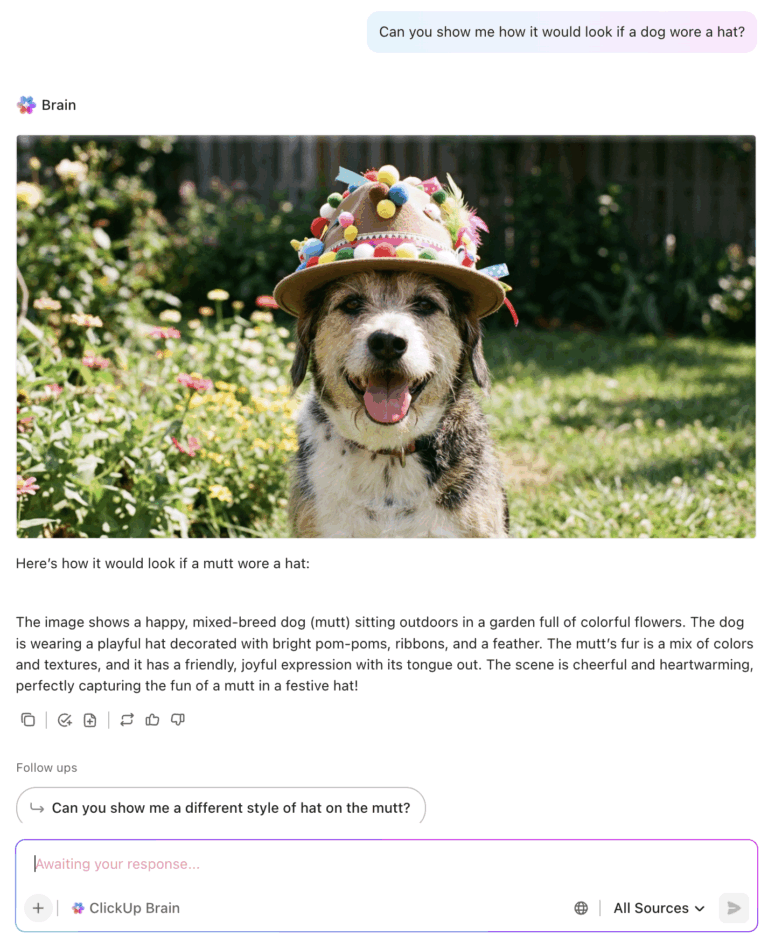
There’s no shortage of AI tools that can turn your incredulously wild ideas into stunning visuals. When Krea launched its in-house model, Krea 1, in June 2025, it was easy to dismiss it as just another AI image model.
After all, what else could it be better at? Prompt handling? Typography? Or intelligent style transfers?
Well, all of these, and it also addresses the recurring “AI look” problem by generating visuals that avoid the usual AI artifacts and uncanny textures.
We were intrigued. So we set out to test Krea ourselves, and in the process, we built a library of Krea AI prompts that you can put to use with your own modifications and tweaks.
| Tool | Best for | Strengths | Limitations | Pricing |
|---|---|---|---|---|
| Krea AI | Real-time visual iteration; image + video | Multimodal inputs, canvas sketching, 50+ models, video generation | Overwhelming options, limited free compute, still in beta | Free (50 tokens), paid upgrades |
| ClickUp | End-to-end creative workflow | AI image generation plus workflow mgmt, automations, prompt library | More workflow-oriented than style-driven | Included in ClickUp plans |
| Leonardo AI | Game assets, 3D textures, brand styles | OBJ texture gen, custom model training, high prompt adherence | Inorganic objects need multiple tries | Free tier + $10–$48/mo |
| Midjourney | Premium artistic styles | Best artistic aesthetic, huge community, reference consistency | No free plan; Discord UI; no video | $8–$96/mo |
| Ideogram | Graphics + typography | Best text rendering; poster-quality outputs | Not ideal for photorealism | Free + paid tiers |
| Runway Gen-4 | Character realism & cinematic shots | Best for people and live-action aesthetics | Lower control over stylized graphics | Paid tiers only |
Krea AI is an iterative creation tool that uses proprietary and third-party AI (artificial intelligence) models to generate, enhance, edit, and animate high-quality videos and images.
You input a text prompt (or an existing image/video), and Krea AI uses advanced models to produce high-quality, visually rich outputs, ranging from photorealistic images to stylized art, video clips, or upscaled/enhanced versions of existing visuals.
Krea AI moves away from a command-based approach toward a cooperative real-time partnership.
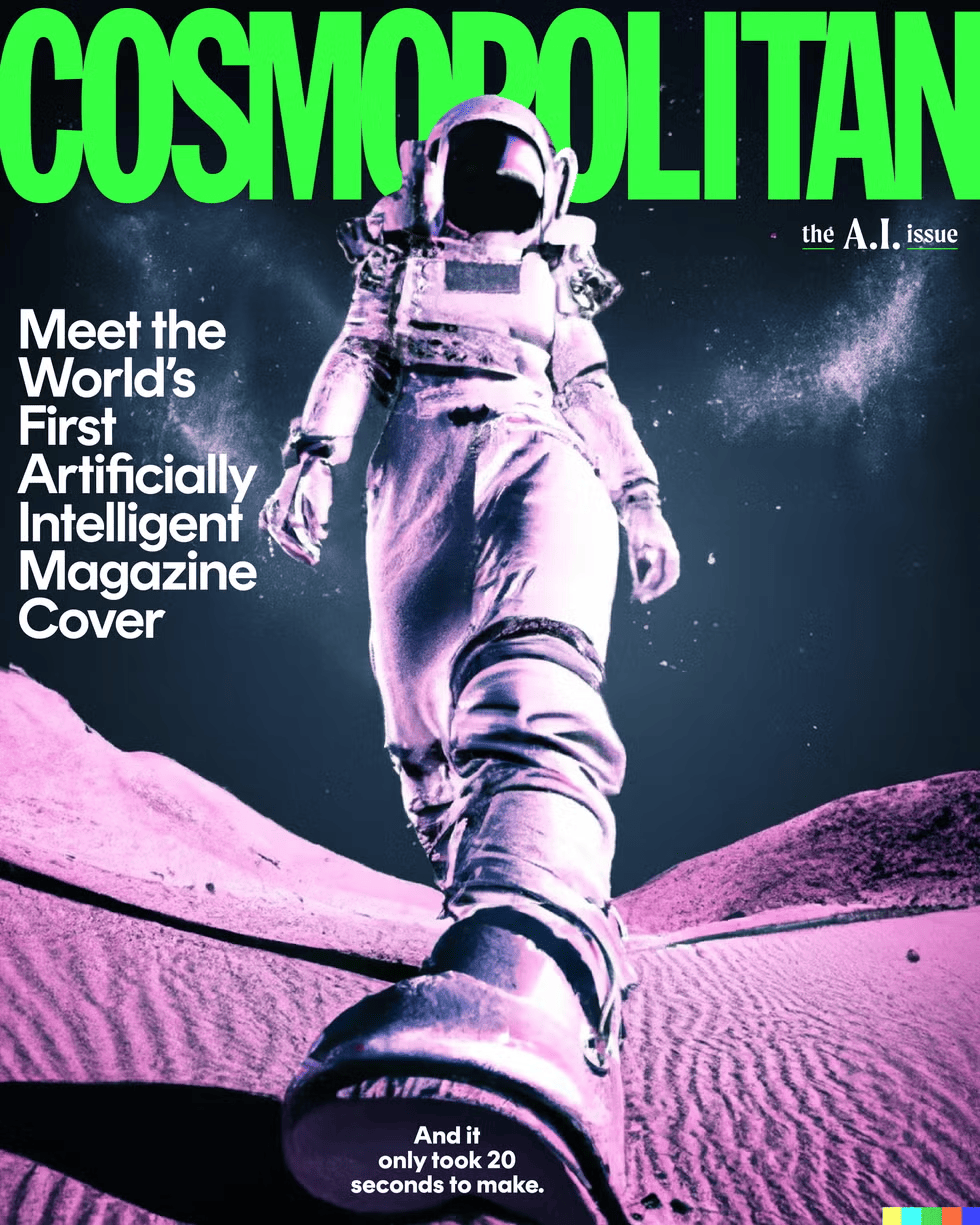
👀 Did You Know? In June 2022, Cosmopolitan published the first-ever magazine cover created entirely by DALL·E 2.
The editorial team collaborated with a digital artist to refine the final art.
The final prompt they used was “Wide-angle shot from below of a female astronaut with an athletic female body striding across Mars in an infinite universe, synthesizer waves, digital art.”
Krea AI prompts are instructions that tell the platform what kind of visual you want to create. Here, you can textually describe the image you want, upload images and style references for Krea to interpret, and even offer live guidance by sharing your screen and webcam.
Krea also offers a real-time canvas where you can sketch shapes or draw annotations to nudge AI creation in real time. Overall, the tool can interpret textual and visual cues to generate images as per your imagination.
📮 ClickUp Insight: 1 in 5 professionals spends 3+ hours daily just looking for files, messages, or additional context on their tasks. That’s nearly 40% of a full workweek wasted on something that should only take seconds!
ClickUp’s Connected Search unifies all your work—across tasks, docs, emails, and chats—so you can find exactly what you need when you need it without jumping between tools.
The quality of Krea’s output significantly depends on the structure and format of your prompt. The more specifically and clearly you describe your imagination, the more peculiar the representation you get.
However, words can be limiting in describing certain styles. And that’s one of the reasons why Krea’s multiple input modals can be helpful in getting the results you want.
Here’s how you can design your prompts textually and visually to get the best of Krea AI:
Start with a clear subject, i.e, the central focal point of your image. Now describe it using descriptive words so the AI can have a more intuitive understanding of what you want to create.
Don’t know how to describe your subject or imagination?
Break it down into four layers:
📌 Save this prompt:
Subject: A violinist
Physical appearance: silver-threaded cloak, porcelain-smooth skin, glowing amber eyes, intricate wooden violin, braided midnight-black hair, reflective metallic boots
Action or state: playing mid-performance intensely, bow slicing through the air with motion blur
Atmosphere: dramatic, ethereal, electrically charged mood
Context or setting: on a floating stage in a zero-gravity concert hall surrounded by suspended shards of light
Full prompt: A violinist with a silver-threaded cloak, porcelain-smooth skin, glowing amber eyes, braided midnight-black hair, and reflective metallic boots, playing intensely mid-performance with the bow slicing through the air. Dramatic, ethereal, electrically charged atmosphere inside a zero-gravity concert hall filled with floating shards of light.
If you’re evaluating AI image generation tools, we’ve done a detailed analysis to save you time. Watch below 👇
📚 Read More: Best AI Writing Prompts for Writers and Marketers
Focus on the entirety of an image. Think lighting, mood setting, the kind of image type, and how you want the elements to be arranged in an image.
Modifiers in your AI image prompts give the image generator a visual framework to follow.
Here’s what to specify:
Krea also offers access to over 1,000 style templates—both their own and ones created by community members. You can apply those styles directly if you have difficulty explaining your concept, or even train your own custom style model for consistent visuals across multiple generations.
💡 Pro Tip: Build your prompts gradually using a prompt chaining technique to help AI render complex image compositions. Start with foundational elements and then layer in with secondary details like lighting, atmospheric effects, and sharpness. This prevents the AI from getting confused by too many instructions at once and gives you precise control over each visual element.
Krea brings together multiple AI models into a single interface, giving you the flexibility to match the right tool to your creative needs. But that also means you need to understand each model’s strengths and limitations to achieve the best results.
Here’s a quick table to help you pick the best models for your specific needs:
| Model | Best for | Key strength | Output and resolution |
| Krea 1 | Photorealism | Solves “AI look” problem | 4 images, 4096 |
| Flux | General use | Style references | 4 images, 1024 |
| Nano Banana | Prompt adherence | Reasoning, world knowledge, complex prompts | 2 images, 1024 |
| ChatGPT image | Complex scenes | Advanced reasoning | 2 images, 1024 |
| Ideogram | Graphics | Flat, aesthetic styles, typography | 2 images, 1024 |
| Runway Gen-4 | Characters | Cinematic quality | 2 images, 1024 |
Sometimes you have an exact vision, but words fall short. You want that specific neon glow from a cyberpunk alley, or the exact texture of weathered wood from a photo you took last summer. Text alone can’t always bridge that gap.
Within Krea, feed visual references directly into the generation process. The platform reads your images and extracts their visual DNA, i.e., color schemes, lighting moods, composition structures, texture qualities, and applies them to your output.
What’s easier? Describing a sunset you photographed last year or just uploading it?
The latter. Here’s how multimodal inputs expand what you can create:
Krea is built for an iterative process. You can generate, tweak, regenerate, and refine the AI output until you land on something that works.
Choose the AI-generated asset from the folder and give a simple text prompt like: “Relight the scene. Make it brighter, with daytime flowing in through the windows”.
The platform processes your instruction and updates the image accordingly. You can also control how much the platform alters your image by adjusting AI strength.
That said, here’s a reliable formula to structure your prompts:
Image type + solid descriptive subject + specific composition details + reference image or style + AI model selection
Remember, no amount of prompt engineering guides will replace hands-on experimentation. You have to test different models and generate images yourself to understand what works.
Browse Krea’s community to see what others have created, study their prompts, and model their experiments.
Join the platform’s Discord server to ask questions and learn from users who’ve already figured out the quirks of each model.
👀 Did You Know: The first major AI art program, AARON, was created in the early 1970s by British-born artist and computer scientist Harold Cohen. Under this program, robots were taught to create drawings which Cohen would later color by hand.
Krea transforms creative workflows by offering access to 50+ AI models. Play along and use a combination of text prompts, style references, aspect ratios, and even sketches to describe what you want it to create.
Although it has a learning curve, it’s intuitive. This list of 30+ Krea AI prompts will give you enough inspiration to build and experiment with your own prompts.
Time to bring your inner prompt engineer to life.
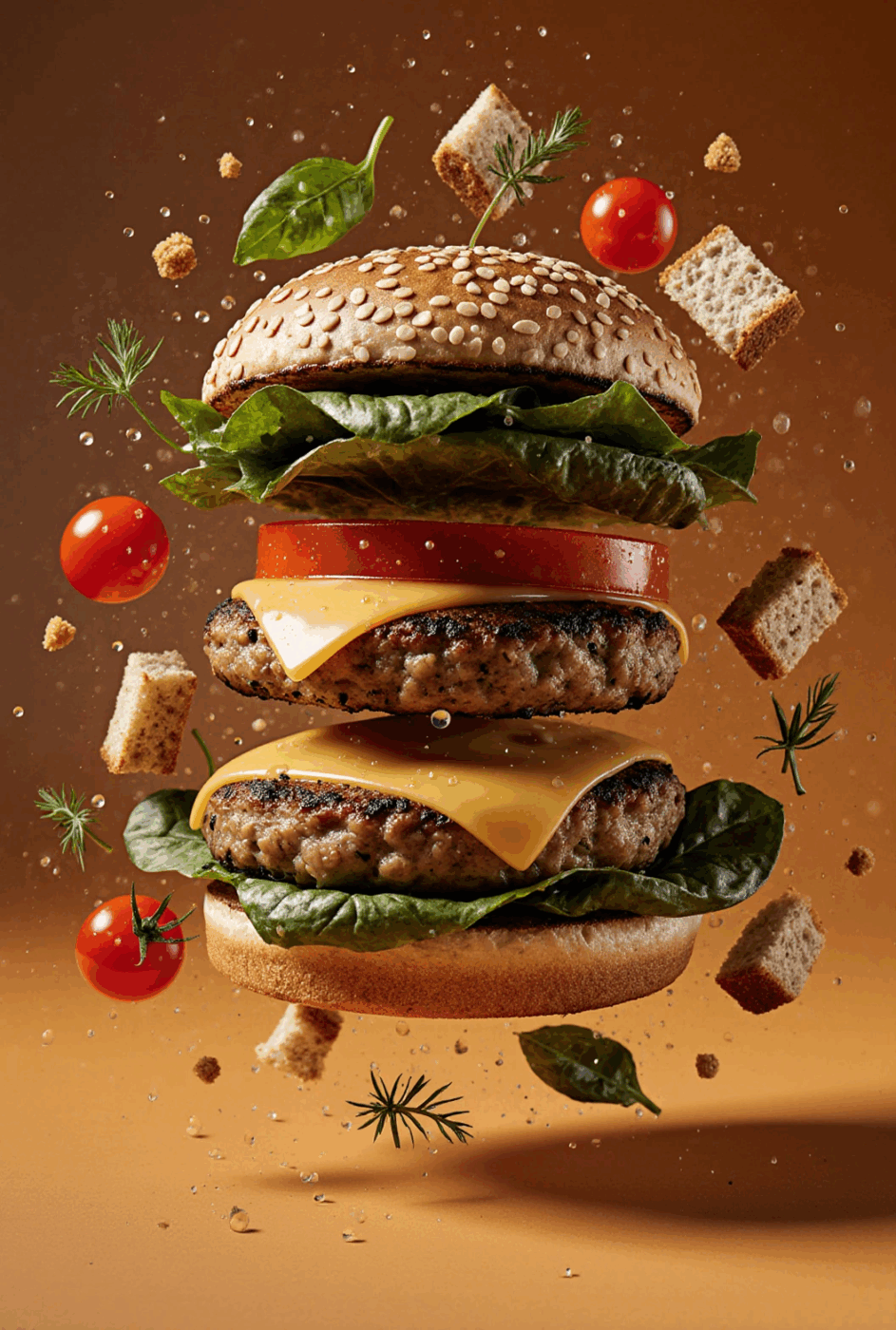
1. Generate a photorealistic rendering of a towering veggie burger with a multigrain bun, sharp cheddar, grilled mushroom patty, roasted red pepper, and crisp spinach leaves, all floating in a rich golden-orange background. Fresh herbs, breadcrumbs, and red cherry tomatoes hover in dynamic suspension around the ingredients, as if caught in a flavorful gust of wind. The lighting is warm and directional, highlighting moisture droplets, textures, and sheen across every layer. Include vibrant organic color grading that evokes the sense of a fresh, gourmet meal.
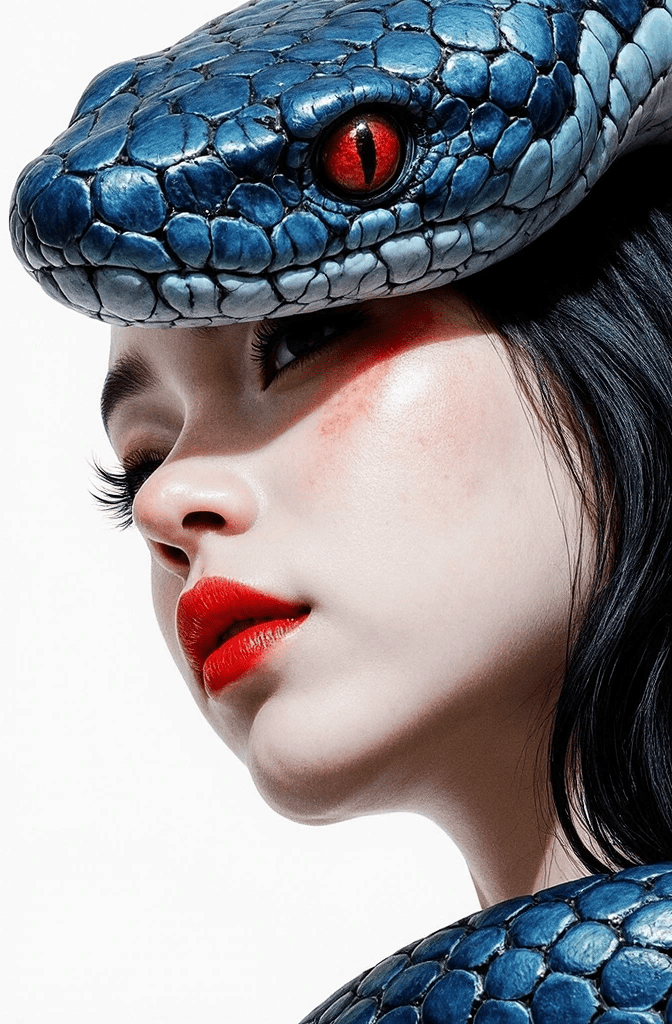
2. A snake in deep blue wrapping around the girl’s face, its scales detailed and textured. The girl’s lips are bright red, glossy, and expressive. Her hair, eyebrows, and eyelashes are pure white, blending seamlessly with the clean white background. The overall image creates a striking contrast of blue, red, and white tones.
3. A Dior boutique features a flowing white sculptural facade. Metallic butterflies cascade from the curved overhang above the entrance. Warm golden lighting illuminates the archway and brand lettering. Glass display windows reveal the interior. Blue hour photography captures the street-level view. Modern organic architecture with photorealistic details.
4. A woman in a gray suit sits cross-legged on a vintage car hood. The scene is black and white except for colorful cosmetic bottles in pink and purple. A large crystal perfume bottle frames her figure. Green botanical leaves and purple lavender stems weave through the composition. The vintage car shows chrome details and classic headlights. Surreal product photography with mixed media collage style.
💡 Pro Tip: Close enough but not yet satisfied with the output? Try Krea’s Reuse parameter feature. It brings the exact prompt, model and settings from that generation into the prompt box, allowing you to make a quick re-run and edit. If that doesn’t work use prompt chaining to get to your desired output.
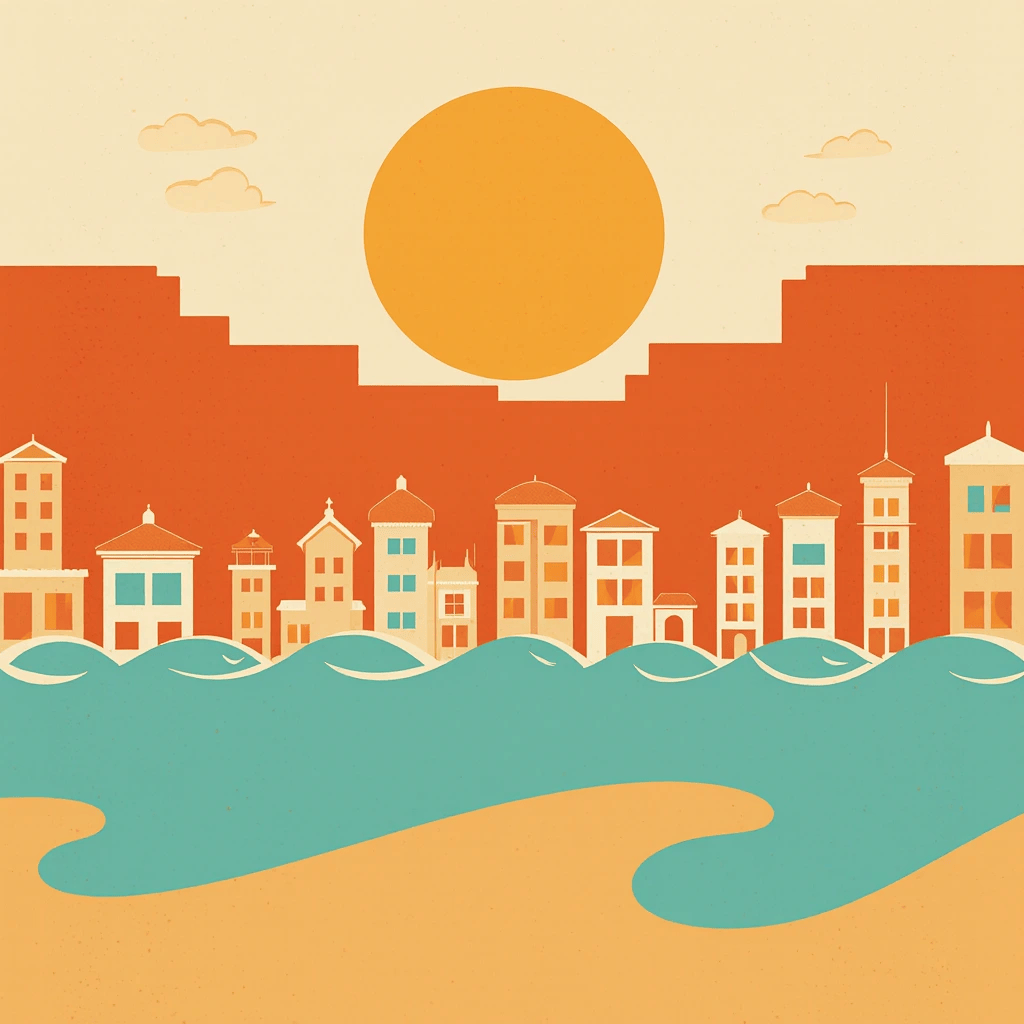
5. A 1960s-style travel poster shows a coastal town at sunset. Flat color blocks in orange and teal dominate. Simplified architectural silhouettes line the horizon. Geometric waves roll beneath a setting sun. Screen print texture adds authenticity.
6. A Kiko lip gloss in pink shimmer stands upright in fresh green grass. Morning dew drops cover the grass blades. Bokeh light sparkles throughout the background. Warm sunlight streams from the top right corner. The cosmetic product reflects the natural light. Macro photography with shallow depth of field. Fresh and natural product photography aesthetic.
If you’re using AI for productivity, this video shares some time-saving tips 👇
💡 Pro Tip: Wondering if you should use ChatGPT or Meta AI image generator to produce better images?
Here’s a quick cheatsheet:
Use ChatGPT for: Photorealistic product shots, detailed character portraits, complex compositions with multiple elements, and precise brand-specific visuals.Use Meta AI for: Quick concept sketches, abstract artistic styles, experimental color palettes, and rapid iteration during early brainstorming phases.
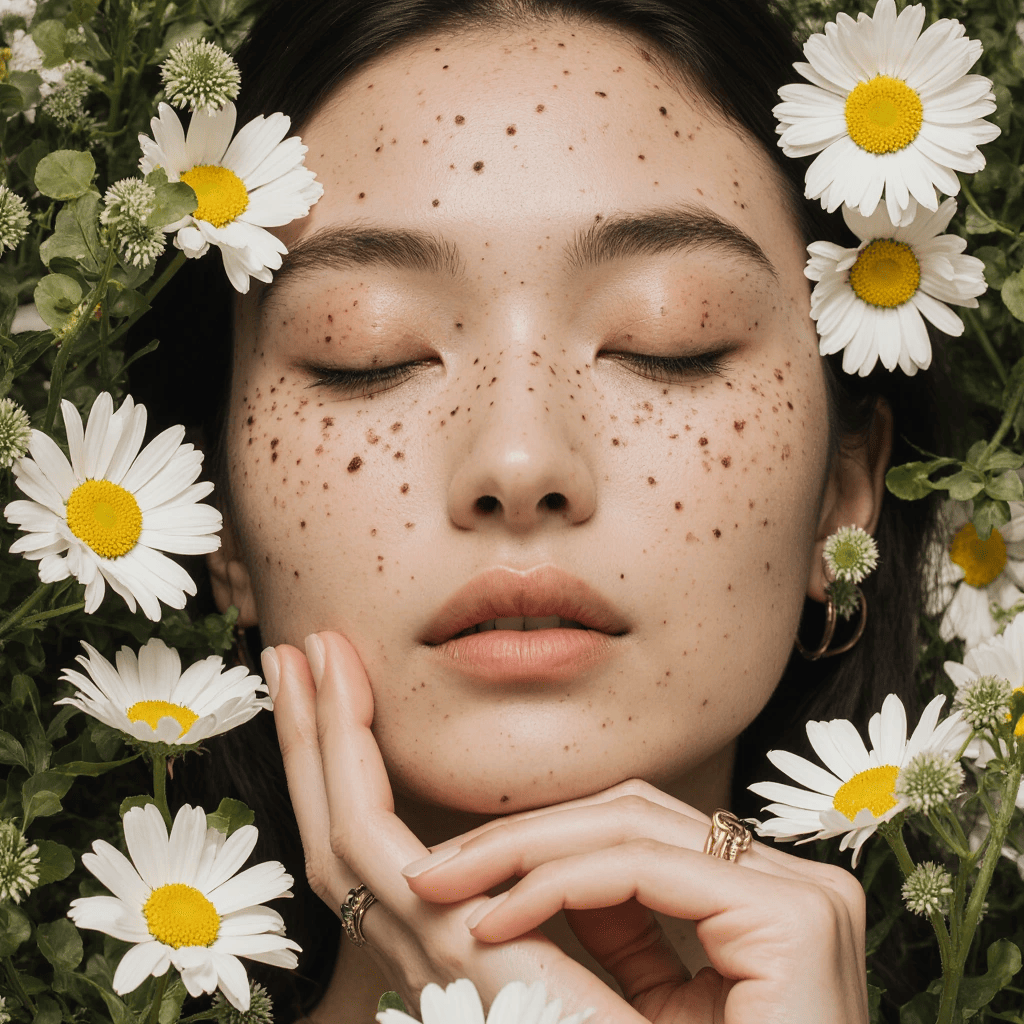
7. A woman’s face rests peacefully among white daisies and green button flowers. Her eyes are closed with natural makeup. Freckles dot her nose and cheeks. Her hand touches her chin gently, showing a gold ring. The flowers frame her entire face. Soft natural lighting highlights her skin. Close-up beauty photography with organic floral composition.
💡 Pro Tip: Want Krea to generate output that closely resemble your reference images/ style? Set the resemblance scale to higher value for it to hue closely to the original image.
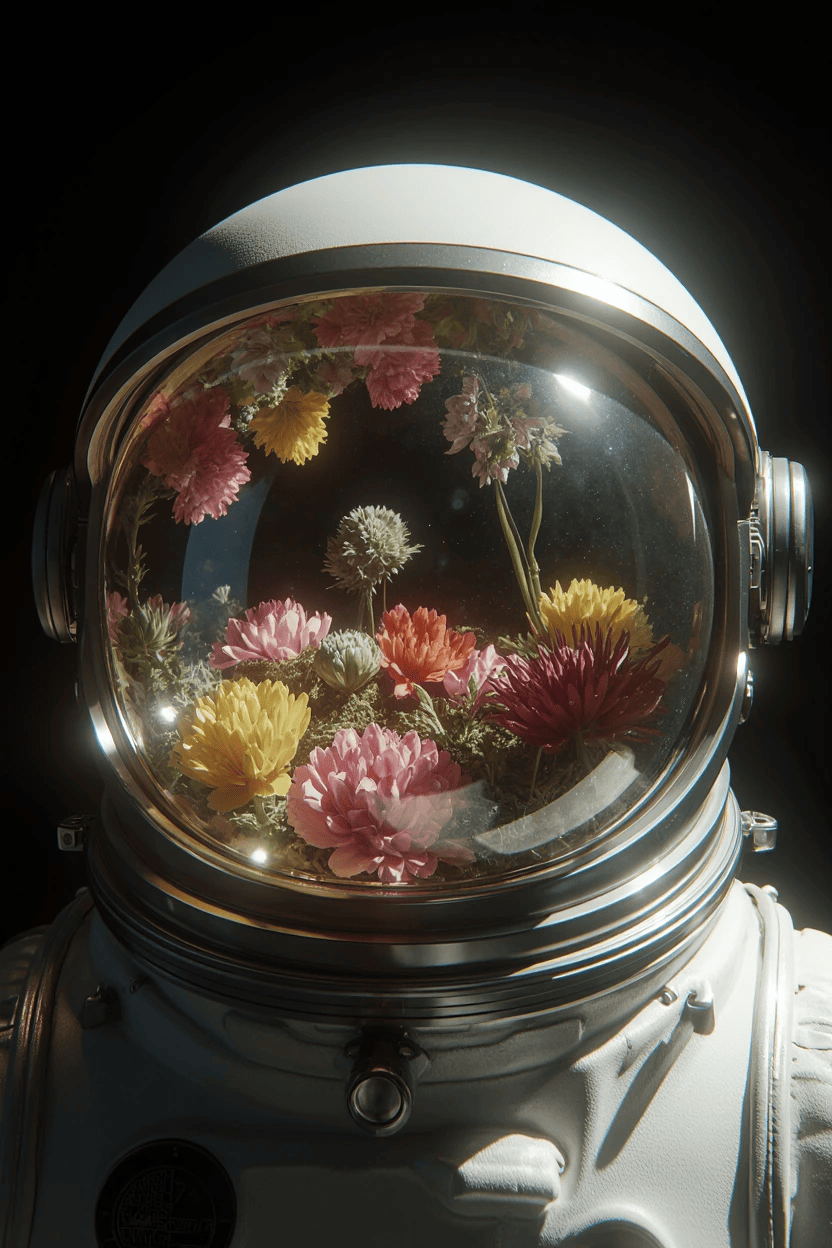
8. Astronaut helmet filled with flowers, Light Field Photography. Every possible focal plane is captured simultaneously, allowing post-capture refocusing, creating the characteristic ability to see around objects with subtle parallax shifts. The distinctive computational photography aesthetic shows impossible depth information with every petal sharp, regardless of position.
👀 Did You Know? Over 34 million images are generated daily across AI platforms like Adobe Firefly, Midjourney, Stable Diffusion, and DALL-E. While artists may have negative connotations with AI art, this massive number simply shows how AI has democratized image creation for everyone.
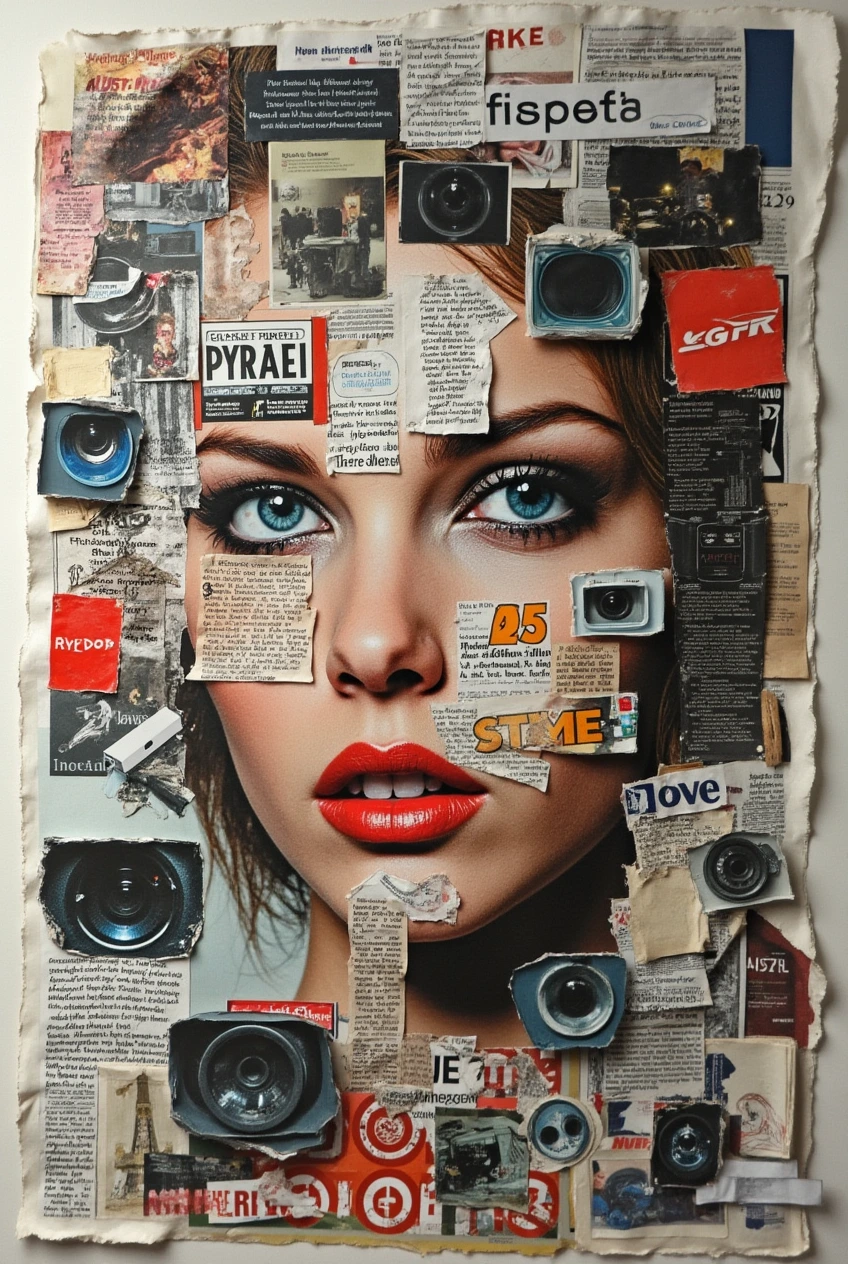
9. A chaotic collage of cut-out pieces of magazines and newspapers, including human faces, surveillance cameras, advertisements, product labels, strange gadgets, logos and fragmentary texts superimposed on each other without a single empty space. Add ragged edges, twisted corners of paper, shadows from overlapping clippings and small wrinkles for realism.
10. A smartphone floats against a vibrant gradient background of electric blue to magenta. Abstract geometric shapes orbit around the device. Clean product shot with dramatic lighting from below. Modern tech advertisement style with bold colors and dynamic composition.

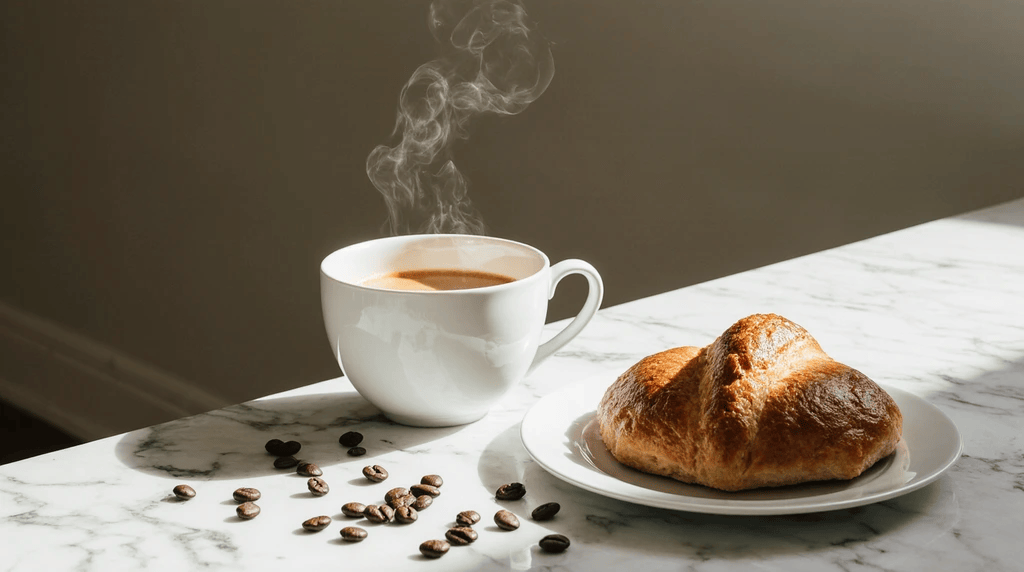
11. A flat lay breakfast scene on marble countertop. Fresh croissant next to steaming coffee cup. Natural morning light from window creates soft shadows. Scattered coffee beans add texture. Lifestyle photography with warm, inviting tones and generous white space for text overlay.
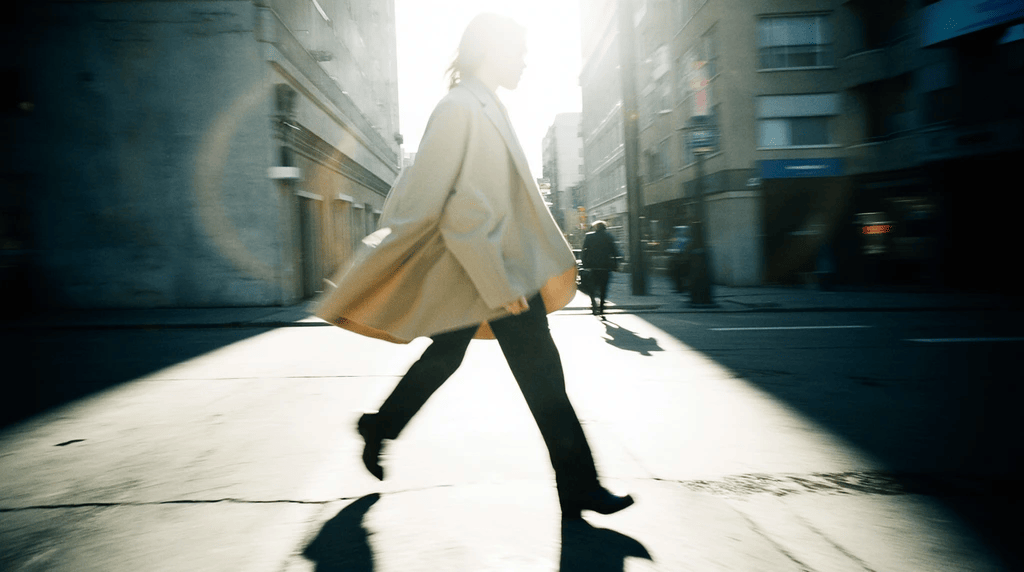
12. A model walks through an urban street wearing an oversized blazer. Motion blur suggests movement and energy. Golden hour lighting creates dramatic shadows. Concrete buildings frame the background. High contrast street fashion photography with cinematic color grading.
💡 Pro Tip: Have a low-quality digital render or overly-compressed original images? Use Krea’s Enhancer feature to creatively reinvent what a sharper, higher-res version of the scene might have been like
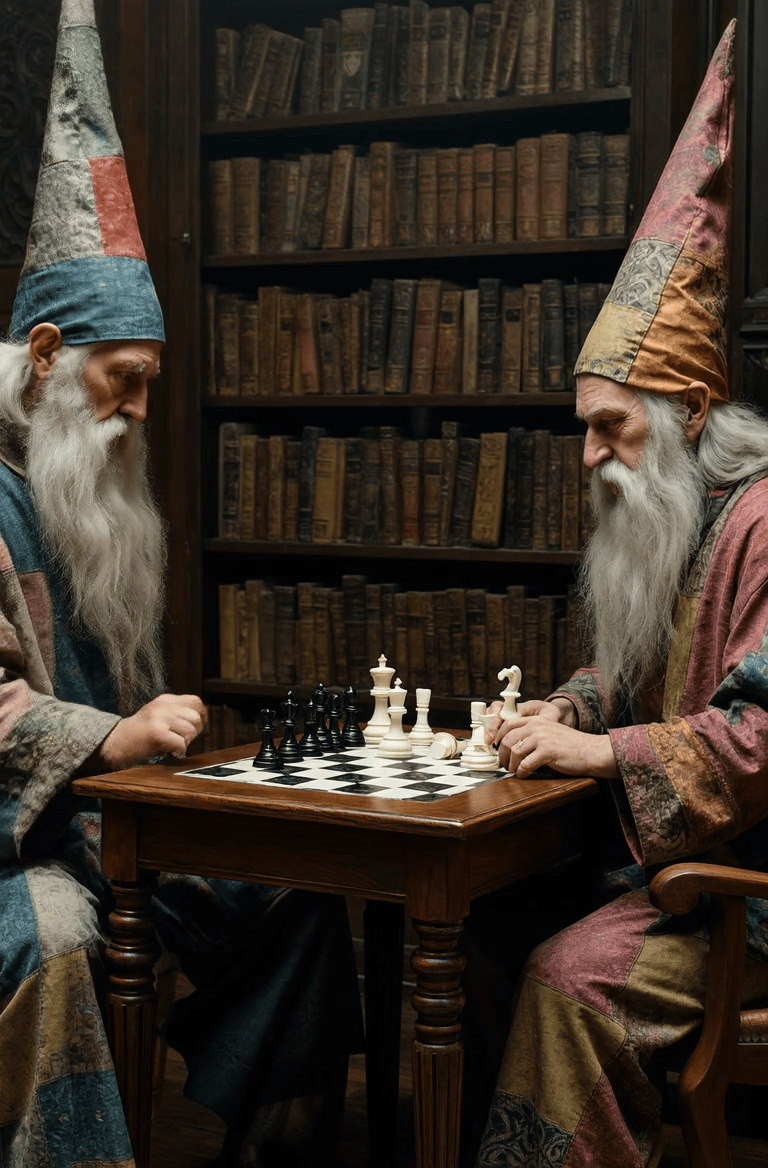
13. Two elderly wizards with long white beards play chess at a wooden table in a dimly lit library. They wear tall, patchwork pointed hats and richly textured robes in jewel tones. Ancient leather-bound books fill the shelves behind them. Warm ambient lighting creates soft shadows across their weathered faces.
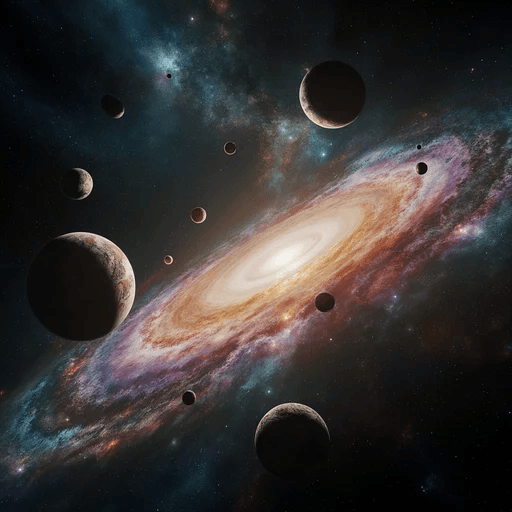
14. A vibrant space scape of musical planets and nebulae, dramatic low-key lighting, digital art, 8K IMAX, cinematic, photorealistic resolution
👀 Did You Know? An artwork created by Midjourney won a prize at the 2022 Colorado State Fair, marking one of the first instances where AI art beat human entries in a traditional competition.
15. Waterfalls pour off the edges and dissolve into mist before reaching the bottom. Ancient ruins rest on each island, connected by shimmering bridges of light. Purple and gold nebulae swirl in the sky above, casting surreal colors across everything.
16. A white dove with peach-colored wing feathers soars through a starry night sky. Golden sparkles trail behind the bird like stardust, creating a luminous path through the darkness. The cosmic background shows scattered stars and subtle nebula clouds. The dove’s wings spread wide mid-flight, each feather detailed and glowing with warm orange tones.
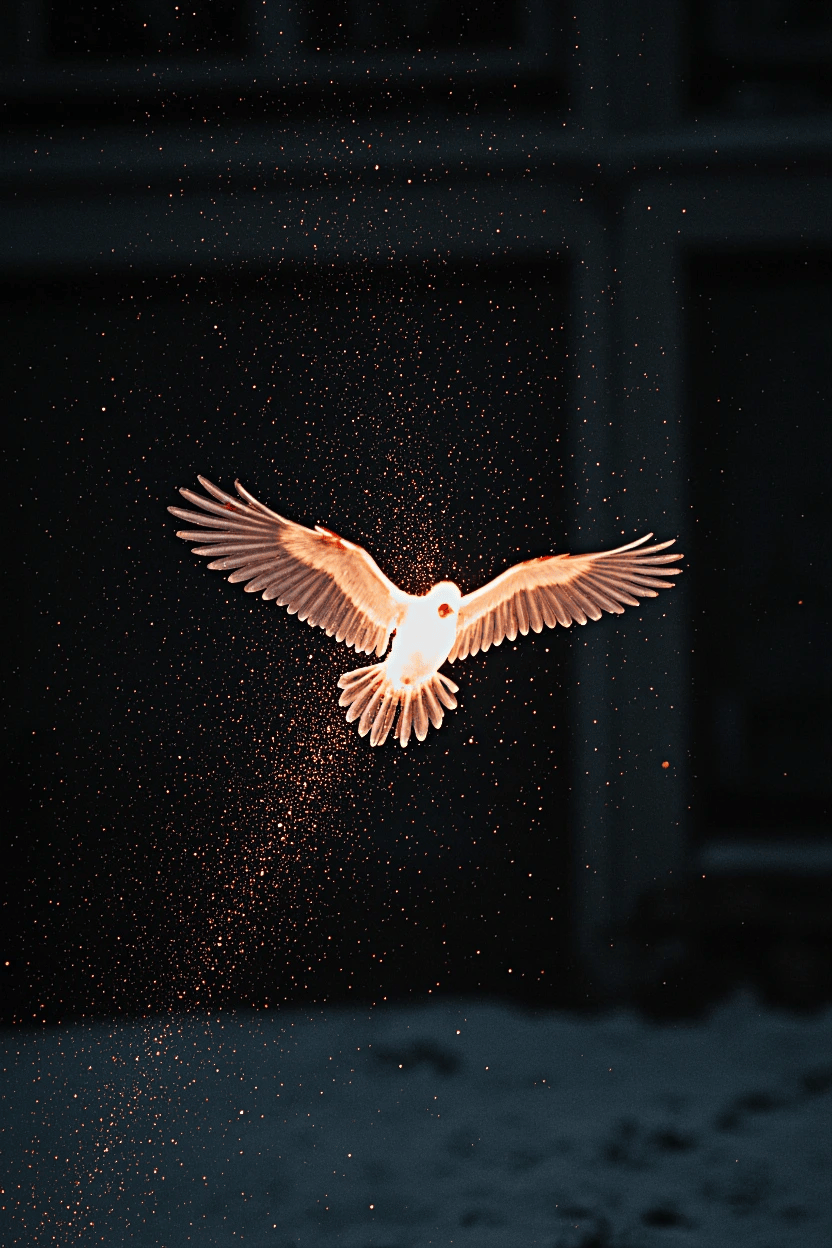
💡 Pro Tip: Use negative prompts to specify unwanted elements in a picture. For instance, “blurry feathers” and “overexposed glow” to ensure crisp details don’t wash out the stardust effect. Also, use the Krea 1 model at 75% AI strength to get the best photorealistic rendering of individual feathers.
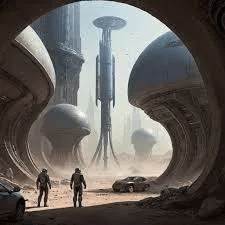
16. Two silhouetted figures stand in a massive archway overlooking a futuristic alien landscape. Enormous spherical structures and towering cylindrical buildings rise from the desert terrain under a hazy sky. The architecture combines organic curves with industrial elements. Warm sunlight filters through the atmospheric dust, creating dramatic backlighting and long shadows across the sandy ground.
17. A white Pegasus with extended wings stands on a floating island cliff at sunrise. Ancient moss-covered ruins and waterfalls cascade into misty clouds below. Golden light breaks through the sky while lush grass covers the terrain. The background shows atmospheric depth with warm amber transitioning to turquoise sky.
18. A forest deity with bark-textured skin and moss-covered shoulders emerges from emerald foliage. Antlers crown her head, intertwined with branches and white flowers. Dappled sunlight creates rim lighting on organic textures. Her serene expression conveys ancient wisdom against layered green vegetation.
🧠 Fun Fact: Does machine-created art hold any value? In 2018, an AI-generated portrait titled Portrait of Edmond de Belamy was auctioned at Christie’s for $432,500. This event sparked a global debate on machine creativity.
19. Relight the scene and make it brighter with sunlight streaming through the windows.
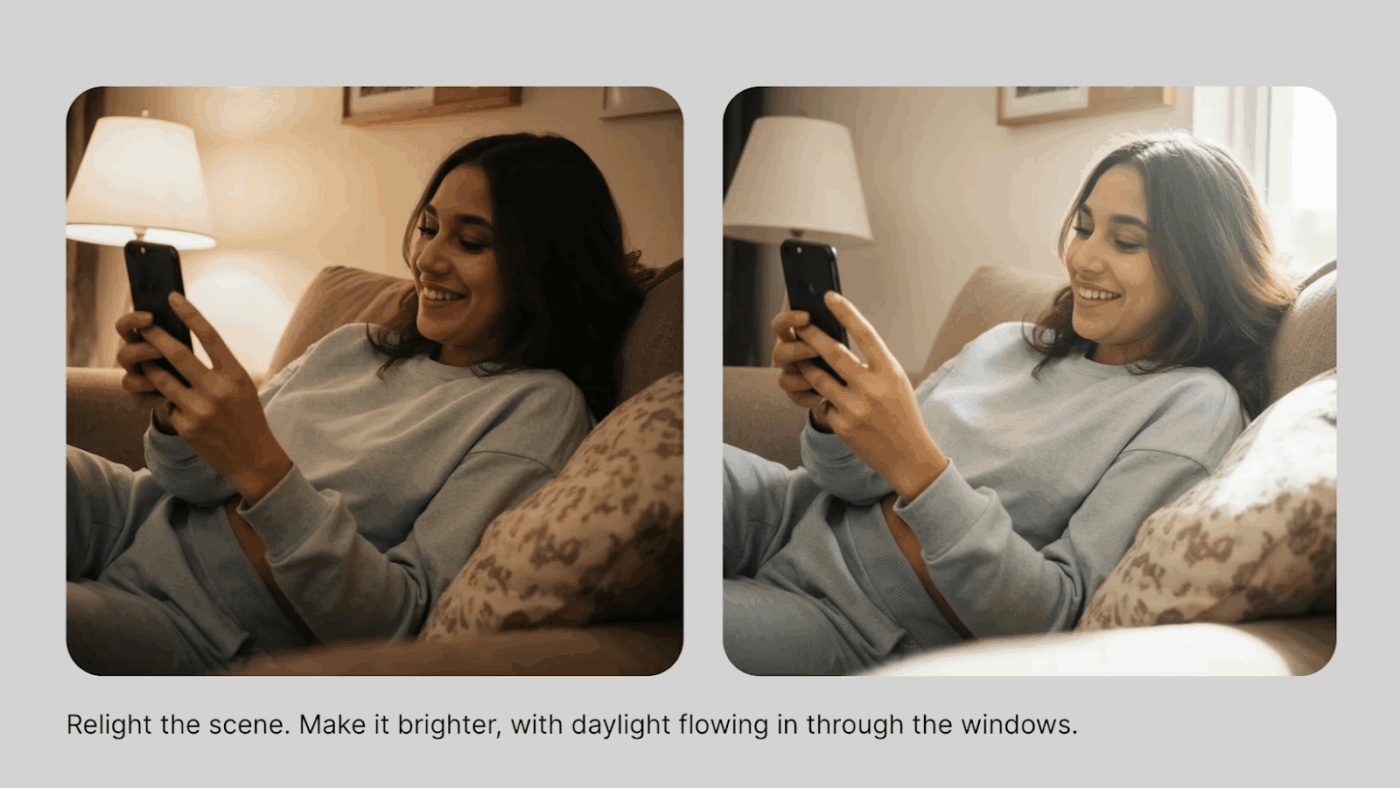
💡 Pro Tip: When feeding reference images, use matching, descriptive language.
For example, rather than simply saying “Turn this photo into a drawing like the reference image” say “Turn this photo into a digital illustration, with a flat pink background, and detailed line work, so that it matches the reference image.
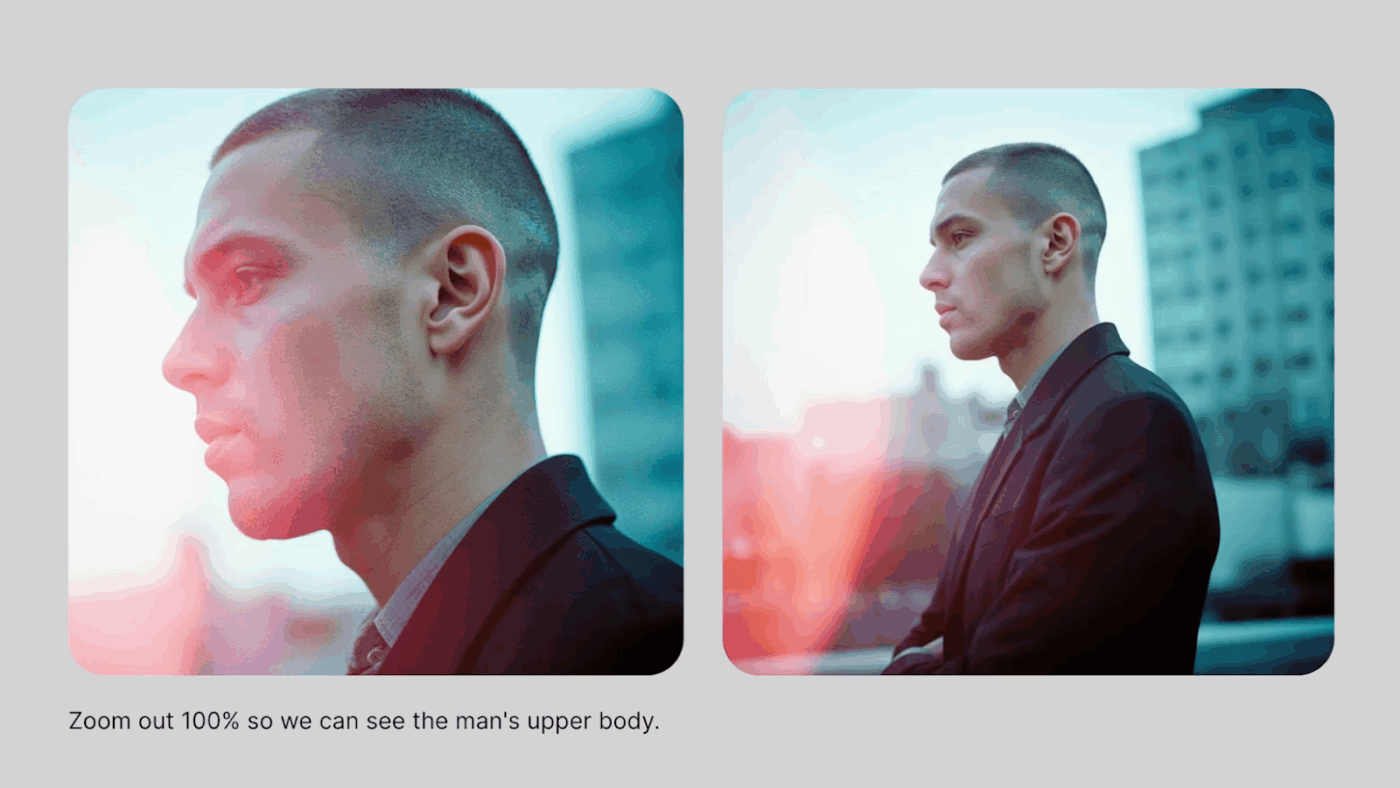
20. Reframe the shot. Zoom out 100% so that we can only see the man’s upper body.
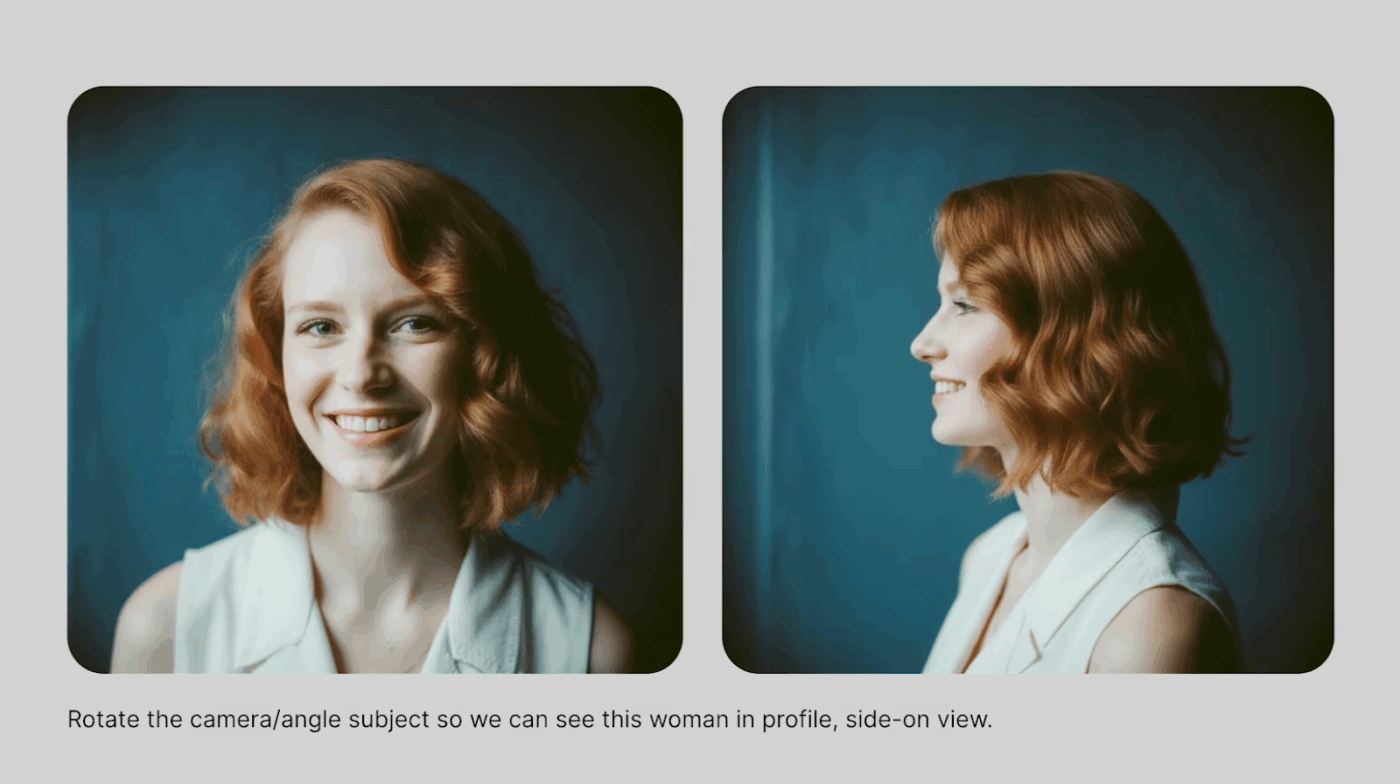
21. Change the camera angle. Rotate the camera/angle subject so that we can see the woman in profile, side view.
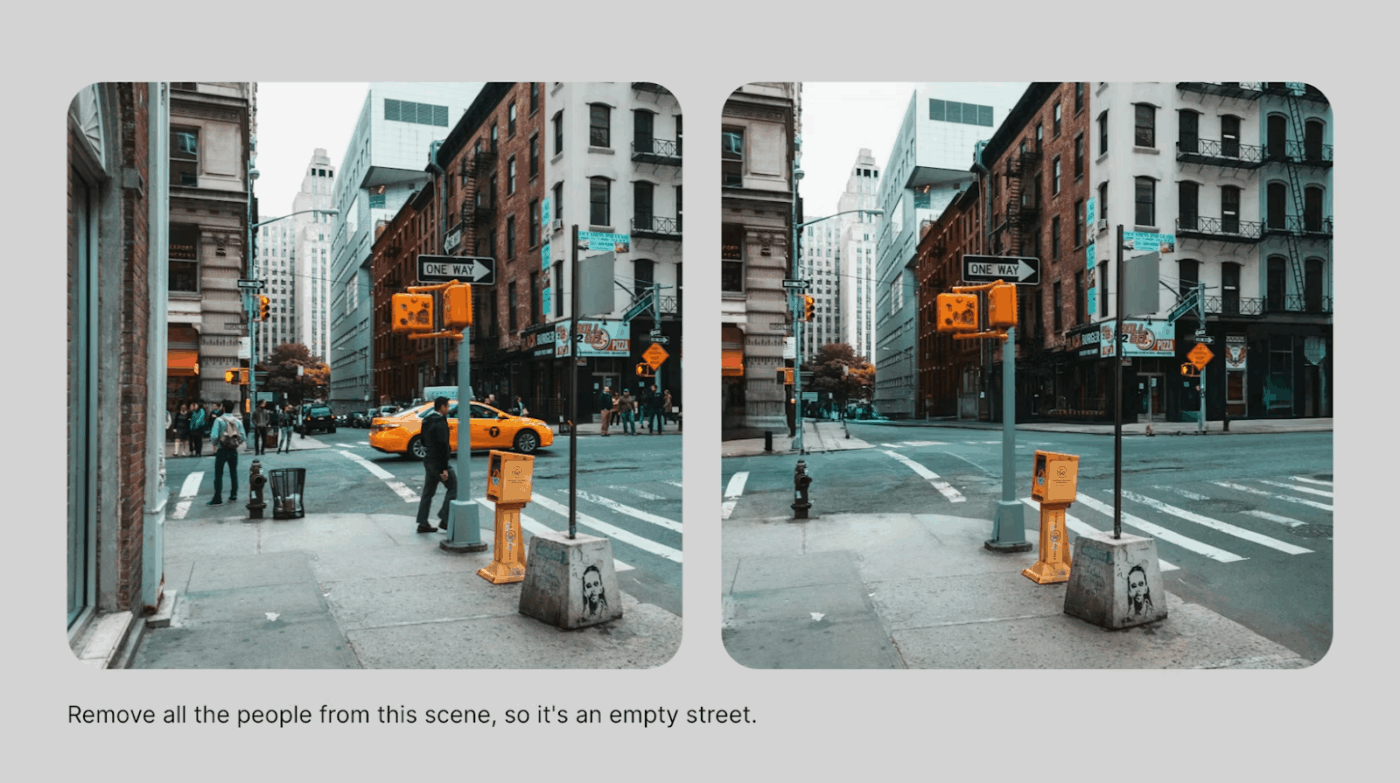
22. Get rid of undesireable elements from a scene. For example, get rid of all the people from the street so that it appears empty.
23. For apparel changes, edit this image and change the jacket’s colour from black to yellow.
24. Switch styles and turn simple sketches and concepts into more detailed work, like renders or photographs.
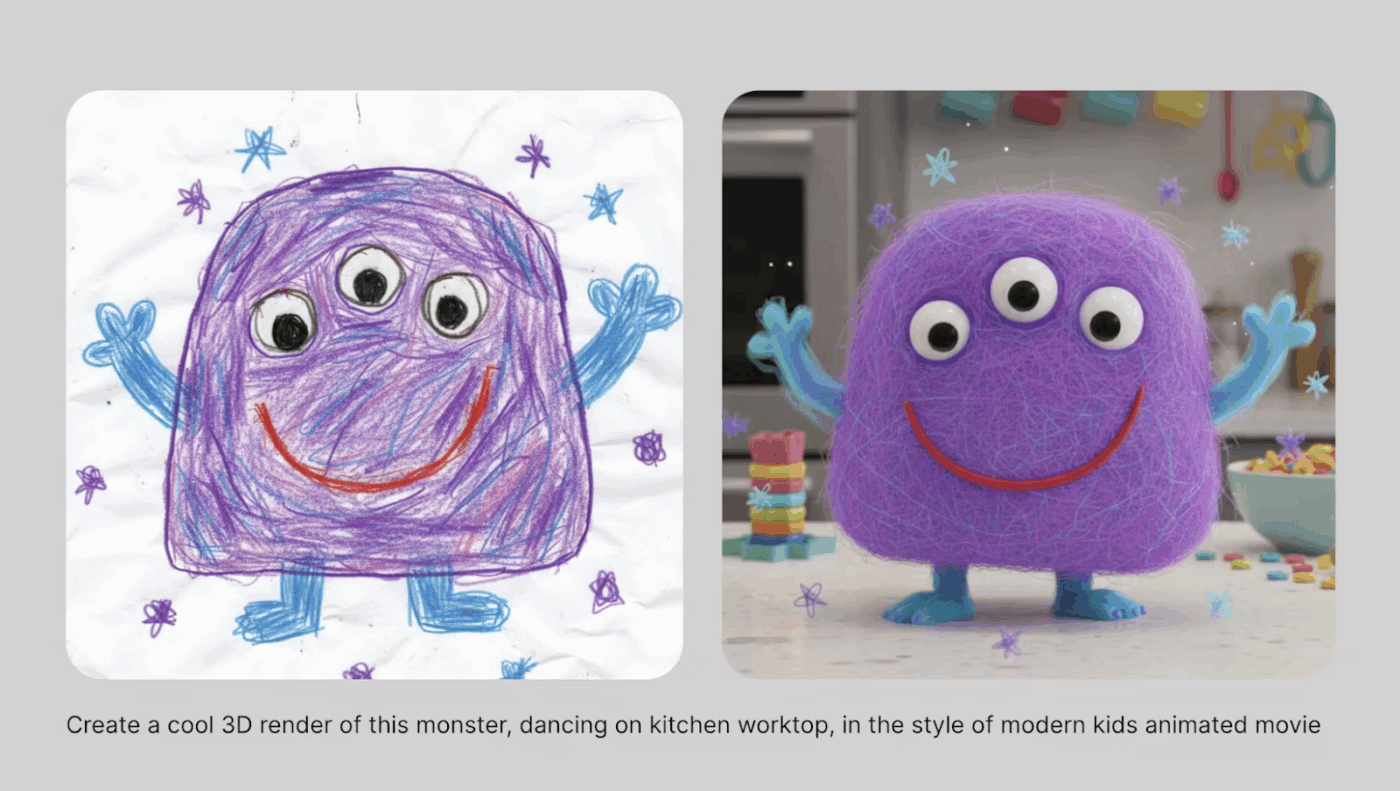
*Note: All images in this section are sourced from Krea.
💡 Pro Tip: When editing images, don’t tell the AI what to change—describe the final result you want. Instead of “remove the background and add blur,” try “create a portrait with soft bokeh background and subject in sharp focus.”
Keep experimenting and seek inspiration from other fellow creators to see how they are using AI tools for best visual creations.
Krea offers extensive features. And it does take time getting used to its modalities and feature sets.
If you have been facing difficulties getting it to generate the visuals you want, here are some mistakes you could be making.
| Mistake | Why It Happens | Solution |
| Doing everything one model | There are 50+ AI models for image generation and 10+ models of video creation. When you create all sorts of artistic, abstract, animated, or graphical images without changing the AI model, you may get a fairly disappointing output. | Experiment. Learn where different models excel, i.e., runway-4 for character reference, Nano Banana and ChatGPT for paint+ textual prompts |
| Not using Raw mode | Krea’s models are trained to generate “cool-looking” outputs by default. This aesthetic bias fights against certain artistic styles or technical renders | Enable Raw Mode when you want the model to generate less artistic images |
| Ignoring AI strength settings | The AI Strength slider controls how heavily the platform interprets your references vs. your text prompt. When you don’t adjust the scale, you get outputs that are largely unrelated | Choose lower AI strength when you want Krea to prioritize text prompts and stick closely to the references |
| Overloading the prompts | Stuffing prompts with 50+ descriptors confuses the generation process | Take the creation process step-by-step if there are multiple minute and nuanced details to take care of |
| Using canvas tools passively | Krea’s canvas (shapes, brush, feather tools) is built for continuous refinement, not one-shot attempts | Sketch rough shapes, use the Magic Wand for smart selections, and iterate 3-5 times for polished results |
| Misusing webcam and screen share inputs | Users expect the camera to literally place them in scenes or assume screen share creates exact replicas. The AI interprets shapes, colors, and motion—not direct copying | Use webcam for abstract shape/color influence and screen share for referencing mood boards or reference collections |
| Overlooking community-trained custom models | Krea offers 1,000+ style templates from the community. Users default to base models and miss specialized styles that match their exact needs | Browse community styles before complex prompting. Many niche aesthetics (cyberpunk neon, Studio Ghibli, art nouveau) are pre-trained and ready to apply |
Krea’s impressive, but it’s not a flawless tool. Here are some places where Krea’s creative iterative process will fall short:
📮 ClickUp Insight: 88% of our survey respondents use AI for their personal tasks, yet over 50% shy away from using it at work. The three main barriers? Lack of seamless integration, knowledge gaps, or security concerns.
But what if AI is built into your workspace and is already secure? ClickUp Brain, ClickUp’s built-in AI assistant, makes this a reality.
It understands prompts in plain language, solving all three AI adoption concerns while connecting your chat, tasks, docs, and knowledge across the workspace. Find answers and insights with a single click!
Check these Krea alternatives that make up for its limitations or offer more work-inclusive features to suit your workflow:
Krea handles the image generation part well. The same goes for the other tools on the list. However, these tools aren’t built for managing creative operations.
ClickUp brings AI into your broader workflow with Brain, Automations, and collaborative tools that help you turn image outputs into finished creative assets.
The world’s first Converged AI Workspace combines multiple tools, models, and workflows into a unified platform.
Below, we see how the contextual AI embeds intelligence directly into every workflow:
ClickUp Brain understands your work context across tasks, docs, comments, and attachments.
When the creative director asks, “What’s holding up the launch visuals for the Spring campaign?” ClickUp Brain scans briefs, asset requests, feedback threads, and proofing comments, then responds:
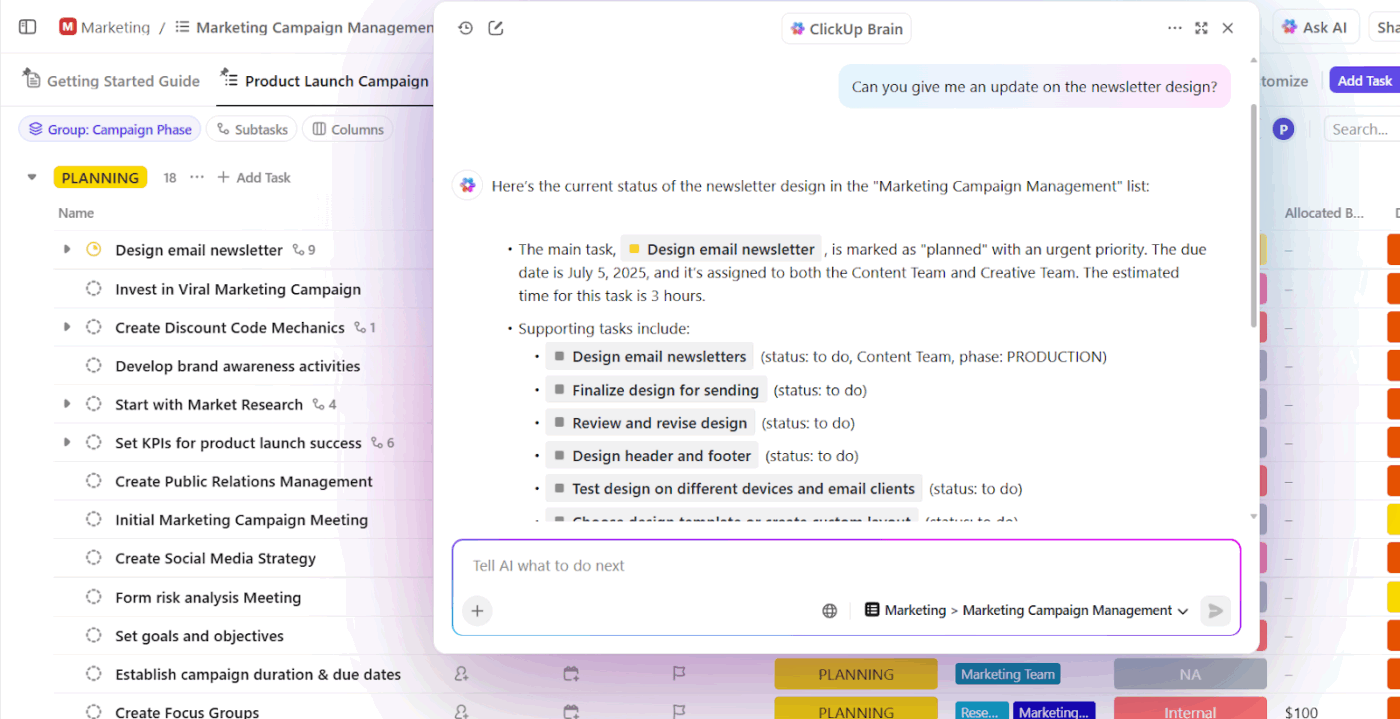
Equipped with these insights, your team spends more time unblocking the bottlenecks than dealing with work sprawl.
⭐ Bonus: Best AI Writing Assistant Software
For ongoing creative projects, build a shared library of successful prompts in ClickUp Docs.
Document how specific phrasing, composition details, or style references in the prompt influenced the results.
Your team can refer to these prompt templates to build on your experiments without starting from scratch.
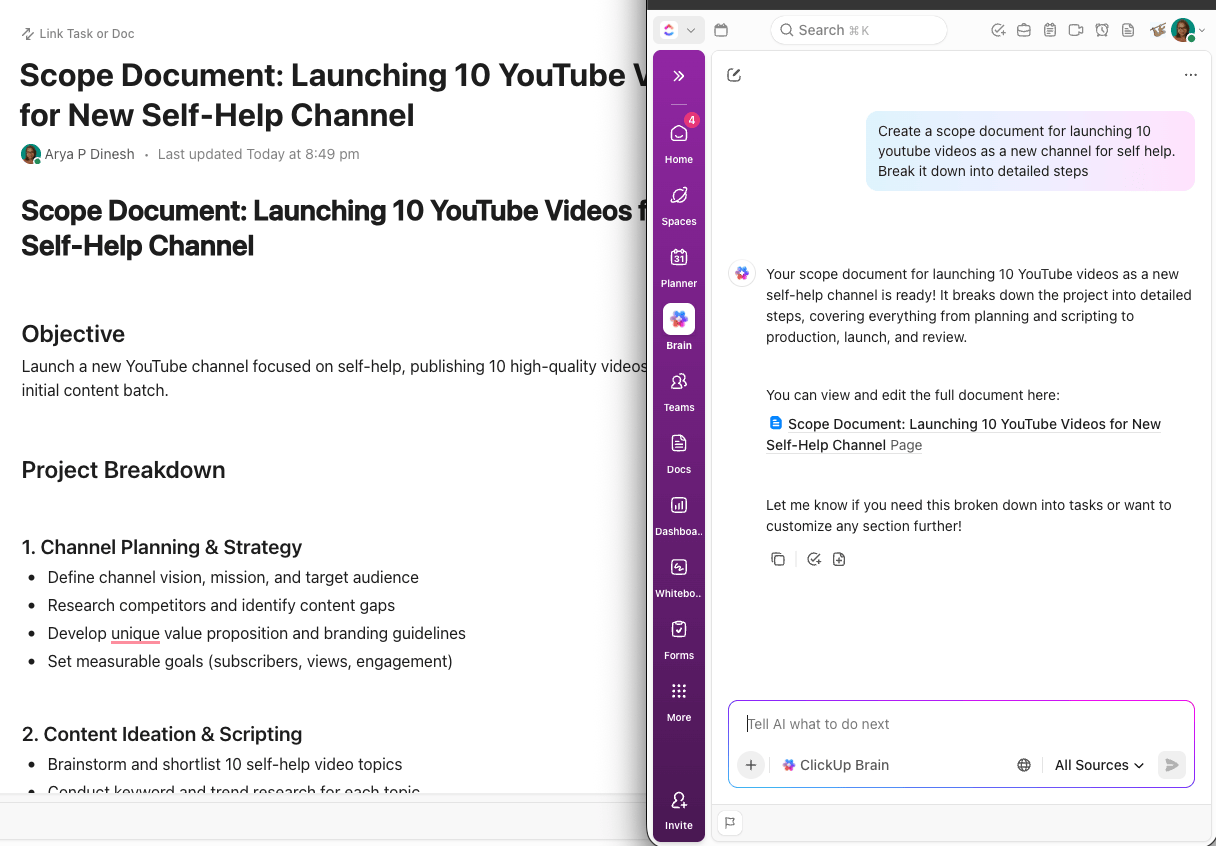
If you’re a ClickUp user, here’s how you can generate up to 10 polished visuals instantly and send them straight to your team–within the ClickUp Workspace.
Create visuals to illustrate concepts, design ads or infographics, build storyboards or mockups—all from simple text prompts or brief instructions.
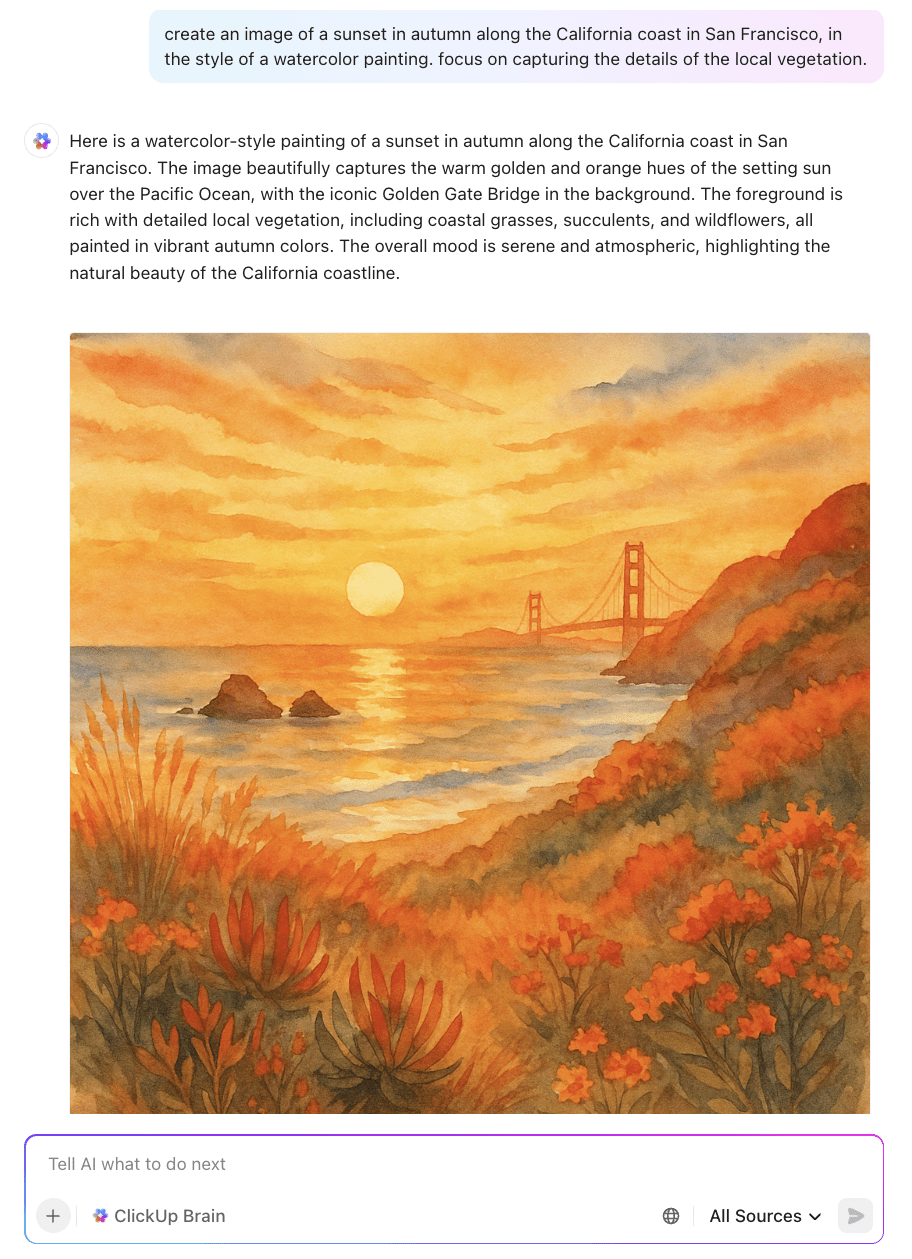
You can use AI image generation from many entry points in ClickUp: a task, a comment thread, a Doc, or a Whiteboard.
After generation, you get visuals that you can immediately attach to tasks, embed in docs or whiteboards, or share in chats.
No need to export and import, as everything is in ClickUp.
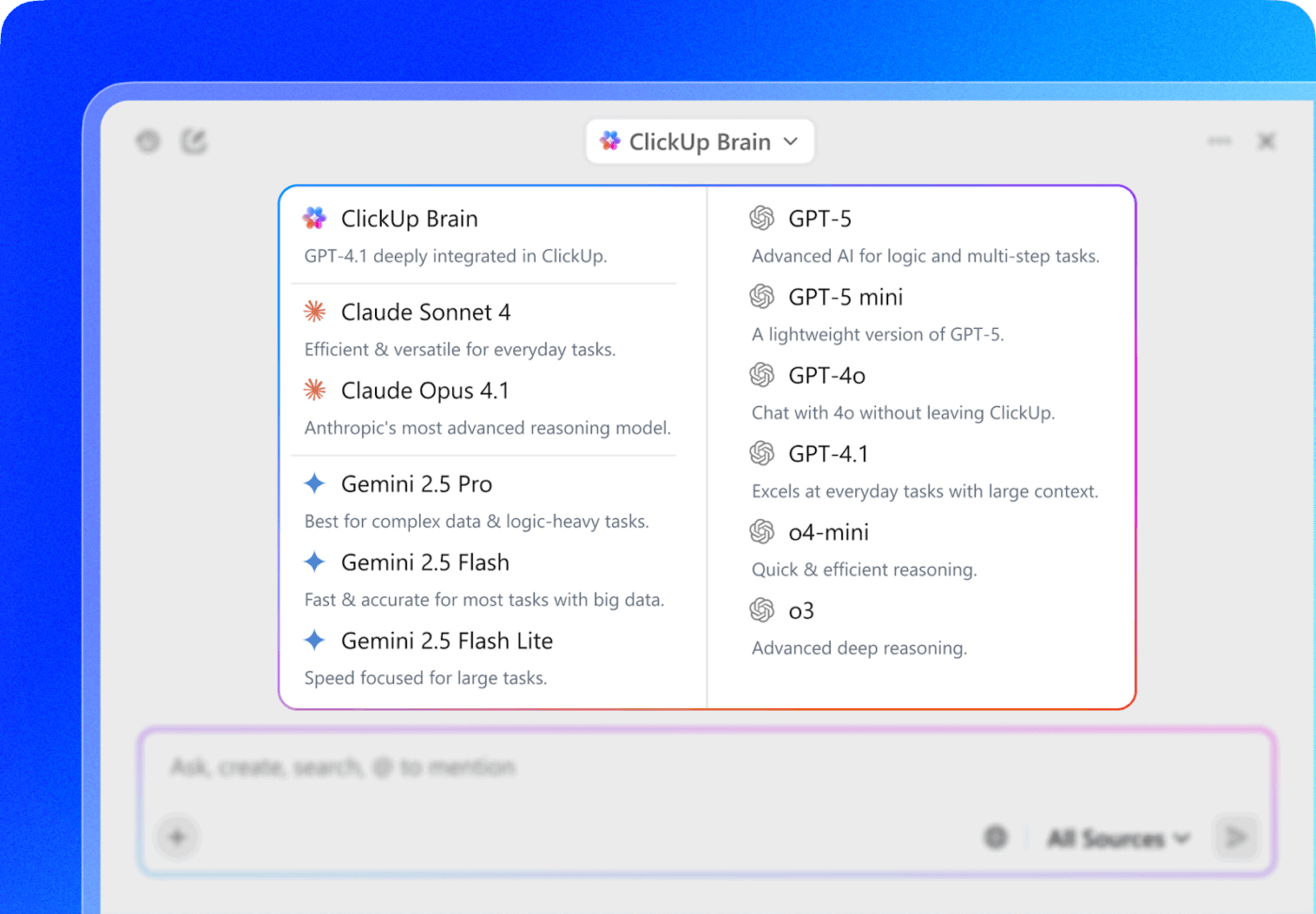
Additionally, every model you need lives inside the same ecosystem. You can switch between them based on your requirmenets.
You choose the AI model that fits your task at hand. For example,
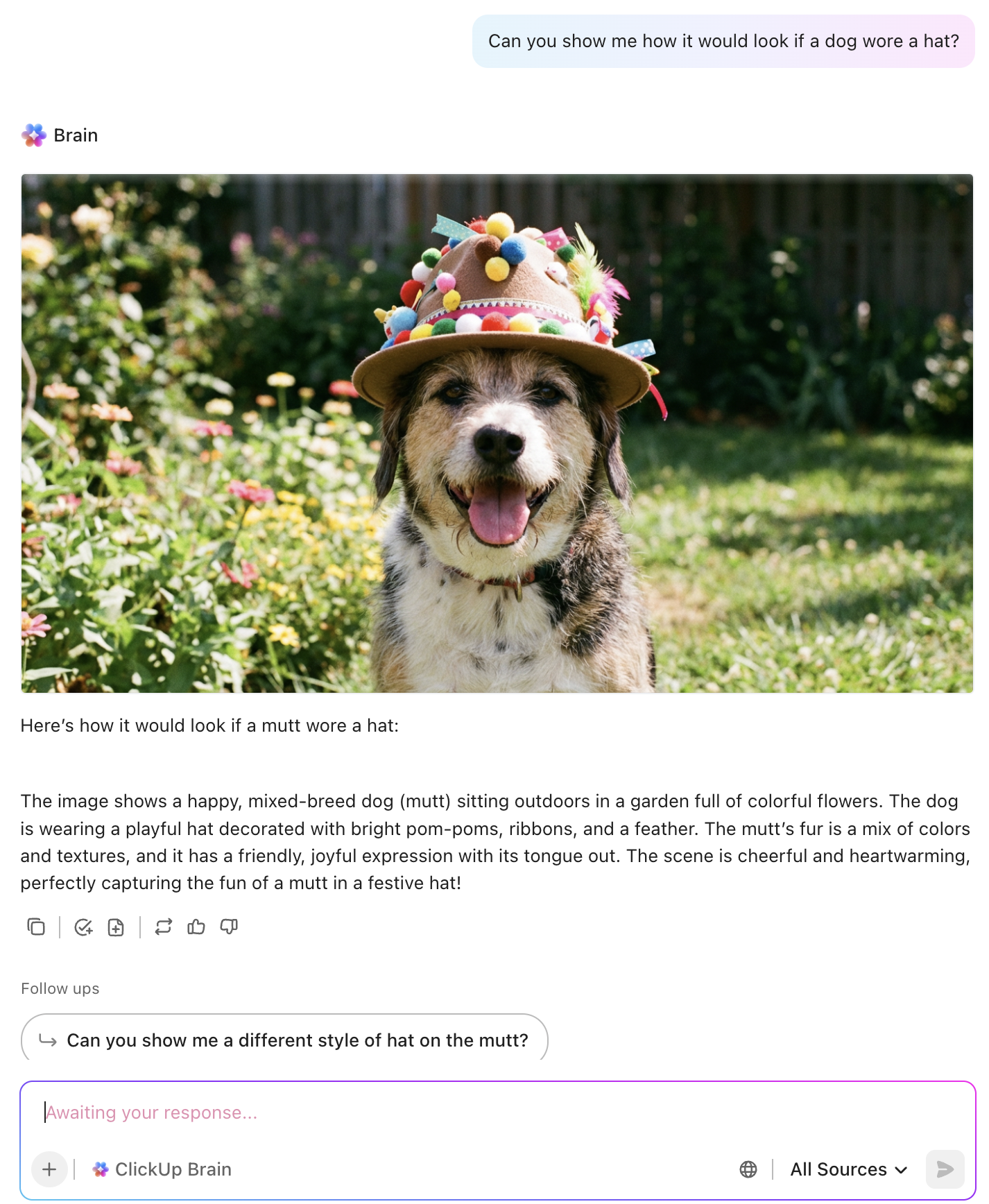
Or maybe you can also use your creative energy and share adorable images with your coworkers.
ClickUp BrainGPT is a unified desktop AI workspace. It ClickUp into an AI super app where your work, tools, and intelligence all live in one place. The key features include:
Speak naturally, and Talk to Text converts your thoughts into structured writing, briefs, action plans, or prompts. It captures nuance, organizes ideas, and turns messy voice notes into usable work instantly.
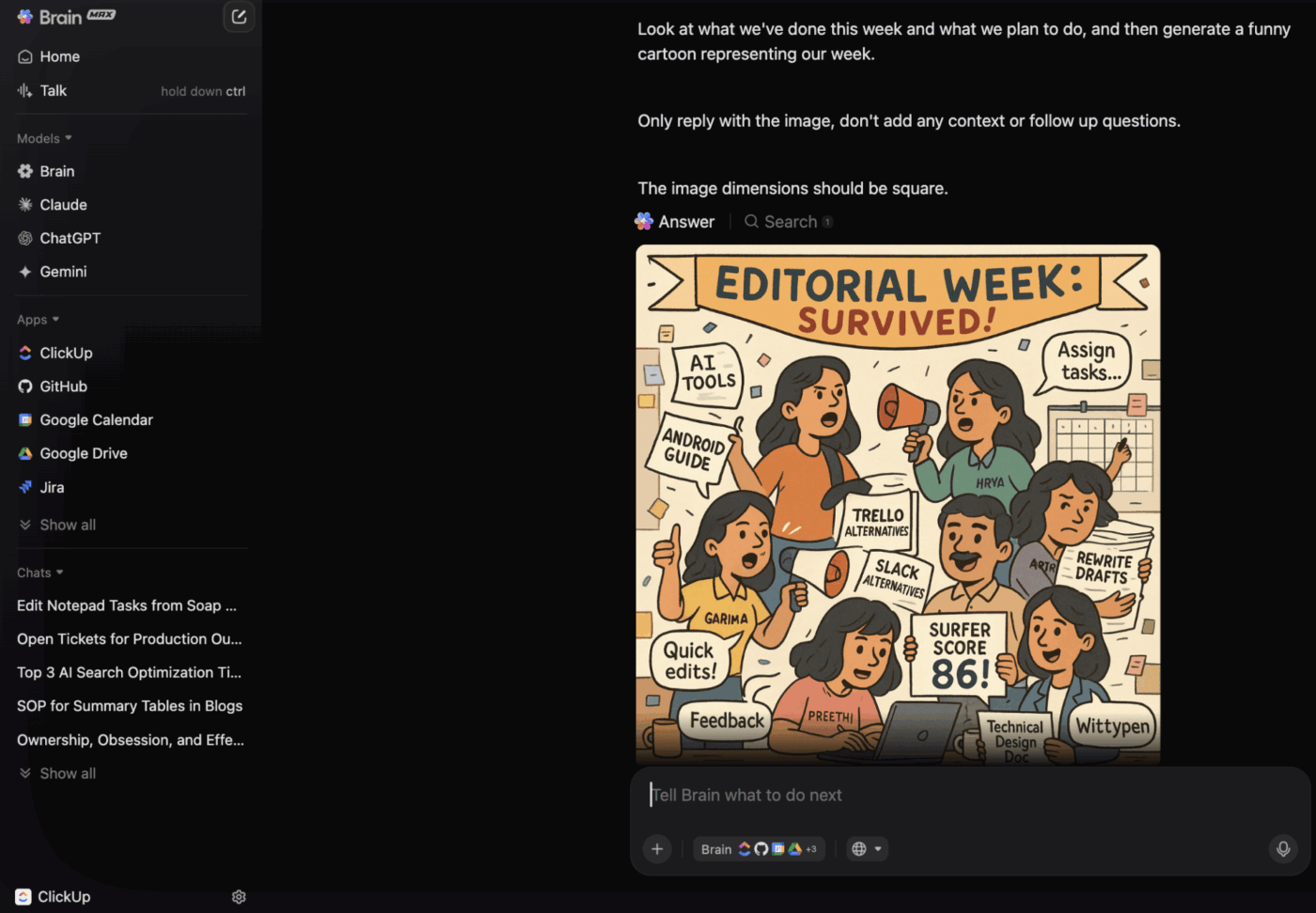
Use the Enterprise Search to find anything across tasks, docs, comments, attachments, and connected tools like Google Drive or Figma.
Automate creative operations with AI Agents that interpret your workflow, read task context, and act for you. Agents update statuses, route work, assign owners, generate assets, and unblock tasks without needing step-by-step rules.
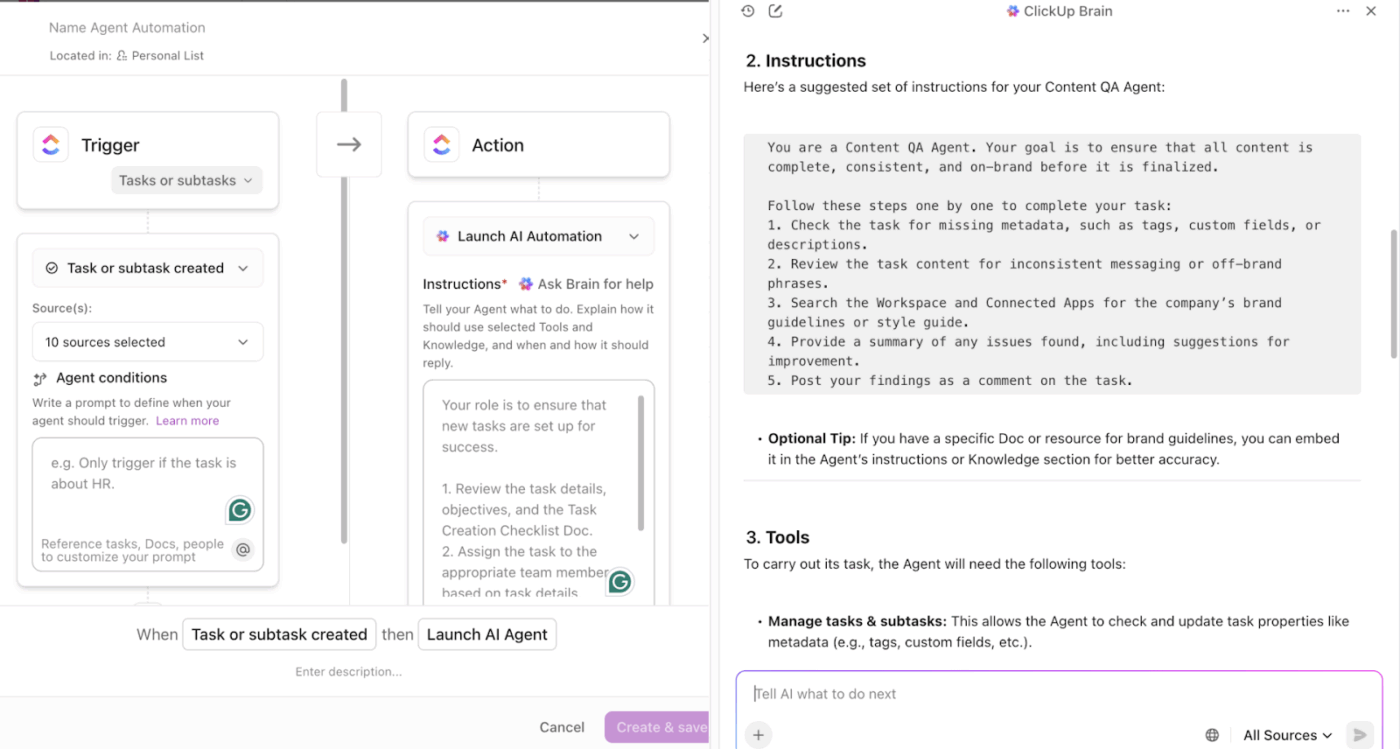
If you’re already using too many AI apps, this video shows you how to fix it before things spiral.
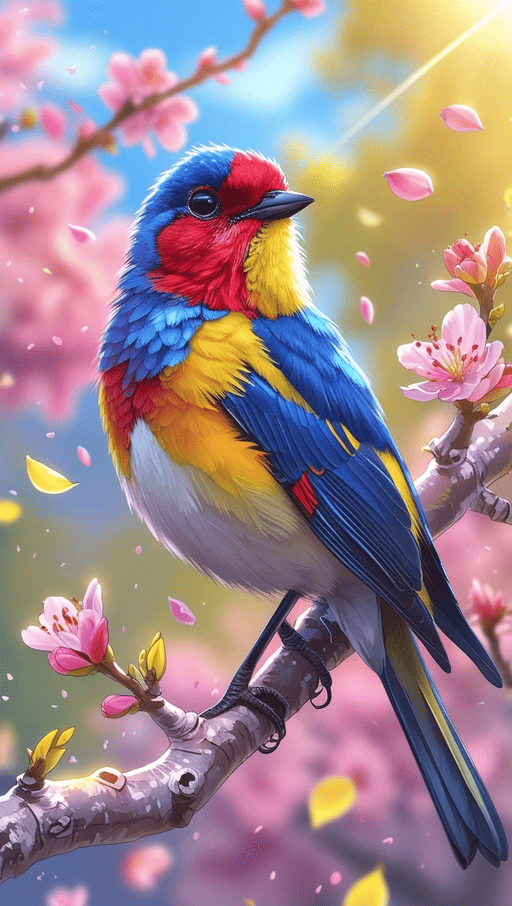
Leonardo AI (acquired by Canva) is a generative AI platform that uses advanced ML algorithms to transform textual prompts into high-quality images. The tool’s proprietary foundation model, Leonardo Phoenix, allows users to create a wide range of visual assets, from concept art and game assets to marketing graphics and product mockups.
With it, you get a large library of pre-trained AI models optimized for specific art styles and even an opportunity to train your own custom models. Leonardo’s intuitive, browser-based interface makes it accessible for both beginners and professionals.
Here’s a G2 review:
Leonardo.Ai offers full ownership of generated content, with full rights staying with the user. Non-expiring API credits support long-term planning. It also enables custom model training and fine-grained project permissions, making collaboration across teams with varying access needs much smoother.
📚 Read More: 13 Best Meta AI Alternatives in 2025
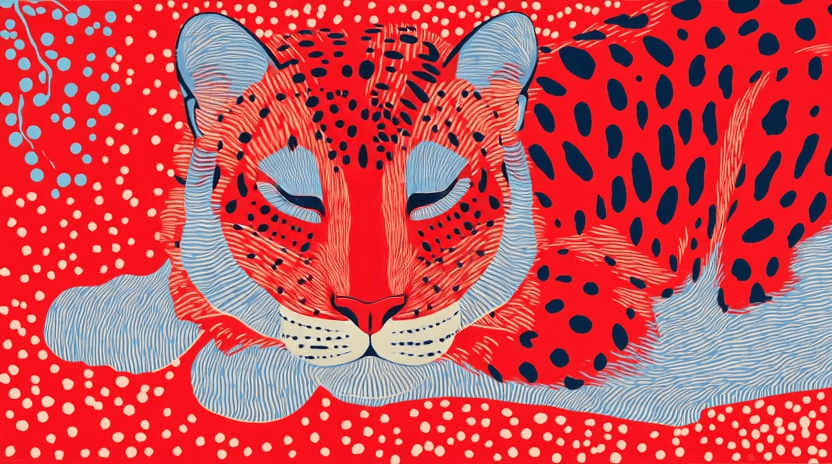
Midjourney excels at producing highly stylized, artistic imagery with a distinct aesthetic that many consider the gold standard for creative professionals.
The platform works primarily through Discord, creating detailed artwork and illustrations from text descriptions. Every generation becomes part of a searchable community gallery where you can browse millions of images with their exact prompts visible.
Unlike Krea’s real-time iteration approach, Midjourney focuses on delivering polished, cohesive artistic results that often require minimal tweaking.
Here’s a G2 review:
I enjoy that if used right Midjourney can help create images that look really realistic and can save a lot of time. It’s simple to use once you learn how to give it the right prompts.
Before you subscribe to yet another AI tool or try other models, pause and consider what you actually need.
If your visual requirements don’t demand extensive model selection or hyper-specialized style control, you might not need a dedicated platform like Krea.
With ClickUp, you can generate stunning images directly within your workspace. The best part, it doesn’t stop there.
ClickUp helps you manage your creative workflows end to end. With built-in AI automations, AI agents, contextual search, and AI-powered Docs, you can quickly move from idea to execution.
Ready to bring creative workflow under one roof? Sign up on ClickUp—your connected workspace.
Train a custom AI model by uploading at least 3 existing images of your brand’s visual asset. Krea then assigns a unique style code that you can apply to future generations. Use this step to maintain consistent aesthetics across all outputs without having to rebuild prompts each time.
No. Images and videos require separate workflows. You can generate an image first, then use it as a start frame for video generation by uploading it to the keyframe timeline. The platform doesn’t support simultaneous image-video creation from one prompt.
Aim for rich, elaborate prompts with details about style, textures, lighting, camera settings, and environment. You can also feed in references or draw on canvas to guide precise output.
Use the negative prompt box during upscaling or pattern generation to exclude unwanted elements from the final result. Specify things like blurred images, artifacts, distortion, or anatomical inaccuracies to refine output quality. This helps the AI focus on desired elements while avoiding common generation issues.
Krea offers integrated workflows for real-time image and video generation. It also focuses on AI-assisted enhancements and edits. Midjourney, however, excels at stylized images with exceptional aesthetic coherence but focuses solely on image generation. Choose based on whether you need versatility or pure artistic output.
Yes. The free plan offers 50 compute tokens daily. Depending on the model you choose, you can test anywhere between 6-25 prompts every day.

© 2026 ClickUp

There’s an easier way. Try a free AI Agent in ClickUp that actually does the work for you—set up in minutes, save hours every week.