Top 10 Join.me Alternatives for Easy Meetings

Sorry, there were no results found for “”

If you’ve used Join.me lately, you know it hasn’t kept pace with how modern teams meet. With its limited features, laggy screen sharing, and minimal collaboration tools, it’s no surprise you’re looking for a better alternative.
Whether you’re a startup founder, remote team lead, or a freelancer juggling multiple clients, you need more than just a video call tool to get meaningful work done—you need a place where meetings turn into action.
That’s exactly what this guide is about.
I’ve spent hours trying video conferencing software that does more than connect faces on a screen. In this post, I’ll walk you through the best Join.me alternatives—tools that offer better video quality, smarter features (like AI note-taking and whiteboards), and deeper collaboration workflows.
No fluff. Just clear insights to help you pick the right platform for your needs.
⚡️ Quick Update: Join.me is now part of the GoTo Meeting software family, which means that some—but not all—of these limitations can be overcome with the GoTo Meeting tool.
| Tool | Best for | Key features | Pricing |
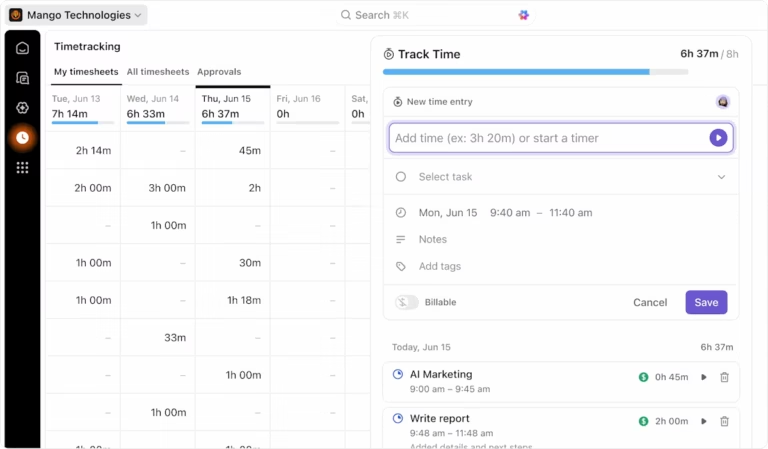
| ClickUp | Individuals, small businesses, mid-market companies, enterprises | Built-in video calls with AI note-taking, AI-powered calendar for meeting scheduling, async video communication | Free plan available; Free trial; Custom pricing for enterprises |
| Zoom | Small to enterprise companies | High-quality video/audio, breakout rooms, cloud recordings with transcripts | Free plan available; Free trial; Custom pricing for enterprises |
| Microsoft Teams | Mid-market to enterprise companies | Deep Microsoft 365 integration, Together Mode for a shred virtual workspace | Free plan available; Custom pricing for enterprises |
| Google Meet | Individuals to mid-market companies | Browser-based joining, noise cancellation, AI lighting, live closed captions | Free plan available; Custom pricing for enterprises |
| Webex | Mid-market to enterprise companies | Gesture control, real-time translation, breakout rooms with analytics | Free plan available; Free trial; Custom pricing for enterprises |
| CrankWheel | Individuals and sales teams | Instant screen sharing, SMS/email meeting links, mobile-optimized experience | Free trial available; Custom pricing for enterprises |
| Dialpad Meetings | Small to mid-market Companies | AI-powered insights and summaries, sentiment analysis, seamless call escalation | Free trial available; Custom pricing for enterprises |
| TeamViewer | IT teams and enterprises | Cross-platform remote access, file transfer, remote printing | Free trial available; Custom pricing for enterprises |
| GoTo Meeting | Mid-market to enterprise companies | AI transcription, persistent meeting rooms, annotation tools | Free trial available; Custom pricing for enterprises |
| Jitsi | Individuals and privacy-focused teams | Open-source and self-hosting, unlimited free meetings, YouTube live streaming | Free version available; Self-hosting option; Commercial version with custom pricing |
If you’re switching from Join.me, here are the core capabilities worth prioritizing:
With the above checklist in mind, my team and I have researched and compiled this list of the best Join.me alternatives for you to have more productive meetings and online events:
After coordinating countless online meetings, I’ve found that switching between different tools for video calls, notes, and task management is a major productivity killer. That’s where ClickUp shines like no other platform.
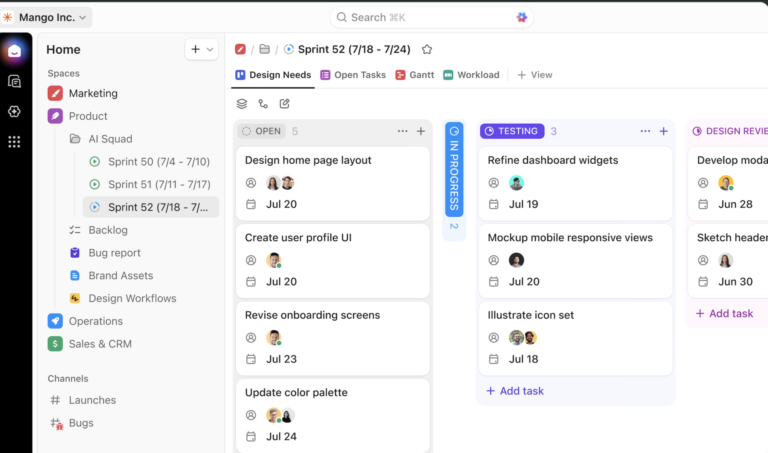
ClickUp isn’t just another video conferencing tool or meeting management software—it’s the everything app for work that seamlessly integrates meetings into your broader workflow.
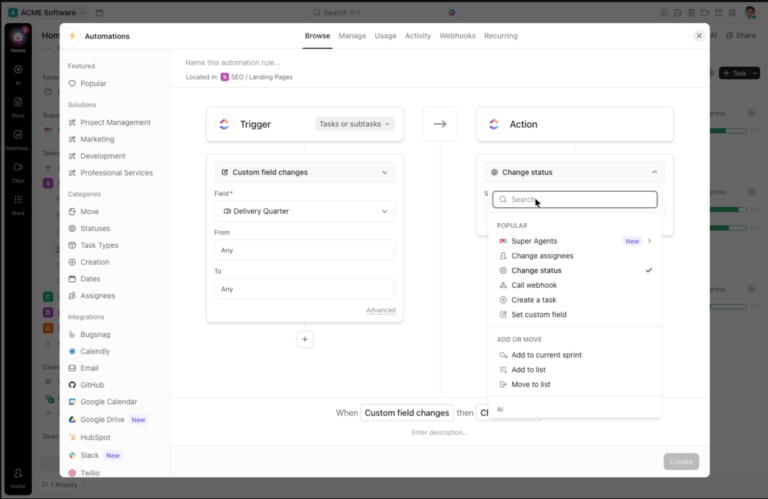
You start by using ClickUp’s AI-powered Calendar to quickly analyze schedules for yourself and your team, easily finding mutually convenient times to meet. That’s already a string of back-and-forth emails eliminated! You can also attach the relevant ClickUp Tasks and Docs to your meeting description within the calendar event.

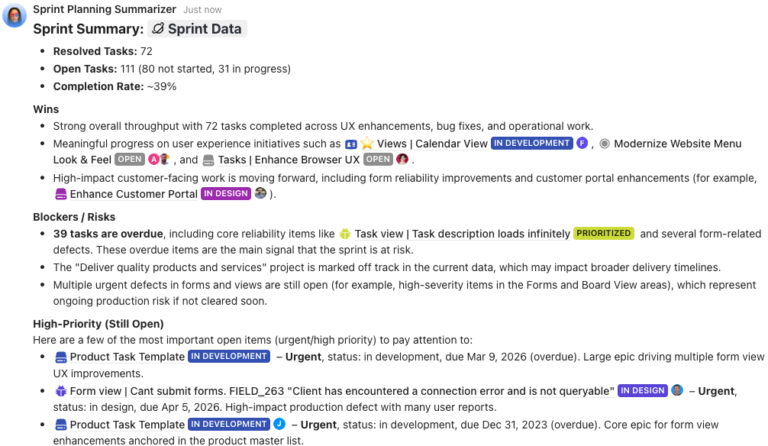
Then, simply ask ClickUp’s native AI, ClickUp Brain, to schedule a meeting with the relevant people at the decided time using natural language commands, and watch the AI do it for you—with zero manual intervention! It can even draft an agenda for your meeting with simple instructions.

And when it’s time to join the call, you can do so straight from within ClickUp too, saying goodbye to tab-hopping.

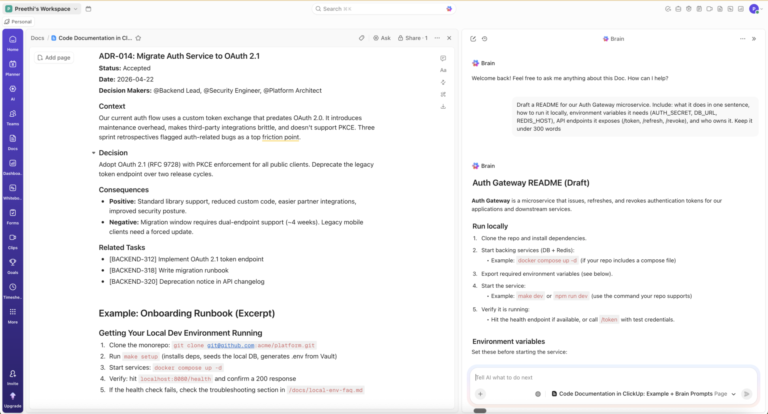
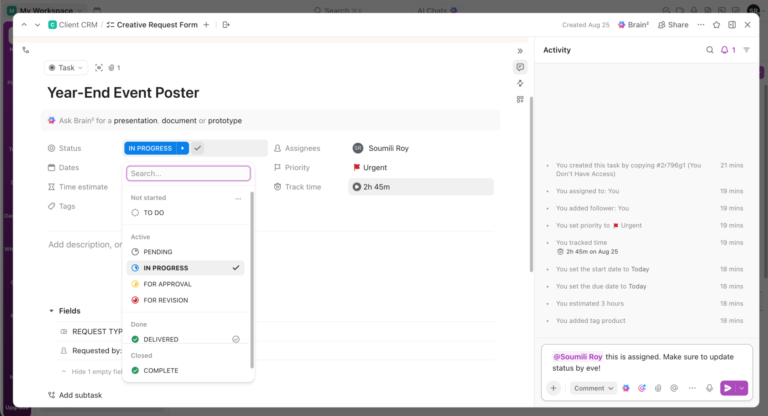
Don’t forget to turn on the AI Notetaker in ClickUp if you want to focus on the discussion and have AI take automatic notes for you, complete with a recording, a transcript, and key action items outlined!
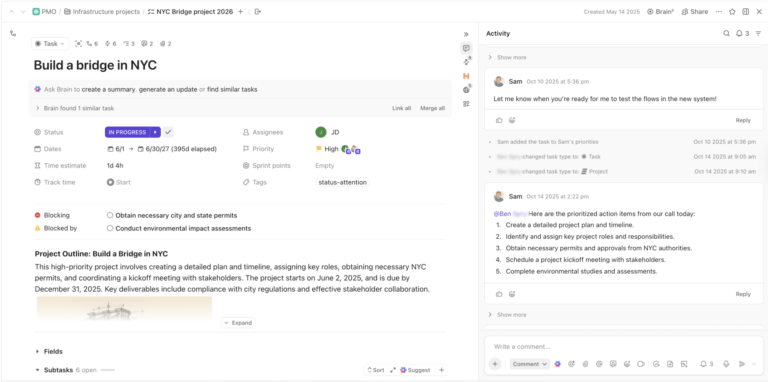
I’ve been particularly impressed by how these ClickUp Meetings features let my team jump straight from planning to action without the usual context-switching headaches that plague remote collaboration. During calls, we can reference shared docs, visualize ideas on collaborative ClickUp Whiteboards, and assign action items in real time.

What truly sets ClickUp apart from dedicated meeting tools like Join.me is what happens after the call ends. Instead of having meeting notes and decisions scattered across different platforms, ClickUp keeps everything interconnected. I can ask ClickUp Brain questions about past meeting insights, turn discussion points into trackable tasks, and monitor progress—all within the same ecosystem.
💡 Pro Tip: ClickUp offers customizable templates, like the ClickUp Meetings Template, to help you plan and execute meetings efficiently. These templates include pre-built structures for drafting agendas, managing discussion points, and tracking the progress of follow-up tasks.
Use this template to plan your monthly meetings—one-on-ones as well as team meetings. Get an overview of upcoming and completed meetings, with relevant to-dos and priorities attached.
A G2 user shares:
It was very easy for the team to learn and start using when we initially implemented; we use it every single day. Now, we keep everything in one place – all our tasks and all our notes. It’s so easy to turn action items from a meeting into tasks, which was a pain point in the past.
📮ClickUp Insight: ClickUp’s meeting effectiveness survey data suggests that nearly half of all meetings (46%) involve just 1-3 participants. While these smaller meetings may be more focused, they could be replaced by more efficient communication methods, such as better documentation, recorded asynchronous updates, or knowledge management solutions.
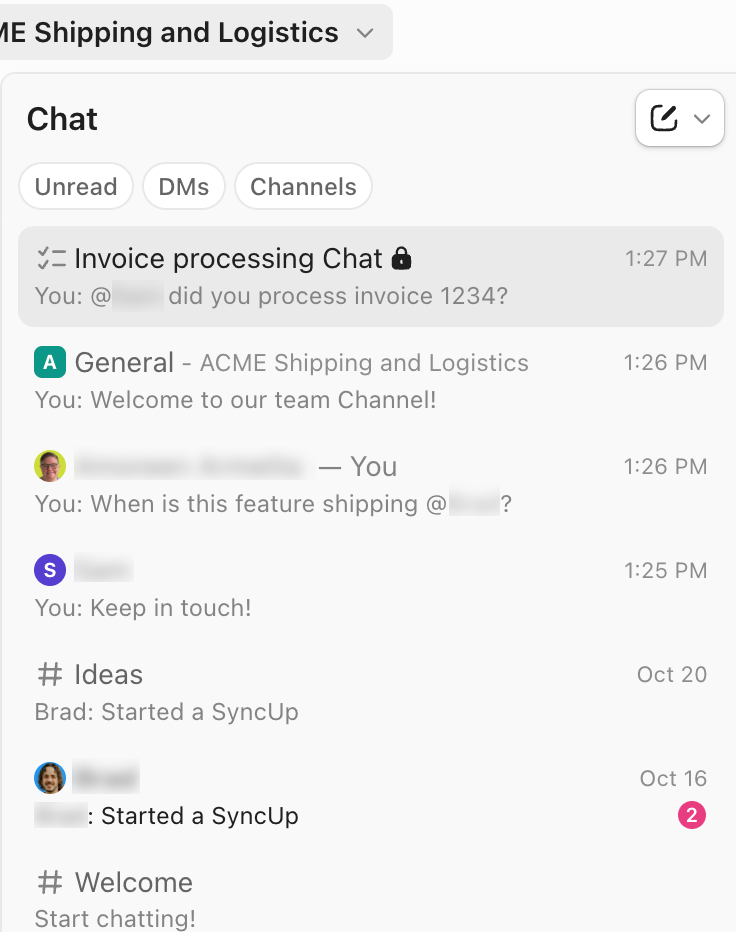
Assigned Comments in ClickUp Tasks let you add context directly within tasks, share quick audio messages, or record video updates with ClickUp Clips—helping teams save valuable time while ensuring important discussions still occur—just without the time drain!
💫 Real Results: Teams like Trinetrix are experiencing a 50% reduction in unnecessary conversations and meetings with ClickUp!

If you’ve participated in any virtual meetings over the past few years, you’ve likely used Zoom. In my experience testing numerous video conferencing platforms, few can match Zoom’s reliability and call quality, especially when connecting larger groups.
What I appreciate most about Zoom is how it prioritizes what matters most in virtual meetings: stable connections and clear communication. When I host webinars or company-wide meetings with 100+ participants, Zoom consistently delivers smooth video and audio—even when some attendees have less-than-ideal internet connections. The platform’s background noise suppression is great as it eliminates distracting sounds without making voices sound robotic.
For teams migrating from Join.me, Zoom offers familiar screen sharing capabilities with additional annotation tools that make presentations more interactive.
👀 Did You Know? Our meeting effectiveness survey found that while 47% of meetings last an hour or more, 14% of respondents are able to wrap up their meetings within just 15 minutes. A small but notable percentage that proves quick, efficient meetings are possible.

Microsoft Teams is a popular Zoom alternative in enterprise environments for organizations invested in the Microsoft ecosystem. The reason is obvious: it connects seamlessly with other Microsoft 365 tools. During video meetings, you can collaborate on Excel spreadsheets or PowerPoint presentations in real time without ever leaving the call.
Meeting links automatically generate when you schedule in Outlook, and you can join with one click from any device. Teams’ innovation of blurring backgrounds is now the industry standard, and its Together Mode creates a more engaging shared virtual space that helps reduce video fatigue during longer meetings.
🧠 Fun Fact: Microsoft Teams was the first platform to introduce background blur for video meetings, releasing this feature in September 2018.
A Capterra review reads:
I really like the way chats are organized, with messages and files grouped together, and having the different teams groups to make messaging cleaner.
📚 Also Read: Microsoft Teams Alternatives for Collaboration

As someone who regularly collaborates with teams using Google Workspace, I’ve found Google Meet to be the most frictionless video conferencing experience for quick, no-fuss meetings. Unlike Join.me’s separate login requirements, Meet integrates directly with my Google account, making joining calls as simple as clicking a link.
When I host meetings with external partners or clients, they can join instantly through their browser. The platform’s lightweight design means meetings start quickly without the lag I’ve experienced with more feature-heavy alternatives.
📚 Also Read: Best Google Meet Alternatives

Webex stands out for its enterprise-grade security and comprehensive collaboration features. If you frequently conduct sensitive business discussions, this web-conferencing platform treats security as a foundation rather than an afterthought. For organizations concerned about compliance, Webex’s end-to-end encryption and administrative controls provide peace of mind that Join.me simply can’t match.
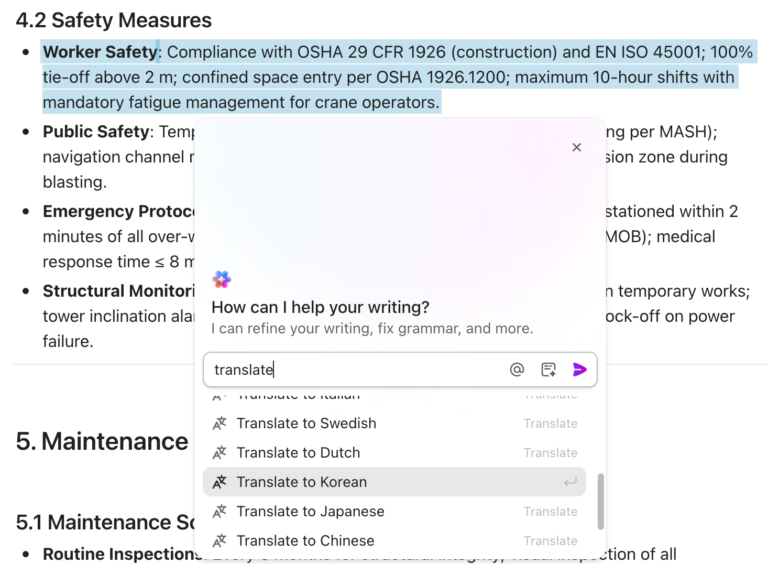
Use its gesture recognition to control presentations hands-free and leverage real-time translation to collaborate with international teams.
Unlike Join.me’s more basic approach, Webex creates a persistent workspace where meetings are just one component of collaboration. Its messaging features, for example, let you continue discussions after calls end, and the ability to switch seamlessly between devices mid-meeting is useful when commuting or changing locations.
A Capterra user says:
I like that you can record videos and pause them to take screenshots, and the screenshots are clear. The other great feature is that you can call in on your cellphone if necessary.
📚 Also Read: Best Conference Calling Software Solutions

CrankWheel is purpose-built for scenarios where you need to share your screen instantly—no scheduling, downloads, or technical hurdles for your viewers.
What makes CrankWheel exceptional is its “Instant Demos” feature. If you’re on a phone call with a prospect and want to show something visually, you can send them a link via SMS or email that works immediately on any device—even outdated browsers or locked-down corporate systems where Join.me might fail.
This removes the typical friction of “Let me send you a meeting link, download this app, and I’ll see you there in 10 minutes” that often disrupts sales momentum.
📮ClickUp Insight: ClickUp found that 27% of respondents struggle with meetings that lack follow-through, leading to lost action items, unresolved tasks, and ultimately, sub-par productivity.
This issue is compounded by how teams track their work. Our team communication survey reveals that nearly 40% of professionals manually track action items, a time-consuming and error-prone process, while 38% rely on inconsistent methods that increase the risk of miscommunication and missed deadlines.
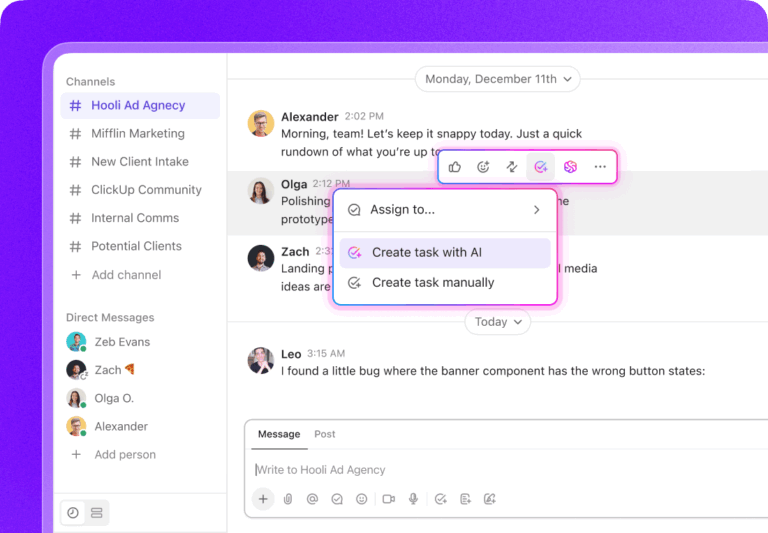
ClickUp eliminates this action item chaos! Instantly convert meeting decisions into assigned tasks—all in the same platform where work happens.

After testing multiple Join.me alternatives, I’ve found Dialpad Meetings’ AI-powered conversation intelligence capabilities to be one of the most powerful. Where Join.me offers basic video conferencing, Dialpad transforms meetings into actionable intelligence through its built-in AI assistant that captures insights you might otherwise miss.
The platform’s ability to detect customer sentiment during sales or support calls provides invaluable coaching opportunities as well.
Dialpad offers seamless integration with its business phone system and contact center. You can start a conversation via chat, escalate to voice, and then seamlessly transition to video when needed.
A G2 review shares:
The platform’s one-click access eliminates the need for complicated setups, and its AI-driven transcription feature is a game-changer for capturing meeting notes in real time

Unlike Join.me’s focus on scheduled meetings, TeamViewer excels at on-demand support scenarios. Its remote access functionality lets you resolve technical issues for team members and clients without requiring them to be physically present. This is especially helpful for IT teams and organizations providing technical support.
When they encounter an issue, you can instantly connect to their device (with permission) and solve problems directly rather than trying to guide them verbally. The tool’s cross-platform compatibility is impressive; it connects seamlessly across Windows, Mac, Linux, Android, and iOS devices.
Individual users
Teams

GoToMeeting consistently delivers the professional experience that high-stakes presentations demand. While Join.me focused on simplicity as a standalone tool, it’s now part of GoTo Meeting and provides the reliability and advanced presentation tools that serious business users require.
I particularly value its robust recording capabilities, which automatically save to the cloud and provide transcriptions for easy reference. The platform’s seamless integration with GoToWebinar creates a natural upgrade path when you need to scale your presentations to larger audiences with more formal registration and follow-up processes.
A G2 user says:
There were no interruptions, delays or frustrating slow motion. Everything was clear: the audio, video and screen sharing feature.

We found Jitsi Meet to be a great free Join.me alternative for teams with limited budgets or privacy concerns. Unlike Join.me’s free tier with significant limitations, Jitsi offers unlimited meetings with no time restrictions.
What makes Jitsi stand out is its commitment to open-source principles and privacy. I appreciate that Jitsi can be self-hosted on my own servers with complete control over data and security policies. The platform’s browser-based approach means participants click a link and join instantly, removing the friction of account creation or downloads that Join.me and other alternatives require.
While it lacks some enterprise features of paid alternatives, Jitsi’s core video conferencing experience is remarkably solid for a free platform.
Juggling meeting links, notes, action items, and follow-ups across multiple platforms is exhausting. Traditional video conferencing tools like Join.me force you to constantly switch between apps, manually transfer information, and chase updates—wasting valuable time and causing important details to fall through the cracks.
ClickUp changes everything by bringing your entire workflow into one connected platform. Schedule meetings directly in ClickUp Calendar, use AI to generate agendas from existing tasks, conduct video conferences and online events with built-in recording, and instantly convert discussion points into trackable tasks—all without switching tools.
Ready to make online collaboration seamless? Sign up for ClickUp today!
© 2025 ClickUp