10 Essential IT Asset Management Software Features to Look For

Sorry, there were no results found for “”

You prepare for an audit only to find that half the asset records are outdated or missing.
Meanwhile, a critical server warranty expired months ago, untracked software licenses cost thousands of unused subscriptions, and compliance reports take hours to compile.
Without IT asset management (ITAM) software, these challenges continue to pile up, leading to financial losses and security risks.
The right ITAM software keeps everything in check by providing real-time visibility, automating asset lifecycles, and ensuring seamless integrations. Here are 10 essential IT asset management software features to look for.
ITAM software tracks and manages IT assets (hardware and software) across their lifecycle. Its benefits include centralized asset data, automated workflows, cost control, and compliance.
IT asset management (ITAM) software is designed to track and manage the entire lifecycle of an organization’s IT assets—both hardware and software. It centralizes data to optimize asset utilization, control costs, and ensure compliance.
ITAM includes software asset management (SAM) tools and hardware asset management (HAM) tools—two key components that keep IT resources in check.
SAM focuses on tracking software licenses, ensuring compliance, and preventing overuse or underutilization. HAM, on the other hand, monitors physical assets like computers, servers, and peripherals using barcode scanning or RFID (radio frequency identification).
🧠 Fun Fact: The world’s first computer, the ENIAC, weighed over 27 tons and took up 1,800 square feet. Today, a smartphone has more computing power than this massive IT asset.
IT asset management software goes beyond tracking—it optimizes workflows, reduces manual effort, and enhances decision-making.
So, how does effective IT asset management help your business? Let’s look at its key benefits. 👇🏼
When managing tech assets, having the right IT management software can make all the difference. The best ITAM tools offer a comprehensive suite of features that help streamline asset tracking, lifecycle management, and reporting.
Here are 10 must-have features to look for. 👀
A centralized asset management system forms the foundation of any IT asset management software. Similar to work order software, ITAM consolidates all hardware and software information into one accessible database, eliminating data silos and promoting consistency across the organization.
This unified system enables IT teams to quickly locate assets, track their history, and manage configurations efficiently. ITAM stores details such as serial numbers, purchase dates, locations, and ownership, securing data accuracy and reliability.
Ultimately, this centralization simplifies asset tracking, reduces administrative overhead, and supports informed decision-making across departments.
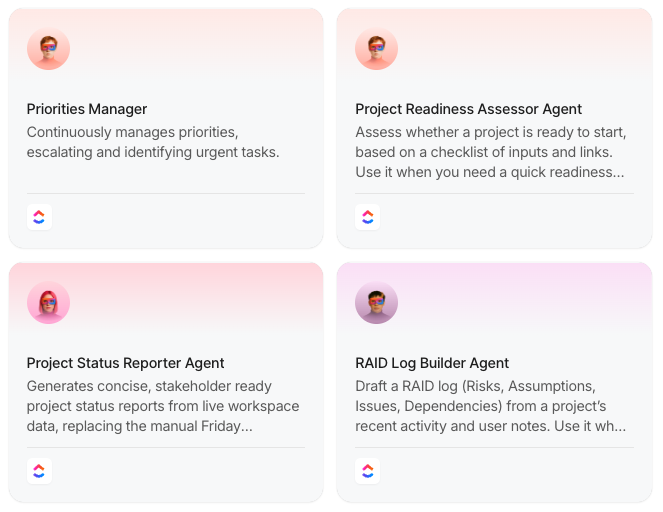
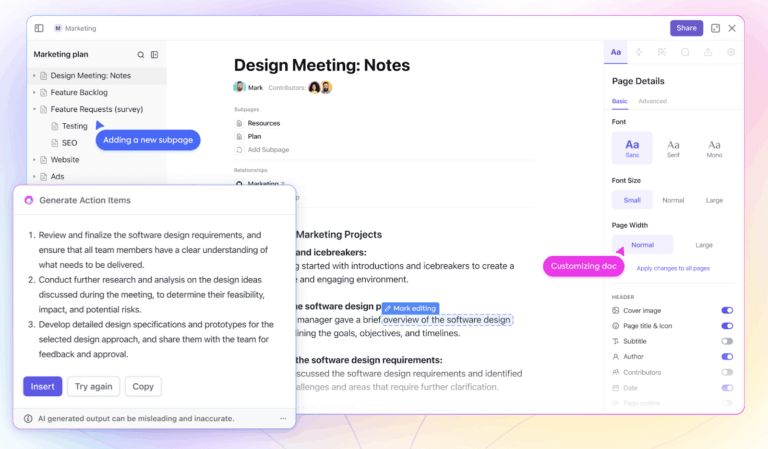
💡Pro Tip: The one thing that can level up your asset management? AI! With an integrated AI, you can build an ITAM engine that can instantly provide answers about any asset. See how ClickUp Brain does this. 👇🏼

IT inventory management software should automatically detect and catalog all hardware, software, and network assets. This feature utilizes network scanning, barcode reading, or RFID technology to detect devices and software installations without manual input. It must:
Plus, the automated discovery provides complete visibility and helps eliminate ghost assets (untracked or unused devices consuming resources).
🧠 Fun Fact: The first commercial hard drive, IBM’s 305 RAMAC in 1956, had a storage capacity of just 5MB and was the size of two refrigerators. Today, IT assets like SSDs offer terabytes of storage in a device smaller than a phone.
IT assets move frequently, whether between employees, departments, or locations. So naturally, monitoring assets becomes critical.
A real-time tracking system:
This feature leverages automated alerts and dashboards to flag anomalies, ensuring assets operate within optimal parameters.
With real-time tracking, IT teams can manage asset allocation more effectively, reducing downtime and unnecessary purchases. It also supports dynamic reallocation of resources based on current demand, ultimately driving efficiency.
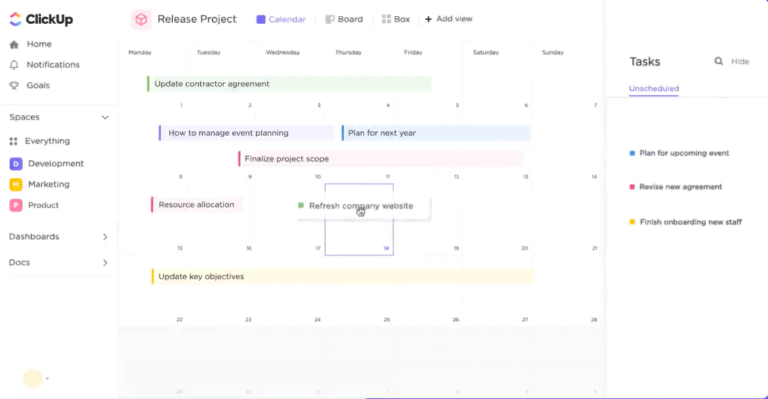
💡 Pro Tip: Use Map View in ClickUp to easily pull up location-specific details of your asset.

Comprehensive IT lifecycle management is essential in asset management solutions to oversee each stage of an asset’s existence. This feature tracks assets from procurement and deployment through maintenance and eventual retirement, reinforcing that every phase is documented accurately.
A lifecycle management system typically:
Lifecycle insights help identify underused or obsolete resources, reducing waste and lowering costs. Additionally, clear visibility into asset history helps IT teams plan budgets more effectively and support strategic decision-making. This extends asset lifespan and enhances overall operational efficiency.
📮 ClickUp Insight: A typical knowledge worker sends 25 messages daily just to find information. That’s a lot of back-and-forth, leading to delays, miscommunication, and wasted time.
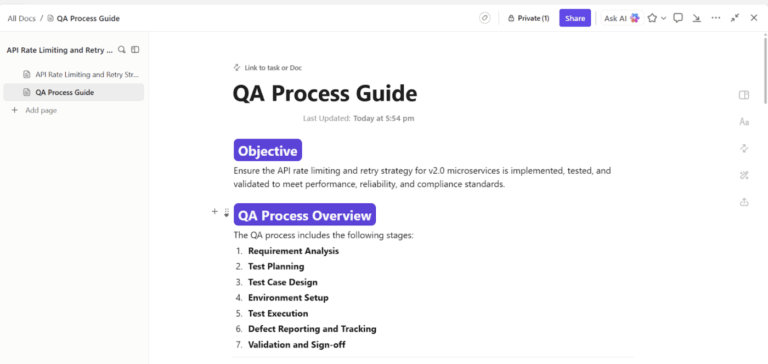
Centralized IT asset management tools like ClickUp ensures all essential details—like serial numbers, license keys, and maintenance schedules—are stored in one place so teams can access what they need instantly without the messaging overload.
Software license management systematically tracks software licenses, usage rights, and renewal dates so you remain compliant with licensing agreements. Mismanaged software licenses can lead to compliance violations and unnecessary expenses. ITAM software should:
A clear overview of software assets ensures teams can negotiate better terms with vendors and make the right choices regarding software investments.
Integration with ITSM and IT infrastructure management is an important aspect of modern IT asset management software. This feature connects asset data with ITSM processes like incident, change, and problem management.
Seamless integration enables:
It links assets to service tickets and maintenance schedules so IT teams can comprehensively view operational status. This connectivity improves coordination, accelerates issue resolution, and enhances overall service quality. The feature also enables predictive maintenance and strategic planning by effectively correlating asset performance with service delivery metrics.
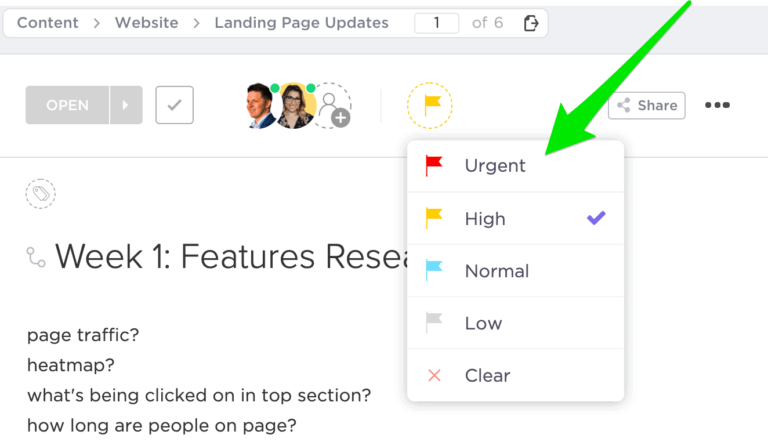
Proactive alerts and notifications are essential for preventing disruptions and ensuring IT assets remain in optimal condition. These automated alerts help teams address critical issues before they impact operations.
Notifications and alerts can be sent for:
💡 Pro Tip: Leverage automation features in inventory optimization software to minimize stockouts and overstocking. This helps you maintain the ideal balance, ensuring you always have the right amount of stock at the right time without tying up unnecessary resources.
Enhanced security and risk management features safeguard sensitive asset information through robust access controls, encryption, and regular security audits. They continuously check for vulnerabilities and potential threats, guaranteeing industry standards and regulations compliance.
The IT asset management system you choose should offer:
Advanced risk management tools analyze data trends to predict and prevent failures or breaches, protecting both physical and digital assets. Ultimately, enhanced security and risk management fortify the IT infrastructure, retaining operational continuity while minimizing potential financial and reputational damage.
🔍 Did You Know? Cloud computing has changed the IT asset management process by reducing the need for physical hardware. Companies now ‘rent’ computing power instead of owning expensive on-premises servers.
IT asset management software must be able to grow alongside an organization, adapting to increasing demands without requiring frequent system overhauls.
As businesses expand, they often manage assets across multiple locations, requiring the ability to track IT resources seamlessly across offices, data centers, or remote teams. A scalable ITAM solution provides centralized visibility while accommodating a distributed workforce.
Customization is equally critical, as every business has unique operational needs. Organizations should be able to modify asset fields, reporting structures, and workflows to align with their internal processes. This flexibility ensures that the software remains relevant as IT environments evolve. Consider:
ITAM software should be intuitive for IT teams and non-technical users alike. A well-designed interface should:
A user-friendly system reduces learning curves and improves adoption across teams.
🔍 Did You Know? Some companies use IT asset disposal (ITAD) services to securely erase and recycle old devices, preventing sensitive data from being recovered after disposal.
Selecting the right ITAM software requires careful consideration of your organization’s specific needs. Use the following criteria to guide your decision.
Identify your organization’s specific ITAM goals and the types and volume of assets you manage. The software should support tracking hardware, software, licenses, and peripherals. Create an inventory system that minimizes manual entry and prevents data redundancy.
Examine the solution’s ability to monitor the full asset lifecycle—from procurement and deployment to maintenance and disposal. Automated alerts, scheduled maintenance, and end-of-life tracking help optimize asset utilization and reduce operational costs.
🔍 Did You Know? A single data center can consume as much electricity as a small town. Managing IT assets efficiently is crucial to reducing energy costs and environmental impact.
Ensure the ITAM solution integrates with your existing systems, such as enterprise resource planning (ERP), customer relationship management (CRM), and financial applications.
Look for API support and seamless data import/export options. As your organization grows, the software must be scalable to accommodate an expanding database and IT asset management strategy.
Analyze pricing models, including licensing fees, subscription costs, and implementation expenses. Evaluate potential cost savings from improved asset utilization, reduced downtime, and enhanced vendor negotiations to determine the return on investment (ROI).
🧠 Fun Fact: The average lifespan of a laptop in a business setting is about three to five years. After that, performance declines, leading companies to replace or repurpose these IT assets.
Request demos or trial versions to evaluate the user experience. A complex interface can slow down adoption. Additionally, assess the vendor’s customer support, training options, and response times to ensure reliable assistance.
🔍 Did You Know? More than 50 million tons of e-waste, including outdated IT assets like computers, servers, and peripherals, are discarded each year. Proper asset management and recycling can help reduce this growing issue.
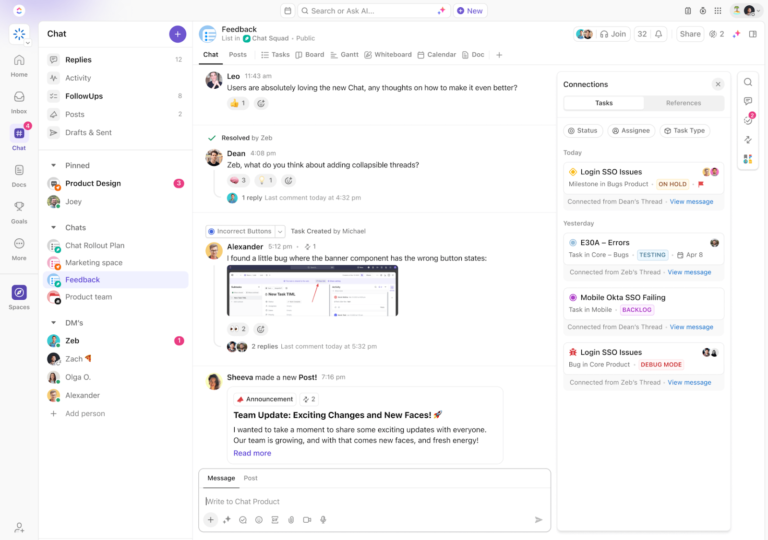
ClickUp is the everything app for work that combines project management, knowledge management, and chat—all powered by AI that helps you work faster and smarter.
Its flexibility makes ClickUp Software Team Project Management Software an excellent choice for managing IT assets.
Let’s see how ClickUp’s features can support effective software asset management.

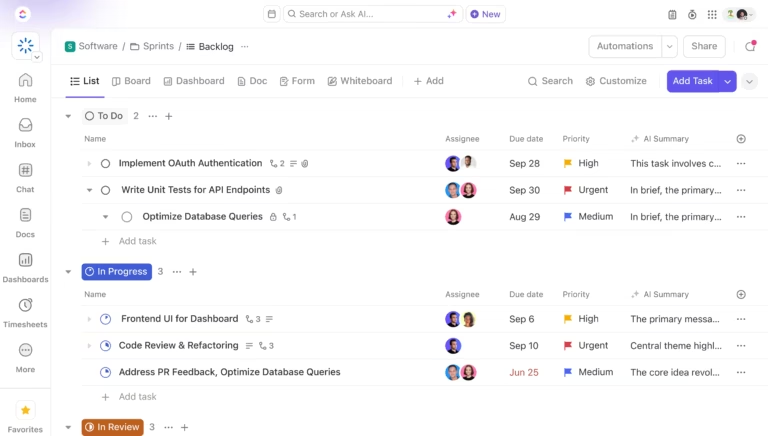
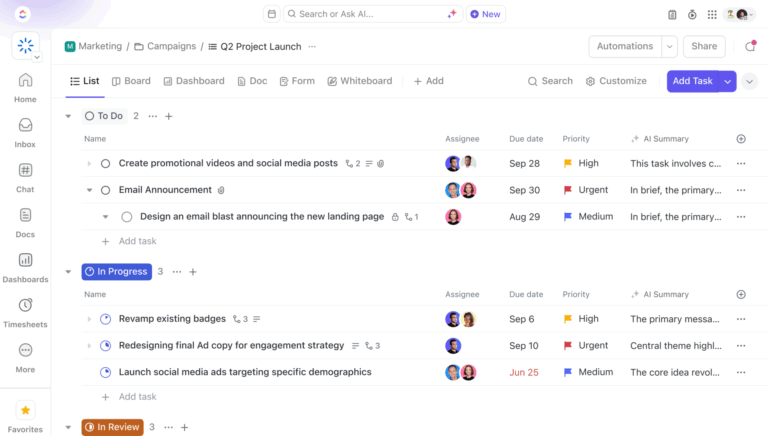
At the core of ClickUp’s utility as an IT asset management tool is ClickUp’s Table View, which provides a clear, at-a-glance overview of IT assets. This allows teams to easily track asset details, statuses, and assignments in one place.
Next up is ClickUp Dashboards. These no-code dashboards are easy to build and provide real-time visibility into asset utilization, license compliance, and maintenance schedules. IT asset managers can customize cards with dashboards to monitor key metrics such as asset lifecycles, warranty expirations, and software compliance.

For example, a Dashboard can display upcoming renewal deadlines and alert teams to take action before a license expires. This centralized tracking reduces manual oversight and ensures teams always have an up-to-date view of their infrastructure.

Each asset or incident—like a server outage, hardware upgrade, or software update—can be represented as a Task, assigned to specific team members, and tracked from start to finish with ClickUp Tasks. This makes them perfect for managing IT assets.
You can include detailed descriptions, checklists, and attachments to store critical information, such as purchase dates, warranty details, and technical specifications. This ensures everything you need is in one place and easy to update as changes happen.
IT assessment management often involves tracking a LOT of serial numbers and IDs. ClickUp Custom Fields in Tasks lets IT teams capture and categorize asset-specific data such as serial numbers, license keys, locations, and maintenance history.

For instance, you can quickly identify which laptops are due for replacement based on purchase dates and condition status, streamlining asset lifecycle management.
Each asset can be defined as a subtask with clearly defined roles and due dates, containing its own sequence of communication and proofing/revising.

ClickUp Automation helps teams stay on top of tasks without wasting time on repetitive manual updates and processes. With Automation, you can ensure that tasks like software upgrades on assets or retiring old systems happen on time, the right people are alerted, and nothing gets overlooked.
Here’s how to use it for IT asset management:

ClickUp Integrations connect with 200+ third-party tools like Zapier, GitHub, OneDrive, and Google Drive. These integrations enable IT teams to sync asset-related information across multiple systems, centralizing data and streamlining workflows.
For example, integrating with GitHub lets you link asset management tasks directly to software development projects. This integration helps track code changes or updates alongside related IT assets, such as servers or testing environments, ensuring that all dependencies are accounted for.
What’s more, you can automate status updates between GitHub and ClickUp, so when a pull request is merged, the associated task in ClickUp updates automatically.
ClickUp also provides specialized templates for asset and inventory management. They serve as ready-to-use starting points that can be customized to match an organization’s IT asset management requirements.
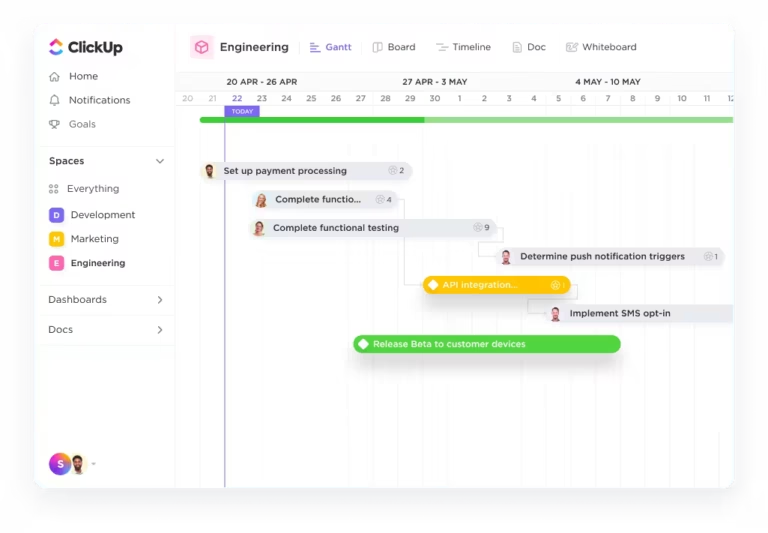
The ClickUp Asset Management Template offers an intuitive database for organizing asset data, visualizing management processes with Gantt charts, and tracking asset usage. With this template, you can:
Similarly, the ClickUp Inventory Management Template simplifies tracking stock levels, recording product details, and analyzing inventory trends, essential for planning reorders and managing costs.
ClickUp’s template helps you:
Managing IT assets can feel overwhelming when you’re dealing with scattered data, missed maintenance schedules, and endless manual updates. Let’s explore some common challenges and how the right IT asset management software can solve them 🛠️
Many organizations struggle to maintain an accurate inventory of their IT assets, leading to inefficiencies and potential compliance issues. ITAM software provides real-time tracking and centralized asset management, ensuring comprehensive visibility across all assets.
Without proper tracking, managing the lifecycle of IT assets—from procurement to disposal—can be challenging. ITAM software streamlines this process, facilitating efficient asset lifecycle management.
Untracked or outdated assets can pose security risks. ITAM software helps identify and manage these assets, enhancing overall security posture.
Overseeing IT asset costs without proper tools can lead to overspending. ITAM software provides insights into asset utilization and maintenance, enabling informed decision-making about future investments.
Choosing ITAM software with the right features improves asset visibility, compliance, and cost management. A well-structured system streamlines everything—from tracking hardware and managing licenses to ensuring security and maintenance.
That’s where ClickUp comes in.
With Dashboards for real-time tracking, Tasks for structured management, and Templates for standardized workflows, ClickUp helps IT teams centralize asset operations and automate key processes.
Simplify IT asset management and stay in control. Sign up to ClickUp for free today!
© 2025 ClickUp