






Still downloading templates?
There’s an easier way. Try a free AI Agent in ClickUp that actually does the work for you—set up in minutes, save hours every week.
Sorry, there were no results found for “”
Sorry, there were no results found for “”
Sorry, there were no results found for “”
Struggling to boost your brand’s Instagram game? Your hashtag strategy might be the culprit!
Social media marketing has been a boon for marketers. However, achieving results on Instagram is not that simple. You can stay ahead of every trend and keep your followers hooked through regular Instagram Reels, posts, and stories.
But if you don’t throw in trending hashtags, the path to success on this platform can be pretty bumpy.
So, in today’s blog, we have rounded up 10 of the best hashtag generators for Instagram that you can use to generate hashtags relevant to your brand.
| Instagram Hashtag Generator | Best Features | Best For | Pricing |
|---|---|---|---|
| ClickUp | AI-powered hashtag generation and social media analysis, ClickUp Docs for collaboration, calendar scheduling, analytics dashboards | Social media project management | Free forever plan; Customizations available for enterprises |
| VEED.IO | Video-based hashtag suggestions, AI captions, script generation, background noise removal | Hashtag generation alongside video content creation | Free; Paid plans start from $24/month |
| RiteTag | Real-time hashtag engagement analytics, image/text-based suggestions, color-coded effectiveness ranking | Real-time hashtag analysis and performance tracking | $49/year |
| Ahrefs | SEO-driven hashtag research, image/text-based AI generation, keyword volume tracking | In-depth hashtag research with SEO insights | Paid plans start from $129/month |
| Canva | Hashtag generation within design workflow, mobile accessible, branded hashtag suggestions | Easy hashtag generation while designing Instagram posts | Free; Paid plans start from $14.99/month |
| Hootsuite | Multilingual hashtag suggestions, analytics integration, first-comment automation | Managing and scheduling posts with optimized hashtags | Paid plans start from $149/month |
| OneUp | AI-driven hashtag suggestions, first comment scheduling, recurring post support | Automated hashtag management with scheduling | Paid plans start from $18/month |
| Hashtagify | Trending and niche hashtag discovery, historical data, competitor analysis, location filters | Finding trending and niche-specific hashtags | Not available |
| All Hashtag | Instant hashtag generation, hashtag ranking and analytics, free counter tool | Quickly generating and filtering hashtag ideas | Not available |
| Display Purposes | Aesthetic relevance scoring, banned hashtag detection, AI suggestions, bulk copy | Discovering visually relevant and aesthetic hashtags | Paid plans start from $7/month |
Our editorial team follows a transparent, research-backed, and vendor-neutral process, so you can trust that our recommendations are based on real product value.
Here’s a detailed rundown of how we review software at ClickUp.
Wonder why hashtags are so relevant to Instagram? Part of the reason is that they help you reach your audience by tagging your content under similar topics. So, choose the right hashtag generator tool to make the most of this benefit. Here’s how:
💡 Pro Tip: Outline media channels, marketing objectives, and budgets with free media planning templates for social teams and keep your social media campaigns organized!
Generate hashtags that work. Check out these top Instagram hashtag generators that supercharge your social media game!
Hashtags and keywords are fine. How about a tool that can boost your social media project management process? That’s ClickUp!
ClickUp is the world’s first Converged AI Workspace, and it has all the features and functionalities you need to streamline your brand’s content creation and scheduling workflows.
While most tools on the list are only capable of generating hashtags, ClickUp goes a step further.
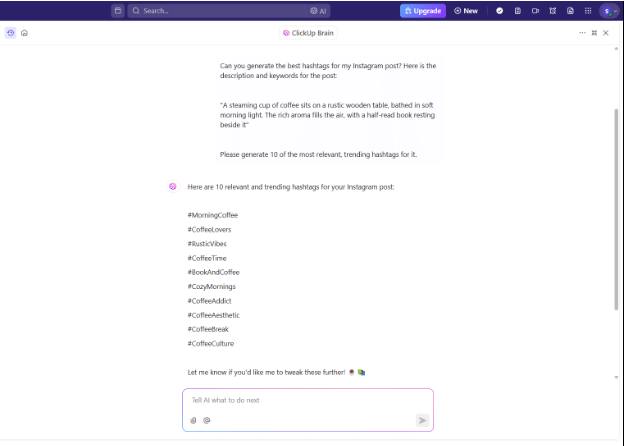
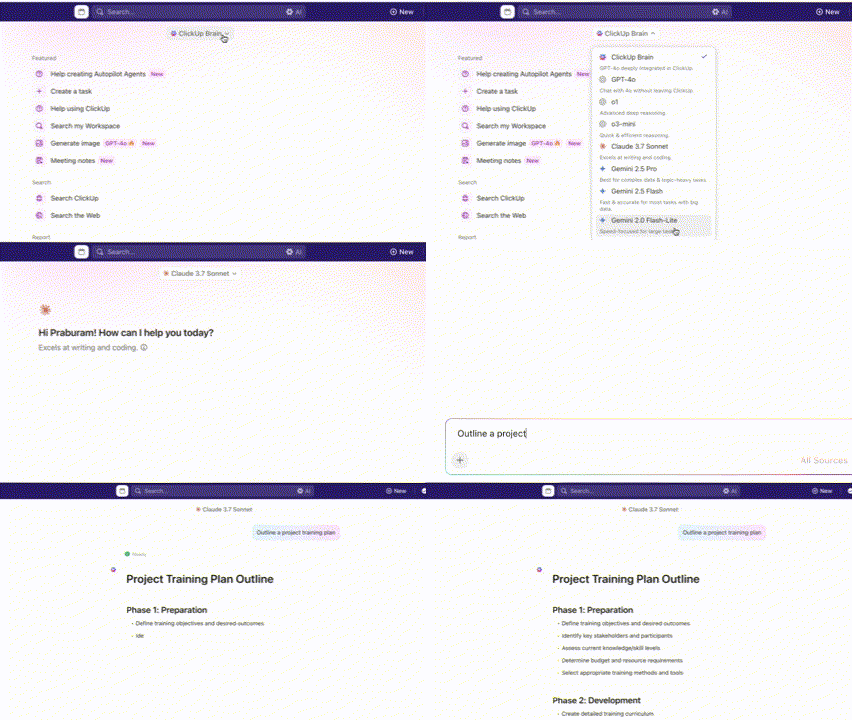
With ClickUp Brain—the platform’s native artificial intelligence—you can easily churn out the best, most trending hashtags for all your posts without analyzing their rankings and performance. It also allows you to choose and use top AI models like ChatGPT, Claude, and Gemini for different tasks including hashtag generation, all from one place.
ClickUp Docs lets you paste the selected hashtags into a document, organize them into categories, and use them whenever needed.
Now, you and your team can easily collaborate over the shared document to make posts whenever needed, simplifying the otherwise dreadful content-posting process.
📮 ClickUp Insight: 88% of our survey respondents use AI for personal tasks, yet over 50% shy away from using it at work. The three main barriers are a lack of seamless integration, knowledge gaps, and security concerns.
But what if AI is built into your workspace and is already secure? ClickUp Brain, ClickUp’s built-in AI assistant, makes this a reality. It understands prompts in plain language, solving all three AI adoption concerns while connecting your chat, tasks, docs, and knowledge across the workspace. Find answers and insights with a single click!
But what if you need more holistic assistance? Meet ClickUp Content Workflows! This structured workflow system streamlines content creation from ideation to publication.
Imagine you’re managing a multi-platform social media campaign for a product launch.

You start by brainstorming ideas in ClickUp Docs and assigning content tasks using ClickUp Custom Statuses like “Ideation,” “Draft,” and “Review.” Writers create posts directly in the platform while designers upload visuals for approval.
ClickUp Tasks tracks these activities and notifies the right team members when it’s their turn to review.
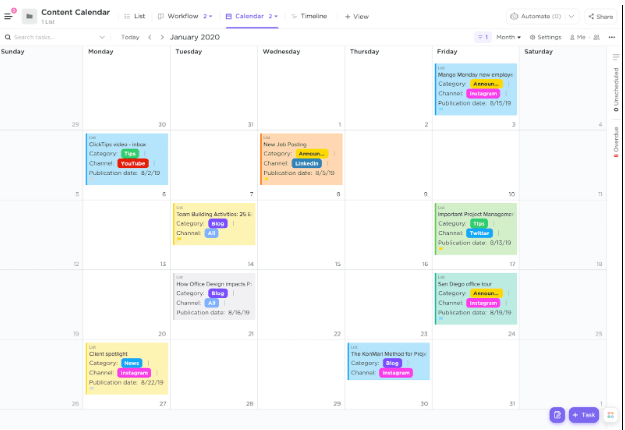
Once approved, posts are scheduled using ClickUp Calendar, ensuring a balanced content mix across platforms. You can use custom fields to categorize each post by format (carousel, reel, tweet) and priority.
Throughout the campaign, ClickUp Dashboards track engagement and performance, helping you refine your strategy in real time. Easy-peasy, right?
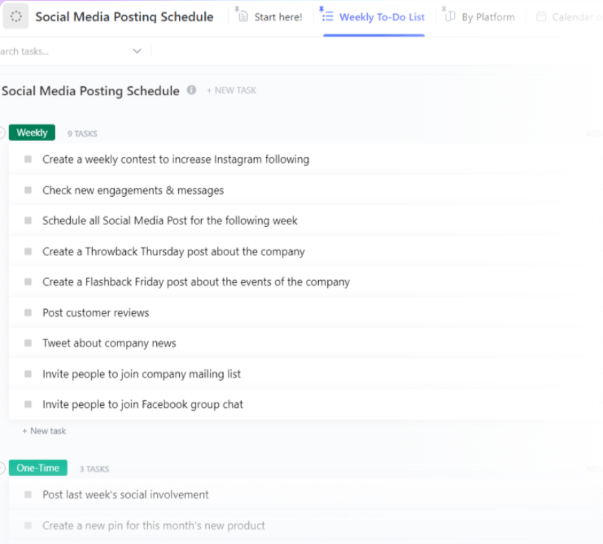
In addition to these, ClickUp offers several specialized templates for social media management. One of the best ones is the ClickUp Social Media Posting Schedule Template.
This template helps you organize your content posting schedule to manage multiple platforms efficiently. You can also:
💡 Pro Tip: Elevate how you approach your social media projects with the ClickUp Social Media Advanced Template. Versatile and easy to use, it lets you:
A G2 user says:
It is an all-in-one tool that we work with on a daily basis. We can create an easy project overview and a detailed imported list on an individual level so we can plan for our field service team, and can link it all to dashboards and a finance overview. I would recommend ClickUp to all sorts of teams or even for individual planning.
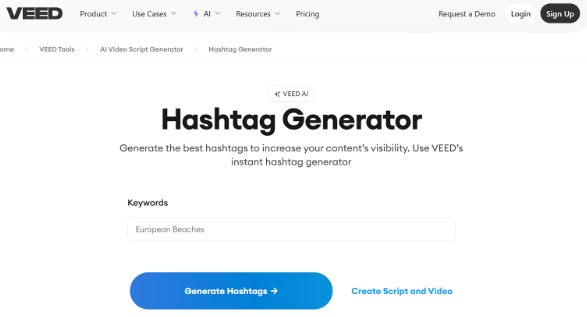
Finding the best hashtags for video content is a never-ending struggle—unless you are aware of VEED.IO. This free tool, ideal for Instagram Reels, lets you hunt down trending hashtags and keywords.
You can generate up to 20 hashtags and tags for Instagram and other social media platforms.
If you spend a few dollars, you can generate scripts and captions, translate videos, and remove random background noise. Overall, VEED.IO qualifies as a comprehensive tool that makes content creation easier for influencers.
A G2 user says:
Veed makes pro-level video editing ridiculously simple—especially for creators and coaches who don’t want to deal with clunky software. I can resize for any platform in seconds, drop in branded top banners, add b-roll, and time subtitles perfectly—all from my browser. It feels built for marketers who want speed without sacrificing quality.
⏩ Also Read: Best Influencer Marketing Tools for Agencies
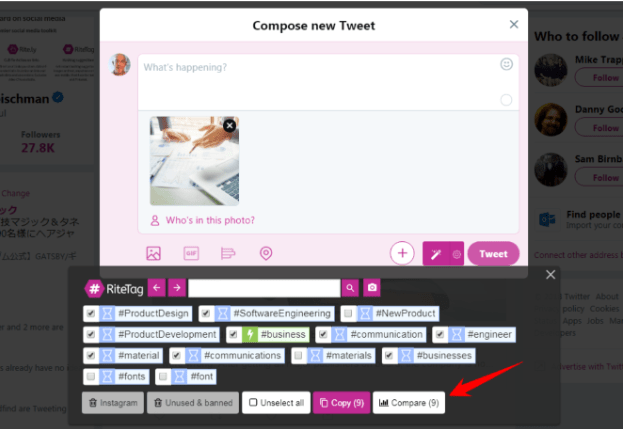
RiteTag is best known for suggesting hashtags based on image content. It processes your image, analyzes audience engagement metrics in real time, and suggests the best hashtags for the picture.
In addition, you can use it to manually search hashtags related to a specific topic—travel, food, fitness, or anything.
The tool is easy to use and navigate. Its color-coding feature sorts hashtags based on effectiveness. You can select hashtags and paste them into your clipboard for instant use.
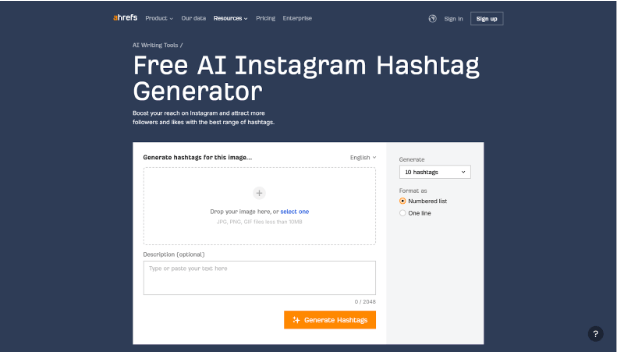
Ahrefs is well-known for its keyword research tool. But did you know it also offers a free AI hashtag generator? Using it, you can search and get your hands on the most popular hashtags for your content in just a few clicks.
You can either upload an image or describe it in a few words, and Ahrefs will produce 10 relevant, SEO-optimized hashtags. The best part? Despite being so powerful, this free tool doesn’t involve a learning curve—not even in the slightest.
A G2 user says:
My overall experience is great. Ahrefs offers all the crucial data needed for SEO analysis. It gives a detailed study on backlink analysis, competitors analysis, site audits, and Rank tracker. For doing competitor research, it is one of the best tools.
🧠 Fun Fact: Users can follow hashtags like they follow accounts, allowing them to see relevant posts in their feed—even if they don’t follow the poster. 🤫
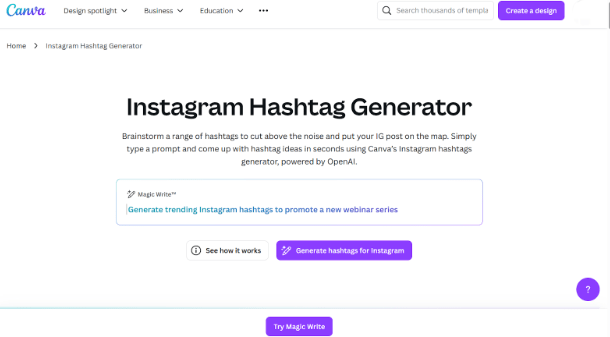
If you’ve only used Canva for designing creatives, you will be amazed by how well it works as a hashtag generator. Intuitive, easy to use, and free, Canva uses advanced AI to scour top hashtags for your topic.
All you need to do is describe your content, and it will generate the best hashtags for it, neatly categorized into sections like general, location-specific, etc.
This makes it ideal for detail-specific content like Instagram Reels and YouTube videos. Additionally, the tool is accessible on both Android and iOS mobile devices.
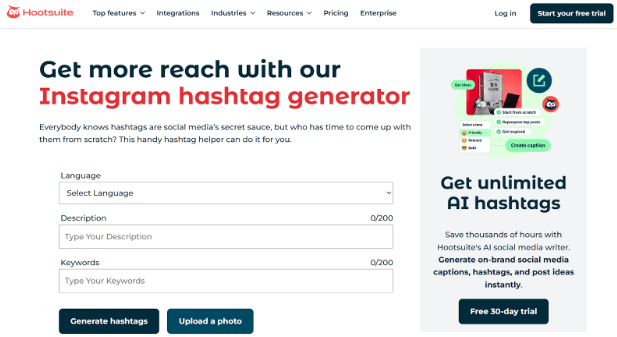
Another free tool, Hootsuite’s hashtag finder, is a one-stop solution that lets you optimize and schedule posts.
Much like most other hashtag tools, you only need to describe your post in words and add relevant keywords. The tool will come up with the top tags for the same.
What’s more? Hootsuite’s hashtag generator is versatile. Besides English, it generates hashtags in French, Spanish, German, and Italian. Once done, you may paste the keywords and use them to post.
A G2 user says:
I love how Hootsuite streamlines social media scheduling and reporting. The platform makes it easy to manage multiple accounts, schedule posts in advance, and pull analytics for performance tracking. The interface is user-friendly, and the integration with other tools like Zapier simplifies automation. Plus, the ability to collaborate with team members is a huge plus!
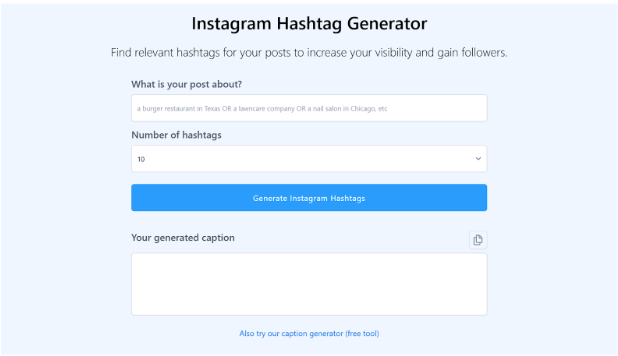
OneUp generates appropriate hashtags for almost all social media platforms—from Instagram to X and even TikTok. It is free and beginner-friendly, suggesting up to 10 trending tags you can paste and use.
It also lets you schedule posts and offers visibility into hashtag engagement, allowing you to optimize your strategy for better campaign performance.
A G2 user says:
I love how I can schedule posts on Twitter and Instagram without having to worry about timing or making the post the day of. It also gives me room to preview and optimize the look of the post as I see fit.
🔍 Did You Know: Confused about how many hashtags you should use to boost your social media posts? Experts suggest a mix of 3-5 hashtags is the sweet spot, especially for Instagram! 😎
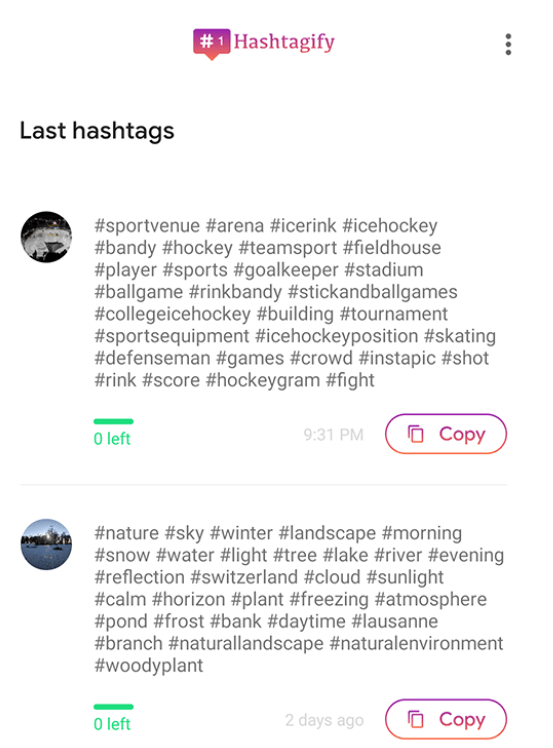
Finding popular hashtags for a niche that isn’t trending on Instagram’s Explore page isn’t easy unless you’re an expert. But with Hashtagify, you can easily do so. This tool suggests hashtags based on real-time data.
You can also check their popularity scores and usage trends to ensure every tag is unique, relevant, and viral. The tool also has effective organization and capabilities. It lets you find top hashtag categories, create hashtag groups, and more.
🔍 Did You Know? #Love is the most used hashtag on Instagram, with an average of over 1.835 billion searches. ❤️
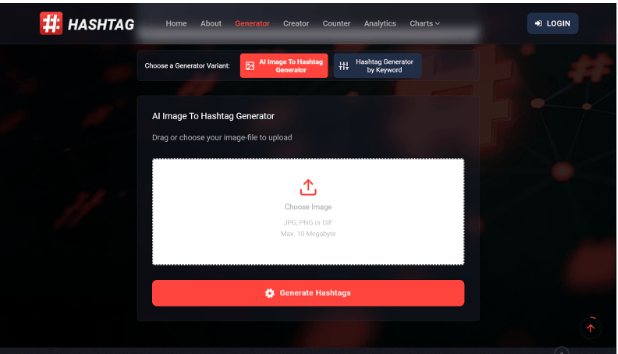
Next up on the list of the best hashtag generators is All Hashtag. This tool’s USP is that it doesn’t just generate hashtags—it also lets you create them from scratch.
In addition, you can access advanced analytics and check the rankings of successful hashtags based on their popularity.
With All Hashtag, you can comprehensively manage your content projects and their visibility. Since it also offers a free hashtag counter, you can ensure you add the right number of tags per post to avoid any chances of spam.
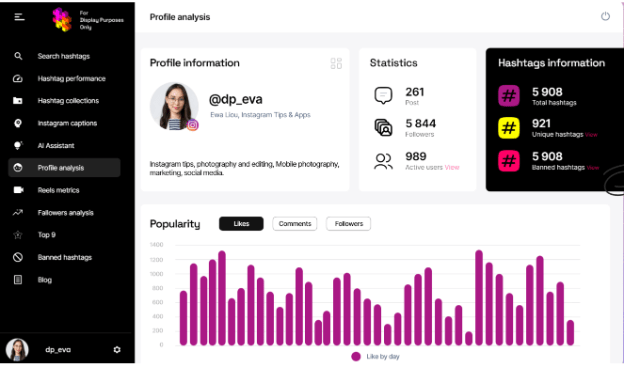
Finally, let’s talk about Display Purposes. This Instagram hashtag generator works well for those looking for a professional yet intuitive tool. One of its best USPs is that it lets you find banned hashtags to flag and remove them from your roster immediately.
Apart from this, the tool’s AI Assistant is a useful element that provides personalized suggestions for shortlisting your post’s best hashtags.
⏩ Also Read: How to Use ChatGPT for Marketing
Additional Tools
In the fast-paced world of Instagram marketing, using the best hashtag strategy can make all the difference. When you find hashtags that align with your content, you connect with the right audience, boost engagement, and improve your chances of being discovered.
Managing hashtags effectively requires planning, organization, and data-driven insights. Whether tracking hashtag performance, scheduling posts, or optimizing your strategy, having the right system is key.
ClickUp gives you everything you need to streamline your Instagram marketing, from hashtag research to content scheduling, all in one place. So, try ClickUp today and take your strategy to the next level. Sign up here for a free trial!

© 2026 ClickUp

There’s an easier way. Try a free AI Agent in ClickUp that actually does the work for you—set up in minutes, save hours every week.