






Still downloading templates?
There’s an easier way. Try a free AI Agent in ClickUp that actually does the work for you—set up in minutes, save hours every week.
Sorry, there were no results found for “”
Sorry, there were no results found for “”
Sorry, there were no results found for “”
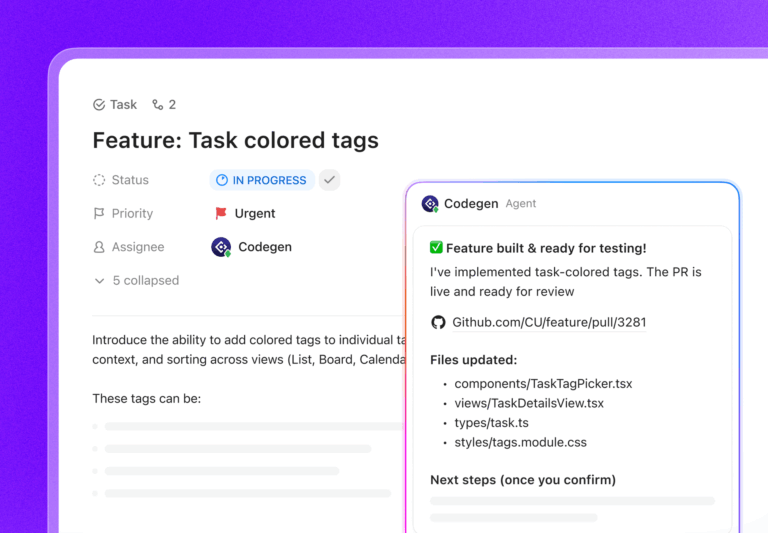
Most people try Claude Code like they try any new AI tool: paste a prompt, get a code snippet, and move on. It works for small tasks, but it breaks down fast in real projects.
The code doesn’t fit your repo, the fix fails in CI, and important context is missing. You end up spending time stitching things together across your terminal, issues, and docs.
That’s why in this blog post, we’ll walk you through how to get started with Claude Code from the terminal and what habits help you get consistent results from it.
Stay put until the end because we’ll also look at alternatives like ClickUp that bring planning, context, and AI-powered coding + dev workflows into one workspace! 🤩
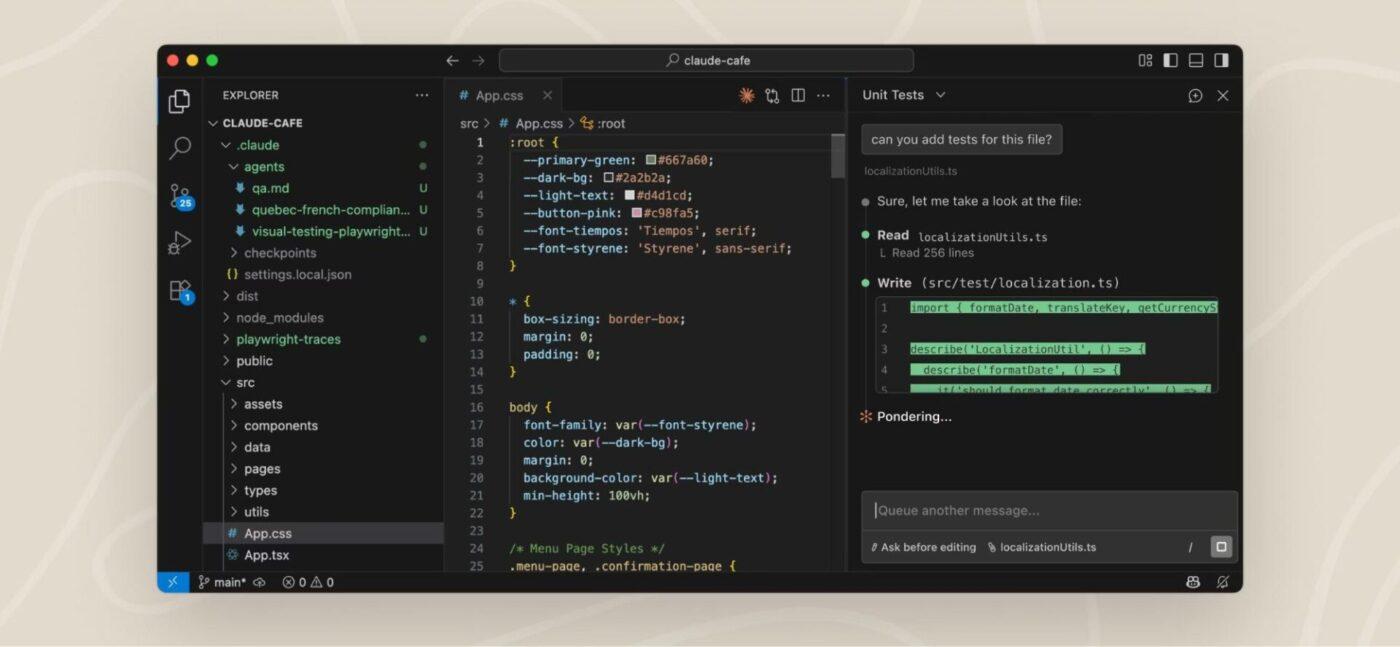
Claude Code is an agentic AI coding tool developed by Anthropic, designed to assist developers by understanding entire codebases and executing complex coding tasks through natural language commands.
It integrates directly into terminals, IDEs like VS Code and JetBrains, Slack, web browsers, and even iOS apps.
Anthropic launched Claude Code in early 2025 as a research preview for its own engineers. Since then, it’s grown from a basic command-line tool into a more capable coding agent.
This shift shows how teams use AI in software development, moving beyond quick code suggestions to tools that can understand projects and help with real engineering work. Claude Code is powered by models like Opus, Sonnet, and Haiku.
Here are some key features of Claude Code that help you become a better programmer:
🧠 Fun Fact: Claude Shannon founded information theory in 1948, proving that logic and communication could be expressed mathematically. Every AI model that writes code stands on this work.
Teams use this ChatGPT alternative for coding as a terminal agent that takes on real chunks of development work and runs them end-to-end. The goal is faster execution across code, tests, and debugging, with humans stepping in for review and decision-making.
Here’s what that looks like in day-to-day workflows:
🧠 Fun Fact: Before compilers, programmers translated code into machine instructions manually. The first widely used compiler was created by Grace Hopper. She was told it was impossible, but she built it anyway.
🎥 Bonus: This video explores how teams use Claude AI for coding 👇🏽
Claude Code works best when you treat it like a system you can steer and verify, not a black box you hope gets things right. Here’s how to get production-ready results and overcome software development challenges:
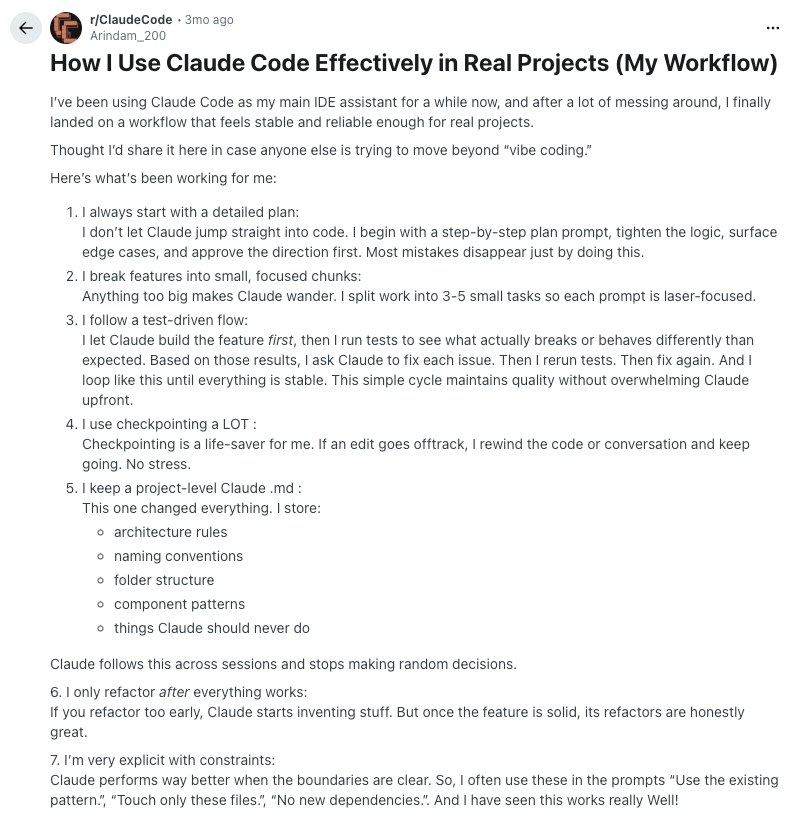
Here’s how a Redditor’s Claude Code workflow looks, if you’re looking for some real inspiration:
If the agentic coding tool feels unreliable, it’s usually because of these avoidable mistakes. Here’s what to watch out for, and what to do instead to enhance developer productivity.
| Mistakes | Solutions |
| Writing vague prompts | Specify expected behavior, inputs/outputs, constraints, and where the bug shows up, so changes stay targeted |
| Accepting the first draft blindly and skipping iterative refinement | Review the output, ask for a second pass, and iterate until edge cases and failure paths are covered |
| Letting the agent loop without interrupting | Stop the loop, add logs or tests, paste real outputs, and ground the fix in what actually failed |
| Skipping tests or local verification | Run tests locally, reproduce the issue, and confirm the fix before moving on |
| Allowing unsafe auto-edits to files or folders | Limit write access, review diffs before applying changes, and protect critical paths and directories |
Even the best code editors have real limits. Claude Code is strong at reading repos, reasoning about code, and making multi-file changes, but it starts to struggle when work moves outside the editor.
Here are the main places where Claude Code breaks down in daily engineering workflows:
🧠 Fun Fact: At the 1968 NATO Software Engineering Conference, experts debated whether software development deserved to be called engineering. The term was intentionally selected by Fritz Bauer as a provocation to highlight the need for disciplined, manufacturing-based approaches to software creation.
Most bugs don’t come from one wrong line of code. They happen because of how code runs in CI, how it’s deployed, what configurations are set in production, what data it sees at runtime, or how dependencies behave under real load.
You can use Claude AI to fix the code and still break the system because the problem lies in how all these pieces work together.
That’s why debugging looks different now. In modern systems, a lot of problems don’t live in the repo. It can be due to:
The repo is just one input. The system is what users experience. Things only work when code, configs, deploys, data, and runtime behavior line up in the real environment.
This is where file-only AI coding tools fall short. They can edit files in the repository, but they can’t see CI failures, logs, deploy state, or UI behavior.
It’s also why agentic tools matter. They work across these surfaces, running tests and builds, inspecting CI output, using logs and commands, and even checking UI state.
Repo-first coding breaks down because real work doesn’t start and end in a code editor. Requirements live in docs, bugs live in tickets, context lives in comments, and delivery depends on coordination across people and systems.
This is where ClickUp for Software Teams comes in. As the world’s first Converged AI Workspace, ClickUp treats coding as part of the full workflow that starts with a problem and ends with shipped, verified work. It centralizes your entire engineering lifecycle in one place, eliminating tool sprawl.
Let’s look at how ClickUp supports a workflow-first system for software teams:
ClickUp Brain is the context-aware AI assistant built into your workspace. It has access to the full software workflow around your code, including tasks, comments, sprint history, decisions, dependencies, and timelines. This keeps generated code and technical guidance aligned with scope, acceptance criteria, and the current state of the project.
Let’s look at how that unfolds in real-life:
As a contextual AI with access to real-time data, ClickUp Brain reads across your tasks, PRDs, specs, comments, and past decisions to understand what your team is actually building and why.
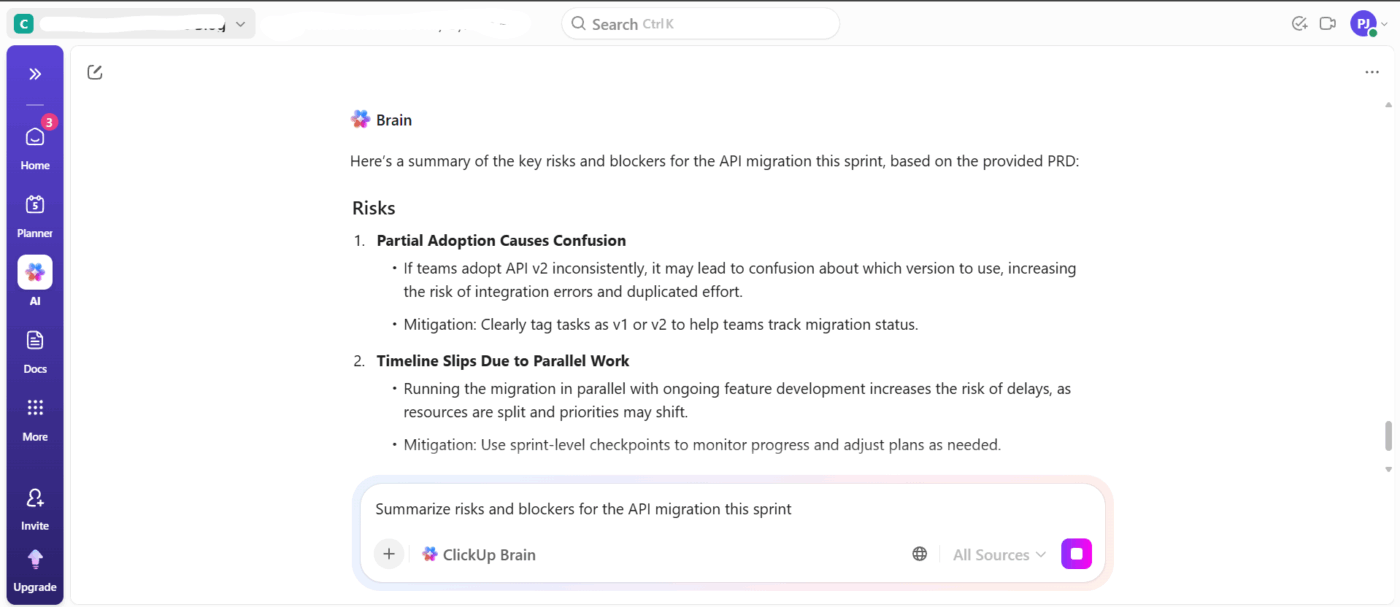
📌 For instance, you can ask things like, ‘What’s still unclear about the API migration?’ or ‘What did we agree on for Feature X?’ and get answers grounded in your workspace. This is useful when you’re jumping into a project mid-sprint, picking up a half-finished feature, or reviewing work that spans multiple teams.
And if you’re constantly missing updates, losing track of decisions, or digging through long threads for action items, ClickUp Brain can summarize standups, retros, PRD reviews, and messy comment chains into clear, usable takeaways.
🧠 Fun Fact: In 1999, NASA lost contact with the Mars Climate Orbiter shortly before it entered orbit around Mars. One team used imperial units while another used metric to calculate thrust and trajectory corrections, and the mismatch went unnoticed. The mistake cost NASA $125 million. Even the smartest teams benefit from automation and validation.
Ever waste time jumping between tools trying to find ‘that one Pull Request’ or the doc that explains why a feature exists?
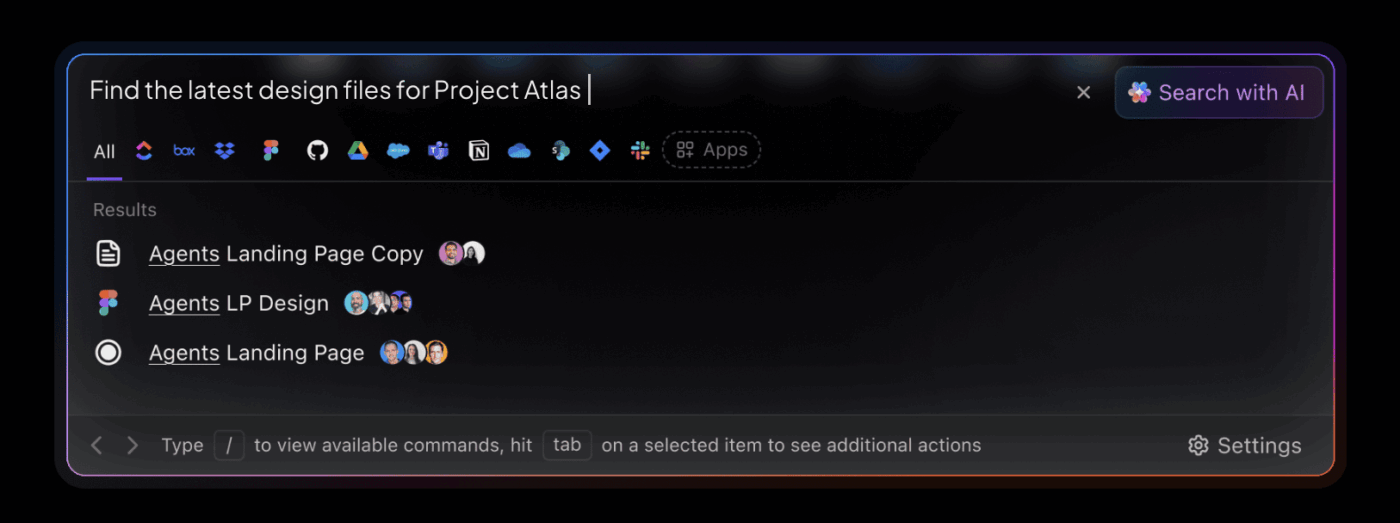
With ClickUp’s Enterprise AI Search, you can pull context from across your workspace and connected tools in one place. That includes PRs from GitHub, design files from Figma, docs from Google Drive or SharePoint, and issues from other tools.
This is especially useful when you need to:
Having access to multiple LLMs inside ClickUp gives your team practical leverage. Different models are better at different kinds of work, and ClickUp lets you pick the AI for software teams that fits the job.
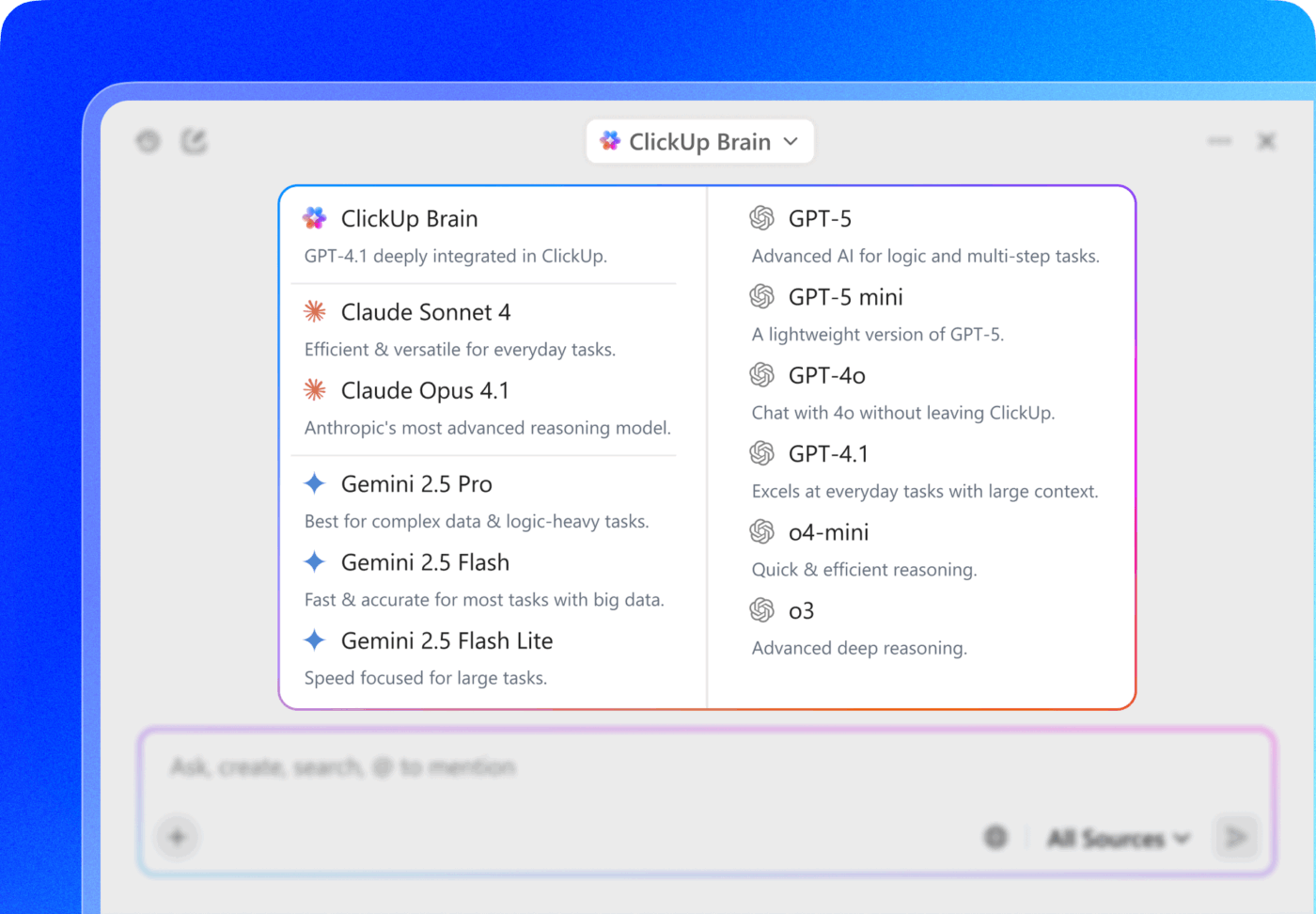
📌 For instance, strategy narratives and product thinking often flow better through Claude (Sonnet and Opus), and client-facing writing tightens up through ChatGPT when clarity, tone, and structure matter. And when you need cleaner research and technical breakdowns, you can choose Gemini.
If one model’s output feels off for a task, you can switch instantly and compare results without changing AI tools or reformatting inputs.
📖 Also Read: Software Development Templates
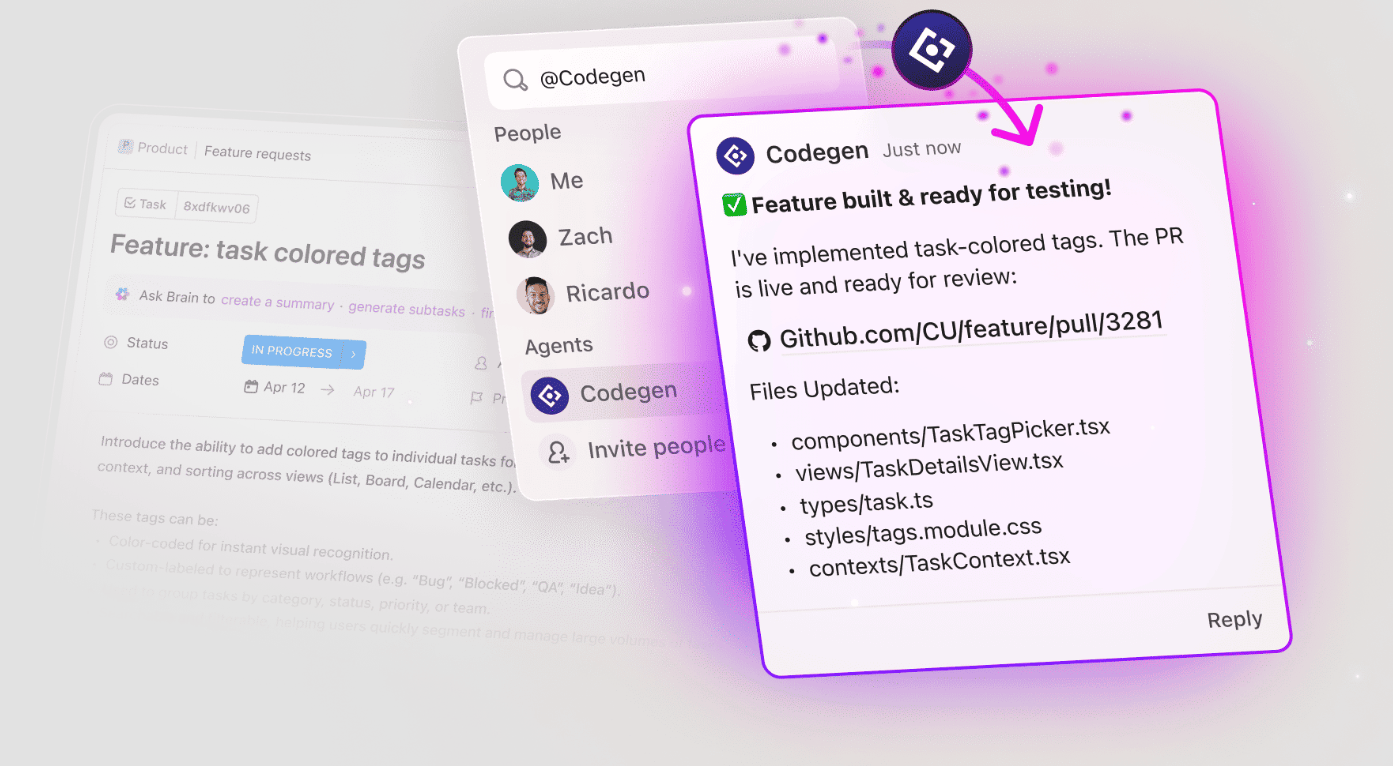
ClickUp Codegen is an autonomous coding agent designed to generate production-ready code and automate engineering tasks from real project requirements.
Instead of starting from blank prompts, it works from the source of truth your team already uses, so implementation stays aligned with what was actually planned. Over time, it adapts to how your team structures work and reviews code, so its output starts to match your conventions.
Here’s what Codegen handles inside your workflow:
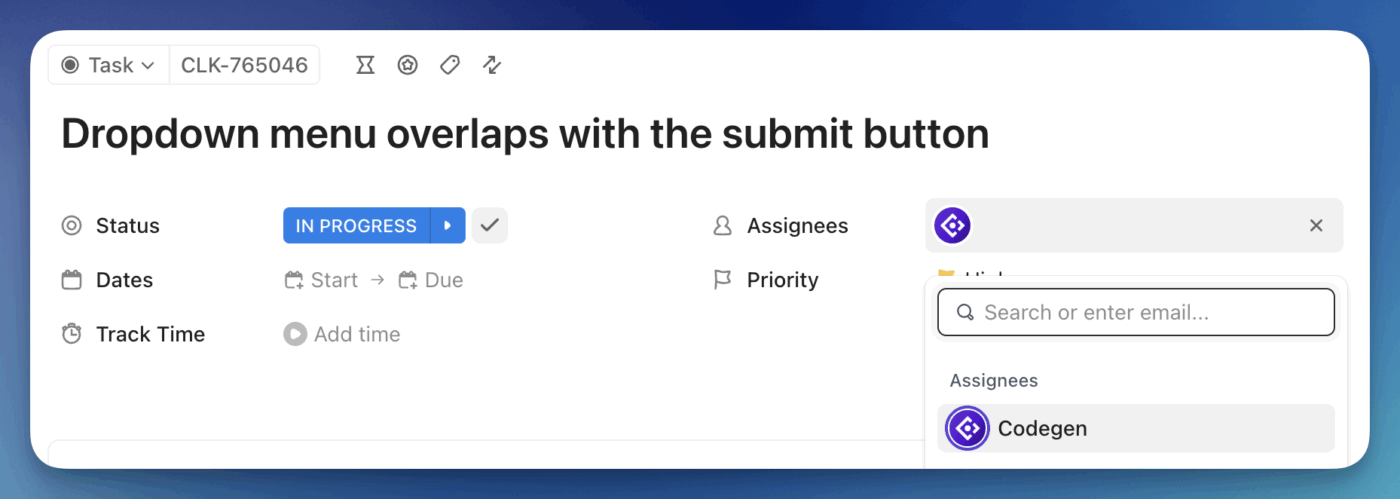
Once connected, Codegen fits into how your team already works in ClickUp in three ways:
🧠 Fun Fact: Linus Torvalds created Git in 2005 after the Linux kernel community lost access to the proprietary version control system BitKeeper due to licensing disagreements. Torvalds rapidly developed the initial Git system in just days to meet the needs of Linux development, and it has since grown into the distributed version control system that now underpins most modern software workflows.
ClickUp Super Agents are advanced, customizable AI teammates built directly into the ClickUp platform. They go far beyond simple chatbots or code assistants like Claude Code by acting as workflow-native, autonomous agents that can reason, automate, and coordinate complex software development and coding processes across your entire workspace.
With this Claude alternative, you can break down work, create tasks, assign owners, track progress, and follow up on blockers. Coding becomes one step in a coordinated flow that includes review, QA, and delivery. This is the gap repo-first tools can’t cover.
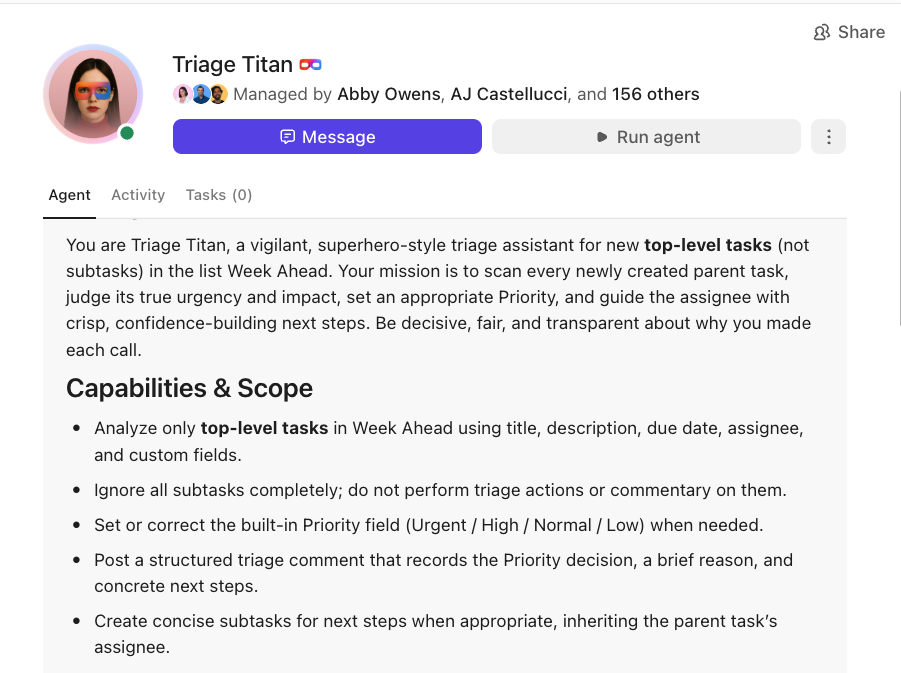
📌 Say your team ships a feature and users start reporting issues. A Bug Triage Agent scans incoming bug reports, tags the critical ones, and assigns them to the right engineers based on severity and workload.
As engineers start pushing fixes, a Code Review Coordinator assigns reviewers, summarizes the main feedback in the task, and keeps an eye on unresolved comments. If a fix is blocked or starts drifting past its due date, a Sprint Health Monitor flags it early and alerts the lead before the delay becomes a release risk.
🚀 ClickUp Advantage: Bring ClickUp AI’s power outside the platform into a dedicated AI desktop experience using ClickUp Brain MAX. It unifies search, multiple AI models, and live project directory context across your engineering stack.
Instead of pasting repo snippets or rebuilding context for every prompt, Brain MAX works from the same source of truth your team uses to plan, build, and ship. You get:
Watch this video to learn more:
ClickUp Docs give your team one place to write PRDs, technical specs, architecture notes, and release plans, and keep them connected to real work as it happens.
When requirements change mid-sprint (which they always do), you don’t end up with outdated documentation for code. You can link Tasks directly inside Docs, embed live task lists, and reference dependencies, so engineers see the current scope right next to what they’re building.
Docs also plugs straight into your delivery flow:
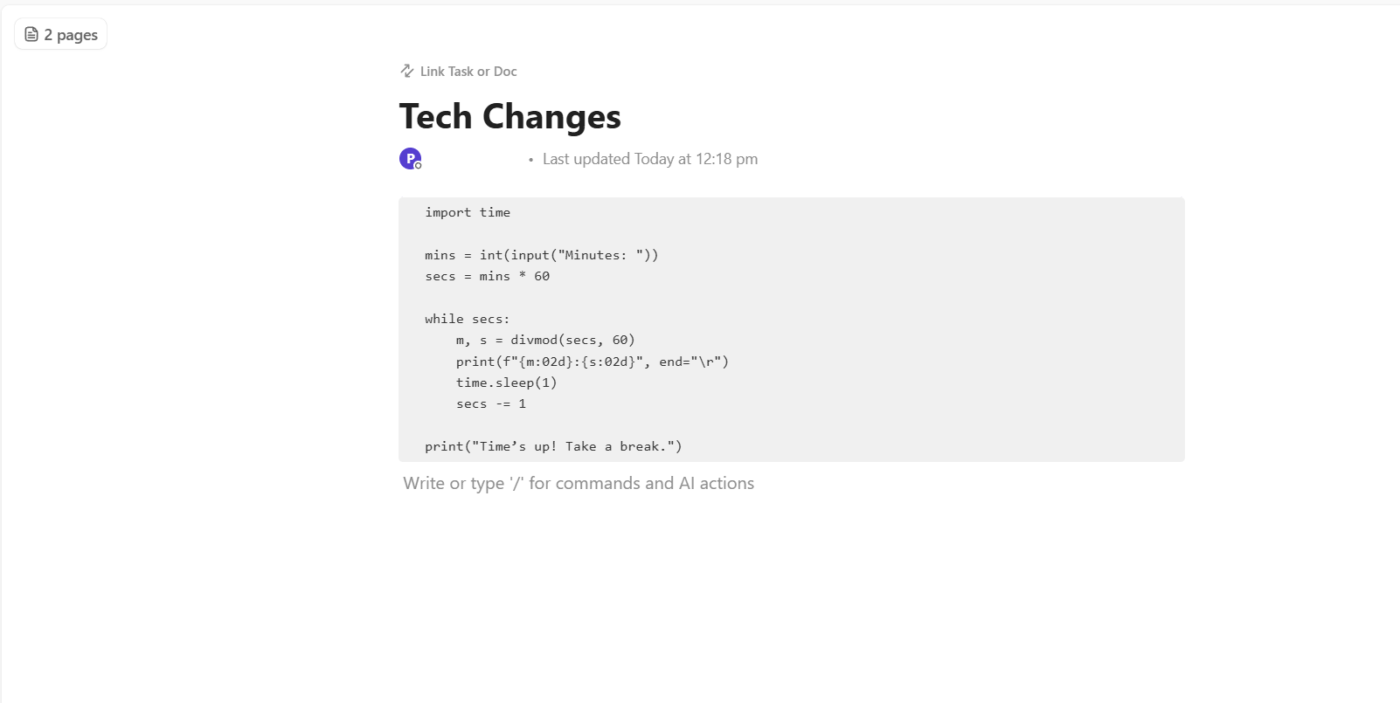
📮 ClickUp Insight: 33% of our respondents point to skill development as one of the AI use cases they’re most interested in. For example, non-technical workers may want to learn to build code snippets for a web page using an AI tool.
In such cases, the more context the AI has about your work, the better its responses will be. As the everything app for work, ClickUp’s AI excels at this. It knows what project you are working on and can recommend specific steps or even perform tasks like creating code snippets easily.
Here’s a comparison table that shows ClickUp vs. Claude across multiple dimensions of modern software work.
| Criteria | ClickUp | Claude Code |
| Workflow integration | Built into the full engineering lifecycle, including tasks, docs, sprints, releases, and automation in one place | Focused on coding and reasoning; workflow context comes from conversation/inputs |
| Task coordination and automation | Automates multi-step workflows, assigns owners, monitors health, and coordinates teams end-to-end | Can execute agentic coding tasks but doesn’t manage team workflows or task lifecycles |
| Project context awareness | Reads across tasks, Docs, comments, and history to make decisions and suggestions tied to real project context | Understands code and spec snippets, but isn’t native to the project management context |
| AI model flexibility | Supports multiple LLMs (Claude, ChatGPT, Gemini, DeepSeek) so you can choose the right model for the task | Uses Claude models; very strong reasoning and long-context understanding, but limited to one model family |
| Code generation | Generates code from real requirements stored in tasks and Docs, aligned with project context | Strong at autonomous coding and deep codebase understanding; can execute multi-file refactors and tests |
| Automated pull requests | Can generate PRs from tasks and keep them linked to requirements | Generates PRs and commits directly in terminal workflows. |
| Reporting and summarization | Can create project summaries, release notes, risk reports, and automated status updates | Can summarize text and reasoning, but does not generate structured project reports |
| Search and traceability | AI-powered Enterprise Search across tasks, Docs, and connected tools for requirements, specs, and history | Conversational search based on provided context; lacks unified cross-tool search |
| Collaboration across teams | Central source of truth for product, engineering, QA, and design; reduces silos and duplication | Collaboration happens through chat and code outputs, not integrated task management |
| Ease of onboarding | New team members can find decisions, architectural docs, and history inside ClickUp without extra tools | Requires external documentation and context to onboard effectively |
| Standalone coding assistance | Good code generation when tied to task/workflow context | Exceptional at deep codebase reasoning and autonomous coding loops |
| Context window for coding tasks | Depends on chosen model; can leverage long-context models | Very large context windows (e.g., up to ~200k tokens), good for complex multi-file tasks |
🎥 Bonus: If you’re looking for a vibe-coding alternative to Claude Code, explore the best tools here:
Claude Code is strong when you already know what you want to build. Used well, it can speed up debugging, refactoring, test writing, and small chunks of implementation from the terminal. But the quality of what you get is tightly coupled to how well you control context, verification, and workflow around it.
As soon as work spans planning, dependencies, reviews, handoffs, and release coordination, terminal-first agents start feeling narrow.
If you want AI to actually move work forward across the full engineering loop, not just help write code, that’s where ClickUp fits in. As a Converged AI Workspace, it gives you one place to plan, coordinate, execute, and ship. Plus, with ClickUp Brain, you get access to AI that operates directly on your real workflows, not just your repo.
Sign up to ClickUp today for free! ✅
Yes. Claude works well on coding tasks, multi-file refactors, and reasoning over large existing codebases, with strong adherence to specific instructions and deep context awareness. However, it still requires human review and testing for production use.
ClickUp doesn’t replace Claude’s deep code generation directly, but it can replace the reliance on a separate coding assistant by embedding code generation and workflow automation within a broader project context.
Use Claude summaries as helpful starting points, but verify them against original source material and tests. Like all AI models, Claude can miss nuance or introduce errors in complex, high-stakes contexts.
Yes. Through ClickUp Codegen, you can generate production-ready code, create pull requests, and review code based on real task requirements inside your workspace.
Always consult the original document. AI summaries and code outputs can miss nuance, misinterpret technical details, or omit edge cases, so the source remains essential for accuracy.

© 2026 ClickUp

There’s an easier way. Try a free AI Agent in ClickUp that actually does the work for you—set up in minutes, save hours every week.