






Still downloading templates?
There’s an easier way. Try a free AI Agent in ClickUp that actually does the work for you—set up in minutes, save hours every week.
Sorry, there were no results found for “”
Sorry, there were no results found for “”
Sorry, there were no results found for “”

It takes anywhere between 8-50 touchpoints to make a sale: i.e., convert a lead or an inactive user into an active customer.
Being a part of the content team, I know for a fact that everyone is busier than ever. Creating more content is not the solution.
Content repurposing comes to the rescue. AI makes it easier for everyone.
Sounds too good to be true? Below, I will show you how to automate content repurposing using AI, without wasting your resources or time.
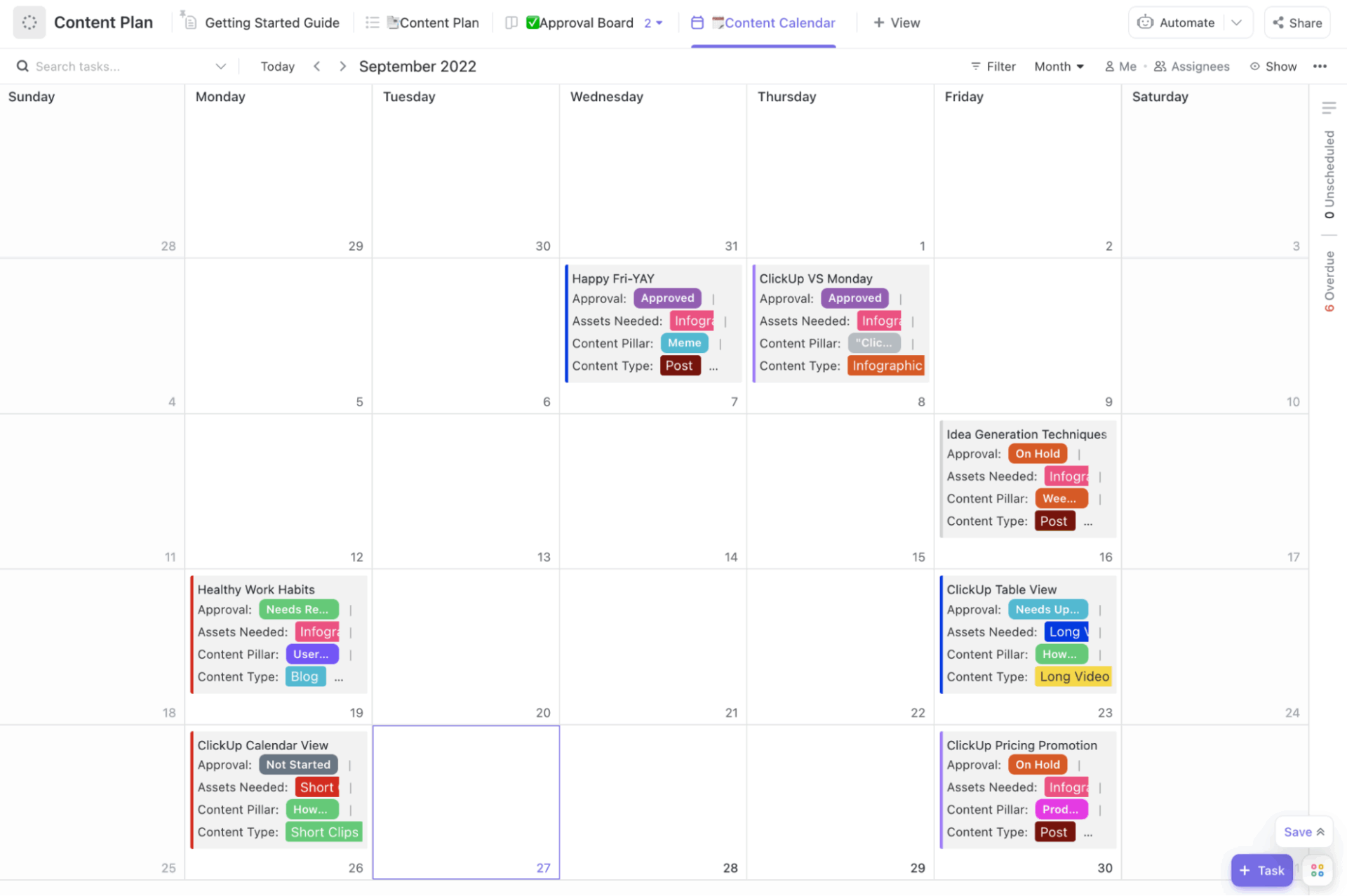
Losing track of your repurposing projects across different team members and deadlines? Use ClickUp’s Content Plan Template to centralize every piece of content from initial creation through final publication. Visualize your content timeline in 4+ different views and track its progress in one centralized dashboard.
Content repurposing is the process of strategically adapting a piece of content into different formats for various platforms. For example, you take a high-performing blog and convert it into a series of newsletters, social media posts, or an interactive video, depending on what your audience loves to consume.
Smart marketers use it to increase the overall lifespan of high-value content assets.
The best part of content repurposing with AI is that anyone can use it: from junior marketers to mid-level and senior executives.
Here’s why you and your team should be repurposing content:
Content repurposing sounds easy in theory. I get it. But if you are doing it for the first time, it might be overwhelming.
Here’s where I see most marketing teams struggling:
👀 Did You Know? It takes 3 hours and 48 minutes on average to create a full-length blog post.
🤯 Well, it took me 12+ to build this one, and that’s while using AI.
According to the same survey, bloggers who spend 6+ hours creating a blog post are likely to achieve better results. Meaning, even with AI, it’s never a prompt, copy-paste, and schedule. You have to make it work according to you.
When running the repurposing activity, I let AI handle the time-intensive and repetitive tasks in the process. For example,
The whole point of repurposing is to suit the content to each channel. A LinkedIn carousel might help me pack more information for an interested buyer. Or short summaries get better traction on Twitter (I still can’t get myself to call it X).
However, doing this manually, as I said earlier, is often too much work.
I outsource platform-specific content adaptation to AI content creation tools.
📮 ClickUp Insight: 62% of our respondents rely on conversational AI tools like ChatGPT and Claude. Their familiar chatbot interface and versatile abilities—to generate content, analyze data, and more—could be why they’re so popular across diverse roles and industries.
However, if a user has to switch to another tab to ask the AI a question every time, the associated toggle tax and context-switching costs add up over time.
Not with ClickUp Brain, though. It lives right in your Workspace, knows what you’re working on, can understand plain text prompts, and gives you answers that are highly relevant to your tasks! Experience 2x improvement in productivity with ClickUp!
When multiple team members are involved in content creation and repurposing, maintaining the brand tone and voice is the biggest challenge.
A blog post written by your senior copywriter shouldn’t sound entirely different from a tweet written by your new social media associate.
This is where AI becomes an equalizer for skill gaps.
I’ve solved the problem by building an AI prompt library with the brand tone, vocabulary, etc. Anyone can replicate this or follow it for consistent output.
Here’s what it looks like in practice:
When your content lives in spreadsheets, finding the best candidates for repurposing is an uphill battle.
Why so? Because they don’t surface insights.
Without AI-driven tagging, clustering, or scoring, identifying your top repurposing opportunities becomes manual detective work.
When the content library is large, there’s also a possibility of unknowingly duplicating topics. AI can cluster similar pieces, helping you merge or refresh them instead of starting from scratch.
AI in content marketing is a blessing in this regard. It can analyze your entire content library to highlight:
On that note, you must also know how to humanize AI-generated content.
Without which, it will sound soulless and flat.
Incorporate analogies and your personal experience in the copy. It could be humor, wit, or anything that adds a personal touch.
Also, AI hallucinates. Fact-check everything before publishing. This includes data, reports, quotes, and biases that AI is known to bring.
Far from being a magic bullet, AI works best when it’s part of a structured repurposing system.
Use this framework if you’re just getting started with automating your content repurposing using AI.
Focus on evergreen foundational topics. Think, how-to guides or problem-solving content that work across multiple formats and platforms. These pieces will deliver consistent value regardless of when they are discovered.
I use the table below to track how the best repurposing candidate aligns with the relevant metrics:
| Content type | Key metrics you should be tracking |
| Blog Posts | Page views, time on page, backlinks, social shares, conversion rates |
| Social media posts | Likes, shares, comments, saves, click-through rate |
| Email newsletters | Open rate, click rate, and forward rate |
| Whitepapers and Ebooks | Download count, lead generation, engagement time |
At this stage, you must also consider the strategic fit. For example, does the piece align with the current positioning? Does it support an active campaign? Can I tie it to an upcoming launch or event?
ClickUp Docs centralizes all your content assets, analytics notes, and audit findings in a shared space. Everyone, from designers to writers to strategists, refers to a single source of truth.
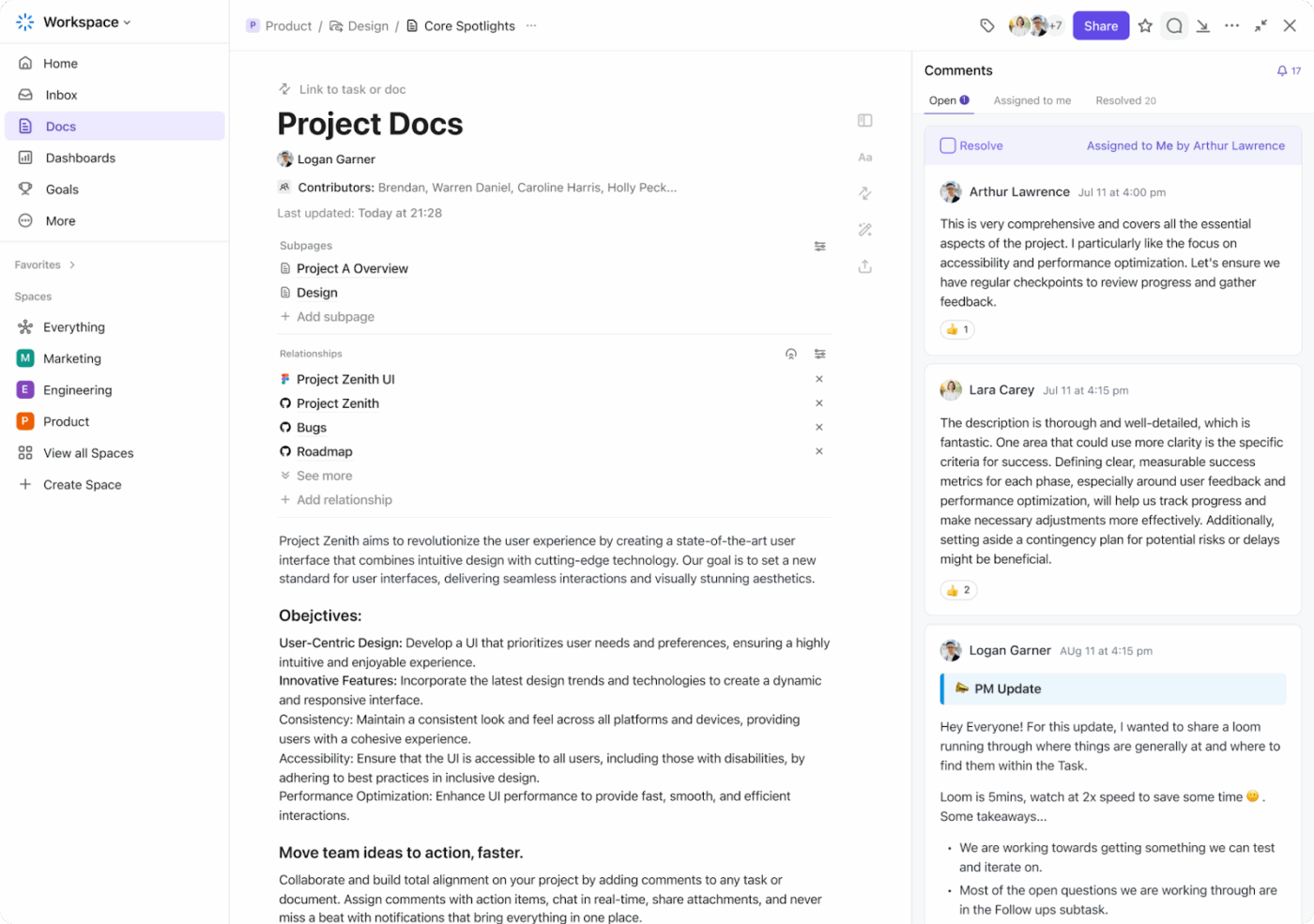
Each piece of content can be tagged by campaign, funnel stage, or persona, letting your team see how every asset fits into the larger marketing ecosystem.
Real-time editing and inline commenting make it easy for content, design, and SEO teams to collaborate on repurposing ideas right inside the Doc. Say goodbye to version chaos.
💡 ClickUp Benefit: I am able to turn content audit from a solo, once-a-quarter exercise into a cross-functional process that continuously identifies new repurposing opportunities.
📚 Read More: How ClickUp’s Marketing Team Uses ClickUp
Define your repurposing goals, i.e., what do you want to achieve with the repurposed content?
Your answers to these questions shape every decision in your repurposing workflow. Mainly, these two important things:
ClickUp Whiteboards bring strategy out of static docs and into a collaborative, visual space. Your team can brainstorm, plan, and connect ideas over a real-time digital canvas.

Link strategy to execution over Whiteboards. Convert sticky notes or ideas into actionable ClickUp tasks with a single click, keeping your repurposing plan connected to your content calendar.
💡 ClickUp Benefit: My content repurposing strategy becomes interactive and transparent. At a glance, everyone can see how content connects to business goals, reducing overlap, missed ideas, and back-and-forth approvals.
Now you need AI tools that will match your content repurposing needs and technical comfort level.
Ideally, you should be looking for a tool that can:
Instead of juggling multiple tools at this stage, you can choose ClickUp’s Marketing Project Management Software, which serves as a centralized hub for managing content throughout its entire lifecycle.
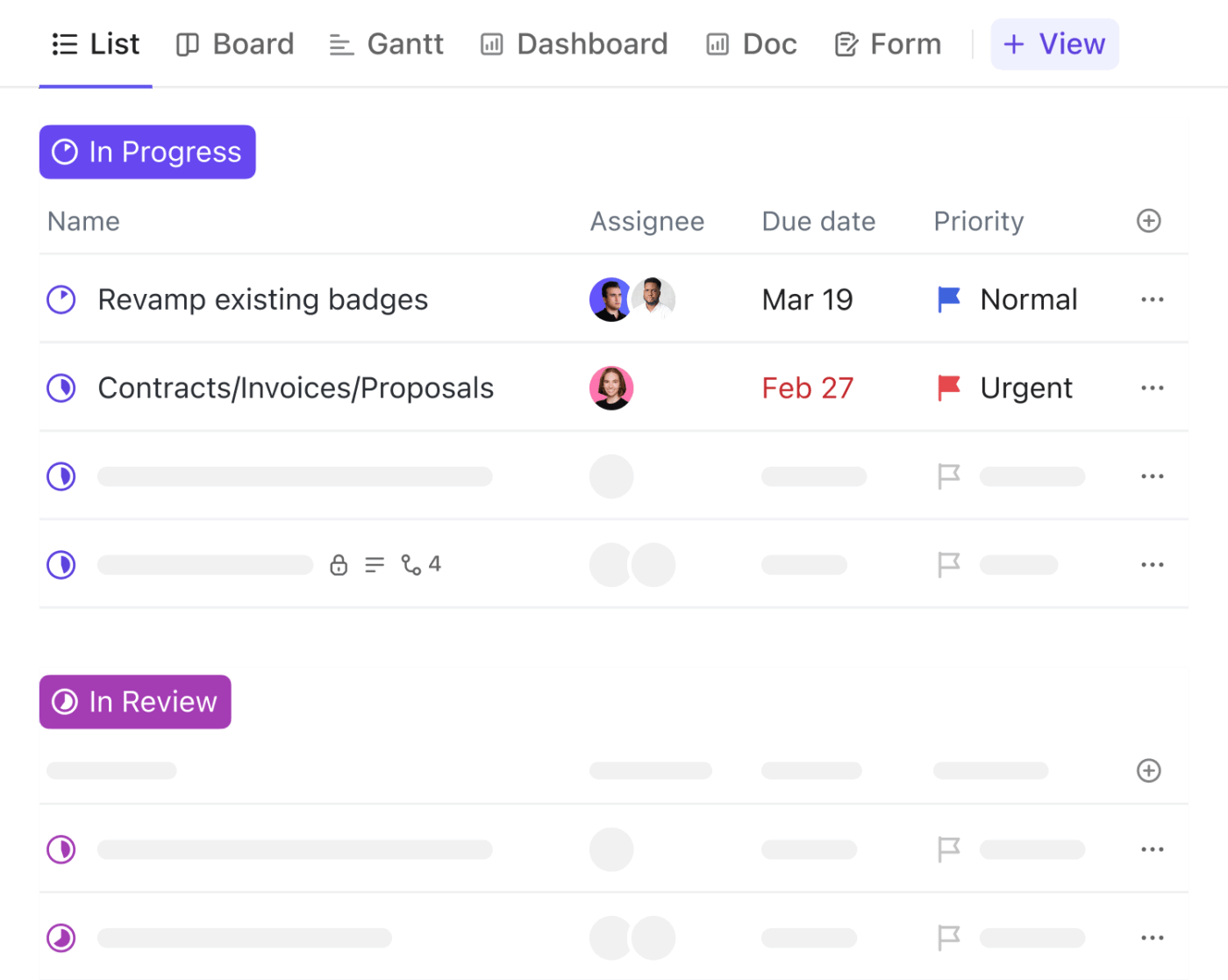
Once your workspace is set up, ClickUp Tasks takes over the heavy lifting. They translate your repurposing strategy into actionable steps that are easy to assign, track, and automate.
Create tasks directly from ideas or Whiteboard notes and assign them to the right team members with deadlines, subtasks, and dependencies.
Use Custom Fields to categorize each repurposing task by content format, target channel, or campaign goal. Get instant visibility into what’s in progress and what’s next.
Operating alongside this comprehensive workspace is ClickUp Brain, ClickUp’s native AI. Use Brain to transform your content into various formats while maintaining consistency with your brand guidelines and voice.
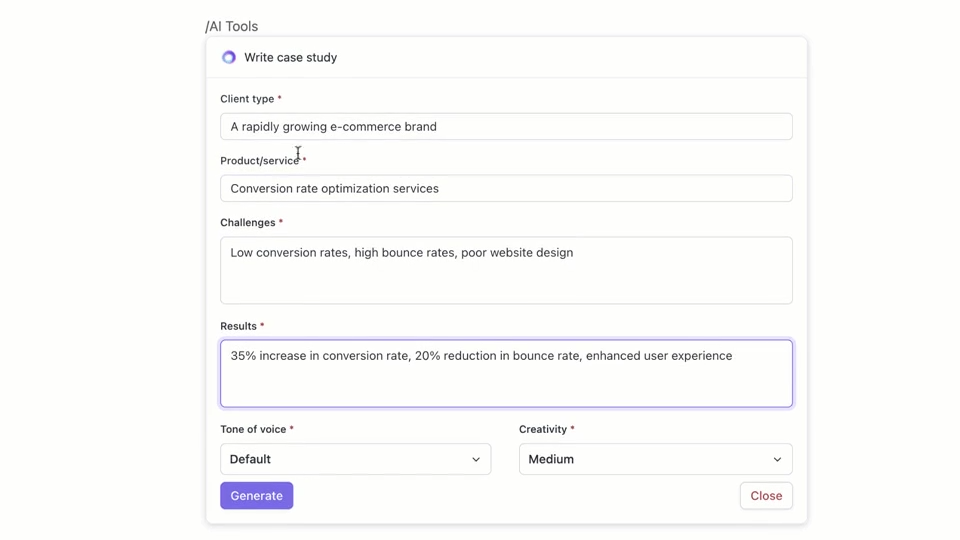
ClickUp Brain holds a complete contextual understanding of all your projects and previous campaigns. Meaning you don’t have to feed in context (every time) to make it work.
If you’re automating content creation using AI, this video will help you get the most out of it.
Along with repurposing, Brain can:
⚡ Template Archive: Free Content Writing Templates to Streamline Your Writing Process
Repurposing gives the best results when it is a repeatable system.
Repurposing workflows act as your playbook. They ensure that every blog, video, or campaign follows the same structured path. For example, selection → adaptation → review → publication.
Here’s how to structure one:
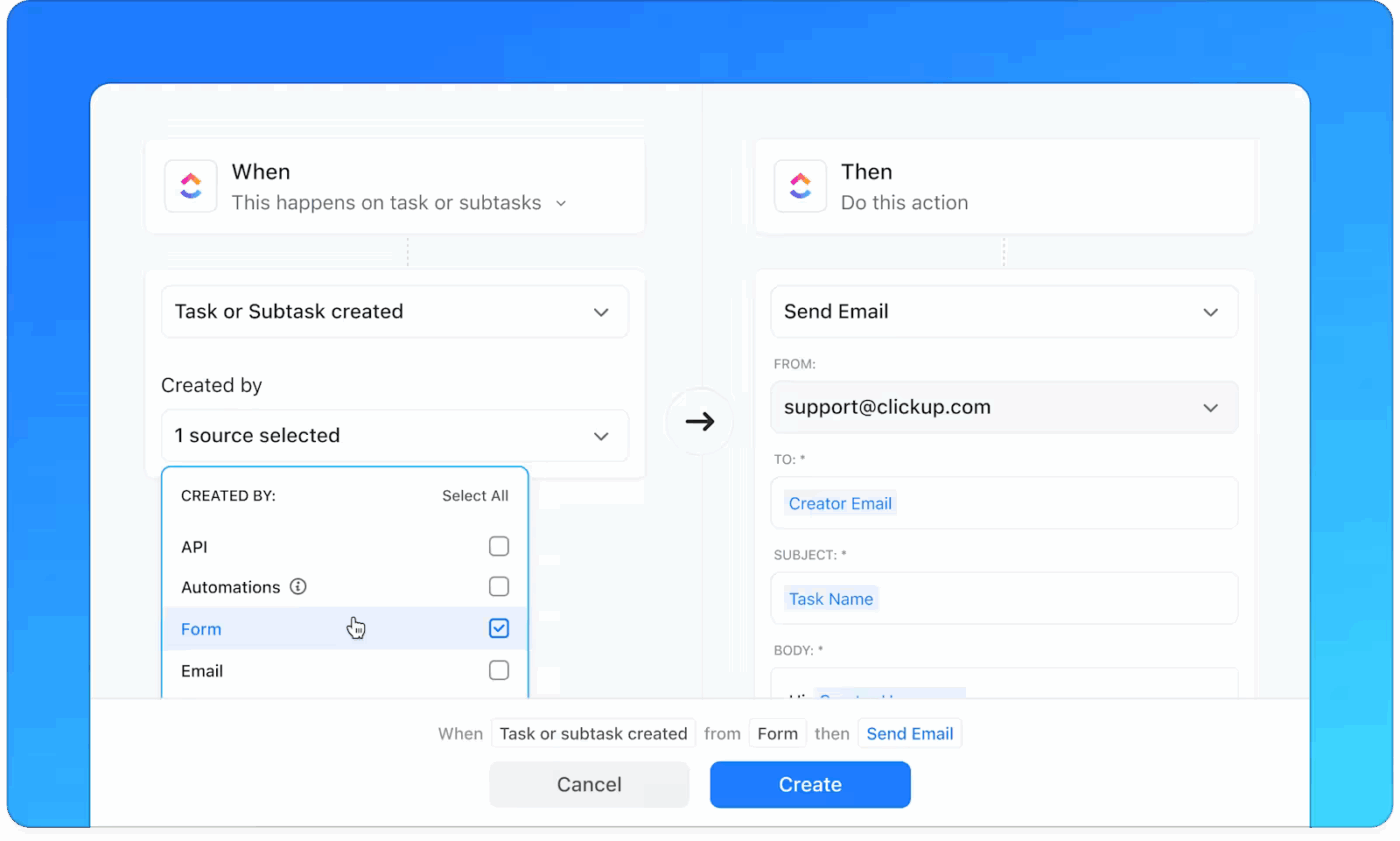
ClickUp Automations keep your repurposing workflow running in the background by following a simple but powerful flow: Trigger → Condition → Action.
ClickUp’s Content Plan Template helps you map content projects into actionable tasks with clear ownership and deadlines. This template offers pre-defined project structures that connect content strategy to execution.
With this template, you can:
👀 Did You Know? 41.9% of content marketers are struggling to find good writers for their projects. Smart content repurposing can help you address this talent gap. While your writers focus on creating high-quality source material, let AI handle the adaptation across multiple channels and formats.
Even with AI handling most of the adaptation work, human review is non-negotiable.
AI can accelerate content creation—but it still needs brand context, emotional nuance, and editorial judgment to get from good enough to great.
Here’s how to structure your review loop:
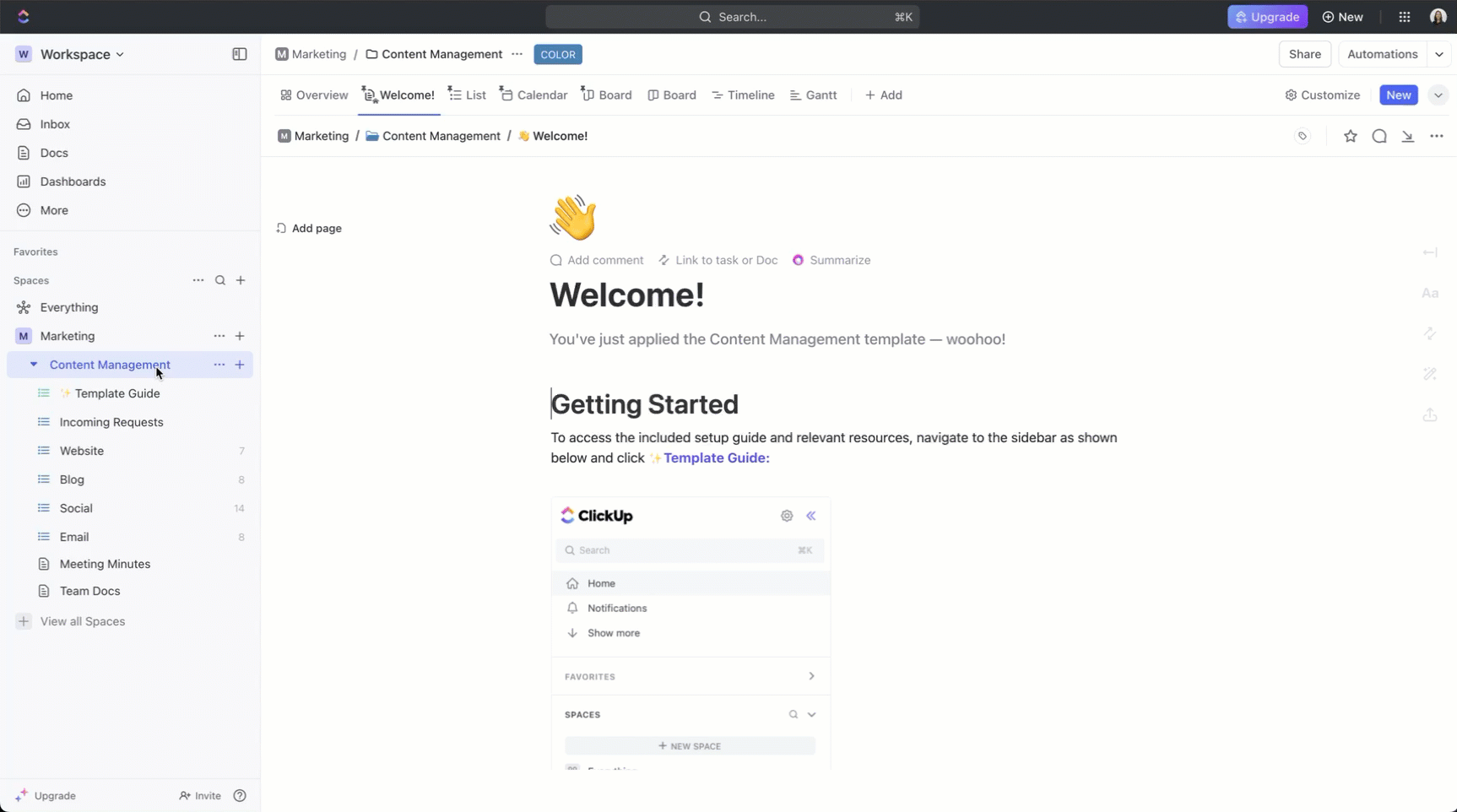
ClickUp’s Content Management Template helps you manage all your repurposed content from a single dashboard. Use this free template to plan, organize, and track content and give your organization shared visibility.
With this template, you can:
Here’s a more thorough insight into how you can use ClickUp’s Content Management Template.
⭐ Bonus: Capture your content repurposing ideas instantly using ClickUp BrainGPT’s Talk-to-Text feature. Dictate repurposing briefs, content instructions, or campaign notes directly into Tasks and Docs and get polished, structured notes without losing your train of thought.
Ideally, you would want to share the same kind of posts even if they are repurposed, across channels.
Your schedule might look like:
⚡ Template Archive: Free Social Media Templates for Your Repurposing Campaigns
You need to understand which pieces of content performed best. And then create more of it.
Initially, it is a game of trial and error to find the type of content your audience responds to best. So you may not want to be rigid.
Say you decide to convert a report into a blog post series, but you find that it doesn’t resonate with your audience since the website traffic is dismal.
You might instead want to create a video series that can be sliced and diced across social media.
Tracking your efforts will help you plan the type of content that resonates best with your audience. It will help you refine your content repurposing strategy to maximize its value.
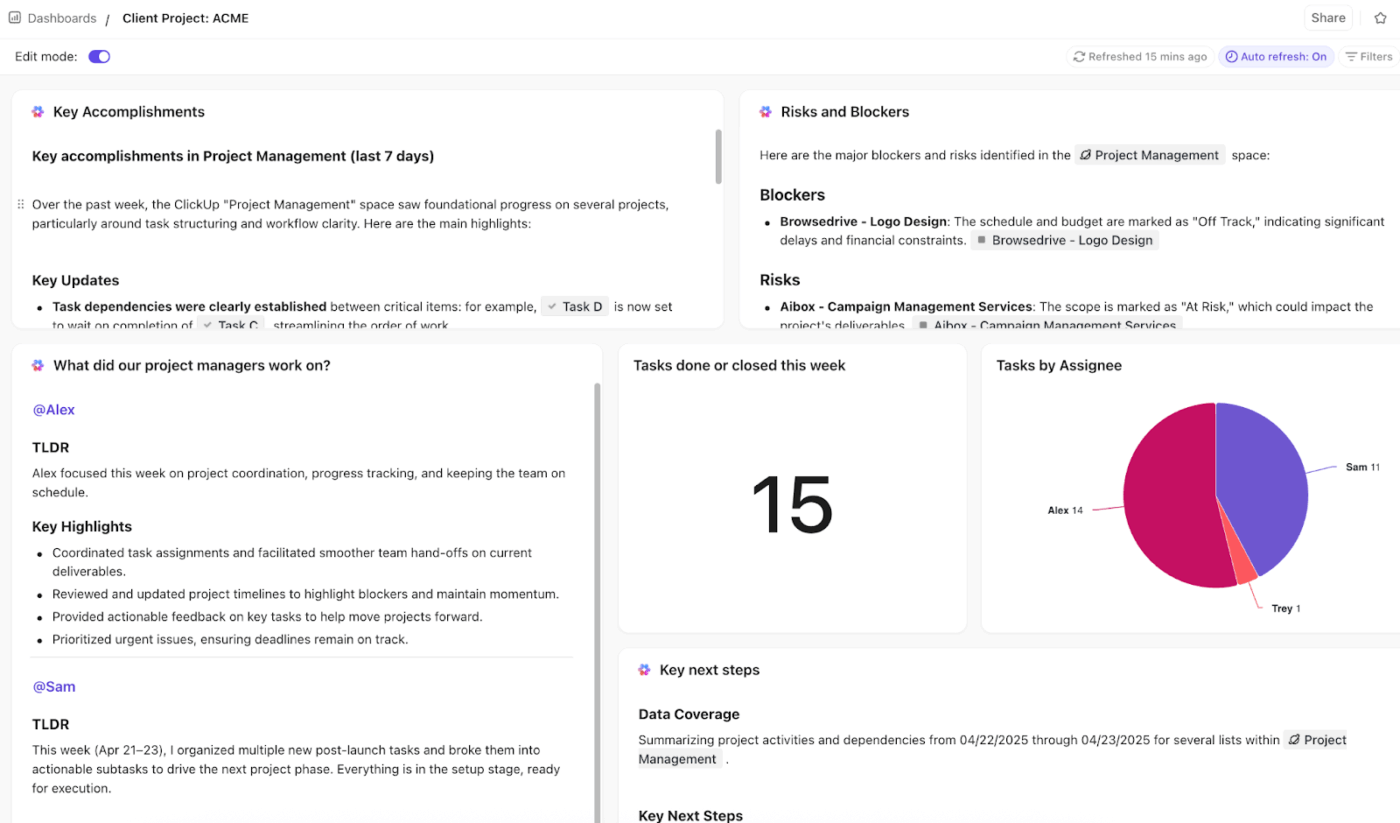
Use ClickUp Dashboards to compare performance metrics across all repurposed pieces.
Track engagement, conversions, or asset performance across every channel. You can add custom widgets that pull data from tasks, goals, or integrations (like Google Analytics or HubSpot).
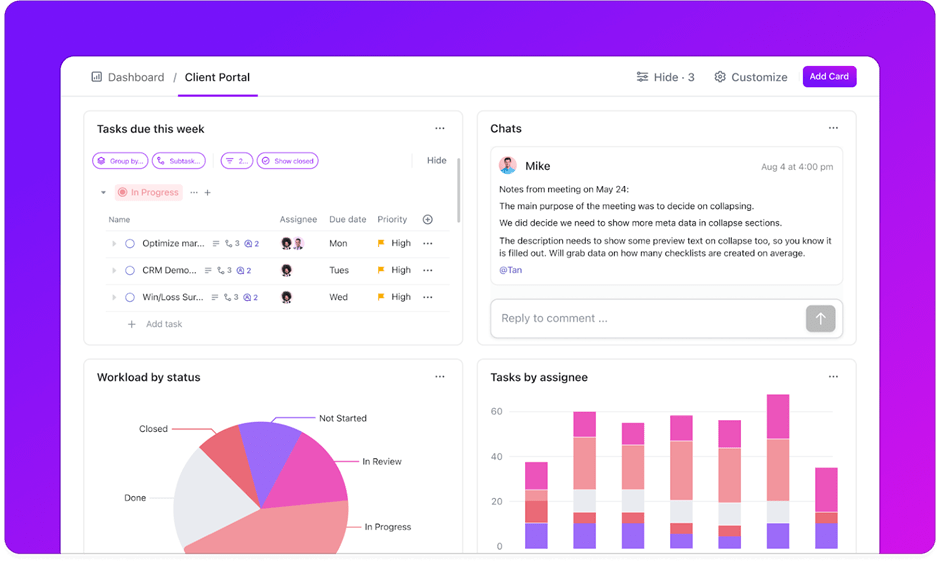
Unlike static reports, Dashboards are interactive. You can drill into a widget to trace metrics back to the actual content or task, keeping every number connected to its real-world source.
Whether you’re a content strategist, designer, or CMO, you can customize Dashboards with widgets relevant to your role—from high-level performance overviews to granular campaign insights.
⭐ Bonus: Interpret dashboard performance using AI Cards.
With ClickUp AI Cards, you can automatically summarize campaign results, highlight trends, and surface next-step recommendations right inside your Dashboard. It can generate summaries that can then be converted into executive reports.
👀 Did You Know? In case you are still wondering if AI content repurposing is effective, know that nearly 38% of the marketers at top companies are already relying on AI to repurpose their high-performing pieces.
You may also want to consider the tech stack you use for repurposing and if all the tools speak to each other for data transfer. Your content repurposing toolkit might look like:
| Category | Tools | Use case | AI advantage |
| AI content intelligence | ClickUp, BuzzSumo, Google Analytics | Identify high-performing or evergreen content | Surfaces insights and recommends repurposing candidates automatically |
| AI Writing and adaptation | ClickUp Brain, ChatGPT, Jasper | Rewrite, summarize, or adapt content across formats | Generates tailored variations while maintaining tone and clarity |
| Multimedia repurposing | Canva, Figma | Convert written or long-form content into visuals or videos | Auto-generates visuals or short clips to expand reach |
| Workflow and project management | ClickUp, Notion, Asana | Assign tasks, track progress, and collaborate | Streamlines hand-offs and automates repetitive steps |
| Scheduling and distribution | Buffer, Later | Schedule and publish across platforms | Suggests optimal times and formats for each channel |
| Tracking performance | ClickUp Dashboards, Ahrefs, Sprout Social | Track engagement and ROI of repurposed content | Turns raw metrics into actionable insights for future planning |
📚 Read More: Content Workflow Software for Marketing Teams
Whether you’re using AI for copywriting or content adaptation, you need context-rich prompts to repurpose content that actually serves your marketing goals.
When you are running short on time, these prompts will help you get the most out of your content asset. Keep them in your prompt library for everyone in your marketing team to refer to.
A blog post can educate your existing audience, but potential customers in the awareness stage might be looking for digestible insights when browsing social media.
The best part of AI-powered content repurposing is that you can summarize long-form content using AI tools and use it across different channels.
🤖 Prompt:
Convert this blog post into 5 LinkedIn posts where each post should focus on one main takeaway from the blog. Start with a hook question or surprising statistic, include actionable advice in 2-3 bullet points, end with an engagement question, stay within 150 words, and maintain a professional, conversational tone.
Your whitepaper can be a mine of proprietary information, but not everyone will download a 20-page PDF to read through your data.
You can repurpose the key insights into a newsletter. Even better, you can segment the audience and send contextual takeaways from the newsletter.
Of course, they can always click on the report to know more in detail if interested.
🤖 Prompt:
Transform this whitepaper into a 3-part email newsletter series where Email 1 introduces the problem and key statistics, Email 2 presents the main solutions with actionable steps, and Email 3 covers case studies and next steps in 300 words each.
The takeaways will be bullet points to make the data easily digestible. Also include a relevant CTA for each email.
OR
🤖 Prompt:
Convert this PDF into persona-based newsletter takeaways.
Identify each buyer persona mentioned or implied in the report (for example, Product Managers, CIOs, and Procurement Leads). For each persona:
Product features are more engaging when demonstrated rather than described. Repurpose product pages or release notes into bite-sized videos that show what’s in there for the user.
🤖 Prompt:
Turn this list of product features into 3 short-form video scripts (under 45 seconds each). Each video should:
Detailed case studies prove your capabilities to serious prospects, but social media audiences need quick credibility signals. AI repurposed content, in the form of bite-sized success stories and client results, works as a powerful trust builder for people discovering your brand on social media platforms.
You can slice and dice this data as per the platform and audience preferences and get the most out of your content repurposing efforts.
🤖 Prompt:
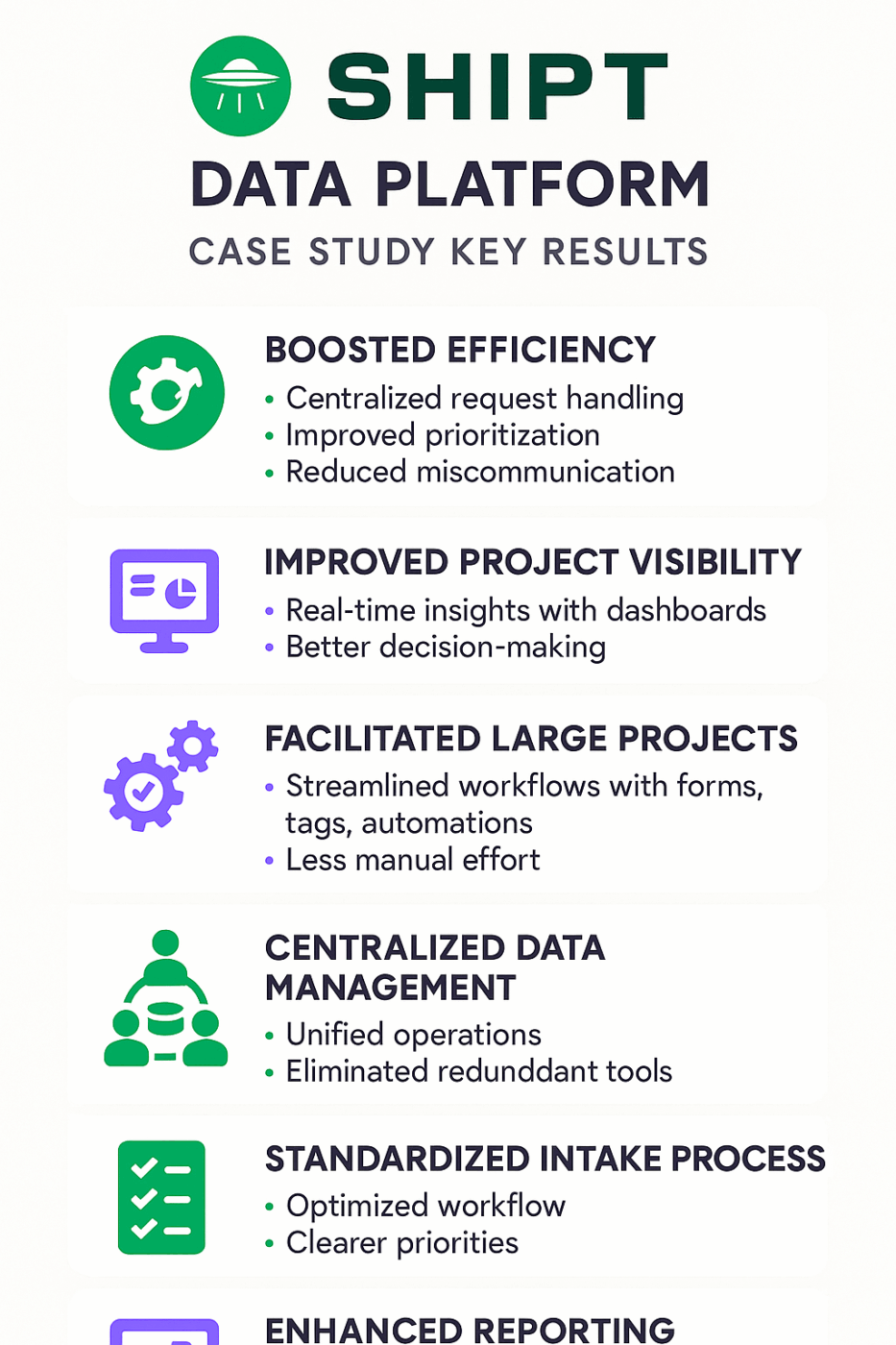
Extract 3 key results with specific numbers from this case study and turn each into a separate social post or infographic highlight. Focus on one measurable outcome per visual (e.g., “45% faster onboarding”), and mention the client’s industry for context and credibility.
💡 Pro Tip: If you’re already using ClickUp’s workspace, you can generate images inside Brain. Below, I used Brain to convert a ClickUp case study into an infographic that I can further edit or use as it is.
With the visual content creation feature, I don’t need to depend on the design team for every small change. Or use Brain for inspiration that the designer can then refine.
Podcast episodes build audience connection through conversation, but not everyone has time to listen to 45-minute episodes. Newsletter versions let you reach subscribers who need quick insights or maybe a nudge to dive into a full podcast.
If you have partial notes or timestamps, you can paste them into a content repurposing tool, and it will extract the key points. After identifying the key moments, condense them into a short video clip or create a new blog post that also helps with SEO.
🤖 Prompt:
Transform this podcast episode into a newsletter format with an engaging subject line, 3 main discussion points as separate sections, and actionable insights subscribers can implement immediately.
Busy readers may never get to the full report. AI content repurposing, in the form of short, high-value video snippets, can reach them faster compared to written content. Alternatively, you could use long-form video content in blogs or as YouTube videos.
🤖 Prompt:
Condense this technical report into a series of 3–4 short video snippets (under 60 seconds each). Each snippet should:
⭐ Bonus: Prebuilt or Custom Agents for repurposing.
If your marketing team frequently repurposes existing content, ClickUp’s Prebuilt and Custom AI Agents can automate this workflow.
Now, some value-packed tips before you go ahead and set up your AI content repurposing workflow:
⚠️ The “Lost in the Middle” Effect: Large language models (LLMs) tend to overlook information placed in the middle of long text sequences—a phenomenon MIT researchers call the “lost in the middle” effect. When repurposing long-form content, key insights buried midway may get ignored unless you break it into smaller chunks.
Repurposing existing content gives you the maximum bang for your investment. To do this at scale, you need the support of an AI tech stack.
AI-powered content repurposing boils down to picking the right tool and automating the process.
With ClickUp, you get an inbuilt AI that works alongside all your marketing activities without needing constant hand-holding or repeated instructions. With your content pieces, brand guidelines, tasks, team discussions, and data in ClickUp’s converged AI workspace, the entire process becomes seamless.
Automate your content repurposing process at scale using ClickUp. Level up your content game by signing up on ClickUp for free.

© 2026 ClickUp

There’s an easier way. Try a free AI Agent in ClickUp that actually does the work for you—set up in minutes, save hours every week.