Sorry, there were no results found for “”
Sorry, there were no results found for “”
Sorry, there were no results found for “”
Have you ever tried scheduling a patient’s appointment and ended up putting the patient on hold for minutes, only to find out that the next available slot is three weeks out?
That’s because most scheduling systems are still stuck in the past. A new wave of healthcare scheduling software is flipping the script, making it easier for teams to fill calendars efficiently and keep patients happy.
We’ve reviewed the top platforms leading that shift. Here are the 11 best healthcare scheduling systems to know this year and what sets them apart.
To reduce no-shows, optimize resources, and keep patients satisfied, these are the features you should prioritize in your scheduling platform 👇
📖 Also Read: How to Write SOAP Notes (with Examples)
Now that you know what to look for, let’s explore the top healthcare scheduling software systems making a real impact:
Here’s a quick snapshot of the 11 best healthcare scheduling software systems:
| Tool | Key features | Best for | Pricing* |
| ClickUp | AI-powered Calendar with auto-scheduling, Trackable task management and reminders, Automations for routine workflows | Healthcare scheduling and task management, powered by AI | Free forever plan, Customizations available for enterprises |
| Acuity Scheduling | AI-powered Calendar with auto-scheduling, Trackable task management, and reminders, Automations for routine workflows | Secure payments and automated appointments | Paid plans start at $16/month |
| Nursegrid | Customizable client-facing scheduling, Integrated payment processing, Real-time availability, and automated reminders | Nurse shift swaps and mobile-first schedule management | Custom pricing |
| QGenda | Mobile-first nurse scheduling and shift swaps, In-app messaging for coordination | Provider scheduling automation and workforce analytics | Custom pricing |
| Simple Practice | Rule-based provider scheduling, Automated time tracking, and pay calculations | Telehealth sessions and client self-service | Paid plans start at $49/month |
| NextGen Healthcare | EHR, scheduling, and billing integration, Mobile documentation and communication | EHR and population health tools | Custom pricing |
| CareCloud | Revenue cycle management tools, AI-powered clinical documentation | Clinical notes and revenue cycle management | Custom pricing |
| Weave | Two-way texting and text-to-pay, Voicemail transcription and call analytics, Call routing with appointment list | Automated messaging and text-to-pay from one system | Custom pricing |
| OnShift | Real-time shift alerts and texting, earned wage access via OnShift Wallet | Workforce scheduling in senior and post-acute care | Custom pricing |
| PracticeSuite | RPA-powered appointment and billing automation, UB-04 billing for inpatient care Custom fee schedules | Inpatient billing and RPA-powered revenue cycle | Custom pricing |
| CrelioHealth | Real-time lab operations and scheduling, inventory and patient engagement tools | Diagnostic labs managing patient scheduling and reporting | Paid plans start at $550/month, $5,000 one-time onboarding |

Between shifting patient needs and a growing list of to-dos, most scheduling tools aren’t built to handle the complexity of a busy healthcare environment.
That’s where ClickUp earns its stripes. Known as the ‘everything app for work,’ ClickUp blends task management, collaboration, automation, and scheduling into one flexible platform (all powered by AI) that healthcare providers can rely on.
And one of its biggest game-changers? ClickUp Calendar.
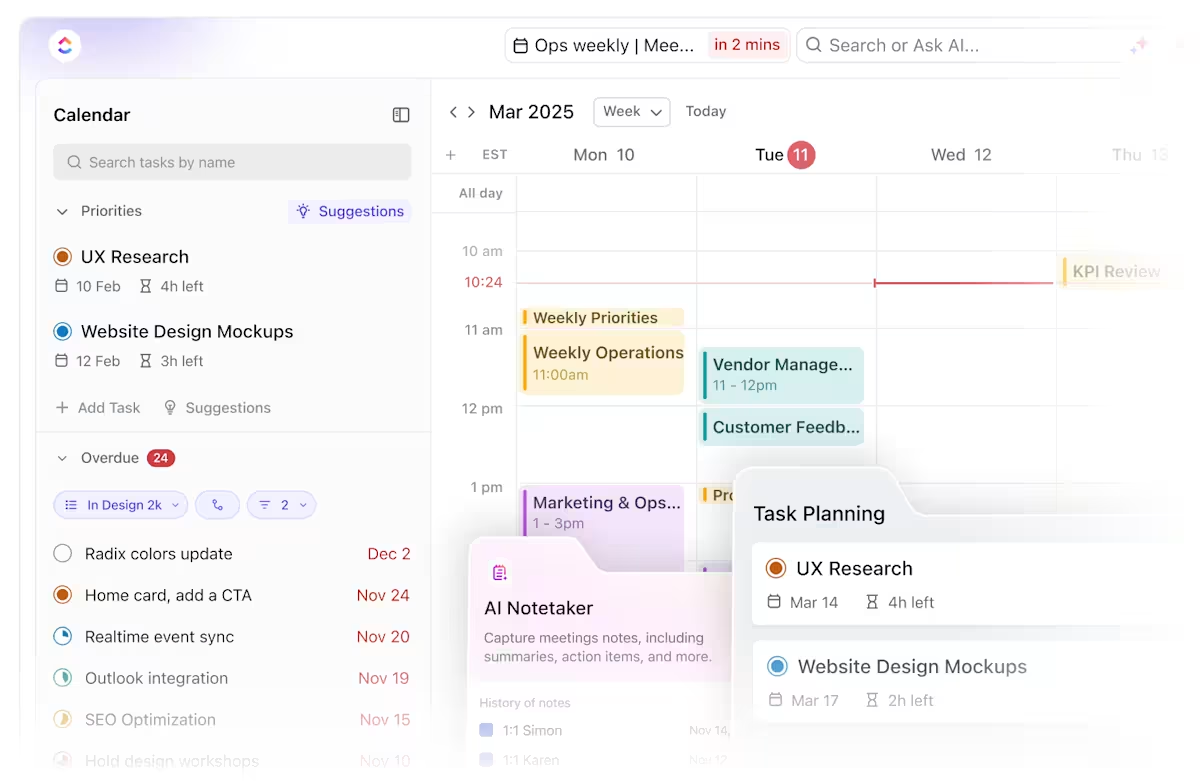
The all-new ClickUp Calendar combines dynamic scheduling with AI-powered features that adapt to your team’s workflow.
Think auto-scheduling that prioritizes your most critical tasks and blocks out focus time—then automatically rearranges everything when the day inevitably shifts.
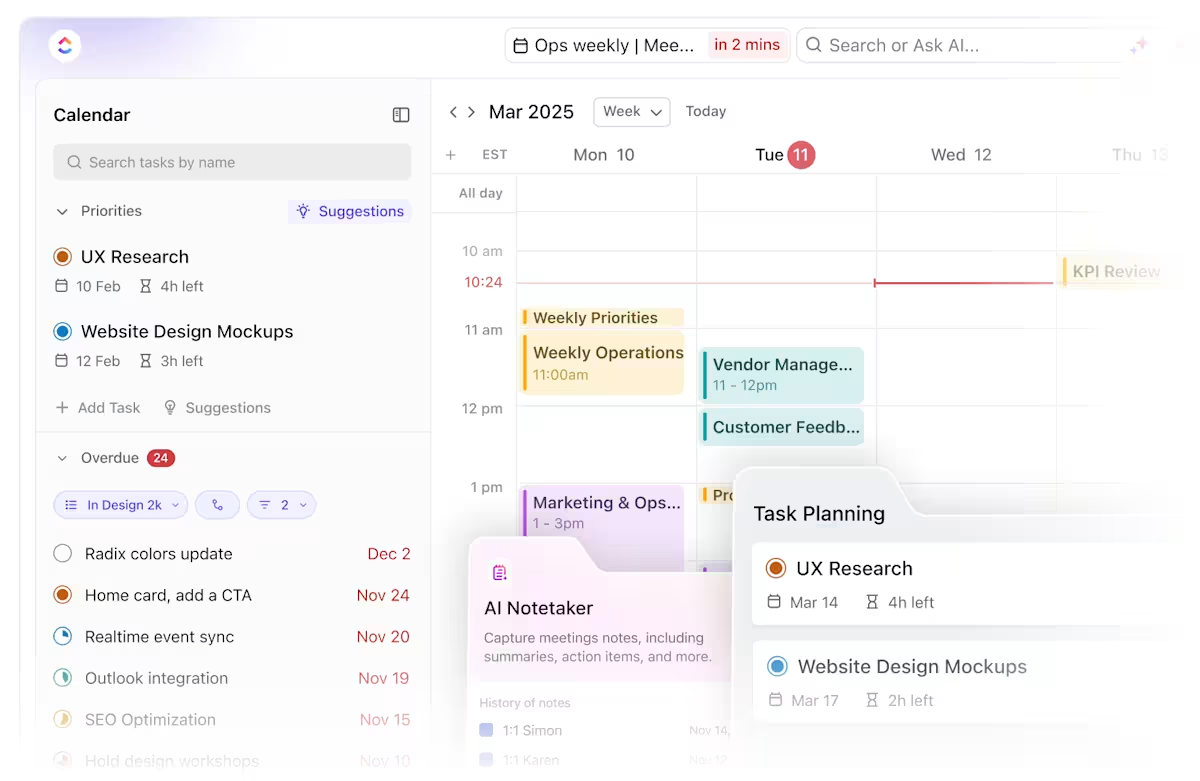
You can toggle between daily, weekly, and monthly views, compare team member schedules in real time, and set custom work hours or locations for better coordination.
And since it syncs with Google and Outlook, you don’t have to worry about duplicate updates or missed meetings.
The real change kicks in with ClickUp Tasks.
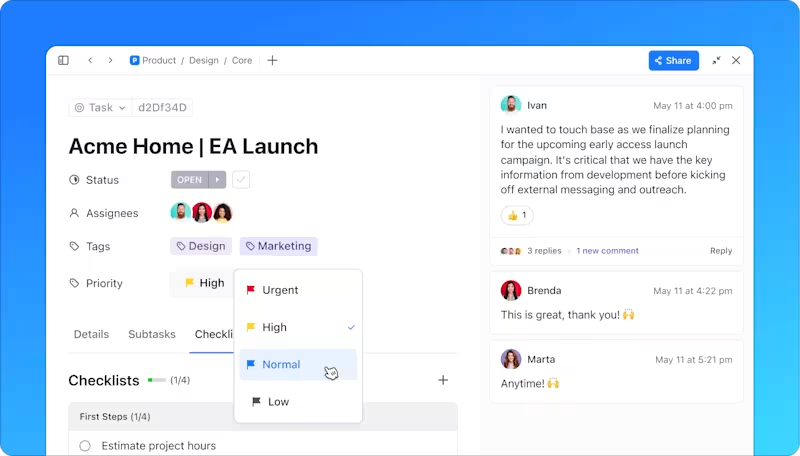
Use it to break down each patient visit or internal workflow into clear, trackable action items—assign them to the right team members, add due dates, set priorities, and even attach relevant files or patient notes. Depending on how your team works, tasks live in organized lists, boards, or timelines.
What makes it even better? Tasks show up directly in your Calendar. That means you see everything in context and can plan your day accordingly.
Once tasks are in place, you can set reminders with ClickUp Reminders.

Quickly set alerts for anything that doesn’t require a full task, like following up with a patient after a call, checking lab results, or confirming an appointment. These reminders can be assigned to others, include files or notes, and notify you at a specific time or right before something is due.
For more structured workflows, ClickUp Automations lets you set up triggers that handle repetitive work.
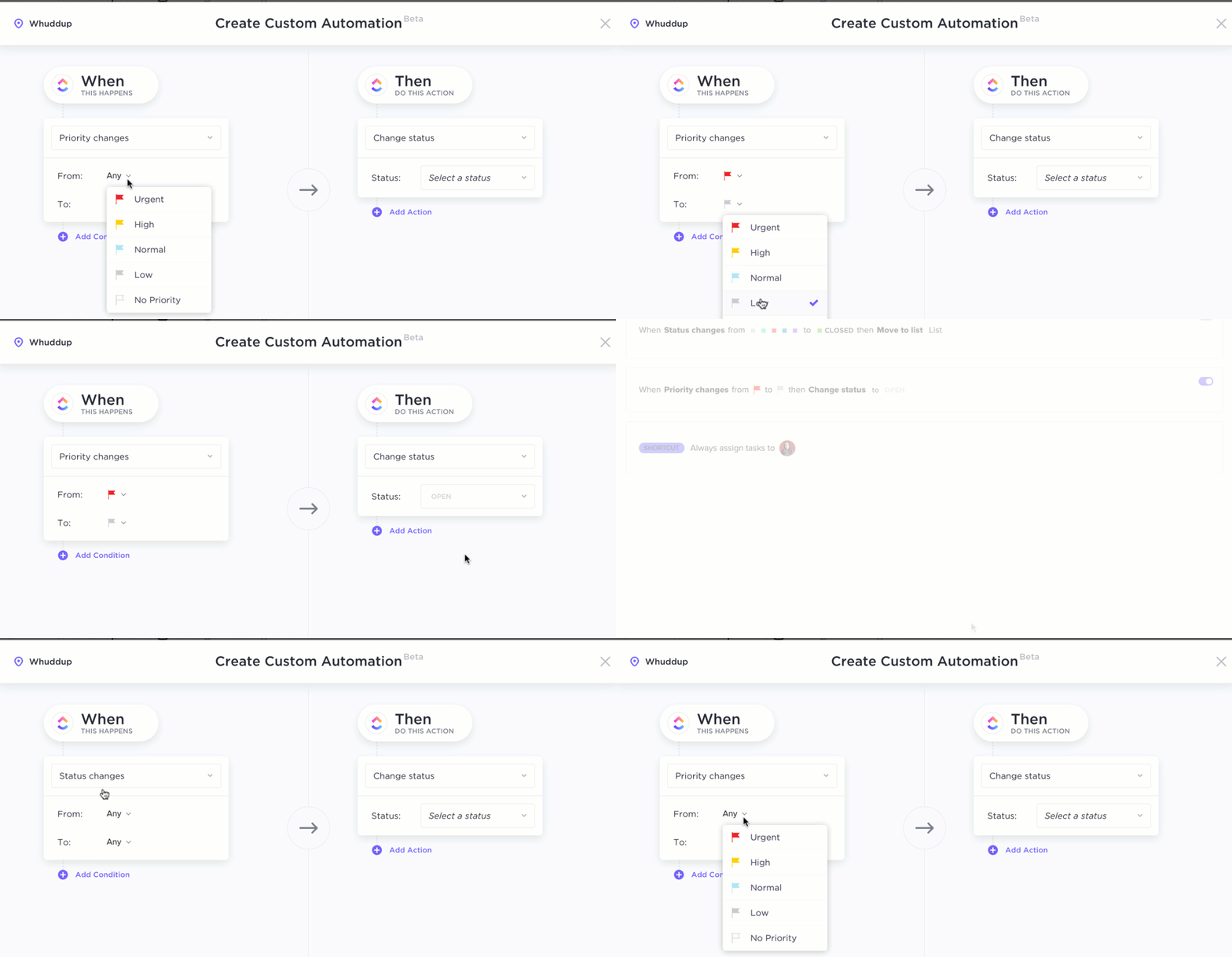
For example, you can configure it to notify you when an appointment is approaching, schedule a follow-up time-block, or automatically update a task’s status after an appointment is complete.
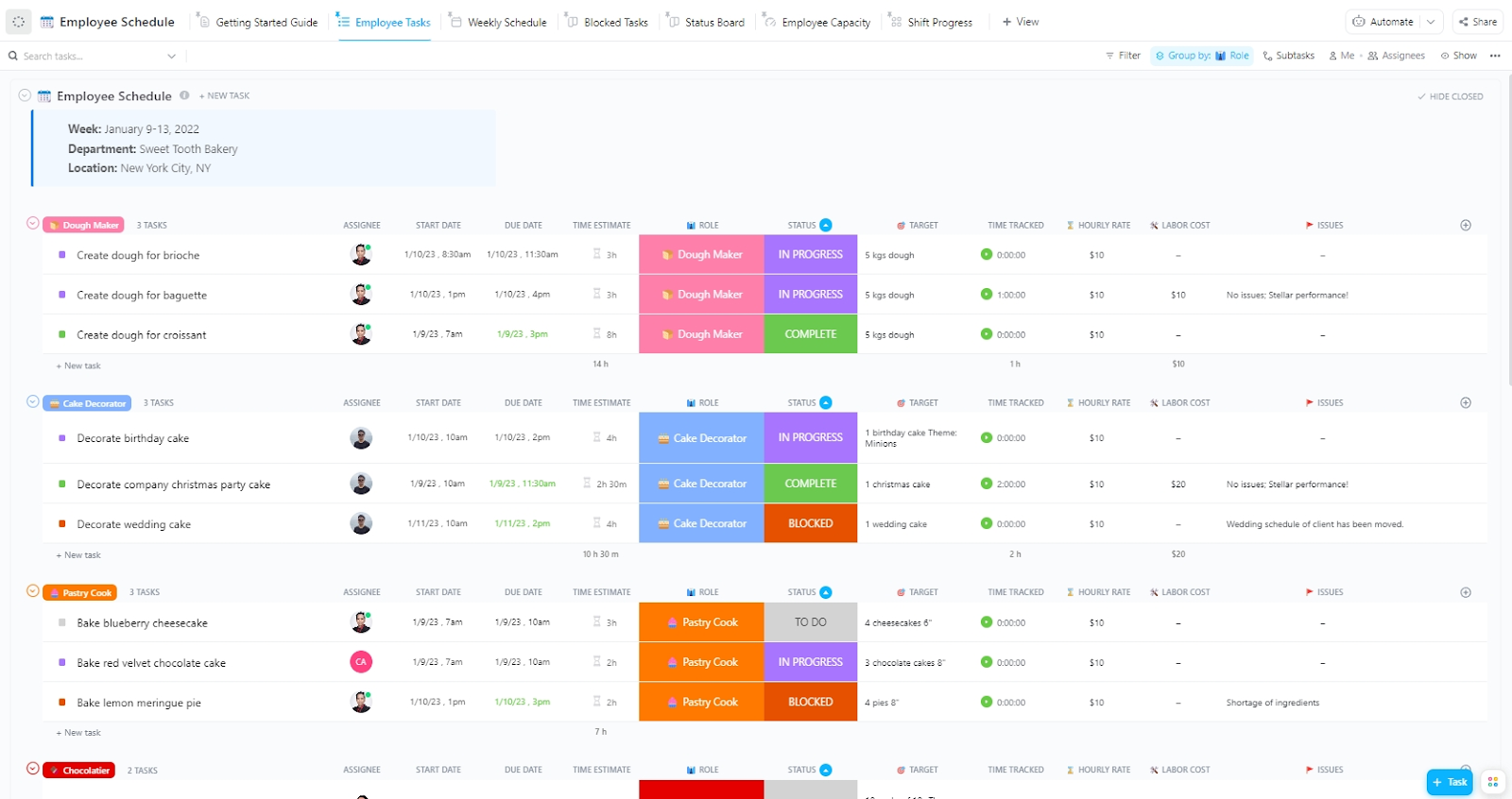
Ready to hit the ground running? Use the ClickUp Employee Schedule Template. Its visual, easy-to-use layout helps you plan, assign, and monitor team workloads in one place. It’s fully customizable, so you can configure it in the way that best suits your work.
You can group tasks by roles, set custom statuses like ‘In Progress’ or ‘Blocked,’ and assign work based on availability.
It also comes with multiple views like Weekly Schedule, Status Board, and Employee Capacity, so you can switch between high-level planning and day-to-day task management without losing clarity.
I believe the communication for our larger projects, between teammates has improved. Being able to get direct conversations on a specific task or subtask has helped quality and reduced confusion. Integrations to many different other tools and systems gives us the ability to automate task creation or inform other systems when something changes.
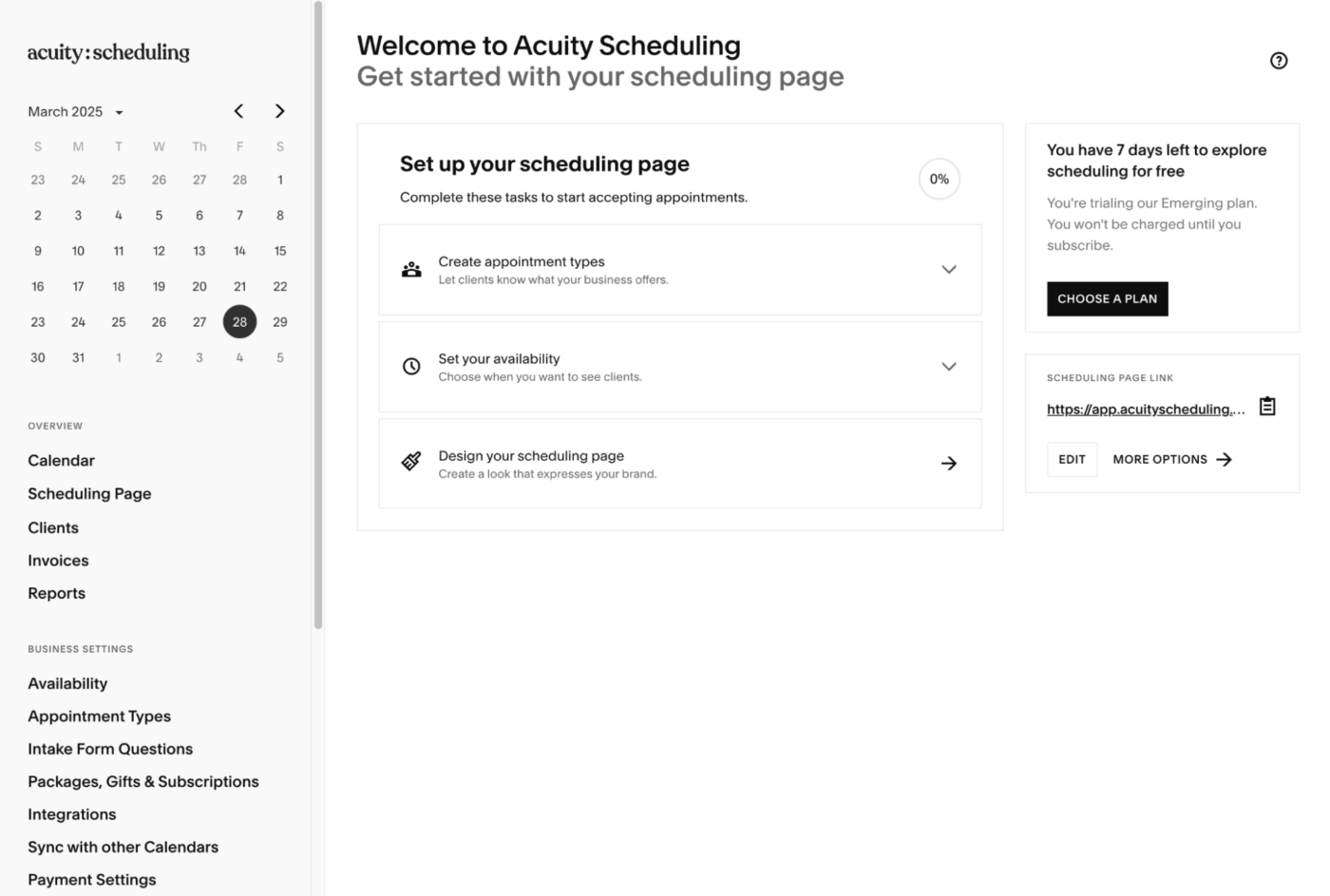
Acuity Scheduling is a client self-scheduling tool that lets patients book appointments online, view real-time availability, and receive automated confirmations and reminders.
Acuity’s availability settings give you extra control over your hours. Options include setting weekly availability for time management, overrides for specific days, and even unique time slots for different appointment types.
It’s a lightweight but effective scheduling software solution that works well for practices needing flexible, patient-facing medical scheduling software.
🔎 Did you know? Generative AI in healthcare is projected to grow from $2.7 billion in 2024 to over $20 billion by 2034; some estimates peg this number at 40% higher!
🔖 Bonus Read: How does a 9/80 Work Schedule Work?
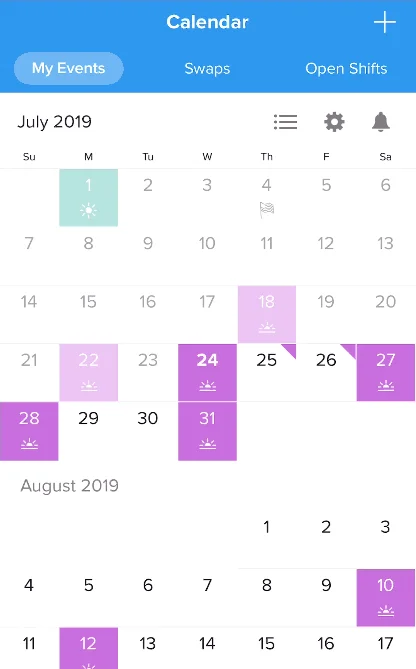
Nursegrid is a purpose-built work schedule app for nurses and clinical staff. It allows people to manage their leaves and shifts, view coworker schedules, and handle last-minute changes directly from their mobile devices. With just a few taps, nurses can mark overtime, log sick days, and even track education sessions and meetings in one place.
Unlike other shift management software, NurseGrid supports healthcare-specific needs, such as identifying charge nurse or preceptor shifts, flagging availability, and syncing with personal calendars.
A G2 review says:
I LOVE that we are able to have our schedules at the top of our fingers. We can add/edit, swap, and pick extra shifts all from the app. We can also talk to other colleagues!
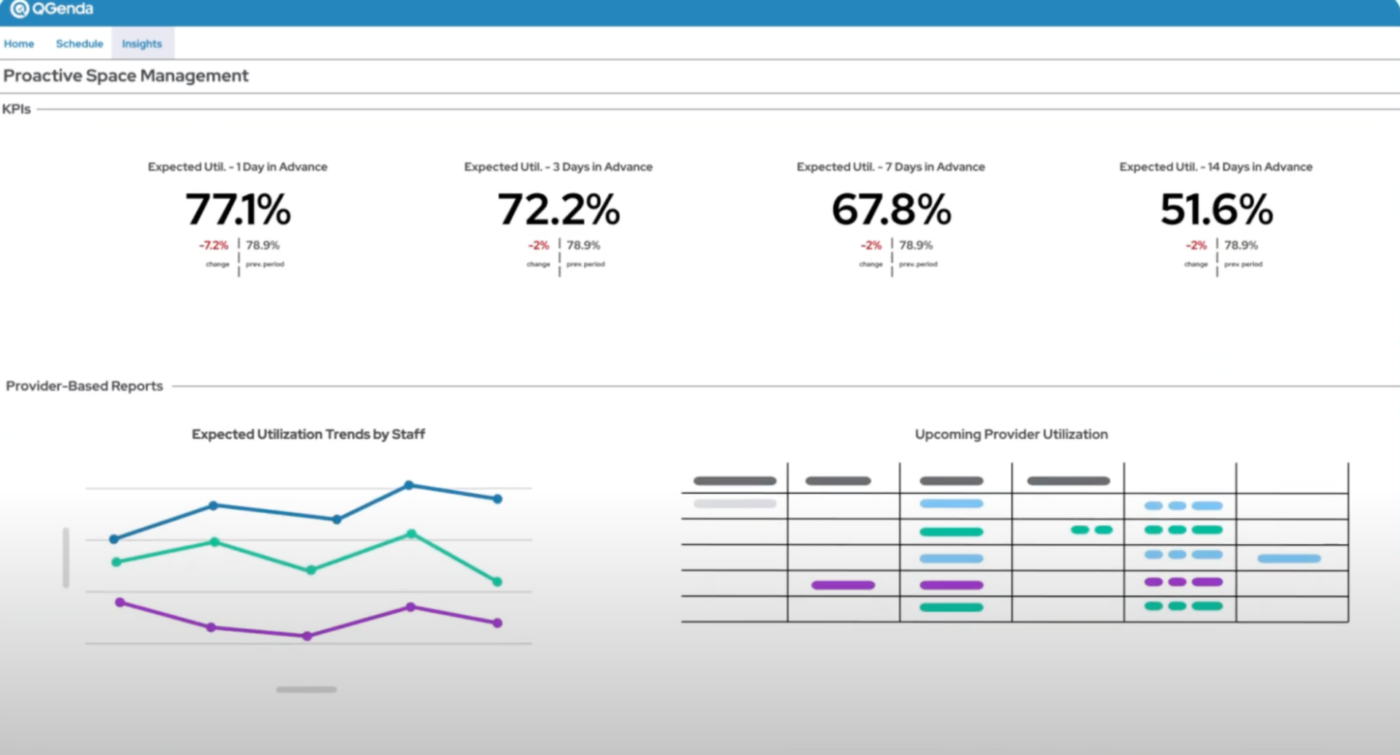
Founded in 2006, QGenda is a scheduling and operations platform built for complex clinical environments. It helps healthcare organizations streamline provider schedules, manage on-call rotations, and track time and attendance.
With mobile access and integrated pay calculations, QGenda reduces the significant administrative burden. Its built-in workforce analytics also provides visibility into staffing gaps and resource usage, helping teams make smarter, data-driven decisions.
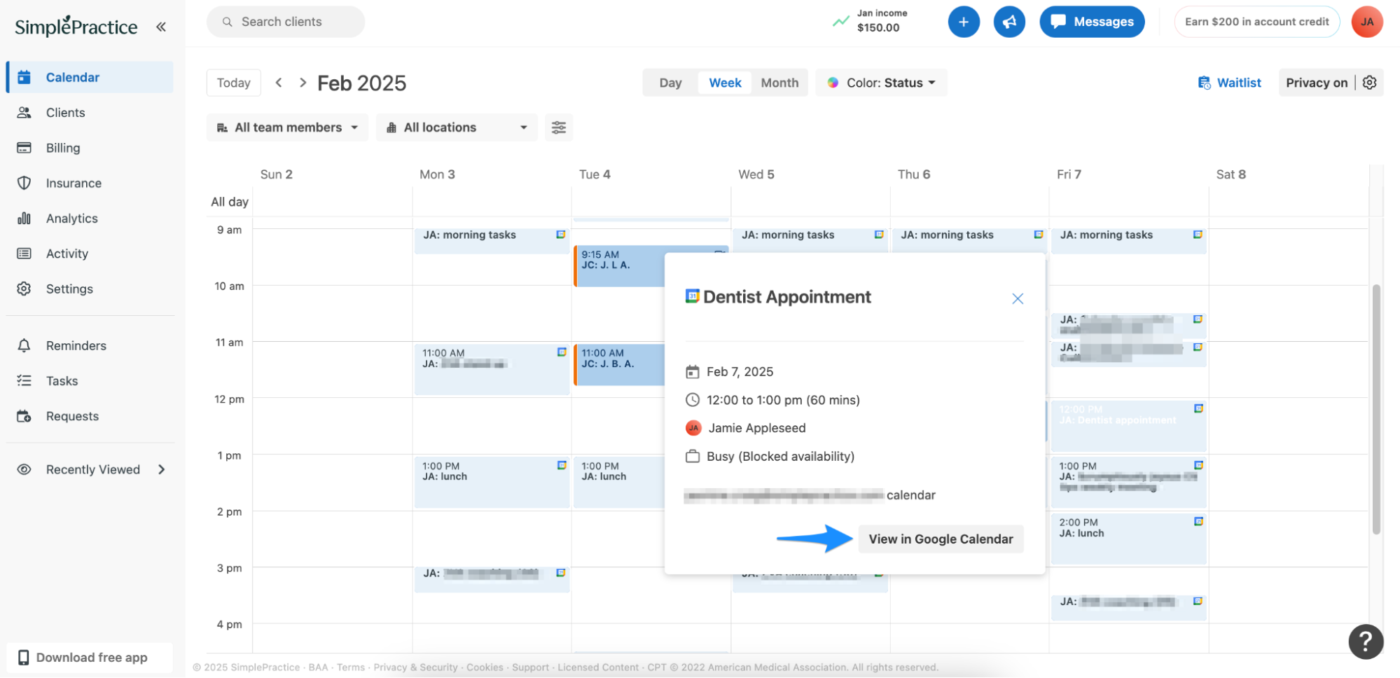
SimplePractice is designed for healthcare professionals who need scheduling, notes, billing, telehealth, and client communication.
Clients can book their own appointments, fill out intake forms, and pay through a secure portal. On your end, you can host telehealth sessions, run group appointments, and even send prescriptions electronically.
It’s built for therapists, speech-language pathologists, occupational therapists, and psychiatrists.
A G2 review says:
The available formatting for notes like “Wiley” makes treatment plan creation a much easier experience than it has been for me in the past. I enjoy the layout of Simple Practice, it is very easy to navigate. Clients are able to contact you via messaging, and you are able to conduct HIPPA-approved virtual telehealth sessions.
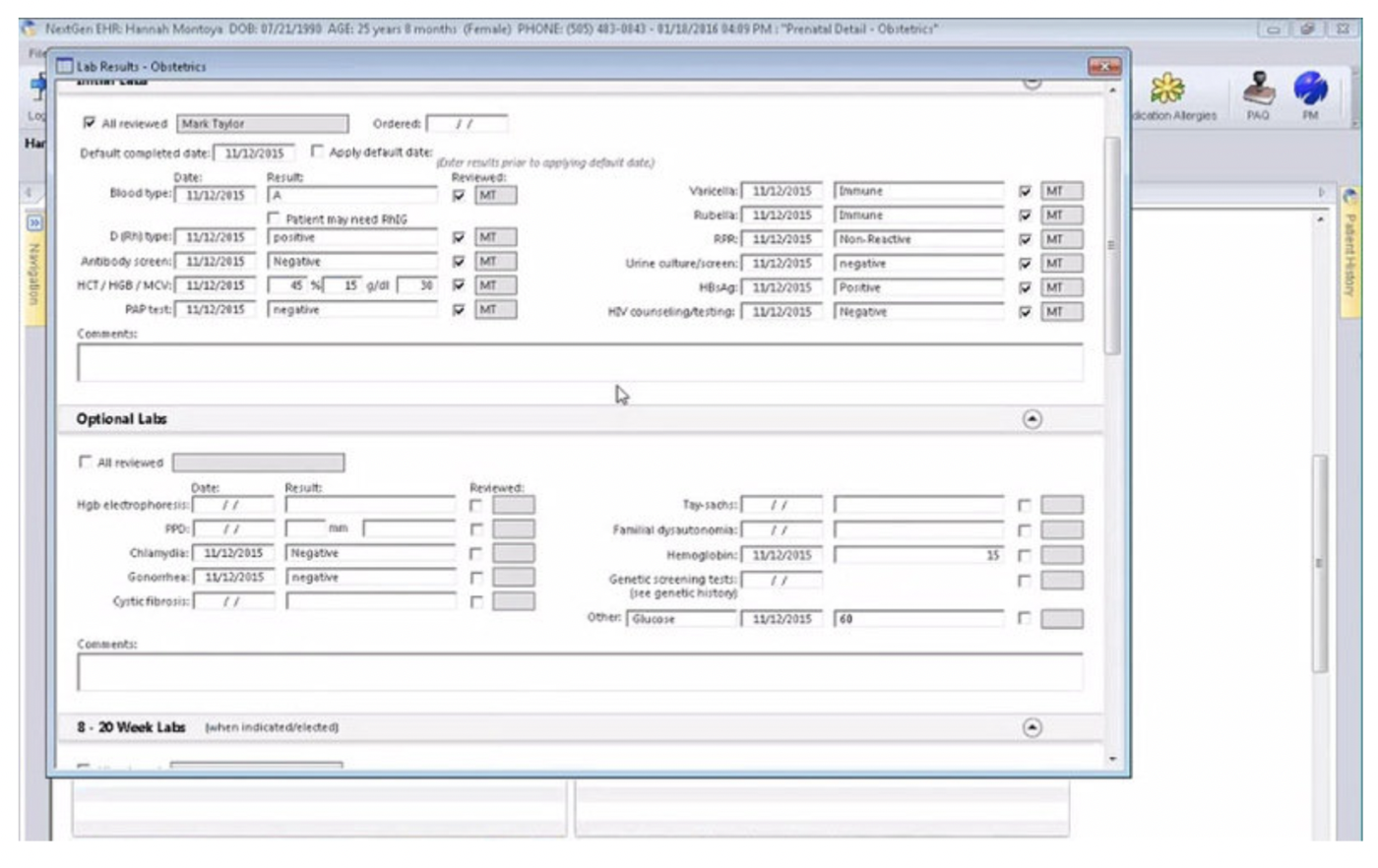
NextGen Healthcare is a complete EHR and patient management system for busy medical practices. It brings scheduling, charting, billing, and care coordination into one platform.
Doctors and staff can handle referrals, medication refills, and specialty-specific workflows from anywhere, including mobile devices. Patients can also book appointments, send messages, and complete surveys through a secure online portal.
The platform also includes helpful healthcare AI tools to support smarter decision-making and improve how practices track population health.
🧠 Fun Fact: A study published in the Annals of Oncology demonstrated that an AI model achieved a 95% detection rate, outperforming 58 skin experts who had an accuracy of 87%. While the tech cannot replace Dermatologists, this advancement could lead to earlier and more reliable diagnoses in the future!
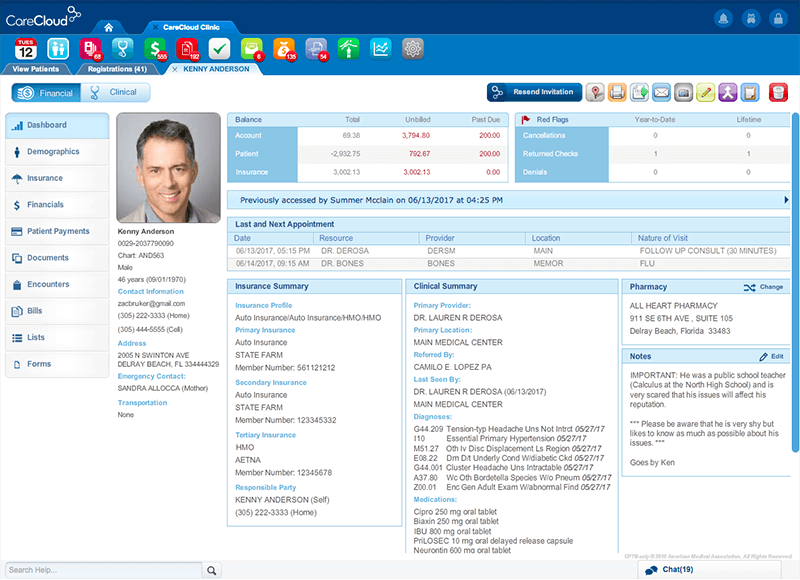
Founded in 1999, CareCloud has grown into a platform supporting medical practices with software and services.
Beyond its EHR and billing tools, CareCloud helps practices handle staffing gaps, manage chronic care programs, and streamline front desk operations through assistive services. It also supports group purchasing needs, making it a flexible option for practices looking to consolidate vendors.
A Capterra review says:
The program is user friendly which makes it easy for us to train new staff. The customer service is outstanding.
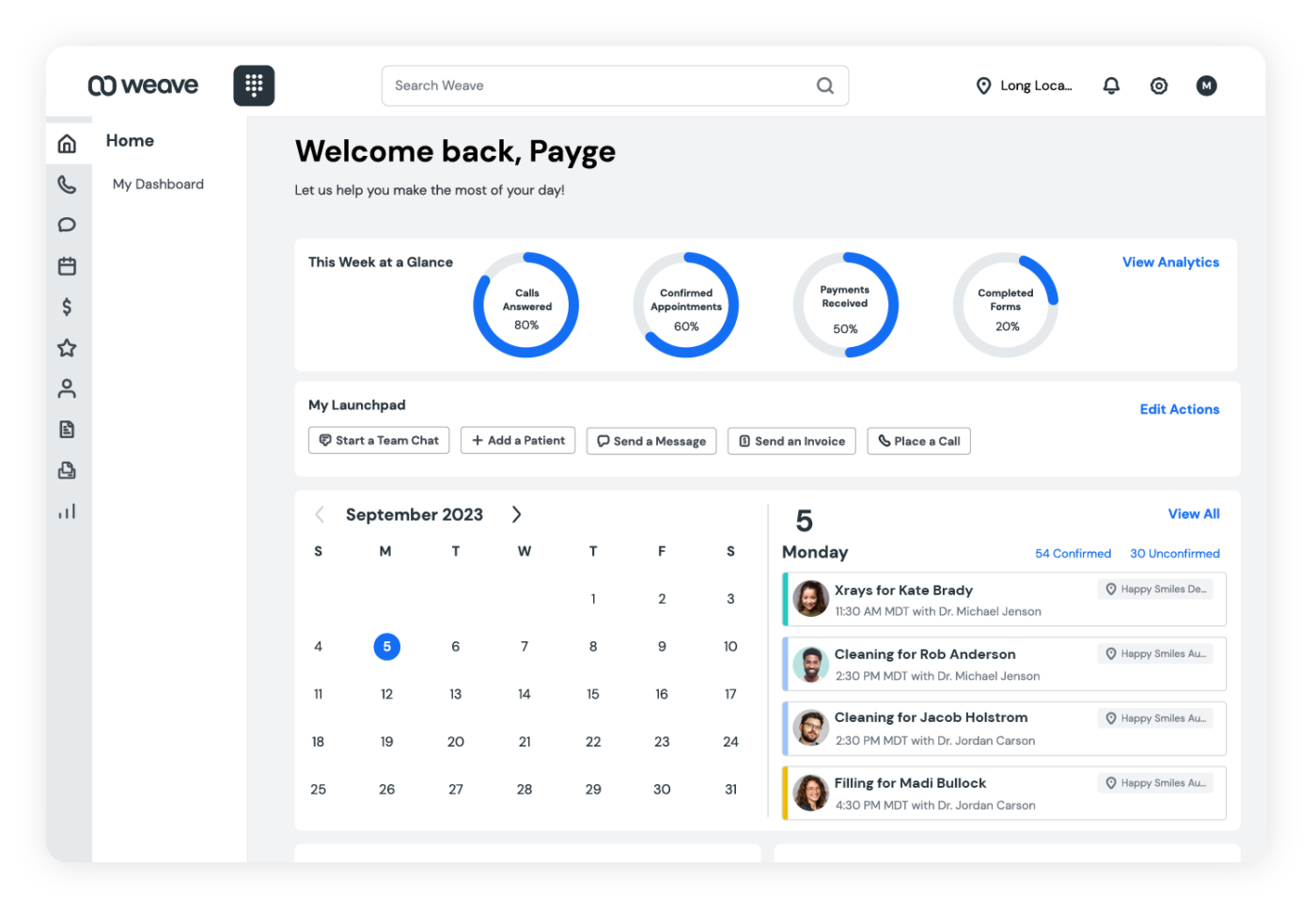
Founded in 2008, Weave is a unified patient communication and engagement platform that combines AI-powered tools like voicemail transcription and automated review responses with essentials like online scheduling, digital forms, and two-way texting.
Whether improving front desk efficiency or elevating patient experience, Weave helps practices save time, reduce no-shows, and grow stronger relationships.
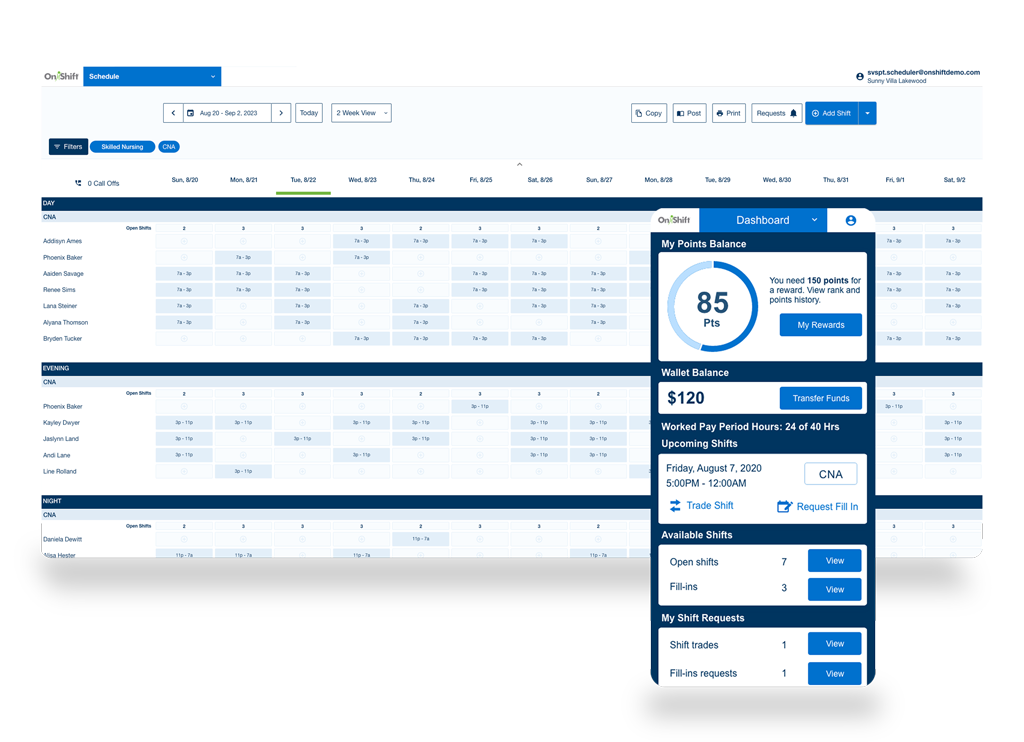
OnShift is a workforce management platform for senior care and post-acute providers. It helps organizations manage staffing, reduce turnover, and improve employee engagement. With tools for scheduling, time tracking, attendance systems, and hiring, teams can fill shifts faster and maintain compliance with labor regulations.
OnShift mainly stands out in the healthcare industry by focusing on hourly healthcare workers. It offers real-time scheduling updates, texting for open shifts, and even earned wage access to help with retention.
A G2 review says:
Onshift is easy to use. It is very flexible and intuitive. During a COVID outbreak, we were even able to set up an alternative schedule to meet the higher staffing needs for the COVID unit. Additionally, Onshift allows us to easily document attendance. With the Engage feature, we are able to reward our carepartners for good attendance and clocking in and out on time.
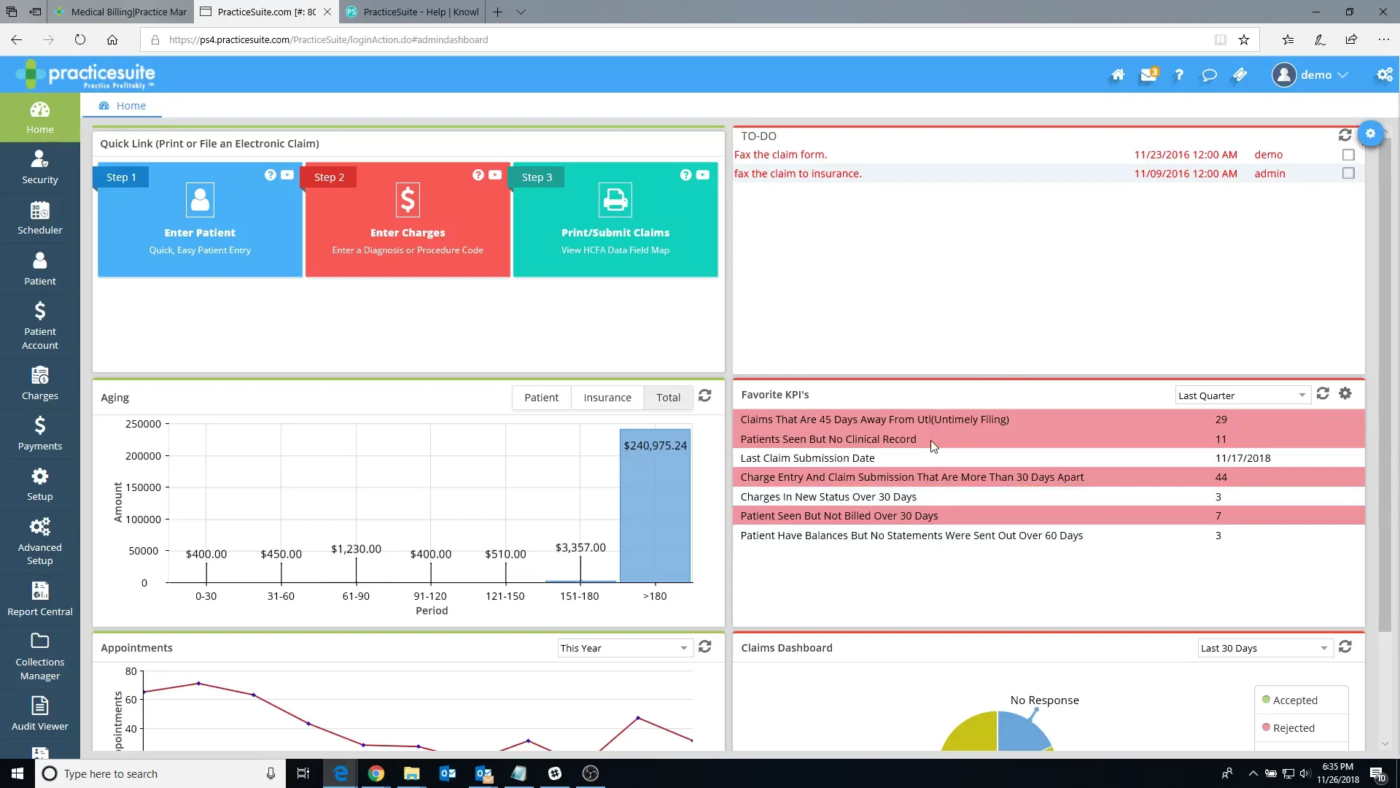
PracticeSuite is a healthcare staff scheduling software that combines EHR, practice management, billing, and revenue cycle tools into one system. It’s built for medical practices of all sizes and offers appointment scheduling, patient check-in, claim submission, and payment posting.
It also supports telehealth and patient portals to improve patient care and communication. Focusing on financial performance, PracticeSuite includes detailed analytics, denial management, and tools to optimize collections. It is a strong fit for practices that want more control over clinical and billing workflows.
💡Pro Tip: Use healthcare project management tools and always create 15–30 minute gaps between high-priority clinical tasks. It helps accommodate delays, improves handoffs, and makes your workflows more realistic under pressure.
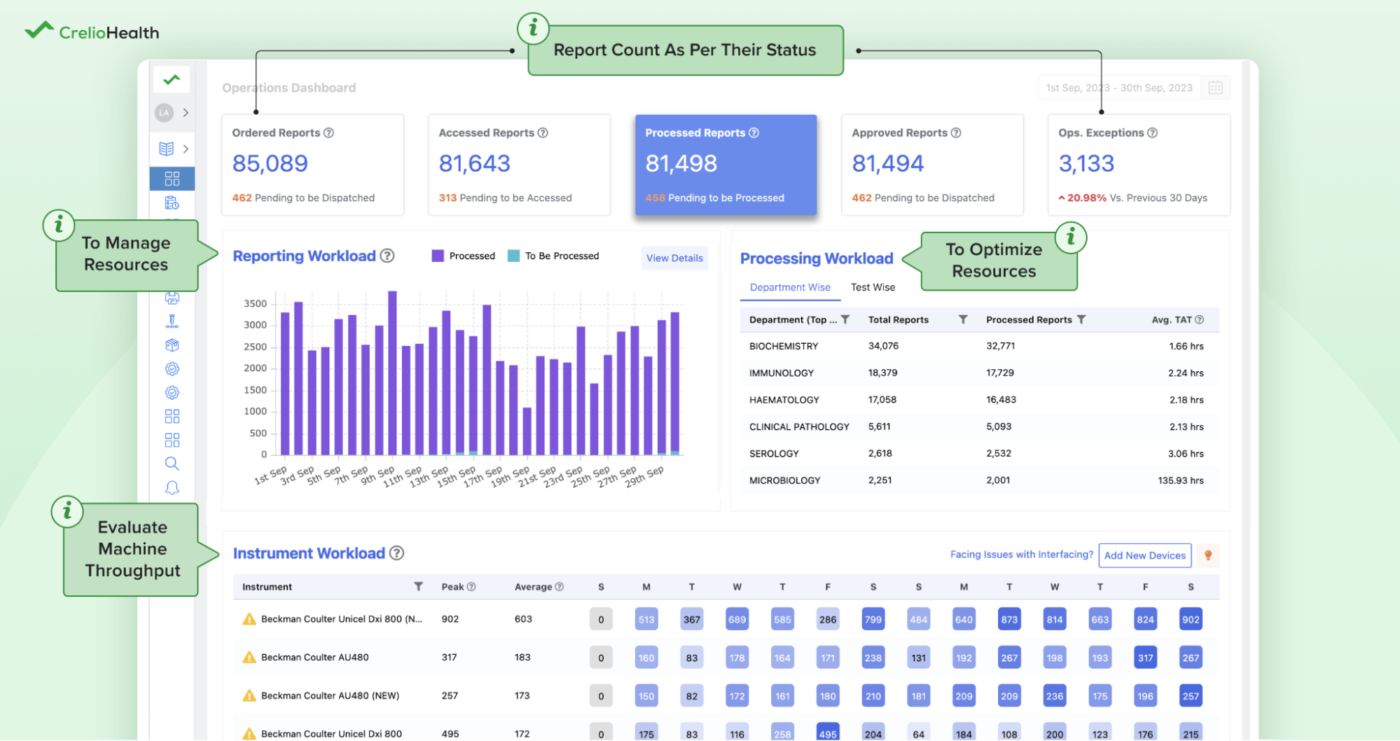
CrelioHealth is a diagnostic management platform for labs, diagnostic centers, and radiology practices. The platform supports everything from walk-ins to B2B referrals, with real-time updates across sample collection, processing, and result delivery.
It includes a branded patient portal, automated communication tools, and smart reporting features that help improve patient satisfaction and operational speed. With integrations for analyzers, payment gateways, and external systems, CrelioHealth also functions well within larger health systems.
A G2 review says:
CrelioHealth LIMS has all the required features for a clinical diagnostic lab to track samples, allow access to providers, and generate quality. The support team is available within minutes of requested help. Communication is fast and effective, solutions to issues are resolved immediately. The software is easy to use and implements all the given and requested features. It is easy to integrate with providers and familiarity only gets better with frequent use.
Choosing the right healthcare scheduling software system can make all the difference in how smoothly your practice runs.
The tools we covered each bring something unique to the table, from nurse-focused employee scheduling software to lab-ready automation platforms.
But if you’re looking for a flexible, all-in-one solution that is more than a medical staff scheduling software, ClickUp is worth a closer look.
With powerful scheduling, task management, reminders, automation, and templates—plus seamless integration with your existing tools—it’s built to handle the real-life complexity of healthcare operations.
© 2026 ClickUp