






Still downloading templates?
There’s an easier way. Try a free AI Agent in ClickUp that actually does the work for you—set up in minutes, save hours every week.
Sorry, there were no results found for “”
Sorry, there were no results found for “”
Sorry, there were no results found for “”

It starts with one too many missed messages.
One minute you’re talking deadlines, the next you’re knee-deep in GIFs, off-topic rants, and someone asking (for the third time) if the meeting is still on.
If that sounds familiar, you’re probably ready to move on from GroupMe as your primary tool for team chat and collaboration.
This roundup of the best GroupMe alternatives is a good place to start. And before we dive in.
GroupMe’s simplicity suits basic group chats, but its constraints can hinder teams needing better control or reliability. These limitations make switching to alternatives appealing for smoother team communication.
Here’s why you might want to explore other options:
🔍 Did You Know? 93% of communication is nonverbal. According to psychology researcher Albert Mehrabian, only 7% of meaning is conveyed through words. The rest? Tone (38%) and body language (55%). So next time you’re on a video conference, remember: your face says more than your words.
Not sure where to start? Here’s a quick look at how the top GroupMe alternatives stack up. 📊
| Tool | Key Features | Best For | Pricing |
| ClickUp | Chat + project/task management, AI assistant, Docs, video calls, automations, integrations | All-in-one team communication & projects | Free Forever; Paid plans available |
| Slack | Channels, integrations, message search, huddles, workflow automation | Departmental comms & workflow automation | Free; Paid plans from $7.25/user/month |
| Discord | Voice/video channels, roles, bots, screen sharing, community tools | Global teams needing simple, secure chat | Free; Nitro: Custom pricing |
| End-to-end encryption, voice/video, broadcast lists, mobile/desktop sync | Global teams needing simple secure chat | Free | |
| Flock | To-do lists, shared notes, video calls, smart channels, productivity apps | Budget-conscious teams, media sharing | Free; Paid plans from $6/user/month |
| Telegram | Large groups/channels, bots, cloud storage, privacy features | Large communities, privacy-focused teams | Free; Premium plan available |
| Microsoft Teams | Office 365 integration, meetings, wikis, tags, transcripts, file sharing | Microsoft-centric organizations | Free; Paid plans from $4/user/month |
| Connecteam | Mobile-first, shift scheduling, digital forms, training, targeted comms | Deskless/field-based teams | Free; Paid plans from $35/month |
| Google Chat | Spaces, Google Workspace integration, search, Meet calls, file collaboration | Teams using Google Workspace | No free plan; Paid plans from $8.40/user/month |
| Rocket.Chat | Self-hosted, open-source, custom workflows, federated networks, encryption | Data sovereignty, regulated industries | Free; Paid plans from $8/user/month |
| Signal | End-to-end encryption, disappearing messages, voice/video, open-source | Teams prioritizing security & privacy | Free |
Our editorial team follows a transparent, research-backed, and vendor-neutral process, so you can trust that our recommendations are based on real product value.
Here’s a detailed rundown of how we review software at ClickUp.
Ready to see what’s out there? Here’s a detailed look at the best GroupMe alternatives for instant messaging at work.
GroupMe keeps teams talking, but it does little to keep work moving. It wasn’t built for structured collaboration, so as soon as the conversation needs to become a task, a file, or an update, you’re forced to jump between tools.
ClickUp changes that. It’s the world’s first converged AI workspace that combines project management, knowledge management, and chat—all powered by AI that helps you work faster and smarter.
ClickUp Chat brings conversations into the heart of your workflow. Every Space, Folder, and List comes with its own Chat, so your team can discuss tasks, share updates, and take action without ever leaving the project.
The chat is the workspace.
A single message can become a task in seconds—manually if you prefer to customize it, or instantly via ClickUp BrainGPT.
The AI assistant picks up the context from the message and writes a clear task name and description, complete with a link back to the original conversation. If someone suggests creating a second variation of a pitch deck, it builds that task right away.
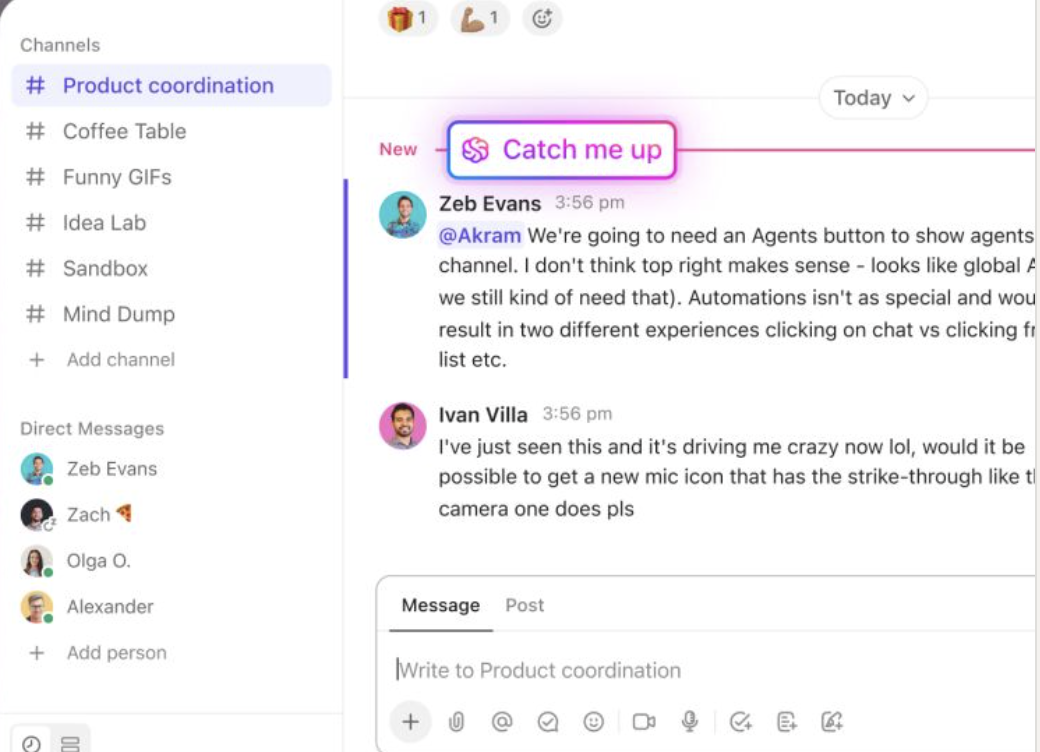
For days when you’ve been away or deep in other work, AI CatchUp summarizes what you missed. It pulls out decisions, task assignments, and key questions—so when you rejoin a project Chat, you’re already up to speed.
Accountability doesn’t rely on memory or chat reactions either.
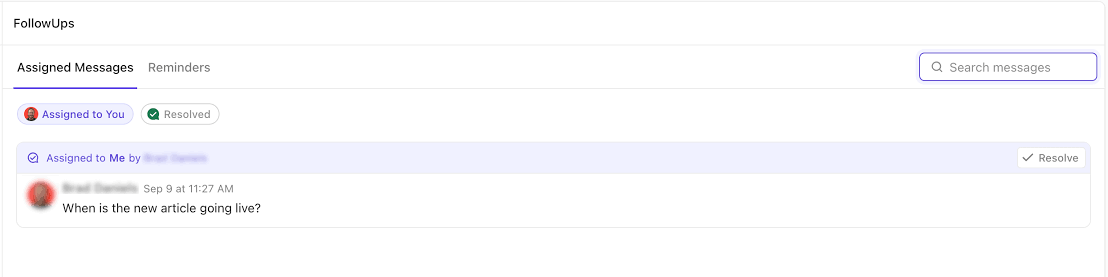
You can assign any message to a team member, and it becomes a FollowUpTM. Everyone knows what’s been delegated, and you don’t have to worry about pinging someone twice or chasing down next steps.
If your team’s tired of talking in circles, ClickUp Chat gives the conversation a direction.
SyncUps in ClickUp
SyncUps are built-in video/audio calls designed to keep everyone aligned and moving forward. With ClickUp, you can schedule and run syncups directly within your workspace, ensuring that discussions, decisions, and next steps are always captured where the work happens. AI-powered summaries and action item extraction ensure that nothing falls through the cracks—every sync-up leads to clear outcomes and tracked follow-ups.
Chat Agents in ClickUp
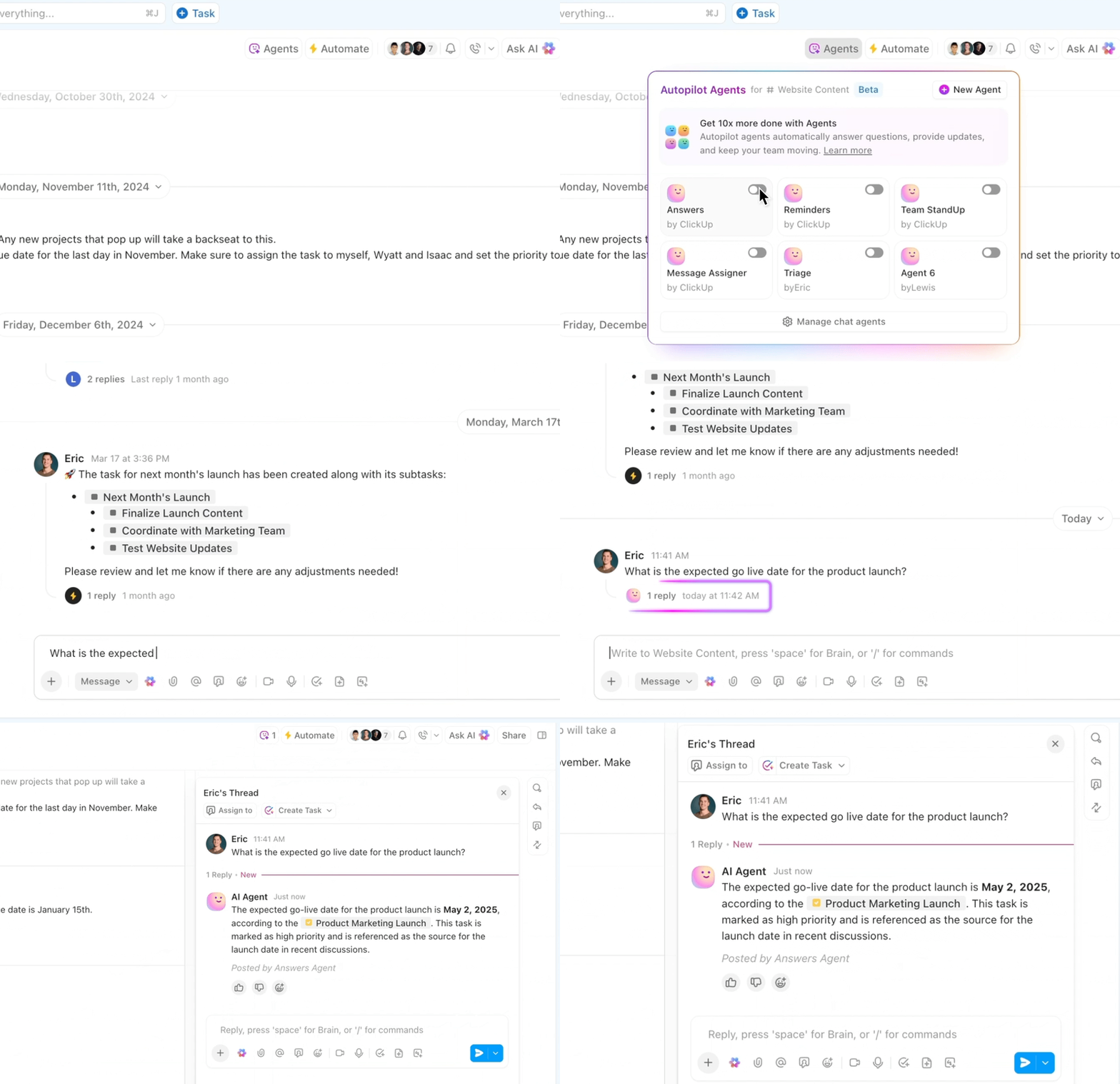
Agents in ClickUp are AI-powered assistants that can perform specific tasks on your behalf. They help automate routine tasks, answer questions, and provide instant support right where your team collaborates. Whether you need to summarize a long thread, generate a project update, or create a new task from a conversation, Chat Agents are always available to help. They keep your team productive by handling repetitive work and surfacing key information, so you can focus on what matters most.
This G2 review really says it all:
The biggest pain I had with other tools was fragmentation. I’d manage tasks in one app, communicate with my team in another, track documents somewhere else, and constantly juggle between tabs like I was playing keyboard Tetris. It was inefficient. What sets ClickUp apart for me is how seamlessly it combines task management with real-time messaging and collaboration. Instead of switching from a task to a chat app, I can just click into a task and start a discussion right there. Every comment, file, and update is exactly where it needs to be, attached to the task itself.
📮 ClickUp Insight: 92% of workers use inconsistent methods to track action items, which results in missed decisions and delayed execution.
Whether you’re sending follow-up notes or using spreadsheets, the process is often scattered and inefficient. ClickUp’s Task Management Solution ensures seamless conversion of conversations into tasks—so your team can act fast and stay aligned.
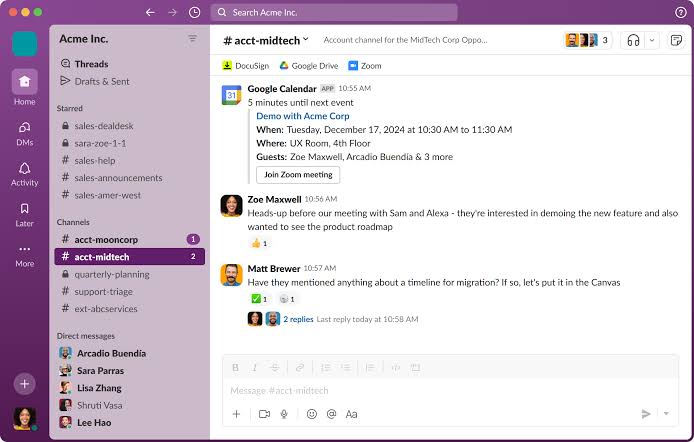
You know that feeling when you can’t find an important message because it’s buried in a massive group chat? Slack fixes that problem for good. It lets you organize conversations into channels so everything stays where you can find it (without relying on Slack hacks).
The Huddles feature is super handy—just click and talk for those quick questions without scheduling yet another Zoom call.
A user review says:
I have used Slack with multiple companies and businesses and have loved the ease of use. It creates seamless outreach options for those in your organization without having to share your personal telephone number. We also frequently use the huddle meeting feature. Being on a team of 75% remote employees, slack makes it easy to work as a team. It makes it easy to see who is scheduled for meetings, who has read messages, and creates a shared file storage space.
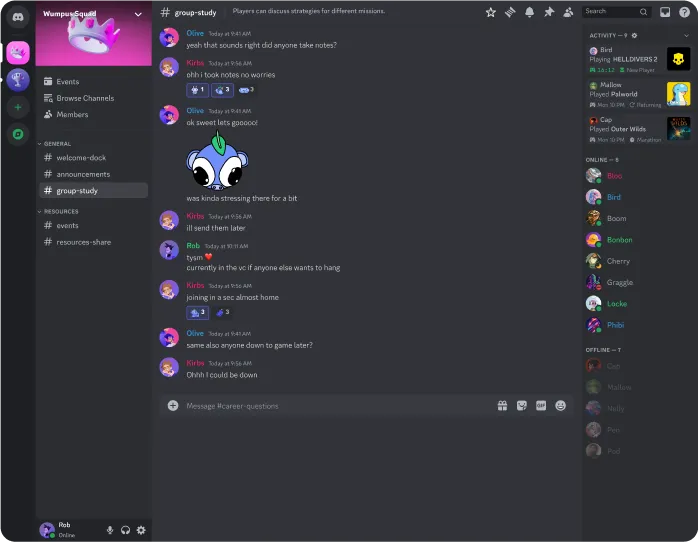
Discord was built for gamers, but it’s perfect for any team that wants communication to feel natural. The voice channels are probably its best feature. You just hop in when you need to talk and leave when you’re done. No awkward ‘Can I call you?’ messages needed.
Remote teams love how this brings back those spontaneous conversations that spark new ideas. Screen sharing actually works properly, too, even when someone’s sharing design files or videos.
See what this Capterra reviewer had to say:
Discord has been extremely helpful in remote work within my company, which came as a big surprise to me originally. We use it daily for everything from quick conversation to more in-depth team meetings.
💡 Pro Tip: Promote a culture where disruptive feedback is welcomed. This is feedback that challenges the status quo or suggests major changes, encouraging the team to think outside the box. It pushes boundaries and drives innovation in communication practices.
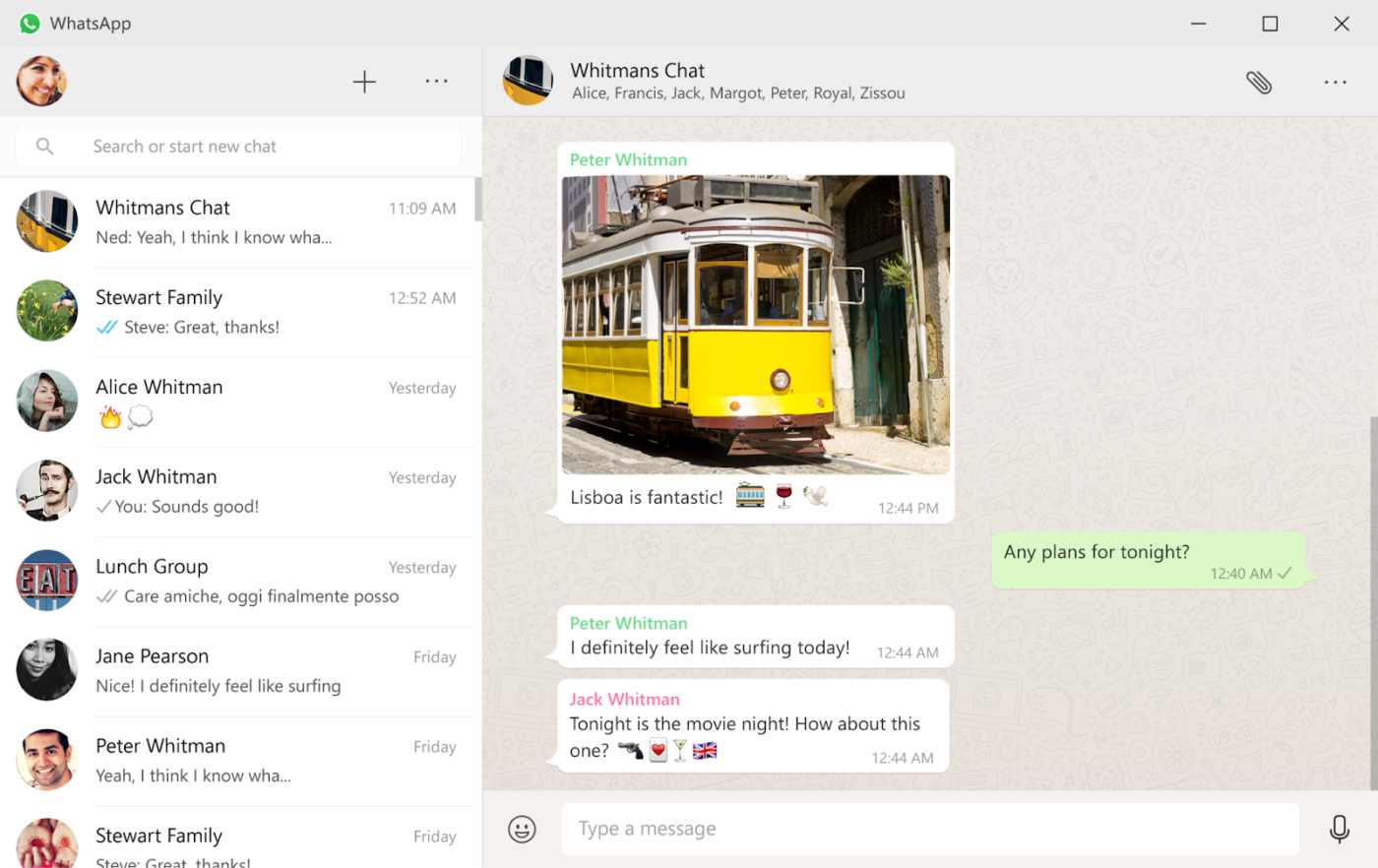
You probably already use WhatsApp to chat with friends, but don’t overlook it for team communication too. The app shines when you need something straightforward that everyone already knows how to use. No training sessions needed here!
The end-to-end encryption gives you peace of mind when discussing sensitive information. Teams with international members especially appreciate that WhatsApp works perfectly even with spotty internet connections.
Its voice messages feature comes in handy when you need to explain something complicated that would take forever to type.
A user review says:
WhatsApp was the first mobile private messaging service to gain critical mass. As a WhatsApp user/ business client, we’ve learned that over 100 million people use WhatsApp each month, and it’s easy to understand why. I really like WhatsApp’s easy-to-use interface and fun features, the security and privacy involved.
🧠 Fun Fact: Studies show that emojis help convey tone and emotion in remote work, making digital conversations feel more human. A simple 😄 or 👀 can soften feedback or add playfulness to the team chat.
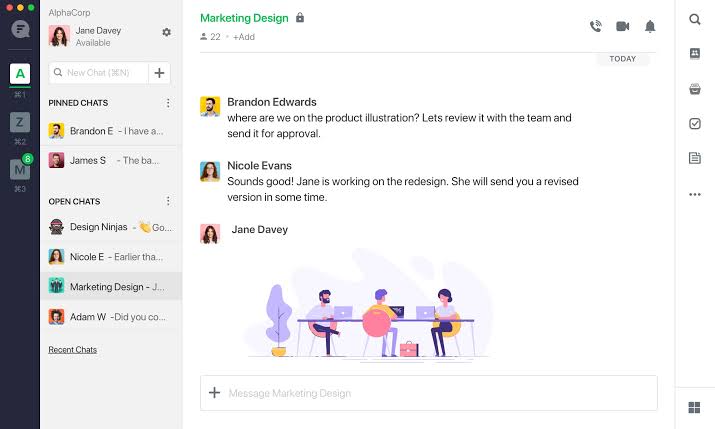
Flock might not be the most famous name on this list, but it deserves your attention. This platform packs surprising functionality into its clean interface.
Teams report being particularly impressed with the to-do list feature that turns conversations into actionable items with deadlines. If your team has been cobbling together multiple apps to handle different communication needs, Flock could streamline your workflow without straining your budget.
One G2 review puts it this way:
The first thing I highlight about Flock is its user-friendly and easy-to-navigate design. With its cloud storage system, messages and files can be securely stored and accessed from any device. In addition, the integrated voice calls are of excellent quality, allowing us to maintain smooth communication.
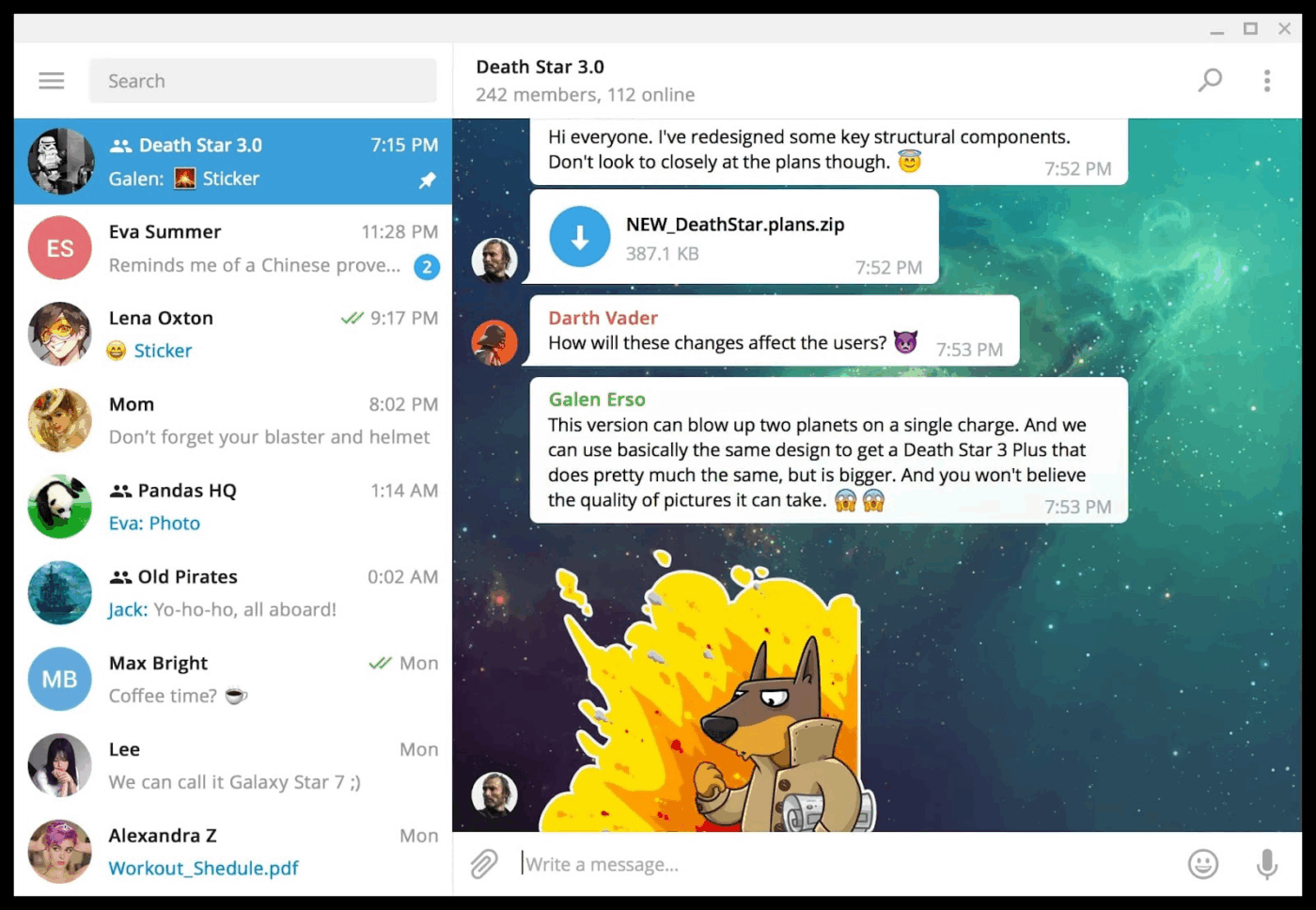
Telegram handles massive public groups of up to 200,000 members without breaking a sweat—perfect if you’re managing large communities or company-wide announcements. The channels feature allows you to broadcast updates to an unlimited number of followers while controlling who can respond.
Security-conscious teams appreciate the self-destructing message option for sensitive information that shouldn’t be retained. Plus, the bot ecosystem automates repetitive tasks from scheduling to data collection.
While some teams initially try Telegram for its security features, they stay for the surprising speed and reliability even when sharing large files.
A user review says:
Telegram is an excellent messaging app compared to many others. It doesn’t require a Gmail account for storage, and you can switch between devices without worrying about backups—your information stays intact. With strong privacy features, including secret chats, Telegram is great for those who value security. Another major advantage is the ability to send and open large files without any complications. Additionally, Telegram is ideal for hosting large online meetings, which makes it the perfect platform for prayer meetings and Bible studies. Many people have expressed interest in joining, but most apps have limitations on group size. That’s why I’m recommending Telegram to my pastor as a better option for our community.
💡 Pro Tip: Borrowing from Leigh Thompson’s concept of Creative Conspiracy, facilitate collaborative sessions where team members intentionally co-create innovative solutions. This method fosters a culture of intentional and focused creativity.
✅ We researched the best team communication tools, and here are the results:
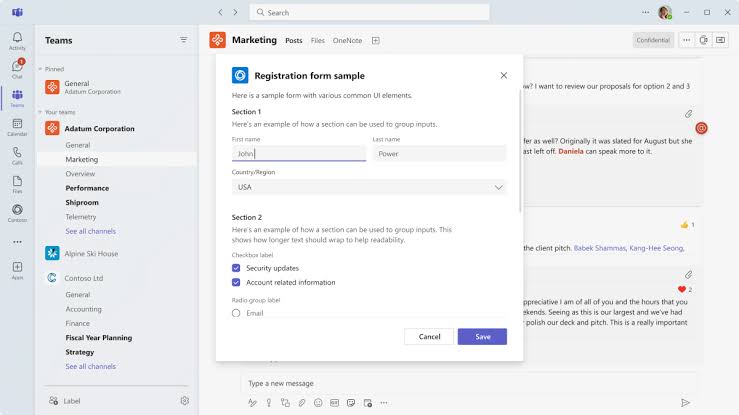
If your company relies on the Microsoft ecosystem, Teams makes everything click into place. The deep integration with Office apps means you can edit Excel spreadsheets together right inside your chat window.
Teams meetings feel surprisingly polished with features like background blur and breakout rooms that used to be premium offerings elsewhere. The tabbed conversations help keep projects organized without creating a million different channels.
This Reddit comment caught our eye:
Teams is much more suited for business scenarios. It’s also obviously fully integrated into the Office 365 world which most businesses already use. […] Teams also has a ton of other functionality (meetings, phone system capability) which don’t exist in other platforms. It also has file collaboration support via SharePoint which itself is pretty massive.
🔍 Did You Know? Poor team communication slows things down and adds pressure. A report shows it leads to increased stress at 51%, lower productivity at 41%, strained relationships at 31%, and missed deadlines. Clear communication keeps teams aligned and work on track.
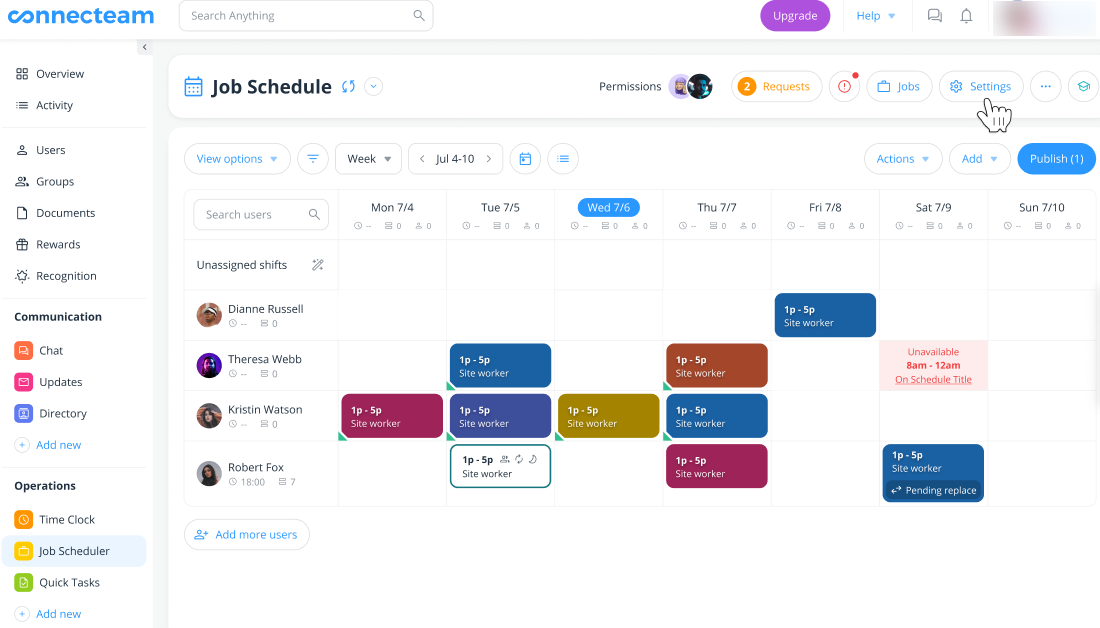
Connecteam solves problems that other communication tools don’t even recognize. It was built specifically for teams where most members don’t sit at desks all day. Think retail, construction, healthcare, or field service workers.
The mobile-first design ensures everyone stays connected regardless of their location. Teams particularly value the clock-in/clock-out features integrated directly into the communication platform. Even better? The training module allows you to distribute important information and confirm who has actually read it, which is helpful for meeting compliance requirements.
Here’s a firsthand perspective:
Connecteam has helped keep my team organized and responsible. There are several really great features about this program that any small business could benefit from. As an office manager, their HR abilities on this program have been an essential part in keeping track of PTO, sick days, time clock, etc.
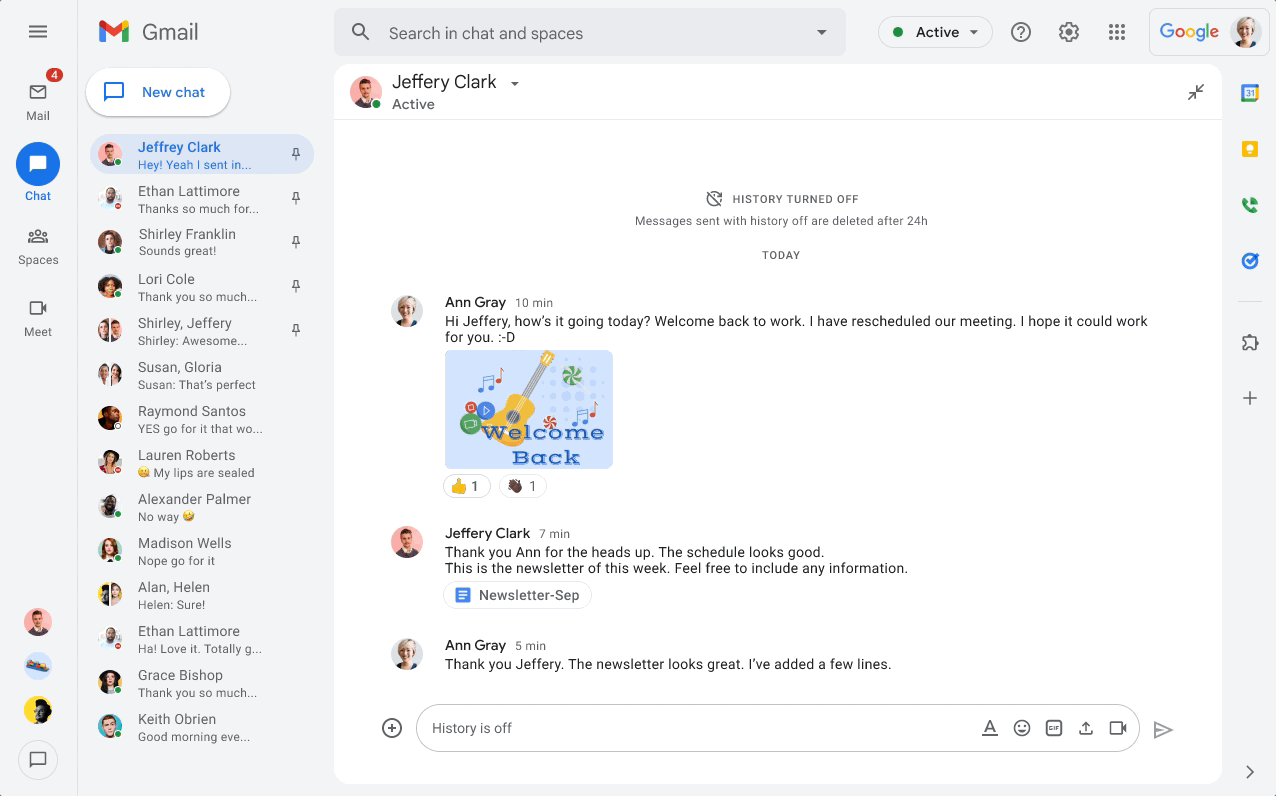
Google Chat makes team communication feel familiar from day one. If you’re already using Gmail and Google Drive, it slides right into your workflow without missing a beat. The threaded conversations help keep discussions focused, while the smart suggestions actually save you time by recommending relevant files and calendar events.
Teams appreciate how Chat spaces serve as persistent rooms for ongoing projects with all files, tasks, and messages in one organized spot. While it might not have the flashiest features, the tight integration with other Google tools means you spend less time switching between apps.
A TrustRadius reviewer summed it up like this:
Google Chat is well-suited for businesses. Where it fits in my organization is to maintain communication between teams. Collaboration between teams to solve issues our customers cannot resolve without using Google Chat. Our Organization depends on it. When someone needs assistance from another team in the organization, we use Google Chat to solve this issue.
🔍 Did You Know? Listening to employees is key to keeping communication flowing smoothly and making improvements where needed. In fact, 75% of communicators use engagement surveys to get detailed feedback, 54% rely on post-event feedback, and 52% turn to live Q&A sessions. These tools help teams stay on track, tackle issues, and fine-tune communication strategies.
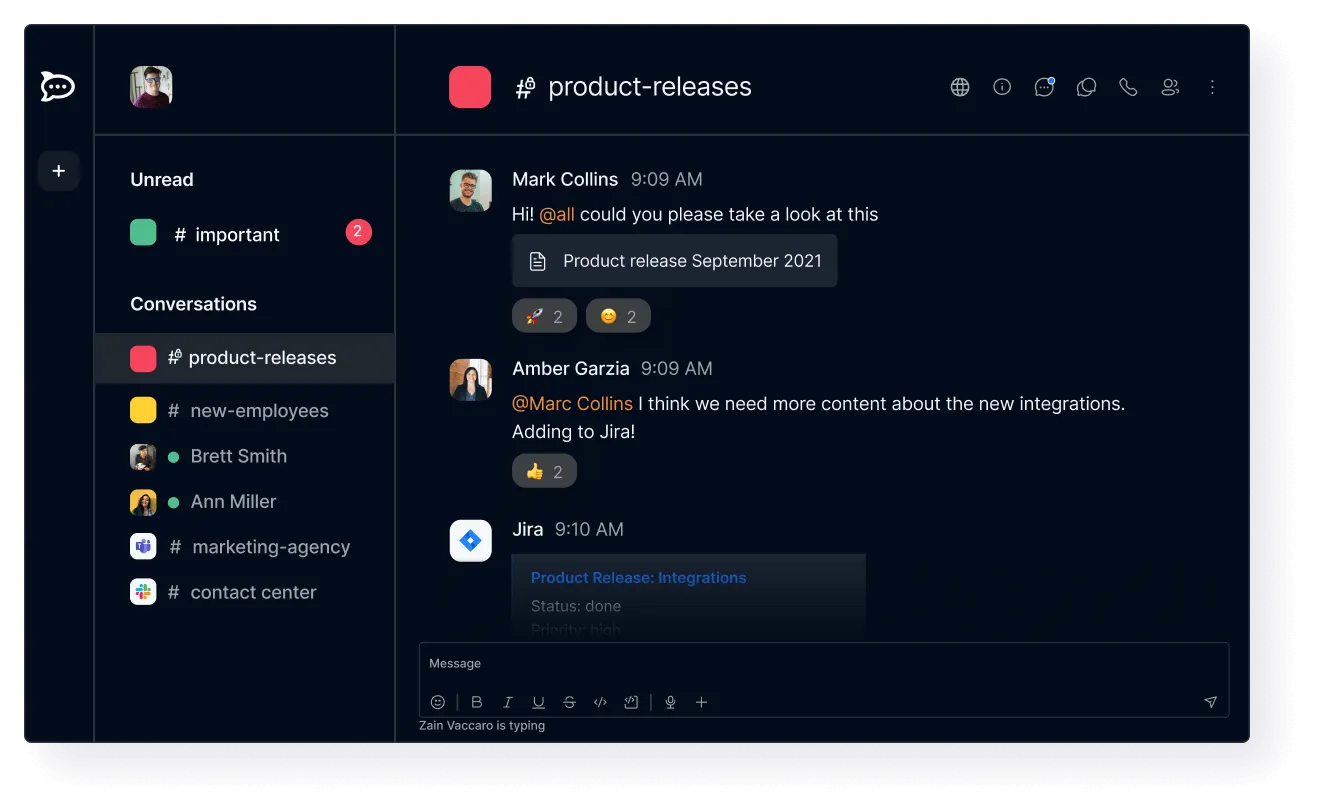
Rocket.Chat puts you back in control of your communication data. Unlike most GroupMe alternatives, you can host this platform on your own servers, keeping sensitive conversations completely within your organization’s infrastructure.
Its open-source nature means developers can customize it to fit your exact workflow needs. Teams with strict compliance requirements, particularly those in regulated industries, value the ability to implement specific security policies.
While setup requires more technical knowledge than cloud options, the platform rewards that investment with unmatched privacy control.
A user review says:
It is a very professional software which is widely used in professional environments like Offices and workspace. Also it lets you share files, make channels (groups) for activities, projects and other stuffs. It have features to delete the message with upthreads and also provision to reply in threads and follow/unfollow feature to unsubscribe from the notification.
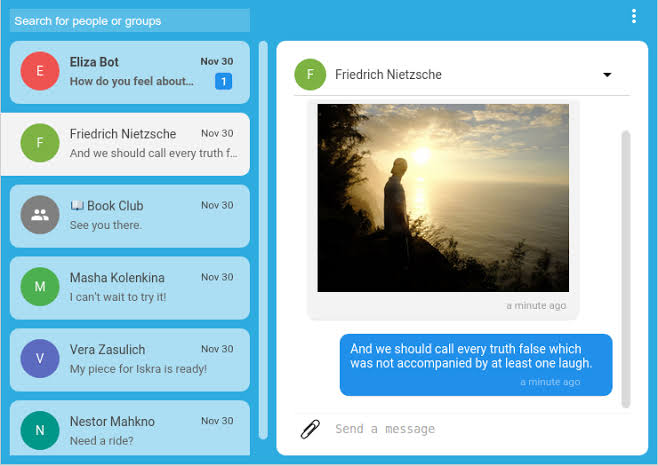
Signal’s focus on privacy shows in every feature (or sometimes lack of features when they might compromise security). Teams handling extremely sensitive information trust Signal because its open-source code has been thoroughly audited by security experts.
Voice and video calls are end-to-end encrypted, providing added clarity even over weaker connections. While it lacks many business collaboration tools, organizations in highly regulated industries or with confidential projects often choose Signal.
Here’s what one user had to say about this app:
Excellent messenger app. Been using it for a year now, especially for private conversations and haven’t been disappointed yet. I like the layout, the calls work well, and the web version is good as well. It’s also safe (though I did not learn this from experience, only from research) which can be very useful. The only downside is that you can’t see that many chats on your phone, but this can be remedied by making folders.
💡 Pro Tip: Encourage teams to schedule no meeting blocks in the calendar, ideally in the middle of the day, when everyone can focus solely on deep work. Having uninterrupted time helps reduce communication overload.
Team conversations shouldn’t feel like a game of hide and seek. If you’re constantly losing context, chasing old messages, or switching apps just to stay on top of things, it’s time for a smarter setup.
ClickUp stands out amongst GroupMe alternatives by combining real-time chat with everything else your team needs to execute—tasks, docs, goals, and more. Every conversation lives in context, tied to actionable items, with AI features that summarize updates, assign next steps, and eliminate backtracking.
Sign up for ClickUp today and bring focus back to the conversation! ✅

© 2026 ClickUp

There’s an easier way. Try a free AI Agent in ClickUp that actually does the work for you—set up in minutes, save hours every week.