Sorry, there were no results found for “”
Sorry, there were no results found for “”
Sorry, there were no results found for “”
Granola AI is an AI-powered notepad designed to enhance meeting productivity by blending user-typed notes with AI-generated transcriptions. It creates tailored summaries, provides context, and focuses on privacy by avoiding intrusive bots.
Despite its strengths, Granola AI has limitations. Some users report issues with speaker recognition, lack of video recording, and limited platform support (currently Mac-only). Others find the learning curve for new features steep, and the absence of mobile apps restricts on-the-go usage.
If you are also facing similar issues and are looking to switch from Granola, we’ve done the groundwork. In this guide, we will discuss the top 10 Granola AI alternatives to make your meetings more productive.
Here’s a quick overview of the top 10 Granola AI alternatives:
When searching for Granola AI alternatives, it’s important to focus on features that truly enhance your productivity and fit your workflow. Here’s what to keep in mind for note-taking apps:
📌 Ease of use: Look for an app that feels intuitive from the start. A clean interface and straightforward navigation for capturing notes can make all the difference
📌 Reliable syncing across devices: Your notes should be accessible everywhere—phone, laptop, or tablet. Ensure the app syncs smoothly without losing data or causing delays
📌 Strong search and organization: A good AI note-taking app should help you find notes quickly. Look for smart tagging, advanced search with filters, and folder systems that keep everything tidy
📌 Privacy and security: Choose an app with strong encryption and clear privacy policies to keep your data safe
📌 Customization options: Everyone works differently and uses different collaboration and workplace communication tools. The best Granola AI alternative should let you personalize templates or workflows to match your personal requirements
There is no need to compromise with Granola AI Notetaker’s limitations; here are some Granola AI alternatives:
Juggling different apps for meetings, notes, and tasks? This results in inefficiency, productivity loss, and scattered information.
ClickUp, the everything app for work, combines note-taking, task management, and team collaboration—all powered by AI.
ClickUp’s AI Notetaker acts as your personal AI-powered meeting assistant that captures, summarizes, and organizes discussions easily. It records meeting minutes, extracts key insights, and creates actionable to-do lists.
The best part is that it integrates smoothly with Zoom, Google Meet, and Microsoft Teams, making it your ultimate meeting companion.
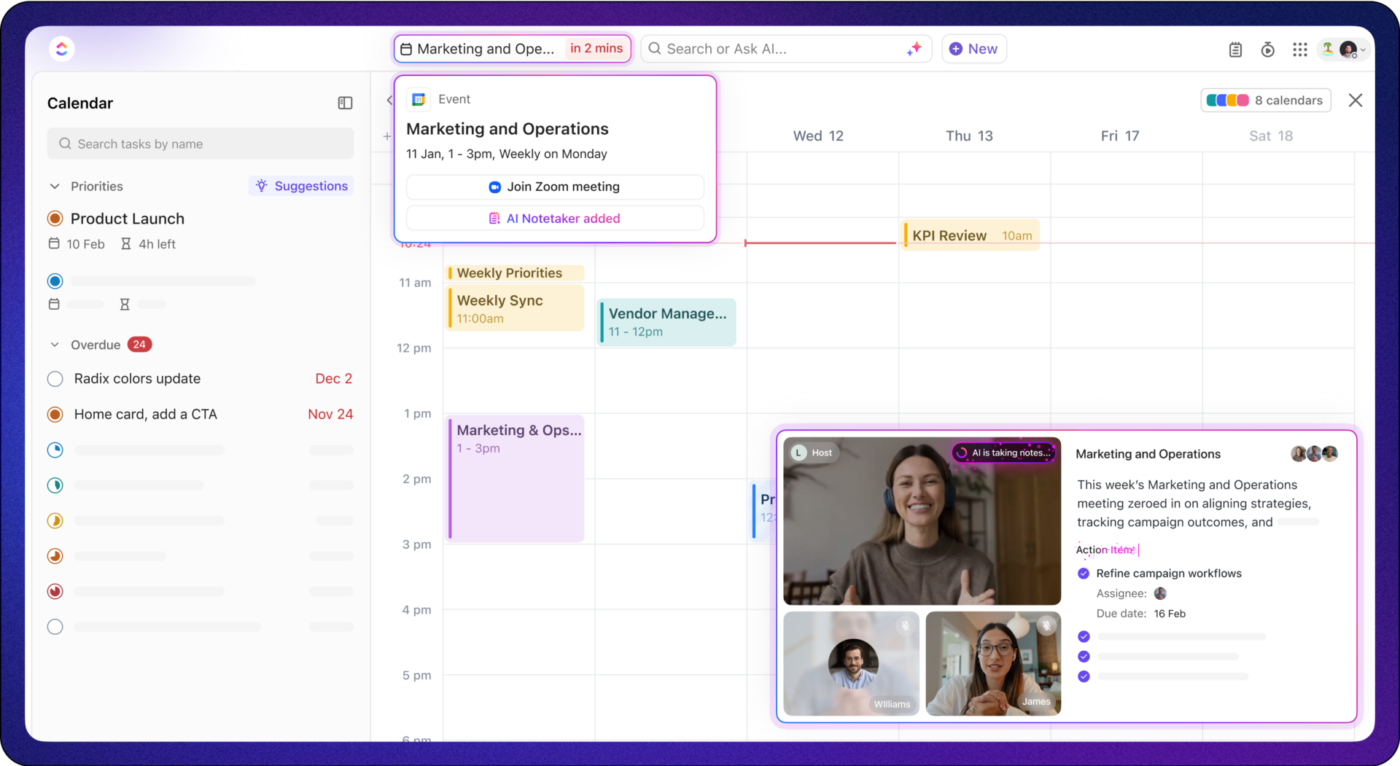
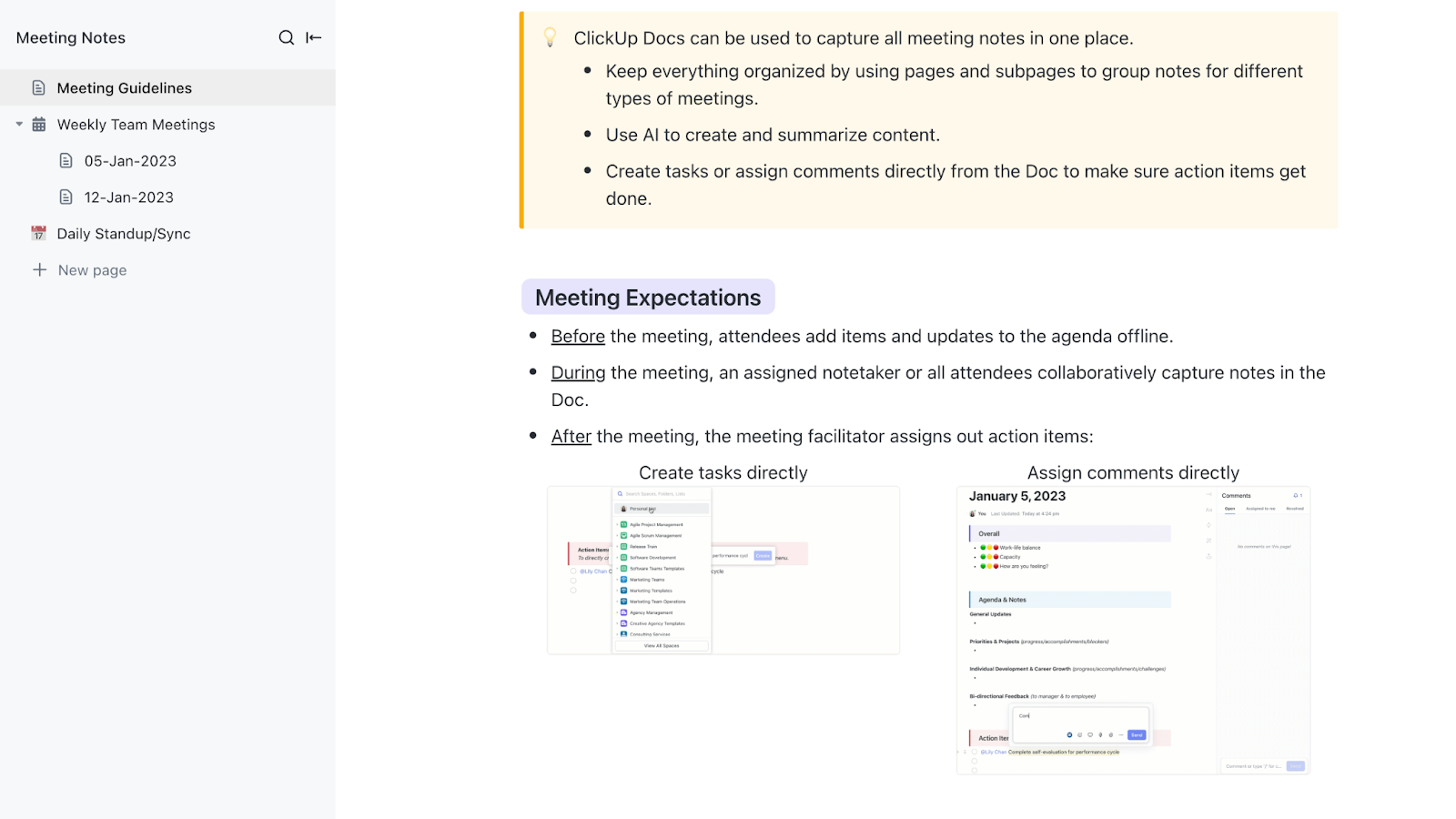
What’s more? You get the full meeting recording and transcript so you can revisit your call anytime for detailed context! All the recordings and notes are neatly stored in private ClickUp Docs, where you can tag, format, and share them as needed.
With ClickUp Docs, you can:

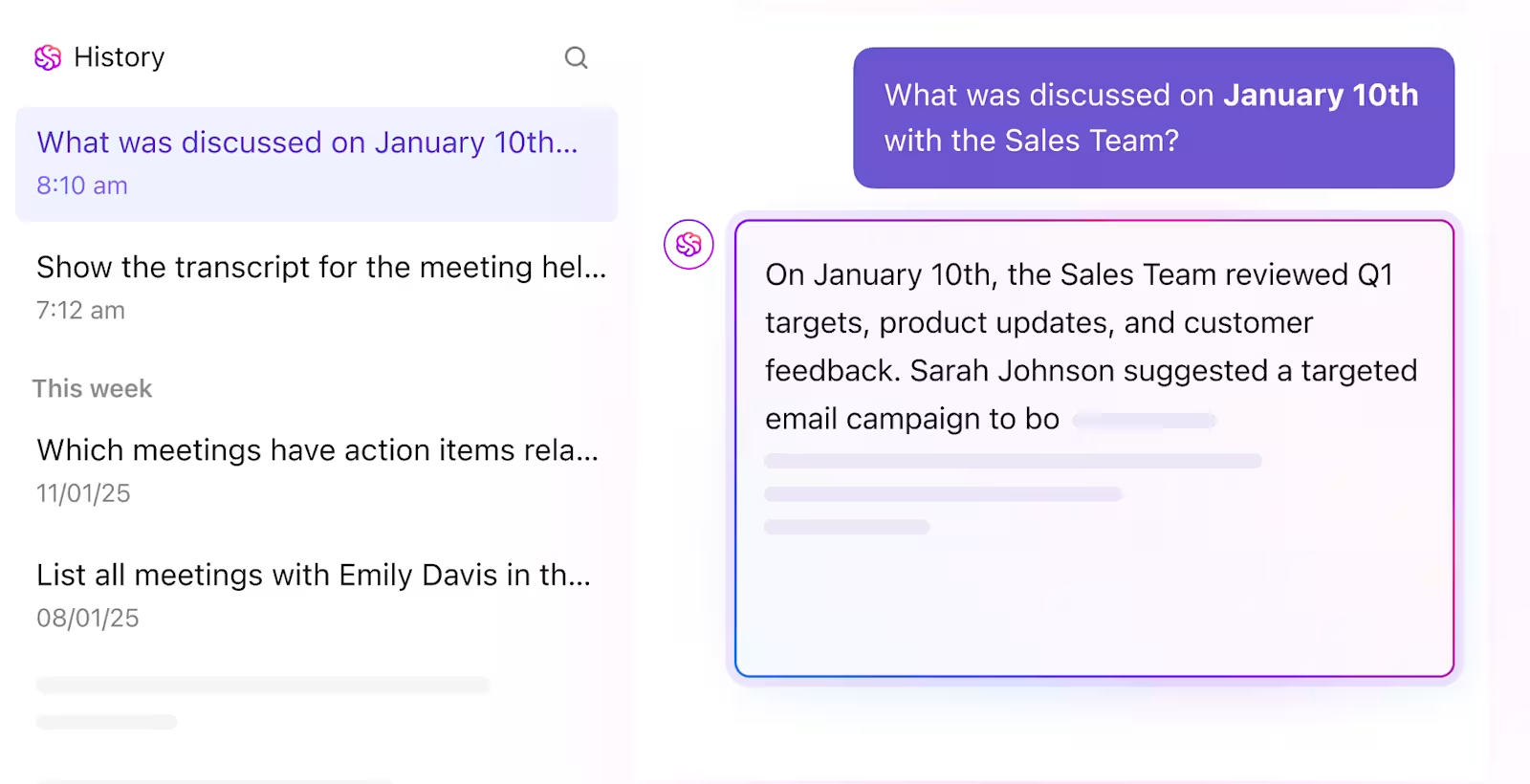
Pair this with ClickUp Brain, the AI assistant that takes note-taking to another level. It can summarize long meeting transcripts into concise action points, generate tasks and sub-tasks out of meeting notes, reformat notes for better structure and clarity, and even translate meeting notes.
These advanced features, blended with AI collaboration convert your meeting notes into actionable insights that drive productivity.
An added bonus ✨? ClickUp Brain users can choose from multiple external AI models, including Claude and GPT-4o, right from their ClickUp Workspace!
Taking notes is one thing—structuring them effectively is another. ClickUp offers a range of templates, including the ClickUp Meeting Notes Template, to help you manage meeting agendas, record meeting minutes, and document follow-ups.
With ClickUp, your meetings, notes, and thoughts always stay organized and accessible, making it easier to turn ideas into actions.
It’s been phenomenal to see how much time we’ve saved in meetings since moving to ClickUp. What used to take us three hours per week for event planning and updates now takes us just over an hour. The teams involved now have more time to focus on more important marketing priorities.
💟 Bonus: Looking for a smarter alternative to Granola AI? Meet Brain MAX—your AI-powered desktop companion that goes beyond basic automation. With Brain MAX, you get access to multiple leading AI models (LLMs) for everything from drafting documents and brainstorming ideas to managing projects and searching across all your apps.
Just speak your thoughts, and Brain MAX captures, organizes, and acts on them instantly. No more juggling different tools or missing out on the best AI—Brain MAX unifies it all, giving you voice-first productivity and advanced intelligence right at your fingertips.
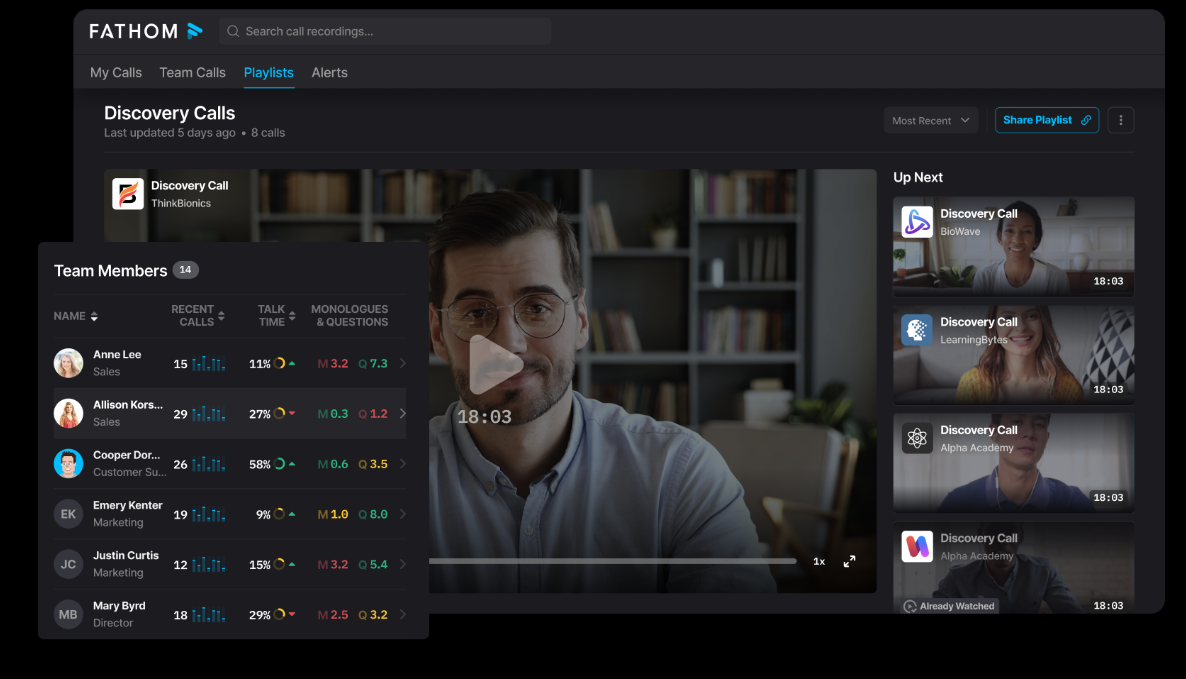
Fathom records and transcribes all team meetings and discovery calls in one place. This enables sales teams to analyze calls and identify the best sales messaging or figure out which team members need more training.
You can integrate it directly with CRMs and documentation platforms like Google Docs, Notion, and Asana to ensure uninterrupted workflow automation. Plus, with features like live transcription, multi-language support, and instant meeting downloads, Fathom eliminates the need for manual note-taking, making post-meeting analysis faster and more precise.
What are real-life users saying about Fathom?
Post-meeting action items are gold. The “Ask Fathom” feature is also amazing. Asking questions such as “What were the top three reasons Michael would not want to move forward with my solution” is fantastic.
📖 Read More: Best Fathom AI Alternatives for AI Note-Taking
🧠 Did you know? The AI note-taking market is skyrocketing! Valued at $450 million in 2023, it’s set to soar past $2.3 billion by 2033, with an impressive 18.7% annual growth rate.
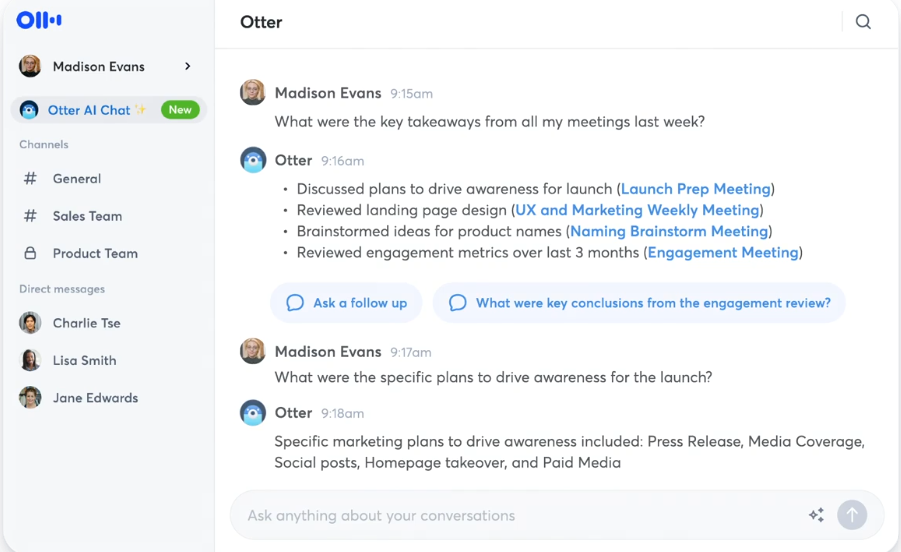
Otter.ai, a powerful AI-powered transcription platform, converts speech to text in real time. It processes audio from virtual meetings, applies natural language processing (NLP) to structure transcripts, and enables live collaboration with highlights, comments, and timestamps.
You can integrate Otter.ai with calendars, automate meeting summaries, and query past transcripts using its AI chatbot. By supporting multi-meeting analysis, custom vocabulary, and concurrent recordings, Otter.ai makes for a powerful tool for teams handling complex user input.
What are real-life users saying about Otter.ai?
My favorite thing about Otter is that I can pay full attention to those I’m connecting with on a call, without having to continuously take notes. Conversations can become more free-flowing, I can ask more questions and find out a lot more information because I know that Otter will take notes and record an audio transcript.
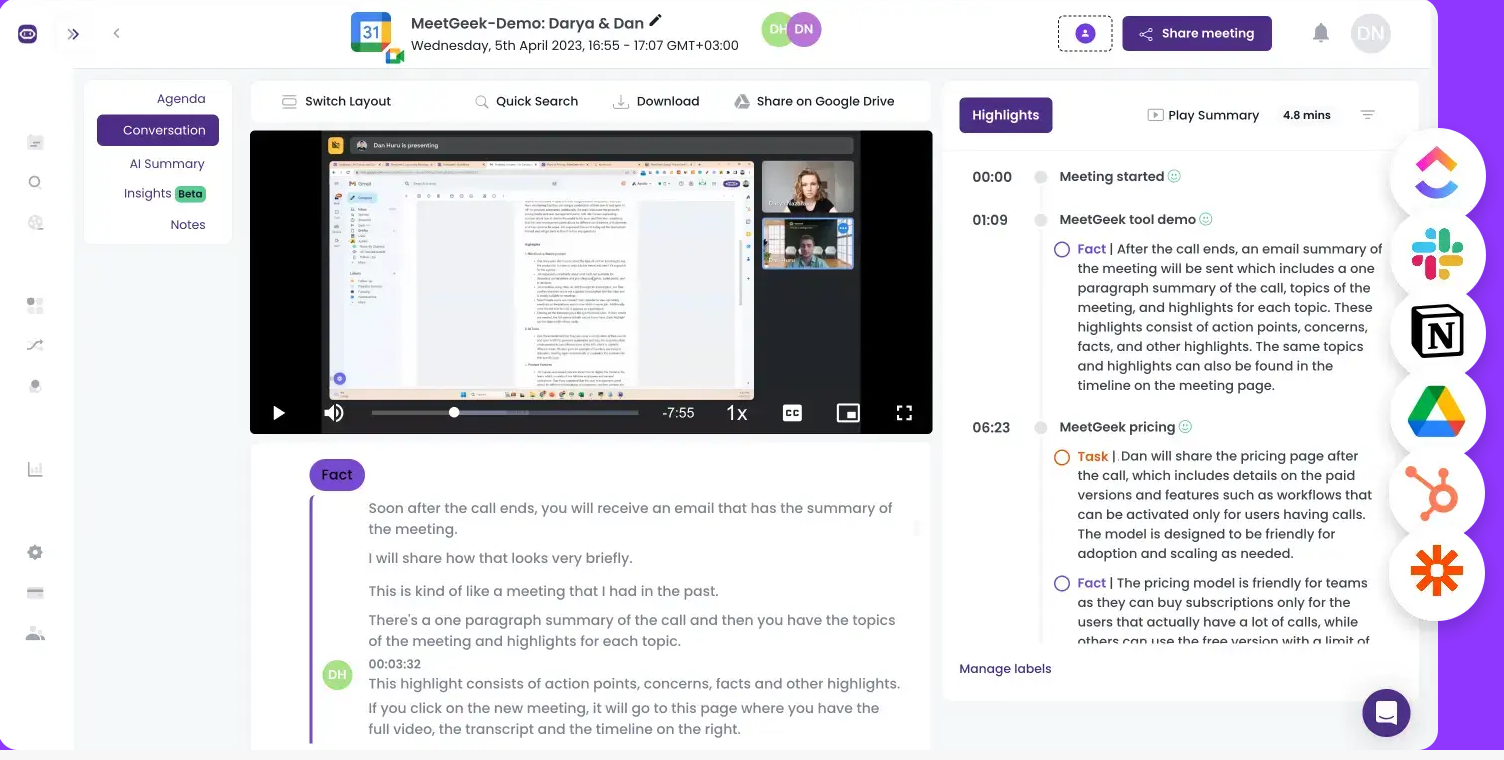
MeetGeek.ai autonomously joins scheduled meetings, captures discussions with high-accuracy speech recognition, and generates structured summaries. It is equipped with real-time action item detection and searchable transcripts for quick retrieval of key insights.
It has the ability to translate transcripts in 30+ languages and integration with platforms like Zoom, Microsoft Teams, and Google Meet. It can also help project managers automate workflows by integrating meeting intelligence into CRMs and task management systems.
What are real-life users saying about MeetGeek.ai?
I love how I don’t have to make any jottings, take notes, and even try to figure out what I miss because even if I am not present at the meeting MeekGeek will be present in that meeting for me and summarize everything in little details! It gets better when you can tell where exactly in the recording you can find a specific topic. It is sooo good! It keeps you organized and always ahead!
💡Pro Tip: Some AI tools let you guide note-taking with custom prompts. Try setting reminders for deadlines, flagging decisions, or asking for summaries by topic to get more focused insights.
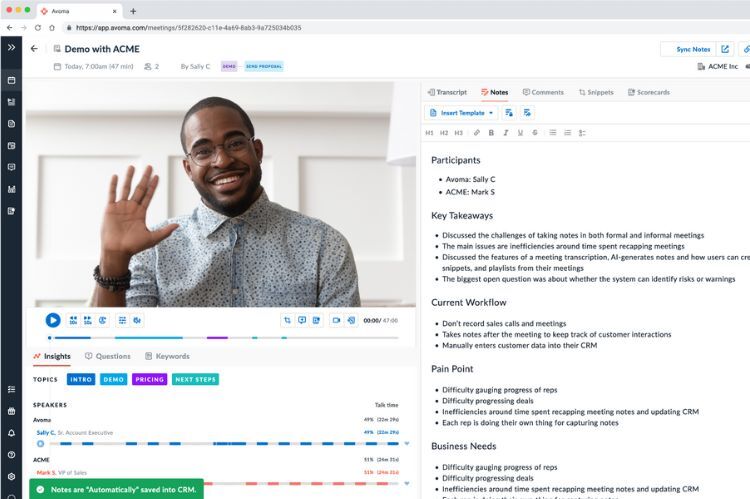
Avoma stands for ‘A Very Organized Meeting Assistant’ that can process and analyze your sales conversations efficiently. It is an AI-driven revenue intelligence platform designed for real-time forecasting and deal management. By leveraging machine learning, Avoma assigns deal health scores, monitors pipeline changes, and automates CRM updates.
Avoma also tracks sales methodologies and predicts revenue outcomes based on conversation data. With its AI-powered copilot, your sales teams can eliminate guesswork, mitigate deal risks, and refine forecasting accuracy without manual intervention.
What are real-life users saying about Avoma?
It’s very easy to use. Setting it up with Zoom and other video calling systems is very easy. Not only does it record the conversation but it recaps and allows you to read the transcript. I use it at least 3 times a week. It’s a lifesaver!
📖 Read More: ClickUp AI vs. Notion AI: Which AI Tool is Best?
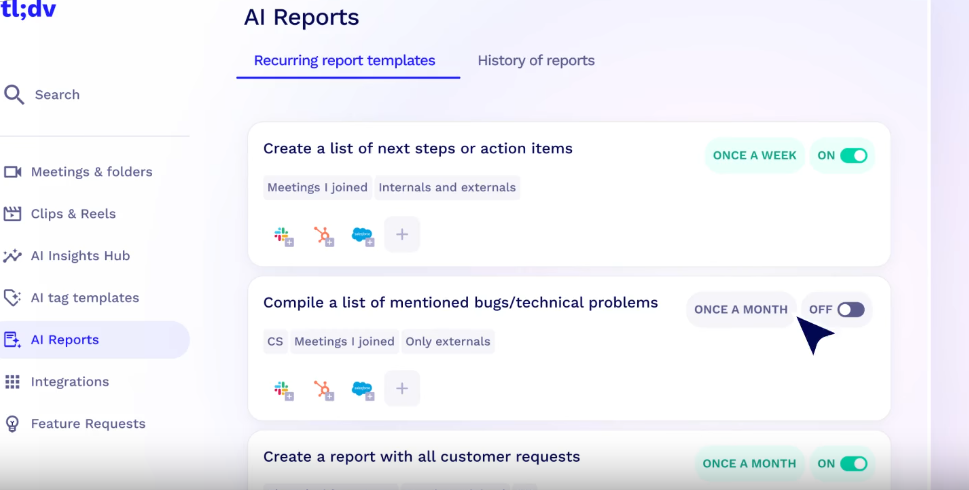
tl;dv is an AI-powered notetaker built for teams that need more than just transcripts. It records, transcribes, and extracts key insights from meetings, seamlessly integrating with CRMs, ticketing systems, and over 5,000 tools.
tl;dv supports meeting recording in Google Meet, Zoom, and Microsoft Teams. Plus, it auto-updates CRM fields and pushes action items to tools like Jira and Slack. Ideal for SMB sales teams, tl;dv also serves product, engineering, and customer success teams with multilingual support, security features, and coaching tools.
What are real-life users saying about tl;dv?
tl;dv is the best tool I’ve used for recording French conversations, excelling even with fast speech and poor audio by accurately capturing the discussion. It’s amazing for reviewing key points via timestamped summaries, offers customizable templates for sharing relevant insights, and has an easy-to-use interface with helpful tutorials. Plus, the option to organize recordings by project keeps everything streamlined.
📮ClickUp Insight: According to our meeting effectiveness survey, nearly 40% of respondents attend between 4 to 8+ meetings per week, with each meeting lasting up to an hour. This translates to a staggering amount of collective time dedicated to meetings across your organization.
What if you could reclaim that time? ClickUp’s integrated AI Notetaker can help you boost productivity by up to 30% through instant meeting summaries—while ClickUp Brain helps with automated task creation and streamlined workflows—turning hours of meetings into actionable insights.
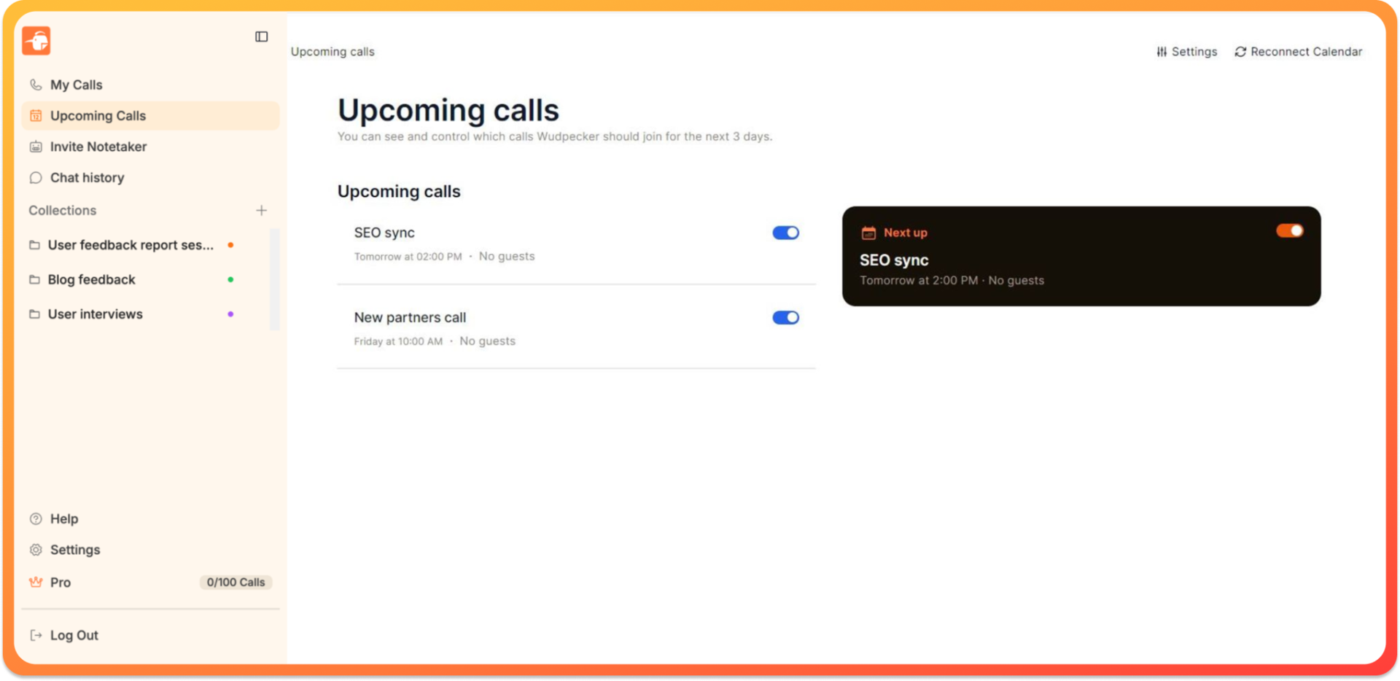
Wudpecker is an AI meeting assistant that uses advanced natural language processing and GPT-3 technology to extract meeting insights and action items, and draft follow-up emails.
One standout feature is its AI-powered query system that allows you to ask questions mid-meeting and get real-time, context-aware answers. Plus, Wudpecker’s cross-platform recording, which works for both virtual and in-person discussions without relying on bots.
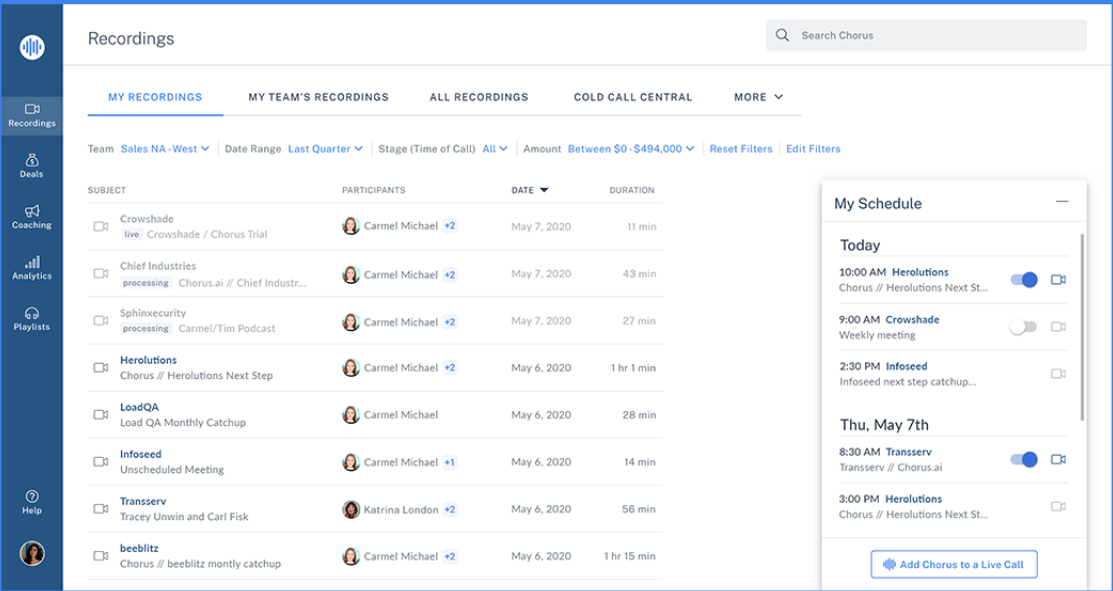
Chorus.ai, by ZoomInfo, is a conversation intelligence platform that helps businesses improve sales performance by analyzing customer interactions. It records, transcribes, and studies conversations in real time. Result? A boost in pipeline and revenue.
The platform joins online meetings, even unscheduled ones, and captures both audio and screen shares. It uses AI to identify key discussion points, like pricing or objections, and integrates smoothly with tools like Salesforce and Zoom to provide actionable insights for sales teams.
What are real-life users saying about Chorus.ai?
Chorus allows me to take snippets of important sections of clients’ meetings and send them directly to my clients. They have also been a tremendous help in organizing the details of the meetings into an easy-to-read format, and have been invaluable for notetaking.
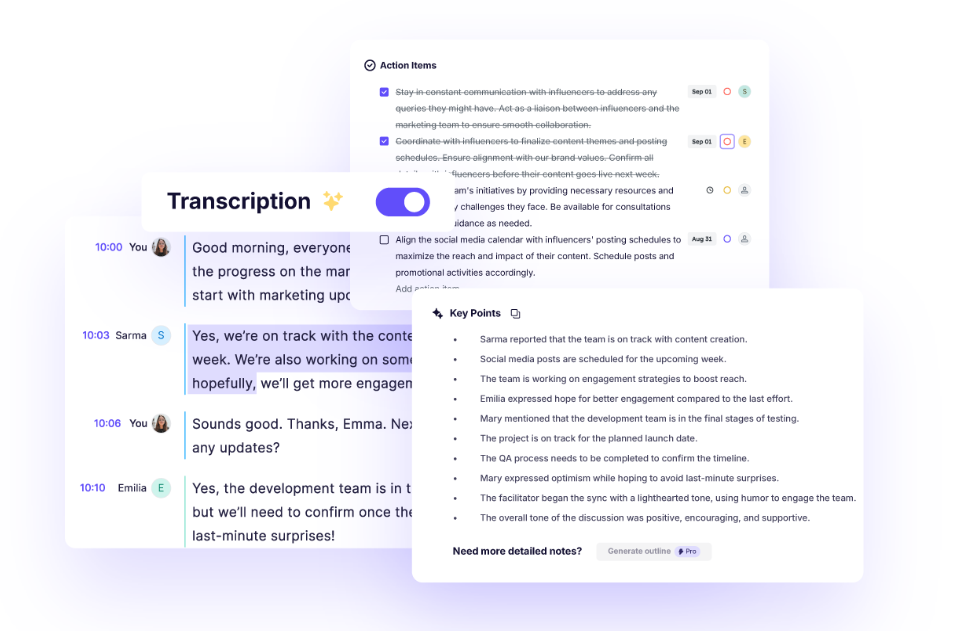
If background noise during meetings is your biggest concern, Krisp is the answer. Krisp is an AI-powered meeting assistant designed to enhance audio quality and automate note-taking. Unlike your standard transcription tools, it offers real-time AI noise cancellation, accent localization, and live AI interpretation.
Krisp’s bot-free AI note-taking allows users to generate summaries and action items without adding an extra participant to their calls.
What are real-life users saying about Krisp?
I love how it can be easily integrated to any platform for video conferencing. It’s easy to use and has great customer support as well. I would really recommend this software for daily use at your workplace. It could slow down your system a little bit if you don’t have a good processor.
🙂 Fun Fact: NASA tops the clientele list of Krisp alongside other big names like Sony and Atlassian.
Fireflies.ai is a popular AI-driven meeting assistant that lets you transcribe, summarize, and analyze conversations with high precision. It captures meetings across platforms like Zoom, Google Meet, and MS Teams, turning discussions into a structured, searchable knowledge base.
What’s more? You get a ChatGPT-powered assistant that generates follow-up emails, tasks, and summaries on demand, enhancing post-meeting productivity. Fireflies also meets enterprise security standards with end-to-end encryption, SOC 2 Type 2 certification, and HIPAA/GDPR compliance, ensuring secure data handling. Further, with integrations across 50+ business apps, you can automate meeting workflows without manual effort.
What are real-life users saying about Fireflies.ai?
I love that Fireflies frees me up to be an active listener and participant in the meetings it is recording and transcribing. I am no longer tied to my pen and notebook. I also like that if I miss a meeting, I can read the summary and the transcript to determine what really happened. It was seamless to implement and integrate into our meetings and everyone in our office ends up using it multiple times each week.’
💡Pro Tip: Set up custom keywords and triggers in your AI notetaker to flag critical points. For example, if you often track deadlines, configure the AI to highlight phrases like ‘due by,’ ‘deadline,’ or ‘submission date.’
Jotting down notes while staying engaged is tough, and missing important details can slow you down. If you don’t prefer Avoma, there are plenty of alternatives. However, if you are looking for an all-in-one tool for AI-powered meeting recording, task management, and team collaboration, try ClickUp.
ClickUp’s AI Notetaker automatically joins your meetings, listens, and captures essential points—so you don’t have to. You no longer need to scramble through messy notes or lose track of action items. Instead, you get clear, structured summaries that keep you on top of everything.
With ClickUp, you can focus on the conversation while AI does the heavy lifting. Sign up for ClickUp and change the way you take notes in a meeting.

Sean Hardy
Max 26min read

Manasi Nair
Max 19min read
Manasi Nair
Max 19min read

© 2026 ClickUp