






Still downloading templates?
There’s an easier way. Try a free AI Agent in ClickUp that actually does the work for you—set up in minutes, save hours every week.
Sorry, there were no results found for “”
Sorry, there were no results found for “”
Sorry, there were no results found for “”
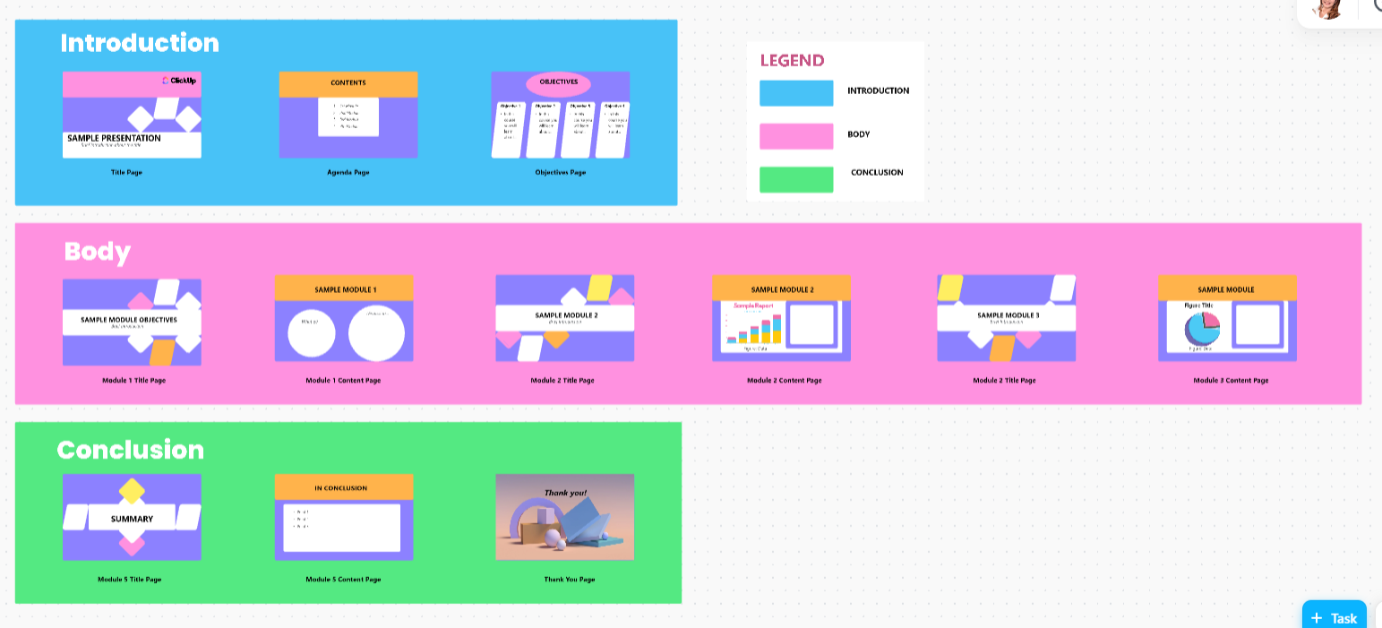
If you’ve ever tried creating a deck using Gamma AI, you know the mix of wonder and worry that comes with it. Gamma is a capable AI deck builder, but exporting to Google Slides or PowerPoint isn’t a one-click move.
And even when the AI deck looks polished, making design tweaks or adding your own images can feel oddly technical.
That’s where exploring a solid Gamma AI alternative makes sense. This article compares the most credible AI presentation software options for designing, editing, and sharing decks across teams. You’ll see strengths, trade-offs, and what to expect when migrating from Gamma AI.
A recent report by Statista found that over 48% of marketing and creative professionals use AI to design and automate content creation workflows, including as presentation tools. This shows just how quickly this space is evolving.
Here’s a quick comparison of the best Gamma AI alternative options to help you choose the right fit based on key features, pricing, and user ratings.
| Tool | Best for | Key features | Pricing* |
| ClickUp | Creating, managing, and editing presentations in one collaborative workspace | Whiteboards to map flow, Docs for writing, Brain and BrainGPT for AI drafting and Talk to Text, Tasks for reviews and versioning, Dashboards for tracking | Free plans are available; customizations for enterprises |
| Presentations.AI | Instant AI-generated slides that match your brand | Generate decks from text, brand alignment, real-time collaboration, Google Slides and PowerPoint export | Free plan available; Paid plans starting from $198/month |
| Plus AI | Google Slides integration and collaborative workflows | Native in Google Slides, outline to deck, tone and layout suggestions, co-editing, and comments | 7-day Free Trial, and paid plans starting from $15/month per user |
| Tome | Storytelling-driven presentations | Prompt or doc to story-led deck, built-in AI image generation, real-time collaboration, export to Slides or PowerPoint | Paid plans starting from $10/month per user |
| MagicSlides.app | Fast template-based slide generation in Google Slides | Sidebar workflow, prompt to deck, themes, instant edit, and export inside Slides | Free and paid plans starting from $8/month per user |
| Visme | Branded multimedia presentations across teams | Brand kits, AI outline draft, charts and animations, export to Slides, PowerPoint, PDF, share links | Free and paid plans starting from $12.25/month per user |
| Beautiful.ai | Automated design and brand consistency | Smart slides with auto layout, brand lock for fonts and colors, integrations with Drive and Slack, export to PowerPoint or PDF | Paid plans starting from $12/month per user |
| GenPPT | Creating data-driven AI presentations | Upload spreadsheets or summaries, auto charts and insights, export to PowerPoint, PDF, Google Slides | Custom pricing |
| Twistly AI | Visual storytelling and branded decks | Text to image-led deck, auto palettes and transitions, asset library, export to Slides or PowerPoint, real-time feedback | Free and paid plans starting from $4.99/month per user |
| Zoho Show | Collaborative presentation management | Real-time co-editing with comments, AI formatting, import PowerPoint, live presenting from browser, export to PPTX, PDF, HTML | Free and Paid plans with Custom pricing |
Our editorial team follows a transparent, research-backed, and vendor-neutral process, so you can trust that our recommendations are based on real product value.
Here’s a detailed rundown of how we review software at ClickUp.
Whether you’re crafting Google Slides presentations, pitch decks, or team updates, your next AI presentation tool should give you both creative freedom and reliable control.
Because the real test of an AI presentation maker isn’t visuals or themes; it’s how the AI slots into your workflow.
Here’s a quick checklist to help you find the right Gamma AI alternative for your needs. It should be able to:
Note that while Gamma is an AI-first deck editor, its alternatives fall into three buckets:
Let’s dive in.
📖 Also Read: Best AI Presentation Makers
🧩 Fun Fact: The global AI presentation software market is projected to grow by over 22% annually through 2030, as more teams replace traditional slide-making with AI-powered tools that automate design and content creation.
Here are the top AI presentation tools to consider, covering best use cases, examples, customization depth, collaboration flow, export quality, AI features, integrations, pricing, and key trade-offs.
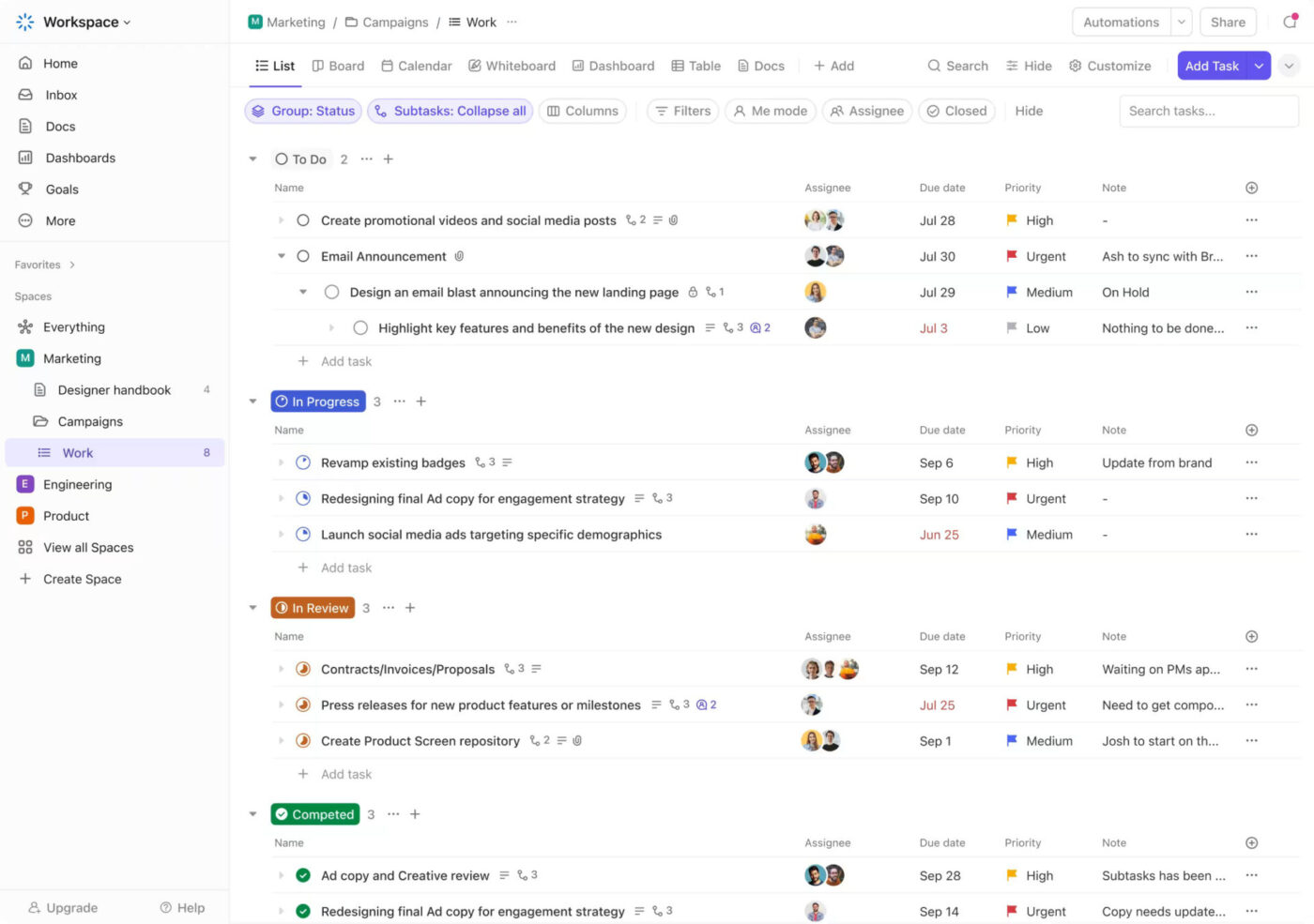
Every great presentation starts with an idea, but too often, those ideas scatter across email threads, chat messages, shared drives, and half-finished drafts.
Someone’s working on design in Google Slides, another is rewriting text in a Word document, and feedback arrives in screenshots. That’s Work Sprawl, when every step of a project lives in a different place. It slows teams down, increases errors, and makes version control almost impossible.
Now add disconnected AI presentation makers into the mix. One tool generates slides, another writes content, and a third creates AI-generated images. The result? AI Sprawl, which leads to perhaps beautiful but inconsistent decks that take longer to fix than to make.
ClickUp, as the world’s first Converged AI Workspace, brings together all work apps, data, and workflows, eliminating both work and AI sprawl.
On top of that, you don’t have to build everything from scratch. ClickUp’s project presentation templates provide a ready-made workflow for planning decks, assigning owners, tracking approvals, and linking slides to underlying tasks, all within the same workspace.
Here’s a quick rundown of how you can use ClickUp to ace your presentations and content strategies:
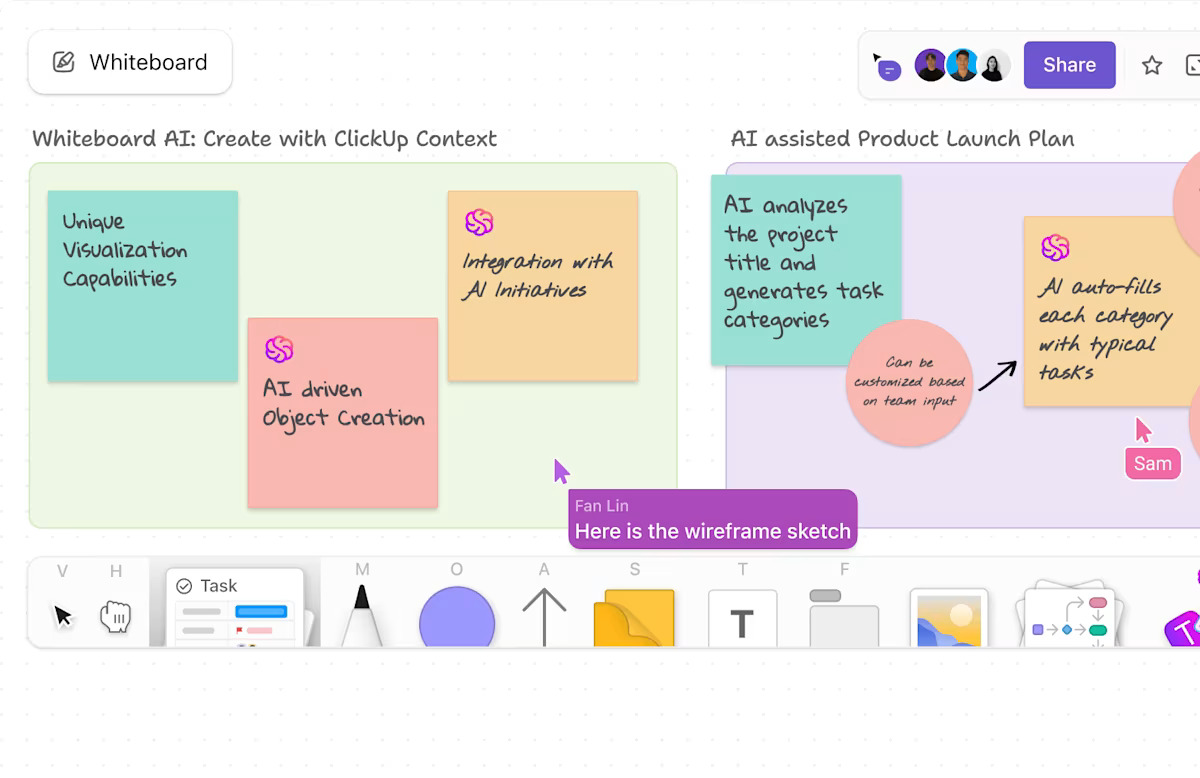
Before a single slide exists, teams need the story. ClickUp Whiteboards gives you a clean canvas to map it fast.
You can drop ideas as sticky notes, group them into sections, sketch a rough slide flow, and even generate on-brand visuals with the built-in AI image generator when you need quick concept art or slide motifs.
When something looks solid, turn that note into a task in one click so owners, due dates, and checklists are set. Because ClickUp Whiteboards stay connected to the rest of your workspace, every change to the story flows straight into the tasks that drive the final deck.
💡 Pro Tip: You can also ask ClickUp Brain to summarize your brainstorming sessions or generate slide titles automatically from your Whiteboard notes. It shortens prep time and ensures no idea is lost between brainstorming and production.
To see how AI can support writing and creativity beyond presentations, check out this guide on AI content writers.
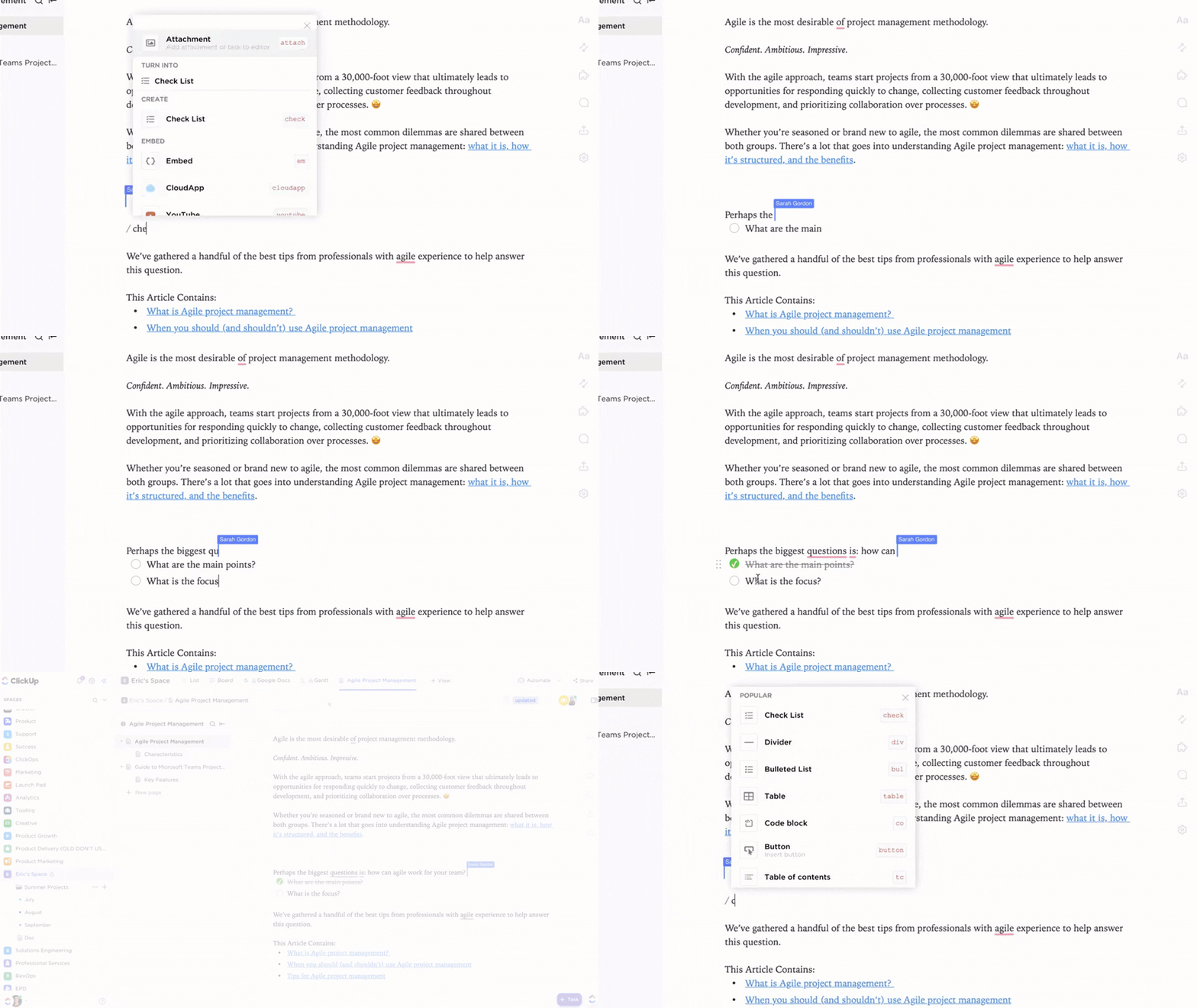
You’ve got the flow. Now turn it into words. Drop everything from ClickUp Whiteboards to ClickUp Docs so the deck has one source of truth.
Writers draft headlines and talking points in a document. Designers can then paste mockups next to the copy. Managers add inline comments right where decisions happen.
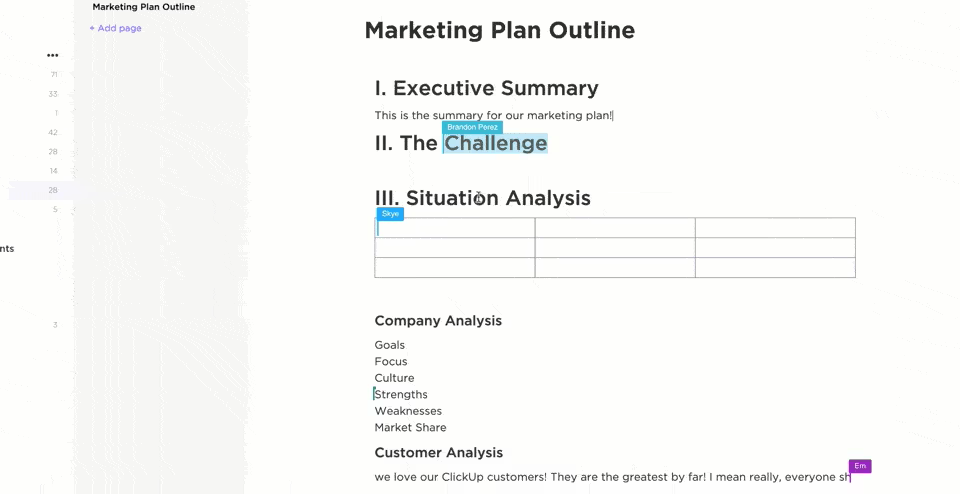
Plus, with ClickUp’s Collaboration Detection, you can instantly see when teammates are viewing or editing the same slides or docs. This way, you can avoid overlapping changes and coordinate updates in real time.
💡 Pro Tip: While building your presentation, use ClickUp Clips to record short videos explaining your slides, key data points, or design choices.
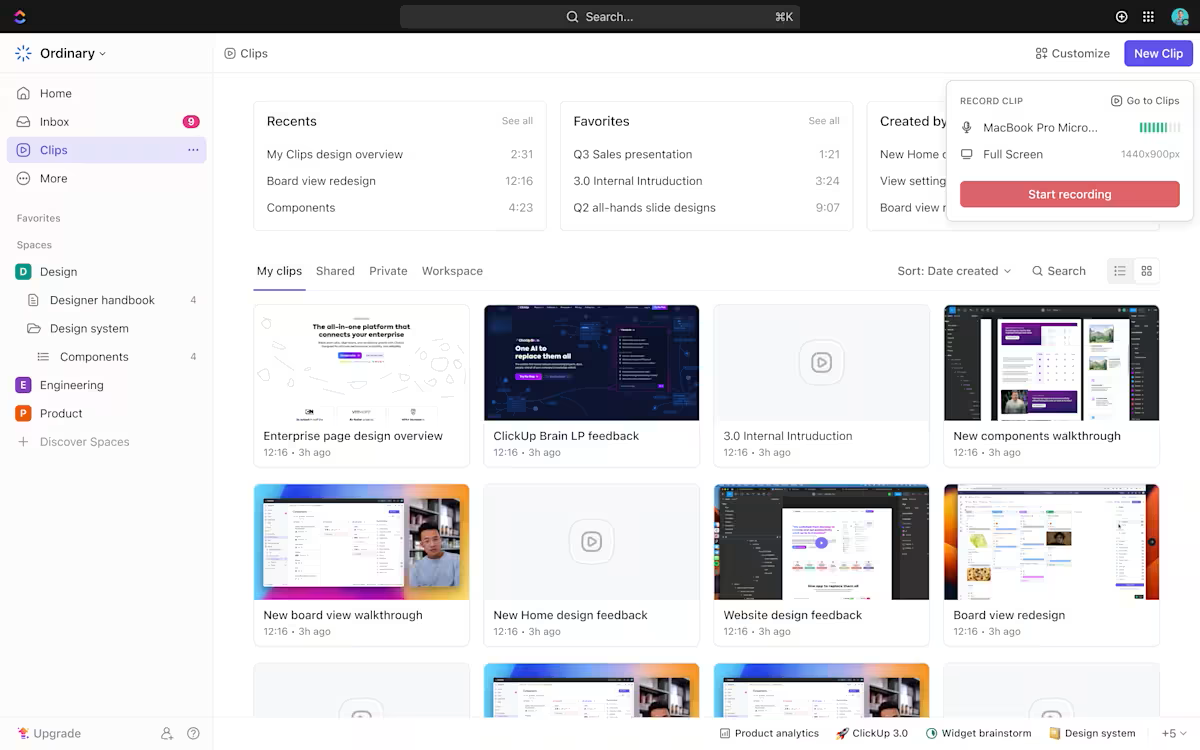
You can attach these Clips directly to your presentation tasks, so teammates can review your walkthroughs, leave comments, and get up to speed without needing a live call. This makes it easy for everyone to understand your vision and contribute feedback.
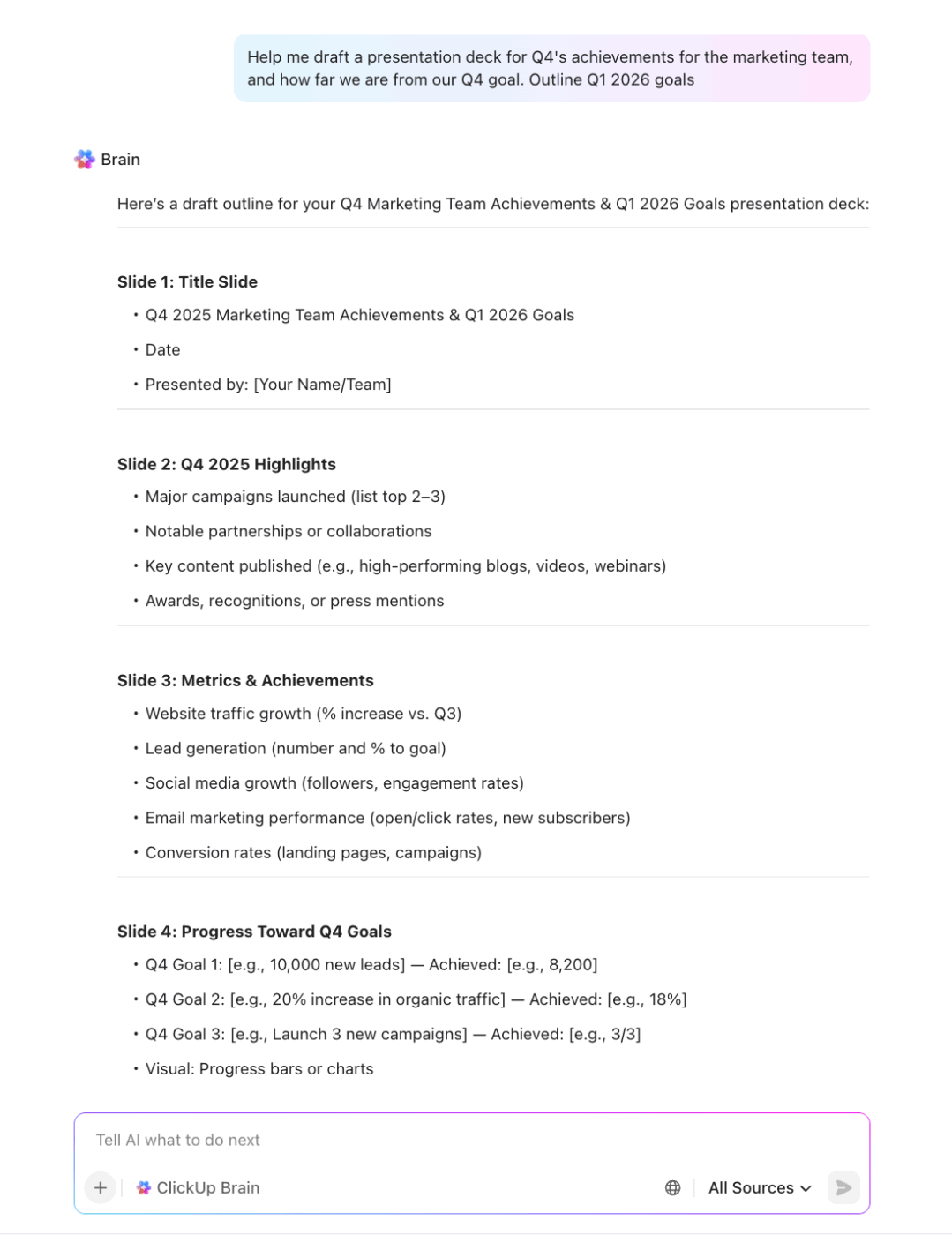
From there, ClickUp Brain and ClickUp BrainGPT can outline decks from existing docs and tasks, turn meeting notes into slide sections, and rewrite speaker notes in your brand voice.
Because they pull from your actual workspace context instead of a blank prompt, the narrative stays consistent across decks, campaigns, and channels.
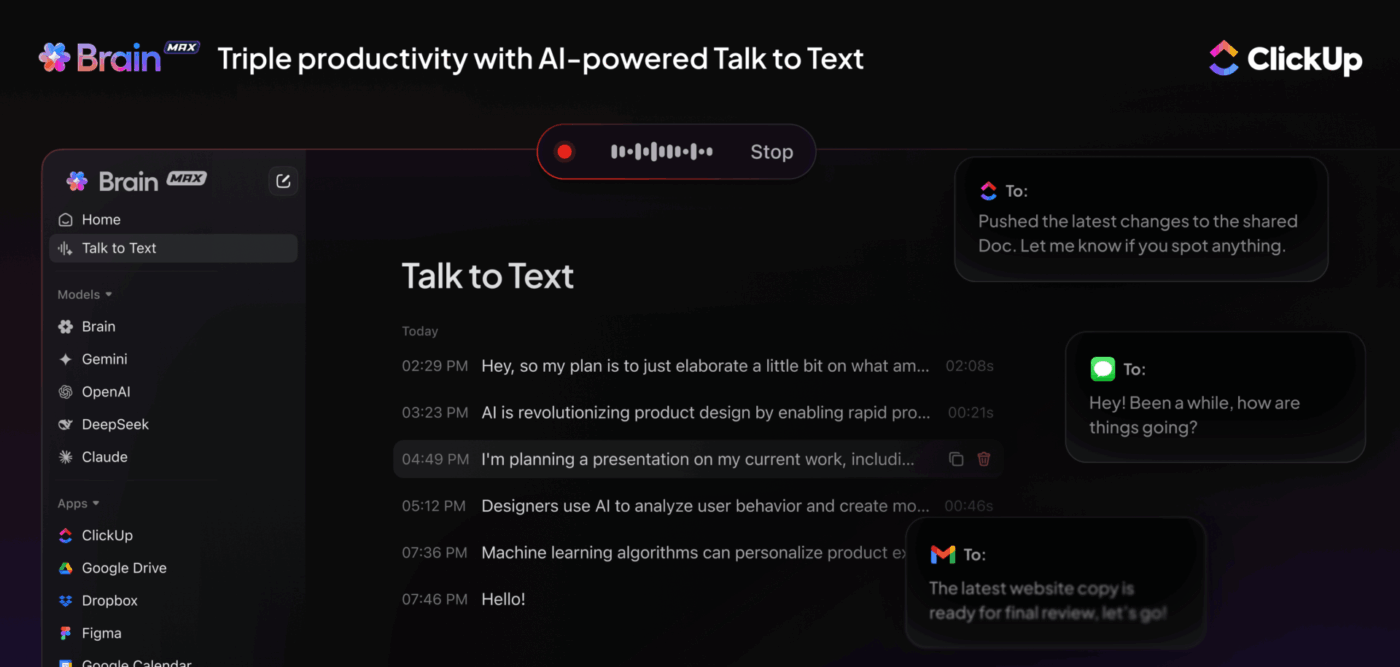
On a late night or in transit, use Talk to Text to capture ideas. ClickUp BrainGPT transcribes and slots them into the Doc, ready for review.
When you launch Slides or PowerPoint, your narrative is already well-structured, consistent with your brand, and nearly completed.
📌 Example: Let’s take the case of a startup founder preparing an investor pitch deck. They use ClickUp Docs to assemble highlights, including market trends, team bios, and growth metrics, and ClickUp BrainGPT organizes those recordings into a cohesive flow.
Later, the founder records voice notes explaining a new funding milestone; ClickUp BrainGPT automatically captures and integrates them. Instead of switching between multiple tools, the entire journey of creating the deck, from ideation to execution, works out in a single workspace.
The best part: you can switch between multiple premium LLMs like ChatGPT, Claude, Gemini, and more. This way, you use the harness for each model based on your needs.
We personally prefer Claude for in-depth and complex tasks, while Gemini and ChatGPT are better suited for quick edits and summaries.
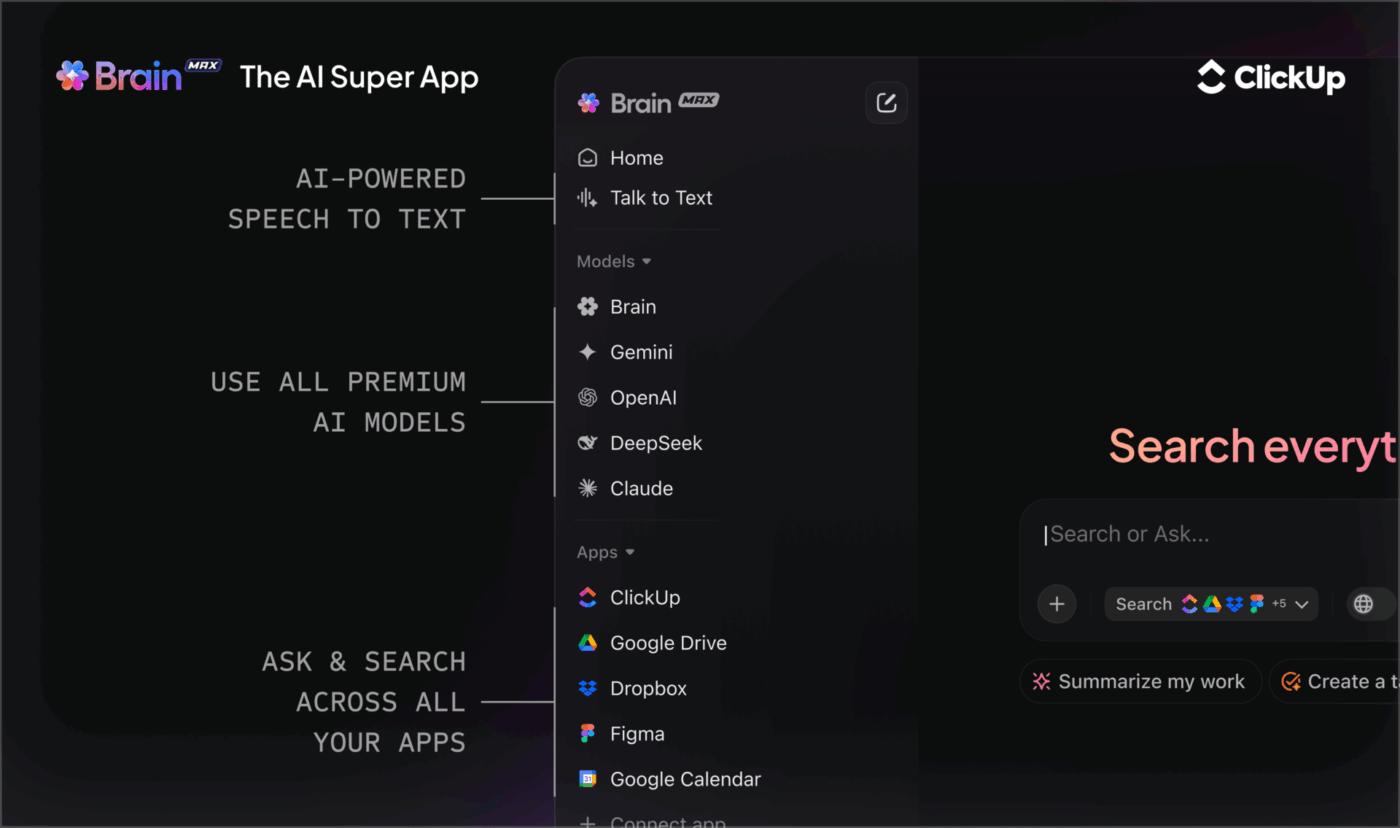
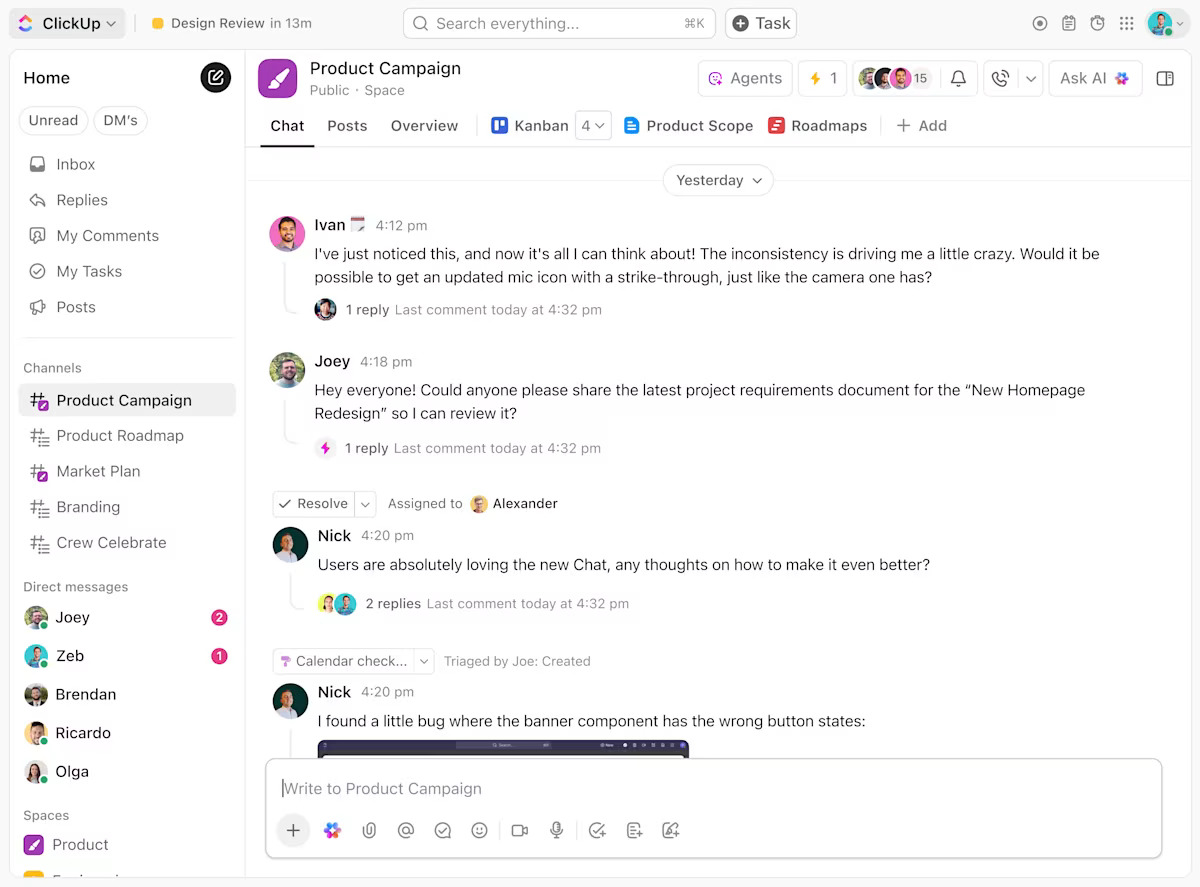
📖 Pro Tip: Use ClickUp Chat to instantly share ideas, gather feedback, and keep all your presentation discussions organized right alongside your slides and tasks.
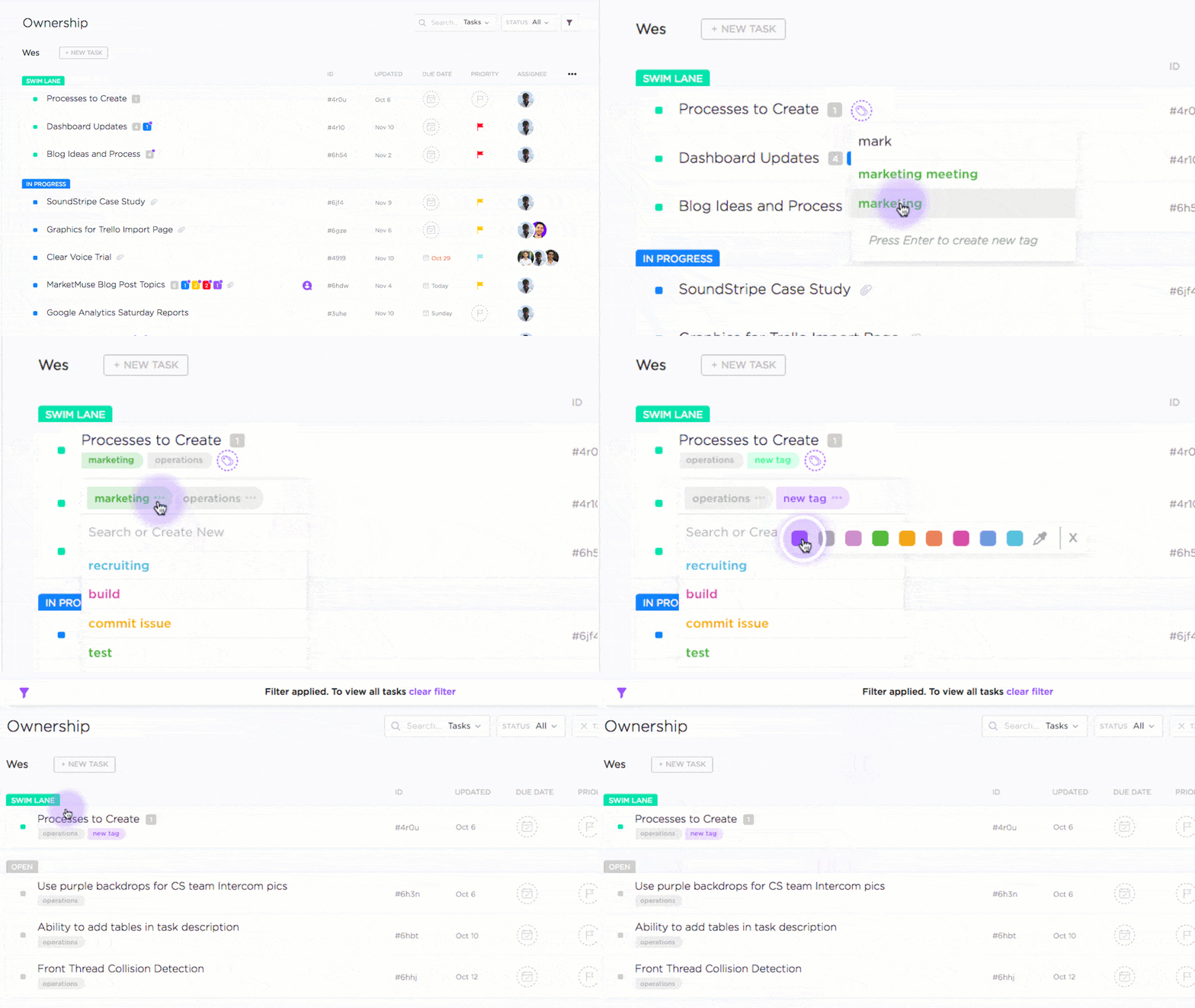
Now that the draft is in shape, keep feedback in one lane. Turn the deck into a task with ClickUp Tasks, break out slide groups as subtasks, and assign each an owner, checklist, and due date.
Add reviewers, set “design after copy approval,” and let automations ping the right people when it’s their turn.
Finally, to hit the ground running, ClickUp offers ready-to-use templates. Plan, draft, and organize your next deck faster with the ClickUp Presentation Template. It provides a ready-made workspace to outline ideas, assign feedback, and align your team before you ever open an AI presentation maker.
💡 Pro Tip: You can also use ClickUp Brain to summarize comment threads into a clean change log or next-step checklist, so designers and writers see exactly what changed between versions.
🤔 Did You Know: In a recent survey, 28% of designers report using AI tools to build stakeholder presentations, and 79% use AI to write content or copy for their slides—showing how creative teams now rely on AI for faster, more consistent results.
A G2 reviewer shared:
ClickUp is a great all-in-one platform for managing tasks and projects. I really like how customizable it is—you can tailor views, dashboards, and workflows based on how your team operates. The ability to set priorities, assign tasks, and track progress in real time keeps everyone aligned.
📖 Also Read: How the ClickUp Marketing Team Uses ClickUp
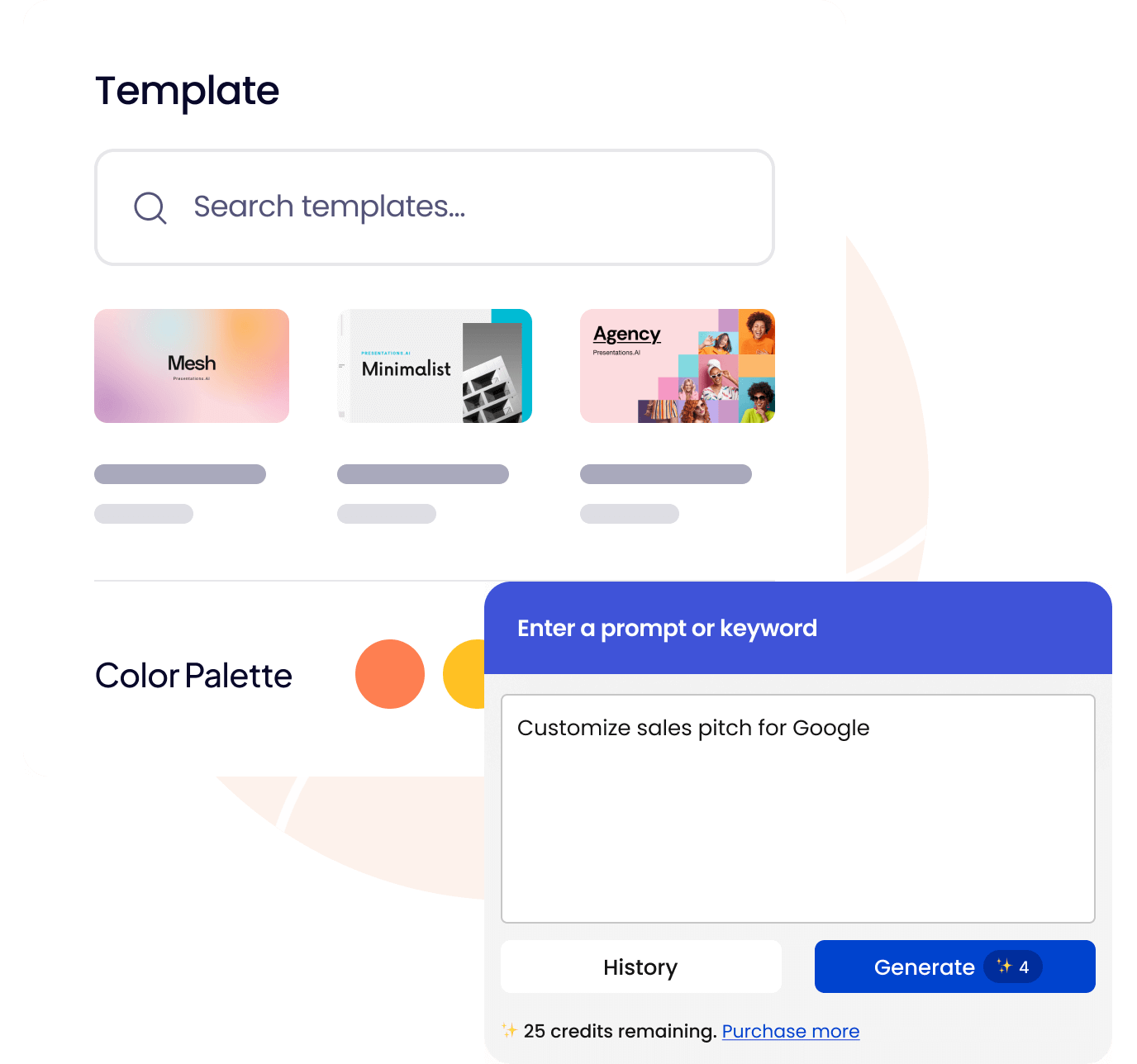
For teams that want to go from idea to deck in minutes, Presentations.AI is a straightforward AI presentation maker designed to create clean, branded slides automatically.
It’s especially popular with marketing teams and startups that need to pitch often but don’t have time to design each layout manually. The platform uses AI features to write copy, suggest visuals, and build slide sequences based on your input prompts.
What makes it stand out is how naturally it fits into modern workflows. You can upload a Word document, and the system turns it into a fully structured AI-generated presentation, complete with imagery, headlines, and transitions.
Each slide aligns with your brand colors, and you can export directly to Google Slides or PowerPoint for further customization.
🎥 Crafting a client presentation is more than putting pretty slides together—it’s your chance to persuade, build trust, and close deals. In this video, we’ll walk you through how to create a client presentation from scratch: structure, storytelling, visuals, and delivery tips that truly impress.
If you want client meetings that end with “when can you start?” instead of “let me think about it,” this is your blueprint.
📖 Also Read: AI-Generated Content Examples To Inspire Your Own
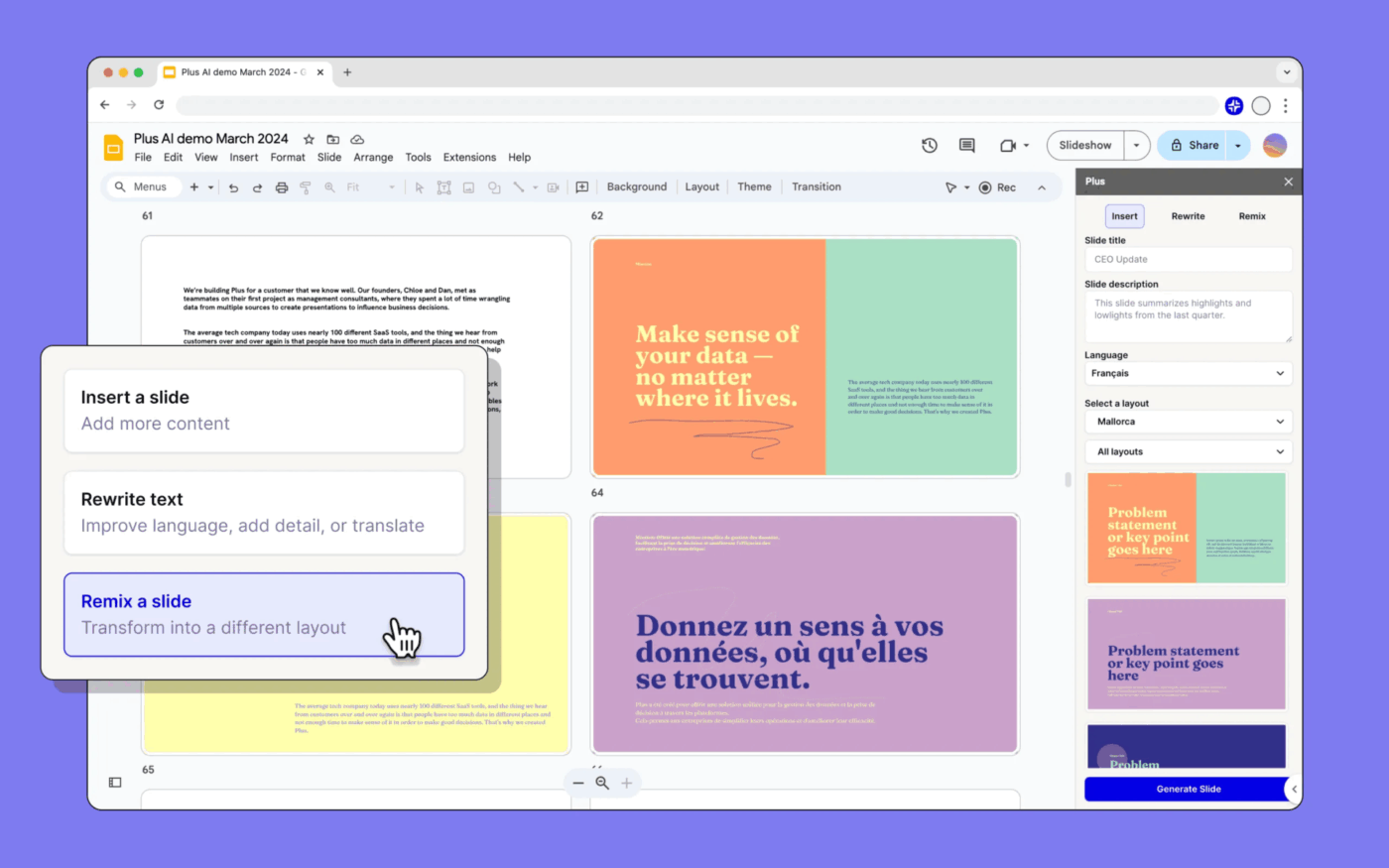
Plus AI is an AI presentation maker that integrates directly with Google Slides, making it ideal for teams already using Google Workspace.
It acts as an embedded AI presentation assistant that helps generate, edit, and improve slides without leaving your workspace. You can also prompt the tool to help draft outlines, refine tone, and even design AI-generated presentations that adapt to your brand guidelines.
This tool’s contextual AI features can rewrite paragraphs, summarize data points, or provide layout suggestions based on your content’s intent. Thus, making it especially useful for sales and marketing teams preparing quick, data-backed decks.
Team members also have the option to co-edit slides in real time, leave comments, and tweak designs together.
A user shared:
I highly recommend Plus to anyone who wants to make beautiful presentations, fast. It’s the best AI tool for Google Slides, and it has saved me hours of work and frustration.
🧩 Fun Fact: More than half of survey respondents now create presentations at least once a week, and a large share do it multiple times per week.
Tome is a story-first AI presentation maker built for creators who want their slides to feel cohesive and emotionally engaging rather than templated. It helps users turn raw ideas into structured, visually rich presentations.
It is ideal for creating pitch decks, marketing campaign proposals, and product explainers where storytelling matters as much as design.
Tome works by letting you start with a prompt or upload a Word document. Then, it automatically generates an AI presentation complete with titles, layouts, and tone suggestions. The integrated AI image generation feature fills slides with contextually accurate visuals, so you don’t need to search for stock images or manually design elements.
Collaboration feels effortless, too. Users can tweak slide order, rewrite sections, or replace visuals with their own images while teammates co-edit in real time. Each project lives in a shared workspace, and you can export decks to Google Slides or PowerPoint for final client delivery.
📖 Also Read: Best Tome AI Alternatives for Your Presentations

MagicSlides.app is an AI-powered presentation maker designed for users who want to create presentations directly within Google Slides, eliminating the need for an additional tool.
Its strength lies in how quickly it produces well-structured decks from a short prompt, making it one of the best AI presentation makers for students, marketing teams, and professionals who need quick results without losing quality.
The tool operates as a sidebar in Google Slides. Users type in a topic, select a tone and visual style, and the system generates a full deck complete with text, titles, and layouts.
MagicSlides.app also excels in early drafting. For example, a content manager summarizing quarterly outcomes can paste key points into the tool, and it automatically creates slide sequences with formatted headings and talking points. Users can refine colors, edit wording, or export the finished deck instantly, all inside Google Slides.
A reviewer shared:
I tried Magicslides for creating AI-based presentations. The tool works decently for generating quick slide drafts, but there’s definitely room for improvement.
📮ClickUp Insight: Low-performing teams are 4 times more likely to juggle 15+ tools, while high-performing teams maintain efficiency by limiting their toolkit to 9 or fewer platforms. But how about using one platform?
As the everything app for work, ClickUp brings your Tasks, Projects, Docs, Wikis, Chat, and calls under a single platform, complete with AI-powered workflows. Ready to work smarter? ClickUp works for every team, makes your work visible, and allows you to focus on what matters while AI handles the rest.

Visme is for teams that need more than slides. You can build presentations, reports, and one-pagers in one place without waiting on designers. Set your brand once (colors, fonts, and logos), and every template follows it.
For recurring work like pitch decks or monthly reviews, duplicate a base file, swap data, and keep layouts locked to avoid last-minute fixes. The AI tool can draft outlines from a prompt and suggest visuals. You also receive a big library of charts, animations, and short videos to explain tough topics clearly.
When you are done, export to Google Slides, PowerPoint, or PDF, or share a trackable link. Content teams can create and distribute from the same workspace instead of juggling tools.
A G2 reviewer says,
Visme provides a wide range of user-friendly templates, making it both creative and easy to navigate. It’s an excellent, easy-to-use tool with plenty of templates for creating videos, presentations, and infographics.

Beautiful.ai is for teams that want polished slides without micromanaging the design elements. It automates layout, spacing, and alignment as you add text, images, or charts, so decks look clean with very little effort.
Start with a smart slide, and the layout reorganizes itself to stay balanced. The AI also suggests the right visual format for your content, which is handy for pitch decks, client reports, and leadership updates.
Brand control is built in. Admins can lock fonts, colors, and logo placement to keep every deck on brand. It works with Google Drive, Dropbox, and Slack for easy sharing, and you can export to PowerPoint or PDF when you are done.
A G2 reviewer says,
I like the AI Bot that creates beautiful slides with great visuals. This enables one to create an entire presentation in a short time. It is better than other platforms because of the numerous templates available and the accuracy. The suggestions to shorten or change the tone of the text are also plus.
⚡️Template Archive: Free Project Presentation Templates
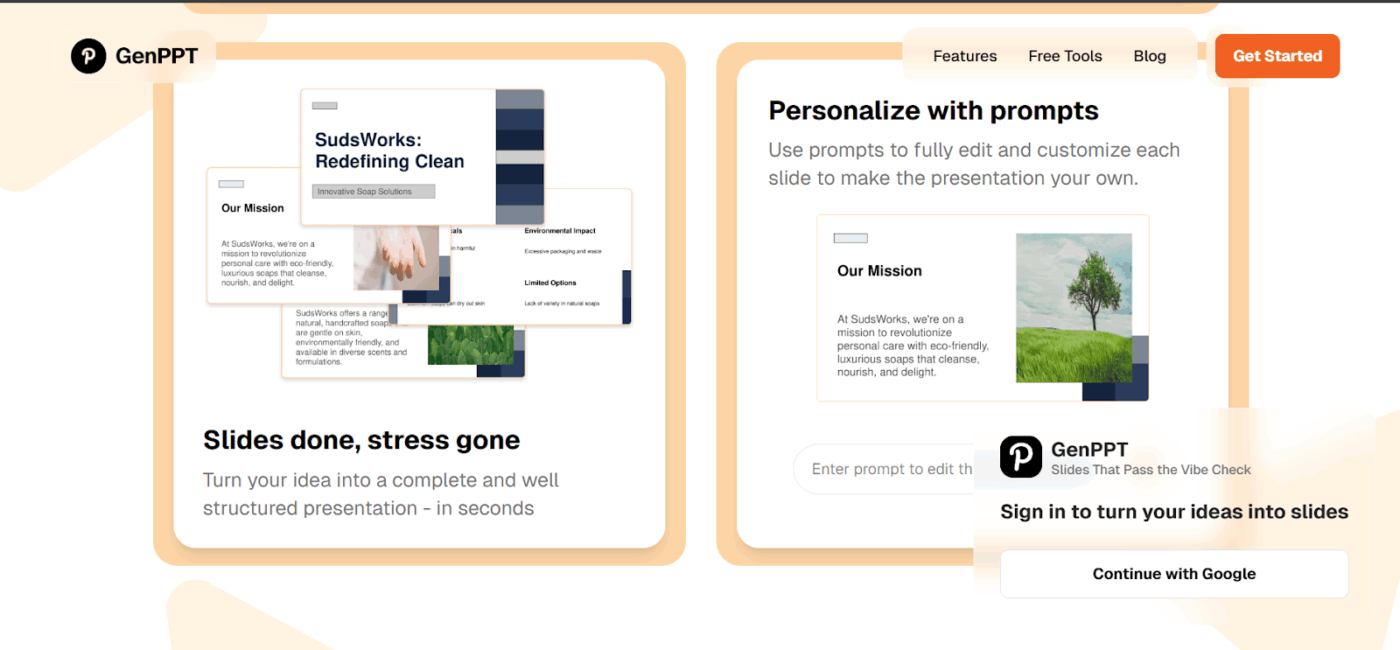
GenPPT is for anyone who wants data to tell a clear story without wrestling with slides. Upload a spreadsheet or a short summary, and it turns it into a ready deck with charts, insights, and slide text in minutes.
This Gamma AI alternative works well for analysts, educators, and business teams. Pick a presentation type like sales performance, marketing review, or investor summary, and it organizes your data into clean sections with the right visuals.
When it is time to share, export to PowerPoint, PDF, or Google Slides. You can tweak charts on the fly, so accuracy and design both stay on track.
A user says,
Brilliant AI presentation that struck the perfect balance between technical depth and accessibility. Clear examples and engaging delivery made complex concepts easy to grasp. The mix of practical applications and future implications kept everyone engaged.
📖 Also Read: Best AI Presentation Makers

Twistly AI is for teams that want presentations to feel like a visual story, not a corporate slide dump. Drop in a brief or a long report, and it turns it into an image-led deck that holds attention.
Creation is simple. Paste your text, and Twistly balances layout, typography, and flow automatically. It picks color palettes, transitions, and icons that fit the topic, then builds slides with editable text, stock visuals, and AI images that match your brand.
This Gamma AI alternative works well with Google Slides exports if you want extra control at the finish. Teams can co-edit, leave feedback in real time, and keep logos, fonts, and colors in a shared asset library so every new deck stays on brand.
A review says,
It’s amazing how quickly it turns simple text into nice-looking slides. The integration works perfectly and it’s way better and faster than the usual brower based tools, I don’t have to switch tabs and export files.
📖 Also Read: How to Prepare for a Presentation: Tips & Tools
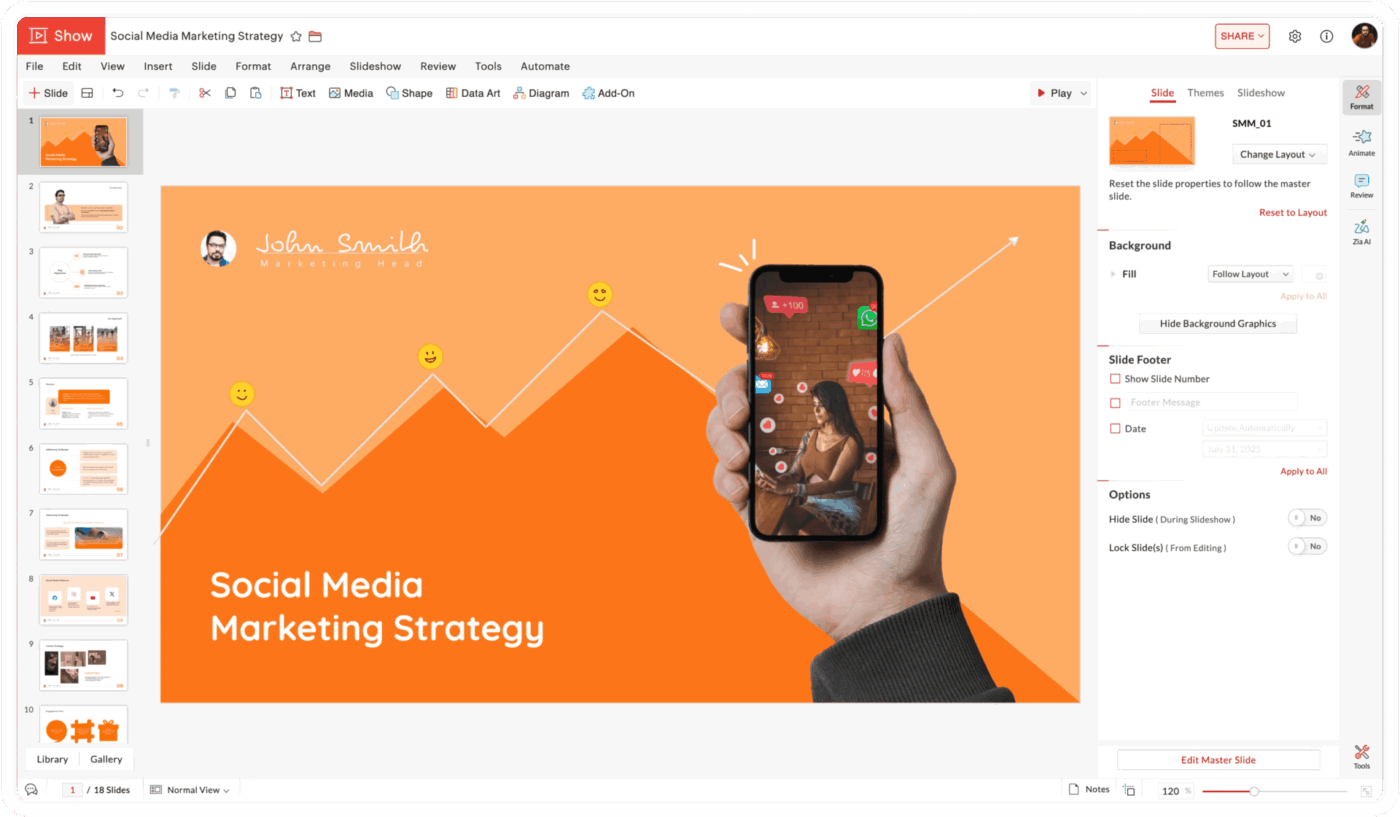
Zoho Show is a browser-based presentation tool for teams that care about collaboration and easy access. You can create, edit, and present in the same place as your docs and sheets, which makes it a good fit for small businesses and remote teams.
Work together in real time with comments and change tracking. Start from customizable templates or import a PowerPoint file and refine it. AI formatting helps with alignment, spacing, and clean layouts so slides look ready to share with minimal effort.
Export in PPTX, PDF, or HTML and share links for quick reviews. You can even present live from the browser and control slides remotely while viewers follow along. If you already use Zoho, it plugs into WorkDrive and Zoho CRM, so content and handoffs stay in one workflow.
A G2 reviewer writes,
Zoho Show is easy to use and works great on any device—especially mobile, which is perfect for quick edits on the go. The built-in Google image search speeds up visual creation, and PowerPoint imports keep the original formatting, making collaboration smooth.
🤔 Did You Know: As per a survey, over half of workers globally say they used AI at work in the last year, and about 14% use generative AI every day.
Switching from Gamma AI to a new AI presentation maker can feel like a quick upgrade, but many teams rush the process and lose time reformatting or retraining habits. The goal isn’t just to find another tool—it’s to rebuild a smoother, more reliable workflow that fits your team’s content and collaboration needs.
Below are the most common pitfalls teams face and how to avoid them.
A cheaper AI slide tool is not a win if every export breaks. Many teams only discover layout issues, font substitutions, or missing visuals after they have already migrated.
✅ Solution: Before you commit, build a small “stress test” deck with charts, brand colors, custom fonts, and animations, then export it to PowerPoint, Google Slides, and PDF.
Check how closely the exported file matches the on-screen version and how much cleanup it needs. If your team lives in editable PPTX or Google Slides, export fidelity should be a non-negotiable, not a nice-to-have.
It is tempting to pick the tool that generates the flashiest first draft. The problem shows up later, when every deck needs manual fixes to match brand guidelines or when teams have no shared place to review changes.
✅ Solution: When you evaluate Gamma AI alternatives, look beyond “prompt to slides.” Check whether you can lock brand kits, store shared assets, and keep comments, approvals, and versions in one place. A good AI presentation maker should support how your team collaborates every week, not just how it impresses in the first five minutes.
Another common mistake is dragging old Gamma decks into the new tool and hoping they “just work.” Different platforms handle layouts, spacing, and fonts in their own way, so copy-pasted slides quickly turn into cluttered, inconsistent decks.
✅ Solution: Treat the switch as a chance to rethink your slide system. Start by designing a small set of reusable master templates inside the new platform, aligned to your brand and common use cases like sales pitches, QBRs, or internal reviews.
Once those are tested and approved, rebuild or migrate your most-used decks using those templates so everything feels cohesive going forward.
📖 Also Read: Top SlidesAI Alternatives for Smarter Presentations
Even intuitive AI tools come with new prompts, settings, and export behaviors. Teams often underestimate the ramp-up, which leads to inconsistent usage and a lot of “how do I do this again?” moments.
✅ Solution: Plan short onboarding sessions for different roles: writers on prompting and structure, designers on layout controls, and managers on approval flows and sharing.
At the same time, lock in governance early by clarifying who owns templates, who can change brand settings, and how data and exports are stored. A few hours of structured setup pays off in faster, more reliable decks later.
📖 Also Read: How to Use AI in Content Marketing
If you’re still exploring options beyond the main Gamma AI alternatives, here are three AI-powered presentation tools gaining attention for their unique workflows and creative automation:
Switching presentation tools isn’t just about making slides; it’s about rethinking how ideas come to life. Whether you lean toward fast AI presentation makers like Plus AI or design-driven presentation software such as Visme, the goal stays the same: less tinkering, more storytelling.
When choosing your next Gamma AI alternative, look for tools that go beyond templates—ones that combine collaboration tools, customizable templates, and AI features that actually understand your brand.
The best alternative is the one that supports your creativity today and scales with your team tomorrow.
That’s where ClickUp stands out. It connects Docs, Whiteboards, and ClickUp Brain so you can plan, write, and present ideas all in one place. From outlining with Talk to Text to refining with AI-powered insights, ClickUp helps you save time while creating slides that truly stand out.
If you’re ready to build smarter, sharper presentations, try ClickUp for free today and turn every idea into something worth showing.
Many Gamma AI presentation alternatives lean harder into workflow and brand control rather than just web-first decks. For example, tools like Plus AI and MagicSlides run natively inside Google Slides or PowerPoint, so AI generation, editing, and collaboration all happen in the slide tool your team already uses.
Others, such as Visme and Beautiful.ai, emphasize advanced brand-governance features like brand kits, locked fonts/colors, and shared asset libraries, plus rich multimedia export options.
Platforms like ClickUp go beyond slide-making altogether by pairing AI with tasks, docs, whiteboards, and dashboards so you can manage the entire presentation workflow (not just the final deck) in one place.
Yes. Gamma supports export to PowerPoint (PPTX), PDF, PNG, and Google Slides on its paid plans, so you can move decks into standard presentation tools for further editing. Reviews note that most layouts transfer reasonably well, but complex designs may need light cleanup in PowerPoint or Slides after export.
Yes, several AI presentation tools offer free tiers or trials with capabilities comparable to Gamma’s core “prompt-to-deck” flow.
1. MagicSlides and Presentations.AI both provide free plans for generating AI-powered slides directly in or for Google Slides/PowerPoint. Zoho Show also has a free plan for collaborative browser-based presentations with AI-assisted formatting.
2. If you want to manage the whole presentation workflow (ideas → content → reviews → tasks), ClickUp offers a Free Forever plan with Whiteboards, Docs, tasks, and dashboards, and you can add ClickUp Brain as an AI layer on top via paid add-ons.
There’s no single “winner,” but a few tools stand out depending on what you care about most:
1. Presentations.AI positions itself very explicitly on automatic brand sync (logos, colors, fonts) and “high-fidelity PowerPoint exports free of layout issues,” which is strong if brand-safe PPTX handoff is your priority.
2. Visme focuses on brand kits, reusable templates, and multimedia exports (PPTX, PDF, web links), making it a good fit for marketing and design teams that need tight brand control across many formats.
3. Beautiful.ai offers locked brand settings and smart slides that auto-adjust layouts while still exporting cleanly to PowerPoint or PDF.
4. If you care more about process-level brand consistency (content, approvals, source-of-truth docs) than about the slide renderer itself, ClickUp is strong at keeping copy, assets, and guidelines centralized while you still export final decks through Google Slides or PowerPoint.
Start by exporting a few representative Gamma decks to PPTX or Google Slides and testing how they look in your shortlisted tool to catch any layout or font issues early. Then, rebuild a small set of master templates natively in the new platform (pitch, QBR, report) instead of copy-pasting every old slide.
Define a simple flow for where briefs, AI generation, design, and approvals live in your new stack, and document it. Finally, run short training sessions for writers, designers, and approvers so prompts, brand controls, and export settings are clear before you roll it out on live projects.

© 2026 ClickUp

There’s an easier way. Try a free AI Agent in ClickUp that actually does the work for you—set up in minutes, save hours every week.