
Sorry, there were no results found for “”
Sorry, there were no results found for “”
Sorry, there were no results found for “”
The biggest problem with REST is that people don’t understand what it is.
You’re scrolling through social media, ordering food from your favorite app, and checking work notifications—all at the same time.
What makes this seamless experience possible?
REST APIs—the invisible messengers that allow different applications to communicate, share data, and function smoothly.
From project management tools like ClickUp to social media platforms like Twitter, REST APIs power most of today’s web services.
This guide examines the what, why, and how of REST APIs that have transformed software development methodologies for building and scaling modern applications.
REST APIs enable seamless communication between applications, following principles like statelessness, cacheability, and uniform interfaces to ensure scalability and reliability.
They power modern web services for data integration, automation, and cloud computing, used by companies like ClickUp, Google, Twitter, GitHub, and Amazon S3 for task management, social interactions, and software development.
Compared to GraphQL and SOAP, REST APIs offer simplicity and flexibility, making them the go-to choice for developers seeking scalable and maintainable solutions.
How ClickUp enhances API workflows:
To optimize REST APIs, prioritize security, optimize queries, and follow best practices for smooth integration and performance.
📝 A REST API (Representational State Transfer API) lets apps and software talk to each other using standard HTTP methods like GET, POST, PUT, and DELETE—similar to how websites load when you type a URL.
These APIs act as intermediaries between clients (e.g., web apps, mobile apps) and servers, enabling data exchange, automation, and integration.
REST (Representational State Transfer) operates on architectural constraints that ensure APIs are scalable, reliable, and easy to maintain. These constraints define how data is accessed and manipulated over the web.
Key REST constraints:
Imagine a food delivery app that connects restaurants, customers, and delivery drivers.
This real-world REST API example shows how multiple requests are used to process transactions efficiently.
REST APIs drive everything from online shopping and social media to cloud storage and smart devices—making them one of the most versatile tools in tech.
Logging into a site with your Google account? That’s a REST API at work—enabling seamless front-end and backend communication.
E-commerce platforms, for example, use REST APIs to manage product catalogs, user accounts, and order processing.
Applications often rely on external services to add features.
For instance, are you shopping online? E-commerce platforms use payment gateways like Stripe or PayPal, which send a POST request to process transactions securely. And additionally, use mapping services like Google Maps APIs to provide geolocation and routing functionalities.
REST APIs are used to fetch and synchronize data between systems.
For example, Instagram’s REST API pulls in your feed, loads comments, and updates your profile—all in real-time IoT (Internet of Things)
Smart devices send multiple requests to cloud servers to adjust thermostat settings, track fitness data, or monitor home security.
REST APIs facilitate communication between microservices in distributed systems, making it easier to build scalable and modular architectures.
Tools like Zapier and Slack use REST APIs to automate tasks by connecting different applications, enhancing productivity and efficiency.
📖 Also Read: Best SaaS Tools (Features, Pricing)
Let’s break down REST API essentials—clear, simple, and jargon-free. Whether you’re learning or refreshing, these basics matter.
Think of endpoints as the front door of your REST API—they’re where requests come in. Each endpoint corresponds to a specific resource or function, like fetching a user profile or posting a new comment.
REST APIs use HTTP requests to define what action you’re taking:
This makes your requests easy to understand and highly standardized
These APIs typically use lightweight and human-readable JSON for data transfer. This ensures compatibility across systems while maintaining document version control when working with evolving API versions.
A RESTful API must enforce strong data security precautions. Authentication (like tokens) and encryption (via HTTPS) protect sensitive data and prevent unauthorized access.
Every REST API interaction returns a status code (e.g., 200 for success, 404 for not found), providing clarity on the result of your request.
This highly intuitive architecture has seen massive adoption because of its simplicity and versatility, powering most of the Internet today!
👀 Did You Know? Real-time gaming leaderboards, like those in Fortnite or PUBG, fetch live stats using REST APIs.
REST APIs, or RESTful APIs, are the backbone of modern web services, making data sharing between applications seamless. Here’s why they stand out:
As we’ll see, these advantages make REST APIs especially useful compared to other common APIs.
📖 Also Read: How to Write Effective Test Cases
Choosing between REST, GraphQL, and SOAP depends on your project needs—let’s compare their key differences. Here is a quick look comparing their key characteristics and how they stand against each other:
| Feature | REST API | GraphQL | SOAP |
| Architecture style | Resource-based | Query language | Remote procedure call (RPC) |
| Data exchange | HTTP methods (GET, POST, PUT, DELETE) | GraphQL query language | XML messages |
| Security | Supports various mechanisms like OAuth, JWT, and basic auth for REST API security and secure data exchange | Similar to REST, it requires careful consideration for authorization | Built-in security features like encryption and digital signatures |
| Request format | URL with query parameters | GraphQL query | XML message with SOAP envelope and headers |
| Data fetching | Over-fetching or under-fetching of data | Fetches only the required data | Fetches more data than needed |
| Learning curve | Relatively easy to learn | Requires learning GraphQL query language | Steeper learning curve due to complex XML structure |
| Performance | Generally faster and more efficient | It can be efficient, especially for complex data fetching | It can be slower due to XML parsing and overhead |
| Flexibility | Less flexible, fixed endpoints | Highly flexible, clients can specify the exact data they need | Less flexible, predefined operations |
| Common use cases | Web APIs, mobile apps, IoT devices | Complex applications with dynamic data requirements | Enterprise applications, legacy systems |
In essence, REST API, GraphQL, and SOAP are three distinct approaches to building web APIs:
Which one is right for you? It depends on complexity, performance, security, and developer experience.
💡 Pro Tip: No matter what API you use, prioritize security using authentication and authorization mechanisms like OAuth, API keys, or token-based authentication.
REST APIs, or RESTful web services, allow systems to communicate over the web using standard protocols. Here’s a quick overview of how REST APIs work and why they’re so widely used.
At the core, REST (Representational State Transfer) relies on HTTP, the protocol that powers websites. A client sends an HTTP request to an API’s endpoint (URL) to perform specific actions, such as fetching, creating, updating, or deleting data.
For example, a GET request retrieves data, while POST sends new data to the server. These requests follow a uniform interface, ensuring consistency and simplicity in communication.
REST APIs often use JSON for lightweight, human-readable data exchange, unlike older systems like Simple Object Access Protocol (SOAP), which is more complex. JSON’s simplicity makes it ideal for modern web and mobile applications.
Security is critical, and REST APIs ensure secure data exchange through methods like HTTPS encryption and token-based authentication. This keeps data safe from unauthorized access.
🧠 Fun Fact: While REST APIs commonly use HTTP, they can also work with other protocols, like WebSockets or email, in theory!
Here are some practical REST API examples where multiple REST API requests are used for different actions:
ClickUp is the everything app for work that combines project management, knowledge management, and chat—all powered by AI that helps you work faster and smarter.
Now, you can leverage ClickUp’s powerful features in your software development environments thanks to the powerful ClickUp API—no coding skills are required!
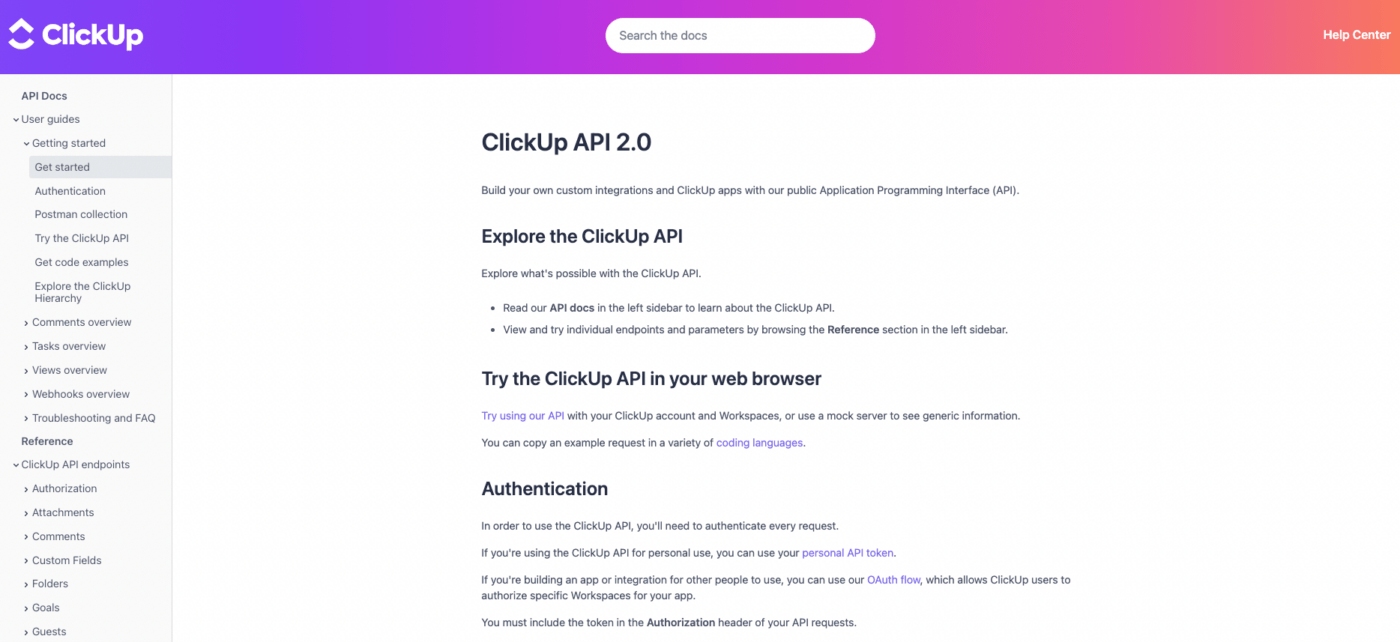
The ClickUp API, one of many open APIs available, lets you integrate ClickUp’s functionality into third-party applications, making your workflows more efficient and connected.
By sending specific API calls, you can instruct external programs to pull, view, and update your Workspace data from virtually anywhere.
With the ClickUp API, you can supercharge automation beyond the app itself. Add tasks on the fly, attach files from other tools, track time, or even send yourself random motivational comments (because self-love matters, too!).
Use the best ClickUp integrations to your advantage. Connect ClickUp with tools like Slack to push updates when tasks are created or sync with external systems like Salesforce for smoother team collaboration and data flow.
Simplify repetitive tasks—assign leads in Salesforce, automatically update task statuses, or trigger actions across platforms to save time and energy.
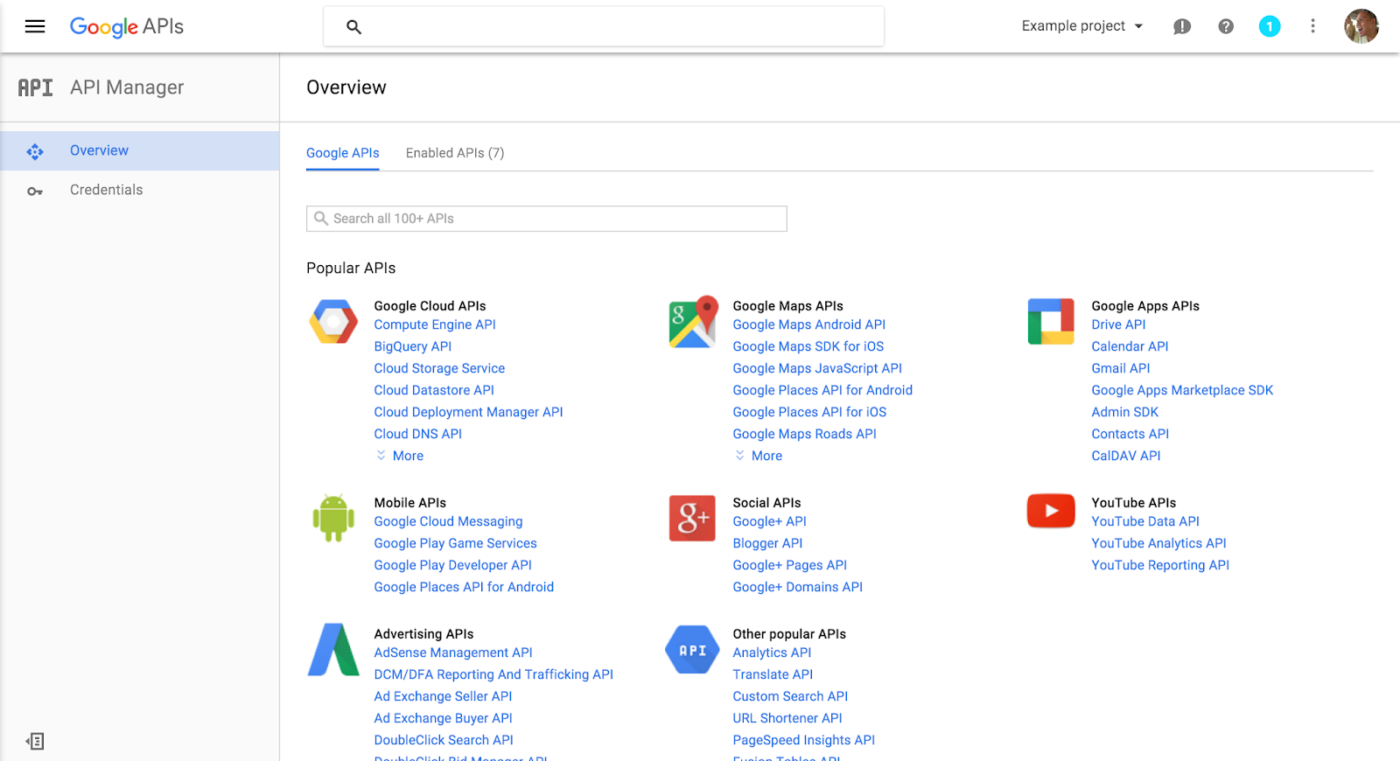
The Google API Explorer is a handy tool for testing Google API methods directly from your browser without writing any code.
It’s available on most REST API reference pages and works with actual data, so caution is advised when using methods that create, modify, or delete information.
Google APIs enable powerful integrations across a wide range of services. For example:
The X (formerly Twitter) API provides advanced programmatic access to X’s core features, allowing developers to interact with Posts, Direct Messages, Spaces, Lists, and users.
With a wide range of endpoints and features, the API unlocks endless possibilities for integration and innovation.
Not sure where to start? The ‘What to Build’ page offers inspiration, showcasing ways the X API can help you:
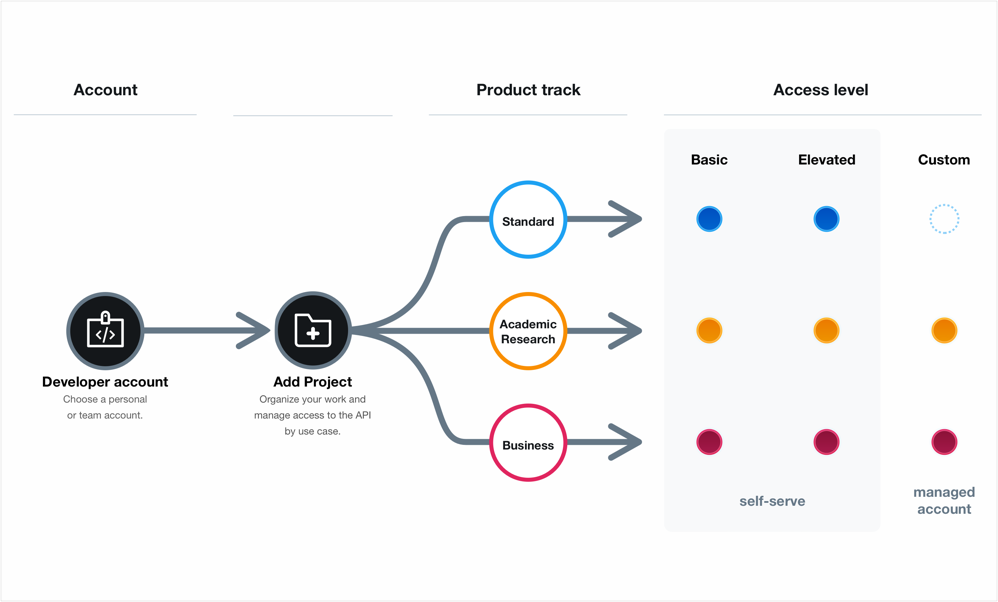
Accessing the X API is flexible, with three tiers: Free, Basic, and Pro (the latter two are paid).
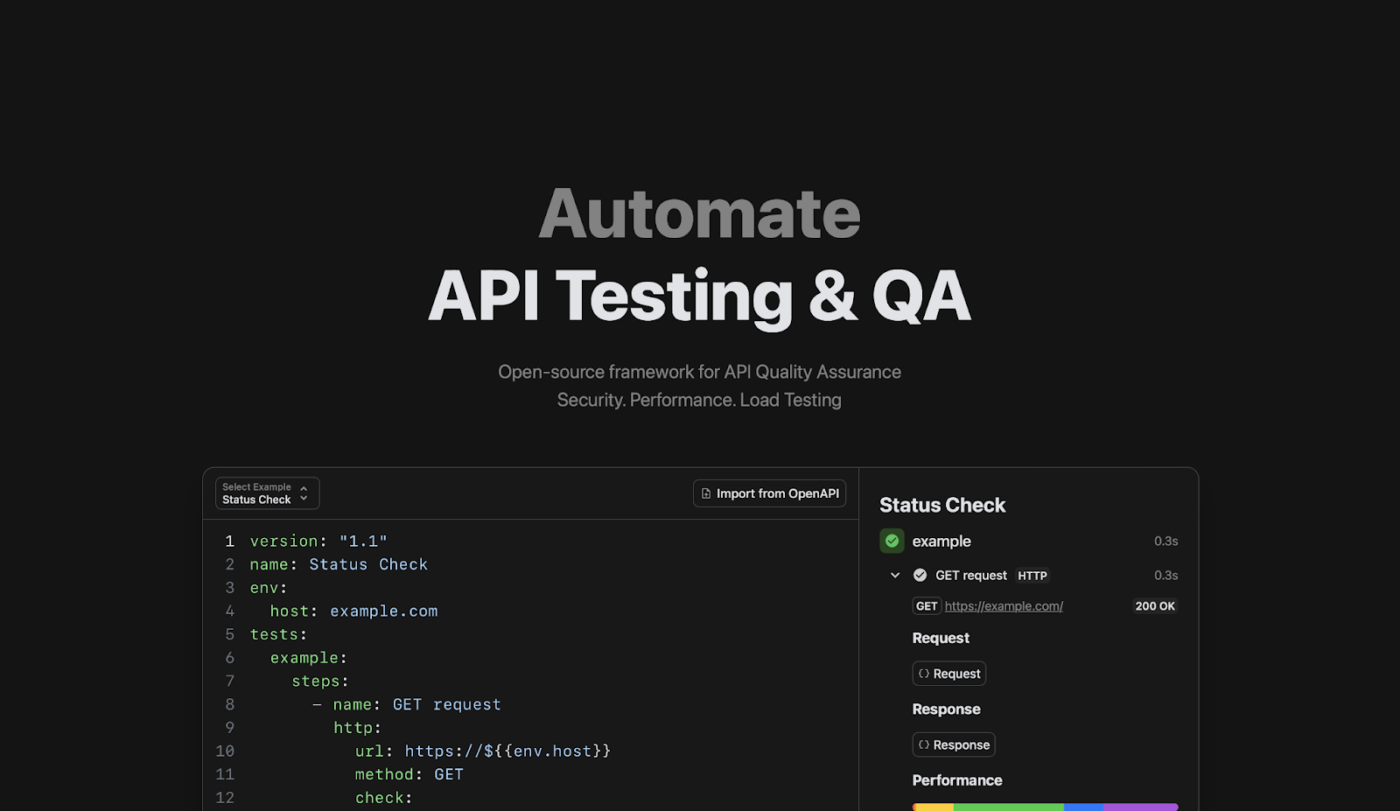
The GitHub REST API empowers developers to integrate GitHub features, retrieve data, and automate workflows seamlessly.
You can access specific resources like repositories, commits, or issues by interacting with existing resources and navigating paginated responses.
The API lets you:
💡 Pro Tip: With the GitHub integration with ClickUp, you can automatically track commits, merges, and pull requests within task activity feeds.
Amazon S3, part of Amazon Web Services (AWS), is a scalable object storage solution with a RESTful API design for seamless integration and accessibility.
Support for HTTP requests allows developers to store and retrieve any type of data, enabling use cases like internet application storage, backups, disaster recovery, and data lakes for analytics.
The S3 REST API enables efficient client and server interaction, delivering self-descriptive messages and metadata through response headers.
Amazon S3 can also replace traditional static web-hosting infrastructure, offering features like index and error document support for hosting websites.
Companies like Netflix rely on Amazon S3 as their storage backbone, leveraging tools like S3mper to manage metadata and mitigate the challenges of eventual consistency using DynamoDB.
For software teams looking to enhance their REST API workflows, the Software Team Project Management Software by ClickUp offers a complete solution to plan, build, and ship—all in one place.
As an everything app for work, it centralizes cross-functional teamwork, tools, and knowledge, simplifying the entire development lifecycle.
ClickUp adapts to your workflow—whether you use Kanban, Scrum, or something custom.
It lets you optimize backlog management, automate repetitive tasks, and focus on delivering impactful results.
Still not convinced? Here’s what ClickUp power user Abraham Rojas, Delivery Team Manager at Pattern, has to say:
We use ClickUp to track our software development projects in-house; managing multiple projects and teams makes things easier for me, this is one of the best tools I have used so far for handling my scrum and modern agile projects.
📮ClickUp Insight: 33% of our respondents point to skill development as one of the use cases they’re most interested in. For example, non-technical workers may want to learn to build code snippets for a web page using an AI tool.
In such cases, the more context the AI has about your work, the better its responses will be. As the everything app for work, ClickUp’s AI excels at this. It knows what project you are working on and can recommend specific steps or even perform tasks like creating code snippets easily.
Here are some key features that make ClickUp a fantastic support system for software development workflows, whether you use REST APIs or not:
Using ClickUp Docs for technical documentation is like having a blank canvas ready to transform into an API masterpiece, whether jotting down notes or crafting complex, detailed documents.
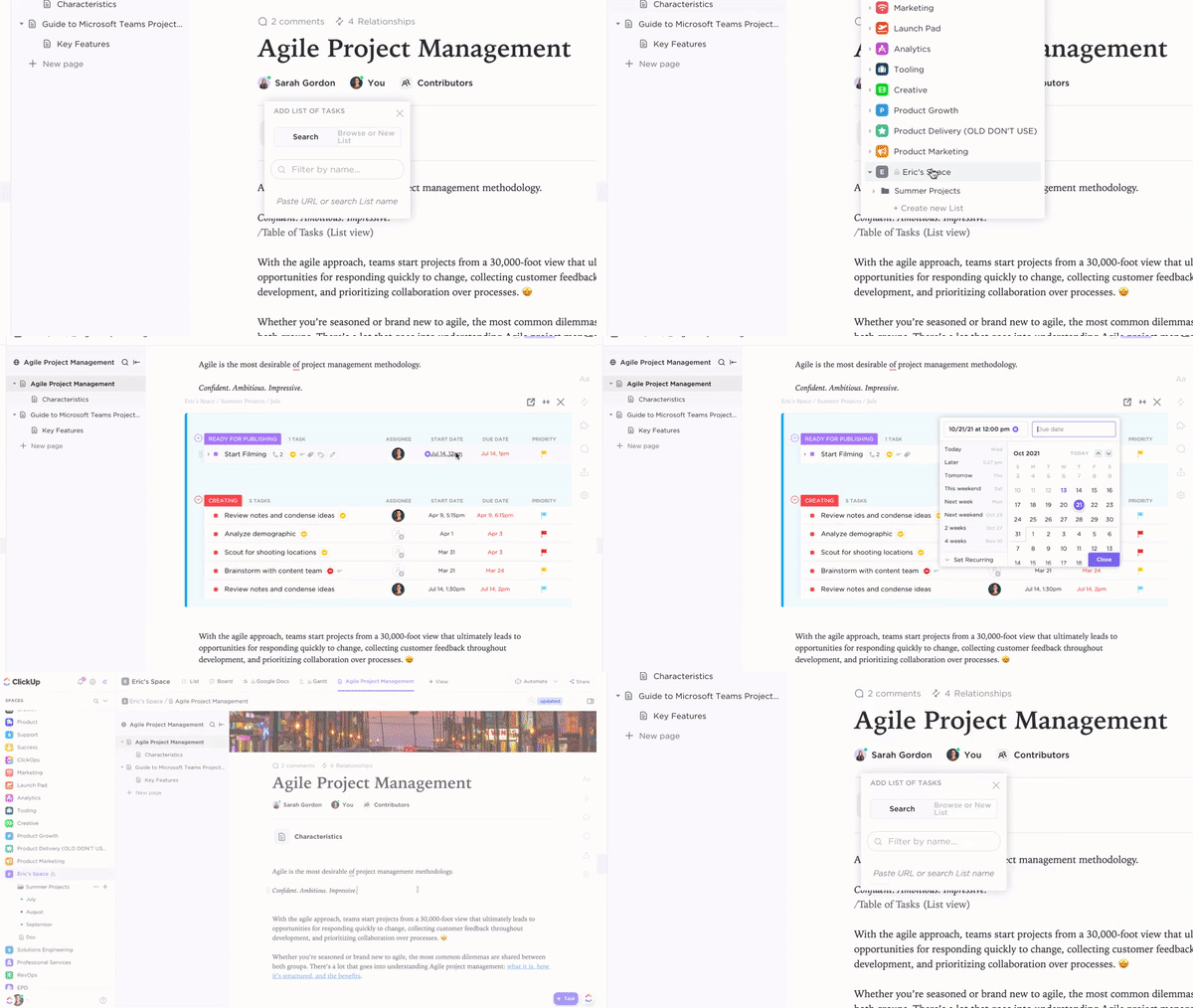
ClickUp makes API documentation dynamic, organized, and fully integrated into your workflow.
ClickUp Custom Fields brings API task tracking to another level, letting you categorize, filter, and manage key data points.
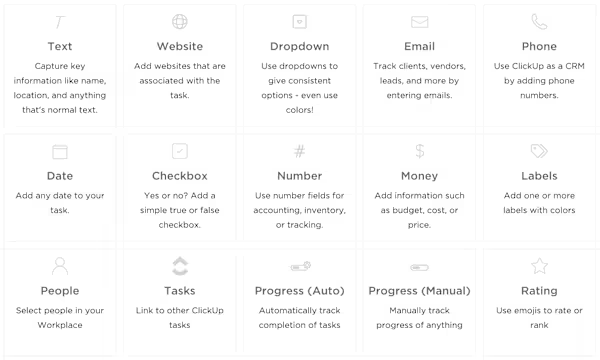
Custom Fields keep API workflows structured and searchable so nothing slips through the cracks.
ClickUp Dashboards ClickUp Dashboards turn your workspace data into custom visual reports, helping teams track API development in real-time.
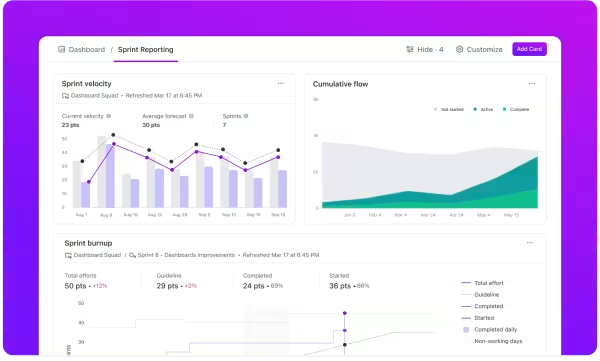
With Dashboards, you always have a clear snapshot of API progress—no digging required.
ClickUp Whiteboards and ClickUp Mind Maps help in collaborative API design, effortlessly turning concepts into action.

You can plan, refine, and execute API workflows seamlessly with Whiteboards and Mind Maps.

Tired of manual status updates, bug tracking, and notifications? ClickUp Automations handle it for you.
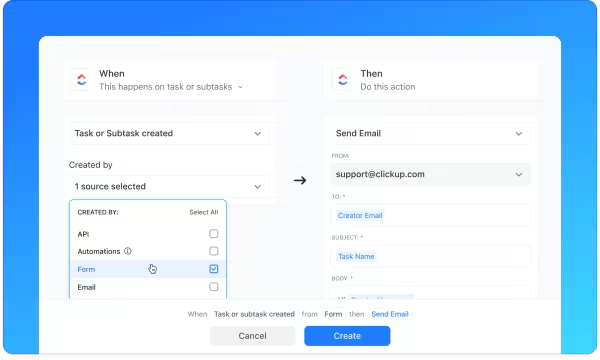
With 100+ pre-built Automations, ClickUp removes friction from your API workflows.
REST APIs power modern web services, but their design and usage come with complexities that can impact performance and security:
Implementing best practices ensures REST APIs remain efficient, secure, and easy for requesting clients to use effectively:
Follow these best practices using software like ClickUp to derive maximum benefit from your REST APIs.
💡 Pro Tip: Implement pagination to prevent server overload and improve response time when handling large data sets.
APIs power the modern web, and REST APIs are one of the simplest ways to connect apps and services.
However, managing API-based workflows can sometimes feel overwhelming. That’s where tools like ClickUp come in handy.
For software teams, ClickUp streamlines API-related tasks by offering Custom Fields, Dashboards, and Automations to optimize workflows, testing, and debugging. It even integrates with your favorite tools, ensuring everything is organized in one place.
Sign up for ClickUp today to simplify API implementation!

Praburam Srinivasan
Max 13min read

Arya Dinesh
Max 16min read

Preethi Anchan
Max 17min read

© 2026 ClickUp