








Still downloading templates?
There’s an easier way. Try a free AI Agent in ClickUp that actually does the work for you—set up in minutes, save hours every week.
Sorry, there were no results found for “”
Sorry, there were no results found for “”
Sorry, there were no results found for “”

You know those brands that always seem to send the right email at the right time?
A discount code right before payday. A reminder about that item you left in your cart. An alert that your size is back in stock.
That’s not luck—it’s strategy. An email marketing calendar helps you plan ahead, stay consistent, and send emails that feel timely and relevant.
This blog post will show you how to create an email marketing calendar that keeps your audience waiting for a notification. 💁
An email marketing calendar is a strategic tool for planning, organizing, and scheduling email campaigns. It provides a clear overview of upcoming emails, ensuring consistency, relevance, and timely delivery while aligning with marketing goals.
An email marketing calendar helps with:
🧠 Fun Fact: The first-ever marketing email was sent in 1978 by Gary Thuerk to just 400 people. Surprisingly, it generated a whopping $13 million in sales! Talk about a high ROI before email spam laws existed.
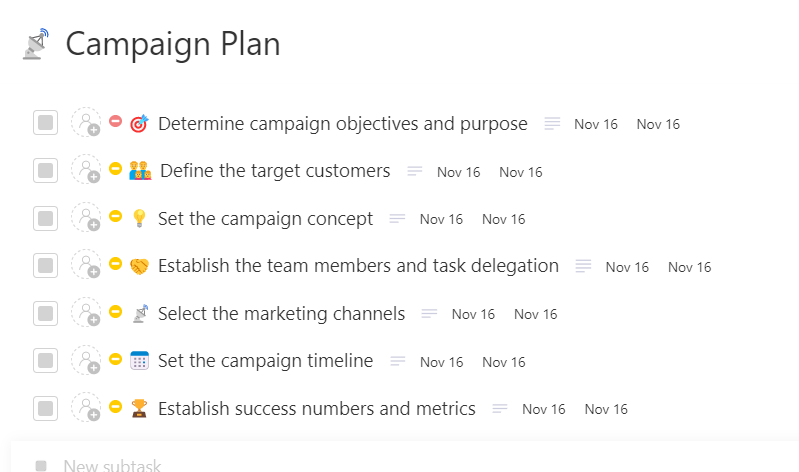
Stop juggling spreadsheets and scattered notes—this Campaign Plan Template from ClickUp brings your entire campaign workflow into one clear, actionable space. Brainstorm ideas, map out sends, assign tasks, and track progress without losing momentum. With everything organized and visible, your team can plan smarter, move faster, and launch campaigns that actually land.
Winging email campaign management is a fast track to missed opportunities. A solid calendar keeps everything running smoothly, so every email hits the mark.
Here’s what you must include. 👇
🤝 Friendly Reminder: The ‘One CTA’ rule is a myth. While your primary call-to-action should stand out, including multiple clickable links (in different formats) increases engagement chances and ends an email professionally.
Forget last-minute email chaos.
A smart marketing calendar organizes everything, helps you stay ahead, and ensures that every email is delivered on time.
Let’s get into how to build one that works. ⚒️
Every email should have a specific goal—sending emails without a clear objective leads to low engagement and wasted effort.
Here are some campaign goals you can explore. 👀
🔍 Did You Know? The CAN-SPAM Act of 2003 was an asset for email marketing. It forced marketers to play nice—no more sneaky subject lines or sending emails without an unsubscribe option (unless you enjoy hefty fines).
An email marketing calendar is only as effective as the tools supporting it. Without the right platform, email automation, scheduling, and tracking become a headache.
Here’s what to consider when choosing a tool:
📮 ClickUp Insight: 37% of our respondents use AI for content creation, including writing, editing, and emails. However, this process usually involves switching between different tools, such as a content generation tool and your workspace.
With ClickUp, you get AI-powered writing assistance across the workspace, including emails, comments, chats, Docs, and more—all while maintaining context from your entire workspace.
Timing is key—consistent, well-planned emails boost engagement, while random or excessive sends drive disengagement.
Start by identifying key dates like product launches, seasonal trends, and industry events. Planning ahead helps create well-timed, purposeful campaigns rather than last-minute rushes. For example, if you’re running a holiday promotion, start with teaser emails weeks in advance, follow up with reminders, and send last-chance offers as the deadline approaches.
Additionally, testing different email frequencies helps find the right balance. Sending too often can overwhelm subscribers, while long gaps can make them lose interest.
Mixing content types also improves engagement. Instead of sending promotional emails back-to-back, alternate with newsletters, product updates, or insights that provide value. For example, a fitness brand can send workout tips one week and a sale on gear the next to keep content fresh.
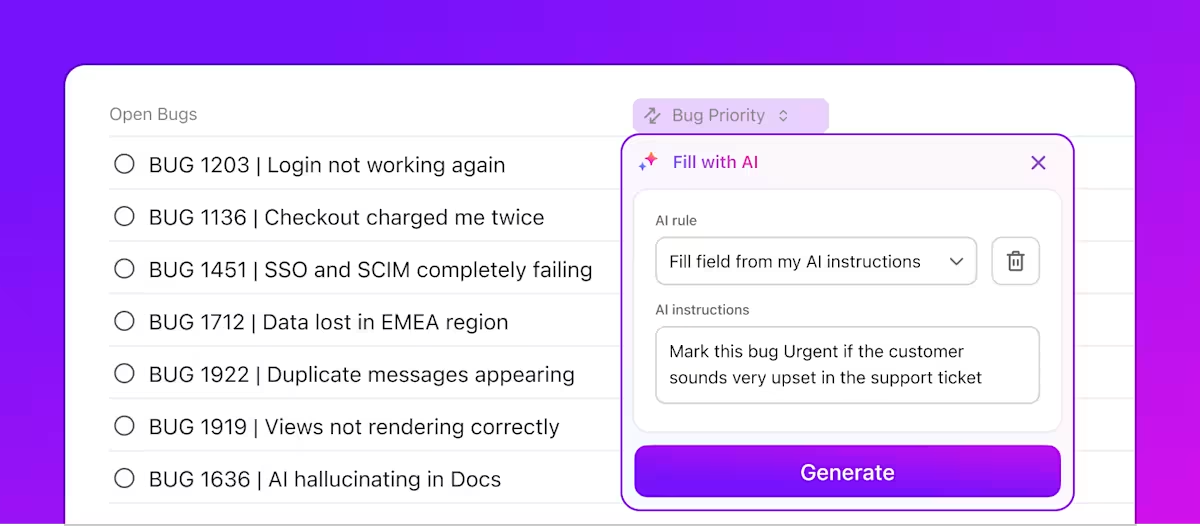
💫 The AI-powered Custom Fields in ClickUp make this part of the process easy peasy!
📖 Also Read: Free Schedule Templates in Excel, Sheets, & ClickUp
Automation streamlines email marketing and handles repetitive tasks, while A/B testing fine-tunes your strategy for better results.
Here’s how to leverage both for maximum impact:
💡 Pro Tip: Progressive profiling keeps your forms short and sweet. Instead of bombarding new subscribers with endless questions, collect data over time based on interactions. Less friction = more sign-ups.
Optimizing your marketing calendar means continuously measuring results and making data-driven improvements.
Here’s what to focus on:
🧠 Fun Fact: Email marketing was mobile-optimized way before social media got the memo. When the first iPhone launched in 2007, smart marketers quickly adapted emails to look good on tiny screens—because nobody likes pinching and zooming.
Somewhere between email marketing efforts, strategy meetings, and endless Google Sheets, marketing potential vanishes. Brilliant campaigns get buried. Deadlines transform into distant mirages. Your team’s creativity? Trapped in a chaos of disconnected workflows.
There’s a lifeline: ClickUp. 🤩
It’s the everything app for work that combines project management, knowledge management, and chat—all powered by AI that helps you work faster and smarter.
Let’s explore how this task scheduling software helps. 💫
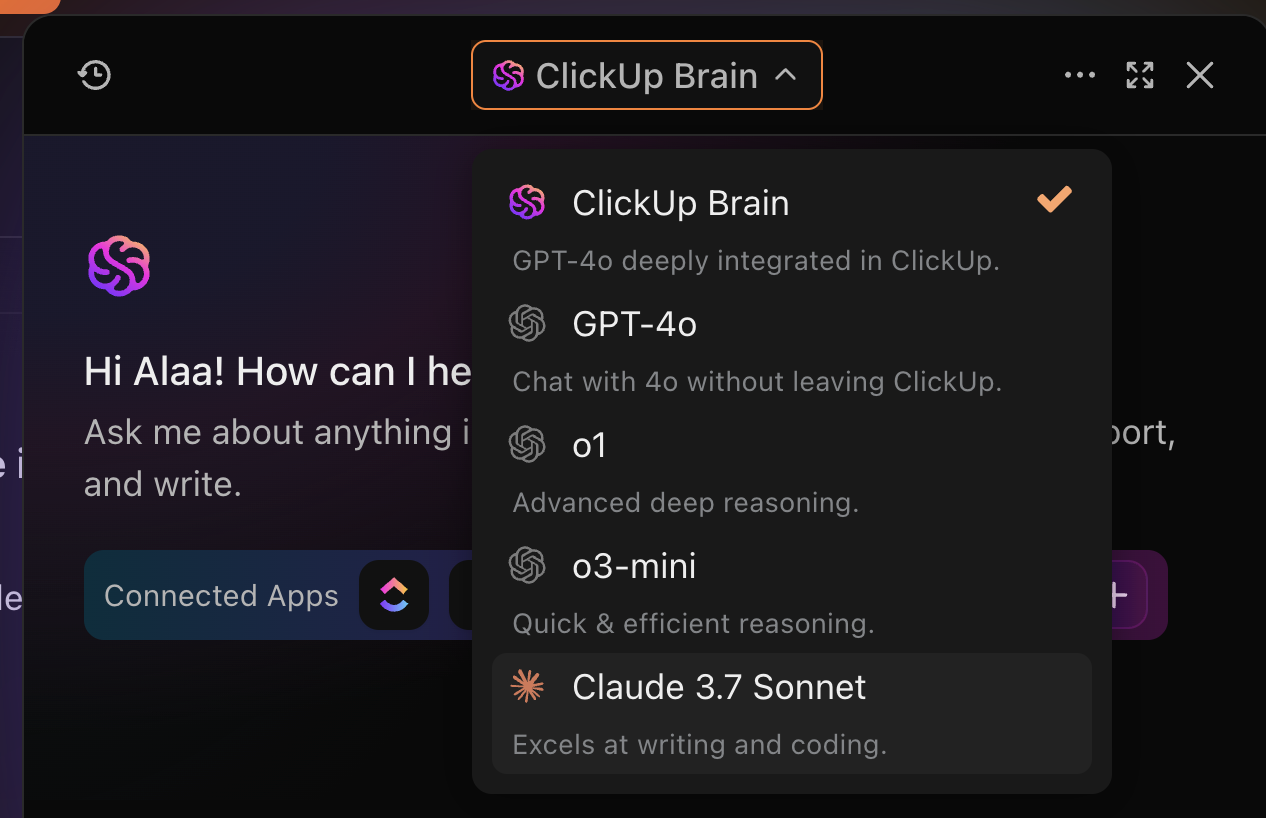
Winning email campaigns exist at the convergence of strategy, creativity, and speed. ClickUp Brain helps with all three by pulling in real-time insights, generating ideas, and turning them into ready-to-use content.
Need competitor research before drafting a campaign? Brain can search the web, analyze positioning, and summarize takeaways instantly. From there, it can generate copy variations, design images, or adapt messaging for different audiences—all powered by multiple LLMs you can switch between for the best results.
And because it all lives inside ClickUp, the workflow stays seamless: research connects to tasks, creative drafts link to your campaign plan, and approvals flow straight into your calendar. With Brain, you don’t just create content—you create smarter campaigns from the ground up.
Email campaigns follow a strict timeline—newsletters, promotional emails, and automated sequences must go out on time. But when multiple teams are involved, delays can easily creep in.
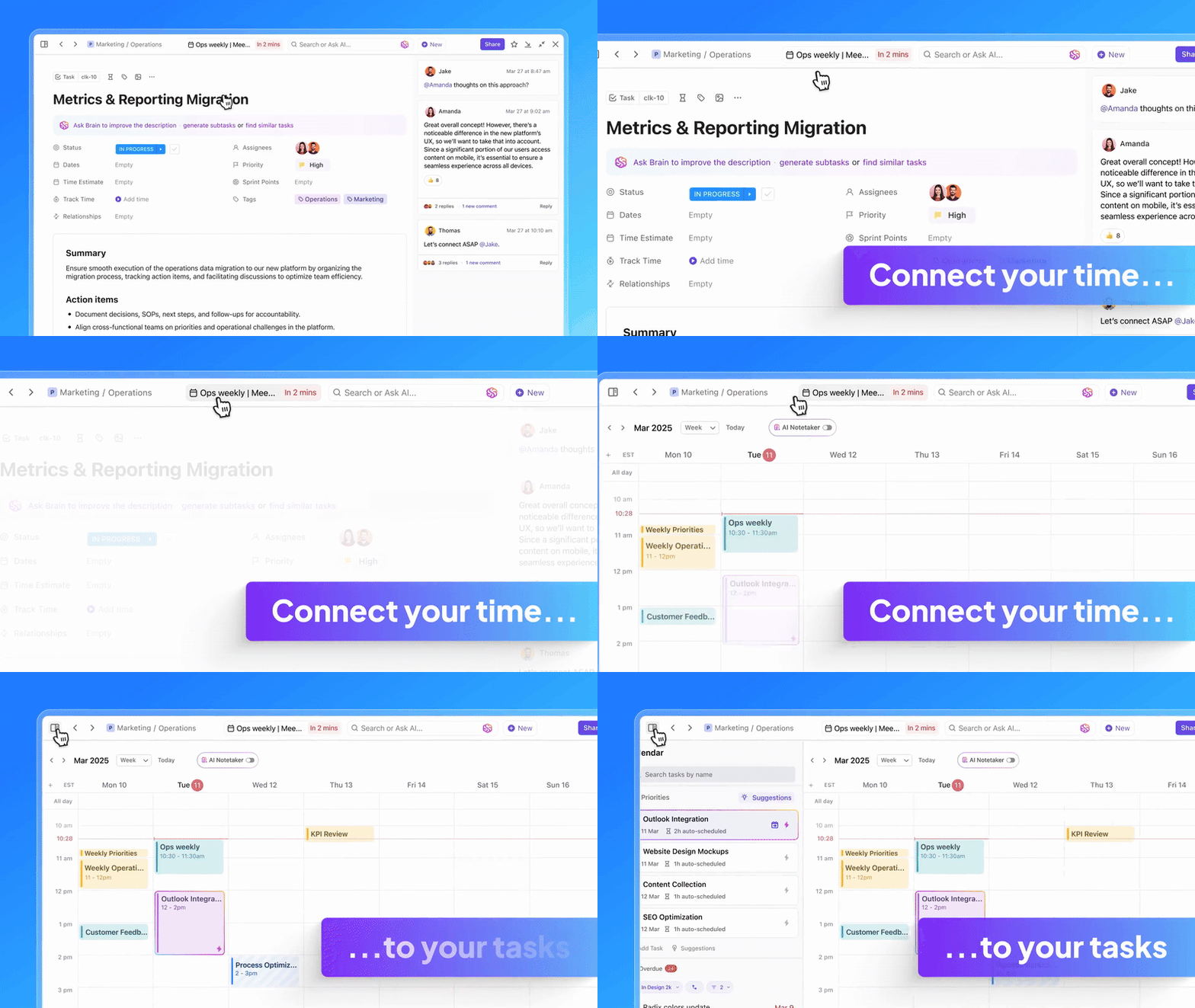
ClickUp Calendar keeps your marketing schedule organized, automatically prioritizing tasks, blocking focus time, and adjusting deadlines as needed.
Take a Black Friday campaign, for example—marketers can map out early-bird offers, last-chance deals, and abandoned cart reminders all in the calendar app.
With the ability to schedule automatic focus time blocks and automated approval workflows, every email gets prepped and scheduled on time. Need to squeeze in a last-minute flash sale? No problem. The team can adjust tasks instantly without throwing off the entire plan.
Collaboration stays seamless, too. Meeting notes are automatically captured, transcribed, and linked to relevant tasks, so key updates—like finalizing ad creatives or adjusting email copy—are always accessible.
💡 Pro Tip: Lead scoring isn’t limited to sales. Assign points for email opens, link clicks, and purchases to identify your most successful leads and send them exclusive offers.
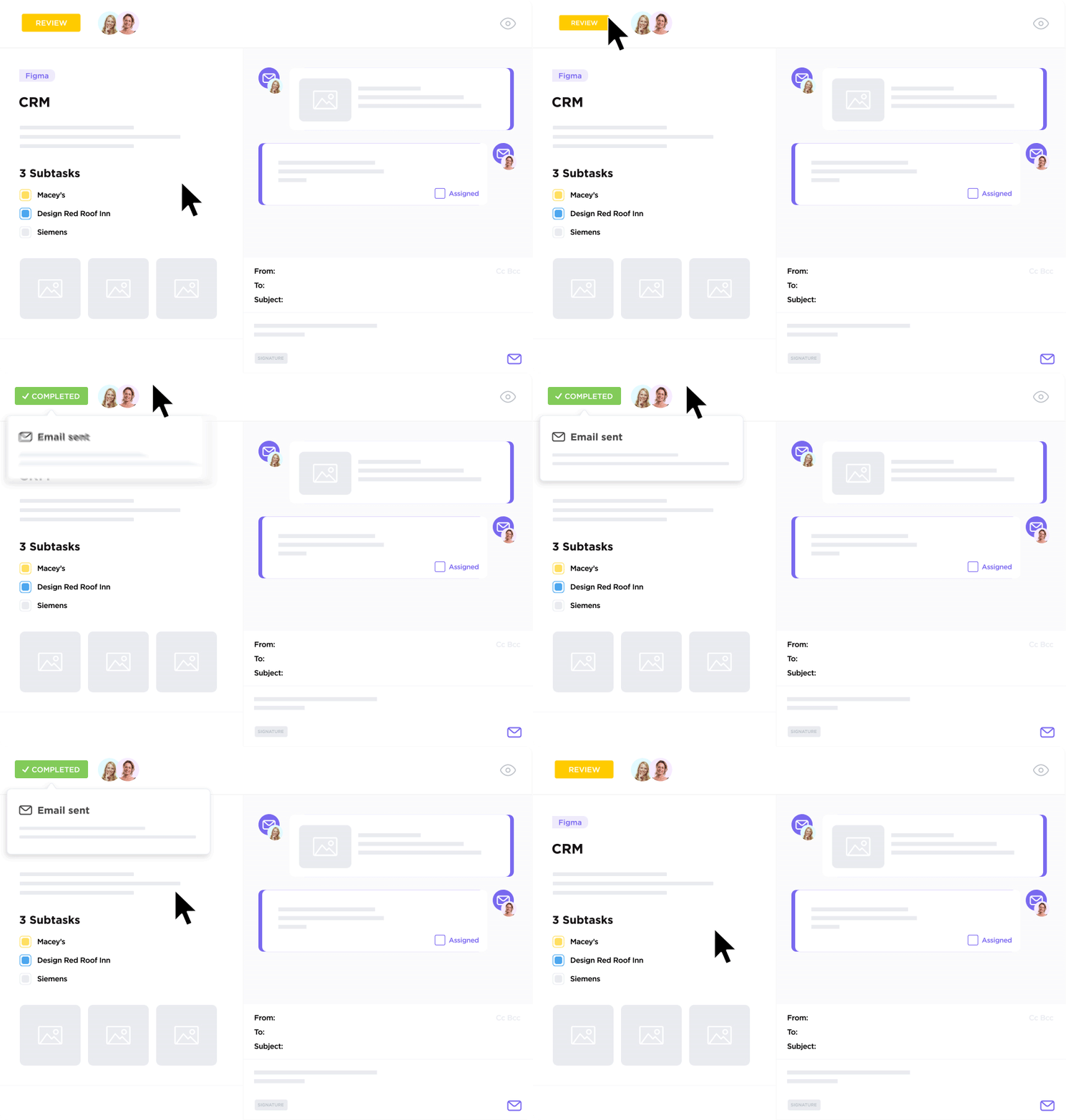
ClickUp Email centralizes email project management, allowing teams to send and receive emails, create ClickUp Tasks from messages, and automate follow-ups without leaving their workflow.
Suppose a SaaS company is launching a new feature and running a drip email campaign. The content strategist drafts the first email in ClickUp and sends it to the marketing lead for approval—all within the same platform.
Once approved, ClickUp schedules the email and creates a follow-up task to review engagement metrics. As responses come in, the tool organizes everything. Any important feedback can be converted into Tasks with one click, making it easy to track action items.
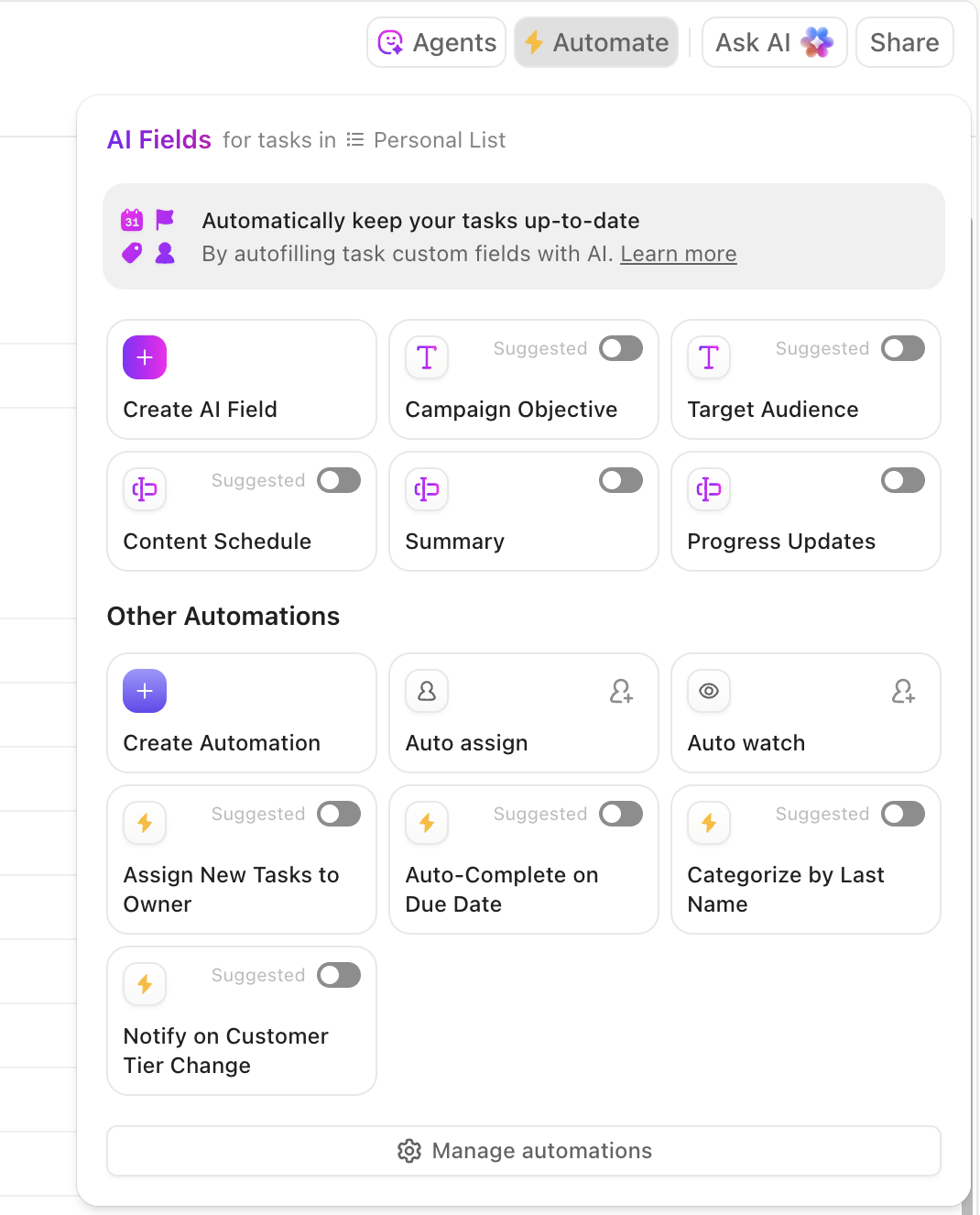
ClickUp Automations further streamlines the process. When a form submission signals high interest, you can set up custom triggers for follow-up emails and task creation so the sales team can reach out to the customer.
The entire workflow—from drafting and approvals to sending and follow-ups—happens seamlessly in one platform.
💡 Pro Tip: Interactive content boosts engagement. Embed polls, quizzes, or even augmented reality (AR) product previews in your emails to turn passive readers into active participants.
Different teams need different perspectives on email marketing workflows. Writers focus on deadlines, designers need a visual layout, and strategists look at the overall campaign timeline. ClickUp Views make it easy to switch between perspectives without losing context.
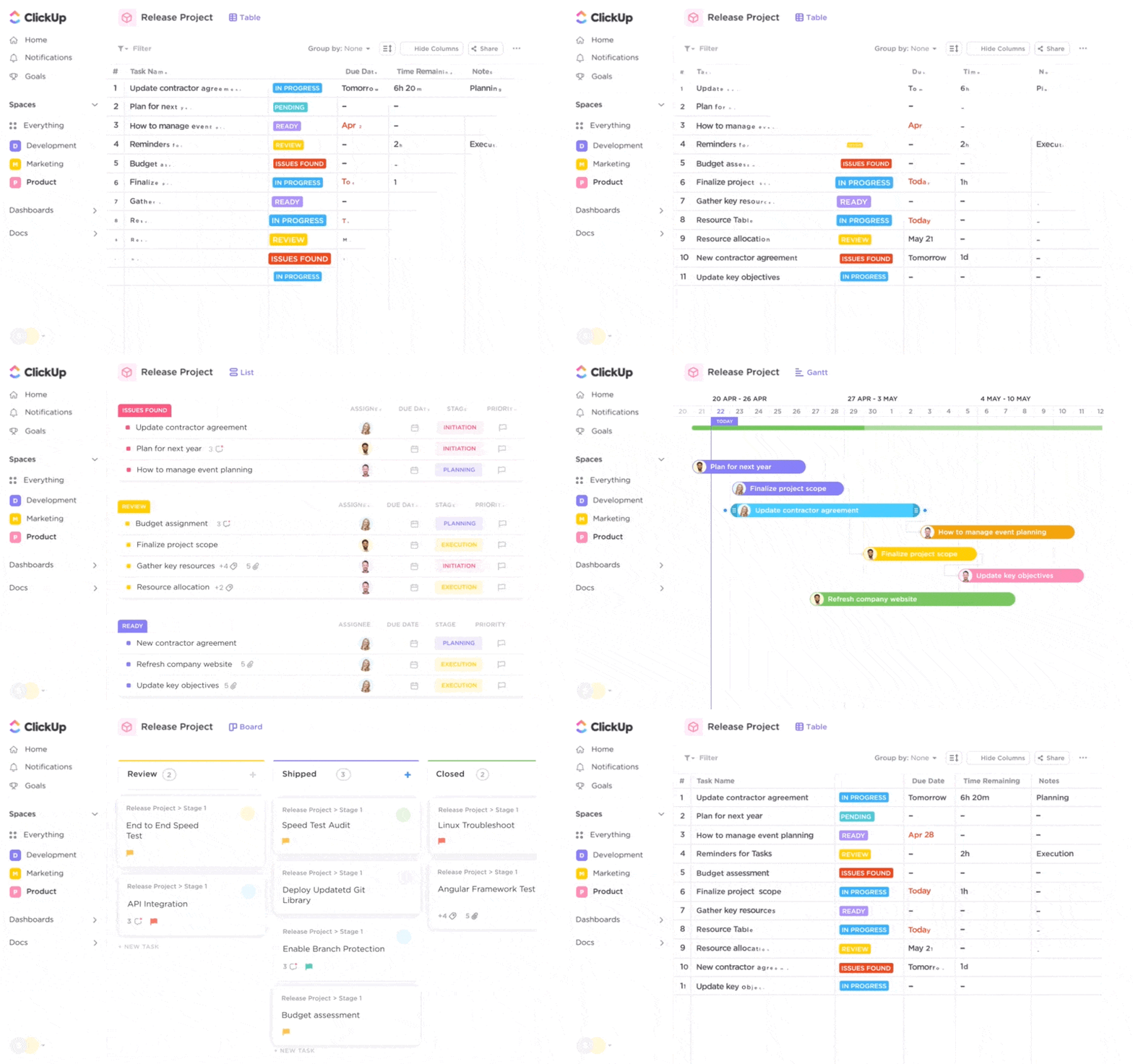
Let’s say a subscription-based business is planning a re-engagement campaign for inactive users. The marketing team starts in ClickUp List View, organizing email topics, CTAs, and audience segments in a simple format. The design team switches to ClickUp Board View to track the progress of visual assets.
When the campaign is ready to launch, the team uses ClickUp Calendar View to confirm the send dates. No matter how the campaign is structured, every detail stays accessible in a way that makes sense for each team.
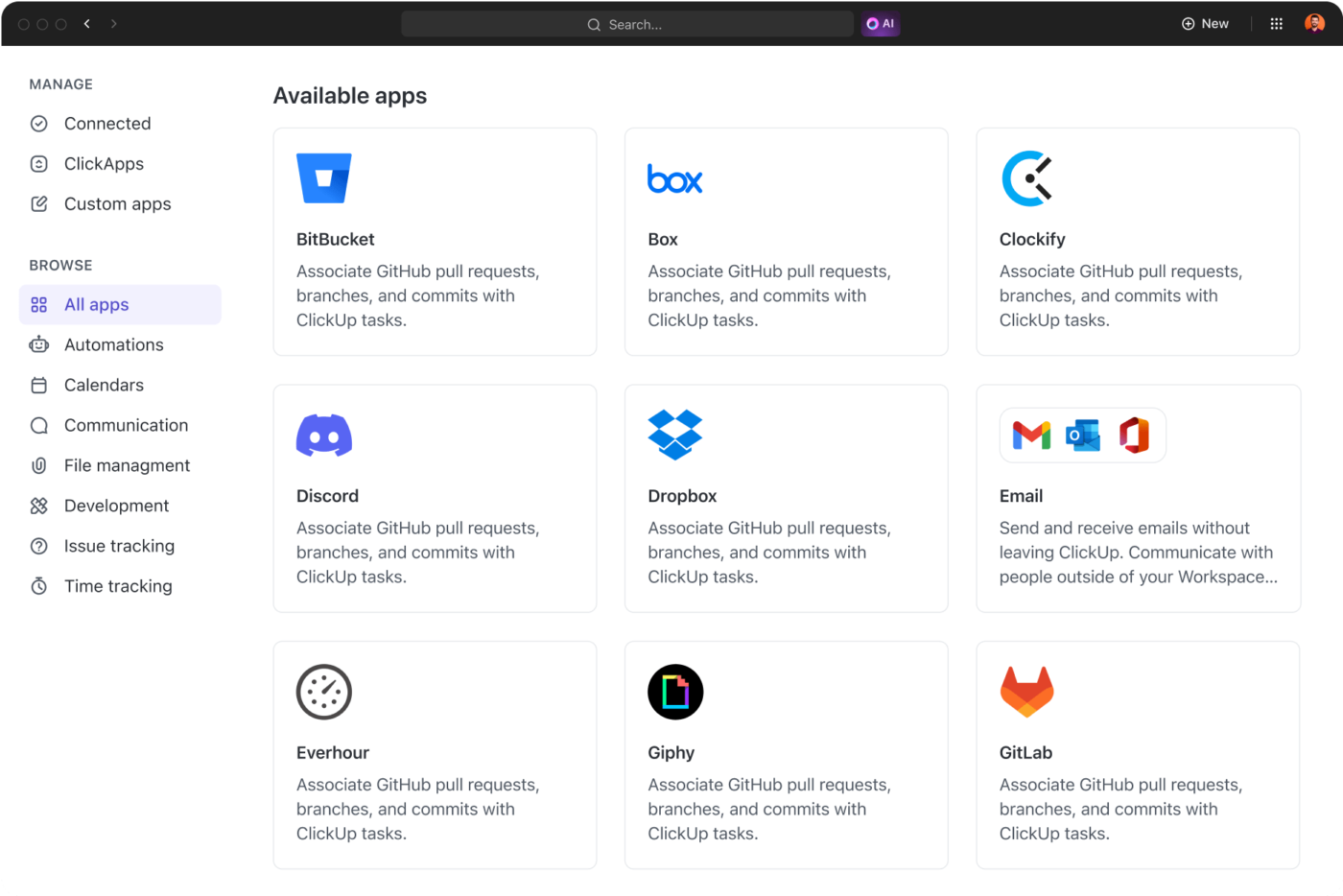
Re-engaging inactive users requires precision and coordination. With ClickUp Integrations, what was once a multi-step, error-prone process becomes a streamlined, intelligent system.
For instance, when a follow-up email is scheduled in ClickUp, HubSpot instantly queues the communication, ensuring timely delivery. ClickUp automatically updates task statuses as responses come in, keeping the team aligned without manual input.
Engagement metrics—like open rates and replies—sync in real time, giving teams immediate insights into performance. The result? A seamless workflow that eliminates the need for manual tracking and reduces communication gaps.
👋🏾 Bonus: Here’s an end-to-end campaign execution video tutorial from ClickUp!
Starting from scratch is a thing of the past. ClickUp Templates give you ready-to-use email marketing frameworks for a robust campaign foundation.
Here are some recommendations:
The ClickUp Email Marketing Template provides a smart solution that goes beyond basic project management. It gives teams a dedicated space to plan campaigns, schedule messages, and track success metrics.
Plus, it lets you automate emails with triggers based on user behavior and send targeted emails to the right customers at the right time.
The email calendar template offers strategic views that transform how you work. From the Team Workload View that clarifies responsibilities to the Email Results Tracking View that provides deep campaign insights, you’ll get a comprehensive tool that helps you see every angle of your marketing efforts.
The ClickUp Email Marketing Campaign Template provides a structured workflow for managing entire email campaigns from start to finish. It helps teams organize prospect lists, develop email content, establish clear approval processes, and set specific deadlines for each campaign stage.
The template tracks critical marketing metrics directly within ClickUp, allowing teams to monitor open rates, click-throughs, and conversions in real time.
Email marketing success hinges on your ability to track, analyze, and optimize campaigns with precision. Understanding campaign performance shouldn’t be a guessing game.
Traditional methods often leave marketers in the dark, but ClickUp provides real-time insights that make tracking success effortless.

ClickUp Dashboards give marketers a powerful toolset to dissect campaign performance and drive strategic improvements. With live data on open rates and click-through rates, marketers get immediate feedback on campaign performance.
If an email underperforms, Dashboards offer quick diagnostics.
You can instantly analyze subject line performance, examine the sending time impact, compare audience segment responses, and identify content weaknesses.
Dashboards also turn raw data into visual insights. A line graph tracking open rates over months can reveal trends—like emails sent in the afternoon outperforming morning sends—helping you fine-tune your strategy for better results.
🤝 Friendly Reminder: Monitor revenue per email as well—a campaign with fewer clicks but higher purchases is better than one with thousands of opens and zero conversions.
Email marketing is a powerful tool, but success depends on strategy. Here are some practical ways to keep your campaigns effective and engaging. 🧰
A messy email list can hurt your engagement and your brand’s reputation. Quarterly list cleaning should be a non-negotiable part of your routine.
Segmentation is key—flag and remove inactive subscribers to keep your metrics looking fresh. Also, consider creating stricter criteria for who stays on your list, such as only keeping subscribers who’ve interacted with your emails in the past 3-6 months.
This keeps your upcoming campaigns and marketing messages targeted and ensures better performance over time.
Set up automated workflows that track and flag any potential compliance issues, like missing consent or unclear opt-ins. This way, you’re always ahead and in line with regulations.
Implement systems to track timestamps for when subscribers give consent, ensuring you have solid documentation. This keeps your brand safe from fines and shows your audience that you respect their privacy, building trust and credibility along the way.
Expect the unexpected.
Set up pre-mortem email marketing checklists to identify potential issues in your email strategy, such as deliverability concerns or low engagement with specific content. Anticipating roadblocks helps build contingency plans directly into your calendar.
For example, if a subject line test shows poor open rates, have a backup plan for a second email with a different subject line ready to go.
Successful email marketing doesn’t happen by accident. It takes structure, strategy, and the right tools to keep every email marketing schedule focused, timely, and effective.
An email marketing calendar provides that structure. With ClickUp, the everything app for work, you get a single platform to plan, schedule, and manage your workflow without the usual back-and-forth or scattered tools.
Want to create a successful email marketing strategy? Sign up for ClickUp today! ✅

© 2026 ClickUp

There’s an easier way. Try a free AI Agent in ClickUp that actually does the work for you—set up in minutes, save hours every week.