



Sorry, there were no results found for “”
Sorry, there were no results found for “”
Sorry, there were no results found for “”
Day One has been a go-to journaling app for writers, journalers, and productivity enthusiasts, and is known for its elegant interface and ease of use.
But if you’ve landed here, chances are it’s no longer meeting your needs. Maybe you’re looking for more control over your data, or features that better support long-form writing, mood tracking, or goal-setting. Perhaps the subscription cost no longer feels justified for what you’re getting.
Whatever led you to reconsider Day One, the good news is that you have options—and plenty of them. From privacy-focused journaling apps to secure cloud-based tools that double as personal knowledge bases, the alternatives on this list offer more than just a place to jot down your thoughts.
In this guide, we’ll walk through 10 of the best Day One alternatives that give you flexibility and features designed to grow with your journaling practice.
While Day One has earned its place as a top journaling app, it has limitations, especially for users with evolving needs or workflows.
Here’s why many are making the switch:
Here’s a quick snapshot of the 10 best Day One Journal Alternatives:
| Tool | Key features | Best for | Price |
|---|---|---|---|
| ClickUp | – ClickUp Docs for collaborative, AI-powered journaling – ClickUp Notepad for quick, notes – ClickUp AI for summarizing notes, creating entries based on work done, chat messages etc. – 100s of customizable templates | Best for structured daily journaling with task management and goal-setting | Free basic version |
| Notion | – Custom journaling system – Linked databases – Reusable daily templates | Best for habit tracking within a custom journal workspace | Free basic version |
| Evernote | – Daily prompts – Password protection – Embedded videos, audio | Best for knowledge capture, journaling, and quick note organization | Free basic version |
| Grid Diary | – Structured prompts – Widgets, such as ‘Event’, ‘Memory’, and ‘Quote’ | Best for minimalist journaling and self-reflection | Free basic version |
| Diarium | – Speech-to-text for hands-free journaling – Calendar view – Habit tracking | Best for a simple, structured, and media-rich journaling experience | Free basic version |
| Journey | – Convery diary entries into photobooks – Password-protected – Calendar, timeline, and atlas views | Best for documenting travel and personal milestones | Free basic version |
| Joplin | – Markdown formatting – Hierarchical structure – AI Assistant, Jarvis | Best open-source journaling app for structured journaling and detailed organization | Free basic version |
| Penzu | – Advanced search – Time Capsule feature to send notes to your future self | Best for private journaling with autosave and future self messages | Free basic version |
| Daylio | – Daily mood and activity logging to track and monitor patterns – List or calendar view | Best for mood and activity tracking with visual insights | Free basic version |
| Obsidian | – Freeform layout where you can drag notes, images,etc. – Bidirectional linking and visual maps of journal entries | Best for connected journaling with links, graph view, and plugin customization | Free basic version |
Now that you know why Day One might not be the right fit anymore, let’s dive into the top alternatives that offer more flexibility, better features, and a journaling experience built around your needs:

If your journaling routine has started feeling scattered, or your notes are buried somewhere between multiple journals, ClickUp might be the structure you’re missing.
This everything app for work doubles as a powerful journaling platform. Writers, professionals, and productivity enthusiasts use ClickUp as their best journaling apps. It organizes your reflections and to-do lists, makes them searchable, and connects everything to the broader picture.
One of the standout features of this free app is ClickUp Docs, which makes journaling a seamless, collaborative, and organized habit.
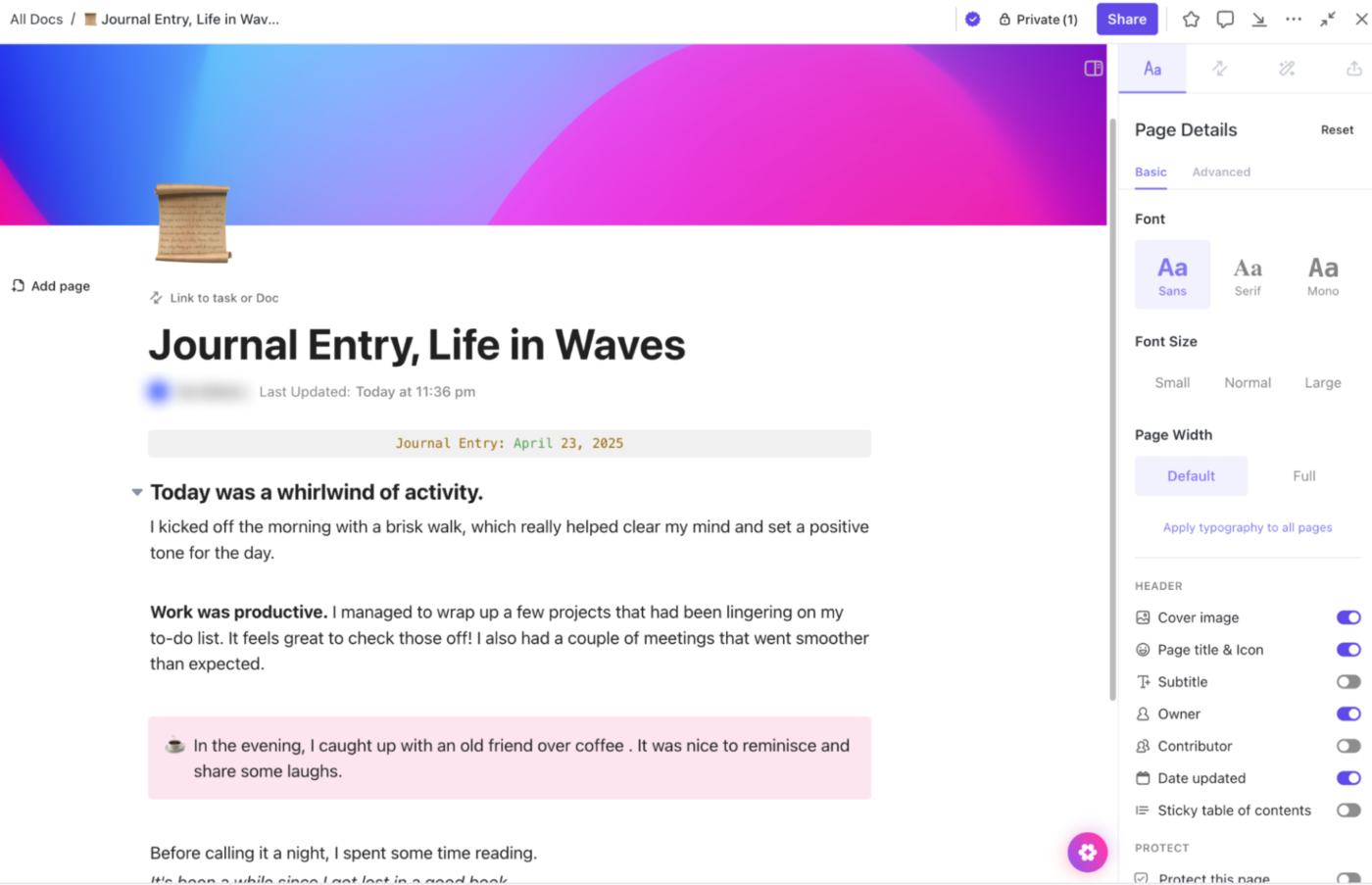
You can create a new doc for each day, nest weekly logs inside folders, and even link entries to specific tasks or goals. To make it visually pop, add headers, tables, checklists, and custom fields to format your thoughts exactly the way you want.
You can create multiple journals within ClickUp, and they’re completely free. For example, set up a folder named “Online Journaling” and inside this, create Docs for different purposes. It could range from an idea log to a gratitude journal or weekly reflections. While each Doc acts as a standalone journal, use nested pages to break them into daily logs, monthly reviews, and topic-specific entries.
To make journaling even more fluid, especially for quick thoughts and daily reflections, ClickUp Notepad offers a fast, distraction-free way to note things down as and when inspiration strikes.

The reason it is one of the most popular journaling app is that you can add checklists for recurring routines, format with headers and highlights. Going a step ahead, you can embed videos or spreadsheets to make your journaling visual.
And if a fleeting note turns actionable, convert it into a task, complete with due dates, assignees, and priorities. Every new entry can evolve into brainstorming, planning, and deeper goal tracking.
If you’re looking to take your journaling beyond just writing and actually interact with your thoughts, ClickUp Brain adds an AI-powered layer to help you do just that.
Let’s say you’ve been using ClickUp Docs to journal for productivity or capturing a quick brain dump in Notepad. ClickUp Brain can instantly search across all your entries, pulling insights, summaries, or specific entries just by asking a natural-language question like, “What did I reflect on last Tuesday?” or “Summarize my thoughts on burnout recovery.”
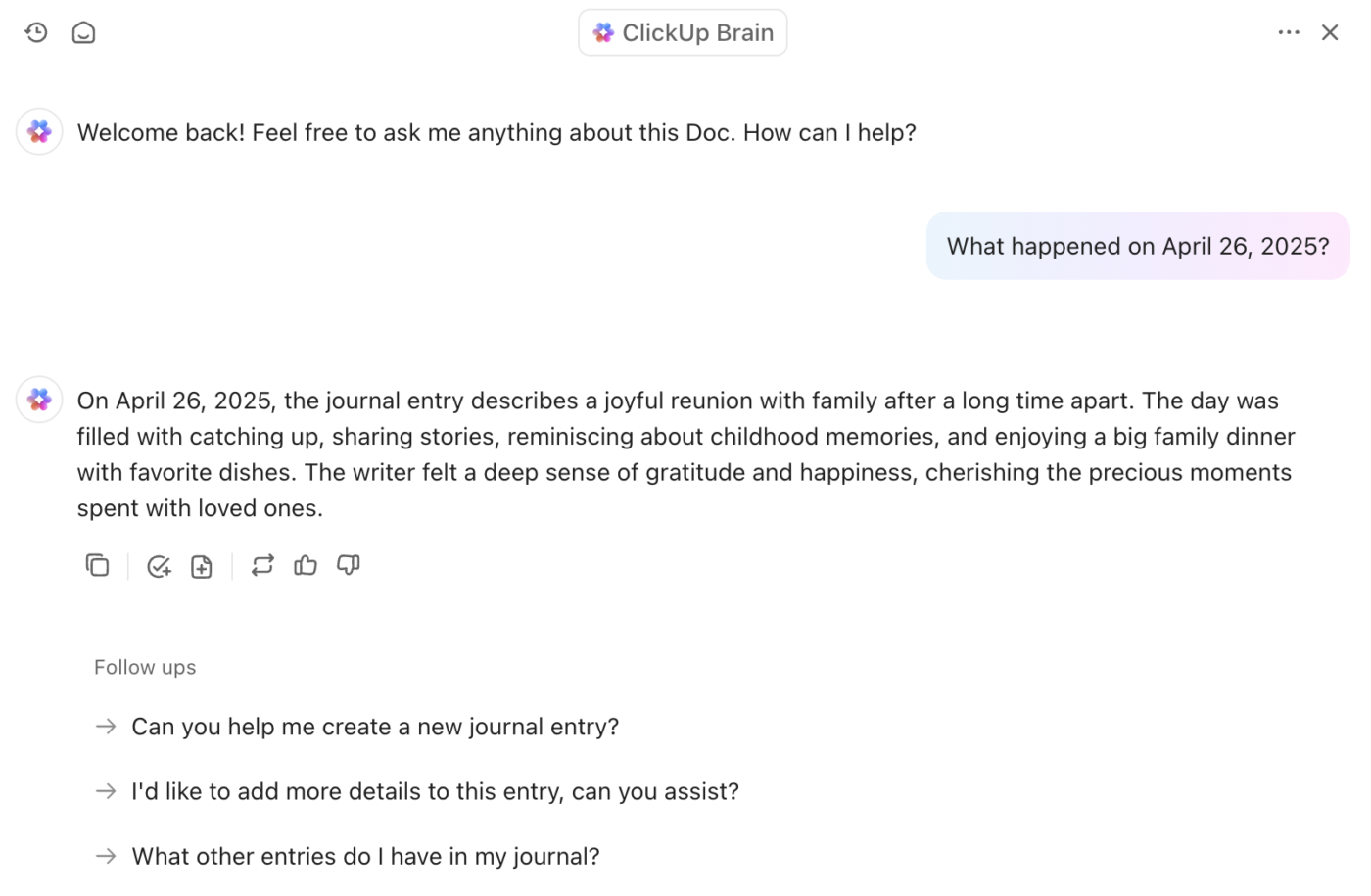
Unlike other journaling apps, ClickUp Brain allows you to auto-generate prompts based on your journaling themes, turn insights into a to-do list, or create follow-up questions to explore recurring thoughts.
Being context-aware, the digital journal helps you connect the dots across days, weeks, or even months of personal content writing.
📮 ClickUp Insight: 88% of our survey respondents use AI for their personal tasks, yet over 50% shy away from using it at work.
The three main barriers? Lack of seamless integration, knowledge gaps, or security concerns.
But what if AI is built into your workspace and is already secure? ClickUp Brain, ClickUp’s built-in AI assistant, makes this a reality. It understands prompts in plain language, solving all three AI adoption concerns while connecting your chat, tasks, docs, and knowledge across the workspace. Find answers and insights with a single click!
Here’s a G2 review:
I need a blog to write everything I like about ClickUp. They have everything: tasks (in list view, table view, board view, calendar view, map view, etc.), Docs, AI, Dashboards, and automations. You can share public links of tasks or docs. The tasks have an activity tab so that you can see all the history about that task. It’s so flexible and professional. With ClickUp as your one app, there are no excuses for not being extremely productive.
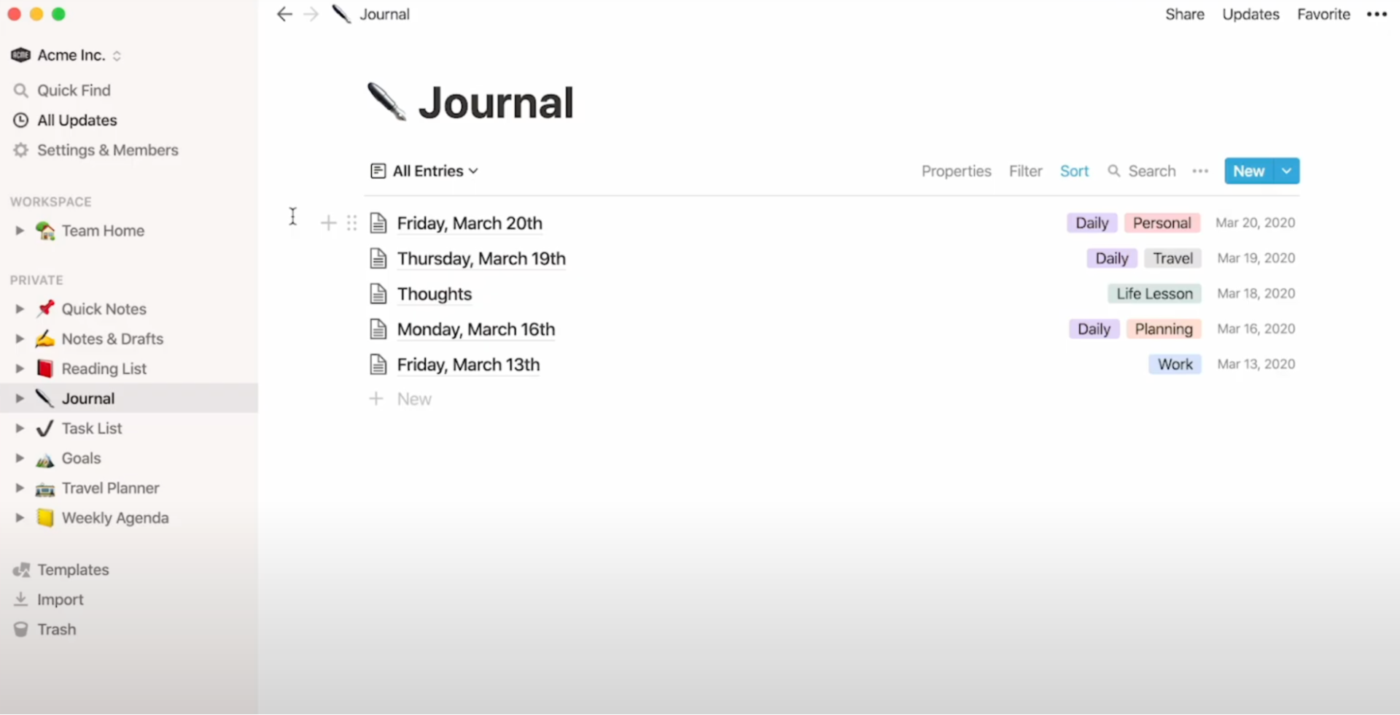
If your journaling style leans toward visual structure or daily habit tracking, Notion might feel like home.
You can create dedicated journal pages for each day, embed media, track your mood, and design templates for morning reflections or end-of-day reviews. With Notion, you can create unlimited journals to record your daily, weekly, and periodic activities and habits.
Notion can also connect your digital journal to your broader system, like linking it to your to-do list, content calendar, or project roadmap.
📚 Read More: Bullet Journal Project Management Guide
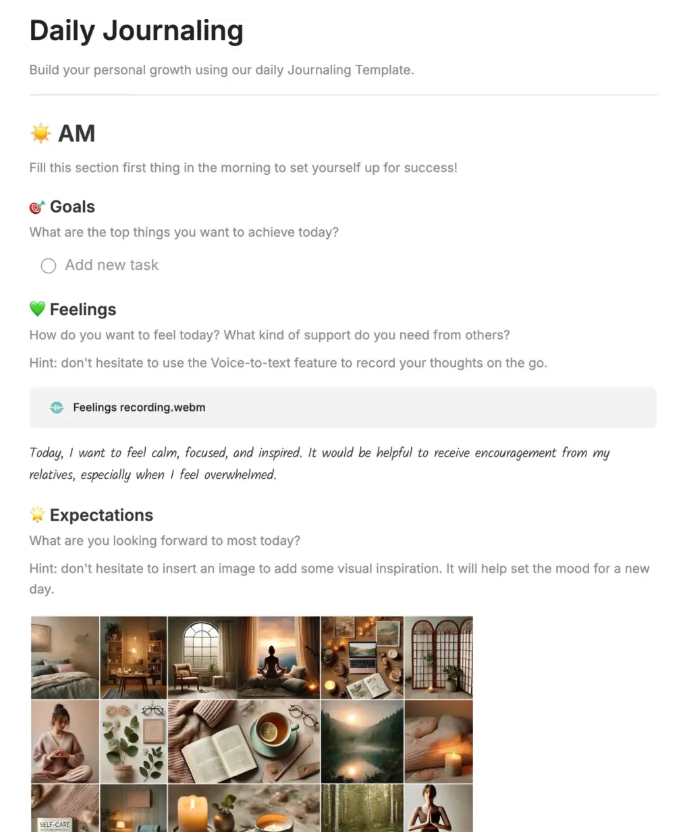
With powerful search features and seamless syncing across devices, Evernote keeps your memories and thoughts well-organized. For each journal entry, you can create a new note and use a consistent, date-based title format such as ‘2025-04-23 Journal Entry.’ to keep your notes in chronological order and make it easier to look back at specific days.
This Day One Journal alternative lets you add tags such as #work, #personal, #travel, #ideas, or #gratitude, making it easy to filter and find entries based on themes or topics. If you come across articles or quotes that inspire you, clip them directly into your journal and reflect on them later.
Here’s a G2 review:
I have been using Evernote for a long time for note-taking and knowledge management. The app has a simple and clear user interface and syncs quickly across all devices.
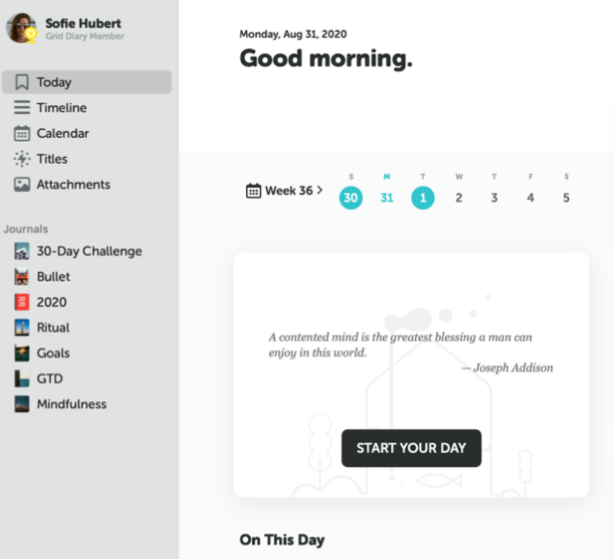
Grid Diary is a user-friendly journaling app and Day One Journal alternative that uses a grid format to help you reflect meaningfully without feeling overwhelmed. Instead of writing long, open-ended journal entries, the app offers a series of structured prompts each day for guided reflection.
Since entries are short and structured, you only need 5 to 10 minutes a day, making it a sustainable habit even for busy schedules.
📚Read More: Best Free Online Sticky Notes Apps
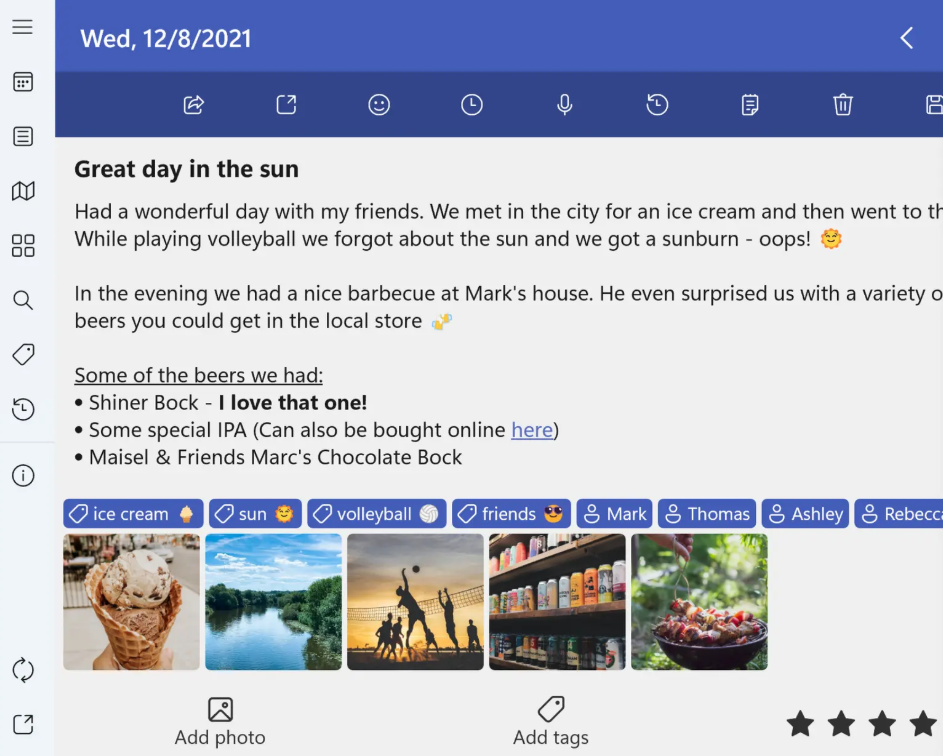
Diarium automatically creates an entry for each day, making it easy to build a daily journaling habit. If you prefer speaking to typing, the Day One Journal alternative lets you record your thoughts directly or use speech-to-text for hands-free journaling—ideal for on-the-go reflections or when you’re too tired to write.
You can see which days you’ve journaled with the ‘Calendar View’ or scroll through your entries in a timeline format to review monthly reflections and check consistency.
Here’s an Apple App Store review:
I love this app. It makes it easy to make daily entries, easy to find prior entries, and fairly easy to move entries from other apps into this one.
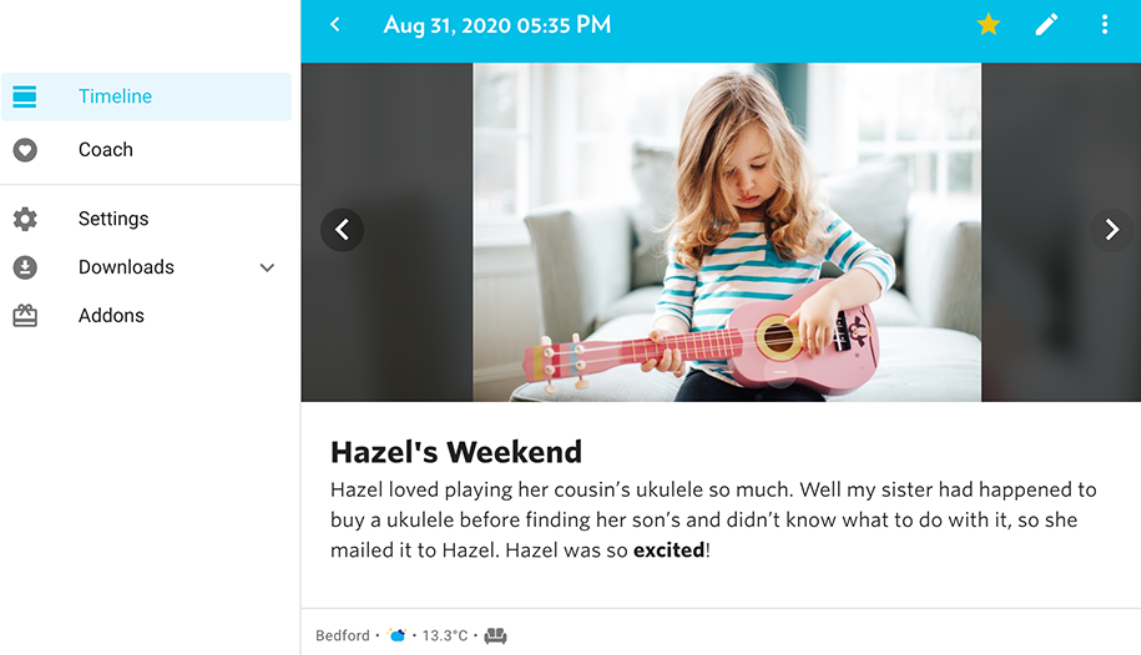
Journey is a digital journaling app that automatically adds timestamps and location data to provide meaningful context to your journal entries. The app’s calendar, timeline, and atlas views allow you to see your journaling activity over time and revisit entries based on date or location. You can also track moods and daily activities, which can help you identify emotional patterns and improve your mental well-being.
⚡️Template Archive: Free Daily Log Templates in Word, Excel, and ClickUp
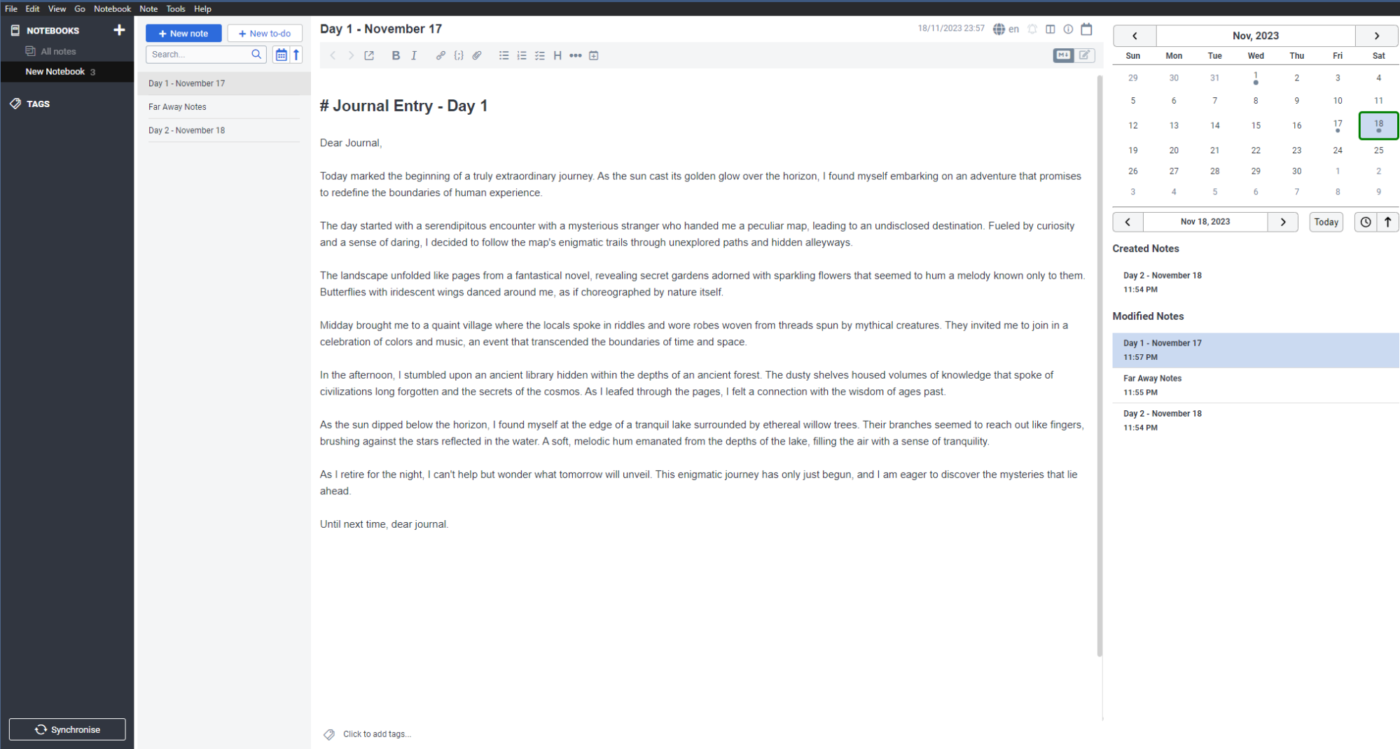
The Day One Journal alternative, Joplin, is an open-source note-taking app that you can easily use for journaling, especially if you prefer a more structured and customizable experience. It supports Markdown formatting, allowing you to create entries with images, videos, PDFs, and links.
With notebooks and subnotebooks, you can organize your entries into a clean, hierarchical structure, so related topics stay grouped and are easily accessible. And the Jarvis (AI Assistant) plugin enhances your note-taking with features like content summaries, text rewriting, and content generation, making it easy to refine or expand your journal entries.
I love the organizational structure of the notes, where you can have notebooks and different notes within them. I also love that the notes are stored in Markdown, which allows for easy reading. I use it every day, and it is very easy to use and integrate into your daily life.
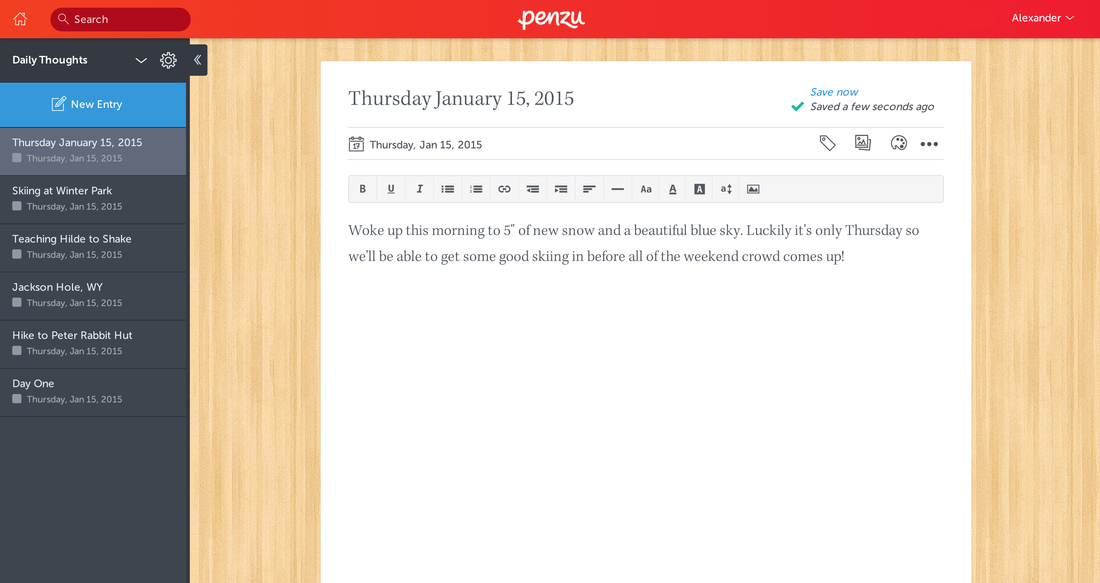
Penzu offers a flexible journaling experience that lets you capture an unlimited number of entries so that you can document every detail of your life without constraints.
As you write, autosave works silently in the background, ensuring your thoughts are never lost. Writers who like tracking progress will love the word count feature, which is great for meeting personal goals.
With Penzu Time Capsule, you can even send messages to your future self—a unique way to reflect on growth and milestones. When you’re ready to share, you can choose between a private email or a public share link, depending on how personal the entry is.
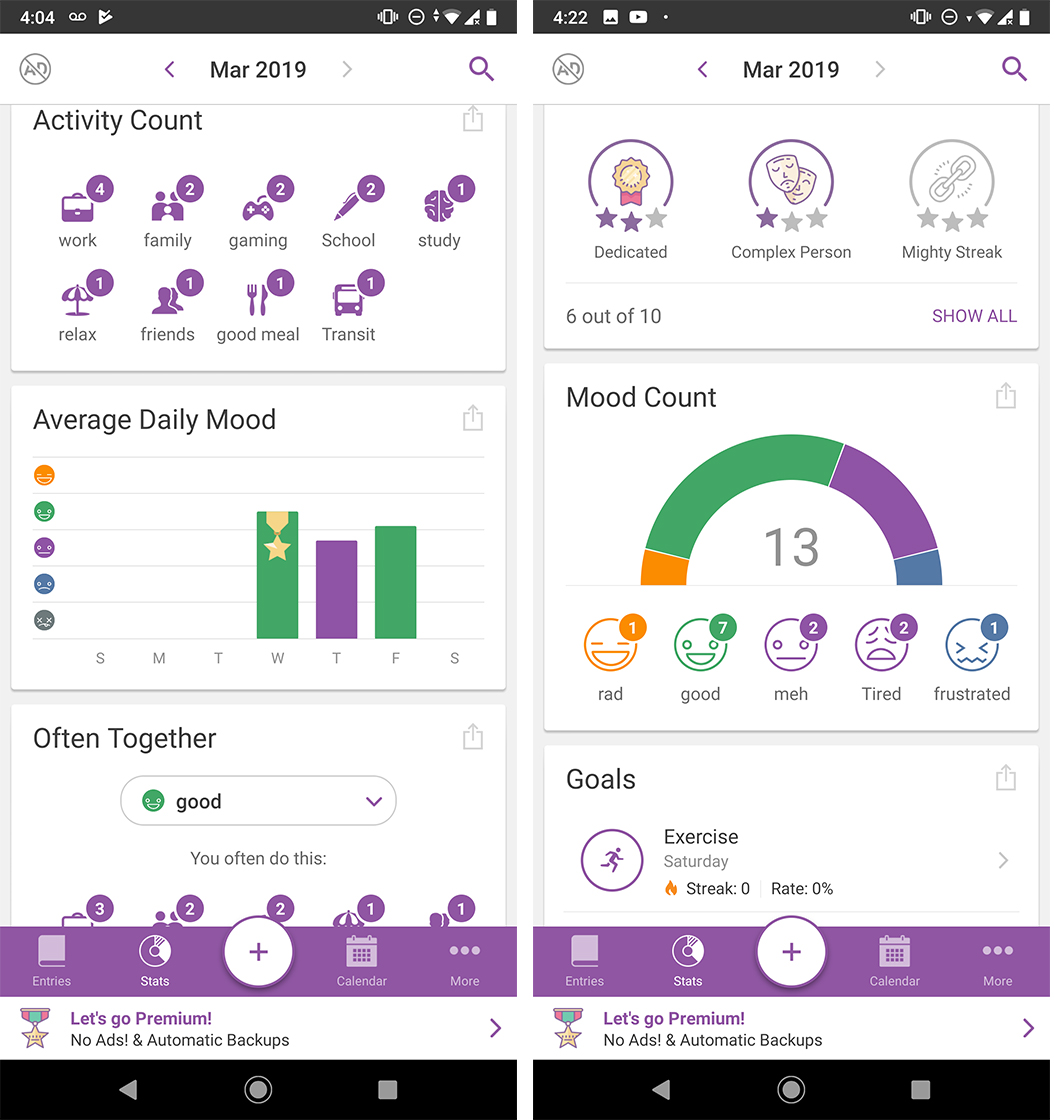
Daylio, a Day One Journal alternative, makes it easy to track your moods and daily activities, helping you understand your emotional patterns with just a few taps. Daylio’s mood tracking lets you log your feelings daily, choosing from options like ‘Happy,’ ‘Sad,’ or ‘Anxious,’ and helps you spot trends over time.
For example, you can create multiple journals to track how socializing boosts your mood or how work-related stress affects you. The app also allows you to record your daily activities, such as running or practicing yoga, to see how specific actions impact your emotions.
The app provides a year-in-pixels view with a visual representation of your mood over the entire year, allowing you to quickly spot emotional patterns and trends. You can monitor how productive you are after work using this journal app.
Here’s a Reddit review:
I’ve used Daylio on and off through the years to track my mental health and I find it has worked really well.
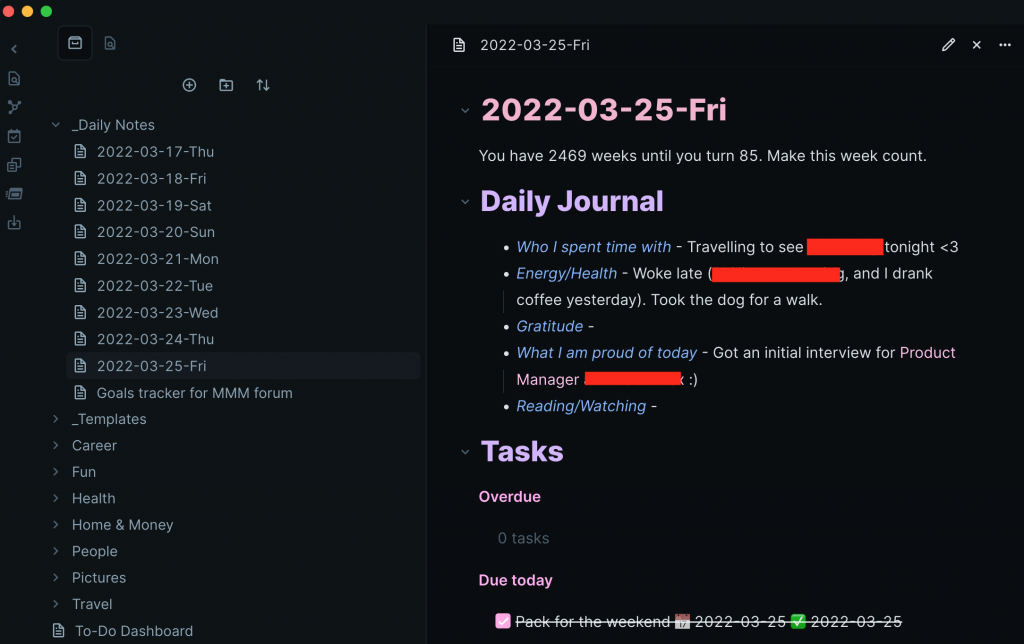
With Obsidian Canvas, you can organize your thoughts visually by dragging notes, images, and other content into a freeform layout. Plus, you can also use Templates to bring consistency to your journaling process and create structured entries for daily reflections, goal tracking, and more.
Obsidian is also considered one of the best journaling apps and a Day One Journal alternative for productivity enthusiasts. It lets you connect your entries through bidirectional linking and build a web of related ideas across your notes. The graph view shows a visual map of your journal so you can spot patterns in your thoughts and easily navigate past entries as your reflections grow.
What once started as a quiet space to log thoughts may now need to support more: structured planning, goal tracking, task integration, and even collaborative note-taking.
Journaling today is deeply tied to productivity, memory, and momentum. And it’s okay to want more from your journal. Maybe you want to connect entries to your to-do list, turn random brain dumps into goals, or use one workspace for both planning and personal insights.
If that sounds like you, ClickUp, one of the best journaling apps, is worth exploring. What makes it a top Day One Journal app alternative is that it has advanced features like Docs, Notepad, Tasks, Goals, and AI-powered ClickUp Brain. All these features bring together reflections, actions, and clarity in one app.
Sign up on ClickUp for free to create your first digital journal.

Manasi Nair
Max 26min read

Arya P Dinesh
Max 16min read
Manasi Nair
Max 24min read

© 2026 ClickUp




