






Still downloading templates?
There’s an easier way. Try a free AI Agent in ClickUp that actually does the work for you—set up in minutes, save hours every week.
Sorry, there were no results found for “”
Sorry, there were no results found for “”
Sorry, there were no results found for “”

Copient AI is built for one thing: helping sellers practice conversations through AI-powered role-play. That works well for rehearsal, but it stops short of what most sales teams actually need day to day.
Training doesn’t exist in isolation. It has to connect to real deals, real content, and real execution.
This guide walks through 10 Copient AI alternatives, from sales-focused coaching and enablement tools to platforms that carry learning into live workflows. If you’re looking for options that go beyond simulated conversations and support how sales teams actually operate, you’re in the right place.
Copient AI alternatives are for sales teams seeking different training approaches, marketers needing AI writing tools, or organizations wanting broader AI workflow capabilities.
The core issue is that Copient AI focuses narrowly on sales role-play scenarios. You might explore other options for several key reasons:
Summarize this article with AI ClickUp Brain not only saves you precious time by instantly summarizing articles, it also leverages AI to connect your tasks, docs, people, and more, streamlining your workflow like never before.Copient AI Alternatives at a Glance
Here’s a quick summary to get you started:
Tool name Key features Best for Pricing ClickUp ClickUp Brain for contextual AI role-play and writing, AI Notetaker, Docs integration, CRM, Automations, Super Agents Teams wanting AI-powered sales workflows connected to real execution (individuals to enterprise) Free Forever; Paid plans available Second Nature AI avatars for live role-play, auto-generated scenarios, performance analytics, CRM integrations, multi-language support Enterprise sales teams needing realistic AI-driven role-play coaching Custom pricing Luster.ai Custom AI personas, real-time coaching feedback, predictive skill gap analysis, scenario branching Sales organizations focused on personalized coaching at scale Custom pricing Pitch Monster Gamified role-play, interactive pitch practice, leaderboards, bite-sized learning modules Teams wanting high-engagement, gamified sales training Free; Paid plans from $19/user/month Yoodli Speech analytics, filler word detection, pacing feedback, multi-persona role-plays Individuals and teams improving speaking and presentation skills Free; Paid plans from $11/user/month Quantified AI Behavioral analytics, message testing, AI-powered simulations, performance benchmarking Enterprise teams needing data-driven sales performance insights Custom pricing Copy.ai AI content generation, brand voice customization, workflow automation, CRM integrations Marketing and GTM teams needing AI-driven content workflows Free; Paid plans from $29/month Jasper Brand voice training, campaign management, multi-format content generation Content marketing teams requiring brand-consistent AI writing at scale Paid plans from $69/user/month Writer Style guide enforcement, terminology management, enterprise security and compliance Enterprise teams prioritizing brand governance and compliance Custom pricing Writesonic SEO-optimized content generation, multi-language support, GEO features Marketers and creators focused on search-driven growth Free; Paid plans from $15/month
Our editorial team follows a transparent, research-backed, and vendor-neutral process, so you can trust that our recommendations are based on real product value.
Here’s a detailed rundown of how we review software at ClickUp.
This list includes both AI role-play tools that are direct Copient AI competitors and AI workflow platforms for teams seeking broader capabilities. The right choice depends on whether you need a specialized sales training platform or a more integrated solution.
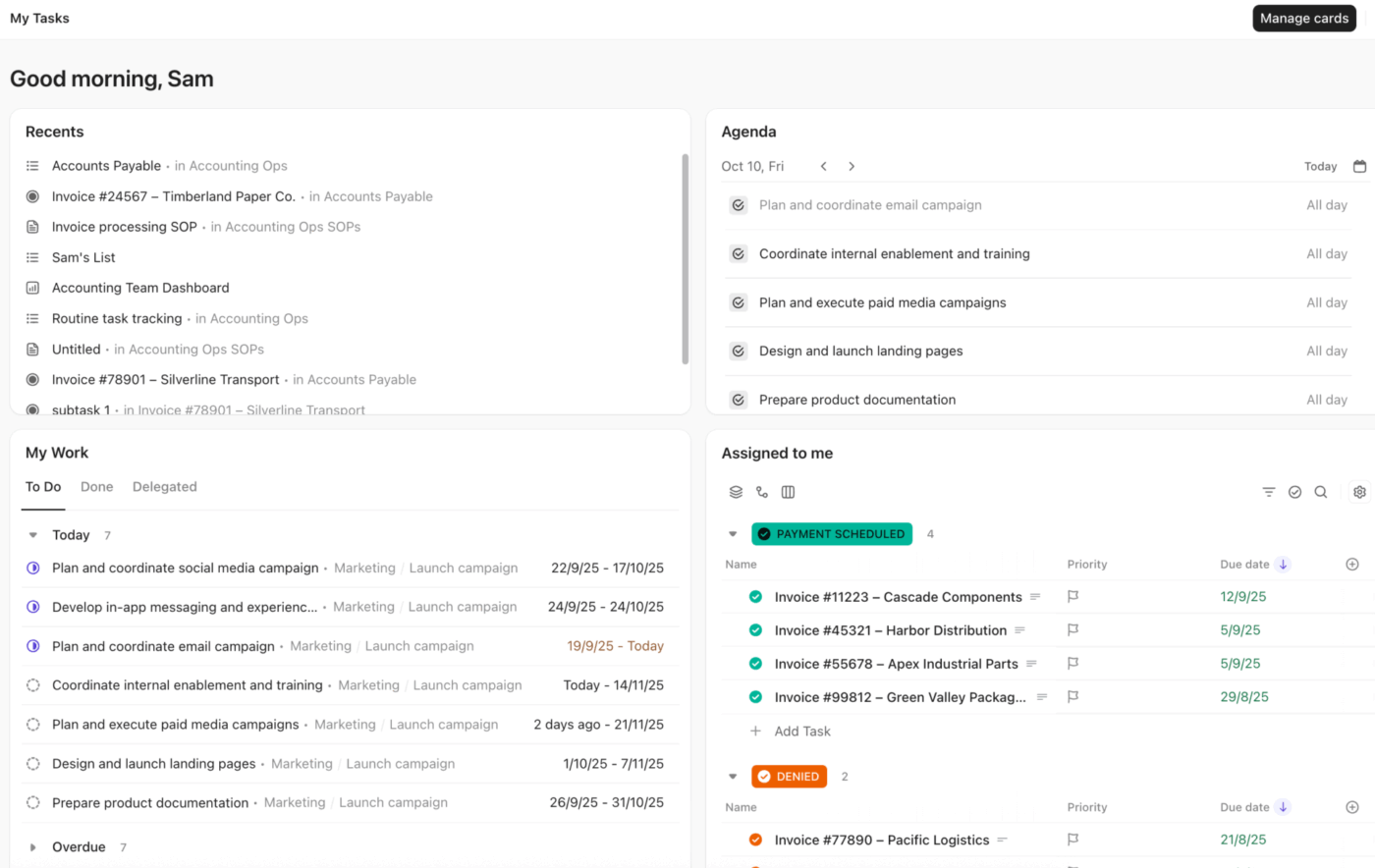
As the world’s first converged AI workspace, ClickUp replaces isolated role-play with contextual AI that operates inside real sales workflows.
To start with, ClickUp Brain, the built-in AI assistant, can run role-play scenarios using live deal data, linked Docs, past call notes, tasks, and CRM fields. Reps can ask it to simulate a buyer, surface likely objections based on previous conversations, or refine a pitch using the exact account context they are working with, not a generic script.
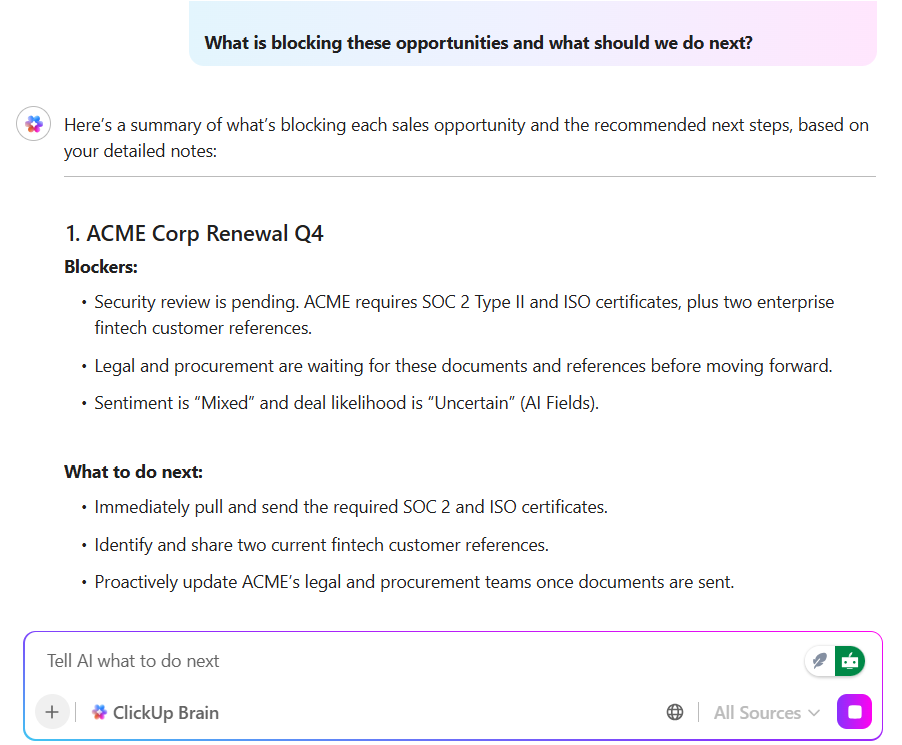
Those interactions immediately translate into structured work. Role-play outputs can be converted into ClickUp Tasks, comments, or Doc updates in one step.
Automations and Super Agents then orchestrate execution by assigning owners, updating deal stages, creating follow-ups, and enforcing SLAs. Instead of coaching insights living in isolation, they become part of a governed, trackable sales workflow.
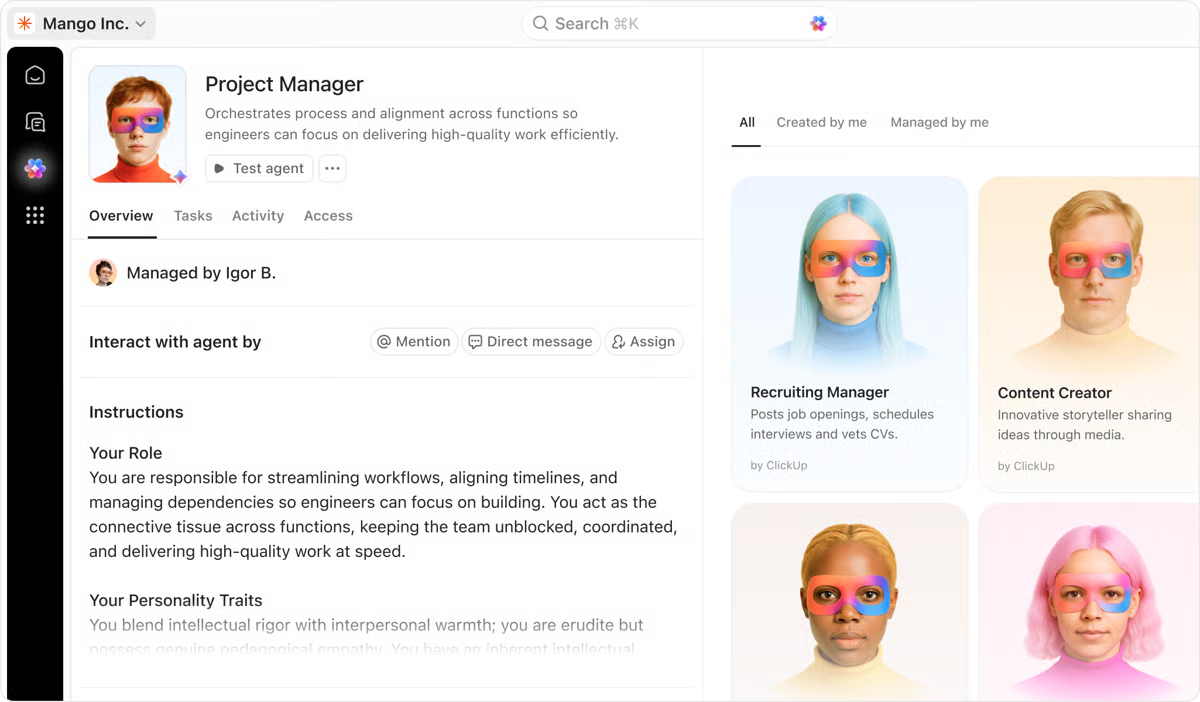
Next, your playbooks, scripts, competitive positioning, and enablement content are stored in ClickUp Docs as living documents, directly linked to tasks and opportunities. Because Docs inherit workspace permissions and stay connected to execution, updates to messaging propagate instantly across active deals and training materials.
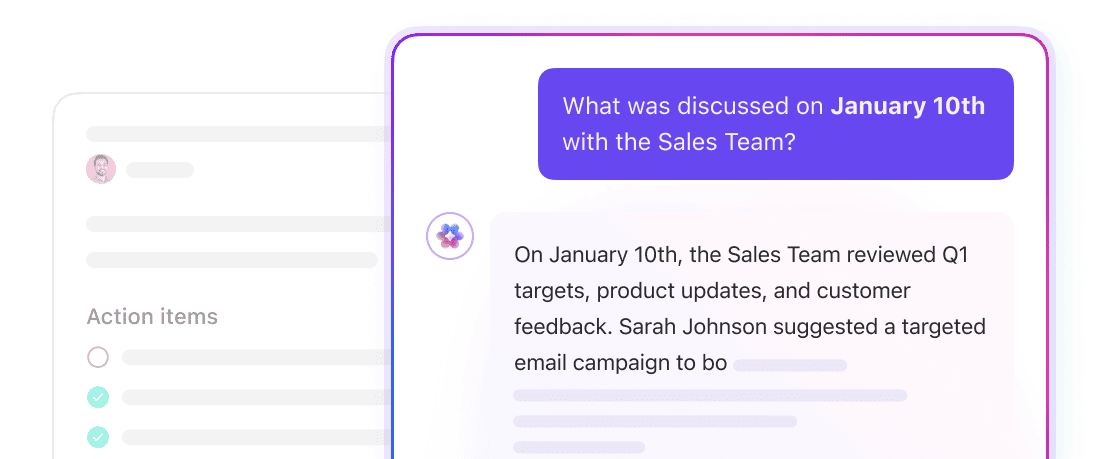
This brings us to continuous learning, AI Notetaker in ClickUp completes the loop after live calls. It captures transcripts, summarizes discussions, extracts objections and buying signals, and generates structured action items.
Those notes feed back into ClickUp Brain, enriching future role-play and coaching with real customer language while automatically advancing deals through tasks, automations, and sales dashboards. Training, execution, and insight remain fully connected end to end.
Pros:
Cons:
A user review says:
ClickUp offers all the tools necessary to list, define, track, and report on work at every stage of the delivery process. This holds true whether you are working individually, as part of a team, or across an entire department. The learning curve can be relatively short, IF you stay on track, because the wide range of features can be overwhelming. Additionally, I have been impressed by the support from the sales and solutions teams, who have been helpful in guiding us forward and assisting when we encounter challenges.
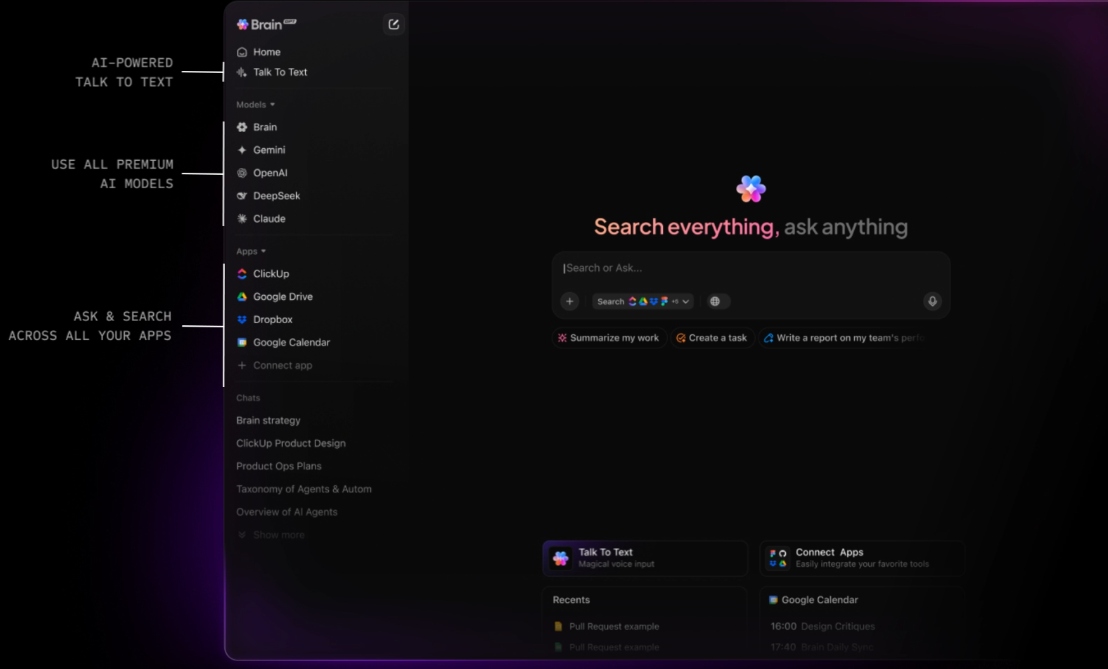
🚀 The ClickUp Advantage: ClickUp BrainGPT is a standalone, voice-first AI companion built for how sales teams actually think and prepare. Reps can talk through a pitch, practice objection handling out loud, or verbally rehearse a discovery call using Talk-to-Text, while BrainGPT responds with suggestions grounded in live deal data, Docs, and recent call history.
Everything generated can be dropped straight into tasks, CRM records, or playbooks, turning spoken practice into structured action. It’s role-play, note-taking, and prep that moves at the speed of conversation, not typing.
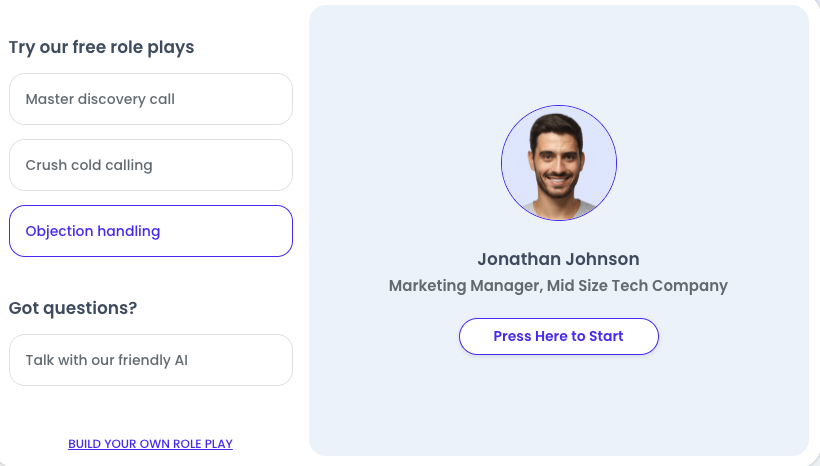
Second Nature provides a dedicated “AI coach” that uses realistic, moving avatars to conduct live role-play sessions with sales reps. The platform has expanded its “AI Assistant” to automatically build complex scenarios by simply entering a product link, a target buyer URL, and a competitor site.
It distinguishes itself from Copient AI through its global scalability, supporting practice in 27 languages with localized cultural nuances and accents. The tool is fully HIPAA compliant, making it a preferred choice for healthcare and life sciences sales teams.
Pros
Cons
A user review says:
I appreciated to be able to practice with an AI as much as I needed to. It helped me make sense of the scripts.
📖 Read More: What is Command of the Message Sales Methodology?
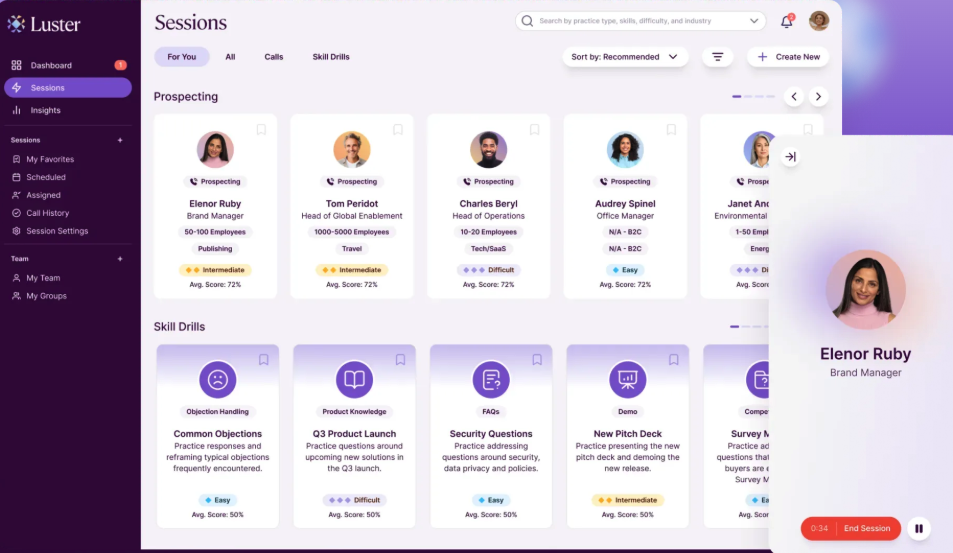
Luster.ai positions itself as a “predictive enablement” platform that identifies skill gaps before they impact revenue. While many sales tools focus on generic role-play, Luster uses a proprietary discourse engine to create hyper-realistic simulations tailored to specific deal sizes, industries, and buyer personas.
Its capabilities include “EchoIQ,” which analyzes real customer behavior during calls to detect if training is actually being applied in the field. Luster.ai moves beyond simple practice and into proactive “prescriptive” coaching, suggesting specific drills based on upcoming meetings in a rep’s calendar.
Pros:
Cons:
A user review says:
With Luster reps can practice new skills, talk tracks and objection responses in a low stakes, hyper realistic environment. It allows them to get more “at bats” and get real time feedback from the AI. Reps gained confidence and appreciated the realistic nature of the scenarios. Our sales leaders also love Luster because it allows them to quickly assess the skills of their team and be targeted in their coaching without a huge burden on them to listen to a ton of live or recorded calls.
📮ClickUp Insight: The average professional spends 30+ minutes a day searching for work-related information—that’s over 120 hours a year lost to digging through emails, Slack threads, and scattered files.
An intelligent AI assistant embedded in your workspace can change that. Enter ClickUp Brain. It delivers instant insights and answers by surfacing the right documents, conversations, and task details in seconds—so you can stop searching and start working.
💫 Real Results: Teams like QubicaAMF reclaimed 5+ hours weekly using ClickUp—that’s over 250 hours annually per person—by eliminating outdated knowledge management processes. Imagine what your team could create with an extra week of productivity every quarter!
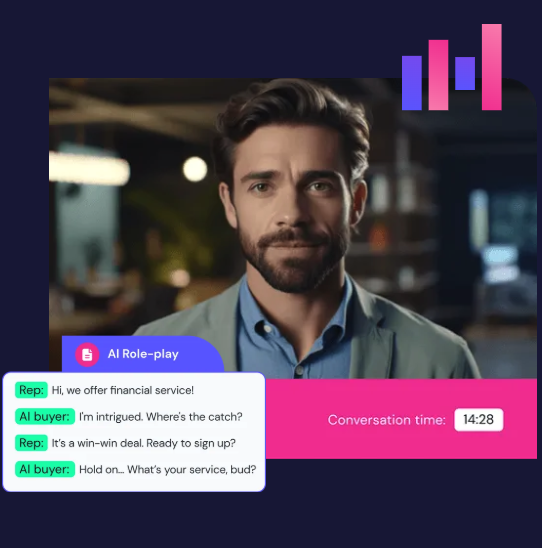
Pitch Monster centers on the philosophy that “activity doesn’t equal ability.” Rather than occasional long-form training, it provides a high-frequency role-play environment where reps can fail safely and iterate quickly.
The platform has evolved its AI to act as a “Sales Grammarly,” providing real-time linguistic suggestions to help reps eliminate clichés and improve their conversation pacing during practice.
Compared to Copient AI, it offers deep customization of buyer personas—allowing managers to simulate specific “difficulty” levels and impatient ICPs (Ideal Customer Profiles). This move toward hyper-realistic, context-heavy simulations helps bridge the gap between “practice” and the high-stakes reality of live discovery calls.
Pros:
Cons:
A user review says:
It gets new hires call-ready by week three. We use short, realistic scenarios, an AI coach, and a scoreboard (now top-10) to drive practice. Admin is easy: we link from our LMS, host a simple SharePoint landing page, and track usage/improvement. The UI has improved steadily, the service is stable, and Success/Support are quick and helpful.
⚡️ Template Archive: Free Sales Playbook Templates to Streamline Your Sales Process
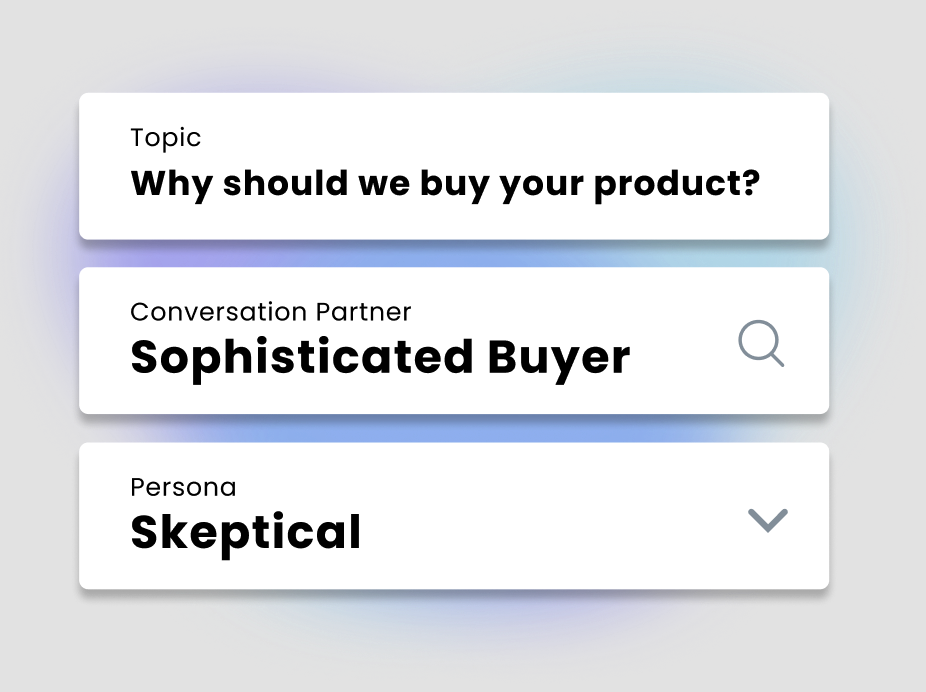
Yoodli is an AI speech coach that focuses on the mechanics of communication, pacing, filler words, and body language, rather than just the sales script.
It has deep integration with Salesforce, allowing reps to launch role-plays directly from an open opportunity. The tool also introduced “Multi-Persona Roleplays,” enabling users to practice in front of an AI panel of stakeholders to simulate complex committee-based buying decisions.
As a Copient AI alternative, it acts as a private “batting cage” where reps can experiment without manager oversight. While Copient is often used for top-down certification, Yoodli is frequently adopted by individual contributors as a personal development tool to refine their executive presence and delivery during live Zoom or Google Meet calls.
Pros:
Cons:
A user review says:
Yoodli lets sellers run real-time conversations with AI avatars built around our actual personas and objections. It’s been incredibly useful for certifying reps on new decks, talk tracks, and product launches. The practice feels authentic, and enablement teams get hard data on delivery, pacing, filler words, clarity, plus pass/fail criteria and trendlines to focus coaching where it matters.

Quantified AI leverages behavioral analytics to decode the specific communication patterns that drive successful sales outcomes.
Unlike Copient AI, which focuses on providing a platform for general practice, Quantified uses a “Success Blueprint” approach, analyzing your top performers to create simulations that train the rest of the team to replicate those winning behaviors.
The platform has recently integrated advanced “Emotional Intelligence” metrics that score reps on empathy, trust-building, and rapport.
Quantified AI is particularly favored in highly regulated industries like pharmaceuticals and financial services because it provides objective, data-backed evidence of “readiness” that removes manager bias from the certification process.
Pros:
Cons:
A user review says:
Quantified, a startup focused on sales learning technology, has launched a new platform that uses AI to simulate sales conversations and provide coaching to reps. The goal of Quantified’s platform is to make sales training more efficient and effective.
The software’s powerful business analytics and sales capabilities driven by AI enable high-impact performance and flexibility.
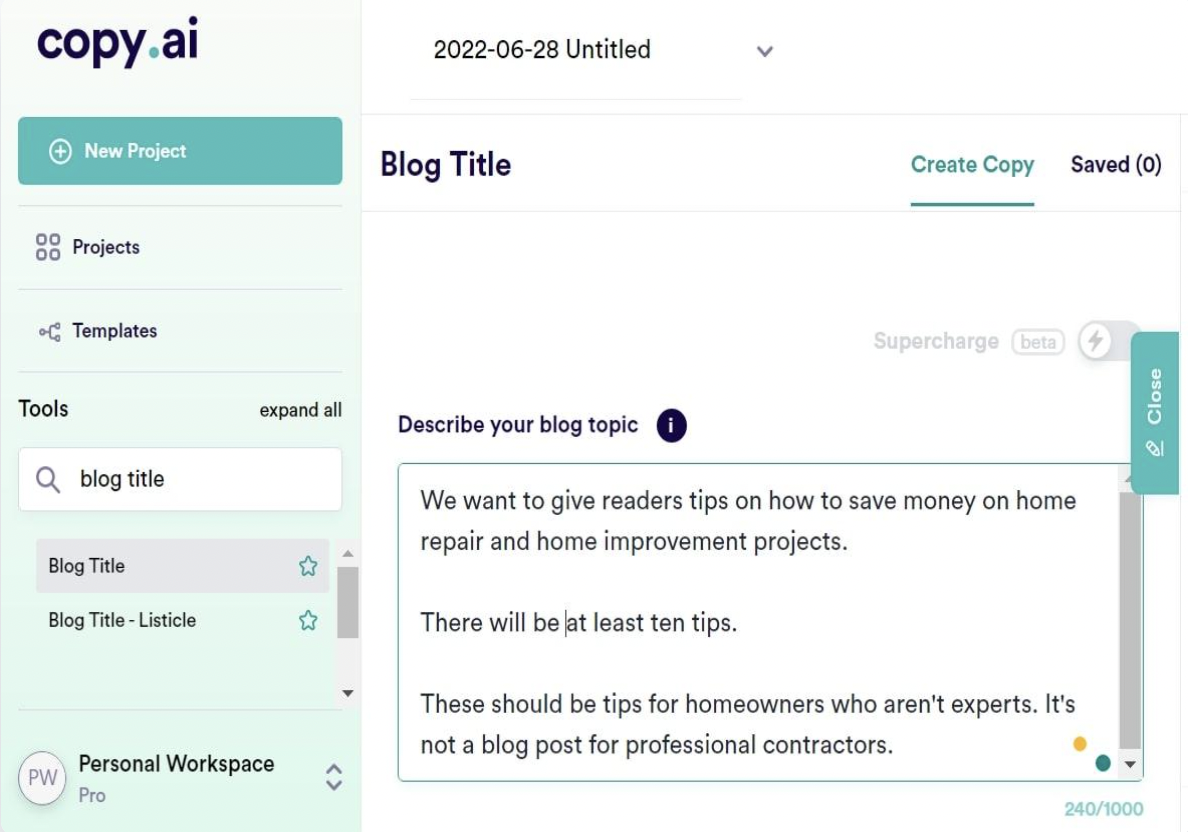
Copy.ai is a comprehensive “GTM AI Platform” that moves beyond simple copywriting to orchestrate entire go-to-market workflows.
It focuses on the high-volume execution of the sales cycle—from automated prospect research to generating hyper-personalized outreach at scale. The tool’s dedicated “Content Agent Studio” allows teams to build autonomous agents that can research a lead’s recent funding rounds or LinkedIn activity and draft a tailored pitch before a rep even opens their inbox.
Rather than acting as a standalone training silo, Copy.ai integrates directly with CRMs like Salesforce and HubSpot to automate the “pre-work” and “post-work” of a deal. This makes it a preferred choice for teams that want to eliminate manual administrative tasks and maintain a consistent brand voice across every digital touchpoint.
Pros:
Cons:
A user review says:
– Nice AI tool for content generation such as blogs, social posts, emails etc – Easy to navigate for beginners and overall simple UI with vast library of templates – Supports multi language – Basic but effective text editor, similar to Google doc, that keeps you within Copy.ai ecosystem – Useful for marketers
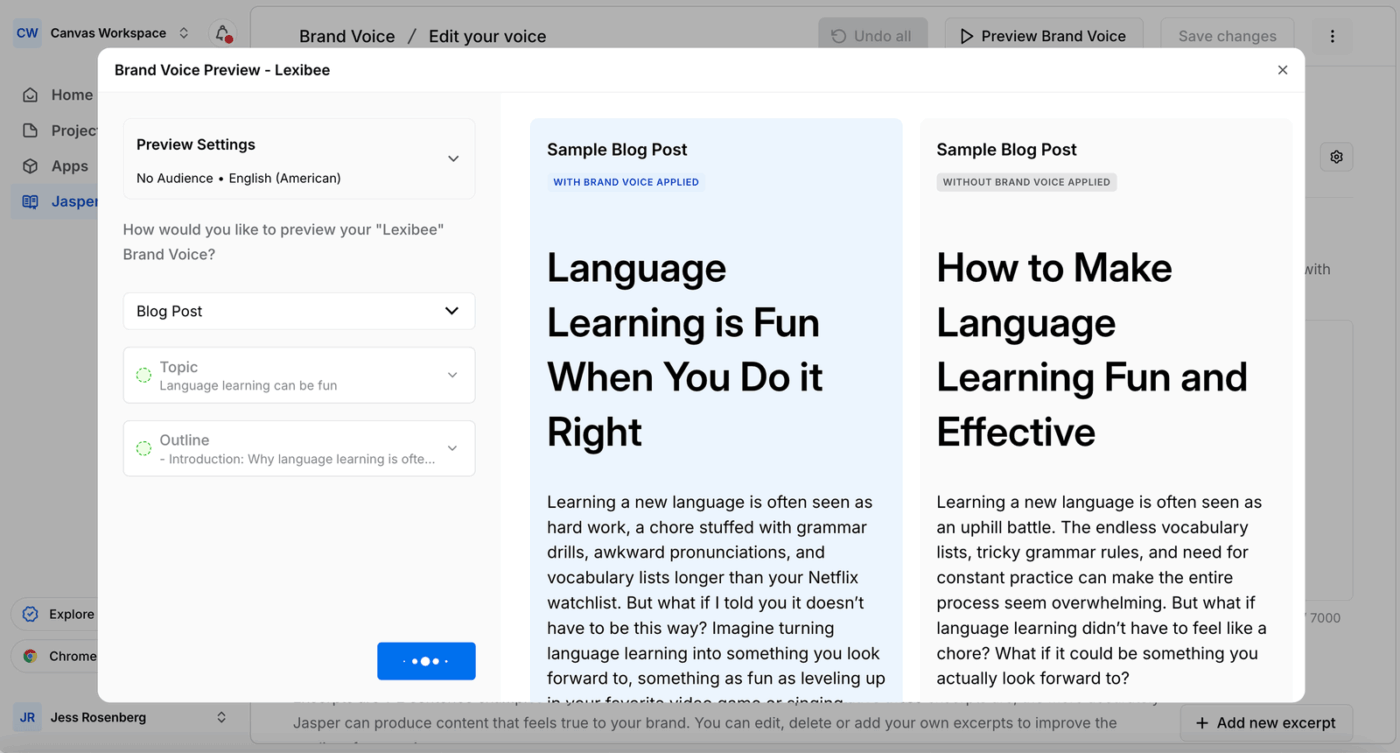
Your AI-generated content sounds generic and off-brand, requiring heavy editing to match your company’s voice. The time saved by AI is lost in the editing process, and inconsistent branding confuses customers.
Jasper is an AI content platform designed for marketing teams that need to maintain brand consistency across high volumes of content. It’s one of the top ChatGPT alternatives for marketers. With its brand voice training, AI-generated content aligns with your style from the first draft, ensuring consistency and saving significant editing time.
Unlike Copient AI, which focuses on verbal and simulation-based training for sales reps, Jasper focuses on the “omnichannel” delivery of a brand’s message, ensuring that every piece of sales collateral, from email sequences to pitch decks, adheres to a unified voice.
There’s also “Jasper IQ,” a context hub that absorbs your specific company data and style guides to eliminate the generic, “robotic” output often found in standard LLMs.
Pros:
Cons:
A user review says:
Jasper is an really easy and effective tool when it comes to generating one-liner catchy copywriting content that can drive sales outreach and email and LinkedIn messaging. The tool is able to generate original content that has a more personal touch. Jasper’s content improver feature is point on in rewriting copies as per our expected outcome.
⚡️ Template Archive: Free Sales Proposal Templates to Close Deals Faster
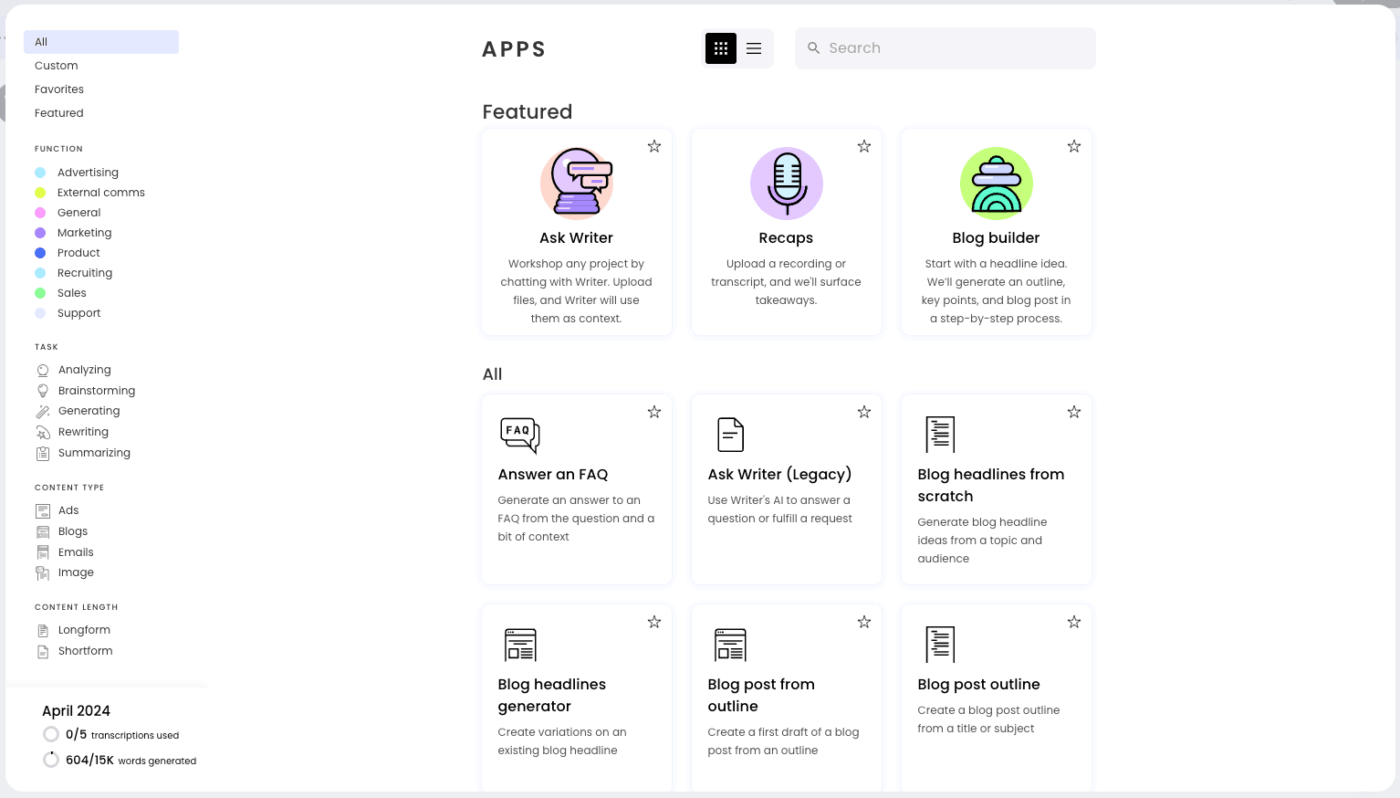
Writer works as a Copient AI alternative for teams that care less about role-play and more about control. In large, regulated organizations, sales and enablement content often stalls in legal review cycles, with teams manually checking language, claims, and tone against brand rules. That slows training, introduces risk, and makes it hard to scale consistent messaging.
As an enterprise AI writing platform, Writer is built around governance. It enforces brand voice, terminology, and compliance rules automatically as content is created, helping teams generate sales scripts, enablement materials, and customer-facing copy that is aligned and review-ready by default.
For organizations where approval speed and consistency matter more than conversational practice, Writer offers a compliance-first alternative to Copient AI.
Pros:
Cons:
A user review says:
What I appreciate most about Writer is how it maintains my writing consistent without making me feel like I’m fighting the tool. Once the style guide is set up, it gently guides me towards the appropriate tone, preferred terminology, and brand voice while I write, almost as if an editor were sitting next to me. The real-time suggestions are straightforward and useful, and I don’t have to switch between apps to correct language or clarity errors. It saves time, eliminates back-and-forth editing, and makes team writing appear more cohesive and professional.
🎥 Learn how to use AI Agents for sales. Watch this video.

Writesonic is a versatile AI writing tool with a particular strength in SEO-optimized content creation. With this tool, your content is created with search rankings in mind from the start, improving organic performance without needing a separate SEO tool.
While Copient AI focuses on the internal development of sales skills, Writesonic focuses on external market growth and search dominance. The platform has been a pioneer in “Generative Engine Optimization” (GEO), which helps brands monitor how they are mentioned in AI search tools like Perplexity, ChatGPT, and Google’s AI Overviews.
This makes it a preferred choice for marketing and sales teams that need to create high-quality, discoverable content across text, audio, and conversational interfaces without managing multiple disconnected subscriptions.
Pros:
Cons:
A user review says:
I love the easy access for this platform. The features provided by this platform such are very suitable for marketing and sales work. It assists in taking care of the content. Its AI Assistant in writing assist a lot with improving the quality of work which also being efficient in getting the job done. Its feature of SEO and content Workflow is amazing.
📖 Read More: How to Use AI for SEO (Use Cases & Tools)
Consider whether you need specialized sales role-play, broader AI content capabilities, or a converged workspace that combines AI with project management and documentation like ClickUp.
The right Copient AI alternative depends on whether you need to fix a symptom—like practicing conversations or writing content—or the underlying disease of Work Sprawl, which a Converged AI Workspace is designed to solve. As AI advances, the most valuable tools will be those that integrate assistance directly where work happens, reducing Context Sprawl that slows teams down.
Teams ready to bring AI into their complete work management workflow can get started for free with ClickUp.
Copient AI is a sales training platform that uses AI-powered role-play conversations to help sales representatives practice pitches and improve communication skills in simulated buyer interactions.
AI role-play tools focus specifically on simulating conversations for practice, while AI workflow platforms like ClickUp integrate AI capabilities directly into project management and documentation, connecting AI assistance to actual work.
Yes, AI workflow platforms support training by helping you create documentation like playbooks and coaching guides, generate content for training materials, and collaborate with your team, though they don’t offer dedicated role-play simulation.

© 2026 ClickUp

There’s an easier way. Try a free AI Agent in ClickUp that actually does the work for you—set up in minutes, save hours every week.