






Still downloading templates?
There’s an easier way. Try a free AI Agent in ClickUp that actually does the work for you—set up in minutes, save hours every week.
Sorry, there were no results found for “”
Sorry, there were no results found for “”
Sorry, there were no results found for “”
If choosing a project management tool feels like an endless struggle to tame the chaos and boost efficiency, you’re not alone.
With so many options out there, it’s easy to spiral into an endless loop of questioning—What do I really need? Can any of these tools actually meet my requirements?
To make your decision easier, we’ve narrowed it down to two of the most popular contenders: ClickUp and Freedcamp.
Both promise to keep your projects on track, your team in sync, and your sanity intact. But do they actually deliver?
In this showdown, we’ll break down their features, usability, and overall value to help you find the perfect fit. So sit back, relax, and let’s settle the ClickUp vs. Freedcamp debate once and for all! 🚀
Here’s a quick comparison table to get you started:
| Feature | ClickUp | Freedcamp |
| Task management | Advanced task management with custom fields, task types, statuses, and dependencies | Basic task management with sub-tasks, priority levels, and recurring tasks |
| Automation | 100+ pre-built, rule-based automations | Lacks advanced automation capabilities |
| AI capabilities | AI-powered task summaries, document writing, language translation, and automated insights | AI project creation assistant for initial task setup |
| Integrations | 1000+ integrations and ClickUp API for custom integration | Limited integrations with basic third-party app connections |
| Collaboration | Real-time commenting, task mentions, in-built chat, and other team collaboration tools | Comments within tasks but no real-time collaboration features |
| User interface and customization | Highly customizable interface, multiple themes, and workflow adaptability | Simple, clean UI with limited customization options |
Our editorial team follows a transparent, research-backed, and vendor-neutral process, so you can trust that our recommendations are based on real product value.
Here’s a detailed rundown of how we review software at ClickUp.
ClickUp is an ‘everything app for work’ that comes with a suite of tools to streamline project management and productivity workflows for different teams.
As a powerful work management tool, it provides a centralized workspace where users can manage tasks, collaborate on documents, track progress, and automate processes.
True to its name, it positions itself as ‘one app to replace them all’ by consolidating multiple work tools into a single platform.
ClickUp features a wide range of tools to help you get more work done faster without being pulled back by siloed workflows.
Let’s explore them in detail.👇
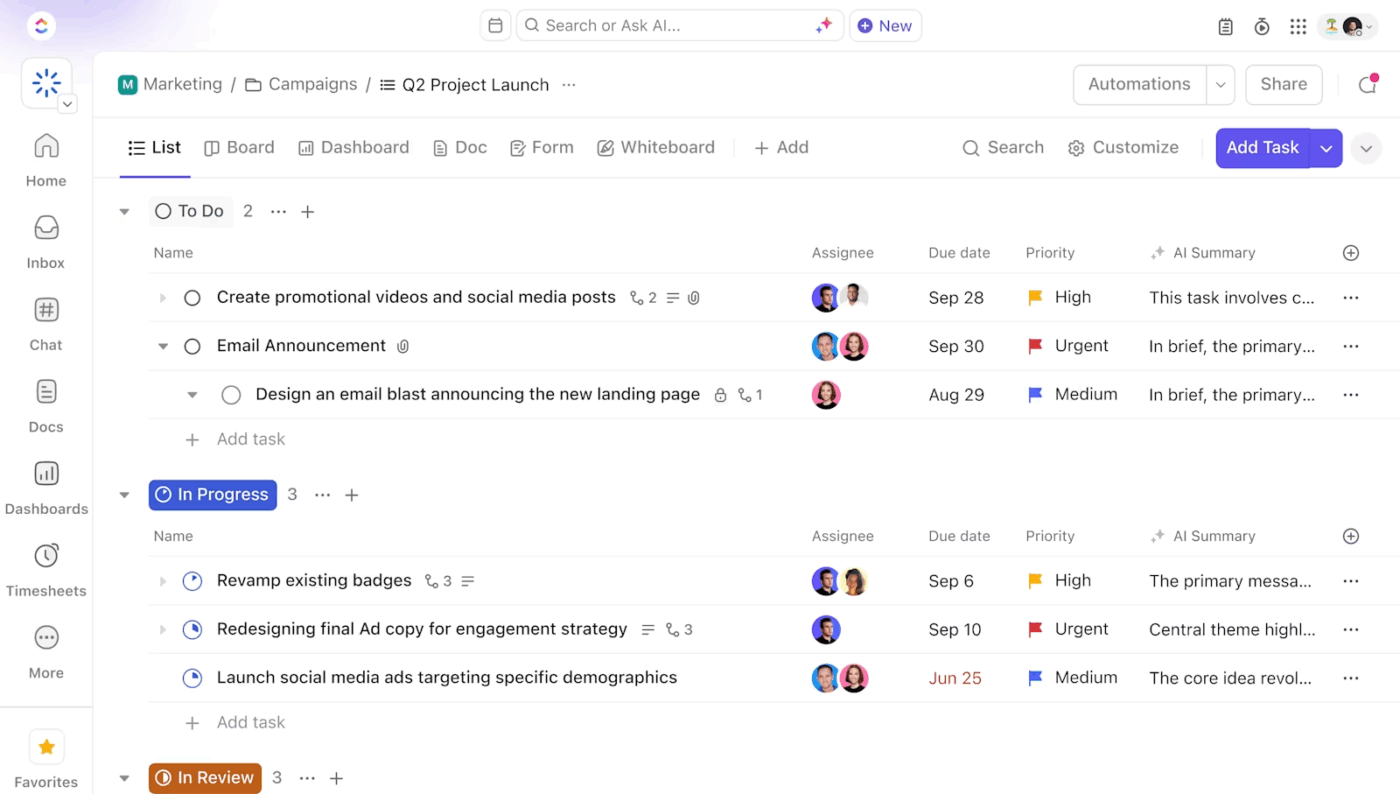
ClickUp’s Project Management Solution is built for teams who need full visibility, faster collaboration, and fewer scattered tools. From kickoff to delivery, you can plan projects, assign work, track progress, and manage deadlines, all in one workspace.
Once your project is set up, unlock access to a full suite of tools to keep everything on track. One tool on that long list is ClickUp Tasks.
With Tasks, you can:
💡 Pro Tip: Use time tracking templates to standardize time entries and streamline productivity analysis across different projects, tasks, or team members. For instance, the ClickUp Consultant Time Tracking Template is specifically designed to record completed tasks so consultants can accurately track billable hours and easily generate invoices.
🔍 Did You Know? Automation, derived from the Greek word ‘automaton’ meaning ‘acting of one’s own will,’ has roots tracing back to ancient Greece. Homer first used the term ‘automaton’ to describe self-moving devices, such as the automatic movement of wheeled tripods.
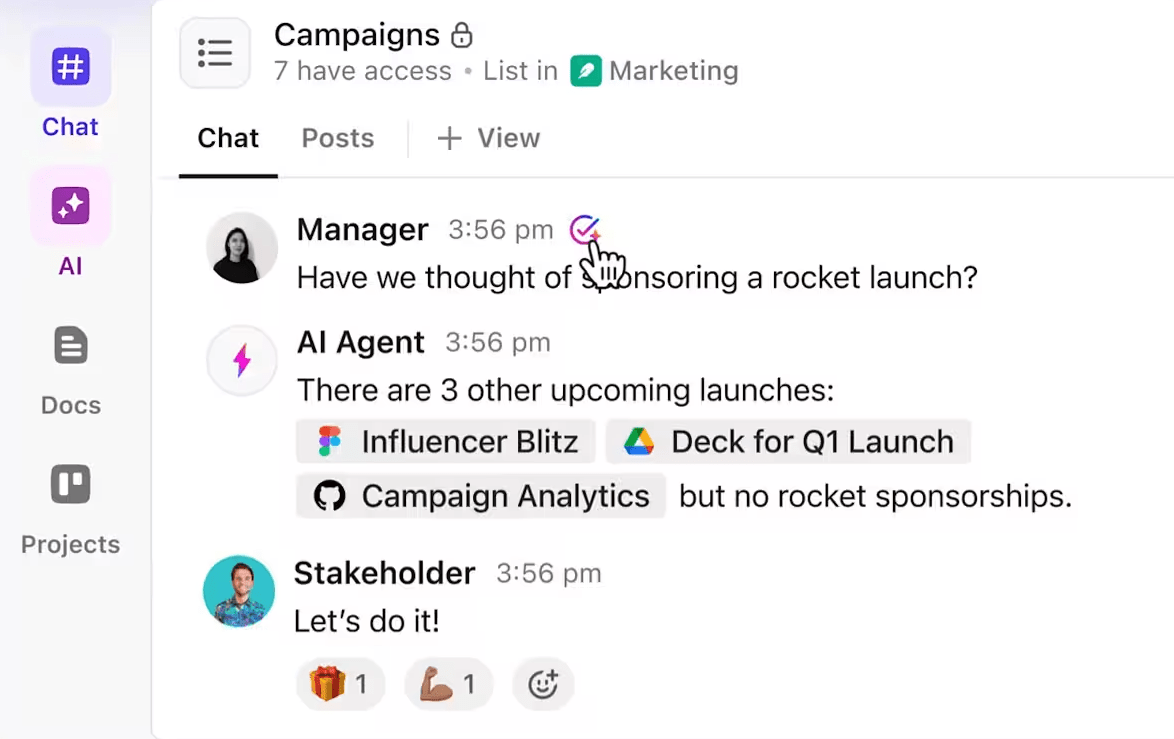
ClickUp Chat lets your team brainstorm, share updates, and collaborate in real time within the same platform where work gets done, making team management effortless.
With it, you can:
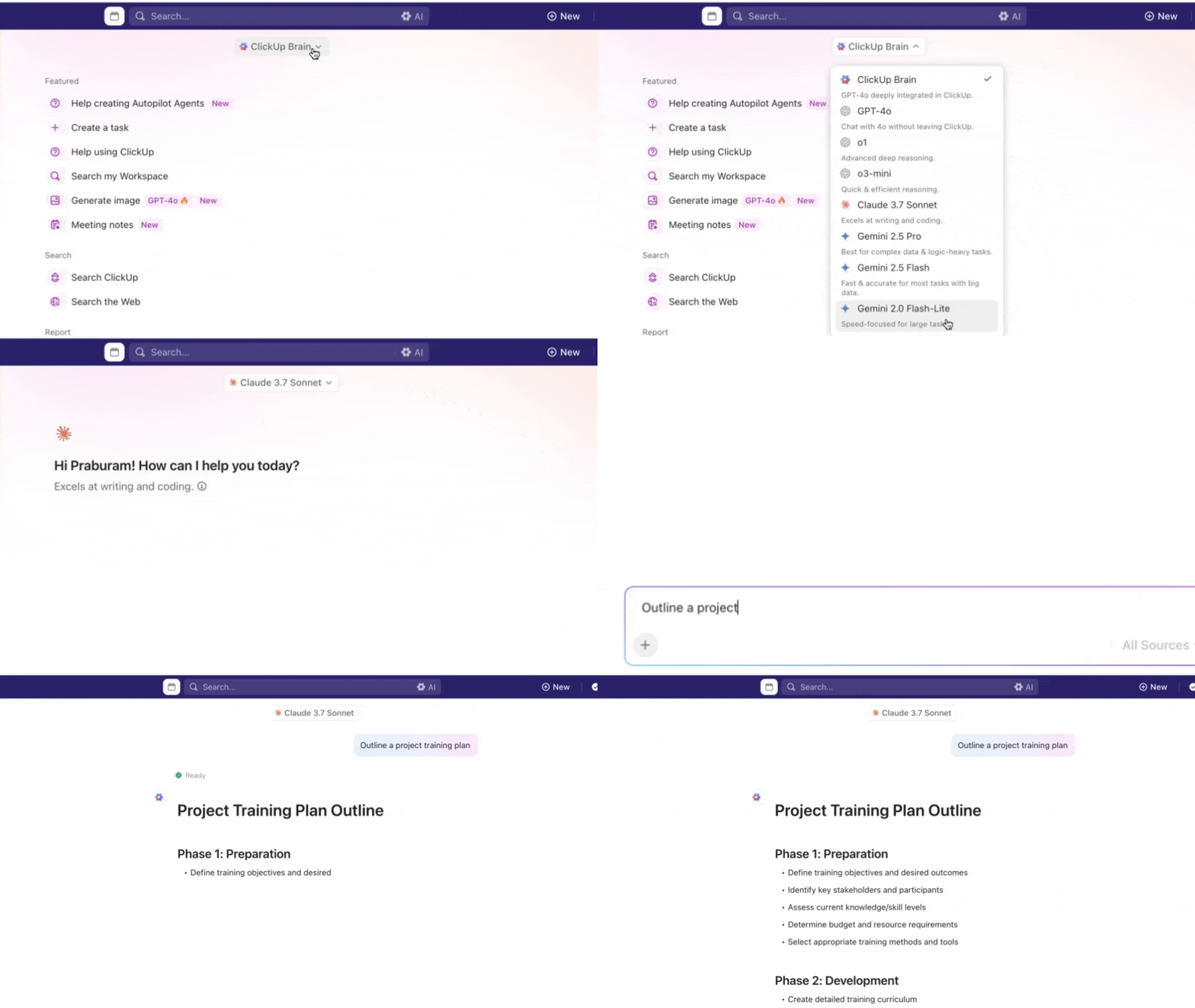
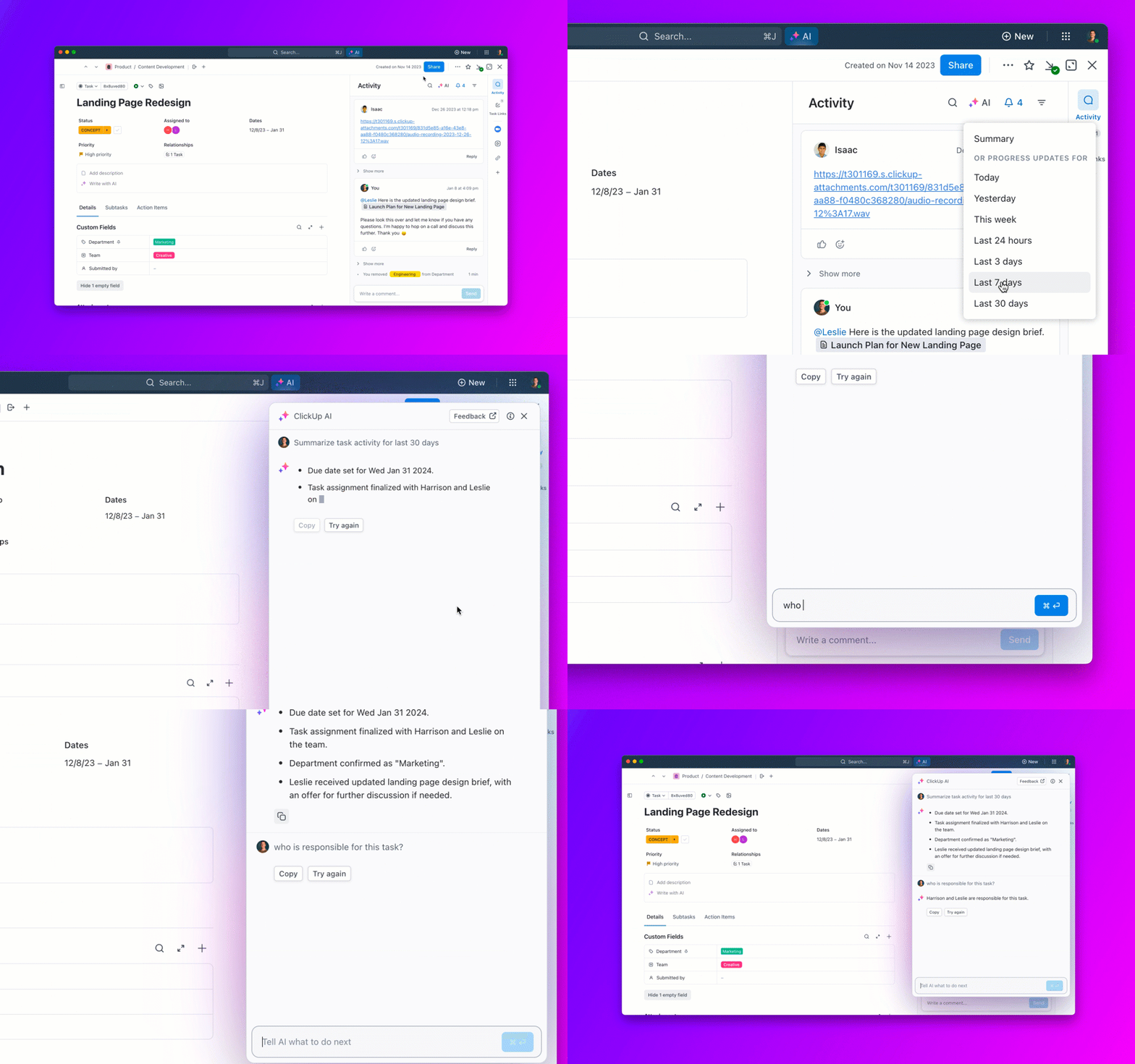
Pair ClickUp Chat and Tasks with ClickUp Brain, and you’re bridging the gap between talk and execution. Here’s how it helps:
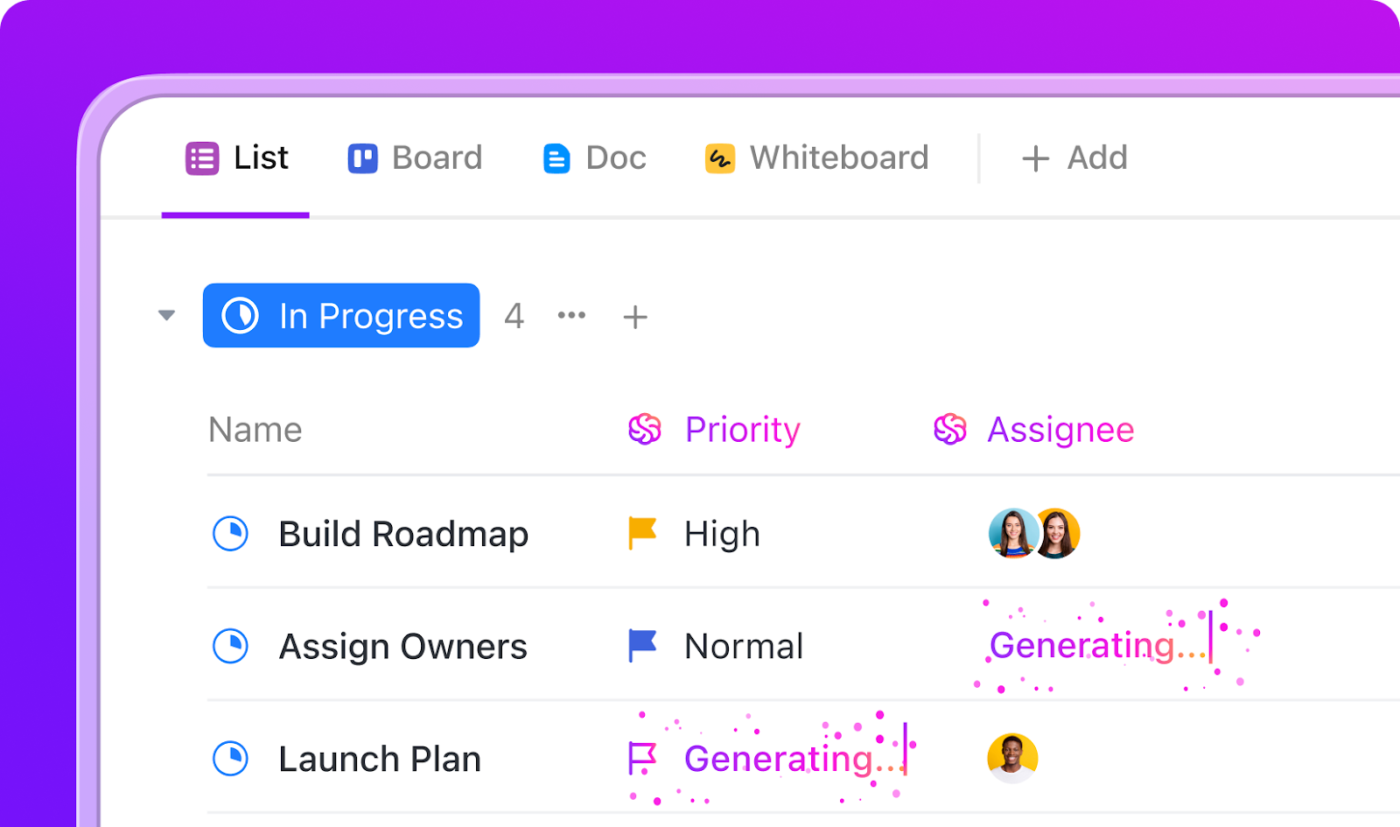
Handle tedious, repetitive work like assigning tasks, posting comments, or changing statuses with ClickUp Automation. With 100+ pre-built templates, ClickUp allows you to streamline workflow automation so you can spend more time on work that matters.
Here’s how you can use automations in ClickUp to manage common project management tasks:
✅ Send automatic emails to specific team members based on particular triggers. Use it to acknowledge customer feedback, notify external collaborators about project changes, and set internal reminders for important deadlines or task dependencies
✅ Save time and keep your teammates in the loop by automatically adding assignees and watchers to new tasks
✅ Keep track of all the automation activity with the audit log. View automation statuses, actions taken, and edit the details as needed
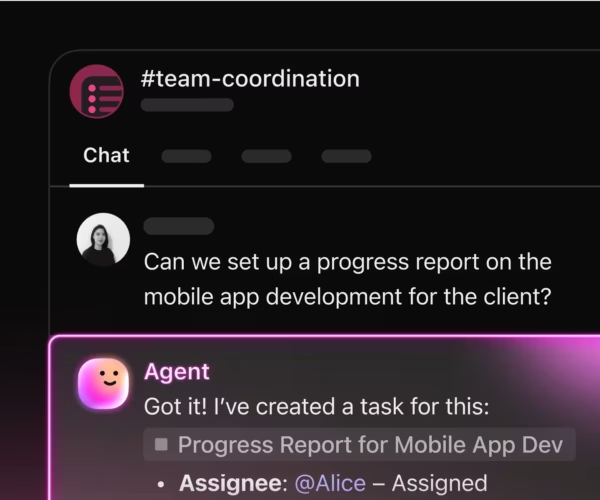
💟 Bonus: If you want to truly integrate AI into your project management workflows, there’s Brain MAX! This powerful desktop app unifies AI, search, and automation across all your work apps. Say goodbye to the chaos of disconnected AI tools. This is the new era of Contextual AI.
With Brain MAX, you eliminate AI sprawl and boost productivity with voice-first commands, unified search across every app, and instant custom report creation. It eases your cognitive load and surfaces risks and reports without delay, so you can work smarter and faster than ever before.
📚 Also Read: How to Use AI for Productivity

Need help with documentation? Capture ideas, create briefs, draft project proposals, and more with ClickUp Docs.
Better yet, with Docs, you can:
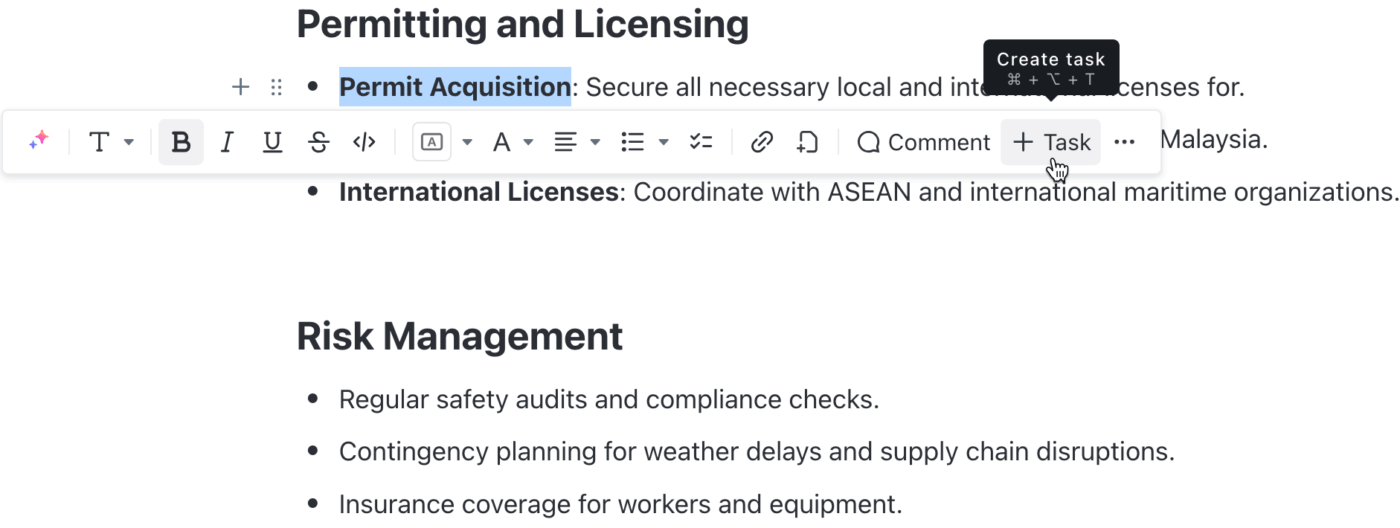
💡 Pro Tip: Working on ClickUp Docs and need a little help? Type /ai anywhere in the doc, and Brain will instantly offer a smart menu of actions. You can ask it to summarize, improve writing, generate action items, explain, or even continue writing your content!
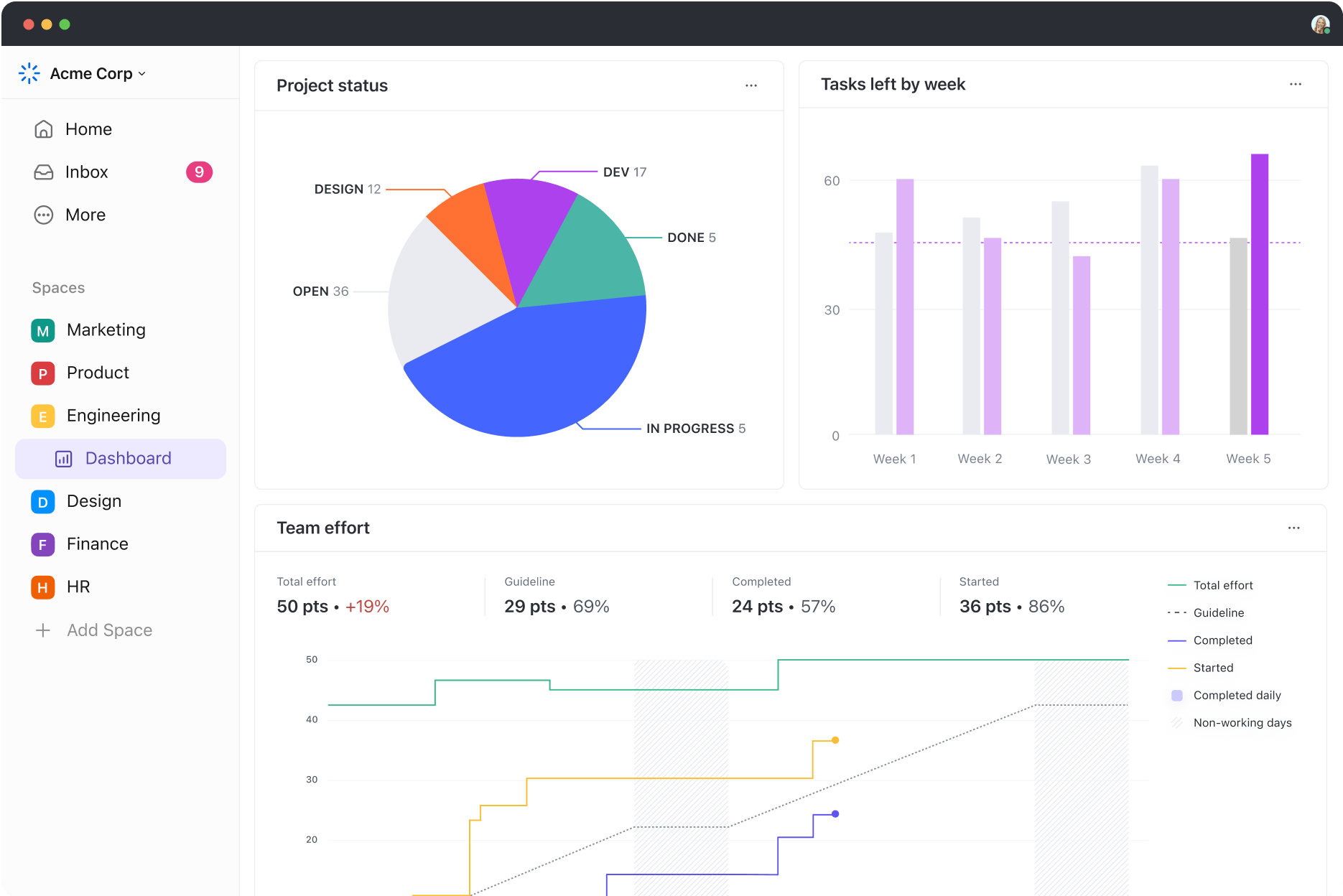
Once your work is documented and in motion, you’ll want a way to track its progress across the team. Whether tracking sprint velocity, campaign performance, workload distribution, or project timelines, ClickUp Dashboards lets you monitor everything in one place without digging through tasks or spreadsheets.
You can build fully customizable dashboards using widgets for tasks, time tracking, goals, chats, docs, and more.
💡 Pro Tip: Combine Kanban boards and Gantt charts for comprehensive workflow visualization. While Kanban boards are ideal for daily task tracking, Gantt charts facilitate long-term project planning and deadline management.
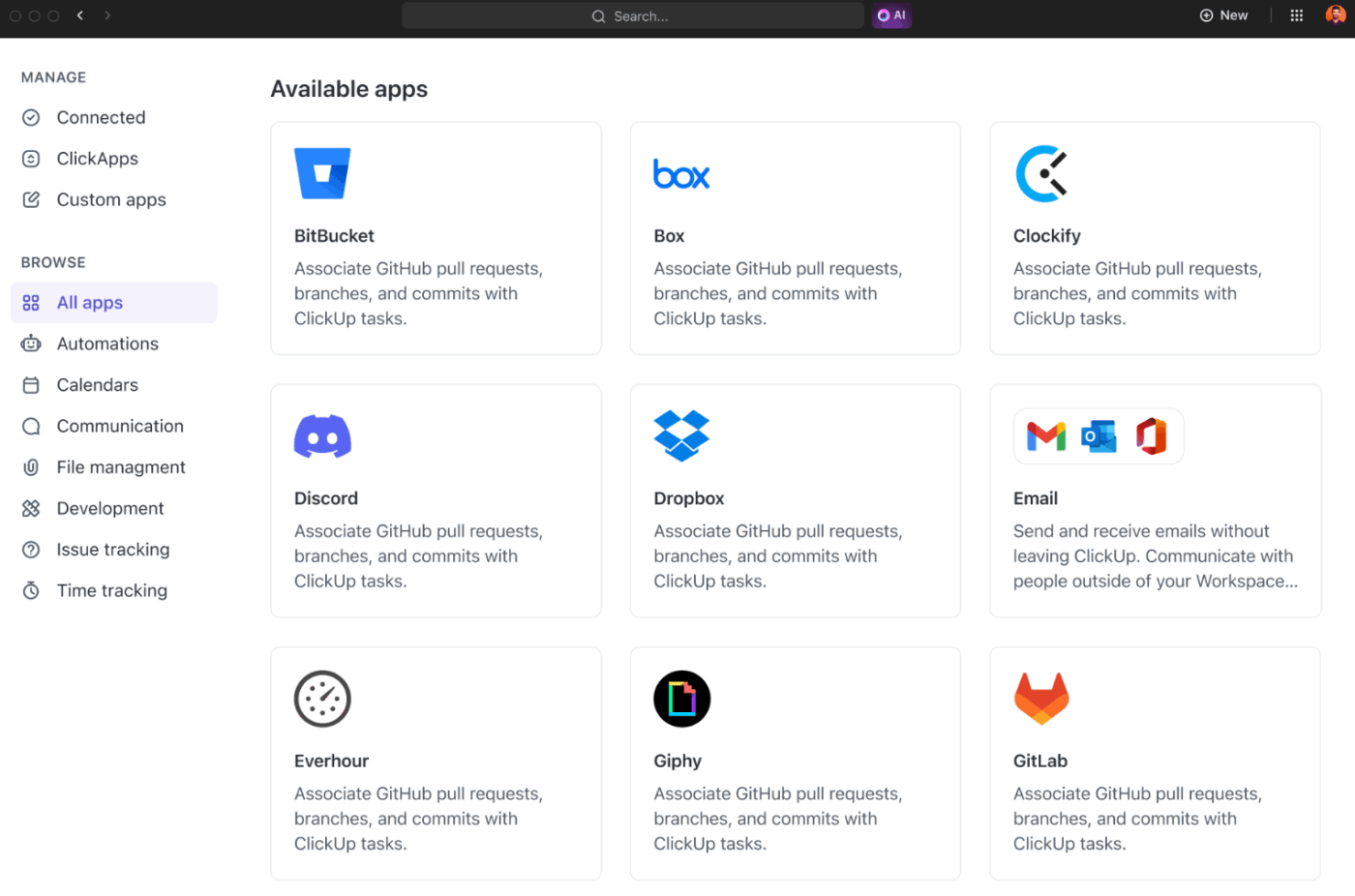
With 1000+ integrations, ClickUp ensures you don’t have to waste time switching between apps or juggling multiple tools separately to get work done.
You can automate task creation, project tracking, status updates, and data syncing across tools like Slack, HubSpot, and Jira. You can also pull emails from Gmail, meeting notes from Zoom, or designs from Figma into ClickUp.
📮 ClickUp Insight: A typical knowledge worker has to connect with 6 people on average to get work done.
This means reaching out to 6 core connections on a daily basis to gather essential context, align on priorities, and move projects forward.
The struggle is real—constant follow-ups, version confusion, and visibility black holes erode team productivity. A centralized platform like ClickUp, with Connected Search and AI Knowledge Manager, tackles this by making context instantly available at your fingertips.
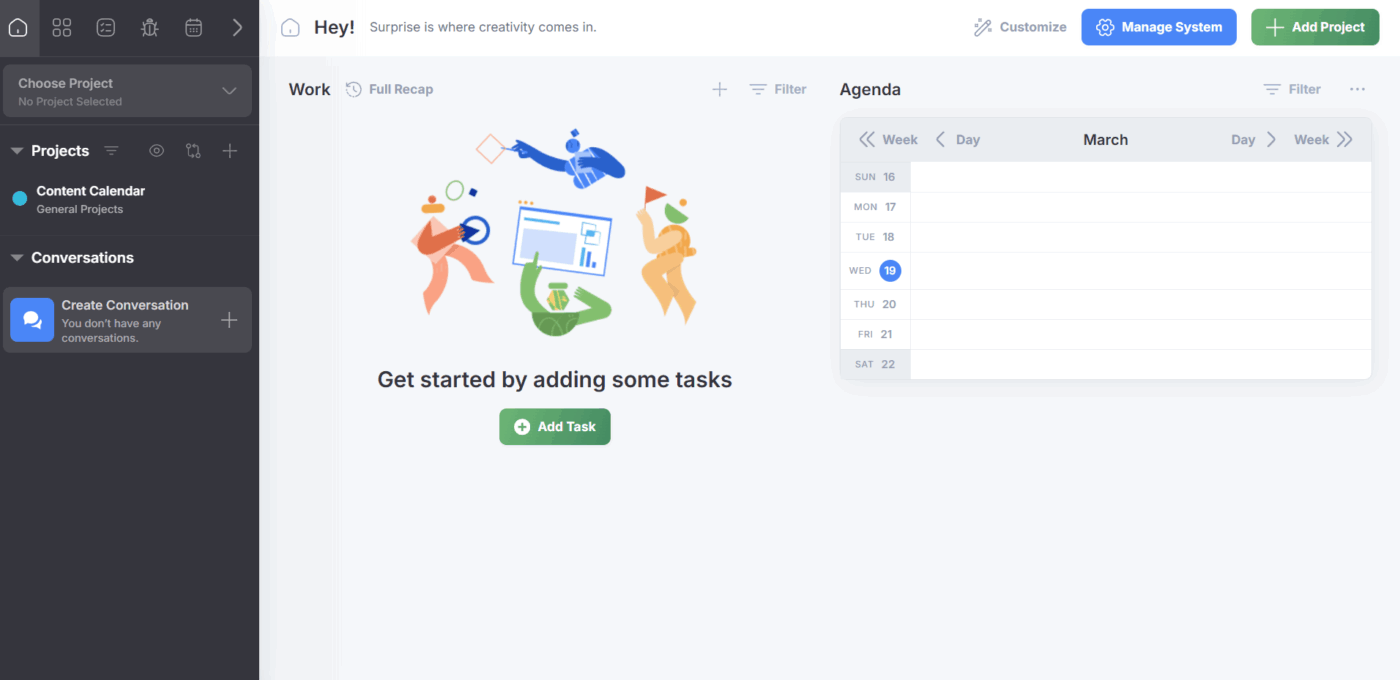
Freedcamp is a project management software designed to help teams streamline projects, processes, and workflows. It offers tools for team communication, task management, calendar scheduling, and more.
Freedcamp is a good option for small businesses and freelancers looking for a free tool to help them manage their projects without burning a hole in their pocket.
Freedcamp offers a well-rounded set of project management software features that enable users to plan and execute projects with both flexibility and structure.
Here are some of its standout capabilities:
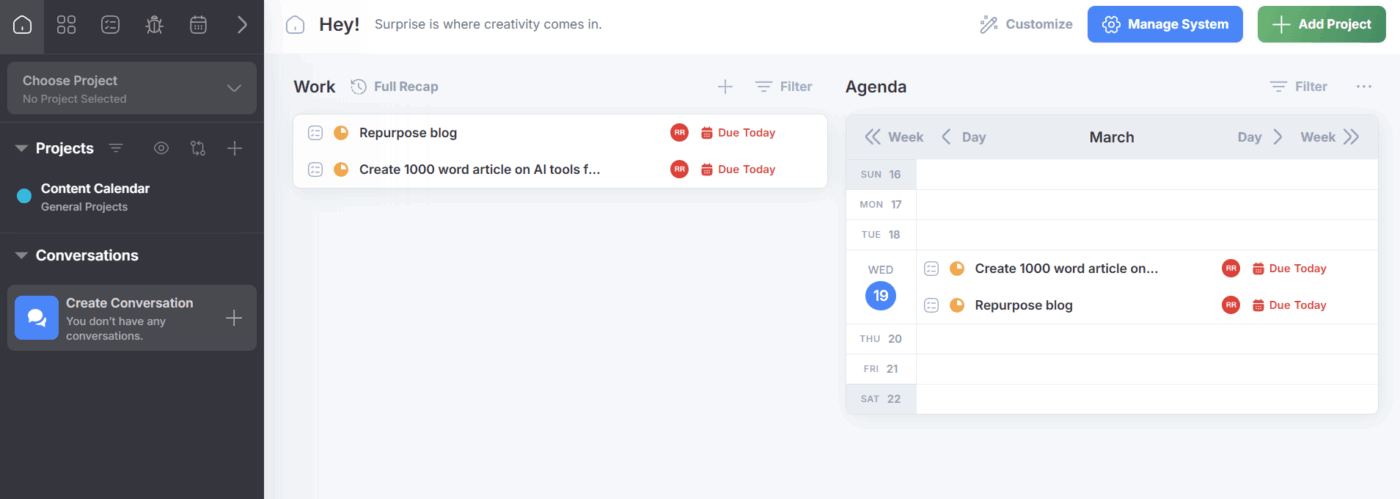
In Freedcamp’s task management app, create hierarchical task structures with dependencies and subtasks. Customize workflows, set start and end dates, assign tasks, and add priorities, tags, and comments to streamline execution.
For recurring tasks like client reports, Freedcamp lets you set fixed due dates or dynamic timelines that adjust based on task completion. Once set, recurring tasks generate automatically, eliminating manual setup and ensuring deadlines are never missed.
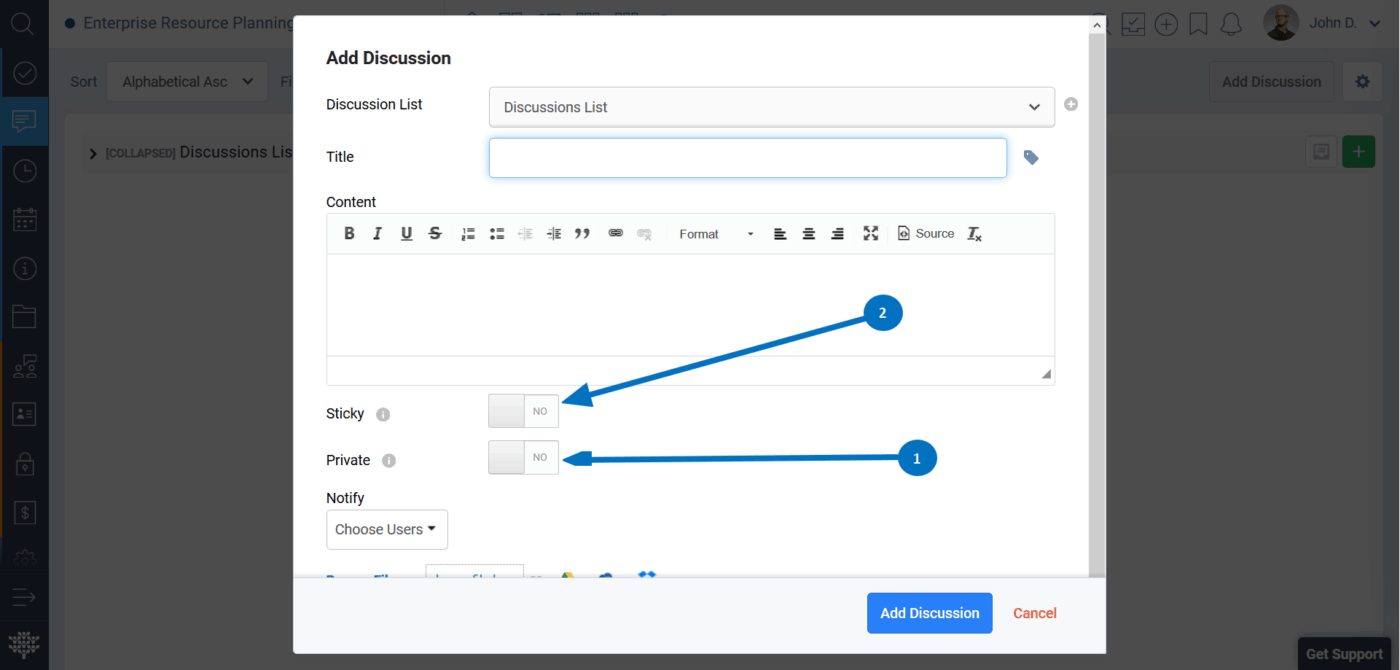
Take your work-related conversations into a dedicated space with Freedcamp Discussions, an effective project management collaboration tool. It keeps your brainstorming sessions and updates separate from task spaces so teams can move around conversations without messy threads and cluttered workspaces.
Discussions also features a universal search that helps you find the information you need, even from archived conversations. You can even reply to conversations from email when you’re not directly logged into the Freedcamp platform.
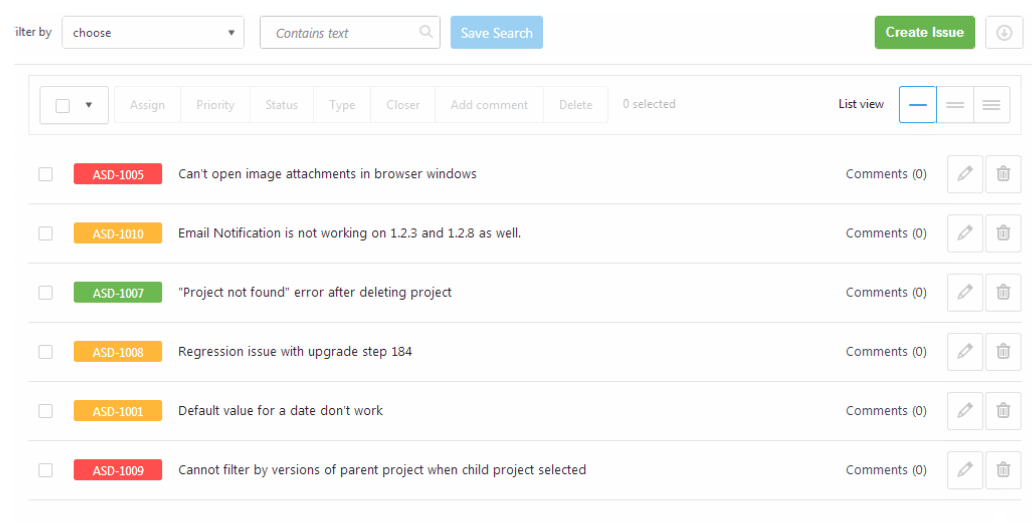
Report, track, and manage issues with Freedcamp’s issue tracker. In fact, switch between issues, use pre-built filters to streamline search, and separate issues by project so you have complete visibility into every ticket.
Every issue has an auto-generated issue number and prefixes that you can define according to the project you’re working on. Once tickets are finalized, you can assign a closer so everything gets a complete review before it goes out.

Freedcamp’s Wiki creates a centralized database for every project. It acts as a single source of truth for important information and has flexible permissions to ensure the right people have the right access. You can edit information, add images, embed video links, and format information using headers and tables.
Store and organize files, folders, documents, and templates in your Wiki for easy access. Use the comments system to leave feedback on docs and keep your documents up to date every time.
Both ClickUp and Freedcamp are solid tools for project management.
Moving closer, here’s a more granular look at how ClickUp and Freedcamp compare in key areas like task management, automation, and collaboration.
ClickUp’s project management solution offers a highly customizable task management system. You can organize and label tasks by type, urgency, status, and priority, making it easier to track the progress of action items and keep work running smoothly.
Every task has a custom field where you can add specific attributes, such as budgets, sprint numbers, and client names, that are important to your workflow.
Freedcamp also offers Custom Fields, statuses, priorities, and due dates. It also supports recurring tasks that can be used to handle repetitive work, such as client reporting, content scheduling, etc.
🏆 Winner: ClickUp wins when it comes to task customization with detailed categorization features and AI Custom Fields for deeper context.
ClickUp’s customizable dashboards give you real-time insights into task completion rates, resource planning, team workloads, and timelines. You can even visualize data through charts, graphs, and tables, so it’s easier to identify bottlenecks, optimize workflows, and monitor performance trends.
Freedcamp also offers reporting features complete with visual elements like burn-up charts, project summaries, and pie charts. You get an overview of overdue tasks, completed action items, and workload distribution, but it lacks the flexibility that ClickUp offers to tailor metrics to your team’s needs.
🏆 Winner: ClickUp takes the win! Its dashboard features are fully customizable and offer in-depth data visualization and AI-powered summaries, useful for making data-driven decisions.
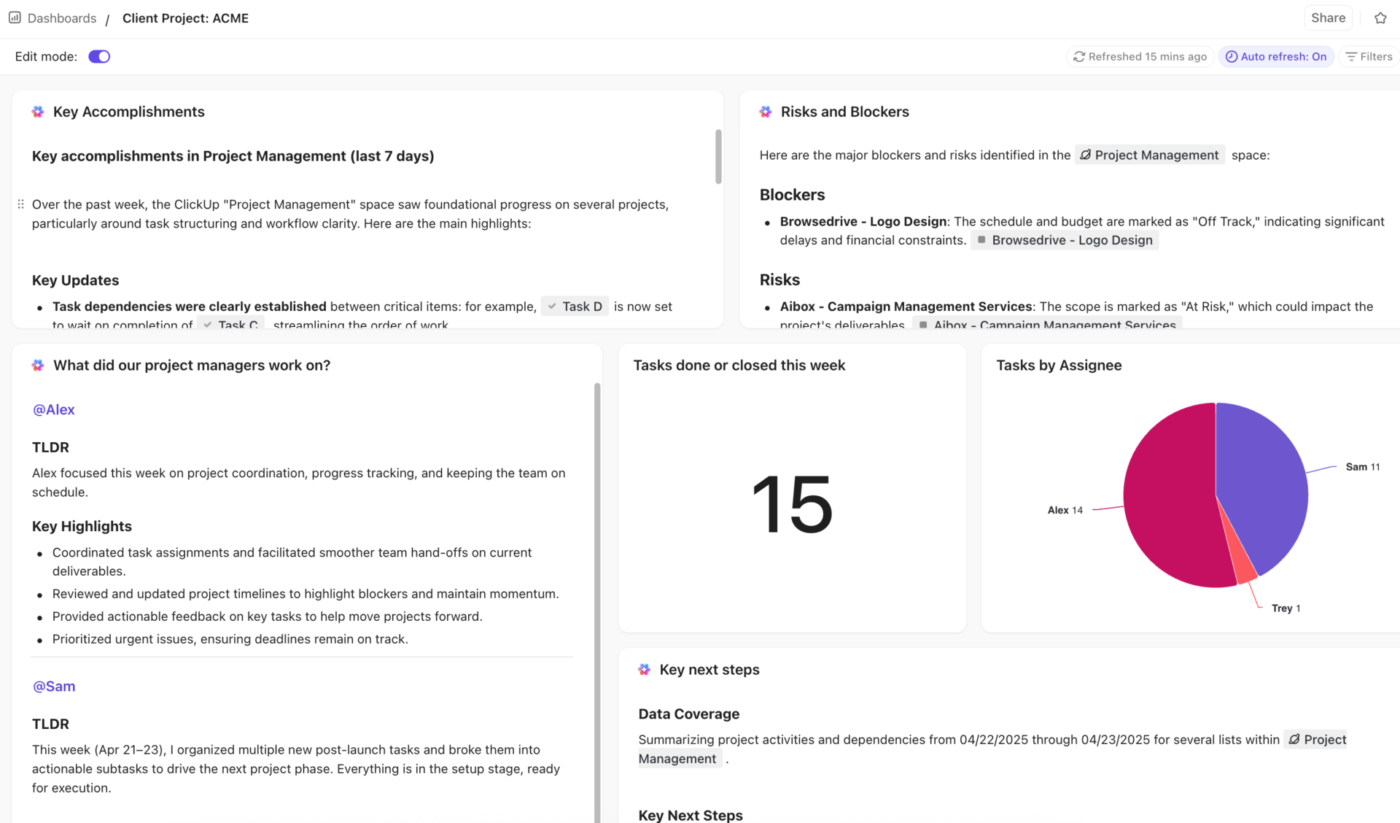
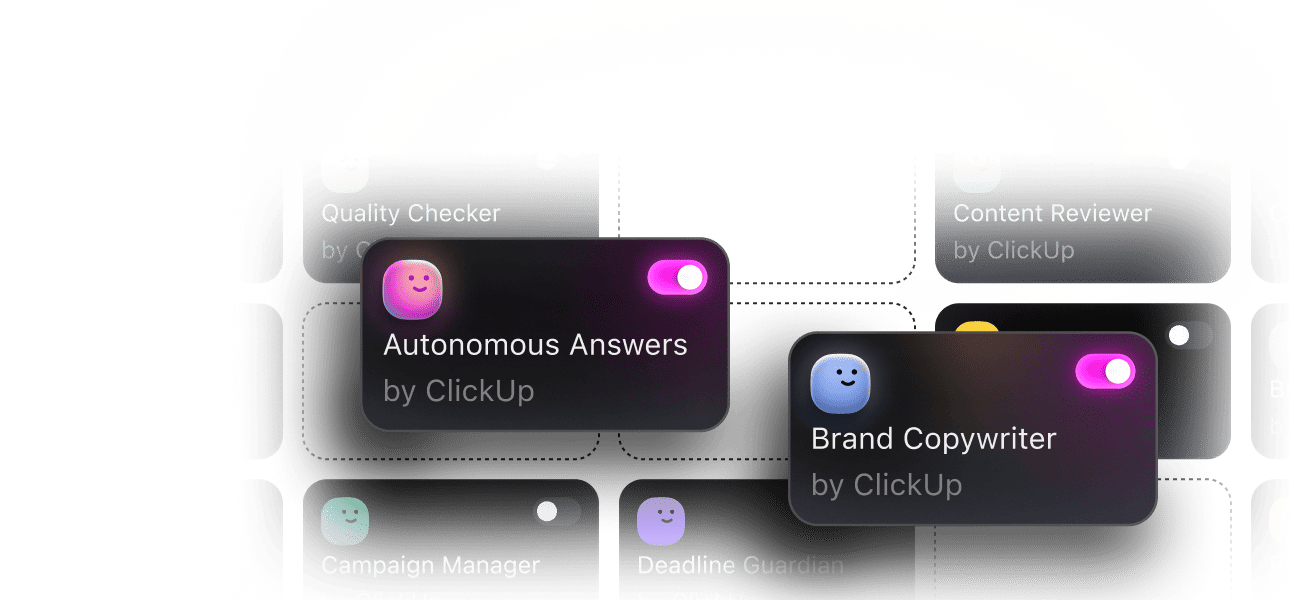
ClickUp offers a comprehensive automation system that helps reduce manual work. Users can set up rule-based triggers and autopilot agents to automatically assign tasks, update statuses, send email notifications, and more, streamlining repetitive workflows without the need for external tools.
In contrast, Freedcamp offers basic automation, limited to recurring tasks and status updates. While it allows users to apply custom status templates, it lacks dynamic, condition-based automation. This means actions can’t be triggered automatically based on task activity or changes, making it less flexible for complex project workflows.
🏆 Winner: ClickUp takes the cake here, again, with its custom automation workflows, real-time email triggers, autopilot agents, and dynamic task assignment.
ClickUp’s AI assistant supports daily workflows by helping users create, edit, and manage content directly within the platform.
It can generate reports, emails, and proposals, summarize lengthy discussions or docs, translate content into multiple languages, and improve overall writing quality. It also extracts action items from tasks and docs, keeping projects on track without manual review. Plus, ClickUp also has agents to take care of workflows end-to-end.
Freedcamp’s AI features are focused on project setup. Its AI Project Creation Assistant helps define project parameters, generate an initial task list, and assign responsibilities. However, it doesn’t support writing assistance, content summarization, or in-task automation.
🏆 Winner: ClickUp takes the crown with its powerful AI capabilities, perfect for handling various tasks, from writing to document summarization.
When it comes down to choosing the right tool, it’s always a great idea to hear what other users have to say about their experience. Which is why we spent some time on Reddit, trying to understand both ClickUp and Freedcamp from a user perspective.
Here’s what we found 👇
One Redditor favors ClickUp for its user-friendly interface and cost-effective pricing.
Clickup – wonderful interface, fast, reaching out to them I was able to negotiate $3.25/month/person if we signup 30 people and a year in advance. Great price! The interface is a bit complex for our use, but definitely simpler than most. It’s also fast.
Freedcamp – pretty nice interface, though some of it is a bit oddly placed and flow doesn’t make sense in certain parts. Interface speed is fast. The work flow is a bit of a deal killer for me.
Another user prefers ClickUp over other project management software due to its customizations and extensive feature set.
We are a small cms and app dev company using Trello> Jira> ClickUp after throwing linear and height within the mix. I would say ClickUp is the best bang for the buck regarding features and customization on the market.
Other users report liking Freedcamp, but note that the lack of certain features makes it quite difficult to use for certain cases.
I love Freedcamp. We use the free version since we dont need the additional features. The one thing I dislike is the ability to store passwords and documents in Freedcamp. Many orgs already have a folder structure setup and it’s hard to get users not to use these features.
ClickUp clearly has an edge on multiple fronts, including AI and automation, task management, reporting, and more.
While Freedcamp is an affordable solution, it lacks the functionalities essential for streamlining project management. Its free plan can only take you so far, especially when you want to scale your operations and optimize productivity.
Whether you’re working individually or as part of a larger team, ClickUp has something for everyone.
If you’re looking for a powerful, all-in-one project management solution that grows with your needs, sign up on ClickUp and keep your teams organized and efficient.

© 2026 ClickUp

There’s an easier way. Try a free AI Agent in ClickUp that actually does the work for you—set up in minutes, save hours every week.