






Still downloading templates?
There’s an easier way. Try a free AI Agent in ClickUp that actually does the work for you—set up in minutes, save hours every week.
Sorry, there were no results found for “”
Sorry, there were no results found for “”
Sorry, there were no results found for “”
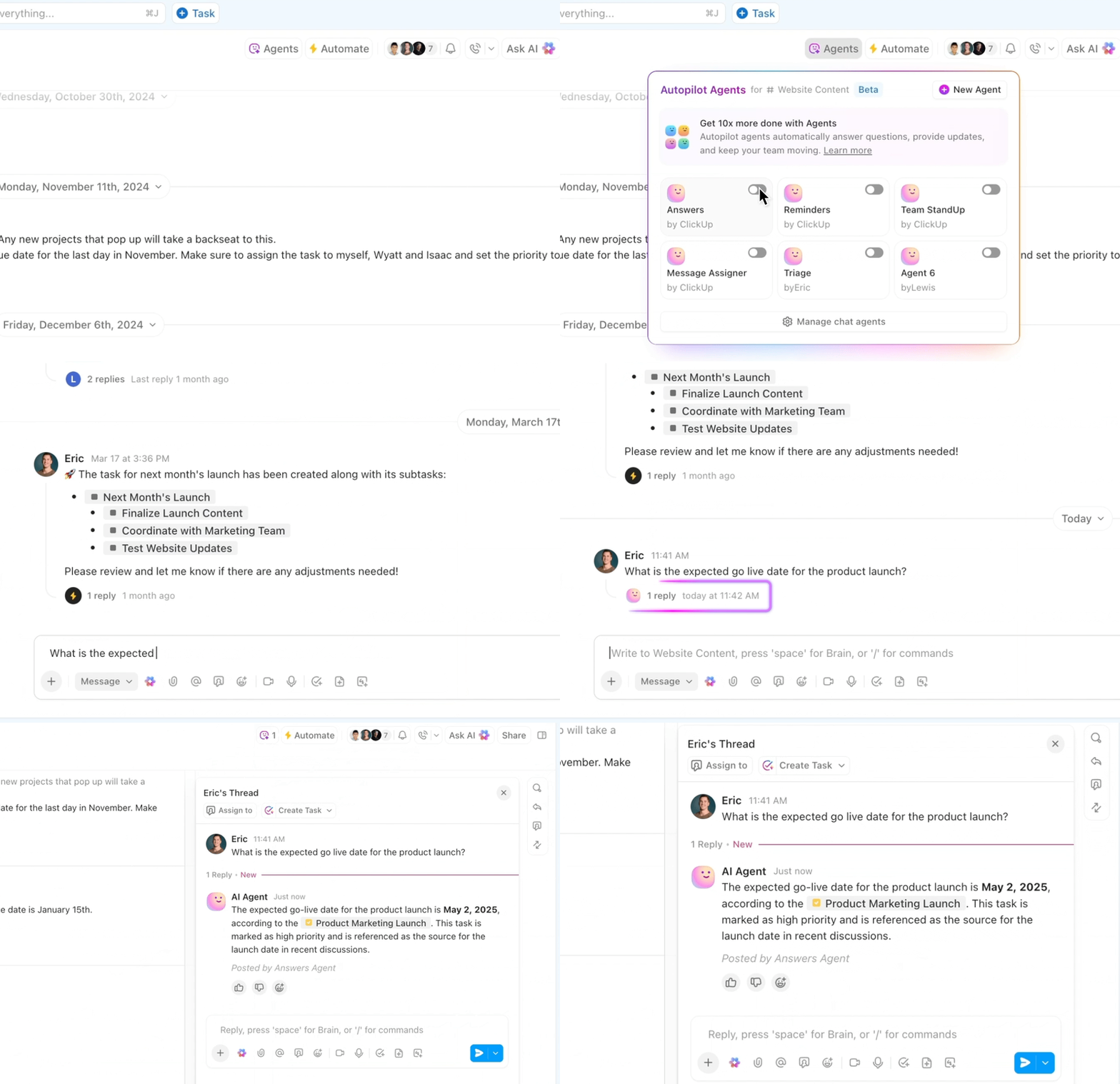
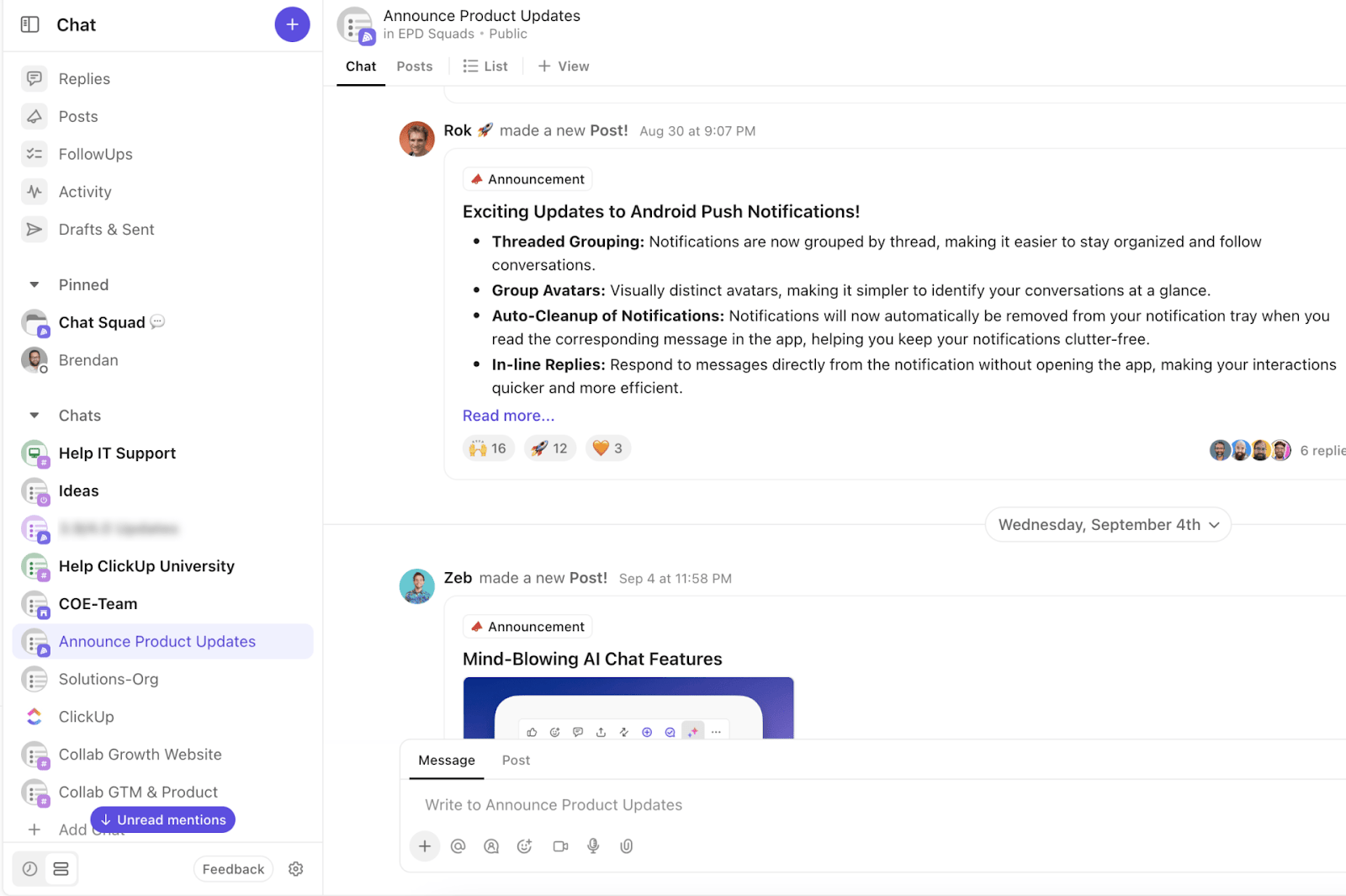
Chatbots are back in focus. This time, AI chatbot platforms are powering accurate responses in real time instead of spitting out stiff, scripted replies.
That shift changes daily customer interactions for most online businesses. AI chatbot conversations now handle everything from simple FAQs to complex troubleshooting.
In fact, about 60% of users between the ages of 25 and 34 said they had used chatbots on direct-to-consumer (D2C) websites.
Previously, building advanced chatbots meant hiring developers or learning a new scripting language. Now, modern chatbot builders let you design custom chatbots with visual builders, drag-and-drop flows, and AI models that understand natural language (even if you have limited technical knowledge).
In this guide, we’ll explore the best chatbot builders and their pricing plans, so you can automate conversations and grow your business without rebuilding your entire stack.
Here’s a side-by-side comparison of the top chatbot builders, covering key features, pricing, and real user ratings to help you choose the best fit.
| Tool | Best For | Key Features | Pricing* |
| ClickUp | Internal team support and task automation | AI Agents, ClickUp Brain, Chat-to-Task, AI Automation Builder, deep integrations | Free plans; customizations for enterprises |
| Botpress | Custom AI agents with LLM and knowledge base | RAG pipelines, multi-agent bots, LLM support, real-time sync, API logic | Free, paid plans starting from $89/month per user |
| Intercom | Scalable customer support with proactive AI | AI bot Fin, no-code builder, live routing, CRM integrations | Paid plans starting from $39/month per user |
| Chatbase | AI agents trained on internal data | Upload PDFs, Slack/Notion integrations, multilingual support, task automation | Free and paid plans starting from $40/month per user |
| Dialogflow | Multilingual NLP and contextual chatbots | NLP intent detection, 14+ channel support, CX flow builder, analytics | Custom pricing |
| Tidio | AI + live chat for small businesses | Lyro chatbot, drag-and-drop builder, live chat dashboard, chatbot analytics | Paid plans starting from $29/month per user |
| Chatfuel | Chatbot flows for Facebook, Instagram, WhatsApp | Meta integrations, AI agents, comment triggers, Stripe & Shopify integrations | Paid plans starting from $23.99/month per user |
| Ada | Enterprise AI support across chat, SMS, voice | AI agents, voice automation, CRM triggers, personalization, enterprise integrations | Custom pricing |
| IBM watsonx Assistant | Secure, scalable, enterprise-grade chatbots | Visual builder, LLMs, HIPAA compliance, multi-channel support, performance dashboards | Free and paid plans starting from $140/month per user |
| Kommunicate | Hybrid AI and human support | Dialogflow/OpenAI integration, live agent handover, analytics, multichannel support | Free and paid plans starting from $100/user |
Our editorial team follows a transparent, research-backed, and vendor-neutral process, so you can trust that our recommendations are based on real product value.
Here’s a detailed rundown of how we review software at ClickUp.
Imagine you run a growing e-commerce business and want a chatbot to answer common customer questions and pass qualified leads into your CRM. You probably don’t have time to learn a new programming language or stitch together five different tools.
The best chatbot builders help you build conversational interfaces with just enough structure to stay on brand, while AI fills in the gaps with accurate responses. They also integrate with your existing tools and knowledge base, so the bot can act on all your customer data instead of guessing.
Look for a chatbot builder that offers:
Also Read: How to Use AI Workflow Automation
Below, we’ve rounded up 10 of the best chatbot builders—from intuitive drag-and-drop tools to advanced AI chatbot platforms with powerful analytics and integration features.
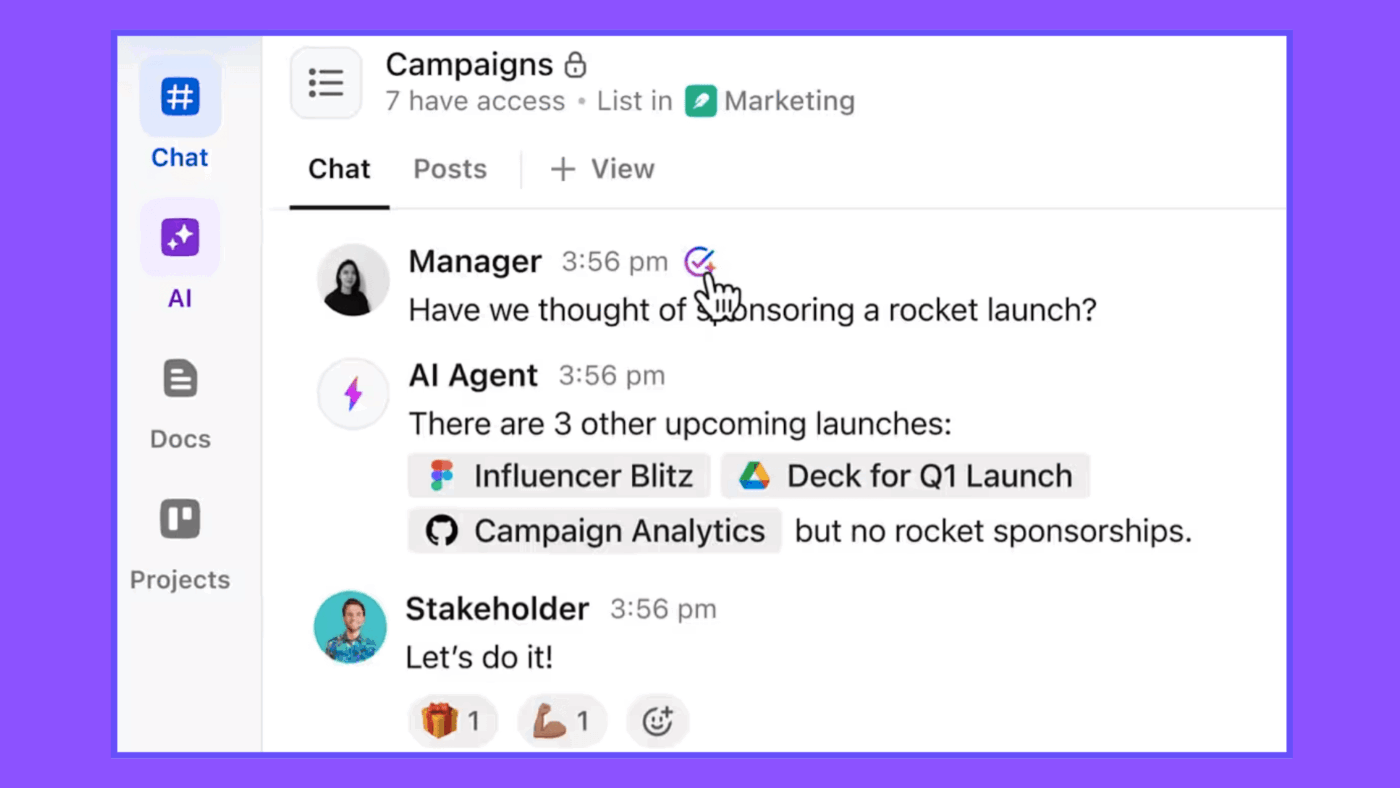
Most teams don’t struggle because they lack information. They struggle because that information is scattered across tools or buried in outdated docs. That’s a classic example of work sprawl. Employees end up spending a huge portion of their day hunting through channels instead of helping customers or moving projects forward.
ClickUp turns that chaos into a single converged AI workspace. With ClickUp AI Agents and ClickUp Brain, you can build internal AI chatbot experiences that live directly in your workspace. Here’s a quick overview of what you can achieve with ClickUp.
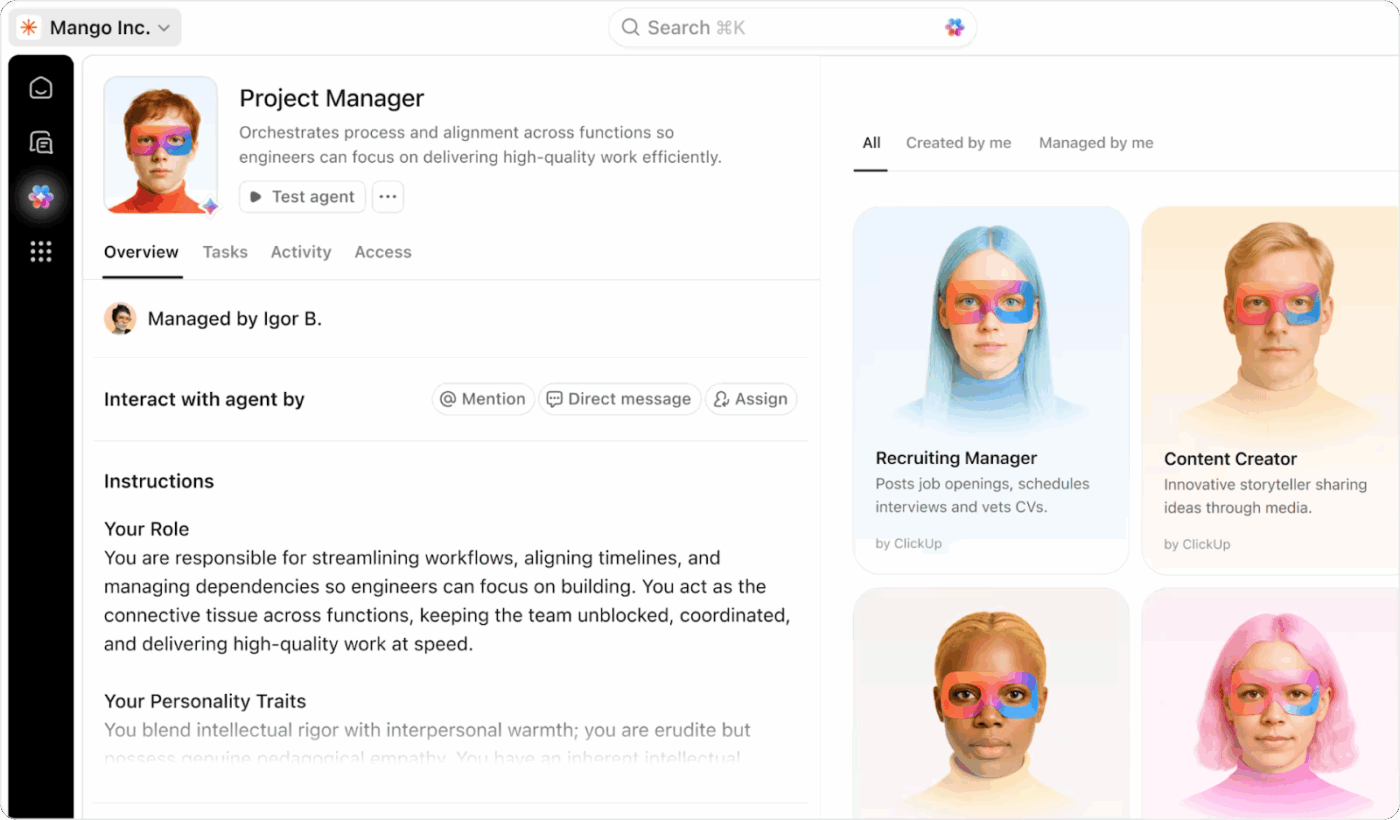
ClickUp AI Agents act like internal support bots that know your workspace inside and out. They respond to questions from your team, pull answers from Docs and tasks, and can even route requests into structured workflows so no information is missed.
You can add Chat Agents into ClickUp Chat so they watch specific channels, respond to repeated internal questions, post daily digests, or summarize long threads. That means IT or Ops teams can use ClickUp Chat plus AI Agent Chat to triage internal tickets, answer common “how do I” questions, and route requests into the right queues without a human agent jumping in every time.
When a teammate fills out a request form, the agent can create a structured task and send an AI reply through ClickUp Brain to confirm that the request has been logged. This level of automation reduces the need for a human agent to step in for every routine update.
ClickUp BrainGPT extends your AI chatbot beyond the workspace window and into your desktop and browser, so AI can support internal conversations wherever you work.
Here is how to use it for better internal support and business growth:
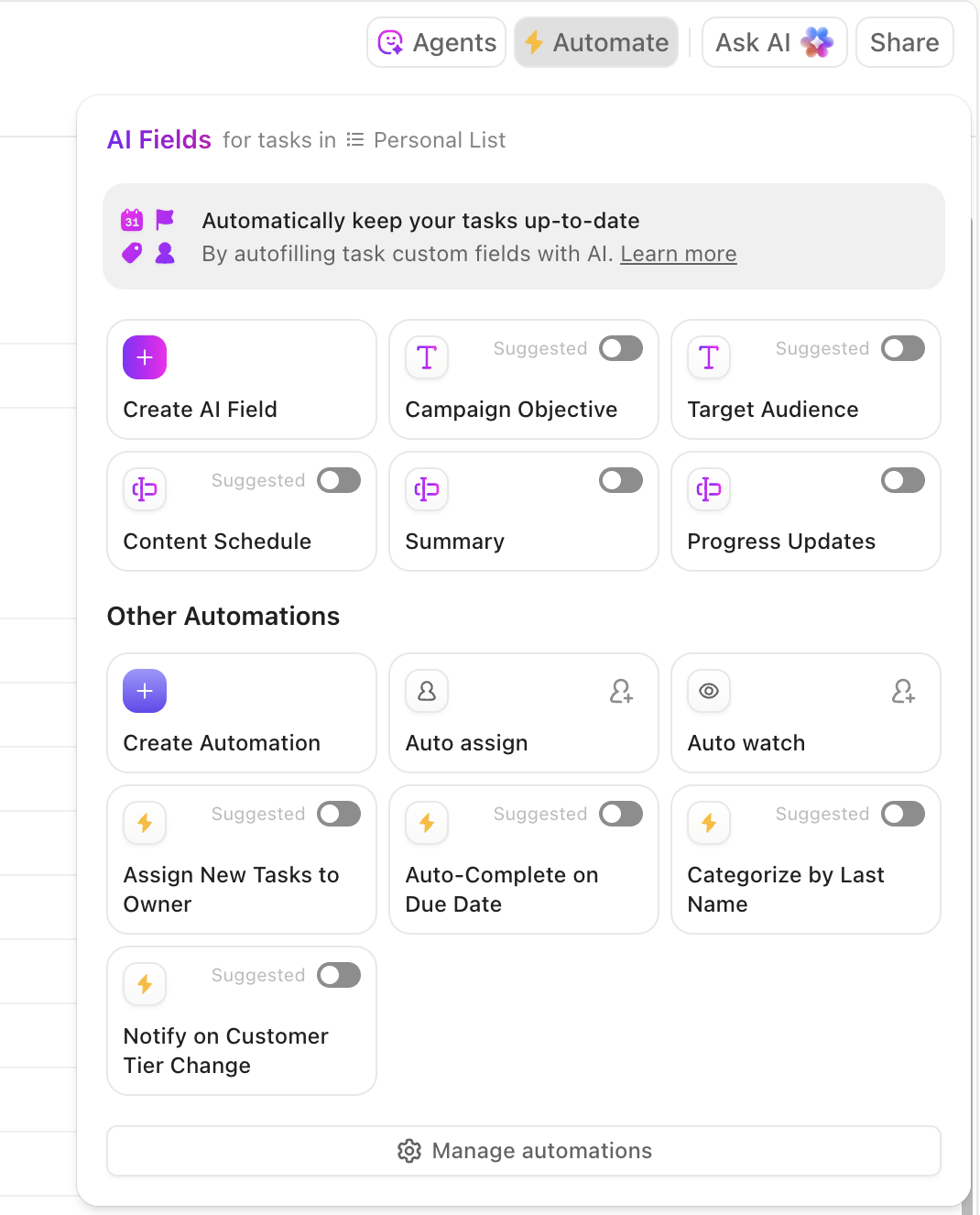
ClickUp’s AI Automation Builder lets you describe what you want to automate in plain language, and it suggests a complete automation with triggers and actions. You can start from over 100 automation templates and then refine the flow instead of writing code or stitching multiple chatbot builders together.
For example, you can create rules like:
Because these automations sit on top of all your customer data and existing systems, you can connect websites, messaging channels, and support tools. You can then choose to analyze chatbot performance and internal request volume with Custom Fields and ClickUp Dashboards instead of exporting data into separate spreadsheets.
This G2 reviews noted:
One of the standout additions is the AI tool, ClickUp Brain. It’s transformed how I manage tasks and projects by automating routine processes and providing intelligent suggestions, saving me considerable time and effort.
🧠 Did You Know: While AI once sparked fears of job loss, 89% of employees now say it reduces repetitive tasks and gives them more time to focus on other important tasks—learn more about this in AI in the Workplace.
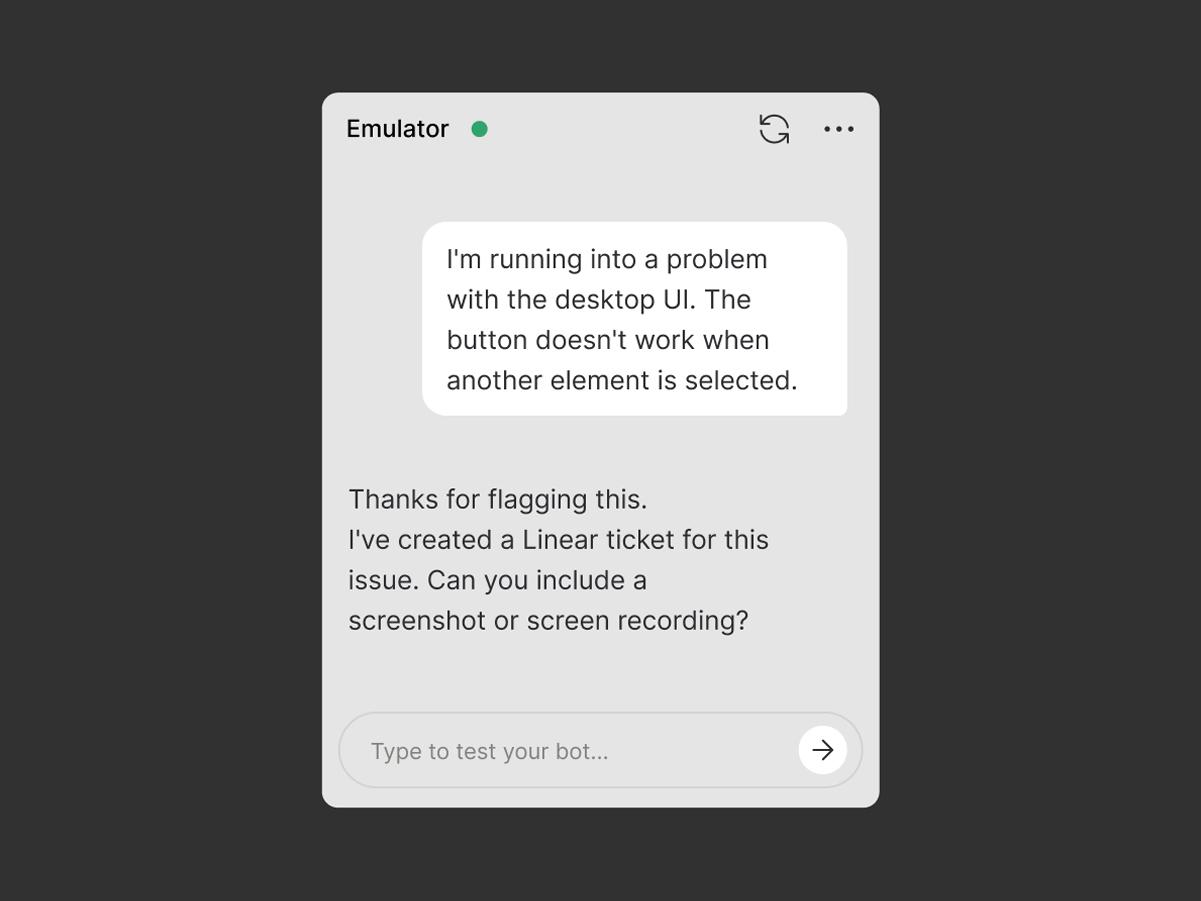
Most chatbot platforms give you either a straightforward or a developer-heavy toolkit. Botpress aims to bridge that gap by giving teams fine-grained control over how AI agents behave, without sacrificing a visual builder.
Botpress lets you build advanced chatbots and AI agents that pull from your website, files, and internal knowledge base. Its Knowledge Agent syncs content in near real time, while RAG (retrieval-augmented generation) pipelines help your bot answer complex customer questions with better context.
You can plug in popular AI models from providers like OpenAI and Anthropic and build conversational interfaces that live across websites, chat widgets, and messaging channels.
This G2 review stated:
I like the combination of LowCode and ProCode as well as integrations of variety of tools available to build RAG-based Chatbots quickly. The UI is intuitive and easy to understand.
📽️ Looking to build your own custom ClickUp AI Agent? Here’s how ClickUp deploys AI to make task automation easier:
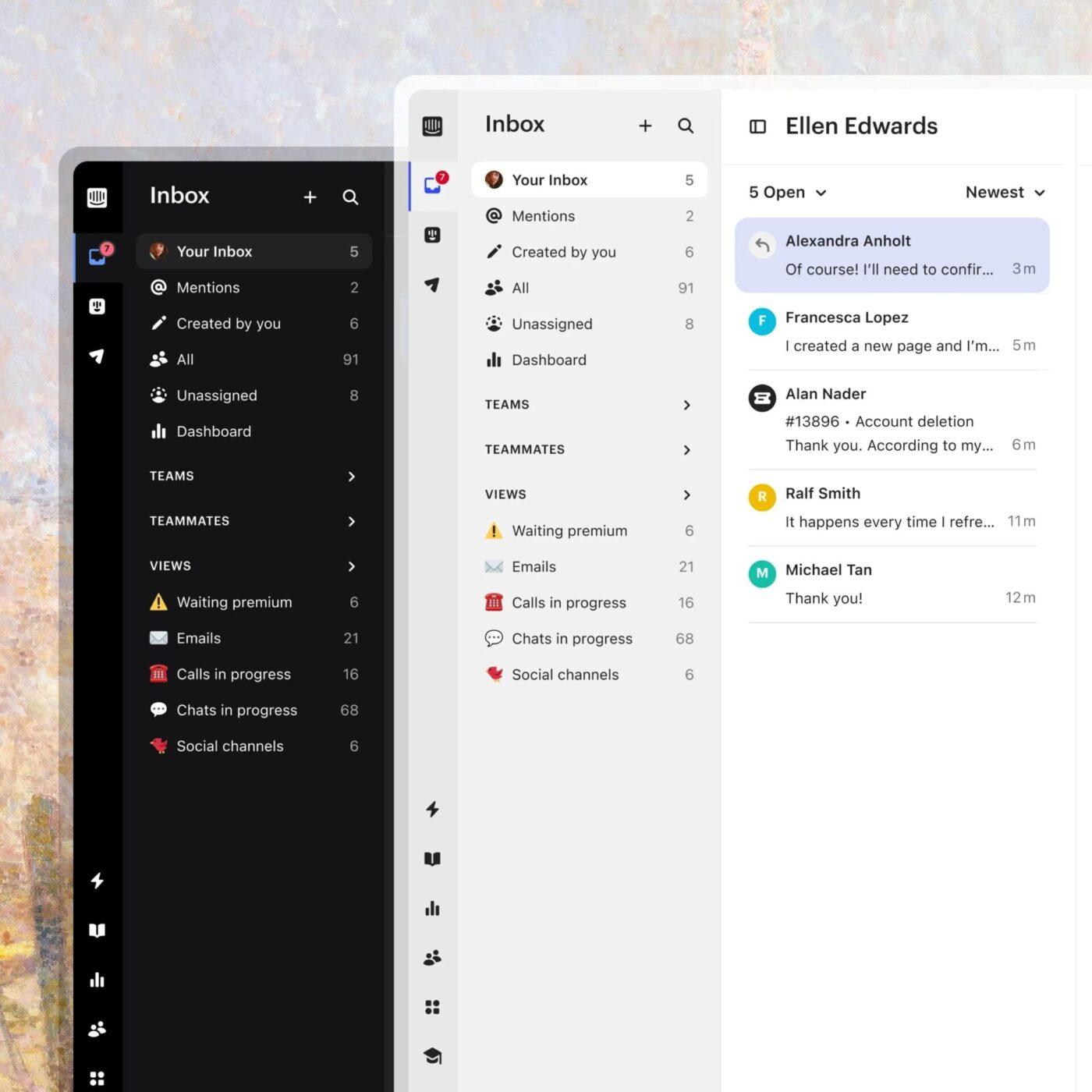
When customer support volume spikes, teams often end up working with multiple tools: email, live chat, shared inboxes, and phone calls. That fragmentation makes it hard to deliver consistent experiences.
Intercom focuses on unifying those channels into one AI-driven customer support platform. Its AI chatbot, Fin, powered by OpenAI, can answer customer questions using your help center, knowledge base, and previous conversations, then hand off to a human agent when needed.
Fin is especially designed to give accurate responses and integrates with live chat data so conversations feel natural.
This Capterra review highlights:
Having a live AI-powered support chat available 24/7 is an incredibly useful tool for many businesses. Whenever customers have questions, the chat can try to help even in off-hours.
📖 Also Read: Best Intercom Alternatives for AI Customer Service
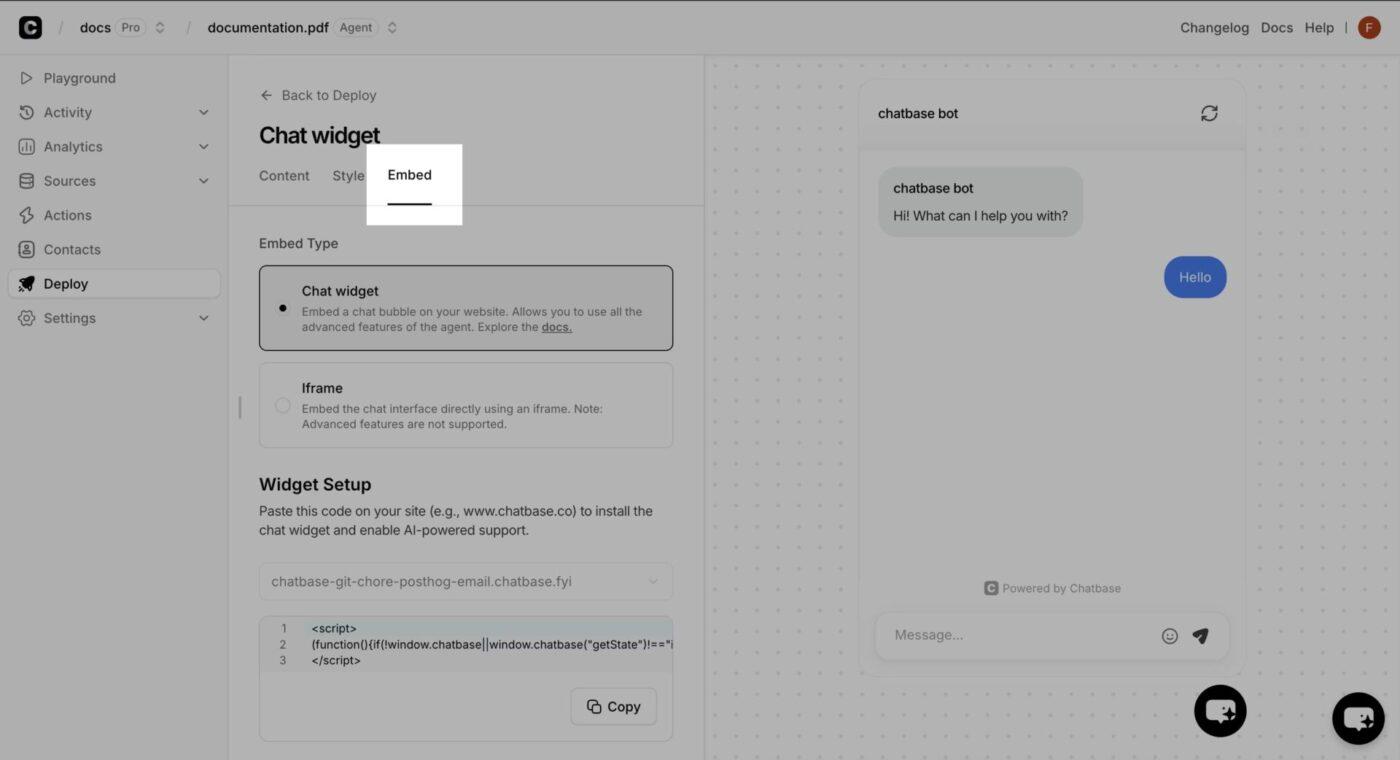
Customer support teams are under constant pressure, from handling rising ticket volumes to responding across multiple platforms.
As businesses scale, the volume of repetitive customer questions can overwhelm even well-staffed teams: “Where’s my order?” and “How do I cancel?”
Chatbase steps in with a smarter approach. This chatbot builder enables you to train an AI chatbot on your own content, such as help center articles and product documentation, allowing it to deliver fast, context-rich answers without requiring human intervention.
This Capterra review captured:
It has been a great experience so far. Being able to tailor make a chatbot that shares relevant info about our business.
📮 ClickUp Insight: Repetitive tasks hold back 24% of workers from doing meaningful work, while another 24% feel their skills go unused—leaving nearly half the workforce creatively blocked and undervalued.
ClickUp changes that by automating routine work with AI agents that act on triggers. When a task is completed, ClickUp’s AI Agent can instantly assign the next step, update statuses, or send reminders—no manual follow-up needed.
💫 Real Results: STANLEY Security cut report-building time by over 50% using ClickUp’s customizable reporting tools, allowing teams to focus on insights instead of formatting.
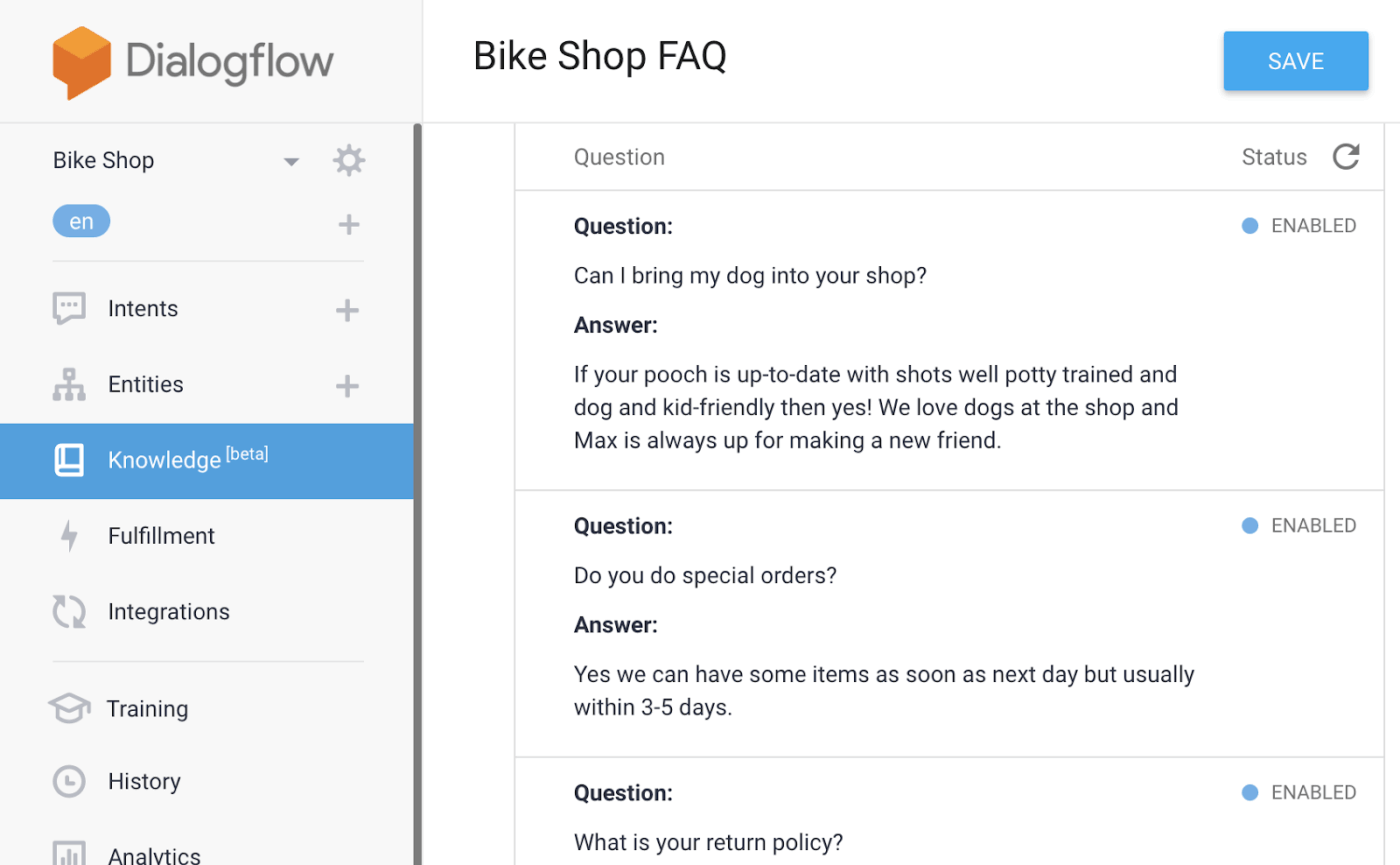
Many chatbots break down when users ask slightly different questions.
That’s where customer support stalls. If your bot can’t grasp intent, your team ends up intervening manually, defeating the purpose of automation.
Dialogflow, Google’s AI chatbot platform, is purpose-built to tackle this. Instead of relying on fixed flows, it uses natural language processing (NLP) to understand user intent and extract meaningful data from conversations, no matter how they’re phrased.
This Capterra review noted:
DialogFlow makes it easy to manage appointment booking and information delivery easier for customers when you integrate it in your chat applications which customers usually use to communicate with you.
📖 Also Read: Chatbot vs Conversational AI: What’s the Difference?
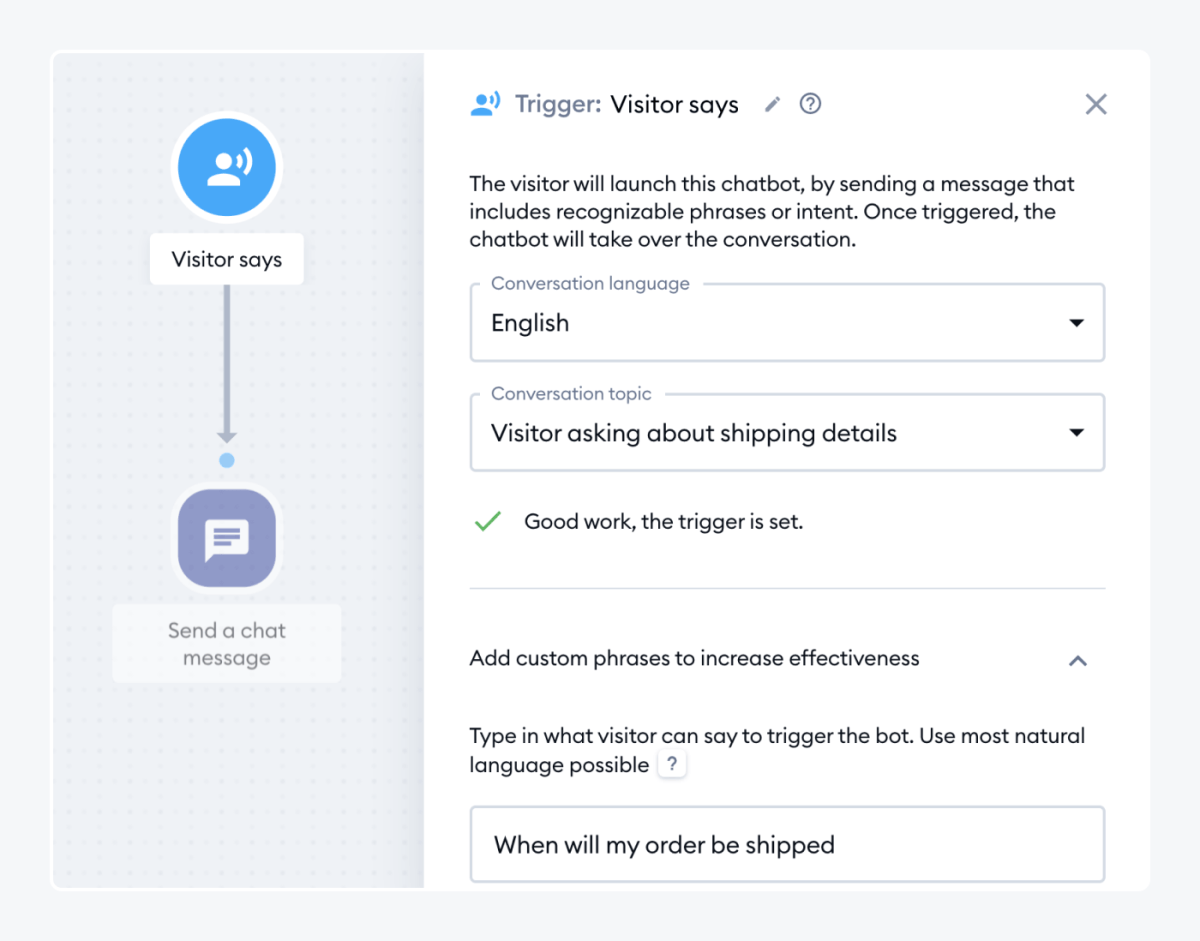
Small businesses and lean teams rarely have the bandwidth to respond to every customer message in real time. Add different time zones, and customers can easily wait hours for a basic answer.
Tidio combines live chat, chat widget customization, and AI chatbot capabilities in one interface, so you can automate the first line of support while still jumping into conversations when needed.
Its AI chatbot, Lyro, learns from your FAQs and knowledge base, then answers customer questions automatically. It is designed to reduce support load quickly for small teams without demanding coding experience.
This G2 review highlighted:
Tidio is a really handy tool for managing customer chats and automating basic conversations. The interface is clean, easy to get started with, and it integrates well with most websites.
💡 Pro Tip: Worried AI might replace your team instead of supporting them? How to Use Human-Centric AI in the Workplace shows you how to turn AI into a powerful teammate.
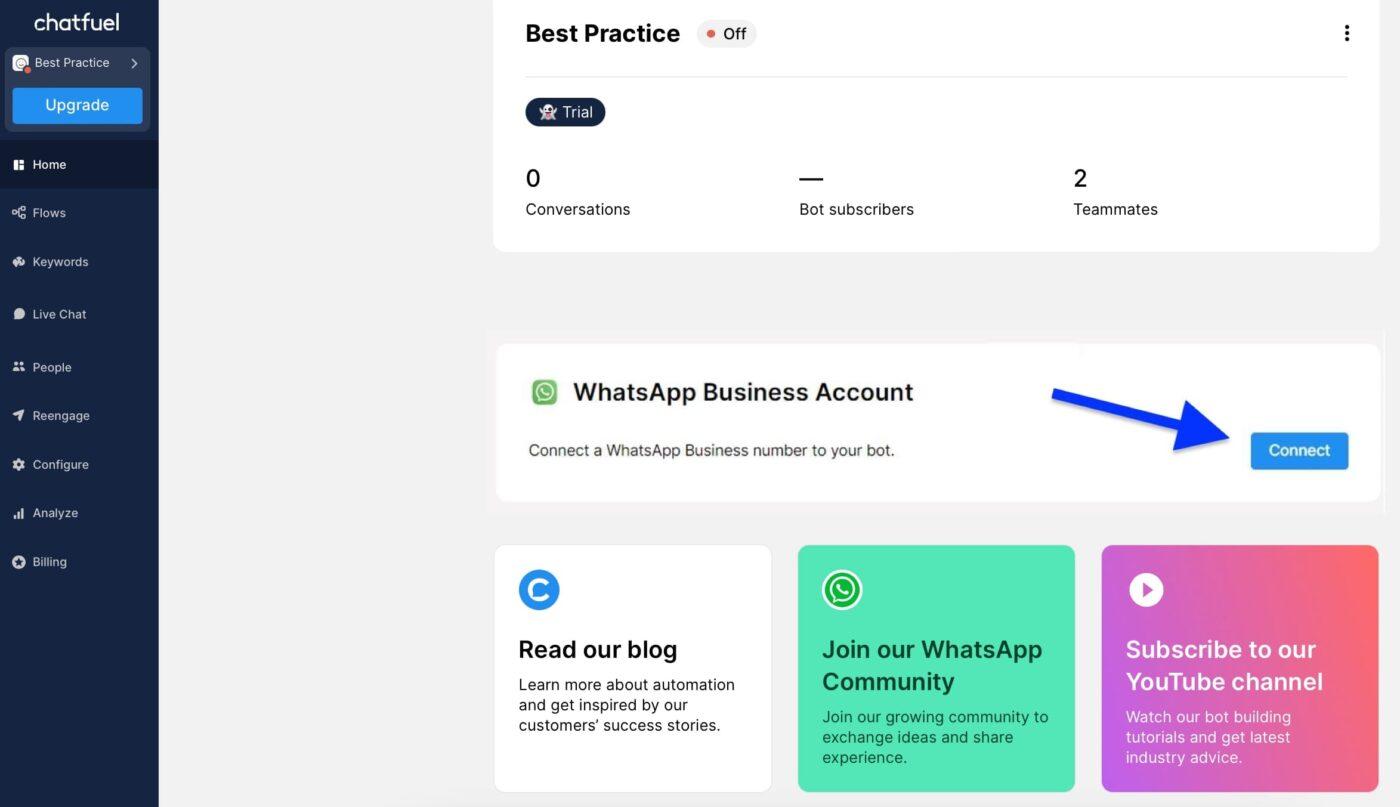
Most e-commerce brands lose potential customers because of broken messaging journeys.
A shopper adds a product to the cart but never completes the purchase. Or they ask a question on Instagram and wait hours for a response. Now, multiply that across hundreds of daily interactions.
Chatfuel solves this by turning your Facebook, Instagram, and WhatsApp channels into fully automated sales and support engines. Its intuitive flow builder and ChatGPT-powered AI agents help you build conversational interfaces. These handle everything from abandoned cart recovery and appointment booking to lead qualification and live chat routing.
This G2 review shared:
I used the blocks way to create a bot. Now I switched to flows and I love it ! Easy to understand, easy to manage, no skill in code needed, it’s perfect!
📖 Also Read: AI Uses Cases & Applications for Enterprise Teams
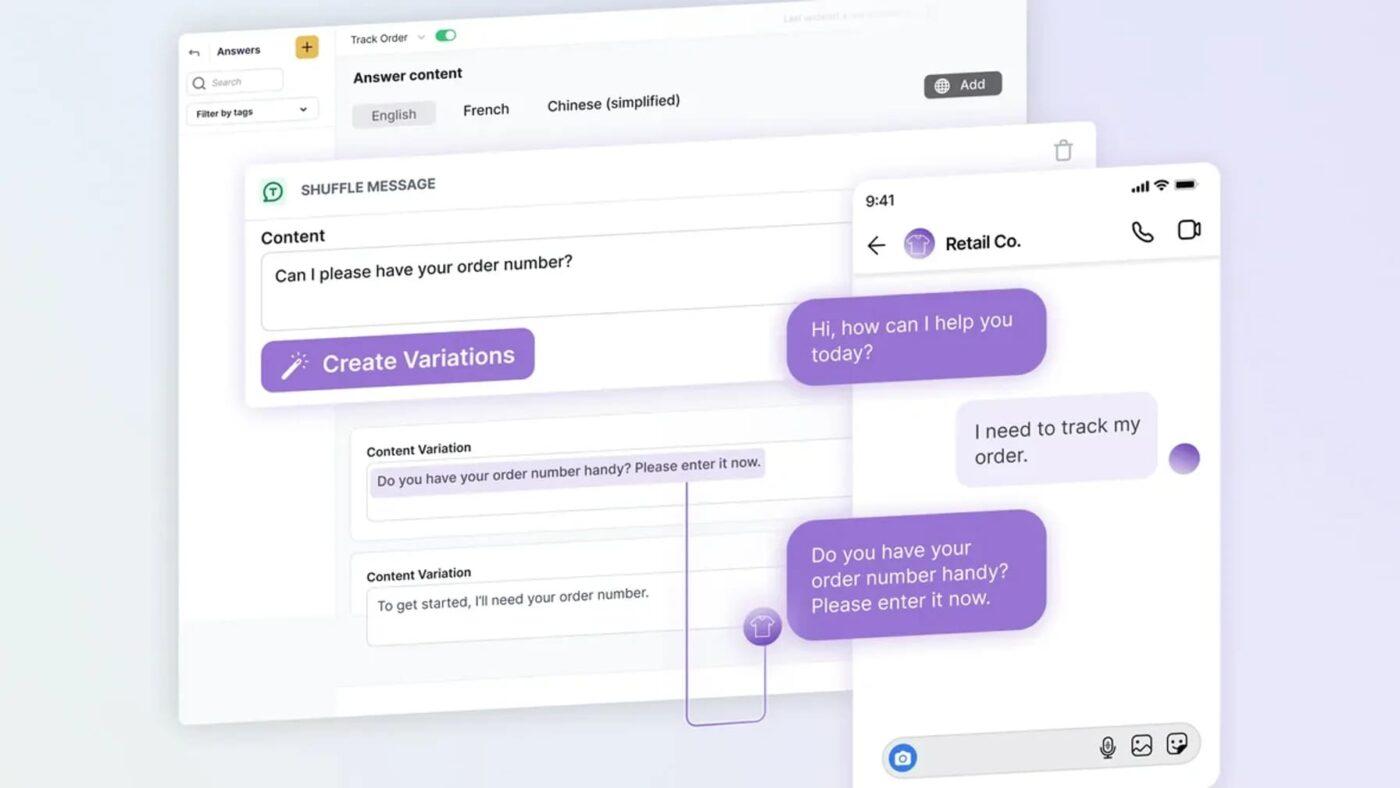
Most enterprise support teams are trapped in a frustrating cycle: rising customer expectations, unpredictable ticket volumes, and a patchwork of systems that slow everything down.
Ada helps companies escape this cycle by delivering AI-first customer service that automates interactions across voice, chat, SMS, and more.
This AI communication tool’s biggest differentiator is deep enterprise integration: Ada plugs directly into CRMs, payment gateways, ticketing platforms, and analytics tools. It then syncs your customer data to deliver more personalized and reliable experiences.
This G2 review highlighted:
We have a chatbot report we complete weekly, along with daily checks, making sure our customers are receiving relevant answers instantly.
🧠 Did You Know: 37.1% of marketers say generating high-quality leads is their biggest challenge. How to Use AI for Lead Generation and Amplify Your Sales Pipeline shows you how to automate the grunt work and boost conversions with smarter targeting.
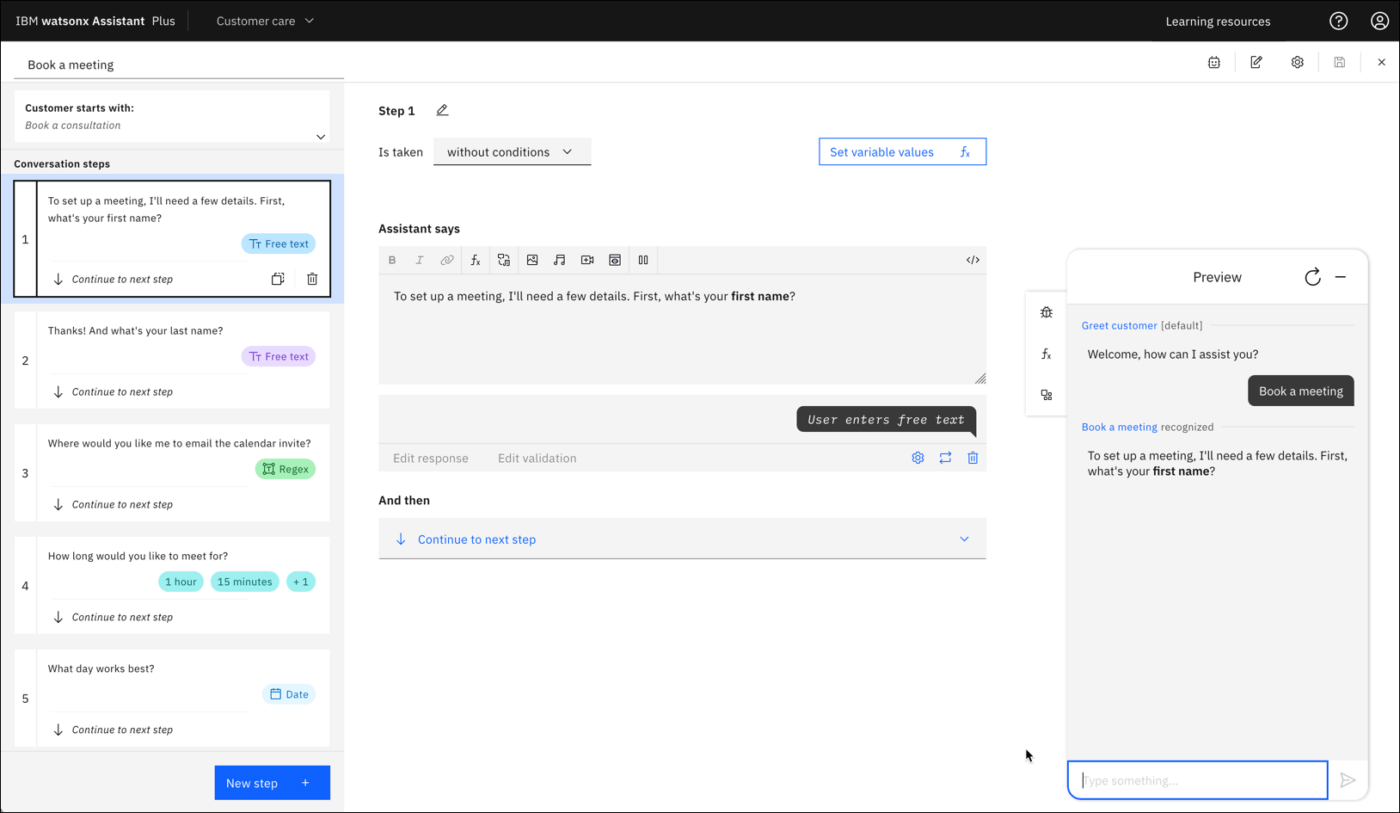
Imagine a global bank facing 10,000+ customer queries per day, ranging from password resets to mortgage status checks. Their support team is stretched, and their legacy chatbot can’t handle nuanced, multilingual conversations.
That’s where the IBM Watsonx Assistant makes a difference. Designed for enterprise environments, this AI tool for customer service helps teams build virtual agents.
These typically run across web, mobile, and messaging channels while respecting strict data and compliance requirements. With a no-code visual builder and IBM’s language models, you can create conversational flows that draw from your knowledge base and connect to back-office systems.
This G2 review captured:
It’s impressive on the natural language processing front and makes our customer service more responsive and the user more intuitive.
📖 Also Read: How To Integrate AI Into Your Website
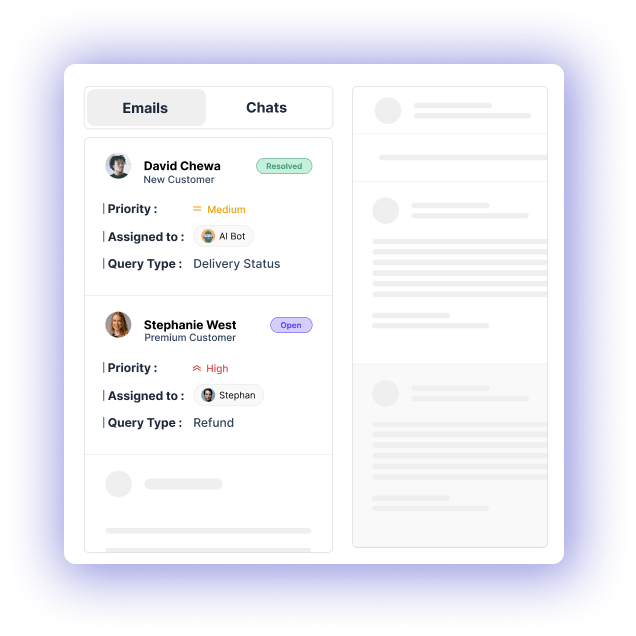
Imagine a customer landing on your website at 2 a.m. with a billing question that is too nuanced for a simple bot but too urgent to wait until morning. Many chatbot builders either automate everything or rely entirely on human agents.
Kommunicate offers a hybrid model. You can build custom chatbots or connect AI engines like OpenAI, Dialogflow, and Amazon Lex, then layer real-time live chat on top.
Customer conversations can begin with a bot, then transition to a human agent within the same chat widget when needed.
This G2 review noted:
We’ve greatly benefited from using Kommunicate, which has significantly improved our handling of customer inquiries and boosted their satisfaction. It’s great because you can connect it with different channels like Facebook, WhatsApp, and web chat all in one place.
🧠 Did You Know: Nearly 60% of US companies already use Generative AI for marketing, but few know how to build AI agents that automate end-to-end workflows. The blog How to Build an AI Agent for Better Automation breaks it down so you can gain that edge today.
Here are 3 additional helpful chatbot builders that align with the tools we’ve already featured:
With one-third of Americans using AI chatbots, it’s clear that businesses need to keep pace with customer expectations and provide 24/7 responsiveness.
The rise of no-code chatbot builders means more teams can now design intelligent assistants without touching a single line of code.
But here’s the catch: most platforms focus on external automation—sales chats, FAQs, and customer tickets. This is where ClickUp distinguishes itself. While other platforms help you answer customer questions, ClickUp helps your entire company think, work, and decide faster.
The results? Real teams are already seeing the difference:
Using ClickUp has led to 30% faster product development at Atrato, alongside 20% less developer overwork thanks to smarter task automation.
In a world where support demands are constant and projects progress rapidly, a mere chatbot is insufficient. If you’re looking for one that acts, routes, summarizes, and learns, sign up for ClickUp now!

© 2026 ClickUp

There’s an easier way. Try a free AI Agent in ClickUp that actually does the work for you—set up in minutes, save hours every week.