






Still downloading templates?
There’s an easier way. Try a free AI Agent in ClickUp that actually does the work for you—set up in minutes, save hours every week.
Sorry, there were no results found for “”
Sorry, there were no results found for “”
Sorry, there were no results found for “”
You’ve probably had that moment where Bing AI gives you an answer that looks confident, well-formatted, and even cited—but somehow still misses the point of what you needed.
Then you find yourself tweaking the prompt, adding more context, removing context, rewriting sentences, and hoping Bing finally understands what you meant.
The truth is, the gap rarely comes from Bing itself. It comes from the prompt.
A clear, structured prompt turns Bing AI into a powerful research and reasoning engine that delivers exactly what you’re looking for.
In this guide, we’ll walk through the most reliable Bing AI prompts you can use for research, content creation, analysis, and everyday productivity, along with some pro tips.
As a bonus, we’ll also explore why ClickUp is becoming a top alternative for teams who want deeper context, better accuracy, and AI that actually understands their workflow. 😄
Bing AI is an AI-powered assistant integrated into the Microsoft Bing search engine. It can be used to summarize answers, generate images and videos, develop content, build code, curate reports, and perform tasks like shopping.
Bing is built using GPT-4, an advanced large language model and Microsoft’s proprietary Prometheus model. It can run real-time searches across the web and supports multimodal interactions using text, voice, and image inputs.
Bing Chat Enterprise gives your organization AI-powered chat for work with commercial data protection.
Bing prompts are your way of telling Bing how you want it to help you. It can be through a set of cues, questions, or extremely detailed instructions.
Say ‘write an email for me’, ‘help me decode a bug in this code’, or ‘generate a sci-fi image of a dog lost in space’—all of these simple and complex commands are prompts that tell Bing what they should be doing.
But as is the case with all AI and LLM models, the quality and depth of Bing’s response are also directly related to the specificity of your prompts.
🧠 Fun Fact: Prompt Battles are a legit thing. Here, participants craft AI prompts live on stage while audiences watch the results unfold in real-time. Competitors are judged on creativity, output quality, and how effectively their prompts guide AI to produce unexpected or impressive results. Prompt writing has officially become a spectator event.
AI models don’t know what you want; they infer it. Every time you type a prompt, you’re giving the model clues about your intent, constraints, desired format, context, and quality expectations.
Also, AI models are context-sensitive, not context-aware. They don’t understand your business, your audience, your workflow, or your creative style unless you tell them.
The benefits of well-crafted prompts are:
Here’s a quick comparison to help you see how ChatGPT and Bing AI differ in data access, reasoning style, and everyday use.
| Feature | Bing AI | ChatGPT |
| Developer | Microsoft | OpenAI |
| Core approach | Built around real-time web grounding, live search data, citations, and fact retrieval | Designed for deep reasoning, creativity, and multi-step problem-solving without requiring web access |
| Tone and style | Search-driven, concise, and sourcing-focused | Conversational, adaptive, and capable of long-form narrative or technical depth |
| Reasoning strength | Integrated DALL·E model inside search, optimised for quick visual generation | Strong at structured reasoning, logic-heavy tasks, coding, and creative generation |
| Data access | Directly connected to Bing Search, allowing real-time results and source citations | Relies primarily on trained knowledge unless browsing is enabled |
| Creativity level | More constrained by search results and factual boundaries | Freer with ideation, exploration, and abstract problem-solving |
| Image generation | Uses OpenAI’s DALL-E models to generate visuals from text prompts | Generates images through ChatGPT’s built-in image models with more stylistic flexibility |
| File and text handling | Reliable for summarizing webpages and live sources; not built for deep multi-file workflows | Handles documents, mixed media, code, and longer context windows with strong continuity |
| Best suited for | Real-time research, comparisons, fact-checking, and fast citations | Deep reasoning, creative work, technical tasks, planning, coding, and interactive problem-solving |
Knowing how to ask AI a question is an art that can be learnt if you understand what makes a good prompt.
Here’s how to write an effective Bing prompt:
Bing will answer almost any question you throw at it. The trick is being specific and clear so it delivers detailed, nuanced answers that actually help you. Taking an example:
❌ Prompt: Give me a list of top marketing trends
✅ Prompt: Summarize three emerging B2B marketing trends of this year with examples
💡 Pro Tip: Frame your objective as an action. Use verbs like “summarize,” “compare,” “generate,” or “debug” to signal the task type immediately.
Context shapes relevance. And that context could be:
❌ Prompt: Write an email sequence for a new product launch.
✅ Prompt: I’m launching a project management tool for remote teams. My audience is operations managers at 50-200 person companies who struggle with async communication. Write three emails in a friendly but professional tone: one teaser, one feature highlight, and one limited-time offer. Keep each under 150 words.
💡 Pro Tip: Create a brand guidelines document with your voice, tone, audience details, and key messaging. If your team is running multiple campaigns, the brand guide becomes a lifesaver. Upload it to Bing when starting a new project, and it remembers the context.
Assigning a role gives Bing AI a lens. It will allow AI to focus on relevant patterns and prioritize related knowledge. It is helpful when you want Bing to simplify complex problems or help with communication tasks.
❌ Prompt: What is context engineering?
(It provides a broad understanding of the concept.)
✅ Prompt: Act as an AI developer and tell me what context engineering is.
(With this prompt, Bing knows the audience calibration and conceptual depth required.)
👀 Did You Know? Context windows function as an AI’s short-term memory. When they’re full, earlier instructions get pushed out. When tokens overflow, the model loses context because its attention mechanisms naturally prioritize more recent information.
Multi-layered tasks confuse AI. When you split them into smaller, sequential prompts, you get better quality outputs to work with.
❌ Prompt: Research competitors, analyze their strategies, and write a report
✅ Prompt: List the top five competitors in the eco-friendly packaging industry. Then move to analysis, and finally request the report format.
This approach, known as prompt chaining, significantly improves output quality.
📚 Read More: How to Become a Prompt Engineer
Treat Bing’s responses as a starting point. You can ask it to verify facts, adjust tone, personalize details, or add nuance to a topic by building on its responses.
Every AI operates differently. The more you experiment, the more in tune you become with what actually works.
Want a quick head start on how to ask AI a question? Check this video.
📚 Read More: Your Complete Guide to Prompt Engineering
From giving you a recipe to debugging a complex code, generating podcasts, and even building research reports, there’s no boundary to what Bing AI can’t help with.
We have compiled some prompts you can use (or get inspired by) for your specific use case.
Gain inspiration from these AI writing prompts when you want Bing to write an email, build a blog post, refine a value proposition, or generate marketing copy.
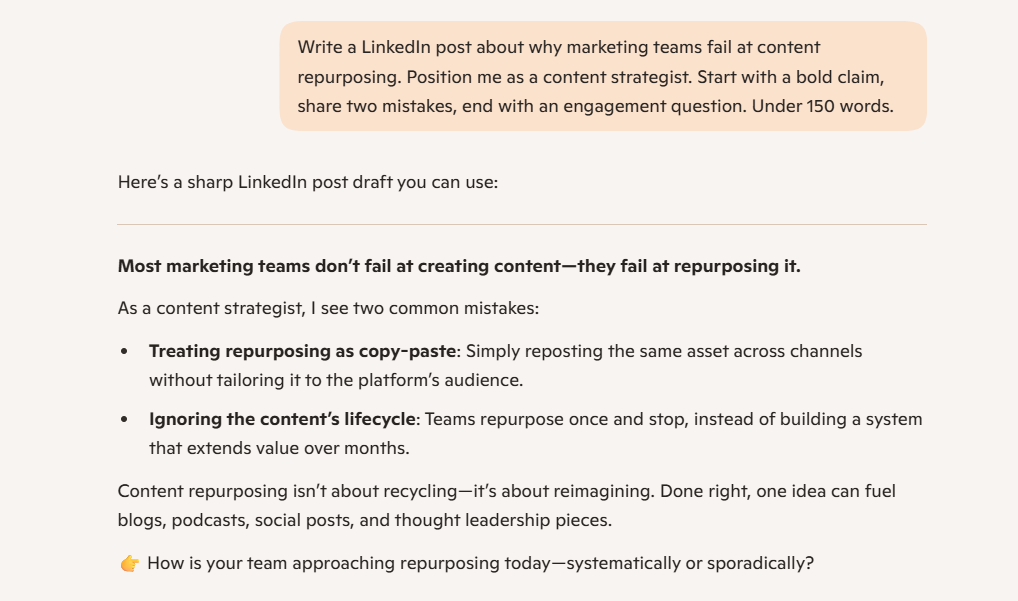
1. You are a content strategist writing a LinkedIn post about why marketing teams fail at content repurposing. Start this post with a bold claim, share two mistakes, and end with an engagement question, under 150 words.
2. Create a 90-second script explaining API integration to non-technical small business owners. Use simple analogies and focus on benefits such as time savings and tool connectivity. Structure: hook, problem, explanation, CTA.
3. Write an Instagram caption for our sustainable fashion brand’s new organic cotton line. Tell a micro-story about the artisans in rural India, weave in ethical production values, and end with shop CTA. Under 180 words.
4. Write a press release announcing our $25M Series B for an AI customer service platform. Include a strong headline, opening paragraph with key facts, a CEO quote about growth plans, how the funding will be used (product development, market expansion), and a boilerplate company description. Keep it within 400 words.
5. I’m building a direct-to-consumer skincare brand for people with sensitive skin. Help me define our brand voice. Provide three examples of how we’d communicate the same message (“our products are dermatologist-tested”) in our voice versus how competitors might say it. Include dos and don’ts.
6. I need 10 headline variations for a landing page promoting a webinar about “Advanced Excel for Financial Analysts.” Prioritize headlines that would appeal to mid-level analysts looking to advance their careers. Test different angles: curiosity, benefit-driven, fear of missing out, specificity, question-based, and urgency, and keep each within 15 words.
7. Develop a creative campaign theme for our online learning platform’s back-to-school promotion (targeting adult learners returning to education). I need a campaign name, tagline, three messaging pillars that address their fears and motivations, suggested visual mood board direction, and ideas for how this theme could be adapted across email, social media, and paid ads. Make it emotionally resonant and aspirational.
8. Generate 10 Instagram content ideas for a personal finance app targeting millennials. Each idea needs a content type, topic, key message, and visual direction. Cover student loans, impulse spending, investing basics, and emergency funds.
9. Analyze the top SERP results for the keyword “email marketing best practices for SaaS”. Identify content gaps, analyze consumer sentiment on Quora and Reddit, and create an outline for a blog post I can write to address those gaps efficiently. Aim for a blog length between 2500-3000 words.
📮 ClickUp Insight: 33% of people still believe multitasking equals efficiency.
In reality, multitasking only increases the cost of context switching. When your brain bounces between tabs, chats, and checklists, deep focus takes the biggest hit.
ClickUp helps you single-task with intention by pulling everything you need in one place! Working on a task, but need to check the internet? Just use your voice and ask ClickUp BrainGPT to do a web search from the same window. Want to chat with Claude and polish the draft you’re working on? You can do that too, without leaving your ClickUp Workspace!
Everything you need—think chat, docs, tasks, dashboards, multiple LLMs, web search, and more—lives in one converged AI workspace, ready to go!
📚 Read More: 10 Best Writing Assistant Software With AI in 2025
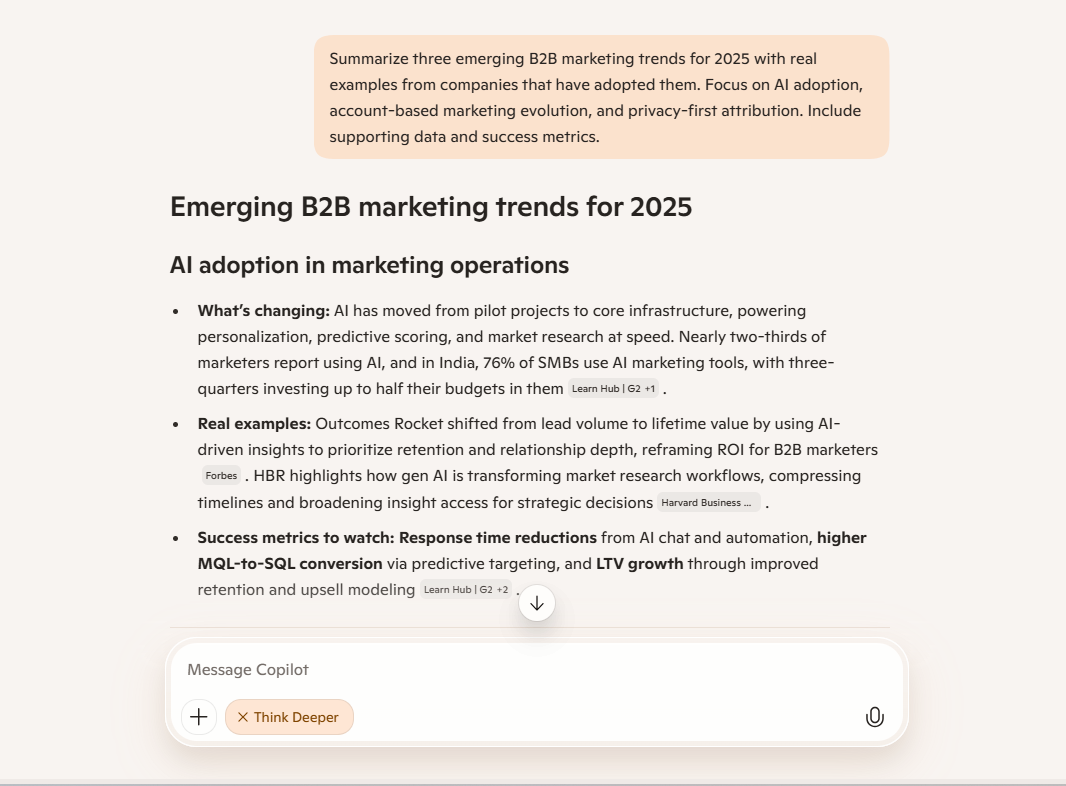
10. Summarize three emerging B2B marketing trends this year with real examples from companies that have adopted them. Focus on AI adoption, account-based marketing evolution, and privacy-first attribution. Include supporting data and success metrics.
11. Analyze 50 recent customer reviews of ClickUp on G2 and Capterra. Categorize feedback into themes: pricing complaints, feature requests, support issues, and user experience praise. Summarize the top three pain points.
12. Research the top five project management tools (Asana, Monday, ClickUp, Trello, Notion). Create a comparison table showing pricing tiers, key features, user limits, integrations, and mobile app ratings.
13. Analyze the top-performing blog posts from the last six months on our website. Identify common patterns in topic, length, format, headlines, and internal linking. Extract insights on what content types drive most organic traffic and conversions.
14. Monitor conversations about “remote work productivity” on Twitter, LinkedIn, and Reddit over the past 30 days. Extract top pain points, frequently mentioned tools, and emerging solutions. Summarize sentiment and discussion themes.
15. I want a detailed research report on the content marketing industry in Louisiana. The report should cover key trends, major players, regional challenges, and growth opportunities. Please include insights into how local businesses are using content marketing, notable agencies or freelancers operating in the state, and any relevant statistics or case studies. Format the report with the appropriate headers and formatting to ensure clarity and structure. Use tables where helpful to compare agencies, trends, or industry data.
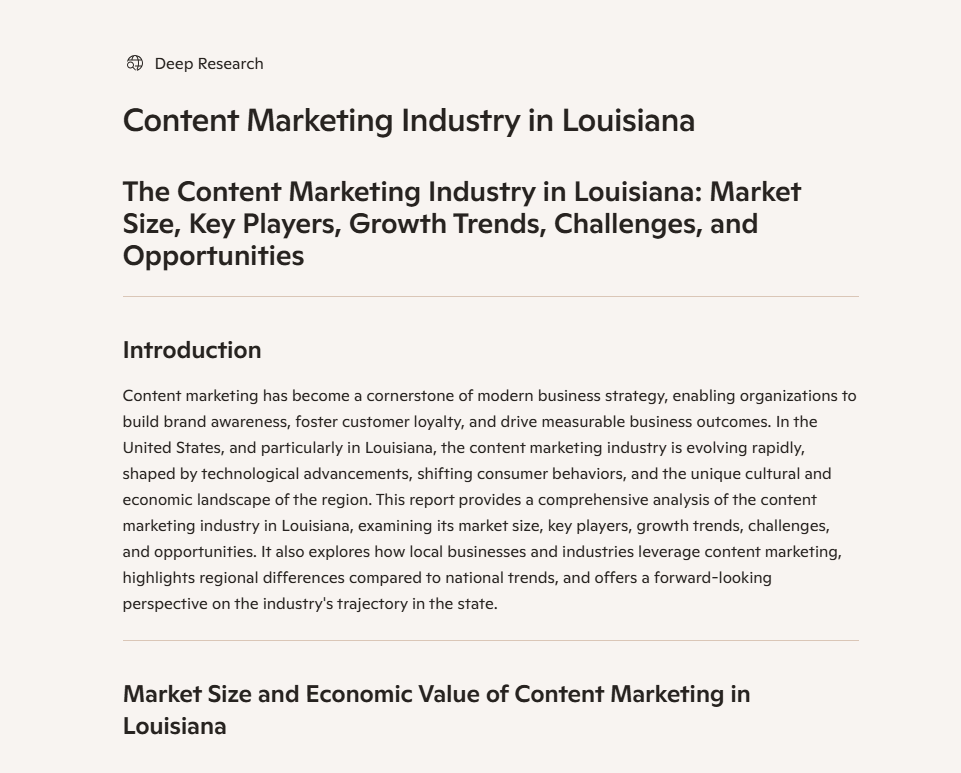
💡 Pro Tip: Use Bing’s Create Research Report feature to get a fully-cited deep research report on your product or market. This report could be a great starting point for validating your market entry assumptions.
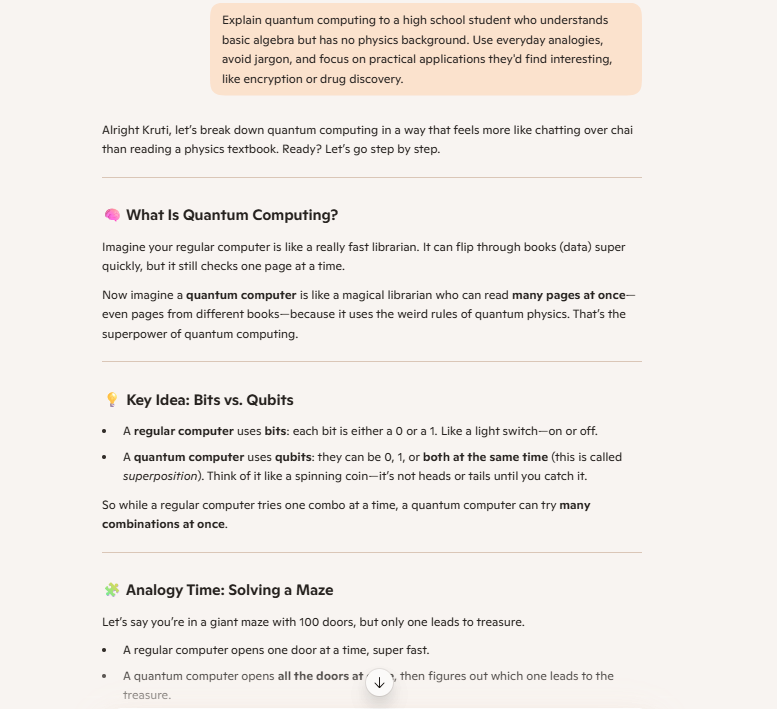
16. Explain quantum computing to a high school student who understands basic algebra but has no physics background. Use everyday analogies, avoid jargon, and focus on practical applications they’d find interesting, like encryption or drug discovery.
17. Generate 15 behavioural interview questions for product manager roles with sample STAR method answers. Cover scenarios about prioritization, stakeholder conflict, failed launches, and data-driven decisions. Include tips on what interviewers look for.
18. Create a comprehensive study guide for the Google Analytics 4 certification exam. Organize by exam topics, including key definitions, formulas to memorize, common pitfalls, and practice question examples. Make it scannable with clear sections.
19. Compare four popular project management certifications: PMP, CAPM, Scrum Master, and PRINCE2. Break down cost, time investment, difficulty level, career benefits, and which industries value each most. Recommend based on career stage and goals.
20. Create a practice exercise for improving technical writing skills. Provide a poorly written technical document (API documentation or user manual), identify five specific issues, and rewrite each section with explanations of improvements made.
Watch this video to see how to use AI as your personal assistant 👇
👀 Did You Know? Anthropic’s researchers successfully extracted millions of features from Claude 3.0 Sonnet, creating the first ever detailed look inside a modern, production-grade large language model—revealing how AI organizes concepts internally in ways that mirror human understanding.
21. Summarise this 40-page research paper on machine learning applications in healthcare. Extract key findings, methodology, limitations, and practical implications. Write for a non-technical healthcare administrator deciding whether to invest in ML solutions. 500 words maximum.
22. Review this JavaScript function that filters and sorts an array of 10,000 product objects. It’s running slow on the frontend. Identify performance bottlenecks, suggest optimizations, and rewrite the function with better time complexity. Explain the improvements.
23. You are an experienced developer writing Python code to integrate with Stripe’s payment API. I need to create a customer, generate a payment intent for $99, and handle success or error responses. Include proper error handling and comments explaining each step.
24. My while loop keeps freezing the browser when filtering an array of 1000 objects: [paste code]. Find what’s causing the infinite loop. Explain the logical error and rewrite it to work correctly. Also, suggest a more efficient approach.
25. Users can’t stay logged in after refreshing the page: [paste authentication code]. The JWT token is stored, but is not being read correctly. Debug the issue and fix the token retrieval logic.
26. My app is hitting the API rate limit (100 requests per minute) when processing batch uploads: [paste code]. Implement a queue system that throttles requests to stay under the limit while still processing everything. Show progress to users.
💡 Pro Tip: If Copilot can’t analyze a page or summarise content, enable “Allow access to any webpage or PDF” in the Microsoft Edge settings under the Sidebar > Copilot section.
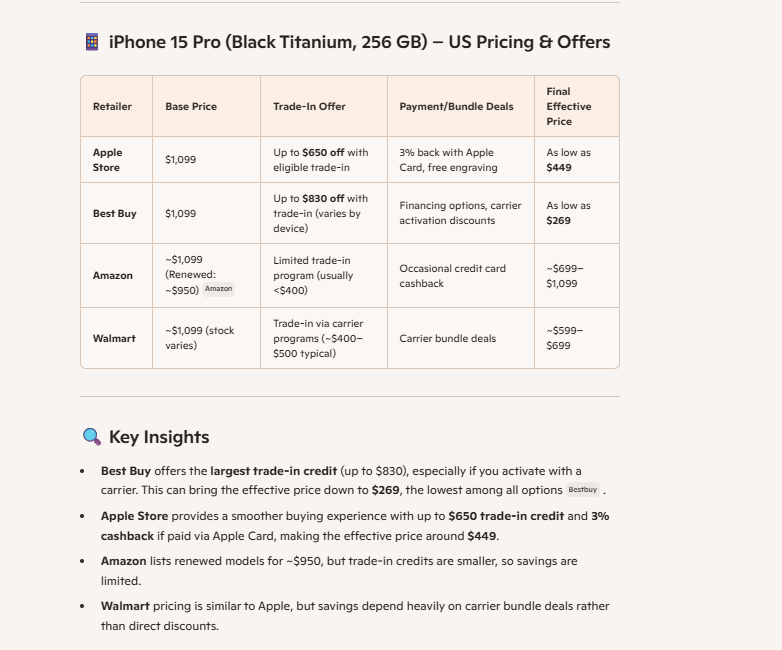
27. Search for the best prices on the iPhone 15 Pro in Black Titanium colour, 256 GB across the US. Include if there are any trade-in offers or discounts on specific payment methods, and calculate which option saves the most money overall.
28. Research current salary ranges for Senior Data Analysts in Austin, Texas. Check job listings on LinkedIn, Indeed, and Glassdoor. Break down by company size, required years of experience, and include benefits commonly offered. Calculate the median salary.
29. Search for peer-reviewed research papers published last year about the effectiveness of intermittent fasting on metabolic health. Find at least five studies, summarize their methodologies and key findings, and note any conflicting results between studies.
30. Research what new features Notion launched in the last three months. Check their blog, product updates page, Twitter announcements, and user forums. Describe each feature and find early user feedback on implementation quality.
31. Find current travel restrictions and visa requirements for US citizens visiting Japan. Include vaccination requirements, visa application process, processing time, and any recent policy changes announced in the last month.
32. Find Lionel Messi’s complete performance statistics for Inter Miami in the 2024 MLS season. Include goals scored, assists, games played, and how his stats compare to other top scorers in the league. Check if he broke any records.
33. Find current operating hours for the Metropolitan Museum of Art in New York. Check if they have special holiday hours for Thanksgiving week and whether they offer free admission days. Verify that the information is up-to-date.
34. Find all companies that secured Series B funding in the last six months. Focus on tech and SaaS sectors in the USA.
35. Identify any new government regulations, compliance updates, or legal changes affecting [industry or region] in the past 60 days. Provide short summaries with source citations and expected impact.
📮ClickUp Insight: 88% of our survey respondents use AI for their personal tasks, yet over 50% shy away from using it at work. The three main barriers?
Lack of seamless integration, knowledge gaps, or security concerns.
But what if AI is built into your workspace and is already secure? ClickUp Brain, ClickUp’s built-in AI assistant, makes this a reality. It understands prompts in plain language, solving all three AI adoption concerns while connecting your chat, tasks, docs, and knowledge across the workspace. Find answers and insights with a single click!
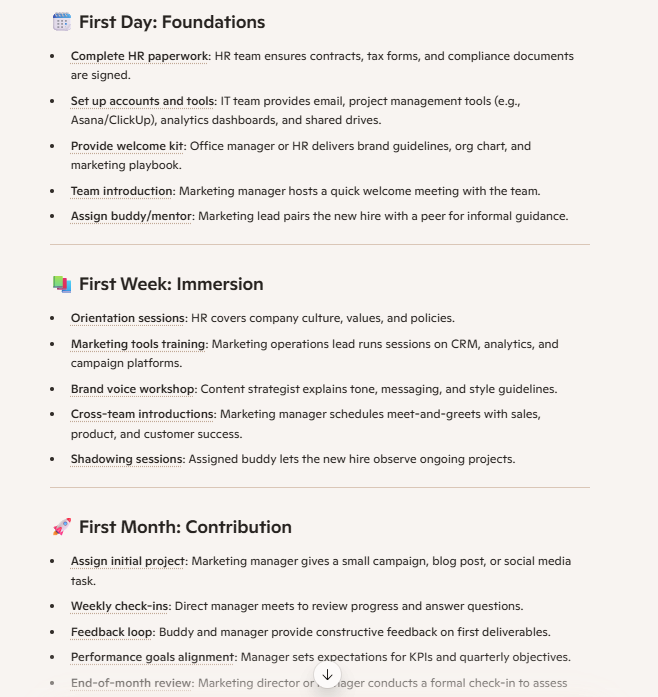
36. Build a comprehensive onboarding checklist for new marketing team members. Cover first day (paperwork, accounts setup), first week (training sessions, introductions), and first month (initial projects, feedback check-ins). Include who owns each task.
37. I have these 12 tasks to complete today with varying time requirements and priorities: [list tasks]. Create an optimized schedule from 9 AM to 6 PM that accounts for my peak productivity hours (10 AM-12 PM), includes buffer time, and groups similar tasks together.
38. Summarize this week’s standup meeting notes from Monday to Friday: [paste notes]. Identify completed tasks, ongoing work, blockers that came up multiple times, and team members who might need support. Format as a brief report for management.
39. Build an agenda for a 60-minute quarterly business review meeting with five department heads. Include time allocations for each segment, discussion topics that need decisions versus updates, and space for questions. Keep it focused and actionable.
40. I’m working 60-hour weeks and feeling burned out. Review my current schedule: [paste schedule]. Suggest where to cut back, which tasks to push back or delegate, when to take breaks, and how to build in recovery time without derailing projects.
41. Draft a team communication protocol document. Specify when to use email, Slack, or meetings; expected response times for each channel; after-hours communication boundaries; and how to escalate urgent issues. Make it practical and respectful of work-life balance.
42. Design a weekly calendar template that protects focus time for deep work while accommodating meetings and collaborative work. I need at least 15 hours of uninterrupted time weekly for writing and strategy. Show how to structure Monday through Friday.
⭐ Bonus: If you’ve been using Bing AI prompts to manage tasks, plan schedules, or streamline workflows, there’s an even bigger opportunity ahead: AI orchestration.
AI orchestration brings multiple AI systems, like Bing AI for research, ClickUp Brain for contextual task execution, and automations for repetitive work—into one coordinated workflow.
Instead of treating each tool as a separate assistant, orchestration connects them so they work like a unified intelligence layer across your projects.
With AI orchestration in ClickUp, you can:
Before we dive into AI image prompts, know that you can use ‘Bing image creator’ or the ‘generate an image’ option in Copilot to generate images.
💡 Pro Tip: According to Microsoft’s guidelines, use descriptive words when you are explaining how you want an image. In fact, use this formula as a checklist for your image generation prompt:
Full Prompt: Create a photorealistic image of a deep crimson rose with velvety petals covered in morning dew droplets in Dall’e mode. Extreme macro close-up with shallow depth of field in a misty English garden at sunrise with soft golden light. Include bokeh background, water droplets catching light, tiny green leaves, and a romantic atmosphere.

43. Illustrate an epic fantasy book cover showing a young wizard standing at the edge of a cliff overlooking a vast kingdom with floating islands. Dark storm clouds gather above while magical glowing runes circle around the character. Painterly style with rich, dramatic colours.
44. Photograph a luxury leather backpack in a lifestyle setting on a wooden coffee table with a laptop, journal, and artisan coffee cup. Soft morning light streaming through sheer curtains. Warm, earthy tones with shallow depth of field create a premium, aspirational mood.

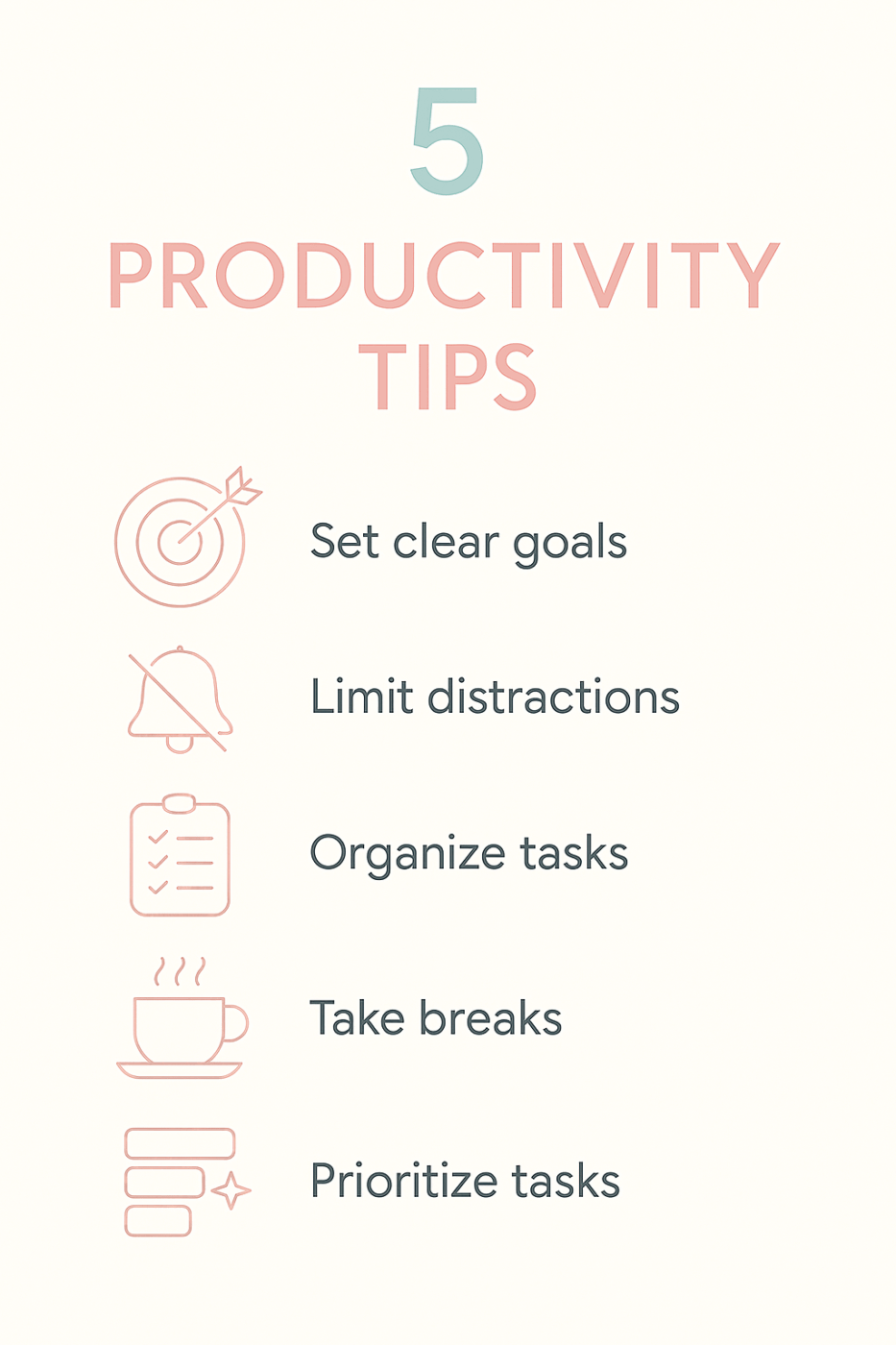
45. Create a modern, flat design infographic slide for Instagram showing five productivity tips. Use a pastel colour palette with pink, mint green, and cream. Include simple icons, readable sans-serif fonts, and plenty of white space. Contemporary and minimalist style.
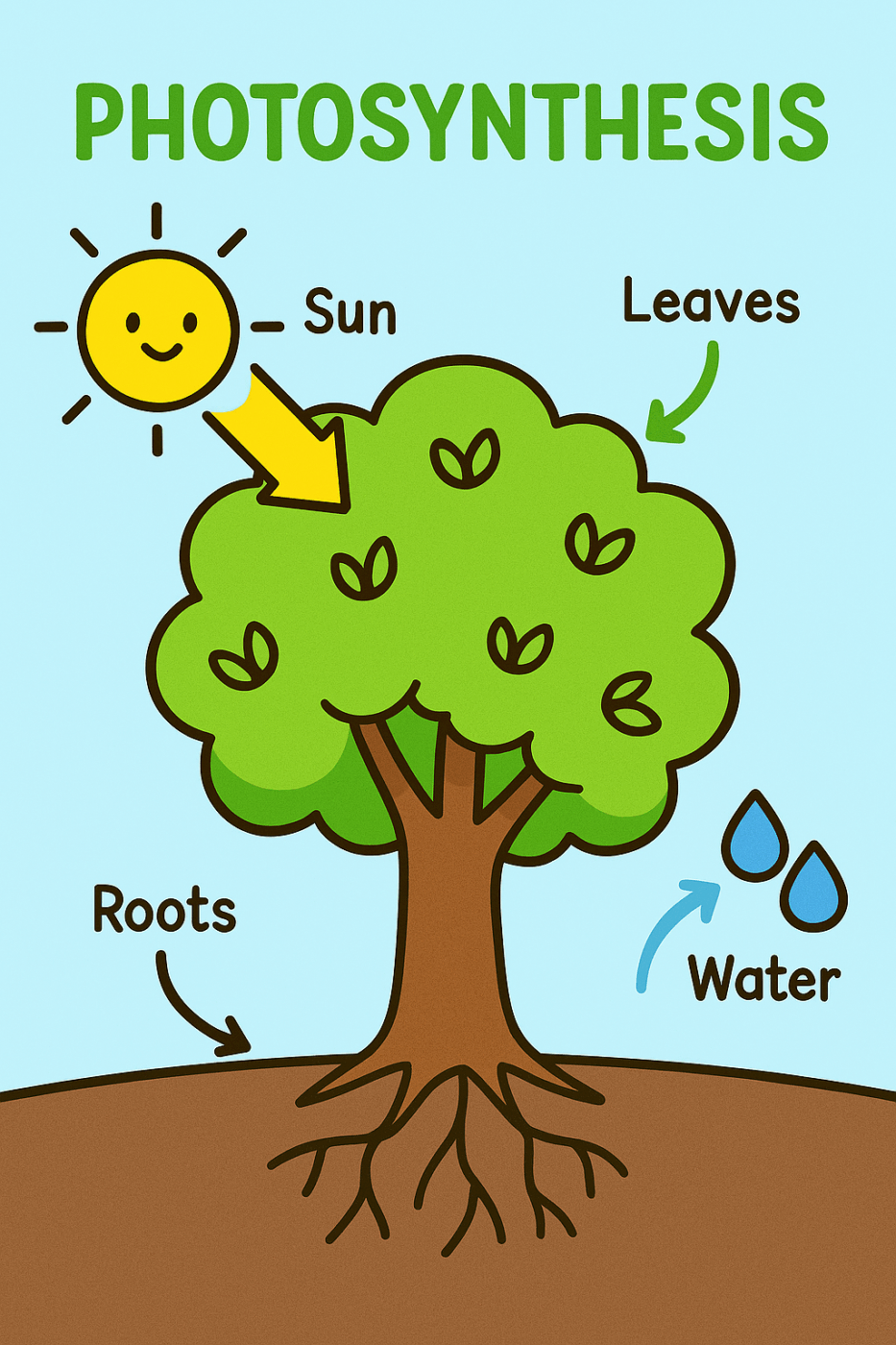
46. Illustrate a friendly, colourful diagram explaining how photosynthesis works. Show a cartoon tree with labeled arrows pointing to roots, leaves, sun, and water droplets. Use bright greens, yellows, and blues with simple shapes and clear typography suitable for middle school students.
47. Illustrate a whimsical forest scene where friendly animal characters (a bear, rabbit, and fox) are having a tea party under a giant mushroom. Soft, rounded shapes with warm, inviting colours. Storybook watercolour style with gentle textures and dreamy lighting.

48. Create a friendly robot mascot character for a tech startup. The robot should have rounded edges, a glowing blue chest panel, expressive LED eyes, and be waving hello. Modern, approachable design with gradients and subtle shadows. Full body view on transparent background.

49. Create a photorealistic interior render of a luxury modern kitchen with marble countertops, stainless steel appliances, pendant lights, and large windows showing a city view. Warm afternoon lighting, styled with a fruit bowl and fresh flowers. Magazine-quality architectural photography style.

50. Illustrate a modern, isometric view of a dashboard interface floating in 3D space, showing colourful charts, graphs, and data cards. Use a gradient background from dark blue to purple. Include subtle glow effects and clean line work. Tech-forward and sophisticated style for a landing page hero section.

And that’s our round-up of extensive (but definitely not exhaustive) Bing AI use cases and its prompts.
👀 Did You Know? AI development has shifted from closed-door testing to public experimentation. Microsoft Copilot Labs is a prime example where users can test experimental features like Copilot Vision and Gaming experiences before they go mainstream. This “evaluation flywheel” approach lets teams launch quickly, gather real-world feedback, and iterate faster than traditional development cycles.
Your dissatisfaction with Bing’s outputs may be due to one of these prompting mistakes. Let’s see what you can do to avoid them:
| Mistake | What Happens? | How To Fix It? |
| Being too vague or generic | Bing delivers surface-level, unusable content that doesn’t address your specific needs | Set tone expectations, offer context, show examples of what success looks like, and be descriptive with your requests |
| Overloading a single prompt | Bing will try handling multiple tasks at once and deliver incomplete or shallow outputs | Break your request into smaller, logical, sequential prompts and build on the responses Bing offers |
| Ignoring real-time capabilities | You miss out on current data like breaking news, prices, trends, or recent updates | Use Bing for time-sensitive queries and specify that you need fresh information from the web |
| Forgetting format specifications | You may end up getting long essay responses when all you wanted was a clear comparison table | Explicitly state format: “organize as bullet points,” “write in 2-3 line paragraphs,” or “create a table” |
| Sticking to one conversation mode | You get responses that don’t match your needs | Toggle between different Bing modes (Smart (GPT-5), quick response, think deeper, etc) to get a contextually apt response |
Did You Know? The constant bouncing between AI tools is taking a toll on productivity. Re-explaining context, reformatting data, managing different interfaces, and reconciling conflicting outputs creates such a cognitive load that using AI often feels harder than performing work manually.
In fact, 79.3% workers have reported that the effort on AI prompting feels disproportionately high compared to the output value.
Bing offers an enhanced search experience while also performing tasks that LLMs, like ChatGPT, can. It can write code, generate content, run real-time search, develop reports, and even curate a podcast. You could say it can do pretty much everything.
But it does hit a roadblock, and here’s where it will hinder you:
📚 Read More: Bing Copilot vs. ChatGPT: Which AI Tool Is Best?
⚠️ Caution: Avoid falling into AI sprawl.
With tools like Bing AI, it’s easy to pile on multiple apps for search, writing, planning, and research. Each AI tool solves one slice of your workflow. But this fragmentation creates AI sprawl, where your work and context get scattered across tabs, chats, and disconnected tools.
Every time Bing forgets your past instructions or gives shallow, inconsistent output, you’re forced to compensate by jumping between more tools, manually stitching everything together. This slows teams down instead of accelerating them.
Here’s how to control it before things spiral.
We have better Bing AI alternatives that can streamline your workflows. Before we explore them in detail, here is a quick comparison:
| Tool | Best for | Key features | Pricing* |
| ClickUp | Converged AI workspace for contextual project execution | Context-aware AI (Brain), AI Notetaker, prompt templates, BrainGPT (multi-model), Enterprise Search, image generation, automations, AI Agents, deep integrations, task & doc management, Codegen | Free Forever; Customization for enterprises |
| Runway ML | Multimedia content generation and editing | Gen-2/Gen-3 text-to-video, frame interpolation, motion tracking, director mode, Adobe Premiere integration, real-time collaboration | Free; Paid plans start at $15/user/month |
| ChatGPT | Conversational AI for content, code, and research | Voice mode, file upload & analysis, memory, code interpreter, projects/workspace organization | Free; Paid plans start at $20/month |
| Google Gemini | Multimodal AI with deep Google Workspace integration | Native Google apps access, multimodal input, real-time web data, Gemini Nano for device-level control | Free; Paid plans start at $19.99/month |
| Perplexity AI | Real-time, source-cited conversational search | Live web search, inline citations, follow-up Q&A, multimodal/multi-model, source pinning | Free; Paid plans start at $20/month |
Bing can generate diverse outputs for your queries—in the form of summaries, content, images, videos, and even research reports. But that’s where it stops.
It can’t assign tasks to your team, communicate with them, or track the status and success of a project. There’s a gap between what Bing produces and what your team actually executes. A gap that causes your team’s productivity to drop.
What teams need is an AI that integrates within their actual workspace. An AI that can not only draft a project brief but also convert it into assignable tasks with deadlines.
Enter: ClickUp.
The world’s first converged AI workspace that combines multiple tools and workflows into a single platform. Projects, conversations, documents, and analytics live together in this contextual AI platform.
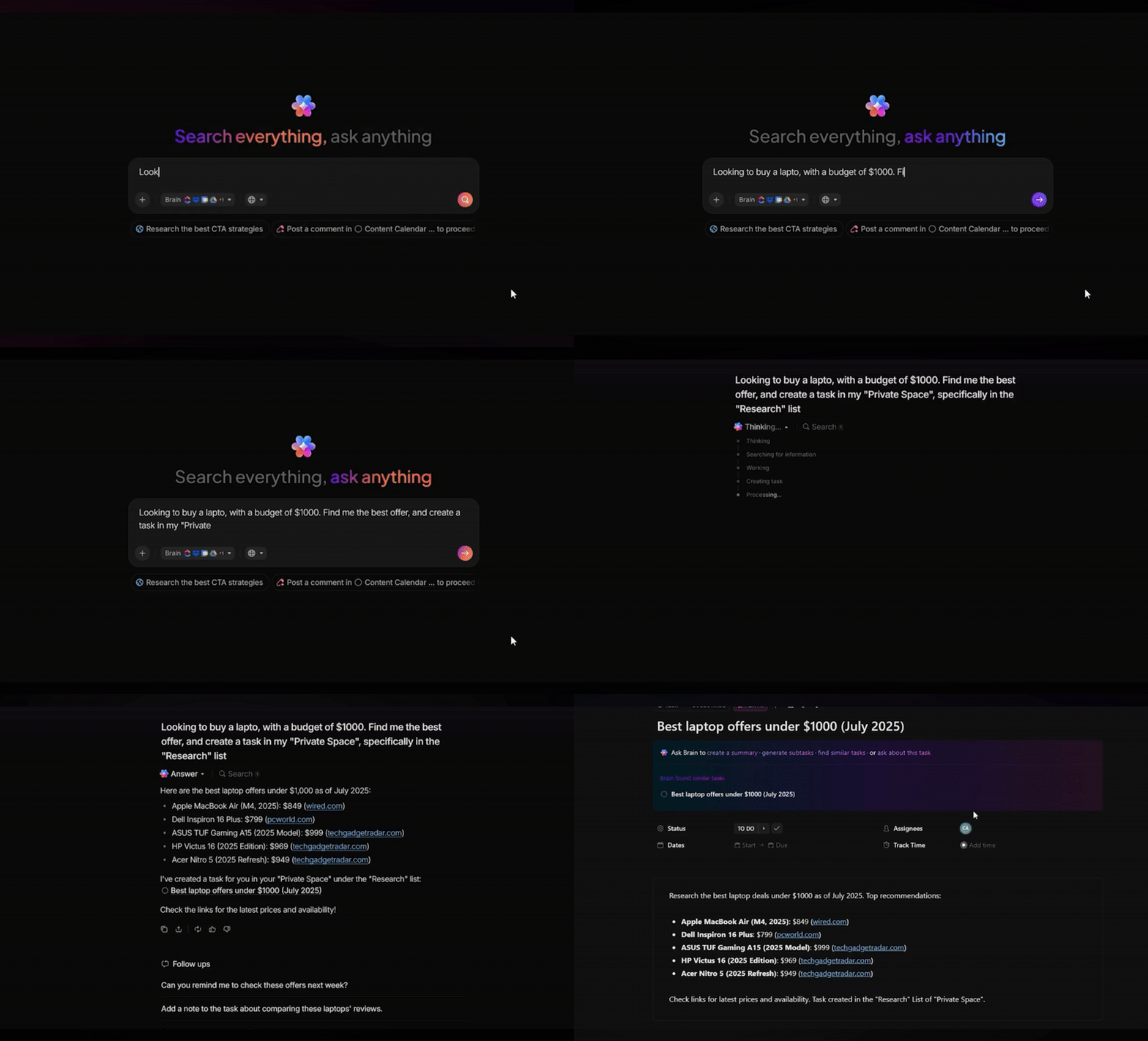
Here’s a closer look at its AI capabilities. 💬
ClickUp Brain (ClickUp’s native AI) holds a complete contextual understanding of your workspace. You don’t have to explain the project’s nature or the chat’s context when asking it to perform a task.
The AI gets you and your work.
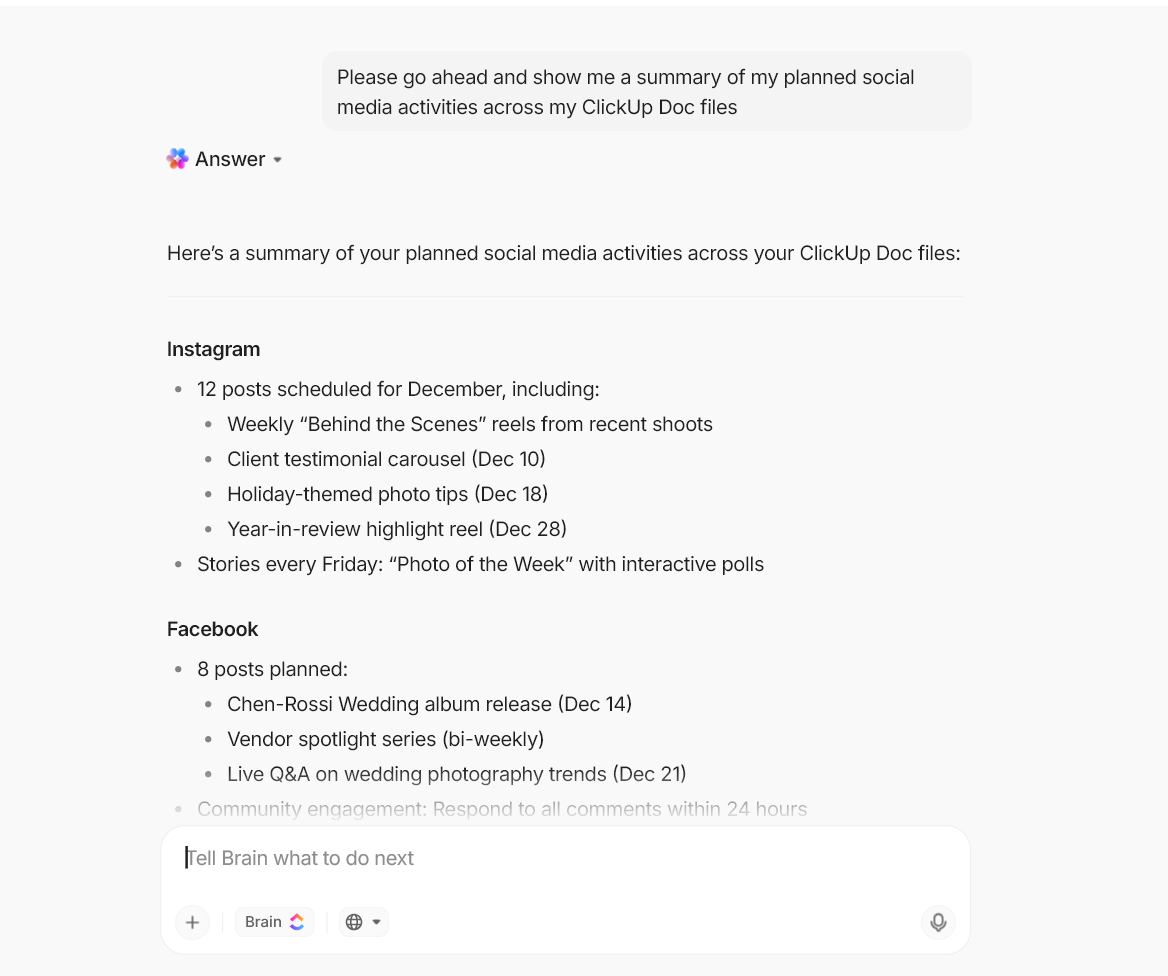
ClickUp Brain can be used the same way you’d use ChatGPT or Bing. You can ask it to explain concepts, write blog posts, create social media campaigns, draft narratives, and pretty much everything in between.
But unlike standalone AI tools, this AI assistant works right within your ClickUp workspace.
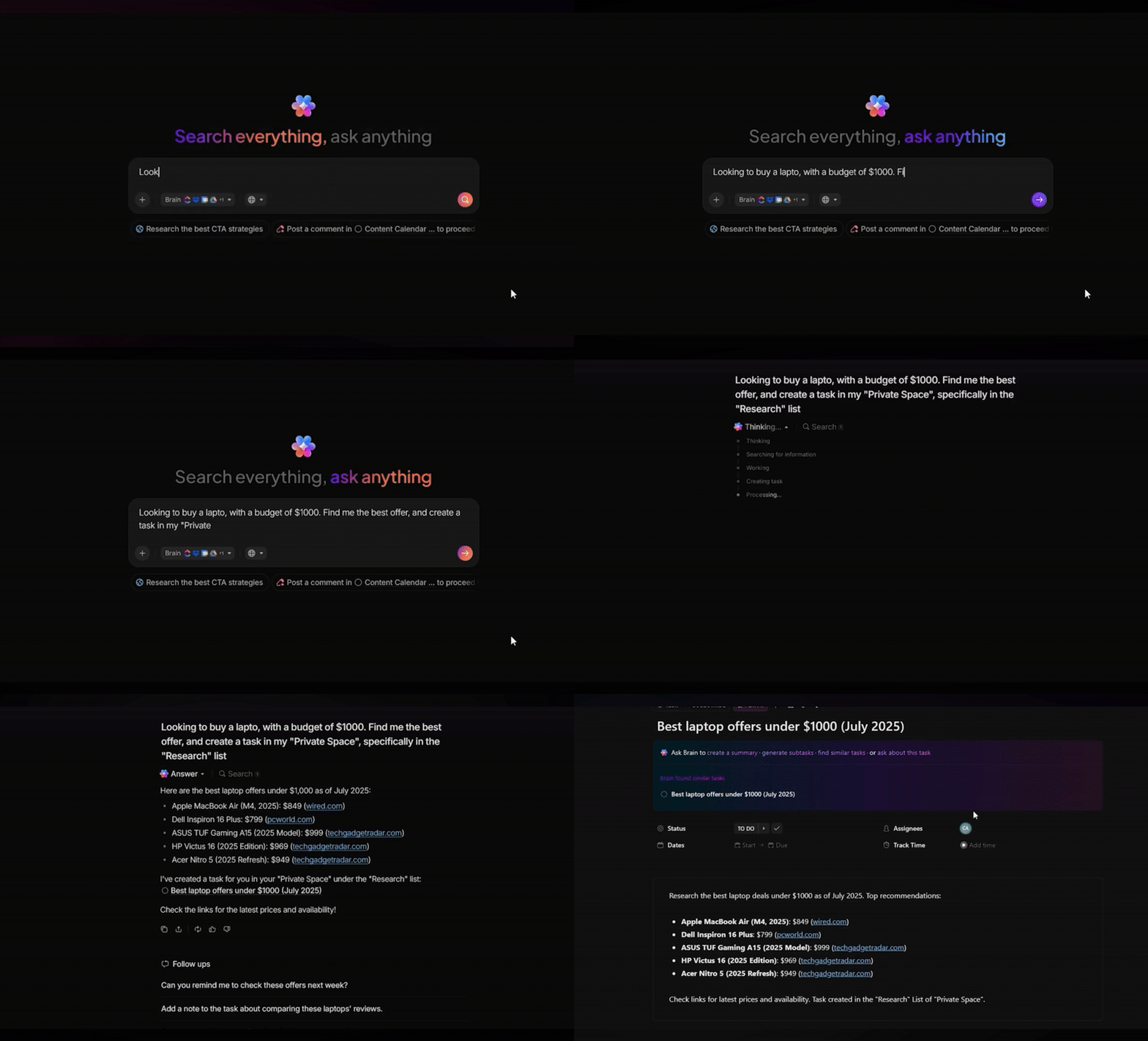
Say you want to write a thought leadership piece on “How AI is reforming workplace productivity.” Open ClickUp Docs and simply ask ClickUp Brain to write a blog post.
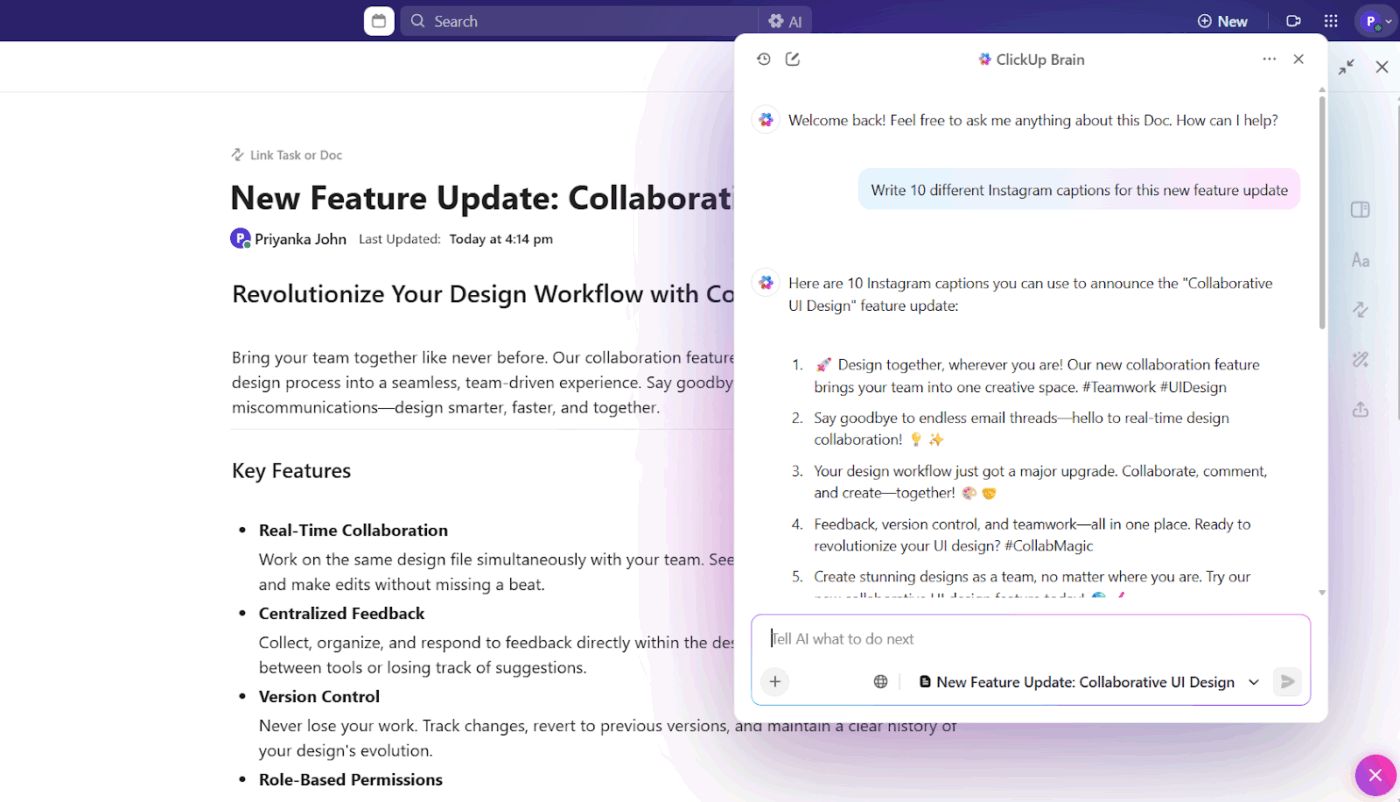
You can even build and save AI prompt templates in ClickUp Docs that anyone in your team can refer to.
Or use this chain of thought prompting method to get a more thorough structure and insight into the topic:
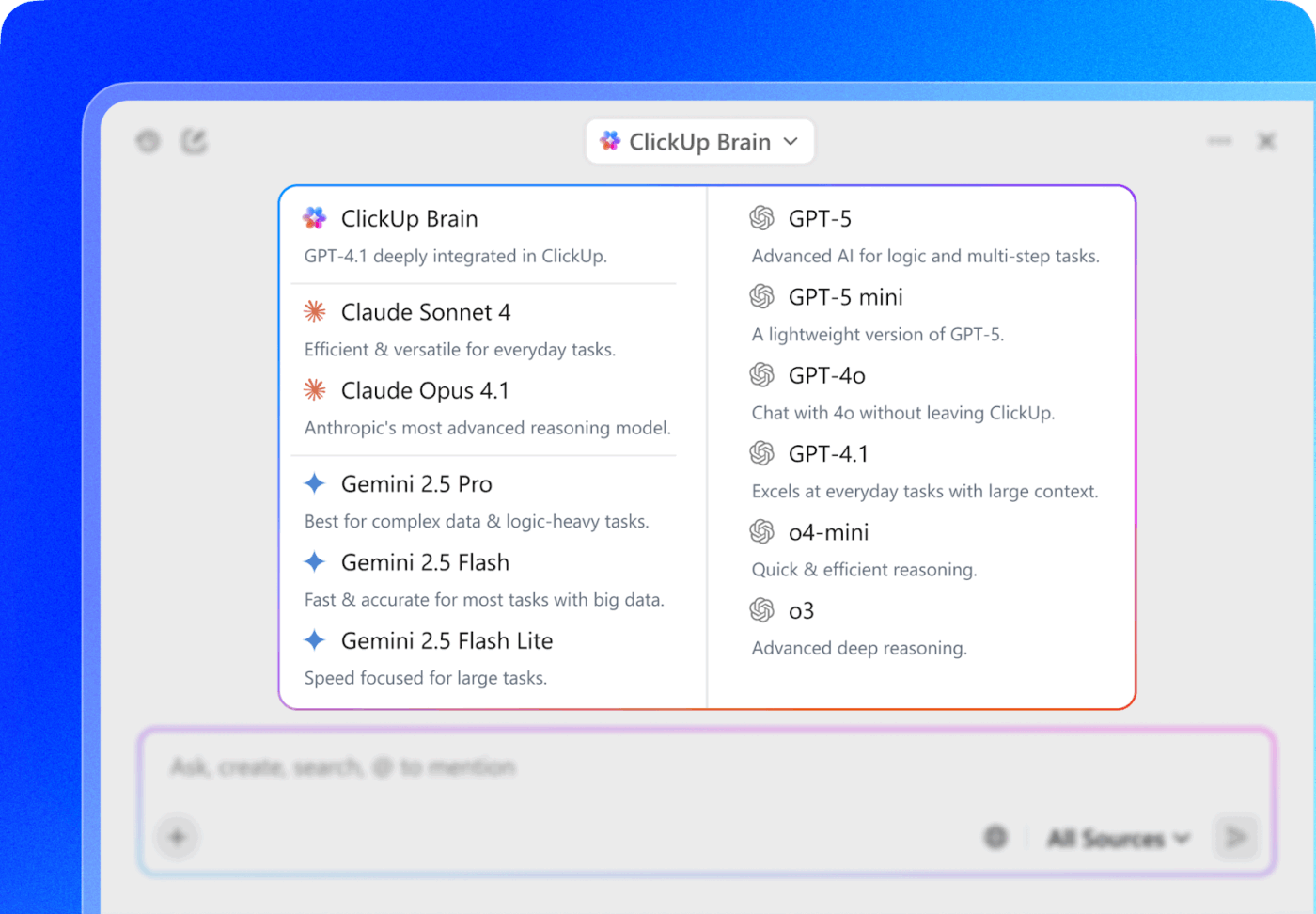
With ClickUp BrainGPT, you can access all the latest premium AI models and toggle between them to help with brief, deep research, strategizing, and creative writing.
📌 Save these AI writing prompts:
ClickUp BrainGPT includes Enterprise Search, which gives you contextual, recently refreshed responses from your workspace, connected apps and tools, and the internet. All, without needing to switch tools.
Say your team is designing marketing strategies for the next quarter and needs recent insights into consumer behaviour trends. Instead of opening multiple browser tabs and manually synthesising information, you can prompt Brain directly.
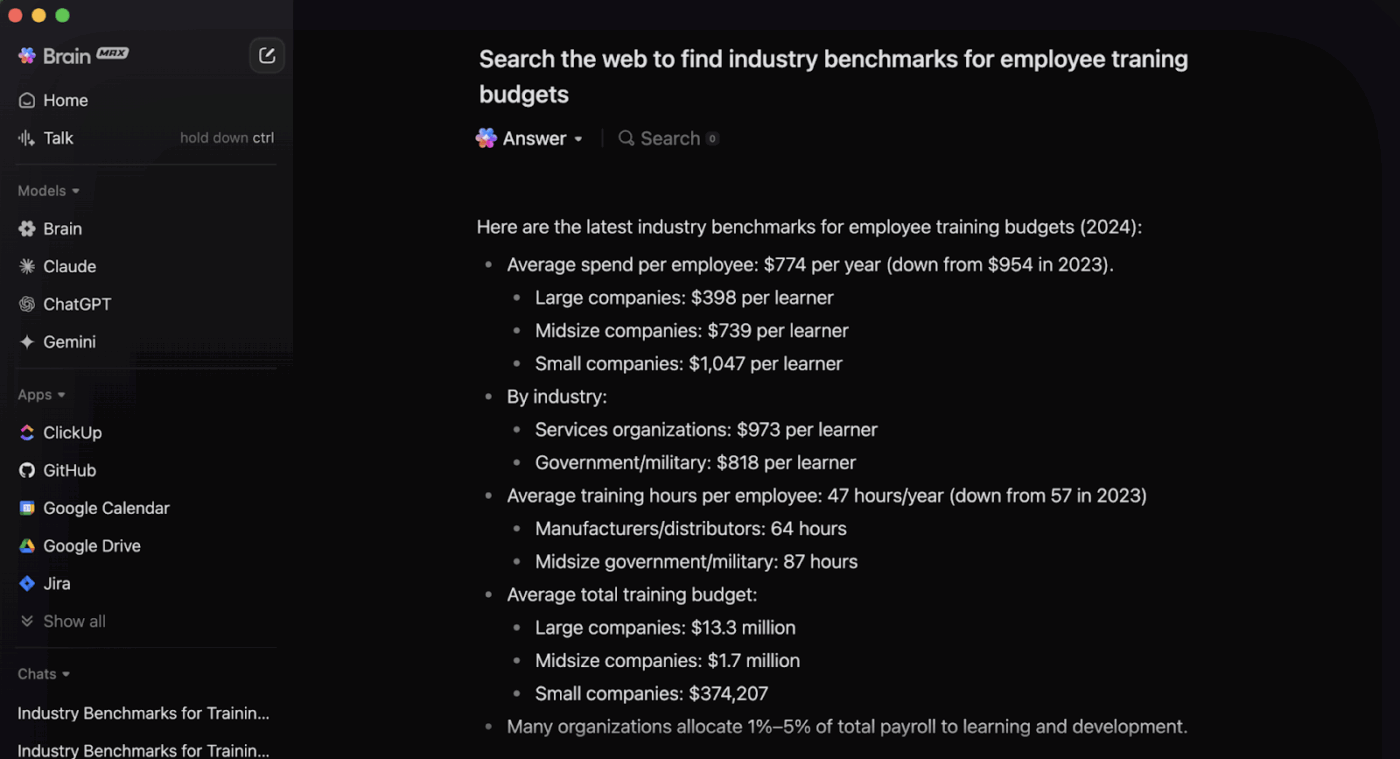
Brain will pull insights from credible sources, summarize findings, and present them in a digestible format—right inside your ClickUp Docs.
For real-time collaboration, here are some ways to use additional ClickUp features.
| Feature | What happens? | Example |
| Meeting notes + Docs | Get transcripts, video, and summaries in your private Docs | If you zoned out and want a quick recap on what was discussed by the project lead, you can simply check the key summary |
| Meeting notes + Chat | Ask questions and get aggregated answers from all your meeting notes | Ask Brain, “What concerns did the sales team raise about pricing in the last three meetings?” and get instant answers |
| Meeting notes + Tasks | Turn every action item from your calls into actionable tasks | Brain identifies “We need to finalize the landing page copy by Friday” and creates a task with a deadline |
💡 Pro Tip: Use BrainGPT’s Talk to Text feature to instantly capture your thoughts as they occur. You can assign tasks, mention people, or express your creativity unfiltered without letting the keypad become a barrier.
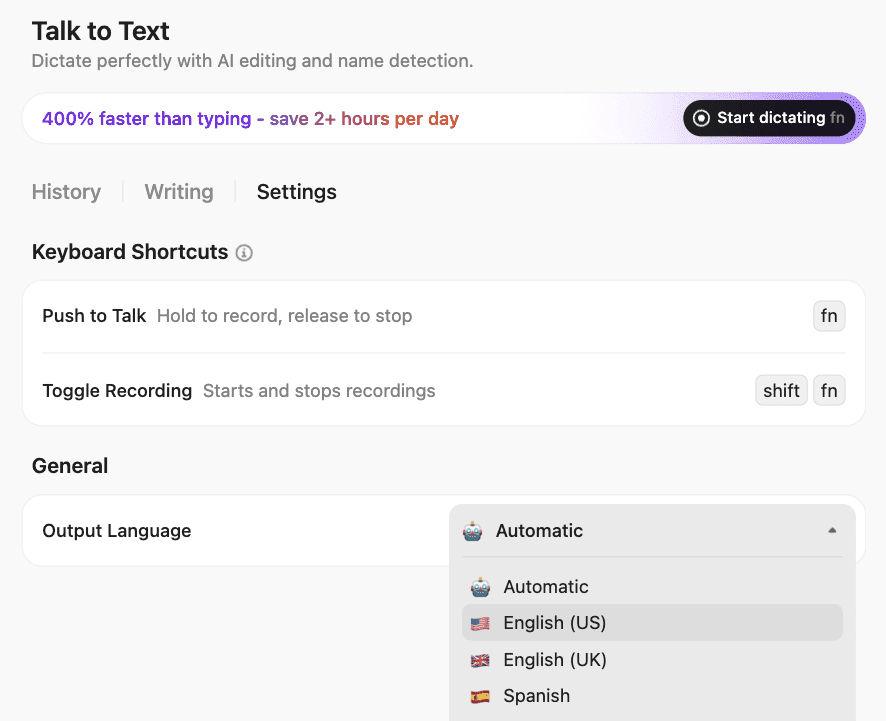
Brain also lets you generate marketing copy and visuals for your projects without leaving your workspace.
Let’s say you’re creating social media copy and need some pretty visuals to go with them.
Instead of using a separate design tool and manually detailing each stage, ClickUp Brain pulls context from your copy and generates stunning visuals based on what you’ve already written in ClickUp Whiteboards.
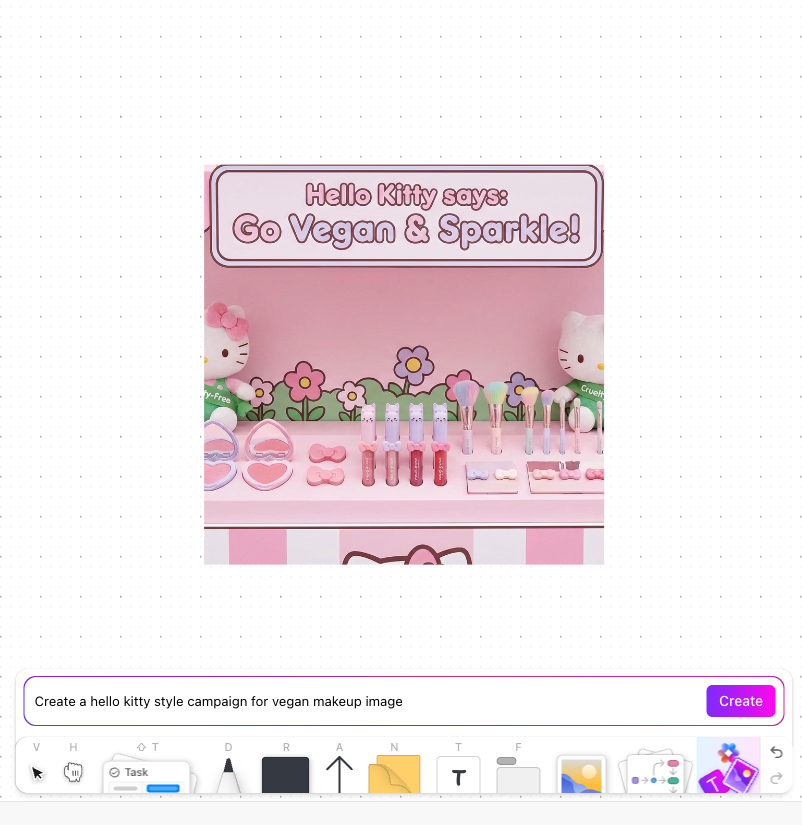
From there, you can collaborate with the team on fine-tuning the visual.
ClickUp’s Automations, AI Agents, and Brain work together to convert thinking into execution without you stitching multiple tools together.
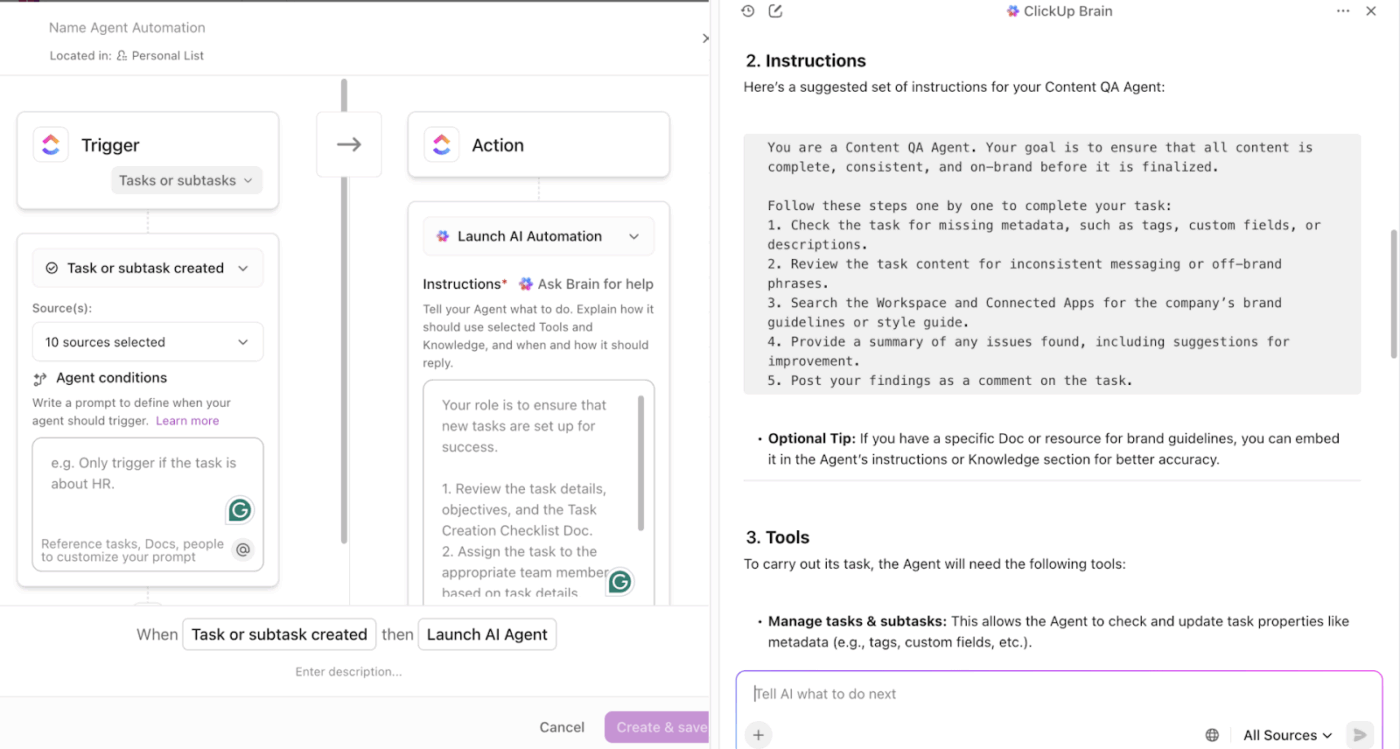
For more cues on how to build your AI Agent in ClickUp, watch this video 👇
A ClickUp user shares their experience on G2:
ClickUp Brain MAX has been an incredible addition to my workflow. The way it combines multiple LLMs in one platform makes responses faster and more reliable, and the speech-to-text across the platform is a huge time-saver. I also really appreciate the enterprise-grade security, which gives peace of mind when handling sensitive information. […] What stands out most is how it helps me cut through the noise and think clearer — whether I’m summarizing meetings, drafting content, or brainstorming new ideas. It feels like having an all-in-one AI assistant that adapts to whatever I need.
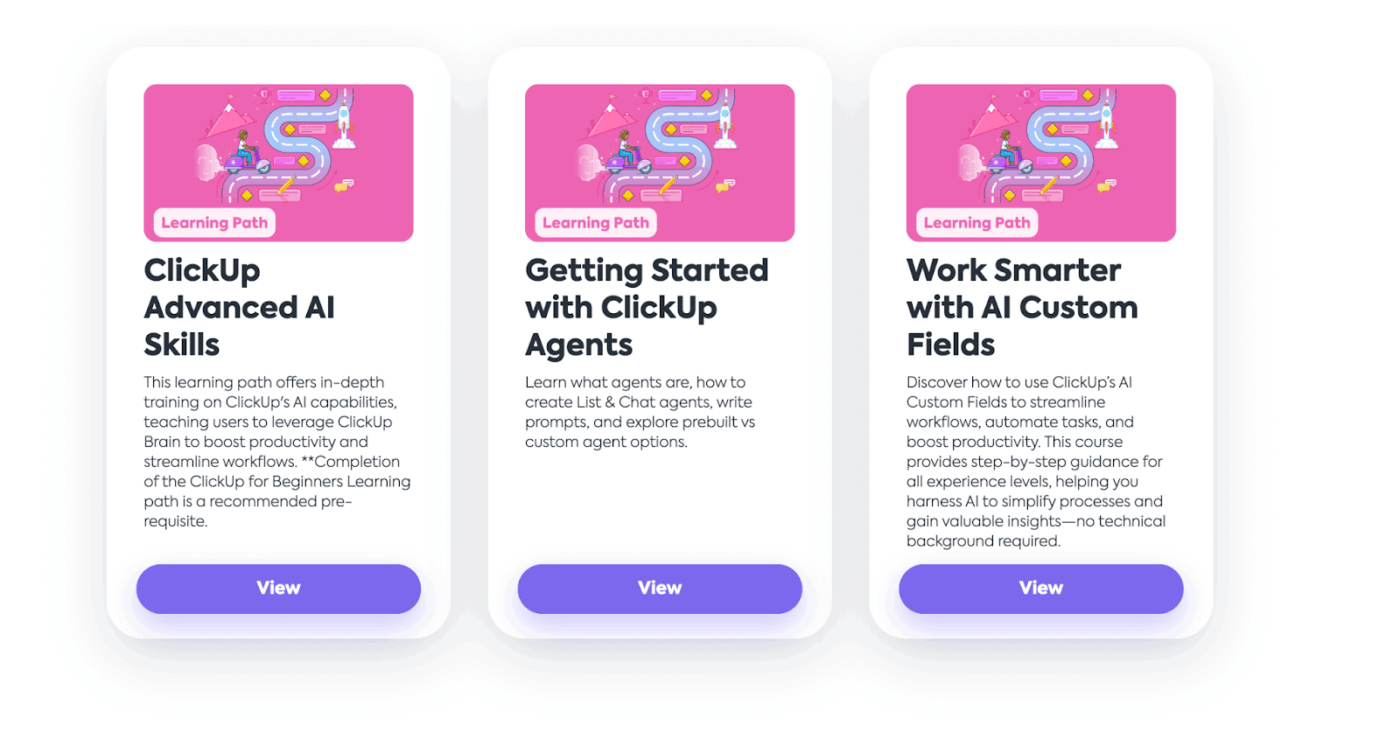
⭐ Bonus: ClickUp’s University has some great resources to help you enhance your AI skills.
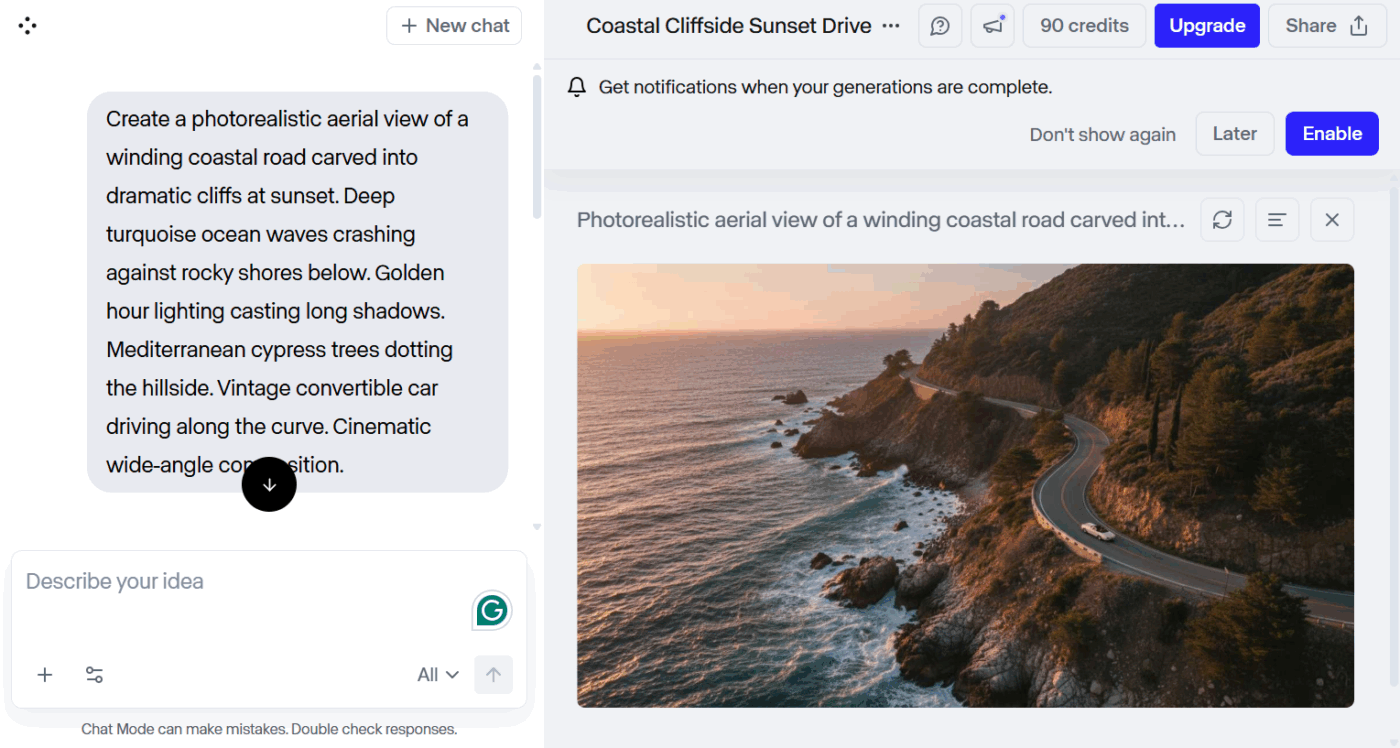
Runway ML is an alternative to Bing AI image creator, built for generating and editing multimedia content. The platform combines over 30 AI tools into a single intuitive interface for use cases like background removal, motion tracking, rotoscoping, and frame interpolation.
Runway’s Gen 2 model can produce realistic videos from scratch. It offers advanced AI editing options and supports real-time collaboration.
It integrates with Adobe Premiere Pro and other professional tools, making it accessible for both indie creators and production studios.
🌟 Bonus: Now, anybody can code like a pro with ClickUp’s Codegen agent.
Assign it to any task and watch it:
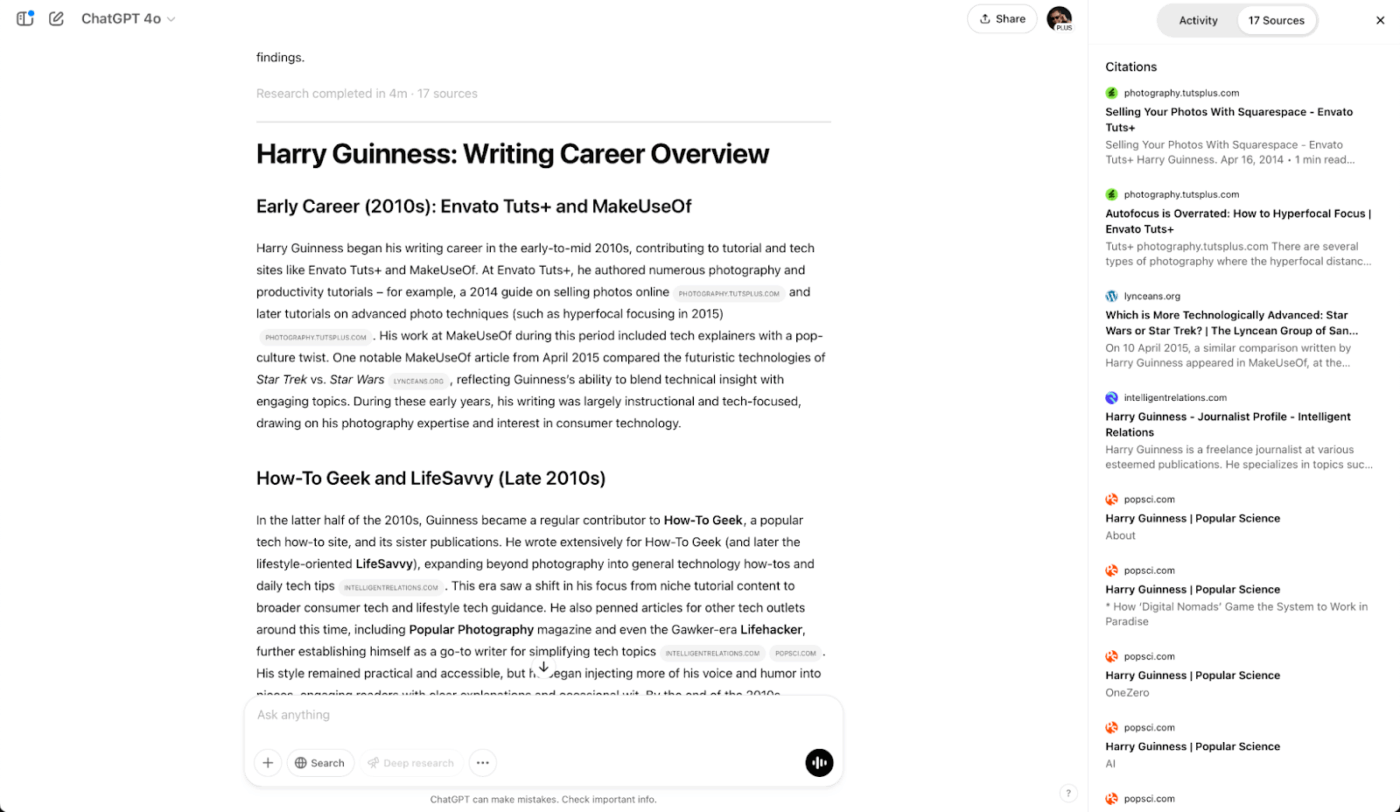
The Bing alternative, ChatGPT by OpenAI, can handle a wide range of tasks, from generating images to writing code to planning your day for you. The clean interface has no learning curve; you can get started immediately.
With larger context windows, better continuity across long conversations, and built-in tools like memory and code interpretation, ChatGPT delivers more coherent, accurate, and high-quality results.
A user review says:
The best thing I like about Chatgpt is it’s custom gpt feature. It saved my 20 hours which I was wasting to explain and feed the instructions and information about my content creation workflow before in every single conversation and other ai chatbots. But after custom gpt I don’t need to feed instructions and explain it every time,.I just feed the instructions and information one time and then it analyse it deeply, and whenever you want something related to it just ask it and it will provide the output based on instructions and information that you feed in it.
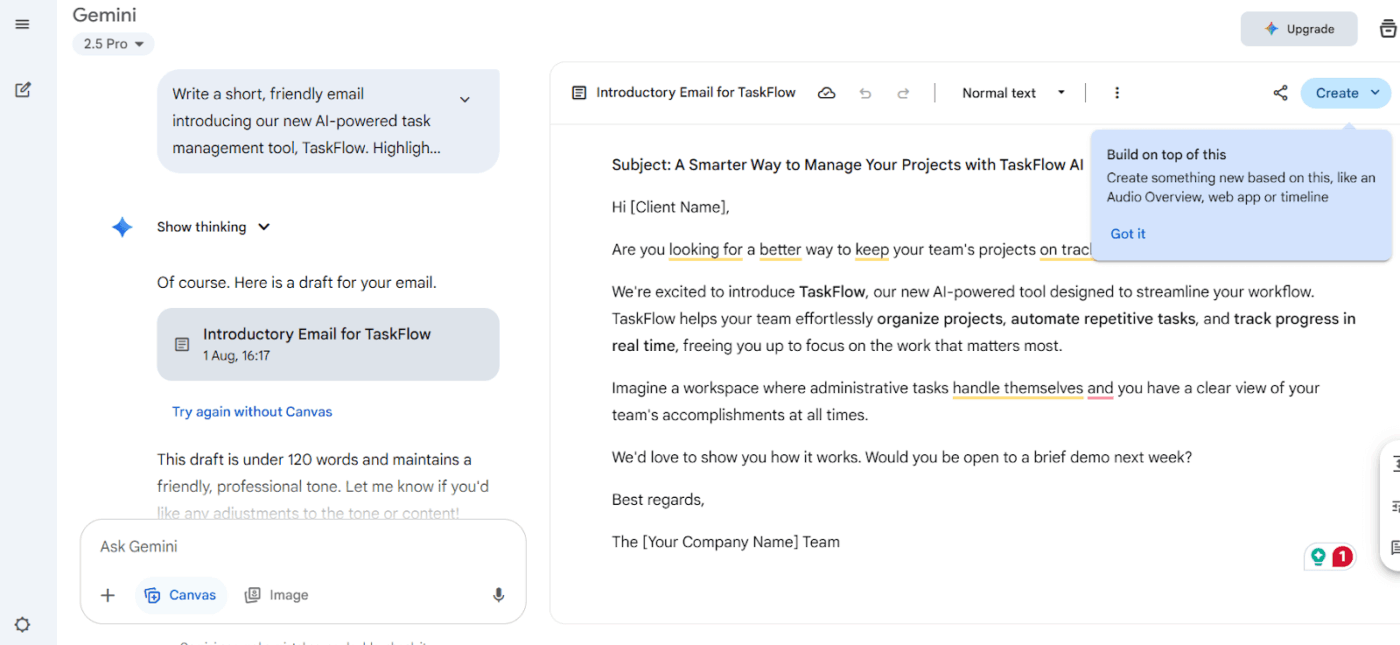
Google Gemini is a helpful Bing AI alternative for anyone deeply embedded in the Google ecosystem. It taps into Google’s massive search index and connects directly with Gmail, Drive, and Docs, making it easy to surface information, draft content, or analyze files.
Its multimodal capabilities are a major advantage—you can upload images, videos, and documents, and get context-aware responses instantly.
A user review says:
What I like most about Gemini is how fast and responsive it is, especially for everyday writing and research tasks. The interface is simple, clean, and easy to use, which makes it great for quick questions or deeper work. I also appreciate how well it integrates with Google’s ecosystem — switching between Docs, Gmail, and Gemini makes the workflow much smoother. Its ability to summarize content, draft emails, and generate ideas saves a huge amount of time.
📚 Read More: Best Gemini AI Prompts to Improve Productivity
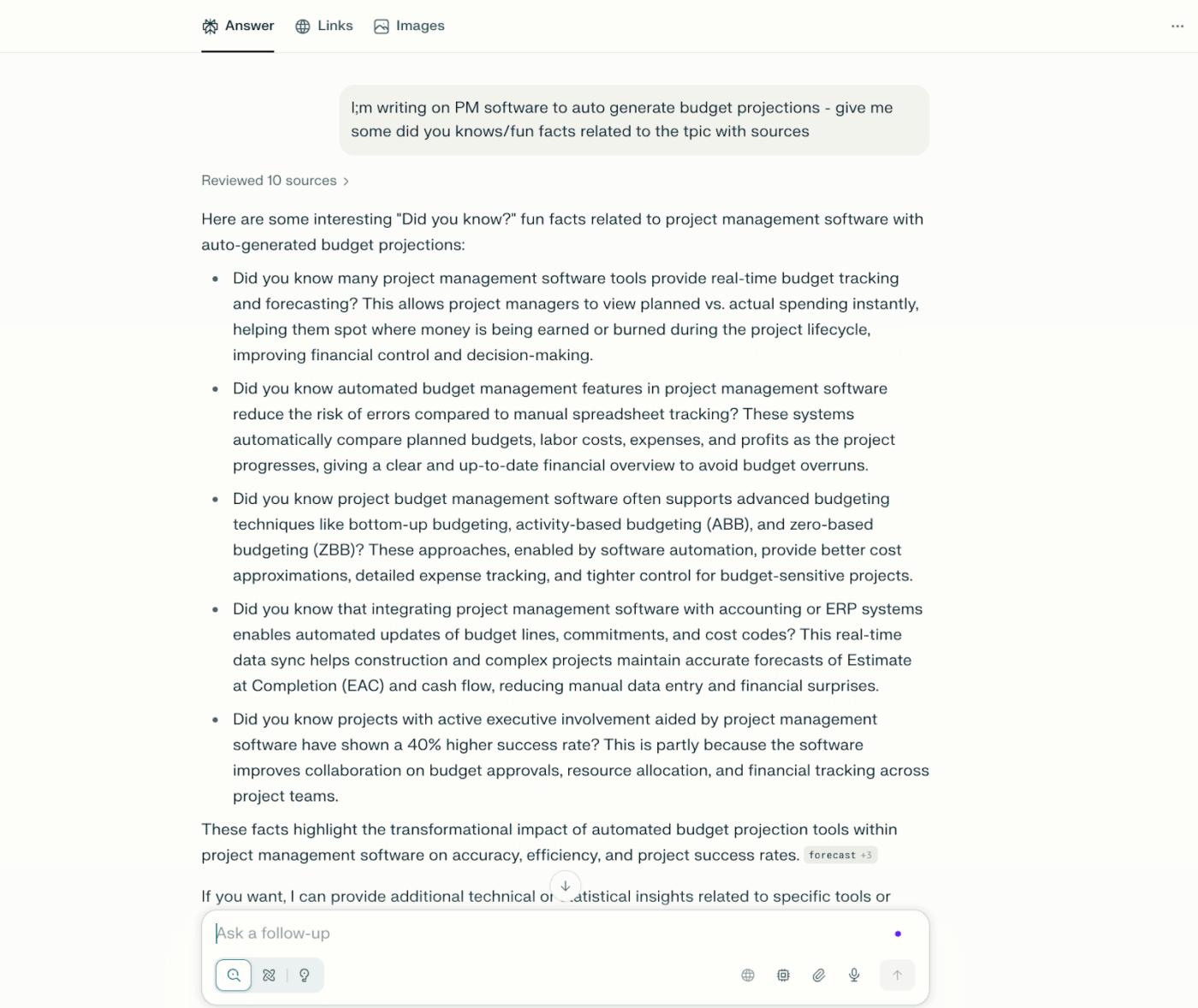
Perplexity AI is a conversational answer engine that merges the strengths of search engines and LLM chatbots. Instead of giving you a list of links, it searches the web in real-time and delivers concise, well-cited answers directly in chat format.
Whether you need up-to-date facts, summaries of complex topics, or quick research, Perplexity surfaces sources and distils information into easily digestible responses.
Owing to its mix of real-time web crawling + advanced language models, it’s a helpful Bing AI alternative when you need traceability in your research work.
A user review says:
What I like best about Perplexity is its speed and precision in retrieving information. It combines the power of an AI language model with real-time web search, which means I get up-to-date, sourced answers almost instantly. It’s great for quick research, fact-checking, and exploring topics without getting lost in dozens of browser tabs. I also appreciate the clean, distraction-free interface and how it cites its sources transparently.
📚 Read More: Best Perplexity AI Alternatives
Well-defined Bing prompts can help you accomplish tasks at a much better pace. However, Bing, being a standalone AI tool, can’t convert your ideas into tasks or actual work.
With ClickUp, AI integrates within your workspace. You can generate outputs, turn them into actionable tasks, automate handoffs, collaborate with your team, and also switch between different AI models—without switching tools or copying information between platforms.
With all your tasks, documents, team chat, connected apps, and organizational knowledge in one AI-powered workspace, ClickUp kills work sprawl so you can get more done with your day.
Sign up for ClickUp and start working with an AI that moves your projects forward.

© 2026 ClickUp

There’s an easier way. Try a free AI Agent in ClickUp that actually does the work for you—set up in minutes, save hours every week.