






Still downloading templates?
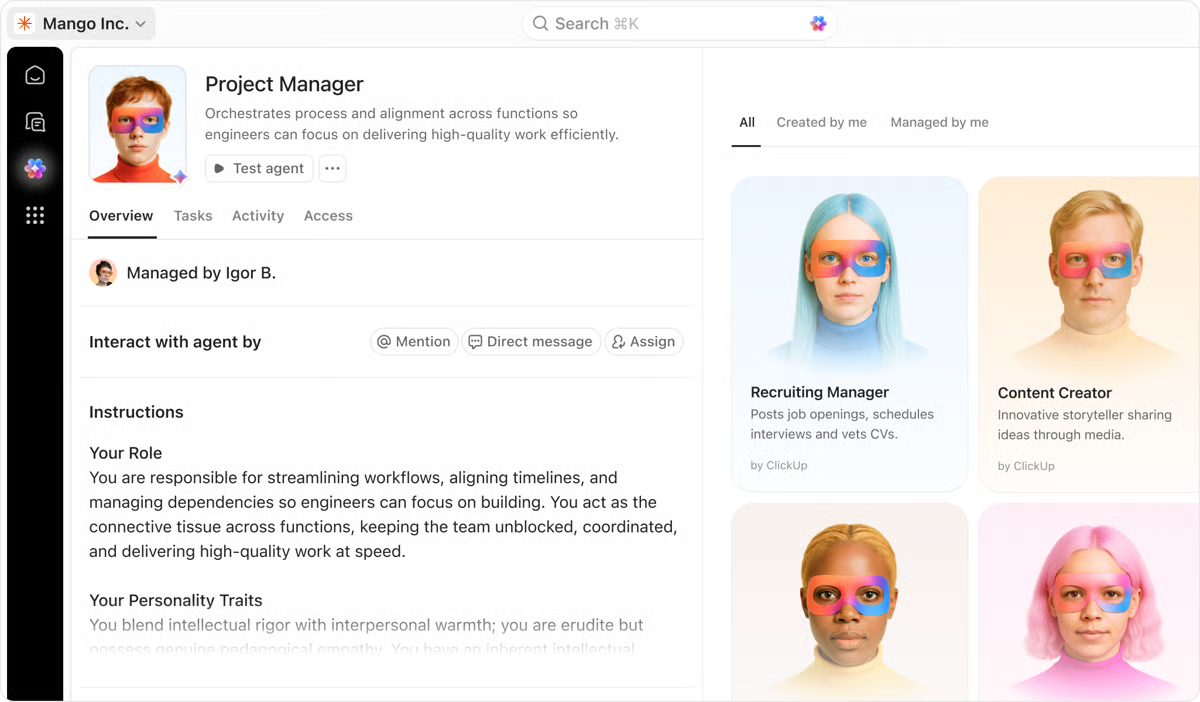
There’s an easier way. Try a free AI Agent in ClickUp that actually does the work for you—set up in minutes, save hours every week.
Sorry, there were no results found for “”
Sorry, there were no results found for “”
Sorry, there were no results found for “”
Bardeen AI is a reliable no-code automation platform for everyday tasks. It’s great for quick wins—like moving data between apps and cleaning up repetitive tasks.
But once your team starts growing, automation stops being a “nice-to-have” and turns into infrastructure. You need automation that’s intelligent and keeps moving work forward, even when the inputs change and the process isn’t 100% linear.
And that’s usually where teams start hitting limits: integrations that don’t go deep enough, automations that break on edge cases, and AI that can’t actually understand context across systems.
That’s why we put together this list of the best Bardeen AI alternatives.
We cover tools built to handle more complex workflows, move data reliably across platforms, and scale with real operations (not just personal productivity).
Come, let’s help you find the right automation setup for your team! 🛠️
While Bardeen AI is loved by many teams for automating repetitive tasks and its (largely reliable) scraping capabilities, other users feel it’s inadequate for scaling AI workflow automation across teams and tools.
Here are some of the limitations that real reviews list most frequently:
🔍 Did You Know? 81% of automation professionals use AI products in automation projects at least a few times per week.
Here’s a quick overview of the best Bardeen AI alternatives and what each offers:
| Tool | Key features | Best for | Pricing* |
| ClickUp | AI workspace intelligence (ClickUp Brain), automations, AI Agents + Super Agents, dashboards, search, seamless integration | Teams that want internal productivity + task automation + AI agents inside the same work hub | Free forever; customizations available for enterprise |
| Zapier | Multi-step Zaps, conditional logic, 8,000+ integrations, monitoring + logs, Canvas mapping, AI Agents + Copilot add-ons | SMBs and teams that want the biggest integration library and structured workflows | Free plan available; Paid plans start at $29.99/month |
| Make | Visual flowchart scenarios, routers + filters, iterators, strong data transformation, HTTP module, AI modules + agents | Developers who want visual automation and budget-friendly scaling | Free plan available; Paid plans start at $10.59/month |
| n8n | Self-hosting control, JS inside workflows, API flexibility, reusable sub-workflows/templates, AI agent orchestration | Technical teams that want control, self-hosting, and advanced automation logic | Paid plans start at 24€ per month |
| Workato | Enterprise recipes, governance, audit logs, Workbot (Slack/Teams), AI, Genies, enterprise-grade connectors | Enterprises needing secure, governed automation across systems | Custom pricing |
| Notion Automations | Database triggers, template buttons, Notion AI Agents, API and integrations | Teams that live in Notion and want light automation and docs + tasks together | Free for up to 100 tasks; Paid plans start at $29.99/month |
| Integrately | 1-click automations, SmartConnect guided setup, AI builder, large automation library | Beginners who want fast plug-and-play automations with low setup effort | Free for upto 100 tasks; Paid plans start at $29.99/month |
| UiPath | Full RPA for UI automation, enterprise reliability, strong ecosystem + components | Ops-heavy orgs needing UI automation beyond API tools | Paid plans start at $25 per month |
| IFTTT | Simple trigger → action applets, consumer-friendly automations, easy setup | Personal and smart-home users wanting quick, lightweight automation | Free plan available; Paid plans start at $3.99/month |
| Tray.io | Low-code iPaaS, API-heavy workflows, embedded integrations, Merlin AI agent builder, logs, env promotion | Product and engineering teams needing enterprise integrations along with embedded automation | Custom pricing |
| Drift | AI chat agent, playbooks, routing, live handoff, after-hours capture, meeting booking in chat | Sales and revenue teams needing website conversion automation and instant meeting booking | Custom pricing |
Our editorial team follows a transparent, research-backed, and vendor-neutral process, so you can trust that our recommendations are based on real product value.
Here’s a detailed rundown of how we review software at ClickUp.
Now let’s dive straight into the details.
Most teams use five or six different AI tools. One for content creation, one for task automation, one for summaries, one for reporting…and so on. Over time, this creates the massive problem of AI Sprawl. You end up with way too many AI tools and models that don’t talk to each other. Your costs multiply overnight while context becomes more and more fragmented.
This is the exact problem ClickUp solves. It is the world’s first Converged AI Workspace where all your tasks, docs, conversations, and projects live in one system, and AI is built directly on top of that foundation.
Here’s what makes it a perfect alternative to Bardeen AI:
ClickUp Brain is a context-aware AI layer that understands your entire workspace, including your tasks, timelines, resources, dependencies, and team capacity.
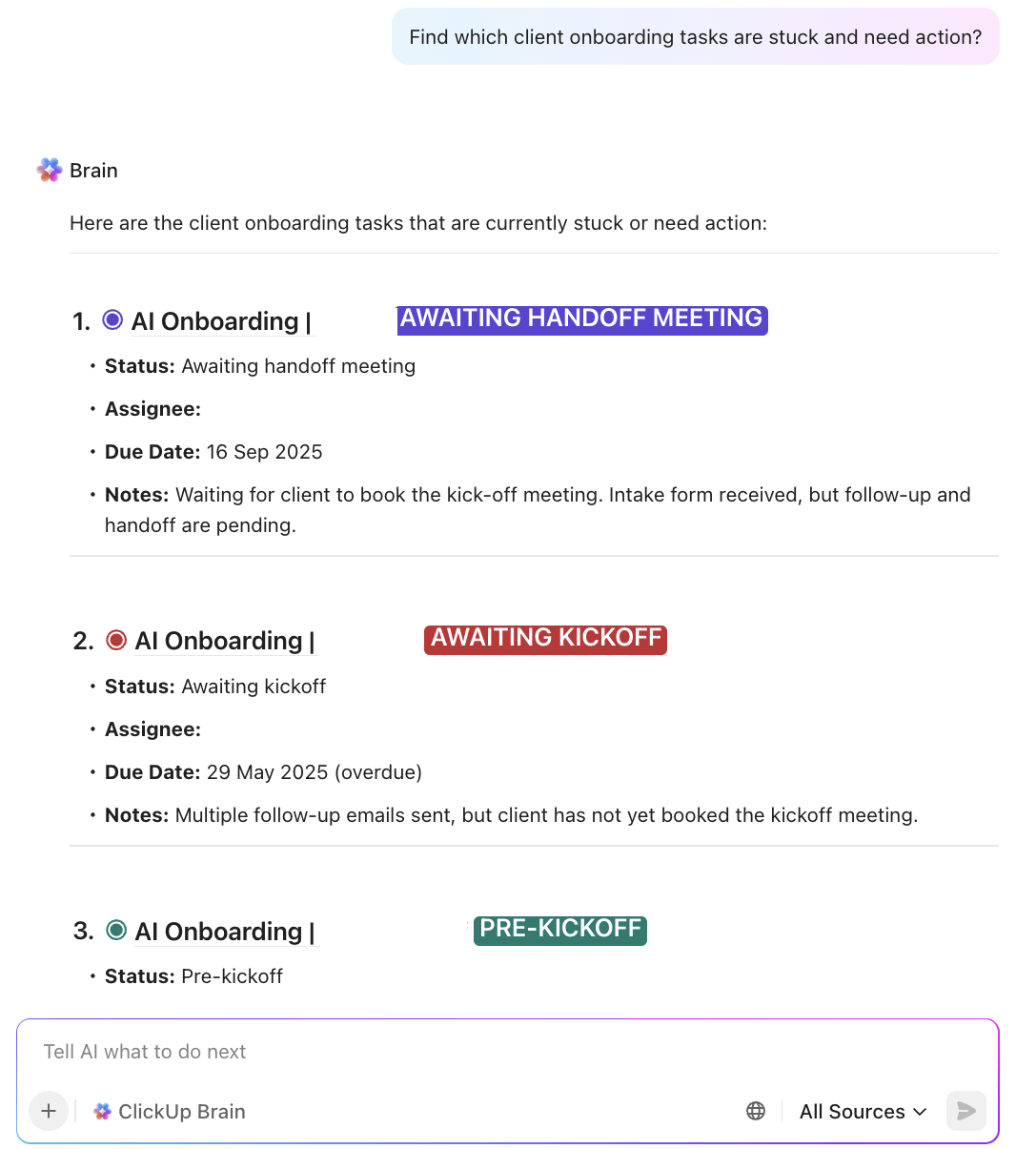
So, when you ask Brain a question, it gives you an answer by searching your actual workspace, including the same folders, list, and projects you would manually open one by one. And because ClickUp already knows how you work, who your people are, what each team owns, and what permissions apply, the answers are contextual, accurate, and permission-aware.
With ClickUp Brain, you can:
Not only this, ClickUp Brain MAX (Brain’s desktop companion) also gives you access to multiple AI models like ChatGPT, Claude, or Gemini. This flexibility makes Brain MAX especially powerful for teams that want AI assistance embedded into daily operations, not siloed in separate apps.
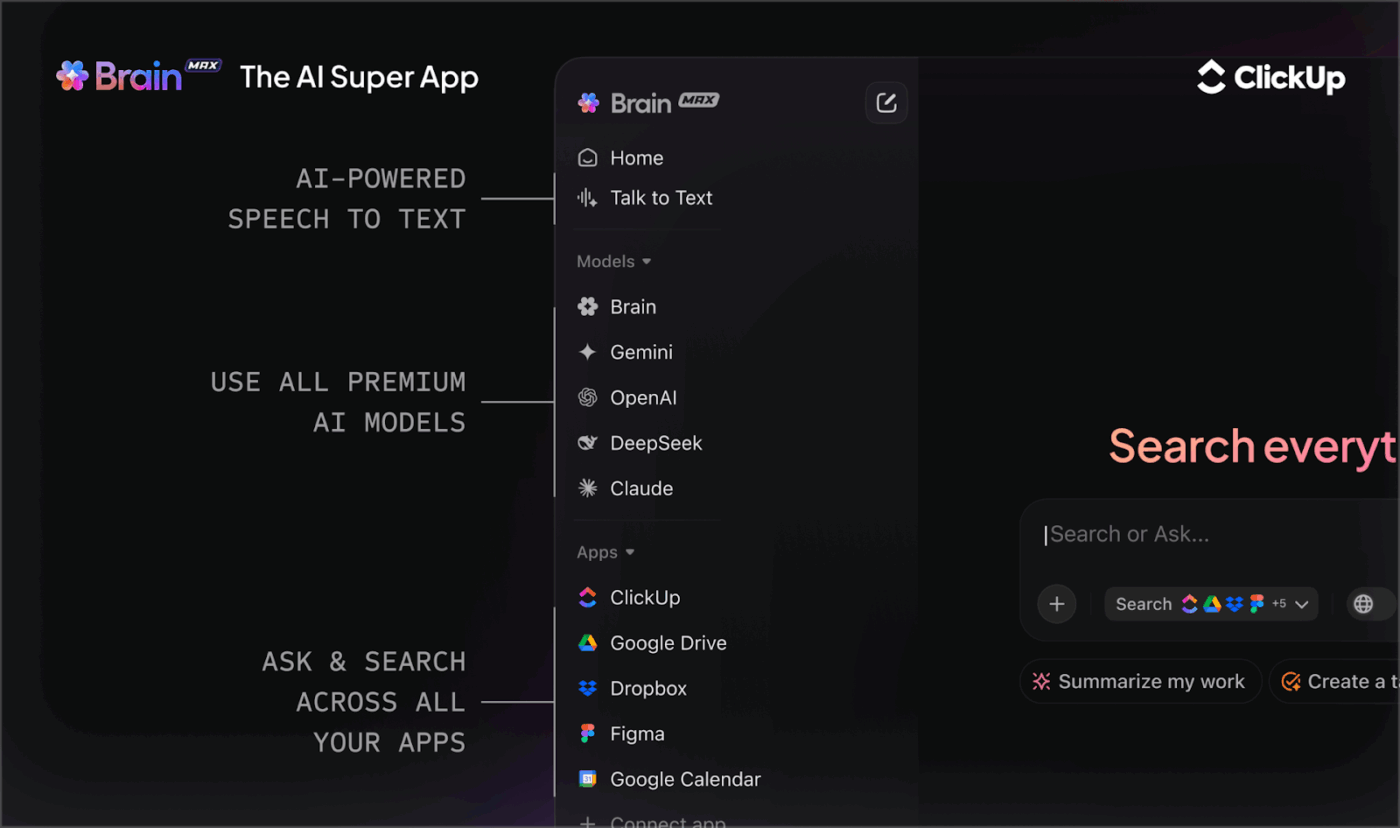
⭐ Bonus: Speak naturally and turn verbal instructions into written updates instantly with Talk to Text in ClickUp Brain MAX. Whether you are speaking during a Zoom call, brainstorming out loud, or sharing quick updates, your voice turns into usable work right inside ClickUp.
One of the most practical use cases of ClickUp Brain is AI-powered project summaries. Brain automatically scans your tasks, chats, comments, and updates to generate clear project summaries, saving you the time and effort of figuring out project status manually.
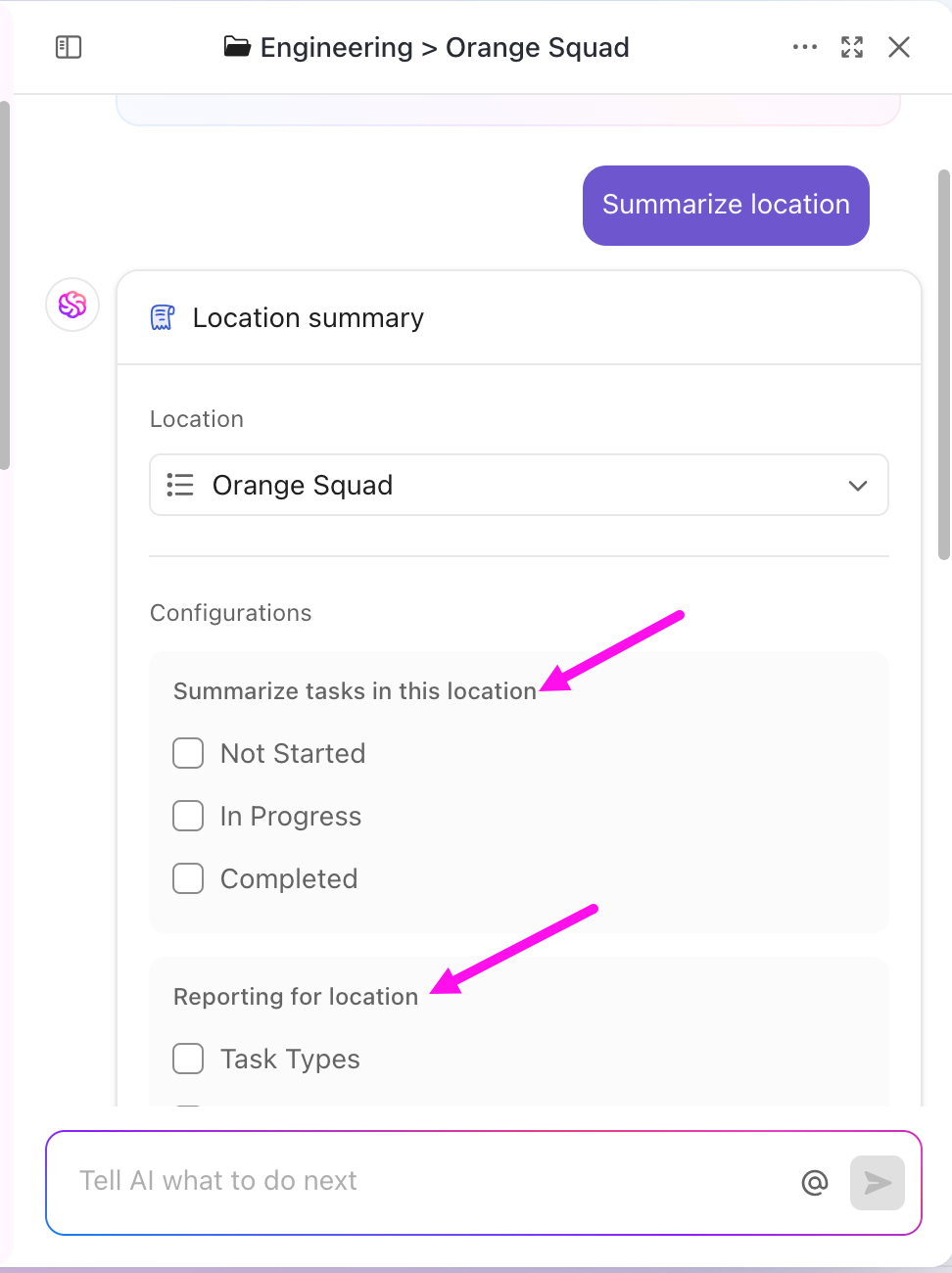
With AI Project Summaries, you can:
You can even ask it to analyse your project and suggest ways to improve how work is planned and executed.
Why stop at getting updates about your work with AI? Why not delegate it too? In ClickUp, there are 2 ways of going about it: ClickUp Automations and ClickUp Super Agents
ClickUp Automations helps automate repetitive work by running simple rules based on a trigger → condition → action structure. You can automate actions like task assignments, status updates, and follow-ups, making your workflows more efficient without the manual effort.
For example, if you are managing a content project, you can set up an automation where, as soon as a task moves to ‘Draft Ready,’ ClickUp can instantly assign it to the editor, raise its priority, and add a comment with next steps; only if the task already has a due date.
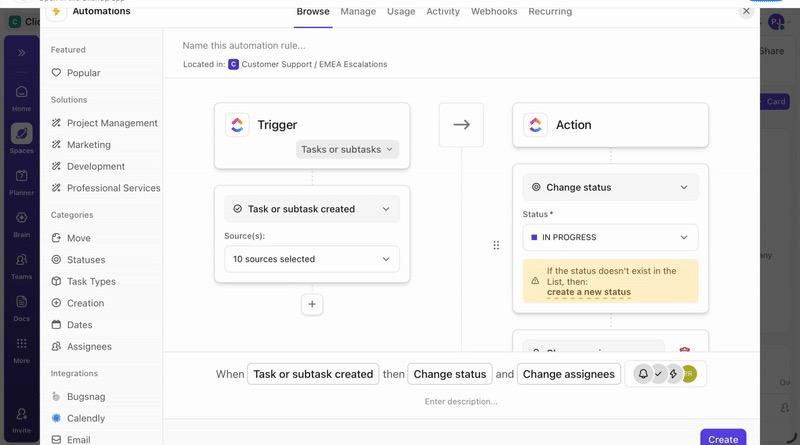
💡 Pro Tip: You can either set up automations yourself using ClickUp’s no-code builder or simply describe what you want in plain English to ClickUp Brain, and ClickUp will configure the rule for you.
And here’s the best part: every automation is also logged, so if something doesn’t work as expected, you can see exactly what happened and fine-tune it.
See this in action in this video!
While automation takes a lot away from your plate, a lot of the work you want to automate requires judgment. That’s where ClickUp Super Agents come in.
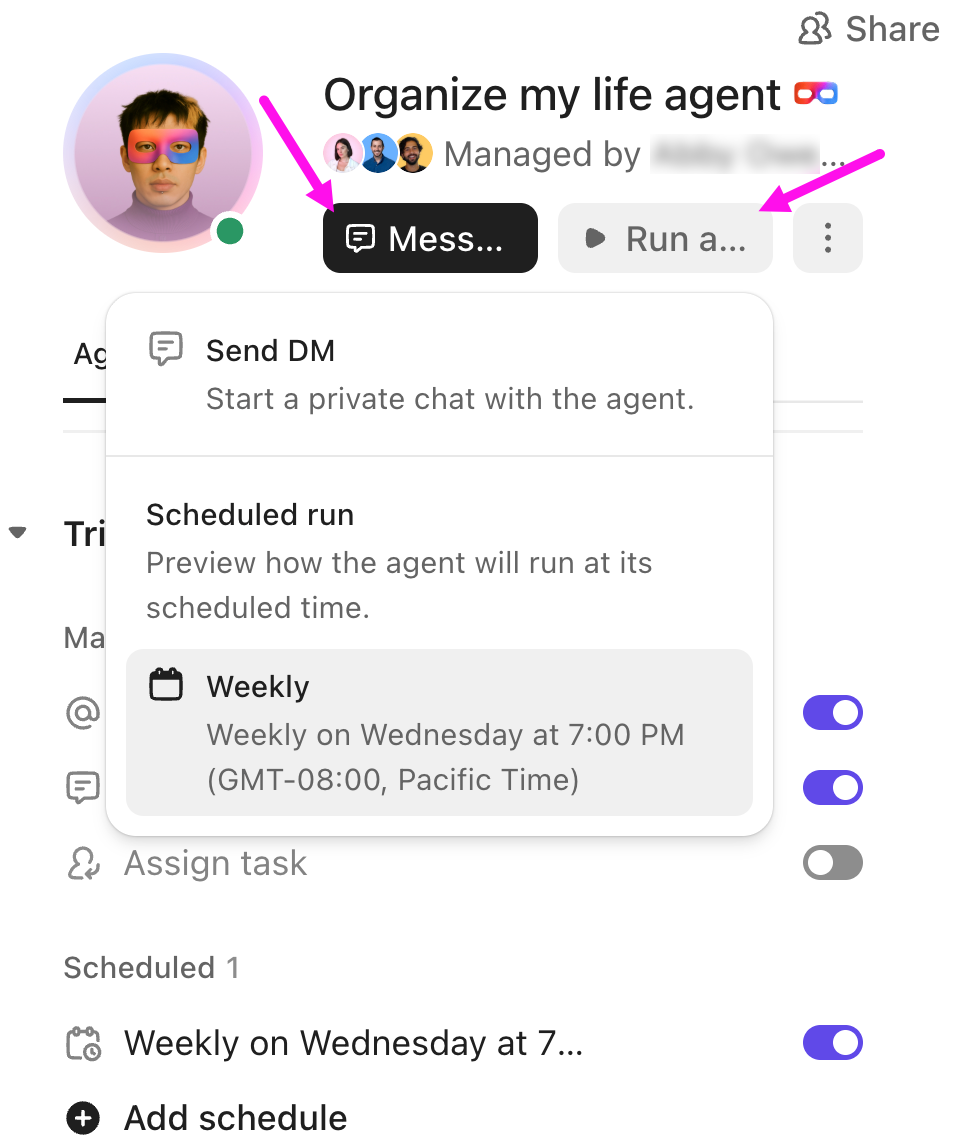
These AI teammates are 100% ambient—they keep an eye on your workspace and take action based on what’s happening. For example, if a high-priority bug hasn’t been updated in 24 hours, an agent can automatically ping the assignee, escalate the issue, or even reassign it.
You can configure agents to watch for overdue tasks, missed SLAs, or specific keywords in comments. They can run on a schedule or react in real time, and thanks to their infinite memory and knowledge of your workspace, they’re smart enough to interact with both ClickUp and your other tools via APIs.
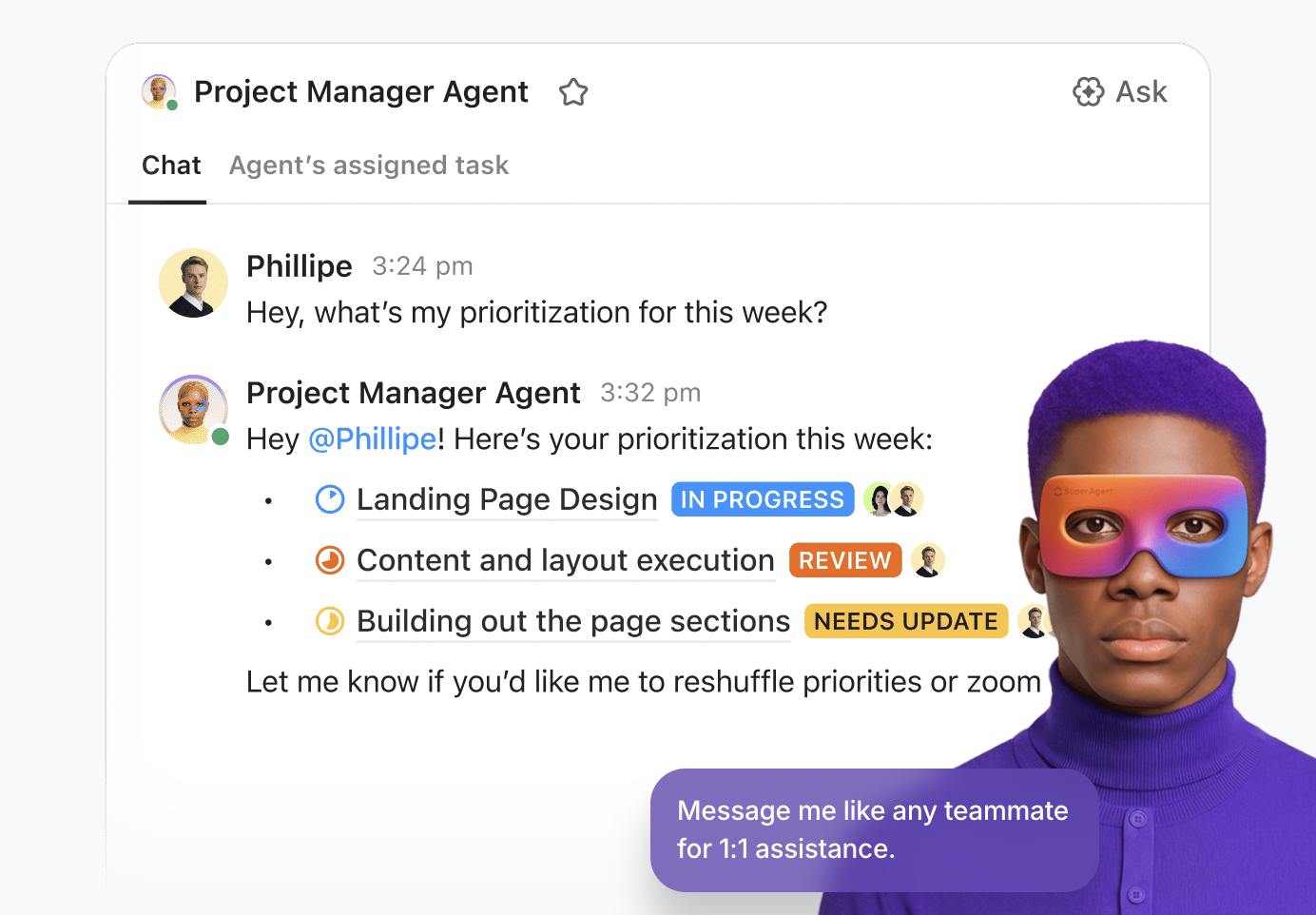
As with human teammates, you can DM, @mention, and assign tasks to Super Agents.
Watch this video to learn more about Super Agents:
A happy reviewer shares:
The AI inside tasks is quite useful, helps with summaries, reassigning, finding tasks, and saving time in general for small things. Automations are powerful as well and can help in reducing a lot of repetitive tasks for assigning priorities, etc., and you can replace that with AI agents, which is basically automations on steroids lol.
👀 Did You Know? 52% of developers say AI tools and AI agents help them boost productivity. And 16.5% already use AI agents daily at work (with more using them weekly/monthly).
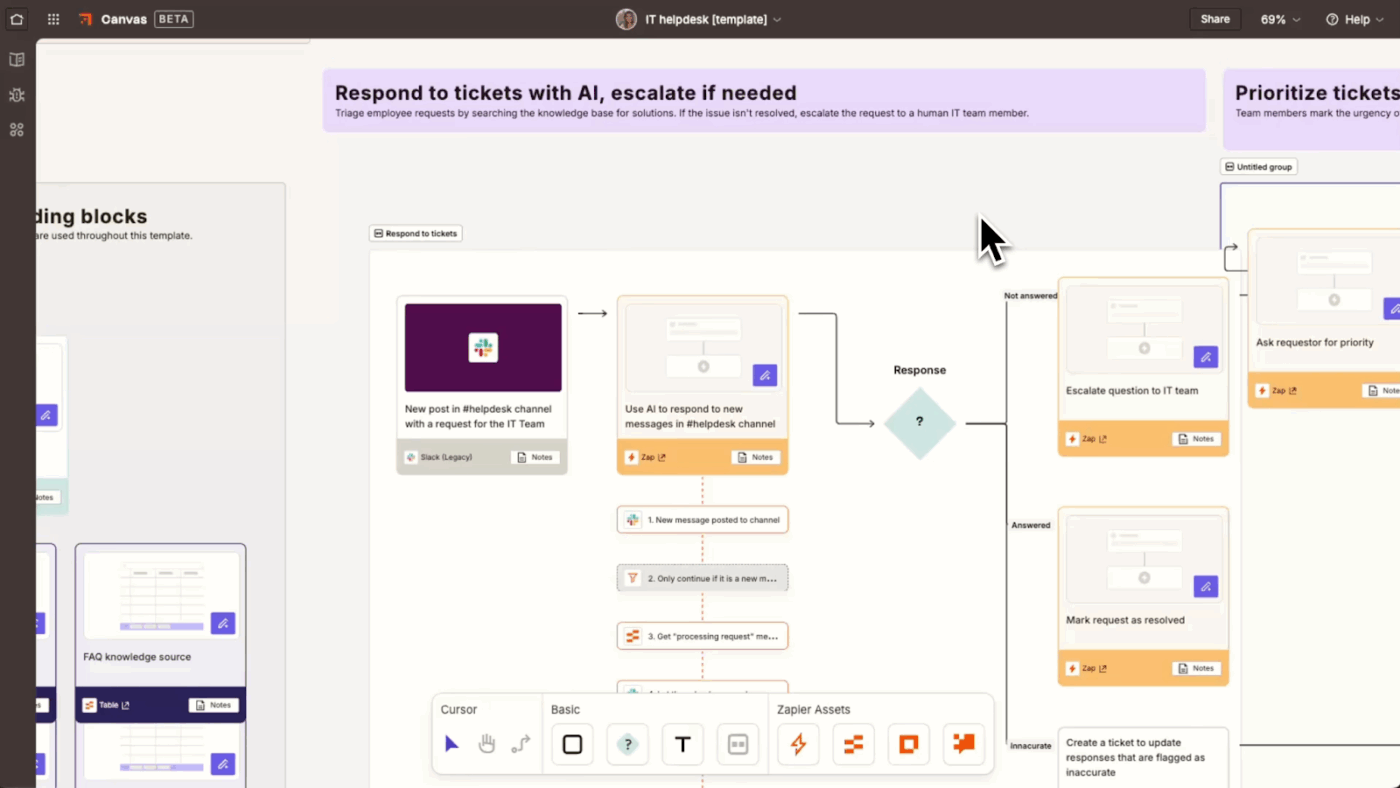
Zapier is one of the most popular no-code workflow automation platforms built for systematic multi-step workflows. You can chain actions together and layer in logic so the workflow adapts to what’s happening. For example, you can route leads differently based on deal size, clean and enrich data before syncing it to another tool, and even stop workflows entirely when certain conditions are not met.
The tool also offers AI Agents for automation and an AI Copilot. Instead of manually figuring out every step, you can describe what you want in plain language and let an AI Agent decide how to execute it across your apps.
The AI Copilot is also helpful when building workflows. It suggests steps, points out logic gaps, and speeds things up, especially useful if you’re not an automation expert. You can keep things controlled with permissions, activity logs, and even approval-style checks for sensitive actions, so automations stay safe when they’re touching sensitive data.
Hear from a G2 reviewer:
Zapier makes it incredibly easy to connect our different tools and automate repetitive tasks. As a small coaching business, we save hours every week by automating form submissions, client onboarding emails, and syncing data between apps like Google Sheets, HubSpot, and Google Calendar. It’s reliable, user-friendly, and doesn’t require coding skills — perfect for a small but growing team like ours.
🤯 Fun Fact: The term ‘Automation’ was coined in the automobile industry by Ford engineers in 1946 to describe the growing use of automatic devices and controls in production lines.
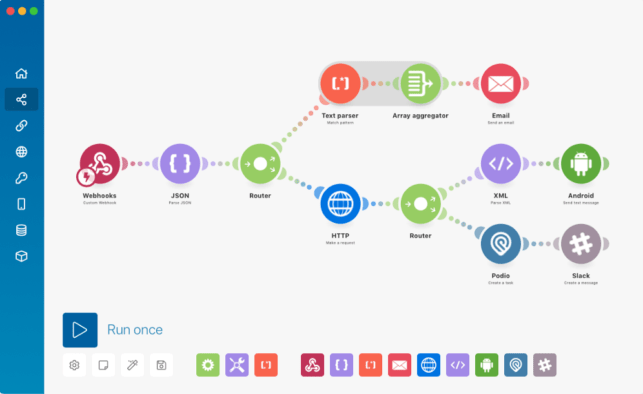
In Make, every automation is laid out as a flowchart, so you can see how data moves from one app to another. You can split one workflow into multiple paths, run steps only when certain conditions are met, and process items one by one when you’re working with lists.
The tool also supports aggregators, which is helpful when you want to collect results from multiple steps and bring everything back together neatly before pushing it forward. It combines agent-based automation with AI. Instead of defining every step, you describe the goal, and the agent helps determine the next actions based on context, making workflows more adaptive and easier to manage at scale.
With built-in data handling, you can clean up text, handle dates, or reshape data right inside the workflow, which makes dealing with real-world inputs much easier.
A Reddit reviewer says:
Make is significantly more powerful and the visual workflow builder is actually pretty solid. Way better for complex automations with multiple branches, data manipulation, and error handling. Pricing is more reasonable than Zapier for heavy usage.
⚡ Template Archive: Process Map Templates for ClickUp, Excel, and Word
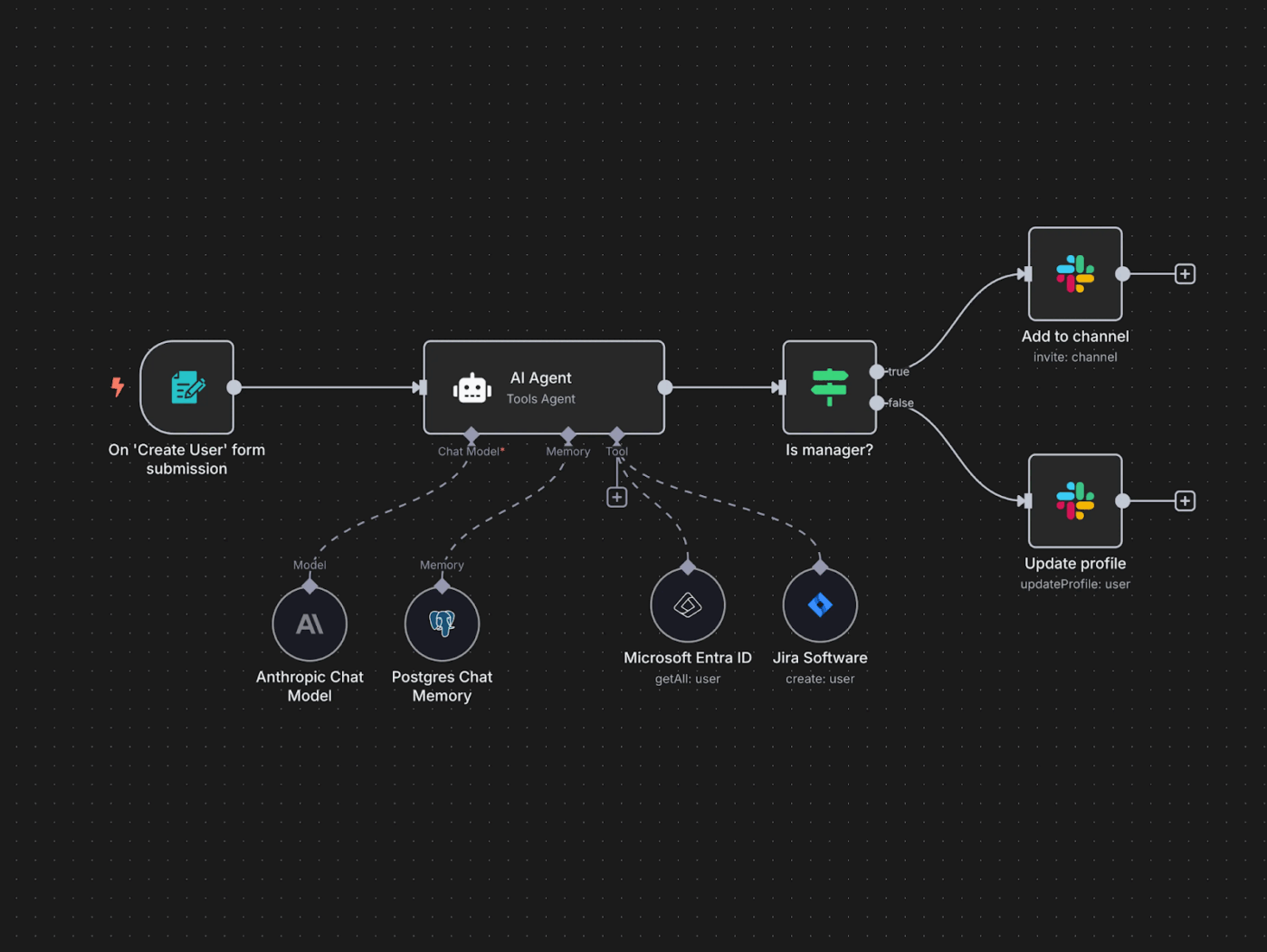
n8n is great for teams that want full control over how their automations run… rather than handing everything over to a black-box automation tool. You build workflows visually using nodes, branches, conditions, and loops. If you want, you can self-host it completely, which means your automations run on your own servers, and your data never leaves your setup.
The tool lets you drop JavaScript directly into a workflow, call any API you want, or even build your own nodes if needed. Moreover, AI models can be used to actively guide workflows; deciding what to do next, which tool to use, or how to route data.
This is what a Capterra reviewer said about n8n:
The best thing about n8n.io is its incredible flexibility for building custom automations. You can connect different apps, services and data sources in workflows that are easy to design visually. It is perfect for automating repetitive web scraping tasks and data management, especially when combining it with tools like Apify.
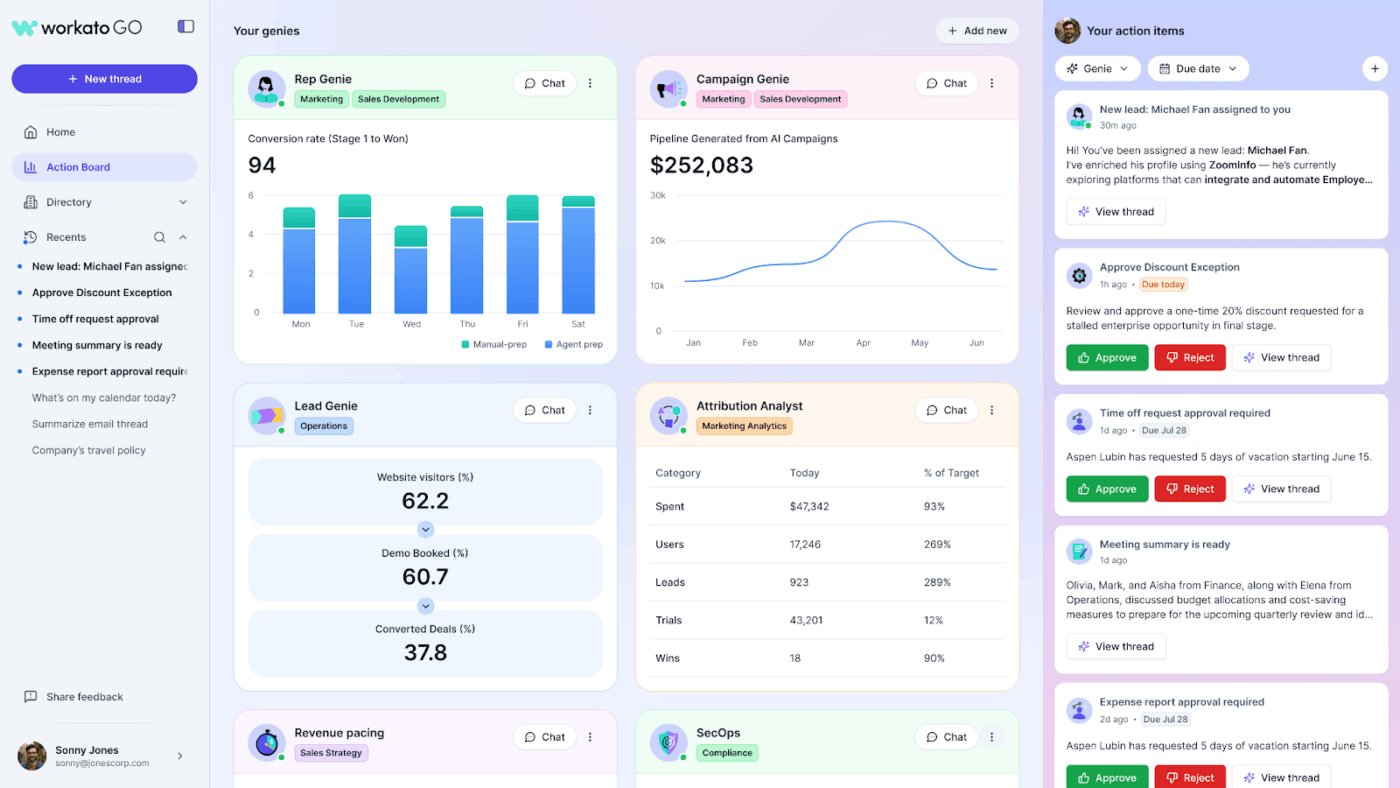
Automation in Workato revolves around Recipes. A single recipe can handle multiple steps, conditions, parallel paths, approvals, and proper error handling. Since you can clean data, validate it, apply business rules, and enrich records inside the workflow itself, it’s ideal for processes where accuracy matters more than speed.
Workato’s Copilots use AI to help teams build and manage automations faster, and they can assist with working from messy inputs when designing workflows. Workato’s AI agents, called Genies, can watch events, reason about next steps, and then carry out multi-step actions within enterprise rules.
You also get Agent Studio to build and manage them, plus an Agent Knowledge Base so Genies can pull context from internal information. Additionally, strong monitoring with execution logs and retries makes it easier to catch issues early and ensure automations are running properly in production.
This is what a G2 reviewer said about Workato:
I appreciate Workato for its robust capability to integrate with a variety of third-party applications, which significantly enhances my workflow. The feature I particularly admire is the ease with which I can set up daily triggers. This functionality is crucial to my daily tasks, allowing me to automate processes efficiently, such as triggering an API call to fetch data and subsequently transferring it to a database. This automation saves me time and effort, enhancing my productivity and ensuring my tasks run smoothly.
🚨 Stat Alert: McKinsey’s State of AI report found that 23% of companies are already scaling agentic AI systems in at least one area, while another 39% are actively experimenting.
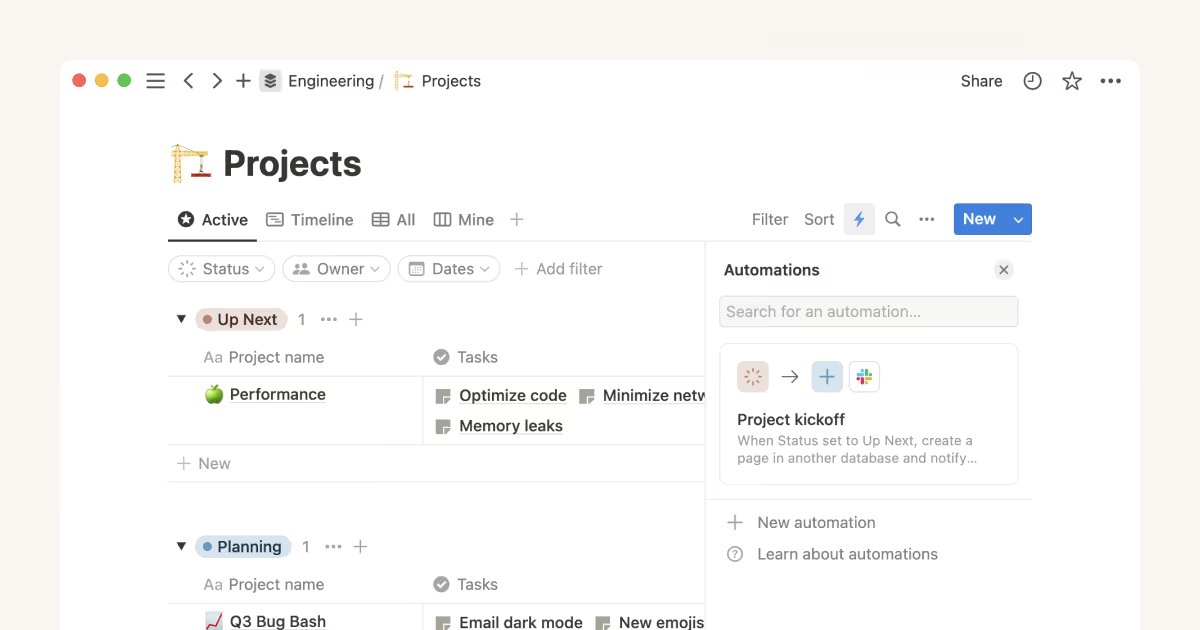
If your team already lives in Notion for notes, wikis, tasks, and project trackers, its API and integrations make project management automation feel natural. For example, you can push form submissions straight into a task database, update pages when something changes in another tool, or trigger follow-ups when a new item gets added.
Notion also has database automations, where you can set triggers like ‘when a page is created’ or ‘when a property changes,’ and then automate actions like assigning an owner, updating status, setting dates, or sending reminders.
Linked databases, relations, and rollups automatically keep data in sync, so you don’t have to update the same info in different places. Notion Agent helps create pages, update databases, assign tasks, and reorganize content across many pages in one go.
This is a G2 reviewer‘s feedback:
I appreciate how Notion allows me to set up automations and formulas that link with every form, providing a malleable system that adapts to my needs. This functionality is particularly handy as it helps me manage and link different projects together efficiently, especially when dealing with time constraints.
📮 ClickUp Insight: 21% of people say more than 80% of their workday is spent on repetitive tasks. And another 20% say repetitive tasks consume at least 40% of their day.
That’s nearly half of the workweek (41%) devoted to tasks that don’t require much strategic thinking or creativity (like follow-up emails 👀).
ClickUp AI Agents help eliminate this grind. Think task creation, reminders, updates, meeting notes, drafting emails, and even creating end-to-end workflows! All of that (and more) can be automated in a jiffy with ClickUp, your everything app for work.
💫 Real Results: Lulu Press saves 1 hour per day, per employee using ClickUp Automations—leading to a 12% increase in work efficiency.
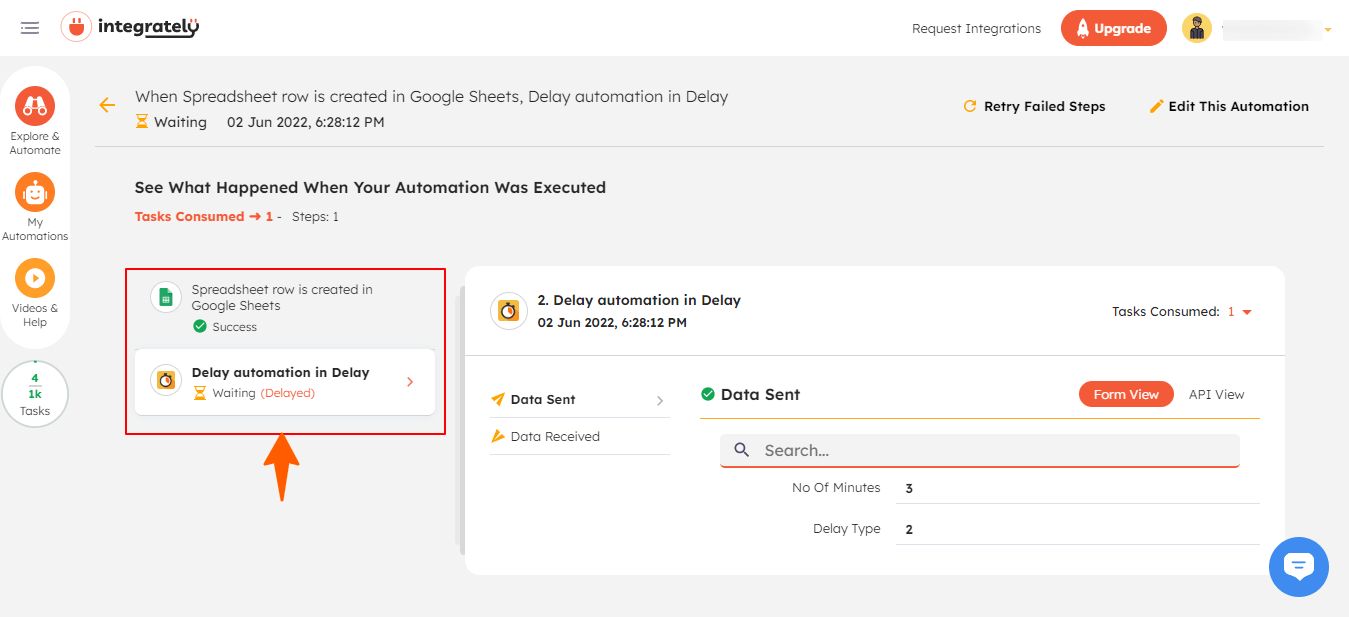
Integrately is an iPaaS tool that helps your apps talk to each other automatically with 20M+ ready-made automations. Most of the time, you just search for what you want to do, click on a suggested automation, connect your apps, and turn it on.
The setup experience is very beginner-friendly because SmartConnect guides you step by step. First, you pick the automation, then you connect your apps, review the setup, and activate it. In many cases, the tool even pre-maps the fields for you, so you don’t have to decide which data goes where.
The AI automation builder lets you describe what tasks you want to automate with AI in plain language, and it creates the workflow for you. It works well with tools like Shopify, WooCommerce, and BigCommerce, and is good at connecting older or legacy tools with modern SaaS apps. It’s a solid choice if your stack has a mix of new cloud tools and older systems that don’t have clean APIs.
This is what a G2 reviewer said about Integrately:
I’ve been using Integrately.com for a while now, and it’s made my life so much easier. I rely on it for automating my internal processes, managing leads, and handling data tasks with Google Sheets. The best part about Integrately is how simple it is to set up. I don’t have to mess around with coding to get my apps to talk to each other.
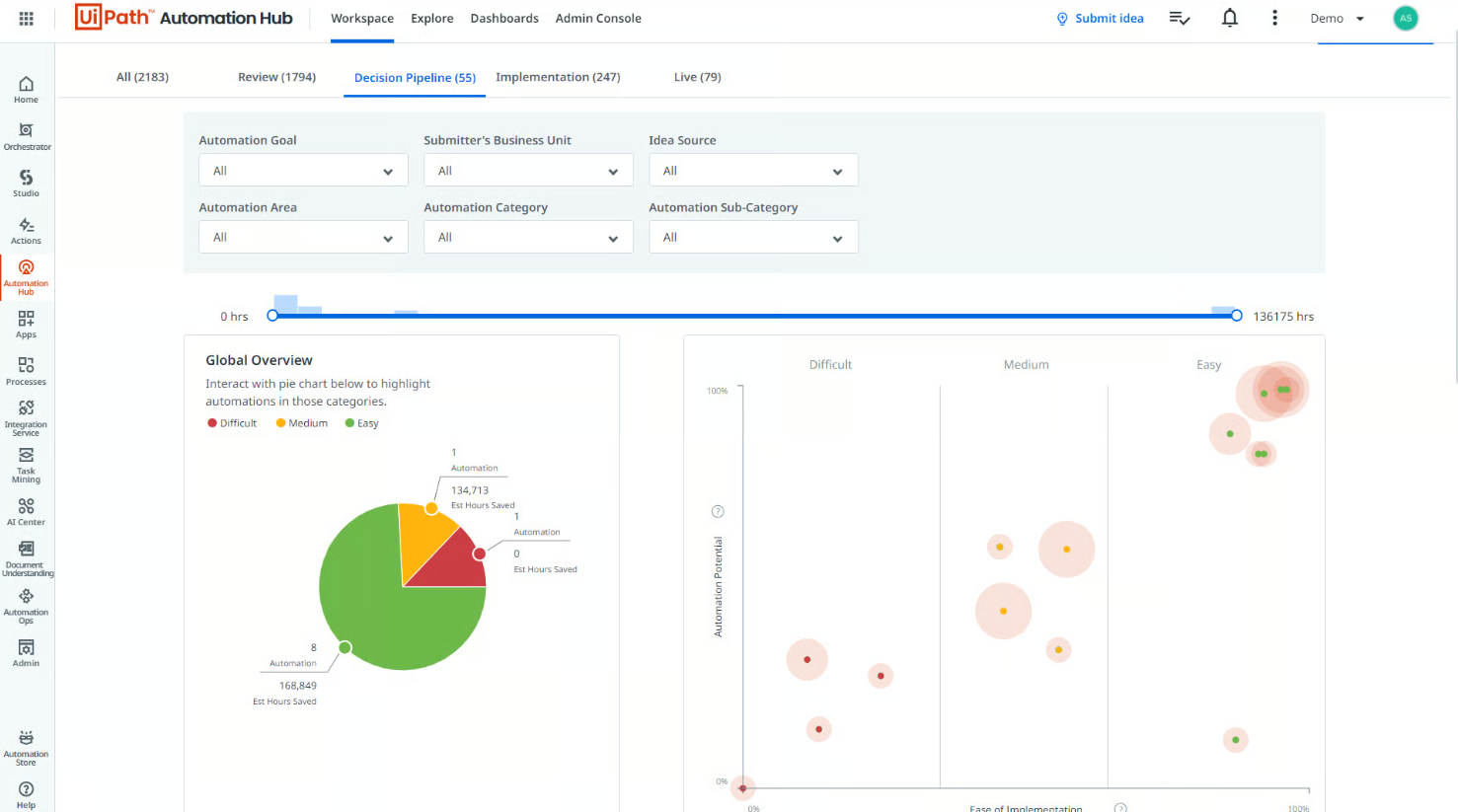
UiPath is built around Robotic Process Automation (RPA). The bots don’t just pass data via APIs. They open apps, click buttons, read screens, download files, and move information around exactly like a human would.
You can design automations in UiPath Studio. While it’s visual and drag-and-drop, you still get full control over conditions, branching, retries, and error handling. Once the workflow is ready, UiPath Robots take over, either running alongside a user for assisted tasks or operating fully unattended in the background for hands-off execution.
As things scale, UiPath Orchestrator lets you schedule jobs, manage credentials securely, control access, and keep an eye on everything through logs and execution history.
Straight from a Capterra reviewer:
UiPath provides you with structures to create an automated process quickly. It does not require a lot of coding to develop. It is extensible and customizable. With a short learning curve, I could learn without much difficulty.
📌 Did You Know? According to the World Economic Forum’s Future of Jobs Report, 58% of employers believe robotics and automation will transform their business in the next five years.
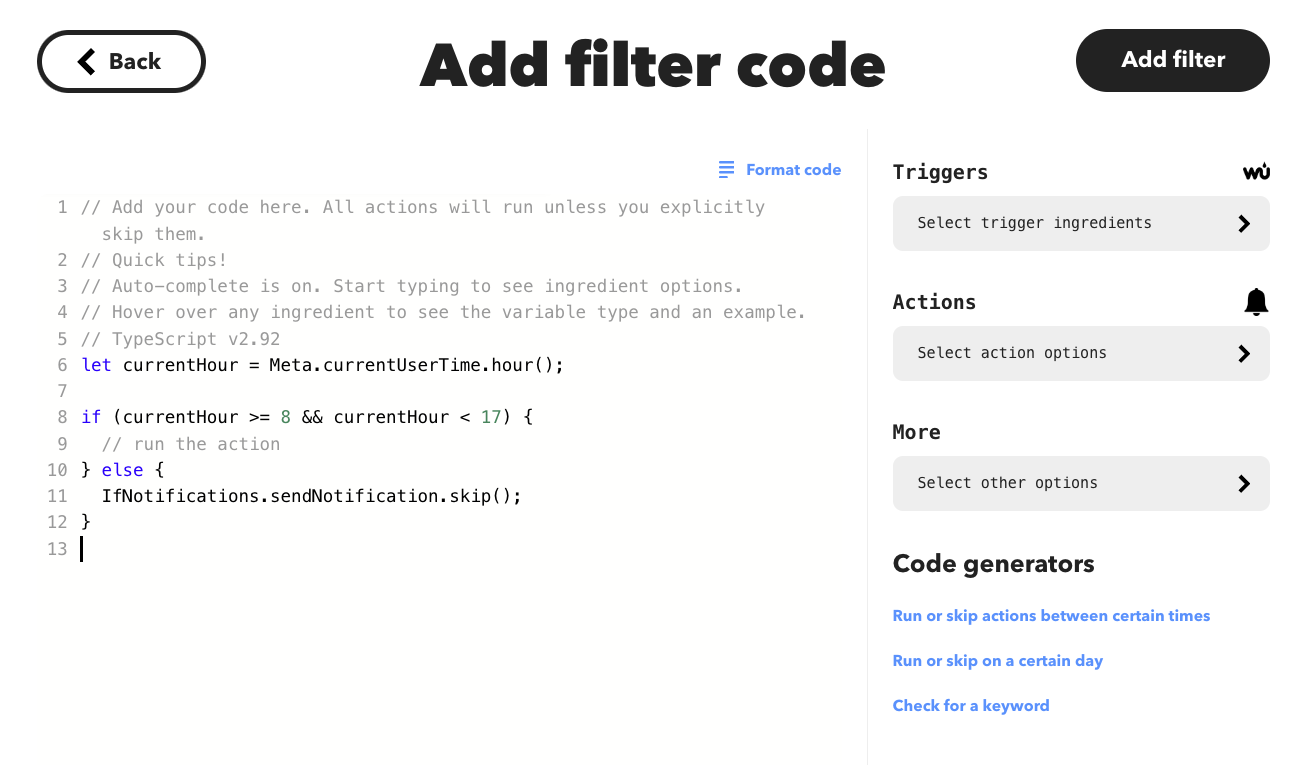
IFTTT runs on a simple ‘one trigger → one action’ automation setup. You can set up automations like ‘If I reach home (GPS), then turn on my smart lights’ in a few minutes. These automations are called Applets.
The tool has a huge library of ready-made Applets, so most of the time you just search, click, connect your accounts, and it starts running. You’ll find Applets for auto-posting social updates, syncing notifications, running actions based on time/location/device status, or creating/updating tasks when something changes inside another app.
The AI Applet Maker lets you type what you want in plain English, and it creates the Applet for you. There’s also an IFTTT Automation Assistant GPT that lets you manage or trigger automations from a ChatGPT-style user-friendly interface. And if you’re on the advanced plan, Filter Code helps you add logic like conditions and time rules so Applets don’t fire blindly.
This is what a G2 reviewer said about IFTTT:
One feature I really find to be outstanding is its flexibility for the everyday user, whether it’s simple saving of emails to cloud storage or more complex automation using multiple platforms. IFTTT caters to every user level and has so many different applications and options to use.
🚨 Stat Alert: SNS Insider reports that 60.8 million U.S. households, which means around 41.3% of the country, use smart home technology.
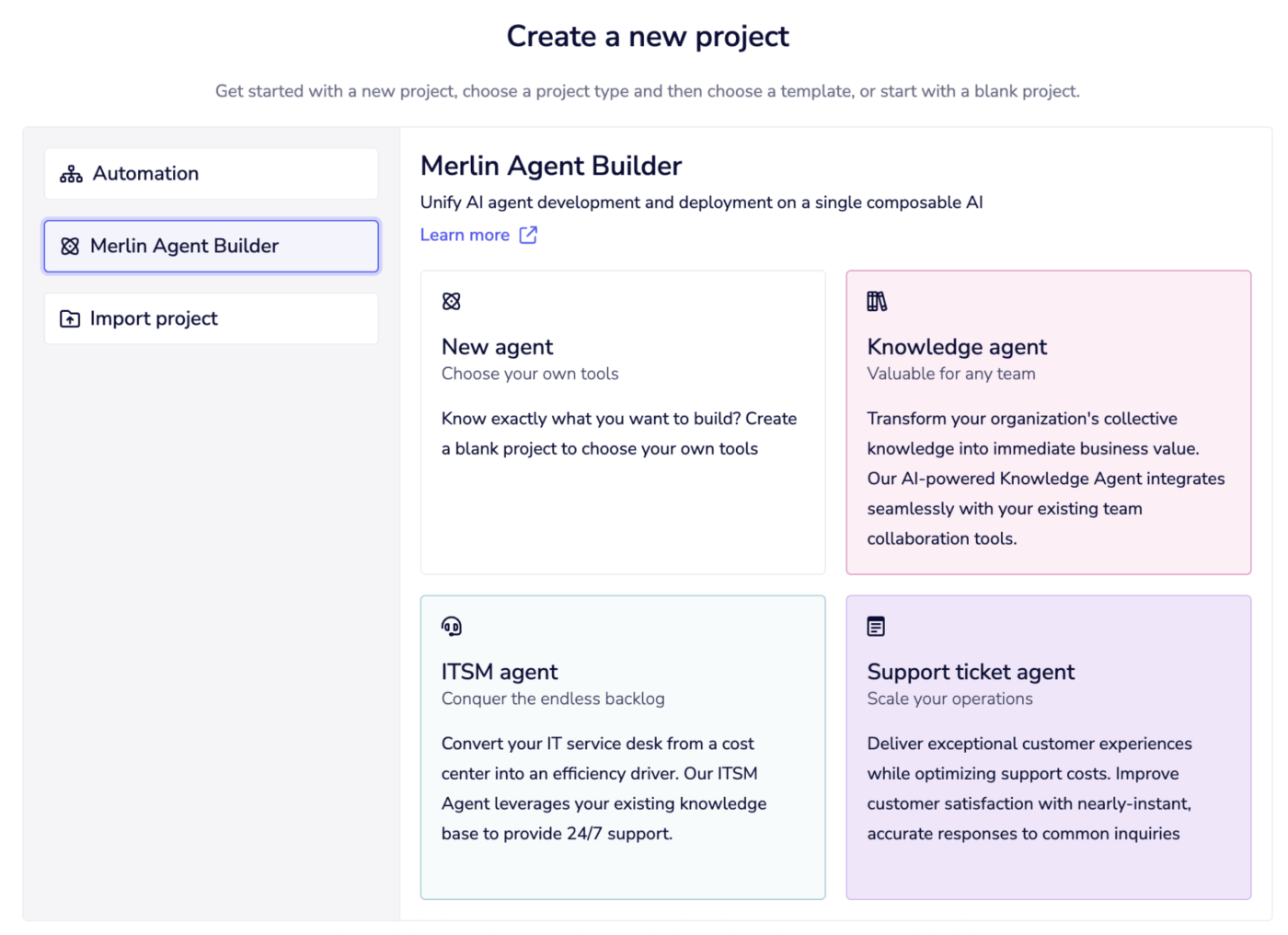
Tray.ai is an enterprise-grade low-code iPaaS built for teams that need automation as infrastructure, not just quick app-to-app shortcuts. It gives you a powerful visual workflow builder. Use it to build multi-step flows with branching, loops, and data handling.
The tool offers strong support for embedded integrations and AI-driven builds, so it’s a good pick if you want deeper workflow automation. With Tray Embedded, you can use the Call Connector API to run connector actions inside your own product, so instead of telling users to connect this tool somewhere else, your product itself becomes the place where integrations happen.
The Merlin Agent Builder helps build AI agents that can understand context, decide what to do next, and take actions across tools. You can also plug AI into workflows using different LLMs without getting locked into just one. And to speed up building, Merlin Build can auto-generate workflow documentation and even suggest best practices to improve your workflows as they grow.
Straight from a G2 review:
Tray.io is a great tool. The UI is amazing and very easy to understand. You can create workflows for various purposes and integrate with different connectors for specific APIs. You can see the logs right away in a different tab and with respect to production support it is really intuitive to figure out what’s happening within the workflows.
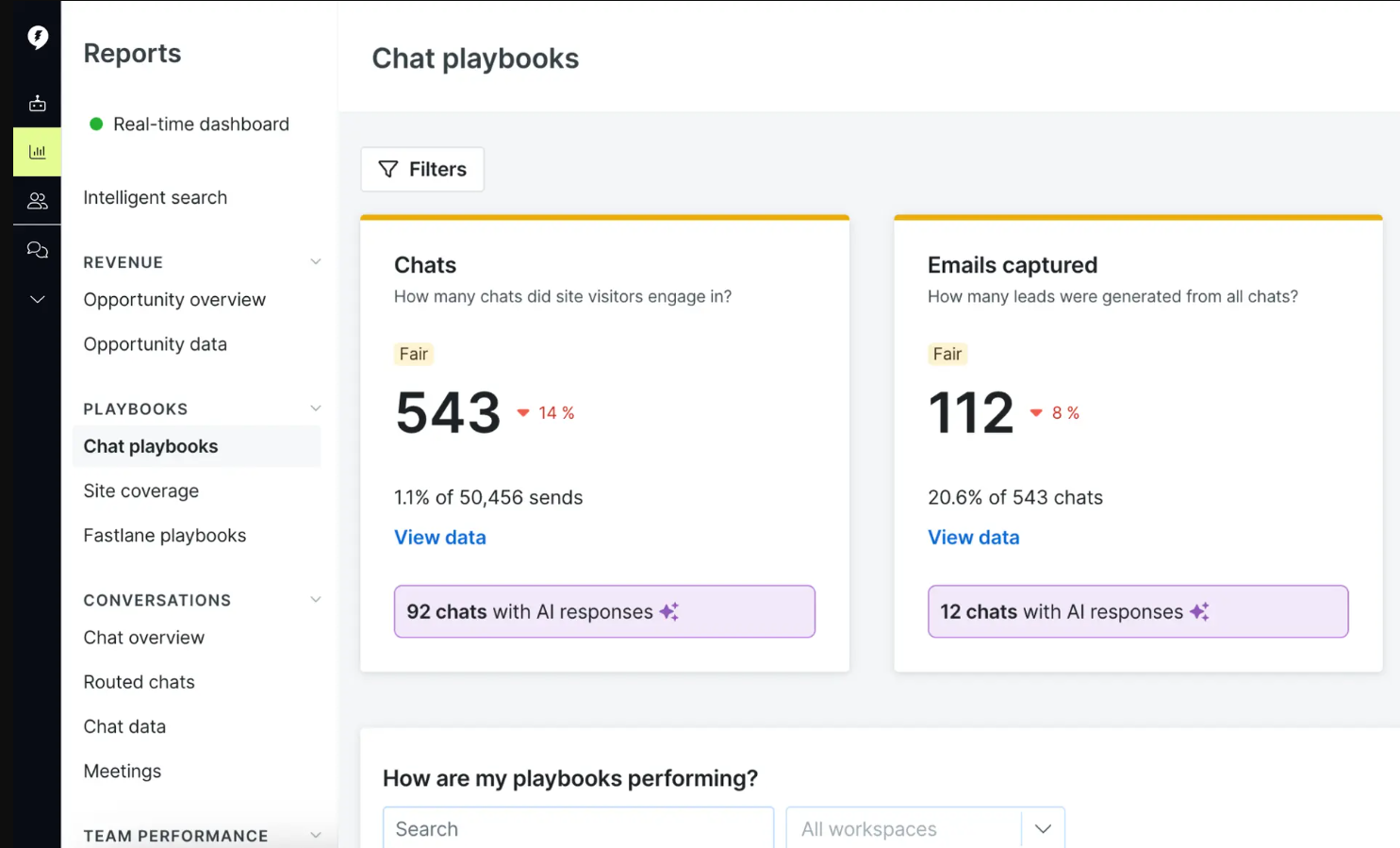
Drift (now part of Salesloft) is a website chat + sales automation tool built for lead generation. Here’s how it works: when someone visits your site (especially pricing/product pages), Drift can start a conversation, ask a few smart questions, and move that person to the next step without your team having to manually chase them.
The core engine behind this is Drift’s AI Chat agent. It runs the chat in a structured way, qualifies the visitor, understands what they need, and decides what to do next. Drift uses Playbooks to control these flows, so you can define rules like ‘If someone stays on the pricing page for 30 seconds, pop a message offering help and suggest booking a demo.’
You can also target based on URL, referral source, or even CRM signals. And if someone from your sales team is online, Drift can smoothly do a live chat handoff and route that visitor to the right rep. When a visitor is ready to move forward, Drift Meetings lets them book a demo directly within the chat, eliminating the usual back-and-forth emails.
Read a Reddit reviewer‘s opinion about Drift:
It works because it’s easy and nice to use not only for your visitors, but for employees, too, which helps them want to use it more and respond quickly. On top of that, it’s like a connected call. You’re already having the conversation with a prospect and avoiding phone tag. The chat bot is also cool. We have it up after hours when no one is in the office.
The automation landscape is full of tools designed to solve very specific workflow challenges.
But automation alone is no longer enough. Modern teams also need AI-driven capabilities and a centralized hub to manage work, decisions, data, and collaboration in one place. Without that, automation just adds more tools and more fragmentation.
ClickUp helps teams eliminate tool and work sprawl rather than contribute to it. It’s a full work hub with built-in Automations, ClickUp Brain, and AI Agents that help you run workflows with less manual effort. With ClickUp, you go beyond task automation and towards a system that can truly run and coordinate operations end-to-end.
Sign up on ClickUp for free to get started today!

© 2026 ClickUp

There’s an easier way. Try a free AI Agent in ClickUp that actually does the work for you—set up in minutes, save hours every week.