






Still downloading templates?
There’s an easier way. Try a free AI Agent in ClickUp that actually does the work for you—set up in minutes, save hours every week.
Sorry, there were no results found for “”
Sorry, there were no results found for “”
Sorry, there were no results found for “”
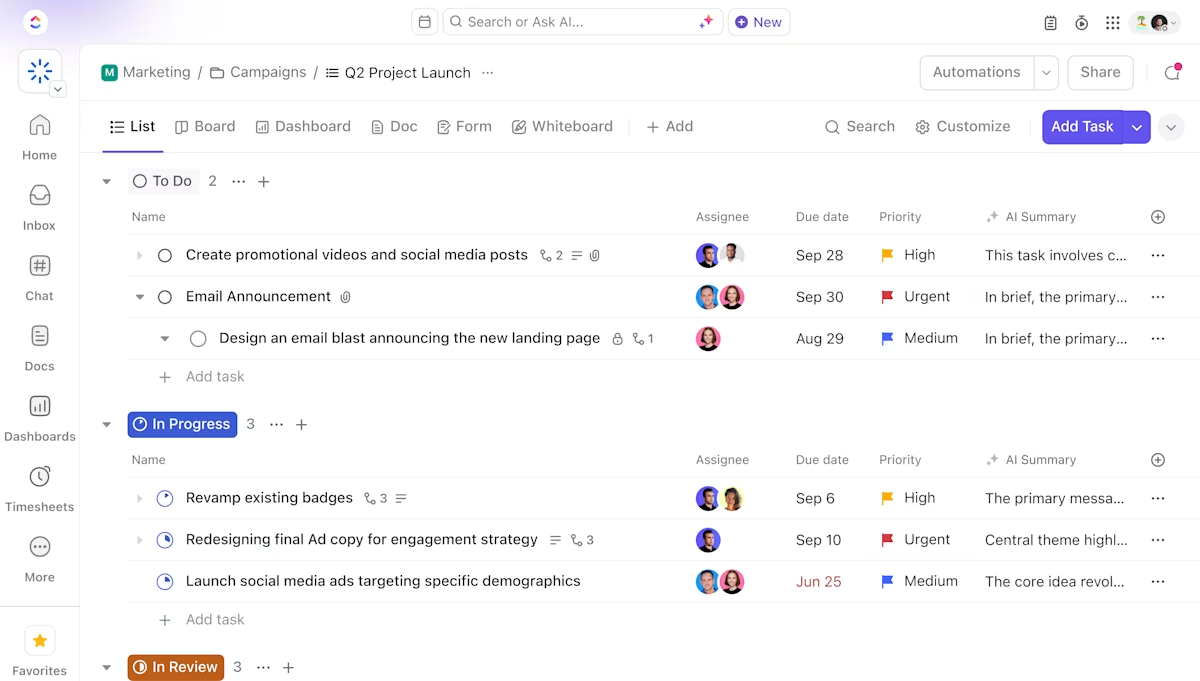
Your webinars run smoothly. The slides look great, the chat is active, and people are engaged. But once it ends, that energy often fades. The excitement in the session rarely turns into clear next steps and real follow-through.
Notes get lost in random docs. Ideas stay buried in chat. What felt like a breakthrough meeting turns into just another line in your history.
This lack of continuity is what sparks the Airmeet vs. ClickUp SyncUp debate.
In this blog post, we’ll explore which platform helps your team stay in sync long after the meeting ends.
Before we dive deeper, here’s a quick side-by-side view of what each platform offers.
| Feature/aspect | ClickUp | Airmeet |
| Core purpose | All-in-one project and work management with integrated conferencing and collaboration tools | Virtual events, webinars, interactive sessions |
| Task and project management | Advanced task tracking, dependencies, time tracking, automations | Not available |
| Collaboration tools | Docs, Chat, SyncUps, Whiteboards, Mind Maps, comments, shared calendars | Event chat, Q&A, networking lounges |
| Enterprise Search & AI | Search tasks, docs, chat, files, and integrated apps; AI-powered summaries, answers, automations | No cross-app search; limited AI |
| AI Notetaker | Joins meetings, transcribes, summarizes, creates docs and action items | Not available |
| Whiteboards & Mind Maps | Visual collaboration, brainstorming, convert ideas to tasks | Not available |
| Clips (Video Messaging) | Record/share video updates in chat/tasks | Not available |
| SyncUps | Audio/video calls with AI summaries, transcripts, and task creation | Event-focused video, no AI summaries or task integration |
| Integrations | Connects with 1,000+ tools, including Google Calendar, Outlook, Microsoft Teams | Integrates mainly with event and CRM tools |
| Customization | Custom fields, views, workflows, dashboards, granular permissions | Some event customization options |
| Automation | Built-in process automations, AI-driven suggestions, custom AI Agents | Workflow automations for event logistics |
| Reporting and analytics | Robust dashboards, goals and OKRs, workload management, AI-powered insights | Event analytics: attendance, engagement, leads |
| Scalability and security | Enterprise features, permissions, HIPAA, SSO, GDPR compliant | Enterprise-grade security for events |
| Unique advantages | AI Notetaker, Enterprise Search, Whiteboards, Clips, no context-switching, API access, customizable forms | Speed networking, social lounges, sponsor tools |
Our editorial team follows a transparent, research-backed, and vendor-neutral process, so you can trust that our recommendations are based on real product value.
Here’s a detailed rundown of how we review software at ClickUp.
Work today is broken.
Our projects, knowledge, and communication are scattered across disconnected tools that slow us down.
ClickUp fixes this with the everything app for work that combines project, knowledge, and chat in one place—all powered by AI that helps you work faster and smarter.
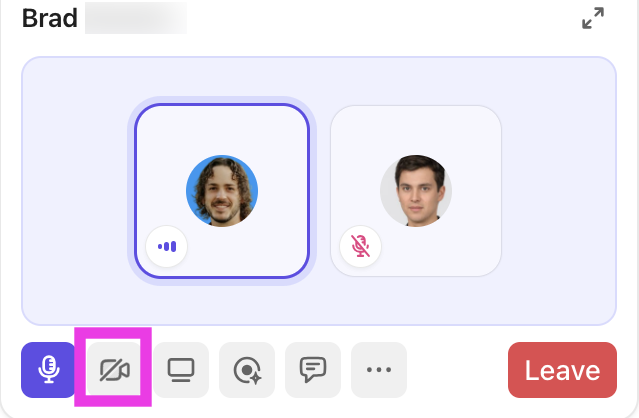
ClickUp SyncUp is ClickUp’s built-in audio and video calling tool designed for fast, contextual team collaboration. You can start calls directly from Chat, connect discussions to tasks, record sessions, and automatically generate summaries, transcripts, and action items with ClickUp Brain. It eliminates context-switching and keeps meeting outcomes tied to the work.
Let’s explore how ClickUp can be the virtual event platform helping you manage communications.
ClickUp SyncUp offer a seamless solution for teams seeking efficient collaboration in the workplace.
You can:
For instance, a remote team is working on a product launch. During a SyncUp, team members can discuss updates, share their screens to review designs, and assign tasks directly within ClickUp.
After every SyncUp, ClickUp automatically generates AI-powered summaries, transcripts, and action items—so nothing gets lost and every meeting leads to real progress.
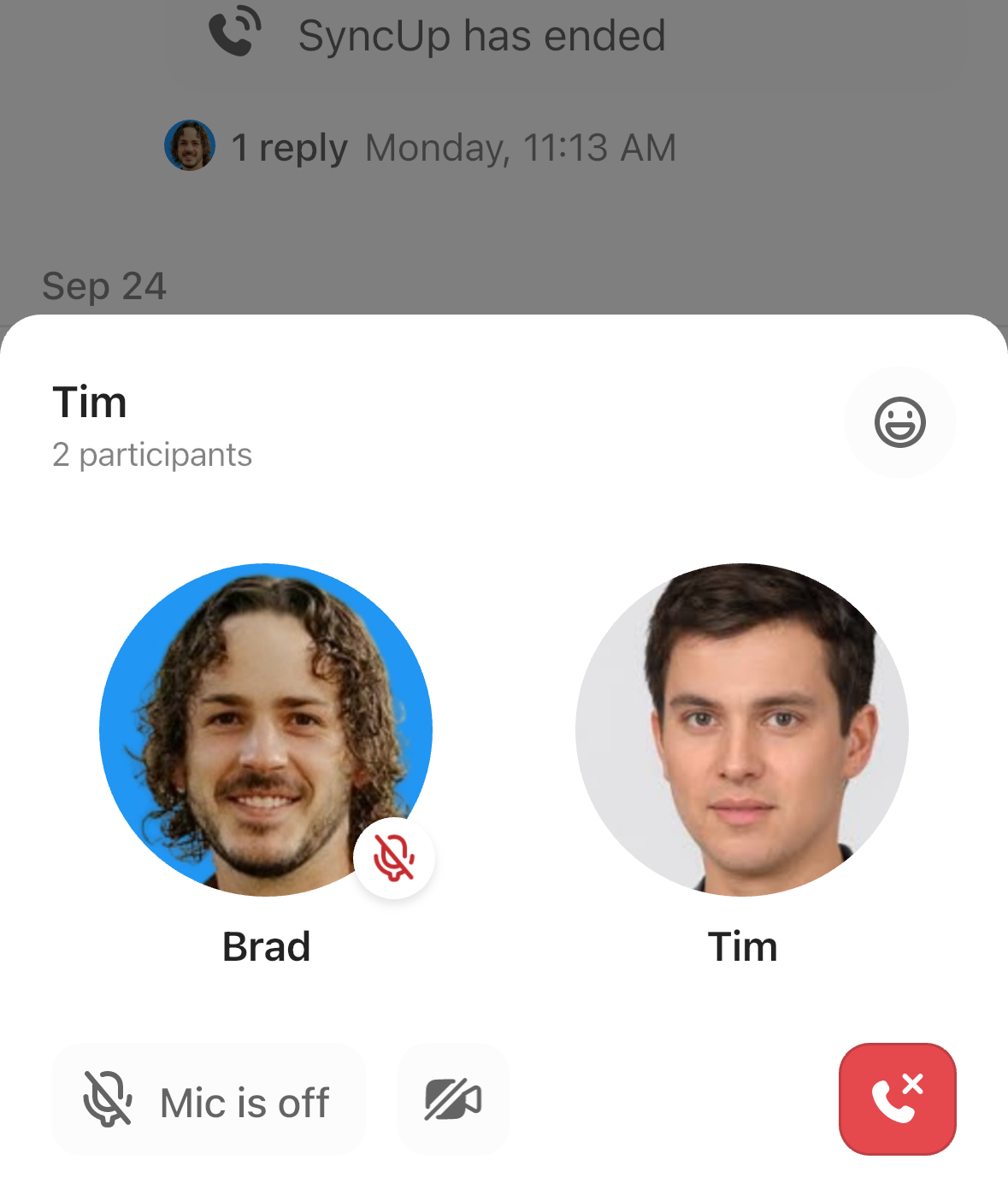
📱 SyncUp anywhere, anytime
Start or join ClickUp SyncUps right from your phone—no laptop needed. Whether you’re traveling or working remotely, launch video or audio calls, share your screen, and collaborate with your team in real time.
Every mobile SyncUp connects seamlessly with ClickUp Tasks, ClickUp Chat, and AI-powered summaries, so you stay in sync and never miss an update—wherever work takes you.
💡 Pro Tip: When you can’t attend a SyncUp in real time, just record it and access it later. This is great for teams working across multiple time zones.
ClickUp Chat is a unified communication platform that keeps your team connected and aligned within the ClickUp ecosystem. Channels and Direct Messages are where your team collaborates, shares updates, and keeps everything aligned.
Use Threads to keep discussions organized inside Channels, and Pin important messages so updates don’t get buried.
You can create topic-specific channels, such as #EventPlanning, to keep discussions focused. At the same time, you can directly message individuals for a quick one-off chat if you don’t want to clutter main channels.
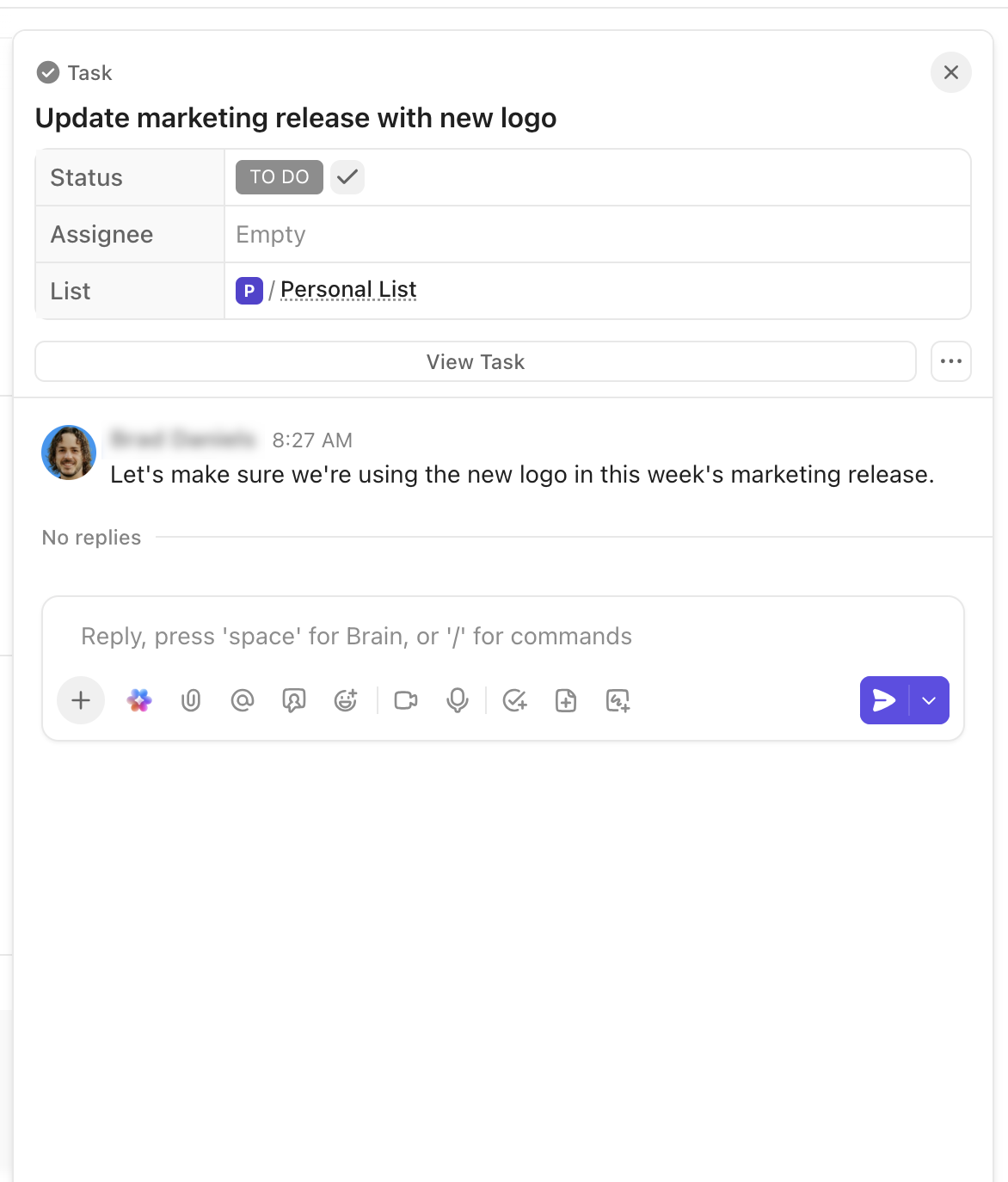
Hover over any message to instantly create ClickUp Tasks. That casual ‘Can someone finalize the agenda?’ becomes a tracked action item with deadlines and assignees.
Remote team leads can assign follow-ups immediately after a sync or event. Customizable notifications mean your team gets alerts only for updates relevant to them.
This helps fix one of the biggest causes of Work Sprawl. Instead of updates living in events, chat logs, and scattered tools, every decision, follow-up, and message stays in one Converged AI Workspace.
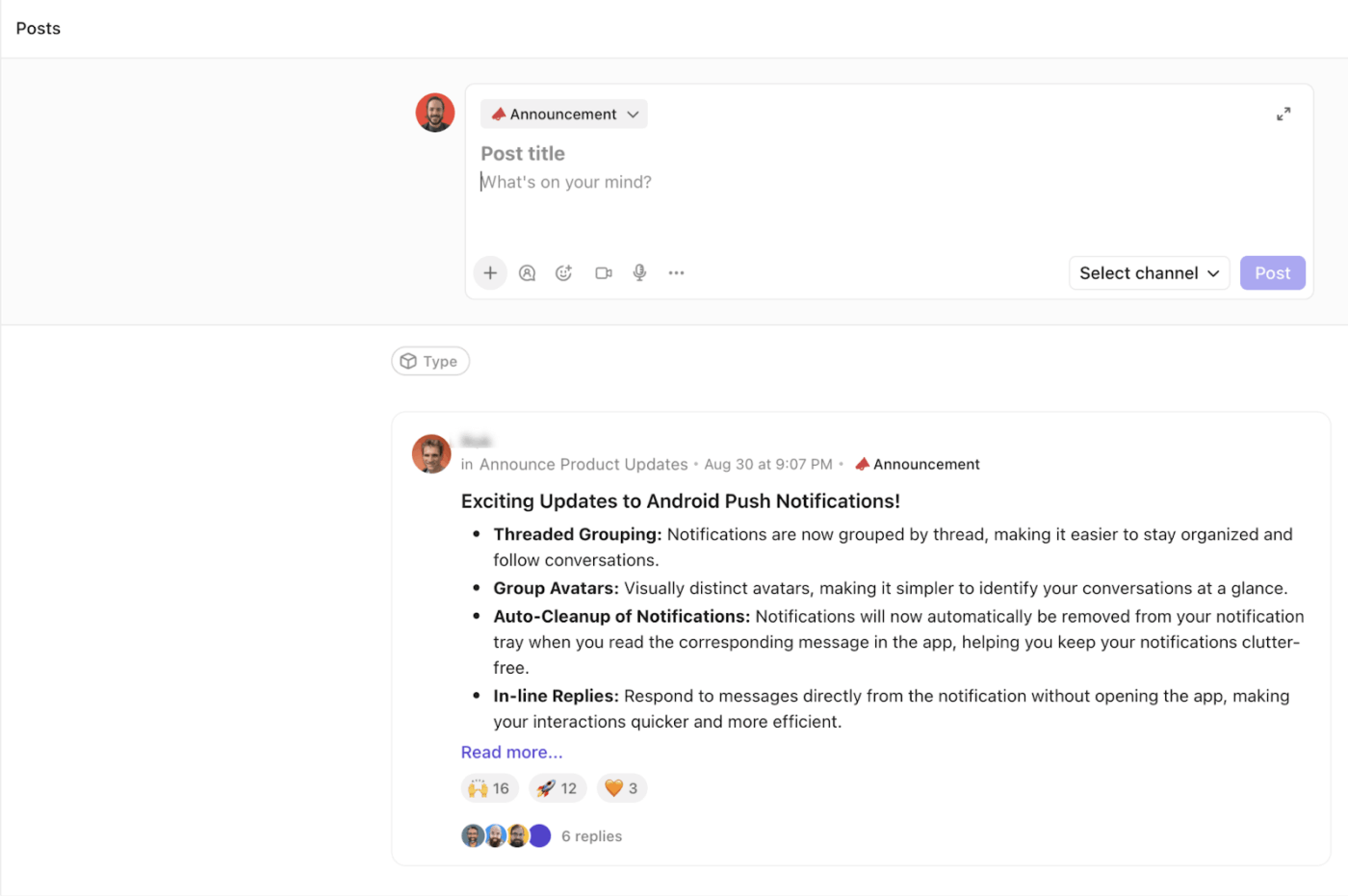
When a message needs attention, use Posts to make it stand out. Choose from Announcement, Update, Request, Decision, or Idea to clearly signal its importance. For event organizers, this ensures post-event insights, attendee feedback, or internal debriefs reach the right team members quickly.
Get advanced insights into the chat platform:
📮 ClickUp Insight: Context-switching is silently eating away at your team’s productivity. Our research shows that 42% of disruptions at work come from juggling platforms, managing emails, and jumping between meetings. What if you could eliminate these costly interruptions?
ClickUp brings your workflows and chat into one platform. You can launch and manage tasks from chat, docs, whiteboards, and more. ClickUp Brain keeps everything connected, searchable, and easy to find.
ClickUp Brain is an AI assistant inside your workspace. It helps your team collaborate faster and with less effort.
Built into Chat, it can create and assign tasks, summarize discussions, and even pull up related tasks, Docs, or channels in seconds. You can ask questions in natural language and get instant, context-aware answers.
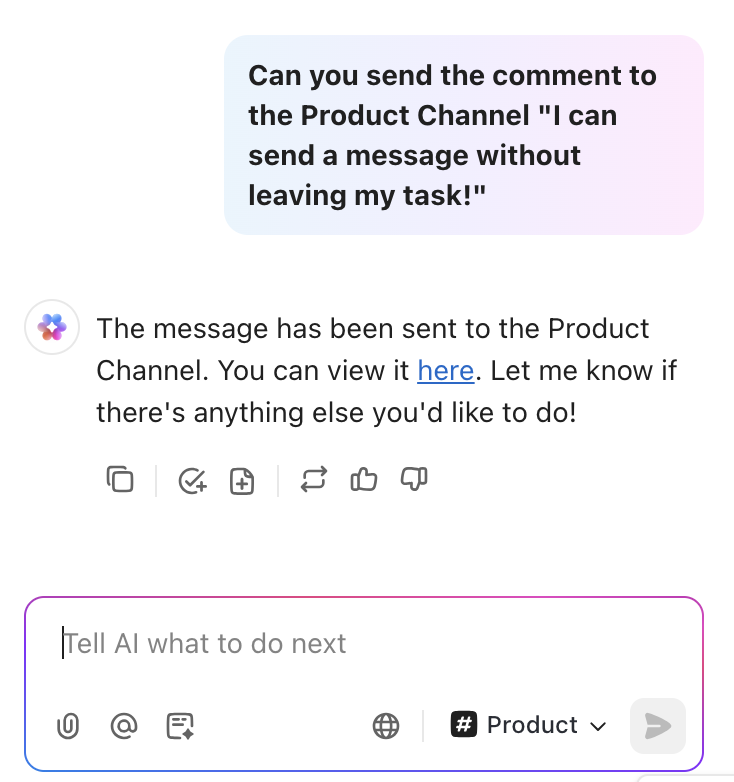
For example, after a post-event debrief, ClickUp Brain can generate a full list of follow-ups from the meeting, assign owners, and update dashboards.
Plus, AI Catch Me Up is a lifesaver for distributed teams. If you miss a day or two of conversations, ask ClickUp Brain for a summary. This ensures operations and communications managers always have complete visibility on decisions, updates, and next steps.
📌 Try these prompts:
Additionally, the ClickUp AI Notetaker can join Zoom, Google Meet, or Teams calls, transcribe conversations, summarize discussions, and create actionable docs with key takeaways and next steps.
💡 Pro Tip: Use ClickUp Clips to record and share video updates, feedback, or walkthroughs directly in chat or tasks—keeping your hybrid team aligned visually and asynchronously.
🚀 ClickUp Advantage: ClickUp Brain MAX brings together your work ecosystem, including tasks, docs, meetings, chats, and AI tools. Your team can quickly search across your workspace, integrated apps, and even the web.
With Talk to Text in ClickUp, your team can speak tasks, messages, or notes from meetings and SyncUps instead of typing. This helps remote leads and operations managers capture ideas instantly.
📖 Also Read: How to Use AI in Video Calls
💡 Pro Tip: Use ClickUp Clips to record quick updates, user feedback, or mini walkthroughs and turn them into short video messages. Share them directly in your Chat channels so your hybrid team can see exactly what you mean without long emails or confusing threads. This is perfect for clarifying post-event tasks, providing design feedback, or reviewing project updates.
🎥 We’ll explore AI-powered meeting features, compare tools for real-time vs. async collaboration, and help you find the platform that makes your meetings more productive—and less painful.
Airmeet is a virtual and hybrid event platform. It helps organizations host interactive experiences such as conferences, webinars, workshops, and meetups.
The platform makes virtual meetings more engaging. Participants can join live sessions, sit at virtual tables, visit social lounges, and chat in real time with Q&A. It supports both online-only and hybrid (in-person + virtual) events.
🔍 Did You Know? In April 1993, entrepreneurs Alan Saperstein and Randy Selman created ConventionView, the first virtual trade show. They filmed physical booths, turned them into clickable HTML maps, and hosted them online from the Waldorf Astoria in New York.
Here are some standout Airmeet features you can use for enhanced direct communication:
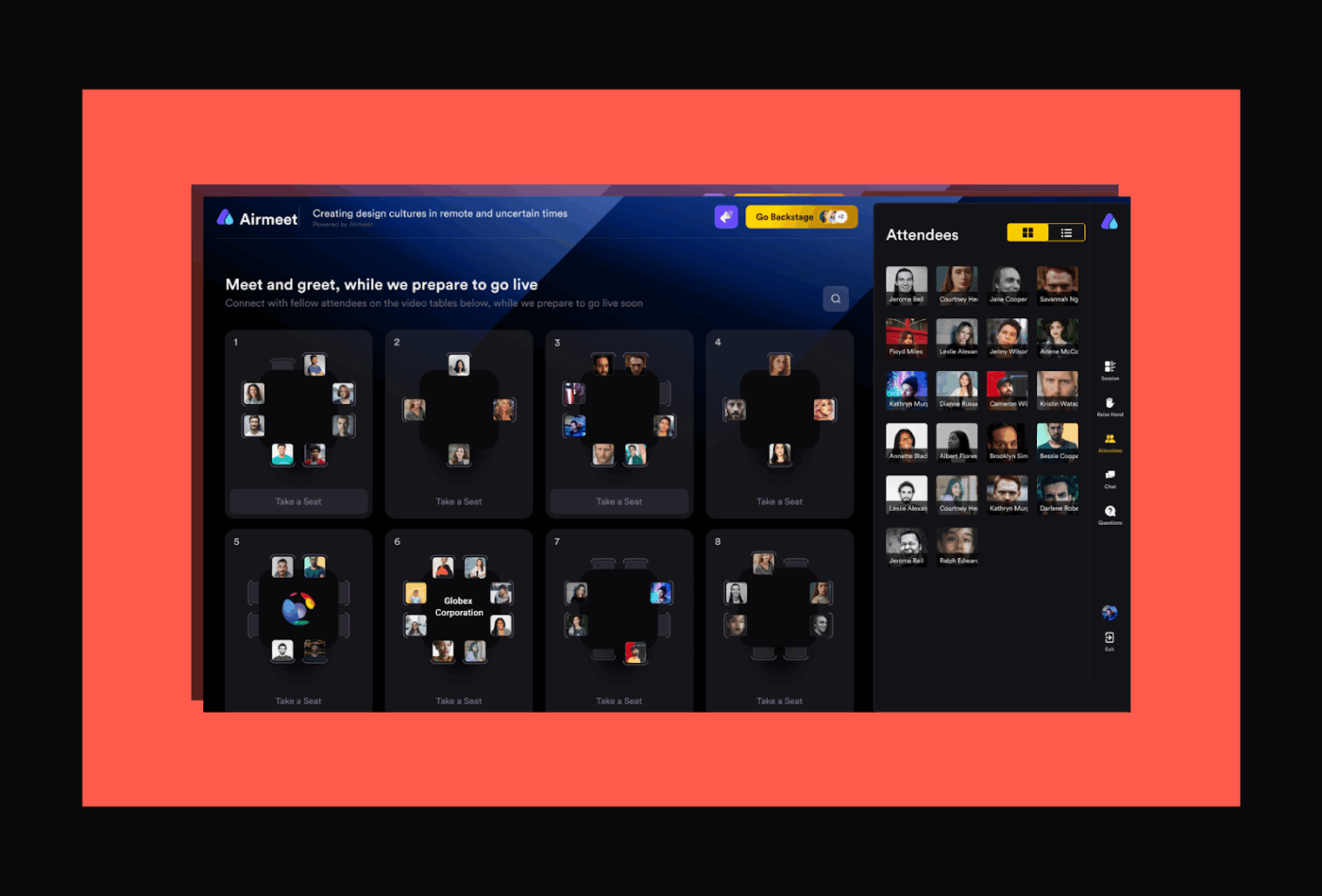
Airmeet’s virtual networking tables simulate in-person networking with small, topic-focused discussions. This setup encourages quick, natural conversations. People can join topics that match their interests or professional goals.
It also offers real-time tools like live Q&A, polls, and chat, which encourage people to engage during sessions.
Airmeet also offers live caption translation and multi-language chat, which can be helpful for global webinar audiences.
These tools are designed for attendee engagement rather than ongoing team communication.
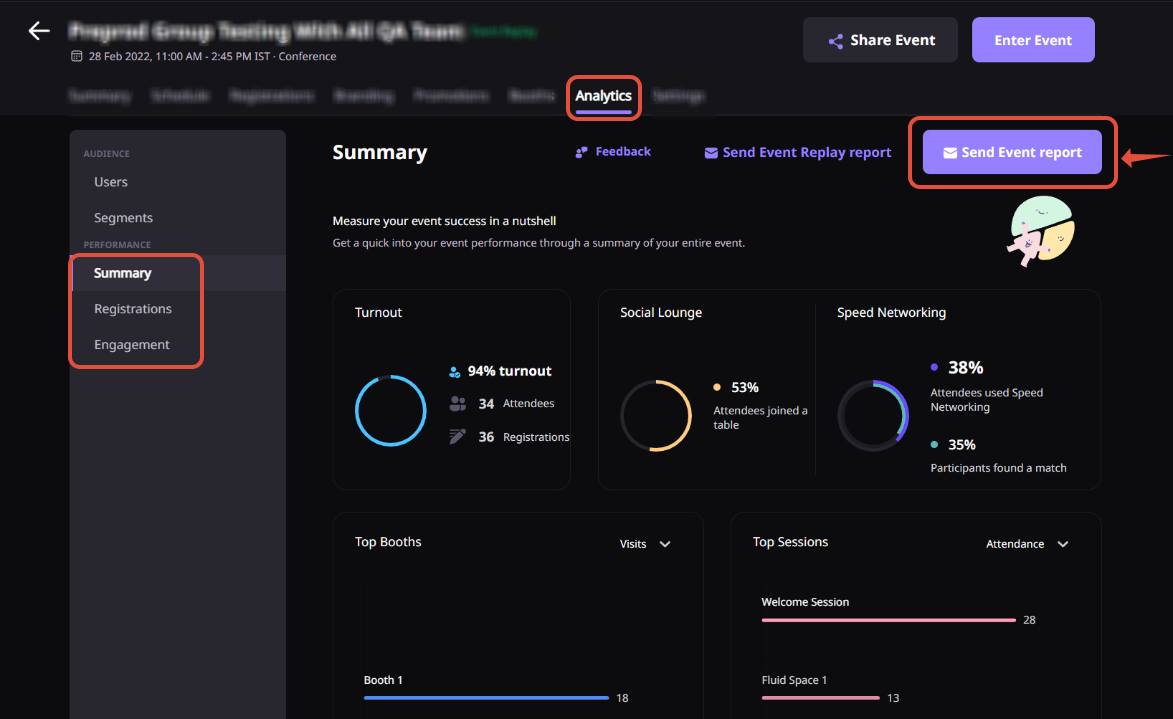
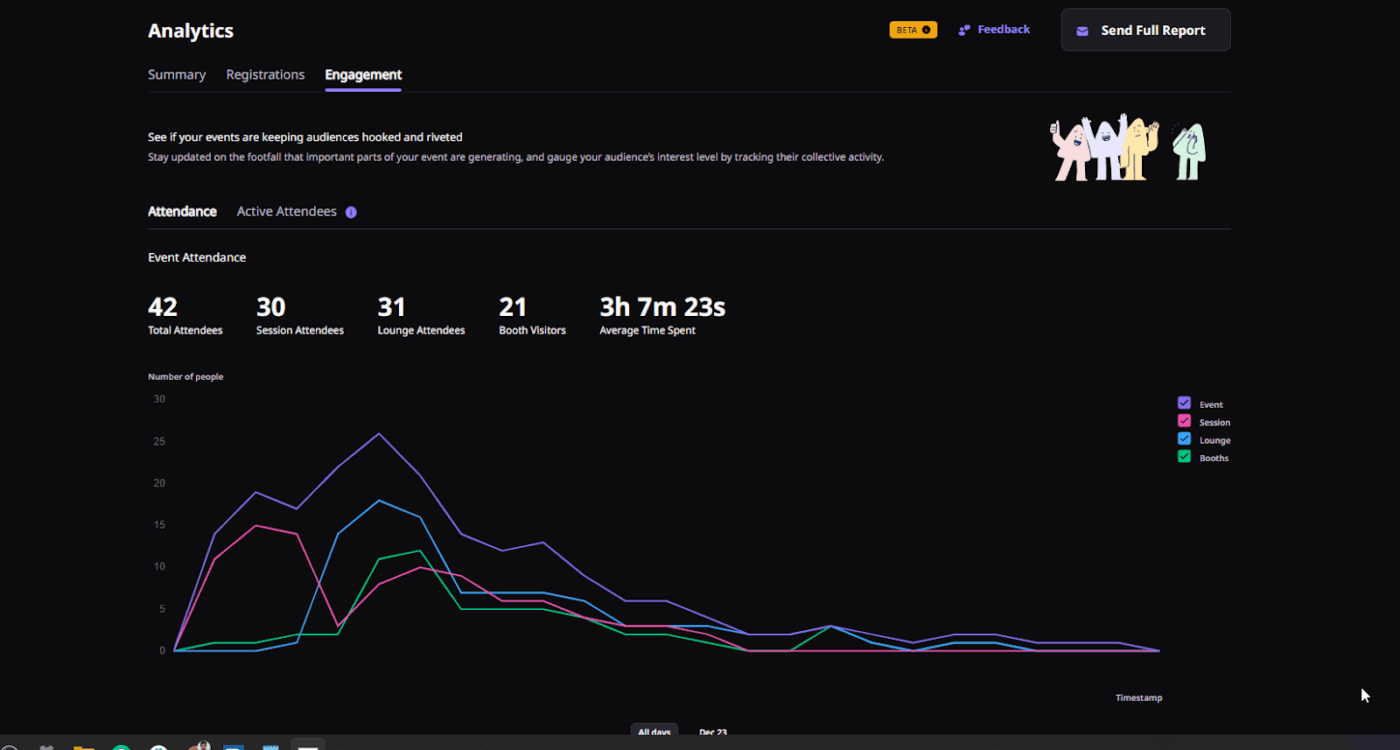
Airmeet provides real-time analytics on attendance, engagement, and session feedback. Organizers can see how people behave in sessions, which talks are most popular, and how attendees interact.
These analytics are crucial for evaluating the success of an event and identifying areas for improvement in future events.
💡 Pro Tip: Measure cognitive load per attendee. If team members have to learn a new interface or remember multiple logins, the tool becomes a tax on attention. Choose the simplest interface that still supports your goals.
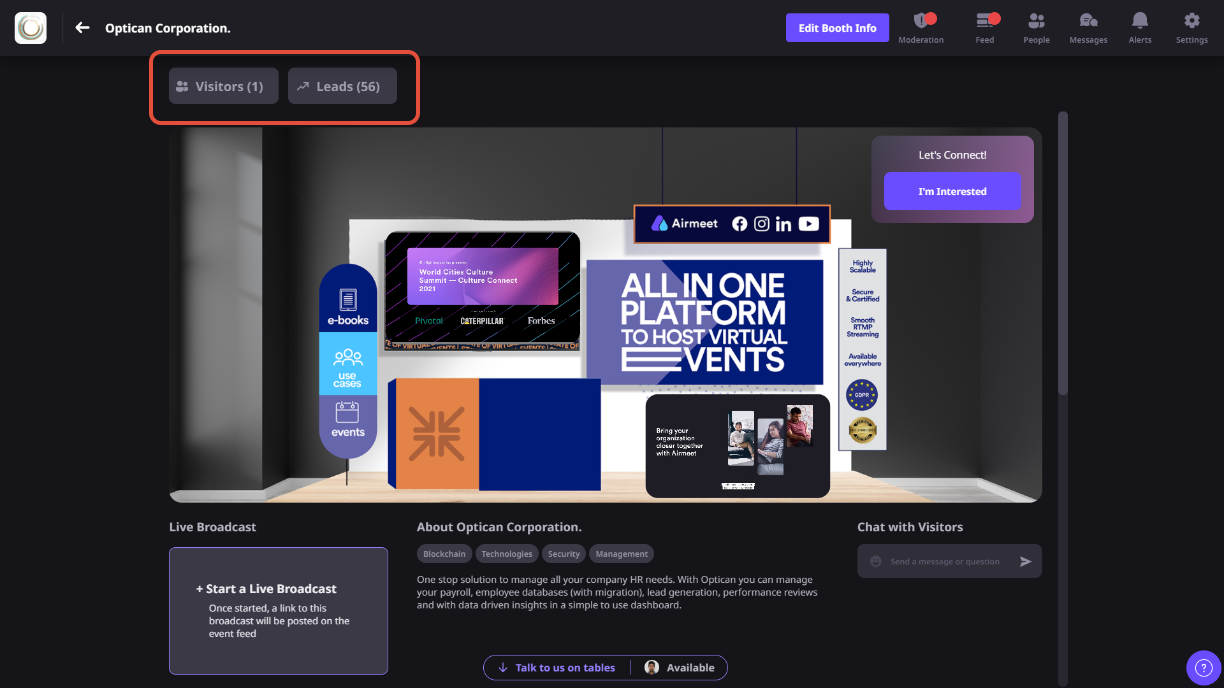
Airmeet offers virtual expo halls and sponsor booths, allowing exhibitors to showcase their products or services.
Attendees can explore these booths, chat with representatives, and download materials, providing a comprehensive virtual exhibition experience.
📖 Also Read: Free Note Taking Templates for Better Organization
🧠 Fun Fact: In 1916, the American Institute of Electrical Engineers hosted what’s considered the first virtual conference. This linked eight U.S. cities by telephone lines so members could listen to presentations simultaneously. Over 5,000 people joined from remote locations, some even exchanging updates via telegram.
📖 Also Read: AI Transcript Summarizers to Save You Time
Both tools have unique offerings.
ClickUp works as an all-in-one messaging and work hub. Airmeet focuses on interactive virtual events.
So, here, we’ll break down key features side-by-side to see how they stack up against each other.
Let’s see how each platform helps your team connect and work together seamlessly.
Channels, Direct Messages, and integrated AI tools like ClickUp Brain make team communication seamless. You can turn messages into tasks, share updates, and summarize discussions without leaving the workspace.
ClickUp AI Notetaker can also join meetings on Zoom, Google Meet, or Microsoft Teams. It transcribes conversations, summarizes discussions, and extracts key action items.
After the meeting, it creates a ClickUp Doc with all the details. The Doc includes the meeting name, date, attendees, summary, key takeaways, next steps, and the full transcript.
Airmeet focuses on audience interaction during online events. It offers chat for attendees and session Q&A.
However, it isn’t built for ongoing team collaboration.
🏆 Winner: ClickUp! Its features enable seamless internal team communication and follow-ups.
📖 Also Read: Best Screen Share Software for Remote Meetings
Next, let’s see how both tools handle event formats and virtual experiences to keep sessions engaging.
ClickUp offers a comprehensive suite of tools to streamline team meetings and video calls.
With ClicUp SyncUp, teams can start audio or video calls directly in ClickUp. This keeps discussions connected to relevant tasks and projects.
Additionally, ClickUp Meetings enable teams to create meeting agendas, assign tasks, and document discussions all in one place.
Airmeet excels at hosting large-scale webinars and virtual events, featuring stage management, breakout tables, and audience interactivity. However, its tools are event-focused rather than tailored for internal team meetings.
🏆 Winner: It’s a tie! Airmeet is ideal for audience-focused events, while ClickUp works best for internal comms using AI meeting tools.
Let’s explore how each platform connects with your tools and uses automation to boost efficiency and audience engagement.
ClickUp has deep integrations with docs, chat, calendars, CRM, and over 1,000 tools to make workflows highly automated. Teams can centralize work and reduce tool fatigue.
Additionally, ClickUp Automations enable teams to streamline repetitive tasks without writing a single line of code. You can automatically assign tasks, update statuses, send notifications, or trigger actions based on simple ‘if this, then that’ rules.
Airmeet offers integrations with CRMs, email marketing platforms, and calendar apps, making it easier to manage registrations, send event reminders, and track attendee information.
However, its automation capabilities are limited to event-related tasks. As a result, it works well for managing the attendee experience only.
🏆 Winner: ClickUp triumphs for connecting your team’s work, automating follow-ups, and creating a single source of truth.
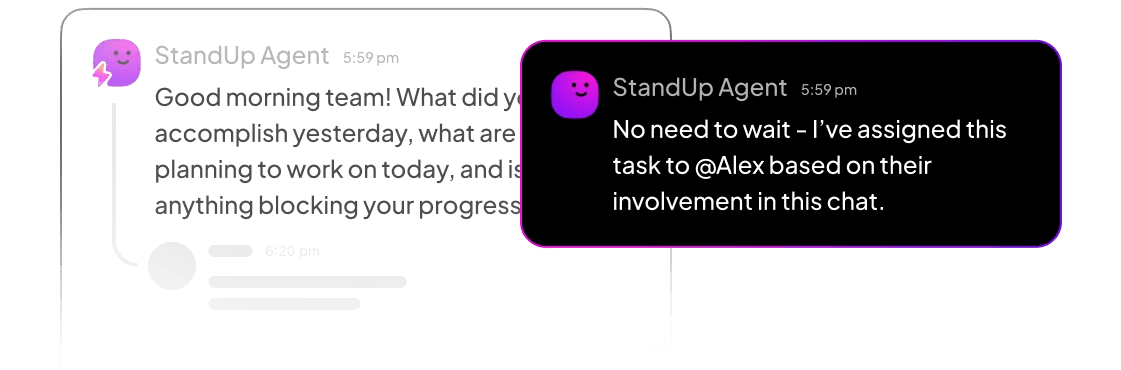
ClickUp Agents act like teammates who never log off. They turn meeting outcomes into real progress. They watch for changes, track follow-ups, flag blockers, and trigger next steps automatically—after the call ends, too. No forgotten action items. No “Who owns this?” confusion. Just steady, continuous momentum.
🧠 Fun Fact: In 1998, the world’s first fully online global conference, called Avatars98, brought thousands of people together in a 3D virtual world using early avatar technology. It featured booths, art galleries, and networking spaces, as well as physical ‘satellite’ meetups in 30 cities.
We also looked at Reddit to see what real users say about ClickUp SyncUp and Airmeet. There were no threads comparing them directly, but we found some useful opinions about each tool.
Here’s what a user had to say about using Airmeet for B2B webinars:
…Airmeet – excellent for interactive webinars, networking lounges, and seamless integrations with CRMs…
Another Reddit user suggested Airmeet:
You can try Airmeet. It is browser based and quite a lot of engagement features.
Here’s what a user had to say about using SyncUps:
I use chat and sync up features a lot. Moved from google chat to clickup chat n haven’t really gone back…In saying that, it’s pretty early days for it n it keeps getting better. The integration with the rest of clickup is the killer feature for me
Another ClickUp user commented:
We have successfully used ClickUp for companies of all sizes (think solopreneurs to massive teams) and in various industries, many of which generate multi-million dollar revenue…ClickUp is truly life-changing, and I use it for both work at an agency and to manage my personal life. I think the secret to success with ClickUp is how you set it up.
🔍 Did You Know? IBM’s company-wide meeting hosted entirely in Second Life marked the first time a major enterprise used avatars for an annual conference. Employees could walk around virtual auditoriums, attend talks, and chat as 3D versions of themselves.
Who Should Choose ClickUp vs. Airmeet?
Choose ClickUp if you need:
Choose Airmeet if you need:
The results are in! 👑
Airmeet is a strong choice for interactive webinars, conferences, and virtual events. It keeps attendees engaged with polls, Q&A, and networking tables. However, when it comes to internal team alignment and turning discussions into action, it falls short.
ClickUp helps every meeting and conversation lead to action. With SyncUps, AI Notetaker, Clips, and Tasks, teams can capture action items, assign follow-ups, and keep projects moving forward.
It closes the gap between what was discussed and what actually gets done, which is the part most teams lose after a great event.
Remote or hybrid teams can stay in sync, ensure accountability, and maintain a clear view of key decisions.
So, what are you waiting for? Sign up to ClickUp for free today! ✅

© 2026 ClickUp

There’s an easier way. Try a free AI Agent in ClickUp that actually does the work for you—set up in minutes, save hours every week.