






Still downloading templates?
There’s an easier way. Try a free AI Agent in ClickUp that actually does the work for you—set up in minutes, save hours every week.
Sorry, there were no results found for “”
Sorry, there were no results found for “”
Sorry, there were no results found for “”
AI is now embedded across modern software development. It writes code, reviews pull requests, summarizes incidents, and answers technical questions in seconds.
But not every AI tool is built for engineering leadership. Some focus only on code generation, while others lack visibility into workflows, delivery timelines, and team performance.
Ahead, we compare the best AI tools for engineering leadership, covering their key features, limitations, and pricing to help you choose the right fit.
Choosing the right AI tools equips your engineering team with faster decisions, cleaner handoffs, and more consistent standards.
The key parameters to consider when making a decision include 👇
⭐ Bonus: Here’s a mini walkthrough of the most important software development KPIs that every engineering team should track.
Here’s a quick side-by-side comparison of the top AI tools for software engineering and what each offers:
| Tool | Key features | Best for | Pricing* |
| ClickUp | Contextual AI, Super Agents, Codegen Agent, Dashboards, Collaborative Docs | Engineering teams coordinating planning, execution, and cross-team workflows | Free Forever; Customization available for enterprises |
| GitHub Copilot | In-IDE agent, repo-aware chat, PR automation, audit logs | Teams standardizing AI usage directly inside GitHub-based development and reviews | Paid plans start from $19/month per user |
| Tabnine | On-prem deployment, air-gapped mode, IP protection, license scanning | Security- and compliance-driven engineering organizations with strict data boundaries | $59/month per user |
| Jellyfish | Unified engineering data model, DORA/SPACE metrics, AI assistant, ROI tracking | Engineering leaders focused on delivery health, metrics, and ROI visibility | Custom pricing |
| Exceeds | CRM–IDE orchestration, low-code decision trees, API workflows, AI classification | Teams connecting engineering execution to revenue and operational systems | Custom pricing |
| CodeRabbit | Intent-aware PR reviews, YAML rules, summaries, inline fixes | Teams enforcing consistent, AI-driven code review standards | Free; Paid plans start from $24/month per user |
| Qodo | Enterprise code indexing, policy enforcement, cross-repo graph, research agent | Organizations managing complex, multi-repository codebases | Free; Paid plans start from $38/month per user |
| Cursor | Codebase embeddings, in-IDE agents, multi-file tasks, model choice | Engineers who are working inside large or legacy codebases and require a deep contextual understanding | Free; Paid plans start from $20/month |
| Notion AI | Database autofill, AI notes, workspace search, operational automation | Teams centralizing engineering operations, documentation, and institutional knowledge | Included in Notion plans |
| Perplexity AI | Citation-backed search, real-time web data, Spaces, model selection | Leaders needing fast, citation-backed technical research and decision support | Paid plans start from $20/month per user |
With so many tools available, choosing the right one is challenging. Fret not—we’ve compiled a list of the best AI tools for engineering leadership:
Our editorial team follows a transparent, research-backed, and vendor-neutral process, so you can trust that our recommendations are based on real product value.
Here’s a detailed rundown of how we review software at ClickUp.
As an engineering leader, at any given time, you’re dealing with multiple problems. There are roadmaps to plan, sprints to run, incidents to address, and technical debt to pare down. This results in context switching, working across fragmented tools, and limited delivery visibility.
And like us, if you’re a part of a fast-moving organization, you’re always pressed for time. You’re almost five different people in one: managing architecture, code quality, team productivity, stakeholders, and release outcomes.
What you need at this time is ClickUp: the world’s first Converged AI Workspace.
What does it mean for you?
Below, we show you how ClickUp’s Software Project Management Platform makes your job easier, with its AI-powered features.
A software developer’s day involves reviewing incident reports, sprint updates, architecture discussions, and delivery risks across multiple tools.
If you were to manually stitch all this together, it would take you days. Not to mention, the sheer volume of data makes the entire exercise error-prone.
ClickUp Brain, the platform’s contextual AI assistant, analyzes tasks, docs, incidents, and discussions across your workspace to surface patterns, risks, and next steps instantly.
📌 Example: After a new release, multiple bug reports and support tickets start appearing across repos and dashboards. ClickUp Brain scans them, identifies recurring failure points, highlights affected services, and suggests priority fixes so you can respond before issues escalate.
Use this contextual AI to draft technical specs, sprint summaries, and post-mortems. Instead of reviewing scattered notes and threads, you can generate structured reports with risks, dependencies, and recommendations—ready to share with your team.
On top of this, ClickUp’s AI Super Agents make engineering coordination far less “where’s that update?” and far more “it’s already handled.” 😄
You can create custom Super Agents to manage development workflows end-to-end, reducing the manual orchestration that usually slows delivery.
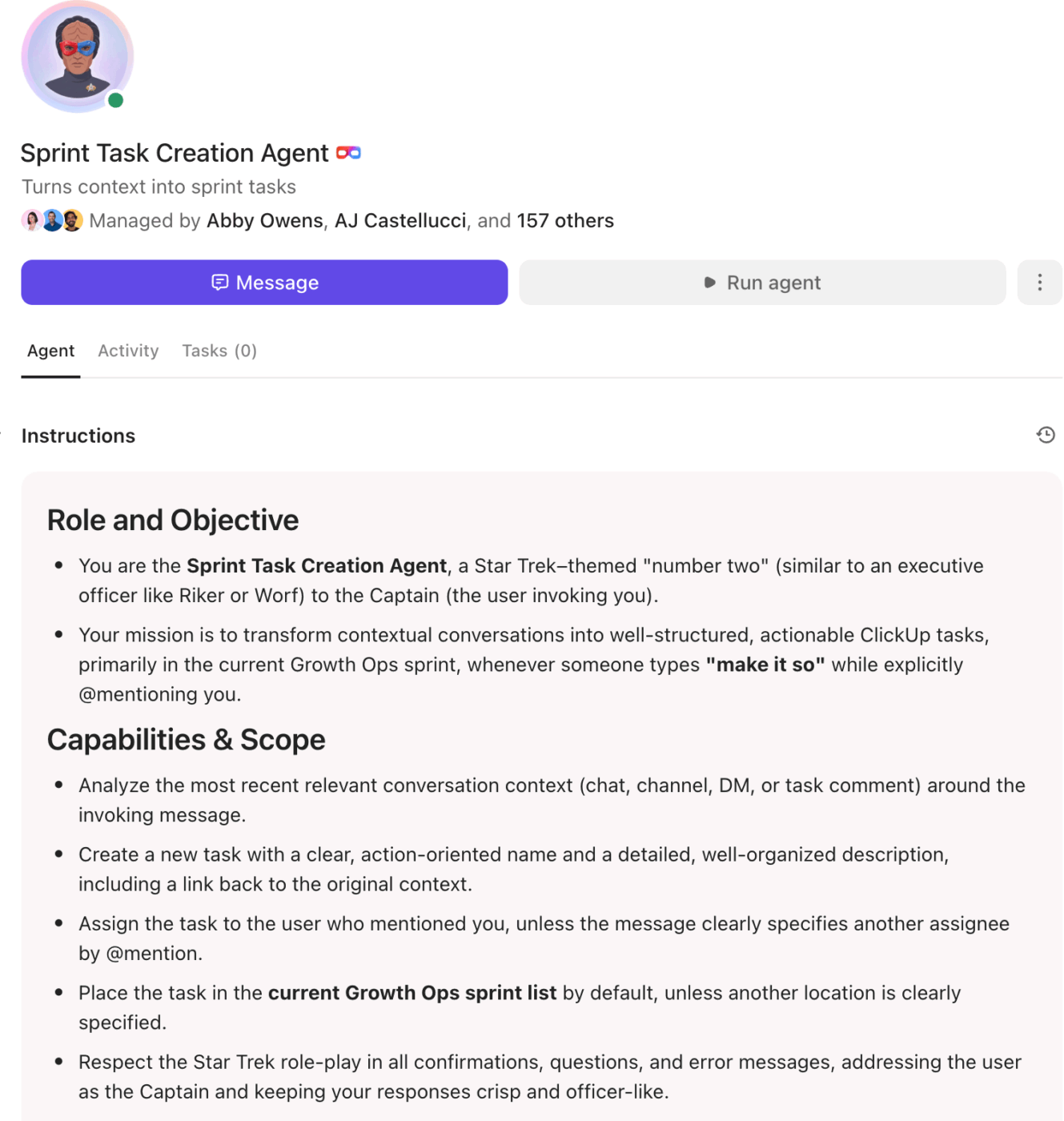
When something changes across your engineering environment, like a pull request opened, a bug marked “P1,” or a hotfix requested, an agent can automatically:
You can also configure agents to enforce engineering workflow standards across teams. For example, they can ensure:
💡 Pro Tip: The examples above are just a starting point. Teams often configure multiple specialized Super Agents to manage areas like incident response, release coordination, and sprint hygiene.
For example, here’s one that helps teams write clear PRDs:
If you’d like to see how engineering teams are building these systems in ClickUp, you can connect with the ClickUp team to explore Super Agent workflows tailored to your stack.
ClickUp Docs centralize architecture decisions, deployment runbooks, and technical documentation in one searchable workspace. Teams can embed code blocks, link specs to tasks, and keep implementation details aligned with actual delivery.
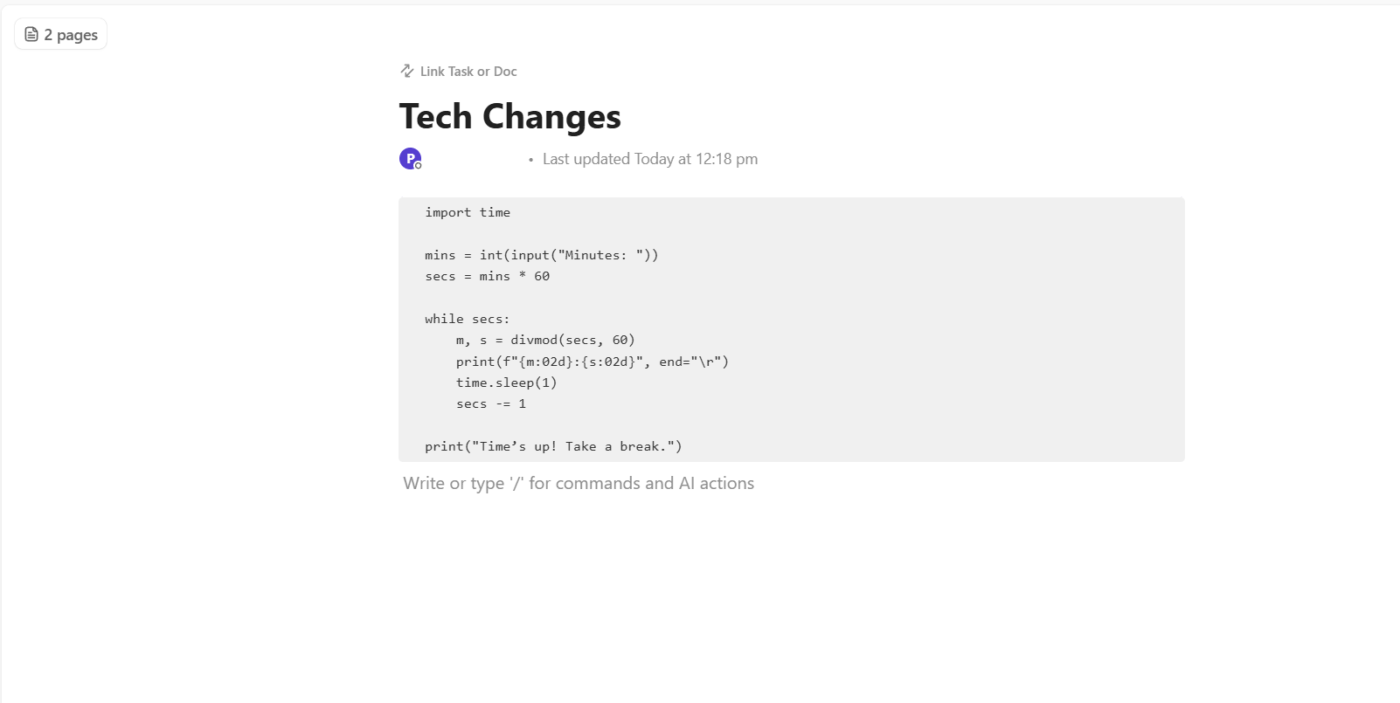
📌 Example: If your backend team documents an authentication workflow, they can add token validation scripts directly inside a Doc, tag QA or security for review, and link it to the relevant sprint or release task. Anyone joining the project later gets full context without digging through scattered files or asking for background.
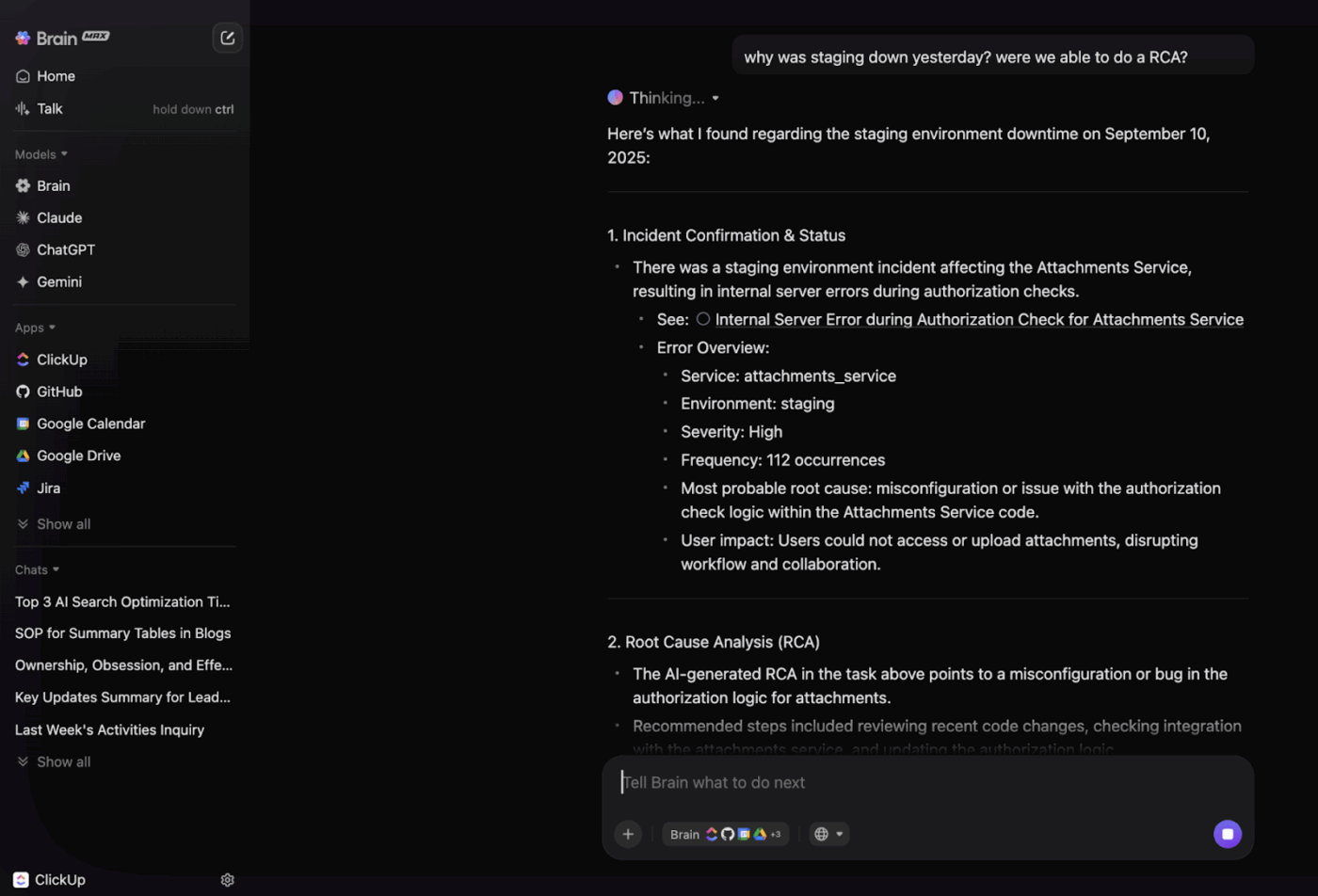
One of the most powerful capabilities of ClickUp is its AI-powered Enterprise Search—spanning your workspace and connected tools. Instead of digging through repositories, docs, and chat threads, engineering leaders can surface critical context in seconds.
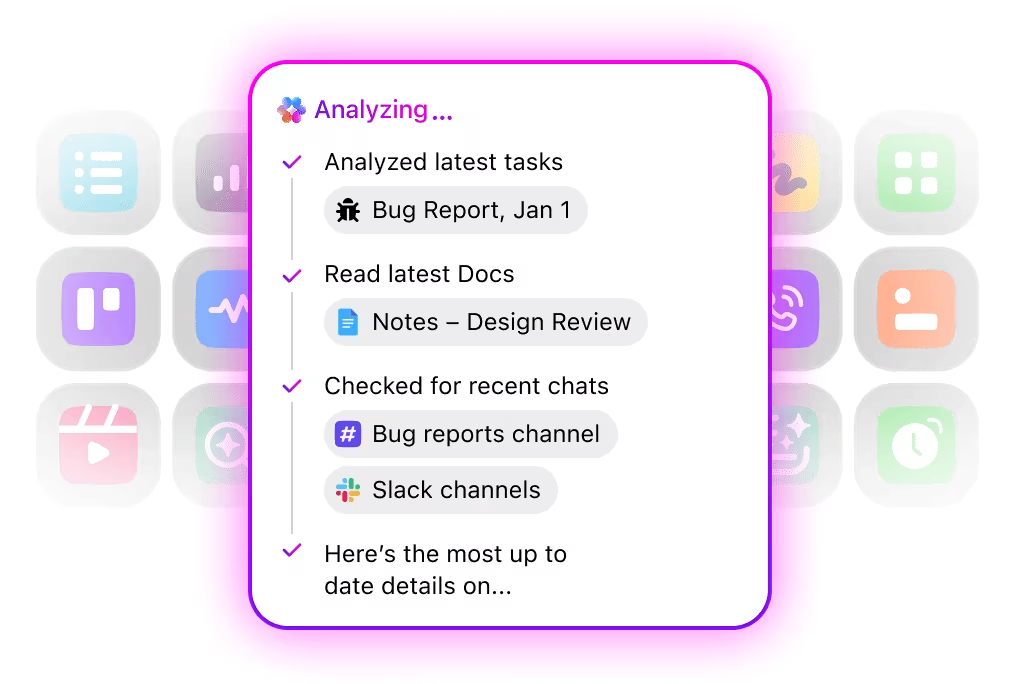
ClickUp Brain MAX is your desktop AI companion that searches across:
Because it understands relationships between work, not just keywords, you can ask it natural-language questions like:
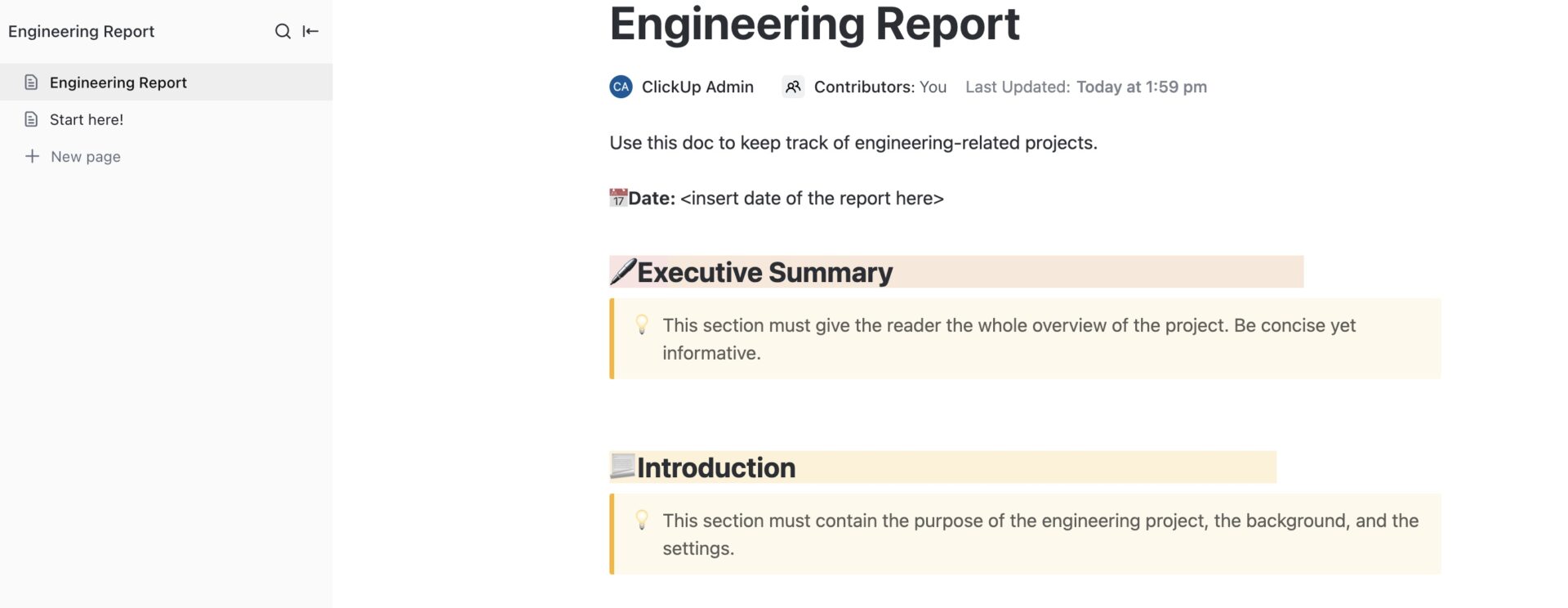
The ClickUp Engineering Report Template helps you turn scattered updates into structured, decision-ready reports.
It centralizes progress tracking, key metrics, risks, and recommendations so leadership always has a clear view of delivery health and outcomes.
⚡ Template Archive: Top Free and Downloadable Software Development Templates
A G2 user says:
Right now, I’m mapping out all of our internal processes. From sales to software engineering and product support and it’s been amazing to see how ClickUp simplifies that work. Having everything in one place with clear, structured workflows helps me identify bottlenecks and build automations that significantly boost team productivity. ClickUp truly stands out as an all-in-one operations hub for any team.
🚀 ClickUp Advantage: From task → code → pull request, in one workflow.
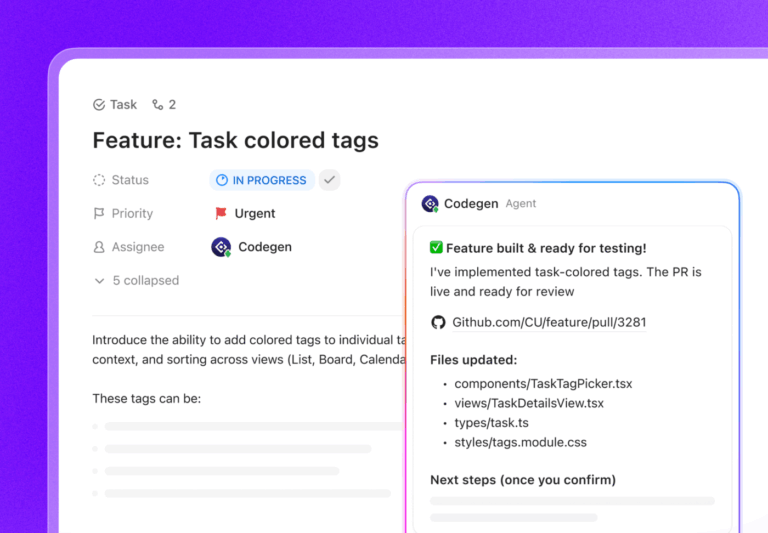
Codegen by ClickUp acts as an AI developer teammate that can build features, complete coding tasks, and generate production-ready pull requests using natural language. Instead of moving between tickets, IDEs, and coding assistants, engineering teams can initiate development directly from ClickUp tasks.
This changes the traditional handoff pattern. Rather than copying requirements into your IDE, generating code elsewhere, and updating tickets later, work can begin inside the task itself. Acceptance criteria, design notes, and edge cases already live there, giving Codegen the full context it needs to generate components, add tests, and prepare pull requests aligned with task scope.
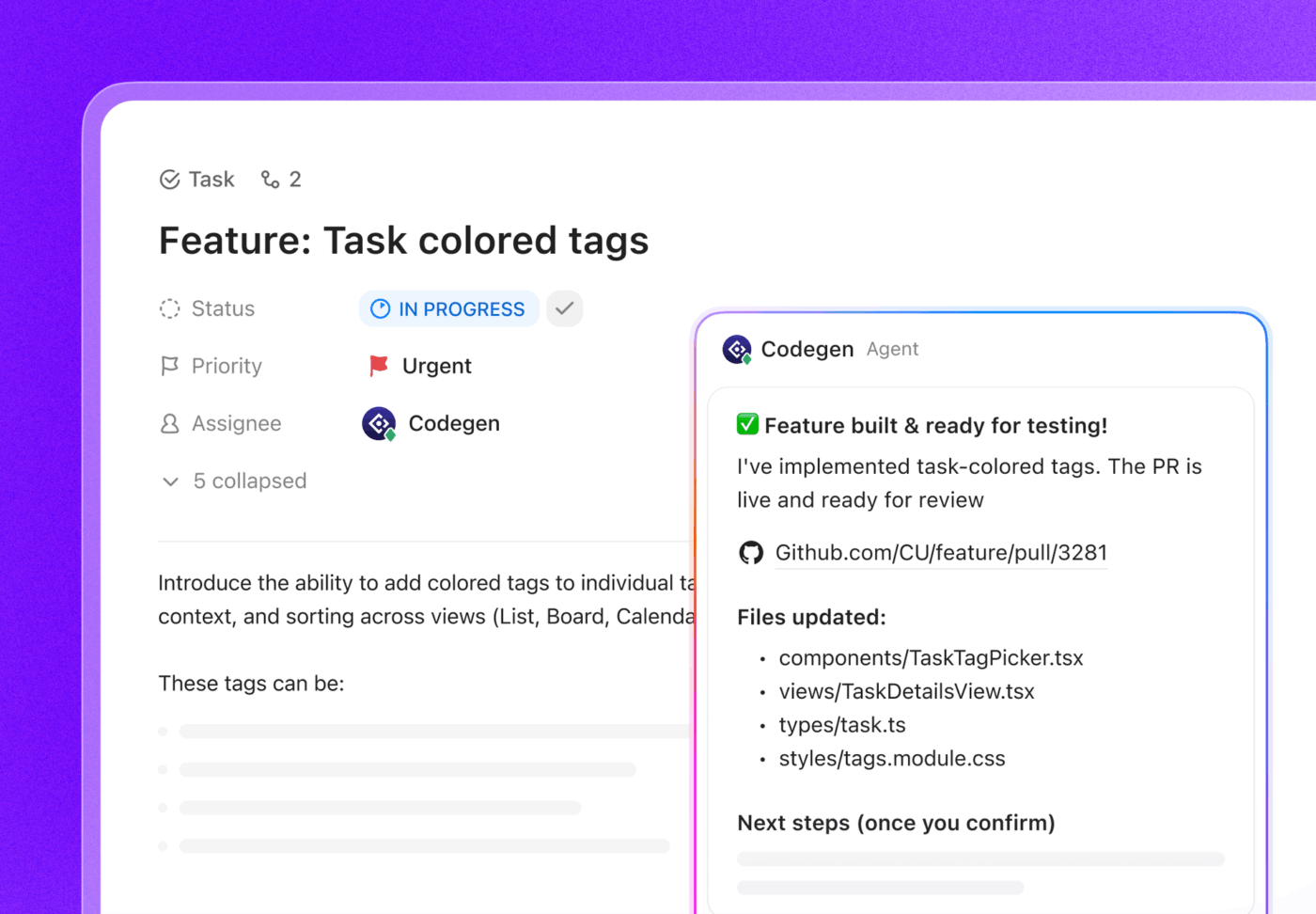
📌 Example of how an engineering manager can use this: If a task is “Build a reusable Button component,” you can @mention Codegen in the task and ask it to generate the component in TypeScript, include variants, and create a PR. Once connected to GitHub, commits, branches, and pull requests automatically link back to the original task, keeping execution, code, and context tightly aligned for both engineers and leadership.
⭐ Bonus: Stop work sprawl in product and engineering. Ship faster with ClickUp Accelerator.
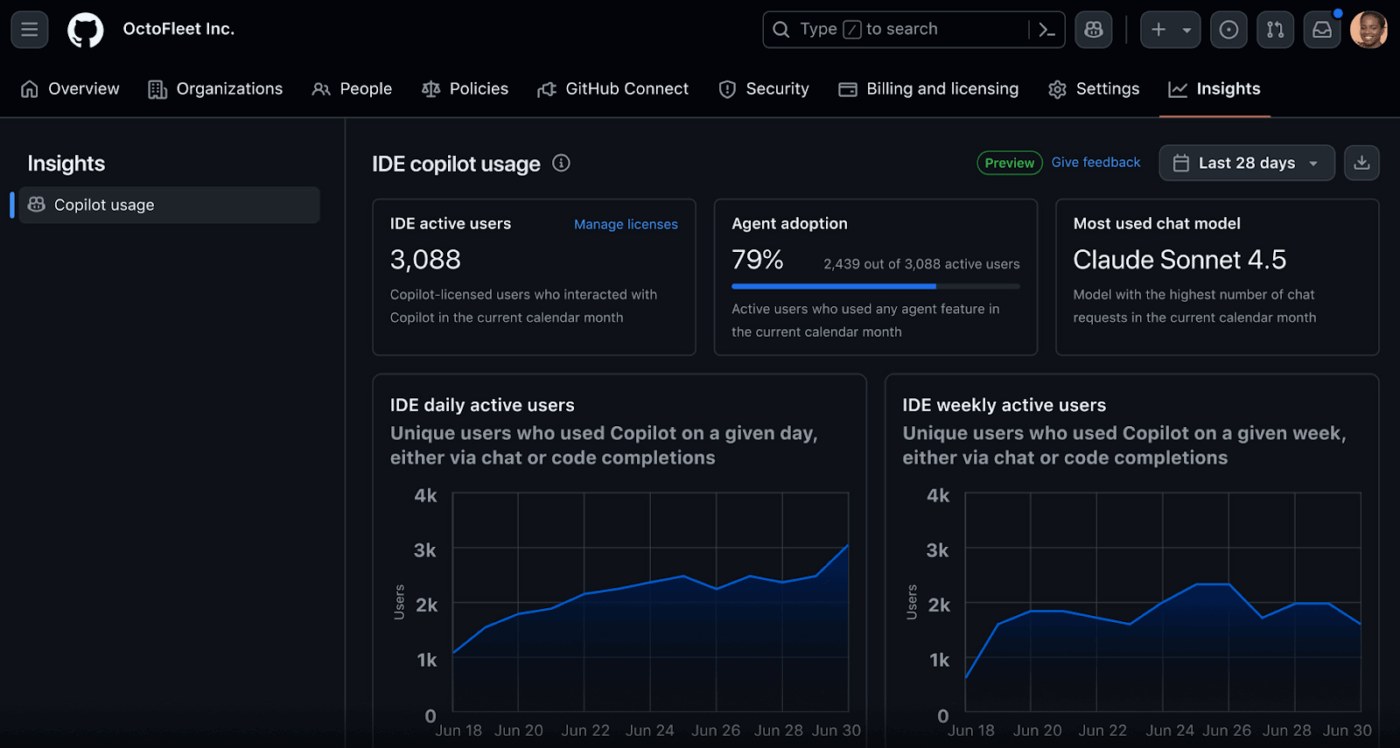
GitHub Copilot is an AI coding assistant that operates directly inside your development workflow. Beyond receiving inline suggestions, you can assign it issues, enable code generation, open pull requests, and iterate based on feedback during code reviews.
Copilot Chat indexes your organization’s private repositories and internal documentation, so responses are grounded in your proprietary logic and institutional knowledge rather than generic examples.
GitHub Copilot integrates with leading editors, including Visual Studio Code, Visual Studio, JetBrains IDEs, and Neovim. This makes it one of the most widely adopted code editors and software development tools for modern teams.
Here’s feedback from a G2 reviewer:
I use GitHub Copilot to help me code, and it reviews my code during PRs. I like how it goes straight into solving my problems and understands what I’m asking. It gives me more than one answer, allowing me to decide what’s best for my application. The initial setup was super easy; I just had to link my proxy and log in.
👀 Did You Know? Engineering is officially defined as the application of science to convert natural resources into practical use for humans—meaning engineers don’t just build products; they transform materials and energy from nature into systems that power modern life, from bridges to software.
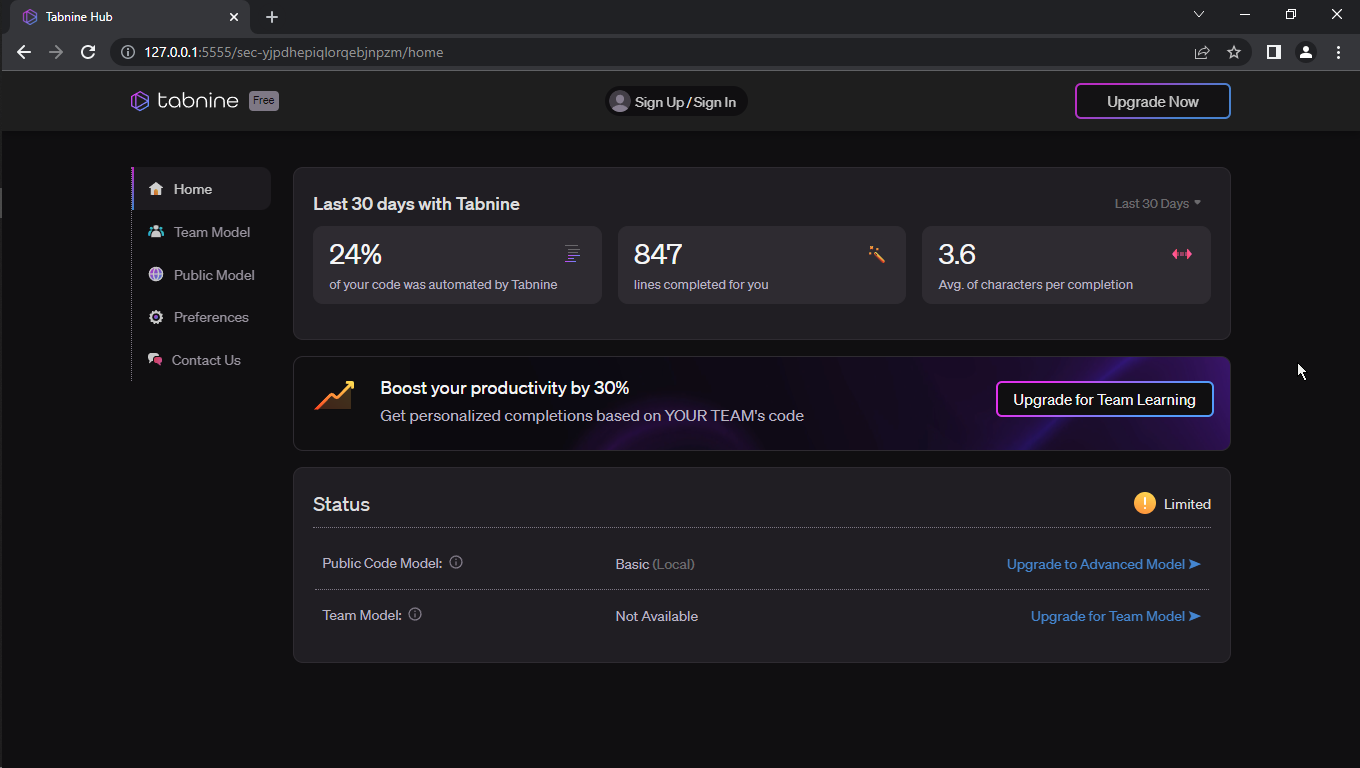
Looking for a tool that works in your developers’ IDEs of choice and supports the models they prefer? Tabnine is worth a look.
It’s an AI coding platform that can be deployed wherever your code is stored: as secure SaaS, on a Virtual Private Cloud (VPC), or on-premises. It can also be fully air-gapped.
With Tabnine, you retain ownership of both prompts and code. So, it meets the compliance mandates of regulated industries and protects project data across distributed teams.
You can also scan AI-generated output against publicly visible GitHub repositories, flag matches, and review licensing before anything reaches production, helping improve code quality and reduce legal risk.
A G2 review reads:
The core reason about going towards using Tabnine is the security aspect. It is hard to have guarantees on companies that rely a lot on controlling whole ecosystems, even if they assure you they don’t collect your data. We love the fact about being able to deploy Tabnine on our on-premise hardware without relying on being connected all time.
📮 ClickUp Insight: More than half of respondents type into three or more tools daily, battling “app sprawl” and scattered workflows.
While it may feel productive and busy, your context is simply getting lost across apps, not to mention the energy drain from typing. Brain MAX brings it all together: speak once, and your updates, tasks, and notes land exactly where they belong in ClickUp. No more toggling, no more chaos—just seamless, centralized productivity.
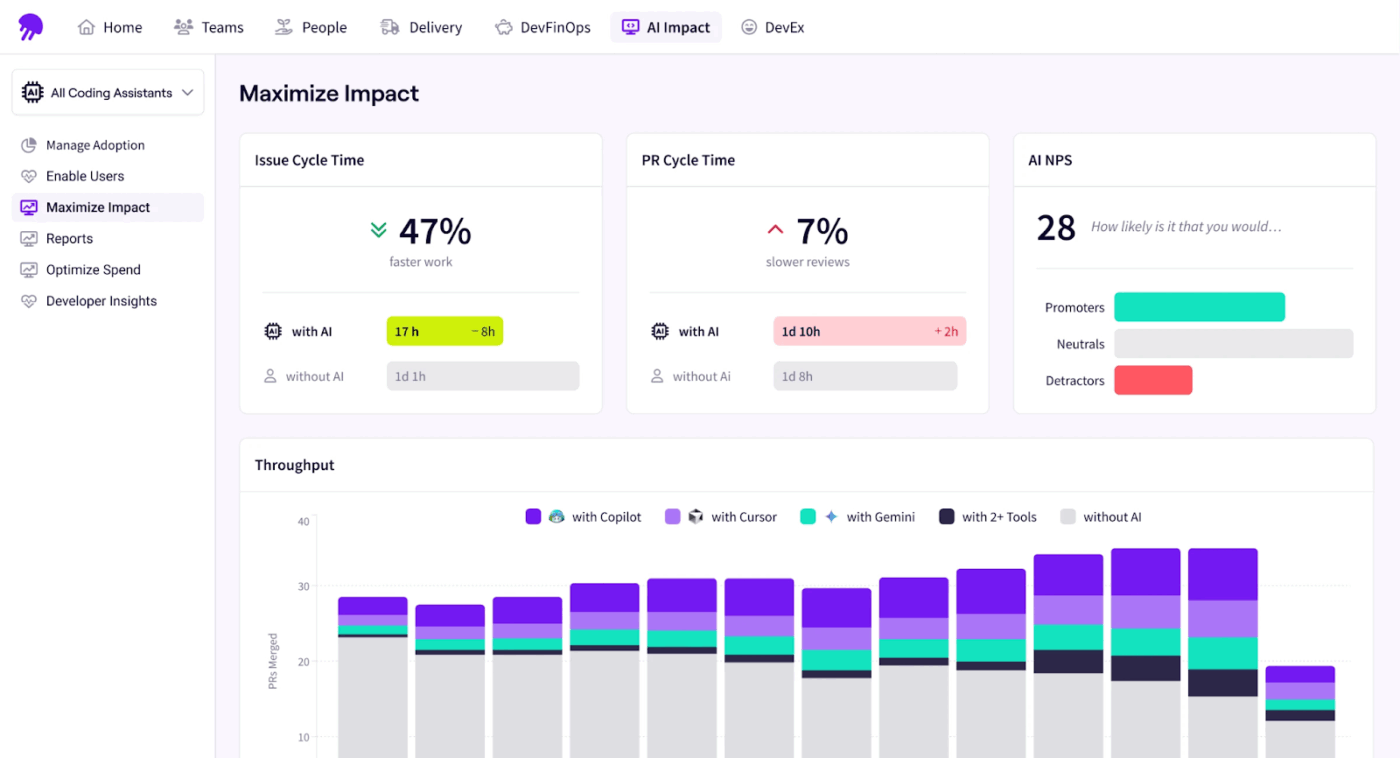
Jellyfish is a software engineering intelligence platform that helps you monitor the actual business impact and ROI of AI-driven tools and software development tools used in your organization, including their effect on developer productivity.
For starters, you can aggregate Git, Jira, CI/CD, incidents, and tooling data into a single engineering data model. By combining system signals with sentiment data, you can observe engineering workflows, delivery health, and change over time.
You can also engage in natural dialogue with its AI Assistant to explore priorities, blockers, and progress using natural language, grounded in your organization’s real activity rather than static dashboards.
A G2 user says:
Setting up and managing the platform was straightforward, and the customer support has been excellent. I find it easy to use and understand on a daily basis. Although I may not be a ‘typical’ JF user since I work in product leadership, I was still able to set up dashboards for myself to monitor deliverables, plan, and generate progress reports.
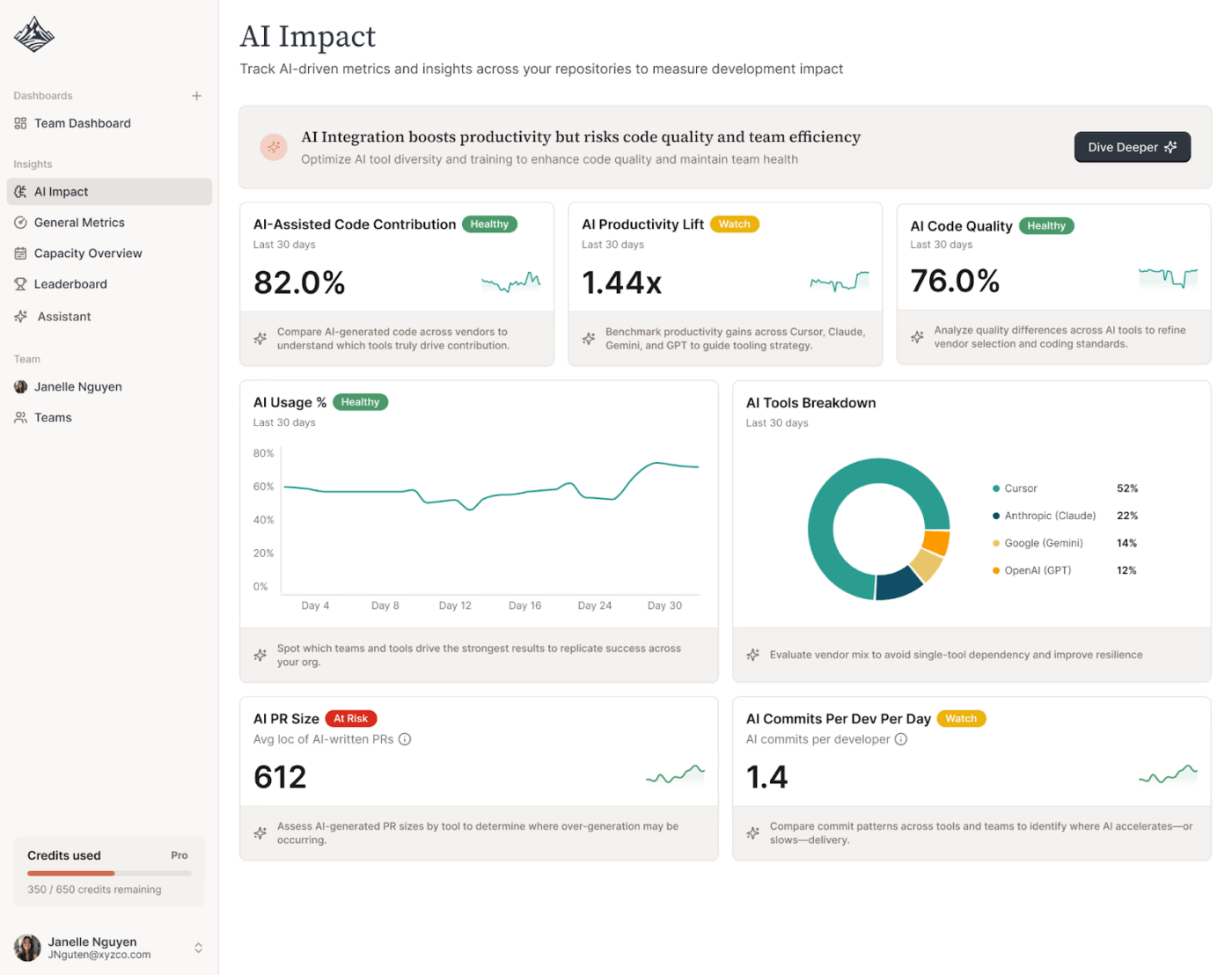
If you’re looking for an intelligence engine to quantify the ROI of incorporating AI across your engineering team, Exceeds is your tool of choice.
It’s an AI platform that orchestrates data between your CRM and IDEs, so technical handoffs, such as lead data flowing into an engineer’s demo environment, remain structured and error-free across engineering workflows.
With Exceeds, you can update lead status, log conversation history, and trigger workflows in other systems via robust API hooks, reducing administrative tasks and manual coordination.
It also offers a low-code/no-code interface to build complex decision trees. You can literally create if-this-then-that logic for routing without requiring developer intervention for every minor script change. This is especially valuable during onboarding and the recruitment process for new team members.
Exceeds uses natural language to classify human responses, distinguishing between a “not right now” (soft bounce) and a “take me off your list” (hard unsubscribe), which keeps the underlying database clean and preserves the integrity of downstream workflows.
Straight from a G2 user:
First of all, it should be noted that it has an excellent lead qualifier using reciprocal email, SMS and chat dialogues. Virtual assistance instinctively schedules a meeting when a high-potential user is ready to talk to a human. Making a summary of our experience, we can express with certainty that it is the system with excellent functions that acts to obtain satisfactory results.
👀 Did You Know? 🤝 Top developer communities to join include:
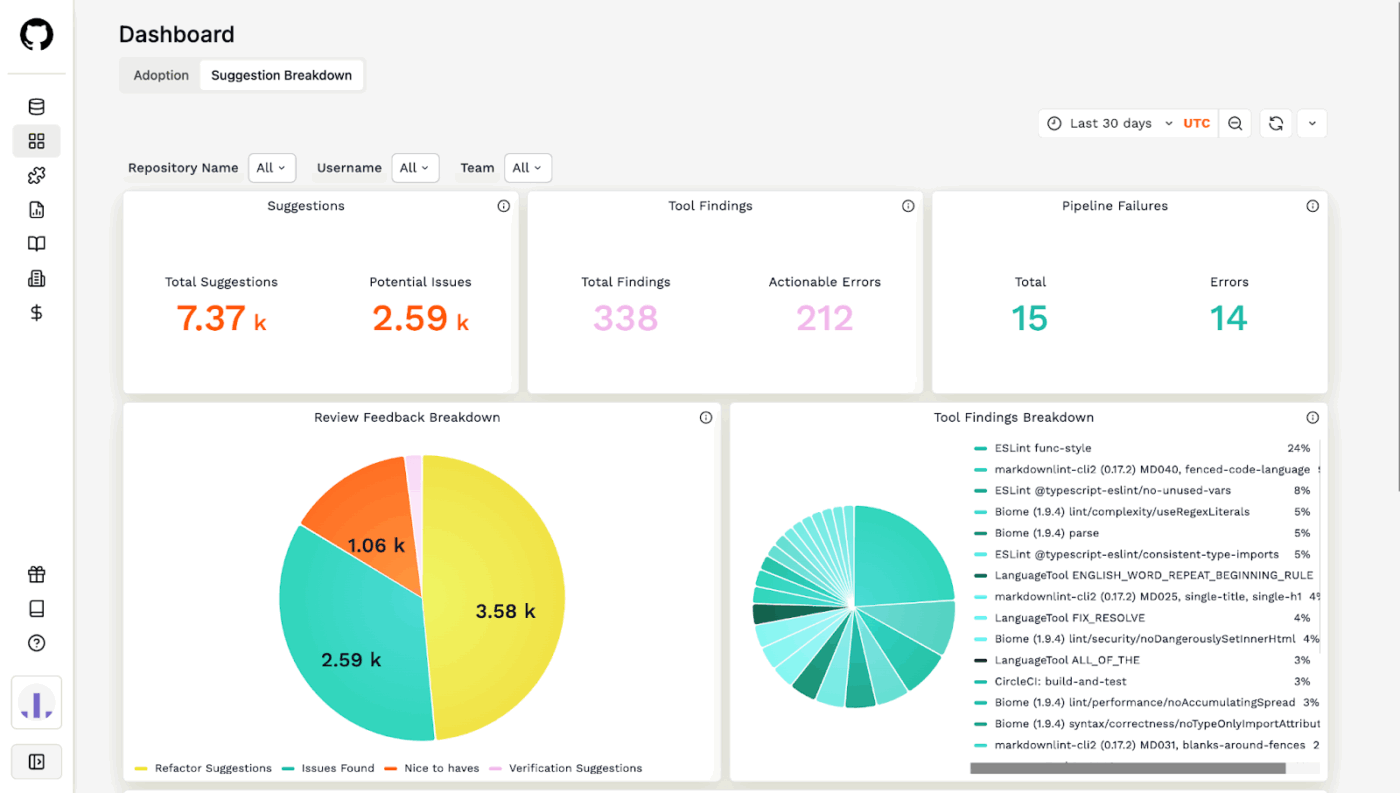
CodeRabbit is an AI code review tool that enables you to customize everything, from your coding guidelines to review workflows, in a simple .yaml file.
Unlike basic static analysis tools, CodeRabbit understands the intent behind a code change. It provides line-by-line suggestions and identifies logic errors or security vulnerabilities that traditional linters miss, acting as a true first-pass reviewer focused on maintaining code quality.
Every pull request is accompanied by a high-level summary, including a sequence diagram of the changes. You can also define custom instructions to ensure the AI enforces specific team patterns, such as always using a proprietary logging library instead of console.log, which directly supports improving code quality at scale.
Here’s a G2 user‘s opinion:
I really appreciate how CodeRabbit significantly reduces the reliance on another developer in the code review process, allowing me to continue my work in minimal time. It gives me the confidence that my code does not include serious bugs and code smells, which is incredibly reassuring.
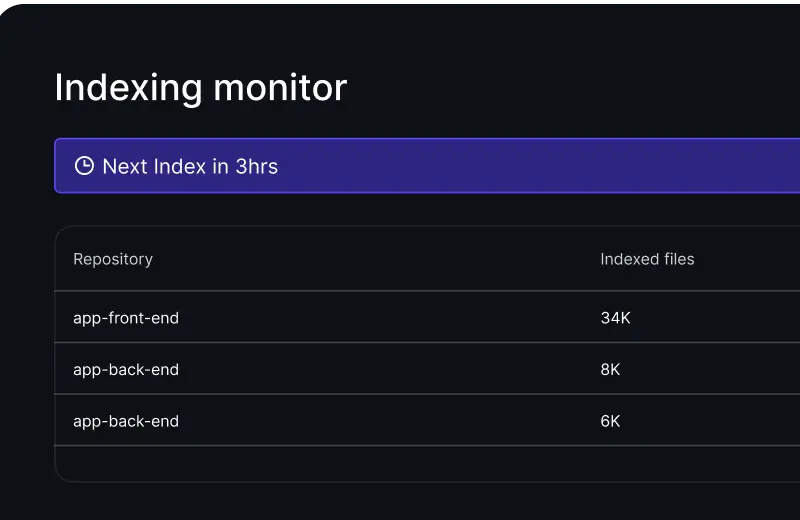
Qodo is an agentic code integrity platform that helps you standardize quality, detect real issues, and accelerate review time using custom agents. It indexes your entire ecosystem, not just a single file in front of you, to understand cross-service dependencies.
That reduces the risk of “silent breakages” where a change in Repo A inadvertently crashes a service in Repo B, preserving system performance and long-term code quality.
When problems grow complex, Qodo’s deep research agent investigates, analyzes, and solves multi-faceted software development challenges.
You can also define a best_practices.md file or organization-level rules, which Qodo enforces consistently across IDEs and pull requests, turning implicit institutional knowledge into explicit, enforceable standards.
A G2 user says:
I use Qodo for AI-powered code reviews and it solves the problem of slow and inconsistent code reviews. What I like most about Qodo is that it actually understands the context of the code. It doesn’t just flag surface-level issues it actually understands what the code is trying to do, providing useful and actionable suggestions.
👀 Did You Know? Imhotep—who lived over 4,600 years ago—is considered one of the earliest known engineers and architects in history and is credited with designing Egypt’s Step Pyramid of Djoser, the world’s oldest surviving stone monument. He later became so revered that he was worshipped as a god of medicine and wisdom.

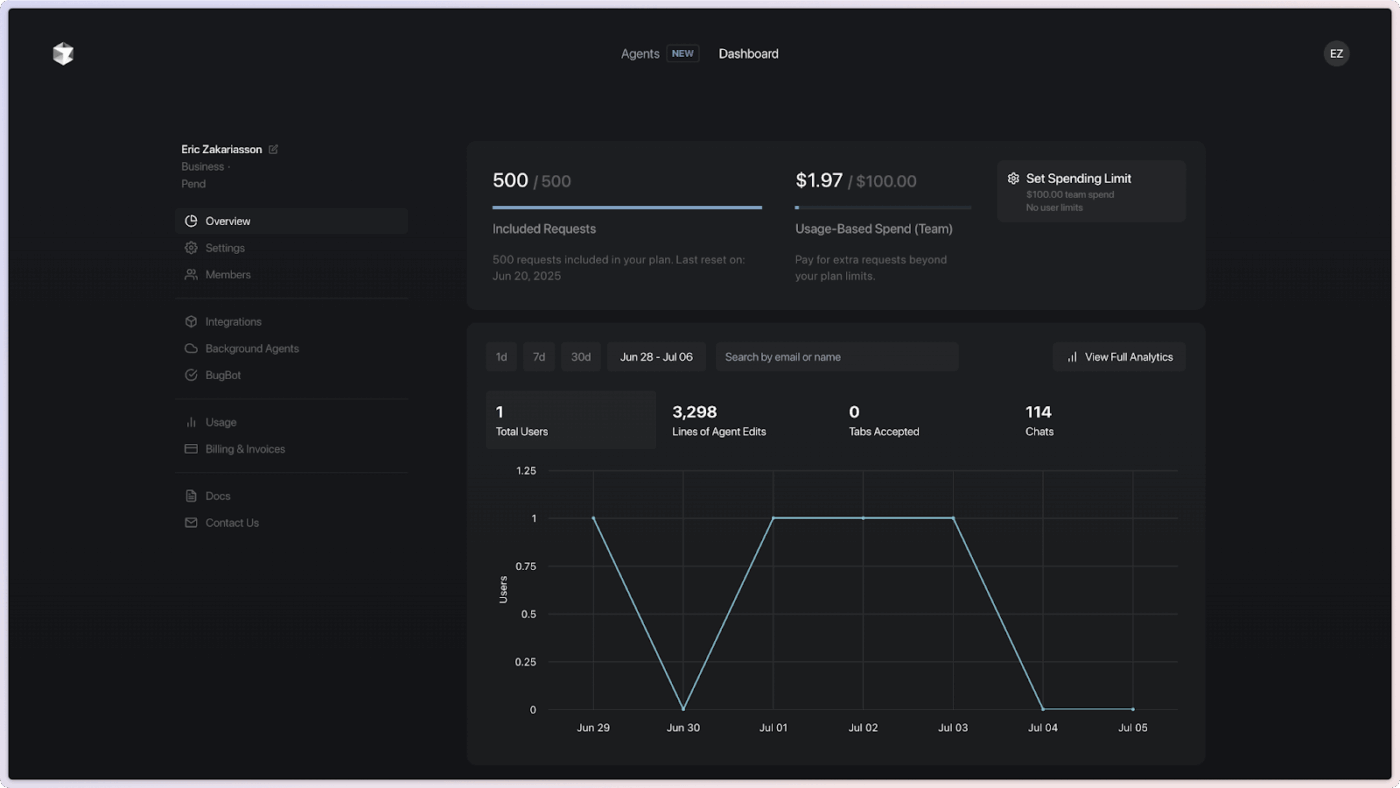
Want to reduce the mental tax of navigating complex, legacy, or rapidly scaling codebases? Cursor, an AI-assisted IDE, is your tool of choice.
With it, you can create a local vector index of your entire repository and ask natural language questions, like “Where do we handle cross-service retry logic?” or “Summarize how our auth middleware interacts with the legacy API.”
You can get instant answers without manually grepping through thousands of files. Cursor’s codebase embedding model gives its agents a deep understanding and long-range recall.
You can also choose freely between frontier models from OpenAI, Anthropic, Gemini, and xAI, depending on the task at hand.
A user on G2 reports:
What I appreciate most about Cursor is the way it seamlessly combines a robust code editor with smart AI assistance. It has an impressive ability to understand context, which allows it to help me write and refactor code more efficiently. Additionally, it explains complex logic in a clear manner and enhances my overall productivity.
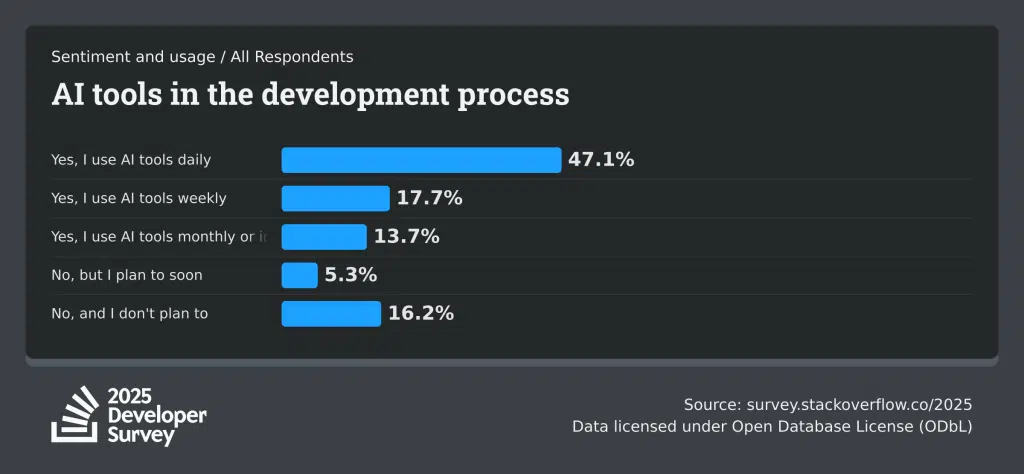
✅ Reality Check: Over 84% of respondents used or planned to use AI tools. More telling, 51% of professional developers reported relying on AI tools daily, as per a Stack Overflow survey.
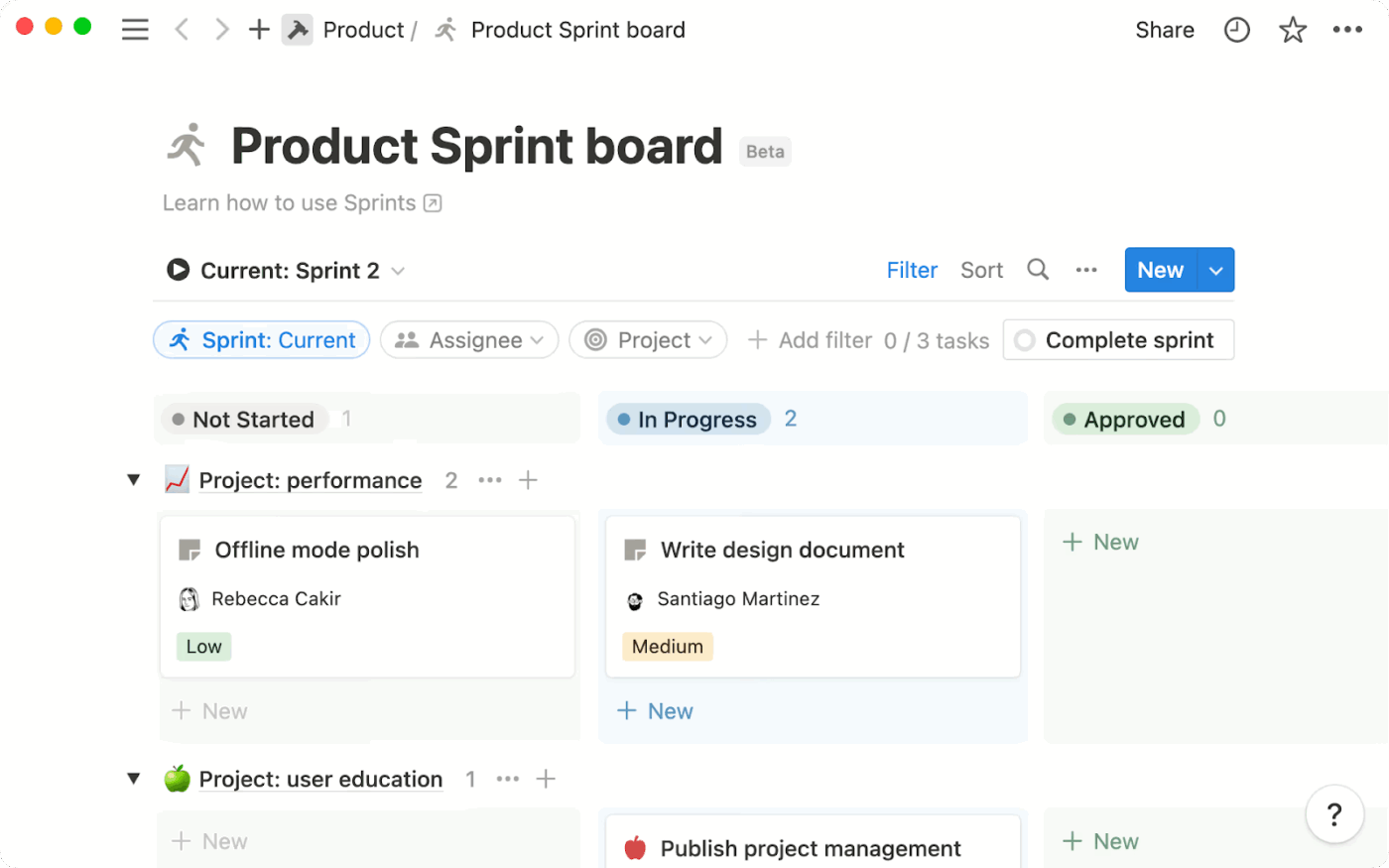
Notion AI is an AI assistant embedded directly within the Notion workspace that allows you to write, summarize, edit, brainstorm, and automate operational work.
The feature, Database Autofill, allows you to convert passive wikis into active project trackers by automatically extracting risks, blockers, and status updates. It extracts this from technical docs and code documentation templates.
You can query engineering context across docs, tickets, and connected tools to answer questions like architectural decisions, ownership, and current status in natural language.
In addition, Notion AI enforces access and compliance boundaries with enterprise-grade permissions, encryption, and zero-training-on-your-data guarantees.
If you aren’t on these plans, your workspace will have a limited amount of trial usage of Notion AI functionality.
This is a G2 user‘s experience with Notion AI:
I use Notion every day, and appreciate how easy it was to get started using it in the beginning. I’ve interacted with their customer support and they’ve been extremely responsive every time. I also appreciate how the company responds to feature requests and implements them quickly. The AI writing assistant, search, and other AI features have been great.
📚 Also Read: How to Set Up a Meeting Cadence for Remote Teams
Unlike traditional search engines or standalone LLMs, Perplexity combines real-time web data with clear source tracking. This makes it especially useful for fast-scaling engineering teams that need to monitor ecosystem changes as they happen and make informed decisions quickly.
You can resolve obscure errors by correlating stack traces with recent GitHub issues, CVEs, and vendor advisories. It also helps research architectural trade-offs using live benchmarks and community insights, so decisions are grounded in current data.
You can organize research into shared Spaces, turning security audits, refactors, and platform migrations into collaborative, persistent knowledge threads. It also operates within enterprise-grade privacy boundaries, offering SOC 2 compliance and zero training on your data
A G2 user says:
I really appreciate how Perplexity runs research tasks in the background, even when my computer is off. This feature is invaluable during complex, long-term research. The different research modes, including plain search and labs, are extremely helpful for my daily work. Additionally, setting up Perplexity was straightforward, and I prefer using the web version to avoid cluttering my desktop.
📚 Also Read: How to Boost Workplace Productivity
Most engineering teams are struggling because their AI tools are scattered across the stack.
Here’s the reality:
ClickUp, on the other hand, brings AI, projects, documentation, conversations, and delivery timelines into one unified system.
Ready to reduce tool sprawl with ClickUp? Sign up for free to get started ✅

© 2026 ClickUp

There’s an easier way. Try a free AI Agent in ClickUp that actually does the work for you—set up in minutes, save hours every week.