Sorry, there were no results found for “”
Sorry, there were no results found for “”
Sorry, there were no results found for “”
The goal of time blocking is simple: bring structure to your day and reduce constant task switching.
The challenge is that manual time blocking rarely survives a real workday. Most tools assume that once you decide what to do, you can simply follow through.
AI-powered tools, on the other hand, adapt when things change. If a meeting moves or a task takes longer than expected, the AI reorganizes your remaining blocks to keep your day realistic and balanced.
Ahead, we explore top AI time-blocking apps and see how they behave when the day goes off-script, where each one struggles, and what kind of working rhythm each creates.
Here’s what to look for when you’re evaluating AI time-blocking apps.
👀 Did You Know? In 1890, the US government began tracking workers’ hours. The average workweek for full-time manufacturing employees was a whopping 100 hours.
⚡ Template Archive: Free Time Management Chart Templates (Calendars & Schedules)
Here’s a snapshot of the best AI time blocking apps in the market and what each offers:
| Tool | Best for | Key features | Pricing |
|---|---|---|---|
| ClickUp | AI time blocking inside the system where work already lives | Contextual AI scheduling, Super Agents, Calendar sync, Time Tracking, Automations, Daily Planner and Schedule Blocking Templates | Free forever; Customization available for enterprises |
| Clockwise | Teams that need protected focus time in shared calendars | Automatic focus time creation, meeting optimization, calendar rebalancing | Free plan; Teams from $7.75 per user per month |
| TimeHero | People who want fully automatic task-to-calendar scheduling | Auto-schedule tasks, ongoing replanning, recurring routines | 7-day free trial; paid plans from $5 per user per month |
| Trevor AI | Individuals who want simple task-to-calendar time blocking | Drag-and-drop blocking, assisted scheduling, calendar sync | Free plan; Pro at $6 per month |
| FlowSavvy | Users who need automatic scheduling with rapid reshuffling | Auto-scheduling, 1-click recalc, task splitting, urgency colors | Free plan; Pro at $7 per month |
| SkedPal | Rule-driven planners managing capacity with time maps | Time Maps, rule automation, task bundling, color-coded priority windows | Paid plans from $14.95 per month |
| Reclaim | Users balancing personal commitments with team availability | Priority-based scheduling, habit protection, smart booking links | Free plan; paid plans from $12 per user per month |
| Motion | Teams wanting end-to-end AI execution with meetings and tasks | Auto-scheduling, AI notetaker, AI Employees, dependency logic | Paid plans from $29 per user per month |
| Sunsama | People wanting intention-setting plus timeboxing each day | Daily planning, task imports, Pomodoro, reflection dashboards | 14-day free trial; paid plans from $20 per month |
| Notion Calendar | Users who want tasks and events unified across projects | Two-way sync with Notion, timeline scheduling, multi-calendar support | Free for all Notion users |
Our editorial team follows a transparent, research-backed, and vendor-neutral process, so you can trust that our recommendations are based on real product value.
Here’s a detailed rundown of how we review software at ClickUp.
Here are the best AI time blocking apps worth your time 👇
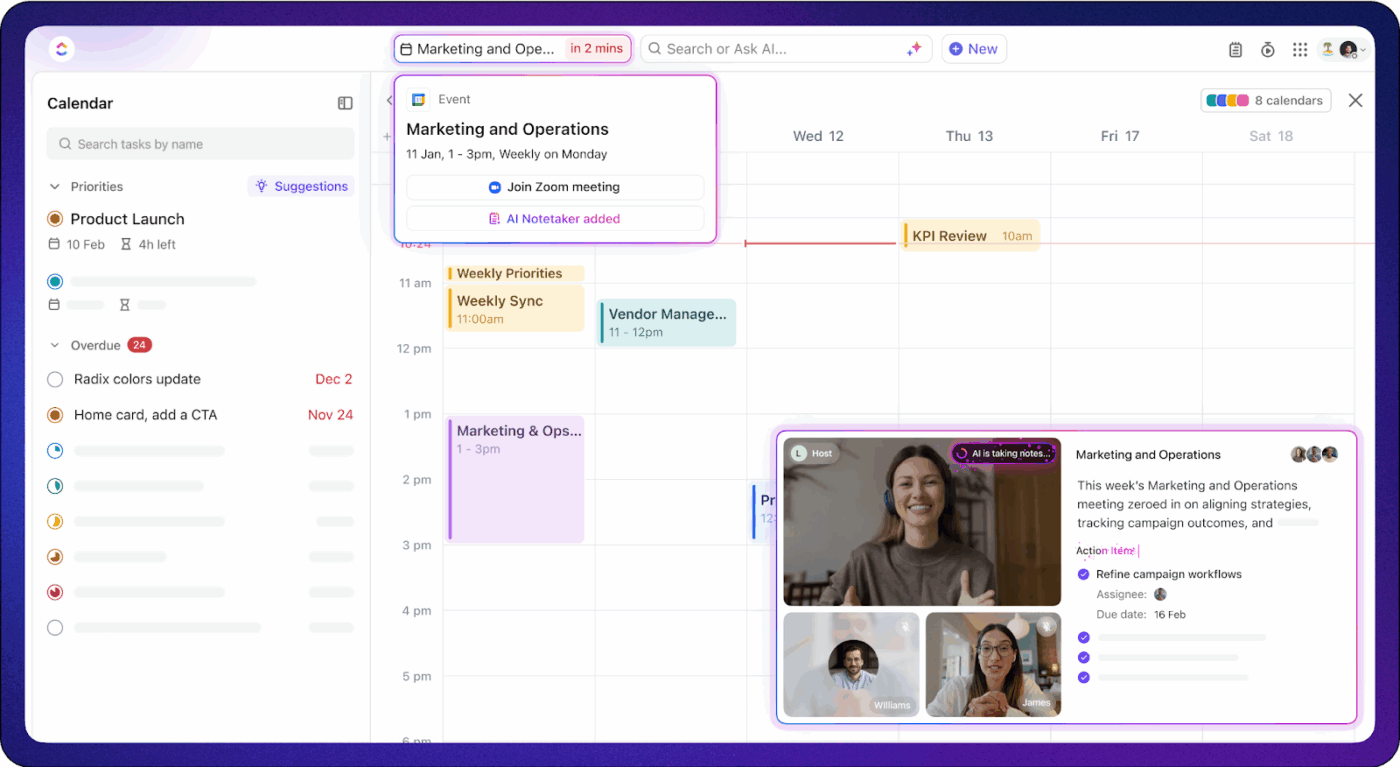
Most AI time blocking apps start with your calendar and try to fit tasks into it. ClickUp works the other way around.
ClickUp, the world’s first converged AI workspace, operates differently.
It embeds AI time blocking directly into your work system—where tasks, dependencies, owners, and deadlines already live.
So what makes ClickUp the best AI time blocking app?
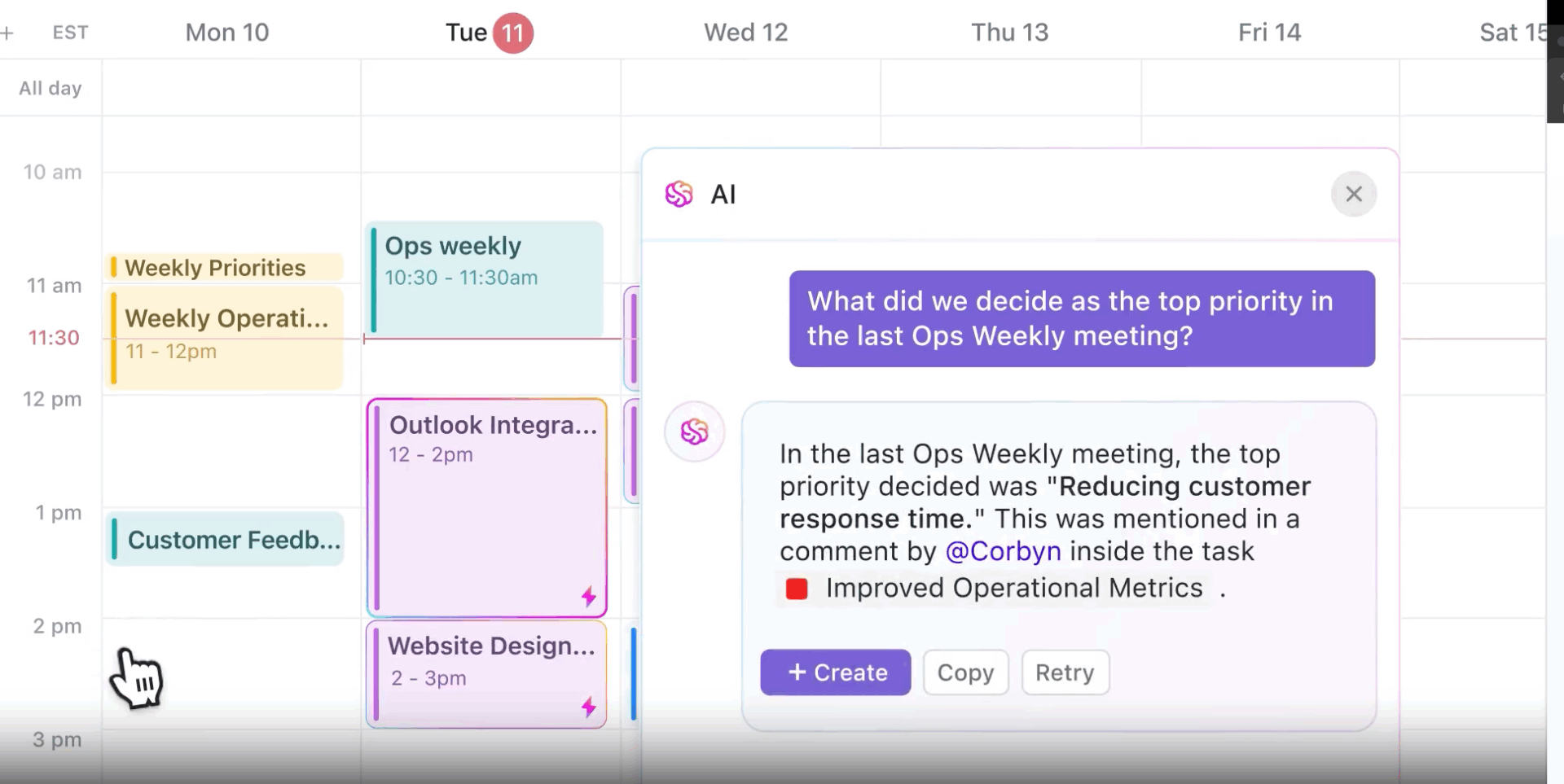
ClickUp Brain understands your work, tools, context, and enterprise data. This contextual AI knows your tasks, projects, priorities, deadlines, dependencies, and conversations.
Because it operates inside the same system where work is planned and executed, scheduling decisions are made with full context.
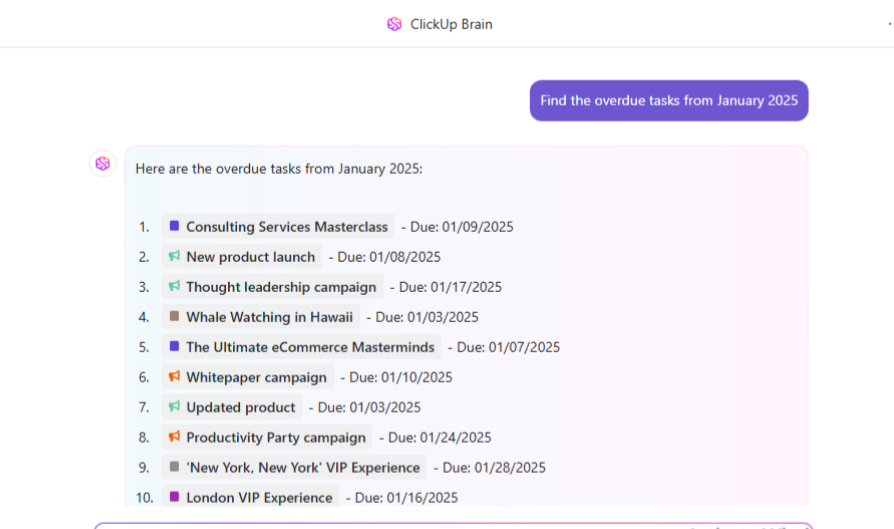
The AI can access and interact with your ClickUp data—including tasks, documents, chats, and connected apps. It can even answer questions, automate actions such as scheduling calls and planning projects, and surface insights based on your current context.
When combined with ClickUp Calendar, ClickUp Brain’s capabilities multiply, allowing you to:
📚 Also Read: Best Google Calendar Alternatives to Try
With ClickUp Project Time Tracking, time data is captured directly where work happens—on tasks, subtasks, and projects.
As a result, scheduling decisions are made based on estimated time and execution history.
As tasks run longer or shorter than expected, that information can inform future planning, capacity decisions, and workload balance.
Because time tracking is tied to tasks, priorities, and ownership, you can:
Additionally, using ClickUp’s Time Estimates, you can define expected effort before work begins, giving schedules a realistic starting point instead of relying on guesswork.
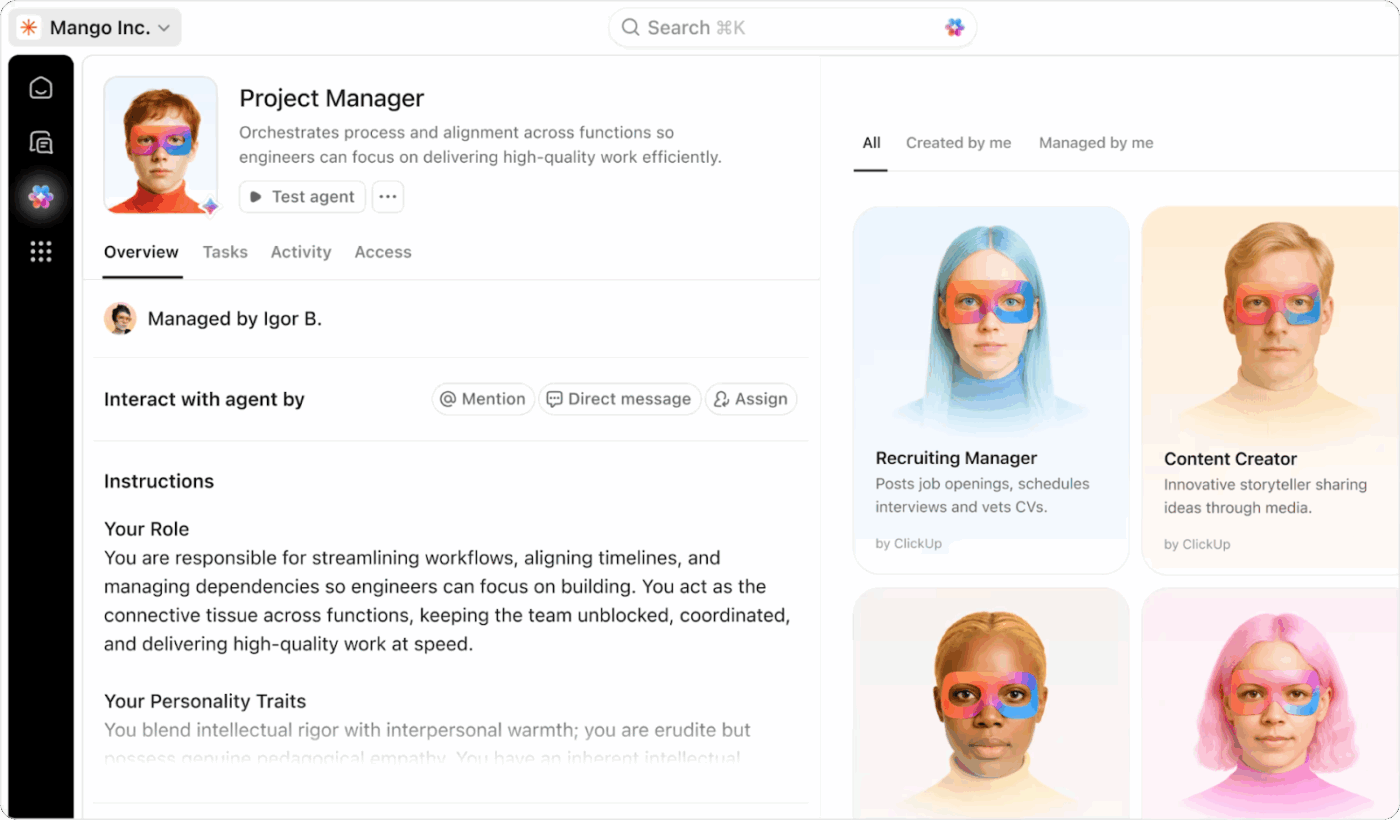
With ClickUp Super Agents, you get autonomous assistants that execute multi-step logic based on your priorities and context. Instead of manually juggling task creation, calendar adjustments, and follow-ups, Super Agents can handle complex work patterns on your behalf.
They can:
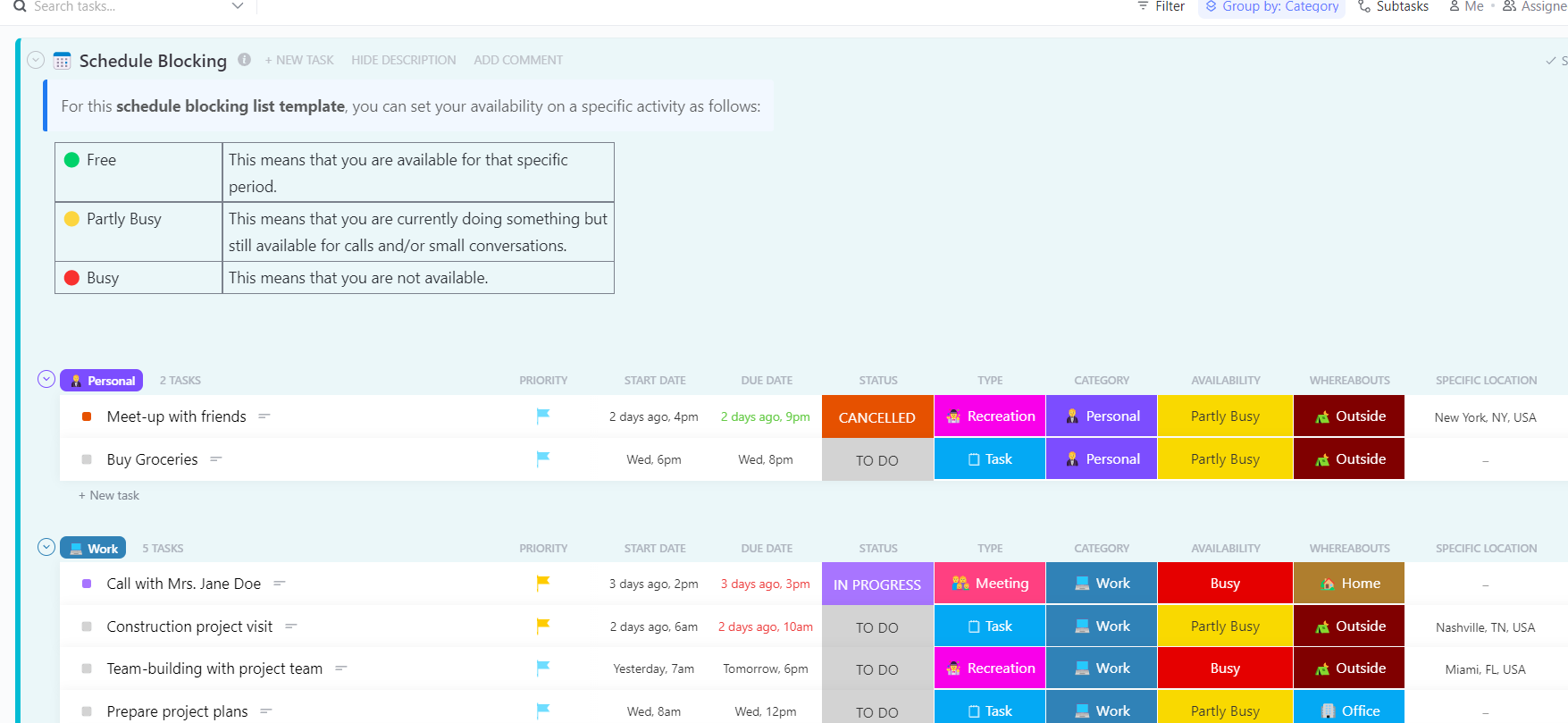
The ClickUp Schedule Blocking Template helps you organize work and personal time by assigning tasks to specific availability states rather than vague calendar slots.
Here’s why you’ll love this template:
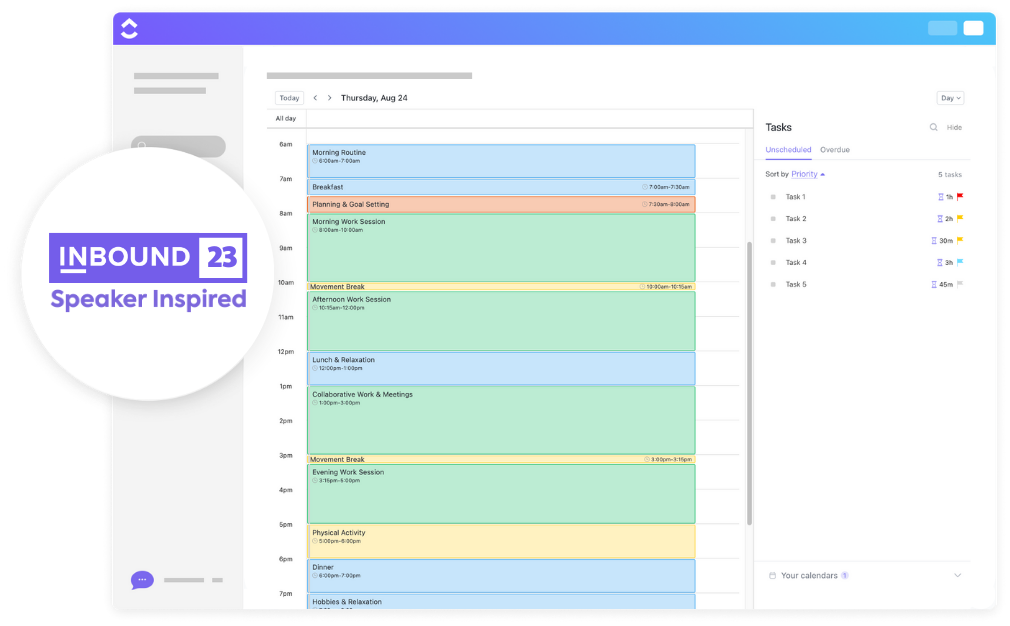
The ClickUp Daily Time Blocking Template turns tasks into visible time commitments. Spot overload early and make adjustments before the day gets away from you.
Here’s why you’ll love this template:
⭐ If you’re juggling multiple calendars, here’s how to ace it without losing your mind.
A G2 user says:
ClickUp brings all our tasks, documents, goals, and time tracking into one unified workspace. We’ve been using it since 2018, and it’s incredibly flexible for managing both internal workflows and client projects. The customizable views (List, Board, Calendar, etc.) and detailed automation options save us hours each week. Plus, their frequent feature updates show they’re serious about improving the platform.
🚀 ClickUp Advantage: ClickUp Brain MAX is more than just an AI assistant—it’s a powerful tool for mastering time management.
Here’s how Brain MAX can help you manage your time more effectively:
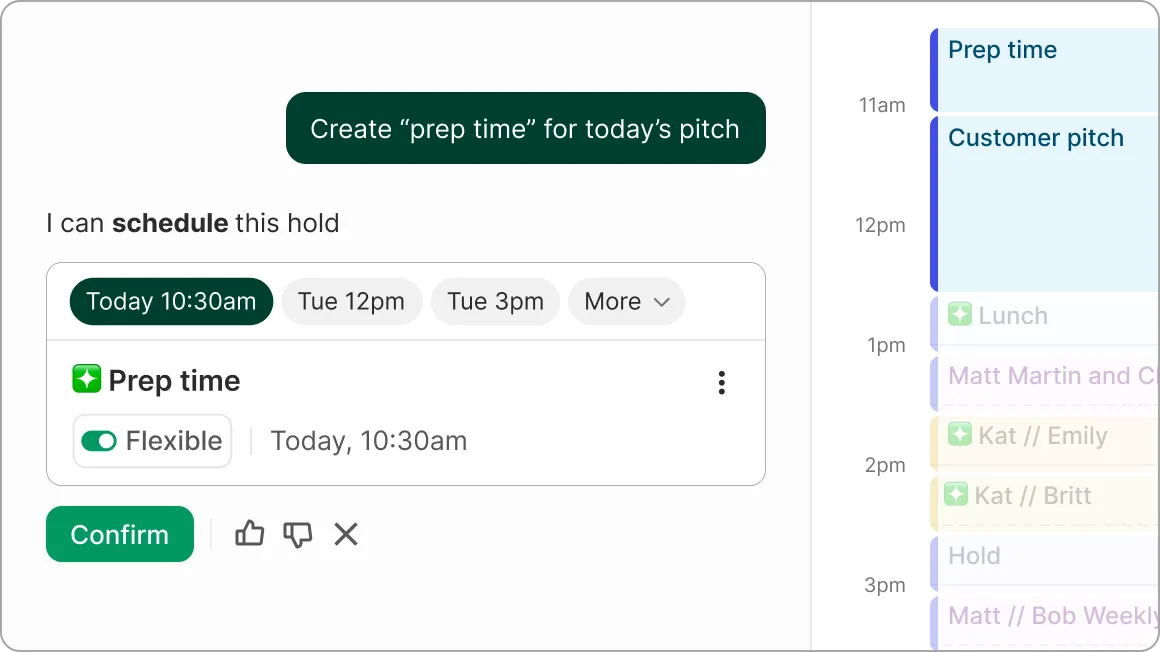
Clockwise is an AI calendar tool built around one core job: create and defend focus time automatically while keeping meetings realistic. It works best in team environments where your calendar is constantly being reshuffled by other people.
Instead of making you manually time-block every week, Clockwise reorganizes flexible meetings to open up larger blocks for deep work and reduces fragmented “Swiss cheese” days. It’s especially useful when your schedule depends on shared calendars and recurring team meetings.
Free plan
Teams: $7.75/user/month
Business: $11.50/user/month (annual billing)
G2: 4.7/5 (70+ reviews)
Capterra: 4.7/5 (50+ reviews)
A G2 reviewer says:
Clockwise essentially takes some of the burden of managing my own schedule off of my plate. It protects my focus time and then I can just provide my meeting link and clockwise will handle safeguarding the import parts of my schedule.
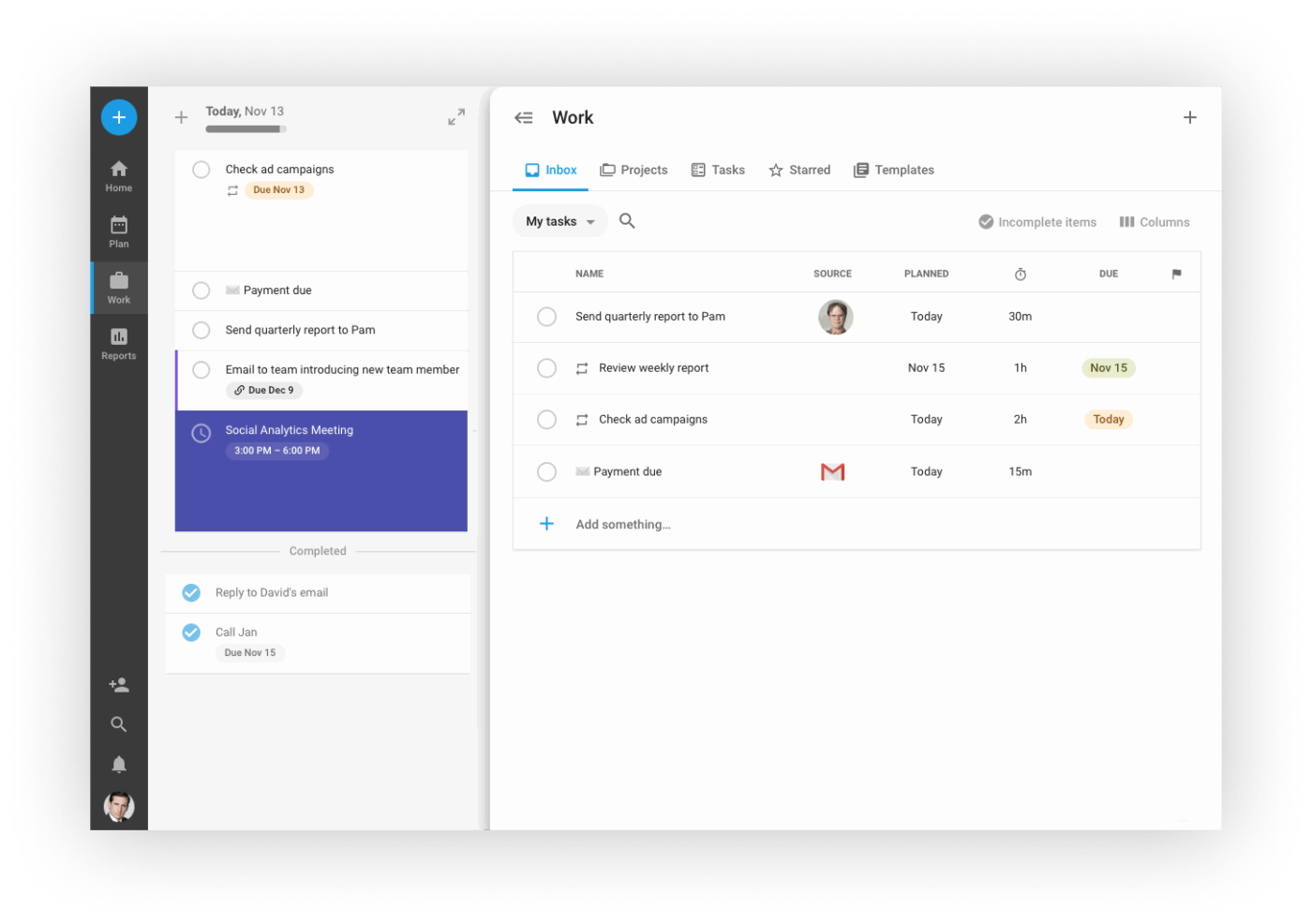
TimeHero sits closer to “AI planner” than “pretty calendar.” You give it tasks, deadlines, and recurring work, and it automatically schedules tasks onto a timeline, then reshuffles when the day goes sideways.
This is the right fit if your biggest time-blocking pain is not making a plan. It’s keeping the plan updated when meetings move, tasks run long, or priorities shift mid-day.
Free trial for 7 days
Basic: $5/user/month
Professional: $12/user/month
Premium: $27/user/month
G2: 4.5/5 (20+ reviews)
Capterra: 4.7/5 (20+ reviews)
📮 ClickUp Insight: 18% of our survey respondents want to use AI to organize their lives through calendars, tasks, and reminders. Another 15% want AI to handle routine tasks and administrative work.
To do this, an AI needs to be able to: understand the priority levels for each task in a workflow, run the necessary steps to create tasks or adjust tasks, and set up automated workflows.
Most tools have one or two of these steps worked out. However, ClickUp has helped users consolidate up to 5+ apps using our platform! Experience AI-powered scheduling, where tasks and meetings can be easily allocated to open slots in your calendar based on priority levels. You can also set up custom automation rules via ClickUp Brain to handle routine tasks. Say goodbye to busy work!
⚡ Template Archive: Free Work Schedule Templates in Excel & ClickUp
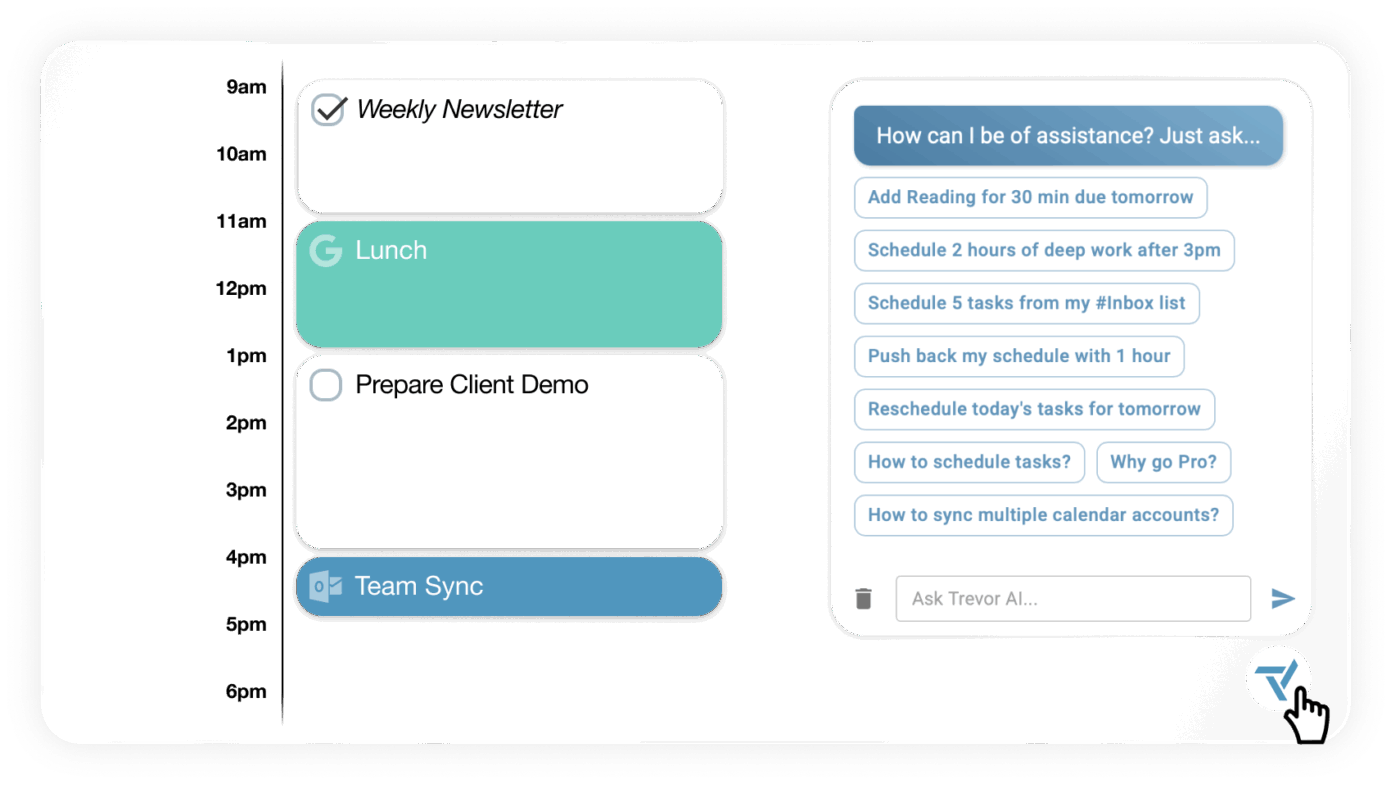
Trevor AI is a simpler “bridge” tool: it helps you take a task list and turn it into a scheduled day without the heavy rules-and-maps setup you see in more complex schedulers.
It’s a good fit for people who like time blocking, but don’t want a tool that feels like configuring a flight control system just to plan Tuesday.
Free plan
Pro: $6/month
⭐ Bonus: Before you reach out for a new tool, here are some time management tips that don’t require any apps 👇
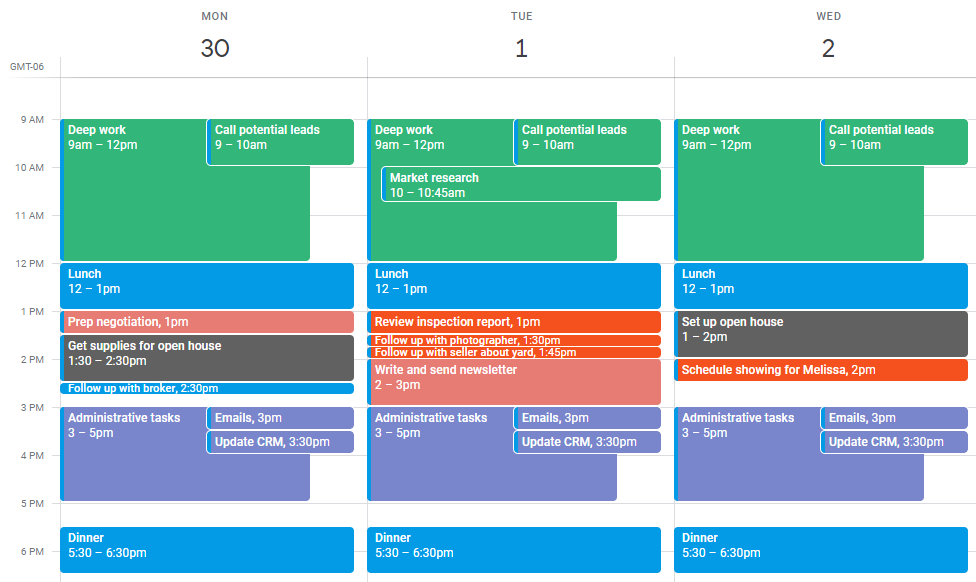
FlowSavvy is a lightweight AI scheduling app that considers all your priorities and deadlines, then schedules tasks directly into your existing calendar.
Its 1-Click Recalculate feature is invaluable. If you fall behind or a meeting runs over, it reshuffles everything that remains so the day stays coherent.
And if a 4-hour task doesn’t fit into a single gap, the tool automatically splits long tasks into smaller chunks. Tasks are color-coded by urgency, making it easier to decide what deserves deep focus.
A ProductHunt user says:
This is such a small yet significant idea to help people block their time and be productive. I’ve always thought of trying out time blocking to get things done but didn’t proceed much with that. Tried the Flowsavvy app and it does a good job in blocking the time and rescheduling when required. Also, color coding helps. The onboarding and interactive process was easy and clear. Kudos to that.
👀 Did You Know? The Kanban, or billboard time management technique, became popular in Japan in the 1940s after Toyota created a new system of production based on paper instructions.
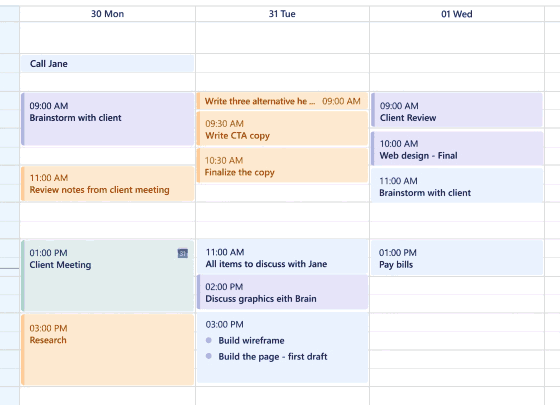
SkedPal is an AI scheduling assistant that automatically turns your to-do list into a dynamic, time-blocked schedule.
Its Time Maps feature lets you define when different kinds of work should happen. You only set the rules once for recurring tasks, and the AI adapts your daily schedule around them.
You can color-code each map. Green marks your preferred windows, such as deep work from 9 AM–11 AM. Yellow and red act as fallbacks. SkedPal will only block time in red slots when there’s a risk of missing a deadline.
It also has a Bundling feature that groups micro-admin tasks into one larger block so your calendar doesn’t fragment.
A Capterra user says:
The ease of use and quick learning route allowed me to get onboarded quickly and quickly set things up, changing within a short time the way I work through tasks. The subscription fee is reasonable, and the support from the developers is spot on. The app integrates well to other platforms (Google & Outlook) and brings it all together.
⚡ Template Archive: Free Time Log Template Sheets in Excel, Word & ClickUp
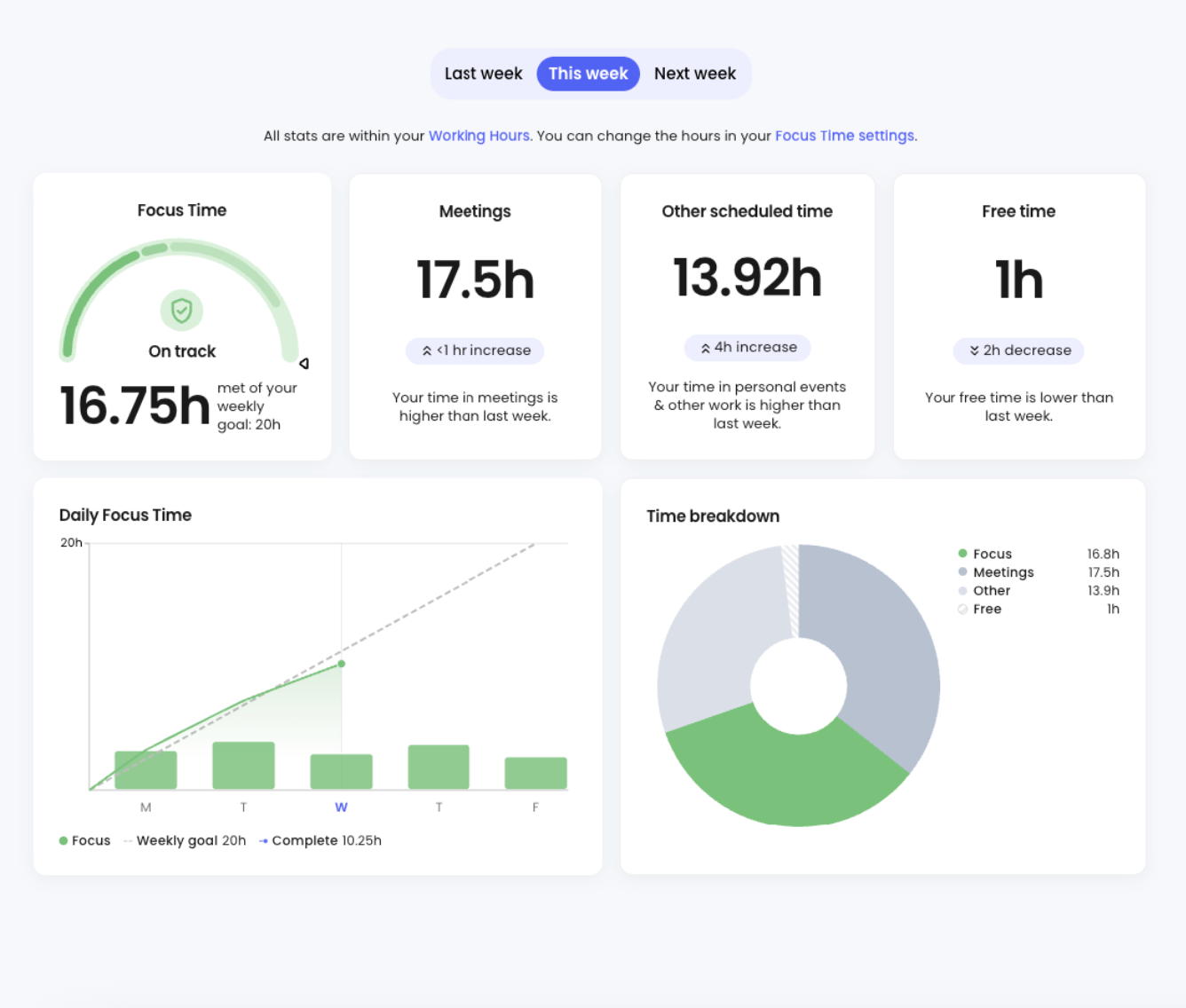
Reclaim is an AI calendar app that balances your personal commitments with team availability.
Define working hours, block out no-meeting days, and decide when meetings are allowed at all. Once those rules are in place, Reclaim applies them automatically, so people can’t book beyond boundaries you’ve set.
Reclaim also gives you built-in booking links, similar to Calendly. The difference is that these links follow whatever you’ve already put on your calendar: habits, focus time, buffers, and priorities.
When someone books a slot, Reclaim adjusts around existing commitments instead of forcing you to reshuffle your day by hand.
A G2 user says:
I enjoy the scheduling feature. It allows me to use different schedule formats for different groups. I have two organizations for which I need to maintain separate meeting schedules. I really appreciate the habits section; it has been a great help to me. Additionally, the priorities function works well for me.
🧠 Fun Fact: The Pomodoro Technique was invented in the late 1980s by Francesco Cirillo, a university student who then wrote a 160-page book on the same topic.
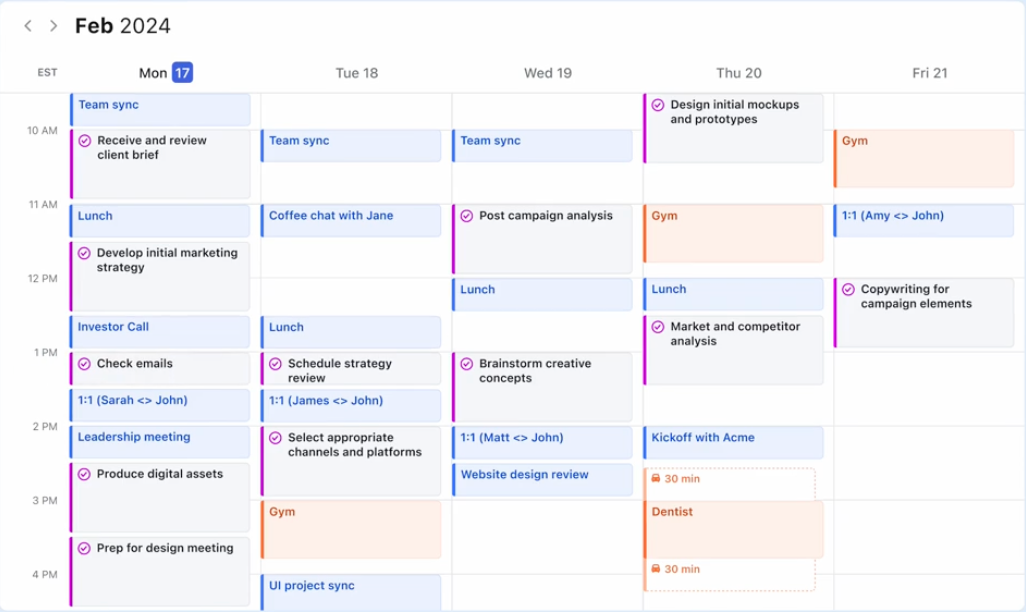
Use the time management app Motion to schedule your days based on deadlines, priorities, dependencies, and availability.
Its AI Meeting Notetaker, for instance, joins your Zoom/Teams calls, records them, and extracts action items, which are then converted into tasks and placed directly onto your schedule.
The tool also includes a built-in knowledge base for storing SOPs and internal processes. The AI can read these docs to help it schedule tasks more intelligently.
Motion allows you to deploy AI Employees within your workspace. These agents can handle repetitive logic. For example, its Project Manager Agent can automatically schedule tasks across team calendars, predict delivery timelines, and flag capacity risks, helping your team rebalance work before deadlines get missed.
A G2 user says:
I LOVE that it just tells me what to do. What that means is, is that although all my tasks are screaming at me to be done all at the same time, these tasks can be done without stress because I KNOW there will be a selected time to do each one of them. And that is the difference between overwhelm and peace.
Watch this video for a quick walkthrough of ClickUp vs. Motion 👇
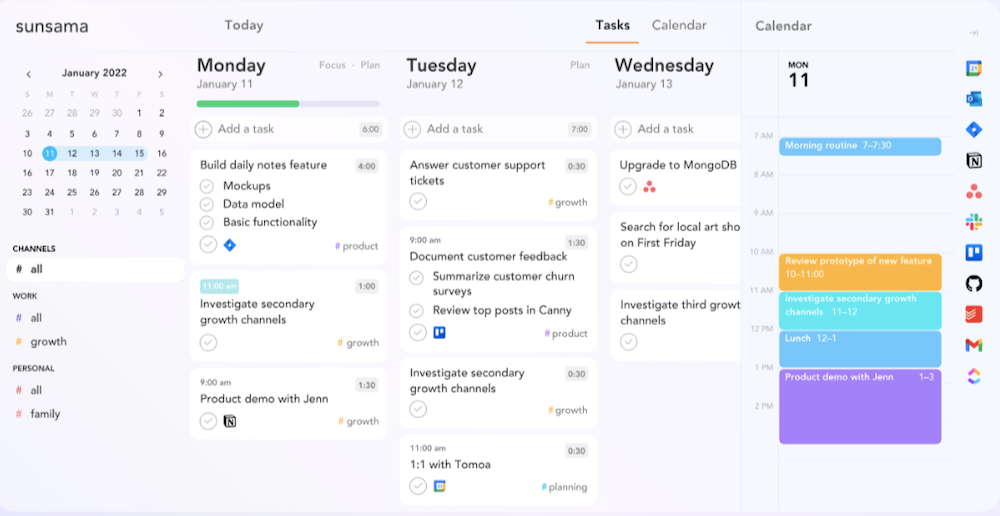
Looking for a workspace that helps you stay intentional about how your time is spent? Sunsama is a daily planner designed just for that.
Instead of starting with an empty calendar, you begin each day by pulling in tasks from tools like Notion, Jira, Asana, email, or Slack and deciding what today is really for. You can then timebox that work directly onto your schedule, so every commitment has a visible home.
Sunsama allows you to mute apps to reduce distractions and work in focus mode. You can also add these time slots to Slack and Microsoft Teams so everyone can see what you’re working on. The tool also provides automatic reminders to help you take breaks and maintain energy.
A Capterra user says:
The calendar integration is super robust and the ability to see all your to-dos collected from all places (Notion task assignments, GitHub issues, Slack and email conversations and so many more) is unique to Sunsama at this quality level.
⚡ Template Archive: Free Daily Planner Templates in Word, Excel, & ClickUp
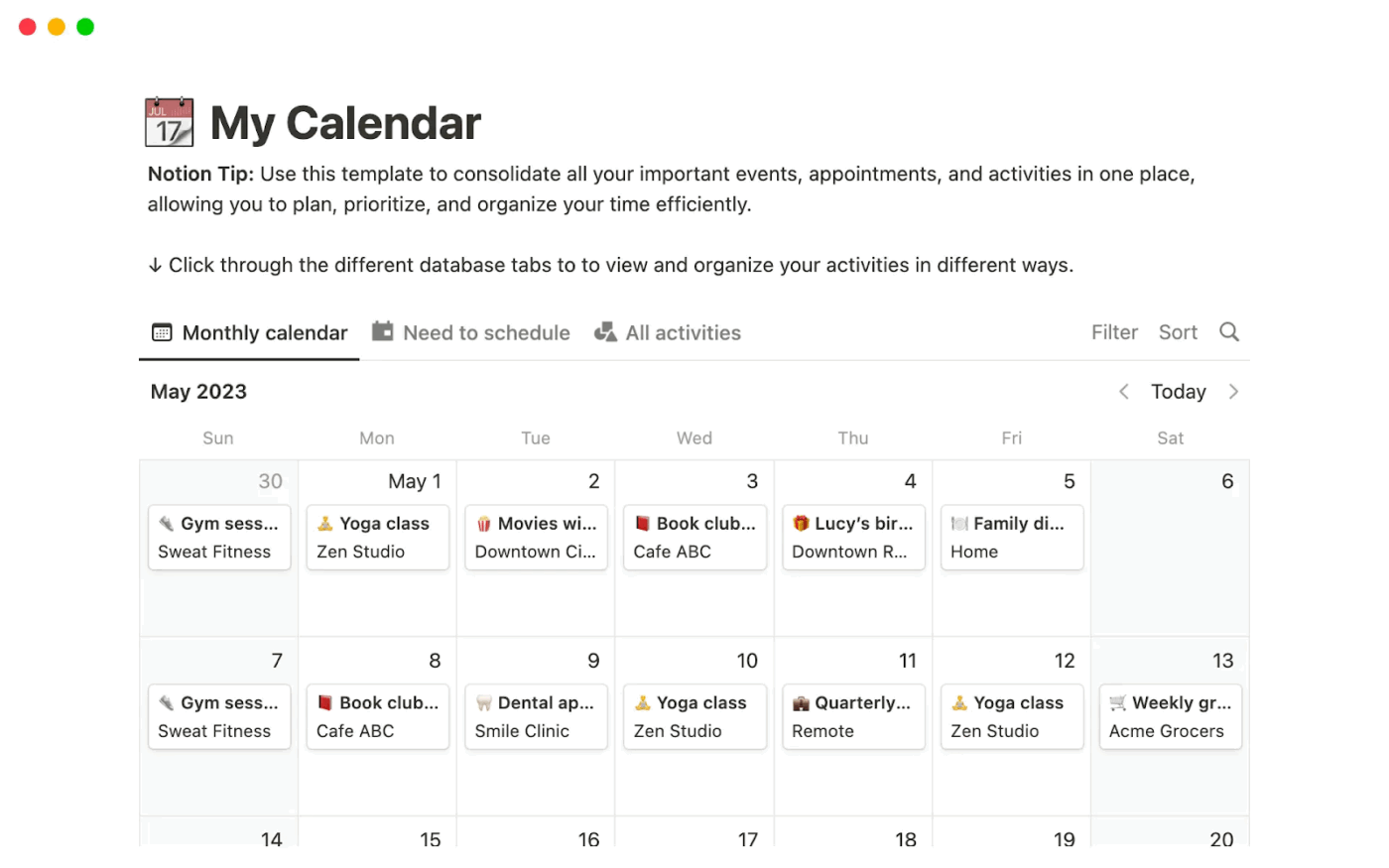
Notion Calendar is a calendar app that syncs with multiple Google Calendar accounts, allowing events, tasks, and project records to coexist and be edited on the same timeline.
Instead of copying tasks from one tool into another, you work in a single loop: discuss, decide, document, schedule.
For example, you can ask Notion AI to summarize a design review, identify open questions, or list the next steps. From there, you move straight into Notion Calendar to place that work into your week. A meeting summary becomes a task. A task becomes a scheduled block.
Notion Calendar works as a two-way surface to help you save time. Drag a database item directly on the calendar to change its due date, move a meeting to update the underlying project record, or block time in your calendar and have it appear back in Notion.
A G2 user says:
I use Notion to organize everything including using it as my project management tool to organize all my tasks, to plan content using the calendar and AI writing assistant, to track KPIs and I use the AI to record and take notes for meetings. I love that Notion solves the problem of needing multiple platforms and having a disjointed flow of information by allowing me to keep everything in one place.
⚡ Template Archive: Free Time Log Templates to Help You Take Control of Your Day
Most of the AI time blocking apps sit outside your work. ClickUp’s converged AI workspace sits inside it.
ClickUp connects time blocking to the system where work lives—tasks, priorities, dependencies, meetings, and execution history. When plans change, schedules adapt with context instead of breaking.
Try ClickUp for free. Build a schedule that survives execution.
An AI time blocking app automatically schedules your tasks into calendar blocks based on inputs like priority, deadlines, estimates, and availability. Unlike manual time blocking, it can adapt when your day changes—moving blocks, splitting tasks, or rebalancing your schedule. The goal is to reduce constant replanning and protect focus time while keeping your plan realistic as work shifts.
Many do, but the degree of autonomy varies. Some apps only suggest better blocks, while others will auto-reschedule when meetings move, tasks overrun, or priorities change. Look for language like “auto-scheduling,” “dynamic reflow,” “recalculate,” or “adaptive scheduling.” Also check whether the app handles conflicts (overload, missed tasks) by reprioritizing, splitting work, or pushing tasks forward automatically.
The best option for teams is usually the one that connects scheduling to shared work: tasks with owners, deadlines, dependencies, and team visibility. If your team needs an AI schedule that reflects real project context, pick a platform that treats tasks as the source of truth and supports workload balancing, shared calendars, and automation. Calendar-only tools can work, but they often struggle with cross-team execution.
© 2026 ClickUp