Sorry, there were no results found for “”
Sorry, there were no results found for “”
Sorry, there were no results found for “”
Meetings are great—until you have to remember everything that was said. It’s a lot when you’re jotting down notes, tracking action items, and actually paying attention.
If your team lives in Microsoft Teams, you need an AI note-taking tool to save you.
The best AI note-takers record, transcribe, summarize, and even create tasks so you can stay focused while it takes care of the details.
In this blog post, we’ll cover the top AI note-takers for Microsoft Teams that will transform your meeting notes from chaotic to organized. 🎯
Meanwhile, you can check out some of the top picks in this video:
Here are our recommendations for the best AI note-takers for Microsoft Teams meeting:
An AI note-taker can save time, improve accuracy, and enhance meeting productivity. However, not all tools offer the same capabilities. When choosing one for Microsoft Teams, consider the following key features to ensure it meets your needs. 💁
🧠 Fun Fact: A stenographer doesn’t type like the rest of us. They use a special shorthand machine called a stenotype, which types whole words or phrases in a single stroke. That’s why they can keep up with fast-paced speech, making them the human version of real-time transcription AI.
Choosing the right AI note-taker can be challenging with so many options available. To make your life easier, we have curated a list of ten AI note-takers for Microsoft Teams that stand out for their accuracy, seamless integration, and productivity benefits.
Let’s get started! 💪
Work today is broken.
Projects, knowledge, and conversations are scattered across disconnected tools, slowing teams down. ClickUp fixes this with the everything app for work that combines projects, knowledge, and chat in one place—all powered by AI that helps you work faster and smarter.
We all know meetings are where the magic (and the madness) happens. That’s why ClickUp Meetings ensures discussions are structured, productive, and, most importantly, actionable.
ClickUp centralizes AI-powered note-taking, meeting organization, collaborative docs, and task tracking in one place across all video conferencing platforms, including Microsoft Teams.
Here’s how you can use its features. 💁
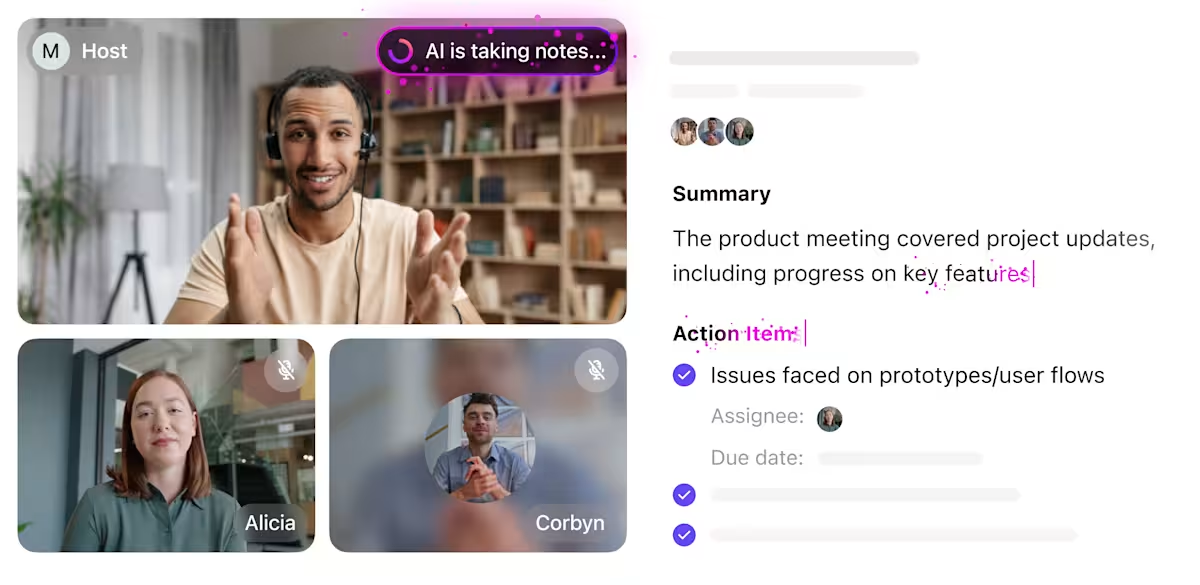
The meeting just ended, and your page is filled with unreadable scribbles? Don’t worry; the ClickUp AI Notetaker has your back.
The note-taker automatically records, transcribes, and summarizes your meetings in real time, pulling out key takeaways, deliverables, and decisions. No more digging through a wall of text to find crucial information until your eyes water.
The best part? This AI tool for meetings seamlessly converts discussion points into ClickUp Tasks, ensuring effortless follow-ups. When you need to revisit something later, just ask the AI tool in natural language, and it’ll surface the information in seconds!
For instance, say a marketing team at a tech company holds a weekly campaign planning meeting in Microsoft Teams.
With ClickUp’s note-taker, the meeting is summarized, capturing key updates like launch timelines, content deliverables, and ad spend allocations. It converts these points into tasks, assigning drafts to content writers and design requests to designers.
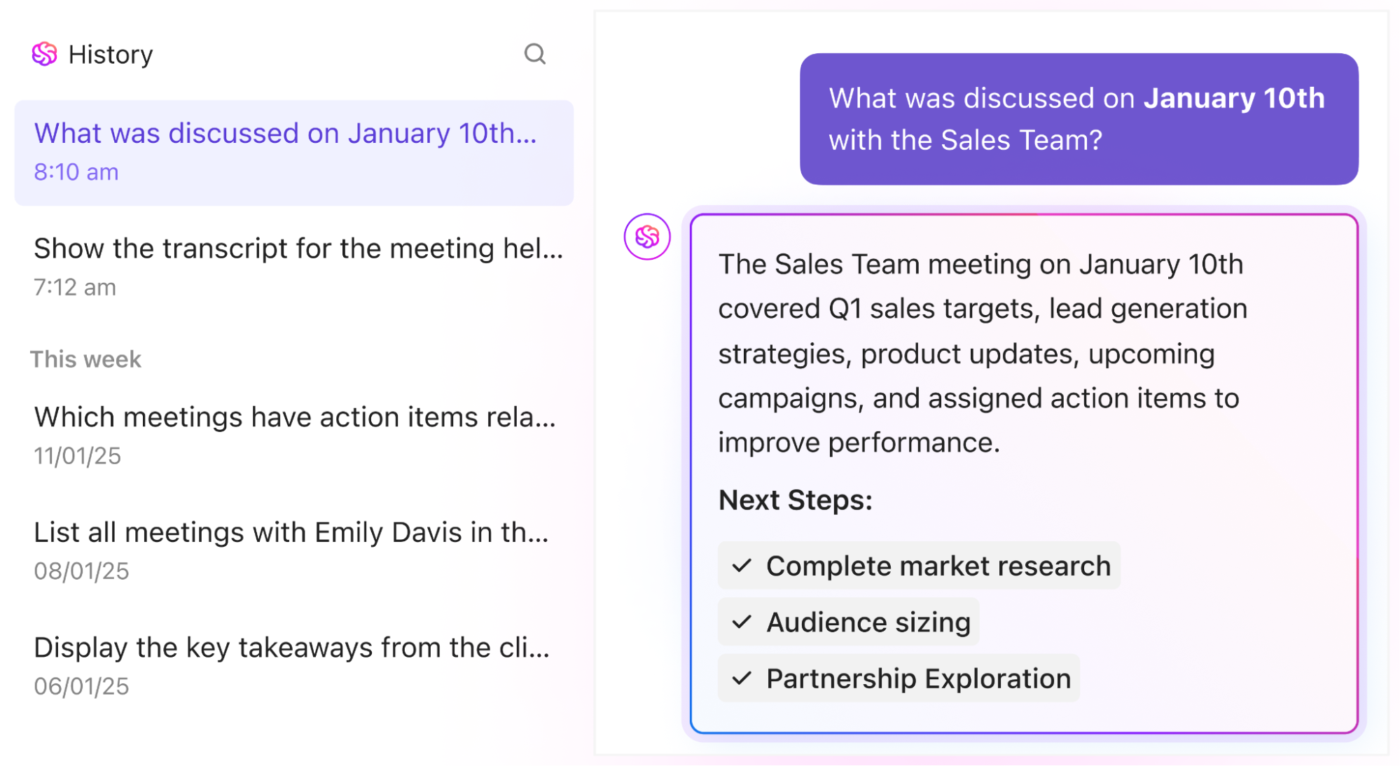
Finding information becomes effortless with ClickUp Brain. Instead of combing through pages of meeting notes, you can simply ask, ‘What feedback did the client give last month?’ and get instant answers.
For instance, a campaign strategist reviewing past discussions can instantly retrieve client preferences by asking, ‘What messaging direction did the client prefer?’ This ensures that every pitch, ad concept, or content strategy stays aligned with client expectations without missing key details.
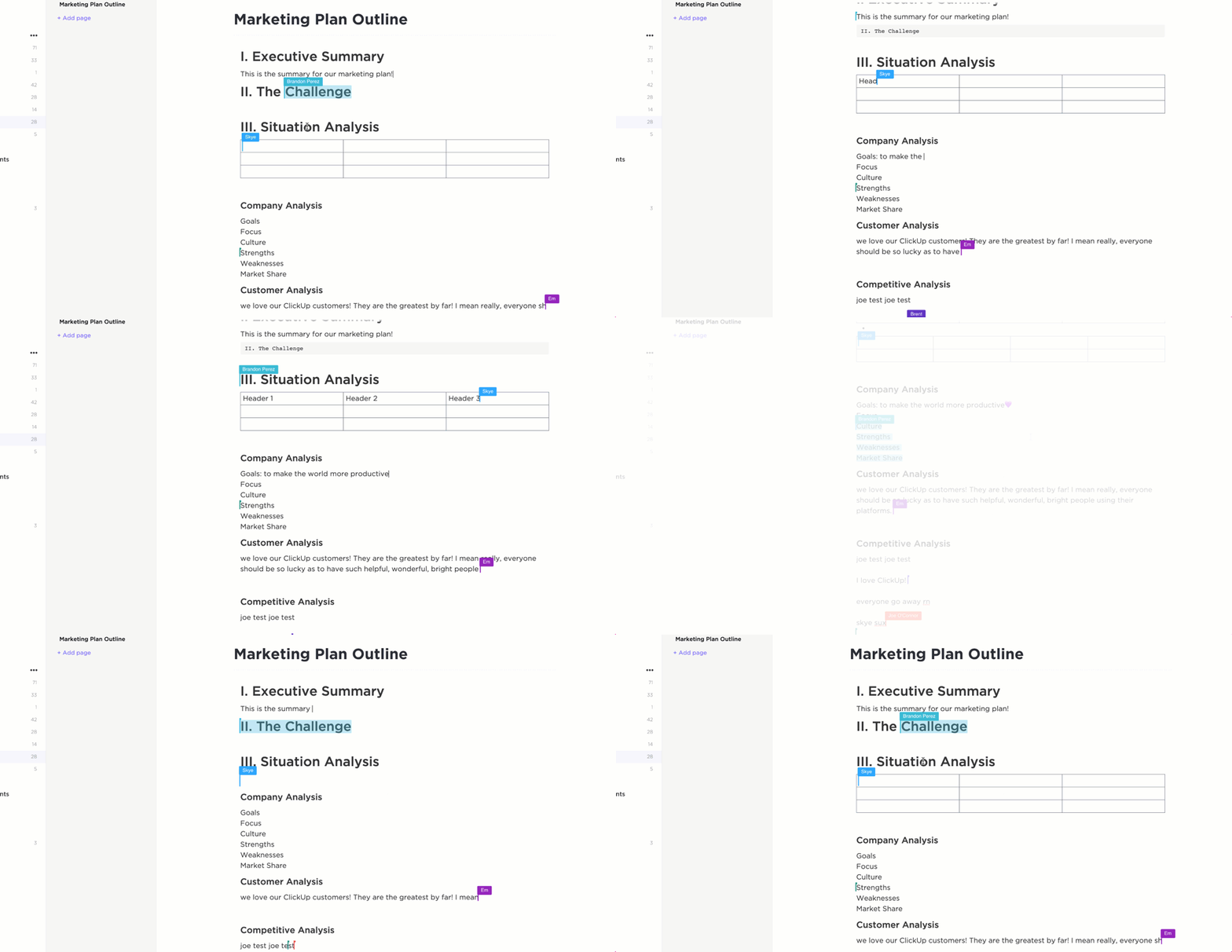
Now that your meetings are effortlessly documented, where do all those notes live?
ClickUp Docs is a centralized hub for organizing, sharing, and collaborating on everything, from meeting notes to project roadmaps, to-do lists, and company wikis.
You can use its rich formatting features to structure your documents the way you want while making them engaging with multimedia, charts, tags, links, and tables. Plus, with integrated Brain, you can improve notes’ clarity and edit them to suit specific tones as well.
📮 ClickUp Insight: 37% of workers send follow-up notes or meeting minutes to track action items, but 36% still rely on other, fragmented methods. Without a unified system for capturing decisions, key insights you need may get buried in chats, emails, or spreadsheets.
With ClickUp, you can instantly turn conversations into actionable tasks across all your tasks, chats, and docs—ensuring everything is covered.
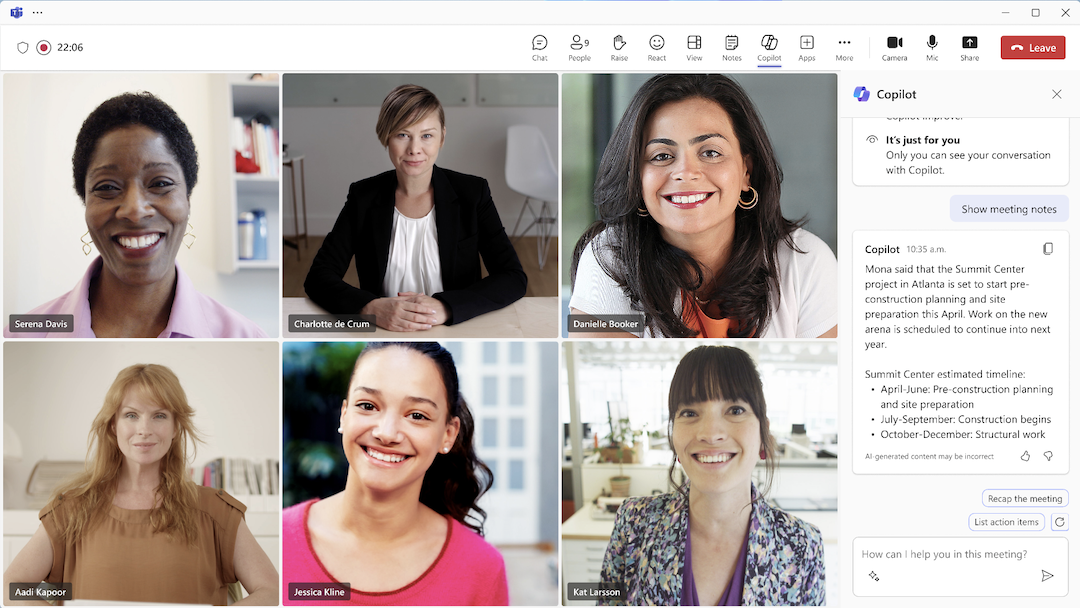
Microsoft Teams Copilot is an AI-powered assistant integrated into Microsoft 365 applications, including Teams, to enhance productivity and collaboration. Leveraging advanced language models and Microsoft Graph data, Copilot automates tasks such as drafting emails, summarizing meetings, and generating content.
Copilot preps you for meetings, transcribes discussions, and summarizes key points for late joiners. Afterward, it recaps decisions, lists to-dos, and answers follow-up questions.
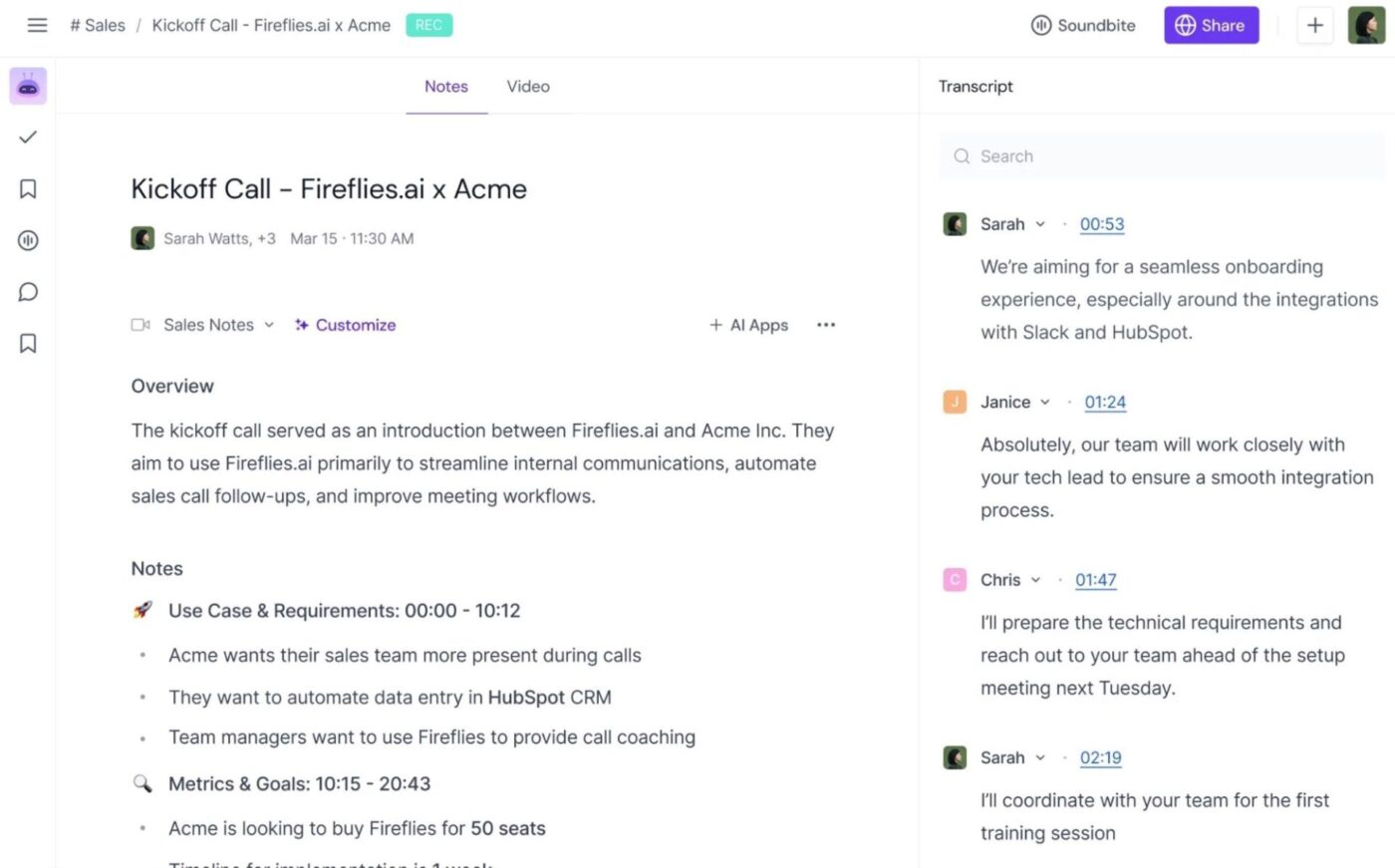
Fireflies.ai is an AI note-taker for meetings that records, transcribes, and summarizes conversations from discussions, calls, and virtual conferences. It captures voice interactions from any source, ensuring you never miss key details.
Need to track pricing discussions and competitor mentions or share a key moment from a call? Set up custom trackers to flag details and let Fireflies create time-stamped soundbites for quick reference.
🧠 Fun Fact: The Greeks used materials like expensive parchment and papyrus to document everything by hand. They also had to constantly struggle to keep these records safe from environmental effects.
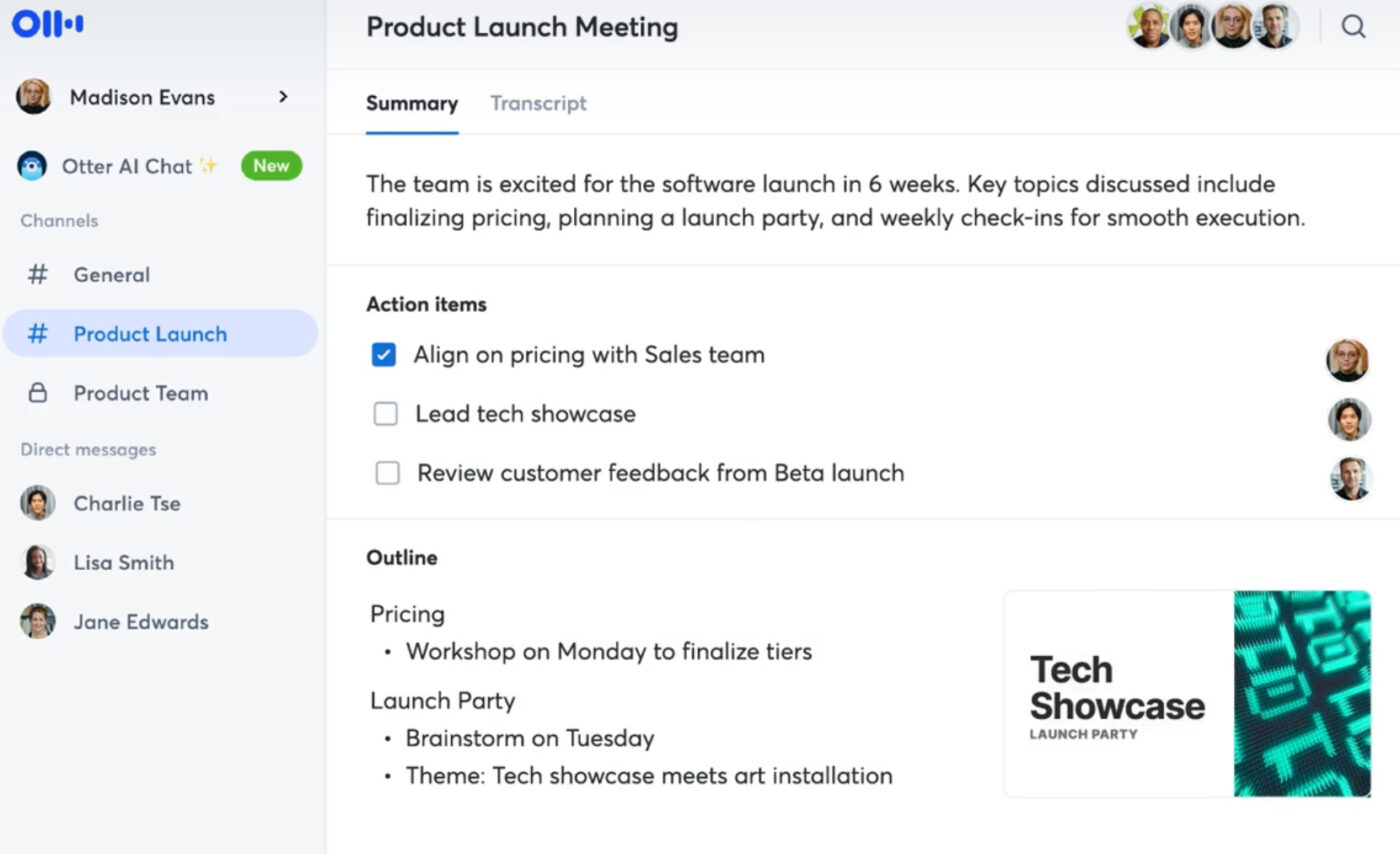
Otter.ai helps teams stay on top of meetings, turning conversations into clear, searchable notes. As an AI note-taking tool, Otter.ai transcribes your meetings in real time. After the meeting, it automatically creates a quick summary, so you can review key points in seconds.
The platform also identifies speakers and picks out responsibilities, so there’s no need for manual follow-ups. With keyword detection, you can easily search through past meetings for specific topics.
Plus, its AI chat assistant can generate follow-up emails or status updates based on the meeting.
🧠 Fun Fact: The ancient Greeks were pioneers in the practice of note-taking and emphasized the cultural importance of documenting knowledge. They maintained personal records meticulously to preserve philosophical thoughts, historical events, and scientific observations.
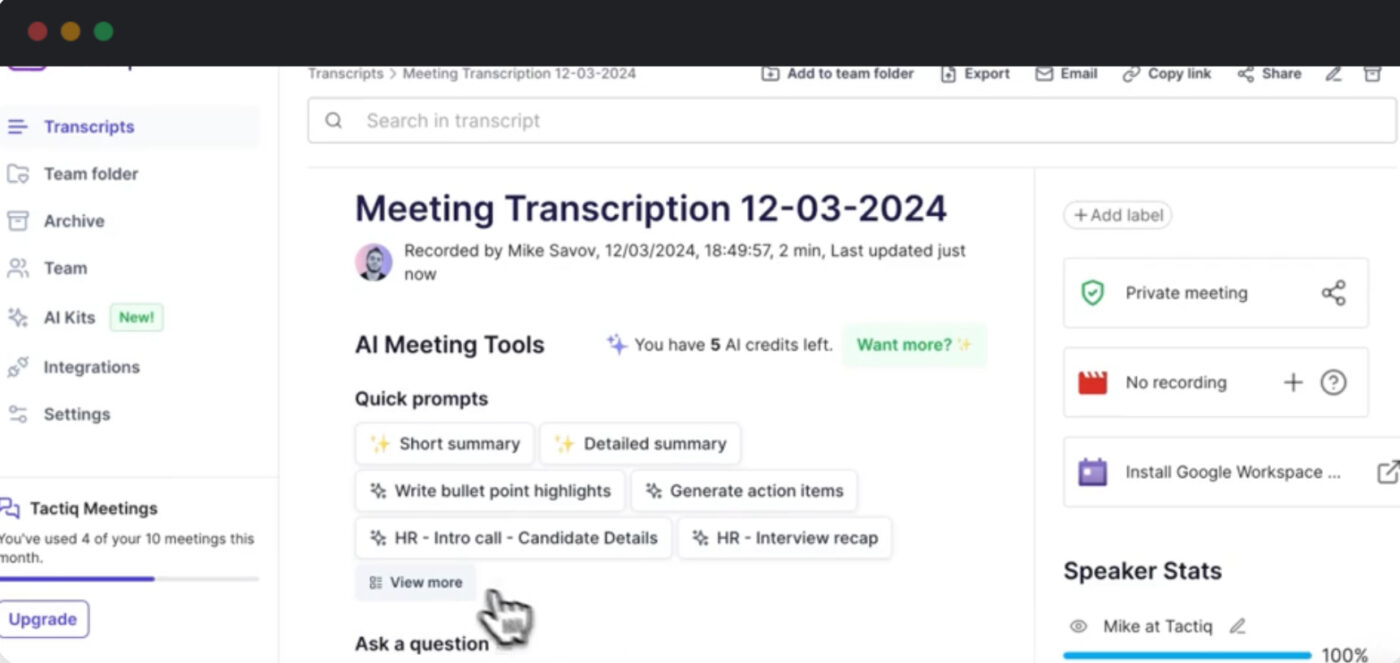
Designed with professionals and managers in mind, Tactiq Note Taker by OpenAI transcribes your meetings live, ensuring that every critical detail is captured accurately.
It integrates with Microsoft Teams, Google Meet, and Zoom, eliminating the hassle of manual note-taking. Following the sentence note-taking method, Tactiq captures each statement as it’s made, ensuring that the context and nuances of the conversation are preserved.
🔍 Did You Know? John Locke played an important role in improving the usability of common books. He introduced an effective indexing system that allowed users to categorize and retrieve information effectively. This helps structured note-taking even in modern times.
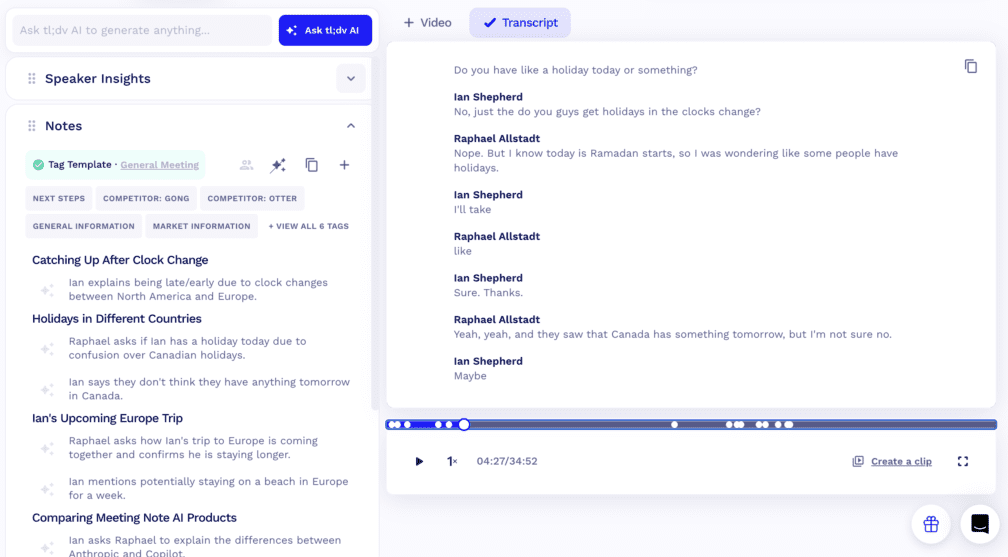
tl;dv is an AI-powered meeting minute software for professionals and managers who rely on Microsoft Teams. While it records, transcribes, and highlights moments from meetings, it primarily focuses on post-meeting summarization.
With seamless CRM integration, AI-powered insights, and a customizable summary format, tl;dv makes follow-ups, reporting, and decision-making effortless. Whether you need to extract customer feedback, track objections in sales calls, or identify product pain points, tl;dv’s AI agents handle it all.
🔍 Did You Know? The AI note-taking market size is expected to reach around $2,545 million by 2033 with a compound annual growth rate of 18.9%.
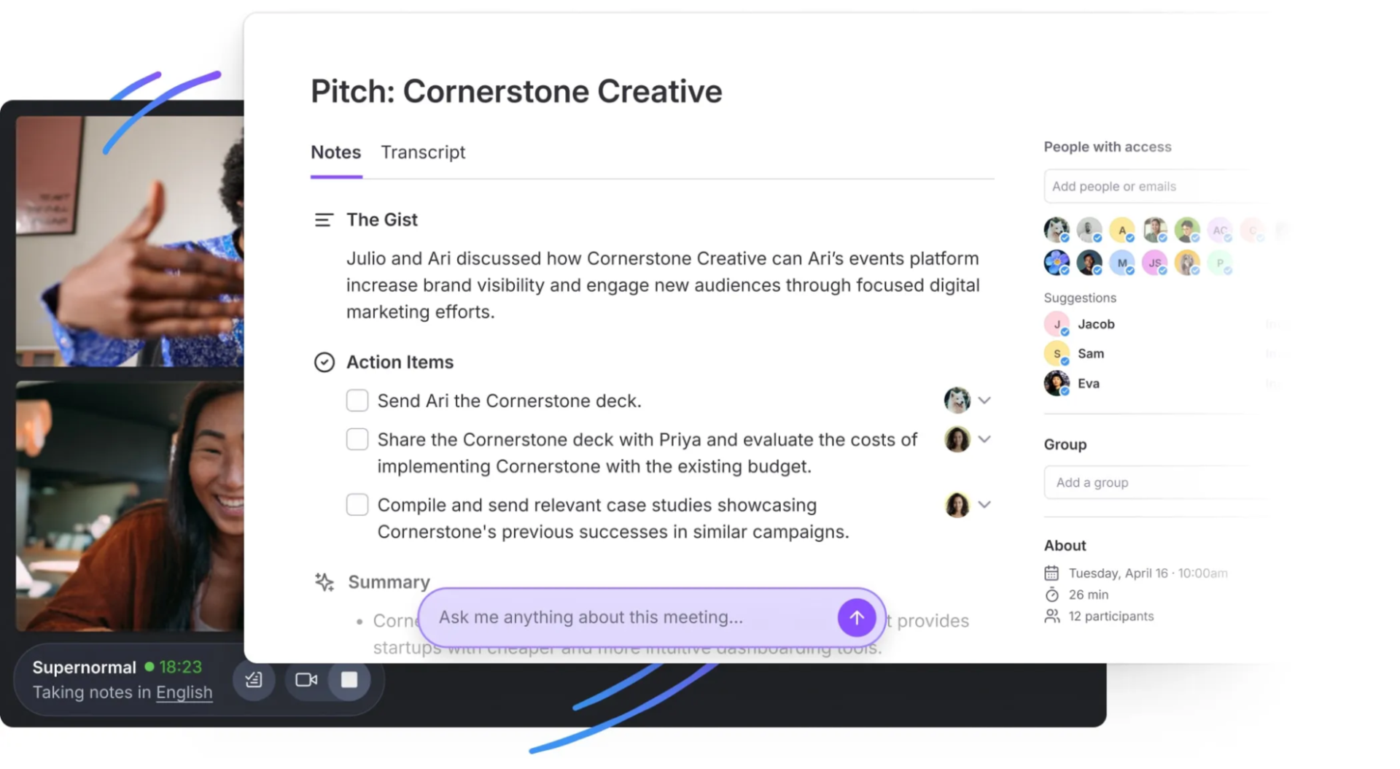
Next up on this list of AI note takers for Microsoft Teams is Supernormal. This tool seamlessly integrates with Microsoft Teams, transcribing meetings and capturing key takeaways in real time.
Its AI-driven assistant, Norma, captures detailed meeting notes in real time. Unlike conventional transcription tools, Norma extracts key insights, identifies assignments, and answers queries during or after the meeting. It even lets you customize the name of the notetaker bot within Microsoft Teams for a seamless team experience.
🔍 Did You Know? AI note-takers use technologies like large language models (LLMs) and automatic speech recognition (ASR) to enhance accuracy and context understanding.
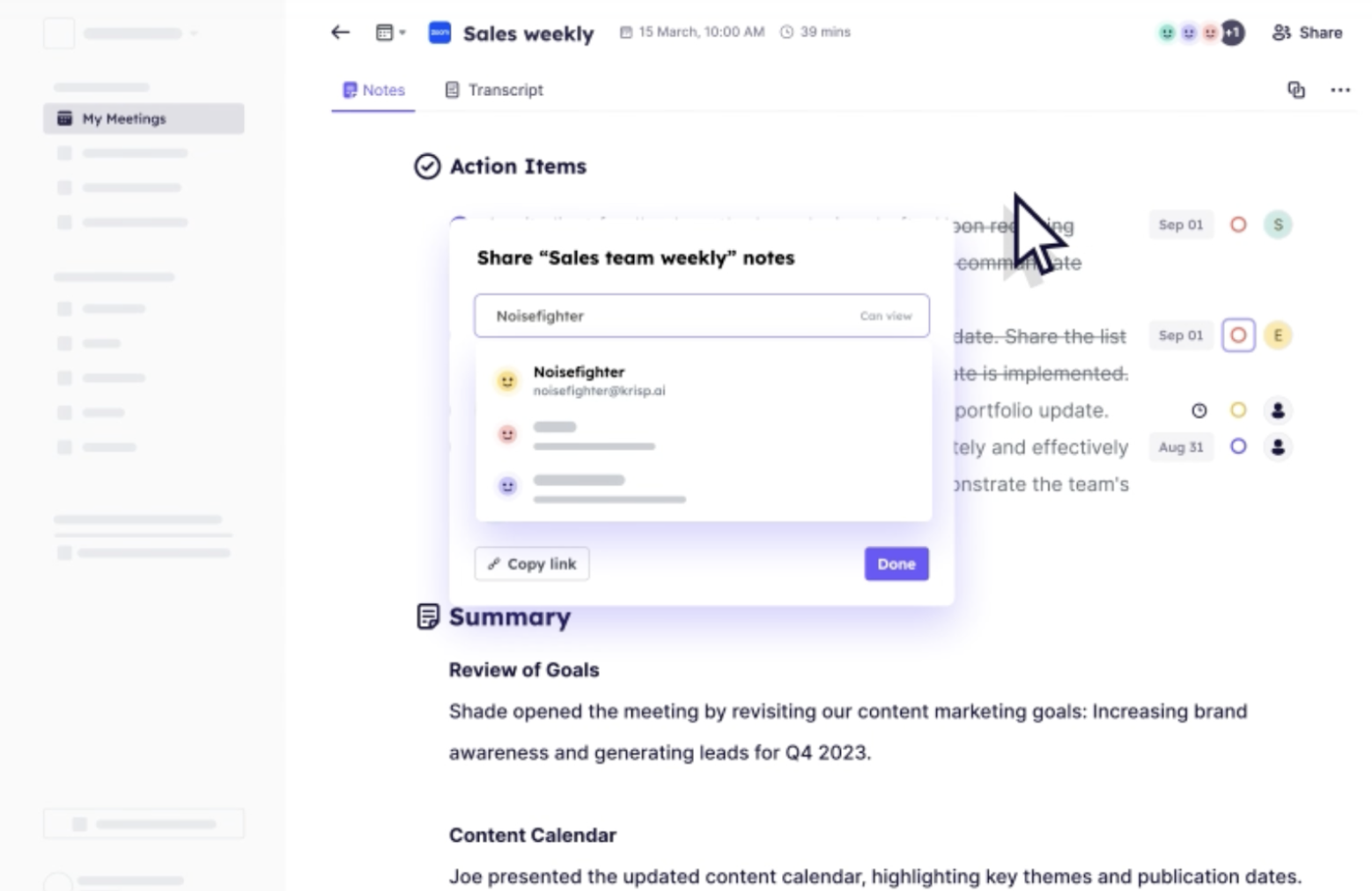
True to its name, Krisp delivers crisp transcriptions for Microsoft Teams meetings. Apart from basic note-taking, Krisp detects to-dos within meeting conversations. Tasks are automatically extracted, categorized, and assigned to relevant team members, ensuring that all follow-ups are clear and trackable.
Additionally, Krisp enhances efficiency, offering ready-to-use note-taking templates for meeting notes. These templates organize key discussion points, decisions, and next steps in a structured format, making it easier to share and distribute notes among team members.
💡 Pro Tip: Use colors to highlight different sections in your notes. Red can be used for important information, key points, and warnings, while blue can highlight definitions, main concepts, and key ideas. Green is great for examples and applications, yellow for questions, and purple for vocabulary.
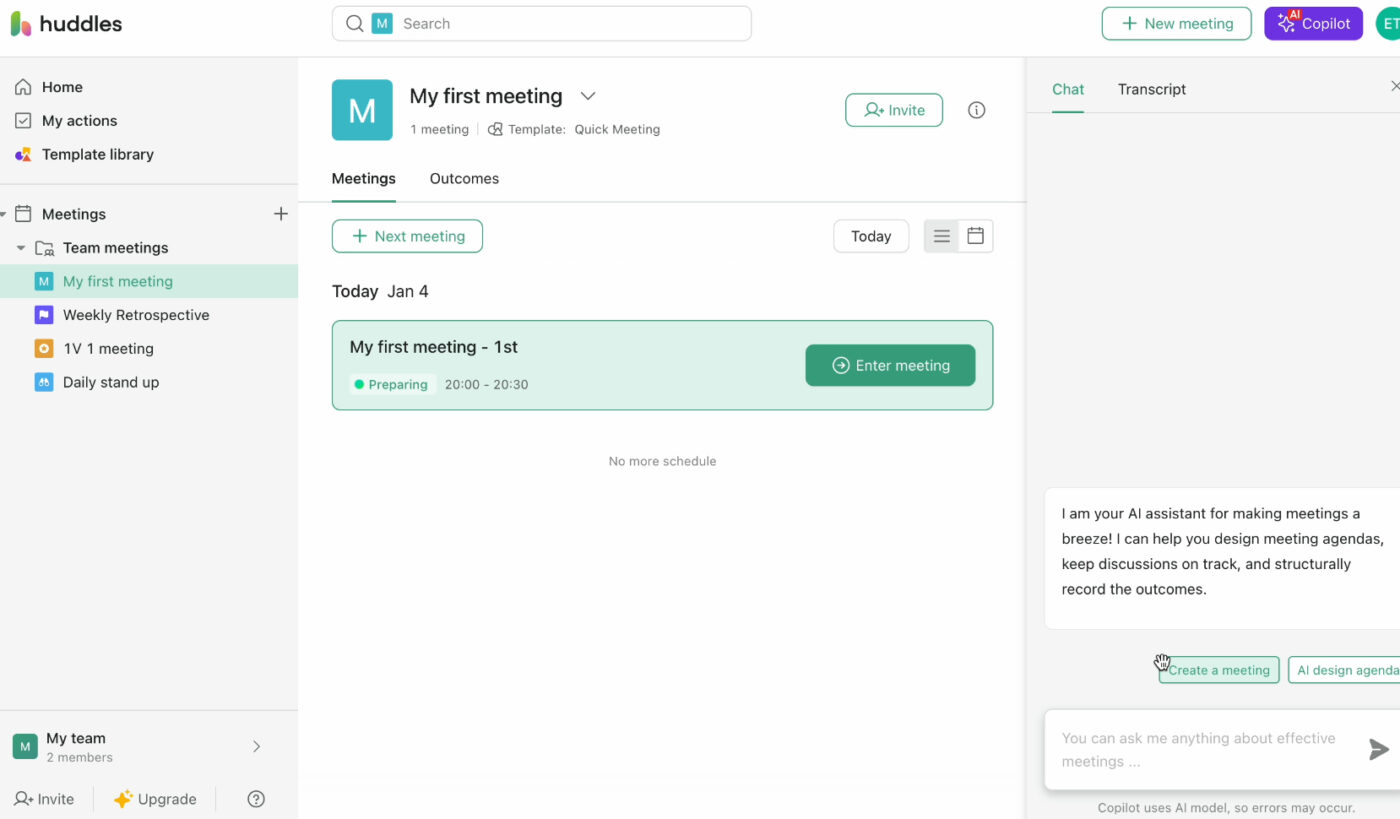
Huddles is a top-tier noise-canceling and voice enhancement tool that delivers crystal-clear audio in virtual meetings. It removes background noise like keyboard typing, barking dogs, or construction noise, ensuring accurate meeting recaps.
In fast-paced discussions where multiple participants speak simultaneously, Huddles’ Voice Clarity feature enhances speech intelligibility. This makes it easier to differentiate speakers and produce coherent summaries.
🔍 Did You Know? Organizations using AI note-taking tools have seen up to a 30% reduction in time spent organizing notes after meetings.
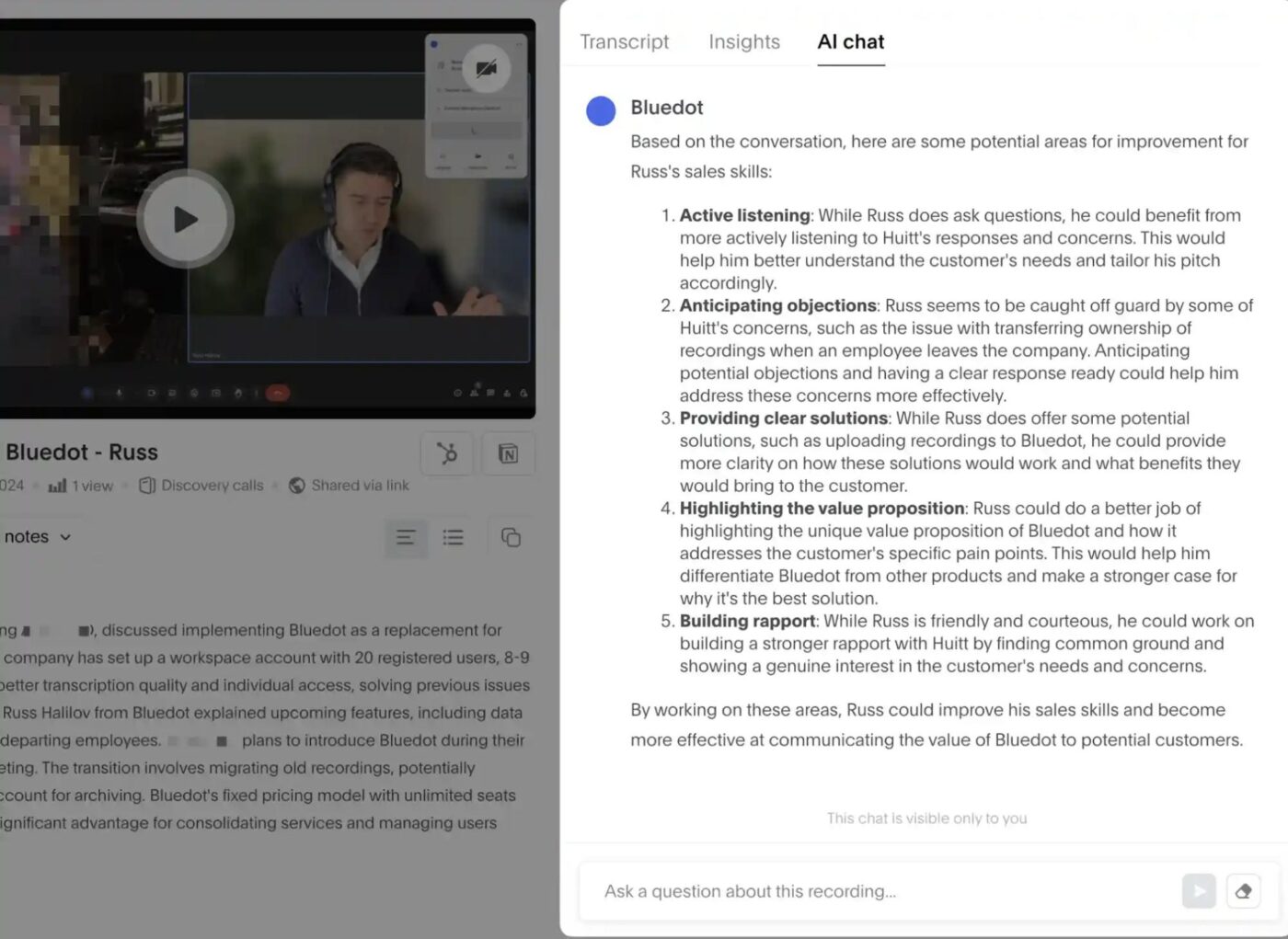
Bluedot captures, organizes, and shares meeting notes in Microsoft Teams without the need for bots joining your calls. It works quietly in the background, automatically transcribing and summarizing discussions. Transcripts highlight key points, action items, and decisions, making follow-ups effortless.
A major plus? Bluedot accurately recognizes technical terms and industry jargon, so even specialized conversations are transcribed with clarity.
🤝 Friendly Reminder: Note-takers are helpful, but always review, refine, and personalize your AI-generated notes for accuracy and clarity.
We’ve covered some of the best AI note-takers for Microsoft Teams, each offering unique features to improve how you capture, organize, and act on meeting insights.
But if you’re looking for advanced features that enhance your team’s productivity beyond transcribing meetings, ClickUp stands out from the rest.
With the ClickUp AI Notetaker, you get automated meeting summaries, so you don’t have to worry about missing important details. ClickUp Docs provides a collaborative space to store, organize, and refine your notes. And with ClickUp Brain, AI goes a step further—helping you write, summarize, and retrieve information instantly, making your workspace truly smarter.
Sign up to ClickUp for free today! ✅

Manasi Nair
Max 18min read

Arya P Dinesh
Max 26min read
Manasi Nair
Max 26min read

© 2026 ClickUp