






Still downloading templates?
There’s an easier way. Try a free AI Agent in ClickUp that actually does the work for you—set up in minutes, save hours every week.
Sorry, there were no results found for “”
Sorry, there were no results found for “”
Sorry, there were no results found for “”

The AI-powered app builder Lovable passed $100m in ARR in just 8 months since their first $1M. It has become the best example of an AI-led growth playbook.
As per Elena Verna, Lovable’s Head of Growth, in Lenny’s Newsletter, Lovable treats AI as the growth engine itself. The product constantly learns from usage, ships new capabilities at speed, and effectively re-finds product-market fit every few months.
Below, we show you how to build an AI-led growth playbook that consistently ships, stays measurable, and compounds learning week after week.
AI-led growth refers to a business strategy and emerging go-to-market (GTM) model in which artificial intelligence serves as the primary driver of customer acquisition, revenue growth, and operational scaling.
It builds on previous paradigms, such as sales-led growth (relying on human relationships and direct sales) and product-led growth (PLG, where the product itself drives user adoption and virality), but shifts the core advantage to intelligence.
In other words, AI can be used to inform decisions, personalize experiences, automate workflows, and create new paths to customers.
In a modern PLG strategy, the product is the channel, and AI decides which in-product actions create the next ‘aha’ moment.
At its core, AI-led growth operates as a flywheel:
💟 Also Read: How to Calculate Revenue Growth Rate
One of the primary reasons why AI-led growth has become a board-level imperative is that the scale and speed of adoption and investment have exceeded a certain threshold.
Here’s why the AI growth strategy is becoming the new imperative:
🧠 Fun Fact: ELIZA, built at MIT by Joseph Weizenbaum between 1964 and 1966, was one of the first AI chatbots and pretended to be a therapist through simple pattern matching.
Even though it was basically swapping keywords into scripted replies, some people felt like the tool truly understood them.
Here are the seven elements that form the backbone of your AI growth framework 👇
AI-led growth breaks down quickly if your data is scattered, outdated, or ownerless. Before building anything, teams need to understand:
Before making decisions, run through these questions and make sure your data supports them.
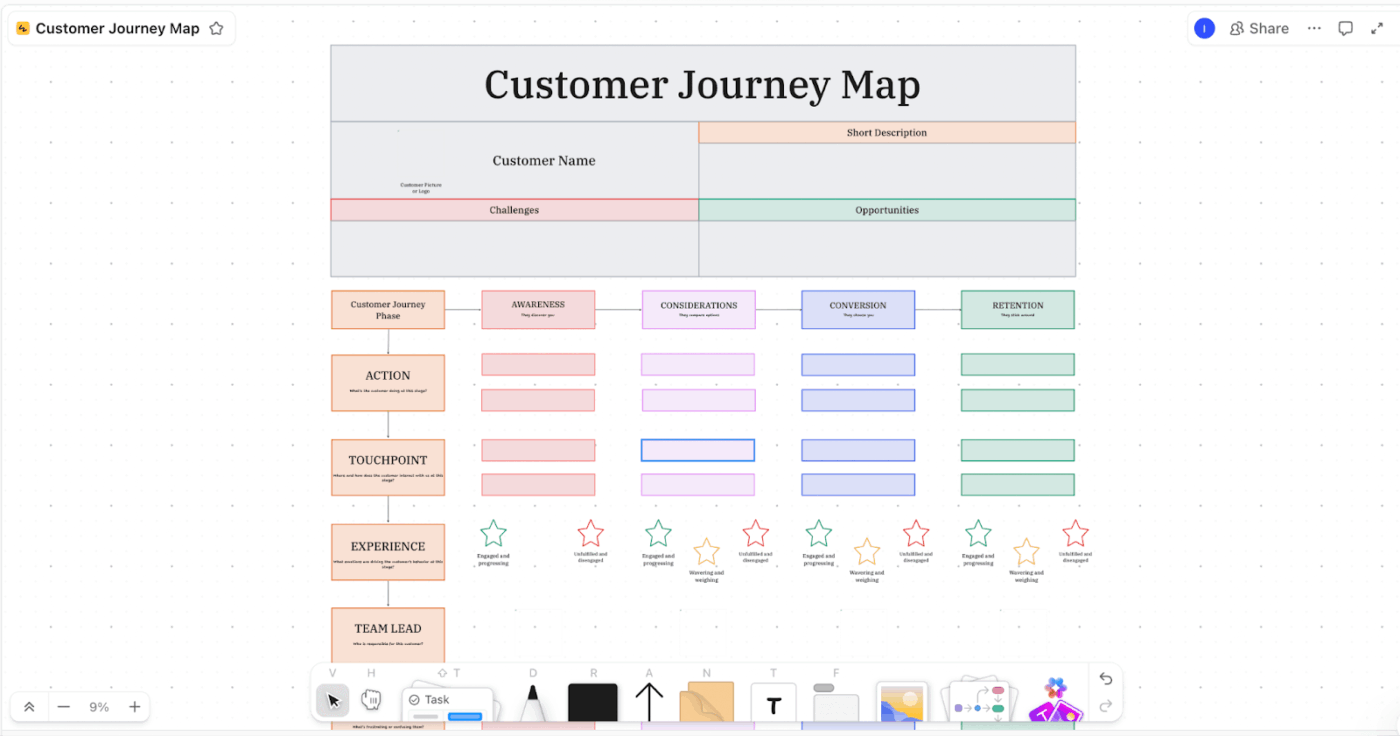
💡 Pro Tip: Use ClickUp Whiteboard to visually map the data workflows, such as:
AI needs constraints to be useful. Without clear goals, it optimizes activity instead of outcomes. You must define:
📌 Example: A B2B SaaS company defines its north-star metric as Activated Teams.
The north start metric is the number of teams completing core setup within 7 days.
The leading indicators are product events triggered during onboarding, time to first successful workflow, and number of AI-assisted actions completed in 7 days.
The lagging indicators are trial-to-paid conversion rate and 30-day retention.
📚 Read More: Best AI Tools for B2B Marketing
The best starting points are areas where manual effort or slow decision-making directly limits growth. Look for:
Prioritize use cases where AI shortens the distance between insight and action. That’s where compounding starts.
Time to translate use cases into repeatable workflows. This involves:
Done well, agentic workflows go beyond basic marketing automation by adapting actions based on live signals and calculated outcomes.
📮 ClickUp Insight: Our AI maturity survey highlights a clear challenge: 54% of teams work across scattered systems, 49% rarely share context between tools, and 43% struggle to find the information they need.
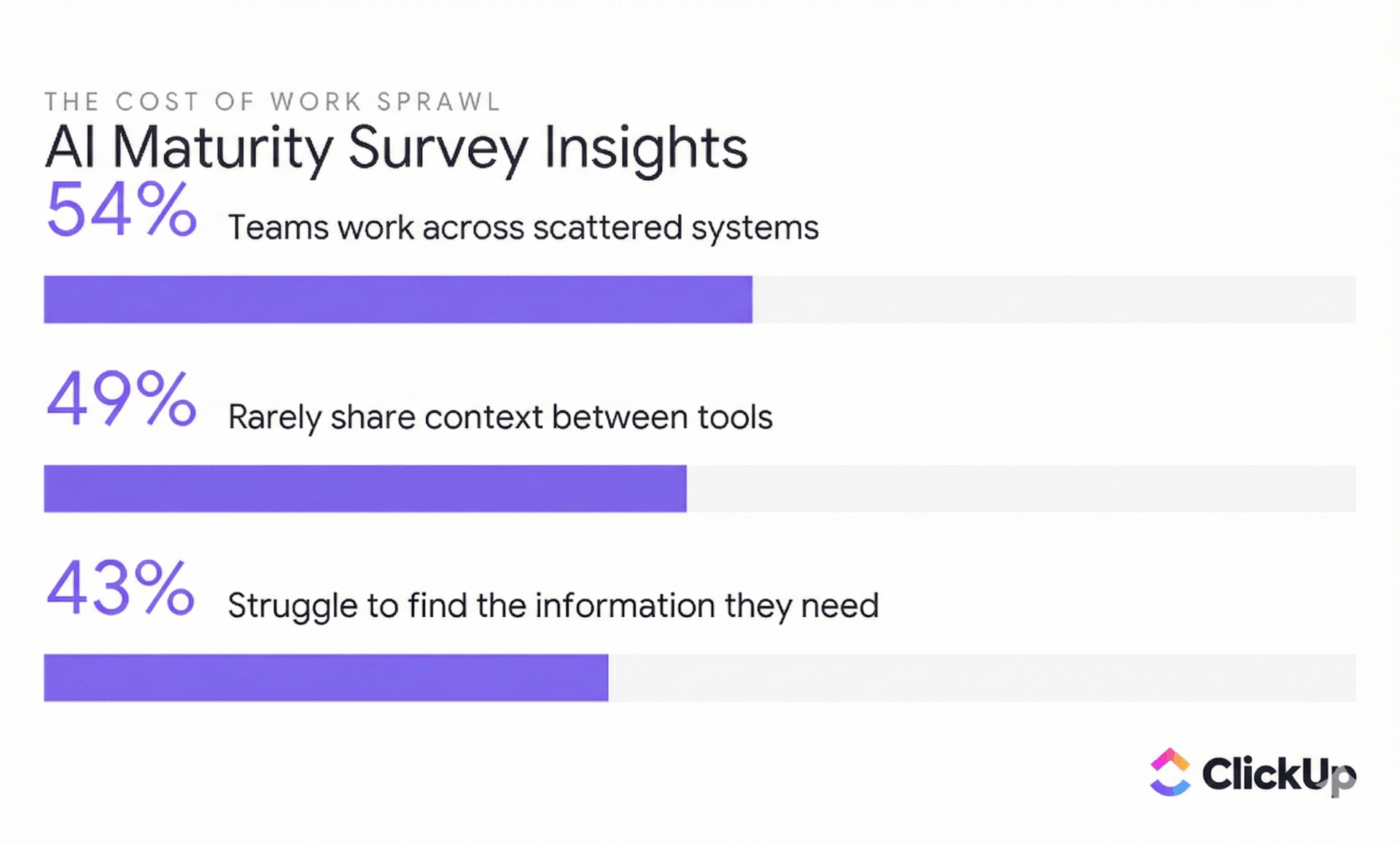
When work is fragmented, your AI tools can’t access the full context, which means incomplete answers, delayed responses, and outputs that lack depth or accuracy. That’s work sprawl in action, and it costs companies millions in lost productivity and wasted time.
ClickUp Brain overcomes this by operating inside a unified, AI-powered workspace where tasks, docs, chats, and goals are all interconnected. Enterprise Search brings every detail to the surface instantly, while AI Agents operate across the entire platform to gather context, share updates, and move work forward.
The result is AI that’s faster, clearer, and consistently informed, something disconnected tools simply can’t match.
AI-led growth changes the question from “Did this work?” to “What did we learn fast enough to act on?” because you want to reduce the time between signal and decision.
This means fast cycles of test → measure → refine.
📌 Example: Instead of waiting for a post-mortem meeting, AI analyzes experiment results as soon as data stabilizes, surfaces patterns across segments, and highlights where behavior actually changed. Teams decide what to double down on while the context is still fresh.
⏭️ AI Cards inside ClickUp Dashboards automatically summarize experiment performance next to your charts. They highlight key outcomes, surface anomalies, and point out what moved your core metrics without requiring manual analysis. Watch this video to know more about the AI Cards + Dashboards combo.👇
Once tests prove repeatable, your next step is to scale sustainably. Here are some ways to do it:
New IBM data shows that 13% of organizations have already experienced AI model or application breaches, among which 8% don’t even know if they’ve been compromised.
If that wasn’t enough, a staggering 97% of those compromised had no AI-specific access controls in place.
When agents make revenue decisions or personalize at scale, a single lapse in access, bias, or transparency can cascade into regulatory exposure or revenue hits.
To make sure you are not part of that stat, do this 👇
🚀 ClickUp Advantage: ClickUp Security ensures your Workspace data stays yours exclusively, meaning ClickUp’s AI partners are strictly prohibited from using your data to train their models.
An AI Growth Sprint is a two- to four-week cycle focused on one growth bottleneck. During this time, you implement a few AI-driven experiments and assess their impact using predefined success criteria and valid comparison methods (like A/B testing).
If you want to execute AI growth sprints, follow this:
Pick a single metric you want to move, like activation, conversion, retention, or revenue per user. Make sure to walk past vanity metrics that look good on paper but do not change what customers do or what the business earns.
Next, pick one moment in the customer journey where that metric is won or lost.
📌 Example: It could be the first session after signup, the setup step where people drop off, or anything related to customer behavior. When the moment is specific, you can observe what is happening for individual users.
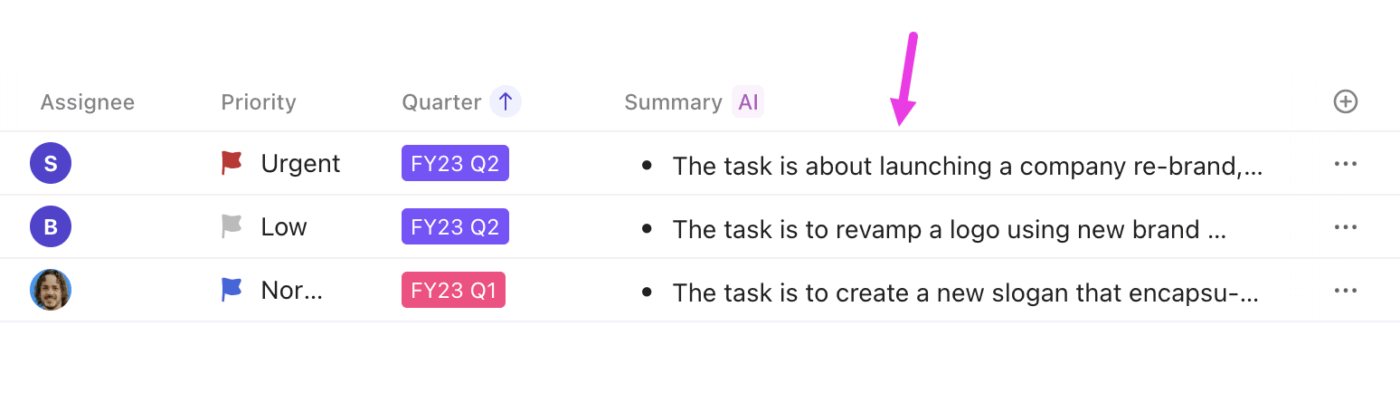
⭐ Bonus: With ClickUp AI Fields, you can automatically classify sprint data such as experiment outcomes, user intent signals, impact level, or confidence score. Over time, this turns every sprint into structured learning, making it easier to compare experiments, spot patterns, and decide what to scale next without manual tagging or analysis.
Write one question that the sprint is supposed to answer. It should be measurable and connected to product adoption.
Ideally, it should tie directly to a specific metric, focus on one user moment, and be answerable within the sprint window. Some instances would be:
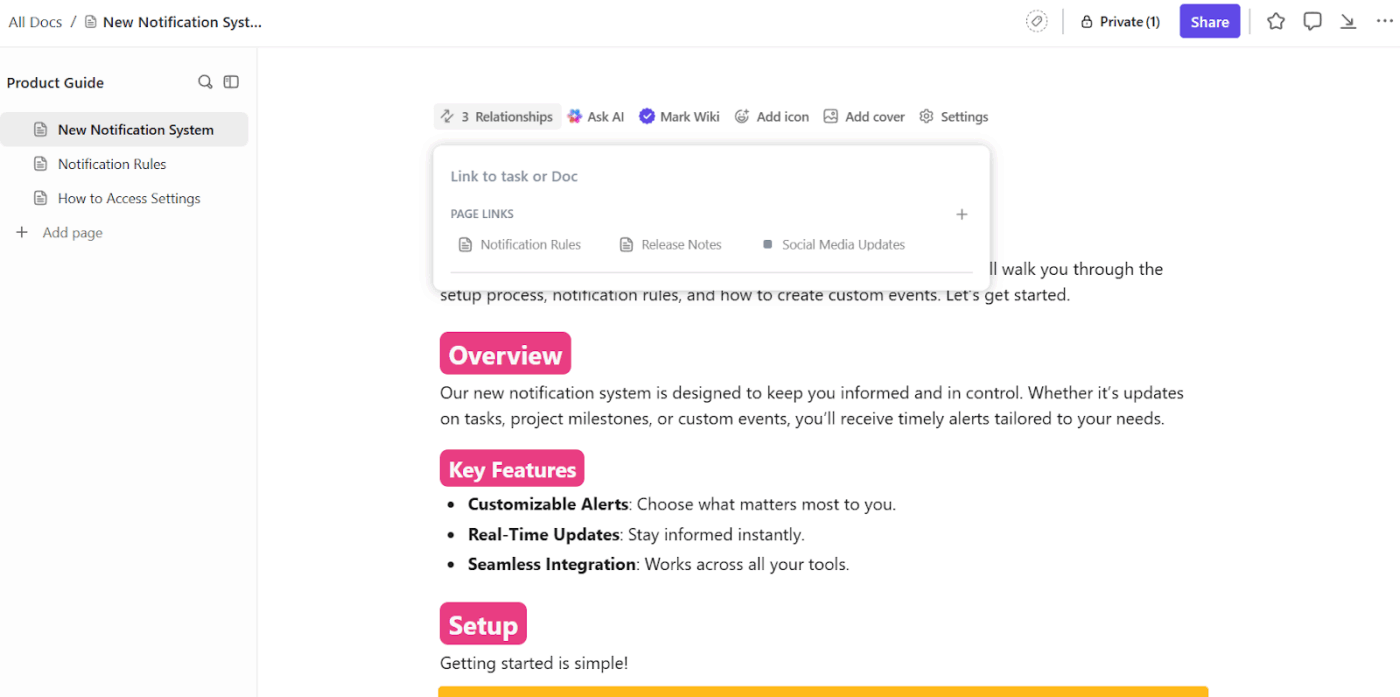
💡 Pro Tip: List the sprint question, success criteria, and data sources inside a ClickUp Doc. Keeping the question documented and visible prevents scope creep and ensures every experiment, task, and AI recommendation stays anchored to the same outcome.
The best experiments start with one or two user segments to see whether the change helps the right people. Here are three common experiment shapes:
All of this cascades to locking the scope before you build. Meaning:
| Decision | Exact scope |
| Target user | Choose one or two user segments (example: new signups this week) |
| Surface | Choose one place (example: onboarding screen or email) |
| AI job | Choose one job (example: recommend next step, or answer questions) |
| Success | Choose one metric change tied to business outcomes (example: activation rate +5% in 7 days) |
| Safety | Add a fallback (example: if unsure, show help links or handoff) |
Before adding any further polish, be extremely sure the AI behaves safely and predictably. This is when you should use rules, like ‘only use approved sources,’ ‘do not guess,’ and ‘offer a human handoff when needed.’
Then roll out to a small group first. This can be one segment, one channel, or internal teams before customers. Small rollouts help you learn faster because you can connect feedback to real customer behavior.
⚒️ Quick Hack: Use ClickUp Automations to hard-code safety and rollout rules into your workflow.
You can set up automations to:
For small rollouts, automations ensure experiments stay contained. As signals stabilize, you can widen exposure automatically without rewriting processes.
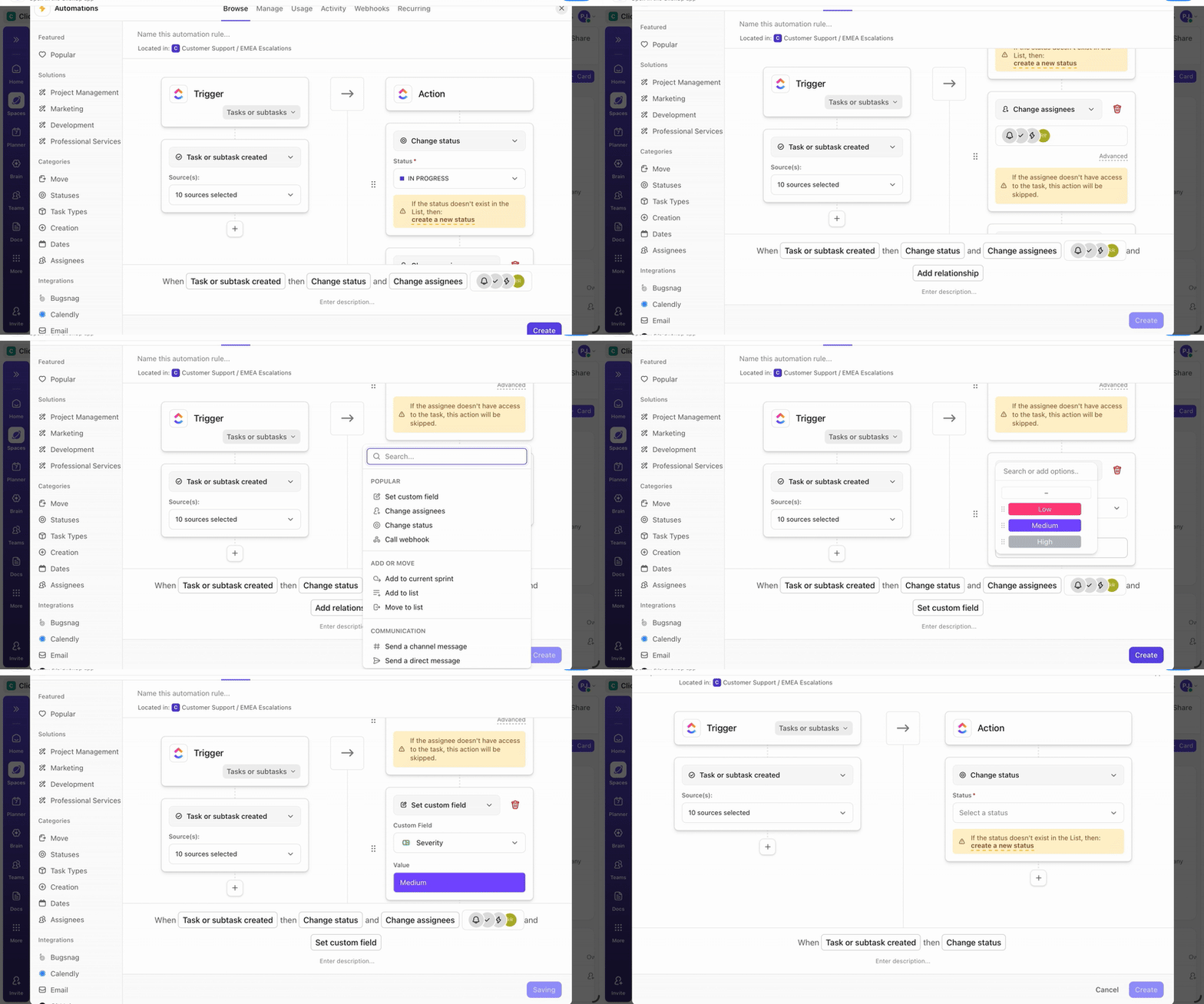
🎥: Watch this video to know more about how to automate your daily workflows.
👀 Did You Know? 62% of IT professionals say their organizations have strong AI ideas but struggle to execute and scale them. It goes to highlight that the biggest AI gap today is delivery, not vision.
At the end of the sprint, you should be able to answer three questions:
You will be left with one of the three outcomes: Scale, because the signal is strong. Adjust scope, segment, or AI behavior and re-run. Or archive the experiment and document why it failed.
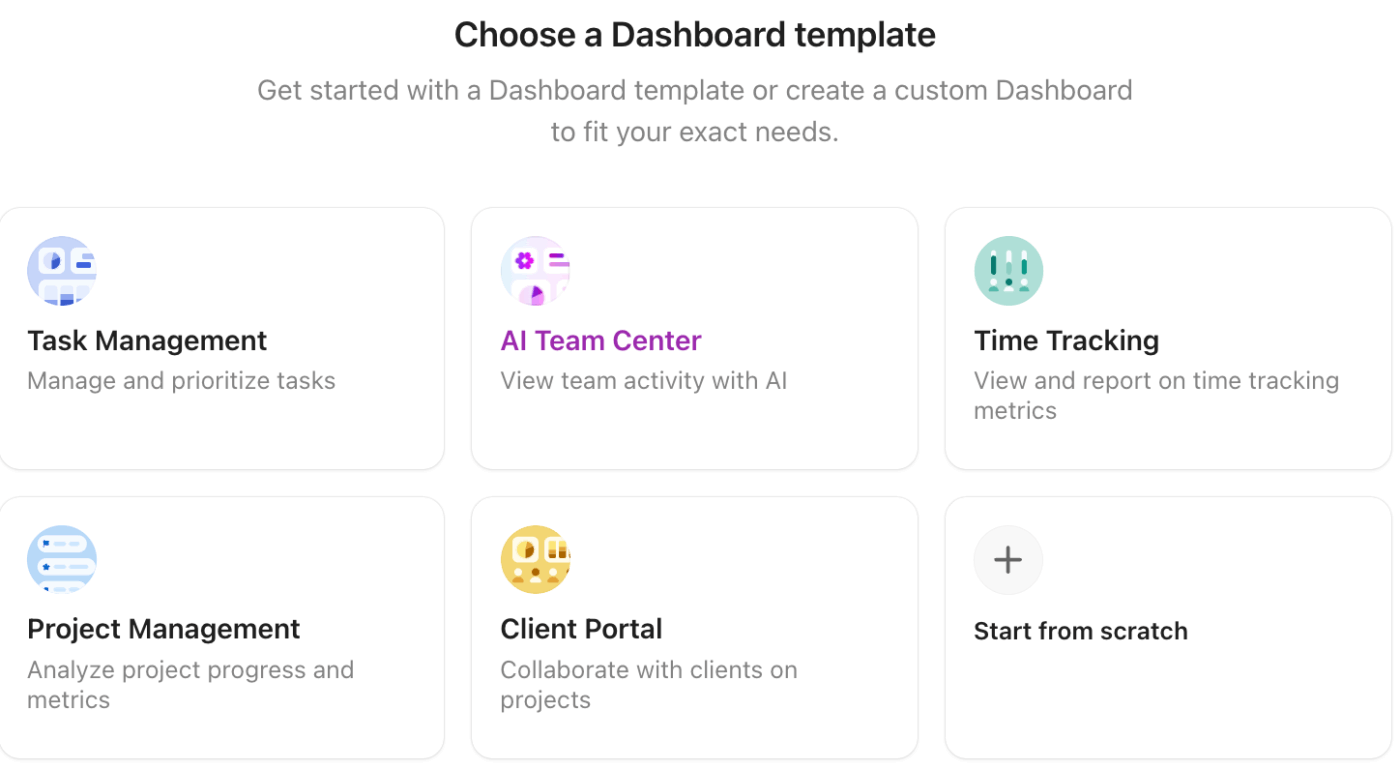
⭐ Bonus: Use ClickUp Dashboards as your growth mission control. Data from your experiments, tasks, goals, and custom reports come together in one shared view.
The best part, you can create one from scratch or use an existing one.
Watch out for these metrics when tracking AI-led growth success:
| Metric | Explanation | Example |
| AI-sourced signups (% + count) | Measures how much AI surfaces contribute to top-of-funnel acquisition | ‘18% of signups (2,400) came from AI pages + chatbot’ |
| AI-sourced qualified leads (SQL/MQL rate) | Quality of AI-acquired users/leads | ‘AI leads convert to SQL at 22% vs 14% other channels’ |
| AI-assisted conversion rate | % of purchases/deals where AI materially influenced the decision | ‘32% of closed-won used AI proposal/demo flow’ |
| Time-to-value (AI TTV) | How quickly users reach the first meaningful outcome with AI | ‘Median TTV: 2 days → 20 minutes’ |
| AI activation rate | % of new users who reach the AI ‘aha moment’ (first successful run/workflow) | ‘46% run a successful AI workflow within 24h’ |
| Prompt-to-success (task completion) rate | Direct measure of ‘AI worked’ from the user’s perspective | ‘78% of AI sessions end in a completed task’ |
| AI feature adoption (AI WAU/MAU) | Ongoing AI engagement, indicating product stickiness | ‘AI WAU/MAU = 0.62’ |
| AI-user retention (D7/D30) | Retention of the cohort that uses AI (the right cohort to measure) | ‘D30: AI users 34% vs non-AI 18%’ |
| Expansion influenced by AI (upgrade/ARPA lift) | Whether heavy AI users upgrade or spend more | ‘10+ AI runs/week → 2.3× higher upgrade rate’ |
| Revenue per AI active user (RPAU-AI) | Monetization efficiency tied specifically to AI usage | ‘RPAU-AI $9.20 vs overall $5.10’ |
Let’s learn how to scale with AI, the way other companies are doing it.
AI-powered app builder Lovable demonstrates AI-led growth by making continuous product reinvention its primary growth lever.
Here are some reasons why it is one of the fastest-growing companies of all time:
⚡ Template Archive: Free Marketing Campaign Templates to Try
AI-first code editor Cursor drives growth by collapsing the distance between developer intent and execution.
Instead of positioning AI as a productivity add-on, Cursor embeds it directly into the core coding workflow, changing how developers build, iterate, and ship software.
📚 Read More: Your Complete Guide to AI Campaign Execution
ClickUp used the AI-led growth playbook and the PLG model to grow to 20 million users worldwide and an ARR of $300 million.
We do that by diving straight into the heart of modern work structures and systems. A little bit of context:
Teams are drowning in disconnected tools—chat apps, project trackers, document editors, dashboards—each promising productivity but creating endless context-switching and work sprawl. Users want simplicity: a single platform that understands context and reduces friction.
At the same time, every major SaaS product is embedding AI, hoping to boost efficiency. But AI without context is just another layer of noise.
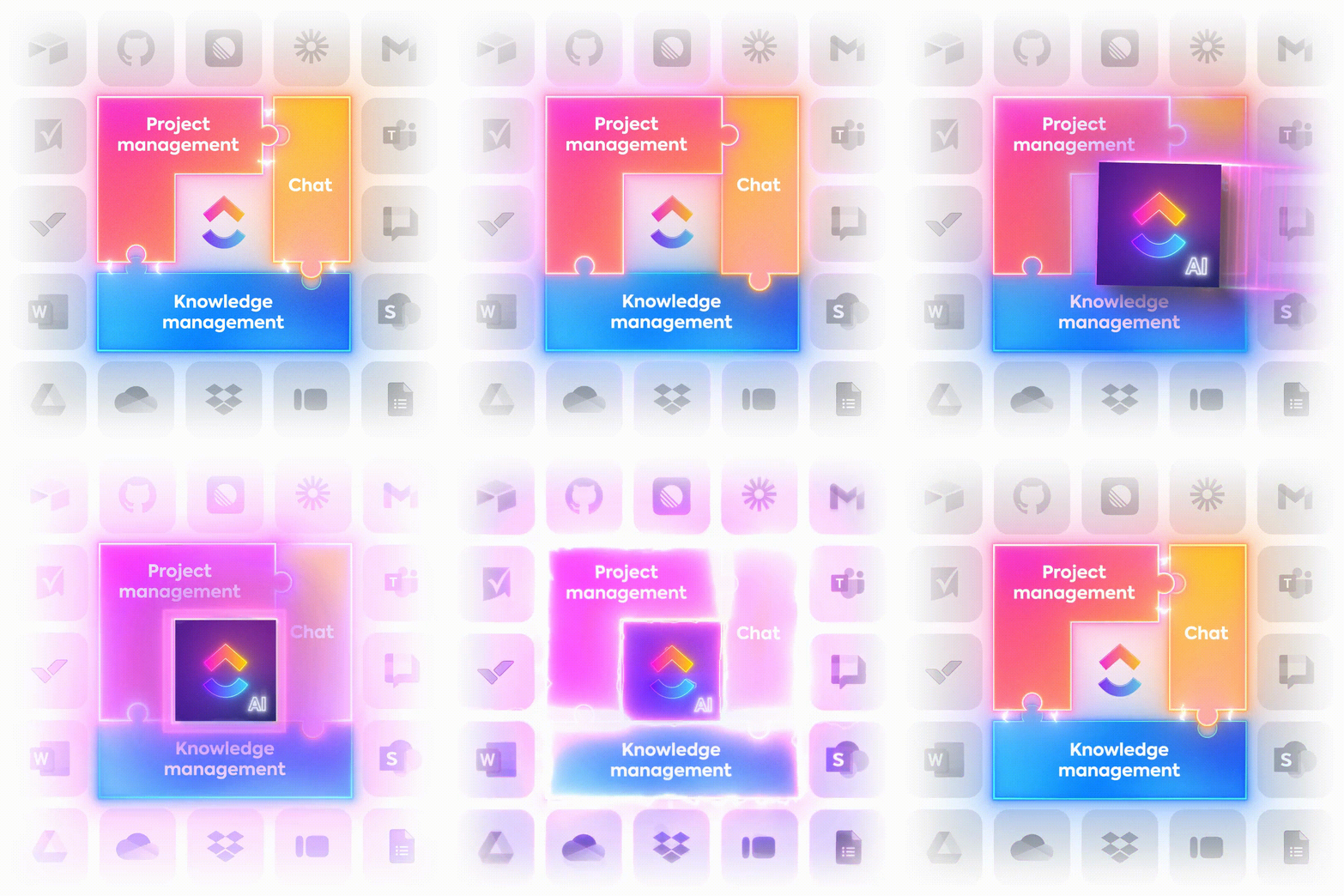
ClickUp closes this gap with the world’s first Converged AI Workspace. We integrated over 50 tools into one platform, embedding Contextual AI that understands users’ tasks, docs, chat, and dashboards, so they don’t have to switch dozens of tools to get the job done.
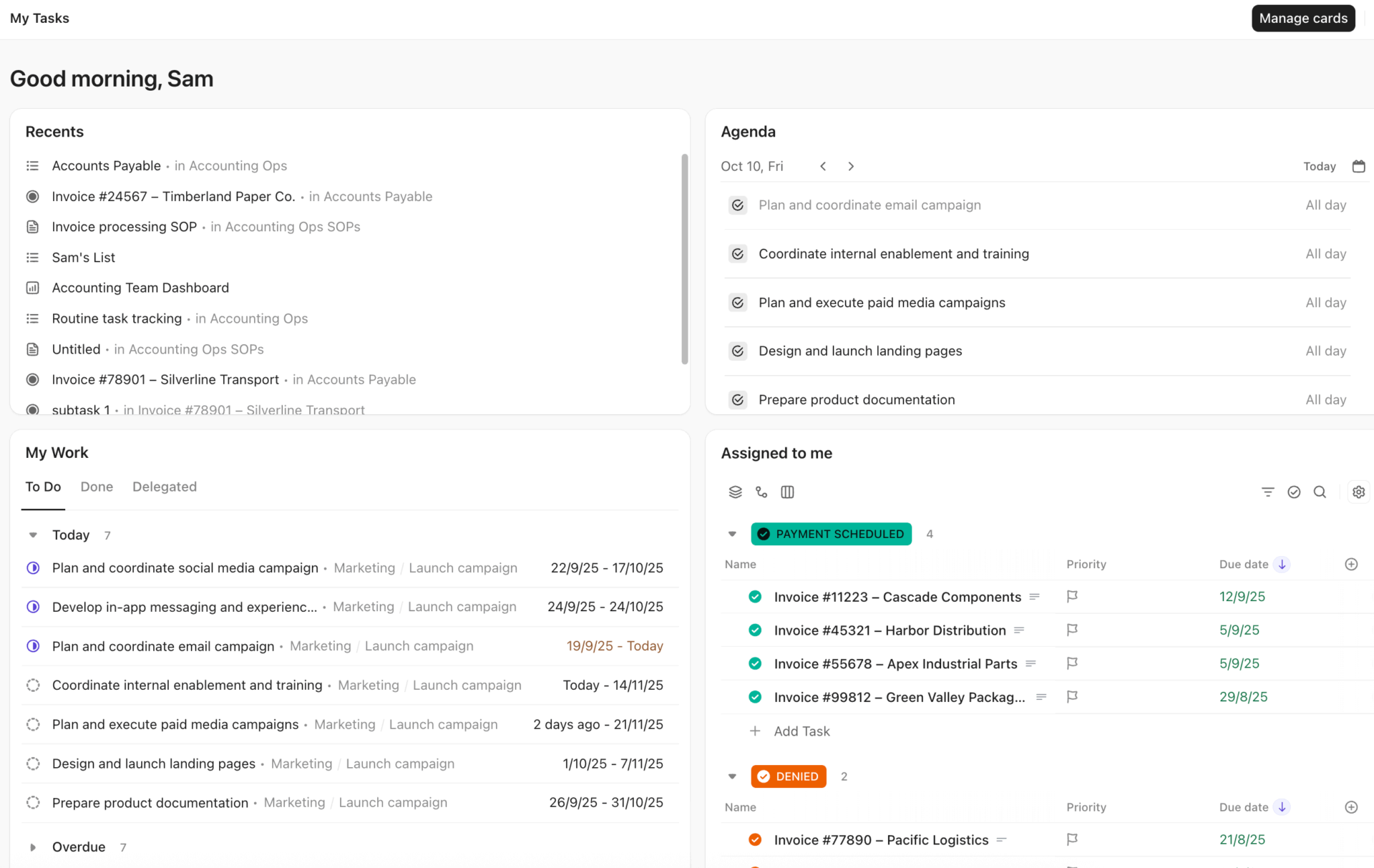
This timing was perfect. Teams already expected AI, and they were frustrated with fragmented systems. This approach enabled us to capitalize on these trends and bring down customer acquisition costs.
We built ClickUp to end the chaos of Work Sprawl and give teams a single, Converged AI Workspace. AI is revolutionary when it has full work context – that’s what convergence provides. The future of software is converged, and we’re the first to do it.
The following tools will power up your AI-led growth framework:
ClickUp’s State of AI Maturity 2025 research found that only 10% of respondents say AI is acting as an agent. It’s a massive gap, one that shows why several AI-led growth efforts stall after the first few experiments.
AI-led growth fails when your plan is in one tool, execution is in another, and updates barely survive in chats. It’s a tool sprawl that hardly anyone notices or talks about.
ClickUp for Marketing Teams brings campaign planning, content production, tasks, and team communication into a collaborative workspace. Let’s look at the key capabilities of ClickUp:
Use ClickUp Brain + ClickUp Docs + ClickUp Tasks when you need speed across all departments without losing any bit of context. Here are some AI in marketing examples showing how teams use ClickUp Brain:
Try prompts like:
This converged AI workspace embeds AI across the entire workspace. Tasks, Docs, Chats, Goals, Dashboards, and Automations all share context. This means ClickUp Brain shows you blockers, dependencies, and other contextual insights based on actual work.
Once assets are created, ClickUp Super Agents take over all your day-to-day execution like true teammates. These no-code, trigger-based AI agents can be @mentioned, assigned tasks, DM’d, or scheduled just like a human coworker.
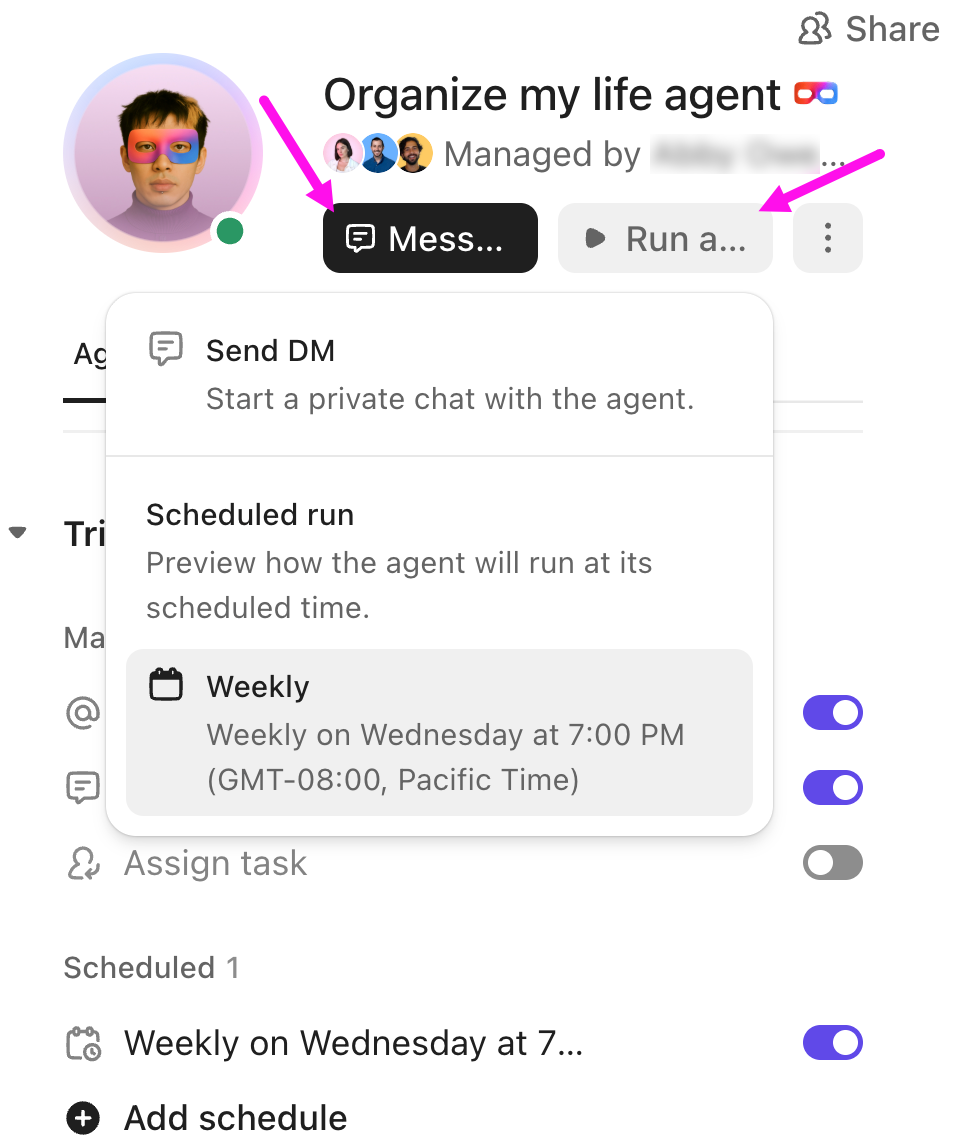
They run 24/7 with infinite memory, ambient awareness, and the ability to act across your workspace and connected tools.
Set up agents in minutes with a single prompt describing their goals and rules. Some of the most important coworkers they could act like include:
✅ Campaign manager agent: Analyzes performance data from connected tools, generates content briefs, assigns creative tasks to designers/writers, updates status fields, flags underperforming variants, and posts real-time summaries to ClickUp Chat
✅ Content reviewer agent: Scans drafts against brand guidelines, suggests edits for tone/voice/compliance, and routes for final approval only when ready
✅ Approval and handoff agent: Triggers notifications, assigns next owners (e.g., from writer → designer → legal), and auto-updates timelines when items move through stages
✅ Social scheduler agent: Pulls approved posts, formats them per channel, suggests optimal send times based on past data, and creates scheduled tasks for publishing
A G2 reviewer says,
I find ClickUp incredibly valuable, as it consolidates functions into a single platform, which ensures all work and communication are gathered into one place, providing me with 100% context. This integration simplifies project management for me, enhancing efficiency and clarity. I particularly like the ClickUp Brain feature, as it functions as an AI agent that executes my commands, effectively performing tasks on my behalf. This automation aspect is very helpful because it streamlines my workflow and reduces manual effort. Additionally, the initial setup of ClickUp was very easy to navigate, which made transitioning from other tools seamless. I also appreciate that ClickUp integrates with other tools I use, such as Slack, OpenAI, and GitHub, creating a cohesive work environment. Overall, for these reasons, I would highly recommend ClickUp to others.
📚 Read More: Best AI Marketing Tools to Stay Productive
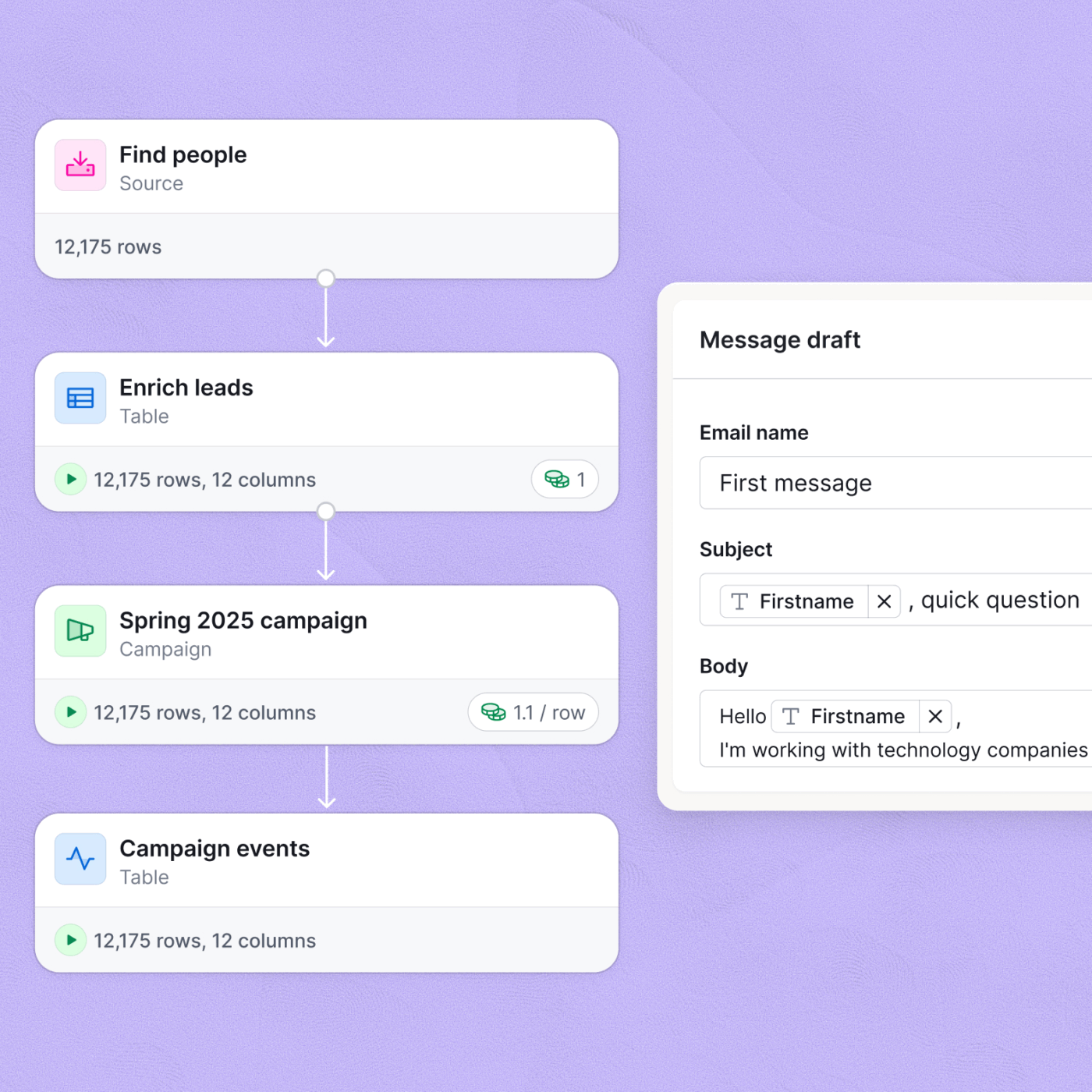
Clay is a GTM workflow tool that helps sales/marketing teams find leads, enrich contact/company data, and generate personalized outreach
Its AI agents (especially Claygent) are like on-demand researchers living inside your Clay tables. You give Claygent a list of domains/companies plus a question, and it will visit websites, pull the exact data points you care about, and return them as fields you can filter, score, and automate against (e.g., ‘offers a free trial?,’ ‘SOC 2 compliant?,’ ‘has case studies?,’ etc.).
A G2 reviewer says,
This is a very powerful platform that really assists organizations to identify the right population to be targeted without much effort. Finding the right person, business, or company through its AI searches has been made very easy. The ability of this platform to synthesize the leads to CSV formats increases its portability. This platform also has a user-friendly interface.
📚 Read More: Top Growth Hacking Tools for Marketers
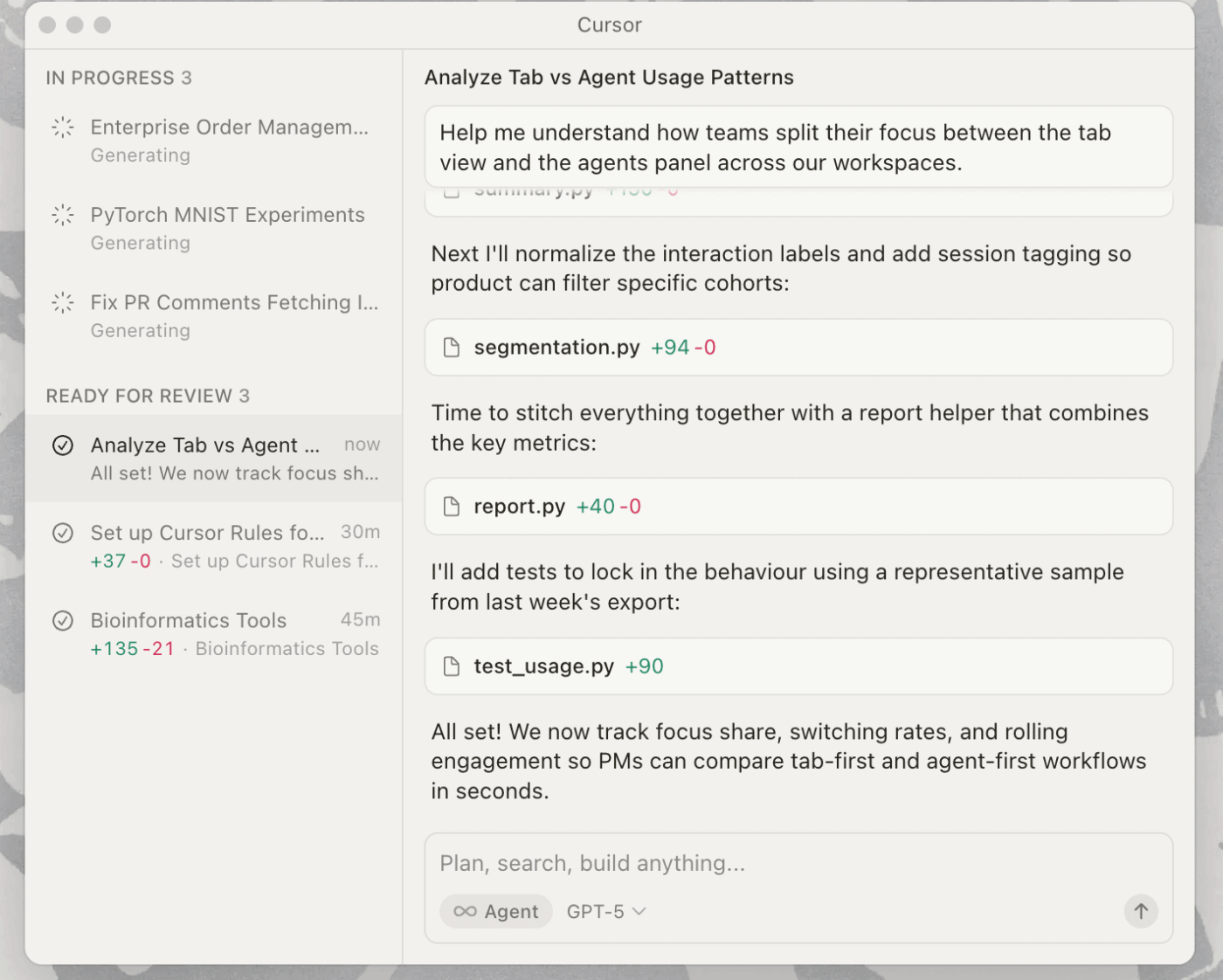
Cursor is an AI-first code editor built on VS Code that turns natural language into production-ready code, letting growth teams and PMs ship experiments, landing pages, onboarding flows, and in-app features.
Its Composer interface and dedicated coding model enable agentic workflows. Simply put, describe features in plain English, and Cursor generates multi-file code, previews diffs, runs tests, and applies changes with full context from your entire codebase.
A G2 reviewer says,
I love how seamlessly Cursor integrates AI into the development workflow. The inline code suggestions are incredibly accurate, and the ability to ask questions directly in the editor saves me tons of time. It feels like pair programming with an expert developer who understands my project context.
📚 Read More: Best Growth Hacking Tools for Marketers
These battle-tested templates give you a head start on AI-led growth:
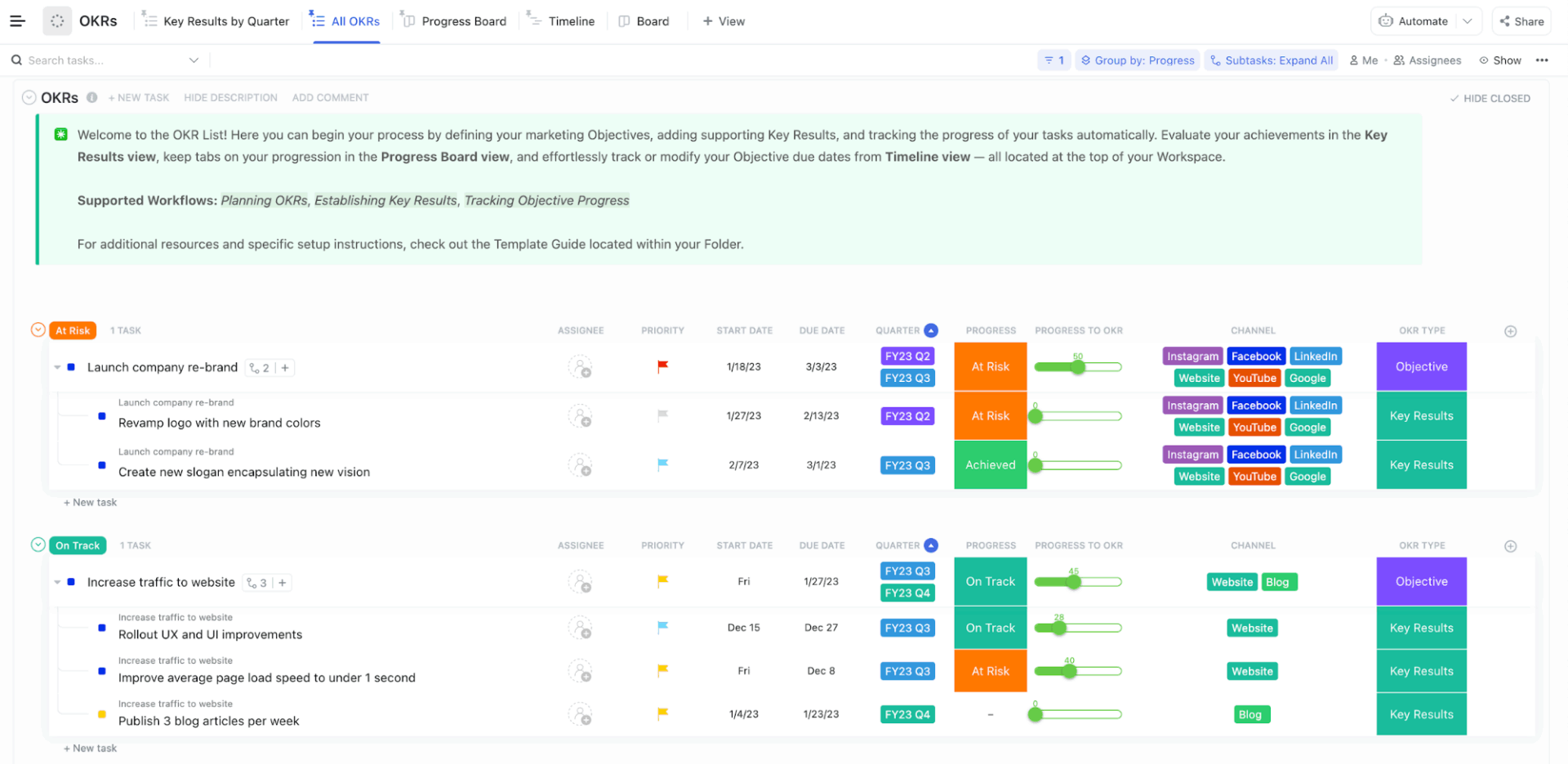
The ClickUp Strategic Marketing Plan Template helps you plan, execute, and track marketing work in one place so your team can stay aligned on goals, timelines, and budget.
With customizable statuses, Custom Fields, and views, you can tailor this template to your campaigns and use it to connect everyday tasks to measurable OKRs. This marketing plan template empowers you to run AI-led growth initiatives by helping you:
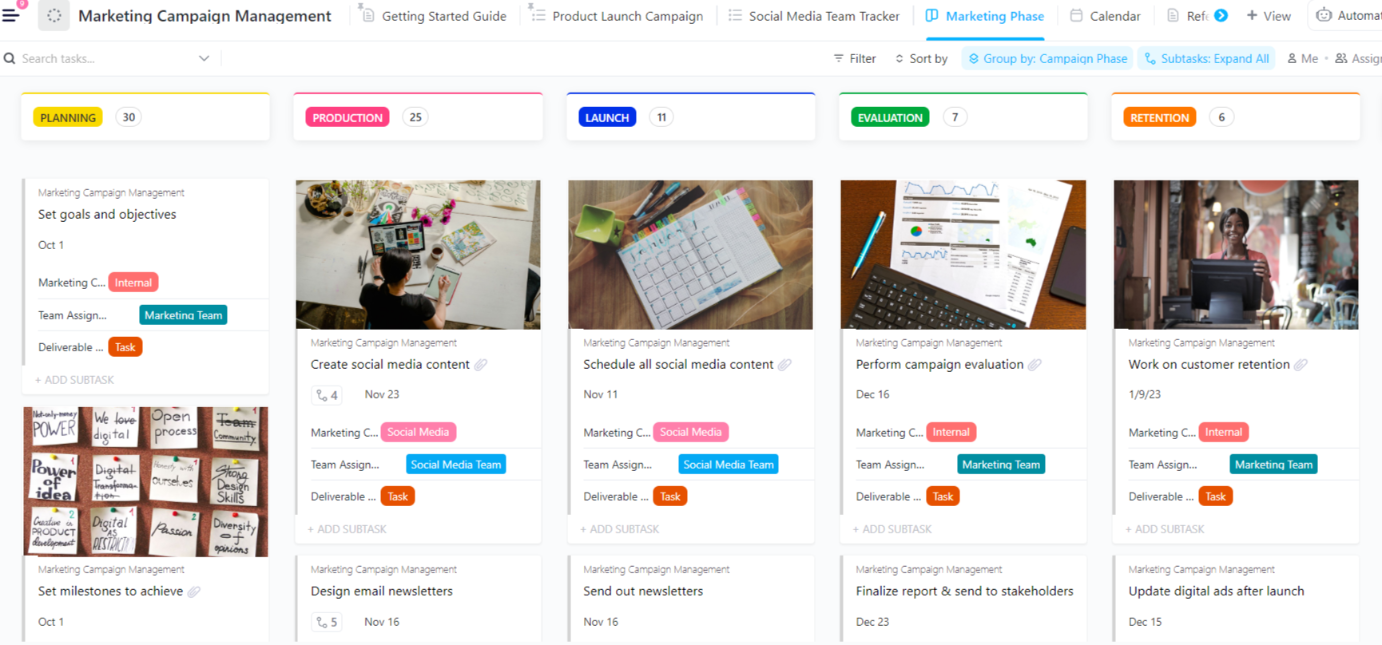
The ClickUp Marketing Campaign Management Template organizes work by Campaign Phase and adds structure for team ownership, channel planning, deliverable type, due dates, and budget tracking. It is especially useful for AI-led growth teams who need repeatable systems for shipping creative, launching fast, and reviewing results.
This template further helps you:
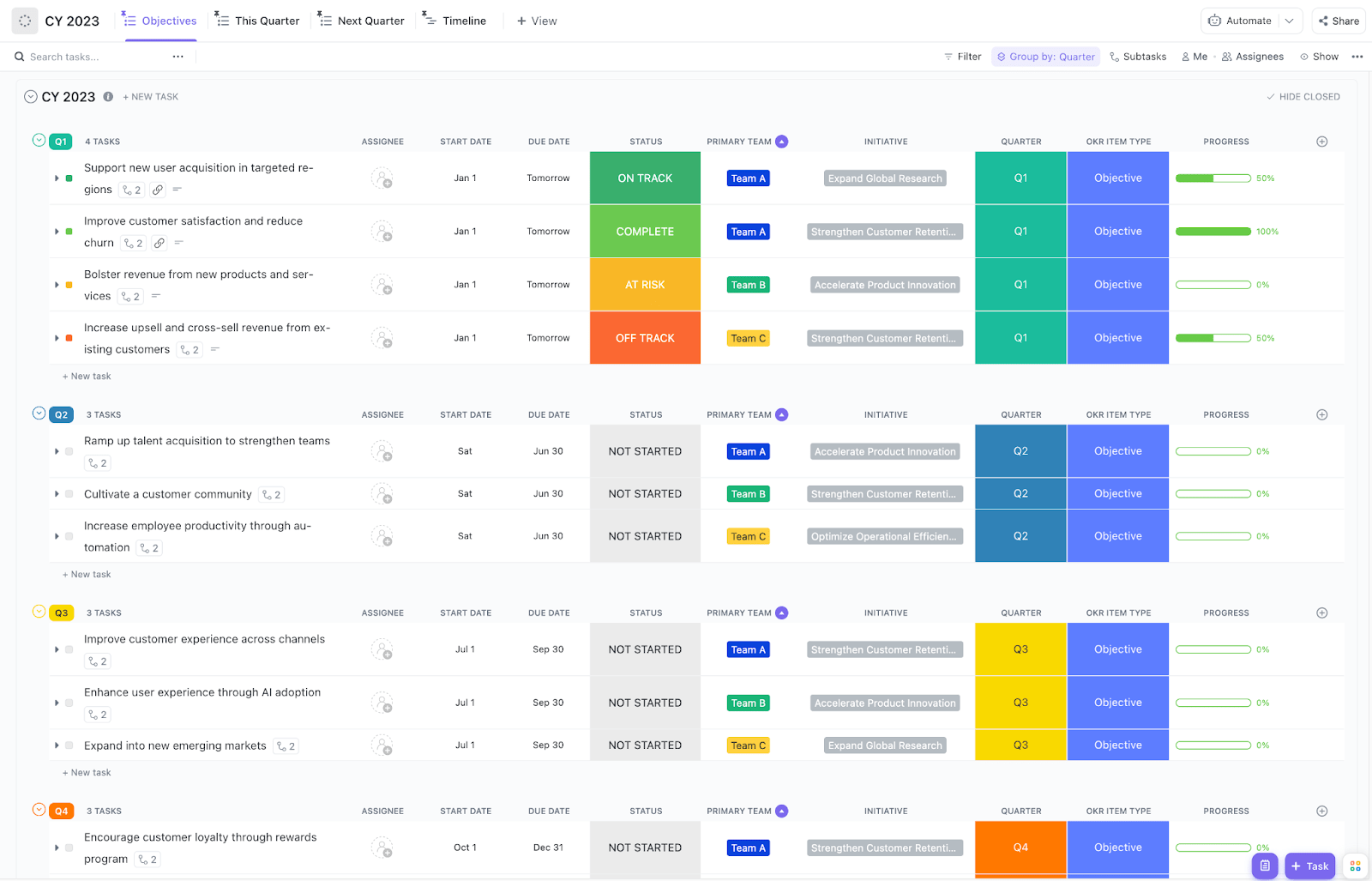
The ClickUp OKRs Template is built as an OKR folder system that guides you through quarterly planning, then turns objectives into trackable work across the full year.
What makes this template pop is the built-in cadence inside the folder itself. You start with a dedicated Planning and Alignment doc that prompts a previous quarter review and next quarter setup, then you manage execution through views that are organized by Quarter, OKR item type, Primary Team, and Initiative. This OKRs template helps you:
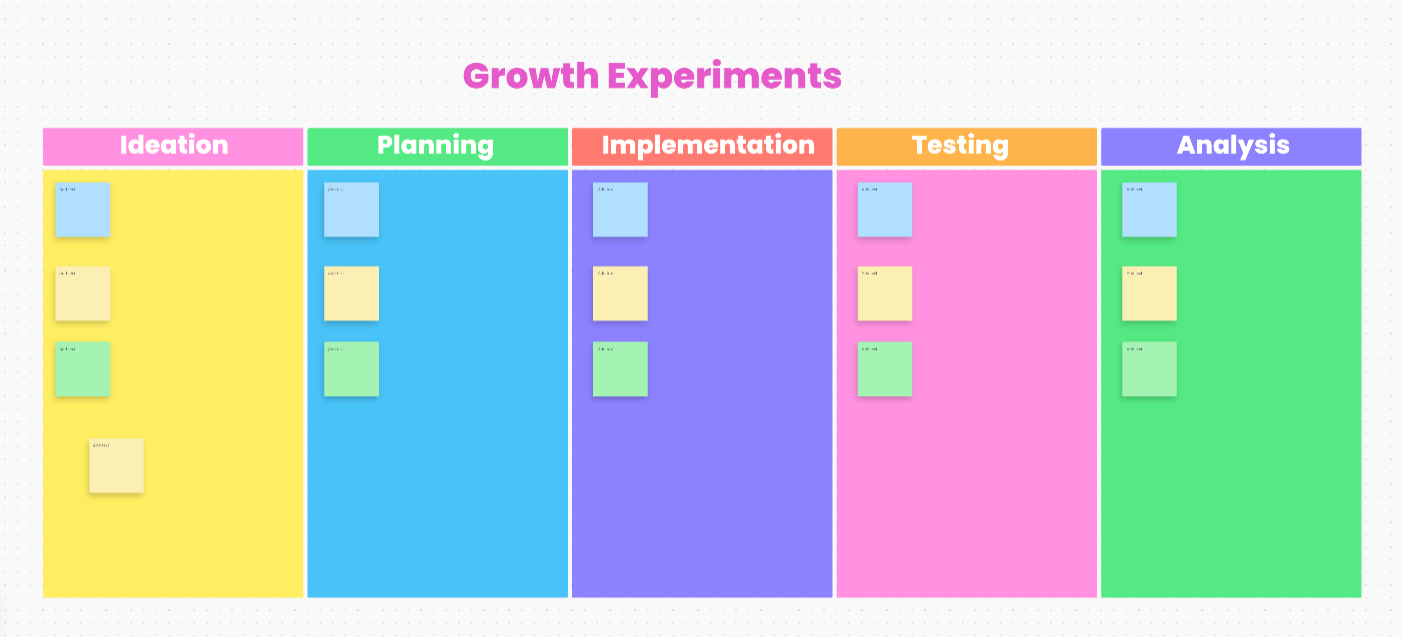
The ClickUp Growth Experiments Whiteboard Template, built on ClickUp Whiteboards, gives your team a visual space to map experiments from first idea to post-test learnings.
It uses a five-lane whiteboard workflow for Ideation, Planning, Implementation, Testing, and Analysis. This means you can collaborate in real time, cluster sticky notes, and then turn the best ideas into executable tasks. This template helps you:
Knowing what to do is only half the battle. That’s because it’s equally important to recognize what not to do:
❌ Running experiments without clear success metrics: Launching AI initiatives with vague goals like ‘improve customer experience’ makes it impossible to measure impact or iterate effectively.
✅ Fix: Define specific, measurable KPIs before deploying any AI solution. For a recommendation engine, track click-through rate, conversion rate, and average order value.
Set baseline measurements and target improvements (e.g., ‘increase conversion by 15%’). Review metrics weekly and be ready to pivot if you’re not seeing progress within 2-4 weeks.
❌ Optimizing for short-term metrics at the expense of long-term value: AI models trained purely on immediate conversions may recommend aggressive discounting or push low-quality products that convert well but harm customer lifetime value.
✅ Fix: Weight metrics like 90-day retention, repeat purchase rate, and customer satisfaction scores alongside immediate conversion. For recommendation engines, penalize suggestions that historically lead to returns or negative reviews. Test different time horizons to find the right balance for your business.
❌ Ignoring the cold start problem for new products or customers: AI systems trained on historical data perform poorly when encountering new products without purchase history or new customers without behavioral data.
✅ Fix: Build hybrid systems for long-term growth that combine AI predictions with rule-based fallbacks. For new products, use content-based features (category, price point, attributes) to find similar items. For new customers, leverage demographic data or aggregate behavior from similar cohorts.
❌ Overlooking the human-AI handoff: Fully automated AI systems for go-to-market strategy can’t handle edge cases, complex customer needs, or situations requiring judgment and empathy.
✅ Fix: Design clear escalation paths from AI to human support. Implement confidence scores that trigger human review for borderline decisions. Train your team on when and how to override AI recommendations. For customer-facing AI, always provide an easy path to reach a human when needed.
AI-led growth works when teams stop treating AI as a collection of tools and start treating it as a shared operating system. The teams that win align on how ideas are generated, how experiments are run, and how learnings are captured and reused.
That requires one place to document playbooks, prompts, and experiments, one view to understand what’s moving the needle across the funnel, and systems that reduce busywork so teams can focus on learning faster—not just doing more.
When all of that lives in a single workspace, AI becomes repeatable, measurable, and scalable instead of chaotic. That’s the difference between experimenting with AI and actually compounding growth with it.
Build your AI-led growth playbook in ClickUp today. ✅
Traditional growth hacking leans on fast, manual work, like rapid A/B tests, landing page tweaks, and broad campaigns. AI-led growth, on the other hand, uses data and intelligent automation to decide the build, target audience, and engagement timing. This works especially well alongside product-led growth, because the product itself becomes the main lever.
Businesses of any scale can start! Many startups and small teams adopt it early for a competitive edge—but it shines most at mid-stage to enterprise levels (e.g., Series A+ or $10M+ ARR) where you have enough users, data, and operations to see compounding effects from personalization, predictive churn models, or dynamic pricing. However, smaller teams benefit from no-code tools and quick wins, while larger orgs scale them across functions for true transformation.
Less than you think. Many quick-win AI tools work with hundreds to thousands of customer interactions, usage logs, or enriched leads. Startups often begin with internal data (e.g., product events, support tickets) or public/synthetic sources, then finetune as volume grows. Modern no-code platforms and transfer learning make low-data scenarios viable. At the end of the day, focus on quality over quantity.
Some include:
Personalized content and copy generation (e.g., ad variants, emails, social posts)
Predictive churn or LTV scoring to prioritize high-value users
Hyper-personalized outbound enrichment and sequencing
A/B testing prompts/models for onboarding or retention flows
Creative repurposing and idea brainstorming for faster campaign iteration
Track a mix of hard metrics (e.g., incremental revenue, conversion rate lift, churn reduction, time saved on manual work) against a baseline or control group, plus soft signals (e.g., adoption rates, productivity self-reports). Calculate simple ROI as (gains – costs) / costs—include tool/subscription fees, prompt engineering time, and opportunity cost. Start with leading indicators like engagement or efficiency, then tie to business outcomes like ARR impact or CAC reduction for the full picture.
Yes, totally. Start with simple rules and lightweight tools before building custom models. Focus on instrumenting the product, running small tests, and shipping changes users feel. A product-led growth playbook, plus a few AI helpers, can go a long way. Over time, you can add more automation and smarter targeting as data improves.

© 2026 ClickUp

There’s an easier way. Try a free AI Agent in ClickUp that actually does the work for you—set up in minutes, save hours every week.