







Still downloading templates?
There’s an easier way. Try a free AI Agent in ClickUp that actually does the work for you—set up in minutes, save hours every week.
Sorry, there were no results found for “”
Sorry, there were no results found for “”
Sorry, there were no results found for “”

If you’ve ever typed a question into your company’s intranet and gotten back a jumbled mess of outdated PDFs and random Slack threads, you’re not alone.
We found that 1 in 5 professionals spends 3+ hours daily just looking for files, messages, or additional context on their tasks. That’s nearly 40% of a full workweek wasted on something that should only take seconds!
Traditional intranet search engines struggle to keep up with the growing complexity of internal knowledge, with information scattered across tools like Google Drive, Notion, SharePoint, Confluence, Slack, and your project management platform.
The way out?
AI intranet search tools.
These next-gen platforms use natural language processing (NLP), retrieval-augmented generation (RAG), and context-aware algorithms to understand your search queries and actually deliver the right documents, answers, or summaries, right when you need them.
In this post, we’ll break down the best AI intranet search tools to consider this year. We’ll cover real use cases, standout features, limitations, pricing, and user reviews. Whether you’re scaling a fast-moving startup or managing knowledge across a global enterprise, there’s a tool in here for you to gain valuable insights! 🕵️♀️
Choosing the right intranet search solution can significantly boost team productivity, reduce context-switching, and improve knowledge reuse. Here’s what to prioritize:
📮 ClickUp Insight: The average professional spends 30+ minutes a day searching for work-related information—that’s over 120 hours a year lost to digging through emails, Slack threads, and scattered files. An intelligent AI assistant embedded in your workspace can change that. Enter ClickUp Brain. It delivers instant insights and answers by surfacing the right documents, conversations, and task details in seconds—so you can stop searching and start working.
💫 Real Results: Teams like QubicaAMF reclaimed 5+ hours weekly using ClickUp—that’s over 250 hours annually per person—by eliminating outdated knowledge management processes. Imagine what your team could create with an extra week of productivity every quarter!
Today, teams face two growing challenges: Work Sprawl and AI Sprawl. Work is scattered across too many apps and systems — while AI is getting fragmented across disconnected tools. The result? Information overload and wasted time finding what you need, when you need it.
| Tool | Key features | Best for | Pricing* |
|---|---|---|---|
| ClickUp | – Connected Search across tasks, docs, Slack, Drive – ClickUp Brain + Autopilot Agents for proactive action – Auto-summarize docs, generate subtasks, and fetch data from connected apps – Launch internal wikis with templates and verified content | Small to enterprise teams needing centralized AI-powered search + workflow automation | Free plan available; Customizations available for enterprises |
| Glean | – Role-personalized answers across apps (Drive, Slack, Jira) – Unified knowledge graph with acronym/context awareness – Multi-step task execution via AI Assistant layer | Mid-sized to enterprise teams with complex app ecosystems | Custom pricing |
| Coveo | – Context-aware, role-based search with RAG – Adaptive AI ranking, rules engine, auto-suggestions – Agent Assist for internal help desks | Enterprise support teams and regulated industries | Custom pricing |
| Guru | – AI-powered knowledge cards with Slack/Teams integration – Knowledge Agents to monitor and update stale info – Usage analytics and peer-reviewed content | Knowledge-centric teams building internal wikis with trusted info | Free trial (30 days); Paid from $18/user/month; Custom pricing for enterprises |
| Qatalog | – Zero-index federated search across G Suite, Slack, Salesforce – RAG-backed answers in shared query threads – Query annotation and enterprise compliance | Fast-moving small to mid-sized teams needing fast setup with robust collaboration | Free trial (14 days); Paid from $15/user/month; Custom pricing for enterprises |
| Elastic Search | – Full-text + vector search with DevOps control – Open-source, scalable, customizable – Analytics via Kibana + LLM support | DevOps-heavy teams and technical orgs building tailored search systems | Free trial (14 days); Custom pay-as-you-go pricing |
| Algolia | – API-first design with neural search and typo tolerance – Real-time indexing with <50ms response – Role-based filters and dynamic faceting | Product and engineering teams seeking fast, intelligent in-app search | Free plan (10k searches/month); Paid from $0.50/1k queries; Custom pricing for enterprises |
| Sinequa | – Semantic search across 200+ content sources – Role-specific Assistants + prebuilt industry apps – No-code NLP flows + strong security | Enterprises in regulated industries needing deep, multilingual search | Volume-based custom pricing |
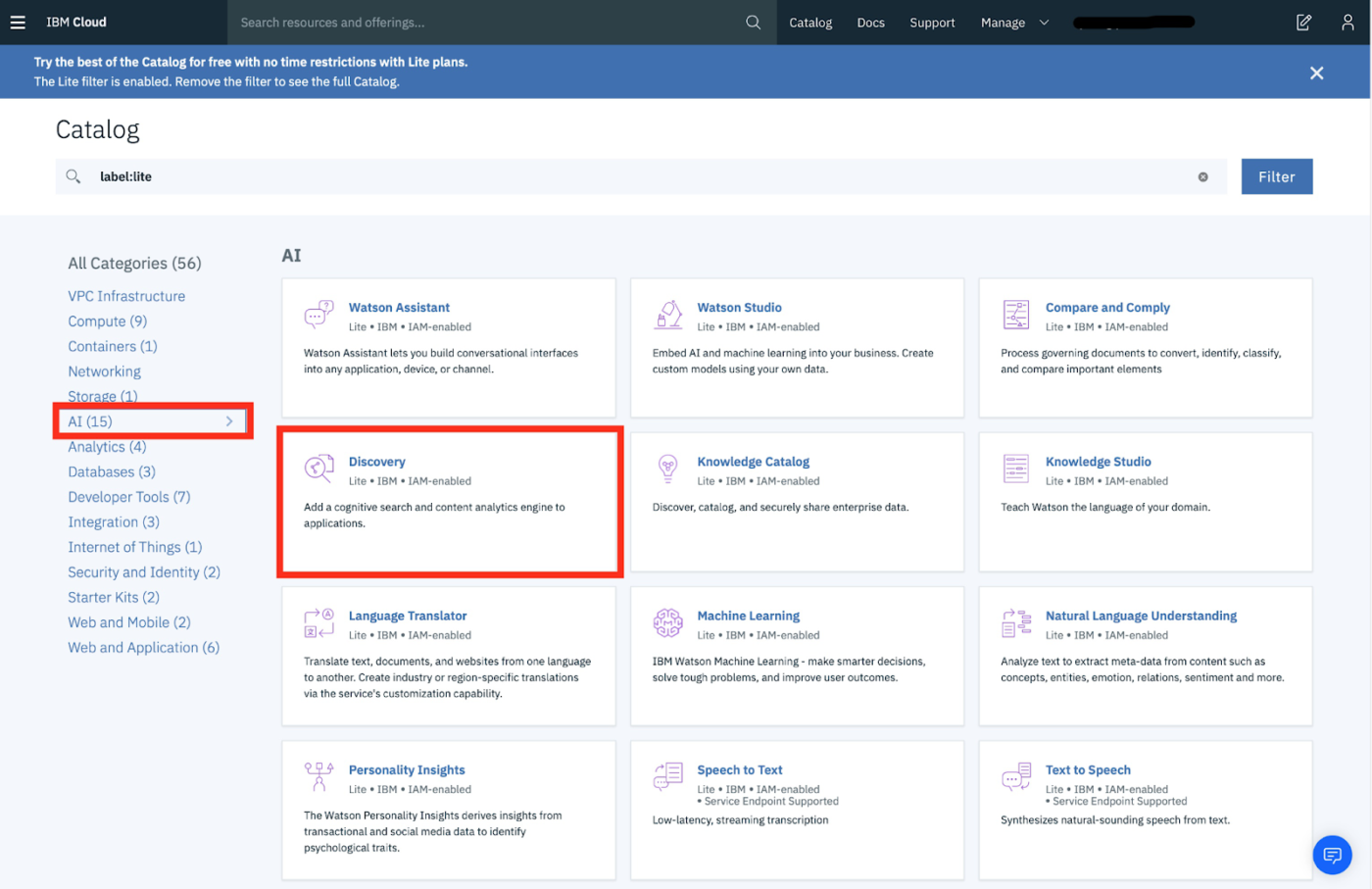
| IBM Watson Discovery | – Passage-based answers, OCR, entity/sentiment analysis – Smart Document Understanding + relevance modeling – Integration via APIs and analytics dashboards | Legal, compliance, and enterprise teams analyzing large document sets | Free trial; Paid plans from $500/month; Enterprise and premium tiers: Custom pricing |
| Google Cloud Vertex AI Search | – Semantic + vector search with RAG grounding – Easy embed and tuning, integrates with BigQuery, GCS – No-code UI for setup and management | Enterprises already on Google Cloud that need low-lift intelligent search | Custom pricing |
| Korra.ai | – Chat-based assistant with rich citations – Search across docs, tickets, videos – Learns internal vocab and escalates complex queries | Small to mid-sized teams using chat-based internal support | Custom pricing |
| Slab | – Beautiful knowledge base with rich formatting – Smart contextual suggestions and search insights – Easy doc hierarchy and real-time collaboration | Small to mid-sized teams creating simple, structured internal wikis | Free plan (up to 10 users); Paid from $8/user/month; Custom pricing for enterprises |
| Microsoft Viva | – Embedded knowledge cards across Teams, Outlook, SharePoint- Modules for learning, connections, pulse, and insights – Auto-tagging + privacy-first productivity analytics | Microsoft 365-based enterprises building unified employee experiences | Paid plans from $4–$12/user/month depending on module; Custom pricing for enterprises |
Our editorial team follows a transparent, research-backed, and vendor-neutral process, so you can trust that our recommendations are based on real product value.
Here’s a detailed rundown of how we review software at ClickUp.
Can an AI intranet tool really check all the boxes we listed above? Well, some of them do. Here they are:
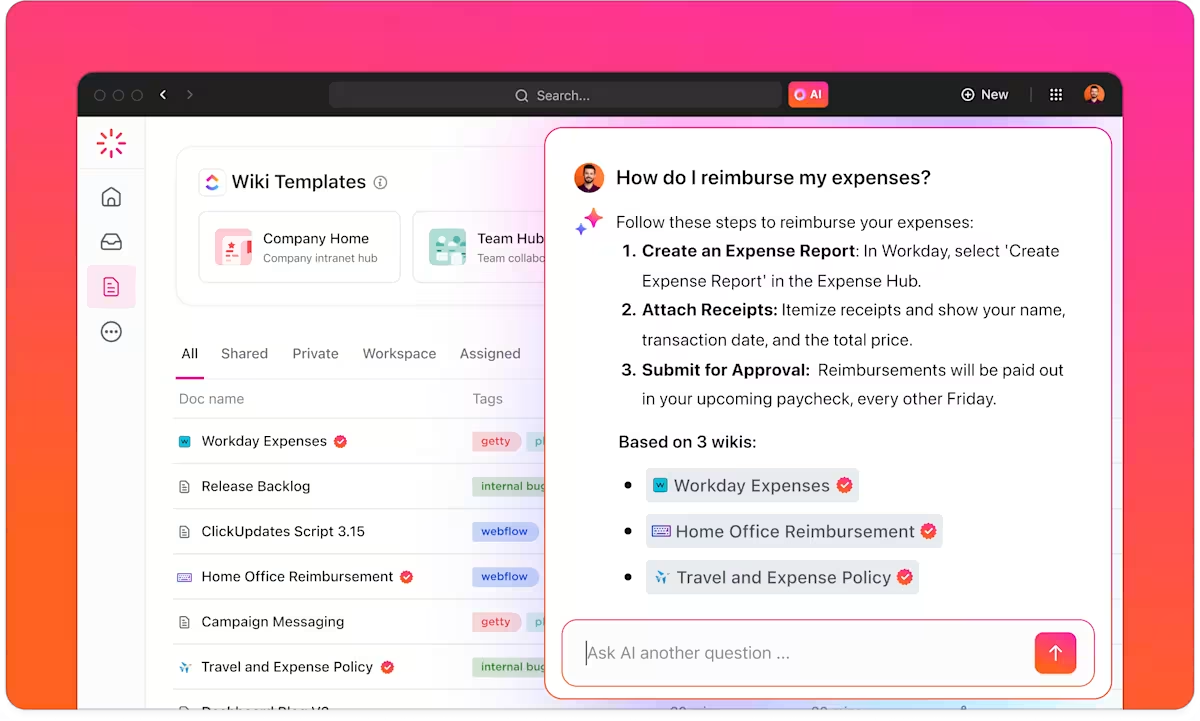
As the everything app for work, ClickUp tackles the root cause of broken intranet search—tool sprawl and scattered knowledge. Instead of needing you to stitch together answers across dozens of disconnected apps, ClickUp centralizes your tasks, docs, wikis, and conversations in one searchable, AI-powered workspace.
ClickUp’s powerful Connected Search not only indexes and surfaces this data but also integrates your knowledge from external, connected apps like Google Drive, Slack, GitHub, and Figma.
Pair it with ClickUp’s native AI, ClickUp Brain, and you’ve got a unified, intelligent intranet experience that retrieves, understands, and acts on information most valuable to you.
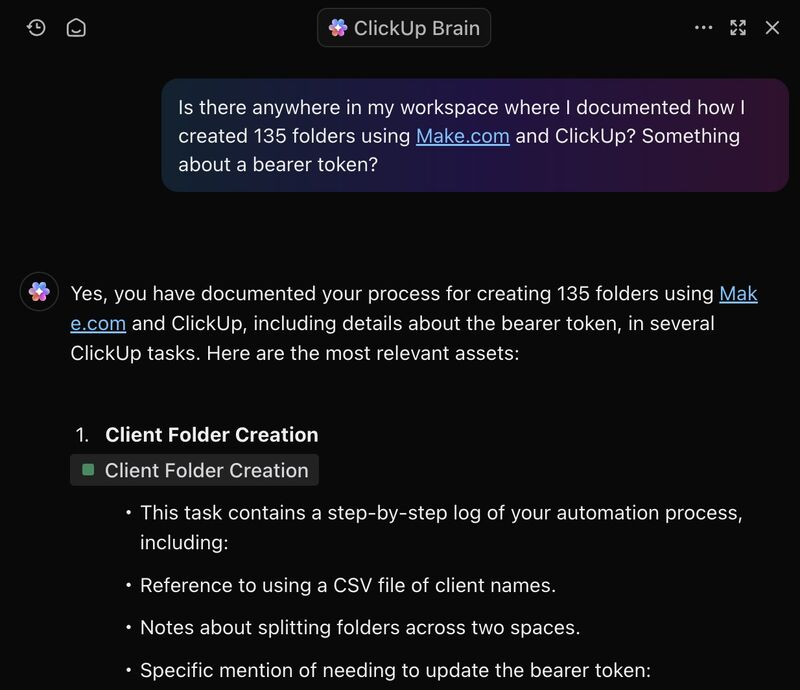
The result? You get to ask everyday questions like “What did we discuss in the last client meeting?” or “Show me the Q2 roadmap,” and get instant, accurate context-aware answers.

Together, these systems leverage company-wide context to not only bring up matching items but also summarize insights from them—or even take action.
For example, you can ask AI to:
All of this happens without jumping between tools and taking 23 minutes to reset attention each time you do!
These AI knowledge management features inside ClickUp let you probe years-deep workspace history. They deliver longer, more thorough results buried in legacy docs and tasks—great for recurring projects or compliance audits.
And since search behavior in ClickUp is personalized and optimized with ranking signals and filters, you get faster, more relevant query results. Just ask early employees at ClickUp, “search is historically the fastest and most relevant it has ever been.”
But this isn’t even the best part.
Once AI surfaces a summary or link, it keeps the workflow going. From that prompt view, you can convert results to tasks or docs, copy findings, or follow AI suggestions to dive deeper. Coupled with ClickUp’s Automations and Autopilot Agents, this turns search into a workflow—not just a tool—reducing manual context-switching and streamlining daily operations.
In knowledge management workflows, Autopilot Agents streamline maintenance and retrieval by:
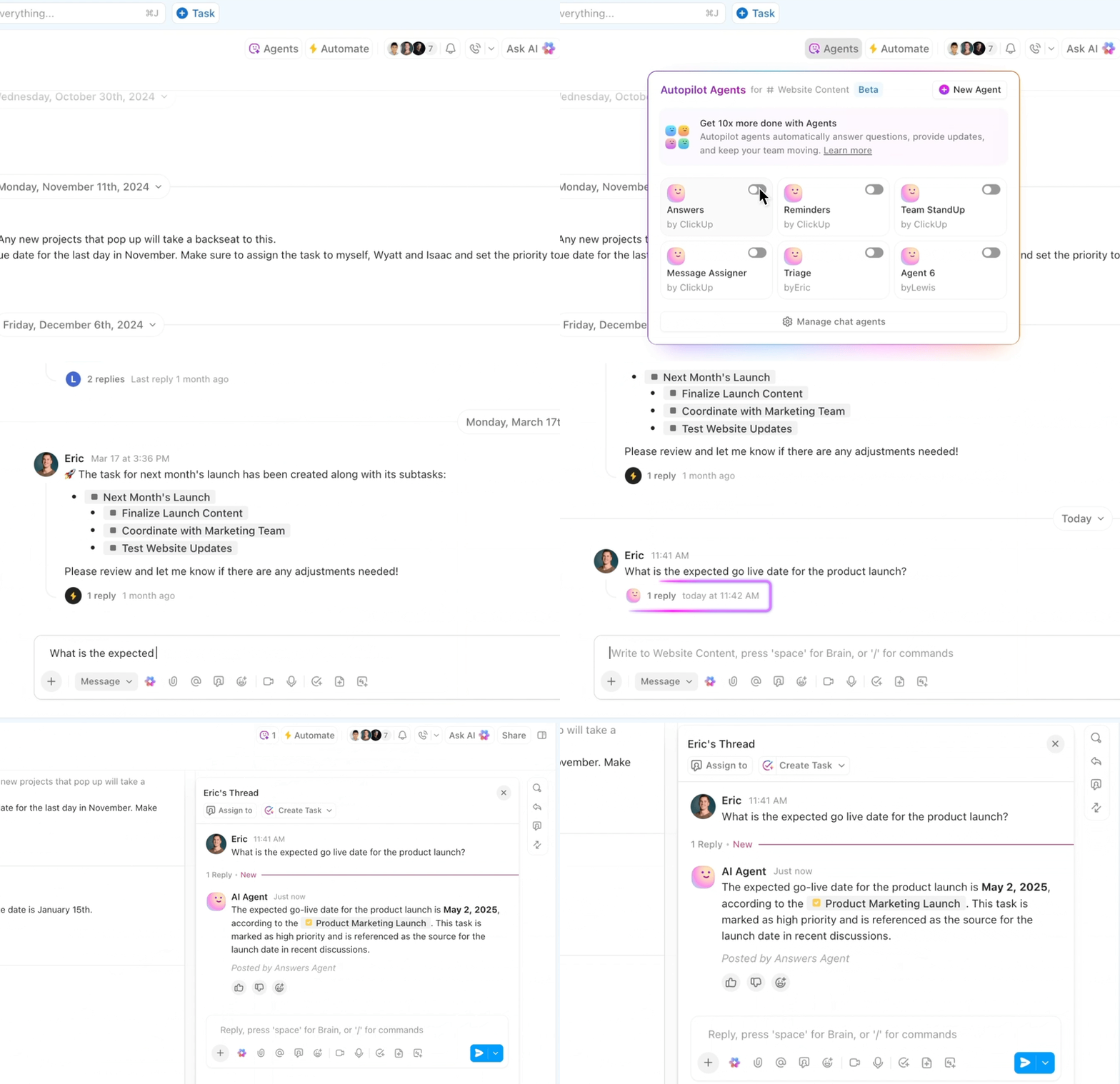
ClickUp’s intranet search isn’t just about passively finding documents—it’s about understanding them, acting on them, and keeping everything connected in one centralized workspace.
And if you want to set up your knowledge base from scratch, ClickUp’s got many free templates to choose from, too.
The ClickUp Knowledge Base Template provides a ready-made framework to build your internal knowledge hub. With sections for articles, FAQs, and resource libraries, it mirrors a polished help center. You get built-in organizational tools such as nested pages and page hierarchy to ensure a coherent structure.
Why try it:
A G2 review calls ClickUp a powerhouse app:
I love the blend of personal task management, with business knowledge management, quick notes and the AI ClickUP brain is FANTASTIC. It is amazingly context aware and literally a beast of an assistant.
Nested documents, task hierearchy, custom fields, advanced filtering… this app has it all, and it’s not too complicated to get up and running. It also has useful integrations into standard business platforms which is great
🧠 Fun Fact: 88% of our survey respondents use AI tools for personal tasks every day, and 55% use them several times a day. What about AI at work? With a centralized AI powering all aspects of your project management, knowledge management, and collaboration, you can save up to 3+ hours each week, which you’d otherwise spend searching for information, just like 60.2% of ClickUp users!
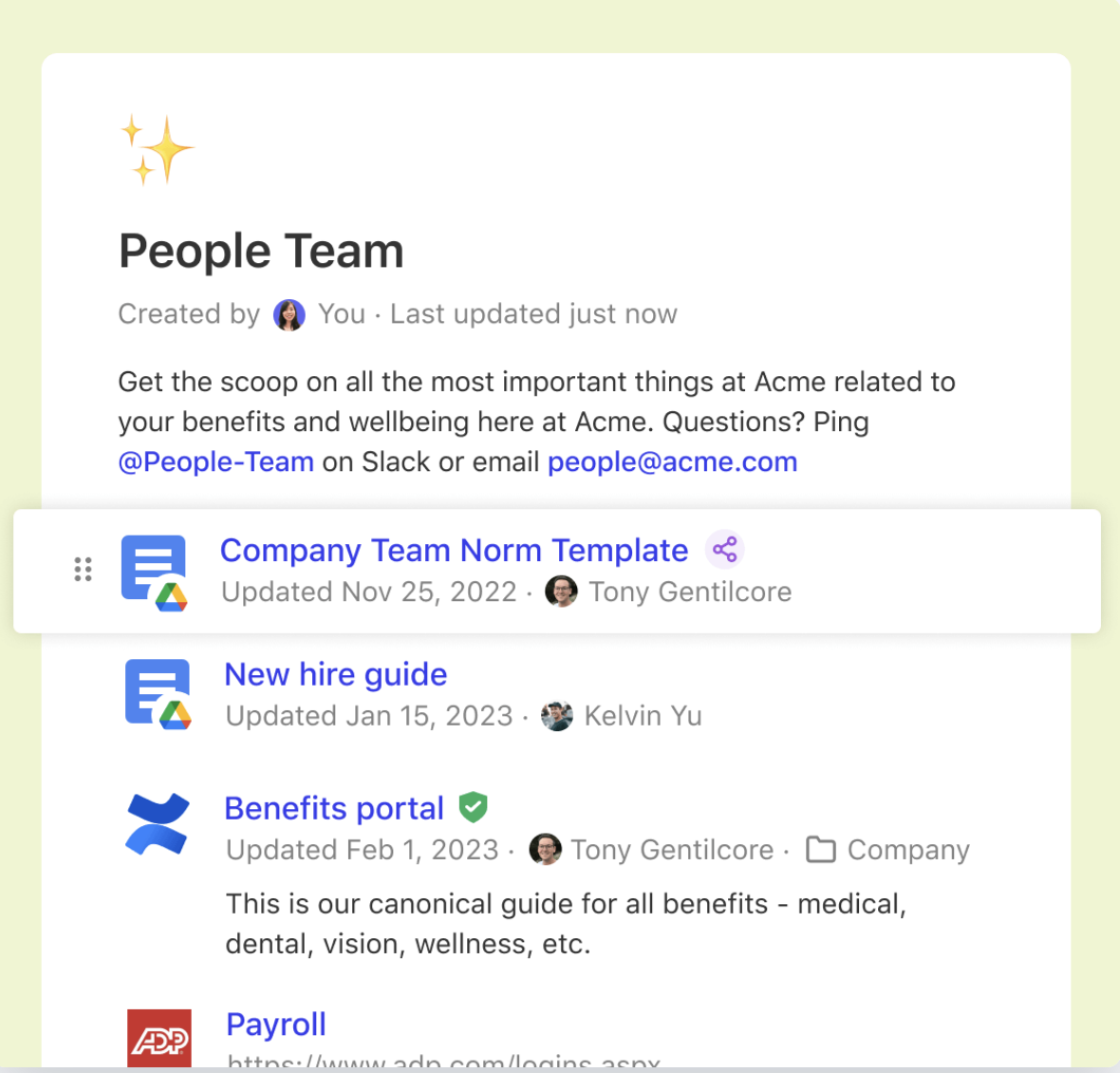
Glean’s enterprise search connects to every workspace you’re already using—Google Drive, Slack, Confluence, GitHub, Jira—and builds a unified knowledge graph that understands acronyms, internal language, and project context.
When someone asks a question, Glean doesn’t just fetch docs—it delivers a summarized, role-personalized answer that saves teams time and energy.
Its Assistant layer also supports multi-step prompts and agentic task execution, so it can suggest drafting emails, setting meetings, or prioritizing your to-do list based on natural-language instructions.
A review on G2 reads:
The ability to easily access any information across our systems has been super helpful! I like to be able to see all possible options when either looking for information for internal needs OR when I need to share something with a customer. Really has helped me save time when searching or asking someone else.

Coveo elevates intranet search into a context-aware relevance engine powered by generative AI. It indexes multiple data sources—Salesforce, ServiceNow, SharePoint, and intranet portals—and then uses machine learning to adapt results to each user’s role, behavior, and query patterns.
As you type, Coveo suggests completions, surfaces relevant documents, and can even offer personalized recommendations for knowledge articles or workflows. Its flexible rules engine allows admins to fine-tune relevance, while Agent Assist and Self‑Service extensions make it powerful for internal help desks. Coveo works best when your enterprise needs precision, personalization, and proactive discovery at scale.
A user on G2 shares:
Coveo allows us to create a unified index of all our product knowledge. Using Coveo’s built-in permission models and customizations, we can then deliver that content in multiple ways. It is simple to dynamically filter search results and boost content based on user context…At times, new features have been released and then not updated or supported after a period of time.

Guru combines enterprise search, a wiki, and an AI-powered knowledge base into one seamlessly integrated intranet system.
When users search, Guru surfaces relevant “cards” (bite-sized knowledge units), enriches them with context from Slack, Teams, or browser extensions, and can even suggest answers proactively based on user role and behavior.
Its Knowledge Agents monitor source content and can automatically update or flag stale information. For teams tired of outdated pages or “link rot,” Guru brings structure and trust to organizational knowledge—while still allowing natural‑language searches and Slack‑style threads for discussions.
This is what a Capterra reviewer said:
Intuitive, easy to use, and easy to create helpful learning documents! I appreciate the use of templates to create a uniform experience.
The Assist function is a little non-intuitive. I would like the spelling and grammar function to highlight suggested changes so I can see what changes will be made, rather than having to read and compare.
👀 Did You Know? 1 in 4 employees uses four or more tools just to build context at work. A key detail might be buried in an email, expanded in a Slack thread, and documented in a separate tool, forcing teams to waste time hunting for information instead of getting work done.
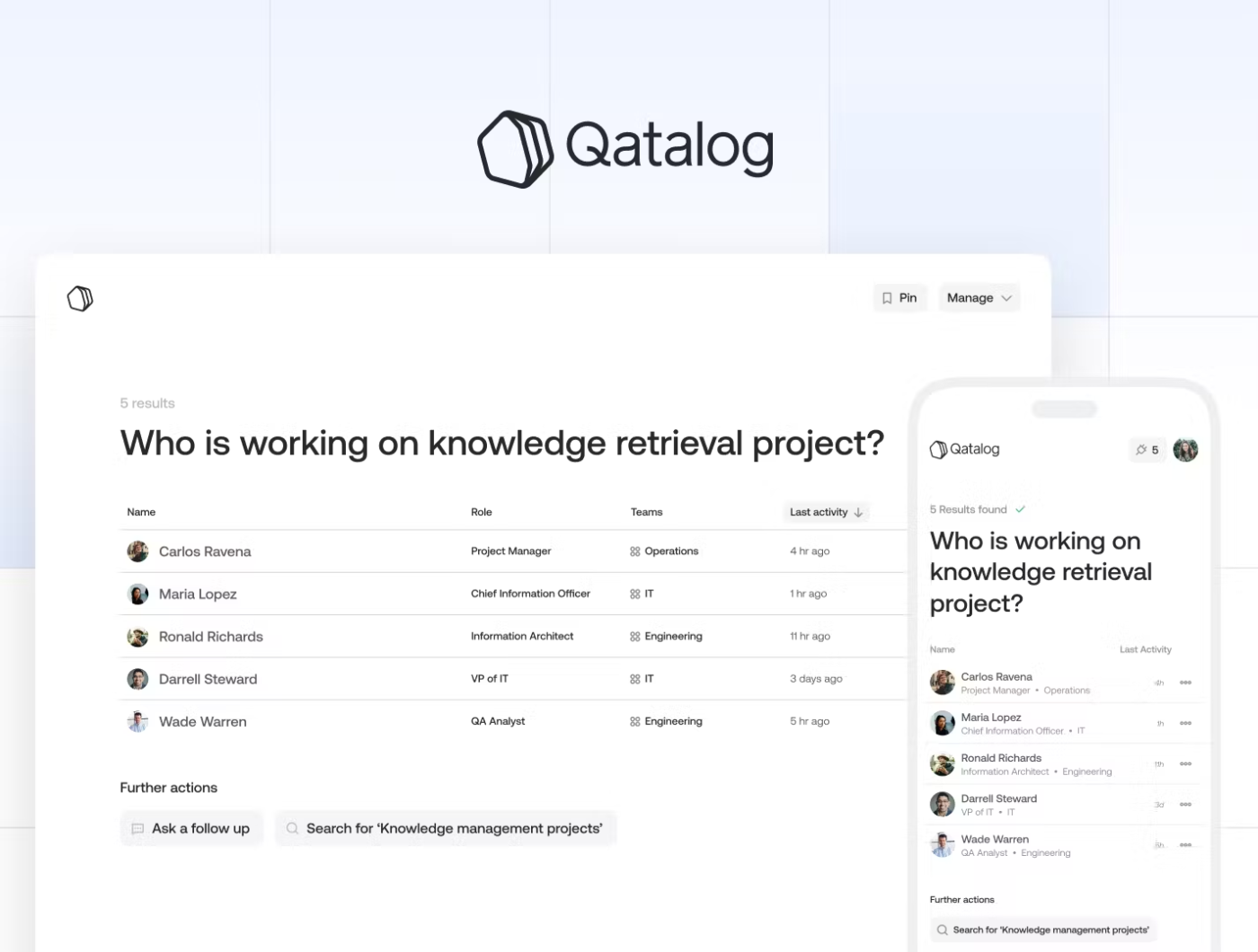
Qatalog turns scattered documents, databases, and inboxes into a connected “smart hub”. It offers real‑time federated search with RAG capabilities—so you get context-backed answers, not just links. Because it doesn’t index or duplicate data, everything stays in place while being instantly accessible via connectors to Google Workspace, Salesforce, Slack, Snowflake, and more.
Qatalog’s UX is also built for live collaboration: query history, shared boards, and threaded answers make finding and distributing findings easy.
A G2 user appreciates the search and collaboration features in Qatalog:
One of the best things I like about Qatalog is its ability to consolidate all our communication and collaboration tools in one place. Whether it’s chatting with colleagues, sharing files, or assigning tasks, Qatalog has it all. The search function is also impressive – I can easily find any information I need in just a few clicks, which saves me a lot of time.
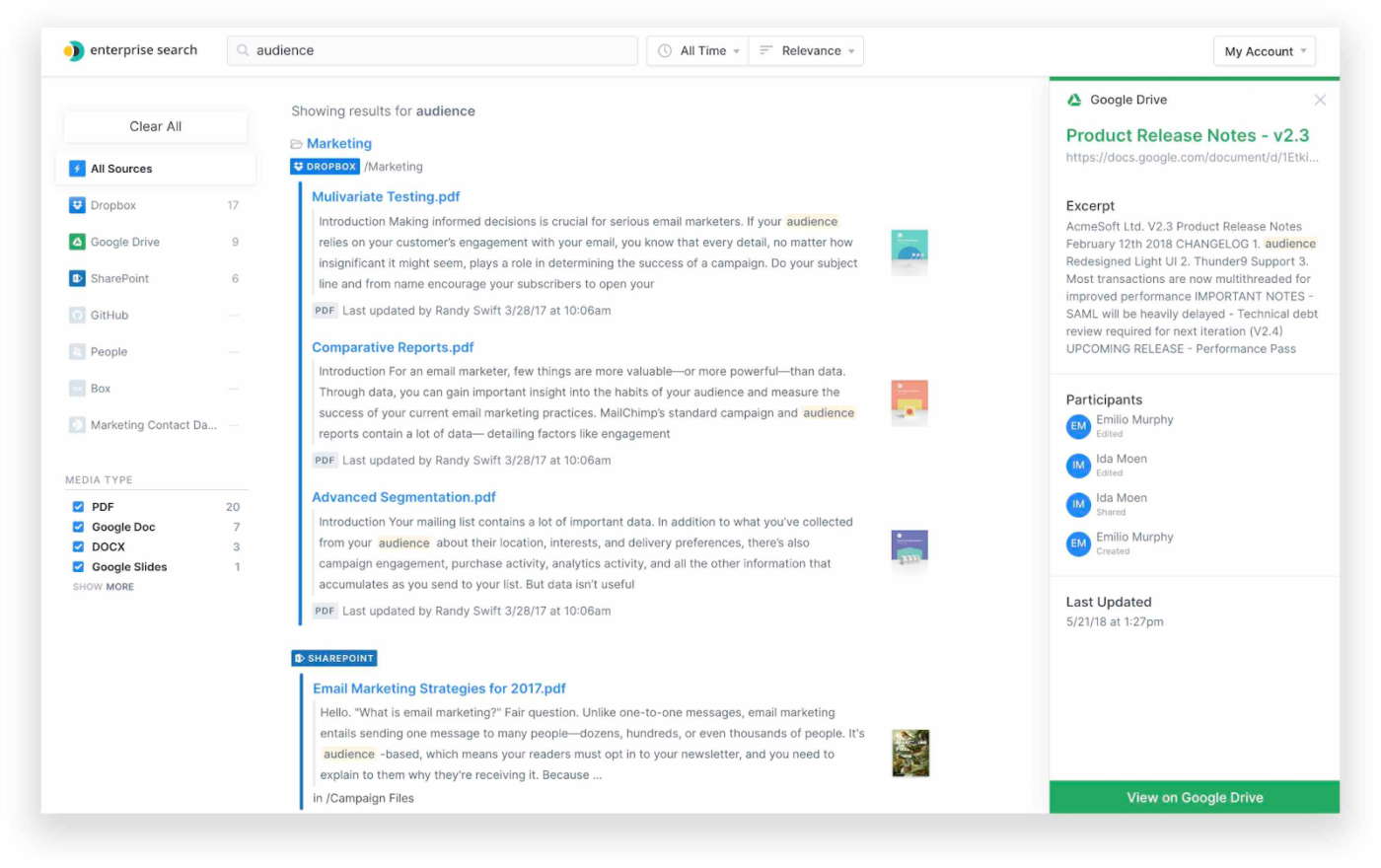
Elastic Search is the trusted backbone for full‑text, vector, and AI-powered intranet search. Built on Apache Lucene, it supports scalable, distributed search with real-time indexing, vector similarity, and rich analytics via Kibana.
The Elastic Cloud offers serverless or hosted options: you pay only for what you ingest or query, with LLM-powered features and vector search built-in.
Ideal for teams with in-house dev operations or complex compliance needs, Elastic lets you build anything from simple intranet search to advanced AI catalogs—though it demands more setup and DevOps than plug-and-play tools.
Here’s a G2 reviewer’s opinion:
The search results are very fast and I like the facets feature. I used it over a million records of the database containing employee info and it took milliseconds to search them…It can be pretty complex to set it up. cost of setting it up can be pretty high.
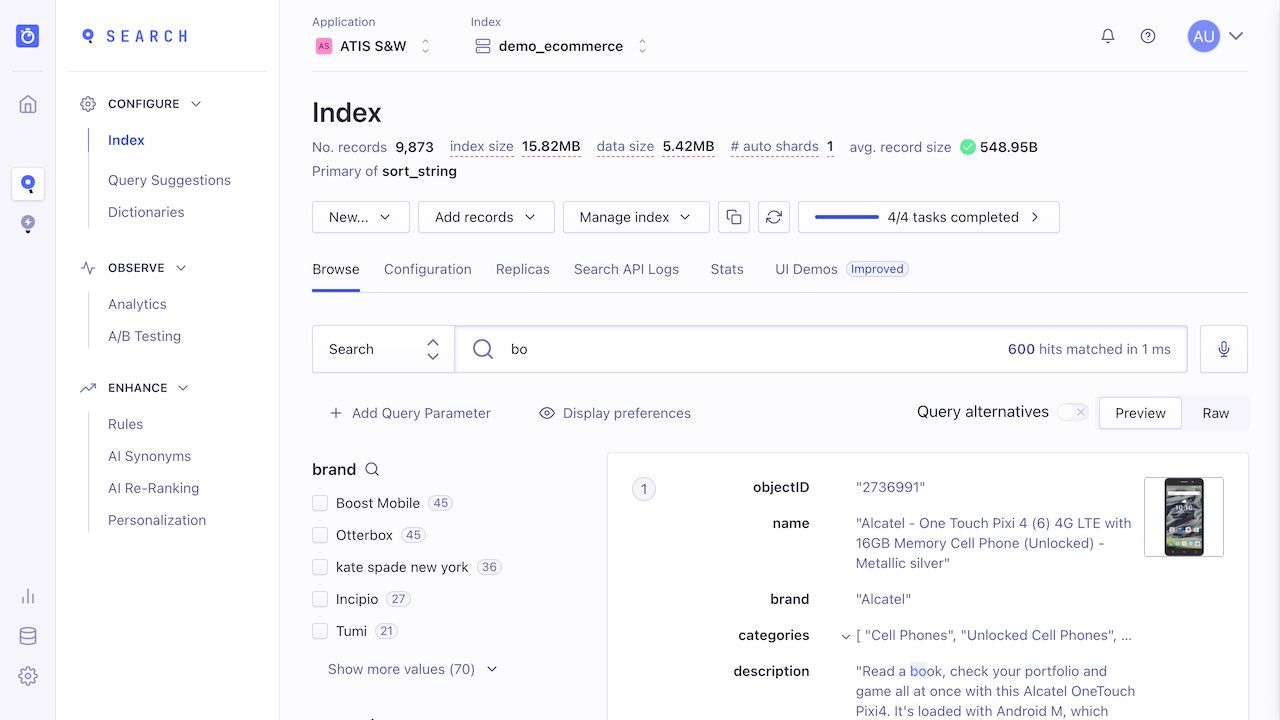
Algolia brings AI-augmented search into your intranet, transforming buried content into instantly accessible knowledge. Its API-first design delivers sub-50 ms responses, and supports dynamic faceting, typo tolerance, synonyms, and geolocation filters—so when someone searches “Q4 sales deck,” Algolia delivers the exact deck, context first.
Built-in AI enhancements like neural search and query suggestions help surface relevant content even when users use vague terms .
This was a Capterra user’s experience with Algolia:
Great solution for enabling smart search on our help center and main website, it helped a lot with usability for the end user, and it was not too difficult to implement…it still required our tech team to roll out (so it wasn’t exactly something I could have done myself)…
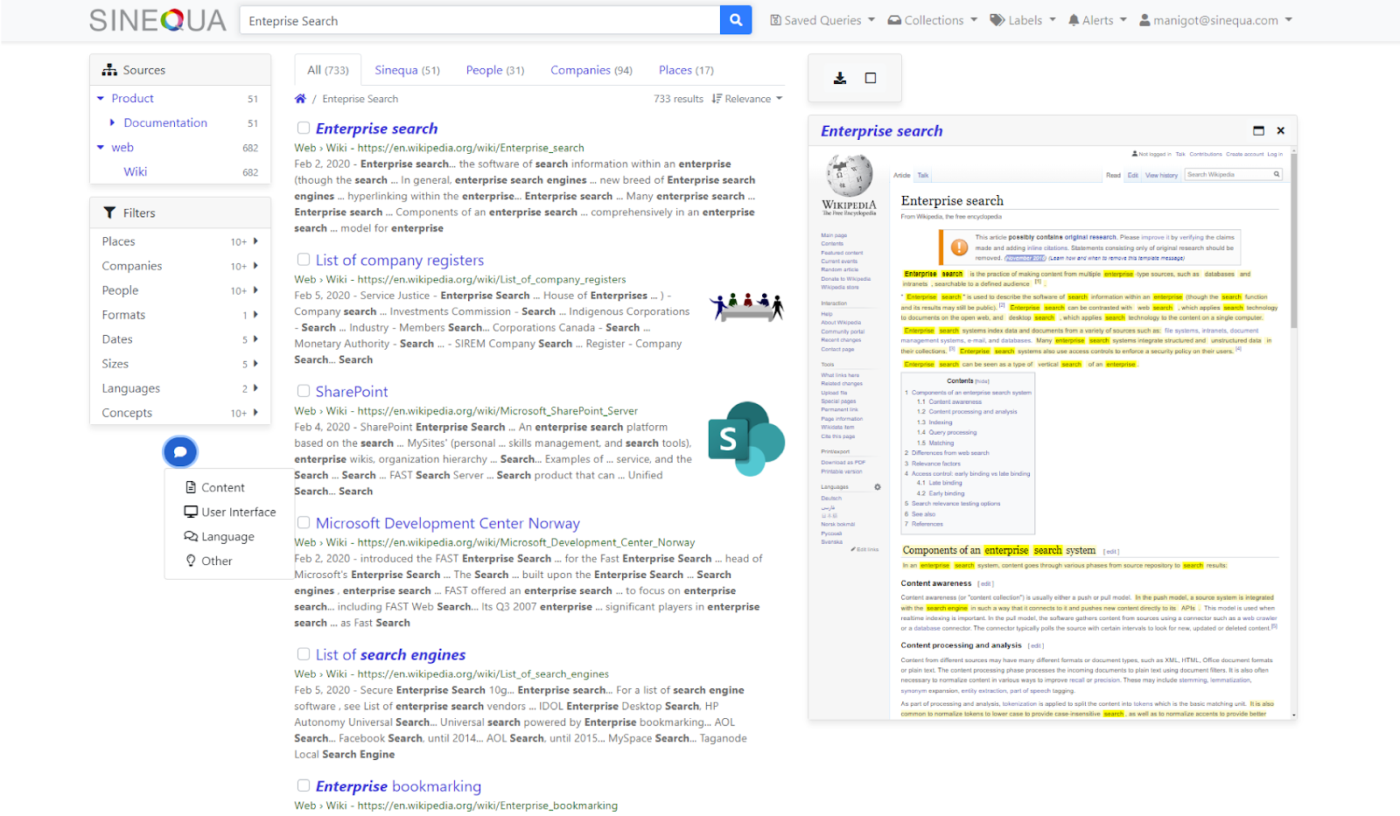
Sinequa offers a powerful, GenAI-powered search assistant tailored for enterprise-grade knowledge discovery. It connects over 200 content repositories (ERP, CRM, file systems) and uses NLP plus machine learning to provide accurate answers with no AI hallucinations.
A no-code Assistant builder effortlessly configures role-based workflows—legal teams, lawyers, and engineers—turning search into a proactive knowledge assistant. It’s ideal for regulated enterprises with huge data volumes.
Straight from a G2 review:
Sinequa is an intelligent enterprise search platform with flexible presentation, security and speed that offers wonderful collaboration capabilities such as tags, comments, email alerts, collections, document browser with different views and multiple views of results…
IBM Watson Discovery combines AI-powered search with deep document insights and extraction. Using Smart Document Understanding, it ingests PDFs, tables, and docs, then provides passage-level answers, sentiment analysis, and entity extraction.
It includes built-in OCR, NLP customization, and a powerful relevance model—ideal for legal discovery, support portals, and internal Q&A bots . With analytics dashboards and API access, you get full visibility on usage and can adapt the model over time.
A G2 review highlights that the tool is:
Easy to use and connect with documents, Powerful natural language processing (NLP) capabilities. Watson Discovery uses NLP to extract insights from unstructured data, such as text documents, emails, and social media posts. This can be used to identify trends, patterns, and relationships in data that would be difficult or impossible to find using traditional methods…It can be expensive
📮ClickUp Insight: We recently discovered that about 33% of knowledge workers message 1 to 3 people daily to get the context they need. But what if you had all the information documented and readily available?
With ClickUp Brain’s AI Knowledge Manager by your side, context switching becomes a thing of the past. Simply ask the question right from your workspace, and ClickUp Brain will pull up the information from your workspace and/or connected third-party apps!
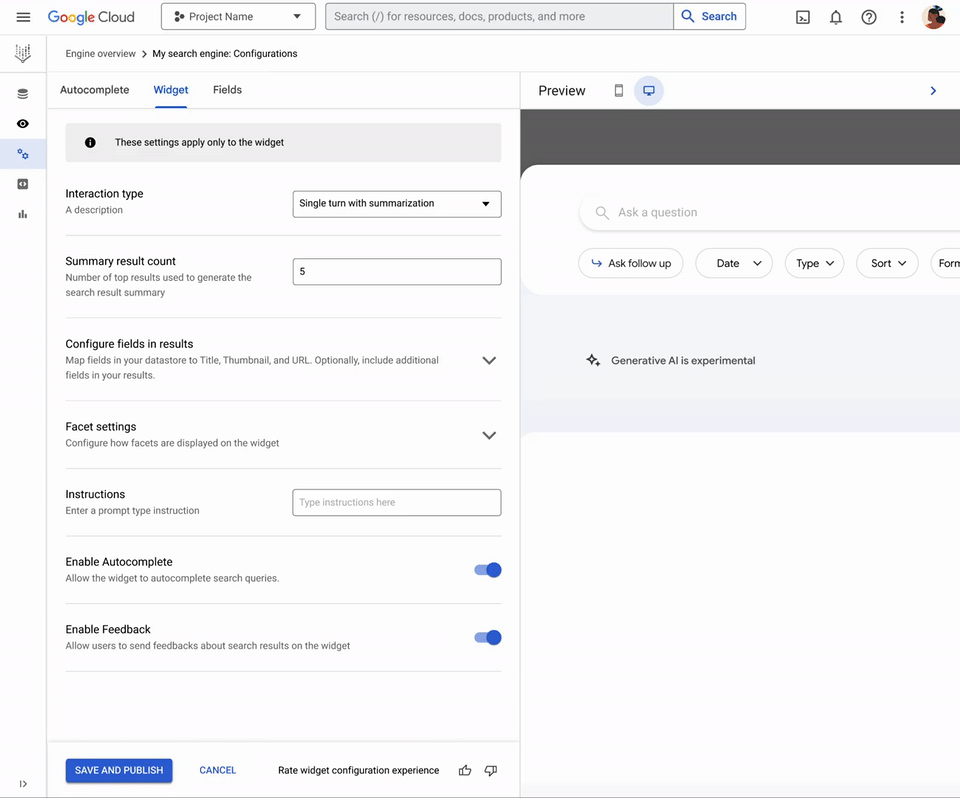
Vertex AI Search is Google Cloud’s enterprise search offering that crawls your data—websites, Cloud Storage, BigQuery—and offers semantic and vector search with instant autocomplete and relevance tuning. The results are grounded, reliable, and contextually accurate.
With minimal setup, teams can embed a search bar or power chatbots with factual responses using RAG. Scalable, secure, and managed, Vertex AI Search is ideal for organizations invested in the Google Cloud stack that aim to augment LLMs with real data.
A G2 review points out:
Google’s existing search performance is there, but also with Generative AI.
No-code solution, easy to start. Built in scraper so that you don’t need to write any code at all and have a UI available already OOTB…The URL pattern matching, as well as how snippets are generated, is blackbox.
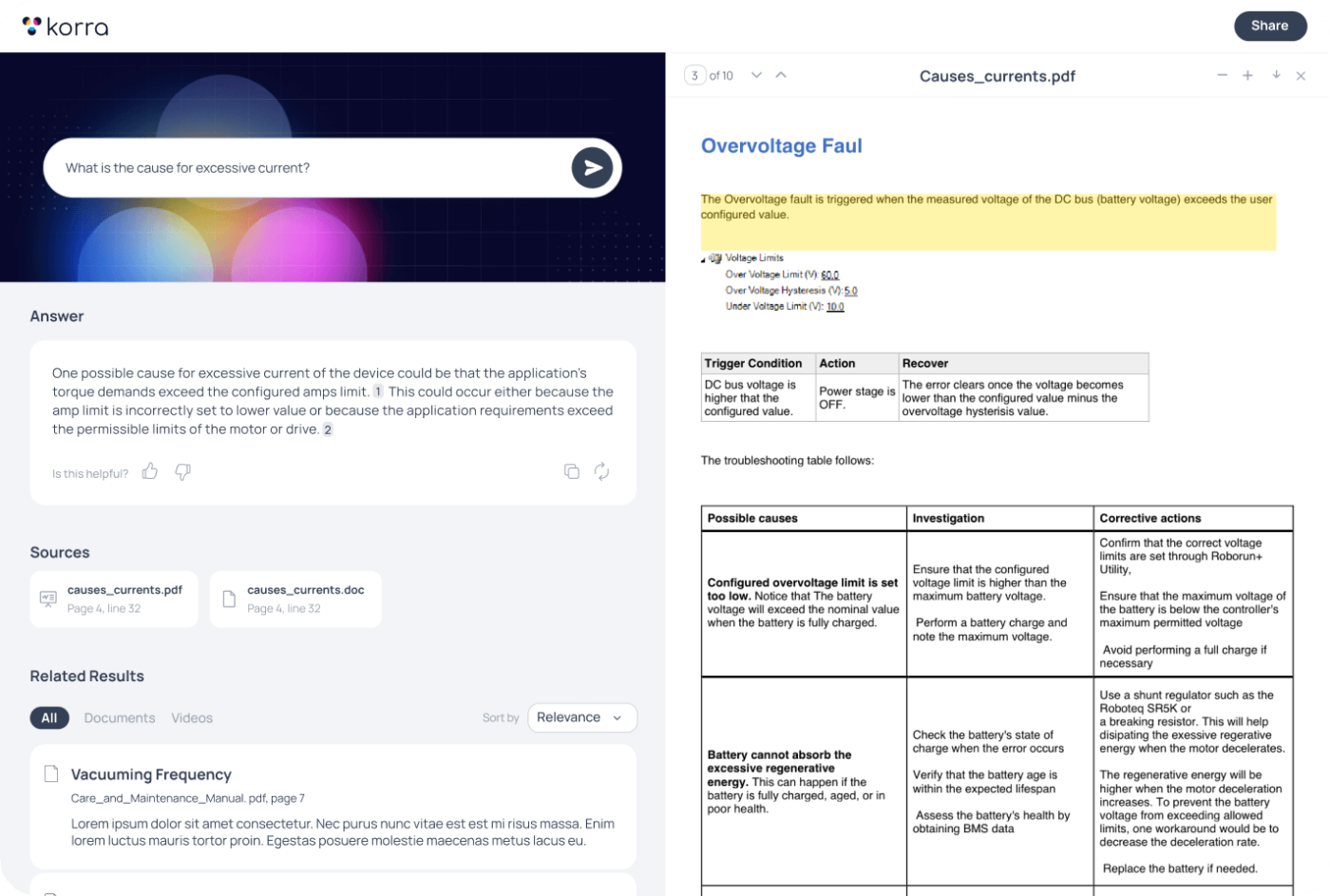
Korra.ai uses AI-powered chat to turn your intranet into a proactive knowledge assistant. It crawls platforms like Confluence, Jira, Google Drive—and even video content—then wraps answers in a conversational interface with rich citations.
Beyond delivering quick info, Korra tracks queries over time, learning your team’s unique vocab and use cases. For internal support or onboarding, Korra can answer FAQs, suggest document links, and escalate issues to human experts when needed.
A Capterra user says:
Love the way you can get directly to specific, relevant information including the exact location within a video as well as the exact location within a large document!
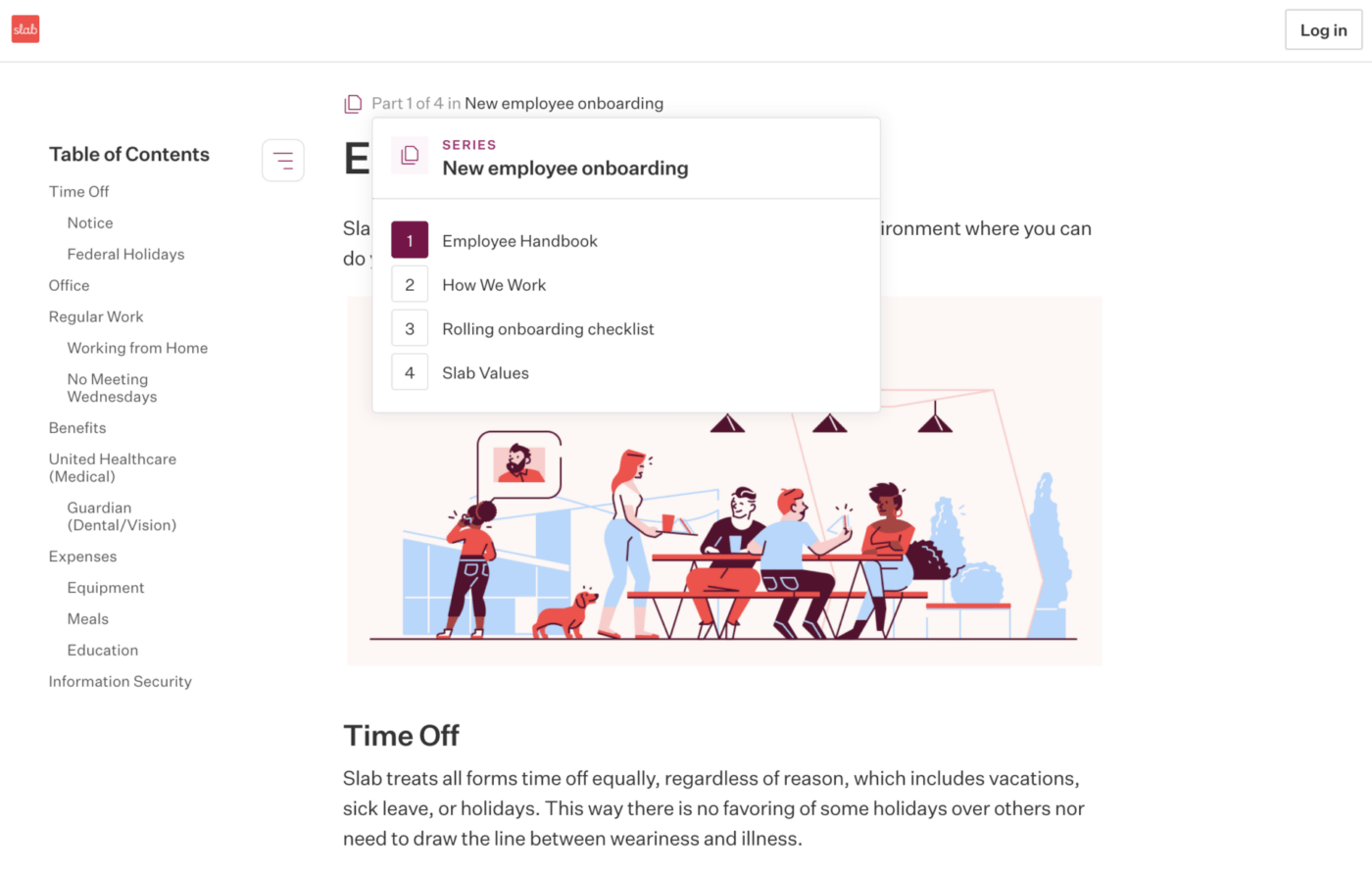
Need a simple yet powerful knowledge base sharply focused on team productivity? That’s Slab for you!
With rich formatting, intuitive document hierarchy, and robust integrations (Slack, Google, GitHub, and more), it makes content contribution and discovery effortless. Its AI-enhanced search highlights query matches in context and surfaces suggested related content, drastically reducing lookup time.
Here’s how a G2 review reads:
It’s fast, supports rich formatting without being overwhelming, and integrates seamlessly with tools like Slack, Google Drive, and GitHub. The search functionality is also impressive—it’s easy to find what I need quickly, which saves the whole team time.

Microsoft Viva brings intelligence to your Microsoft 365 suite by weaving AI-powered knowledge discovery, experience analytics, and communication tools into everyday workflows.
Viva Topics uses machine learning to auto-tag and curate topic cards that surface dynamically in Teams, SharePoint, and Outlook, opening knowledge with a click.
Viva Insights provides both personal productivity nudges and organizational analytics.
And the Viva Suite includes Connections (company news and communities), Learning, Glint, Pulse, and more—delivering a unified employee experience.
A Capterra user shares:
Viva Connections allows you to create various cards pointing to SharePoint Portals, News, Learning platforms and many more. Viva Learning allows you to regroup a great amount of learning platform in a single place and it has a huge amount of trainings on the various tools offered by Microsoft 365.
The right AI intranet search tool depends on how your team works and where your knowledge lives.
If you’re looking for highly specialized chat-based assistants, Korra.ai and Glean shine. Dev-led teams might gravitate toward Elastic Search or Algolia for complete customization. And tools like Slab and Guru are great for building structured internal wikis with smart AI layers.
But if you’re looking for a centralized, AI-powered workspace where search is just one part of the productivity equation, ClickUp leads the pack.
ClickUp doesn’t just help you find things—it helps you act on them. You can:
While most tools bolt AI onto their existing frameworks, ClickUp weaves AI into every layer of work. That means less app-switching, less siloed knowledge, and faster decisions—backed by context-rich, up-to-date answers.
If your team is tired of bouncing between apps just to find the latest plan, policy, or project doc, ClickUp offers the one place where work and knowledge finally come together. Sign up for ClickUp for free today!
AI intranet tools understand context and intent, not just keywords. They can summarize content, interpret natural language, and suggest related results — helping teams find accurate answers faster than traditional enterprise search systems.
Yes. Most modern tools connect with workspaces like ClickUp, Notion, and Slack. ClickUp even has built-in AI search, so teams can instantly find tasks, docs, or updates without switching tools.
They can pull from internal docs, chats, emails, and wikis — depending on permissions. ClickUp’s AI search also scans tasks and comments to deliver precise, context-aware results.
Yes. Leading tools use encryption, access controls, and compliance standards like SOC 2 and GDPR. ClickUp lets admins control what data AI can access to keep workspaces secure.
If your team already uses ClickUp, its built-in AI search covers most needs without extra cost. Standalone tools suit companies with multiple disconnected systems or legacy setups.

© 2026 ClickUp

There’s an easier way. Try a free AI Agent in ClickUp that actually does the work for you—set up in minutes, save hours every week.