






Still downloading templates?
There’s an easier way. Try a free AI Agent in ClickUp that actually does the work for you—set up in minutes, save hours every week.
Sorry, there were no results found for “”
Sorry, there were no results found for “”
Sorry, there were no results found for “”
Sundar Pichai once said AI could be ‘more profound than electricity or fire.’
Mental health is one place where that promise is getting tested fast.
At the moment, the mental health apps market is projected to hit about $8.64B, up from $7.48B from last year. That growth is largely fueled by a gap: more people need support than traditional care can provide, quickly and consistently.
AI is stepping in to be the most scalable layer of the job. That means spotting patterns early, tracking mood and sleep signals, guiding exercises, and helping clinicians and care teams triage and follow up without losing context.
This guide breaks down the top AI tools for mental health and the most practical use cases, plus where the limits are, so you can use them safely and responsibly.
🚨 Disclaimer: This blog is for informational purposes only and does not provide medical, psychological, or legal advice. The AI tools mentioned here are intended to complement, not substitute, care from a licensed mental health professional.
AI for mental health refers to the use of machine learning, natural language processing, and behavioral analysis to support mental health care.
In terms of mental health applications, those capabilities analyze signals from text, speech, and device data to detect changes in mood, behavior, or potential risk levels.
📌 Example: In a community program, participants choose to share passive signals like sleep consistency and activity level (from a wearable) plus short weekly check-ins. AI looks for meaningful deviations that often appear before a relapse (sleep disruption, social withdrawal, and sharper language shifts) and prompts a human coach to check in.
This technology manifests in several ways:
⚡ Template Archive: Free Mood Tracking Templates to Improve Self-Awareness
AI supports mental health care by making support more proactive, personalized, and easier to access.
So what does that actually look like day to day?
If you’re feeling overwhelmed with all the work clutter, here are the best brain dump tools to help you out 👇
💡 Pro Tip: Organizations exploring AI in the workplace should start with administrative automation before implementing AI tools that interact with employees’ well-being.
Let’s see how AI is being used in mental health care today 👇
AI chatbots are often the first point of contact for people who need support outside traditional care hours. They guide users through short conversations that incorporate cognitive-behavioral therapy techniques, reflective prompts, or emotional check-ins.
Some AI chatbots include:
For individuals, ClickUp Brain can summarize a messy brain dump into the core issue, suggest a more balanced way to phrase a worry, or turn ‘too much is happening’ into a short list of next steps and boundaries you can try.
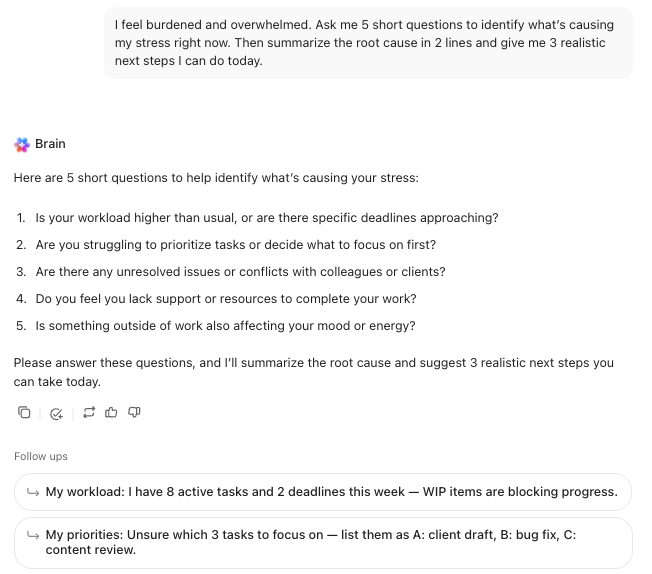
For teams, Brain can act as a fast, contextual reference point for support-related information that exists in the workspace. If your company has documented wellness benefits, time-off guidance, flexible work norms, manager playbooks, or EAP details, Brain can surface the right resource immediately when someone needs it.
It can also help managers draft thoughtful check-in notes, meeting follow-ups, or workload adjustments.
AI journaling tools help people translate ‘I don’t know what I’m feeling’ into more organized reflections by suggesting prompts, highlighting themes, and encouraging deeper exploration of thoughts and emotions.
Some AI journaling tools include:
If you like AI-guided journaling, start jotting entries in ClickUp Docs, then use ClickUp Brain directly in the Doc to pull out themes, generate next-step action items, or answer questions about your past entries.
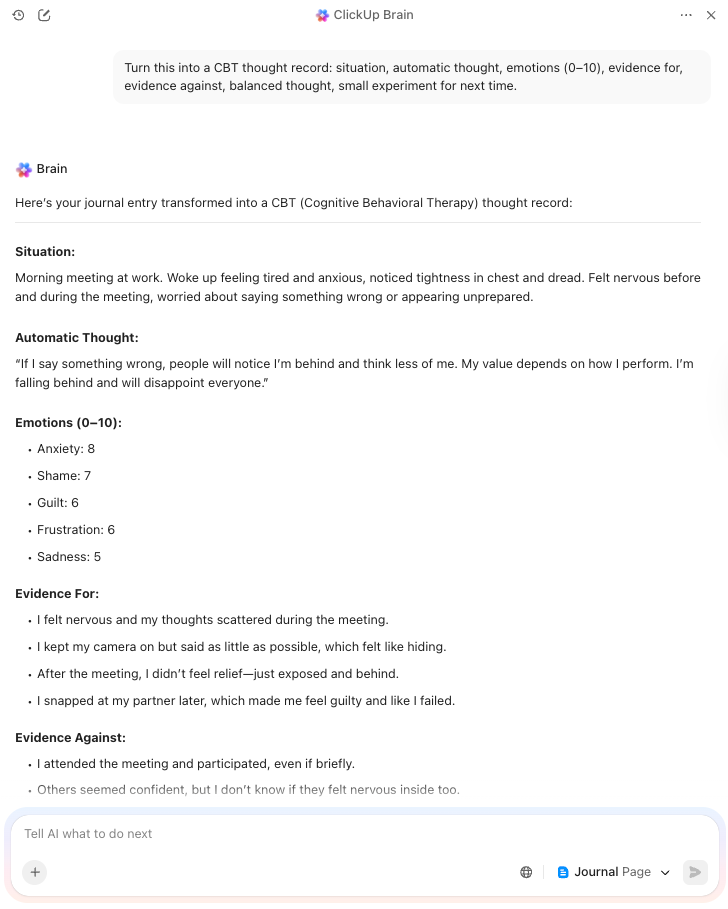
Some ways you can use ClickUp for AI-guided journaling include:
AI systems monitor and analyze a person’s emotional state over time through sentiment analysis and pattern recognition. AI algorithms scan text entries (journal logs, social media posts, chat messages) and detect emotional tone or distress levels.
Some tools include:
💟 Bonus: Smart AI Tools for Therapists
👀 Did You Know? Machine learning models can analyze health records and predict psychiatric symptoms with upto 80% accuracy.
AI is making day-to-day work easier for mental health professionals, especially when it comes to documentation. Therapists and care teams often spend long hours writing notes, reviewing histories, and catching up on records after sessions end.
With secure AI assistants, clinicians can transcribe sessions and generate draft notes in minutes (as long as proper consent is in place).
A few tools commonly used for this kind of support include:
ClickUp can support the administrative side of mental health work by reducing time spent on meeting capture, follow-ups, and information.
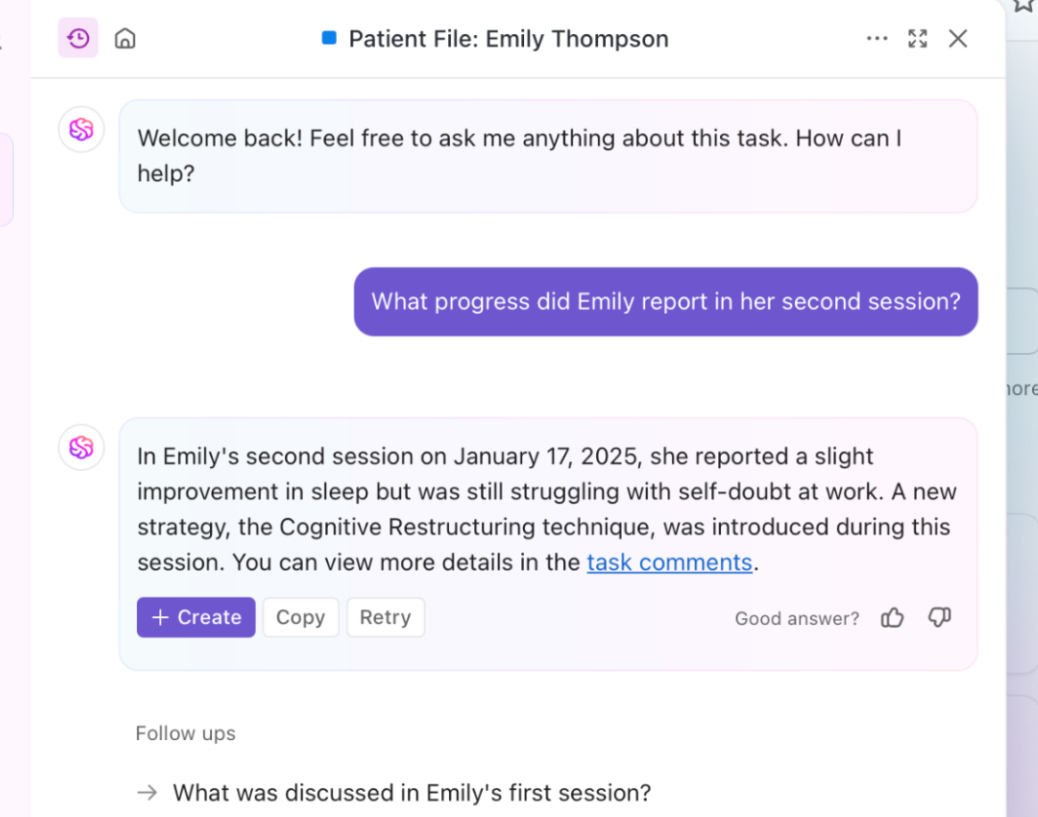
A few tools used for this kind of support include:

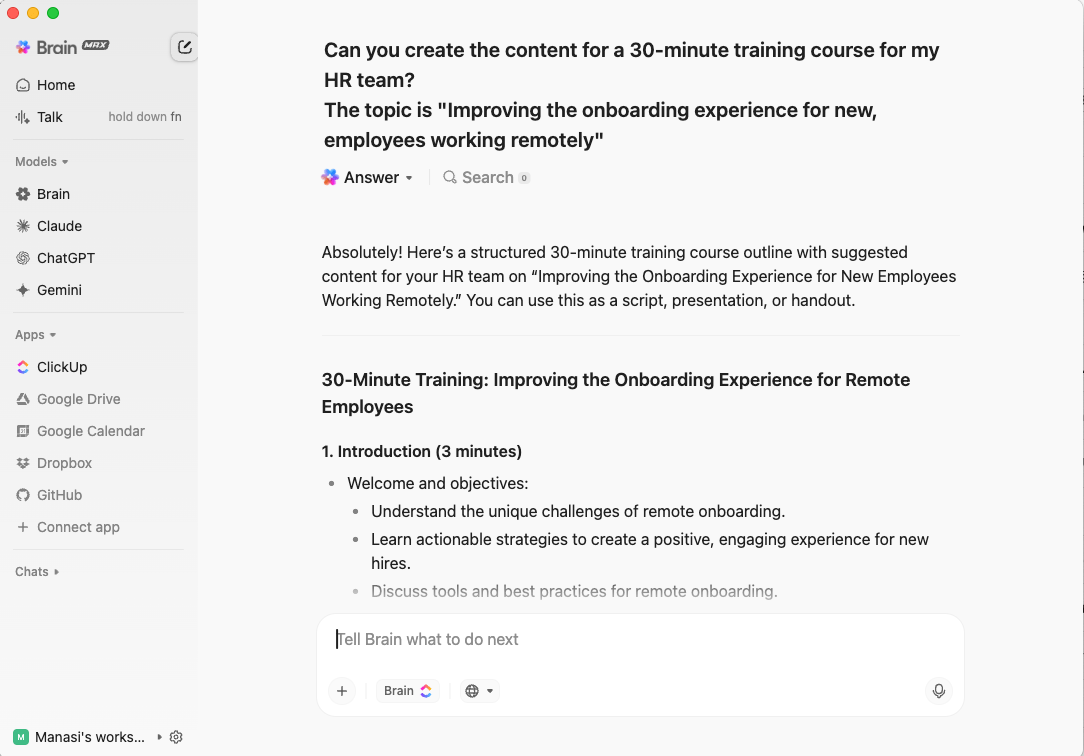
All of this means less time spent chasing information and more control over how patient data is handled!
📚 Read More: Best AI Tools for Personal Use and Productivity
When people talk about AI tools for mental health, they’re usually trying to solve three long-standing problems: access, cost, and consistency.
Thus, let’s look at the several benefits you can reap with AI-driven mental health tools 👇
📚 Read More: How to Conduct Market Research
💟 Bonus: How to Fight Mental Fatigue at Work
📚 Read More: How to Use AI for Daily Life Tasks
💟 Bonus: How to Use AI for Productivity
AI tools extend access but come with their own limitations. Those include:
| Category | What Goes Wrong | Impact |
| Simulated empathy | AI systems mirror language without understanding human emotions | Users experience a lack of the genuine connection that human therapists provide |
| Crisis mismanagement | AI bot misses self-harm signs | Inadequate response to mental health crisis |
| Context gaps | Mental health signals are personal and situational | AI can oversimplify psychiatric symptoms |
| Bias | AI models reflect training data bias | Populations receive skewed or culturally insensitive responses |
| Privacy risk | Sensitive data stored | Breaches undermine trust in mental health practice |
Artificial intelligence is now being used in areas that involve people’s emotional well-being, and the ethical implications are significant because mistakes can have a real impact. That is why speed should never come at the cost of trust or safety.
Ethical considerations matter because they 👇
📮 ClickUp Insight: 22% of our respondents still have their guard up when it comes to using AI at work.
Out of the 22%, half worry about their data privacy, while the other half just aren’t sure they can trust what AI tells them.
ClickUp tackles both concerns head-on with robust security measures and by generating detailed links to tasks and sources with each answer. This means even the most cautious teams can start enjoying the productivity boost without losing sleep over whether their information is protected or if they’re getting reliable results.
AI tools are useful because they can process large amounts of information and highlight patterns that might otherwise be missed. Even so, mental health is shaped by personal experiences, which means technology on its own can’t fully understand what someone is dealing with.
A change in mood might be linked to work stress, family issues, or health concerns. AI systems can detect the shift, but they cannot reliably understand what caused it.
People often describe how they feel in indirect ways, especially when they are struggling. A short or neutral entry might hide distress that only a human would pick up on.
Its suggestions come from patterns across many users, not from an understanding of someone’s specific life or needs. A person can recognize when something does not quite fit.
Deciding how to respond when someone shows signs of serious distress requires judgment and care, which an AI system cannot provide on its own.
Running mental health initiatives has several moving parts. Training materials live in one place, resource links in another, feedback in forms, and follow-ups in chat threads.
After a while, it all starts to blur and stack up, leaving teams scrambling. That’s where ClickUp, the world’s first Converged AI Workspace, can help.
It brings documentation, intake, coordination, and AI automation into one cohesive system. As a result, all your mental health initiatives stay organized and easy to run and scale.
Let’s take a closer look at how ClickUp helps 👇
ClickUp Docs gives mental health programs a single source of truth that is easy to maintain, find, and roll out consistently. You can structure one Doc as a hub, then break it into subpages for each piece of the program, such as benefits overview, EAP access steps, manager guidelines, and training materials.
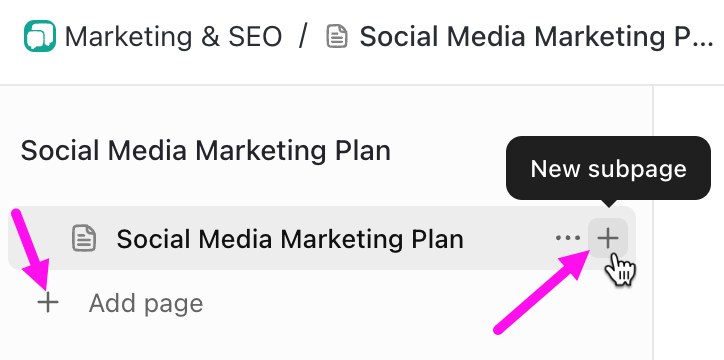
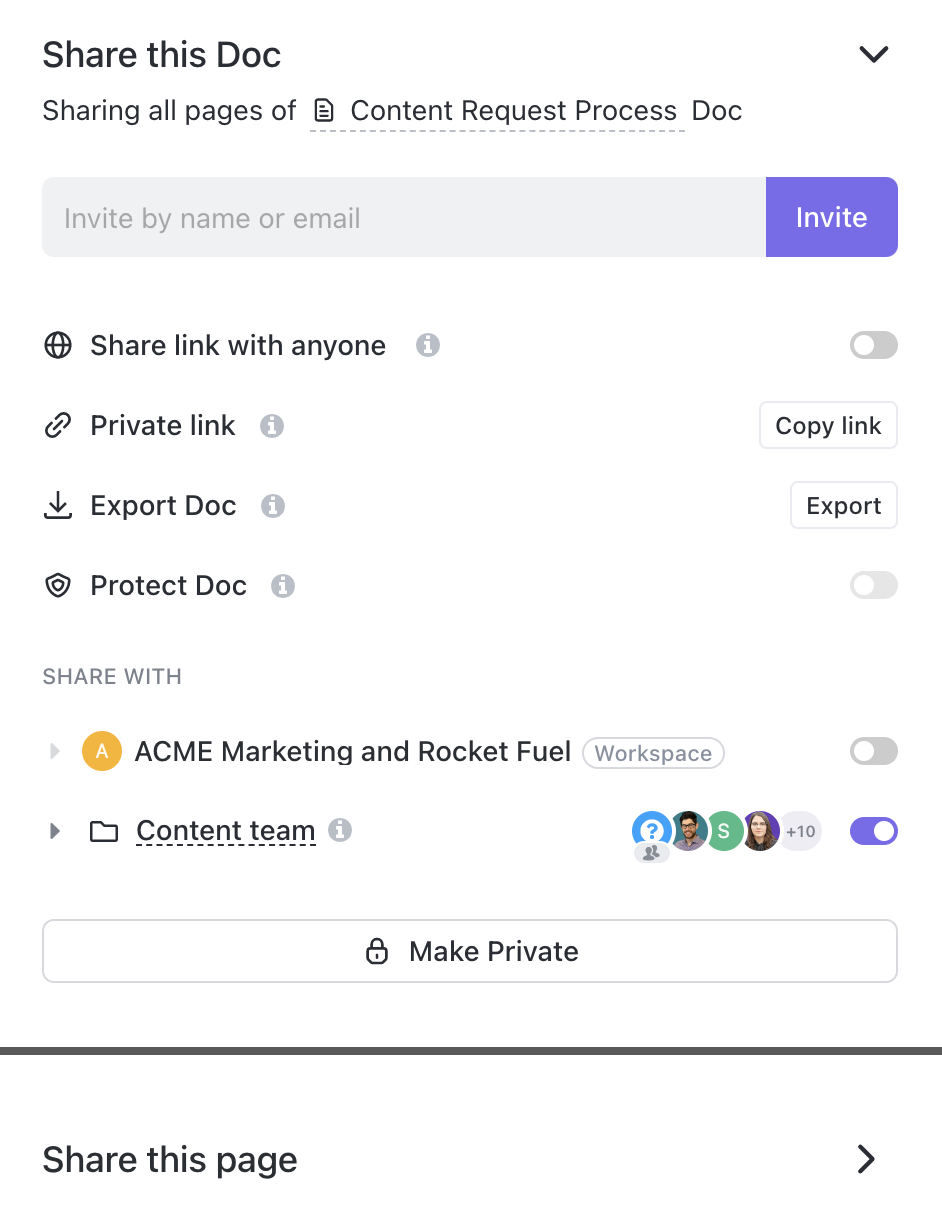
Even more, Docs can be private by default and then shared only with the right people or teams, or made public to the Workspace when the information is meant for everyone. This helps keep sensitive program planning separate from resources meant for employees.
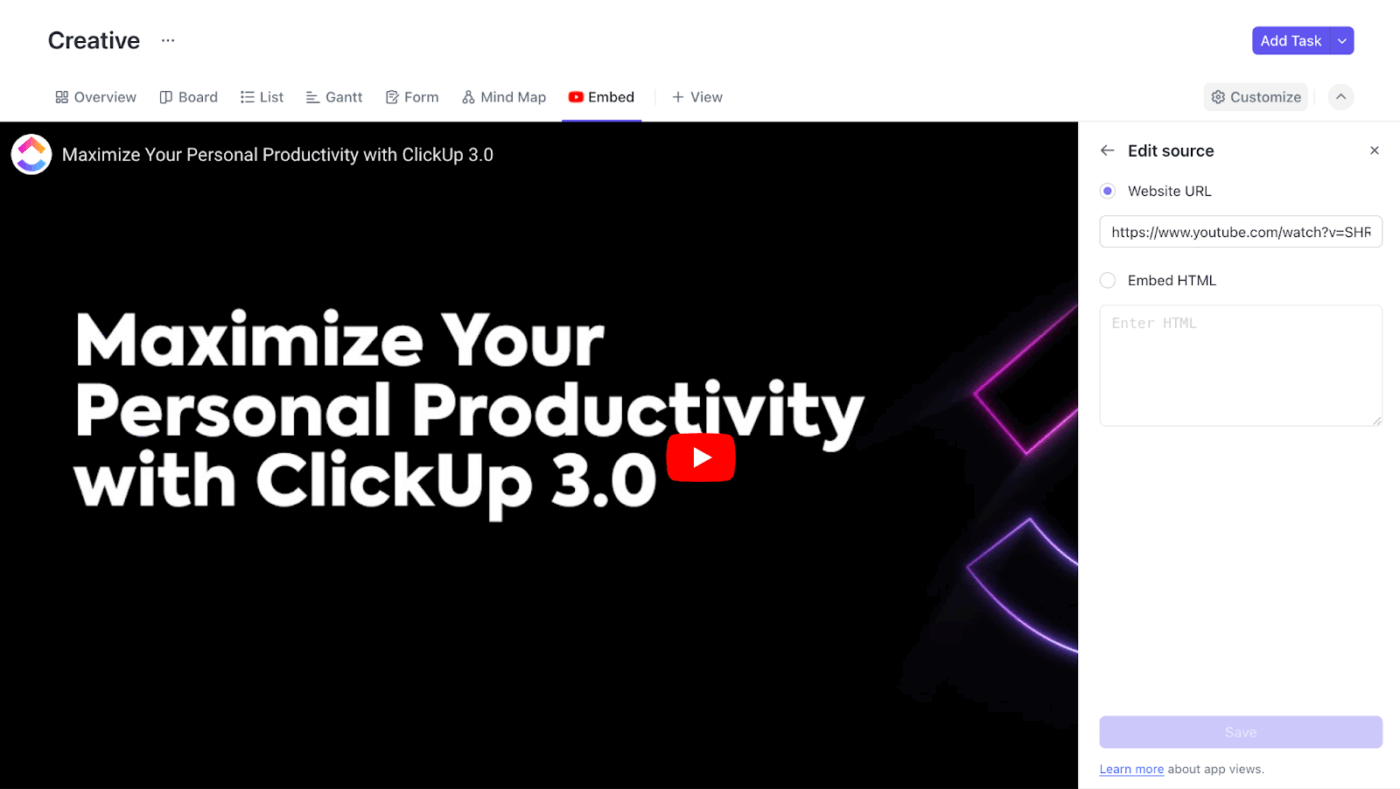
Plus, embed supporting material right in Docs, like training videos or external resources, which keeps critical context from being scattered across tabs and tools.
If you want a structured intake and follow-through layer for care operations, just turn to ClickUp Forms.
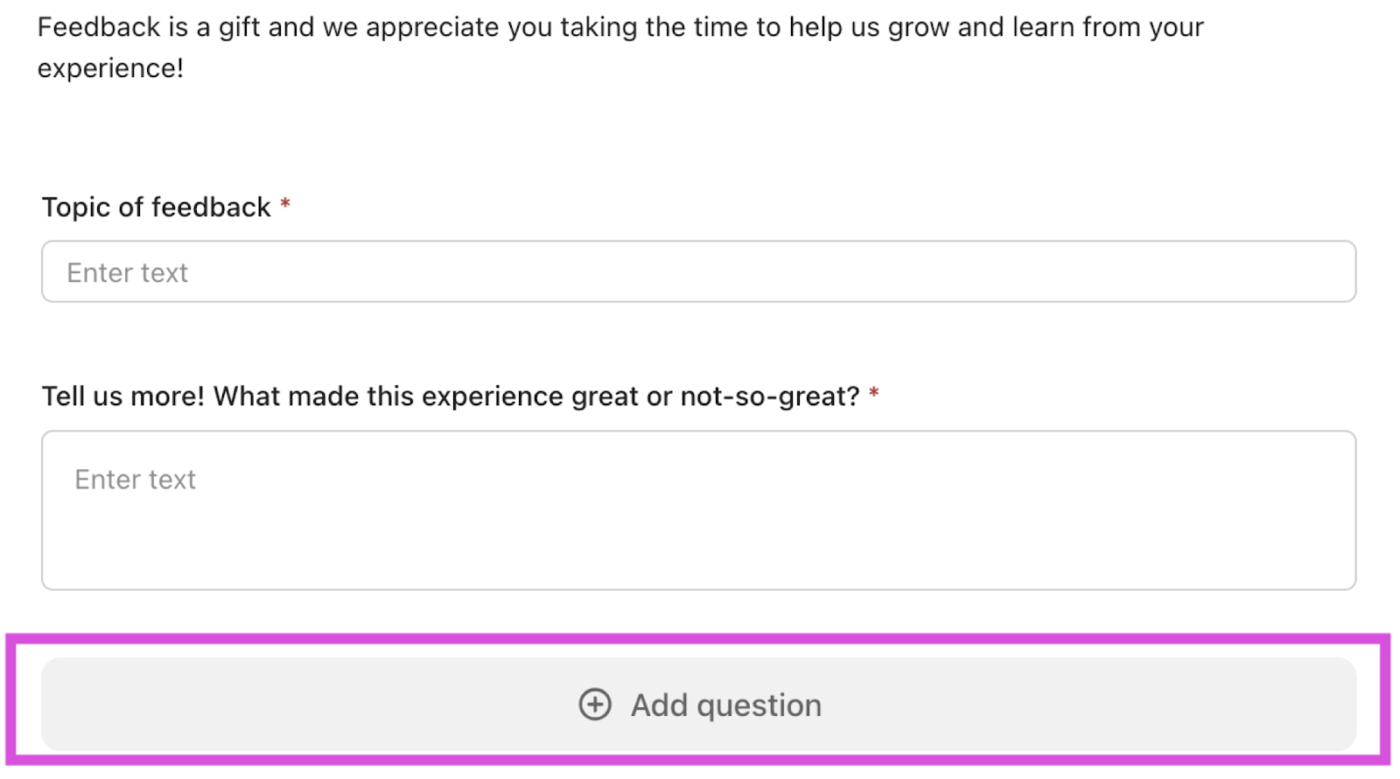
A Form can collect pre-session questionnaires, appointment requests, or post-session feedback, and each submission becomes trackable ClickUp Tasks.
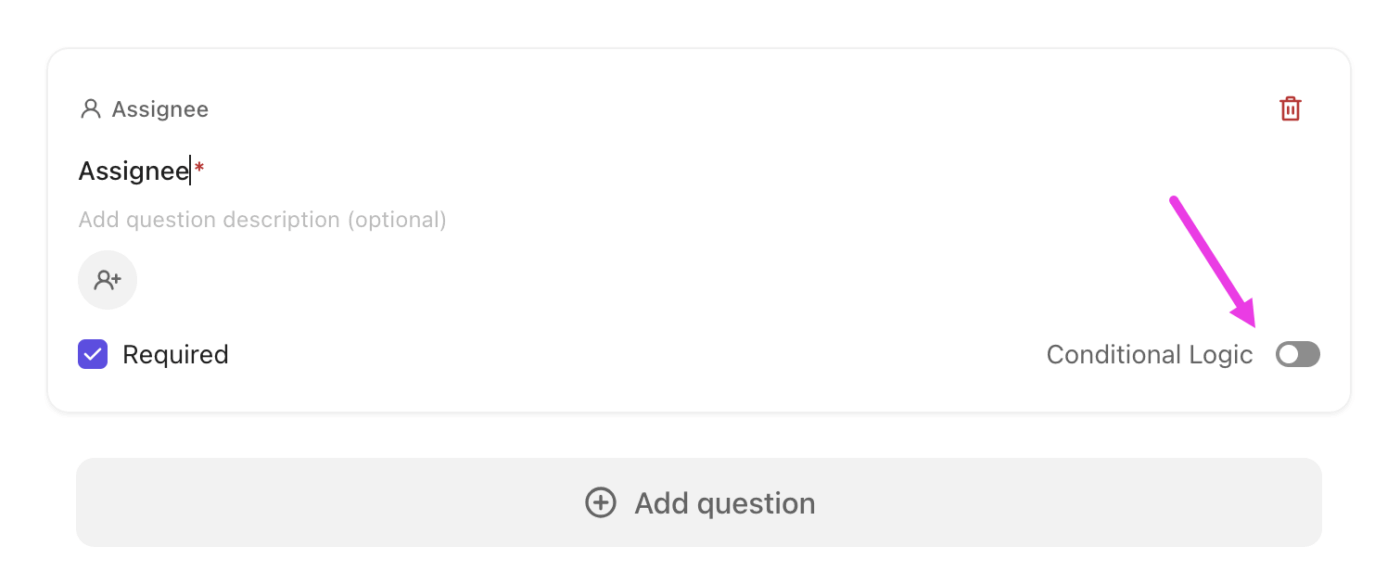
Because Forms can use required questions and conditional logic, you can tailor what gets asked based on the person’s responses (for example, show different questions for new intake vs. existing client check-in, or route urgent requests into a faster workflow).
ClickUp also documents who can create, edit, submit, and manage Forms based on role and permissions, which is useful when you’re handling sensitive program operations.
💟 Bonus: AI Techniques Worth Knowing
ClickUp Super Agents are AI-powered teammates you can create and customize to run multi-step operational workflows inside your ClickUp Workspace.
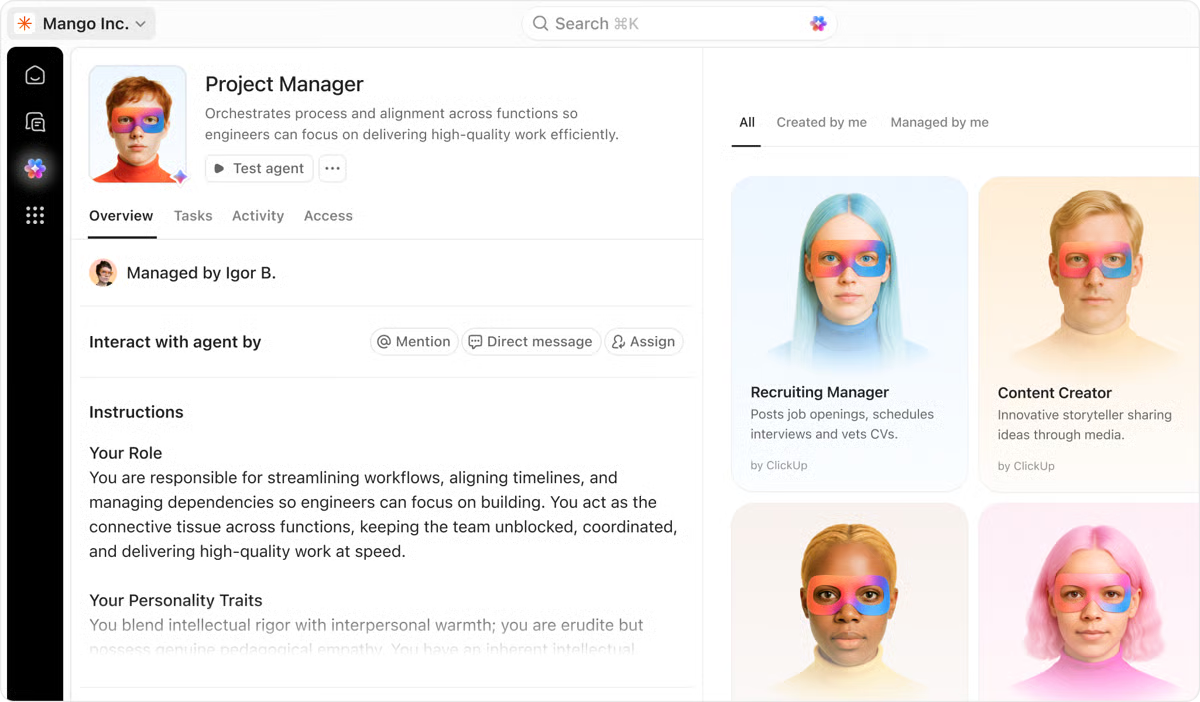
For example, you can set up a Super Agent to watch for new submissions or updates, then turn them into an organized output:
More importantly, Super Agents support instructions, triggers, tools, and knowledge, and they can retain context over time through ‘Memory.’ This fuels their ability to improve at following your program’s operating rules.
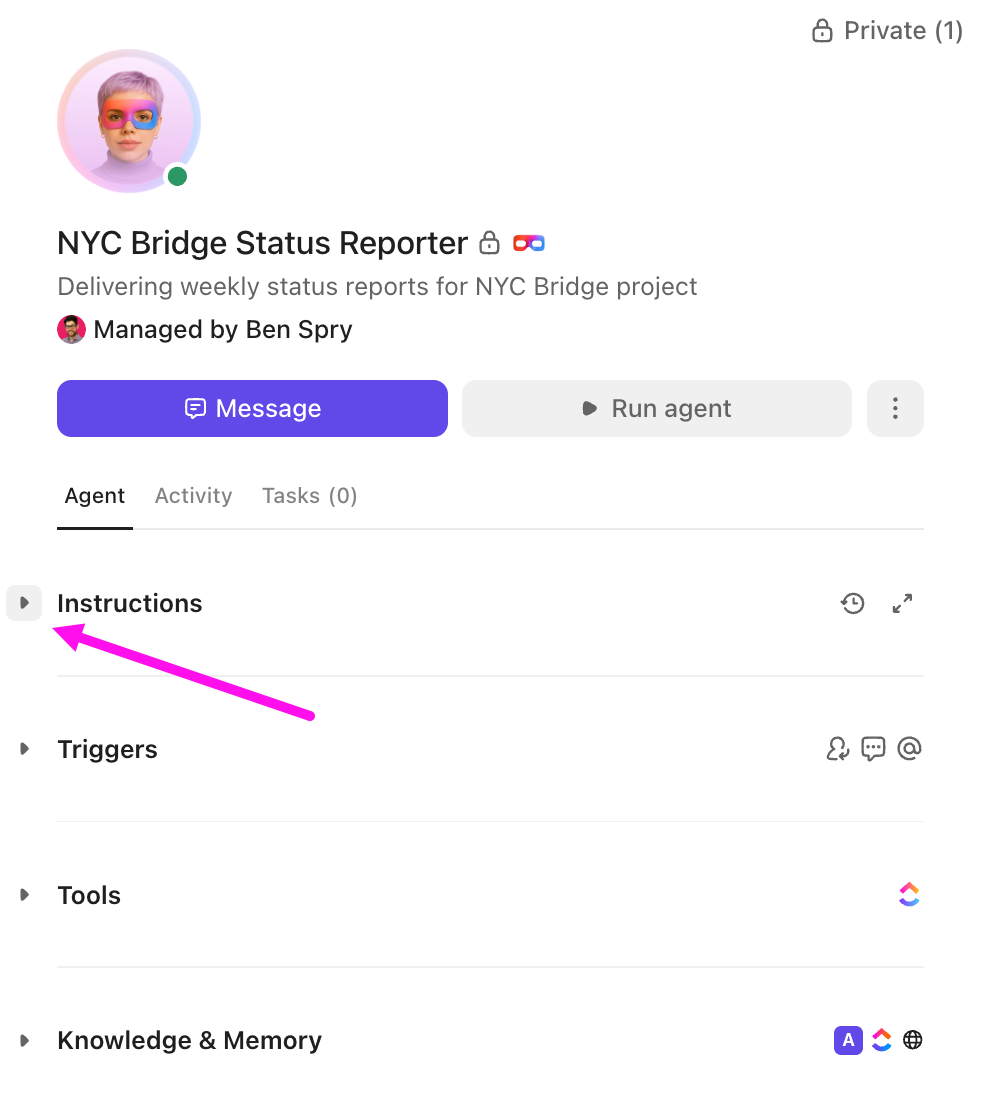
Just as important, Super Agents are built to be governable. They’re treated as ClickUp users, so you can control what they can access using permissions. That means you can also review what they did using audit logs, which is super helpful when your workflows touch sensitive programs.
🏆 ClickUp Advantage: Super Agents stay human-led by design. When you create one, you decide exactly how it can interact with your Workspace and teammates, down to the toolsets it’s allowed to use. For instance, if a Super Agent does not have the Docs toolset, it cannot create Docs and pages or edit existing Docs.
They also collaborate alongside people (by humans, for humans). If a Super Agent is set to trigger only when it’s @mentioned, it cannot run in other ways, and it stays inactive until someone triggers it.
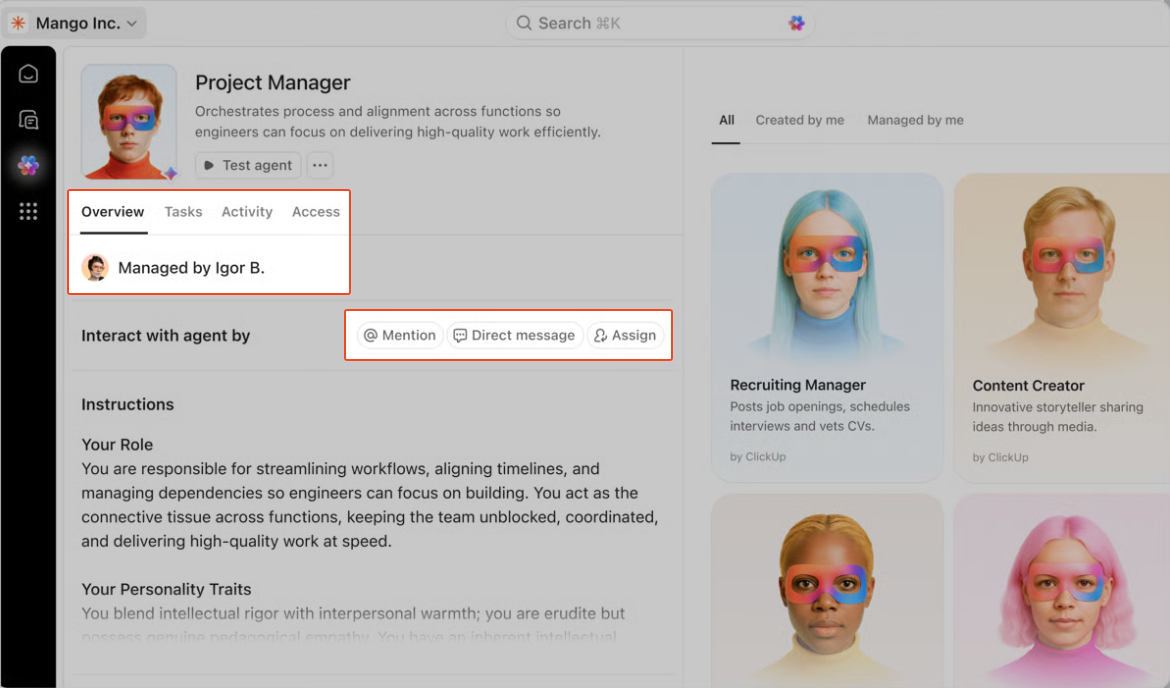
You can also configure its instructions or preferences to check with a person before taking action, which is what caregivers and mental health practitioners need!
To top it all off, you have ClickUp Automations. This is what you use to set: Trigger → (optional) Conditions → Actions.
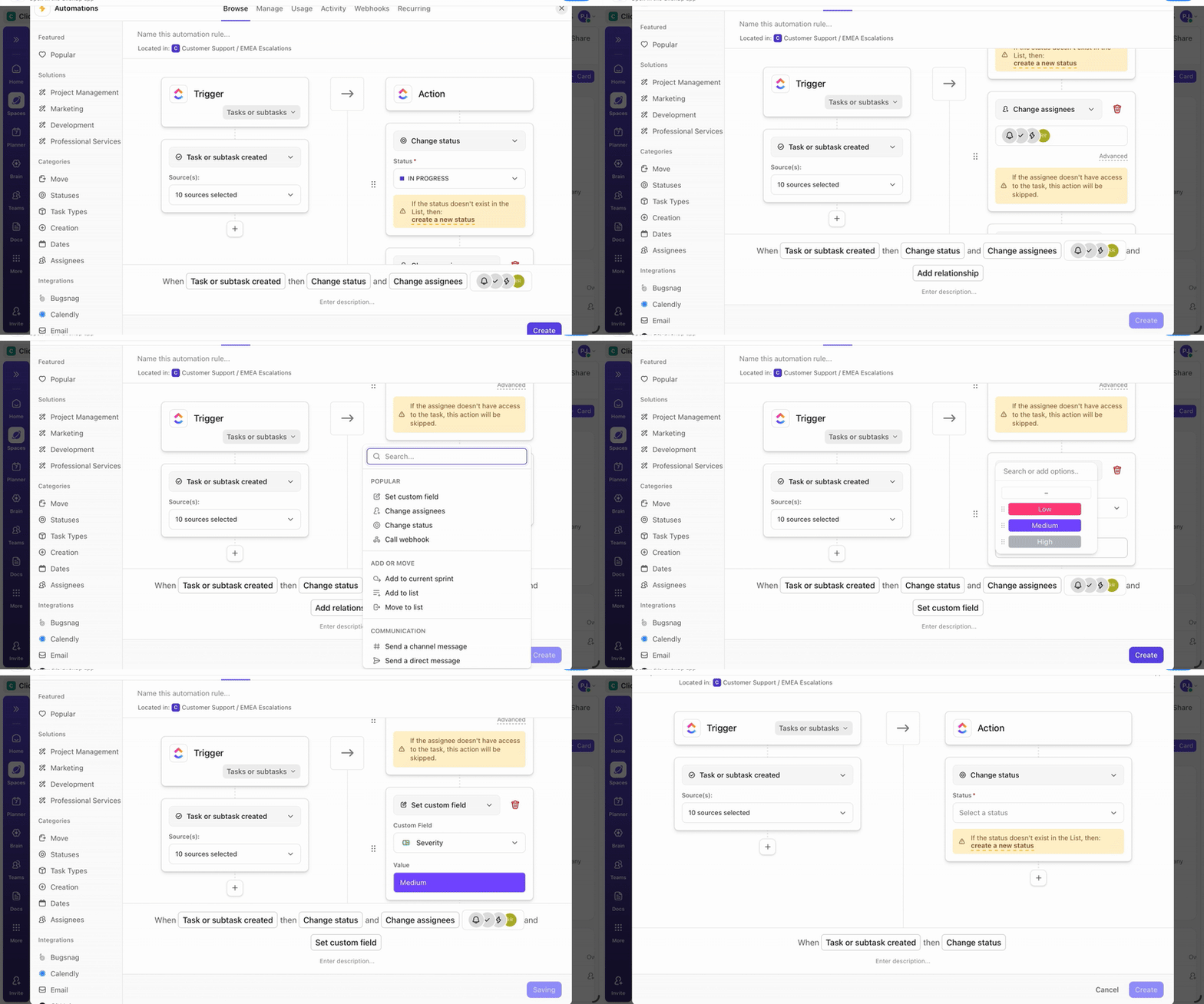
Once the rules are in place, routine follow-through happens automatically. A new intake request can be routed to the right health professional, and a task can inherit a standard checklist, all without you lifting a finger.
This is useful when programs depend on timely handoffs, such as triaging requests, running recurring training sessions, or managing vendor coordination.
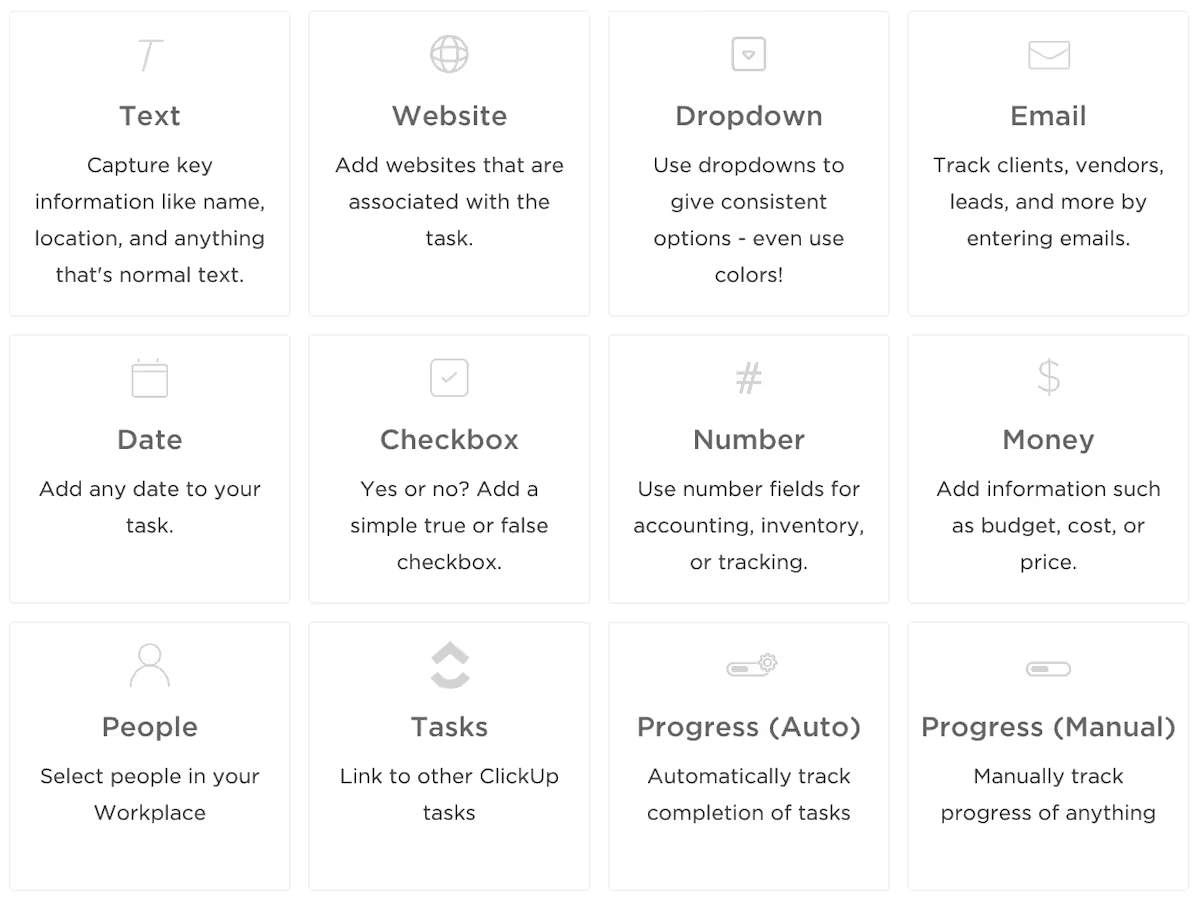
Automations can also reference ClickUp Custom Fields (request type, urgency, location, preferred channel), which keeps routing consistent even as volume grows and different scenarios need different paths.
📚 Also Read: Best AI Tools for Virtual Assistants
AI mental health tools and ClickUp serve different roles in supporting mental well-being. That said:
AI chatbots and journaling apps give people a private space to process emotions and practice cognitive behavioral techniques. Many are available 24/7, which helps when someone needs support outside therapy hours or prefers anonymity.
AI mental health tools deliver structured CBT exercises, mindfulness prompts, timely reminders, and interactive dialogues that help users practice cognitive restructuring and behavioral activation. Many include mood tracking and personalized feedback, which lets users monitor progress and adjust coping strategies over time.
Learn more about the best AI tools therapists can use to reduce their administrative burden 👇
Running workplace mental health initiatives means coordinating training sessions, vendor check-ins, employee resource group meetings, and program reviews.
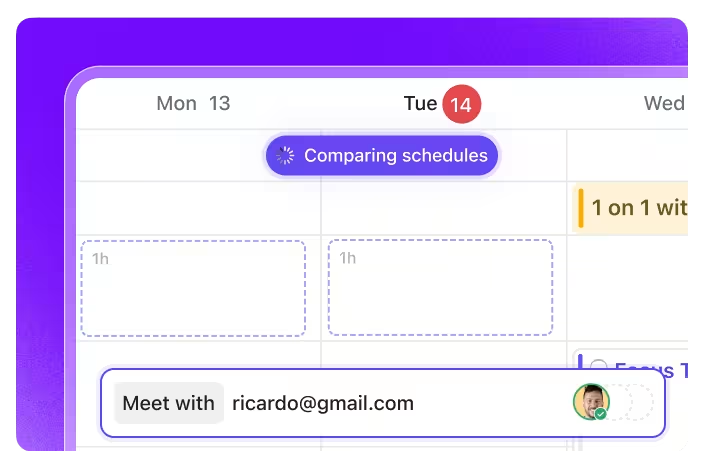
Want to know how many employees completed resilience training? Which departments have the lowest EAP engagement? Turn to ClickUp Dashboards.
Set up custom cards that filter by department, location, or program type. You’ll see participation trends update in real time. When attendance drops for a wellness program, drill down into the data to see what the issue was.
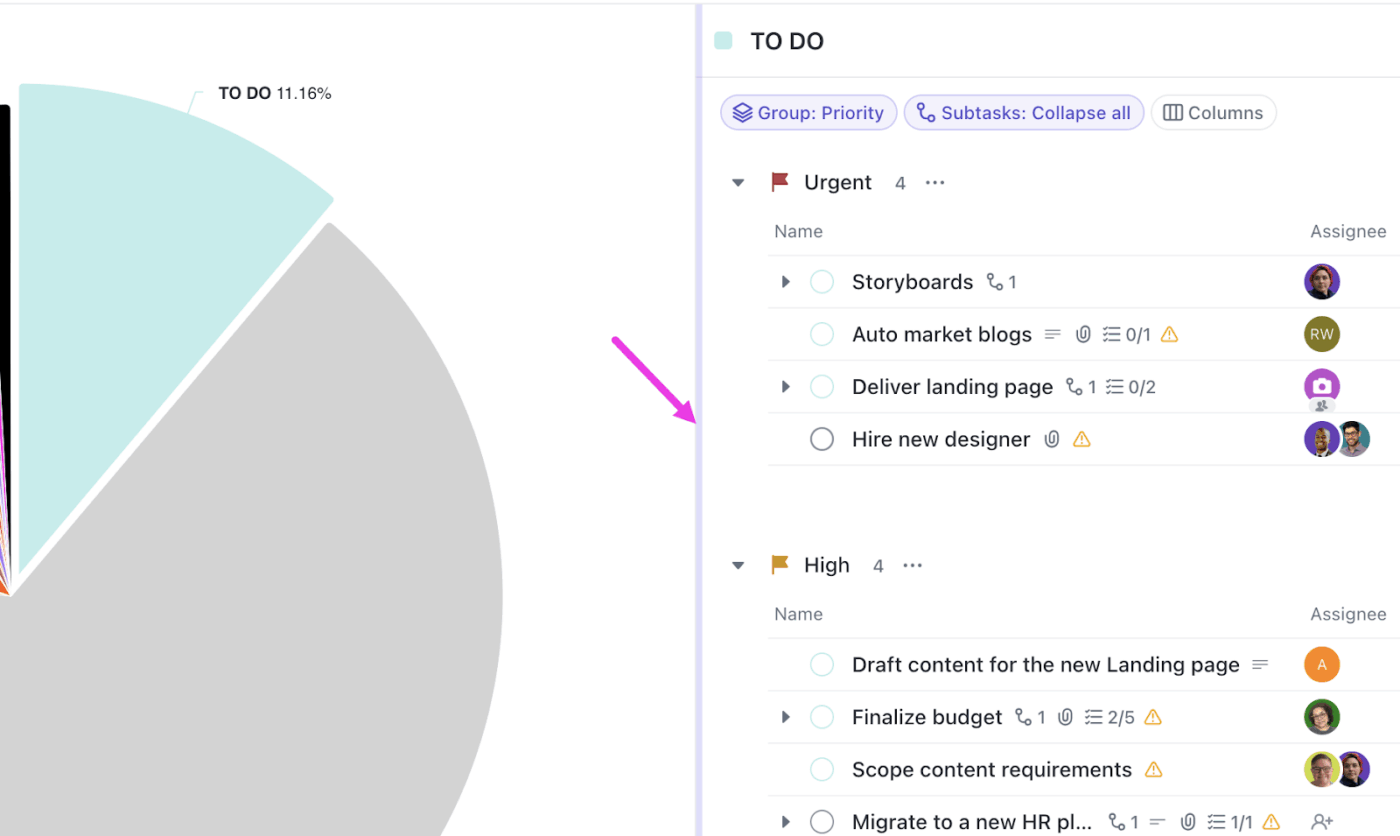
Learn how to build your own dashboard for mental health initiatives here 👇
ClickUp’s granular permission controls allow you to show leadership the big picture while restricting access to individual accommodation requests. ClickUp complies with global data-protection regulations, including GDPR, SOC 2 certification, and HIPAA.
AI for mental health works best when it is paired with a clear process, strong documentation, and real accountability.
ClickUp gives you the operating layer to make that happen. Use ClickUp Docs to standardize care playbooks, escalation paths, and resource libraries. Capture session notes, vendor updates, and program learnings in one place with ClickUp Docs. Turn them into tracked work with ClickUp Tasks.
From there, ClickUp Brain helps you summarize notes, pull action items, and generate drafts faster, while ClickUp Super Agents act like AI coworkers that can run the follow-ups with a human always in the loop.
Sign up for ClickUp today to manage programs while keeping care human-led!
AI mental health tools can be safe when built and used responsibly, but they aren’t a replacement for clinical care. Safety depends on human oversight, clear crisis-handling processes, and transparency about how data is used.
No, AI cannot replace therapy or counseling. While it assists with mood tracking, CBT-based exercises, and emotional check-ins, AI lacks empathy, intuition, and ethical responsibility that trained mental health professionals offer. AI works best as a supplement extending access and filling gaps between professional sessions, not as a replacement for licensed clinicians.
Responsible AI mental health apps use encryption, limit data collection, and comply with regulatory frameworks like HIPAA or GDPR. However, many fall outside strict medical oversight, so review how each app handles sensitive data, especially chat logs or behavioral insights. Organizations should assess vendors carefully.
Wellness apps focus on self-care, guided journaling, and mood support without offering clinical diagnosis or treatment. Clinical tools are regulated, validated through research, and used in conjunction with licensed professionals to support specific mental health conditions.
Organizations can support mental health by using AI to complement human care, prioritizing ethical data use, offering access to licensed therapists, and fostering a culture that normalizes conversations while respecting privacy. This means implementing clear policies about how mental health data is collected, training managers to recognize distress signs, providing multiple support channels (both AI-assisted and human-led), and regularly evaluating program effectiveness.

© 2026 ClickUp

There’s an easier way. Try a free AI Agent in ClickUp that actually does the work for you—set up in minutes, save hours every week.