

Sorry, there were no results found for “”
Sorry, there were no results found for “”
Sorry, there were no results found for “”
Managing files can be overwhelming, and messy folder structures don’t help. Thankfully, there’s a smarter way.
Try an AI File Organizer—your digital assistant for a clutter-free life.
These tools can analyze, sort, and categorize your files based on content or type, helping you locate what you need in seconds.
Here is our pick for the top AI file organizers:
Picking the right AI file organizer is the defining moment of your experience. It needs to be efficient, smart, and, most importantly, make your life easier—not more complicated.
So, what features should you prioritize? Here’s your checklist:
Also Read: Ways to Organize Files and Folders on a Mac
Our editorial team follows a transparent, research-backed, and vendor-neutral process, so you can trust that our recommendations are based on real product value.
Here’s a detailed rundown of how we review software at ClickUp.
Surely, you’ve heard of minimalism—the art of living with less and loving it.
But what about “digital minimalism”? It’s equally important when over 80% of people report stress and anxiety linked to clutter.
Digital minimalism creates space for what truly matters to you—efficient workflows, better focus, and meaningful digital engagement. So, if you’re ready to ditch the clutter, here’s your tried-and-tested list of the 8 best AI file organizers:
ClickUp is the everything app for work that combines project management, knowledge management, and chat—all powered by AI that helps you work faster and smarter.
ClickUp’s AI-powered file organizer and document collaboration software lets you create, organize, and share documents—all on a single platform. That’s not just time saved—it’s productivity unlocked...especially when you consider how 60% of our time is wasted searching for info every single day.
ClickUp Docs: Collaboration made simple
With ClickUp Docs, you can:
A hierarchy that makes sense
ClickUp’s Project Hierarchy helps you stay organized without losing sight of the bigger picture.
The Hierarchy is the core organizational structure in ClickUp and you can customize it to fit your workflow. For most teams, we recommend that a team or department has their own Space. Within the team Space, all projects should be in a Folder and each project should be represented as a List. All the tasks needed to complete each project are located in their respective project list.
While this basic organization visually distinguishes projects and gives project managers visibility across all projects, your team’s hierarchy may look different based on its size.
Smarter file management with ClickUp AI
ClickUp Brain, the world’s most complete and contextual work AI, totally transforms how you work:
💡 Pro Tip: Want to bring powerful universal search right to your desktop? Look no further than ClickUp Brain MAX!
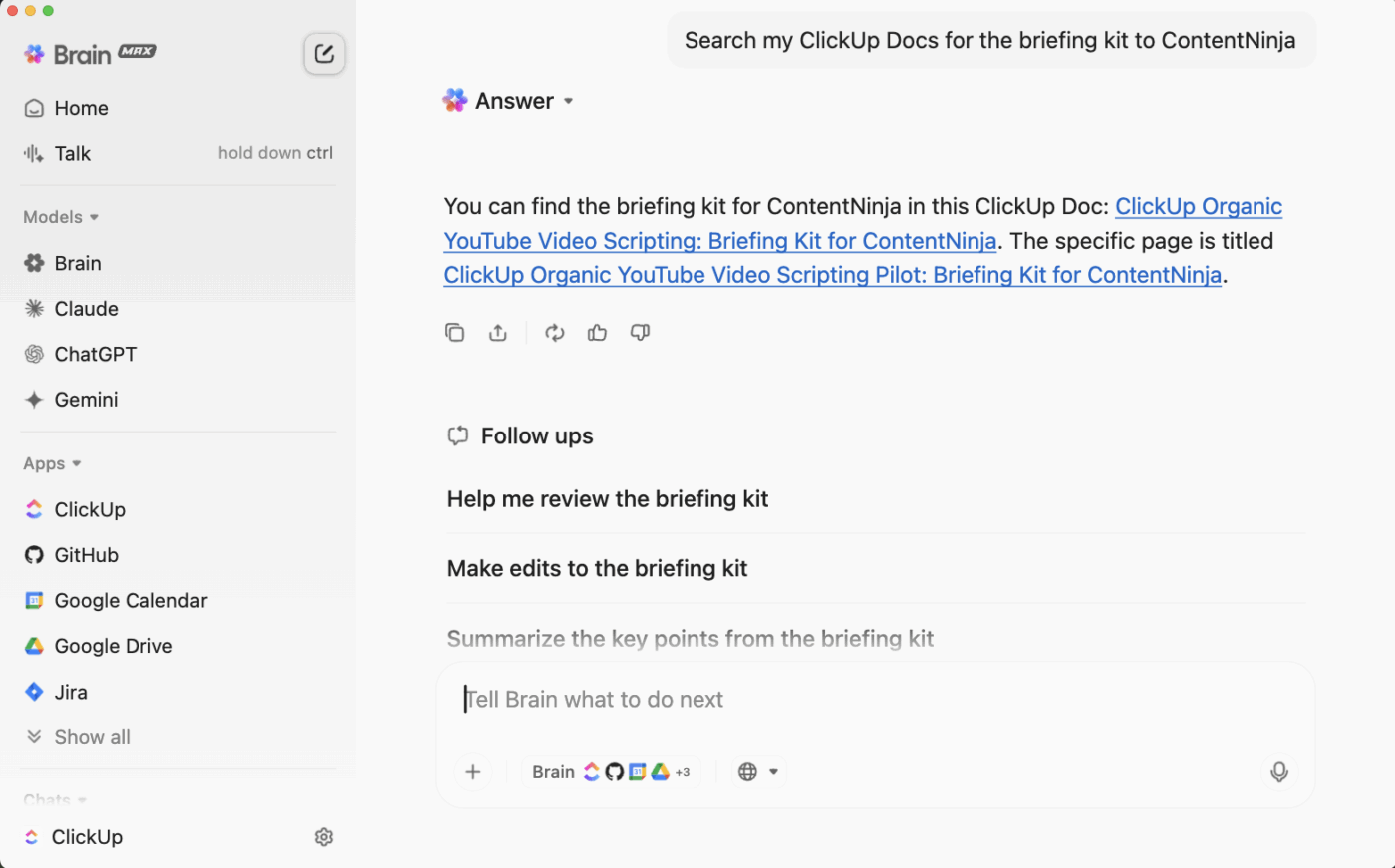
It’s AI layer connects every corner of your digital workspace. It’s designed to eliminate AI sprawl and make you 4X more productive by unifying your workflows. It enables you to search across ClickUp, cloud storage (Google Drive, OneDrive, Dropbox), GitHub, SharePoint, the web, and more—from a single, always-available desktop AI interface.
Just type (or speak) your query into Brain MAX with Talk to Text. Use filters or keyword qualifiers in your request, like “Find the latest budget spreadsheet in Google Drive from last week,” or “Search my ClickUp Docs for status updates on Project Alpha”—and let Brain MAX handle the rest.
Automation to the rescue
With over 100 ClickUp Automations, the platform eliminates busywork:
Integration-friendly
The best part? You can still connect ClickUp to Google Drive, Dropbox, and OneDrive, ensuring seamless organization across platforms.
🎖️ Driving Success
By embracing ClickUp Automations, LuLu Press saved an average of 1 hour per day per employee and saw a 12% boost in work efficiency.
✨ Ideal for: Teams needing streamlined workflows and organized collaboration.
💡 Pro Tip: Need a productivity boost? Check out our Digital Decluttering Guide for tips on creating a more organized and efficient workspace!
📮 ClickUp Insight: Work shouldn’t be a guessing game—but too often, it is. Our knowledge management survey found that employees often waste time searching through internal docs (31%), company knowledge bases (26%), or even personal notes and screenshots (17%) just to find what they need.
With ClickUp’s Enterprise AI Search, every file, doc, and conversation is instantly accessible from your home page—so you can find answers in seconds, not minutes.
💫 Real Results: Teams are able to reclaim 5+ hours every week using ClickUp—that’s over 250 hours annually per person—by eliminating outdated knowledge management processes. Imagine what your team could create with an extra week of productivity every quarter!

Google Drive is a household name in cloud storage, offering a blend of simplicity and power that has made it the go-to platform for over a billion users worldwide.
Google Drive employs AI to enhance file organization through features like Smart Search, which uses machine learning to identify and retrieve documents based on user queries. Its integration with Google Docs and Sheets allows for real-time collaboration and automatic categorization of files.
AI-driven suggestions help streamline file sharing and organization, making it easy for users to manage their digital workspace efficiently.
☕ Users’ Take: Users love Google Drive’s collaboration features, that allow easy sharing with anyone who has a Gmail account.
✨ Ideal for: Individuals and teams prioritizing simple cloud storage.
Also Read: How to Organize Google Drive

Microsoft OneDrive is the protagonist of the Microsoft ecosystem, offering easy integration with the Office suite.
Microsoft OneDrive utilizes AI algorithms to automatically tag and categorize files based on content, enabling users to find documents quickly through intelligent search capabilities.
Its Photo and Document features leverage AI for automatic sorting, while the integration with Microsoft 365 enhances productivity by providing smart suggestions for collaboration and organization.
☕ Users’ Take: Users love Microsoft OneDrive because it integrates smoothly with Microsoft 365, keeps files secure, and makes collaboration easier and more productive for teams.
✨ Ideal for: Professionals deeply integrated into the Microsoft ecosystem.
Also Read: How to Organize User Manuals and Warranties

Dropbox has been a staple in the cloud storage world since 2007, offering a simple, effective way to share and manage new files or delete files.
Dropbox harnesses AI to streamline file organization with features like Smart Sync, which intelligently manages local storage and cloud files, making it easier to access content without cluttering devices.
Its powerful search functionality uses machine learning to recognize and suggest relevant files, while the Dropbox Paper tool integrates AI to help users collaborate and organize projects effectively, facilitating a seamless workflow.
☕ Users’ Take: Users appreciate Dropbox for its long-standing reliability, seamless file sharing, and cross-platform accessibility, making it an easy tool for managing and restoring files.
✨ Ideal For: Users seeking straightforward file sharing and secure backups.

Trello is a visual task management tool that has carved a niche for itself in project organization.
Add Butler AI, and you get an automated powerhouse that eliminates repetitive tasks, letting you and your team focus on what matters most—actual work.
☕ Users’ Take: People appreciate Trello because it’s simple to use, lets them create custom workflows, and makes task management and team collaboration effortless, all backed by helpful support.
✨ Ideal for: Teams automating workflows in project management.

Evernote shines as a sophisticated note-taking app for users who prioritize organized, detailed, and accessible information.
Its powerful features and intuitive design make it ideal for personal and professional use. Users can use its native AI functionalities to write, edit, and share their notes.
☕ Users’ Take: Users love Evernote’s ability to efficiently consolidate and organize notes, making it easy to track events, manage projects, and keep teams aligned with well-structured notebooks and tags.
✨ Ideal For: Detail-oriented users needing advanced note-taking capabilities.
Learn more about organizing: Organizing Files and Folders: Strategies to Improve Your Workflow

M-Files is an example of what you would get if you combined a document management system with the power of AI. It takes your messy digital files, tags them with metadata, and organizes them into an accessible, clutter-free experience.
Whether you’re drowning in folders or still chasing the “latest version” of a document, M-Files has your back.
☕ Users’ Take: M-Files wins users over by simplifying workflows, improving team collaboration on tasks, and ensuring document security with its customizable permission features.
✨ Ideal for: Businesses managing metadata-driven, document-heavy workflows.

Whether you’re running a startup with three employees or managing a massive corporation with thousands, Zoho WorkDrive is designed for the modern workplace.
With team-centric features like shared folders, customizable access controls, and a built-in office suite, it ensures your team has everything it needs to keep projects moving seamlessly.
Plus, it syncs effortlessly across devices, letting you work anywhere—yes, even from your favorite coffee shop.
☕ Users’ Take: Zoho WorkDrive is liked by users for its user-friendly design, strong data protection, and powerful collaboration tools.
✨ Ideal For: Collaborative teams requiring flexible file-sharing tools.
“Organization isn’t about perfection. It’s about efficiency. Reducing stress and clutter, saving time and money, and improving your overall quality of life,” says author Christina Scalise.
With features like AI-powered file management and an intuitive project hierarchy, ClickUp keeps your files organized and accessible, so you spend less time searching and more time working.
Ready to say goodbye to digital hoarding—sign up for ClickUp now and secure your files.

Arya P Dinesh
Max 15min read

Manasi Nair
Max 15min read
Manasi Nair
Max 19min read

© 2026 ClickUp