






Still downloading templates?
There’s an easier way. Try a free AI Agent in ClickUp that actually does the work for you—set up in minutes, save hours every week.
Sorry, there were no results found for “”
Sorry, there were no results found for “”
Sorry, there were no results found for “”
🔎 Did You Know? 90% of the world’s data was created in just two years between 2022-2024, and it was expected to surge another 150% in 2025. That’s not just a statistic—it’s a wake-up call.
Every second, businesses, customers, and systems generate massive amounts of data. But without the right tools, it’s just noise. Traditional data analysis methods struggle to keep up, turning insights into bottlenecks instead of breakthroughs.
AI agents for data analysis change the game. They automate tedious tasks, identify patterns, and transform raw data into actionable intelligence—helping you make smarter decisions faster. Read on as we explore the best AI-powered tools transforming data analysis.
| Tool | Key features | Best for | Pricing* |
|---|---|---|---|
| ClickUp | • Autopilot Agents for automated data analysis • Dashboards & 15+ Views for visualization • Prebuilt analytics templates • Multi-model AI access | Best for all teams (individuals, SMBs, enterprises) needing AI-powered project management & data analysis in one workspace | Free plan available; Enterprise: Custom pricing |
| IBM Cognos Analytics | • Unified structured & unstructured data • AI-powered pattern recognition • Role-based access & compliance monitoring • Hybrid deployment flexibility | Best for mid-market & enterprise teams needing business intelligence reporting with enterprise-grade security | Free trial available; Paid plans start at $10.60/user/month |
| Tableau AI | • Automated anomaly detection • Predictive analytics & simulations • Data preprocessing & cleaning • CRM & workflow integration | Best for data analysts & business teams needing interactive visualization & real-time dashboards | Free trial available; Custom pricing |
| ChatGPT | • Summarizes lengthy reports • Natural language Q&A • Generates Python scripts • Brainstorms hidden insights | Best for individuals & teams needing AI-powered data interpretation without dashboards | Free plan available; Paid plans start at $20/month; Enterprise: Custom pricing |
| Polymer AI | • 8+ dynamic widgets for analytics • Compare multiple datasets • Secure API-based access • Custom branding for dashboards | Best for eCommerce, sales & marketing teams needing dynamic product analytics | Paid plans start at $50/month; Enterprise API: Custom pricing |
| DataRobot | • Automated machine learning (AutoML) • Optimizes model selection & performance • Automated data preprocessing • Deploy across cloud, on-prem, hybrid | Best for businesses without in-house data science teams needing automated ML & predictive modeling | Free trial available; Custom pricing |
| KNIME | • Open-source workflow automation • Prebuilt workflow templates • Integrates with Python, R, Java • Automates full ML lifecycle | Best for data scientists & analysts preferring open-source, no/low-code data science workflows | Free plan available; Paid plans start at $99/month; Enterprise: Custom pricing |
| Qlik | • Real-time data sync across sources • Associative analytics for hidden patterns • Natural language query support • Flexible deployment (cloud/hybrid) | Best for enterprises & BI teams needing real-time analytics & associative exploration | Free trial available; Paid plans start at $200/month; Enterprise: Custom pricing |
| Snowflake AI Data Cloud | • Scalable multi-cloud data warehousing • AI-powered workload optimization • Auto-scaling for ML workloads • Structured & unstructured data support | Best for large-scale enterprises needing cloud-native, AI-powered data warehousing | Free trial available; Paid plans start at $2/credit; Enterprise: Custom pricing |
| RapidMiner | • Predictive analytics & automation • Digital twin simulations • Customer segmentation • Breaks down data silos with AI | Best for mid-size & enterprise teams needing predictive modeling & AI-driven decision-making | Free trial available; Custom pricing |
🔎 Did You Know? AI agents are predicted to power over 80% of data analysis tasks in large enterprises—up from just 20% in 2021. That’s a fourfold jump in just a few years!
AI agents for data analysis are advanced, multi-agent systems powered by machine learning (ML), large language models (LLMs), and natural language processing (NLP) to transform large volumes of raw data streams into real-time, predictive insights.
But not all AI-powered big data tools deliver the same value. If you want to maximize your investment, focus on these key considerations:
🧠 Remember: AI isn’t just about processing data—it’s about predicting behavior. Netflix, for example, uses AI-driven data analytics to forecast what users will binge next, personalizing recommendations in real time to keep them hooked.
With AI agents for data analysis, you’re uncovering the ‘why’ behind every click, view, and conversion! And that’s where true data-driven success begins!
Our editorial team follows a transparent, research-backed, and vendor-neutral process, so you can trust that our recommendations are based on real product value.
Here’s a detailed rundown of how we review software at ClickUp.
Transforming raw data into real-time, actionable insights takes time and effort. With AI, it becomes faster and more efficient.
Before we highlight the top tools, here’s a peek at how to use AI for data analysis:
Ready to explore the top AI data analysis agents making it all possible? Let’s jump right in!
➡️ Read More: Best AI Automation Tools for Productivity (Free & Paid)
Any tool can crunch numbers. But only a handful of them can place them into the context of more intelligent, faster, and impactful decisions.
That’s precisely where ClickUp stands out. As the everything app for work, it unifies teams, processes, and data in one place. You can use it to track critical KPIs, optimize workflows, and visualize data that matters to your business outcomes in real time.
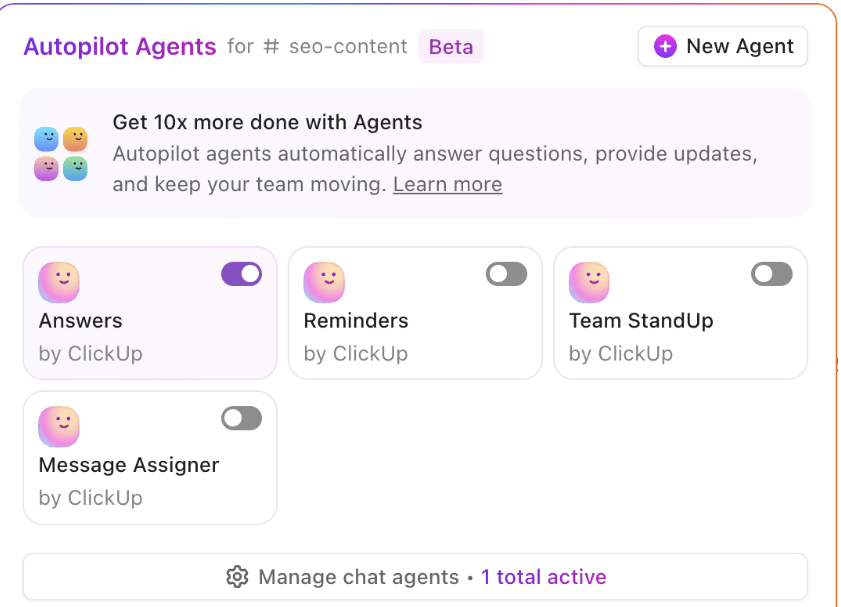
ClickUp is redefining what data analysis looks like with ClickUp Autopilot Agents—AI teammates that not only support your work but also run it for you. Think of them as proactive operators inside your Workspace, using ClickUp Brain’s AI layer to analyze, summarize, and even script their way through your data—then moving the results straight into action.
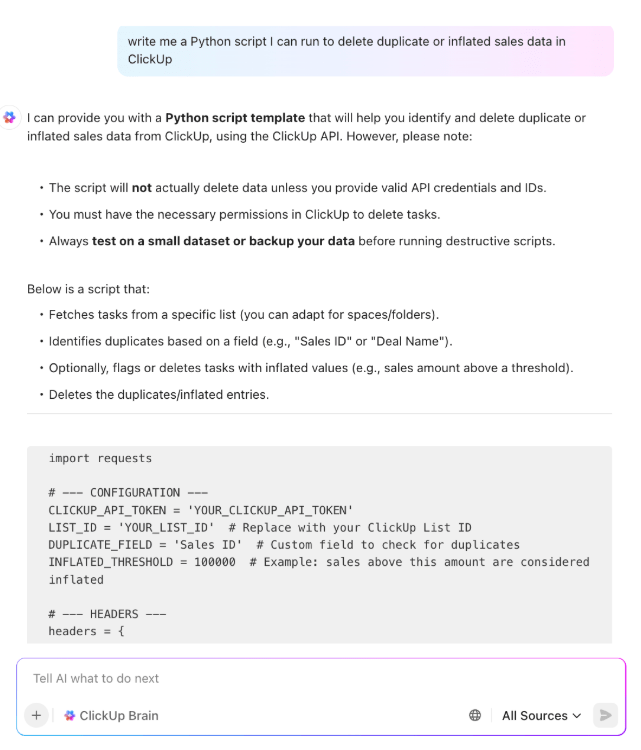
Here’s how it plays out: you upload a fresh sales dataset into ClickUp. Instead of manually crunching numbers, your Custom Autopilot Agent kicks in. It runs a Python script (generated by Brain if you don’t have one), cleans the data, and pulls out key insights.
It then drops a plain-language summary into the relevant ClickUp Task, creates subtasks for follow-up investigations, and flags anomalies for your team. Finally, the Agent pushes the results into a ClickUp Dashboard, where KPIs update in real time for leadership to review.
ClickUp Dashboards make data visualization simpler and more interesting. Monitor ROI, gauge predictive trends, set up anomaly alerts, or drill into key metrics—without being limited by boring spreadsheets.

Whether you need a big-picture view or deep analysis, ClickUp’s 15+ Views make it easy. The best part? You needn’t start your data analysis process from scratch!
ClickUp’s pre-built analytics templates turn complex datasets into structured, easy-to-read reports—saving you hours of manual work. Check out these templates for a head start:
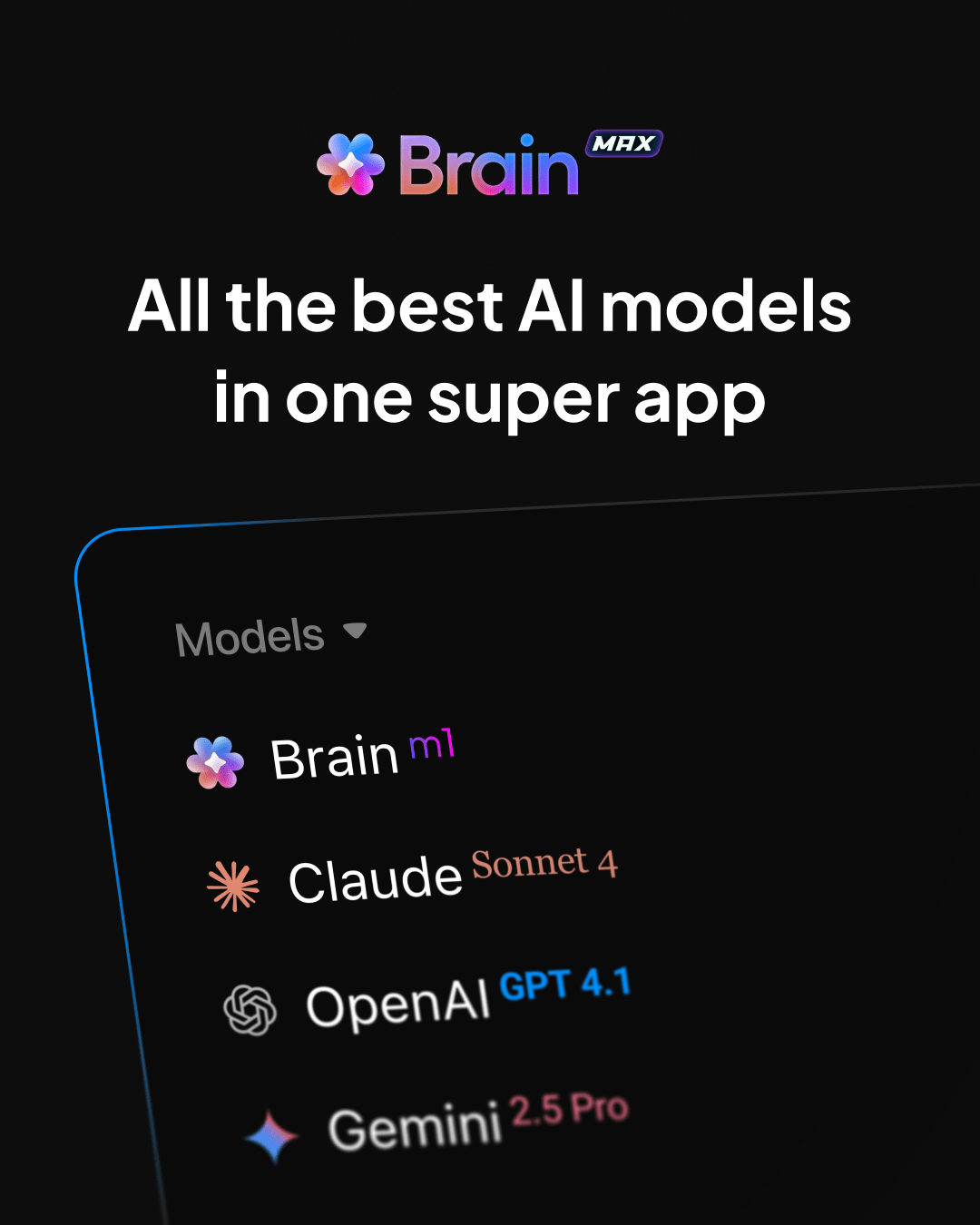
💡 Pro Tip: With ClickUp Brain MAX, your desktop AI companion, you’re not limited to one AI model—you can route queries through multiple models (GPT, Claude, Gemini, and more) to get richer, more accurate insights. This really shines when analyzing data from Connected Apps like Google Sheets, HubSpot, or Slack.
For example, Brain can pull customer engagement data from HubSpot, cross-reference campaign spend from Sheets, and summarize trends in plain English. By tapping different models’ strengths—one for reasoning, another for summarization—you get deeper, more reliable analysis without the AI sprawl.
Over the past few years, I´ve deployed Clickup as my primary organizational tool. It has given me data analysis to save money and make better decisions, integrate my teams and have accountability, run the company with less and more efficient and happy people, and finally grow smarter and think outside of the box to solve many issues that would take so much time and money!
🎥 P.S. Want to set up your own ClickUp Autopilot Agent for data analytics? This tutorial should help:
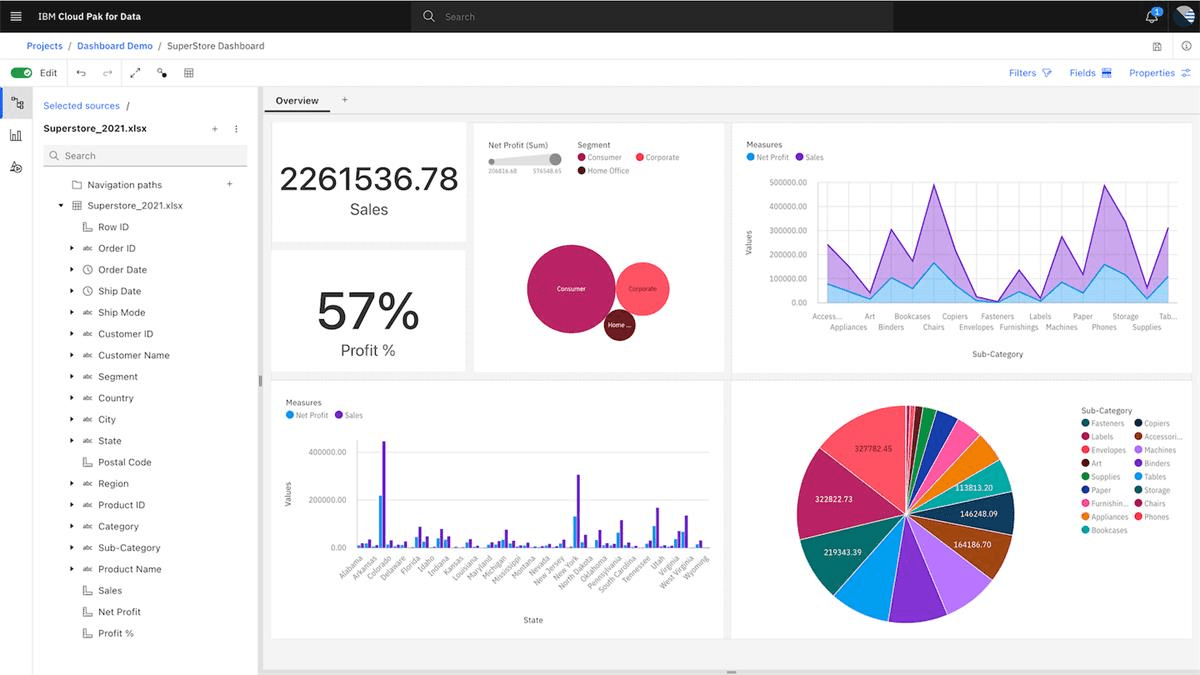
IBM Cognos Analytics transforms raw data into AI-powered business intelligence with automated report generation. Its ability to understand and respond to natural language queries appeals to data scientists and business users alike.
Whether you’re analyzing data, optimizing operations, or forecasting revenue, Cognos simplifies decision-making by automating exploration and visualization. The drag-and-drop dashboard builder removes tedious setup, while enterprise-grade security protects your data.
Straight from a Capterra review:
It allows you to connect the data thrown by different sources and create personalized reports that you can share in real time…Its license has a high cost compared to similar platforms. It has a steep learning curve and its user interface has a lot of room for improvement.
💡Pro Tip: Combine IBM Cognos with AI-powered predictive analytics software to gain deeper insights from exploratory data analysis, sentiment analysis, and statistical modeling—leading to more informed, data-driven decisions!
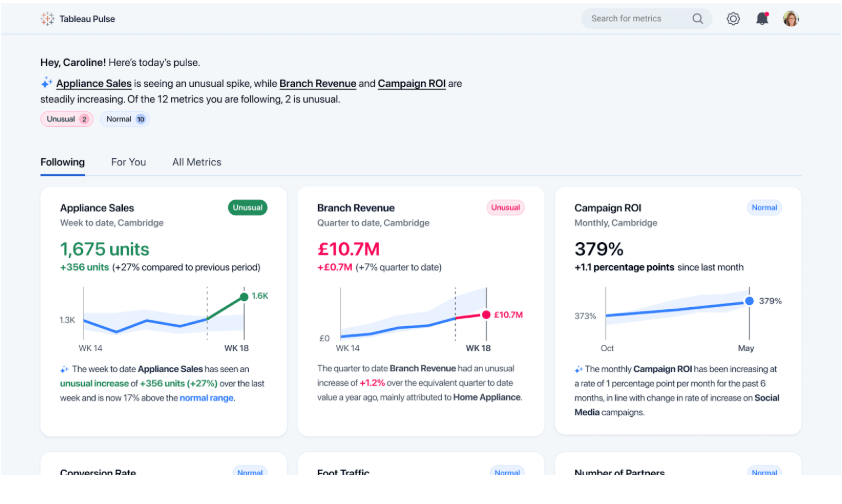
Next on our list is Tableau—a reliable name among the best AI tools for data visualization. More than simplifying data with easy-to-interpret charts and graphs, Tableau helps you uncover hidden patterns in it. Use it to identify trends and make data-backed predictions with interactive dashboards.
What sets it apart? Tableau Pulse, a real-time alert system that keeps you informed on key business metrics the moment they change. Spot anomalies early, react faster, and stay ahead of risks—all while ensuring data security with the Einstein Trust Layer.
A user on G2 shares:
It offers an intuitive and highly interactive way to visualize data. The drag-and-drop interface makes creating complex dashboards easy without extensive technical knowledge. Connecting to multiple data sources is a significant advantage, and the powerful visualization capabilities allow for clear and insightful data storytelling.
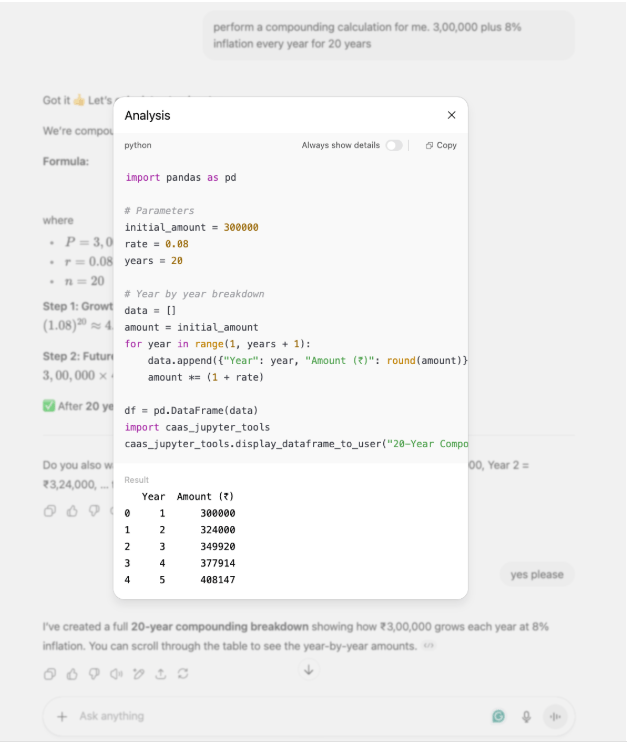
ChatGPT is like having a data analyst on demand. It helps you explore, interpret, and refine data through natural conversation. Instead of sifting through dashboards or writing complex queries, just ask questions in plain English; it delivers actionable insights instantly.
Whether you’re summarizing lengthy reports, exploring emerging trends, or generating Python scripts for data processing, ChatGPT automates the busywork so you can focus on making optimal, data-driven decisions.
A G2 reviewer says:
As a paid subscriber for several months, I’ve used ChatGPT multiple times daily, including for writing Python code. Its data analysis capabilities, especially when combined with its ability to interpret and explain complex charts and images, make it an excellent tool for learning and understanding domain-specific topics.
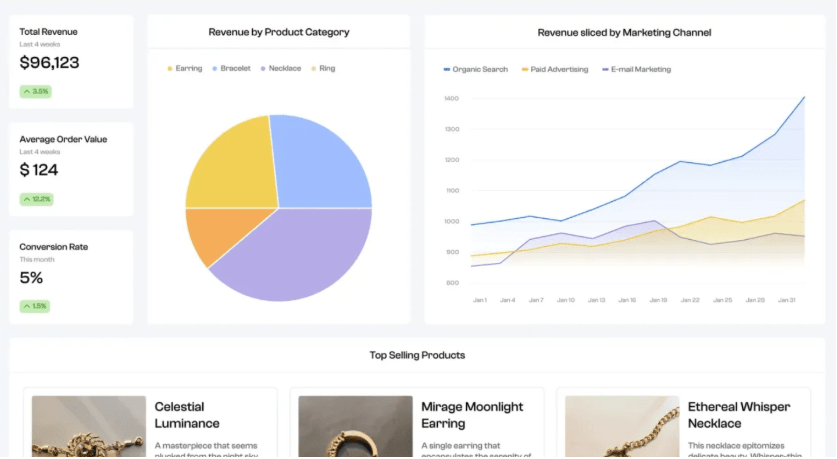
Struggling to make sense of customer data? Polymer AI makes product analytics effortless for eCommerce, marketing, and sales teams. It helps you track real-time user behavior, sales performance, and market trends.
Unlike traditional BI tools, Polymer AI removes the complexity from data analysis—upload a dataset or connect a source, and AI structures everything for you!
Need to share insights? Embed Polymer dashboards directly into websites, apps, or presentations for seamless collaboration with teams or external stakeholders.
Straight from a G2 review:
Polymer user-friendly and intuitive design lets me analyze my data really fast. I love how it is able to parse arrays in spreadsheet cells, which is not possible in Excel or Google Sheets. Their new dashboarding feature lets me make beautiful dashboards that I can quickly build and share.
📮ClickUp Insight: Our survey found that 62% of respondents rely on conversational AI tools like ChatGPT and Claude for content generation, data analysis, and more. But constant tab-switching to ask AI questions leads to toggling tax and context-switching costs that slow you down.
Not with ClickUp Brain! It’s built directly into your Workspace, understands plain text prompts, and delivers task-specific answers without breaking your workflow. Experience 2x productivity gains with ClickUp! 🚀
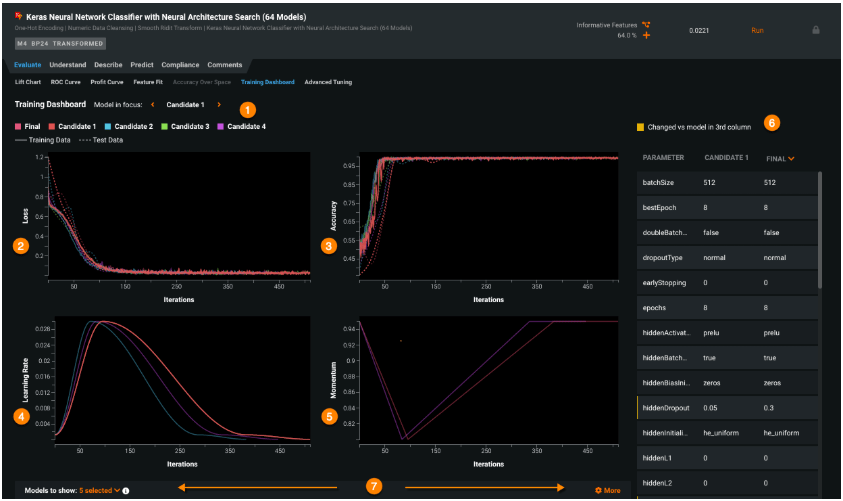
Don’t have a robust data analytics team? No issues! DataRobot is an automated machine learning (AutoML) solution that helps you build, test, and deploy AI models without technical expertise.
From financial forecasting and fraud detection to supply chain optimization, DataRobot automates the entire AI lifecycle, helping businesses extract insights, reduce risks, and improve efficiency.
Here’s a G2 user’s opinion:
It is automated technology that helps us in data preprocessing, feature engineering choosing the best model and even hyperparameter tuning. It is time-saving and can handle large data.
➡️ Read More: Project Management Dashboard Examples & Templates
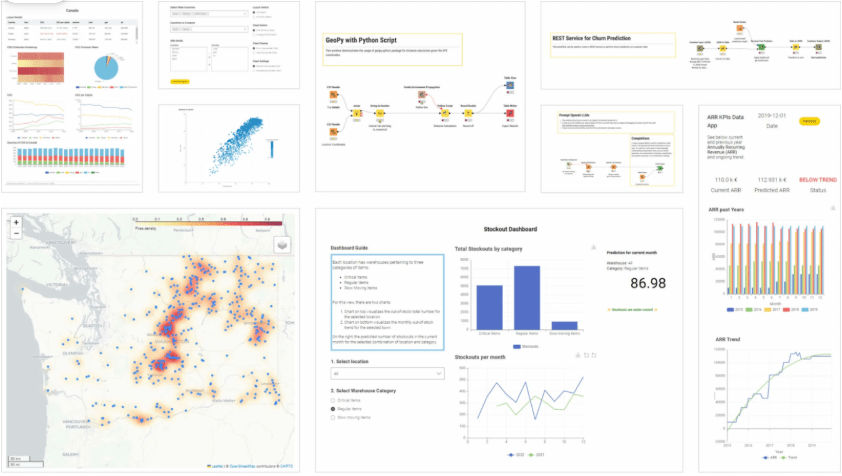
KNIME simplifies data integration, workflow automation, and ML with an open-source, no-code/low-code approach. Built for data scientists, analysts, and business teams, it empowers users to create, automate, and scale data management workflows.
With AutoML support, businesses can train, evaluate, and deploy ML models with minimal manual effort. Its drag-and-drop interface connects data sources, transformations, and ML algorithms into structured, reproducible workflows, ensuring traceability and governance.
A G2 review reads:
Its visual workflow interface significantly lowers the barrier for non-programmers while still providing advanced extensibility for experts
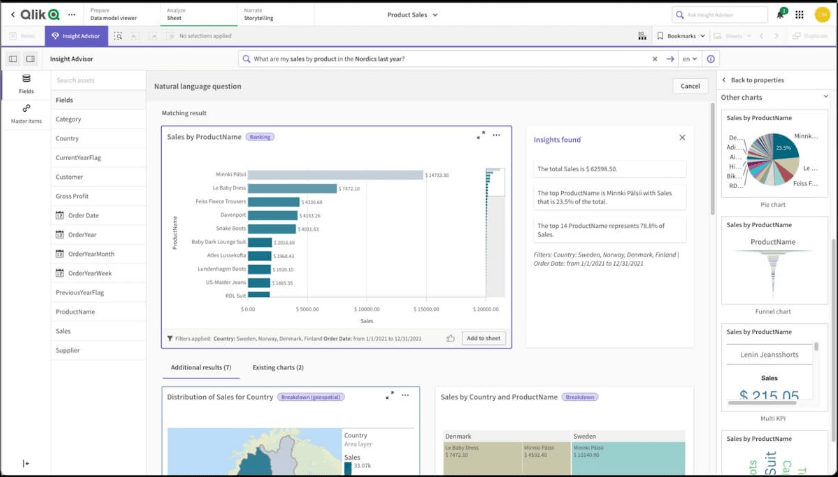
Most BI tools force users into rigid, pre-defined query paths, which means valuable insights often go unnoticed. Qlik’s associative analytics engine flips the script, allowing users to explore data efficiently and uncover unexpected trends, patterns, and relationships.
Whether you’re visualizing complex datasets, running ad-hoc analysis, or generating AI insights, Qlik makes data discovery seamless. Plus, with real-time synchronization across multiple data sources, your decisions are always backed by the freshest data available.
Here’s a Capterra review:
Qlik Sense can be installed both on prem and on cloud, which give the organization using it the ability to have better control of where the data will be stored and accessed from, which is a great benefit when you want to keep your data safe and local. Another great thing about qlik Sense is that with a bit of time one can create very clear and good dashboards presenting the business data in the organization.
➡️ Read More: Best Survey Analysis Software
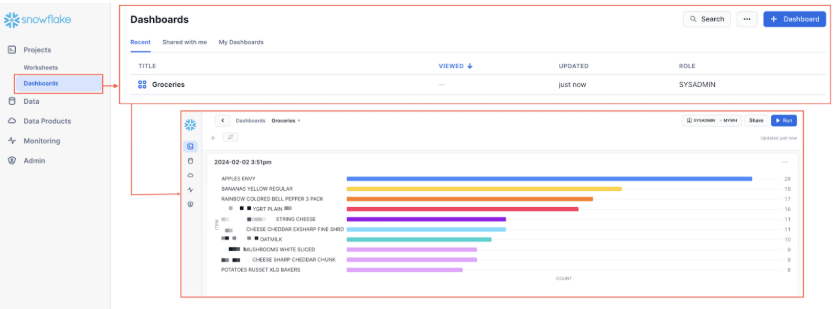
Traditional data warehouses often struggle with speed, scalability, and real-time analytics. Snowflake AI Data Cloud redefines the game by combining instant elasticity, AI-powered analytics, and seamless multi-cloud access—all in one platform.
Forget manual performance tuning and slow data queries—Snowflake automates workload optimization, letting you run AI models, analyze massive datasets, and unify structured and unstructured data processing effortlessly.
A G2 user says:
Snowflake makes it easy to start loading, querying, and analyzing your data with minimal setup. Unlike other solutions, there’s no infrastructure as code to write. Data sharing is powerful and has virtually eliminated the lift of vendor data integration.
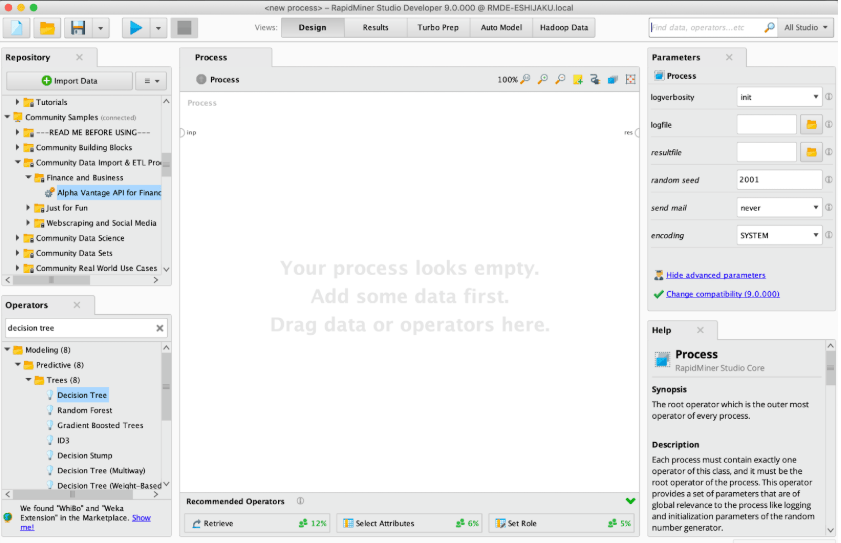
Last but not least, Altair RapidMiner is your AI-powered gateway to more innovative, faster, data-driven decisions. Designed for teams of all skill levels, it unifies analytics, automation, and AI without disrupting your existing systems.
Break down data silos and unlock hidden insights with advanced data fabric tools. Need to tap into ‘dark data’ buried in PDFs, reports, and legacy files? RapidMiner’s automated extraction capabilities turn overlooked information into game-changing business intelligence.
A G2 review reads:
It empowers our organization with advanced machine learning and data analytics, enabling smarter decision making. Its automation and predictive modeling streamline complex data process, improving efficiency.
🌈 ClickUp Hack: According to the PwC Global Crisis and Resilience Survey 2023, 91% of organizations experienced at least one disruptive event—excluding pandemics—in the past two years. AI agents for data analysis help detect hidden risks, forecast trends, and refine decision-making—but insights alone won’t protect your business.
Combine data analytics with risk management software to act before risks escalate. With ClickUp, you get the best of both worlds in one platform! Easily set up real-time monitoring, automated alerts, and structured workflows with agentic AI to turn AI insights into proactive risk mitigation.
Looking for still more agentic AI tools for data analysis? These deserve a look:
➡️ Read More: Best Dashboard Software (Reviews, Features, & Pricing)
Data is the new gold—but only if you know how to mine it. AI data analysis agents transform raw numbers into powerful insights, automate workflows, and fuel smarter decision-making.
But insights alone will not drive results. You need a system to turn analysis into action, and that’s where ClickUp shines.
Why juggle multiple data processing, reporting, collaboration, and task management tools when ClickUp brings it all under one roof? Analyze, strategize, and execute—without the context-switching chaos.
Ready to make your data work smarter? Sign up for ClickUp today and turn insights into impact!

© 2026 ClickUp

There’s an easier way. Try a free AI Agent in ClickUp that actually does the work for you—set up in minutes, save hours every week.