
Sorry, there were no results found for “”
Sorry, there were no results found for “”
Sorry, there were no results found for “”
Customer service is quietly being reshaped by AI.
Far from futuristic hype, AI agents are now taking on the unglamorous but critical jobs: routing tickets, handling repetitive requests, surfacing the right information at the right moment, and keeping operations flowing with less human hand-holding.
A McKinsey study says that, with agents in the mix:
Up to 80% of common incidents could be resolved autonomously, with a reduction in time to resolution of 60 to 90%.
And the best AI agents? They don’t get in the way. They quietly do the work and let your team focus on where they’re actually needed.
In this blog post, we’re breaking down the top AI agents for customer service worth using. Let’s dive in! 🤖
Here’s a brief comparison of the top AI agents for customer service teams.
| Tool | Best features | Best for | Pricing |
| ClickUp | Custom autopilot agents, chat-integrated replies, AI-powered task workflows, support workspace templates | All team sizes | Free plan available; customization available for enterprises |
| Intercom Fin | GPT-4 powered responses, workflow triggers, feedback-based learning, transcripts with key points | Small to mid-market companies | Starts at $39/month per seat; 14-day free trial; $0.99 per Fin resolution |
| Ada Support | Multilingual AI, tiered support levels, proactive outreach, drag-and-drop builder | Enterprises | Custom pricing (varies by deployment scale) |
| Kustomer | Emotion detection, CRM-based context, voice and chat support, smart scheduling | Mid-market to enterprise teams | Starts at $89/month per user; AI add-ons from $0.60/convo |
| Zendesk AI | Predictive triage, AI-enhanced agent assist, auto-language detection, SLA-focused logic | Mid-market to large teams | Starts at $55/month per agent (billed annually); AI add-on: $50/month per agent |
| Drift AI | Sales-aware support, lead scoring, calendar booking, conversion metrics | Mid-market SaaS and subscription businesses | Custom pricing |
| Tidio Lyro | Quick setup, channel switching, product catalog linking, after-hours automation | Individuals and small businesses | Lyro AI agent add-on starts at $39/month |
| Freshdesk Freddy AI | Sentiment-based triage, help doc uploads, AI vs. human metrics, multi-channel support | Small to mid-sized teams | Starts at $18/month per agent; AI Copilot starts at $94/month per agent |
Our editorial team follows a transparent, research-backed, and vendor-neutral process, so you can trust that our recommendations are based on real product value.
Here’s a detailed rundown of how we review software at ClickUp.
AI agents for customer service are sophisticated digital assistants that transform how businesses interact with customers. These advanced tools leverage natural language processing (NLP) and machine learning (ML) to handle complex customer inquiries.
They are built to understand context, learn from interactions, and improve over time.
AI agent tools can work across multiple channels, such as chat, email, and help desks, giving customers faster responses while keeping things organized on your end.
🧠 Fun Fact: Back in the late 1960s, Shakey the Robot emerged as the first general-purpose mobile robot capable of reasoning about its actions. Developed by SRI International, Shakey set the stage for future AI agents.
Support reps want tools that tackle real-world frustrations without creating new hassles. Because the one thing they don’t have is time to explain the same or recurring context over and over.
Here’s what matters most in an AI customer service agent:
These AI customer service tools can help increase customer satisfaction by providing immediate answers to their queries. Let’s explore each tool in detail. We also have a video guide for you! 👇
ClickUp brings customer service’s moving parts into one system.
It’s the everything app for work that combines project management, knowledge management, and chat—all powered by AI that helps you work faster and smarter.
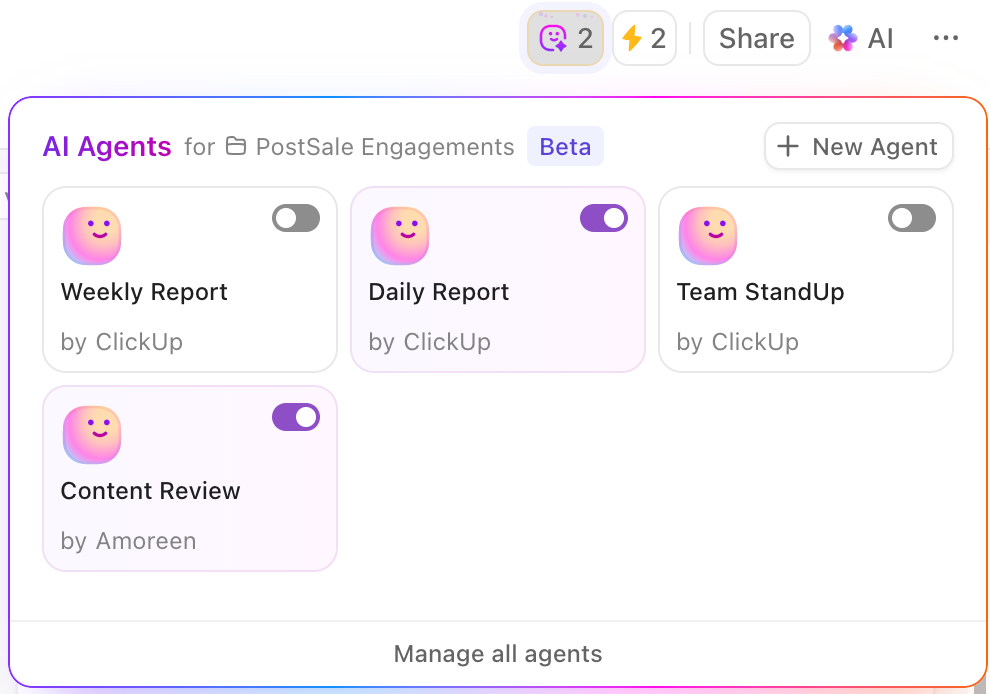
To start with, you have ClickUp Brain, the AI assistant within ClickUp, which helps to build agents, automate workflows, interact with multiple AI models, find insights, and more within seconds. 👇🏼
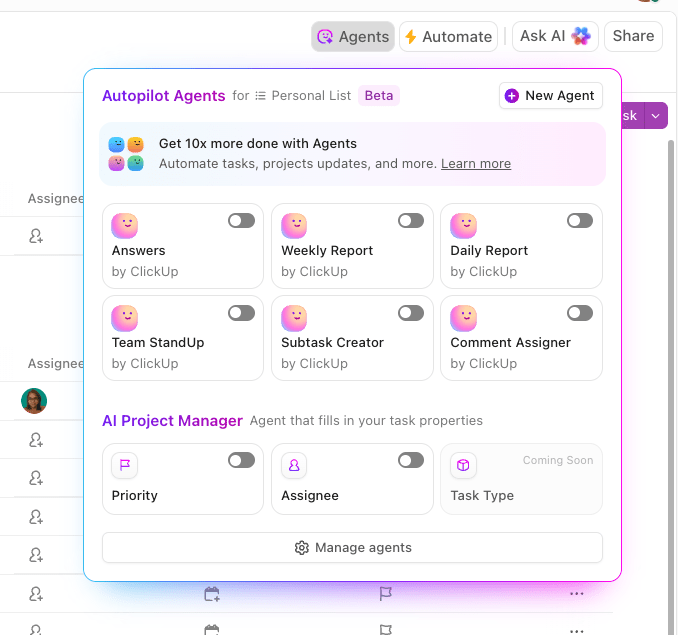
Now, let’s look at the agentic workflows within ClickUp:
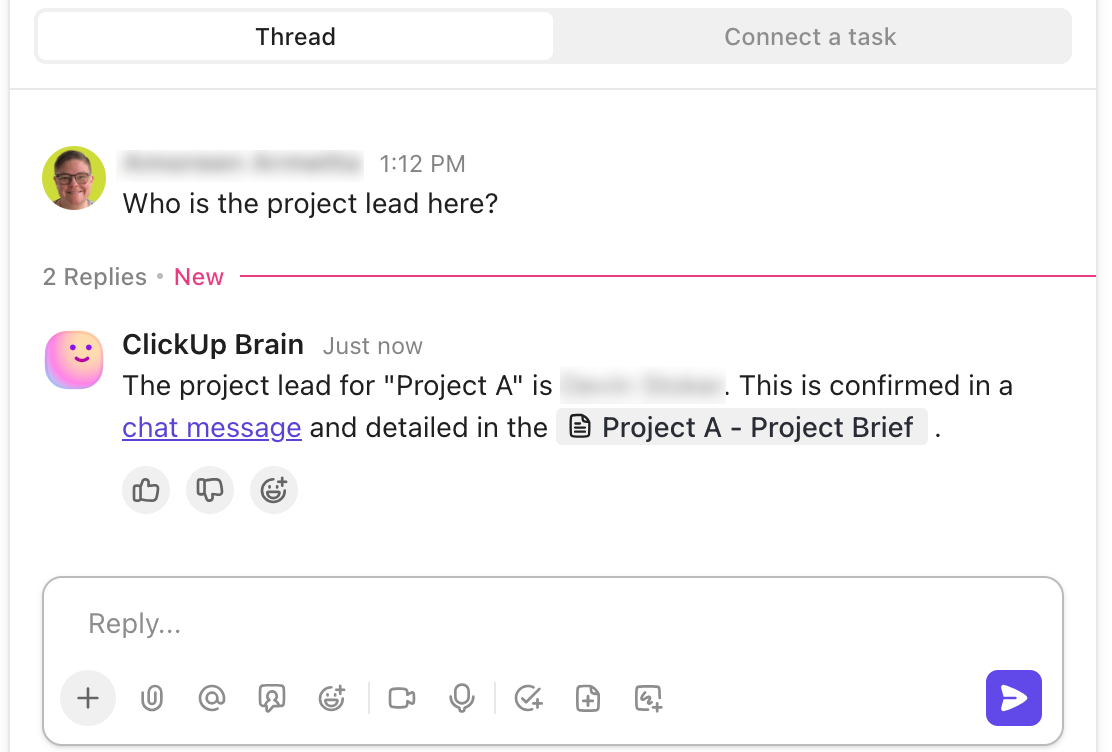
Let’s say someone drops a message asking who’s handling a refund for a specific account. The Auto-Answers Agent scans your workspace, finds the task, and replies with the assignee’s name and a link to the active thread.
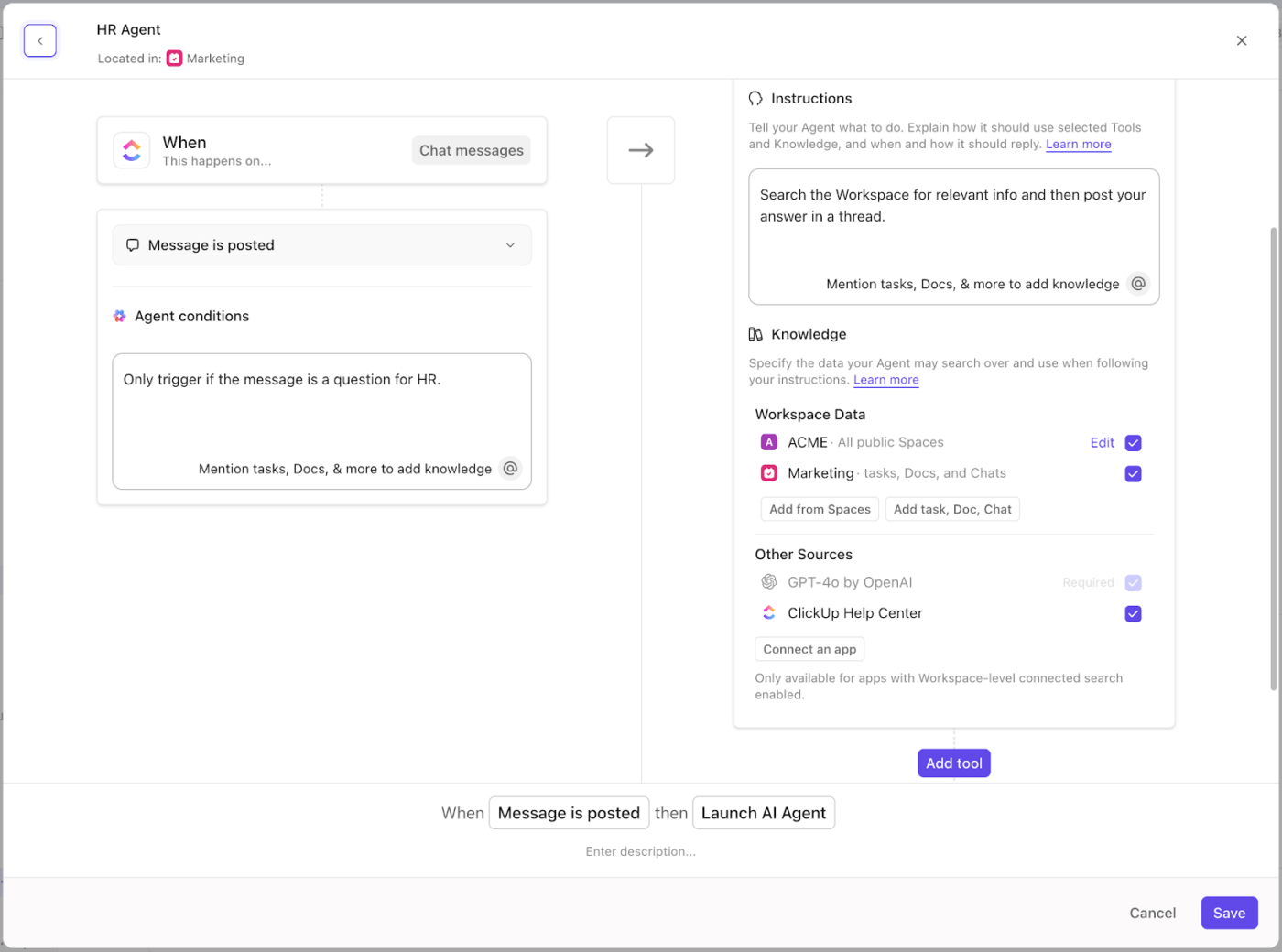
Build a ClickUp Custom Autopilot Agent to trigger actions based on specific keywords or channels
If your workflow needs something more specific, you can use the no-code builder to build a ClickUp Custom Autopilot Agent.
ClickUp Brain also provides support while building. Use it to draft prompts, refine actions, or suggest tools based on your workflow.
Suppose you have a partner support channel for VIP accounts. You can build an AI agent that watches that channel, triggers only when the message mentions ‘data breach’ or ‘access issue’, then creates a task in your ‘Enterprise Escalations’ list, attaches the original message, and assigns it to your security team.
Once your agents are in place, the rest of the workflow still needs structure. ClickUp’s Project Management Software for Customer Service offers a dedicated workspace setup to triage tickets, assign owners, track progress, and surface insights.
Begin with ClickUp Tasks to convert every customer issue into an action item. Then, enhance these Tasks with ClickUp Custom Fields to categorize and prioritize effectively. Fields like ‘Issue Type’, ‘Customer Segment’, ‘Channel’, and ‘Urgency’ allow your team to filter and address tickets efficiently.
Implement ClickUp Automations to maintain momentum in your support processes. It can triage, prioritize, and assign tickets for you in a jiffy. If a task remains in a ‘Blocked’ status for over two days, an automation can notify the team lead, escalate the issue, and post an update in the relevant communication channel.
To expedite setup, the ClickUp Customer Service Management Template offers a ready-to-use workspace.
This customer service template includes pre-built custom fields such as ‘Issue Type’, ‘Completion Status’, ‘Requestor’s Contact Email’, and ‘Customer Satisfaction Rating’. Additionally, it features a pre-built Form view to streamline ticket intake, ensuring your team can manage customer requests efficiently.
And for teams aiming to delve deeper into recurring issues, the ClickUp Customer Problem Statement Template is invaluable.
This Reddit comment really says it all:
ClickUp Brain saves me a ton of back and forth honestly. I know there are AI tools with a pretty efficient free tier, but the constant switching between tabs takes a toll. And honestly, when I’m in my deep work zone, this is the last thing I want to do. I primarily use the AI for writing stuff since I’m in the content industry. It also edits what I’ve written (ah-mazing!).
📮 ClickUp Insight: Only 10% of our survey respondents regularly use automation tools and actively seek new opportunities to automate.
This highlights a major untapped lever for productivity—most teams are still relying on manual work that could be streamlined or eliminated.
ClickUp’s AI Agents make it easy to build automated workflows, even if you’ve never used automation before. With plug-and-play templates and natural language-based commands, automating tasks becomes accessible to everyone in the team!
💫 Real Results: QubicaAMF cut reporting time by 40% using ClickUp’s dynamic dashboards and automated charts—transforming hours of manual work into real-time insights.
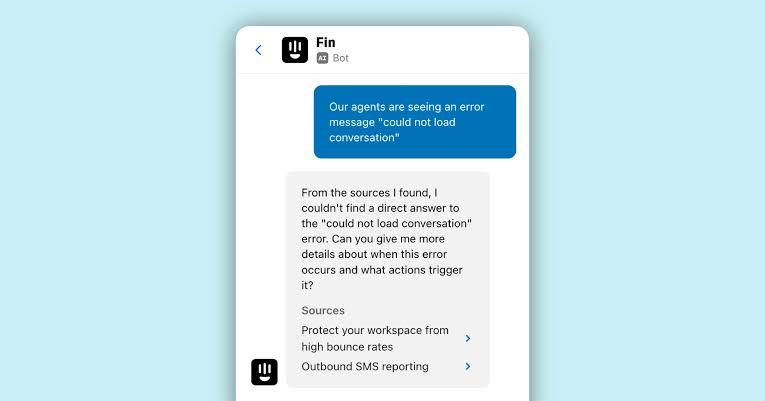
via Intercom Fin
Intercom Fin uses advanced language models like GPT-4 to understand customer questions beyond simple keyword matching. It connects to your existing documentation, making implementation relatively quick.
You’ll notice how it adjusts its tone based on a conversation’s context: professional when discussing technical issues, sympathetic when handling complaints. Many teams like how it identifies resolution patterns to spot gaps in support materials.
If you already use other Intercom tools, Fin fits right into your existing workflow.
This review caught our eye:
Upfront, it’s a super easy AI solution that really doesn’t require much set up or configuration. Once you get beyond initial setup though it starts to feel limited pretty quickly.
📖 Also Read: Free Customer Journey Map Templates
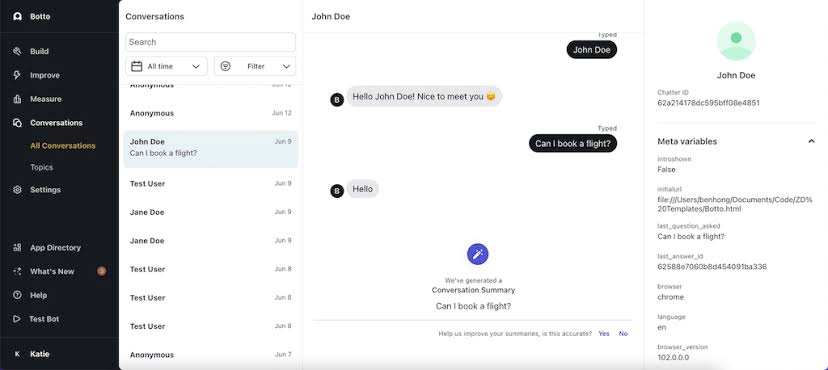
via Ada Support
Ada Support handles conversations in multiple languages without needing separate setups for each one. It automatically categorizes incoming questions and sends them to specialized AI modules for different topics.
Many large organizations use this system because it can expand across global markets without requiring proportional staff increases. Its security compliance makes it suitable for industries with strict data handling rules, such as banking and healthcare.
One perspective worth noting:
ADA is easy to use and easy to understand how their system works. The way how to set up the automated answers is also easy to do since the options such as text box, videos, and images can be dragged and dropped to the chat flow plus the actions available make the chat flow properly work.
🧠 Fun Fact: KPMG found that for every $1 businesses invest in AI, they see an average return of $3.5. A small but impressive 5% of companies report making as much as $8 back.
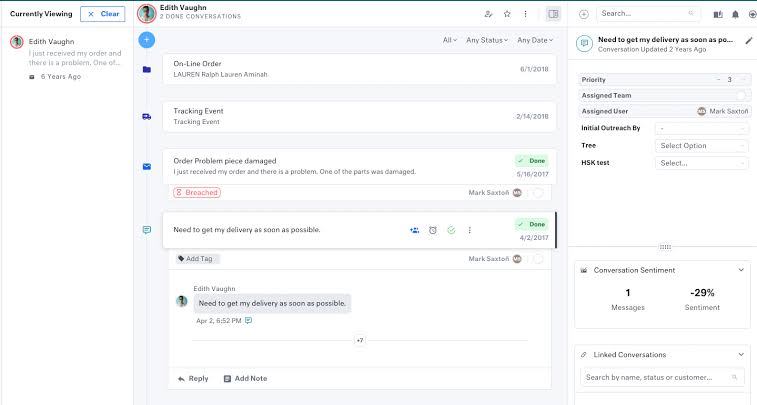
via Kustomer
Kustomer operates as part of a CRM platform rather than as a standalone chatbot. It interprets customer messages to detect emotions such as frustration or urgency. This emotional awareness helps prioritize conversations needing immediate attention, often preventing issues from escalating.
You might appreciate how it considers customer history for context-aware responses instead of treating each message in isolation. This approach reduces repetition for returning customers and facilitates personalized support.
AI add-ons
A user shared this feedback:
I love that Kustomer is so sleek and well-designed. It isn’t clunky, or hard to use. It’s really streamlined. The reporting is A+, it’s very in-depth for not just the customers but also your team. It works really well in tracking team performance and productivity, as well.
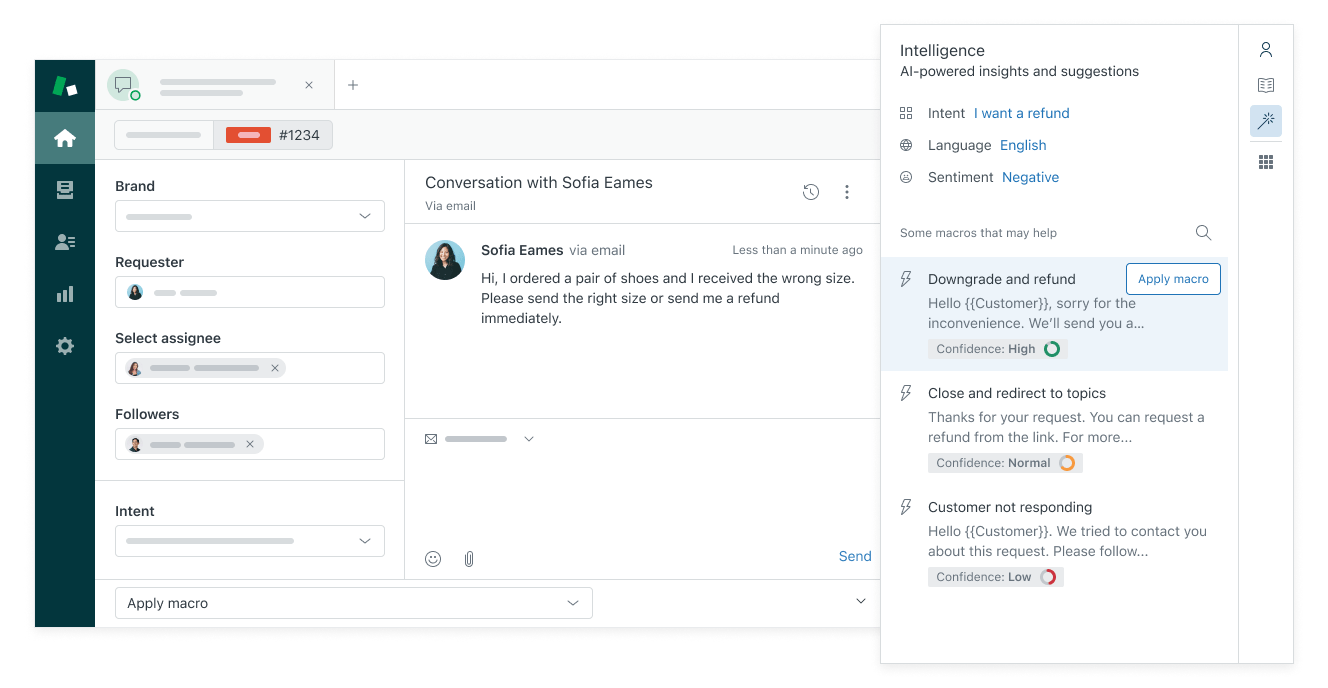
via Zendesk
Zendesk AI draws on patterns from billions of support interactions to automatically categorize incoming messages and assign them to appropriate queues. The helpdesk software focuses on customer service language rather than general conversation, helping it recognize industry terms your customers use.
It combines customer-facing automation with agent assistance tools to enhance both sides of the support experience. This approach often results in smoother transitions when complex issues need human expertise.
AI add-on
One G2 review puts it this way:
I like the AI features. I can write a response, and ZD can make it more friendly, more elaborate, more formal. It´s great. Also, the Zendesk team is always super helpful and great.
🔍 Did You Know? Deloitte reports that 15% of contact centers are already using generative AI to speed up customer authentication, simplify solutions, and generate automated call summaries and follow-ups.

via Salesloft
Drift by Salesloft approaches support conversations with sales awareness, recognizing when customer service interactions might reveal sales opportunities.
This customer success software connects with marketing tools to add context, noting whether someone chatting previously viewed pricing pages or abandoned a cart. The sales perspective makes Drift particularly useful for SaaS and subscription businesses where upgrade possibilities often emerge during support interactions.
Plus, it’s analytics track conversion metrics alongside traditional support measurements for efficiency.
According to one reviewer:
I love how conversational Drift feels when talking to a potential prospect. It helps me snag those extra inbound leads each month and provides an easy-to-navigate solution for sales reps to schedule meetings and pre-qualify inbound leads. I love how it integrates so easily with Gmail as well, which makes it feel much more streamlined and not just one other platform I need to balance in my tech stack. I check Drift every day, and it has been a great resource for me in a challenging sales year!
via Tidio
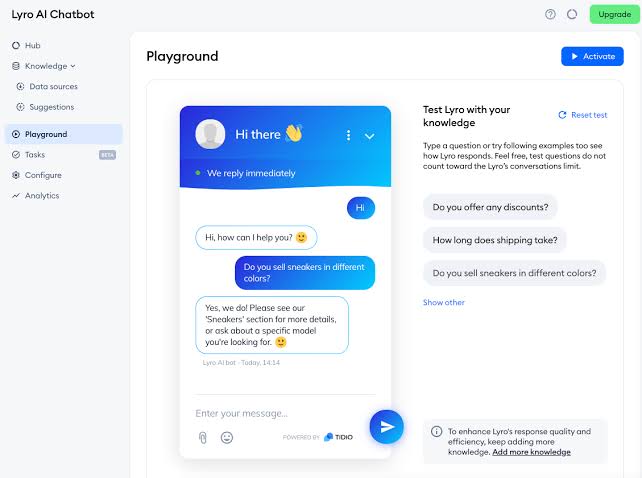
Tidio’s Lyro reduces technical complexity by focusing on quick setup for small businesses. It handles about 70% of common customer questions without needing extensive training data.
Conversations flow between channels like live chat, WhatsApp, Instagram, and Messenger without losing context. This connectivity helps small teams manage multiple AI communication platforms simultaneously.
Even better? The system combines Claude (Anthropic AI) and in-house models to balance performance with cost efficiency. Tidio prioritizes practical results over complex customization options.
A G2 reviewer summed it up like this:
Tidio has made it incredibly easy to manage live chat, automate common questions with Lyro, and route conversations to our support team. The interface is clean and intuitive, and the ability to connect it with platforms like WooCommerce and Klaviyo is a big plus. We also appreciate the flexibility to handle both support and marketing flows within the same tool.
🔍 Did You Know? Studies have shown that AI agents can spontaneously develop human-like communication conventions when interacting in groups. This behavior mirrors the evolution of human language and highlights the complex social dynamics AI can exhibit.
via Freshdesk
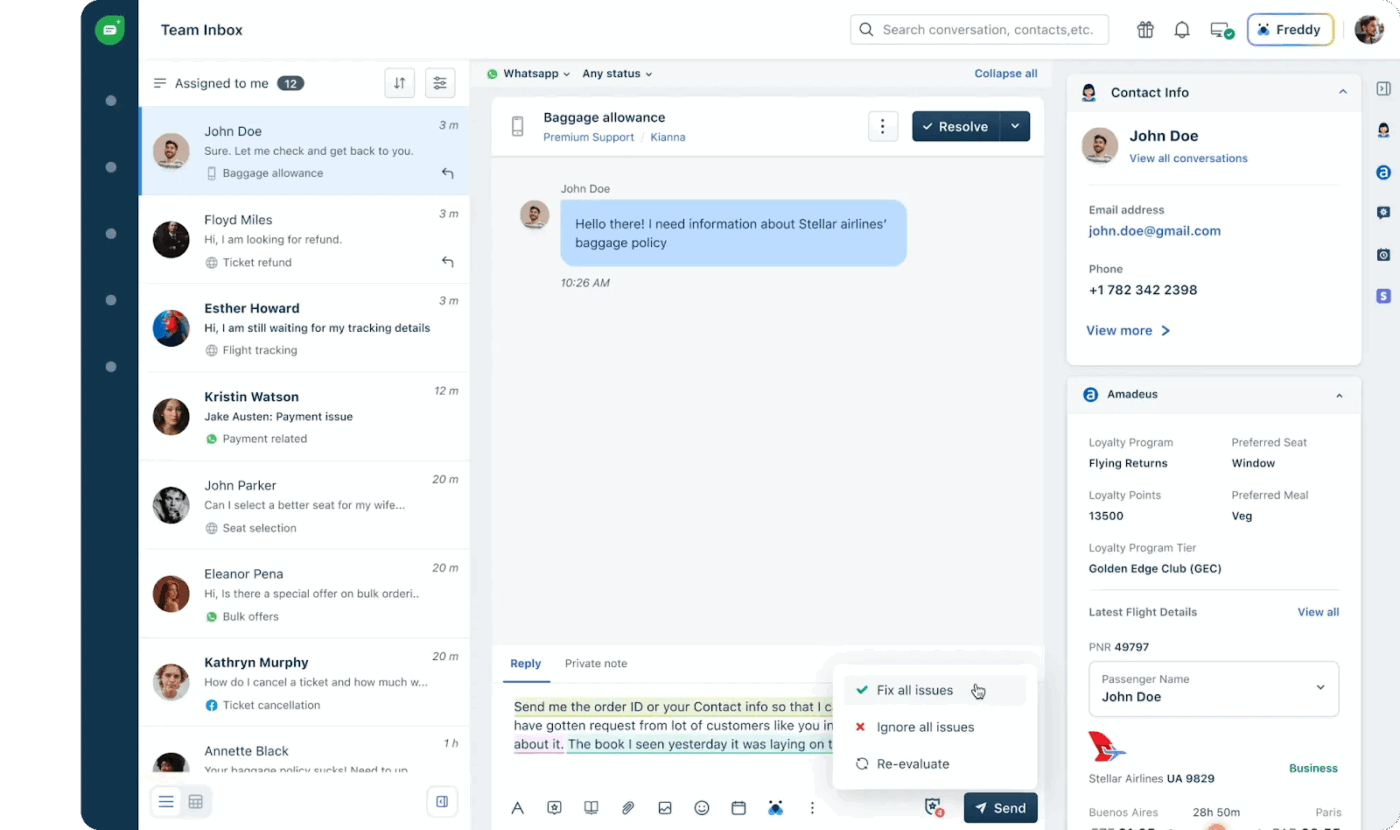
Freshdesk Freddy AI shortens implementation time by connecting to your existing materials rather than requiring extensive manual training. It handles approximately 45% of support requests independently.
The AI agent also features proactive service capabilities that identify potential issues before customers report problems. This preventive approach may reduce ticket volumes over time. Freddy AI’s strategy focuses on determining when human assistance makes more sense, rather than forcing task automation everywhere.
See what this G2 reviewer had to say:
I appreciate Freshdesk’s interface and powerful automation features that simplify our work on customer support and payment support-related ticket management and Freddy improves our responses and Canned responses save time. Its Freshdesk’s multi-channel support allows seamless email, chat, and social media communication, ensuring consistent customer service.
🔍 Did You Know? Most teams keep a close eye on their AI agents, with 55.4% relying on tracing or observability tools, and 44% have guardrails in place. Offline and online evaluations are also common.
Choosing the right AI agent comes down to knowing what actually improves your team’s day-to-day. Speed alone doesn’t solve much if your team still chases updates, rewrites the same replies, or struggles to find context.
ClickUp helps you with both: agents that take action and a workspace that keeps everything connected.
Templates, automation, live updates, and AI agents for customer service that act on your terms. From assigning the right owner to surfacing the right context, every feature is built to move support forward without slowing your team down.
Sign up for ClickUp today! ✅
Yes, AI is widely used in customer service today. Businesses deploy AI in the form of chatbots, virtual assistants, and automated ticketing systems to manage routine queries like order tracking, account issues, and FAQs. AI can also analyze customer sentiment to detect frustration or urgency and route issues to the right human agent. Beyond reacting to customer needs, AI is increasingly being used proactively, predicting customer issues before they arise and offering personalized solutions. The result is faster service, 24/7 availability, reduced costs, and more time for human agents to focus on complex or emotionally sensitive cases.
There isn’t a single “best” AI for customer service, because the right choice depends on the size of the business, industry, type of customer interactions, and budget. Companies typically evaluate AI tools based on natural language understanding, integration with existing systems like CRMs, multi-channel support, customization options, and security. Some of the top players include enterprise platforms like Salesforce, Microsoft, and Google, as specialized conversational AI providers focused on chatbots and voice bots. The best solution is usually the one that balances automation with a smooth handoff to human agents while fitting seamlessly into the company’s support ecosystem.
In artificial intelligence theory, an “agent” refers to a system that perceives its environment and takes actions to achieve goals. The five classical types are simple reflex agents, which respond only to current inputs; model-based reflex agents, which maintain an internal state to handle partially observable situations; goal-based agents, which plan actions to achieve defined goals; utility-based agents, which compare possible outcomes and choose the one that maximizes value; and learning agents, which improve their performance over time by learning from data and feedback. While these are theoretical categories, they provide the foundation for many practical AI applications, including customer service bots and virtual assistants.
Many well-known companies have integrated AI into their customer service strategies. For example, Verizon uses generative AI to predict why customers are calling and route them more effectively, while Bank of America’s virtual assistant Erica helps customers with banking tasks through voice and chat.

© 2026 ClickUp