







Still downloading templates?
There’s an easier way. Try a free AI Agent in ClickUp that actually does the work for you—set up in minutes, save hours every week.
Sorry, there were no results found for “”
Sorry, there were no results found for “”
Sorry, there were no results found for “”
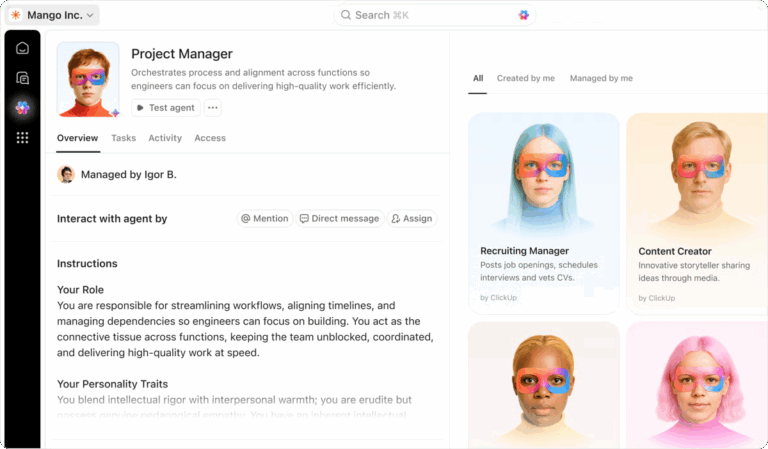
Manual, repetitive work overwhelms teams when simple automation can’t handle the complexity. You keep hearing about “AI agents” that can think and act on their own, but you’re not sure what they are or how to get them.
This uncertainty leads to wasted hours, employee burnout on tedious tasks, and missed opportunities because your most complex processes remain stubbornly manual—yet IDC projects AI agents can save knowledge workers more than 40% of their typical workday.
This guide breaks down some of the best AI agent development companies and platforms. You’ll find full-service agencies that build custom solutions and no-code tools that let your team deploy agents without writing code.
Summarize this article with AI ClickUp Brain not only saves you precious time by instantly summarizing articles, it also leverages AI to connect your tasks, docs, people, and more, streamlining your workflow like never before.AI Agent Development Companies Software at a Glance
| Tool | Best for | Best features | Pricing |
|---|---|---|---|
| ClickUp | Developers building production-grade AI agents with tools | Super Agents, Autopilot Agents, AI Codegen, Enterprise Search, Chat, Docs, Tasks | Free Forever; Customization available for enterprises |
| Relevance AI | GTM and ops teams building multi-agent workflows with numerous integrations | Multi-agent orchestration, visual agent builder, analytics dashboard | Free plan available; Paid plans from $349/month |
| Master of Code Global | Enterprise teams building AI agents for customer support, CX, and voice | End-to-end conversational AI development, omnichannel deployment, enterprise system integration | Custom pricing |
| Intuz | Mid-market teams that want custom AI agents | Full-stack AI development, mobile-first agent design, cloud-native architecture | Custom pricing |
| Moveworks | Global IT helpdesks automating employee support | Pre-trained enterprise AI, natural language ticket resolution, enterprise integrations | Custom pricing |
| SoluLab | Web3 and fintech teams building custom, action-taking AI agents | Blockchain integration, IoT-connected agents, cross-platform development | Custom pricing |
| Markovate | Teams testing and deploying LLM-powered copilots and workflow agents | Generative AI specialization, rapid prototyping, business process automation | Custom pricing |
| StackAI | IT teams deploying governed AI agents for internal workflows | Visual workflow builder, model-agnostic architecture, pre-built integrations, templates | Free plan available; Custom pricing |
| BuildShip | Builders shipping AI workflows and internal tools | Visual backend workflow builder, pre-built AI nodes, Firebase and Google Cloud integration | Free plan available; Paid plans from $25/month |
| Zapier | Ops teams automating work across thousands of apps | 8,000+ app integrations, AI orchestration, natural language automation creation | Free plan available; Paid plans from $29.99/month |
| Make | Power users building complex, visual automations | Visual scenario builder, AI module integrations, granular data transformation | Free plan available; Paid plans from $10.59/month |
| Salesforce Agentforce | Salesforce-native teams building AI agents for sales and support | Customer 360 integration, pre-built service and sales agents, Einstein AI foundation | Free plan available; Paid plans from $2 per conversation |
| Microsoft Copilot Studio | Teams building internal support copilots in Microsoft 365 | Power Platform integration, Teams deployment, enterprise governance | Free plan available; Paid plans from $25.20 user/month |
| OpenAI | Visual backend workflow builder, pre-built AI nodes, Firebase, and Google Cloud integration | Assistants API, state-of-the-art language models, function calling, tool use | Pay-as-you-go |
| Google Vertex AI | Enterprise teams building and deploying AI agents on Google Cloud | Agent Builder, Model Garden, enterprise MLOps capabilities | Pay-as-you-go |
Our editorial team follows a transparent, research-backed, and vendor-neutral process, so you can trust that our recommendations are based on real product value.
Here’s a detailed rundown of how we review software at ClickUp.
AI agent development companies are firms and platforms that build autonomous agents. They design and deploy AI systems that can execute multi-step tasks, make decisions, and interact with your business tools without needing constant human oversight.
These agents are useful for operations leaders, IT decision-makers, and any team looking to automate complex workflows in sales, HR, project management, and more.
Many organizations struggle with fragmented automation tools that create context sprawl—where teams waste hours searching across disconnected systems for the information they need. Traditional automation handles simple triggers, but modern business processes demand intelligent, autonomous agents that understand context and orchestrate work across multiple platforms.
Finding the right AI agent development company means choosing a partner or platform that eliminates this tool sprawl—the fragmentation of work across multiple, disconnected platforms.
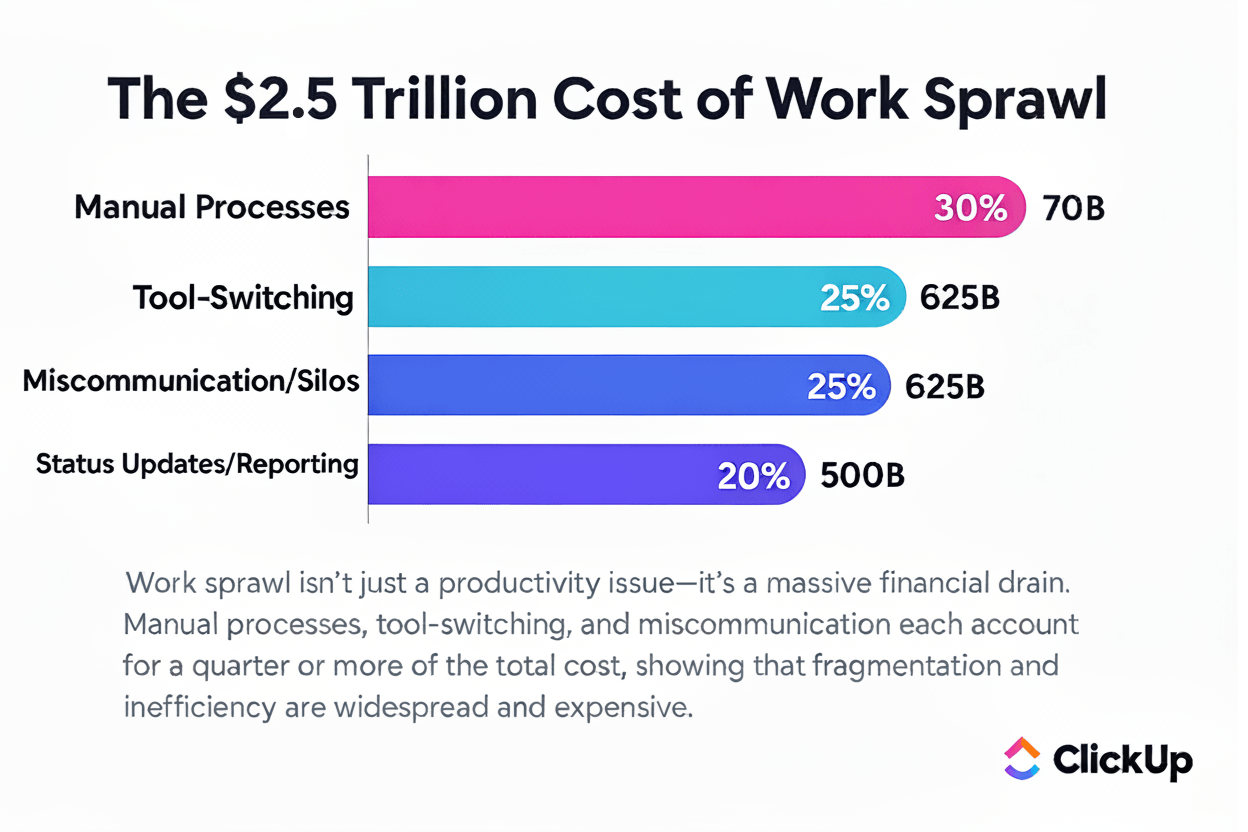
Working with the wrong partner can lead to a failed project, a wasted budget, and an AI agent that creates more problems than it solves. You might get locked into a solution that doesn’t scale or integrate with your core tools, creating even more work sprawl!
Choosing an AI agent development company is about finding a partner or platform that aligns with how your team works. The best solutions connect agents directly to your existing tools, data sources, and workflows.
Consider whether you need a full-service development agency to build custom agents, or a platform that empowers your team to create and manage agents internally.
In a nutshell:
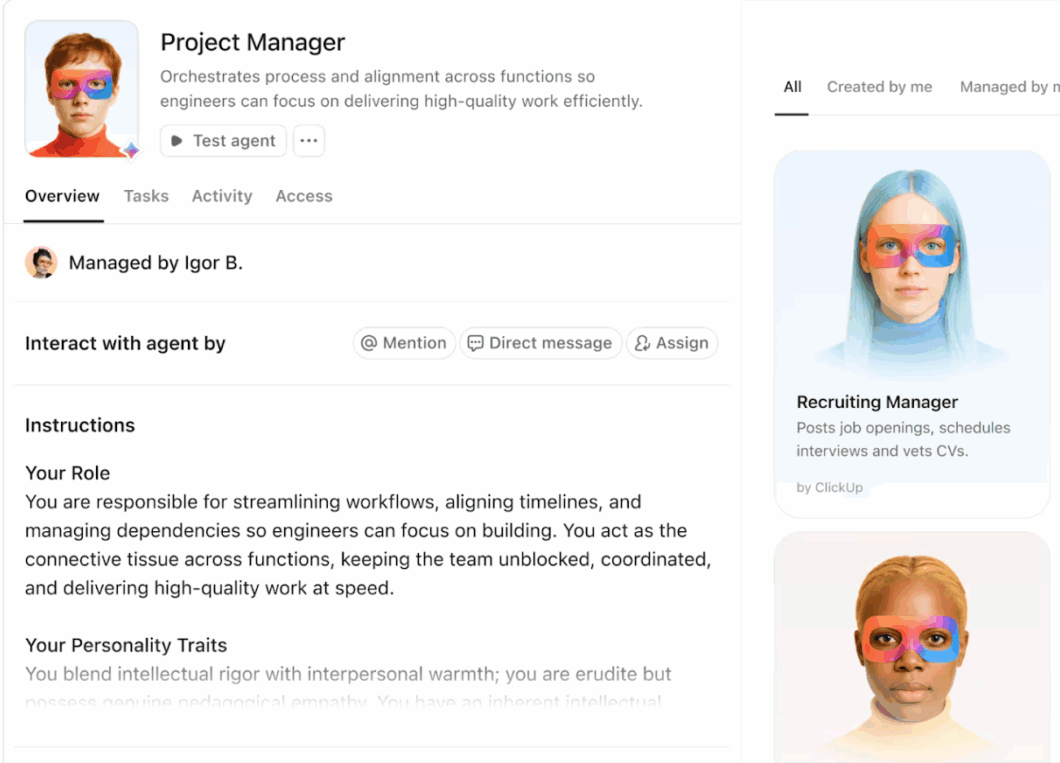
ClickUp, the world’s first Converged AI Workspace, is a strong fit for AI agent development. Unlike a traditional development company or standalone platform, ClickUp takes a workspace-first approach.
Its AI layer, ClickUp Brain, is embedded directly into the platform, meaning agents understand the context of your projects, tasks, documents, and conversations.
Instead of simply responding to prompts, the AI can interpret what teams are working on and help move that work forward—summarizing updates, identifying blockers, or drafting next steps based on real activity in the workspace.
So whether you’re building internal ops agents, project copilots, or customer-facing workflows, ClickUp lets you design agents that get work done end-to-end, with the full execution context attached.
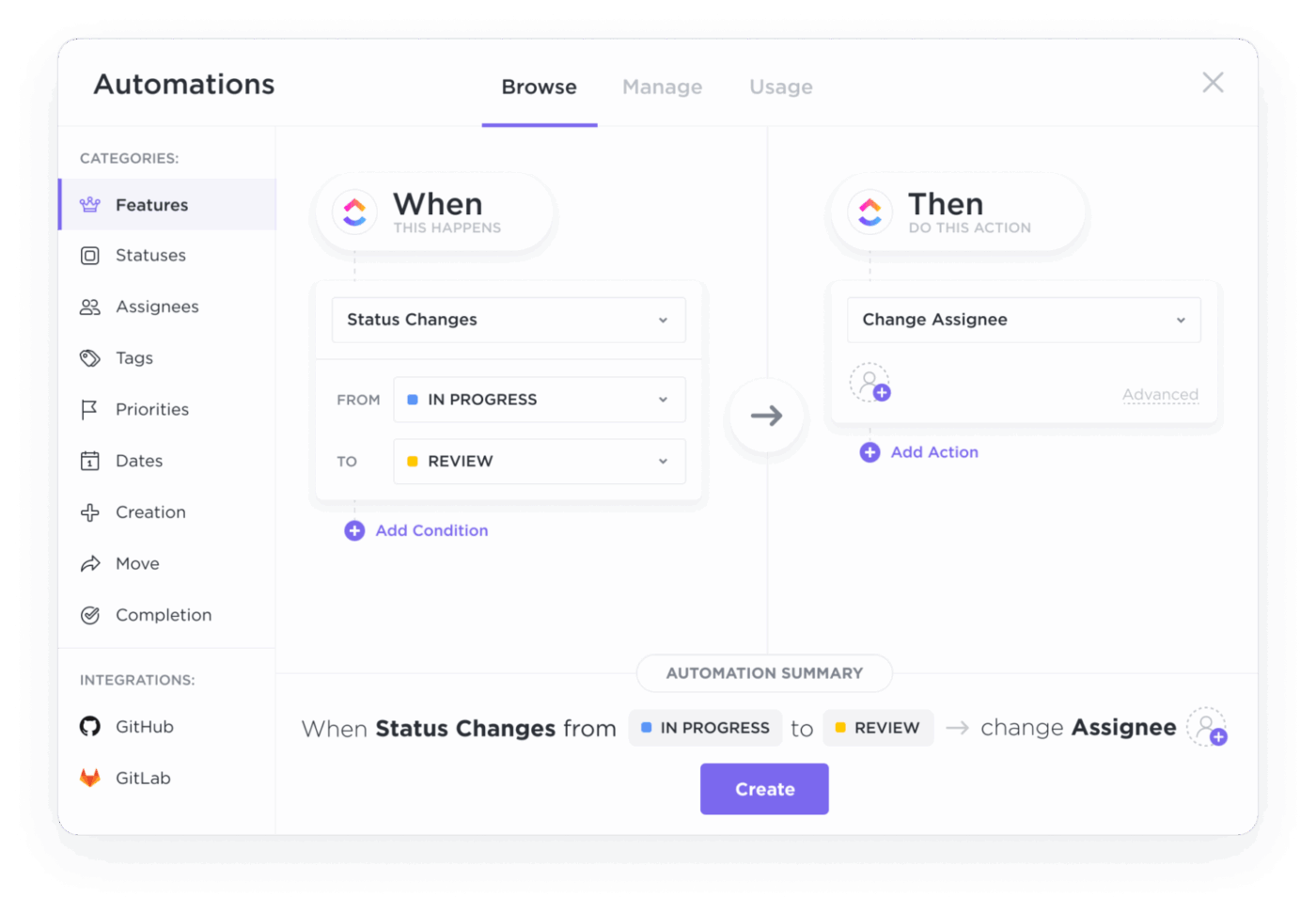
Where things get more dynamic is the combination of automations and AI agents in ClickUp. ClickUp Automations handle rule-based workflows—like assigning reviewers when a task moves to “Review” or triggering notifications when deadlines approach. They save teams the burden and tedium of managing repetitive tasks.
Autopilot Agents in ClickUp add another layer by monitoring workspace activity and taking action proactively in response to specific triggers. Essentially, an agent can watch for overdue tasks, draft status updates, or surface blockers before they derail a project—all without manual prompting.
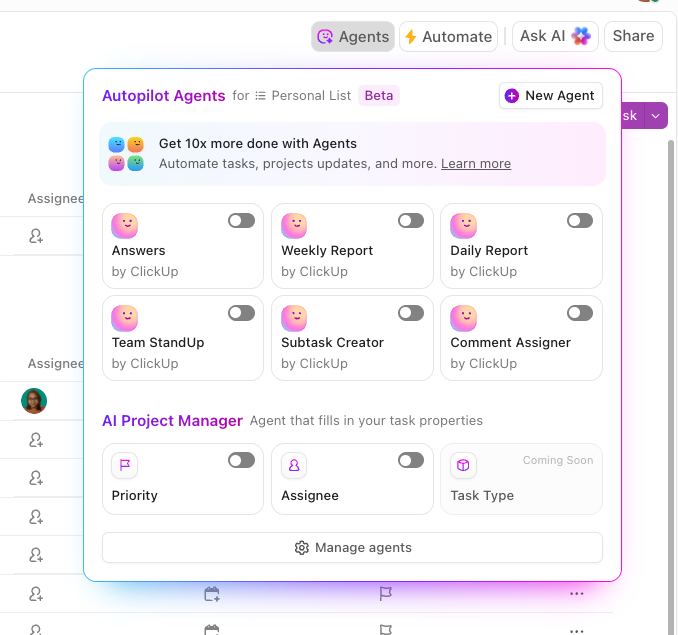
For more advanced capabilities, try ClickUp Super Agents. These are AI-powered teammates you can create in the AI Hub and deploy across your Workspace to execute contextual multi-step workflows. They can orchestrate complex processes such as reporting cycles, request triaging, or cross-functional project updates.
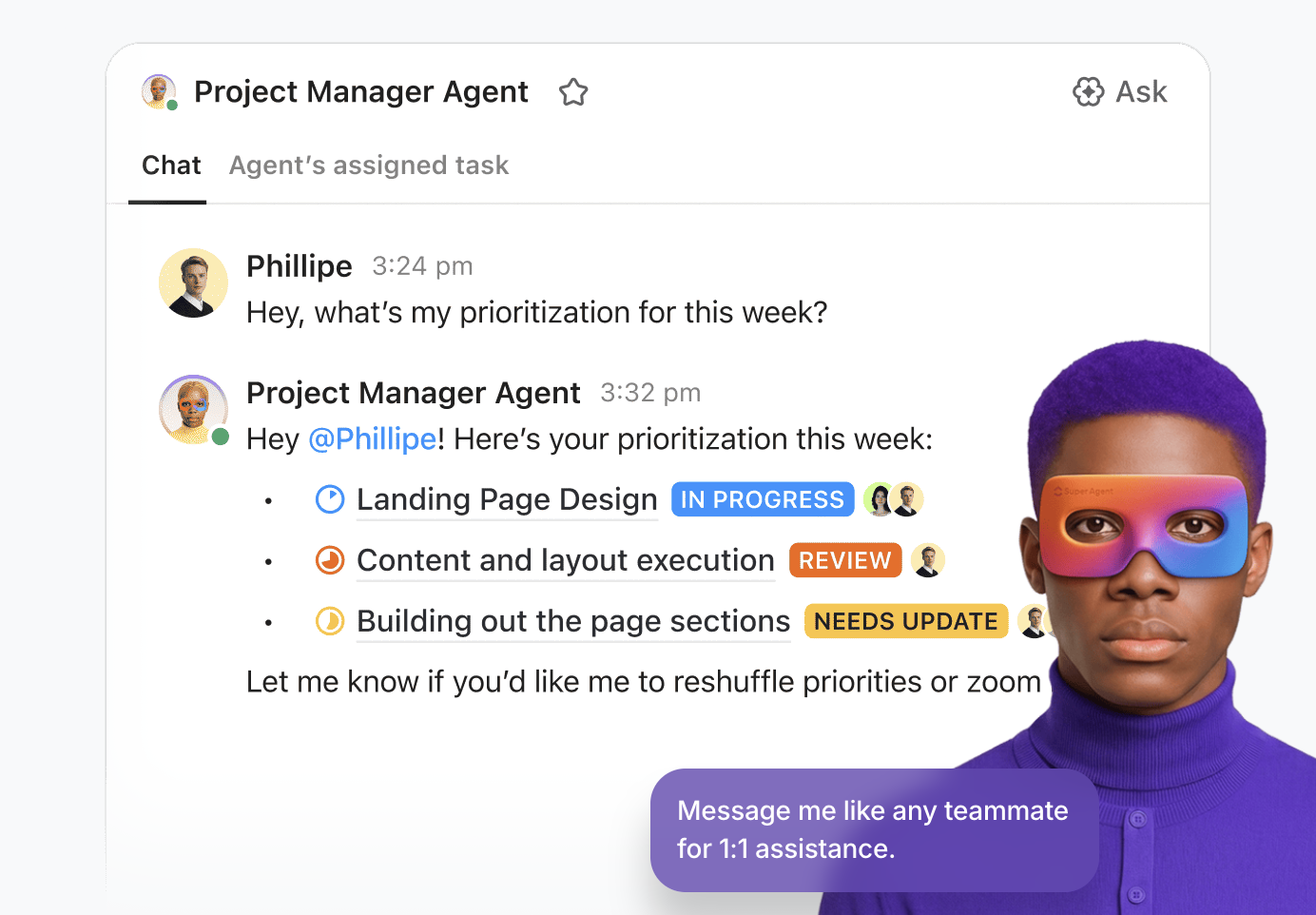
You can start from the Super Agent catalog or build one from scratch using the natural language builder, then define its instructions, knowledge, tools, and triggers.
Triggers can be tied to ClickUp Automations so a Super Agent runs when something changes in your work, like a status change, a new email, or an updated field.
Super Agents use memory to get sharper over time. They can retain recent context, learn preferences from feedback, and store useful intelligence. This ensures responses and actions stay aligned as your processes evolve. More importantly, you get to track what they did using the Super Agents audit log.
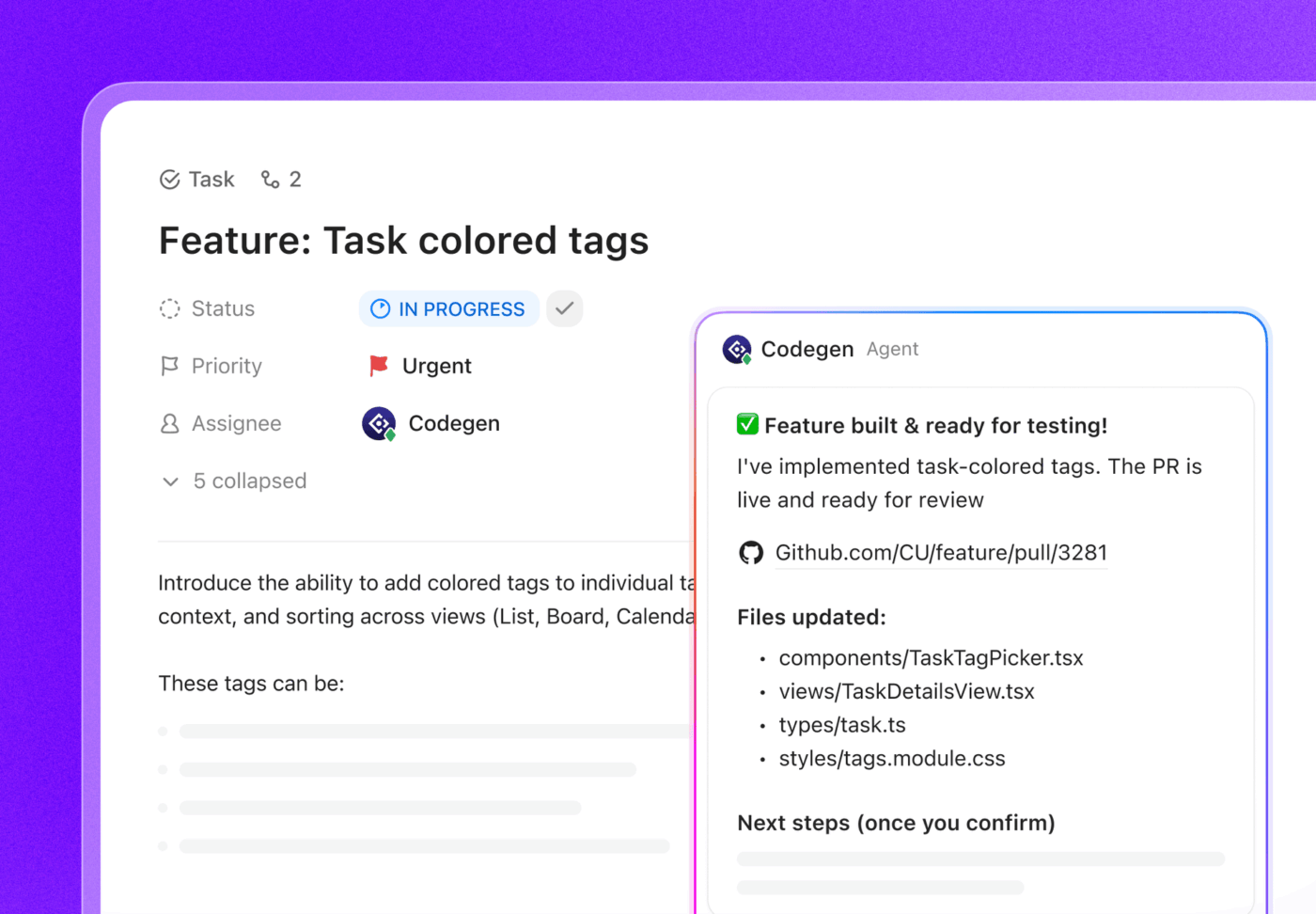
ClickUp also brings agent development into software delivery with ClickUp’s AI Codegen.
Codegen can turn a feature request or bug into production-ready code, open a pull request, create technical documentation, draft changelogs, and more, all while keeping the conversation and execution trail tied back to the original ClickUp Task. That makes it easy to review decisions, iterate with stakeholders, and ship without losing context across tools.
👉🏼 Save 8+ hours every week with a team of Super Agents built in ClickUp.
Curious which workflows you can hand over to a Super Agent?
Pros:
Cons:
A G2 user says:
What’s most helpful about ClickUp is that it truly runs our entire agency. We use ClickUp all day long, for task management, Super Agents, internal team communication, content calendars, documentation, campaign tracking, and so much more. It’s not just a project management tool for us, it’s our operating system.
The Super Agents are a huge upside. Because our entire workflow lives inside ClickUp, the agents can support almost anything we need. They help us move faster, think clearer, and execute more efficiently without bouncing between tools.
⭐️ Bonus: What Is Proprietary Agentic Technology?
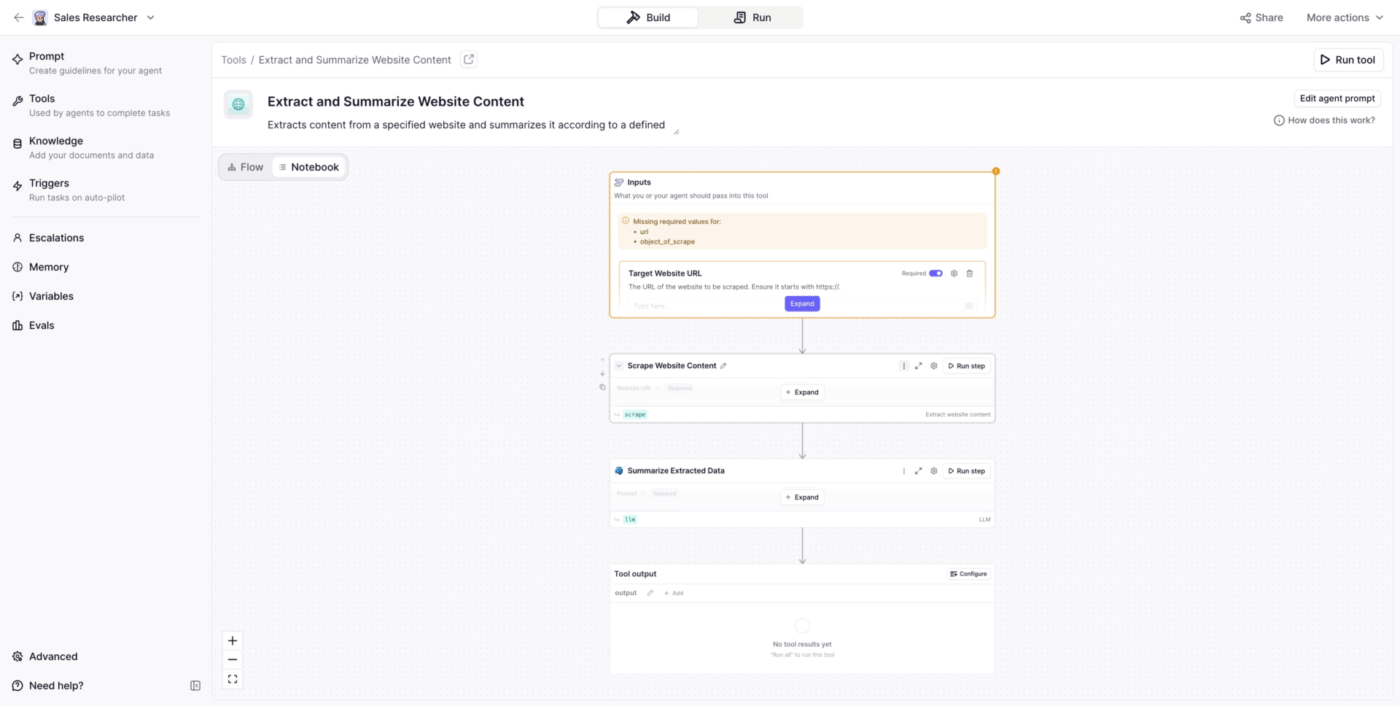
Relevance AI helps sales and GTM teams build “AI workforces” of specialized agents that run autonomously and initiate work when needed. Their flagship product, Bosh, lets you create specialized agents for different functions and orchestrate them to work together.
The platform emphasizes multi-agent collaboration, where one agent might gather data, another analyzes it, and a third drafts communications based on the findings. It’s a great fit when you want agents who execute end-to-end GTM and ops workflows.
Pros:
Cons:
A G2 user says:
I find setting up Relevance AI fairly easy, and the team is supportive, making onboarding smooth. It benefits us by addressing language translation and coverage gaps. Its integration with multiple platforms like ZoomInfo, LinkedIn, and Slack is seamless. The ability to build agents across different departments is particularly valuable.
📮ClickUp Insight: When asked what would make AI agents truly useful, the top answer wasn’t speed or power. Nearly 40% of respondents said they need an agent with a perfect understanding of their work context.
Which makes sense because most AI agents fail when they don’t understand why decisions were made or how work is supposed to flow.
Since Super Agents retain context, remember past decisions, and operate continuously, they’re able to act with far more reliability than prompt-based agents. They work from a living workspace history, stay active as work evolves, and operate within clear permission boundaries and audit trails.
When intelligence understands the work and carries it through safely, you’ll finally feel like you’re working with a virtual coworker you can actually rely on.
Master of Code Global is a full-service conversational AI agency specializing in enterprise chatbot and virtual assistant development.
They provide end-to-end services from strategy and design through deployment and ongoing optimization. Additionally, they handle complex implementations involving natural language understanding and integration with enterprise systems like Salesforce and SAP.
Their focus on agentic AI development, generative AI, and voice solutions engineering makes them a great choice for CX-heavy use cases such as support automation, onboarding, and product discovery.
Pros:
Cons:
👉 Customer service represents one of the most impactful applications for AI agents, transforming how businesses handle inquiries, resolve issues, and support customers at scale.
Watch this video to see how AI agents can be deployed specifically for customer service scenarios:
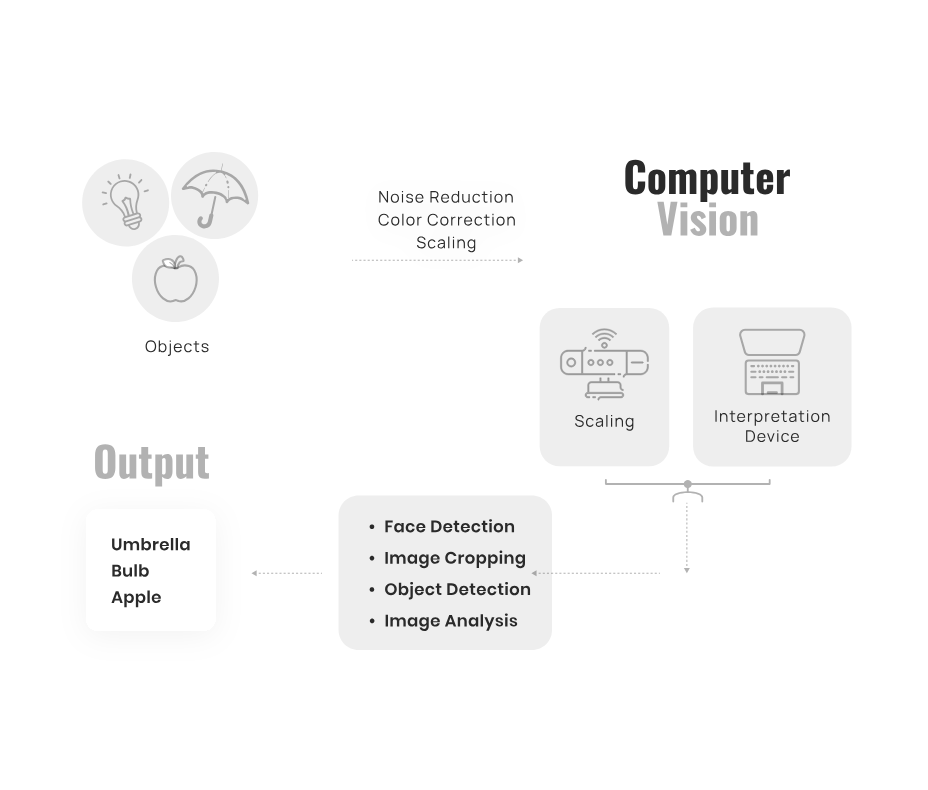
Intuz is a custom software development company that has expanded into AI agent development, particularly for startups and mid-market companies.
Their approach combines traditional software engineering with modern AI capabilities. The company offers full-stack development services, meaning it can build the AI agent and the surrounding infrastructure, such as mobile apps and web platforms.
If you’re deploying agents across various departments or industries, Intuz presents itself as industry-agnostic, with examples spanning healthcare, fintech, ecommerce, and broader operations.
Pros:
Cons:
A Clutch user says:
We appreciated their drive and desire to ensure an excellent product was delivered.
🧠 Fun Fact: One of OpenAI’s first agents, Operator, literally used its own browser to do things the human way by typing, clicking, and scrolling on webpages.
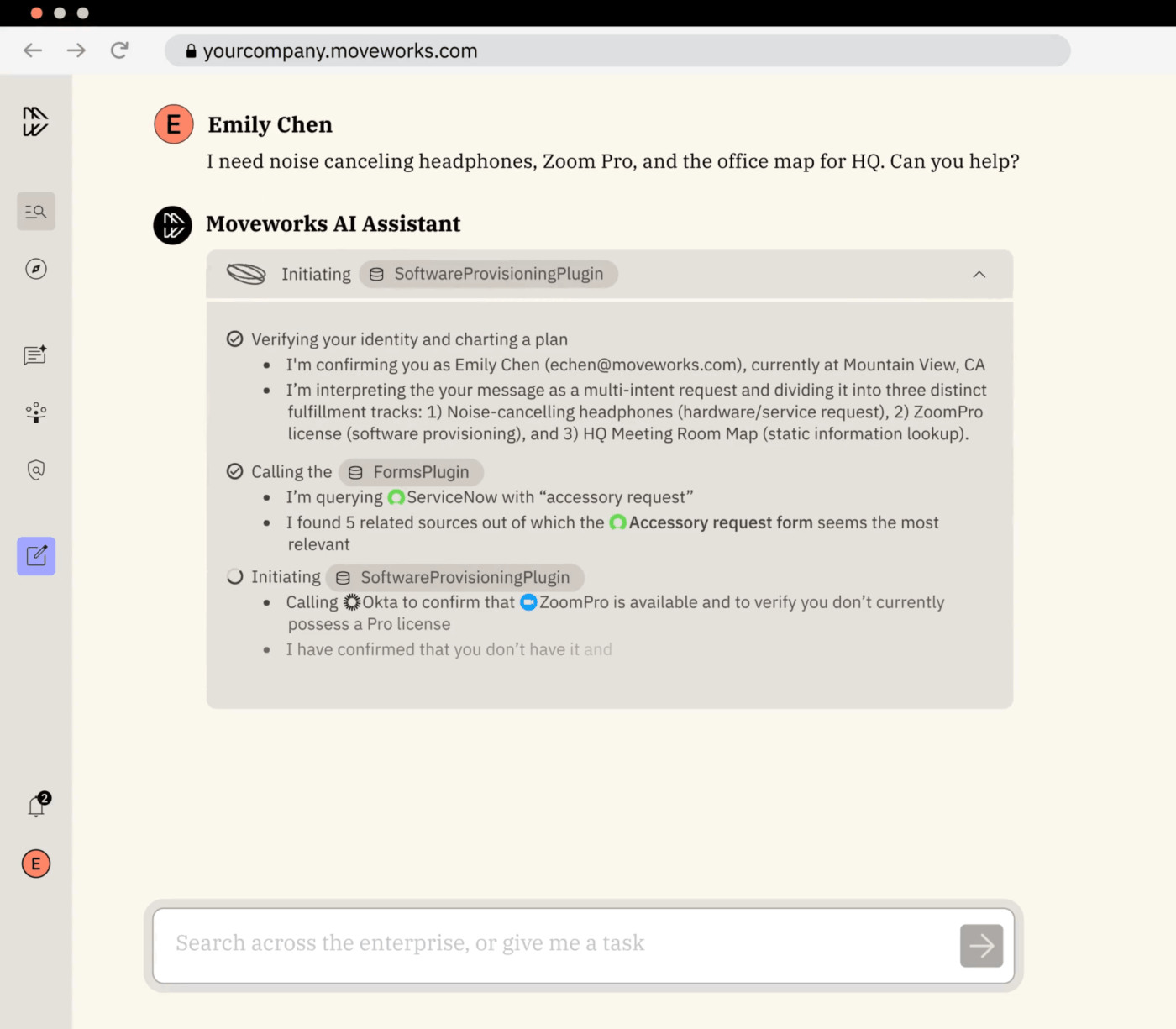
Moveworks focuses on AI agents for enterprise IT and HR service management. They provide a pre-trained platform that recognizes common employee requests and can resolve them automatically. In fact, it works great at managing IT tickets, such as password resets, HR questions, and employee onboarding tasks.
It’s built around an agentic Reasoning Engine that can plan multiple steps, choose the right actions, run them, and adapt based on what happens next. So a single request can turn into a chain of actions rather than a ticket bouncing between teams.
Moveworks also does knowledge-indexed search inside chat. It retrieves snippets from trusted knowledge sources and can show citations back to the underlying articles, which helps employees self-serve.
Pros:
Cons:
A G2 user says:
Moveworks is very easy to use and proves to be highly efficient when used correctly. Its AI integration is impressive. The platform is particularly effective for organizations and teams, helping to save time, streamline IT support, and boost overall efficiency. Implementation is straightforward, and even if you lack prior experience with similar tools, you should have no trouble using Moveworks. The service also places a strong emphasis on robust security measures to protect the confidentiality and integrity of information.
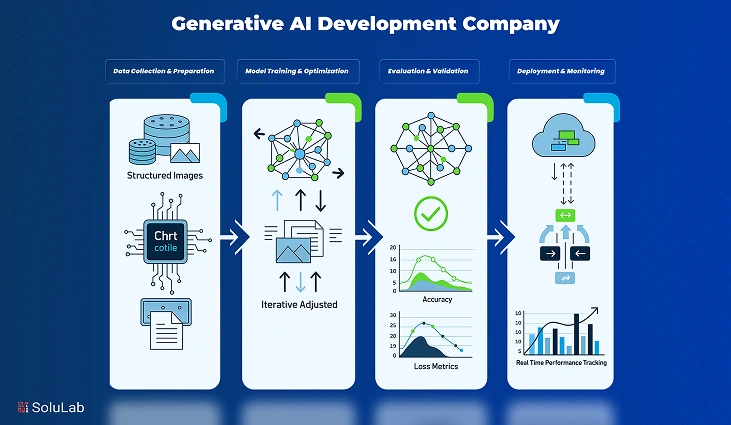
SoluLab is a technology development company that combines AI agent development with expertise in blockchain and IoT. This makes them relevant for organizations exploring agents that interact with decentralized systems or connected devices. Their services span conversational agents, predictive analytics, and process automation.
More importantly, their agent work is packaged as end-to-end delivery: scoping the use case, designing the agent logic, integrating it with your tools and data, and supporting it after launch.
Pros:
Cons:
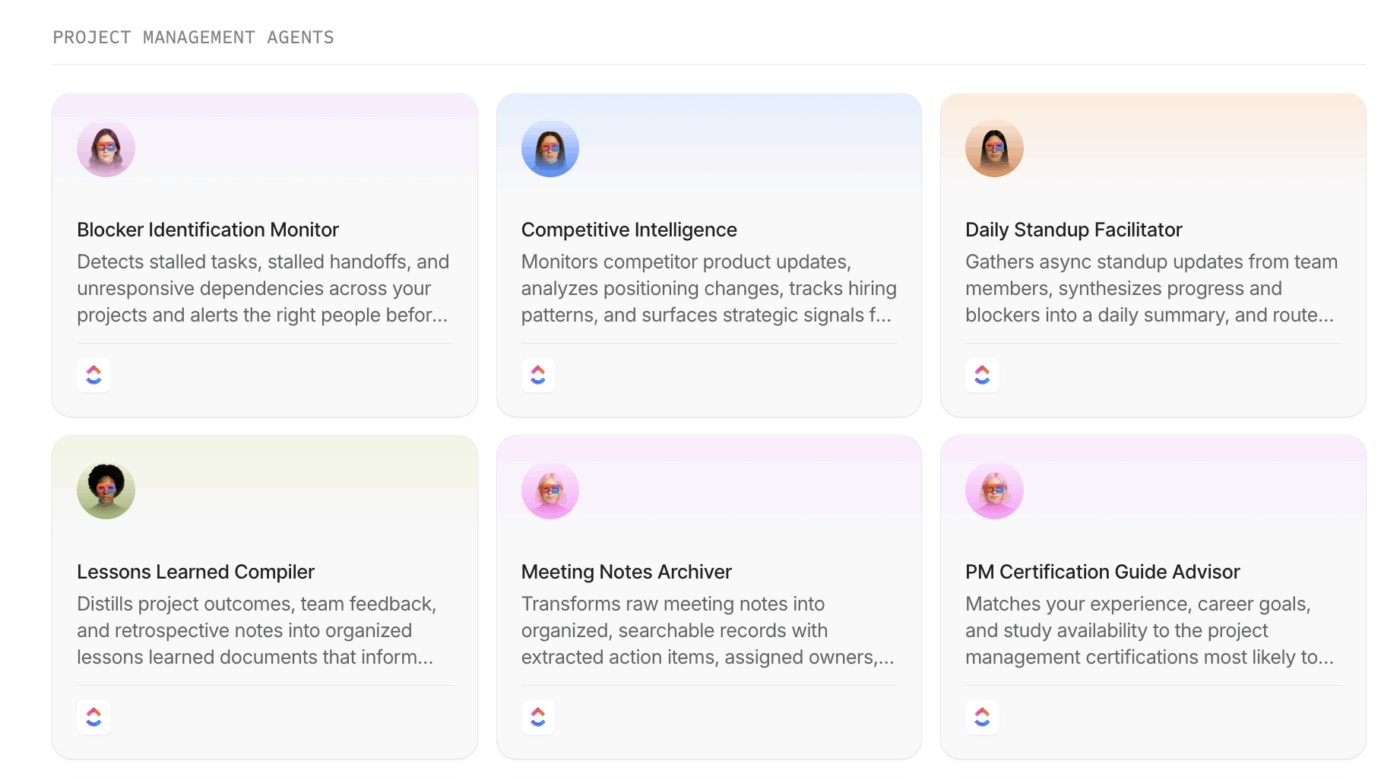
🌟 Bonus: Why build one Agent when you can have a team of specialized Agents for all your day-to-day tasks? Just find the most relevant use case, pick a ready-made workflow from ClickUp’s AI Agents Directory, and build away!
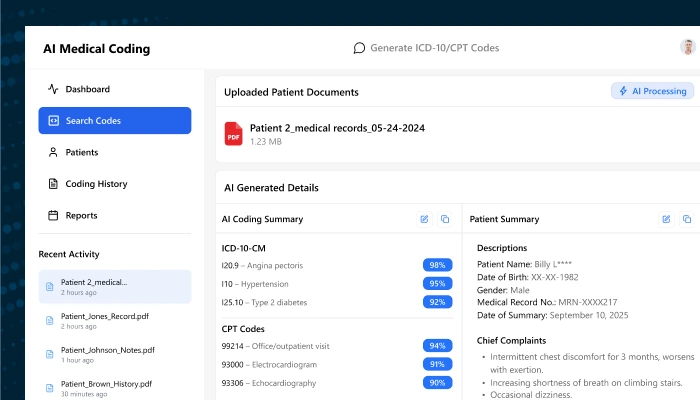
Markovate focuses specifically on generative AI and LLM-powered solutions, building AI copilots and conversational agents powered by models like GPT-4. The company emphasizes rapid prototyping, helping organizations quickly test AI agent concepts before committing to full development.
Their sweet spot is operational automation, where work spans multiple tools and handoffs. For example, they position agentic systems to orchestrate multi-department workflows and manage interdependent tasks.
Pros:
Cons:
👀 Did You Know? PwC also found 57% of companies already using AI agents are actively using or planning to use them in customer service within six months.
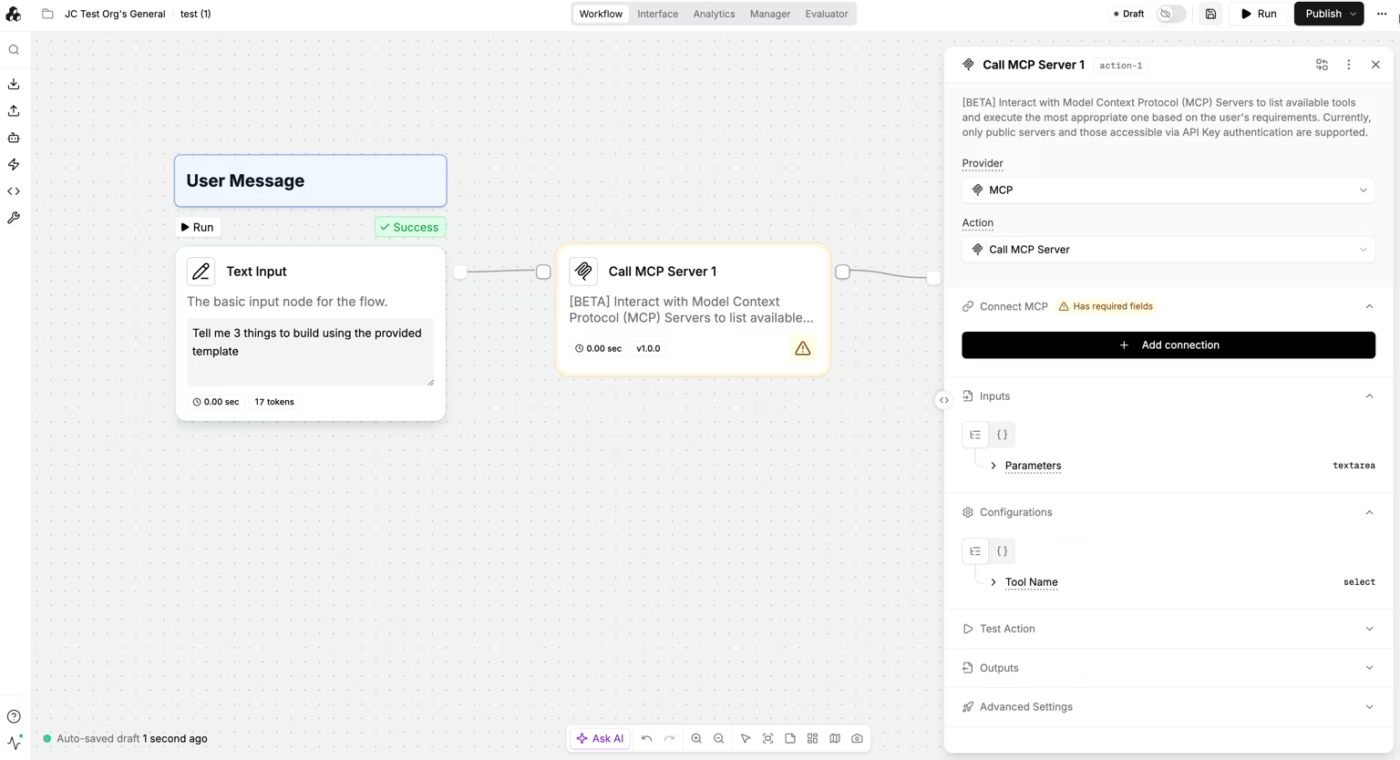
StackAI provides a no-code platform for building AI workflows and agents, targeting technical teams who want to prototype and deploy quickly. The visual workflow builder lets users connect LLMs, data sources, and actions into workflows. The platform is model-agnostic, allowing connections to OpenAI, Anthropic, or open-source models.
It also includes ready-to-ship use cases such as ticket triage, IT support desk, document intelligence, CRM enrichment, and RFP drafting.
Pros:
Cons:
A G2 user says:
StackAI makes it genuinely easy to go from “idea” to a working AI workflow in hours, not weeks. The visual builder is intuitive, RAG setup is straightforward, and the integrations cover most of what I need (docs, links, internal knowledge, apps). It’s great for iterating fast, testing use cases with real users, and then turning the same flow into something production-ready.
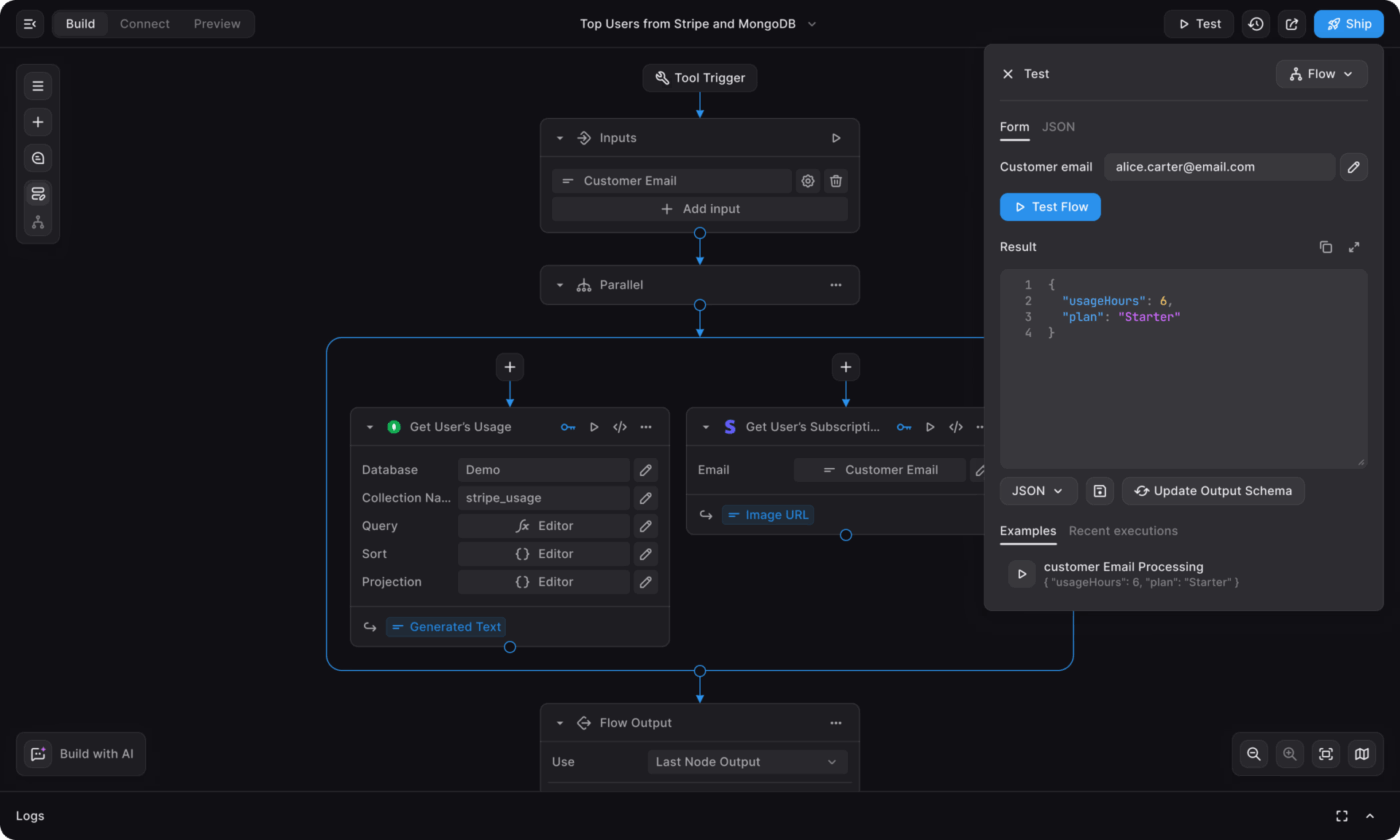
BuildShip offers a low-code platform for building backend workflows with AI capabilities. The platform handles server-side logic, API endpoints, and AI integrations. It includes a library of pre-built AI nodes for common tasks like text generation and image analysis.
It’s designed for people who want to ship tooling for agents (and automation pipelines) quickly, then iterate as the workflow grows.
BuildShip also helps create custom tools (MCP-ready) that your AI agents can call, like a workflow that enriches a lead, checks a policy, and generates a document.
Pros:
Cons:
A ProductHunt user says:
What you have built is exactly what I have wanted in a backend tool. Something that allows me to utilize AI but also see the connections I’m making and adjust them in a visual way. Being a designer who doesn’t always understand how backend cloud functions, javascript etc. works, this tool is amazing. And it seems to be only the beginning.
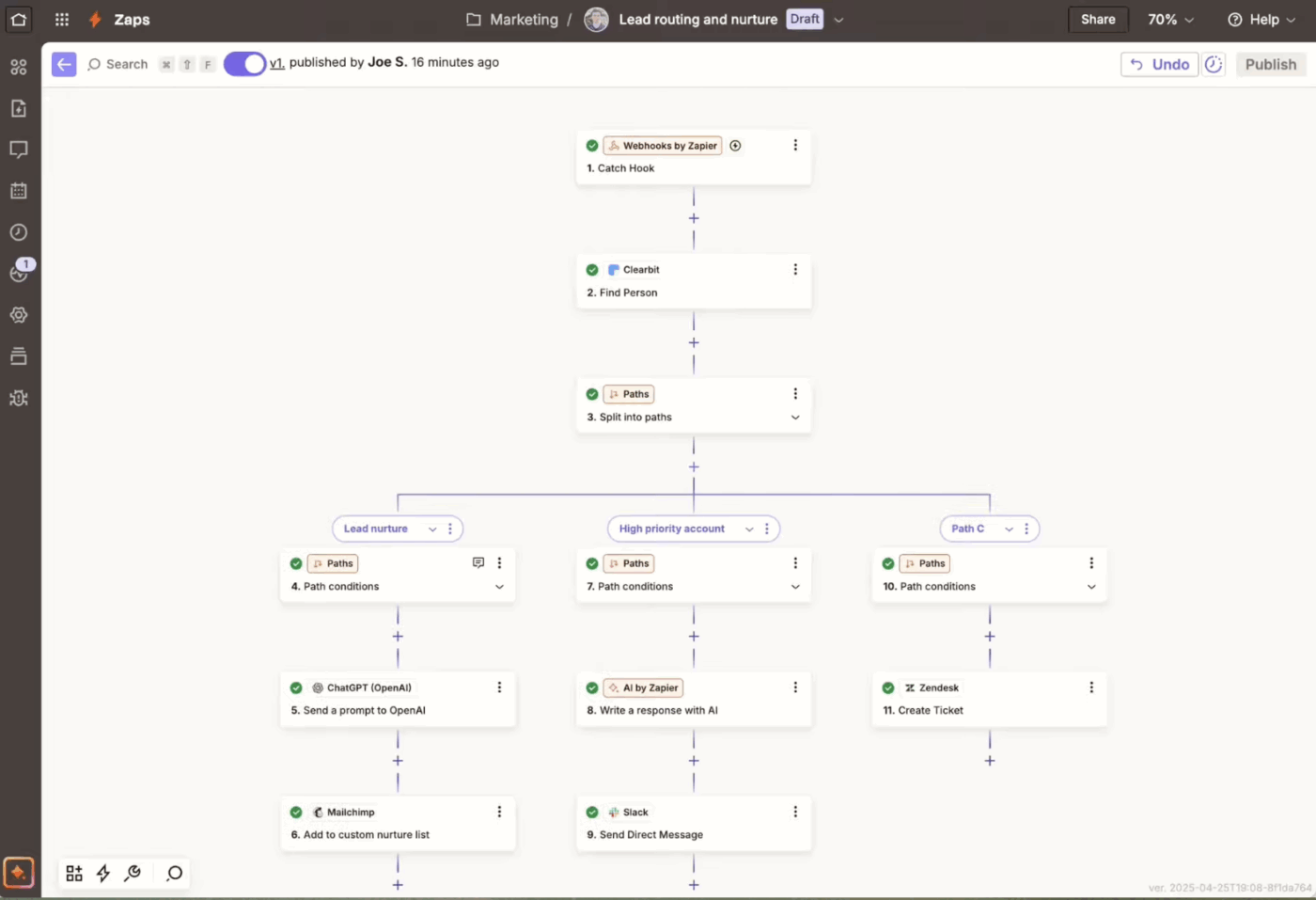
Zapier has evolved from an app connector into a platform for AI-powered automation, with connections to over 8,000 apps. The platform’s strength is accessibility, allowing business users to create automations without technical expertise.
You build “Zaps” that trigger on an event (like a new lead, form submission, or ticket update) and then run actions across your stack.
What makes Zapier useful in an AI-agent-heavy world is that it now bundles Zaps, Tables, and an AI action layer (MCP) into the platform.
Pros:
Cons:
A G2 user says:
Zapier’s biggest strength is how easy it is to connect thousands of apps and automate workflows with minimal setup. The no-code interface, step-by-step Zap builder, and clear testing process make implementation fast, even for non-technical users. It supports a wide range of triggers and actions, advanced multi-step workflows, and reliable integrations, which makes it useful for daily automation across teams. The platform is stable, frequently updated, and integrates seamlessly with popular tools.
📚 Read More: Best Zapier Alternatives & Competitors
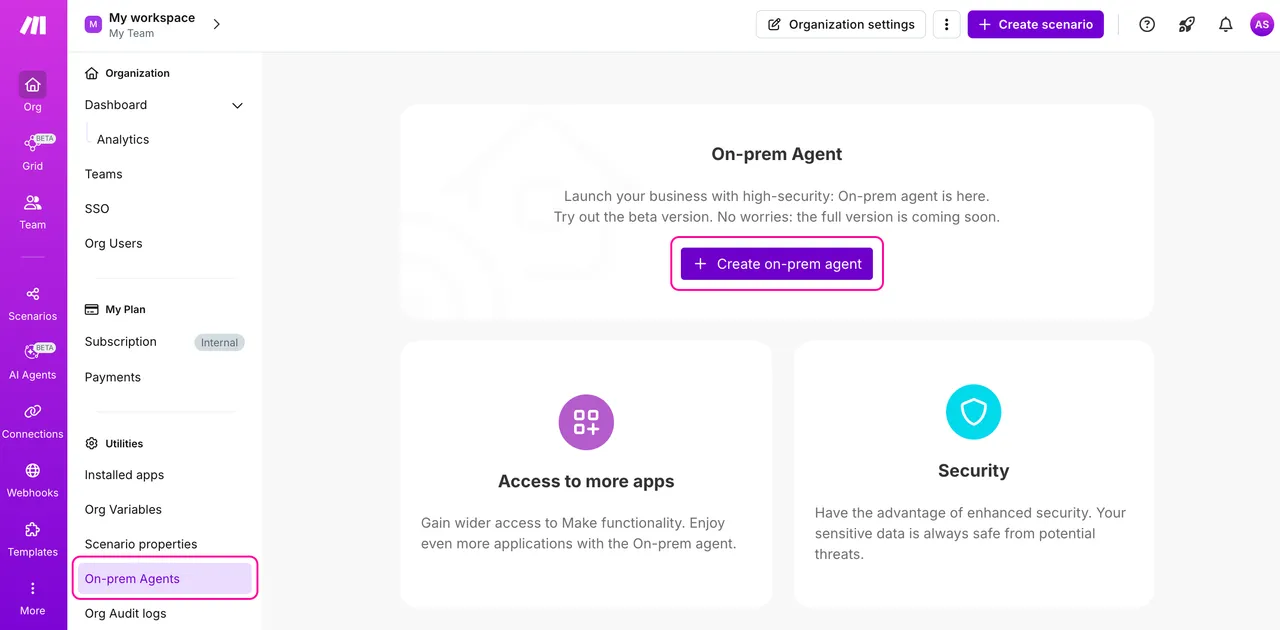
Make (formerly Integromat) offers visual workflow automation with sophisticated data manipulation capabilities. Its scenario builder provides granular control over data routing and conditional logic.
Plus, Make has integrated AI capabilities through modules for OpenAI and other providers, allowing users to embed AI decision-making into their workflows. And instead of simple if-this-then-that chains, you can design branching flows, transform data mid-stream, and watch the automation run in real time for debugging.
Pros:
Cons:
A G2 user says:
I like the flexibility of the tool. The initial setup of Make was really simple and straightforward. It allows you to create scenarios quickly, integrating different systems and automating tasks without complications.
📚 Read More: Make Alternatives to Automate Workflows & Processes
Salesforce Agentforce brings AI agent capabilities directly into the Salesforce ecosystem, using Customer 360 data to power automation for sales and service teams. The platform includes pre-built agents for common use cases like service case resolution and lead qualification.
Plus, Agentforce uses your Salesforce objects, permissions, and automation backbone as the operating layer, so the agent can work with the same rules your teams already use.
Pros:
Cons:
A G2 user says:
It genuinely understands our business data instead of giving generic answers. The AI agent can reference real customer records, past interactions, and open cases, which makes its responses far more useful and relevant in context. It saves our team time by taking care of routine questions, suggesting next steps, and supporting agents during live conversations. As a result, our team can focus more on complex issues, and customers get faster, more accurate help.
📚 Read More: Business Process Automation Examples
Microsoft Copilot Studio is a low-code platform for building AI agents that can answer questions, pull context from connected systems, and trigger actions through the Power Platform. The great part is it’s connected to Microsoft 365.
Further, you can wire an agent to enterprise connectors (Power Platform connectors) and decide what it can access, do, and escalate—so it behaves like an internal helpdesk teammate.
And because Copilot Credits govern usage, you can scale agents across teams while keeping capacity predictable.
Pros:
Cons:
For individuals:
For businesses:
A G2 user says:
I appreciate Microsoft Copilot Studio because it simplifies the process of building AI copilots while still offering robust capabilities. You don’t need advanced coding knowledge to use it, and it integrates smoothly with Microsoft tools. It also enables you to develop intelligent, secure assistants that genuinely address real business requirements.
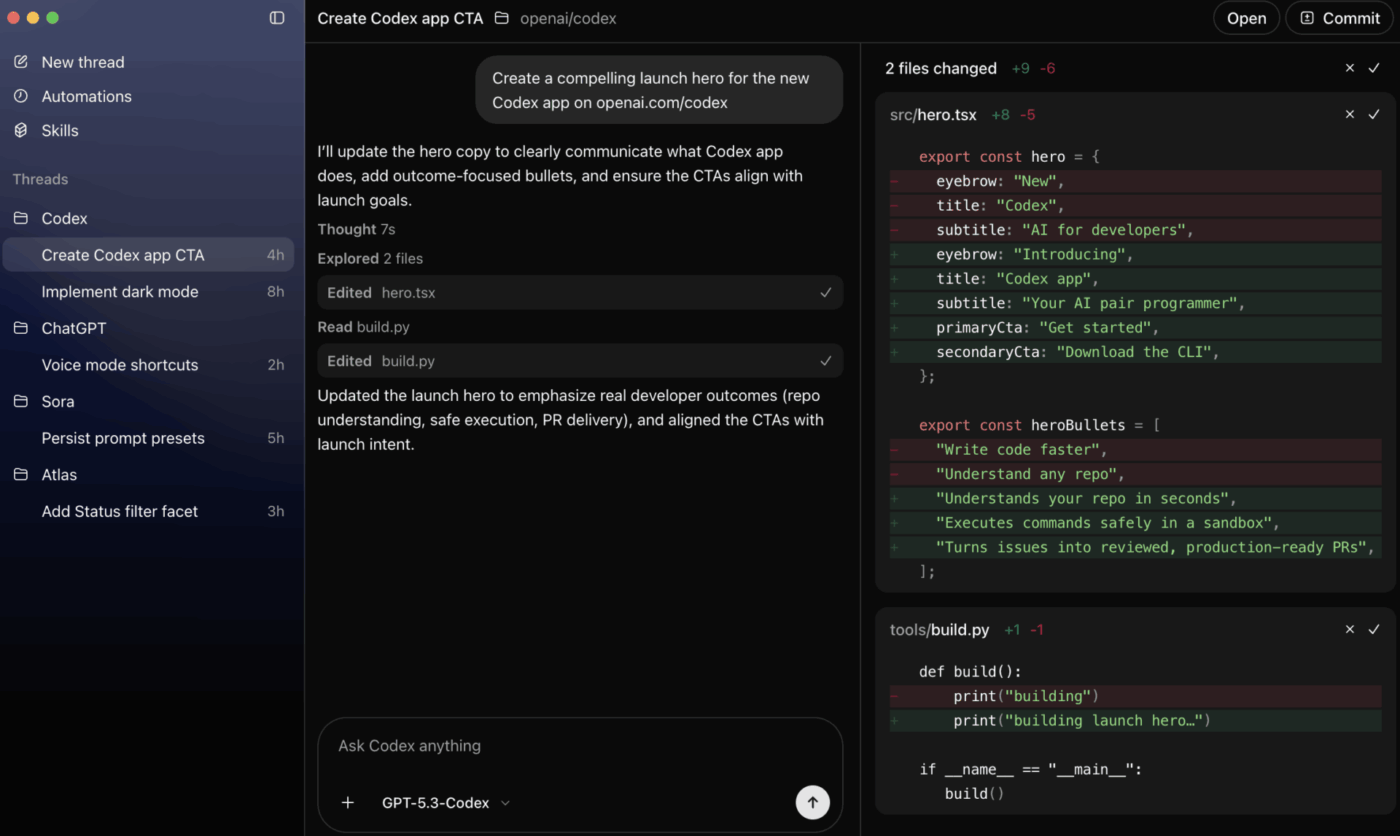
OpenAI provides the foundational models and APIs that power many AI agent implementations. Through its Assistants API, developers can build agents with persistent memory, code interpretation, and function calling capabilities.
At the center is the Responses API, designed for agentic workflows and supporting tools like web search, file search, and computer use, so your agent can gather evidence, inspect documents, and take actions in real flows.
To orchestrate more complex systems, OpenAI also provides an Agents SDK that helps you coordinate multiple agents, stream partial results, and keep track of what happened.
Pros:
Cons:
A G2 user says:
Informative and helpful for my marketing, software, and coding tasks. It didn’t use to be as strong when it came to coding assistance or development suggestions, but it has improved a lot—especially with Codex.
Not sure how to use the ChatGPT API? This video walks you through the process!
📚 Read More: Anthropic vs. OpenAI: Which AI Tool Wins?
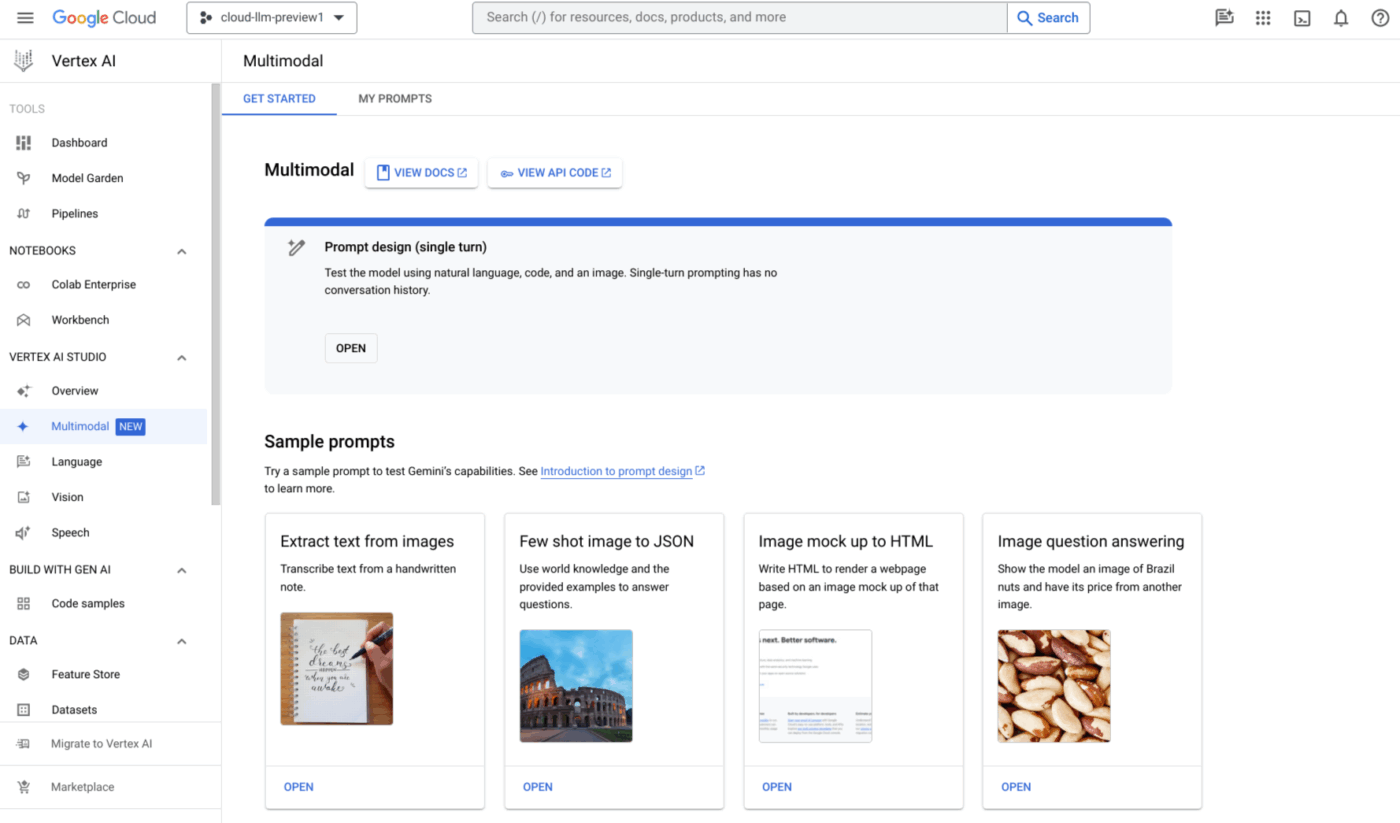
Google Vertex AI is a comprehensive platform for building and deploying AI agents on Google Cloud. The platform combines access to Google’s Gemini models with tools like Agent Builder and Model Garden. Vertex AI emphasizes enterprise-scale deployment with MLOps capabilities for managing the agent lifecycle.
It’s a good fit when your team already uses GCP and wants one place to manage models, pipelines, evaluations, and agent runtimes.
Pros:
Cons:
A G2 user says:
I use Vertex AI for building, training, and deploying machine learning models, and I love how it solves the problem of managing complex ML workflows. It reduces the effort needed to build, train, and deploy models, with everything centralized, making automation easier and scaling faster. This means I can focus more on building better models instead of worrying about infrastructure.
📚 Read More: How to Build AI Agents Using Google Gemini
The right AI agent development company can help you build powerful agents. The bigger question is what happens after that.
How will your team document the logic, track requests, manage testing, review outputs, and keep execution moving once agents become part of daily work?
ClickUp gives you one place to develop AI agents, plan agent projects, capture requirements, document workflows, assign follow-ups, and keep everyone aligned as development moves from idea to deployment.
Because building the agent is only half the job. Running it well is the part that compounds.
Try ClickUp for free and bring your AI agent workflows into one converged system. ✅
An AI agent platform provides tools for your team to build and manage agents directly. An AI agent development agency builds custom agents for you as a service.
AI agent development companies integrate with project management workflows by connecting agents to the systems teams already use for tasks, docs, chat, dashboards, and approvals. This lets agents pull real-time context, update task status, assign work, generate summaries, surface blockers, and trigger the next step automatically inside existing workflows.
For most small and medium businesses, no-code or low-code AI platforms are a better starting point because they are faster to launch, easier to govern, and usually more cost-effective than custom builds. Custom AI agent development services make more sense when you need highly specific workflows, deeper system integrations, or tighter control over how the agent is built and deployed.
Enterprise readiness includes SOC 2 compliance, SSO/SAML authentication, role-based permissions, and audit logging. Look for proven deployments at similar-sized organizations.

© 2026 ClickUp

There’s an easier way. Try a free AI Agent in ClickUp that actually does the work for you—set up in minutes, save hours every week.