






Still downloading templates?
There’s an easier way. Try a free AI Agent in ClickUp that actually does the work for you—set up in minutes, save hours every week.
Sorry, there were no results found for “”
Sorry, there were no results found for “”
Sorry, there were no results found for “”

Disclaimer: This article is intended to provide information on tools and strategies to overcome procrastination. It is not intended to be a substitute for professional medical advice, diagnosis, or treatment of ADHD or any other health condition.
Ever feel like traditional planners just don’t get how your brain works? 🌀
If you have ADHD, staying organized isn’t just about writing things down—it’s about finding a system that clicks with how your mind processes time, tasks, and priorities.
That’s why we’ve compared 11 of the best ADHD planners to help you bring order to your day, keep your priorities straight, and ultimately make life less overwhelming. These planners are designed with ADHD in mind, offering layouts that support task tracking, goal-setting, and reflection, without adding more stress.
By the end, you’ll know exactly which can help you feel more in control, more productive, and less scattered. Let’s dive in. ✅
When choosing an ADHD planner, look for features that simplify planning and enhance focus. The best planner will help you:
📮ClickUp Insight: Only 12% of people use physical journals to track their goals, and a surprising 38% aren’t tracking at all. But what if you could track goals with more precision and ease?
Enter ClickUp, where the structure of a planner meets the power of automation. From setting tasks and deadlines to tracking progress with visual dashboards, ClickUp helps you stay organized and focused. With AI-powered reminders and automated workflows, you’ll never miss a milestone again.
💫 Real results: ClickUp users report a 2x boost in productivity
Here is a quick overview of the 11 best ADHD planners:
| Planner Tool | Best For | Notable Features | Pricing* |
|---|---|---|---|
| ClickUp | Best for digital ADHD planning and task management Team size: Individuals, small businesses, mid-market companies, enterprises | AI-powered task management, Productivity templates, Reminders, Docs for journaling, Whiteboards, and task visualizations | Free forever; Customization available for enterprises |
| Todoist | Best for structured task management with ADHD-friendly prioritization Team size: Individuals, teams of all sizes | Quick Add, Filters, Multi-view options, Recurring reminders | Free; Pro: Starts at $2.50/month |
| Planner Pad | Best for layered planning to bridge long-term goals with daily tasks Team size: Individuals, small businesses | Funnel Down Planning System, layered approach to planning | Custom pricing |
| Evernote | Best for organizing ADHD thoughts, notes, and ideas in one place Team size: Individuals, small businesses | Web Clipper, Widgets, Calendar integration, cross-device sync | Free; Personal: Starts at $14.99/month |
| Brain Focus | Best for distraction-free time blocking with ADHD-friendly timers Team size: Individuals, teams needing time management | Pomodoro-style time blocking, Wi-Fi blockers, CSV export, Multi-language support | Free |
| SimpleMind | Best for visual mind mapping to organize ADHD thoughts Team size: Individuals, teams needing visual organization | Autofocus, Drag-and-Drop, Style Sheets | Custom pricing |
| Habitica | Best for building ADHD-friendly habits through gamification Team size: Individuals, small teams, communities | Habit tracking, Rewards, Party Quests | Free; Custom pricing |
| Passion Planner | Best for goal-driven planning with guided reflection Team size: Individuals, small businesses | Passion Roadmap, Monthly Reflections, Structured Life Planning | Custom pricing |
| Panda Planner | Best for balancing productivity and well-being with structured prompts Team size: Individuals, small businesses | Daily goal setting, Wellness balance, Weekly/Daily layout | Custom pricing |
| Happy Planner | Best for creative and flexible ADHD planning with visual customization Team size: Individuals, creatives | Stickers, Seasonal Boxes, Layout Options | Custom pricing |
| Bullet Journal | Best for customizable ADHD planning with an analog system Team size: Individuals, creative planners | Rapid Logging, Reflection, Layout Flexibility | Custom pricing |
The right ADHD planner provides a system that works with your brain, not against it. One thing neurodiverse people wish employers knew is that the right tools can make all the difference between getting overwhelmed and staying productive.
The best options help break down tasks, manage time effectively, and keep you on track. This list covers solutions designed to support focus, organization, and productivity, from digital tools to paper planners.
ClickUp, the everything app for work, is renowned for its robust project management capabilities. This strength makes it the perfect ADHD planner, offering flexible tools to structure your day, manage tasks visually, and set helpful reminders.
Finally, ClickUp Brain, the integrated AI assistant, ties everything together by acting as a digital space to capture ideas, notes, and additional reminders.
If you constantly feel like you can’t focus at work, this AI-powered assistant helps by connecting all your work apps and data sources, minimizing the need to switch between different platforms. For someone with ADHD, this means less time spent hunting for information and more time focused on the task.
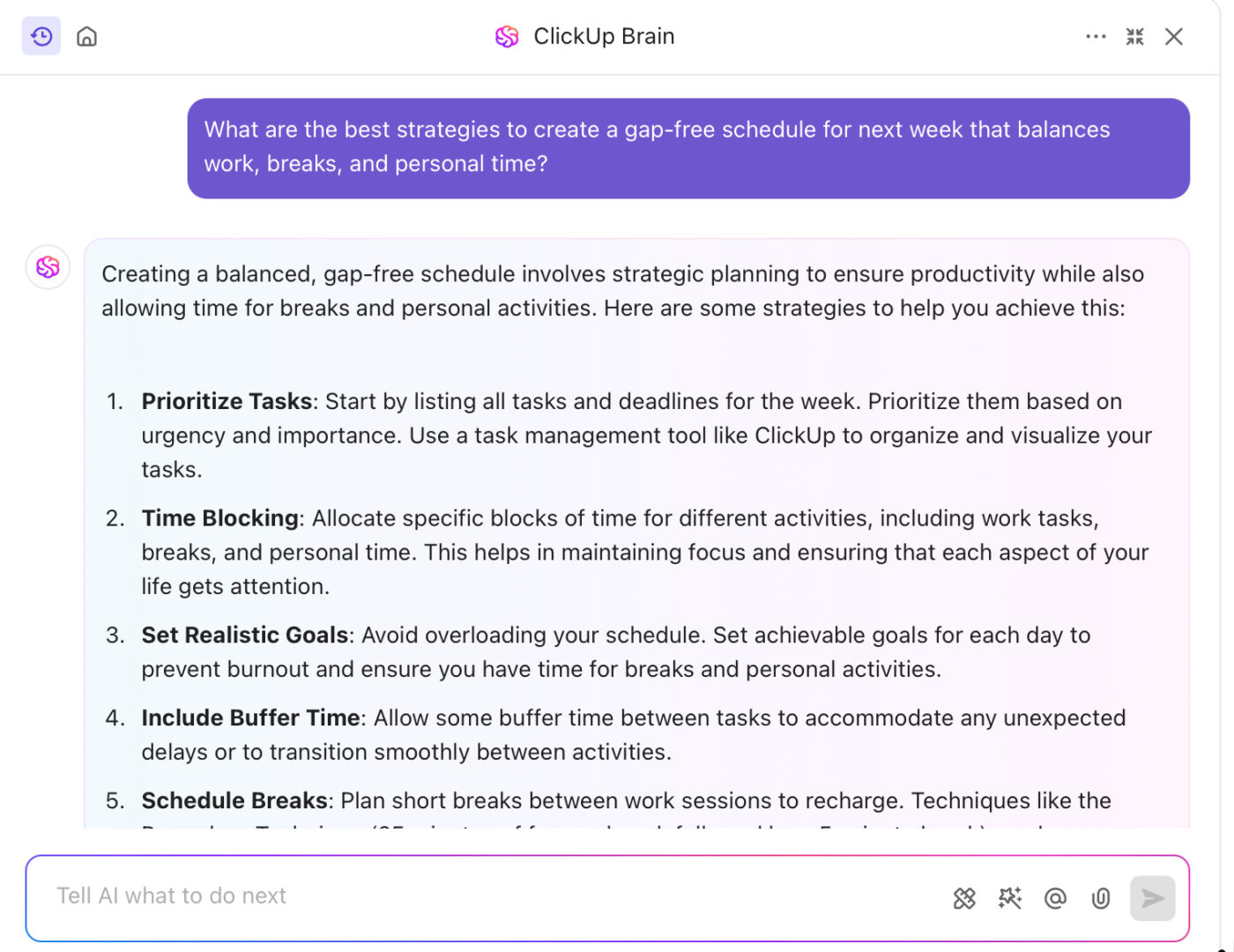
🧩 For example, you can ask ClickUp Brain to create your schedule for the upcoming week based on deadlines and priorities. It will generate a plan by automatically sorting tasks by urgency, suggesting time blocks for focused work, and scheduling breaks to keep you energized and productive.
Create a gratitude journal with ClickUp Docs

Manage ADHD overwhelm with a gratitude journal in ClickUp Docs. Jot down daily wins, capture positive reflections, and use visual elements like checklists or color-coded highlights to make the experience engaging and rewarding to revisit. Since ClickUp Docs supports real-time editing, embeds, and task linking, your journal becomes more than notes—it becomes an actionable part of your planning system.
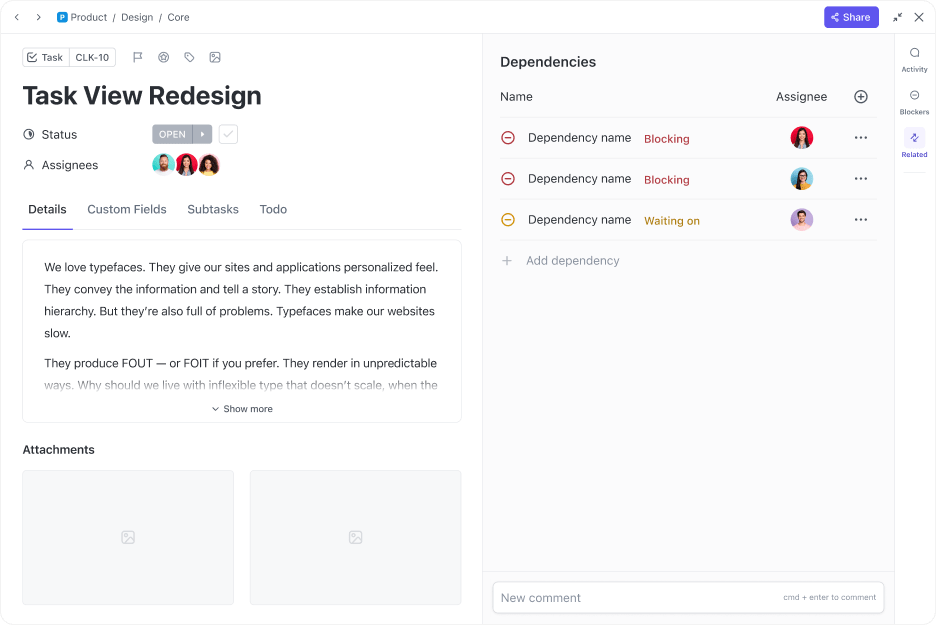
ClickUp Tasks are the foundation of your projects and day-to-day task management, providing structure for planning, organization, and collaboration.

Time blindness can be a challenge with ADHD. ClickUp’s Calendar lets you break down your day, week, or month with clear visual timelines. You can:
Additionally, to help you manage time, ClickUp Calendar View offers a centralized look at your schedule by bringing together deadlines, events, and tasks in one intuitive timeline. This view helps simplify planning by letting you see your day, week, or month at a glance—ideal for managing multiple projects.
Building on that, ClickUp Reminders and ClickUp Task Checklists work together to make meeting deadlines and tracking progress easier.
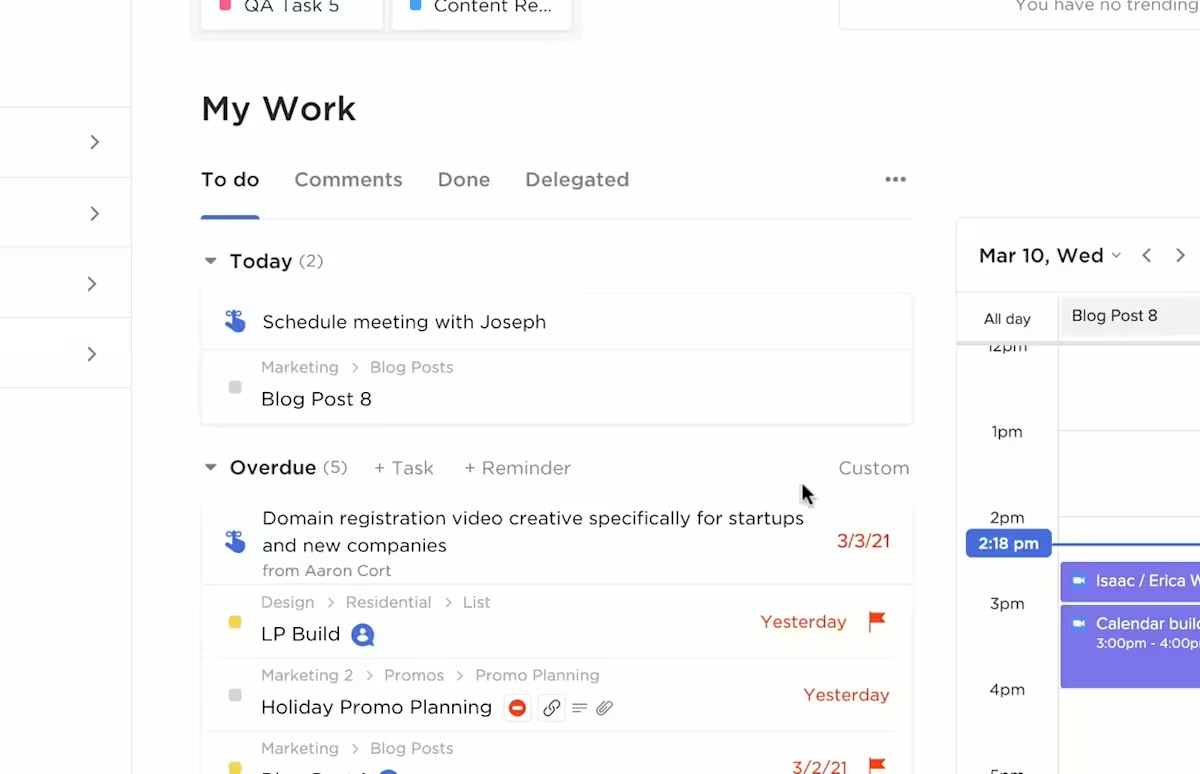
Reminders notify you of upcoming deadlines and meetings, allowing you to add attachments, set due dates, create recurring schedules, or assign them to team members. Meanwhile, Checklists help break down large tasks into manageable steps, with options to create sub-items for better organization.
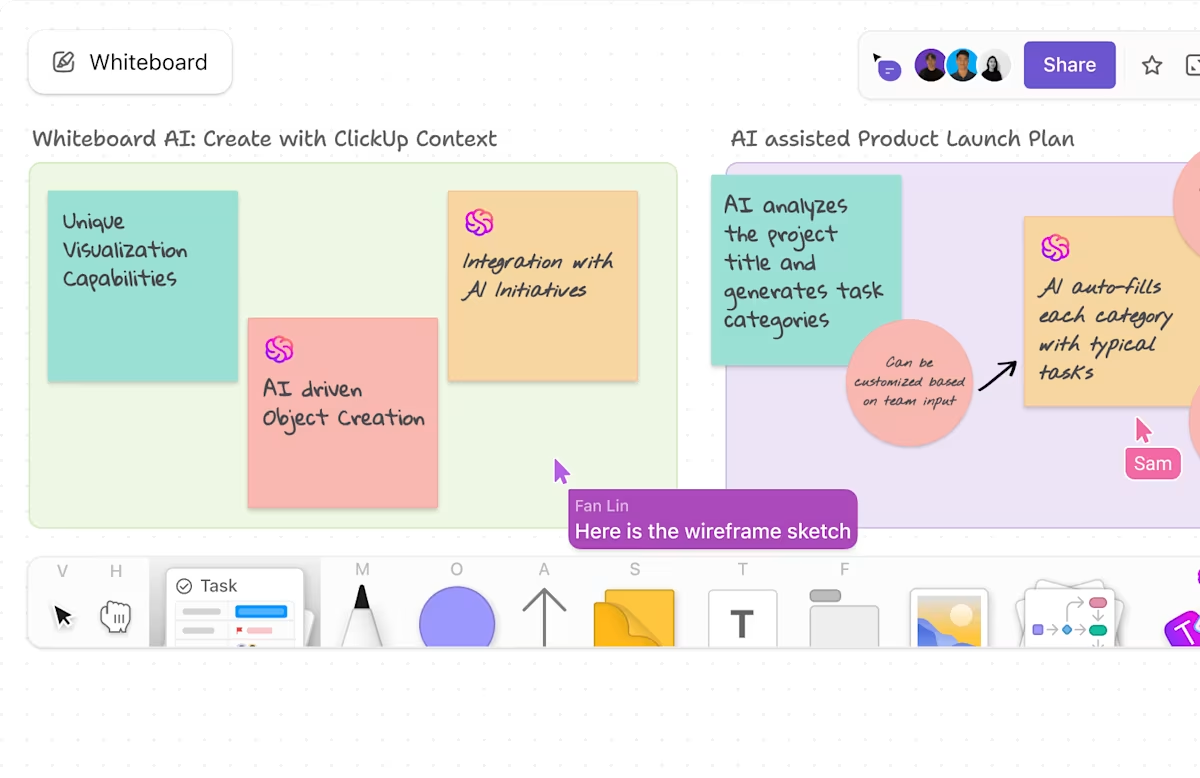
If you think better in visuals, Whiteboards are your best friend. Use them to:
ClickUp offers ready-made templates to help you start fast. From daily time-blocking layouts to habit trackers and gratitude journals, every element is fully customizable—so you can build a routine that works for you, not against you.
Looking for a simple, ADHD-friendly task list to get started? Try the ClickUp Getting Things Done – Simple List Template. It’s perfect for breaking tasks into clear next steps, staying organized, and avoiding overwhelm.
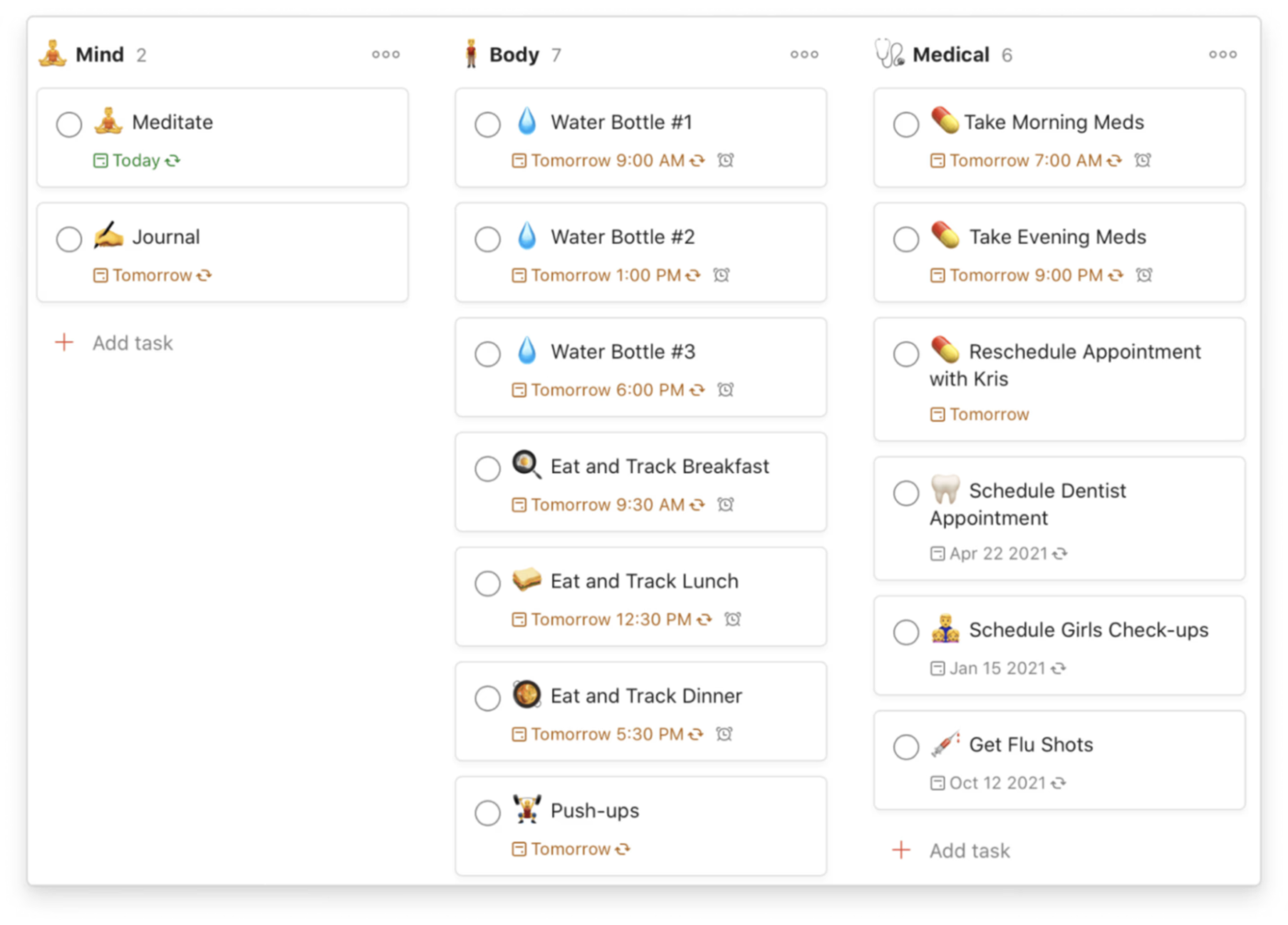
Todoist simplifies task management, giving you the space to capture, organize, and track everything, whether it’s work projects, personal goals, or daily errands. Designed for effortless planning, this tool lets you add tasks as naturally as you think, easily prioritize, and maintain clarity across multiple devices.
From scheduling recurring due dates to setting reminders and visualizing your workload, Todoist lets you stay on top of responsibilities without the mental clutter. Its intuitive interface, natural language processing, and cross-platform sync make planning seamless, no matter where you are.
💡 Pro Tip: The Agile approach is for everybody: break down your tasks into small ones and maintain checklists to stay on track.
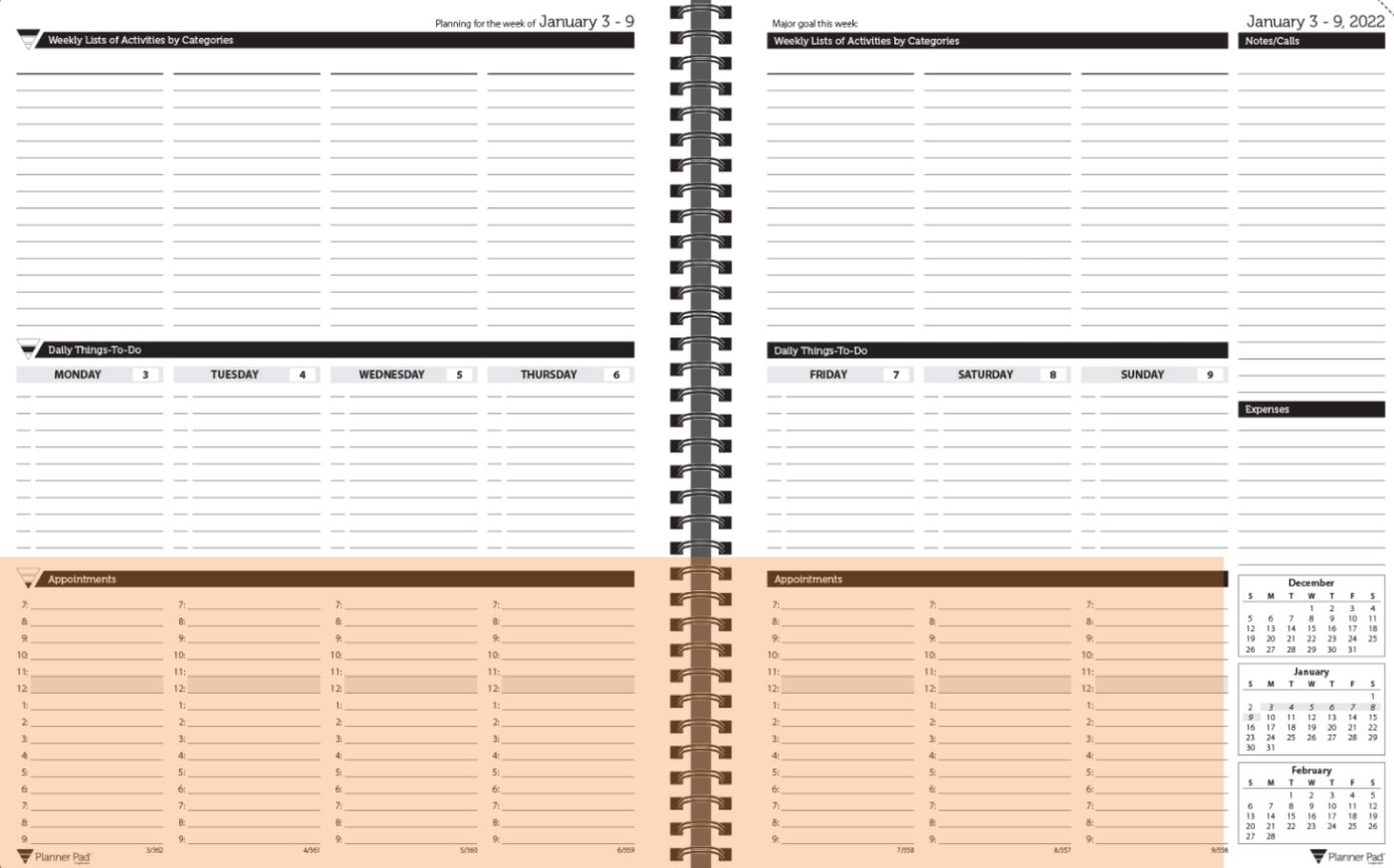
Planner Pad is a paper‐based organizing system that helps people manage their personal and professional lives. Whether you prefer a spiral-bound or loose-leaf format, Planner Pad adapts to your workflow with dated and undated options.
Its unique Funnel Down Planning System helps you categorize, prioritize, and schedule your tasks efficiently. With a three-tier layout, Planner Pad gives you a bird’s-eye view of your week. Start by listing all your tasks in broad categories, filter them down into daily priorities, and schedule time to complete them.
🔍 Did You Know? People with ADHD can thrive in workplaces if provided with the necessary training. 61% of organizations provide project management training to employees.
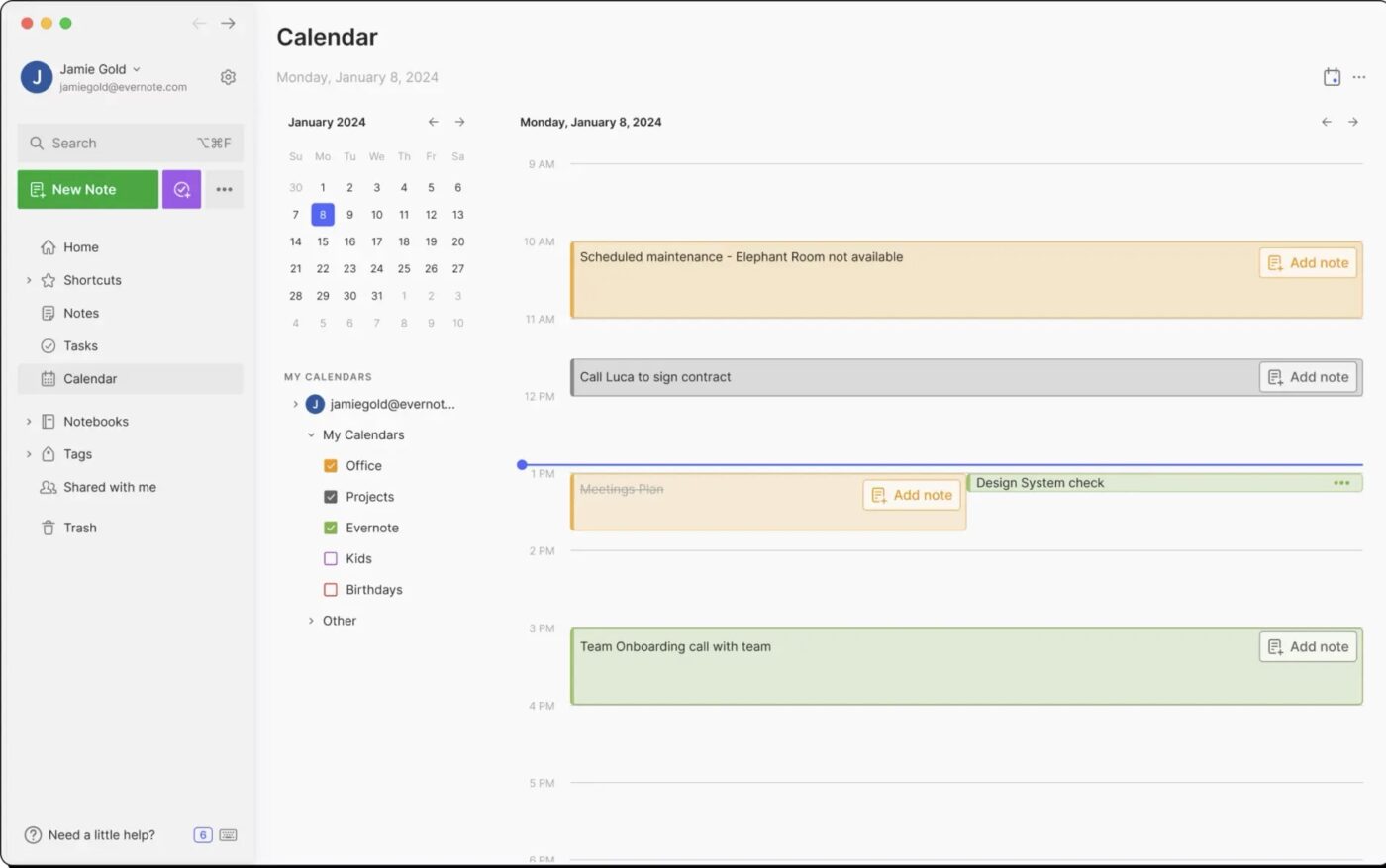
Evernote is designed to organize tasks, manage projects, and track important information in one place. With its seamless syncing across devices, you can capture ideas on the go, structure your workflow, and stay on top of deadlines without missing a beat.
Evernote organizes and makes everything—meeting notes, personal to-dos, and reference materials—accessible with AI-powered search, cross-device sync, and flexible tools.
A standout feature is Web Clipper, which allows you to save articles, images, and research from the web directly into your Evernote workspace.
🔍 Did You Know? 77% of high-performing teams use some kind of project management software.
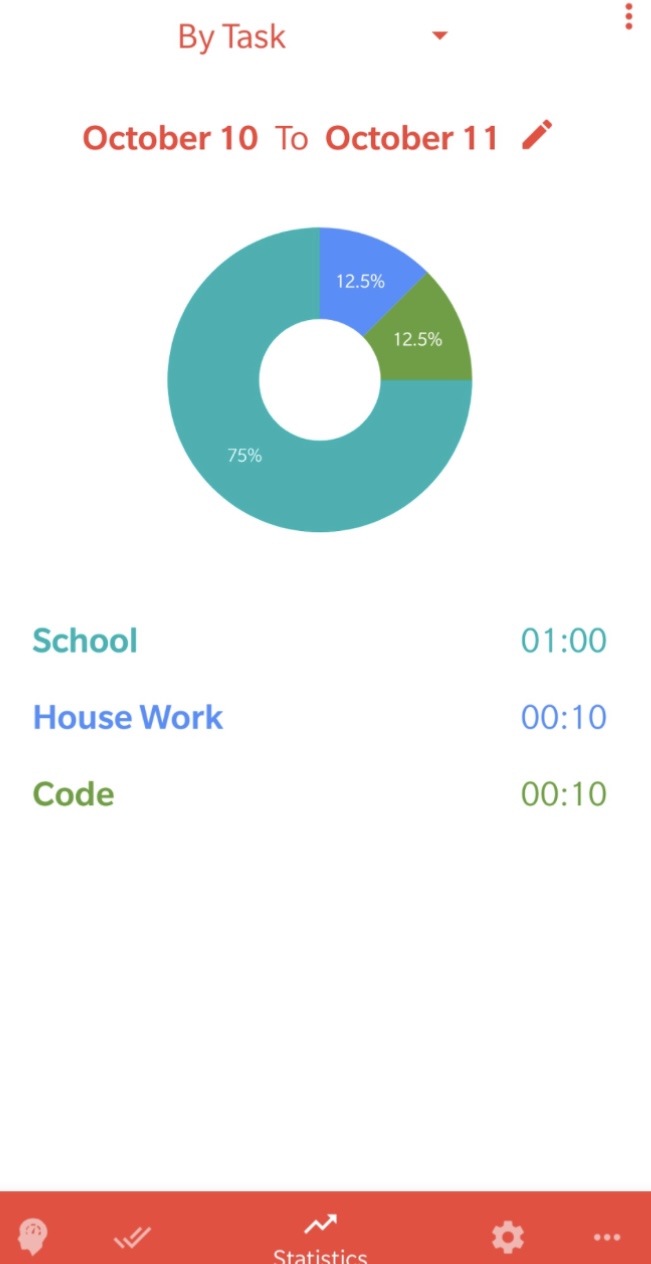
Brain Focus Productivity Timer is a time management application that transforms your work into focused intervals followed by well-earned breaks. Based on techniques like Pomodoro and 52/17, this ADHD productivity tool lets you customize work sessions to suit your pace.
Start a work session, enjoy a break as a reward, and restart to keep the momentum going. With its clean interface, you can track your time by task, minimize distractions, and group tasks into meaningful categories.
Moreover, notifications keep you aware of session endings, and the availability of multiple themes and support for over 30 languages adds a personal touch.
🔍 Did You Know? The Kanban method, a visual project management tool, was pioneered by Toyota in the 1940s to improve manufacturing efficiency. Today, it’s widely used in software development and Agile project management.
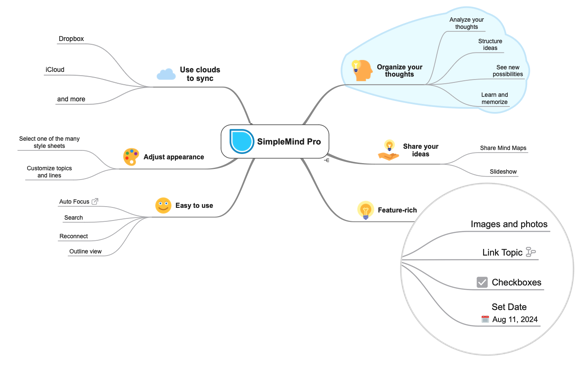
From outlining a project and studying complex topics to breaking down big ideas into manageable parts, SimpleMind provides the flexibility to map out your thoughts in a way that makes sense to you.
With a free-form layout, you can position topics anywhere or use auto layouts for structured organization. Customize mind maps with colors, images, links, and notes to make them more engaging and informative.
A unique feature is Cross-Platform Syncing, allowing you to access and edit your mind maps seamlessly across Windows, Mac, iOS, and Android.
📖 Also Read: Best Calendar Management Tools to Stay Organized
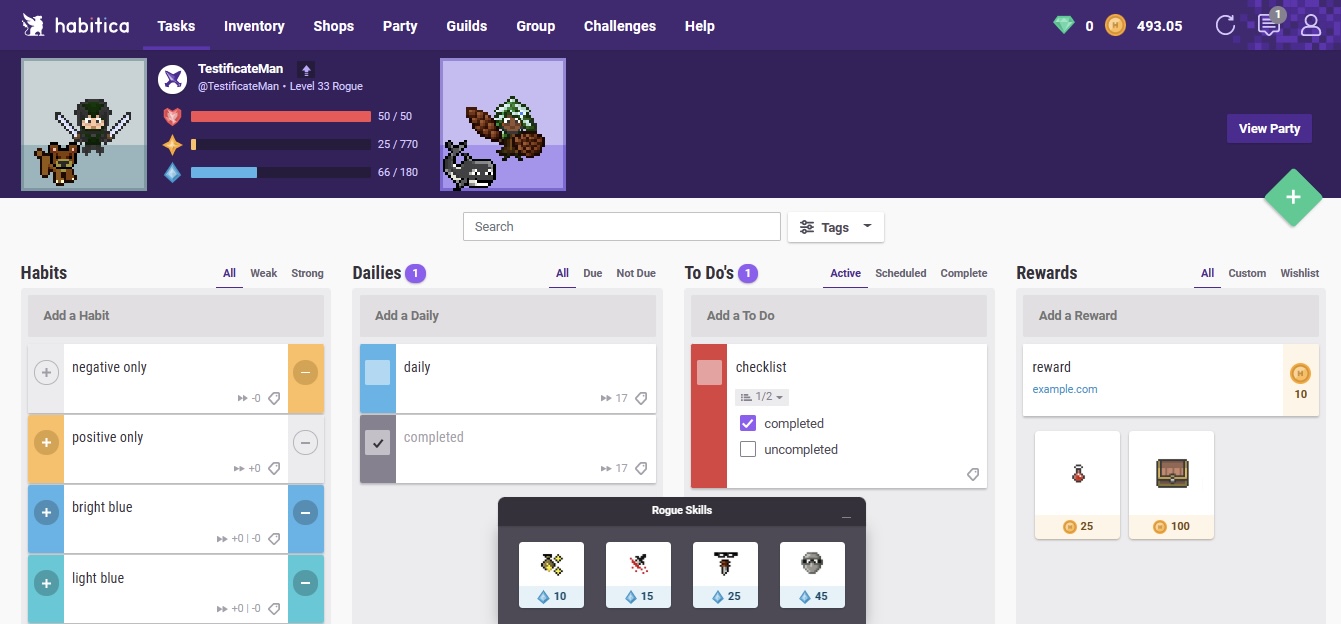
Habitica transforms everyday tasks into an engaging game where progress is rewarded and productivity feels like an adventure. This habit-building app is structured naturally and supports habit stacking, helping you build small, consistent routines that add up over time.
It motivates you by turning your tasks into challenges, with rewards, levels, and battles against in-game monsters. Moreover, Party Quests allow you to team up with friends and battle monsters by completing tasks in real life.
If you skip essential tasks on this habit tracker, your entire party takes damage, adding an extra layer of accountability and teamwork.
🔍 Did You Know? The planning fallacy, a cognitive bias, causes people to underestimate the time it takes to complete a task, which is why time-tracking tools are so popular.
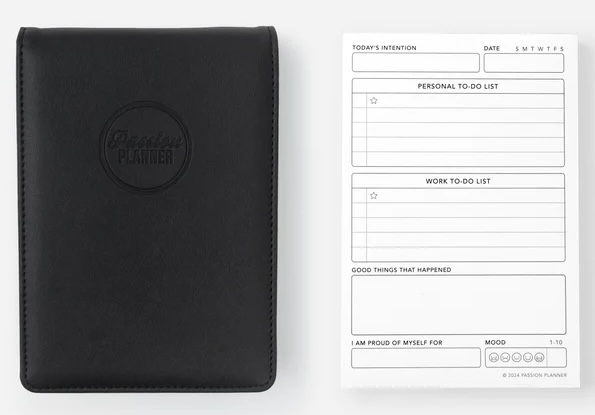
Passion Planner is a comprehensive life-planning tool that combines traditional diary elements with structured goal-setting features. It offers a unique ‘Passion Roadmap’ to help you visualize and plan your short-term and long-term goals.
The planner includes monthly and weekly layouts, reflection sections, and space for creative expression. It guides users through defining their objectives, breaking them down into manageable steps, and taking daily actions toward achieving them.
Passion Planner helps you make a routine with ADHD through prompts, reflections, and a built-in support system called the #PashFam community.
🧠 Fun Fact: The sticky note, often used for task tracking, was invented accidentally when a 3M scientist was trying to create a super-strong adhesive. Instead, he created a weak, reusable adhesive—perfect for notes!
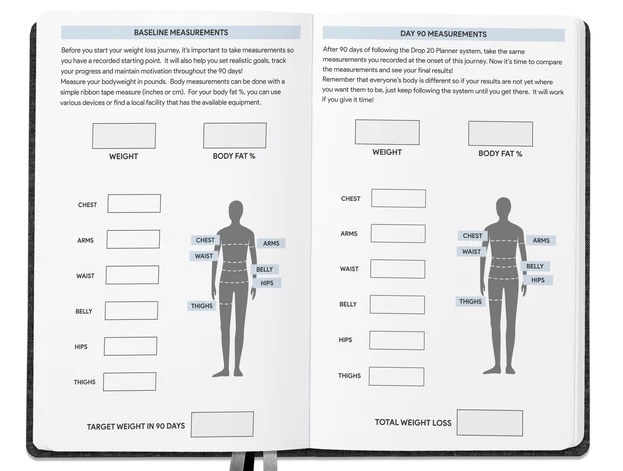
Combining weekly and daily layouts, Panda Planner breaks tasks into manageable steps, fostering productivity while reducing stress. Additionally, built-in schedule templates can provide structure without creating layouts from scratch.
With features like daily gratitude and productivity scores, it ensures you stay grounded while moving forward. Moreover, the three—month update lets you pick it up at any time, without feeling behind.
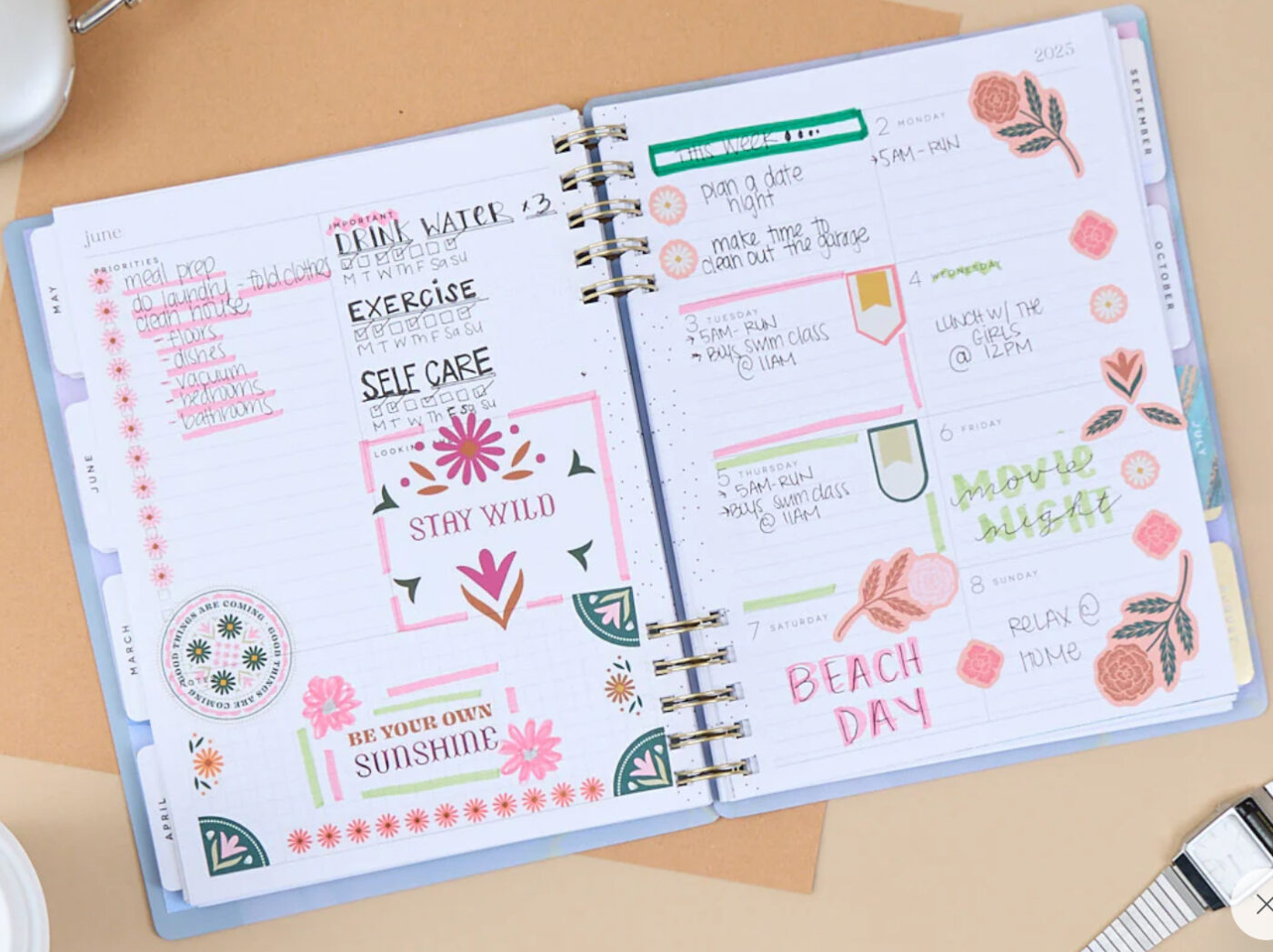
The Happy Planner offers a uniquely vibrant approach to organization that blends functionality with personal expression. With its wide array of layouts and themes—from the Classic Dashboard Layout for 12-month planning to vertical and horizontal designs—this planner system transforms daily scheduling into an art form.
This planner’s undated format means you can start at any time without wasting pages, while a host of customizable accessories, such as divider packs, notebooks, and journals, let you tailor your planning experience to your style.
🧠 Fun Fact: Want a lifelike digital planner? Some online planners now use AI for daily life tasks, for example, to predict scheduling conflicts, suggest task priorities, and even nag you about deadlines.
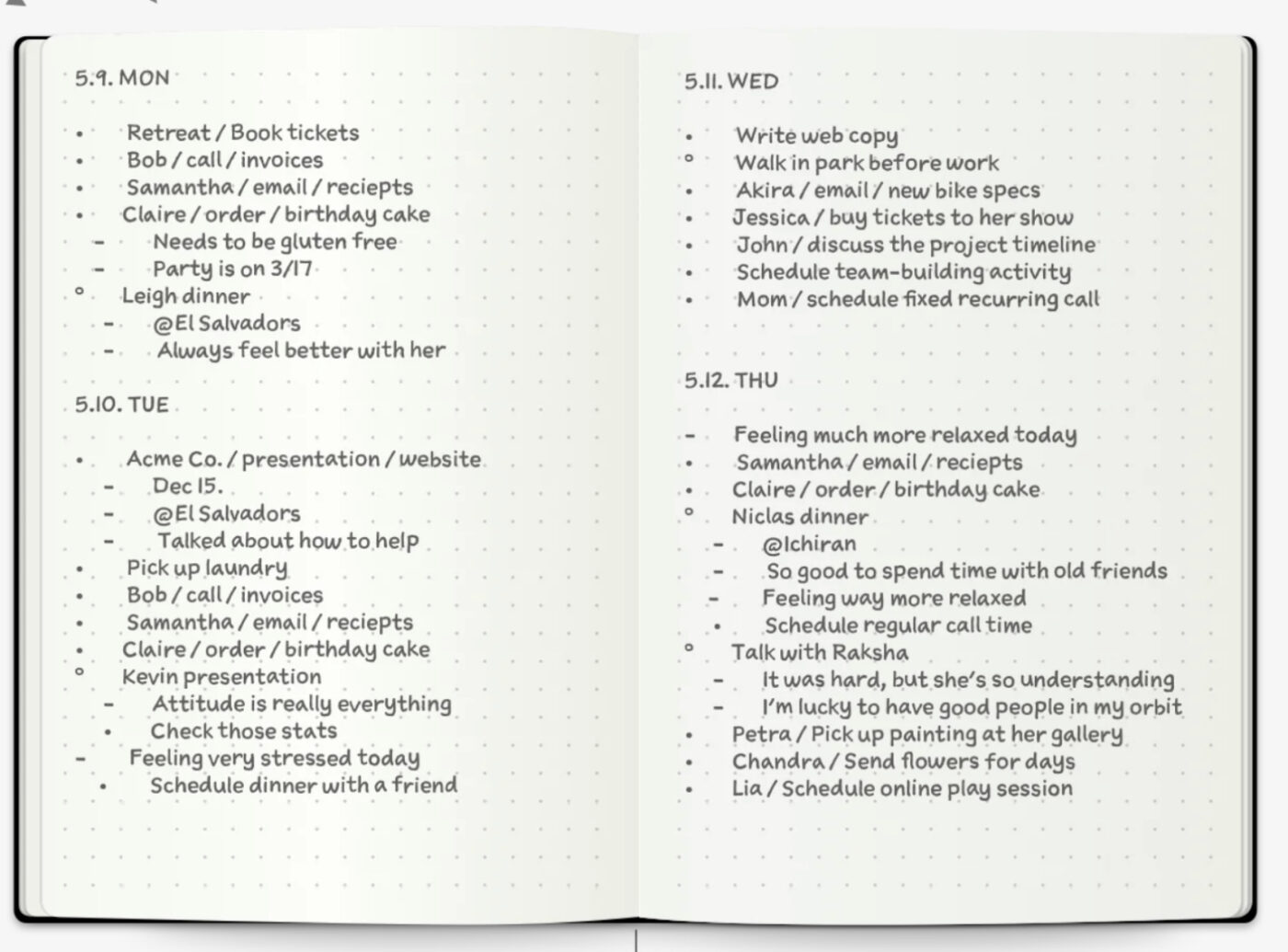
Bullet Journal (aka BuJo) is a customizable organizational system developed by Ryder Carroll to help manage tasks, events, and thoughts. It’s a flexible, analog planning system that lets you capture every detail of your life with just a pen and a notebook.
BuJo combines traditional planning methods with mindfulness practices, making it particularly beneficial for individuals with ADHD. As a daily planner app, it uses rapid logging with bullet points and symbols to categorize information, allowing users to track the past, organize the present, and plan for the future.
Notion: Best for customizable digital planning with a visual workspace
Tiimo: Best for visual time management with gentle reminders
Akiflow: Best for consolidating tasks into a focused daily agenda
Each ADHD planner offers a unique blend of structure, flexibility, and creative organization. Some tools focus on visual planning, while others emphasize time management or habit reinforcement.
The key is finding one that fits your workflow and makes staying organized feel natural.
ClickUp stands out as an all-in-one ADHD planner, offering structure without rigidity. With ClickUp, you can break down projects into manageable steps, visualize your schedule, and use an AI-powered assistant to stay on track and generate ideas.
If you’re ready to bring more focus and flow to your day, sign up for ClickUp today! ✨

© 2026 ClickUp

There’s an easier way. Try a free AI Agent in ClickUp that actually does the work for you—set up in minutes, save hours every week.