Sorry, there were no results found for “”
Sorry, there were no results found for “”
Sorry, there were no results found for “”
Every important project—whether personal or professional—kicks off with one crucial step: listing out requirements. What do we need to get started? What’s the next step? These questions define the requirements management process, where clarity makes or breaks project outcomes.
As tricky as this part may sound, AI tools for requirements gathering make the process easier than ever. From identifying patterns in historical project data to translating requirements into actionable formats, these tools do most of the heavy lifting for you.
Let’s compare the best AI requirements management tools on the market to find the perfect fit for you and your team.
| Tool | Best features | Best for | *Pricing |
|---|---|---|---|
| ClickUp | – AI-powered Docs, templates & task generation- ClickUp Brain answers workspace questions- Whiteboards to map out requirements- Connected Search & Automations | Centralized, AI-powered requirements management | Free forever plan; Customizations available for enterprises. |
| IBM Engineering Requirements Management | – Advanced traceability for compliance- Regulatory adherence (DO-178C, ISO 26262, etc.)- Integrated dashboards & reporting- Robust version control | Complex engineering projects in regulated industries | Custom pricing |
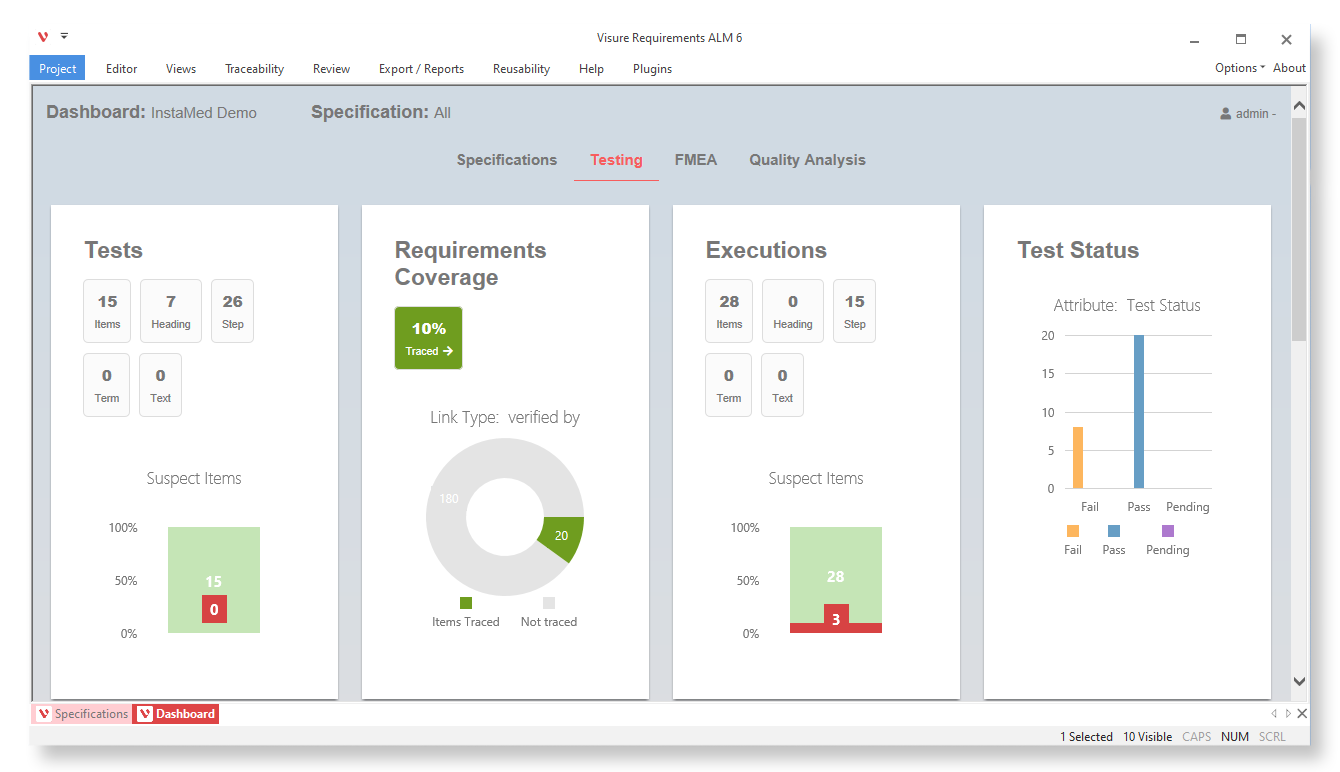
| Visure Requirements | – AI compliance and risk detection- End-to-end traceability- Standards mapping (ISO, IEC, DO-178C)- Integrations with Jira, Word, Excel | Teams managing risk-heavy development workflows | Custom pricing |
| aqua | – Generate PRDs and test cases using AI- Link requirements to QA/test cases- Agile boards for planning- Cross-platform test automation | Agile teams balancing QA and requirements tracking | Custom pricing |
| Notion | – Fully customizable Docs and wikis- AI-generated summaries and autofill- Collaboration and integrations (Slack, Trello)- Real-time editing | Flexible productivity management across teams | Free plan available; Paid plans start at $12/month per user |
| Tara AI | – Auto sprint planning and task prioritization- Real-time delivery insights- AI-powered blocker detection- GitHub, Asana, Trello integrations | Product and engineering teams working in sprints | Custom pricing |
| Gluecharm | – Turns chats into specs using AI- Generates technical documentation- Auto-creates proposals and user flows- 124 AI micro-agents for teams | Sales, PMs, and devs defining project scopes fast | Custom pricing |
| Dovetail | – AI-powered transcription and insights- Research data clustering- Integrates with Jira, Notion, Confluence- Tagging and knowledge base | Teams surfacing insights from user interviews | Free plan available; Paid plans start at $29/month per user |
| WriteMyPrd | – Sentiment & trend analysis of feedback- Smart auto-tagging- Slack & Intercom integrations- Dashboards to track feedback impact | Product teams organizing and prioritizing feedback | Custom pricing |
| ReqSuite® RM | – AI-powered quality and link checks- Advanced version control and traceability- Workflow templates- Jira integration | Structured requirements management in large orgs | Custom pricing |
*Please check the tool website for the latest pricing details.
Okay, I’m just going to say it—requirements gathering is terrible. I just crossed a decade in multiple lead/architect/manager roles, and requirements have been the bane of my work life all these years. Either I don’t ask enough questions and miss critical details, or I go overboard, and stakeholders start avoiding my calls.
This Reddit user perfectly captures the struggle of requirements management. It’s a constant tug-of-war.
Unfortunately, they haven’t yet experienced the power of AI. So, if gathering project requirements feels like rocket science to you, here’s what AI tools can do for you:
And these are just a couple of use cases. Imagine the possibilities.
💡 Pro Tip: Jumping into a project without proper requirements is like building a house without a blueprint—risky and expensive. Check out our blog on Requirements Analysis to learn how to get it right from the start!
Our editorial team follows a transparent, research-backed, and vendor-neutral process, so you can trust that our recommendations are based on real product value.
Here’s a detailed rundown of how we review software at ClickUp.
Let’s test these AI tools. What features do they offer, and do user reviews back up their promises?
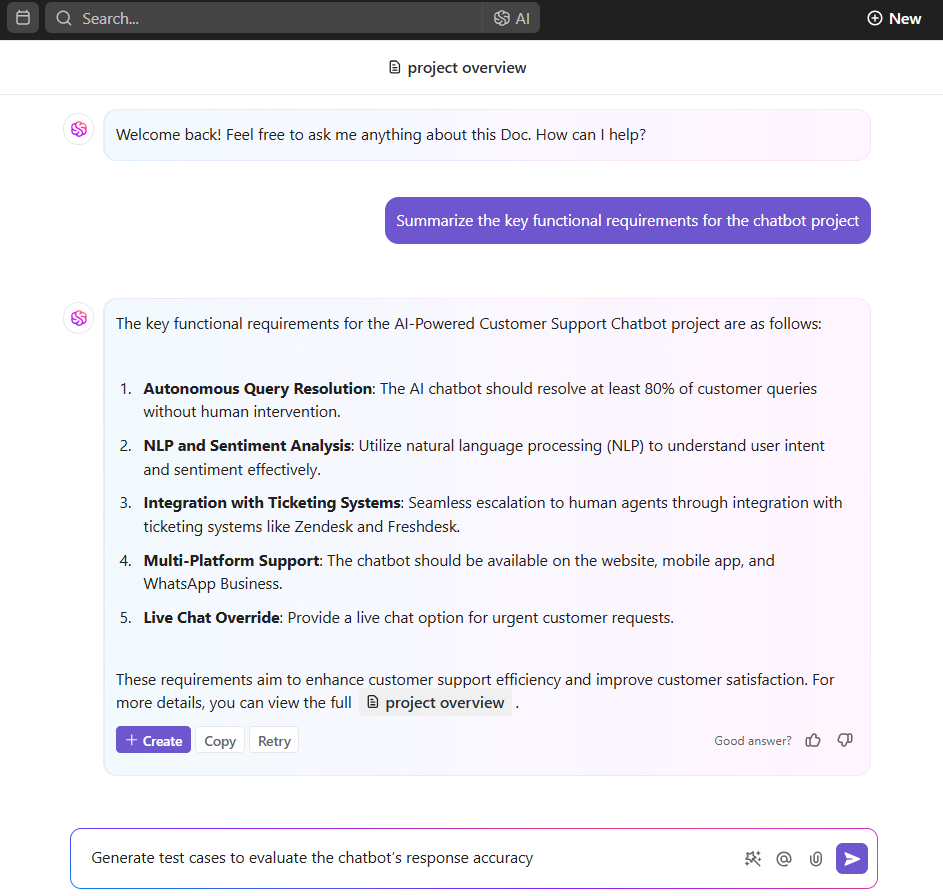
ClickUp, the everything app for work, not only centralizes project management, knowledge sharing, and team conversations but also has powerful AI-driven features that greatly enhance requirements management.
These AI capabilities allow you to streamline processes, automate repetitive tasks, and gain insights from data, making it easier to capture and manage project requirements efficiently.
Documentation and task management
Use ClickUp AI, which includes the powerful ClickUp Brain, to draft requirement documents, summarize stakeholder inputs, and generate action items. This reduces manual effort and ensures clarity in documentation.
With AI Custom Fields, you can easily summarize tasks, track progress, translate content, and create action items. These fields can be customized to fit your requirements management process, ensuring that all essential information is captured and readily accessible.
ClickUp’s AI Agents automate repetitive requirements gathering tasks, helping teams capture, organize, and analyze project needs faster. With customizable workflows, these agents streamline collaboration and ensure no critical detail is missed during the discovery phase.
Knowledge management integration
Centralize your project guidelines and requirements with ClickUp Docs and Wikis. Thanks to AI, you can quickly search, summarize, and retrieve the information you need, making sure your team stays up-to-date with the latest developments.
Automations and connected search
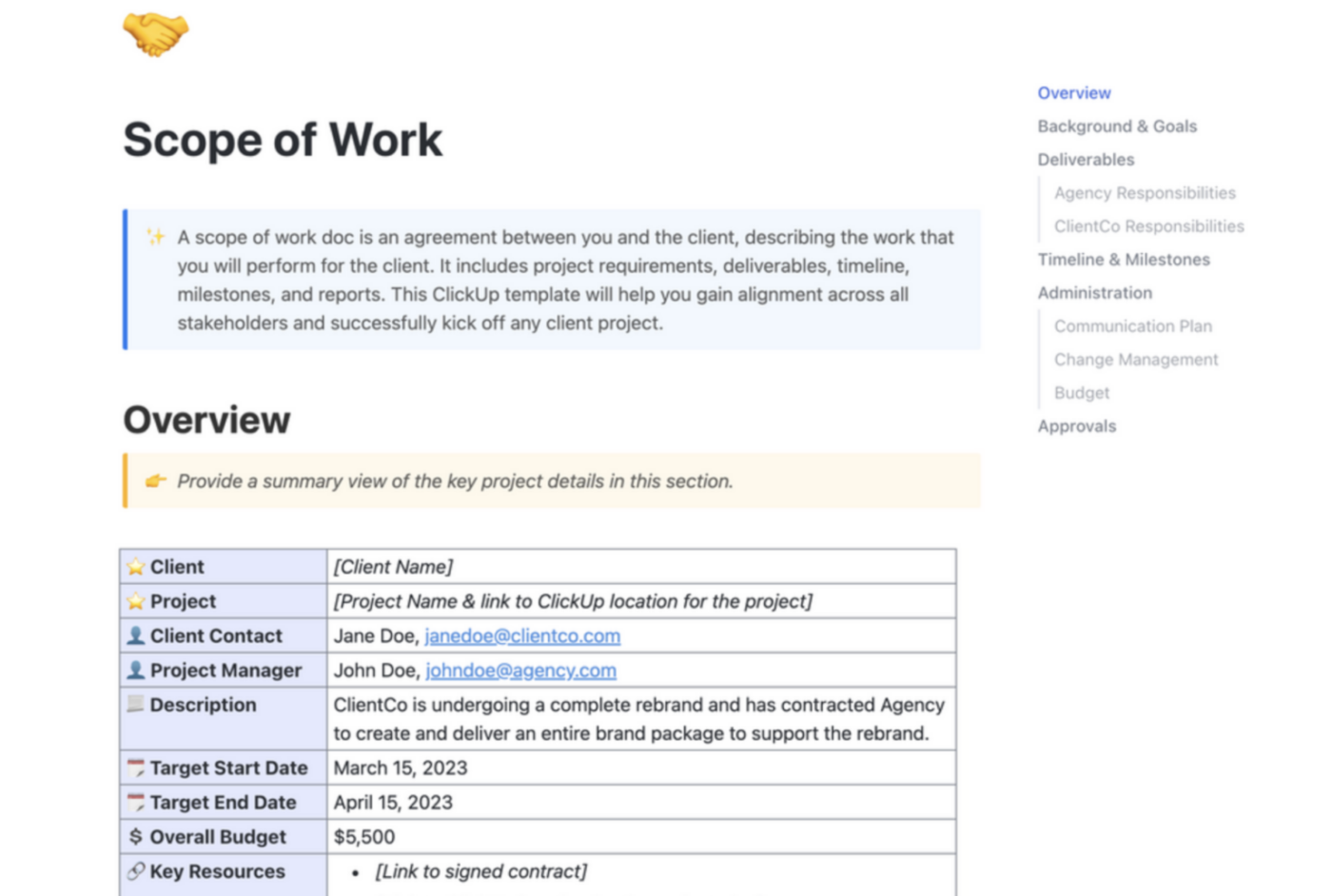
Automate your workflows with ClickUp Automations to make the requirements management process smoother. Plus, use ClickUp Connected Search to find related documents or tasks across integrated tools like Google Drive, so you never miss any requirement.
Collaboration and communication
Collaborate in real-time on your requirements using ClickUp Chat and Docs features. AI can help summarize discussions and identify action items, ensuring everyone stays in sync.
If this seems like a lot (it can, especially when you are new to the process), ClickUp’s Requirements Gathering Template makes a big difference.
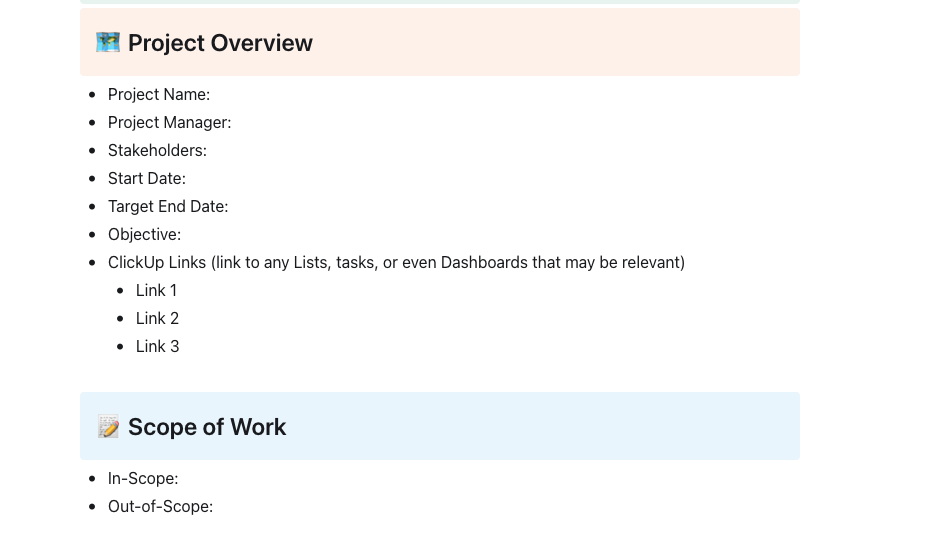
You can use this template to capture, organize, and clarify stakeholder needs, ensuring that all project requirements are defined and approved before execution begins.
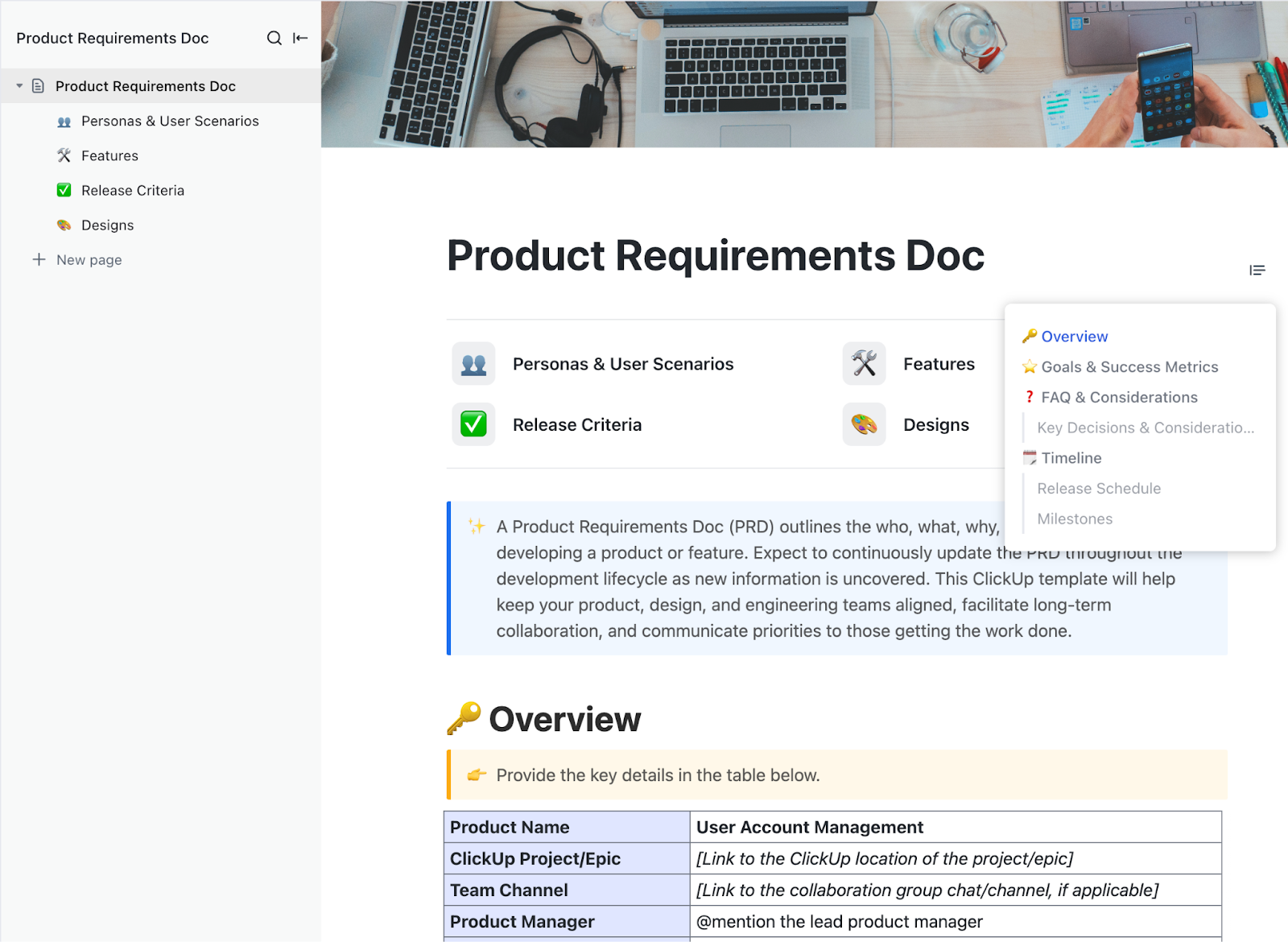
Another useful template to keep in mind is the ClickUp Product Requirements Doc Template.
Define the who, what, why, when, and how of developing a product or feature using this document. Since requirements evolve, expect to update the PRD throughout the software development lifecycle as new insights emerge. This ClickUp template ensures alignment between product, design, and engineering teams.
With ClickUp, managing requirements becomes a breeze!
💡 Pro Tip: Connect over 1,000+ tools using ClickUp Integrations, including Zapier, Slack, and Zoom, so your entire requirements management process happens in one place—no tab switching required.
ClickUp provides us with a clear picture of product launch timelines and visibility into how smaller tasks contribute to the company success.
💡 Pro Tip: Managing project requirements can get overwhelming, especially with frequent changes. The right requirements management software helps you stay organized. Read our blog on 15 Best Requirements Management Tools to find the best option for your team.
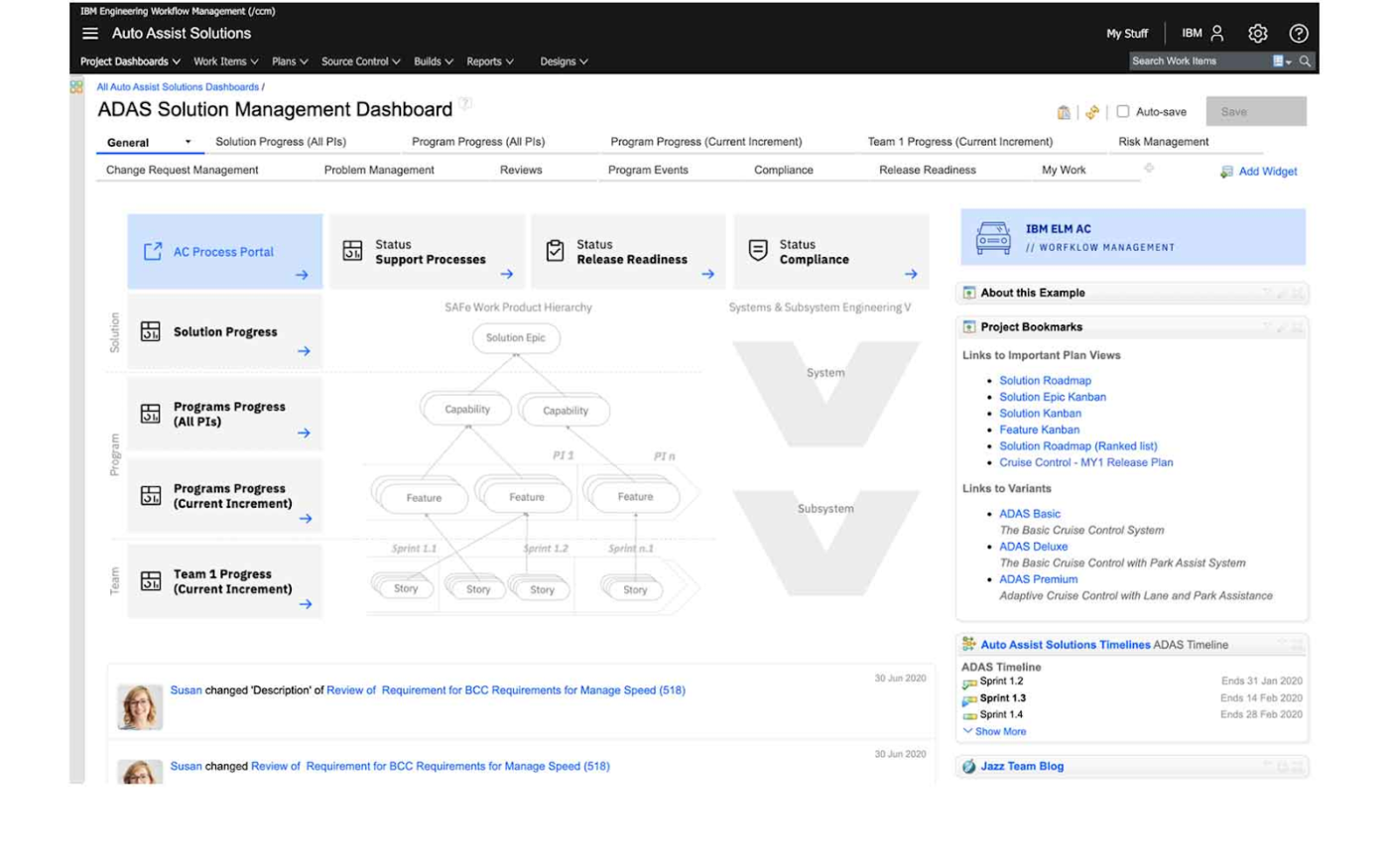
Managing project requirements in industries like aerospace, automotive, and defense isn’t just about keeping a checklist—it’s about compliance, traceability, and minimizing risk.
IBM Engineering Requirements Management, formerly IBM DOORS, is ideal for your team if you prioritize organization, compliance, and reduction of project risks—all while integrating with complex systems for better control over requirements.
I like so many things about ELM; as an employee at a large government agency, CLM has brought order to chaos, allowing leadership to get an overall picture of the SDLC. It provides traceability that is imperative to have in a regulated environment.
Regulatory compliance often comes with an endless paper trail: managing evolving standards, ensuring traceability, and proving compliance at every step.
Visure Requirements simplifies this process by automating traceability, enforcing compliance checks, and integrating seamlessly with existing engineering tools.
Instead of spending hours manually tracking changes or preparing audit reports, teams get AI-driven insights, structured workflows, and real-time visibility into every requirement’s lifecycle.
💡 Pro Tip: The key to delivering a successful project lies in effective requirements management planning. Learn how to create a rock-solid plan with our Ultimate Guide to Requirements Management Planning.

Keeping track of requirements and testing can get messy, especially in Agile teams or industries with strict regulations. Missing a key detail can lead to compliance issues, delays, or costly rework.
aqua simplifies this by using AI to generate PRDs, user stories, and test cases from text, visuals, or even voice prompts. aqua also automatically links requirements to test cases, ensuring full traceability and compliance—so teams can focus on building, not tracking.
I would say it’s the overall collaborative nature of aqua. You can leave comments and reply to them under tickets, share dashboards that you created, and even make views available to other people in the workspace.
📮 ClickUp Insight: A major chunk of your workforce is shooting texts just to gather context.
Around 33% of knowledge workers reach out to 1 to 3 people daily just to gather context. But what if all the information you needed was already documented and accessible? With ClickUp Brain’s AI Knowledge Manager, you can skip the back-and-forth. Simply ask your question within your workspace, and ClickUp Brain will instantly retrieve relevant information from your workspace and connected third-party apps—no more context switching.
💡 Pro Tip: If shifting priorities and project delays are slowing your team down, Mastering Agile Workflows: Techniques for Effective Project Management covers simple ways to stay flexible, improve collaboration, and keep projects on track.
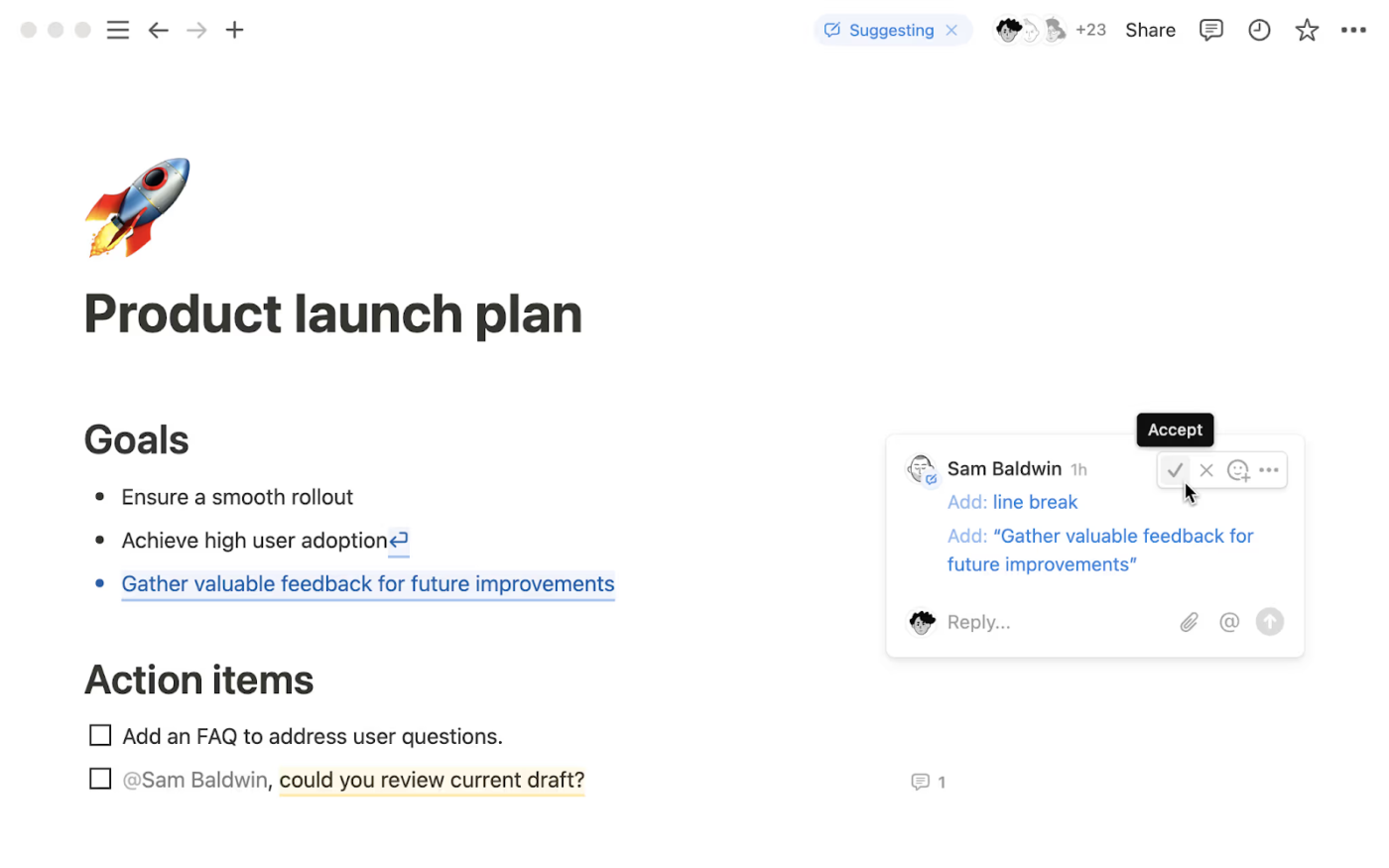
Note-taking apps, project trackers, team collaboration tools—we usually have a dozen tabs open at any given time.
Notion simplifies this by bringing everything into one place. With customizable pages, databases, and integrations with tools like Slack, Google Drive, and Trello, Notion turns scattered information into structured, actionable insights.
Notion excels at what it does best: providing a simple yet powerful platform for task management and collaboration. Its extensive library of templates offers a solid starting point for users without the need for complex customization.
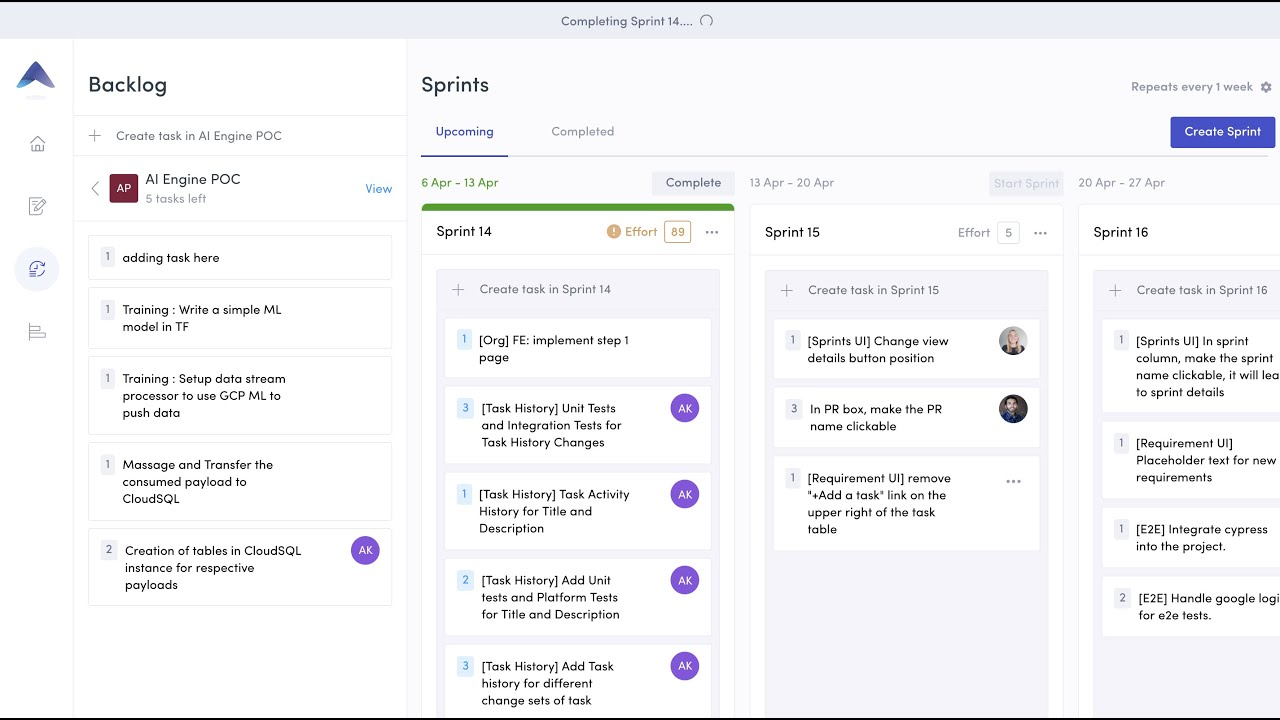
Projects often get derailed by communication gaps and unforeseen bottlenecks. Tara AI helps teams and project managers stay on top of their work with real-time insights, clear task prioritization, and seamless collaboration.
By integrating with GitHub, Asana, Slack, and Trello, Tara AI streamlines workflows and keeps projects moving forward.
The best features of TARA are auto sprint management and built-in task management tools. The way you can easily drag and drop the task from the list to sprints just makes my life so much easier while managing sprints.
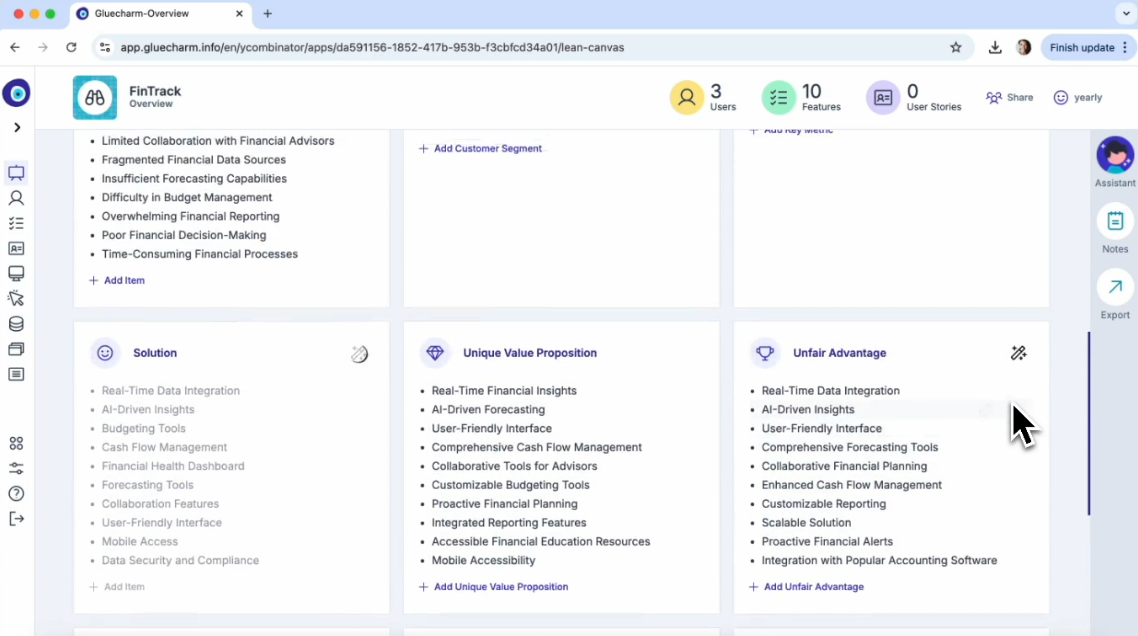
A leading cause of delays and costly revisions? Miscommunication and unclear project scopes. Gluecharm tackles this by transforming client conversations into structured project specifications in minutes.
With 124 specialized AI micro-agents, Gluecharm automates requirements gathering, technical documentation, and user flow mapping—helping sales teams, project managers, and developers reduce onboarding time and accelerate project delivery.
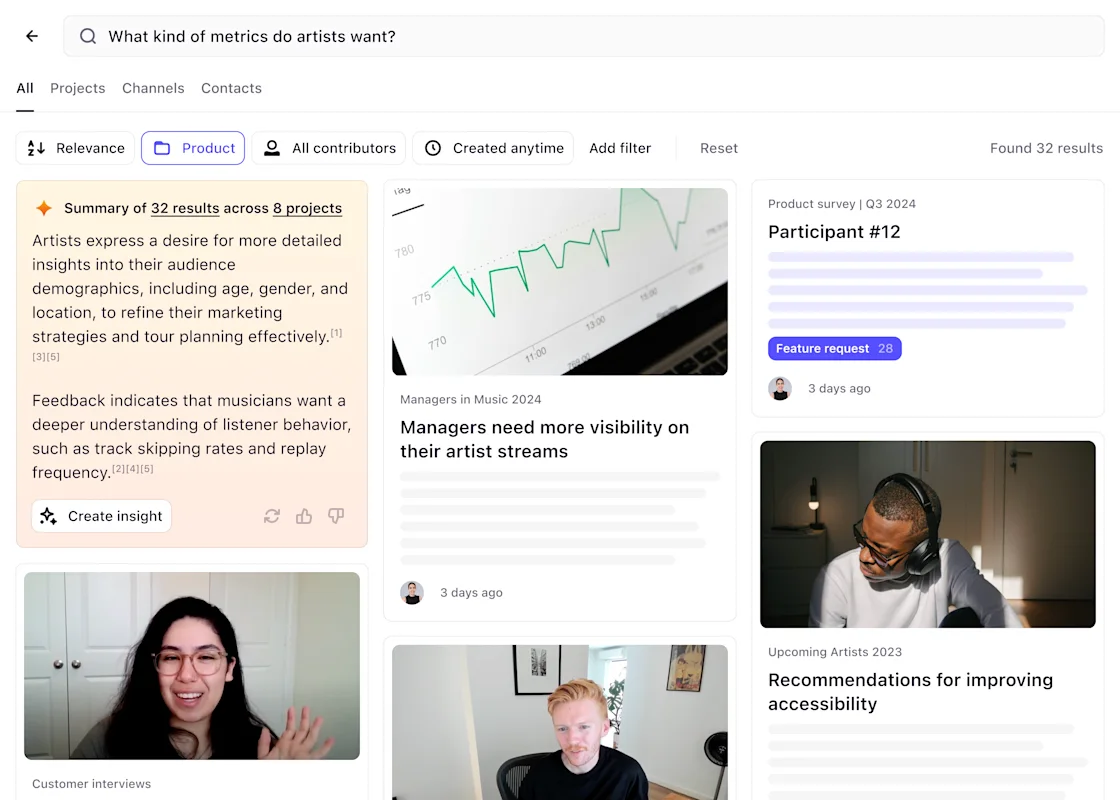
Teams drowning in scattered customer feedback, survey responses, and research notes often struggle to extract meaningful insights.
Here’s how Dovetail changes that: Using AI, the tool turns raw data into structured, searchable knowledge. Dovetail also automatically transcribes interviews, categorizes themes, and highlights key takeaways—helping teams make faster, data-backed decisions.
🧠 Did You Know: 71% of organizations use agile software development, yet many struggle to implement it effectively. In our post on How to Implement Agile Transformation Strategies, we break down practical steps to help your organization navigate this transformation successfully.
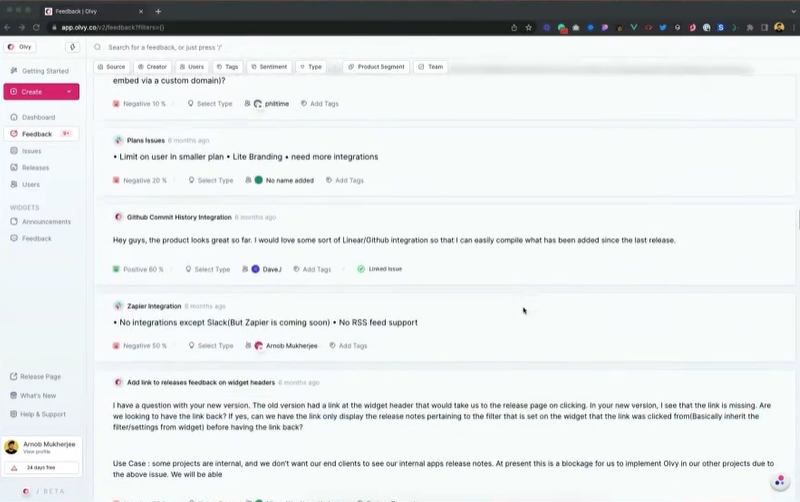
Product teams often drown in a sea of user feedback, struggling to extract meaningful insights quickly. WriteMyPrd cuts through the noise by using AI to analyze sentiment, detect trends, and categorize feedback in real-time.
Instead of manually sorting through scattered comments, teams get auto-tagged insights that highlight what truly matters.
With integrations of popular tools like Slack and Intercom, WriteMyPrd ensures every piece of feedback is captured, prioritized, and turned into actionable product improvements.
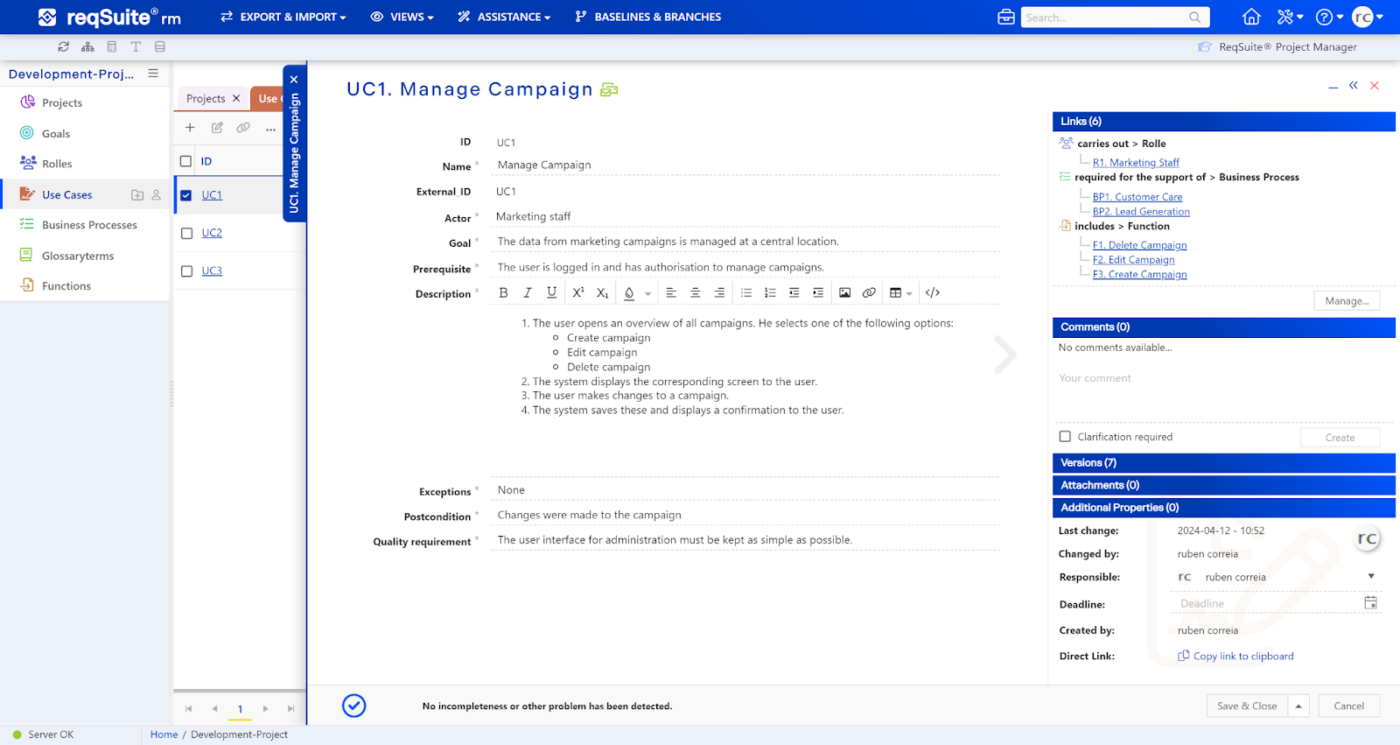
Mid-sized to large enterprises often have to manage complex project requirements. This is why they are more exposed to miscommunication, version conflicts, and compliance gaps that slow everything down.
ReqSuite® RM simplifies the process by offering AI-powered assistance, automated quality checks, and advanced traceability.
Now, you no longer need to go through scattered documents and endless email threads. Instead, teams can collaborate in a structured, centralized environment.
ReqSuite is an easy-to-use and easy-to-understand requirements management tool that systematically guides us through the requirements and the necessary links to tests/verifications and the like.
💡 Pro Tip: Struggling with long development cycles and constant roadblocks? Agile can help. In our Ultimate Guide to Agile Product Development, we break down how Agile works, why it’s effective, and which tools can help your team build better and faster.
Here are a couple of additional AI tools that didn’t make our Top 10 but can still offer you value:
📚 Also Read: How to Write a PRD (with Examples and Templates)
The ultimate benchmark of a good requirements-gathering tool is its ability to centralize information effectively.
Throw AI into the mix, and you get an instant, automated information retrieval system that makes life easier for you and your team.
ClickUp delivers both. It combines AI-powered knowledge retrieval, customizable templates, and automated workflows to simplify everything from gathering stakeholder input to maintaining up-to-date documentation.
And don’t just take our word for it. Nidhi Rajput, Business Development Manager at CedCommerce, shares:
I use ClickUp for centralizing my daily work. Whether it’s managing meetings, tracking project status, or organizing team discussions, ClickUp makes everything seamless.
So, do you want efficient requirements gathering, or will you keep chasing documents across a dozen apps? Sign up for ClickUp today and make requirements management effortless.
© 2025 ClickUp