Sorry, there were no results found for “”
Sorry, there were no results found for “”
Sorry, there were no results found for “”
Disclaimer: This article is intended to provide information on productivity tools and strategies. It is not intended to be a substitute for professional medical advice, diagnosis, or treatment of any mental or physical health condition.
You are exhausted from your routine as a therapist. Patient data is piling up, and a new assessment needs your attention. To add to that? You’re behind on preparing for your morning client session.
Sounds familiar?
Artificial intelligence is finding applications across different industries, and the mental health industry is no exception. The right AI-powered tools can handle time-consuming, administrative tasks, like reviewing progress notes, giving you the space to focus on your and your client’s well-being.
To help you choose, we’ve prepared a list of the 10 best AI tools for therapists to ensure you keep up with client care while running a stress-free group or private practice.
Approximately 46% of mental health professionals are unable to meet the demands of their clients.
Fortunately, there are dedicated AI tools and apps that can help them overcome this challenge. To make it easier, here’s a glance at what you should look for when selecting a solution for your therapy practice:
Organizational stress piles up by leaps and bounds when you have the stress of managing multiple appointments and staying on top of client progress. This is when you can turn to AI tools to automate the busywork, streamline workflows, and create more space for meaningful client interactions.
Here’s a list of the best AI tools you should check out 👇
ClickUp is the ‘everything app for work’ combining project and task management, knowledge sharing, and collaboration with AI-powered automation.
For therapists, its new AI Notetaker is a game-changer.
Instead of scrambling to take notes during a session, ClickUp AI Notetaker listens (with client consent), captures the conversation in real time, and auto-generates organized notes after. It can even turn those notes into follow-up tasks, treatment plans, or reminders so you can focus fully on the patient.
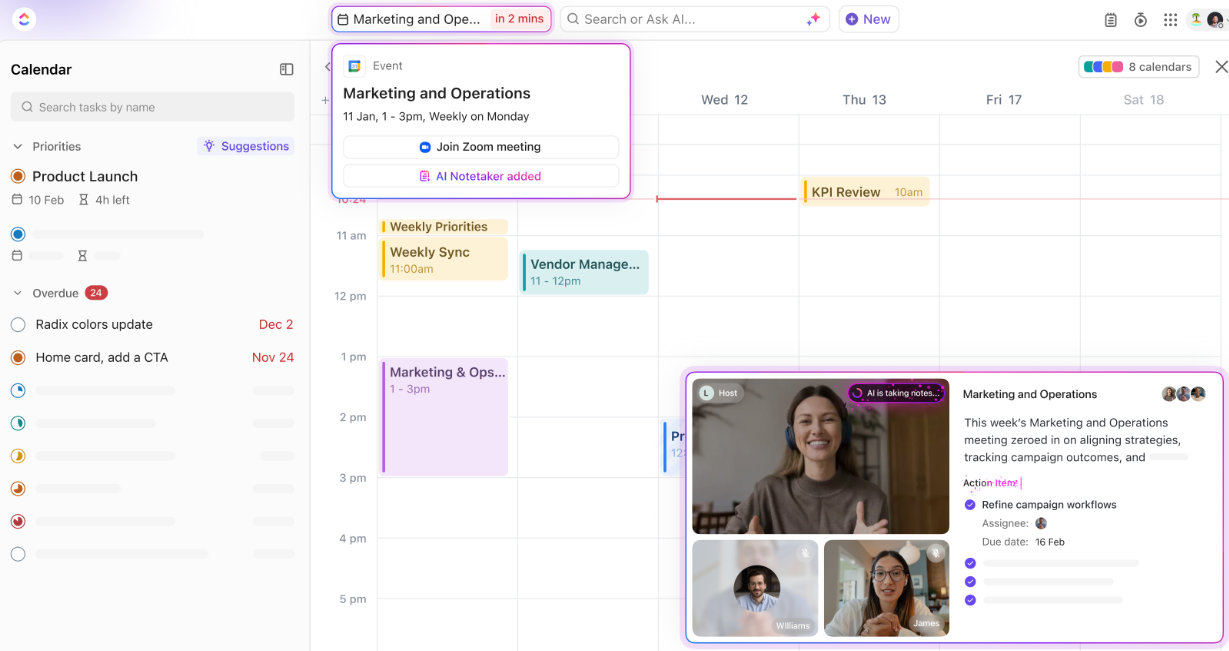
After the meeting wraps up, it creates an organized (private!) document with all the essentials: the meeting name, date, a list of attendees, and even an audio recording if you need to go back and listen. You’ll get a quick summary, a bullet-point list of key takeaways, and clearly defined next steps so you’re not left wondering what actually needs to happen after the call.
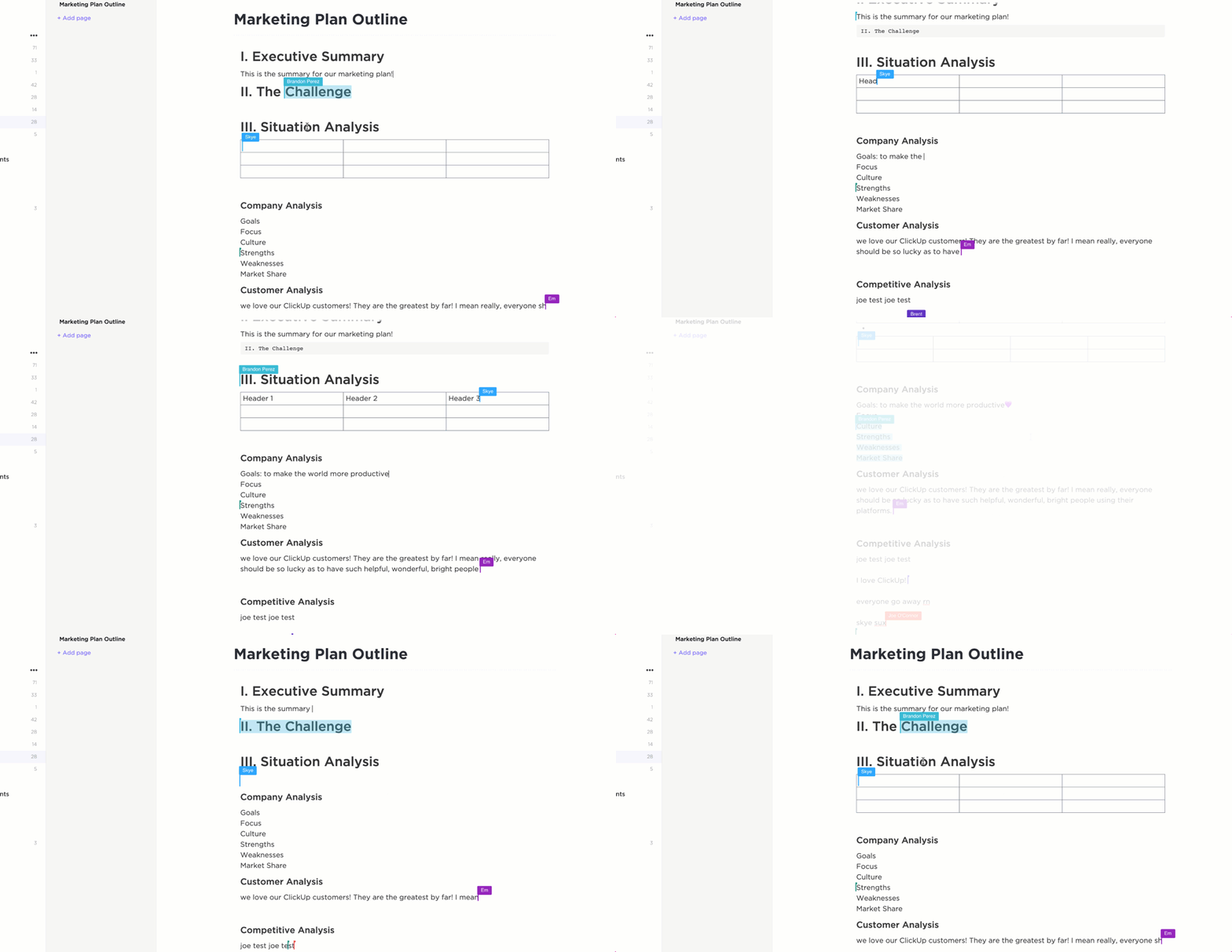
Once the AI Notetaker captures everything, it all feeds right into ClickUp Docs. Docs help you create anything from session summaries and treatment plans to internal handbooks and client-facing guides.

And because Docs is connected to your workspace, you can link it directly to tasks, projects, timelines, and even specific patient goals you’re working towards.
But managing therapy notes is just one piece of the puzzle—there’s still progress tracking and client communication to handle.
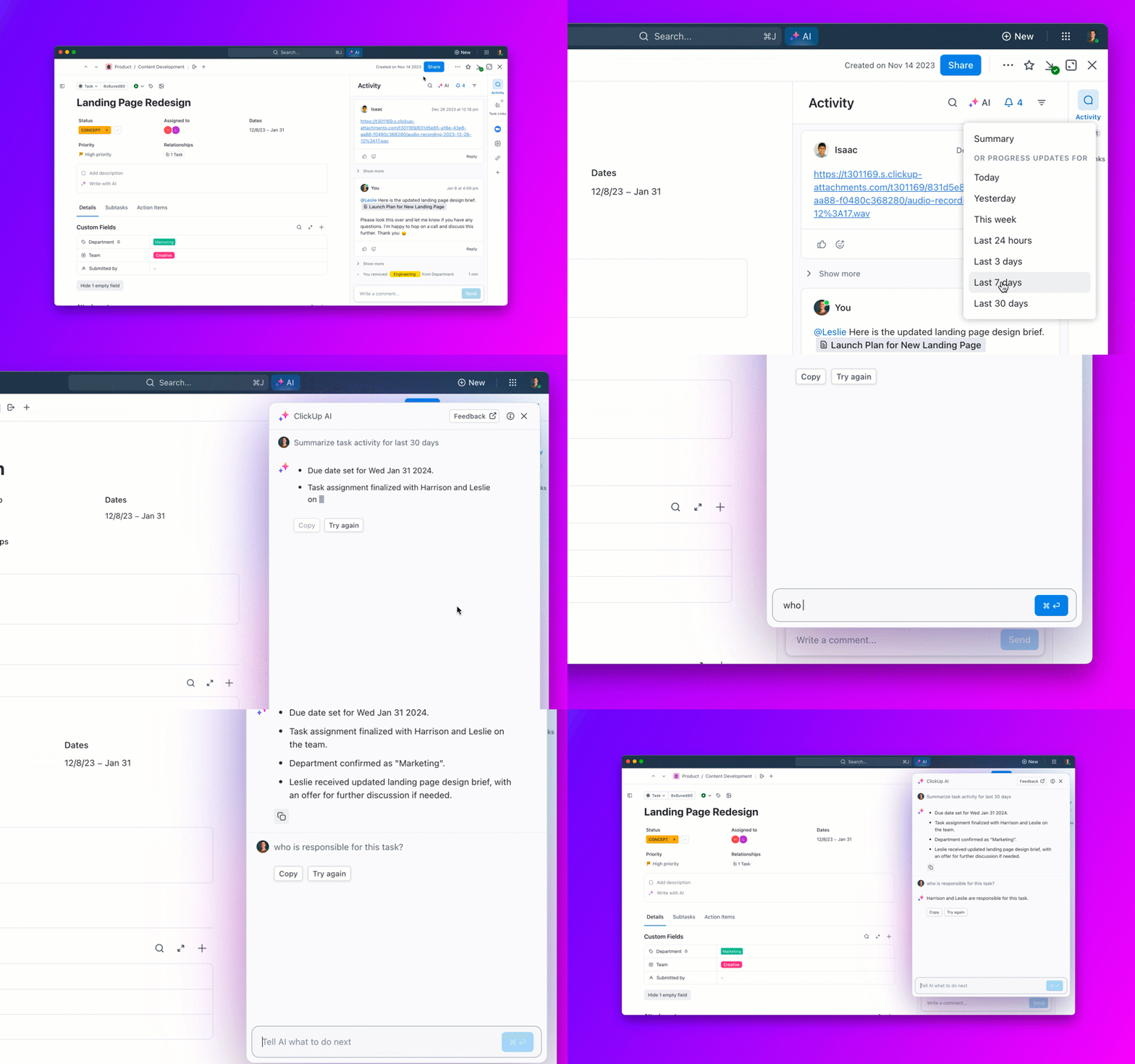
Turn to ClickUp Brain. It’s your AI-powered writing assistant, task manager, and knowledge retriever all in one.
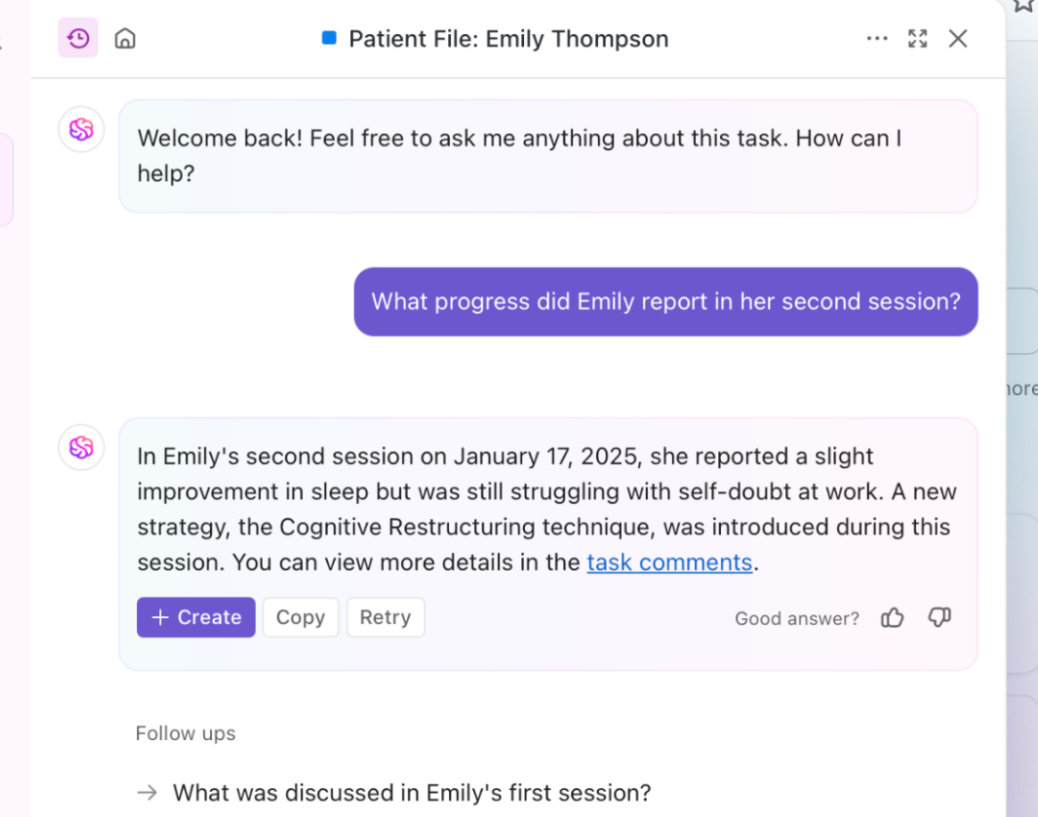
It takes raw session notes from Docs and instantly turns them into tasks, whether that’s scheduling a follow-up, updating a treatment plan, or logging a client milestone. It also generates clear, concise summaries, so you’re not stuck rereading pages of notes.
Even better, Brain pulls up key insights from past sessions, treatment plans, or research articles stored in your workspace—no need to dig through folders or remember where you wrote something down.
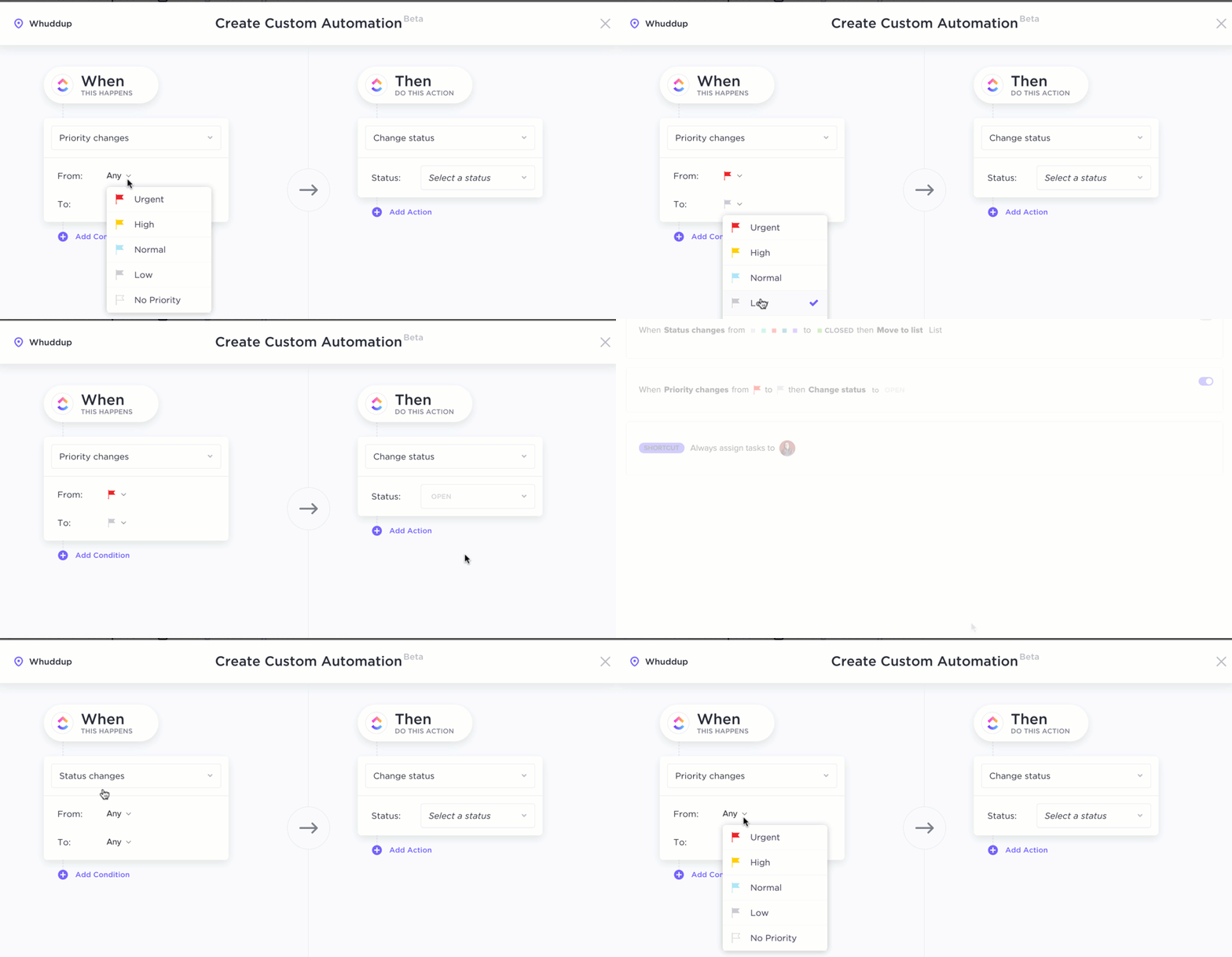
ClickUp Automations takes it even further. You can automatically trigger follow-up tasks, session reminders, document requests, or even post-session invoice creation.
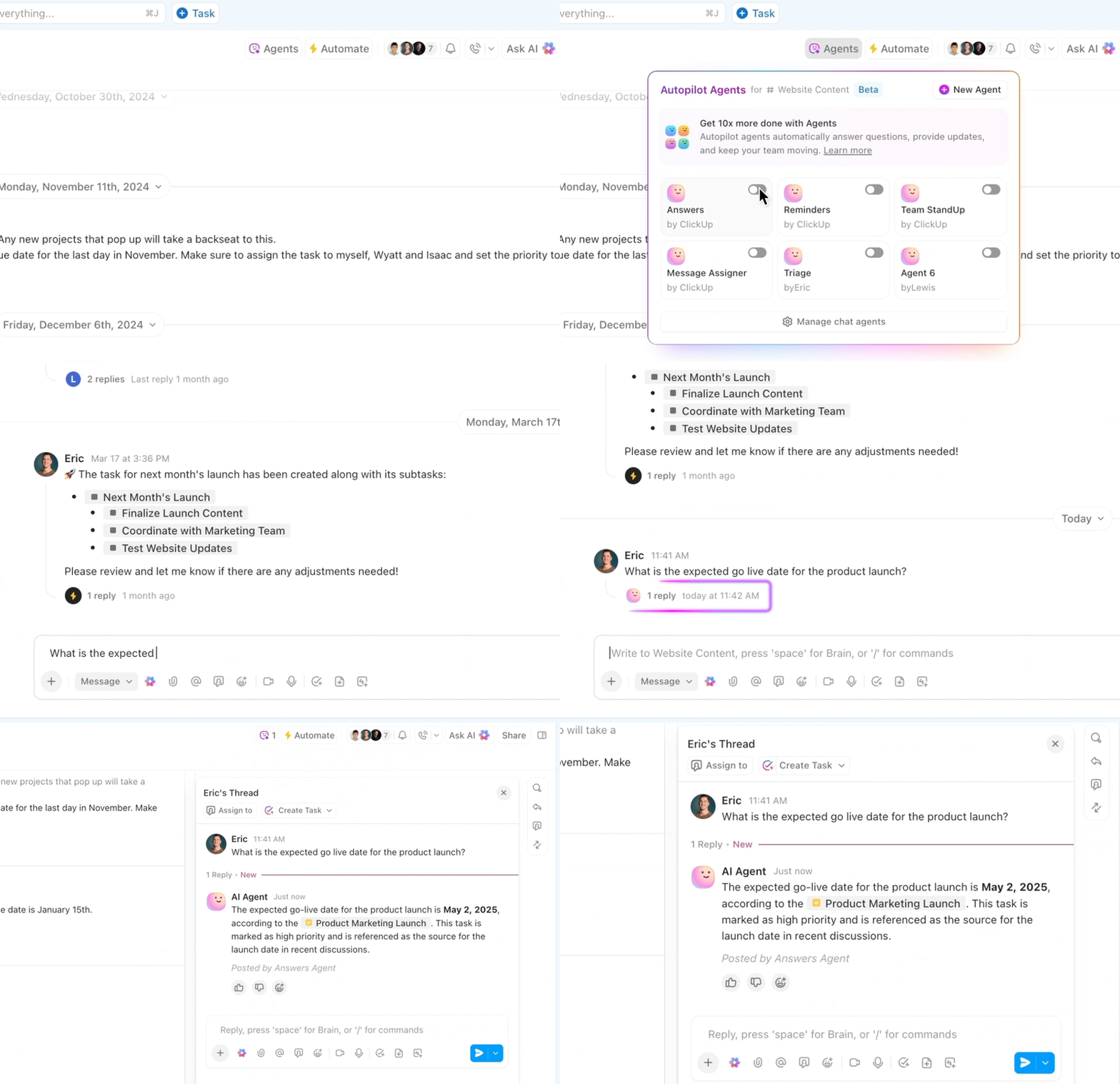
And if you want to make intelligent automation that gets the job done for you, try ClickUp’s Autopilot Agents. These bots can be configured to handle specific use cases with minimal setup and zero coding!
It’s great to manage tasks for the whole organization. Also for repetitive tasks, where you can schedule occurrences. Very easy to use, and you can add custom fields, something very useful. I love the different views.
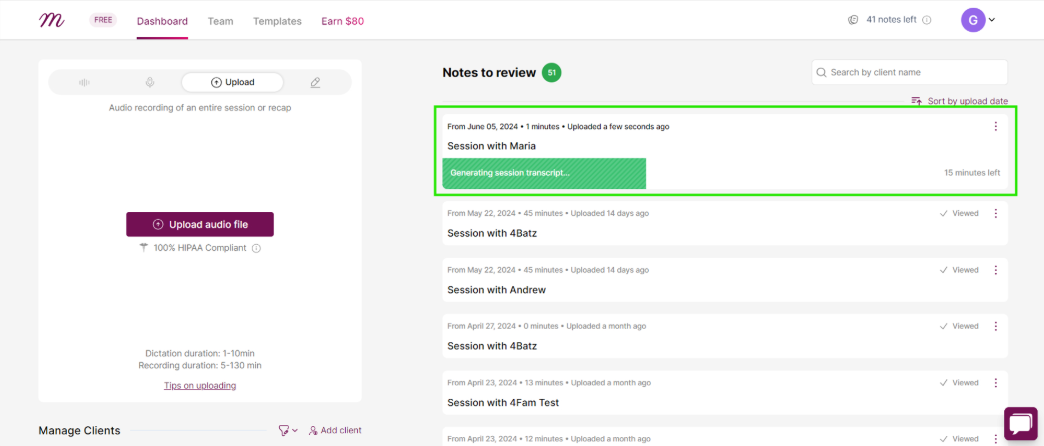
With Mentalyc, you can create note templates tailored to your clinical styles and practice needs. The tool’s intuitive template builder allows users to design and modify templates, from SOAP and DAP to more specialized formats, ensuring that every note captures each session’s unique details and nuances.
You can structure individual practice methodologies while enhancing insurance compliance and documentation accuracy.
📮ClickUp Insight: 92% of workers use inconsistent methods to track action items, which results in missed decisions and delayed execution.
Whether you’re sending follow-up notes or using spreadsheets, the process is often scattered and inefficient. ClickUp’s Task Management Solution ensures seamless conversion of conversations into tasks—so your team can act fast and stay aligned.
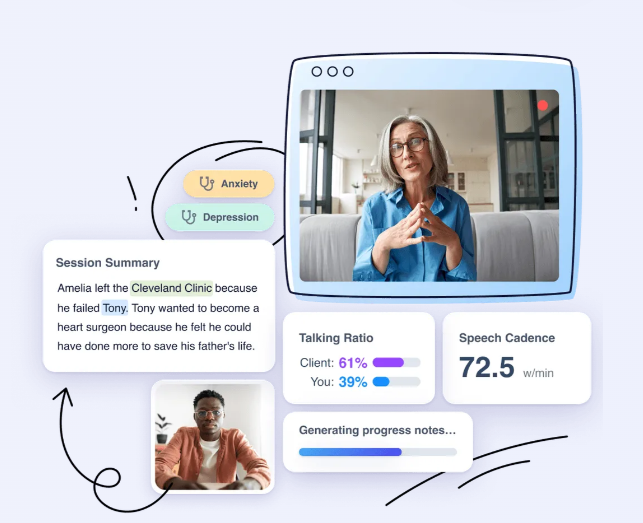
The Upheal app helps mental healthcare professionals like therapists, psychiatrists, and coaches capture session recordings through different methods, including direct recording or recording from other devices. You can use its Chrome extension to log into other platforms, and it will record the sessions.
It also presents detailed session graphs, giving therapists objective data about the session dynamics. For example, if you remember a key moment but can’t recall exactly when it occurred, the session map can pinpoint it quickly.
🧠 Fun Fact: A recent trial in London is exploring ‘comedy-on-prescription,’ where patients attend free comedy shows to improve mental health and reduce reliance on antidepressants.
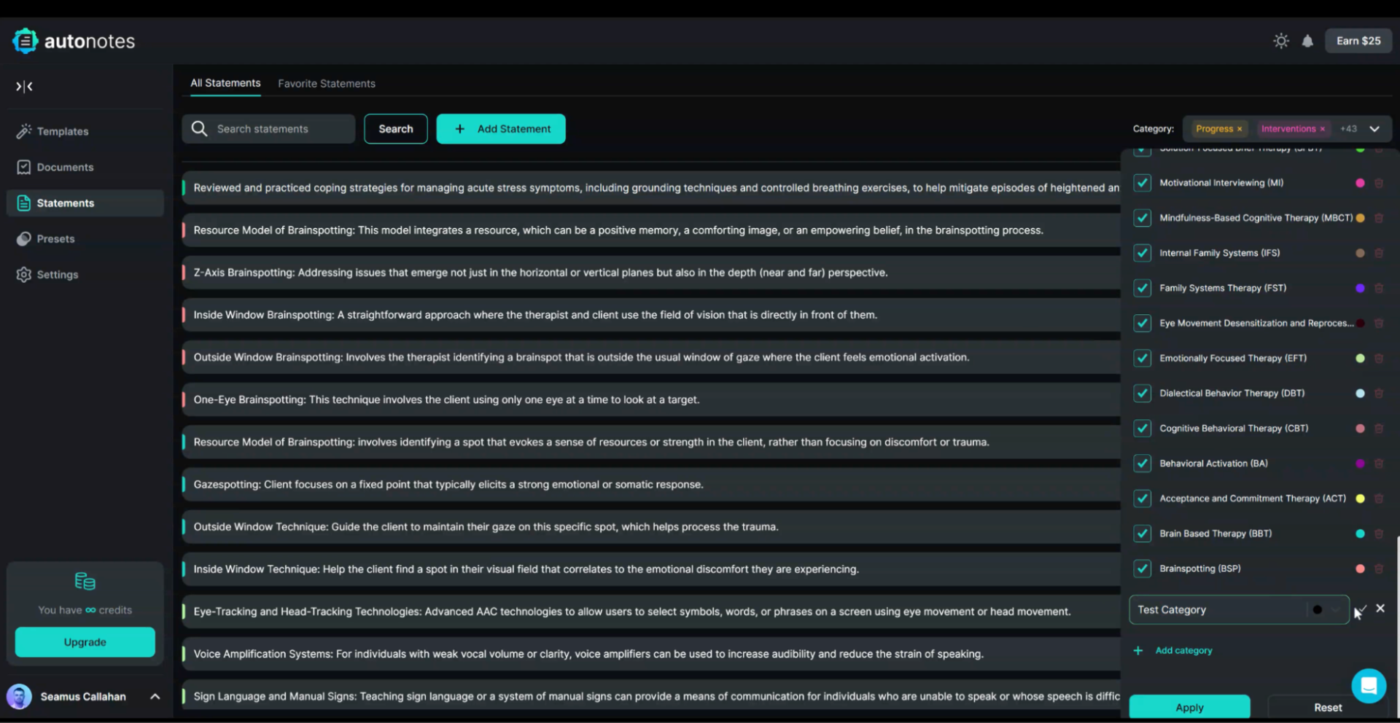
Therapists can dictate their session notes directly into Autonotes, and the AI will transcribe and incorporate the information into the chosen template. It speeds up the documentation process and recognizes and corrects grammatical errors.
With the Presets feature, you can also create shortcuts for frequently used phrases, sentences, or entire sections and save time.
It summarizes notes in a concise manner, helping me focus more on the client’s concerns. It is intuitive to use the application and navigate between different features. – G2 review
➡️ Read More: How to Use AI for Daily Life Tasks
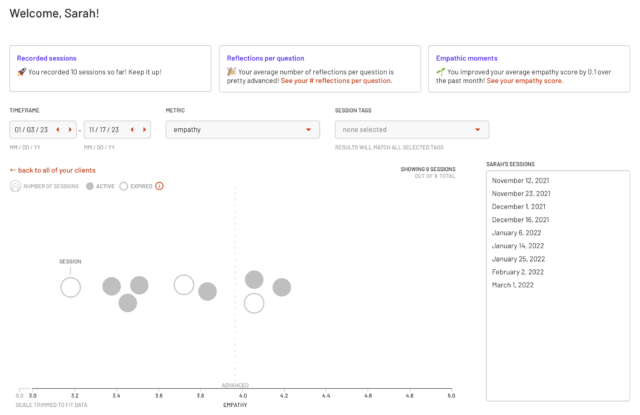
Mental health professionals can use Lyssn’s AI as a virtual AI therapist supervisor to get immediate feedback on their performance. For example, if you struggle with showing emotional support, the tool will highlight specific moments from the recording and suggest alternative approaches.
The on-demand training helps you improve your skills without disrupting your busy schedule. So, while you focus on the client during the session, you know Lyssn is also working in the background.
🔍 Did You Know? Mental health issues often start way earlier than most people think. About half of all mental health disorders show up by the age of 14, but many go unnoticed or unaddressed. By 24, that number jumps to 75%, meaning most conditions have already taken root by young adulthood.

Woebot is a chatbot that provides on-demand virtual assistance to users. It uses natural language processing and machine learning to engage in conversations and offers techniques from cognitive behavioral therapy (CBT), mindfulness, and other evidence-based approaches. It is a tool that can be recommended for patients who may need frequent, on-demand support.
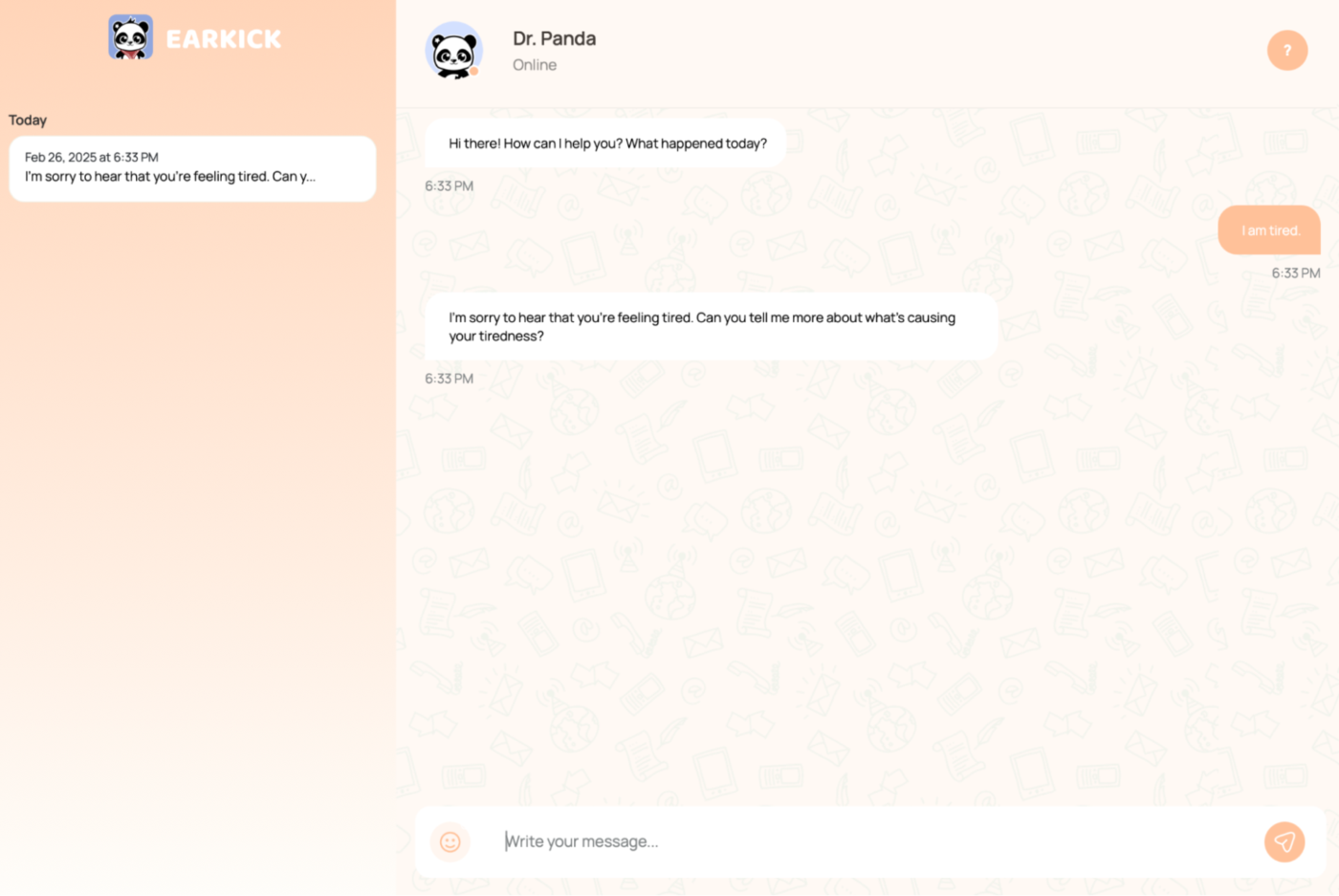
Earkick is an AI-powered mental health care companion that helps individuals monitor and improve their mental well-being. Whether you want to quickly check in with yourself or empower your patients to log their moods easily, Earkick makes the process smoother.
The tool also eliminates the need for lengthy questionnaires or journaling and teaches you how to use AI as a personal assistant. Plus, you can track your mental state consistently and identify potential triggers or patterns.
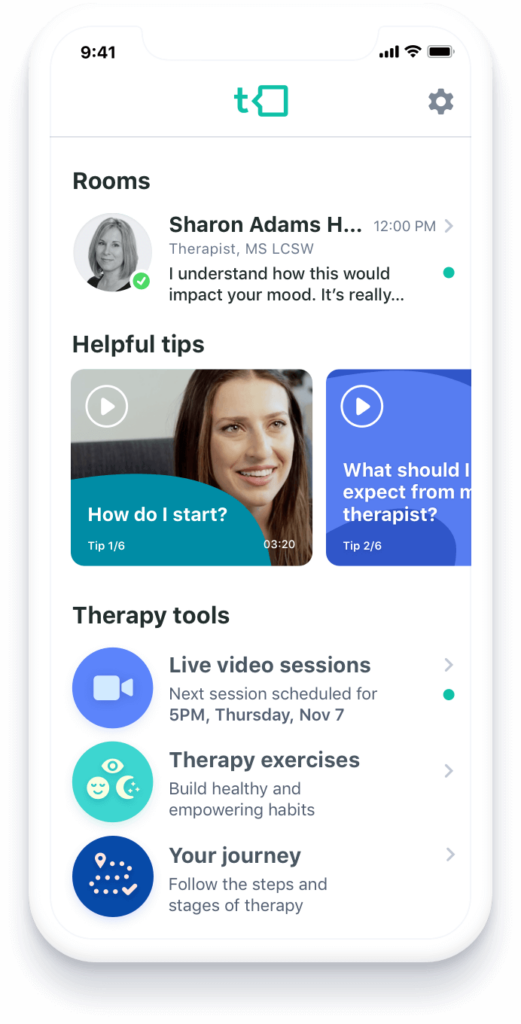
Talkspace is a mental health platform that provides therapy and psychiatry services through its mobile app and website. It connects individuals with licensed therapists and psychiatrists via text, audio, and video messaging, as well as live video sessions.
The platform distinguishes itself by offering a flexible approach to therapy, allowing users to communicate with their therapists at their own pace and convenience rather than being restricted to scheduled appointments.
I liked the convenience of being able to meet with a therapist virtually as there are limited options for mental health care in my area. Also, having the option to choose from a wide variety of providers made me feel more autonomous with my decision to seek mental health care in the first place. – G2 review
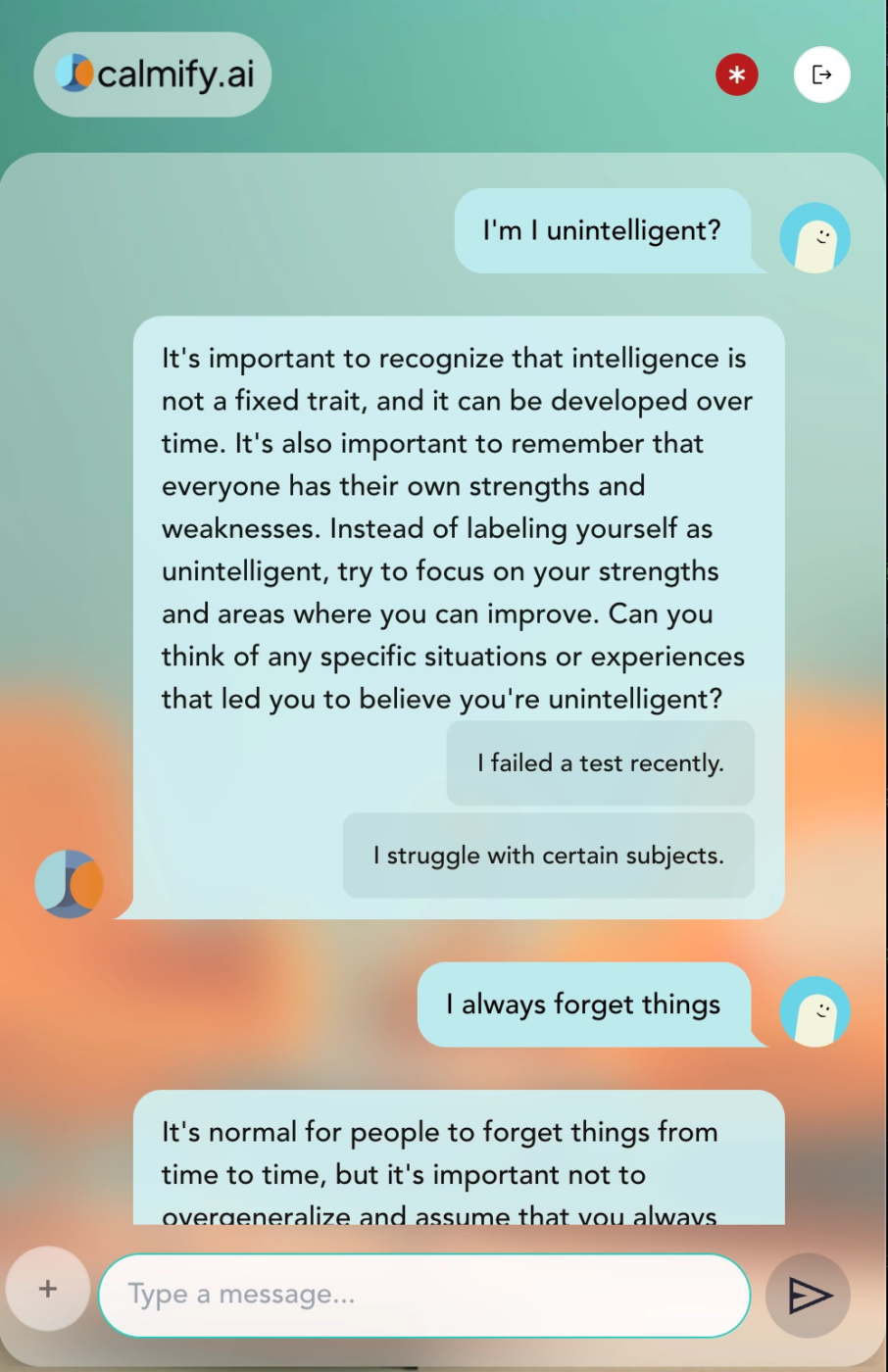
Calmify offers guided meditations, breathing exercises, sleep stories, and calming music to promote relaxation and improve overall well-being. It’s a useful tool for guiding patients who are struggling with anxiety, sleeplessness, or prolonged burnout.
Users can chat with Calmify AI to express their feelings and get personalized plans. The bot also provides evidence-based CBT interventions to help you find solutions.
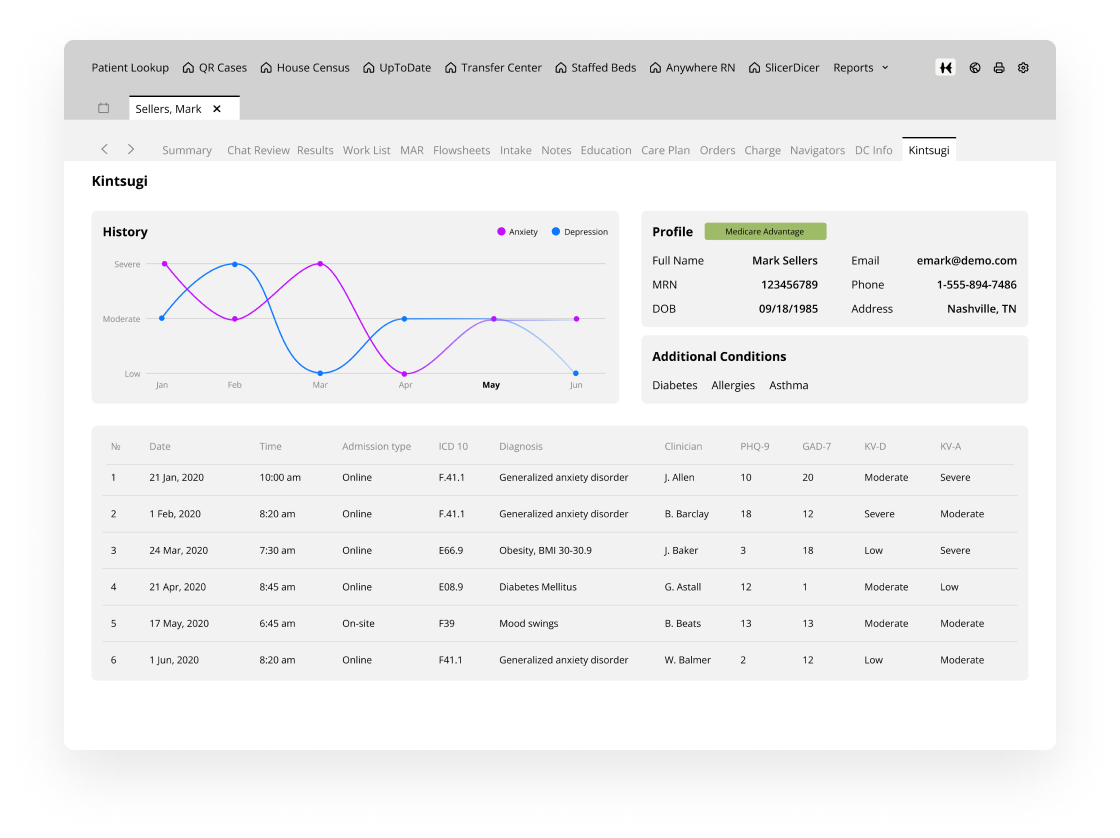
Kintsugi Voice is an enterprise software that integrates into clinical workflows and call centers. It passively analyzes voice data from patient interactions to detect behavioral health conditions. The AI identifies subtle vocal cues indicating emotional distress, even if the patient doesn’t explicitly express a problem.
The individual is then redirected to Kintsugi Connect to find appropriate mental health resources, such as therapists, psychiatrists, or apps.
Juggling client care, administrative tasks, and the constant pursuit of work-life balance can leave mental health professionals feeling overwhelmed. Therefore, learning how to use AI for daily life tasks is important.
In this case, therapists should start incorporating these models to save time and give attention to more clients. However, using multiple tools to manage different tasks can result in scattered workflows and inaccurate data, further jeopardizing a patient’s confidential information.
Therefore, using a unified solution like ClickUp is the best way to go. It handles data, takes down notes, analyzes information, provides insights, and showcases your schedule on a customizable calendar.
It’s time to sign up for ClickUp for free and thrive in your practice!
© 2025 ClickUp