Sorry, there were no results found for “”
Sorry, there were no results found for “”
Sorry, there were no results found for “”
You’ve probably had days when you’re running around, checking off tasks, answering emails, and keeping an eye on your team—all at once. And before you know it, the day’s over.
It’s easy to get lost in the details, right?
Business management software lets you take control. These tools allow you to organize tasks, track progress, and improve team collaboration.
If you’re looking for ways to streamline your business operations, here are 21 best business software to help you work smarter and stay on top of your goals. 🎯
These are our picks for the best business management software:
Selecting the right business management software impacts project execution, team productivity, and bottom line. Before investing in a solution, consider these essential features:
💡Pro Tip: Efficient project management is a key aspect of business management. Learn how AI can help you nail this bit. 👇🏼
Looking for the right business management software can be overwhelming. To help you decide, we’ve rounded up 21 of the best tools. Each offers unique features to support operational planning, boost productivity, and keep your team on track.
Let’s take a closer look at these options. 📈
First up on our list, we have ClickUp, the everything app for work. 🤩 It provides tools to manage end-to-end business operations. Combining ClickUp Project Management Software and ClickUp Operations Solution, it streamlines various aspects of the business from process mapping to operations and team collaboration.
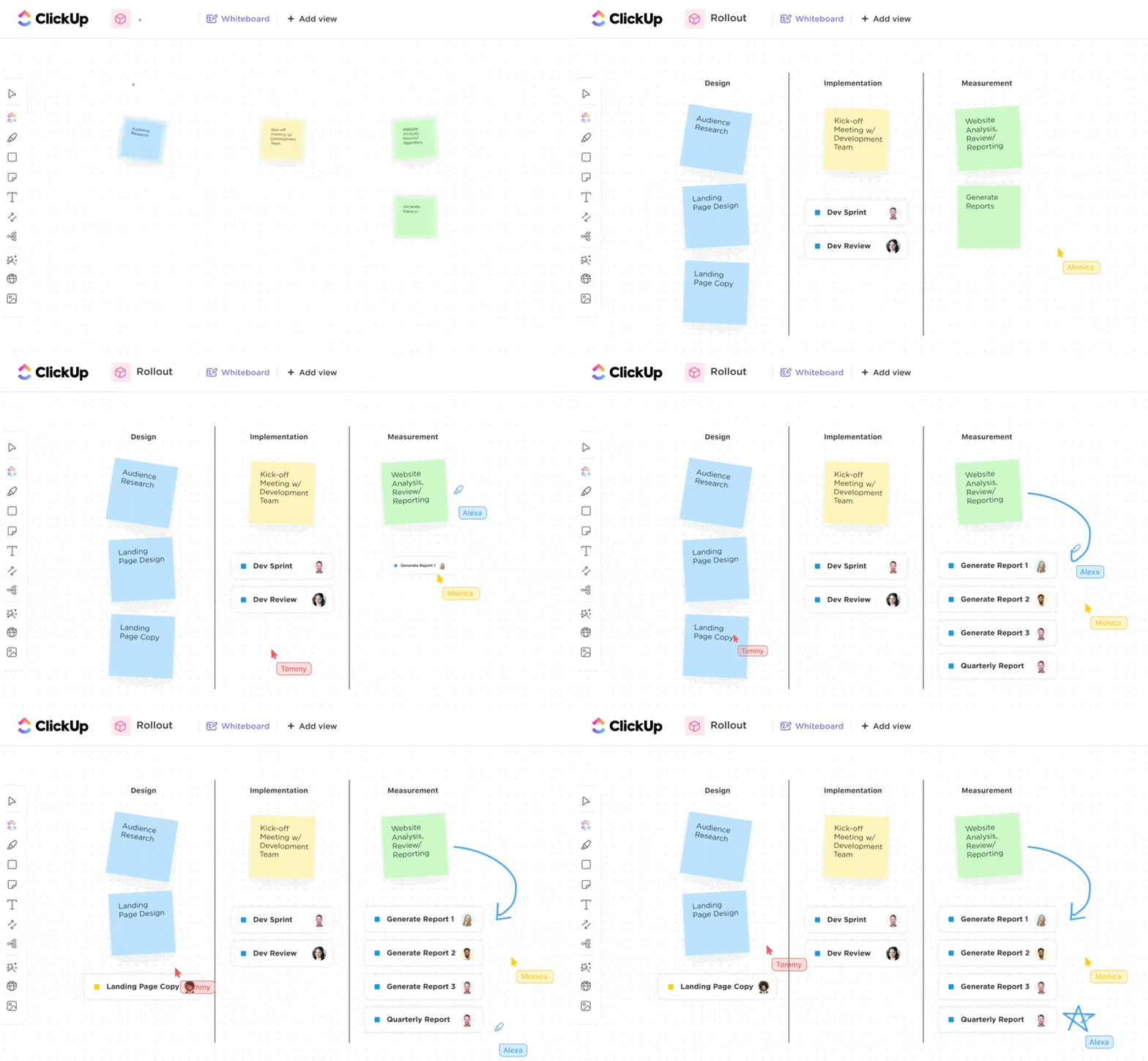
Every great business decision starts with an idea. ClickUp Whiteboards provide an interactive space for teams to brainstorm, plan and map workflows, and visualize workflows and processes collaboratively. For example, a product design team can use a Whiteboard to sketch out the user experience (UX) of a new product, map out features, and define the development roadmap. With visual elements like sticky notes, flowcharts, and connectors, teams can structure their thoughts and instantly turn them into tasks!
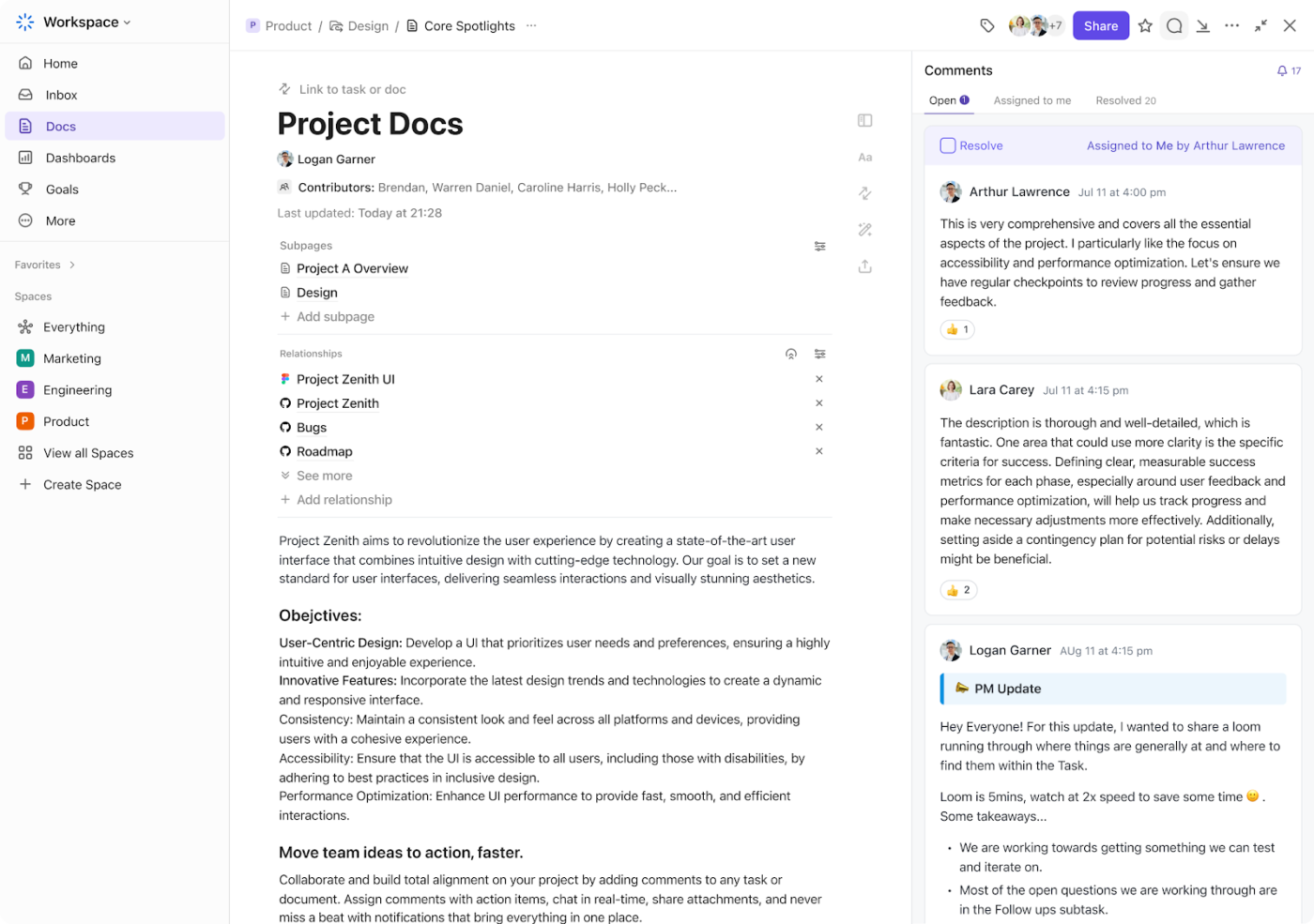
Once ideas are structured, they need documentation. ClickUp Docs allows teams to create, share, and collaborate on documents directly within the platform. For instance, if you’re launching a marketing campaign, you can draft a document outlining goals, strategies, and deadlines. Team members can leave comments, tag collaborators, and update the document in real time.
These features extend ClickUp’s functionality even further when combined with the ClickUp CRM Solution, which acts as a centralized repository for all your client-related information. Integrated with features like ClickUp’s Email Project Management, it allows your teams to immediately capture feedback and requests from customers and turn them into trackable tasks.
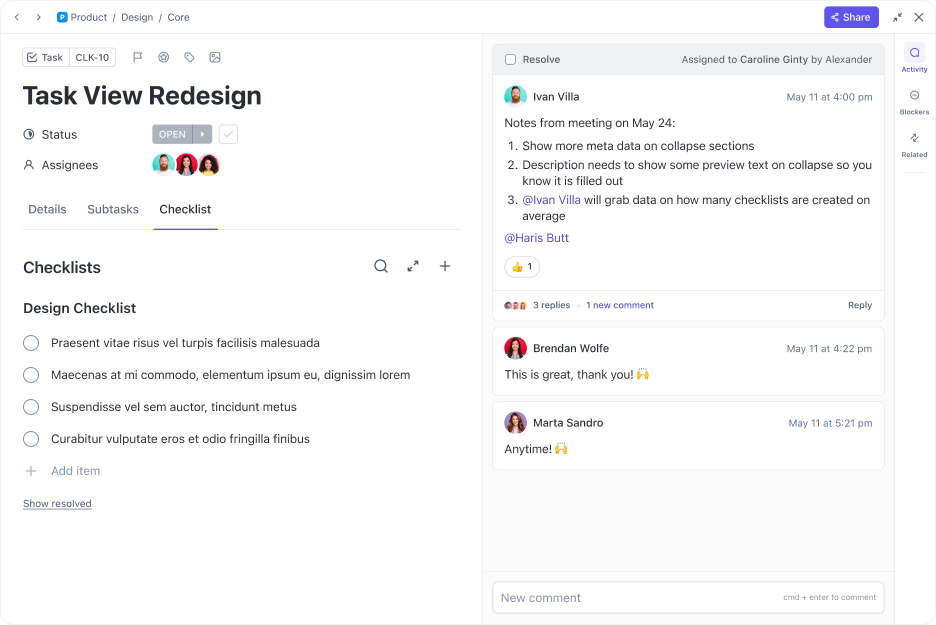
Tasks in ClickUp allows your team to break down projects into actionable steps, assign tasks to team members, set deadlines, and track progress—all from a unified interface. Suppose you’re planning a product launch. You can create tasks for designing marketing materials, building product pages, and preparing email campaigns.
Using ClickUp Dependencies, you can ensure that work flows smoothly by linking related tasks. This can include anything, like making sure the development team only starts coding once the design team has finalized the wireframes.
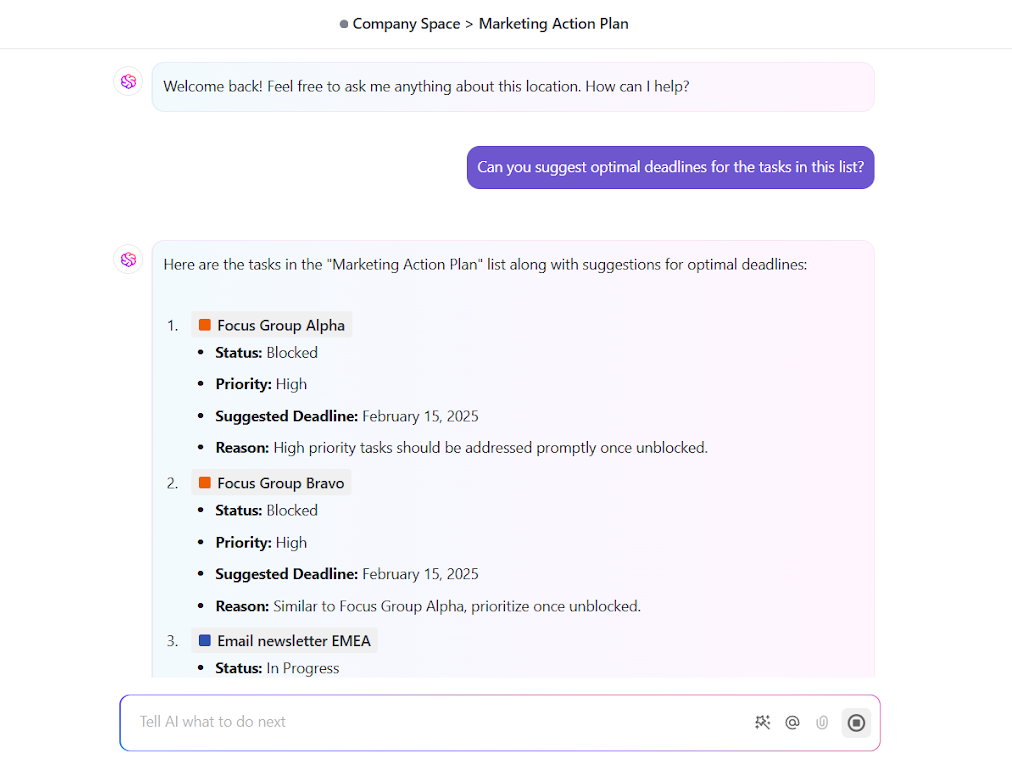
ClickUp Brain, an integrated AI assistant, helps you further optimize your workflows. It learns from your task management patterns to make smart suggestions for efficient task prioritization, pulls up information and insights from anywhere in the workspace, and helps automate tasks. For example, if you’re managing multiple tasks with conflicting deadlines, ClickUp Brain can suggest which tasks to tackle first based on urgency and importance. It continuously adapts to changing priorities, ensuring your team focuses on high-impact work while staying on track.
Want to consolidate tools and set your small business up for success in 2026? Check out our step by step playbook
🔍 Did You Know? The global business software market is expected to grow at a compound annual growth rate (CAGR) of 11.3% from 2023 to 2030, driven by increasing data volumes and automation needs.
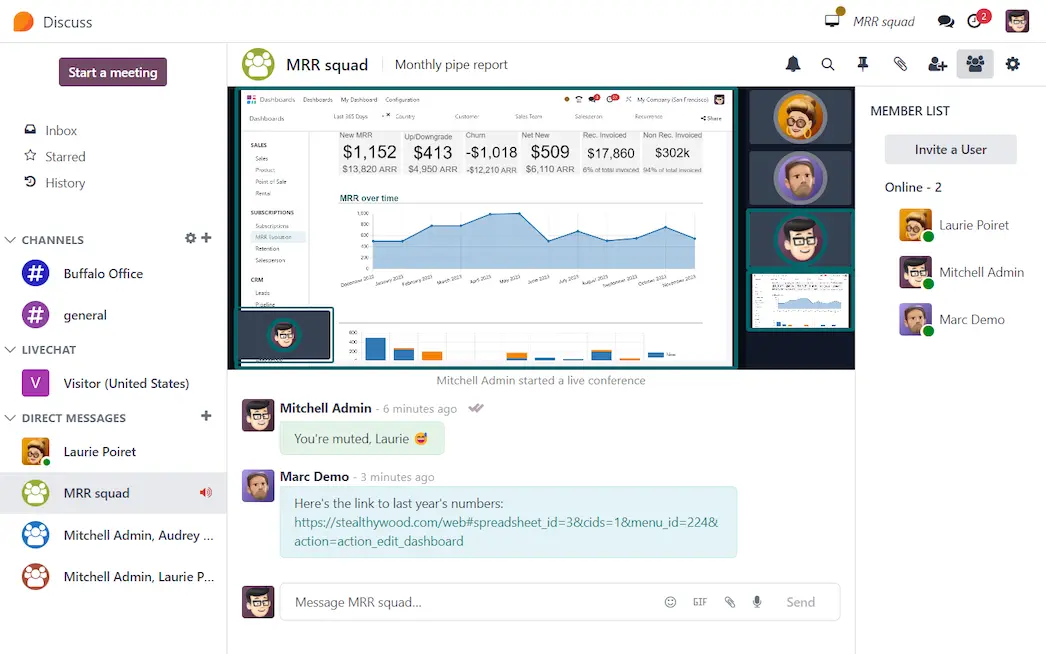
Odoo takes a modular approach to business management, letting teams integrate different functions into one platform. Its open-source framework allows for customization, while its scalability makes it adaptable for businesses of various sizes with multi-company, multi-warehouse, and even multilingual capabilities.
Need customization? Odoo’s backend serves as a development platform for tailored solutions. With built-in access controls, cloud and on-premise deployment, and third-party integrations, It ensures security, scalability, and efficiency.
[…] The first thing I noticed was that a lot of the UI choices and design were great. Access to records from multiple places, flexibility of things, snappy performance. All good. The back end, importing records, customising things though? Riddled with inconsistent behaviour, bugs, and just flat out bad system design choices.
In my opinion more time than was reasonable was needed just to populate the system correctly, and that’s before you got to any actual tailoring and customising with a developer. It was like a fantastic idea of a program wrapped in poorly documented, confusing execution.[…]
💡 Pro Tip: Audit software usage quarterly to identify underutilized features and eliminate tools that don’t add value. Many businesses pay for unnecessary add-ons that don’t impact productivity.
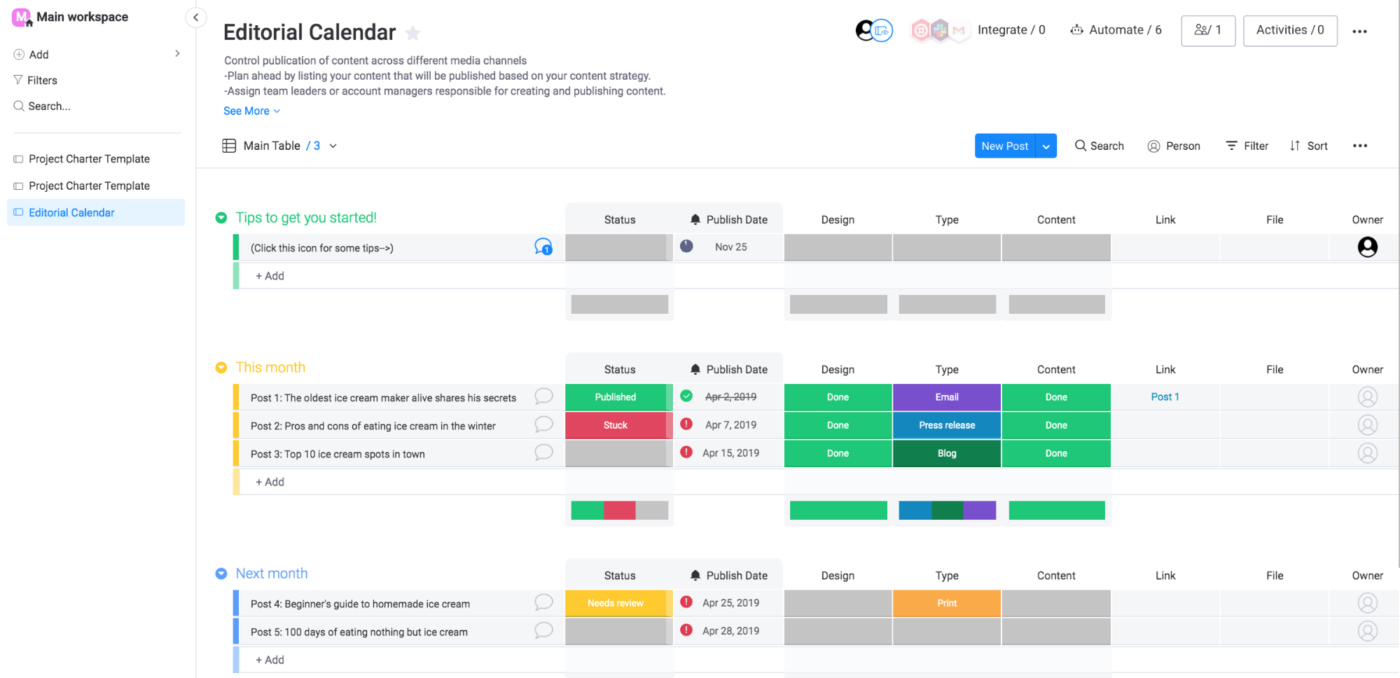
Ever feel like managing projects is more chaos than clarity? Monday.com helps teams streamline workflows with visual boards, automation, and effortless task tracking.
Its drag-and-drop interface makes setting up workflows simple, while multiple project views keep everyone on the same page. Plus, you can directly connect with your team members within tasks through comments, @mentions, and file attachments.
User interface and visually how it works is great…Certain functions that should be set up by default in a CRM either have to be custom built OR some of them just can’t be done at all. The worst example of this is Calendar Events. I should be able to have monday.com see that I have an event on my calendar with “John Smith,” associate it based on the email because he is on the invite, and then add it as an activity on his contact card, etc. But it doesn’t work.
🧠 Fun Fact: Project management is only a few decades old! It started gaining traction in the early 1960s when businesses recognized the benefits of organizing work around projects.
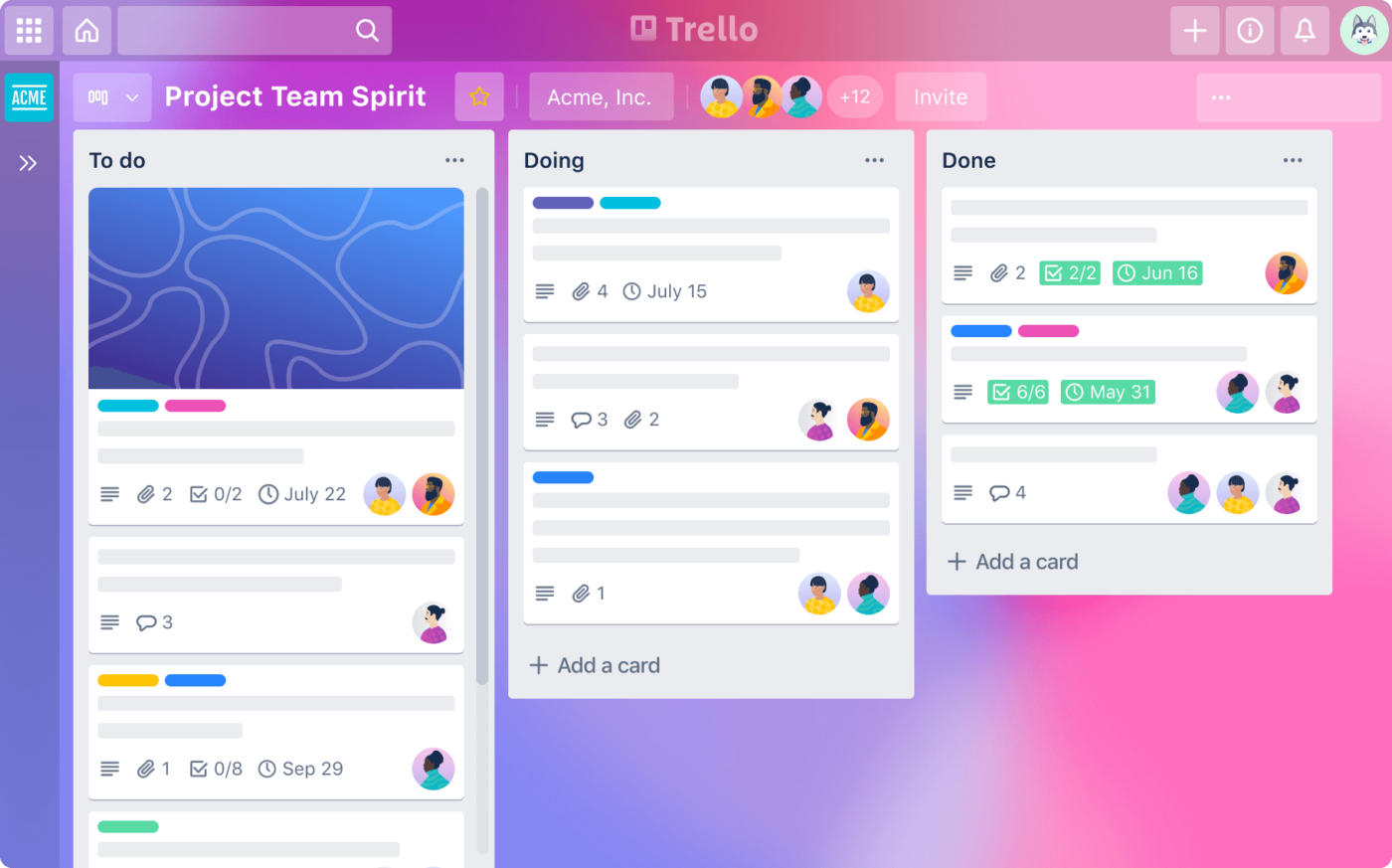
Trello keeps things visual with its Kanban-style boards, lists, and cards, making it easy to see progress at a glance. You can customize boards with backgrounds, labels, and custom fields or switch views like Calendar and Timeline to match your workflow.
Need to make quick updates? Plus, its real-time editing lets your team work together seamlessly—add comments, share files, and tag teammates for instant collaboration, all in one place.
I find it close to perfect for my needs, being a visual thinker. My one issue is with how it handles due dates and reminders. I feel it is a little counter-intuitive for the default time of day an item is due being the exact time that you are composing the card. I’ll often forget to set the time, and I will have all these tasks due at random times. It’s also not helpful for recurring tasks. […]
💡 Pro Tip: Monitor software usage patterns to identify inefficiencies. If certain features go unused, reassess their necessity or provide additional training to help teams make the most of them.
📮ClickUp Insight: 83% of knowledge workers rely primarily on email and chat for team communication. However, nearly 60% of their workday is lost switching between these tools and searching for information.
With an everything app for work like ClickUp, your project management, messaging, emails, and chats all converge in one place! It’s time to centralize and energize!
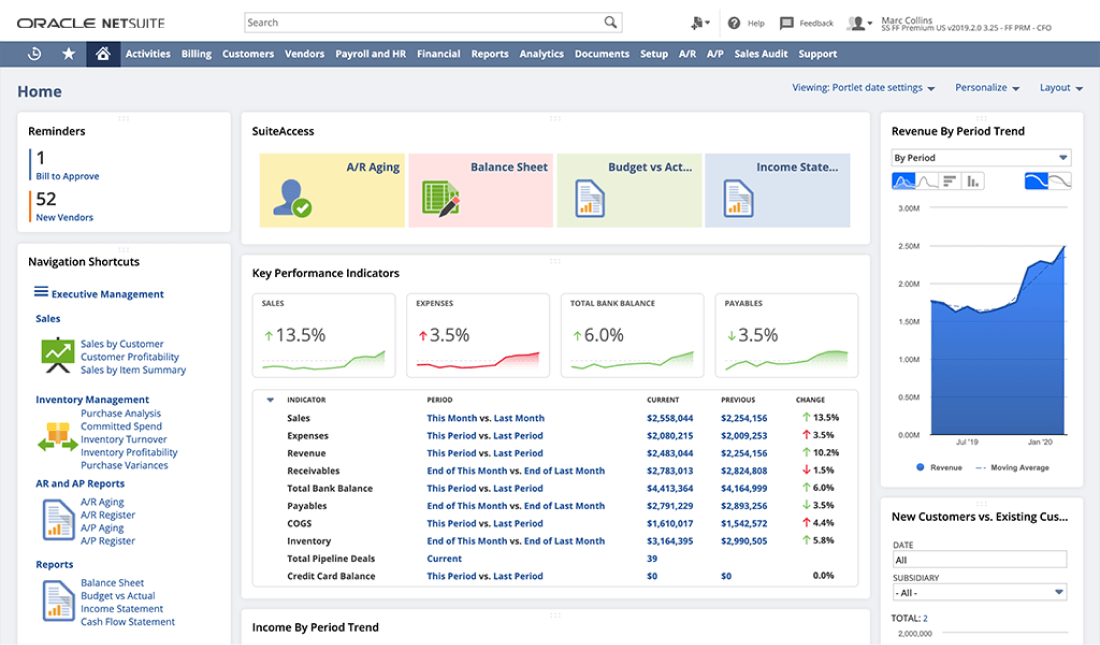
NetSuite brings ERP, CRM, and e-commerce together, giving businesses everything they need to manage finances, inventory, and customer relationships. With powerful automation and real-time insights, it helps enterprises streamline complex workflows and stay ahead.
If you’re running a multi-entity or global operation, NetSuite has the flexibility and depth to control everything without juggling multiple systems.
The great thing about Netsuite is that if you are reasonably tech savy you can do the IT admin stuff yourself. Almost all 3rd party software you buy plugs in directly to Netsuite and you can self administer. It’s perfect for SaaS. The reporting out of Netsuite sucks. You have to start with one of their standard reports (IS, BS, etc) and modify it to whatever custom report you want.
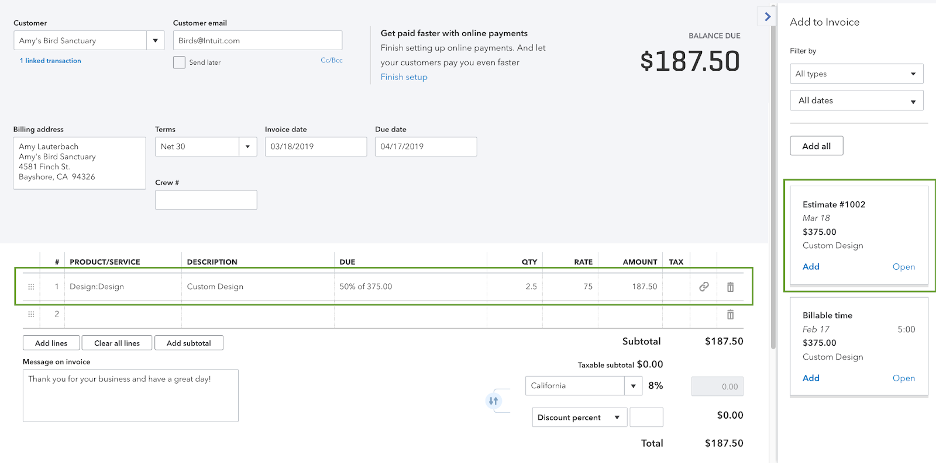
Handling business finances doesn’t have to be a headache.
QuickBooks keeps everything in check—track income and categorize expenses without getting lost in spreadsheets. Its intelligent transaction categorization, invoicing tools, and tax management capabilities simplify complex financial processes, making it a preferred solution.
Need to prep for tax season? Keep records organized, capture receipts on the go, and sync with your bank to avoid last-minute surprises.
The learning curve can be steep for new users, especially those unfamiliar with accounting software. Some users might find the customization options limited, which can be a drawback for firms with specific needs. Occasional system glitches which disrupts workflow. Despite these downsides, Quickbooks Online remains a robust and reliable tool for managing accounting tasks efficiently.
🧠 Fun Fact: The word ‘entrepreneur’ comes from the French verb entreprendre, meaning ‘to undertake.’ It originally referred to people who organized and operated businesses, often taking on financial risks.
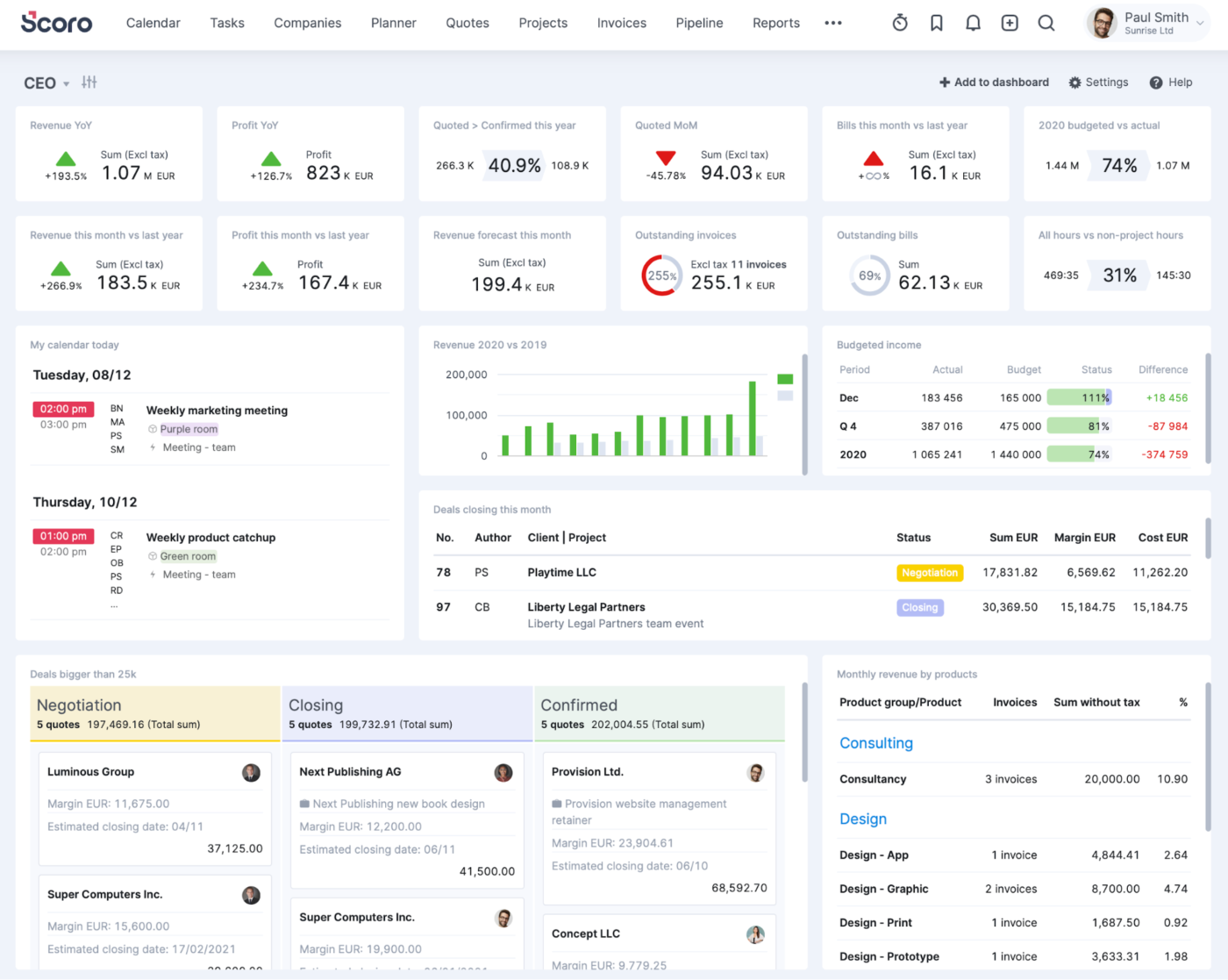
Scoro keeps everything running smoothly, so there’s no scrambling to find project updates or chasing down invoices. Plan tasks, assign resources, and track progress while keeping an eye on budgets.
Invoicing and expense tracking handle the number-crunching, and detailed reports make it clear where things are working—and where they aren’t.
Scoro constantly assisted me and improved the team’s productivity. On the other hand some features gone missing and occasional search difficulties stood away it from being perfect. Although it has a lot of power with huge possibilities and I am looking forward how its adapting.
💡 Pro Tip: Regularly clean up and archive old data to keep the system organized. Remove outdated tasks, inactive users, and redundant files to maintain software efficiency and prevent clutter.
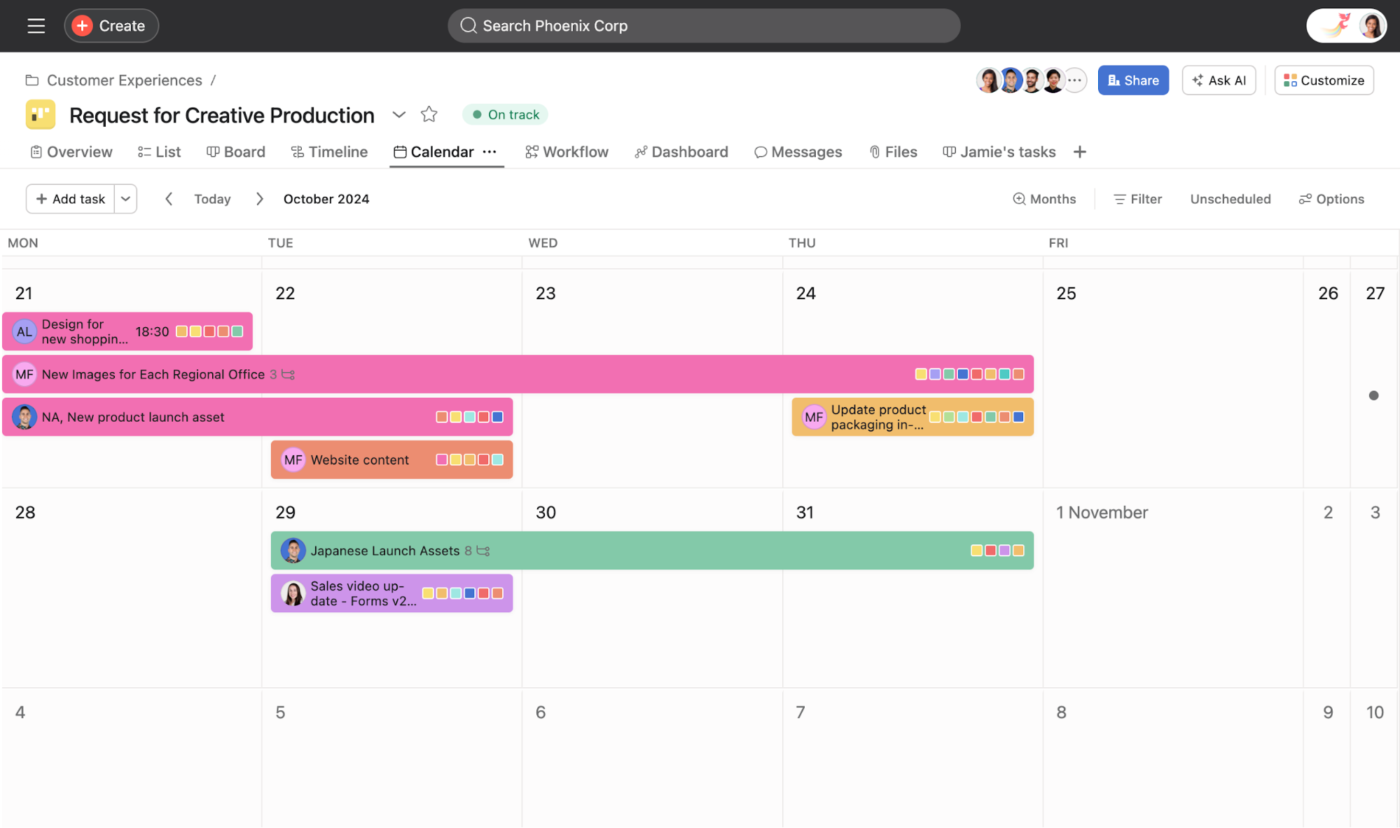
Ever wonder who’s working on what and when? Asana provides a clear view of your team’s tasks and deadlines. You can organize your work however you like—with traditional lists, timeline views, or boards—and easily switch between them based on what works best for you.
What’s more, it plays nicely with tools you’re probably already using, like Google Workspace or Slack. It’s ideal for creative teams who must coordinate and allocate resources effectively to balance workloads across multiple projects and teams.
When we were tiny – 3 people – it was a lifesaver. We are now six, and expect this to be our full complement of staff for at least a couple of years. Asana does not allow us to buy six licenses – we had to buy 10. We tried to limp along with one sales person as a “Guest” – but that didn’t work. So we’ve paid for 10 licenses, at an advanced tier to get the Portfolio and Rules features we depend on – but I’m actively scouting alternatives to move to if Asana doesn’t change this policy.
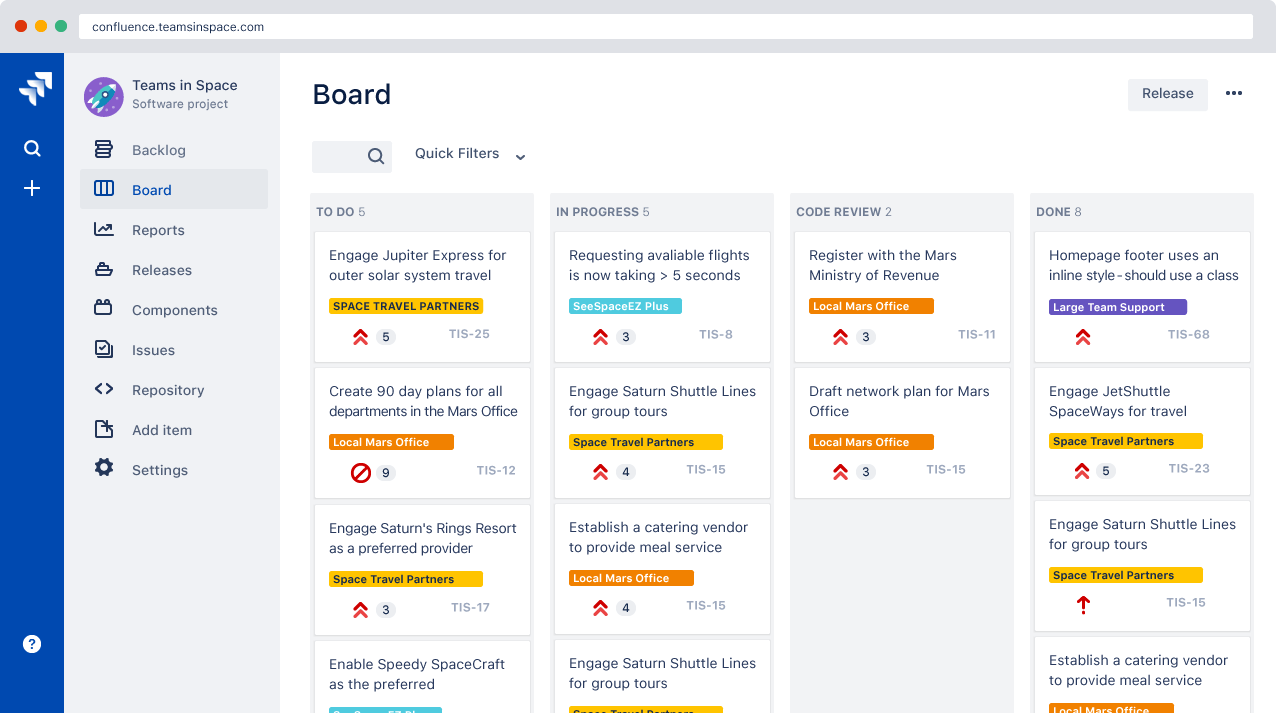
Jira is a project management tool developed by Atlassian that helps teams plan, track, and manage their work. Originally designed for software development, it has evolved to support various project types, including business and service management.
Create projects, assign tasks, set priorities, and monitor progress through customizable workflows. With Jira, you can manage projects with Scrum and Kanban boards, plan sprints, and handle backlogs.
Configuring it with what is needed isn’t easy or cheap. It also requires people who know how use it and not just try to jam their current workflow into it ad-hoc. I think the tool can be decent, but most deployments I have seen are basically bastardized and half-ass efforts.
🔍 Did You Know? The project management software industry is expected to reach a projected revenue of $20,469.8 million by 2030. The worldwide project management software industry expects a compound annual growth rate of 15.7% from 2024 to 2030.
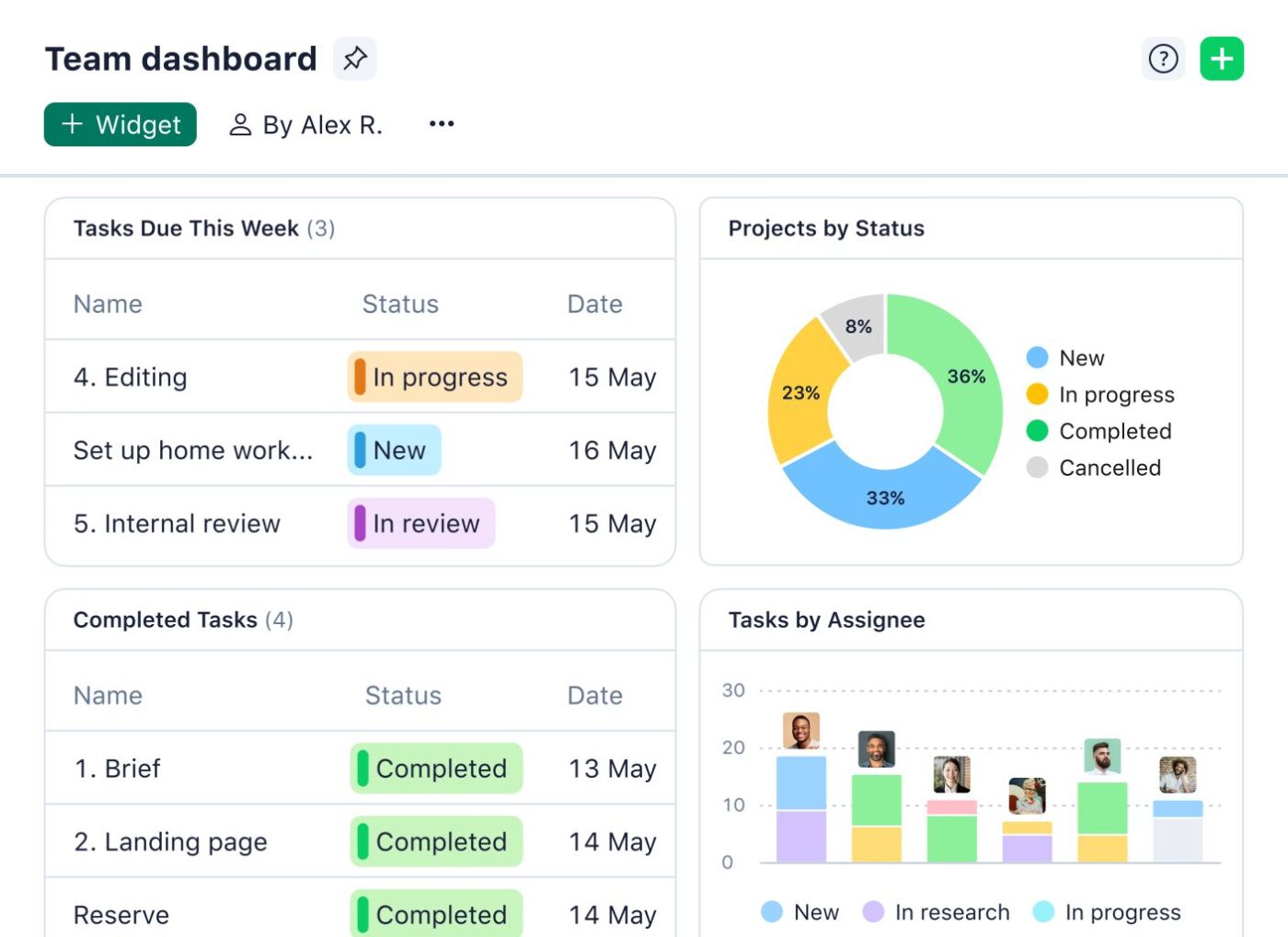
Wrike helps teams manage projects without getting bogged down by complicated software. Everything is organized into folders, timelines, and dashboards, so tracking tasks, deadlines, and dependencies feels effortless.
You can customize workflows to match how your team actually works, and the reporting tools help you track time, budgets, and resources. Automated approvals and real-time reports keep work flowing without endless back-and-forth.
I’ve used a ton of PM systems and I really like Wrike…It’s a really complex system though from the backend; setting up custom fields, custom item types, building submission forms, etc. It has a bit of a learning curve from the PM standpoint, but it does a LOT…The reporting in Wrike is better than any system I’ve used, and it’s because of all of the tagging/custom field features…
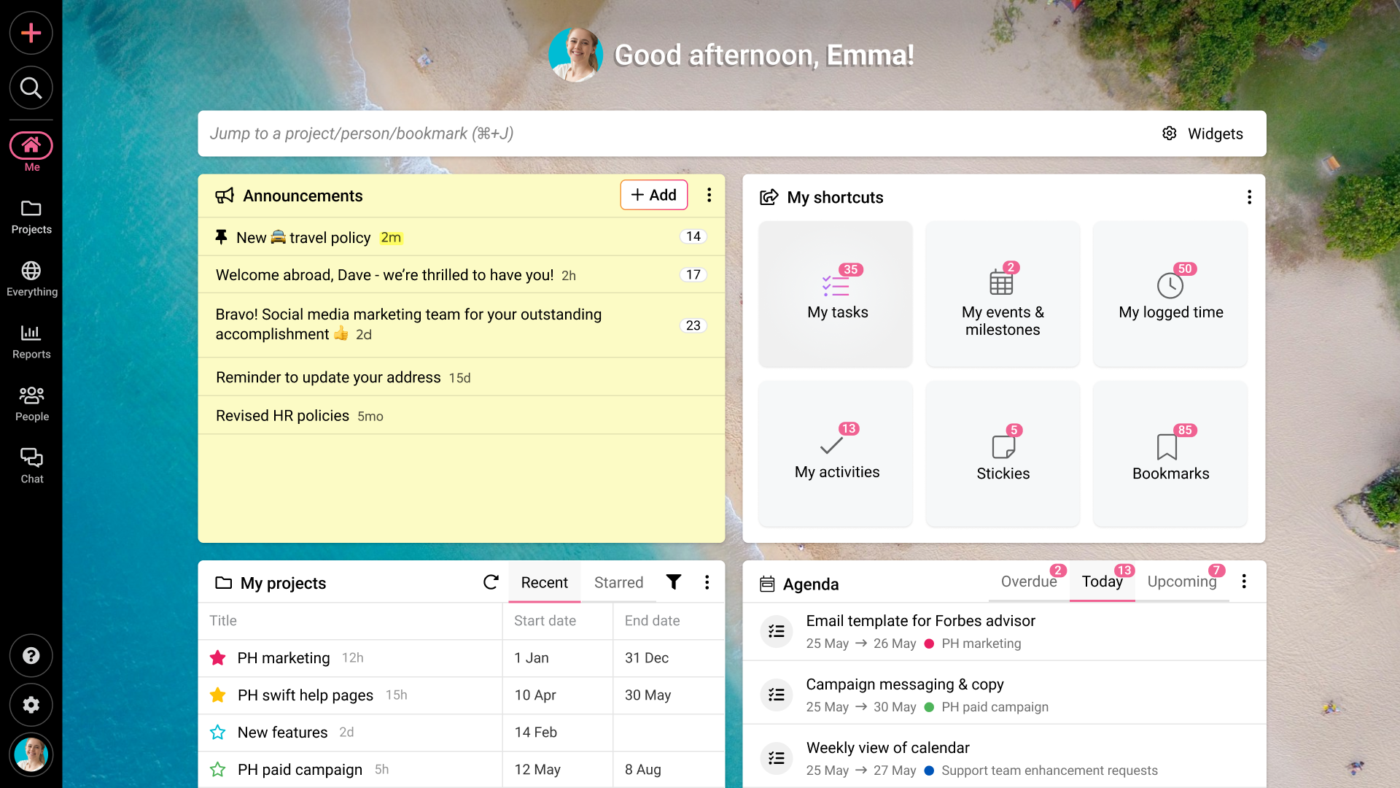
ProofHub keeps teams and projects organized without the usual chaos. Delegate work tasks, track progress, and keep feedback in one place—no more endless email chains or lost files.
Collaboration is built right in. You can drop feedback directly on files, mark up designs, and get approvals without waiting days for a response. Custom workflows let you manage things your way, and built-in approvals prevent decisions from being delayed.
The UI is very clean and appealing…While creating dependencies required a little more navigation than other actions, it was a very straightforward process… It would be nice to have more options for default tasking configurations, as well as more than one layer of sub-tasks within a task list…
🧠 Fun Fact: Gantt charts are named after Henry Gantt, an American engineer and social scientist who designed the chart between 1910 and 1915. His work aimed to improve project management by visually representing project schedules.
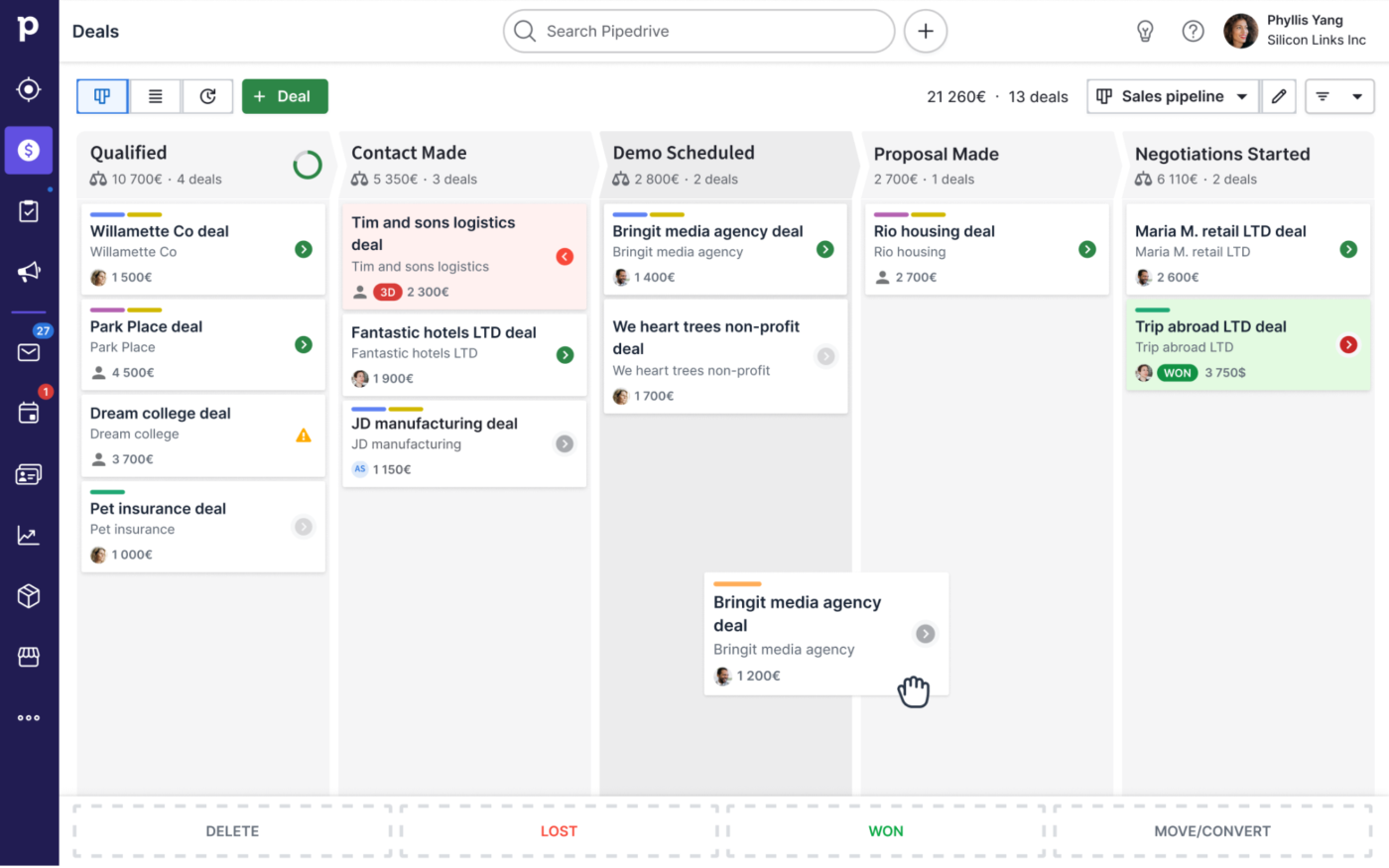
Pipedrive is a simple CRM tool designed for sales teams that want to streamline their pipeline management. It helps you track deals, prioritize leads, and automate processes, all while keeping everything organized and visual.
Sales reps can manage their entire sales process from start to finish, focusing on closing rather than keeping track of details. Plus, it integrates smoothly with other tools, making it an easy addition to any existing workflow.
One thing I wish Pipedrive would have is the ability to organize the left icons to the different pages. I would like to organize my frequent uses on the top. For example, I prefer the top icon be Deals, Contacts, Activity and Insights. All the others can be below that. Other than that though, all is good!
💡 Pro Tip: Understand your unique challenges to pick software that addresses your pain points effectively. For instance, a small retail business struggling to manage inventory across multiple locations must pick a tool with robust inventory tracking and multi-location support.
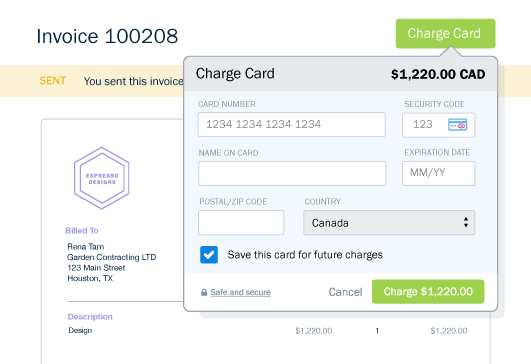
FreshBooks takes the hassle out of managing finances for small businesses and freelancers. From invoicing and time tracking to project management, it keeps things simple and organized. Need to accept online payments? FreshBooks has you covered.
Send invoices in a snap, set up automatic payment reminders, and stop chasing down clients. Expense tracking helps during tax season, while built-in reports give you a clear view of where your money’s going.
Entering expenses is easy, however, you can’t match them to payment…I feel like Freshbooks might be good for people that have super simple books, but anything other than people paying from a CC or checking account doesn’t seem to work. They seem to still be putting the Double Entry Accounting thing together.
🔍 Did You Know? In CNBC’s 2024 rankings of America’s top states for business, North Carolina secured the top spot, excelling in categories like economy, workforce, and technology.
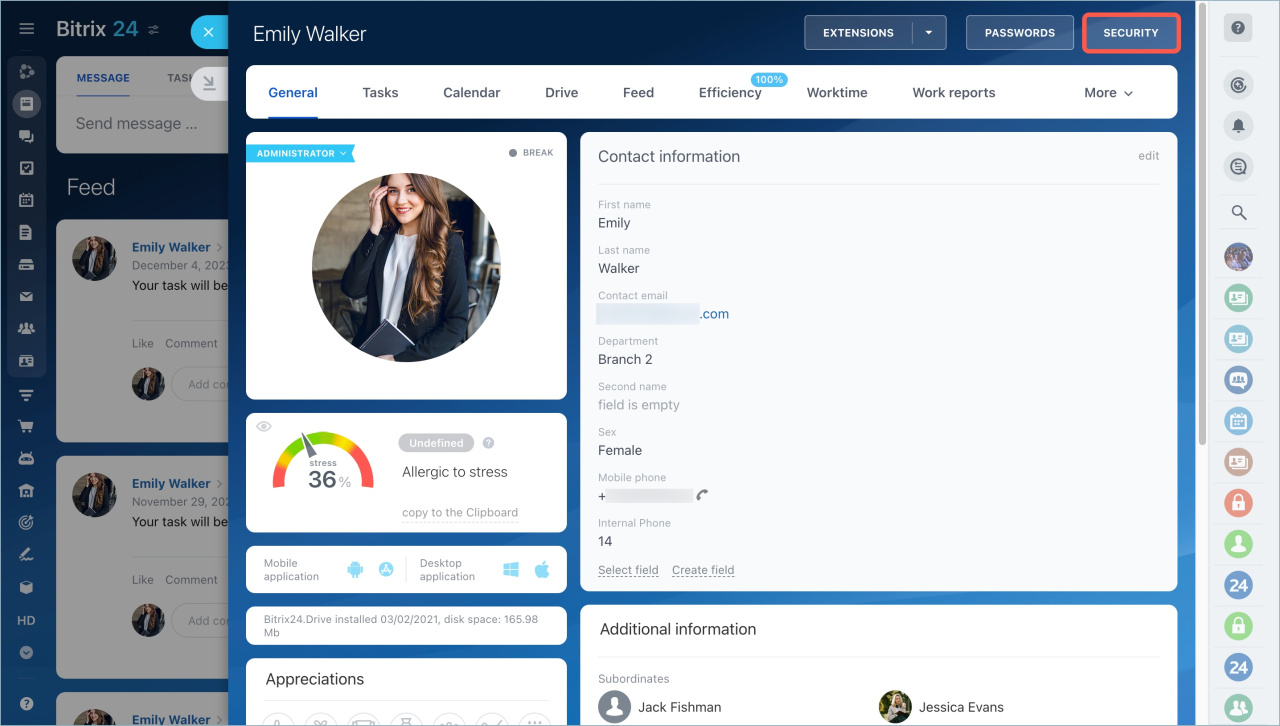
Bitrix24 is a comprehensive tool that combines CRM, project management, communication, and collaboration. The social-style feed keeps updates visible, while task management helps teams stay on track. Sales teams also use it to organize leads and customer interactions.
You can use Bitrix24 to track tasks, manage customer relationships, and even host video conferences. Plus, Bitrix24 offers cloud and on-premise options, so you can choose the deployment that best suits your company’s security requirements. It’s a solid choice for businesses that need structure without sacrificing flexibility.
Bitrix24 is good start solution for a small team. But I would not consider it as CRM. It’s functionality is much wider (document storage and editing, corporate messenger, etc.), and for us this was the worst part of Bitrix24. This extra functionality cannot be disabled. […]
🧠 Fun Fact: The famous ‘project triangle’ symbol, a model that shows how to balance scope, time, and budget, was popularized by Harold Kerzner in his book Project Management: A Systems Approach to Planning, Scheduling, and Controlling.
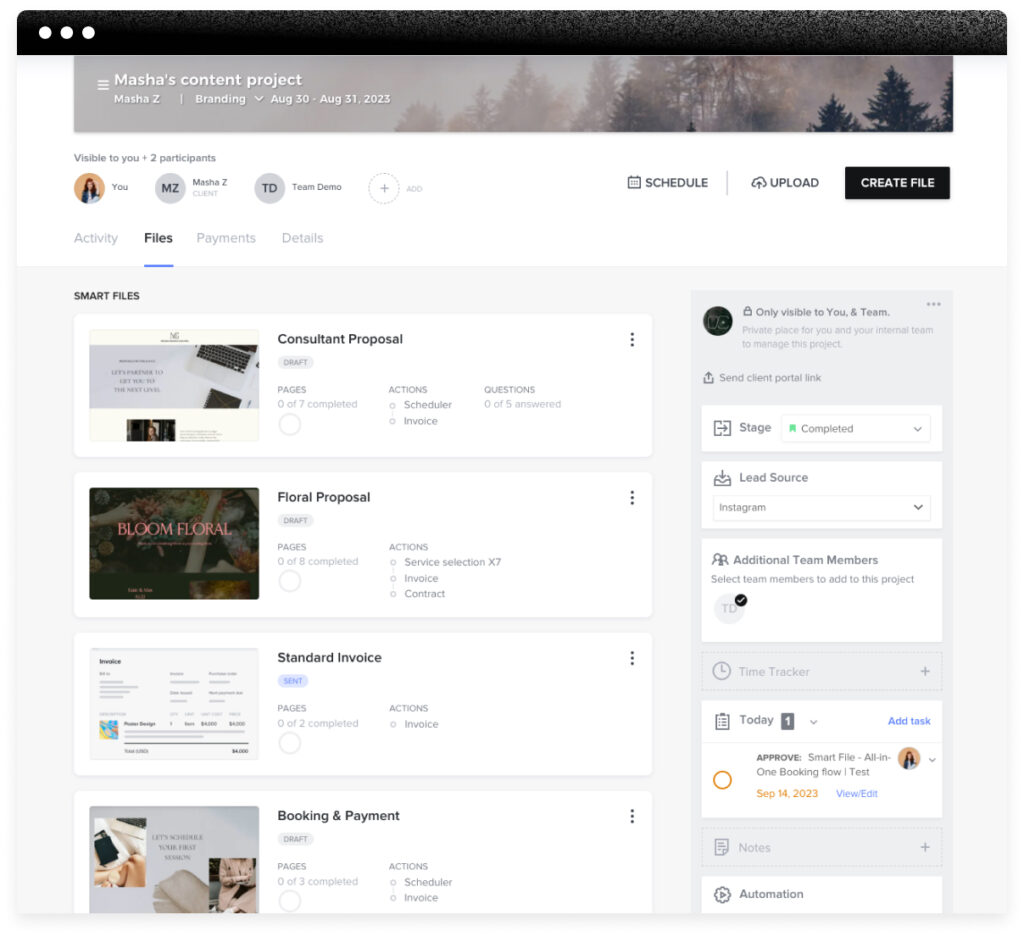
Ever wish client management didn’t feel so chaotic? HoneyBook caters to creative professionals and service-based businesses focusing on streamlining client interactions, enterprise project management, and financial operations.
It helps streamline client interactions with templates for contracts, invoices, and proposals, so you’re not starting from scratch every time. While it keeps things looking polished and professional, some users find it more suited for solo entrepreneurs than larger teams.
I’m using it and while it’s a robust system and has some of the best features, they really limit the user’s ability to dictate the flow of operations. For instance when you send a contract over they allow the client to proceed to payment before all signatures are on the contract, so if you have a over zealous client and they pay (which is great), but you’d like to prevent that from happening too quickly you can’t….
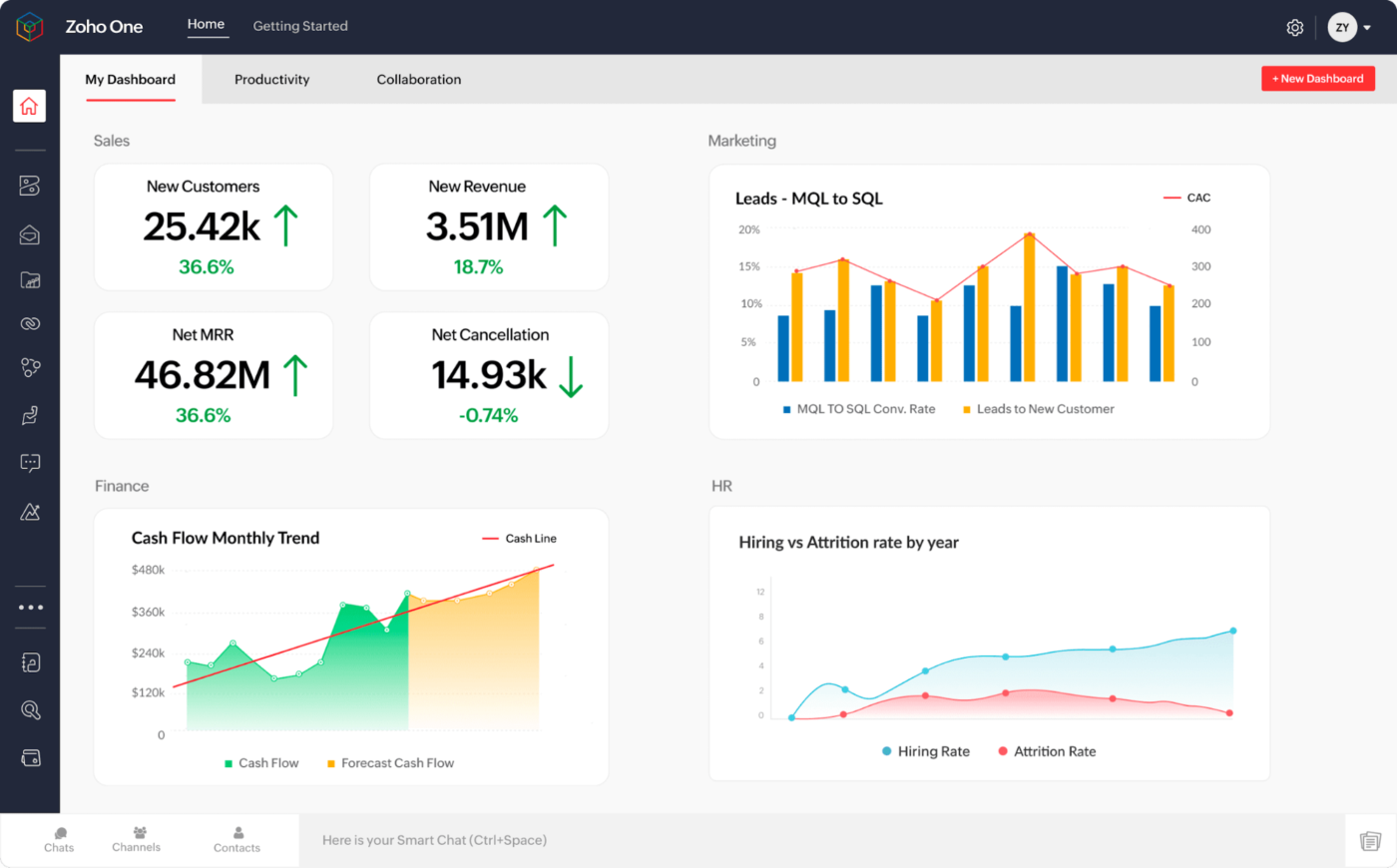
Zoho One bundles a whole bunch of business apps into one package—from CRM and email to accounting and project tracking.
You get tools to handle customer relationships, create documents, manage projects, track time, process payroll, and run your marketing campaigns. Everything talks to each other, so data flows between apps without copying and pasting.
While it’s not as advanced as standalone software, it covers many everyday business needs.
We would appreciate if there was a way to add files with larger sizes in attachments while sending mails, as the current limit is not enough for us. Therefore, we have to use cloud services to upload first, and attach the link in the mail. Just a bit too hard.
🔍 Did You Know? The longest-running company in the world is Kongō Gumi, a Japanese construction firm founded in 578 AD. It operated for over 1,400 years before merging with another company in 2006.
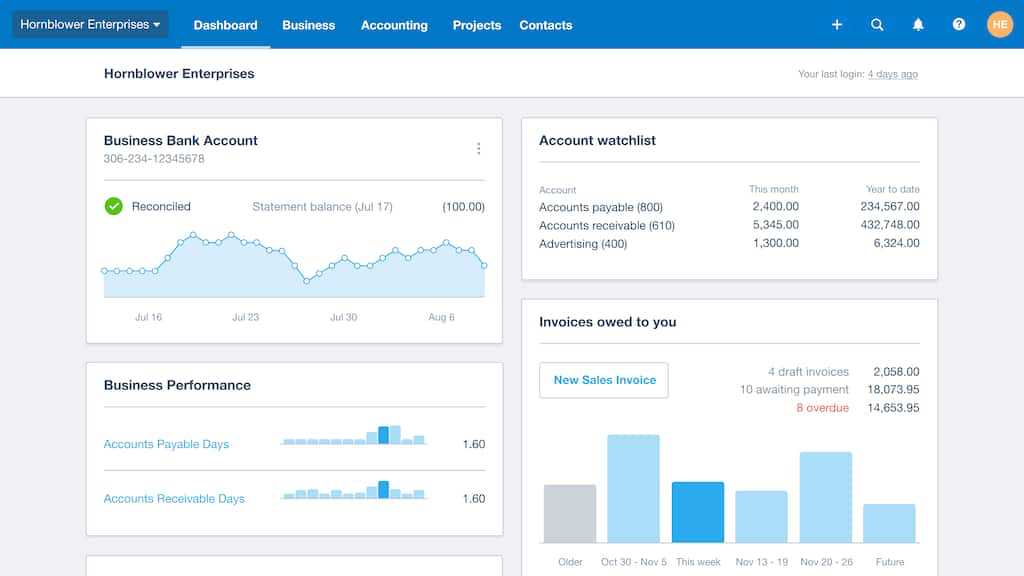
Xero is a cloud-based accounting platform designed for small businesses. It connects to your bank accounts, tracks money coming in and going out, and helps you keep track of invoices and bills.
You can snap pictures of receipts with your phone, handle payroll, and see how your business is doing with simple reports. It syncs with other business tools so your accountant can hop in to check things when needed. The tool delivers real-time financial insights, bank reconciliation, and accurate project cost management.
Xero has been a dependable accounting solution, allowing us to handle all of our financial management needs in one spot. It aids in the management of expenses and the tracking of cash flows into and out of the business. They provide best customer service. Financial reports provide valuable insight into the financial health and performance of businesses.
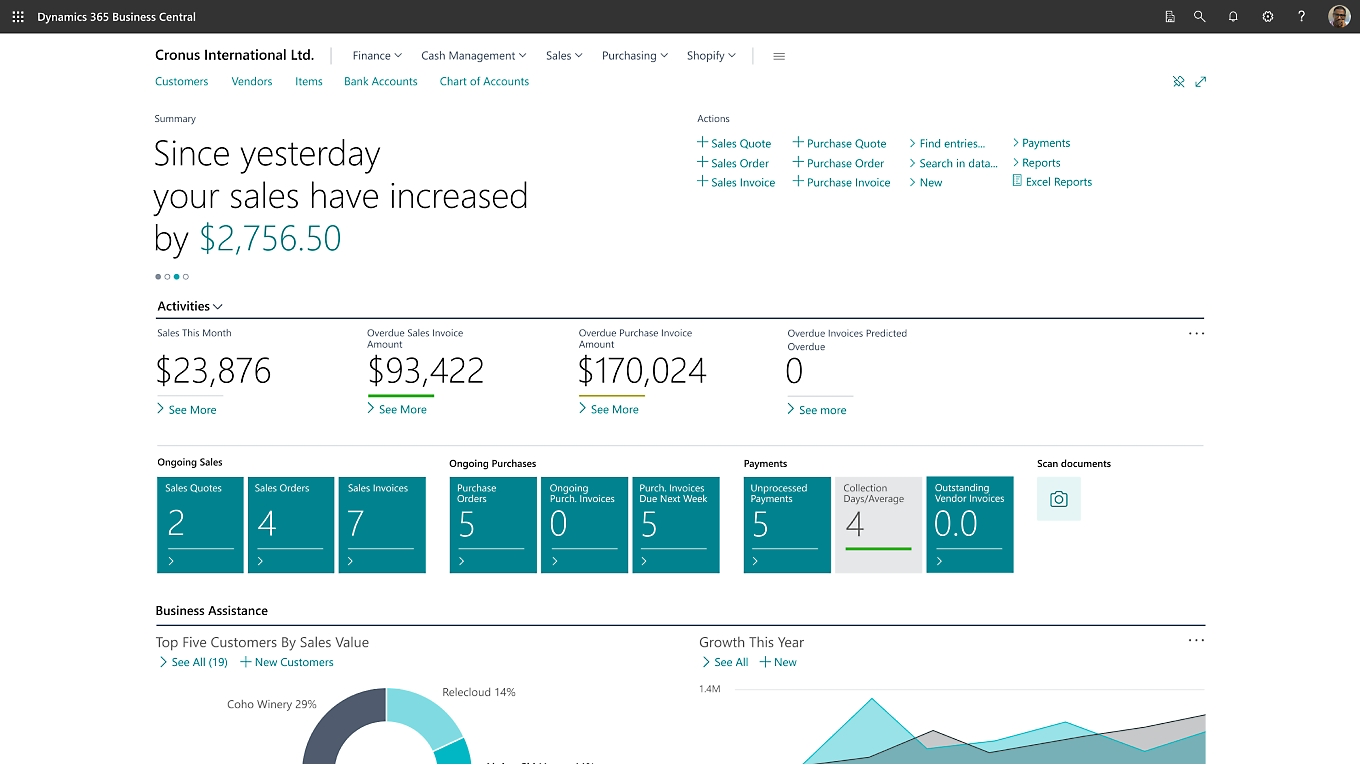
Microsoft Dynamics 365 provides a comprehensive enterprise application suite that combines ERP and CRM capabilities with integrated AI and business intelligence tools. Its deep integration with Microsoft’s ecosystem makes it ideal for managing complex business operations.
Start with sales and customer service, then add finance or inventory as needed. It’s a step up from basic software but not as complex as enterprise systems—though setup may require some tweaking.
Dynamics 365 Business Central
It is crucial to be transparent about the initial learning curve and potential costs associated with implementation and customization. These aspects can be challenging when communicating product value to potential customers, especially small businesses with limited budgets.
🤝 Friendly Reminder: Treat your software like a team member. Don’t just install it—customize it. Set permissions, automate workflows, and integrate it with other tools so it works seamlessly within your business.
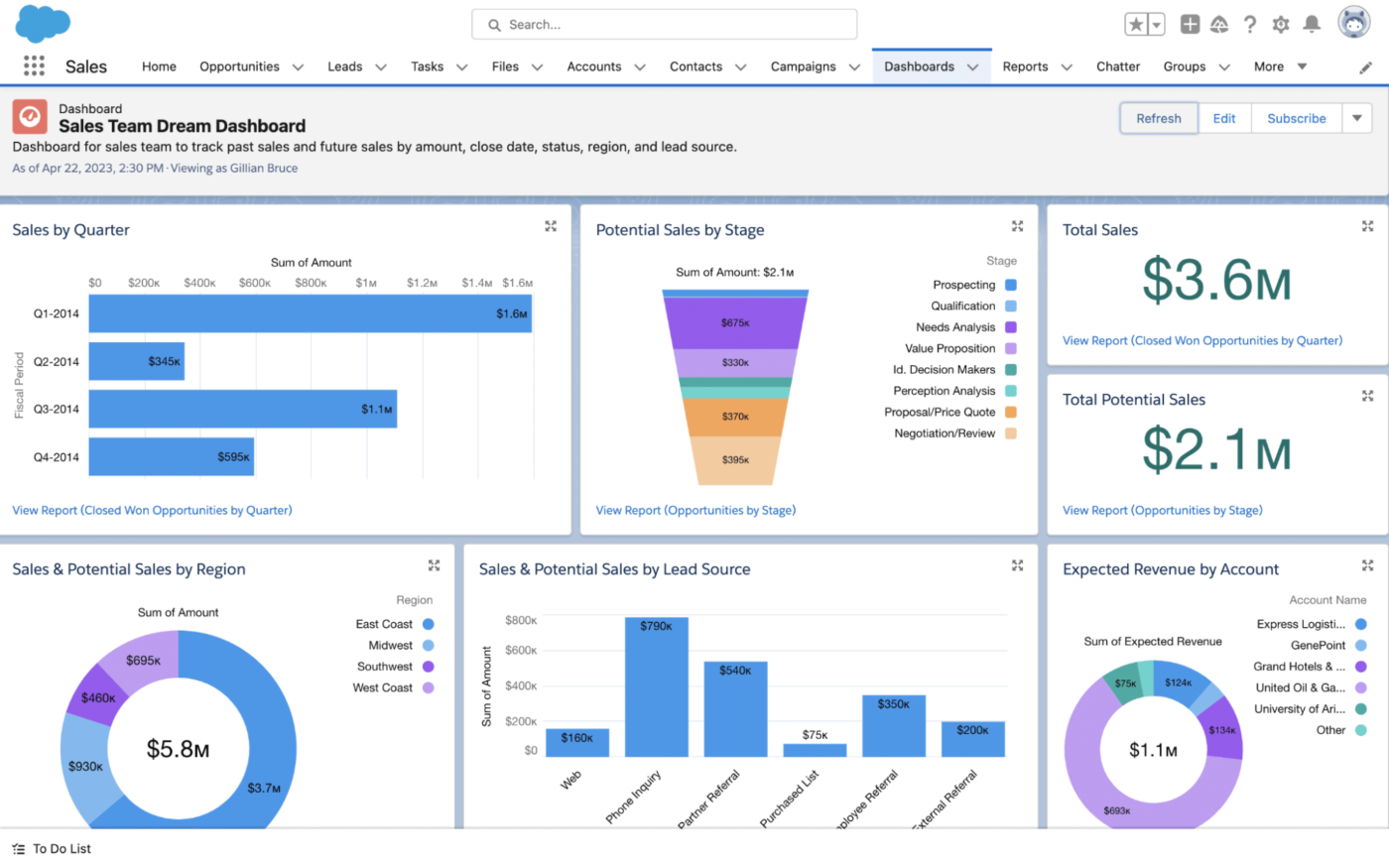
Salesforce is a cloud-based CRM software that integrates various business functions like sales, service, and marketing. Its standout feature is its powerful AI-powered analytics through Einstein AI, which provides insights to enhance customer relationships and drive sales growth.
With extensive customization options, Salesforce adapts to different business needs while offering a scalable solution for larger enterprises.
…While they do provide a very high quality service, the cost is extremely high. There can also sometimes be an issue with larger data sets, when we are running scheduled jobs, which can cause some seemingly random failures….running the same code twice in a row sometimes results in a failure with larger data sets, but not every time.
🔍 Did You Know? Nearly half of businesses are prioritizing process improvements, aiming for greater efficiency and growth. Companies that embrace AI seem to have the edge—84% of high-growth businesses report a positive revenue impact from AI, while only 65% of struggling businesses say the same.
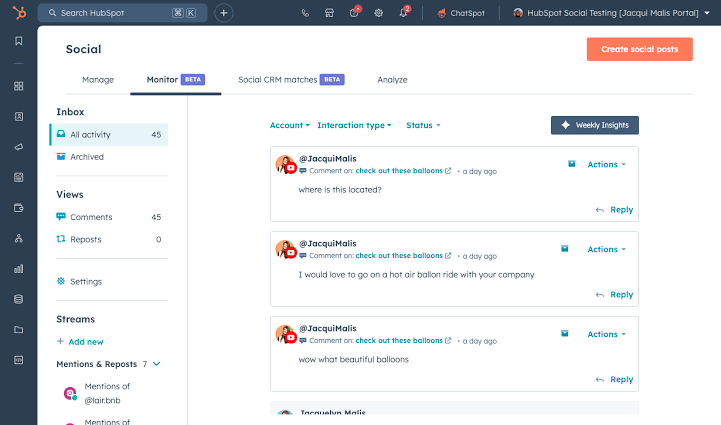
HubSpot helps you attract customers and build relationships with them. Its tools cover marketing, sales, and customer service—starting with someone’s first visit to your website and continuing their journey as a customer.
The CRM tracks interactions and helps your team understand customer needs. You can set up email campaigns, manage your website content, and handle support tickets all in one place. Its user-friendly interface and advanced automation features make it ideal for businesses looking to scale their operations efficiently.
Operations Hub
Data quality insight is good but it hard to perform bulk actions and merge duplicates. If merging in bulk can be made easier with data quality it would eliminate the need for more deduplication apps. Its great only for getting an estimate on the data quality problem right now, not to action on it.
💡 Pro Tip: Configure smart notifications that prompt action instead of flooding inboxes. Set up alerts for overdue tasks, approval requests, or customer issues so teams can respond immediately.
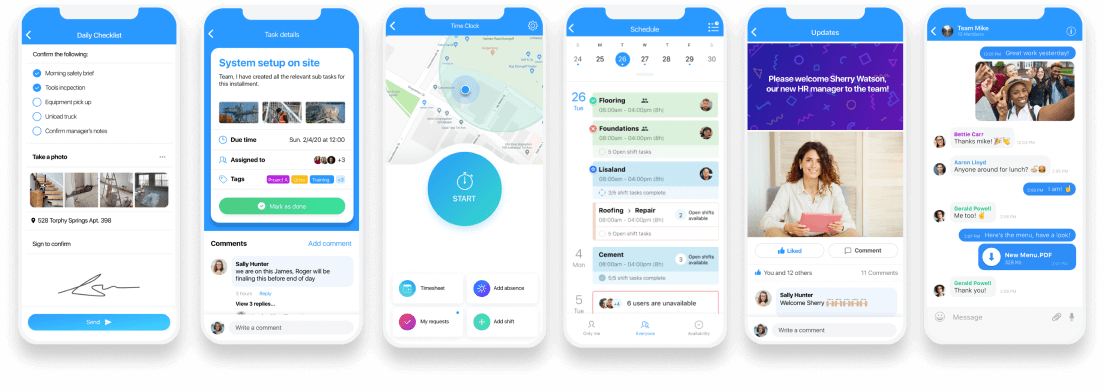
Got a team that’s always on the move? Connecteam is designed for frontline workers, field teams, and remote staff who don’t sit at a desk all day. With just a mobile app, you can handle scheduling, track time and location with GPS geolocation, share updates, and even manage training—without the usual back-and-forth.
It feels more like social media than work software, making it easy for employees to clock in, report issues, fill out forms, or check task lists right from their phones. Managers can send quick updates or emergency alerts, while workers can access schedules or submit paperwork without needing to step into an office.
When using connect team I am able to keep all our information in one place and can choose who has access to each feature. It keeps everything connected and organized…I was not a big fan of the scheduling aspect of the system only because for my line of work we need something that is more visually organized. We need to deligate technicians and vehicles and I was not able to see who had what without clicking on each event.
📖 Also Read: Free SOP Templates and How to Write Your Own SOP
Finding the right business management software comes down to what works best for your team.
Some tools are great for project planning, and others excel at financial management, but only a few try to do it all. The goal is simple—streamline operations, keep projects moving, and make collaboration easy.
ClickUp, the everything app for work, does everything you need for your business and more. It combines project management, document collaboration, brainstorming, and automation in one platform.
Store important documents in ClickUp Docs, map out ideas on Whiteboards, and let ClickUp Brain handle smart prioritization. Automations and integrations also make workflows even smoother.
Less stress, more progress. Sign up for ClickUp today! ✅
© 2025 ClickUp