
As the demands of modern projects evolve rapidly, project managers like you might be weighed down by rigid processes, lengthy documentation, and inflexible timelines. These factors can hinder your team’s ability to adapt and deliver value efficiently.
When we’re not agile enough, projects are at risk. The outcome can be missed deadlines, cost overruns, and frustrated team members.
An agile workflow is a flexible approach that helps project teams communicate better, adapt quickly to changes, and keep projects on track. This article will share techniques to master agile workflows for smoother project management and better results.
Let’s get into it!
Mastering Agile Workflows: Techniques for Effective Project Management

 Summarize this article for me please
What is an Agile Workflow?
An agile workflow is a modern project management methodology that enhances project efficiency and success by breaking the project into smaller cycles, typically two-week sprints.
It actively involves customers in the development process, continually implementing their feedback.
Picture constructing a skyscraper—an agile workflow lifecycle is like building it floor by floor rather than attempting to erect the entire structure in one go. Each ‘floor’ represents a sprint, allowing teams to concentrate on particular tasks and gather rapid feedback for fine-tuning.
While traditional and agile workflows aim to shepherd projects from conception to completion, their approaches diverge significantly.
Most traditional workflow management usually puts user feedback aside until after the product is launched, which means significant updates only happen every six months with methods like Waterfall.
Other key differences between agile and traditional workflows are as follows:
| Agile workflows | Traditional workflows | |
| Approach | Agile workflows are cyclic, with work broken down into small, manageable increments called sprints | Traditional workflows follow a linear approach, where each phase must be completed before moving to the next one |
| Customer involvement | Agile is collaborative. It emphasizes continuous customer involvement and feedback throughout the development process | This approach is contractual and involves less direct customer engagement until later stages or final product delivery |
| Adaptability | This workflow is adaptive. It accommodates changes in requirements and priorities easily, allowing teams to respond quickly to feedback and market shifts | Traditional ones are predictive as they struggle to adapt to changes once a project is underway, often requiring formal change management processes |
| Emphasis on individuals | This methodology is customer-centric and supports collaboration, communication, and teamwork among individuals | Traditional workflows are project-centered and prioritize processes and tools over individual interactions |
| Delivery frequency | Agile workflows typically result in more frequent product deliveries, with working increments of the product delivered at the end of each sprint | Traditional workflows may have longer development cycles with infrequent delivery; the final product is delivered after all phases are completed |
Within agile methodologies, the concepts of Agile Method Process and Agile Method Task serve as foundational pillars. Let’s understand what they mean:
- The agile method process is the overall framework or approach used to manage a project or develop a product incrementally. It emphasizes collaboration, flexibility, and continuous improvement throughout the development lifecycle
- Agile method task refers to the specific activities or actions performed within an Agile framework to achieve project goals or deliverables. These tasks are typically small, manageable units of work that contribute to the project’s overall progress
Summarize this article for me pleaseTypes of Agile Workflows
When considering switching to agile methodology, remember there are different agile workflows. Here are a few of the most popular ones:
Scrum
Scrum is a dynamic agile workflow known for its flexibility and responsiveness.
Agile Scrum is so popular that according to the 15th State of Agile report, 66% of respondents identified it as one of the agile frameworks they follow most closely. Picture a team passing a baton smoothly in a relay race. That’s how Scrum keeps projects moving forward.
Scrum benefits companies with cross-functional teams, suits small teams focused on timely releases, and provides clear guidelines for Agile beginners.
Scrum empowers sprint teams with features like an iterative approach for quick adaptation and continuous improvement. It offers structured stages such as Product Backlog, Sprint Planning, and Review Meetings for project guidance.
Additionally, Scrum emphasizes team collaboration to meet customer needs and boost user satisfaction. It’s not just a methodology—it’s a way to streamline processes and deliver results efficiently.
Kanban
Kanban, originating from Japanese, translates to ‘cards you can see.’ It’s all about visualizing progress through a Kanban board, where the development process unfolds visually. This is a non-restrictive agile workflow, allowing for iterative or non-iterative approaches.
An agile team utilizes a Kanban board, often featuring columns like To Do, In Progress, and Done. This may extend to software development stages like Dev, Test, and Done.

Since it’s built on a visual system, it helps identify and resolve bottlenecks, ensuring smooth workflow and optimal speed. Kanban’s simplicity makes it a powerful tool for managing projects, enabling teams to drive efficiency in their processes.
This agile workflow is ideal for teams managing diverse tasks and adapting to changing product needs. It’s best for smaller teams focused on repetitive tasks and fast releases but less suitable for inexperienced agile teams.
Lean Software Development
Lean Software Development focuses on efficiency by producing only what the product truly needs, optimizing time, resources, and activities. It’s an agile approach that emphasizes delivering value to customers with minimal waste along with other core principles like:
- Eliminating waste
- Building quality
- Creating knowledge
- Quick delivery
Lean development teams work with Minimum Viable Products (MVPs), releasing them to customers early to collect feedback for future iterations.
Lean Software Development is often associated with agile workflows but stands out as a distinct methodology, emphasizing efficiency and collaboration.
Lean methodology benefits responsible, experienced teams capable of independent decision-making.
Extreme Programming
Extreme Programming (XP) is tailored for agile sprint teams, emphasizing continuous development and customer delivery through intervals or sprints.
It thrives on continual improvement through customer feedback and is structured around five key stages:
- Planning
- Designing
- Coding
- Testing
- Listening
Extreme Programming teams prioritize simplicity, quick feedback, collaboration, and quality work.
This approach to Agile is great for teams with junior and senior programmers and teams dealing with tight deadlines, limited budgets, and frequent project changes. However, it’s not ideal for remote teams.
Feature-Driven Development
Feature Driven Development (FDD) is a software-specific agile workflow process built on consistency and detailed documentation. First applied in a 15-month project at a Singaporean bank in 1997, FDD combines various agile methodologies with a central focus on customer satisfaction.
This agile methodology follows a 5-step development process flow:
- Develop an overall model
- Build a feature list
- Plan by feature
- Design by feature
- Build by feature
Focused on progressing features, this approach is suitable for big software projects, especially in finance and banking, focusing on rapid feature releases. However, it’s not recommended for smaller projects.
It works best for complex projects beyond the scope of regular Scrum teams, especially in organizations with dedicated software development teams that follow agile methodologies.
Summarize this article for me pleaseThe Phases of Agile Workflows
The agile workflow lifecycle comprises five phases, ensuring consistency across projects while allowing for variations based on specific tasks and requirements:
Phase 1: Ideation
Kickstarting an agile project involves creating a flexible plan that outlines the project scope and direction. While more flexible than the Waterfall approach, this phase defines project ideas and creates a product backlog, setting the stage for future sprints.
This phase involves brainstorming and defining project scope, objectives, and requirements. It sets the foundation for the entire project.
Imagine a software development team ideating a new mobile app. They discuss the app’s purpose, target audience, key features, and overall goals.
💡Pro tip: Foster a culture of innovation and creativity by empowering your agile team to share their ideas and insights freely. Use user stories, mind mapping, or brainstorming sessions to generate innovative ideas.
Phase 2: Inception
After verifying and approving the project, assemble cross-functional sprint teams and allocate tasks based on each team member’s skills. Set goals, define timeframes, and distribute the resources needed to start the project. Then, conceptualize and verify the project before moving on to development.
For example, after finalizing the mobile app idea, assemble the development team, including developers, designers, and testers. Divide tasks and establish timelines for the project.
💡Pro tip: Ensure clear communication of project goals, roles, and responsibilities to all team members. Set realistic timelines and allocate resources effectively to avoid delays and bottlenecks.
Phase 3: Iteration
With resources secured and requirements established, the iteration phase involves executing project tasks, addressing backlog items, and teams diving into the project.
Documentation plays a crucial role during this phase as teams work towards refining the product. Continuous collaboration and feedback drive progress during this phase.
For instance, in the mobile app project, this is when the app development team begins coding, designing, and testing the app features. They work in short iterations or sprints, delivering functional increments of the app after each iteration.
💡Pro tip: Prioritize backlog items based on customer feedback and project requirements. Promote a culture of continuous improvement and adaptability within the team to respond effectively to changes.
Phase 4: Release
Completed iterations are delivered to stakeholders and end users in the release phase. Feedback is collected, evaluated, and applied to improve the product. This phase ensures the product meets quality standards, is ready for deployment, and provides value to its intended users.
For instance, in the mobile app project, this is the phase when the mobile app is released to a group of beta testers. Their feedback on usability, performance, and features is gathered and analyzed.
💡Pro tip: Thoroughly plan and coordinate the release process to minimize errors and ensure smooth deployment.
Phase 5: Production
Once all requirements are met and the product is thoroughly tested, it enters the production phase. Teams support customers, ensuring a successful rollout. Post-release monitoring and maintenance are essential for a successful product launch during this phase.
During this phase, the mobile app is officially launched in app stores and actively promoted in the market to the target audience. The development team provides ongoing support and addresses any issues reported by users.
💡Pro tip: Implement feedback loops and monitoring systems to track user satisfaction and identify areas for further improvement. Continuous updates based on user feedback help you stay ahead in the market.
Summarize this article for me pleaseUnderstanding the Agile Workflow Structure
The agile workflow process is like a journey where teams take an idea and turn it into something tangible, such as a new mobile app, as discussed in the previous section.
It encompasses the continuous movement of work from ideation through production and beyond. It’s all about moving forward step by step, adapting as needed along the way.
As teams progress through the agile workflow, they move seamlessly from one phase to the next, enhancing through feedback, refining their approach, and delivering value incrementally.
Thus, managing the flow process efficiently is crucial for successful project management. One of the critical components of this process is tracking the status of tasks or user stories as they move through various stages of development.
It provides visibility and helps teams identify bottlenecks, prioritize tasks, and ensure timely delivery.
Here are the common workflow statuses used in agile development:
- To do: Tasks or user stories that are ready to be worked on but haven’t been started yet
- In progress: This status indicates tasks that team members are actively working on
- Blocked: These are tasks that cannot progress due to dependencies, issues, or impediments
- Review: It includes tasks that have been completed and are awaiting review by stakeholders or team members
- Done: Tasks that have been completed and meet the acceptance criteria or definition of done
By utilizing these workflow statuses, cross-functional teams can effectively manage the progress of work items and maintain transparency throughout the development process.
Summarize this article for me pleaseAgile in Software Development and Project Management
Agile software development methodology is an iterative and collaborative approach to creating software. It emphasizes flexibility, customer collaboration, and delivering high-quality products.
Originating in the early 2000s from a group of software developers, the agile development workflow marked a paradigm shift in software development methodologies, prioritizing individuals and interactions over processes and tools. Agile teams prioritize communication and collaboration among teams and stakeholders, fostering a culture of transparency and accountability.
Instead of waiting until the end to see if everything works, agile software developers break their work into smaller chunks and test as they go. This way, any hiccups identified along the way are fixed, and make sure they’re heading in the right direction.
Role of user story and user experience design in agile workflows
In agile workflows, user stories and user experience (UX) design are essential components that ensure the development process remains focused on delivering value to users. Together, they play a vital role in driving the customer-centric approach of agile development.
From the user’s perspective, user stories are short descriptions of a feature or functionality. These stories capture the what of a feature, focusing on the user’s needs and goals and guiding development teams to prioritize tasks accordingly.
On the other hand, user experience design focuses on creating meaningful and enjoyable experiences for users interacting with software.
In agile workflows, UX designers work closely with the development team to ensure that user stories are translated into intuitive and user-friendly interfaces. They research and create wireframes and prototypes based on user feedback to continuously improve user experience throughout development.
Implementing Agile in project management software
Implementing Agile in project management software is like switching from a flip phone to a smartphone. It modernizes and streamlines processes, allowing for greater flexibility, efficiency, and connectivity among team members.
According to Ambysoft’s Project Success Rates Survey, Agile boasts a 64% success rate, while the Waterfall model lags at 49%.
Agile project management software keeps you on track, offering real-time insights into project progression, helping you navigate any bumps, and enabling teams to pivot swiftly in response to changes.
So, implementing agile project management software isn’t just about getting the job done—it’s about making the journey smoother, more enjoyable, and, ultimately, more successful.
To understand how these agile practices impact your team’s performance, you can use ClickUp’s Employee Productivity Calculator. It helps quantify productivity so you can clearly see the benefits of working Agile.
Summarize this article for me pleaseHow to Create and Implement Agile Workflows
An agile transformation may seem daunting and time-consuming, but its benefits in increased productivity make it worth the effort. Here are some simple steps to create an effective agile workflow:
1. Learn agile principles
Encourage agile learning and familiarize yourself and your team with agile principles, encouraging them to be ready for the mindset shift required for agile adoption.
- Understanding the principles: Learn the concepts behind Agile, such as iterative development, customer collaboration, and responding to change over following a plan
- Education and training: Provide resources, workshops, or training sessions to ensure everyone on the team is well-versed in the agile workflow model
- Open communication: Foster an environment where project teams feel comfortable discussing agile concepts, asking questions, and sharing their thoughts
2. Choose a framework
Before diving into agile practices, find what aligns best with your agile project.
- Research and evaluation: Explore various agile frameworks such as Scrum, Kanban, or Lean. Understand the principles and practices associated with each framework
- Alignment with project needs: Assess your project requirements, team dynamics, and organizational culture to determine which agile framework best suits your needs
- Trial and adaptation: It’s okay to experiment with different frameworks initially to find the best fit for your team. Be open to adapting and customizing based on real-world feedback and experiences
Read more: How to choose between Scrum vs. Kanban
3. Develop a roadmap
- Define goals and objectives: Clarify the goals and objectives of transitioning to Agile. Identify key milestones and outcomes you aim to achieve throughout the process
- Create a transition plan: Outline a clear strategy for transitioning to Agile. Set goals, create product backlogs, and establish timelines. Sharing an agile template with your team helps everyone stay on track
4. Breakdown tasks
Divide project requirements into smaller tasks and sprints to ensure manageable increments of work for the team to focus on during each sprint.
- Product backlog creation: Collaborate with stakeholders to compile a comprehensive product backlog containing all desired features, enhancements, and fixes
- Sprint planning: Divide the product backlog into smaller, manageable chunks or user stories. Plan sprints based on team capacity and project priorities
- Team formation: Form cross-functional sprint teams with members with diverse skills necessary to complete project tasks. Define team roles, responsibilities, and expectations for each sprint
Bonus: Sprint planning templates
5. Start using the workflow
Implement your agile workflow and be prepared for initial adjustments. Gather feedback from your team and review the agile workflow process regularly for improvements.
- Implement Agile: Kickstart the agile workflow by initiating the first sprint. Encourage collaboration, transparency, and accountability among team members
- Continuous improvement: Embrace the agile principle of constant improvement by regularly reviewing and refining the workflow. Conduct retrospective meetings at the end of each sprint to reflect on what worked well, what didn’t, and how to improve
- Adaptability: Remain adaptable and responsive to changes throughout the agile journey. Be open to feedback, revise processes, and pivot when necessary to optimize team performance and project outcomes
6. Implementing Agile with ClickUp

Once you’ve selected your agile framework and created the workflow, everything else falls into place effortlessly. Implementing agile workflows becomes much simpler with the correct project management tool.
Fortunately, we have ClickUp, a versatile, agile project management tool. It provides comprehensive features and flexibility, making it a valuable tool for agile teams looking to streamline their workflows and deliver high-quality products. You can get started quickly with the various agile templates in ClickUp.
Here’s how you can leverage ClickUp’ Agile Project Management Software to implement agile workflow processes at your workplace:
Customizable workspace
Create customized agile workflows with ClickUp. Define your statuses, labels, and task structures to match your agile methodology.
Seamlessly manage your product journey from inception to launch, experience smooth team transitions, centralize details, and streamline collaboration. It’s like having your entire product world under one digital roof!

Backlog management
Simplify the task prioritization process with ClickUp Kanban boards. Use custom fields and organize boards by status, due dates, and task priority.
Identify and call out dependencies so you know which tasks to attempt first.
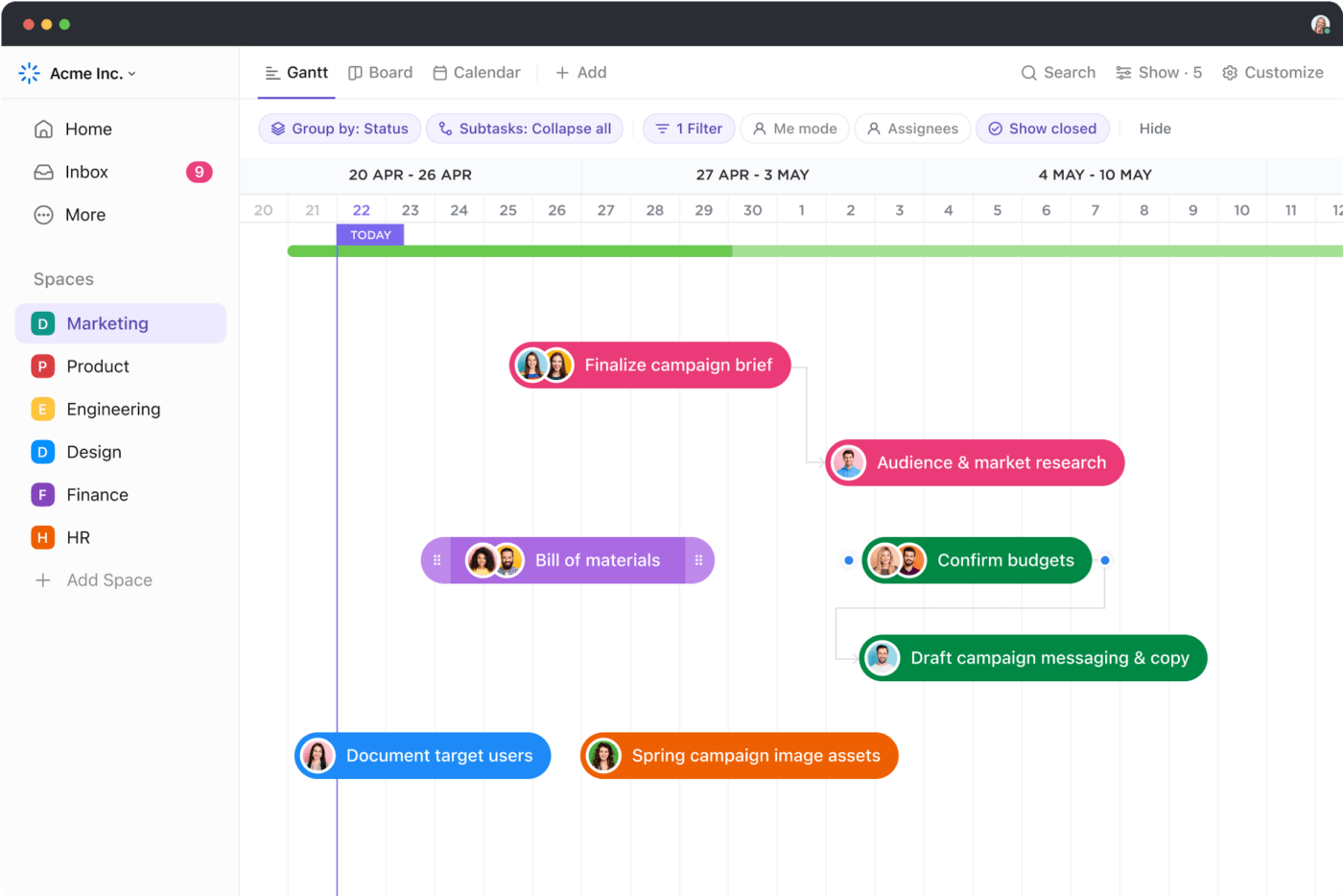
Keep track of sprints and milestones with customizable Gantt charts.
Versatile views
Visualize your work with ClickUp Views, with view options including List, Board, and Calendar. It caters to different aspects of agile workflows, from backlog management to sprint planning.
Features like Gantt Chart and Timeline Views offer high-level overviews of project timelines and dependencies, aiding progress tracking.
With customizable Box and Mind Map views, you can prioritize tasks and brainstorm ideas
Collaboration tools
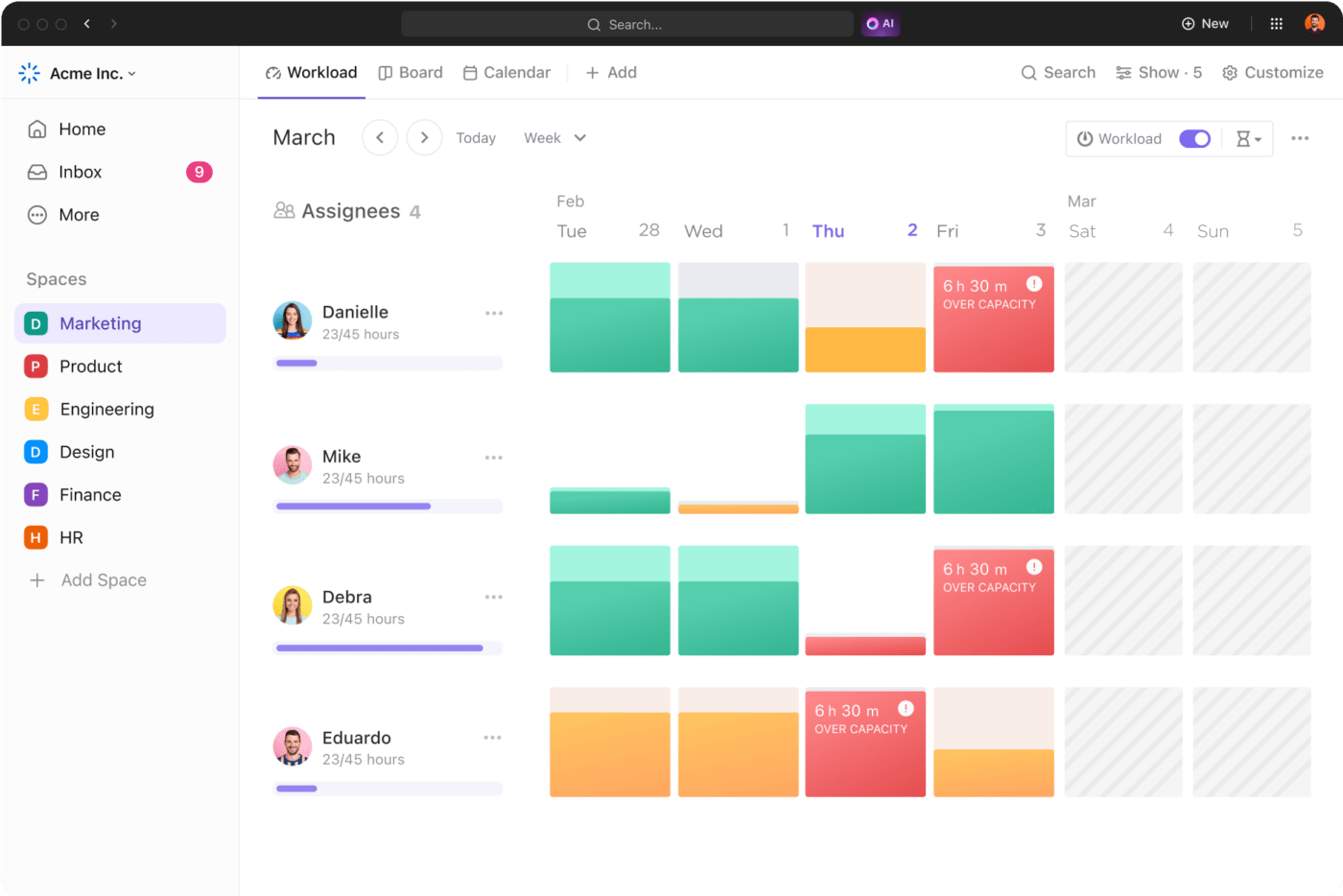
Bring all your teams together effortlessly with ClickUp Whiteboards for planning and brainstorming.
Coordinate tasks in ClickUp, tag your team for updates, and never miss a beat with notifications.
Agile’s all about teamwork, and ClickUp’s got your back with features like comments, mentions, and real-time chat. Wish to keep everyone connected and on the same page? Consider it done!
Real-time reporting
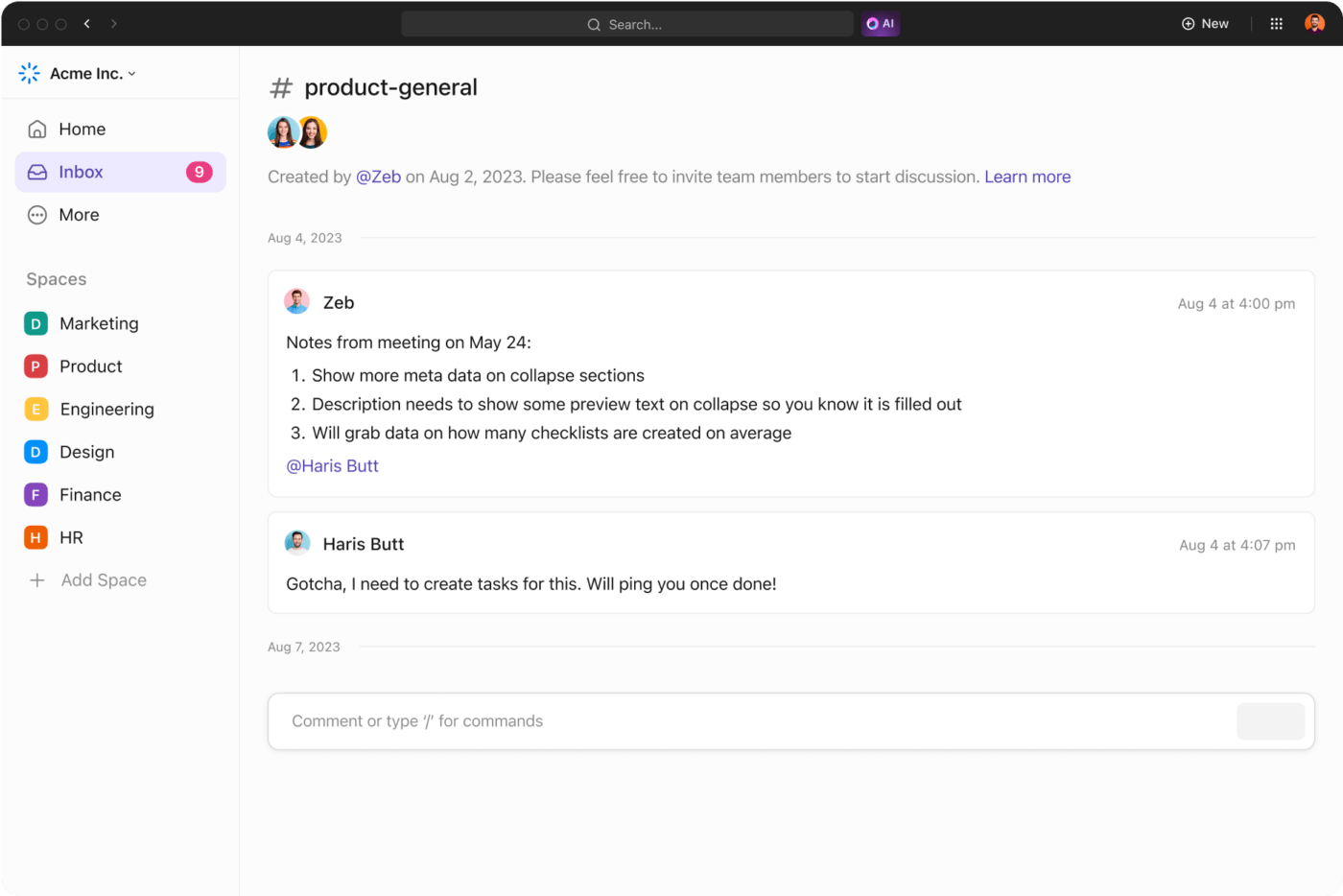
Uncover valuable data with ClickUp Dashboards that help you with real-time reporting, giving you a peek into the team’s project progress, capacity, and beyond.
You can customize Dashboards by adding your choice of widgets, including agile reporting charts like burnup and burndown, cumulative flow, velocity, and lead and cycle time.
Integration capabilities
Maximize your team’s efficiency by integrating all your favorite tools like Jira, Slack, and GitHub. It seamlessly syncs your work across platforms and streamlines software development workflow.

ClickUp also has several other helpful features, such as a time tracker for better time management, Docs to create comprehensive documentation, and Android and iOS apps to track your work on the go.
Application of agile principles
Agile principles find applications in various industries and projects.
Due to their adaptability, agile practices can be customized to fit diverse sectors and projects. Some specific applications include:
- Software development: Agile methodologies like Scrum, Kanban, and Extreme Programming (XP) are widely used to promote cyclic development, collaboration, and flexibility in responding to change
- Product management: Agile approaches help product managers prioritize features, gather user feedback early and often, and deliver value incrementally, ensuring that products remain aligned with customer needs and market trends
- Marketing: Agile marketing enables teams to experiment, adapt, and optimize campaigns quickly based on real-time data and customer feedback, leading to more effective and targeted marketing strategies
- Manufacturing: Agile principles can be applied to improve efficiency, reduce waste, enhance aggregate planning, and responsiveness to customer demand or production requirements changes
- Education and training: Agile methodologies are increasingly used in educational settings to promote student-centered learning, improve collaboration, and adapt teaching methods to individual student needs
Summarize this article for me pleaseOptimize Agile Workflows with ClickUp
Agile workflows enable teams to adapt quickly to changing requirements, fostering collaboration and efficiency.
Embracing agile project management tools like ClickUp, a much more efficient Jira alternative, facilitates seamless management of tasks, sprints, and project cycles, driving successful project outcomes. It helps you easily manage product roadmaps, backlogs, sprints, and more.
Ready to make the shift? Take the first step towards Agile, and Sign up for ClickUp now!
Summarize this article for me pleaseCommon FAQs
1. What are the 5 phases of Agile?
The five phases of Agile are ideation, inception, iteration, adaption, and release.
2. What is the Agile method process?
The agile method process is a way to manage projects or develop products step by step, focus on teamwork and adaptability, and get better as we go.
3. What is the Agile method task?
Agile method tasks are our specific jobs within this agile workflow process to reach our project goals. They’re usually small tasks that help move the project forward.


Everything you need to stay organized and get work done.

Recent Articles
AI Workload Management: A Practical Guide for Teams in 2026 
AI Workload Management: A Practical Guide for Teams in 2026
Claude Skills for Project Management: A Practical Guide 
Claude Skills for Project Management: A Practical Guide
How to Write a Scope of Work (+ Examples & Templates)
How to Write a Scope of Work (+ Examples & Templates)
