
Sorry, there were no results found for “”
Sorry, there were no results found for “”
Sorry, there were no results found for “”
Your Agile team just wrapped up a challenging sprint. The mood is mixed—some wins, some struggles. You need honest feedback to move forward, but your usual “let’s go around the room” approach isn’t cutting it anymore—especially with remote team members. Ring a bell?
Here’s where modern online retrospective tools come in. They’re changing how teams reflect, learn, and adapt—turning scattered thoughts into actionable insights that drive real improvement.
In this comprehensive guide, we’ll explore the essential features to look for in paid or free online retrospective tools and examine the top 11 solutions available today.
Looking for the perfect online retrospective tool? Here’s your quick guide:
Whether you’re new to Scrum team dynamics or looking to improve your Agile ceremonies, choosing the right online retrospective tool is essential. It can mean the difference between surface-level feedback and meaningful team improvement.
Here are the essential things your tool should do:
🧠 Fun Fact: Teams that conduct regular retrospectives see a 20% higher success rate in implementing process improvements compared to those who don’t.
With the right retrospective tools, you can transform your team’s retrospective meetings from mundane feedback sessions into dynamic opportunities for growth and improvement.
This list includes free tools that excel at facilitating remote retros and integrating with your existing Agile workflows. It also features platforms with powerful analytics to track your team’s progress over time.
Whether you’re a Scrum Master, Product Owner, or Agile Coach, you’ll find detailed comparisons and pricing information. Honest user feedback will also help you make an informed decision.
When your sprint management tools and retrospective tools live on different platforms, valuable context gets lost in translation. ClickUp, the everything app for work, consists of a comprehensive Agile project management solution and plugs this gap effectively.
📮ClickUp Insight: Knowledge workers send an average of 25 messages daily, searching for information and context. This indicates a fair amount of time wasted scrolling, searching, and deciphering fragmented conversations across emails and chats. 😱
If only you had a smart platform that connects tasks, projects, chat, and emails (plus AI!) in one place. But you do!
Sam Pavitt, Head of Product at Gatekeeper, who transformed his team’s Agile processes after switching from Jira to ClickUp, shares his experience:
Teams would benefit from ClickUp’s flexibility, cross-team visibility, and the overall freedom to let high-trust teams manage their own work. It works so much better than navigating a series of workflow errors and admin requests just to move work forward.
The Gatekeeper team successfully manages multiple Agile squads—Core, Integrations and API, and Workflow—all within ClickUp. This setup has helped streamline development workflows without the traditional administrative overhead.
ClickUp for Agile Teams provides specialized tools for sprint planning, execution, and retrospectives within a single, unified workspace. Teams can easily customize their Agile workflows, whether following Scrum, Kanban, or a hybrid approach.
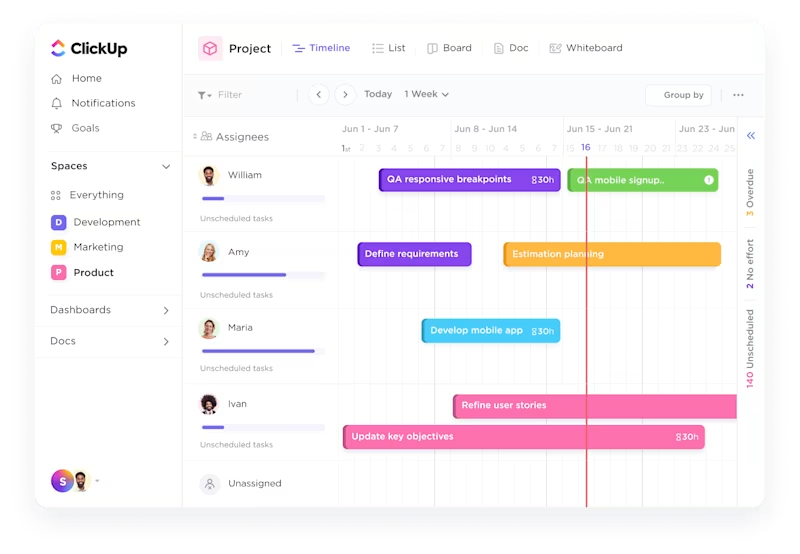
Building on this foundation, ClickUp’s Sprints feature transforms how teams plan and execute their sprints.
With dedicated sprint views and automated velocity tracking, teams can transition smoothly from active sprints to Agile retrospectives. This ensures they retain context and historical data throughout the process.
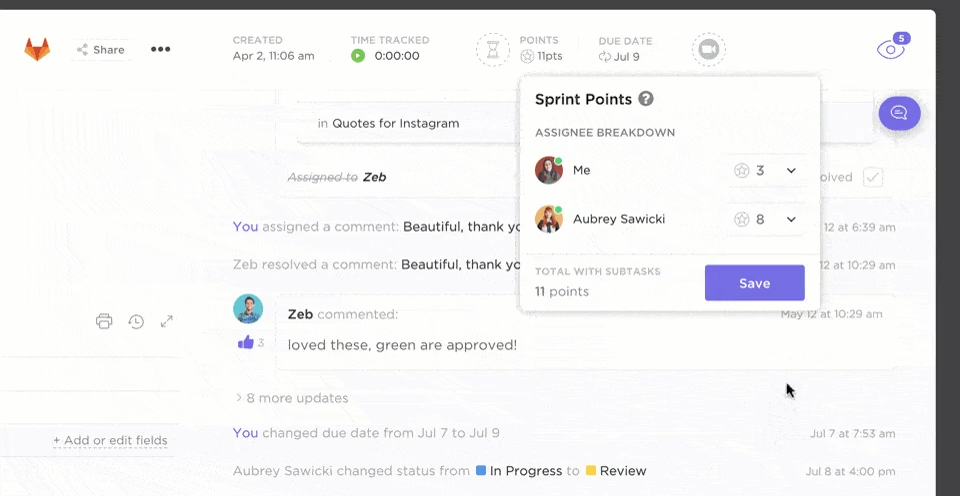
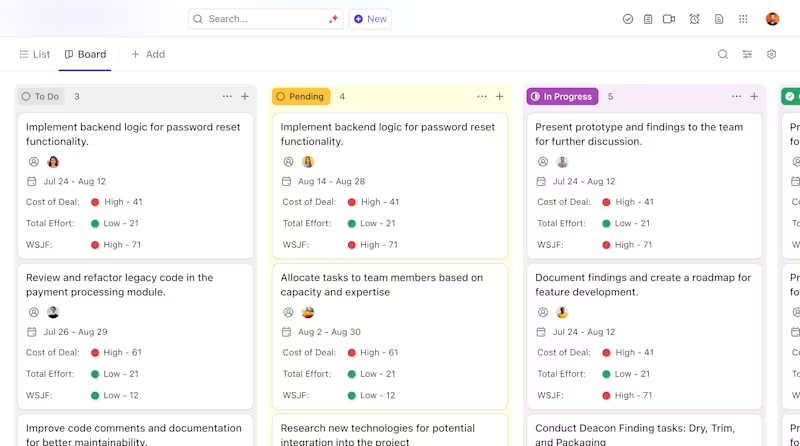
To support these Agile processes, ClickUp offers versatile Board views that adapt to your team’s preferred workflow, making it easy to visualize and manage work items.
The platform’s real-time collaboration tools enable seamless communication and feedback sharing. Customizable ClickUp Dashboards provide instant visibility into performance metrics and sprint progress. ClickUp Whiteboards take collaboration further by offering an infinite canvas for creative retrospective sessions and idea mapping.
Understanding how to set a sprint schedule becomes intuitive with ClickUp’s built-in scheduling features.
💡Pro Tip: Use ClickUp Whiteboards to facilitate asynchronous retrospectives. Create a persistent retro board with predefined sections and let team members add their thoughts throughout the sprint rather than waiting for the meeting. This improves reflection quality since ideas are captured in the moment, and remote team members can contribute regardless of time zones.
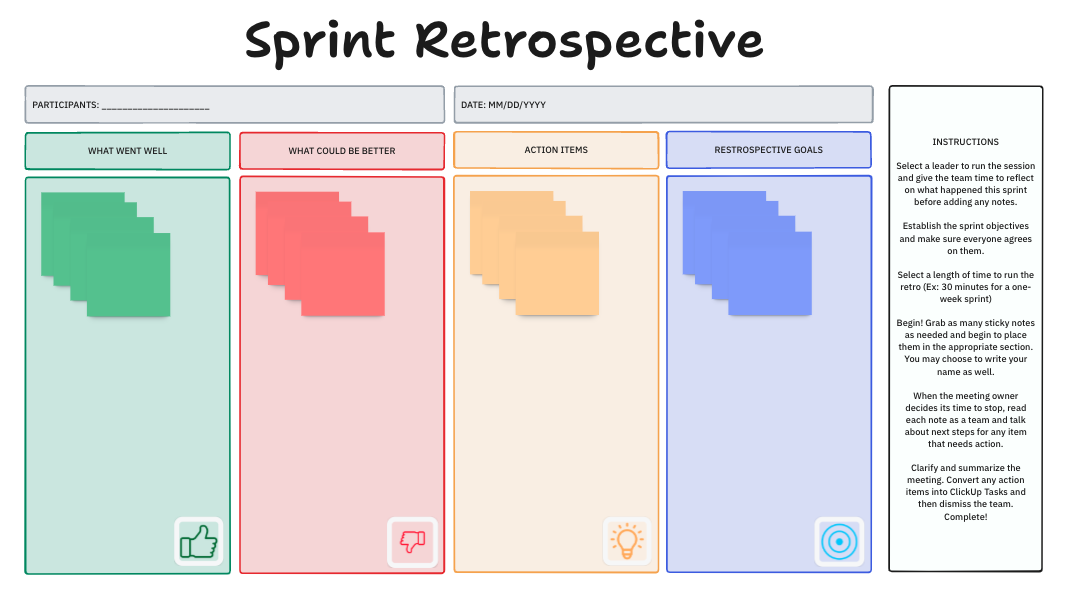
For Agile teams looking to standardize their retrospective process, the ClickUp Retrospectives Template offers a starting point for productive reflection sessions.
Meanwhile, the Sprint Retrospective Brainstorm Template elevates your retro sessions by providing a structured framework for team discussions.
This template helps you:
With access to other templates like those for sprint planning and product backlog, teams can seamlessly manage their entire sprint cycle.
Curious about the Start Stop Continue framework? Here’s an explainer video to implement it the right way 👇🏽
I also appreciate its automation feature (ClickUpBot). For example, if I forget some tasks from a previous sprint, it automatically adds them to my current sprint. It also helps automate task status updates.
📮ClickUp Insight: 92% of knowledge workers risk losing important decisions scattered across chat, email, and spreadsheets. Without a unified system for capturing and tracking decisions, critical business insights get lost in the digital noise.
With ClickUp’s Task Management capabilities, you never have to worry about this. Create tasks from chat, task comments, docs, and emails with a single click!
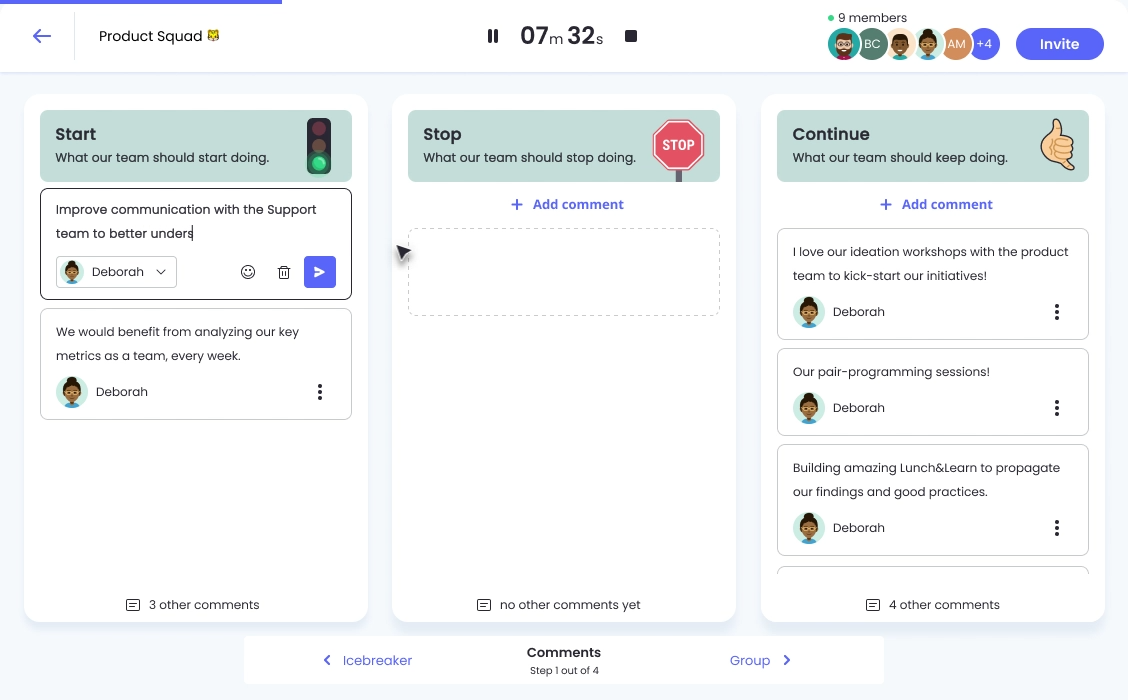
Missing out on valuable team insights because your retrospective format feels stale? Neatro tackles this challenge head-on with its extensive template library and intuitive setup process.
Neatro stands out with its ability to jumpstart meaningful discussions through diverse retrospective formats. The platform offers a rich collection of pre-built templates while maintaining the flexibility to create custom formats for your team.
Teams can also use asynchronous retrospectives across different time zones, which is particularly effective for distributed teams that can’t always meet simultaneously.
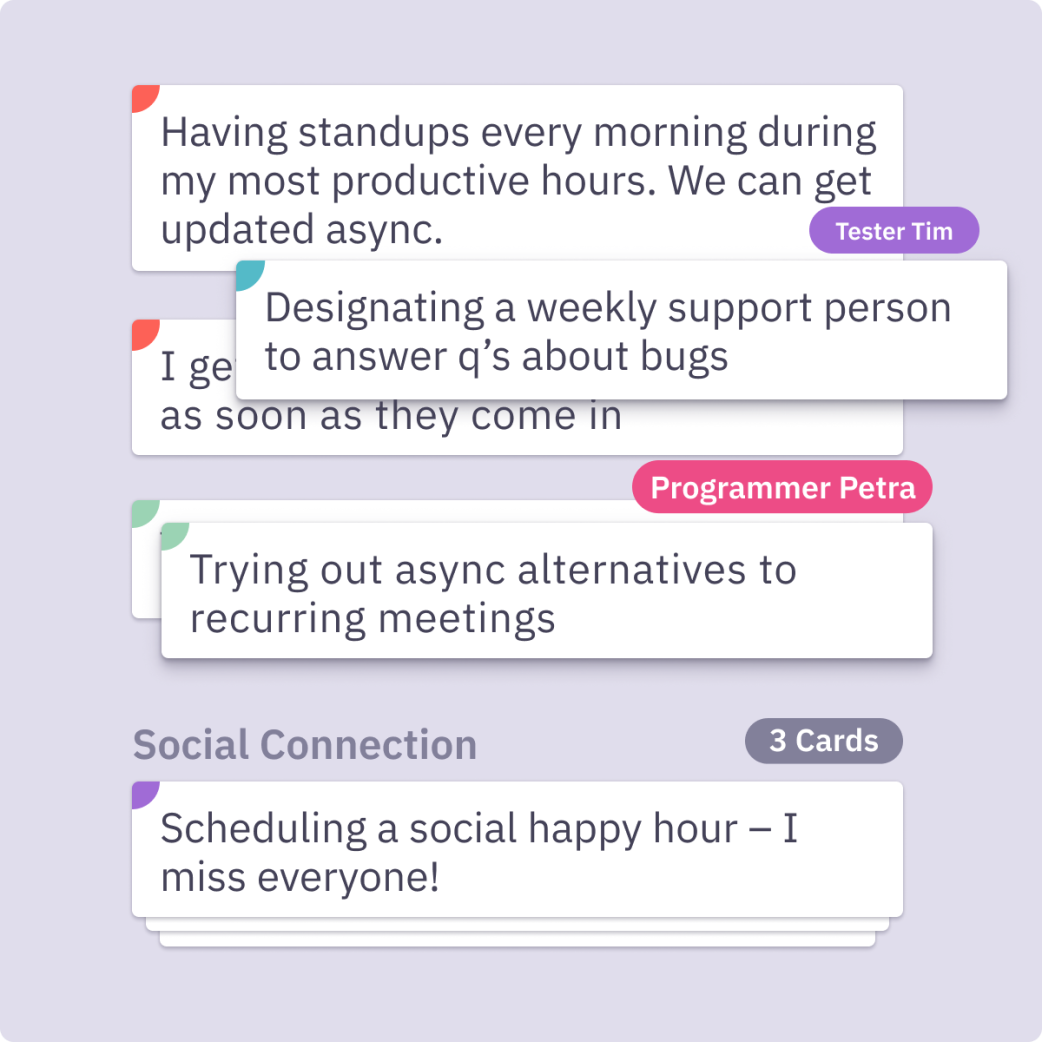
Managing meaningful retrospectives with a distributed team spread across time zones is like conducting an orchestra without seeing the musicians. Parabol bridges this virtual gap with a platform specifically designed for distributed teams.
Using features like discussion threads, icebreaker questions, and team health checks, you can create an inclusive environment where remote participants have equal opportunity to contribute.
The main reason I like Parabol is because is a way to involve everybody without making feel force. Also every one can come up with good/bad things without being influenced previously.
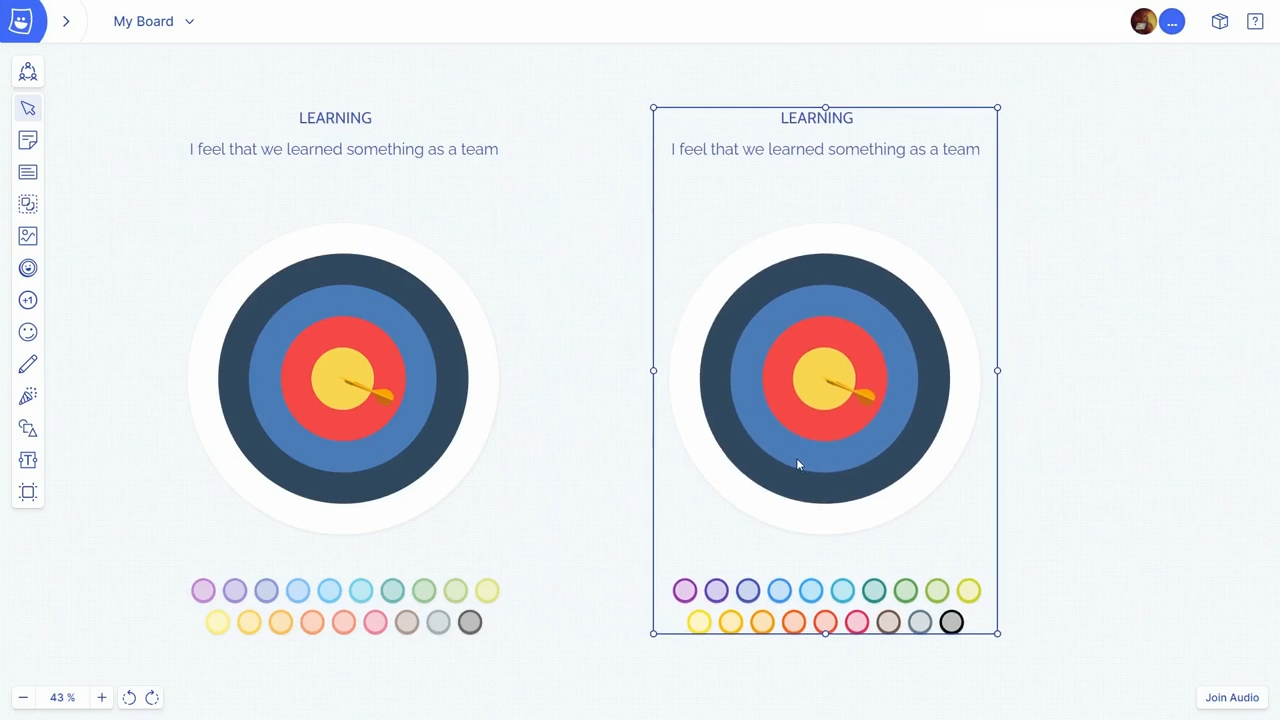
Every team has unique retrospective needs, yet most tools force you into adopting predefined formats. Metro Retro breaks free from this one-size-fits-all approach. It allows teams to create unique retrospective experiences while maintaining structure and focus.
Think unique features such as anonymous feedback, topic groupings, activity frames to organize areas of your discussion board, and other elements to make retros fun.
Through its intuitive interface, the platform makes customization accessible even for non-technical team members. Its hybrid-friendly approach sets Metro Retro apart, with features specifically designed to level the playing field between in-office and remote participants.
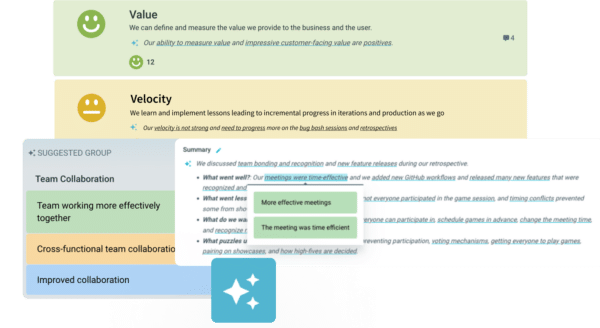
Your team’s retrospective feedback contains patterns and trends that could transform your processes—if you could only see them. TeamRetro illuminates these hidden insights by transforming qualitative feedback into quantitative intelligence on which your team can act.
The platform includes a retrospective decision radar that helps teams visualize alignment on key decisions. Its built-in psychological safety tools ensure every team member feels comfortable contributing. Teams can also leverage the platform’s sprint health metrics to correlate retrospective outcomes with sprint performance measurements.

Understanding your team’s technical output is only half the equation; their well-being drives sustainable performance. Echometer bridges this gap by providing a holistic view of process efficiency and team dynamics.
The platform integrates team health metrics with retrospective activities, helping organizations identify and address process and people-related challenges.
👀 Did You Know? Dr. Ron Westrum classified organizational cultures into three types: Pathological, Bureaucratic, and Generative. These categories highlight how organizations handle information flow and respond to challenges and failures.
Pathological cultures are power-driven and exhibit low cooperation, bureaucratic cultures focus on rules with moderate cooperation, and generative cultures prioritize performance with high levels of cooperation.
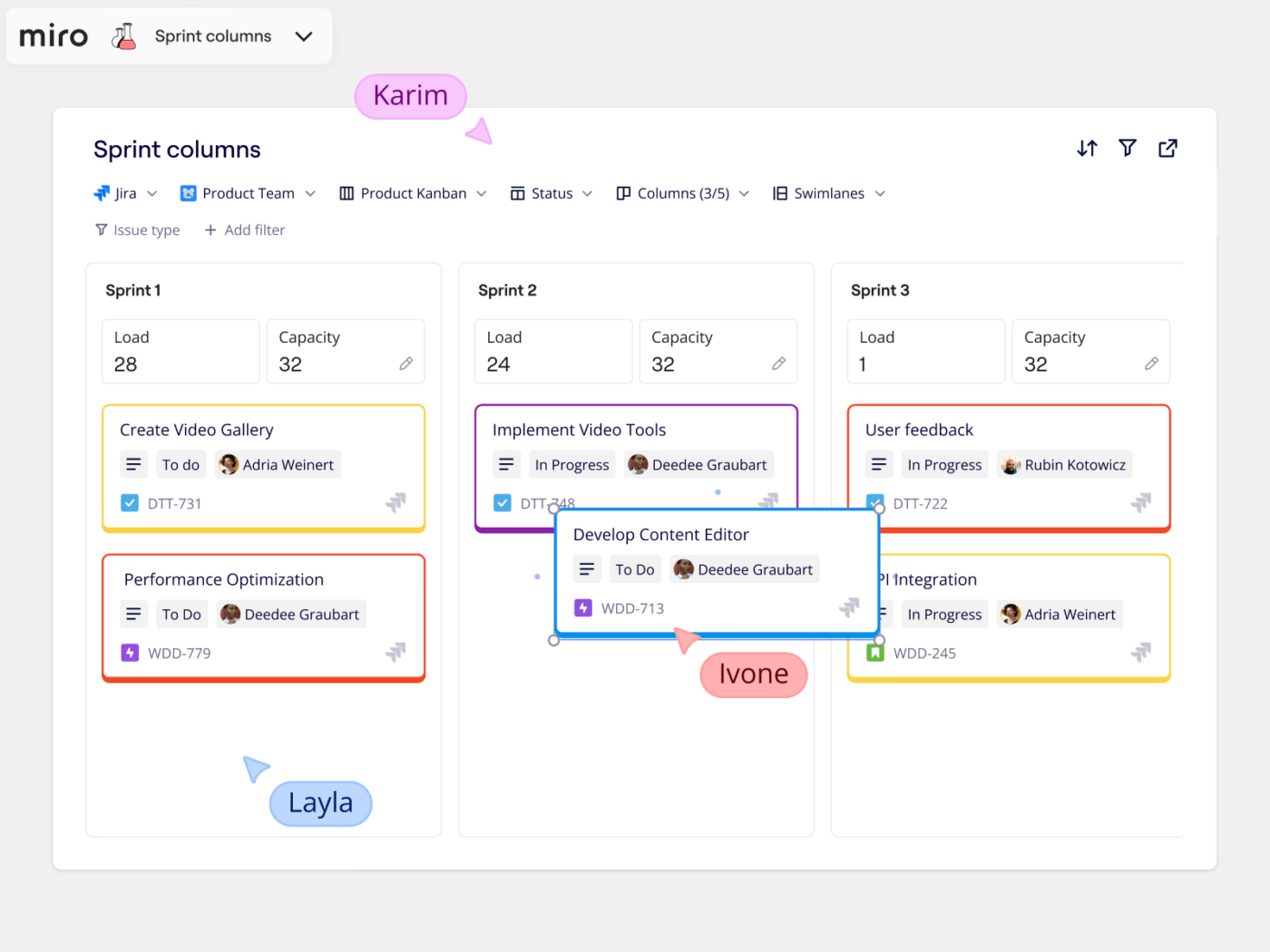
Complex retrospective discussions need more than lists and boards—they need space to evolve. Miro transforms standard retrospectives into dynamic visual experiences where ideas can flourish naturally.
While not exclusively a retro tool, Miro’s visual collaboration capabilities make it exceptional for teams that prefer a more creative and spatial approach to retrospectives.
The infinite canvas allows teams to map connections between different aspects of their work and create rich, multi-layered retrospective experiences. The platform’s integration with over 130 workflow apps ensures seamless data flow between your retrospective insights and other tools.
Miro has quickly become my go-to tool for creating flows, diagrams, and charts, and it’s also become a staple in our sprint retrospectives. We almost use it daily. Compared to other tools I’ve tried, Miro just gives me the feeling that I have more control over every detail, making it easy to edit, adjust, and build exactly what I envision.
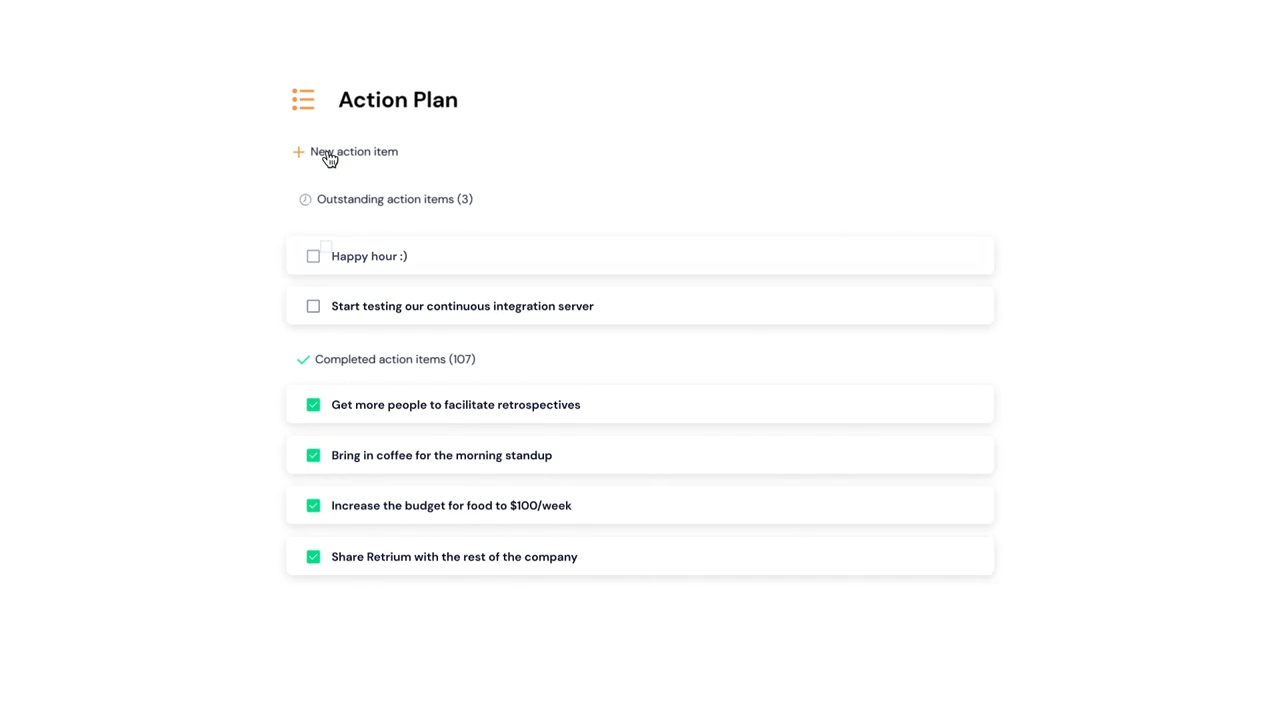
Enterprise retrospectives demand enterprise-grade security, especially when handling sensitive team feedback. Retrium meets this challenge by building a fortress of protection around your team’s most candid discussions.
Retrium’s focus on enterprise needs extends beyond security, including advanced access controls and comprehensive audit trails.
Teams can leverage the platform’s health radar feature to track improvement initiatives over time, while the built-in anti-groupthink features ensure diverse perspectives are captured. Retrium also offers private cloud deployment options with dedicated infrastructure and custom security policies for organizations with specific compliance requirements.
🧠 Fun Fact: William H. Whyte Jr. first introduced the term “groupthink” in 1952. Social psychologist Irving Janis later popularized it through his studies on group decision-making failures, especially in critical contexts like foreign policy decisions during the Cold War.
Also Read: Best Scrum Tools for Project Management
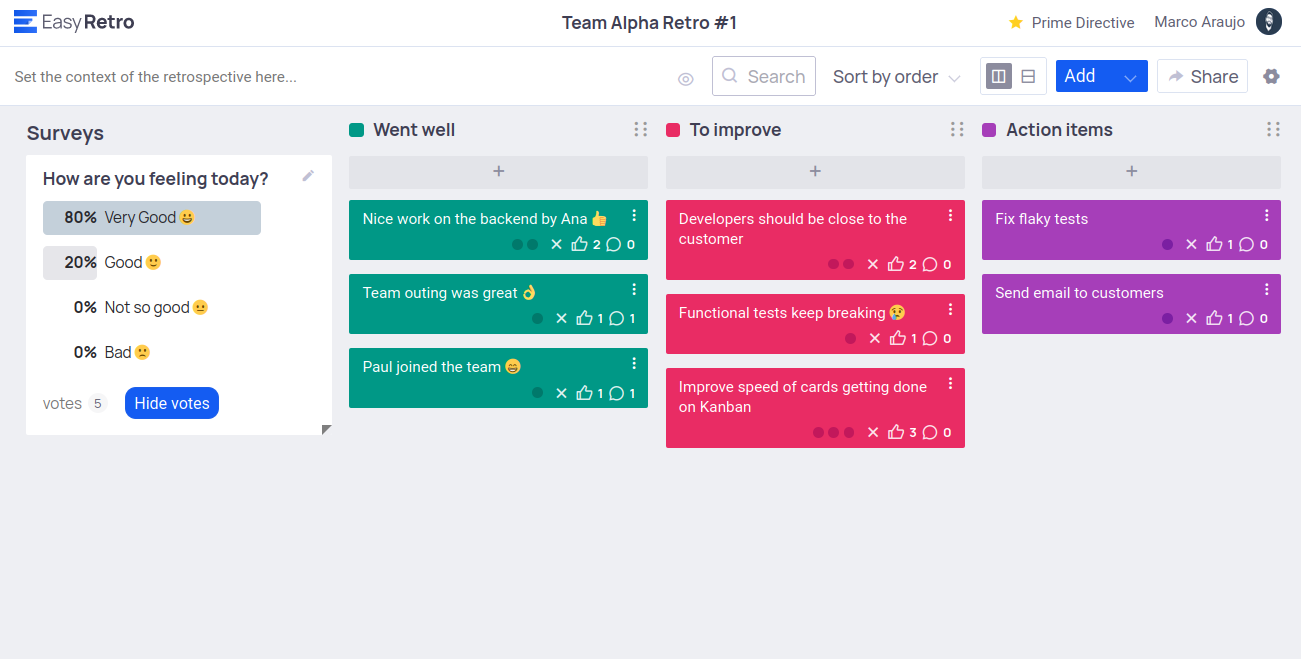
Transitioning from basic to structured retrospectives shouldn’t require a PhD in Agile methodologies.
EasyRetro focuses on simplicity without sacrificing effectiveness. Its intuitive drag-and-drop interface allows teams to organize thoughts and ideas without training, while the built-in emoji reactions help maintain team engagement throughout the session.
The software is easy to roll out to the team and facilitate retros with. I like all of the tools included, including the ability to vote and sort by votes. We use the timer feature often to keep meetings moving forward. We also refer back to our boards for action items.
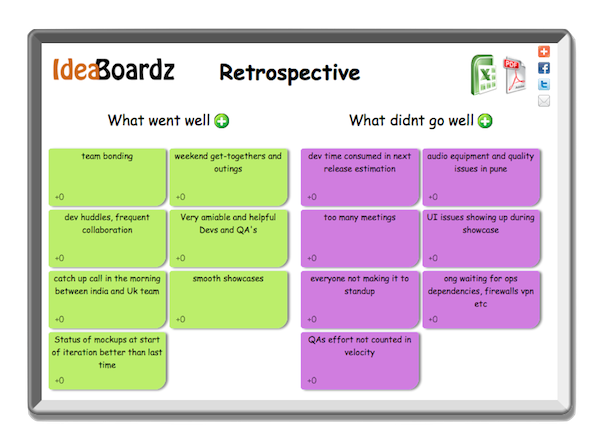
Sometimes, simpler is better. IdeaBoardz strips away complexity to focus on the essential elements of effective retrospectives, making it one of the best free retrospective tools for beginners.
When retrospective insights need to be captured quickly, extra features can become obstacles. IdeaBoardz strips away the complexity, letting teams focus on what matters most: meaningful conversation and actionable insights.
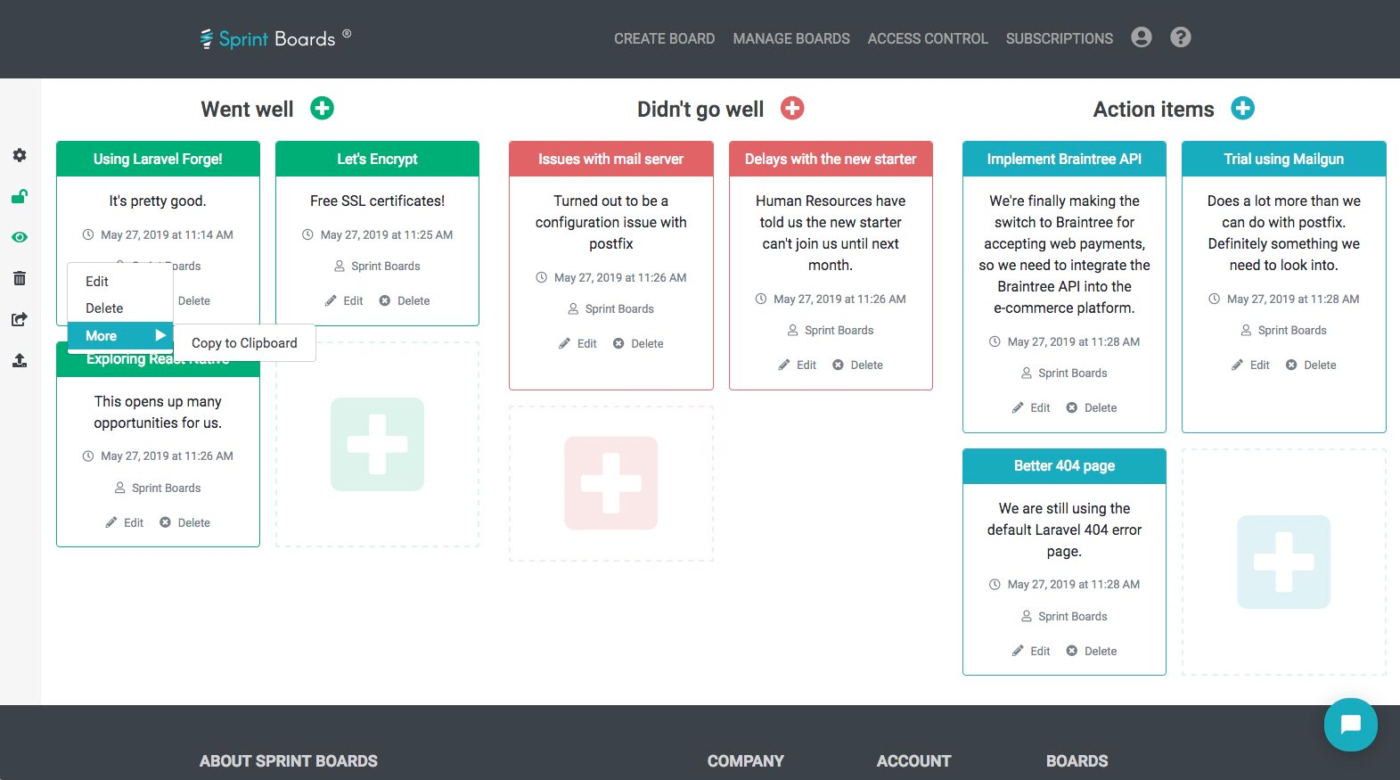
Traditional retrospective tools often become overly complex, slowing teams down instead of speeding them up. Sprintboards.io takes a different approach, focusing on simplicity and efficiency without sacrificing functionality.
For teams looking for a no-cost solution that doesn’t compromise on essential features, Sprintboards.io offers all its capabilities completely free. This makes it an attractive option for teams of any size.
Choosing the right online retrospective tool depends on your team’s specific needs, size, and maturity level.
While each tool on this list has unique strengths, ClickUp offers the most comprehensive solution. It integrates retrospectives with broader project management workflows without making you switch between dozens of apps. You also get to manage sprints better with sprint templates, task boards and whiteboards, and dashboards that simplify cumulative flow and velocity tracking.
While choosing a retrospective tool, remember the best one encourages honest feedback, facilitates meaningful discussions, and helps turn insights into actionable improvements. Start with your team’s core needs and grow from there.
Ready to run retrospectives as powerful drivers of continuous improvement? Sign up for ClickUp and discover how integrated Agile tools can elevate your team’s performance.

Manasi Nair
Max 20min read

Arya P Dinesh
Max 23min read
Arya P Dinesh
Max 27min read

© 2026 ClickUp