
Sorry, there were no results found for “”
Sorry, there were no results found for “”
Sorry, there were no results found for “”
Though Visio is a powerful tool, it comes with a steep learning curve and a host of compatibility headaches. This isn’t exactly a dream setup for professionals looking for a smooth diagramming experience.
You can ditch such clunky interfaces and overpriced subscriptions by adopting Microsoft Visio alternatives that offer intuitive design and the perks of real-time collaboration.
In this blog post, we’ve rounded up the top 12 Microsoft Visio alternatives so you can avoid the complexity of data visualization and enjoy smooth diagramming. Let’s dig in! 🙌🏼

Tell us the tool you’re evaluating, and we’ll tell you if it’s the right fit, backed by data from 10,000+ teams who already made the call.
See what actually works for your team size, so you can decide with confidence.
Create detailed diagrams faster with our list of the top 12 Microsoft Visio alternatives:
Whether you need a more cost-effective solution, a user-friendly interface, or better collaboration features, plenty of Visio alternatives can fit your needs.
Here’s what to consider when choosing the right one for you. 👇
🔍 Did You Know? Digital diagramming is not just for IT geeks; these tools have applications in many industries, including healthcare, architecture, and gaming.
Let’s explore 12 of the best Microsoft Visio alternatives and see how they compare in features, usability, and value.
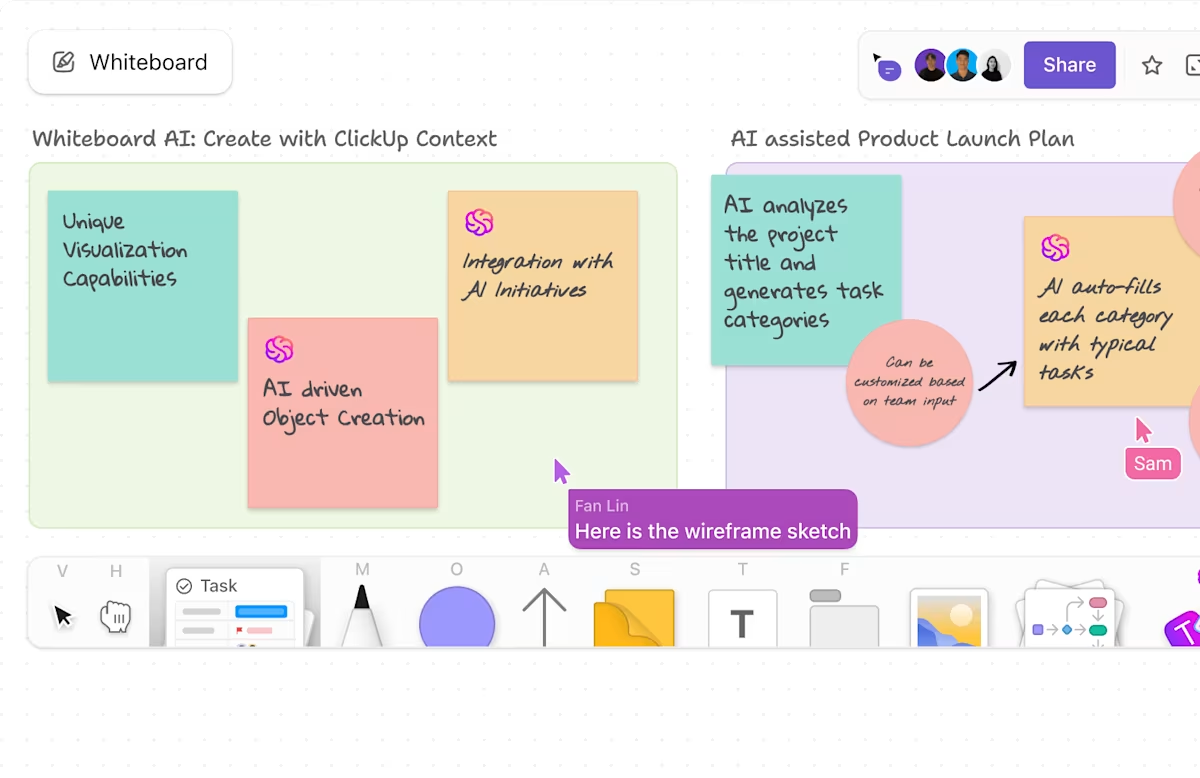
As one of the few free Visio alternatives, ClickUp, the everything app for work, offers complete workflow management with a virtually effortless visual collaboration experience. You can easily create flowcharts for different organizational processes and use a variety of shapes to represent unique steps and approaches.
You can use ClickUp Whiteboards to play around with drag-and-drop features and manipulate your diagram as per the project at hand.
For example, if you’re planning a product launch, you can create a workflow with sticky notes representing key phases like ‘Market Research,’ ‘Product Design,’ and ‘Go-to-Market Strategy.’
Images generated by ClickUp Brain, the integrated AI assistant, can also be used to represent customer personas or product mockups directly within the diagram.

Next, try ClickUp Mind Maps to shift your ideas into a digital space built to break down complex concepts and workflows. You can fully customize these maps by adjusting colors, node connections, and task links to suit your workflow
If your team is brainstorming a new marketing strategy, you can create a mind map with branches like ‘Target Audience,’ ‘Content Channels,’ and ‘Budget Allocation.’ Under ‘Target Audience,’ you might add sub-branches for ‘Demographics,’ ‘Behavior Patterns,’ and ‘Pain Points.’
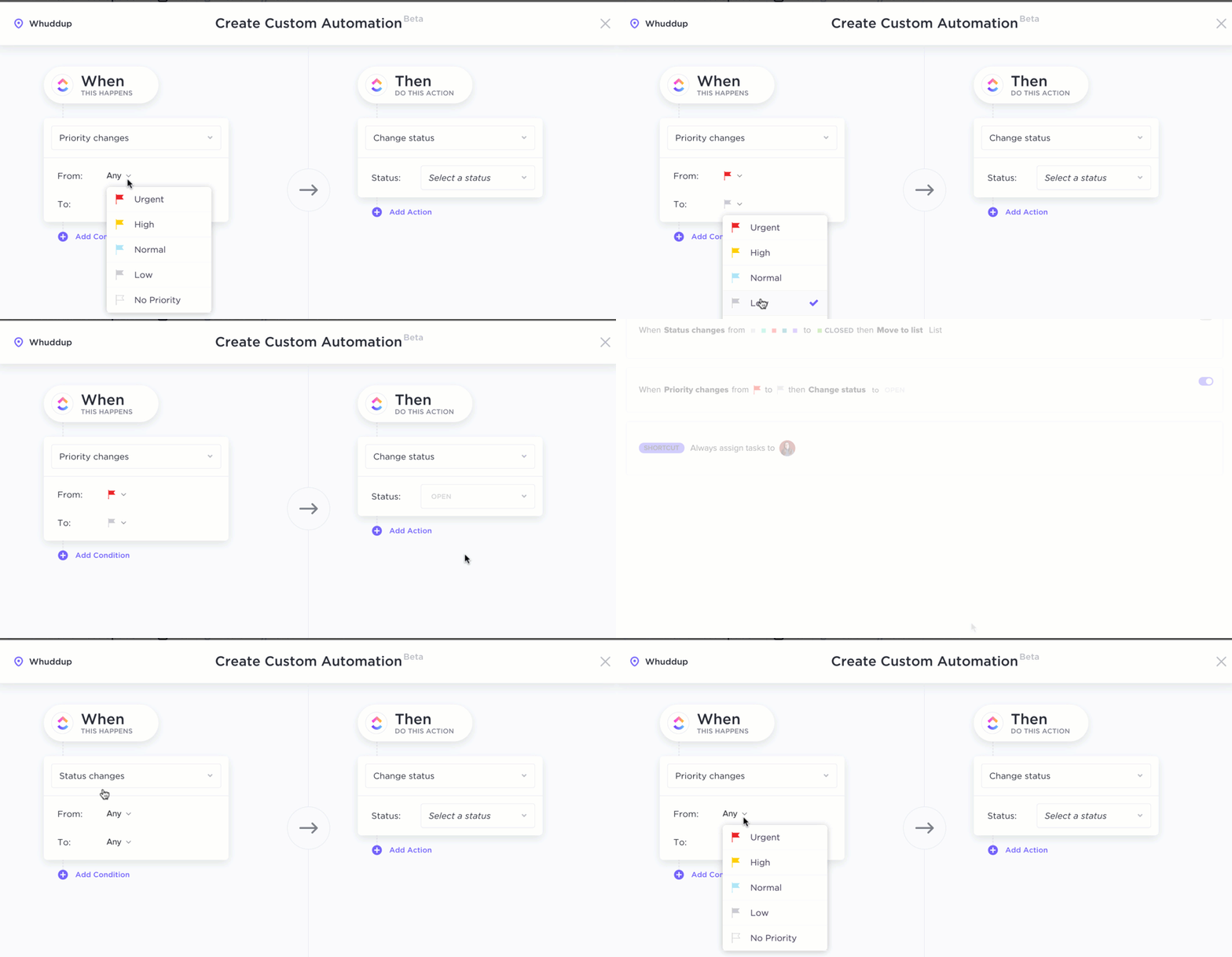
Another feature that takes the crown because of its 100+ pre-installed templates and shortcut options is ClickUp Automation. Whether for converting emails to tasks or translating ideation discussions into easy-to-read flowcharts, this feature is there to help.
Furthermore, you must try ClickUp for PMO and IT Teams to reduce your delivery time and increase productivity. You can plan and prioritize workloads and execute workflows for clarity.
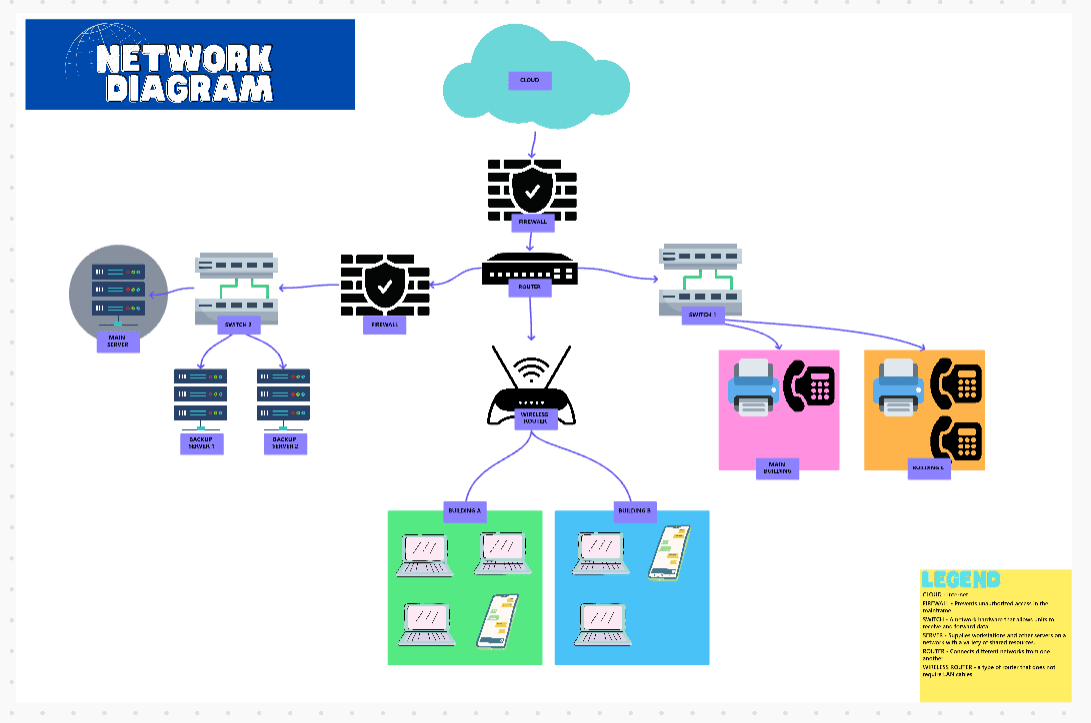
Consider applying the ClickUp Project Network Diagram Template to decide your agency’s network architecture. You can include varying hierarchies and chains of command for different duties.
Moreover, this template lets you create internal network frameworks that include telephones, Wi-Fi connections, and intercoms or for more people-based roles within larger projects. Either way, you’re guaranteed a certain sense of order in how your project functions.
I love love LOVE ClickUp Whiteboards. They’re my fav for brainstorming and working with my team. My job entails a certain degree of visual diagramming, which ClickUp’s features make super duper easy. What’s not to love, right?
🔍 Did You Know? The standard symbols for flowcharts (like ovals, rectangles, and diamonds) were established in 1960 by the American National Standards Institute (ANSI). Modern diagramming software still uses these symbols!
This small business automation playbook covers 7 workflows (with free templates + AI agents).
Turn your intake, routing, approvals, and reporting into trigger-based workflows that don’t need a diagram to explain.
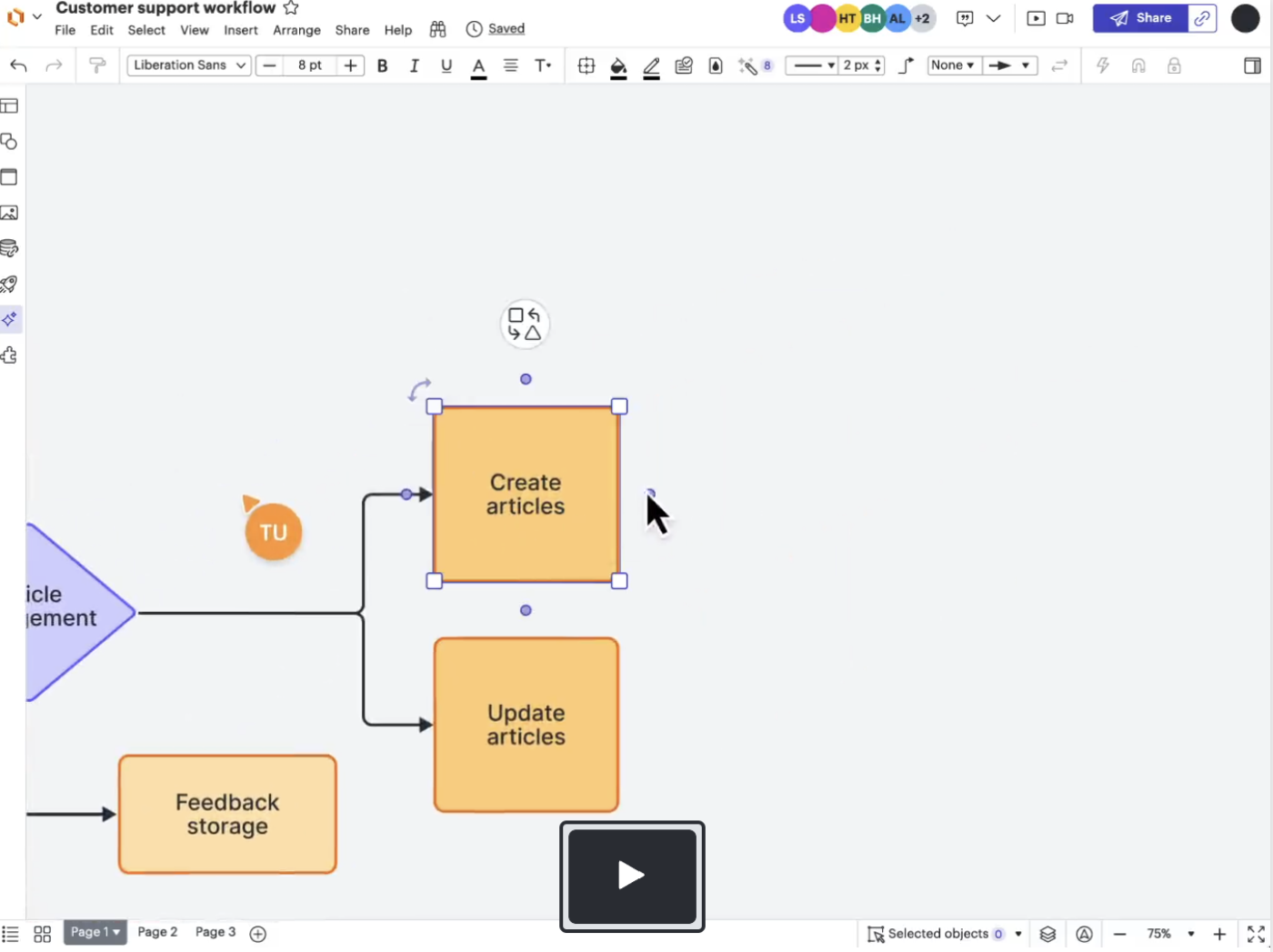
If you’re feeling trapped in a tangle of disconnected files and components or struggling with version control in Visio, Lucidchart fixes that with real-time editing and intuitive design tools. Unlike Visio’s desktop-first approach, this tool thrives in browser-based accessibility and allows teams to work on process maps and network diagrams from anywhere.
Even better, this flowchart software for Mac provides enterprise-grade security and centralized document control. However, this might not be the perfect fit for you if you need advanced BPMN validation or offline editing.
Lucidchart, to me, is user friendly, better looking documents/exports, better UI, the list goes on. Looked at Visio since that’s what our IT was pushing and was dumbfounded by Visio’s inability to easily import to shapes from CSV. Even Draw.io import was better.
📖 Also Read: Lucidchart vs. Visio: Which Diagram Tool Is Better?
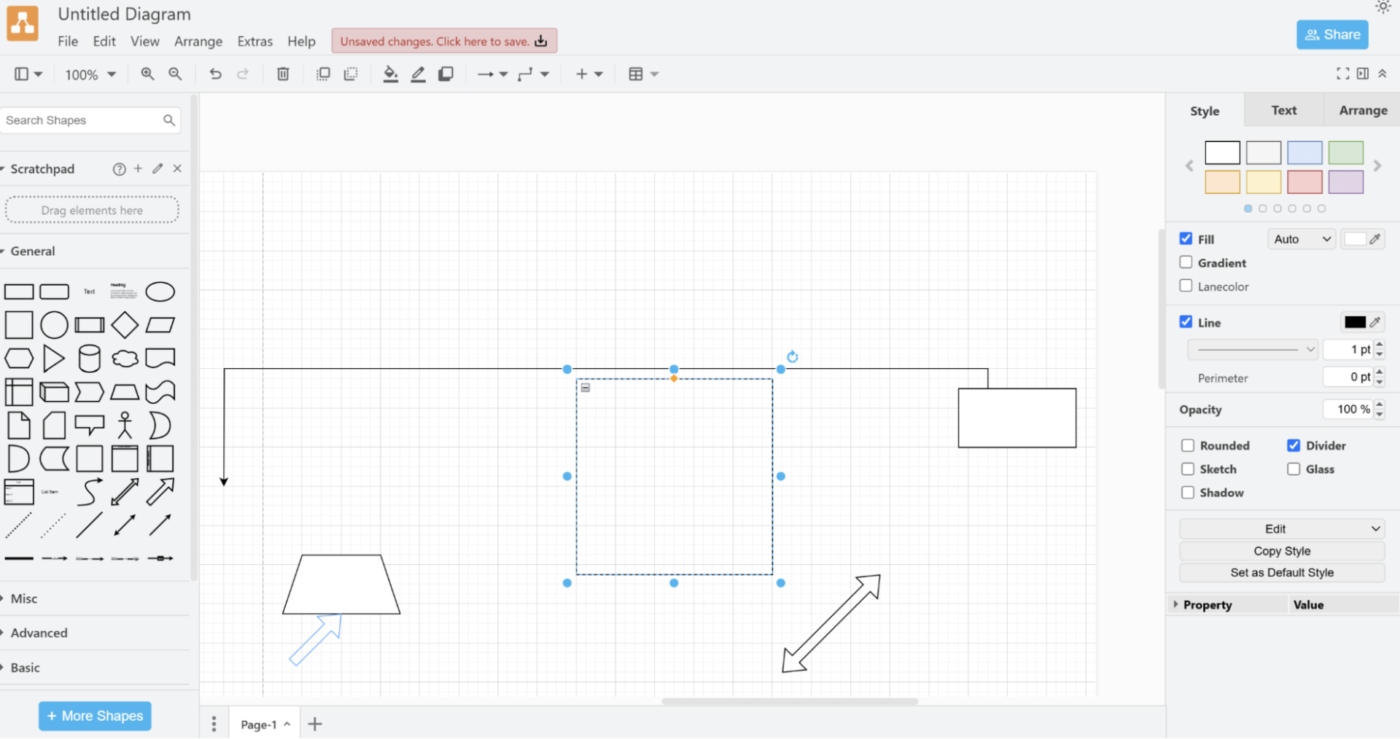
Draw.io, now rebranded as diagrams.net, is a no-cost Visio alternative that offers fully open-source, web-based, and offline capabilities. It doesn’t hide features behind paywalls, making it an ideal choice for small businesses and students needing a budget-friendly solution.
It’s also community-supported, meaning users rely on user forums instead of dedicated customer service.
🧠 Fun Fact: Diagramming software has become so advanced that some tools can translate diagrams into different programming languages or export them as code!
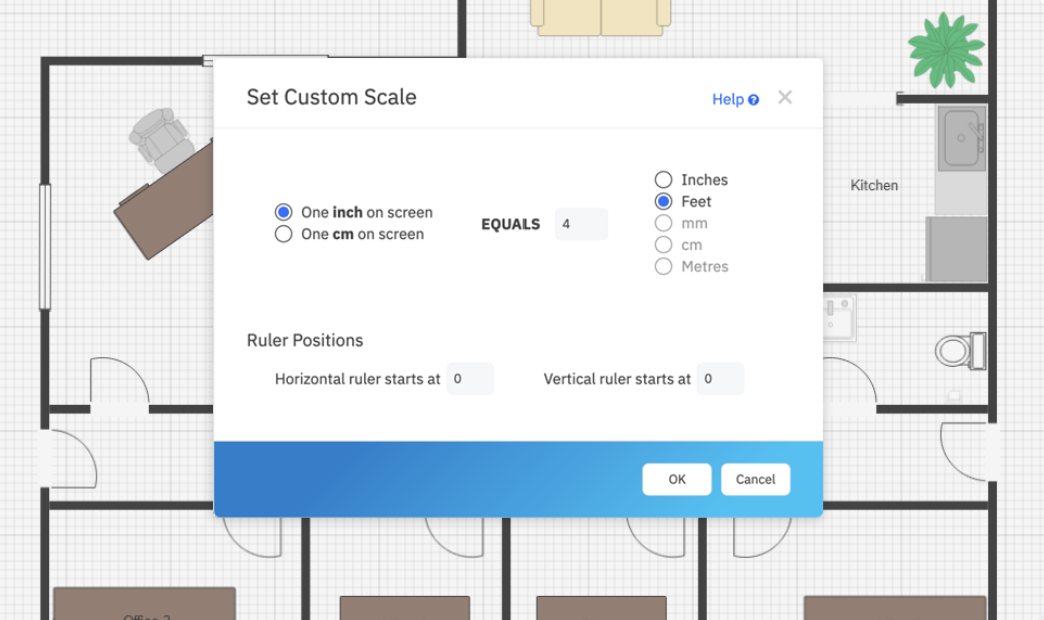
This feature-rich Visio alternative is designed for professionals who need quick, high-quality diagrams without starting from scratch. Its biggest advantage is its massive library of 4,500 templates and thousands of symbols, making it ideal for engineers and project managers who need polished visuals fast.
SmartDraw’s intelligent auto-layout adjusts diagram structures dynamically as elements are added or moved. Moreover, its built-in automation and integration with Jira, Confluence, and Google Workspace help you swiftly blend diagrams into documents and presentations.
Mainly, I use the mechanical and piping diagram templates. The simple interface makes it very easy to use. I really like that you can make your own symbols and save it in a library for later use. I like how it is website based aswell, it does not take any physical storage, only cloud. […] The line snaps are also hard to use sometimes, the lines would snap to something else instead of the one I wanted to, and it is very hard to adjust.
📖 Also Read: How to Create a Swimlane Diagram in Visio
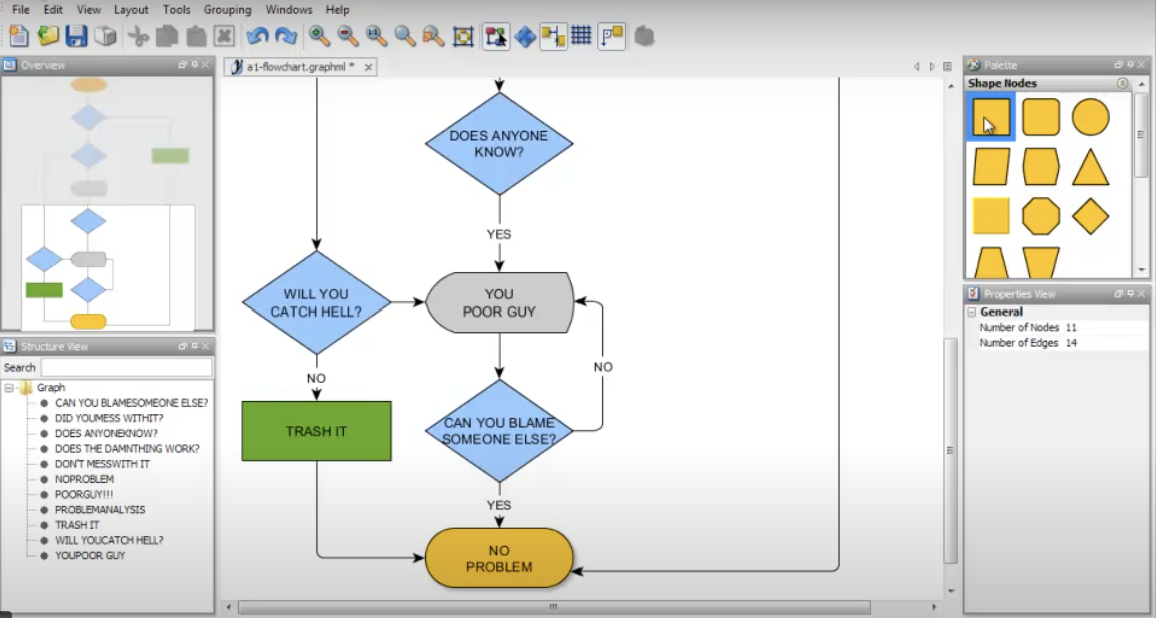
yED Graph Editor is a free diagramming tool that offers deep customization and automated layout generation. The latter manually adjusts messy diagrams, and users can also apply 15+ intelligent algorithms to arrange node-edge structures into readable visualizations instantly.
Not to forget, its offline utilities work on most operating systems, suiting users who require on-premises security and offline access. Though it lacks real-time collaboration, it compensates with custom property mapping for better diagrams.
🧠 Fun Fact: Some diagramming tools feature an ‘infinite canvas,’ a digital drawing area that has no set boundaries and allows endless zooming and panning.
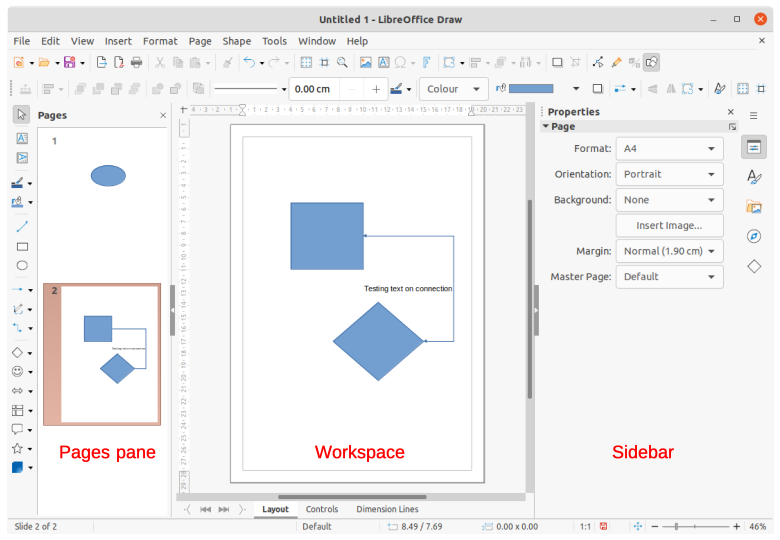
This free, open-source flowchart software is preferred for its vector-based graphics editing, which makes it a reliable choice for technical diagrams and print-ready designs. Be it sketches of organizational charts or drafts of engineering schematics, LibreOffice Draw’s precision tools always deliver crisp diagrams.
The tool has built-in 3D object creation tools and deep integration with other LibreOffice applications. However, its interface feels a little old-school, and some of its advanced functions require patience and practice.
What I like most about LibreOffice Draw is how straightforward it is to use for creating quick diagrams and flowcharts. It’s not overly complicated, which makes it great for beginners, and I love that it’s completely free. The ability to work with PDFs and export in different formats is super handy too—it saves me time when I need to share my work with others.
🧠 Fun Fact: Many diagramming software programs let shapes ‘talk’ to each other. For example, you can link shapes to live data, automatically updating charts and diagrams when the data changes.
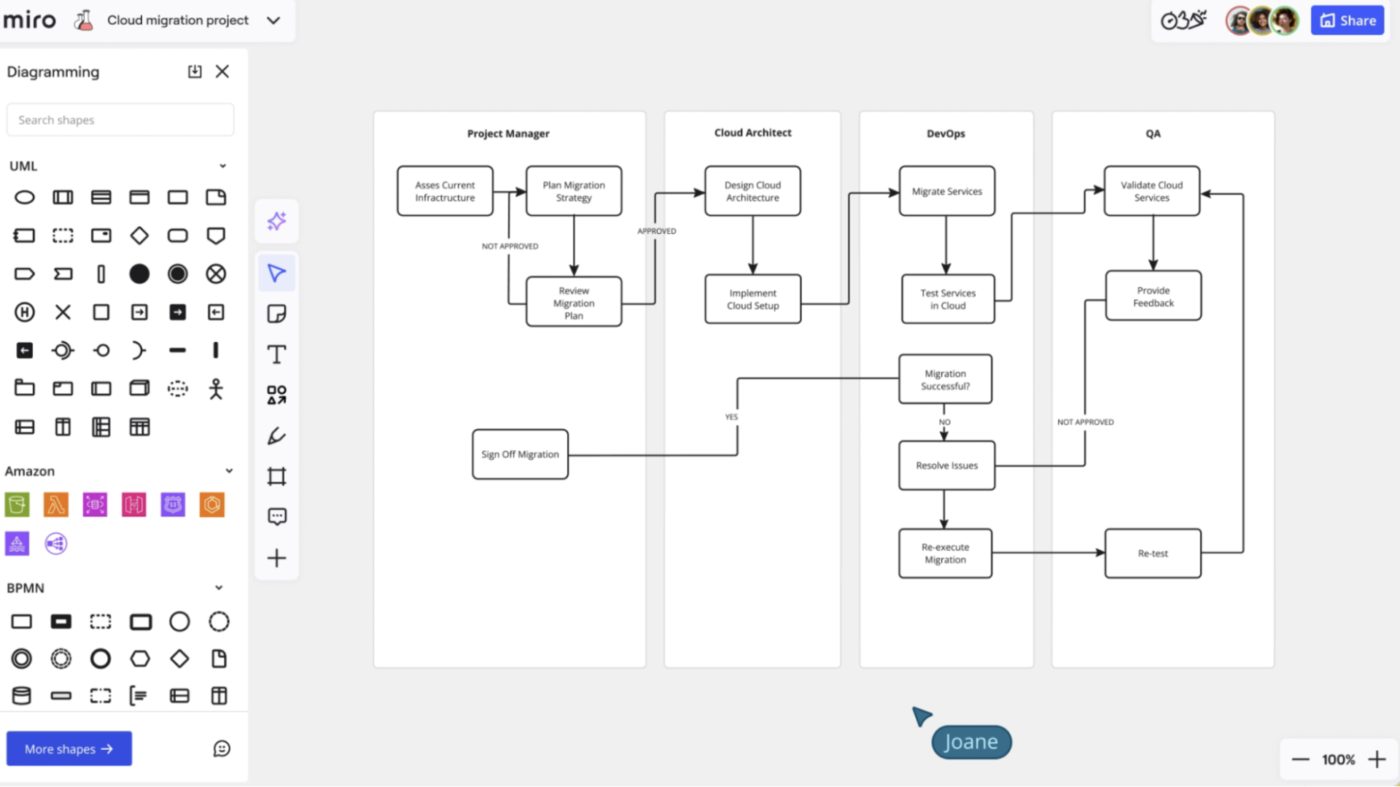
Miro’s cloud-based collaboration platform acts as a multi-user workspace for remote teams, product designers, and Agile workflows. This means you can gather collective opinions and work on visualization techniques while accounting for several points of view.
It lets you use AI to speed up creating wireframes based on input parameters. Despite these perks, its slow responsiveness to large boards can take forever to load elements.
Very heavy adoption of Miro here. I’ve mentioned it in replies here a few times. We def stretch the limits of what it can do. The one big missing feature for me are true layers and layer management.
If Miro had that we could probably drop other tools like Gliffy, draw.io, Visio, Archi and consolidate in Miro.
🔍 Did You Know? The global diagram software market sales revenue will reach USD 5.48 billion by 2030!
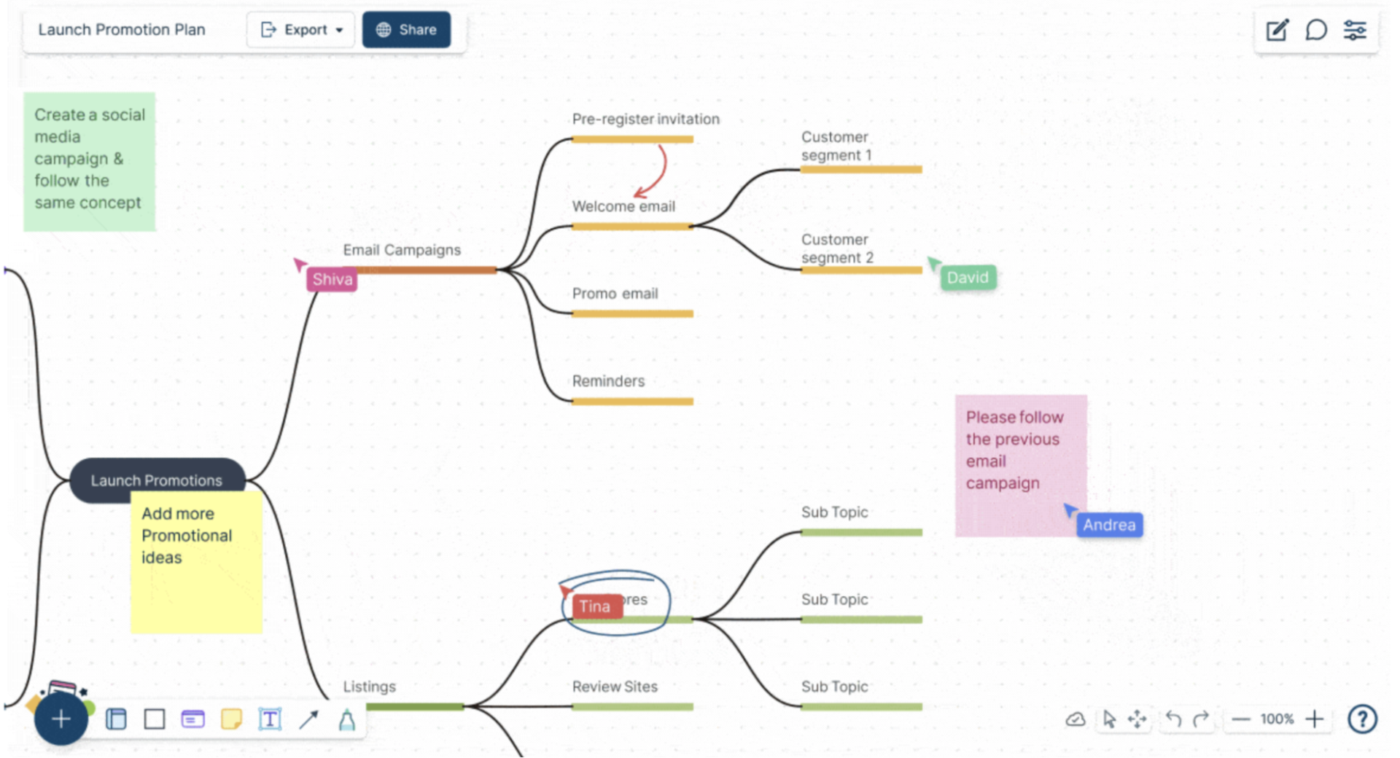
Creately functions as a database-powered work hub wherein you can create flowcharts and map entire systems with connected data and interactive elements. Additionally, you can use its extensive library of 50,000 vector shapes and templates to get a headstart in creating complicated software maps.
However, Creately may not be the best choice if you’re looking for free plans. Plus, its limited utilities will slowly make your diagramming process more frustrating than productive.
It’s a pain really. I tried to make an organizational chart both ways from a template and from a blank workspace and both ways the same result couldn’t do it. Your solution if you can call it a solution is CERO intuitive. It was very very difficult to replace and insert the pictures. The shape didn’t made available for edition. I couldn’t even move its position.
🔍 Did You Know? Modern robust diagramming tools use AI to suggest shapes, connectors, and layouts based on your content, speeding up the process of creating complex diagrams.
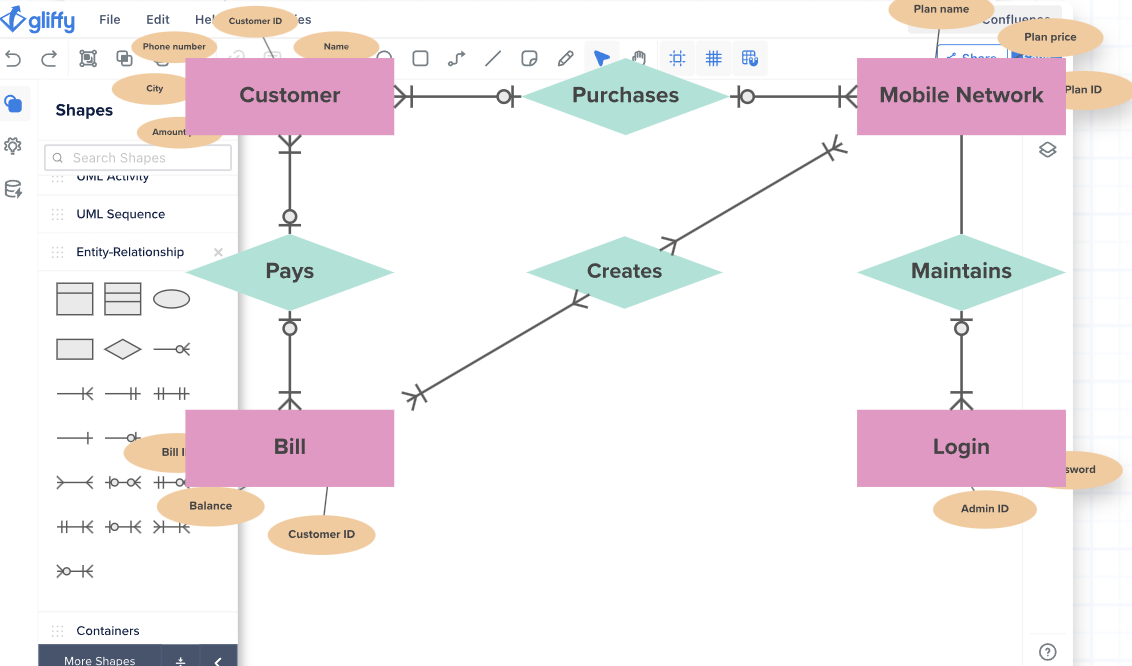
Gliffy lets your teams attach diagrams to Jira tickets thanks to its direct integration with Atlassian’s intuitive user interface. Additionally, you can embed visuals straight up into Confluence pages without switching between platforms.
With that being said, Gliffy’s limited offline capabilities and overreliance on an internet connection make it tough for organizations that need desktop-based solutions.
🔍 Did You Know? NASA uses advanced diagramming tools to map out spacecraft systems, mission workflows, and emergency response plans.
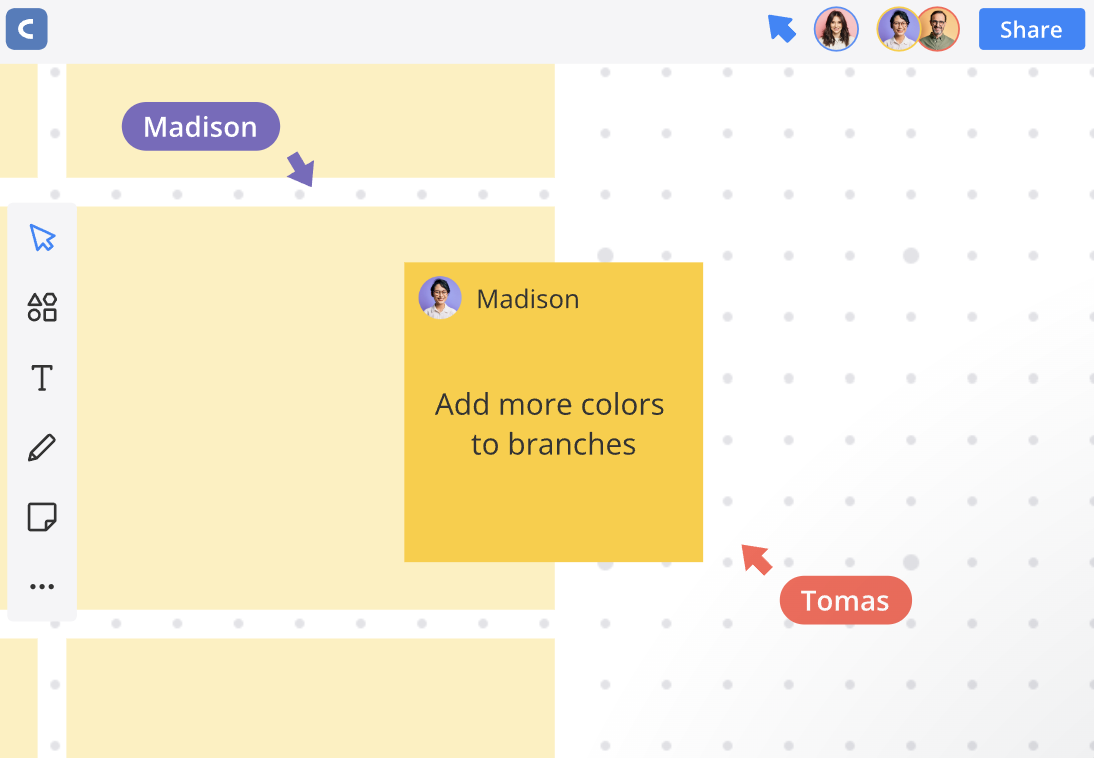
A great alternative to Visio, Cacoo takes the limelight for its built-in video chat offering, multi-user editing, and real-time cursor tracking features. Offering a cloud-based platform topped with sticky notes and revision history, it becomes a reliable top-tier Visio alternative for hybrid teams.
However, you should give Cacoo a second thought if you’re creating large, intricate diagrams that require several clustered components. Many users have complained of performance lags as your figures grow in size.
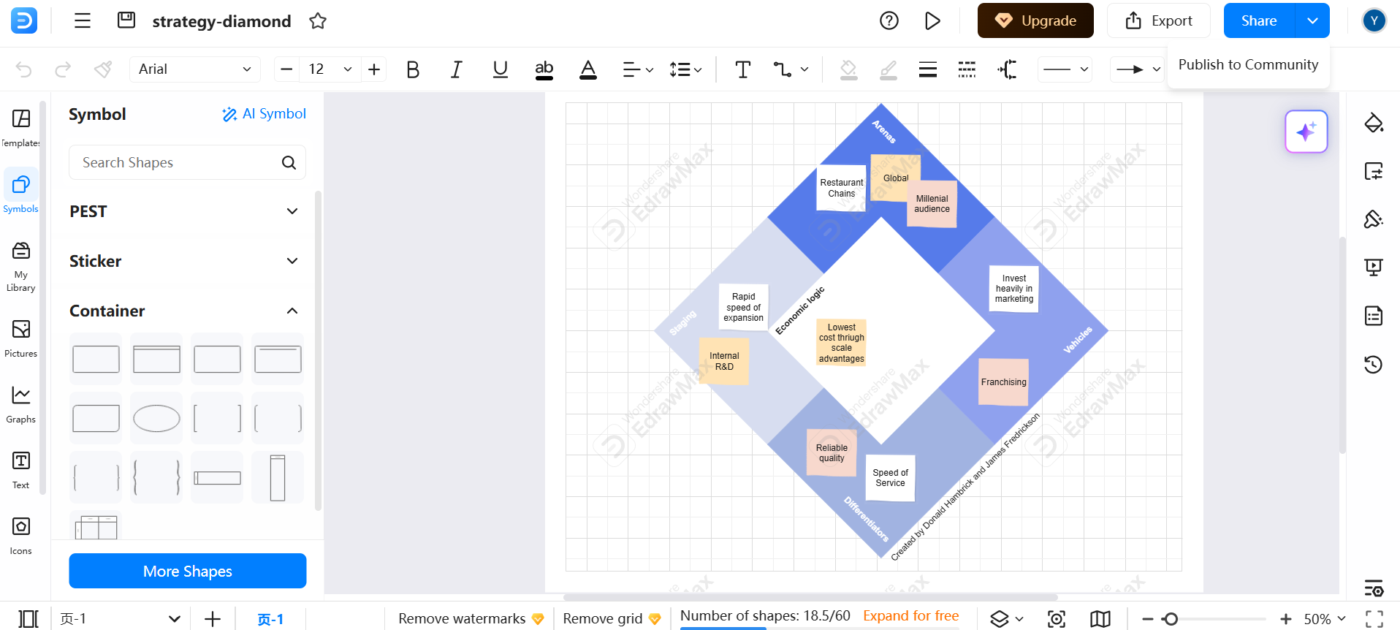
Over 210 types of diagrams catering to fields like engineering, IT, business strategy, and educators make EdrawMax a good alternative to Visio. Its intuitive interface is modeled after Microsoft Word, ensuring your learning curve is lower than other data visualization platforms’ demands.
It supports multiple file formats, including Visio (.vsdx), PDF, PNG, and SVG, making it easy to share and collaborate across different tools.

Though last on our list, Coggle still deserves a spot owing to its focus on simplicity and creativity. Its minimalist interface lets you create detailed, colorful mind maps and flowcharts without extensive training. Moreover, you get access to unlimited image uploads and the ability to create loops and cross-branches.
However, it still lacks advanced technical diagramming capabilities found in Visio or EdrawMax.
Choosing the right Microsoft Visio alternative depends on your specific needs, whether it’s advanced automation, real-time collaboration, or budget-friendly options.
While all 12 tools on this list offer unique advantages, ClickUp stands out as the most versatile solution—combining powerful diagramming capabilities with robust workflow management features.
With ClickUp Whiteboards, Mind Maps, and Automations, you can seamlessly visualize processes, brainstorm ideas, and streamline complex workflows within a single platform. It keeps your diagrams actionable by linking them directly to tasks, ensuring nothing gets lost in translation.
Sign up to ClickUp for free today!

Manasi Nair
Max 27min read
Manasi Nair
Max 32min read
Manasi Nair
Max 14min read

© 2026 ClickUp