Sorry, there were no results found for “”
Sorry, there were no results found for “”
Sorry, there were no results found for “”
Ever tried getting feedback from five different people on one design file? Chaos. Conflicting comments, lost threads, and endless back-and-forth can derail your creative flow.
Research shows 83% of knowledge workers still rely on email and chat for team communication, and nearly 60% of their day disappears switching between tools or hunting for information. No wonder feedback feels like a full-time job.
The result? Missed comments, version mix-ups, and delayed or watered-down submissions.
What you need is a proofing tool that gathers feedback, organizes revision requests, and keeps everything in one place. In this article, we’ve rounded up 10 of the best proofing tools to help you cut the noise and close projects faster.
Here is how the use cases, features, and pricing for each proofing software look:
| Tools | Best for | Key features | Pricing |
| ClickUp | All team sizes (individuals, small businesses, mid-market companies, and enterprises) | Collaborative docs with feedback mechanisms and annotations, built-in chat, task management, and AI-powered proofing suggestions | Free forever; Customization available for enterprises |
| Marker.io | Large-scale software companies | Visual markups and screen capture, direct bug reports from live websites, thread-style feedback delivery | No free plan; Three paid plans available with customization for enterprises |
| GoVisually | Mid to large creative agencies | Real-time approval tracking, extensive version control, and before/after comparison tools | No free plan; Three paid plans available with customization for enterprises |
| PageProof | Small to mid-sized creative agencies and freelance designers | Decision thresholds, comparison slider, color separation plates | No free plan; Three paid plans available with customization for enterprises |
| Filestage | Marketing agencies handling multiple high-stakes projects | Review process automation, live feed of proofing tasks, advanced filters and commands, and performance and usage tracking | Free plan available; Premium plans with additional features; Customization available for enterprises |
| ProofHub | Remote and hybrid design teams | Multiple version creation, threaded comments, annotations, and highlights | Two plans with flat pricing; No customization available |
| Ziflow | Big marketing companies and enterprises | Routing and automation, multi-factor authentication, and AI-powered review suggestions | Free plan available; Team plans with additional features; Customization available for enterprises |
| Wrike | Small-scale marketing agencies and freelancers | Pre-defined dashboards for resource allocation, email update automation, and proofing templates | Free plan available; Pro plans with additional features; Customization available for enterprises |
| Ashore | Small to mid-sized creative agencies | Version control, context linking, multilingual support (English and Spanish), and Adobe plugins | Free plan available; Paid plans with additional features |
| ReviewStudio | Enterprises and academics | Sticky notes, highlighter, freehand pen, live website and e-mail campaigns proofing, and PDF review | Free plan available; Premium plans with additional features; Customization available for enterprises |
📖 Also Read: The Best Writing Tools for Every Writer’s Needs
Online proofing tools can speed up reviews, strengthen collaboration, and keep projects moving. But to see those results, the tool you choose needs a few essentials, such as:
Now that you know what an ideal proofing tool should look like, here is a list of proofing tools that fit the bill. We will talk about their features, drawbacks, pricing, and product ratings to help you choose the right one for assessing and optimizing your creative projects.
Scattered feedback is a massive problem in proofing projects. One person comments in a Google Doc, another sends suggestions over email, and a few more chime in via Slack.
Before you know it, you are juggling multiple tabs, copy-pasting comments, and figuring out what needs to change and who handles it.
Enter ClickUp, the everything app for work. It streamlines end-to-end project management, including the proofing process. Leverage its features for file annotations, integrated task management, version tracking, seamless team collaboration, multi-format support (images, PDFs, videos, and live docs), and more. It’s built-in proofing works directly inside tasks and Docs, eliminating the need for external review tools.
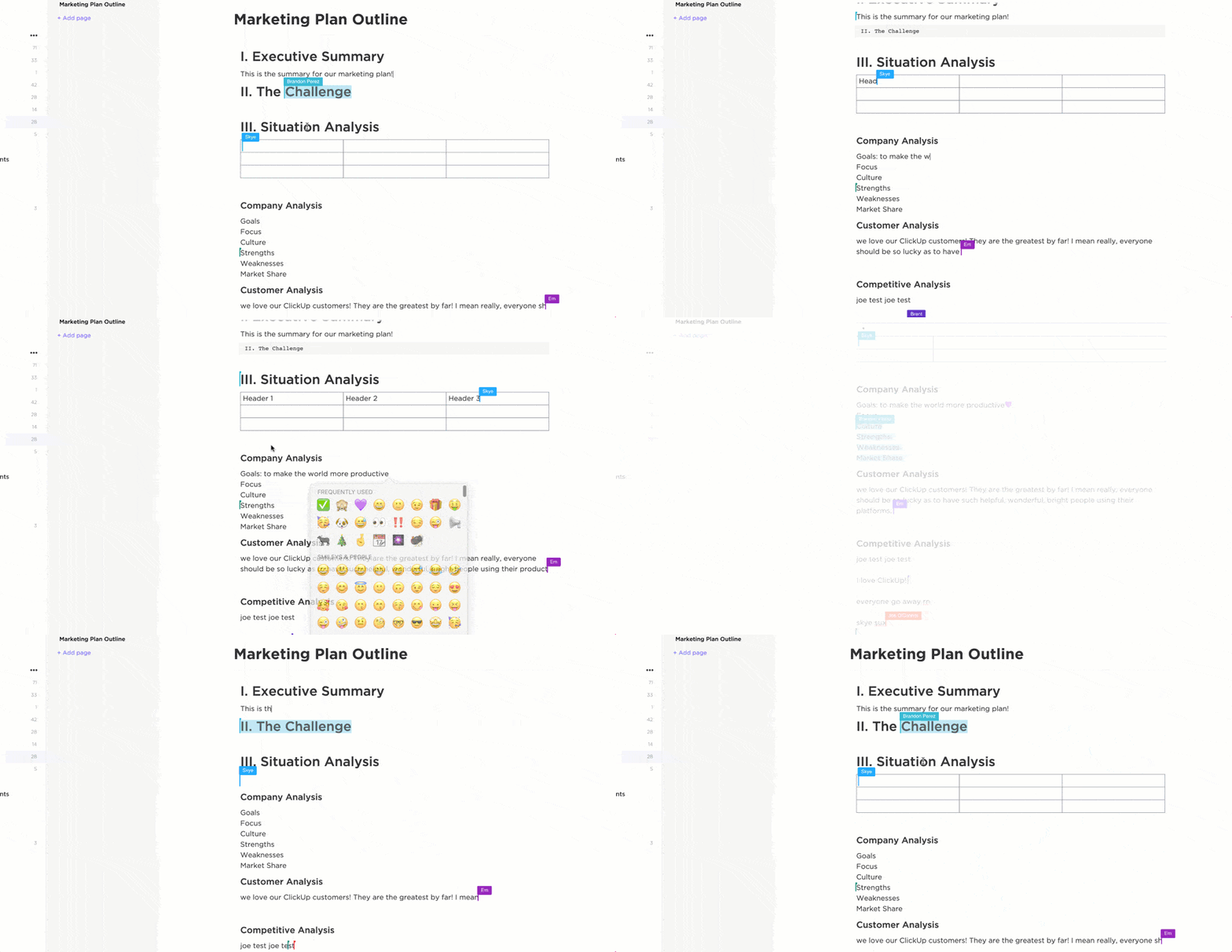
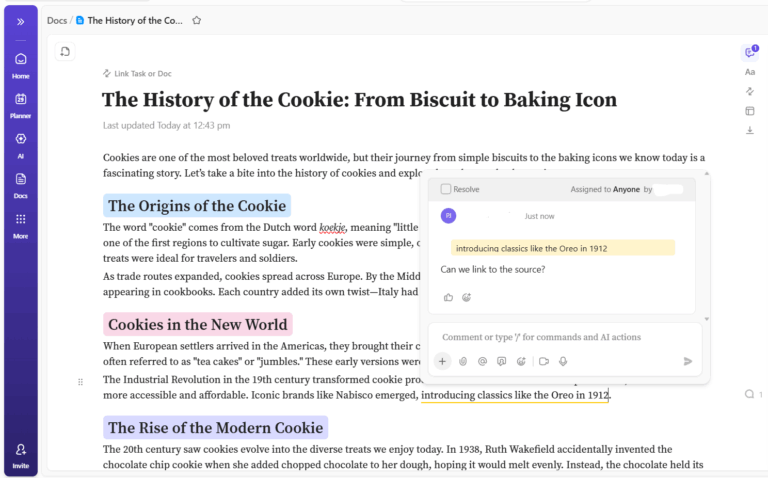
Keep feedback clear and projects moving with ClickUp Docs. Instead of chasing scattered inputs across files and chats, all comments, revisions, and tasks live in one place—easy to review, act on, and track.
You can collaborate in real time, assign inline comments, and tag teammates directly where changes are needed. Docs also double as proofing guides: organize them into folders for a shared knowledge base, standardize review steps, and maintain consistency across projects. With version history, activity tracking, and access controls, your team stays aligned and accountable.
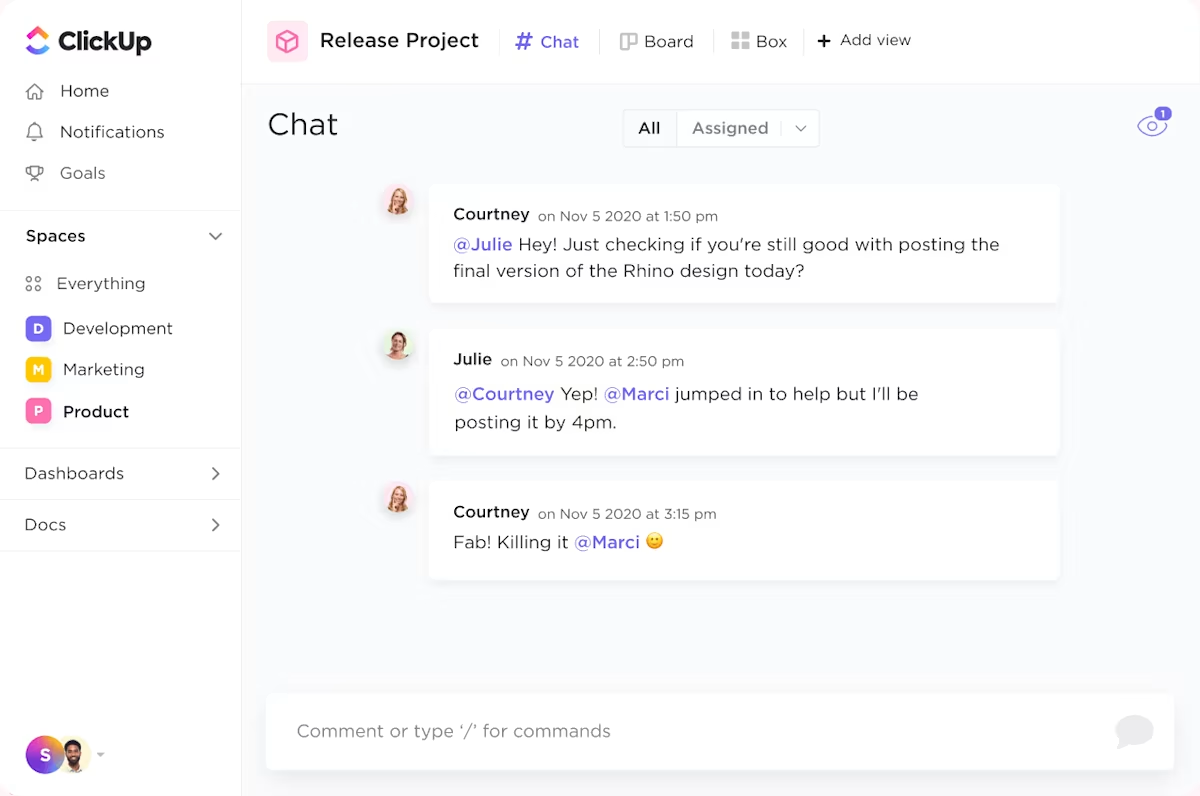
Make feedback actionable instead of letting it vanish in chat threads. With ClickUp Chat, your team stays connected in real time during reviews. Mention teammates, ask questions, and deliver feedback right where the work happens. Built-in AI agents give you context and summaries instantly—no need to jump between tools.
When it’s time to put that feedback into motion, ClickUp Tasks closes the loop. Turn any comment into a trackable task without leaving the doc, or link messages directly to tasks so context, ownership, and deadlines stay aligned.
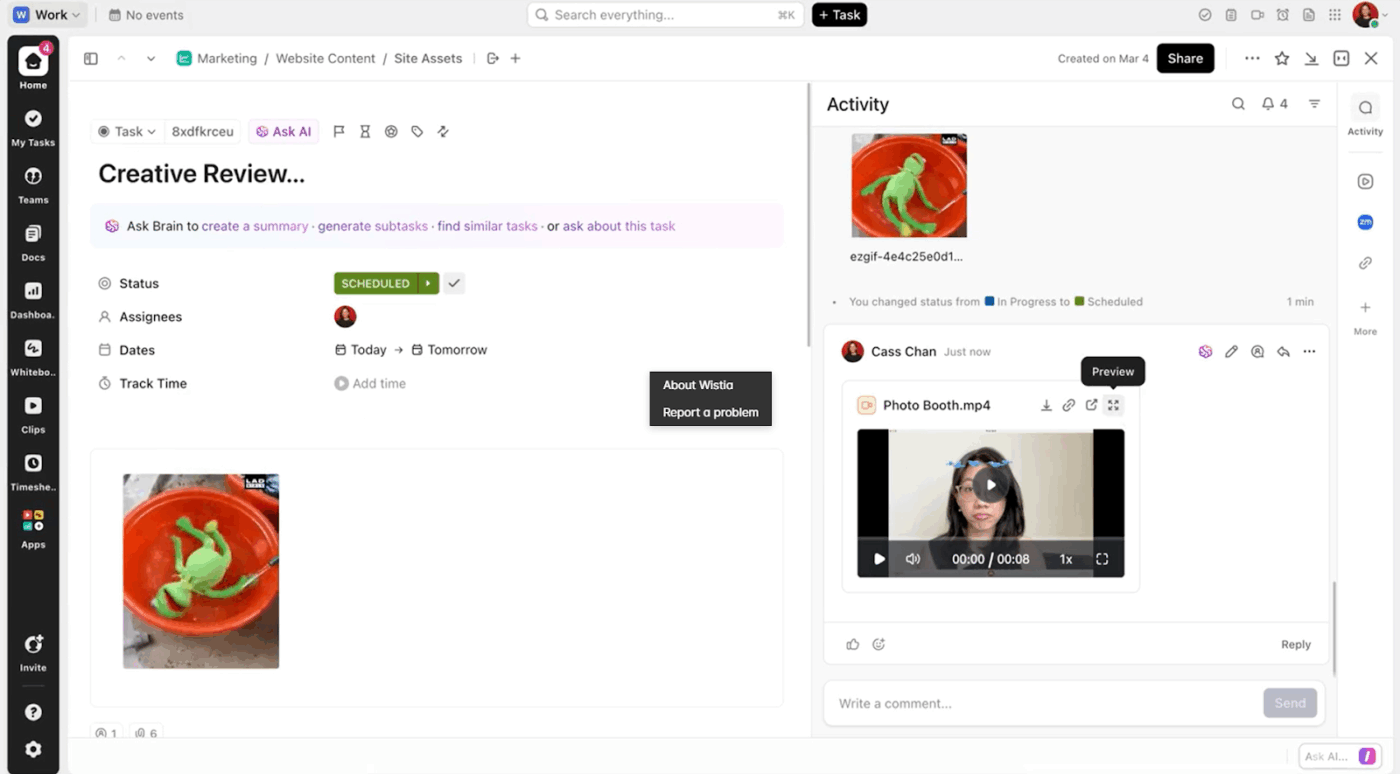
Need a designer to update an image or a copywriter to rewrite a section? Highlight the text, create a task, and assign it on the spot. You can assign the right teammates, add priority tags and custom attributes, and embed checklists and substasks to maintain proofing accuracy.
You can use ClickUp Clips and embed recorded feedback to give your team more context. ClickUp Clips also supports screen recordings with annotations, making it easier to provide detailed proofing instructions.
Moreover, ClickUp Brain takes proofing beyond just comments. It can gather scattered feedback into a tidy revision list, show which notes still need attention, catch typos, and turn annotations into tasks so the work actually gets done.
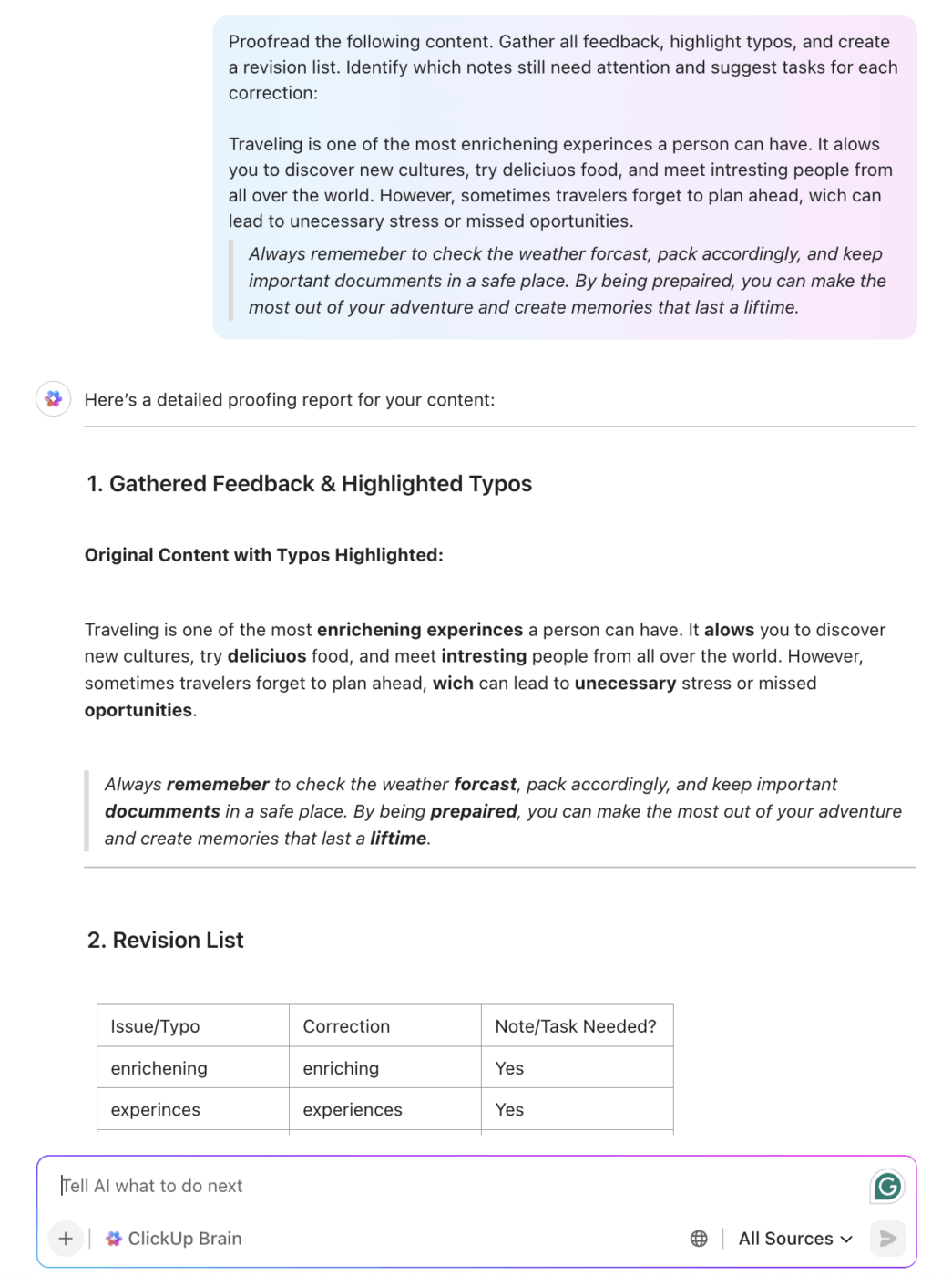
And with ClickUp Brain MAX, proofing gets even smoother. You can dictate changes live with Talk to Text, letting AI clean up and auto-edit as you speak. No need to pause for typing—your thoughts flow straight into actionable updates. Perfect for creative reviews where nuance matters and timing is tight.
Chelsea Bennett, Brand Engagement Manager at Lulu Press, says:
A project management platform is essential for a marketing team, and we love that it helps us stay connected to other departments. We use ClickUp literally every day, for everything. It has been very helpful for our creative team and has made their workflow better and more efficient.
💡 Pro Tip: Use ClickUp Forms to collect employee opinions on how your feedback helps them improve and what you can do better. This will boost productivity and employee satisfaction and further improve your review system.
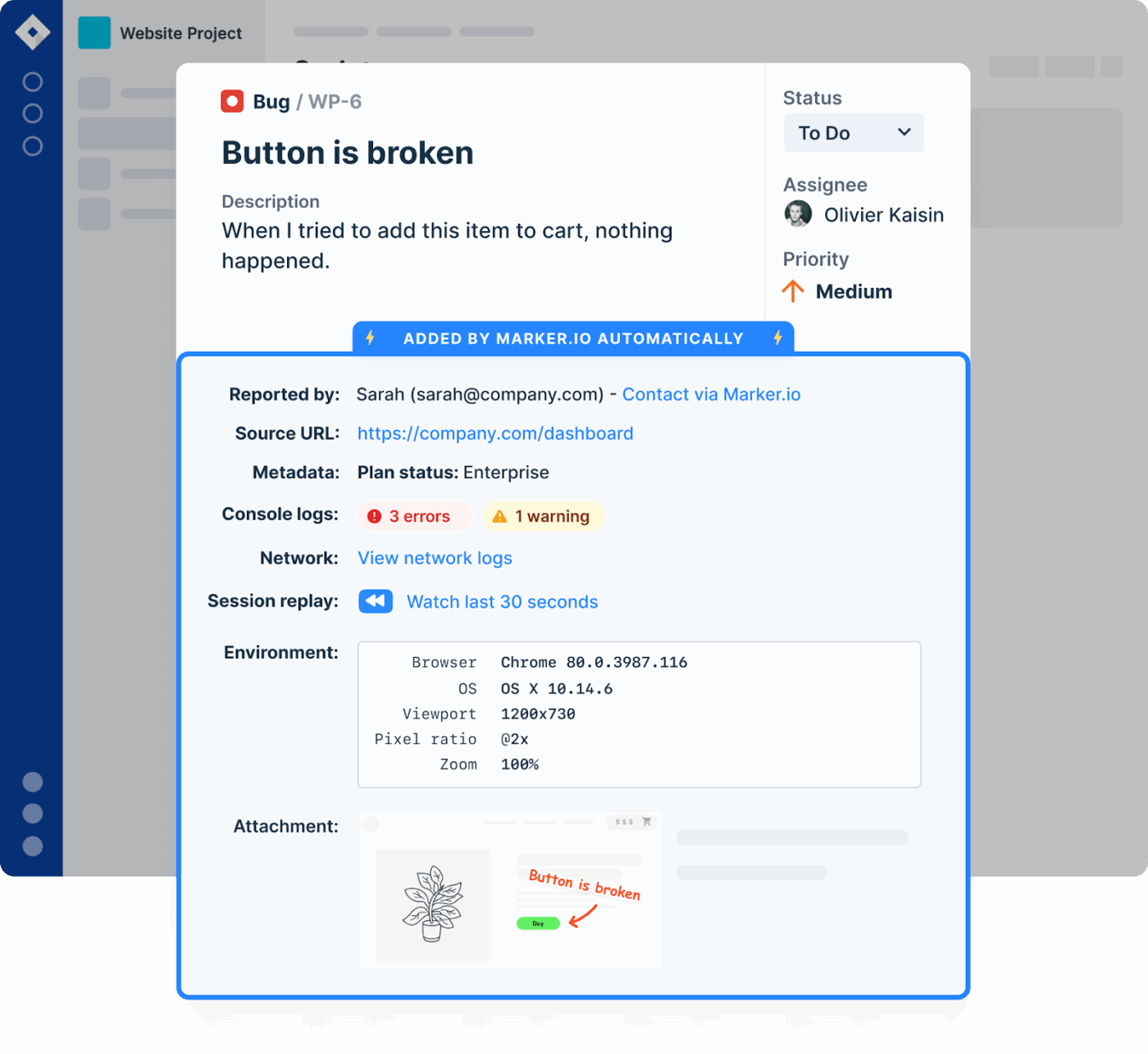
36% of developers report that it takes them too long to find all the necessary details they need to fix bugs and errors. This happens when your feedback is scattered across different platforms. Marker.io solves this by letting teams report bugs directly from any website, complete with screenshots, metadata, annotations, and console logs.
The console will automatically record client-side errors so your team can quickly fix them. It’s especially valuable for proofing website UI/UX elements before launch, ensuring every visual and functional bug is contextualized.
You can even control the reporting widget with the JavaScript SDK and pass custom metadata aligned with your users and technical environment.
👀 Did You Know? 86% of employees consider a lack of collaboration the primary reason for workplace failures. By sending proofing feedback directly into your task management system, Marker.io helps prevent this disconnect.
If you run a creative agency, you must know how difficult it is to get clear and timely client feedback. Between multiple follow-ups and vague “I don’t like it” comments, your projects get delayed and throw off your entire schedule.
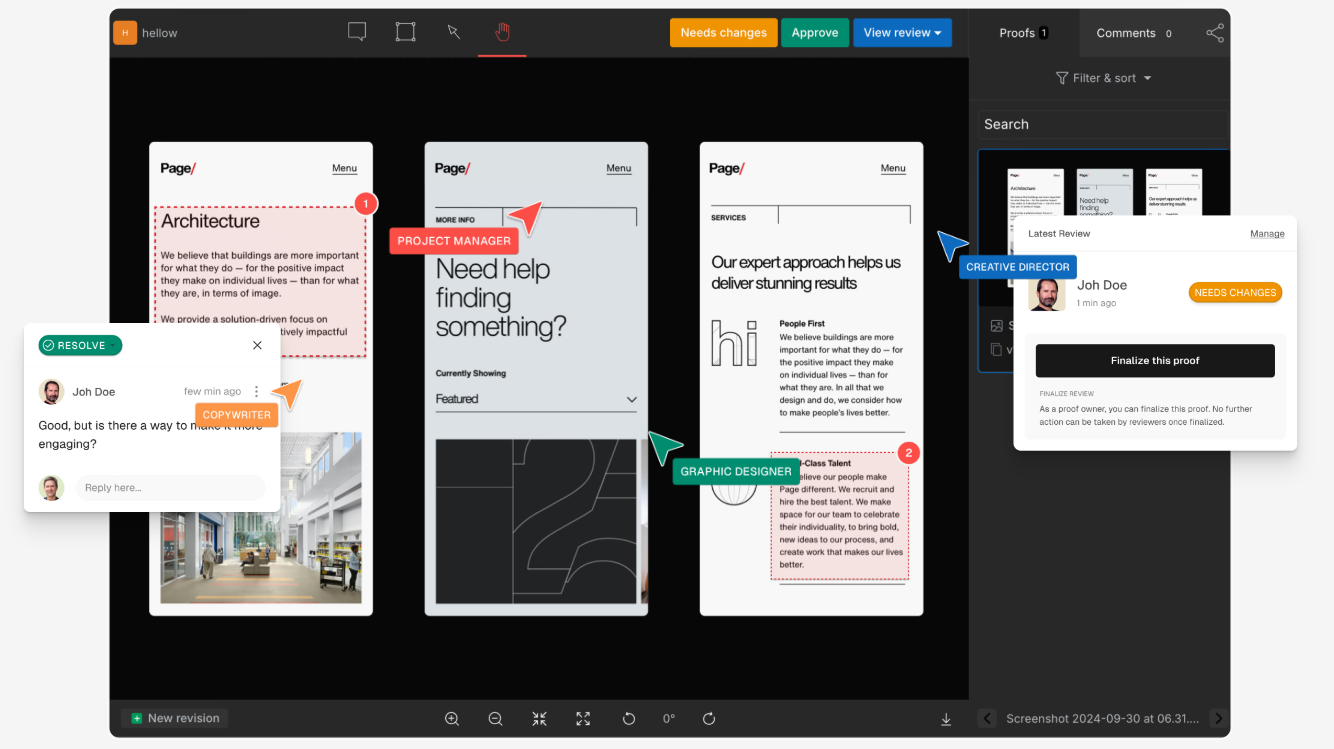
GoVisually does exactly what the name suggests, by offering you a full-fledged visual proofing tool. You can compare your creative assets side-by-side, mark up the exact areas of improvement, and keep stakeholders aligned with comments. It also supports unlimited reviewers at no extra cost and real-time version tracking, which helps agencies manage multiple stakeholders without increasing overhead.
You can even run checks with an AI-powered compliance guardian and mark up changes directly on video projects.
🧠 Fun Fact: A typo in a NASA code caused the Mariner 1 spacecraft to explode, an error that cost $18.5 million! It’s often dubbed as the ‘most expensive hyphen in history’.
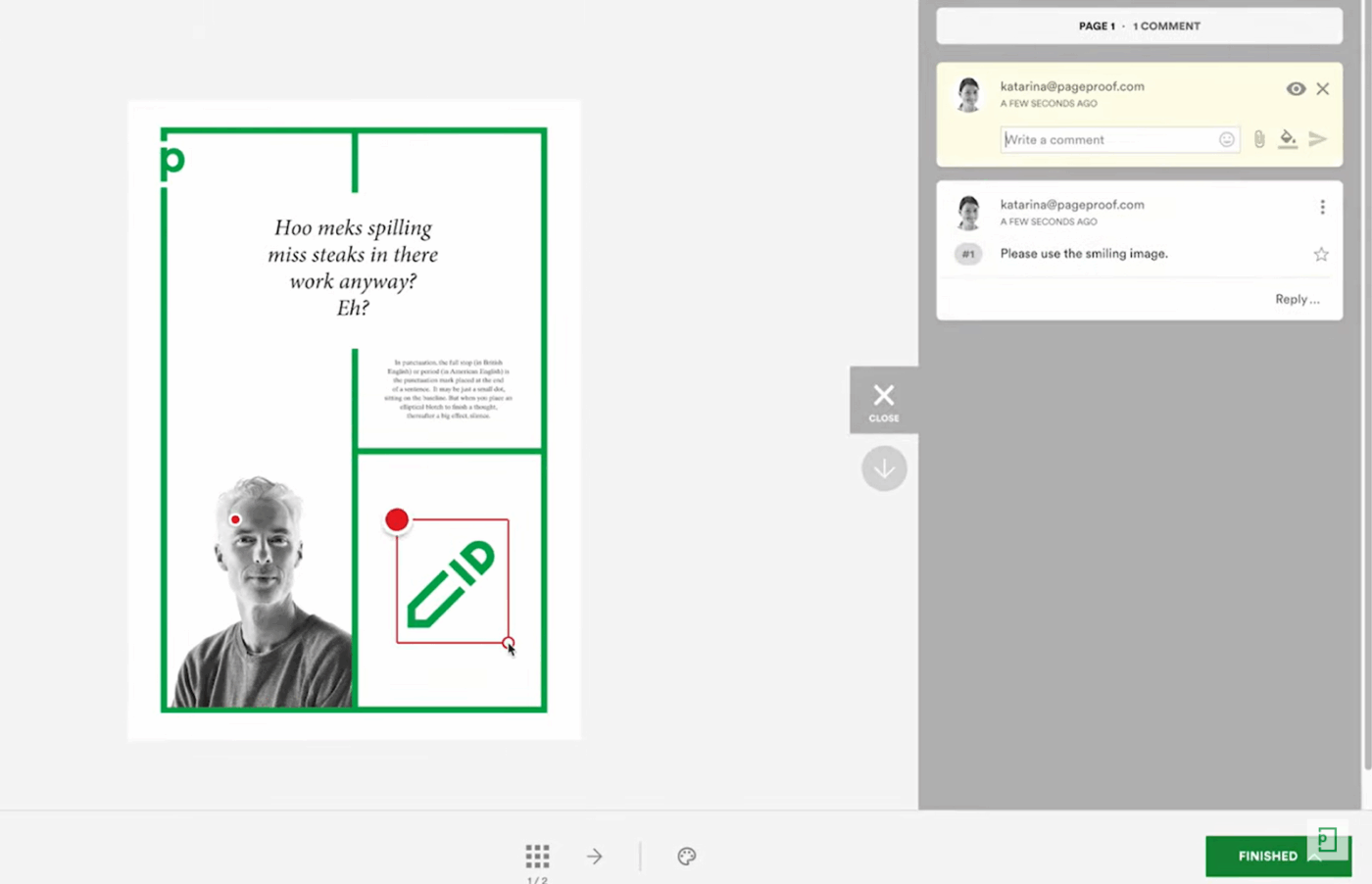
While many proofing tools offer document and image proofing, few let you review live websites and add markups in real time. PageProof is one such tool.
From images, brochures, and packaging to social media, live websites, and e-mail copies, you can proofread all your creative assets, deliver accurate feedback, and track version changes in one platform.
The smart compare feature automatically calculates differences between versions. You can add checklists and standards for the proofing process to maintain consistency. Its enterprise focus includes multi-factor authentication, encryption, and secure audit trails, making it ideal for compliance-heavy industries.
A G2 review reads:
I love that my team can easily mark up proofs for the editor/designer, and review past proofs side-by-side. I love that I can track multiple routes and have visibility to where they all are in their process.
📮 ClickUp Insight: Nearly 20% of our survey respondents send over 50 instant messages daily. This high volume could signal a team constantly buzzing with quick exchanges—great for speed but also ripe for communication overload.
With ClickUp’s integrated collaboration tools, like ClickUp Chat and ClickUp Assigned Comments, your conversations are always linked to the right tasks, enhancing visibility and reducing the need for unnecessary follow-ups.
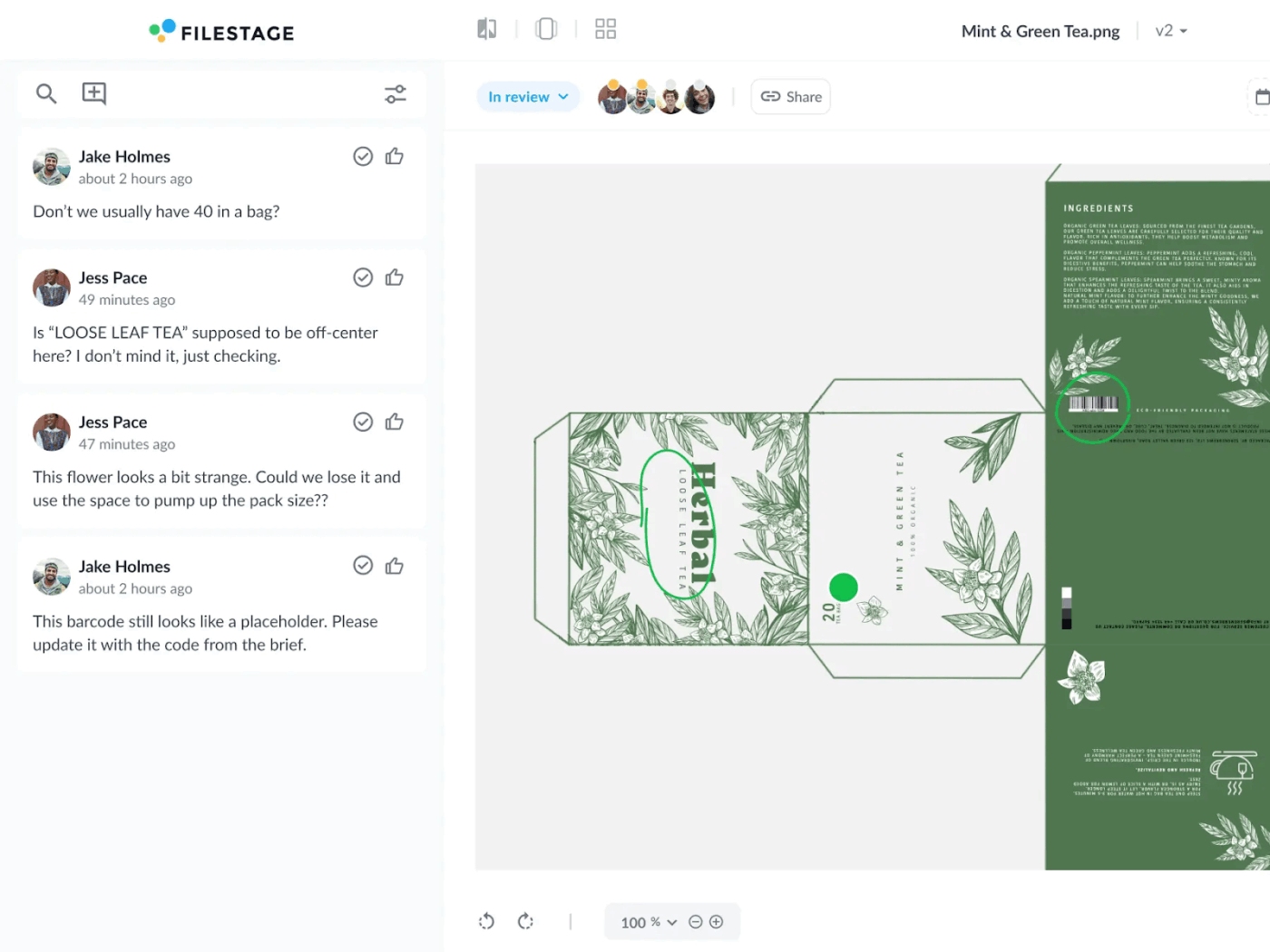
Your team may think they have thoroughly reviewed a project before approval, but some compliance details may go unnoticed. For example, someone failing to replace an outdated disclaimer can tank your entire project, land your client in compliance issues, and compromise your reputation.
Filestage stands out with built-in AI assistants that flag non-compliant content instantly based on your brand guidelines and industry regulations, reducing review times and costly errors. It supports all major file types and keeps feedback centralized and trackable.
With smart annotations, automated workflows, and deep integrations, this document version control software simplifies even the most complex approval chains.
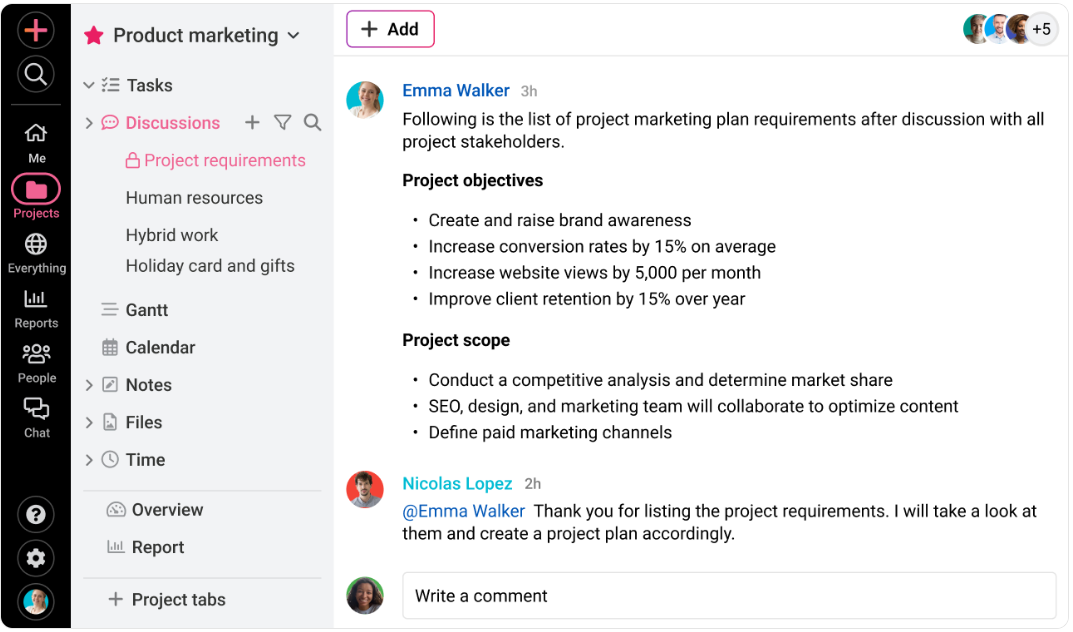
Ineffective communication is a contributing factor in 56% of failed projects. While a reliable workflow software for project proofing can solve this problem, most of them may be out of budget for small design agencies.
ProofHub offers a comprehensive set of useful features of proofing software at an affordable flat-rate pricing model. You can discuss projects with teammates, deliver feedback through threaded chats, and view timelines with Gantt Charts.
It also offers fairly detailed reports and integrates with tools like Slack, Google Workspace, and Dropbox. Plus, its proofing covers documents, images, and PDFs, with markup tools and threaded comments for context-rich reviews.
A G2 review reads:
Regardless of the size of my task or the complexity of my project, ProofHub provides the tools that I need to stay organized, prioritize, and track important steps in my marketing campaign. It’s helped my team stay on track and accomplish more than we could have ever imagined possible. It’s intuitive and requires minimal training, so everyone on my team can use it.
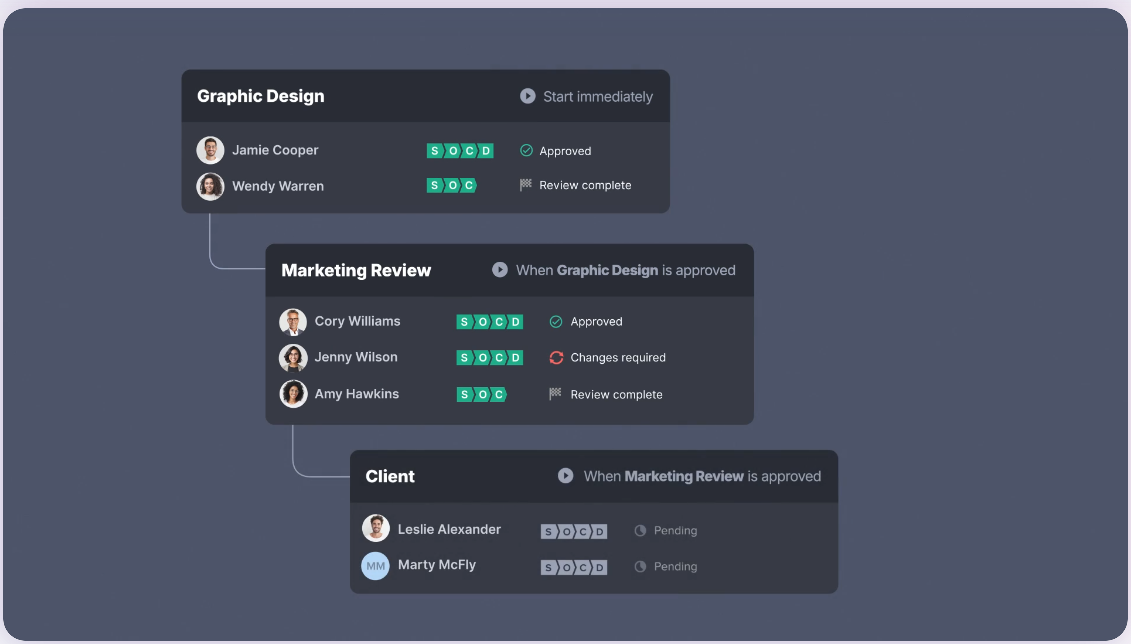
Getting feedback wrong due to the sheer pressure of back-to-back projects and tight deadlines? Ziflow is made for fast-moving marketing and content teams to help them scale output without compromising content quality.
It ensures the right eyes see the right content at the right time with notifications, error signals, and automated task movement. Moreover, the AI-powered review tools catch errors early, before they derail a launch. The proofing tool supports 1,200+ media types and deep integrations with Adobe, Slack, and Asana, making collaboration seamless.
👀 Did You Know? 55% of employees spend up to two hours daily just clarifying the information they need to complete their tasks.

Nearly 42% of knowledge workers prefer email for team communication. But it comes at a cost. Since most emails only reach select teammates, knowledge stays fragmented, hampering collaboration and quick decisions. This can derail productivity and delay your projects. To prevent that, implement a proofing solution that shows exactly where your teammates need to improve.
Wrike is one such solution that integrates real-time feedback and version control directly into its project management platform. You can access side-by-side comparisons, mark up areas for change, and even ask the chatbot for suggestions.
A G2 review reads:
I really like how Wrike helps our team stay aligned across multiple projects and deadlines. The customizable dashboards and task views make it easy to see who’s working on what, and the built-in collaboration tools (like comments and file sharing) reduce the need for endless email threads. It’s also super helpful that we can track time and set up workflows that match how our team actually works – less jumping between tools, more getting things done.
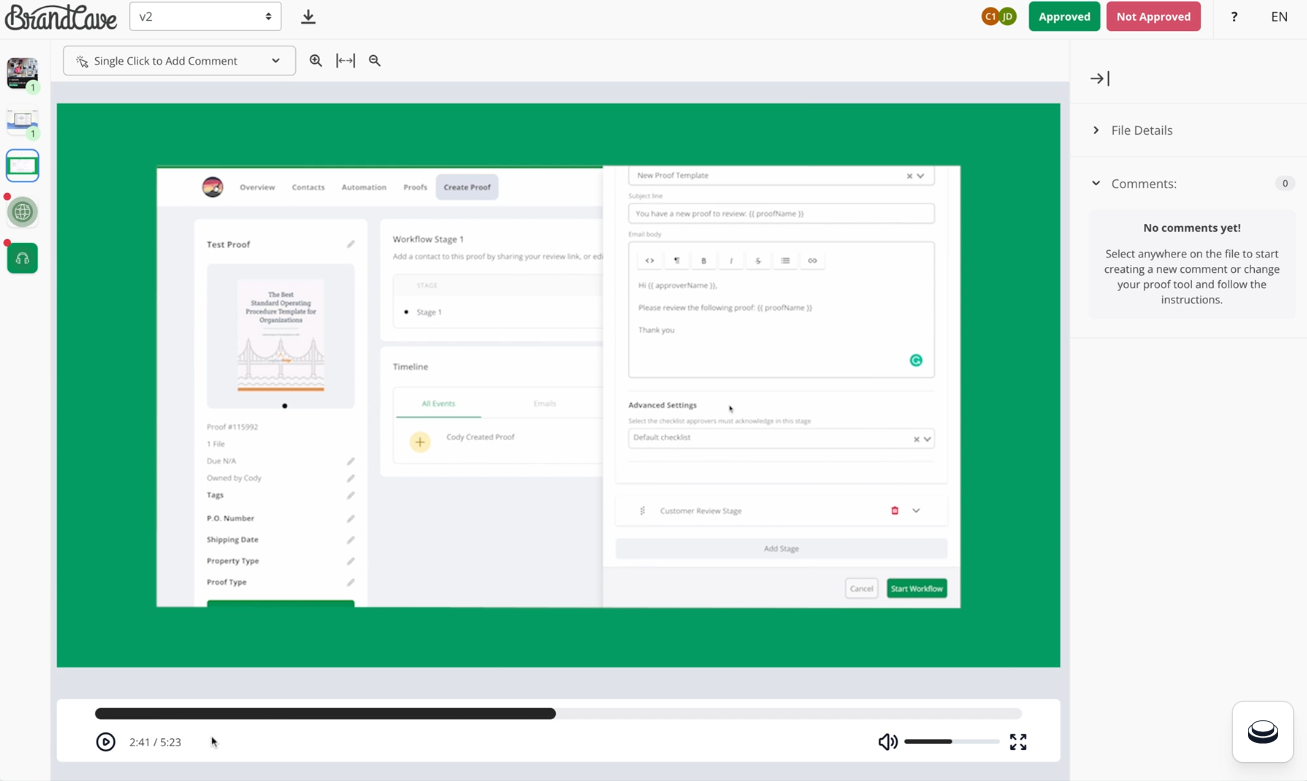
Ashore offers a proofing tool for sending files for approval, collecting feedback through branded review screens, and setting up automatic reminders and activity tracking.
You can add textual feedback or attach video clips with suggestions for better context. It also lets you track who made what changes before approval to ensure accountability. White-label branding allows agencies to present a professional, client-facing review portal.
🧠 Fun Fact: A rare first edition of Harry Potter and the Philosopher’s Stone recently fetched $90,000 at auction, thanks to a rare typo on the title page.
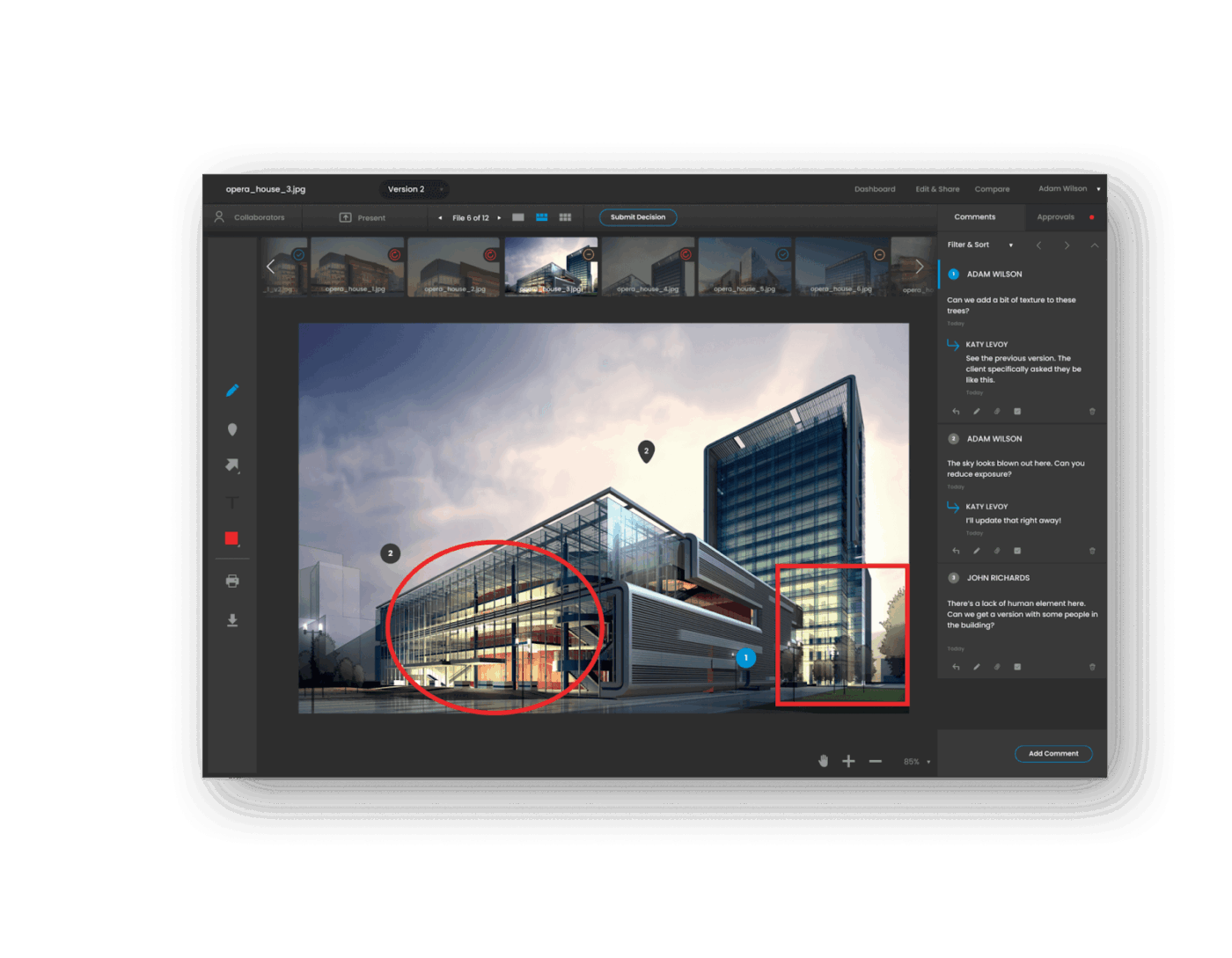
Creative projects often need input from designers, copywriters, legal, and clients, especially if you offer end-to-end marketing services. Multi-step workflows ensure each person sees the work when it’s their turn, avoiding confusion, and ReviewStudio can help you build one.
You can centralize and collate unlimited versions for a sequential and organized team review. In addition to design proofing, you can upload URLs from live websites for review and save the pages as images or live HTML content for future reference.
A G2 review reads:
I use ReviewStudio to get 10+ members of our team on the same page as we create flyers that are widely utilized across our organization. We used to utilize PDFs in emails, but this has really streamlined our process and allowed multiple people to be in the software at the same time. It has drastically reduced the time it takes us to do this process.
Some tools shine at visual markup but fumble with automation. Others offer slick feedback threads but miss the mark on integrations. A few are great for freelancers, while enterprise teams may find them too lightweight.
If you don’t want to compromise, just choose ClickUp. Here, you can manage all your projects, review submissions, deliver feedback, and stay connected with teammates from one place.
Build multi-step workflows, automate reminders, assign feedback, and track approvals right where your team already works. Moreover, ClickUp Brain is there to guide your review process!
Sign up for ClickUp today and handle all your projects with precision!

Manasi Nair
Max 27min read
Manasi Nair
Max 32min read
Manasi Nair
Max 14min read

© 2026 ClickUp