






Still downloading templates?
There’s an easier way. Try a free AI Agent in ClickUp that actually does the work for you—set up in minutes, save hours every week.
Sorry, there were no results found for “”
Sorry, there were no results found for “”
Sorry, there were no results found for “”
According to a Harris Poll survey, only 2 in 5 Americans have a budget and actively track their spending.
This article walks you through seven free zero-based budget templates that force you to assign every dollar a specific job before you spend it, plus a step-by-step guide to actually using them so your budget balances to zero every single time.
| Template Name | Download Link | Ideal for | Best features |
| Finance Management Template by ClickUp | Get free template | Individuals or small teams who want a single, big-picture view of income, expenses, and financial goals | Multiple Views to analyze finances different ways; Custom Fields for categories, payment status, and budget amounts; Docs for notes/policies/ receipts alongside budget items; ClickUp Brain for spending summaries and budget report drafts |
| Budgeted Project Management Template by ClickUp | Get free template | Teams that need to justify every project dollar by tying spend directly to specific deliverables | Budget amounts attached to tasks via Custom Fields; Dashboards showing budget vs actual spend that update automatically; Time Tracking to monitor labor costs accurately; supports project-based zero budgeting for accountability |
| Business Budget Template by ClickUp | Get free template | Companies and department leads doing zero-based budgeting across teams with shared visibility | Real-time collaboration (comments, collaborative editing) for finance plus department alignment; department-level Views to segment visibility; Custom Fields for budget codes, approval status, fiscal periods; Dashboards that roll up exec summaries across categories |
| Simple Budget Template by ClickUp | Get free template | Anyone new to budgeting who wants a simple, zero-based approach without complexity | Pre-set categories (housing, utilities, food, transportation, etc.); simple income vs expenses view; easy to add/remove categories as needs change; mobile-friendly for logging expenses on the go |
| Budget Report Template by ClickUp | Get free template | Finance teams or managers who need stakeholder-ready budget performance reporting | Pre-built structures to compare budget vs actual quickly; charts/graphs for presentation-ready visuals; Docs integration for narrative context; export options for sharing reports outside the workspace |
| Zero-based Budget Worksheet by Vertex42 | Download template | Spreadsheet enthusiasts who want a no-frills, manual zero-based budget | Pre-built formulas to calculate remaining balance; dedicated income and expense sections with common categories; printable for offline/paper tracking; works in Excel and Google Sheets (but manual updates, no automation/collab) |
| Zero-based Budget Template by Template.net | Download template | Users who want a clean, traditional spreadsheet-style budget in multiple formats | Available in Excel, Google Sheets, and PDF formats; professional layout for personal or small business use; customizable categories/fields; manual updates required and may require an account to download |
Traditional budgets often leave gaps where spending goes untracked. This is a common frustration for both individuals and teams trying to manage finances.
When $200 vanishes into ‘miscellaneous’ every month, you’re not just losing money—you’re losing the ability to make real choices about what matters to you. For teams, this lack of clarity leads to project budget overruns and a total loss of accountability. You’re left guessing instead of making intentional choices with your funds.
Zero-based budgeting is a method that solves this by forcing you to assign every single dollar of your income a specific job. The formula is simple: income minus expenses equals zero.
This approach works for personal expense tracking, household financial planning, and even allocating funds for complex team projects. A budget template provides the structure to make this method practical, turning guesswork into a clear spending plan.
Grabbing the first Excel budget template you find often leads to more work, not less. You’re stuck building formulas, manually checking for errors, and wrestling with a static grid of cells. This wastes time and can lead to costly mistakes if a formula is off.
A truly effective template should do the heavy lifting for you, so you can focus on making smart financial decisions instead of fighting with software. Here’s what separates a great zero-based budget template from a basic one:
The best templates cut your budgeting time from an hour to fifteen minutes—and actually make you want to open them again next month.
Here are seven free options that get the job done. ✨
Whether you’re a spreadsheet pro or prefer a more dynamic project management tool, a good template provides a ready-made structure for your zero-based budget. Each of the options below helps you assign every dollar a job, but they offer different features for tracking, reporting, and collaboration.
Managing finances often means juggling a budget spreadsheet, a separate app for financial goals, and maybe even another tool for tracking invoices—workers now use an average of 11 applications. This context sprawl—the scattering of information across multiple disconnected tools that forces you to waste time switching between apps and hunting for what you need—creates confusion and wastes time.
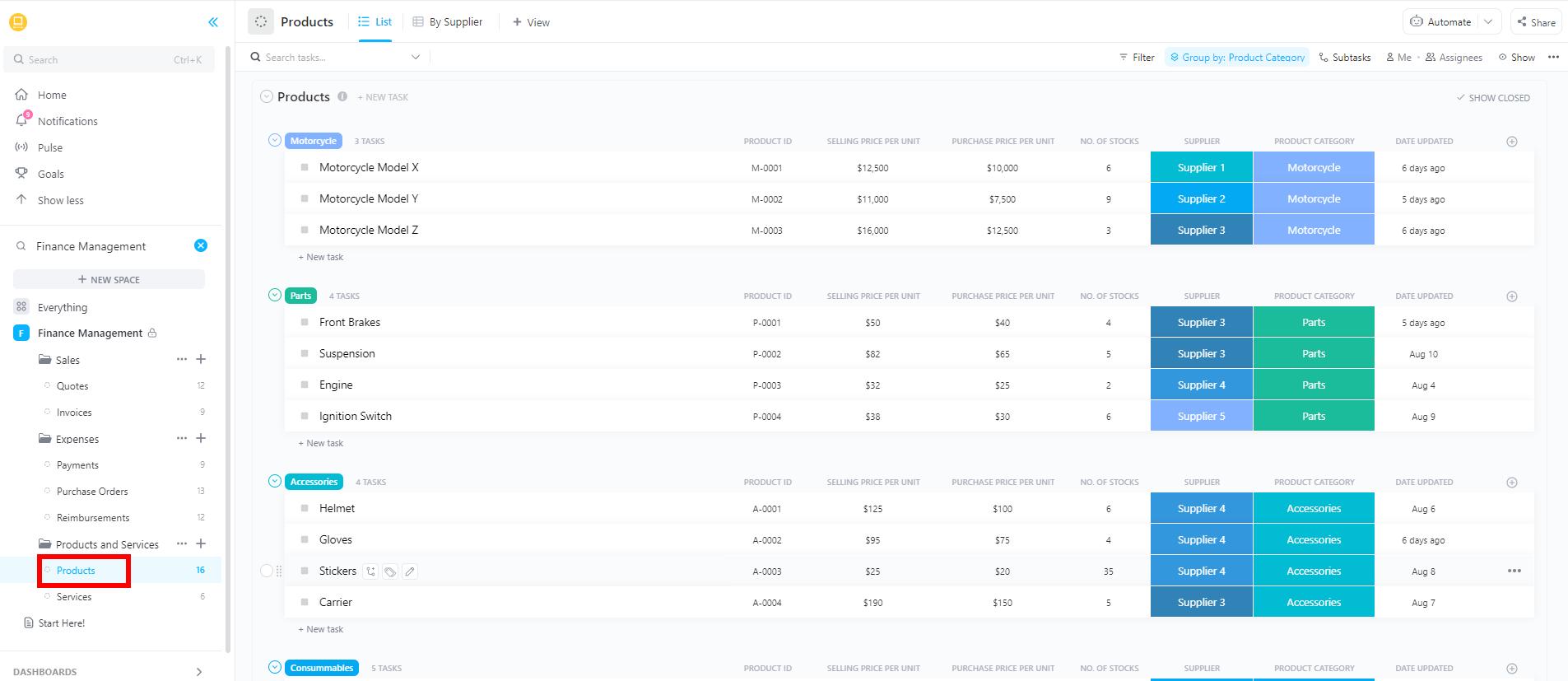
ClickUp’s Finance Management Template solves that by bringing your income, expenses, and financial goals into one unified workspace.
Why you’ll like this template
With this template, you can assign every dollar to a specific task or category and track your actual spending against your plan in real time. It provides a single source of truth for all your financial activities.
🚀 Ideal for: Individuals or small teams who need to see the big picture—not just the budget.
💡 Pro Tip: Set up custom ClickUp Dashboards that integrate data from multiple sources to visualize your costs, revenue, and other metrics in real time.
For teams, a major pain point is a project budget that’s completely disconnected from the actual work being done. This makes it nearly impossible to know if spending is justified or if the project is headed for a financial disaster.
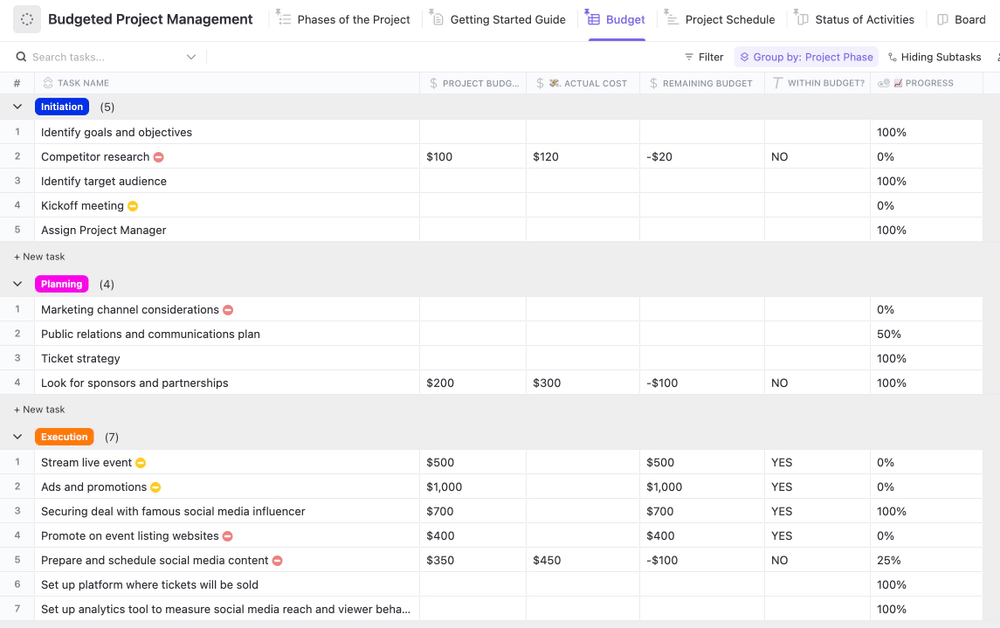
ClickUp’s Budgeted Project Management Template eliminates that problem by tying budget tracking directly to your project’s deliverables and milestones.
Why you’ll like this template
This template is built for project-based zero budgeting. You allocate funds to specific tasks, and no expense gets approved without being tied to a budget line, ensuring complete accountability.
🚀 Ideal for: Teams that need to justify every project dollar spent against specific work items.
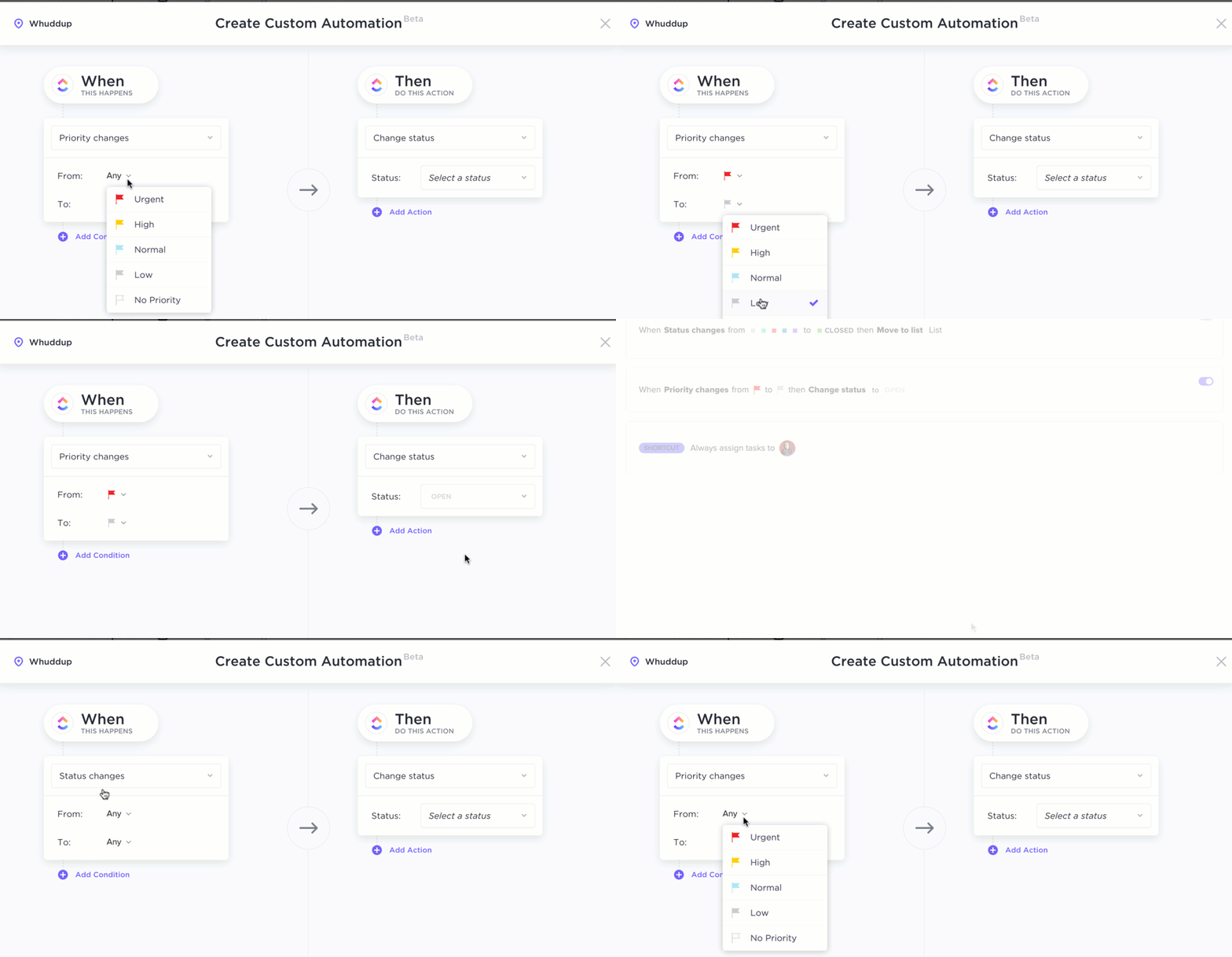
💡 Pro Tip: Stop manually checking for overspending by setting up ClickUp Automations to get alerts when spending in a category approaches its limit. You can also set one up to tag a teammate, create a task, or send a message in a team Chat channel.
Trying to manage budgets across multiple departments with spreadsheets can be chaotic. Versions get mixed up, approvals get lost in email chains, and no one has a clear, rolled-up view of company-wide spending.
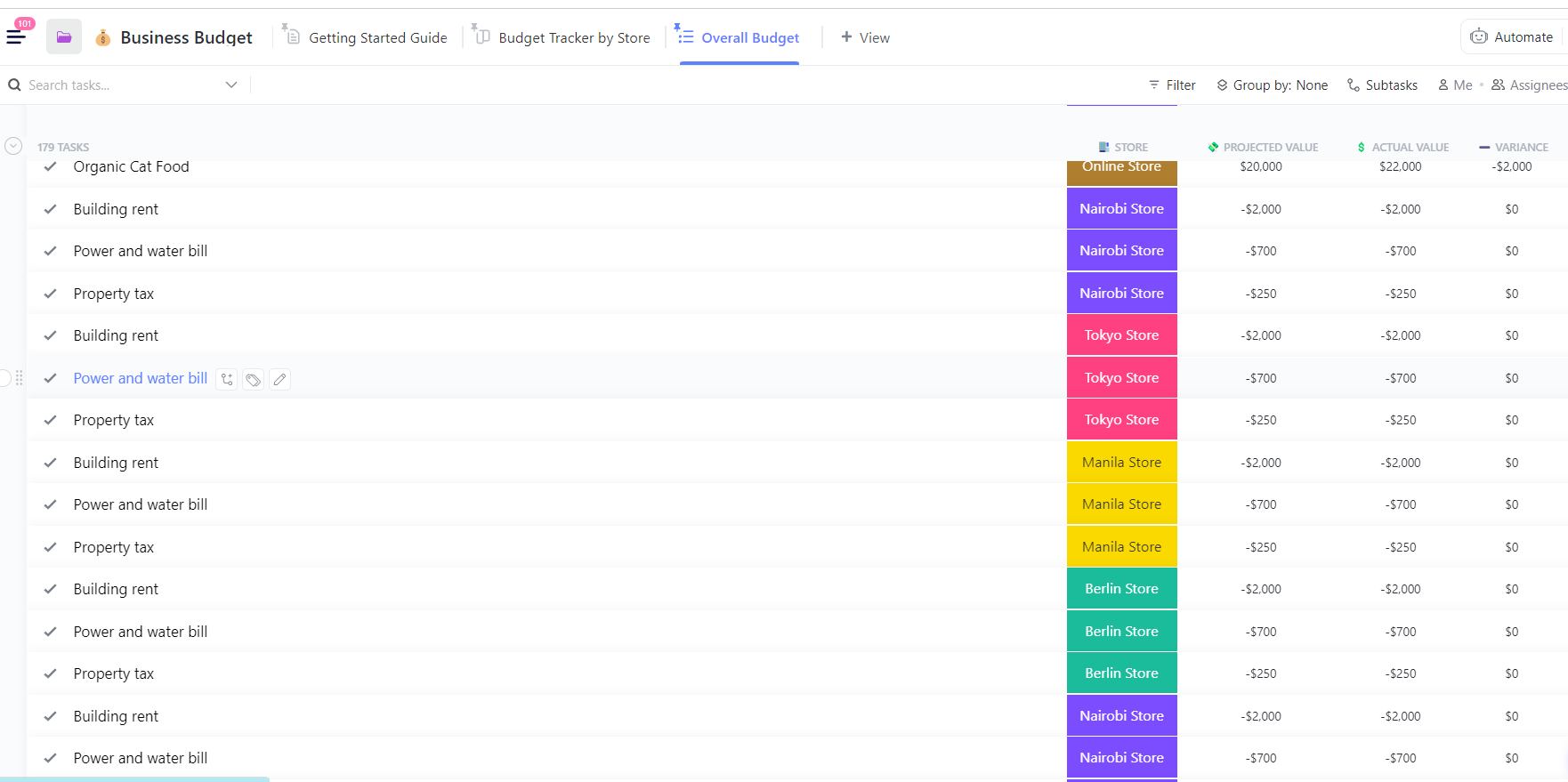
The Business Budget Template by ClickUp is designed for business-level budgeting, giving small businesses and department heads a centralized way to track operational budgets with full team visibility.
Why you’ll like this template
This template forces each department to justify its allocations from zero each budget period, rather than just rolling forward last year’s numbers.
🚀 Ideal for: Companies and teams implementing zero-based budgeting at an organizational level.
📮ClickUp Insight: 16% of managers struggle with integrating updates from multiple tools into a cohesive view. When updates are scattered, you end up spending more time piecing together information and less time leading. The result? Unnecessary administrative burdens, missed insights, and misalignment.
With ClickUp’s all-in-one workspace, managers can centralize tasks, documents, and updates, reducing busywork and surfacing the insights that matter most, right when they’re needed.
💫 Real Results: Convene unified 200 professionals into one ClickUp workspace, using customizable templates and time tracking to reduce overhead and improve delivery times across multiple locations.
Zero-based budgeting can sound intimidating, especially if you’re new to budgeting. The complexity of some tools can make you want to give up before you even start.
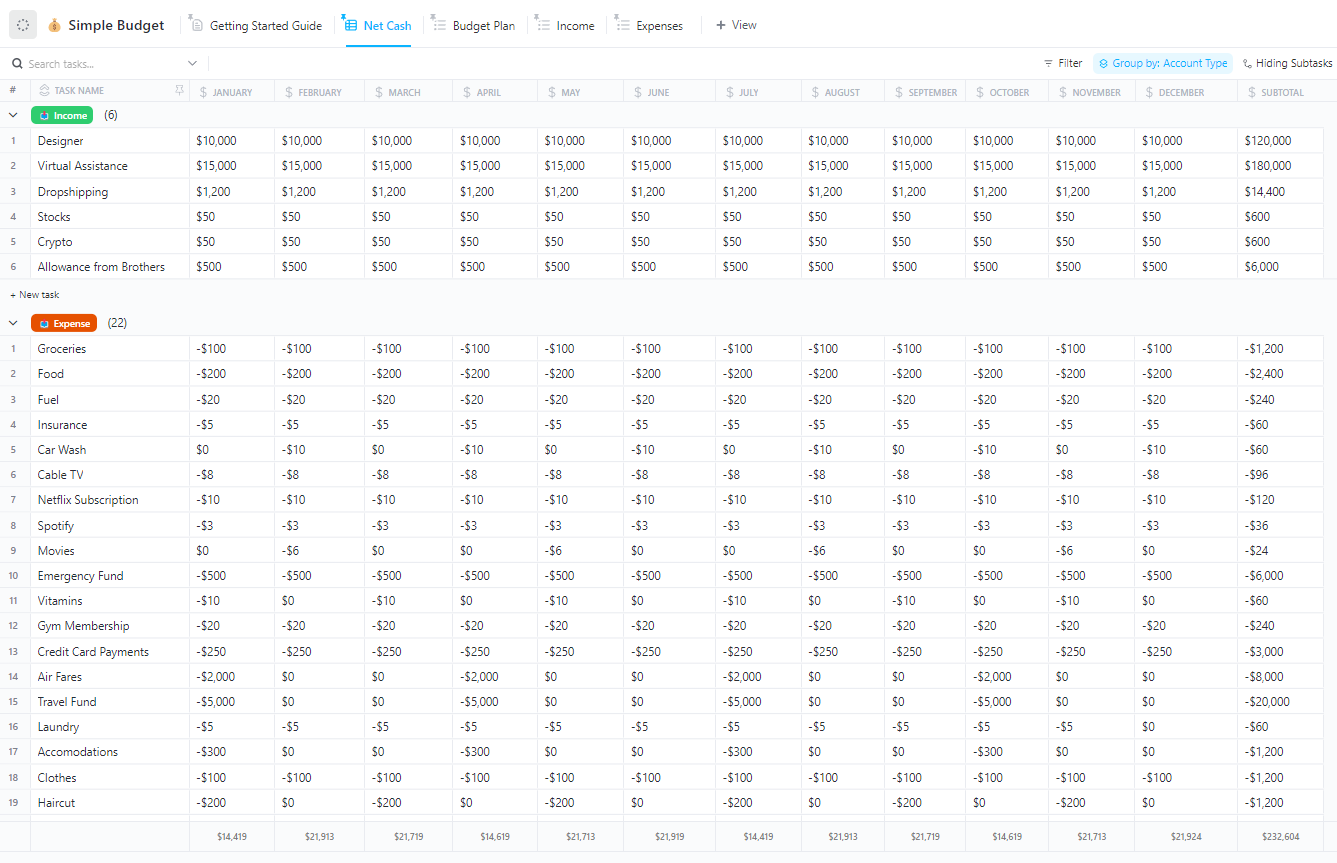
ClickUp’s Simple Budget Template is the solution, offering a clean and uncomplicated starting point for straightforward personal or household budgeting.
Why you’ll like this template
🚀 Ideal for: Anyone who wants to try zero-based budgeting without feeling overwhelmed.
💡 Pro Tip: Got a question about a specific expense, bill, or project task related to the budget? Just ask ClickUp Brain, the AI integrated within ClickUp. With advanced Enterprise Search in ClickUp, information from across your workspace and connected apps is available in a single search bar.
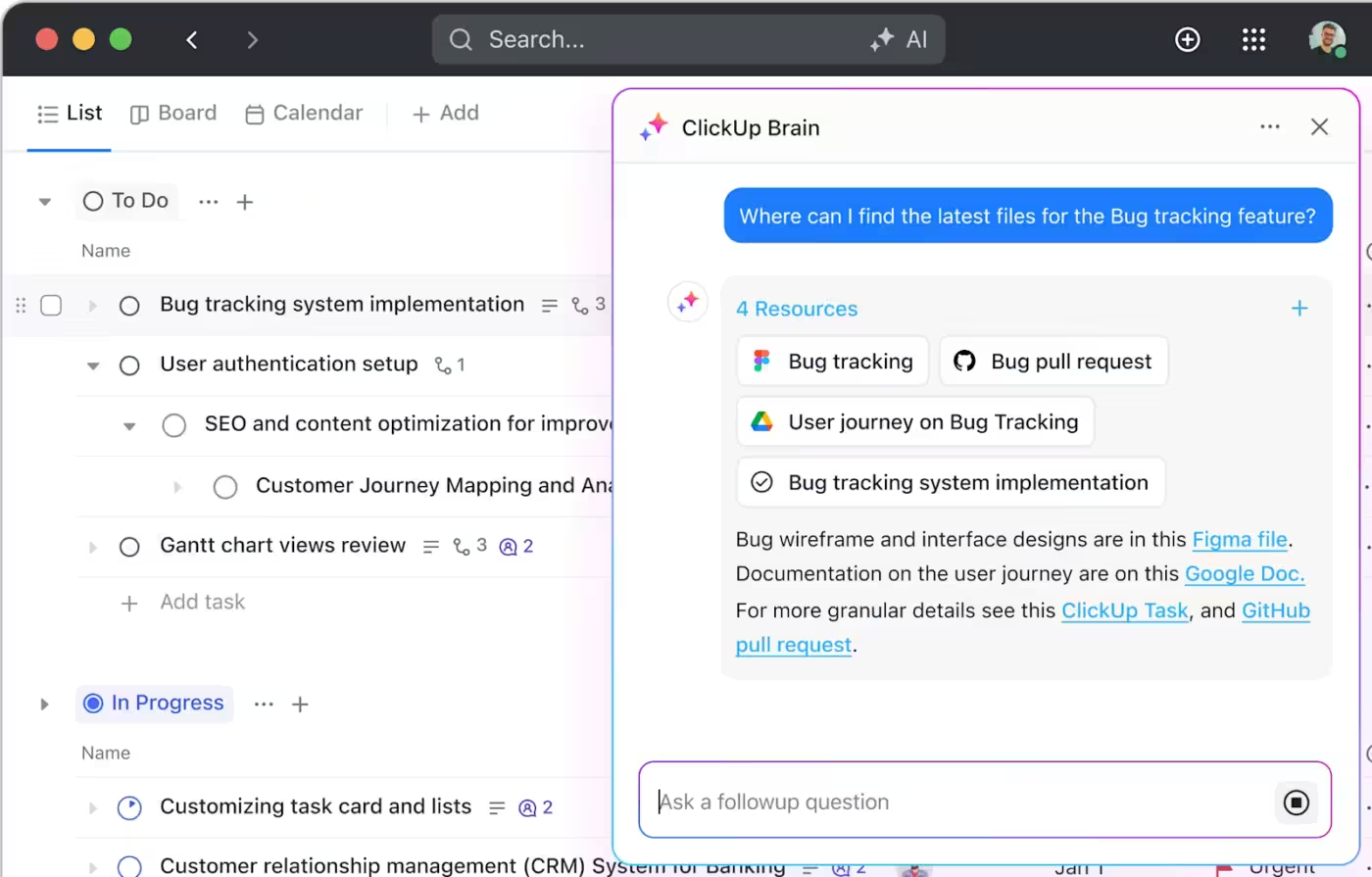
You’ve successfully tracked your budget for the month—but now you have to spend hours pulling data into a spreadsheet to create a report for your stakeholders. This manual process is tedious and prone to errors.
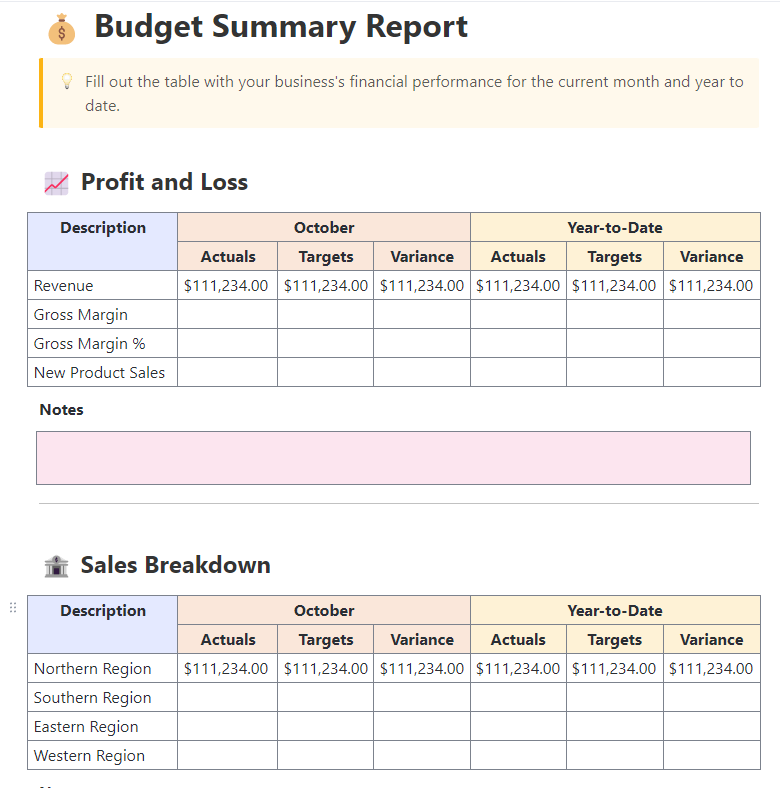
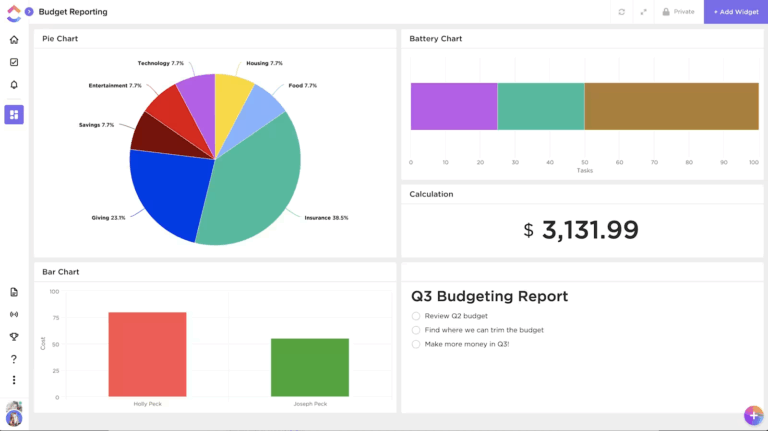
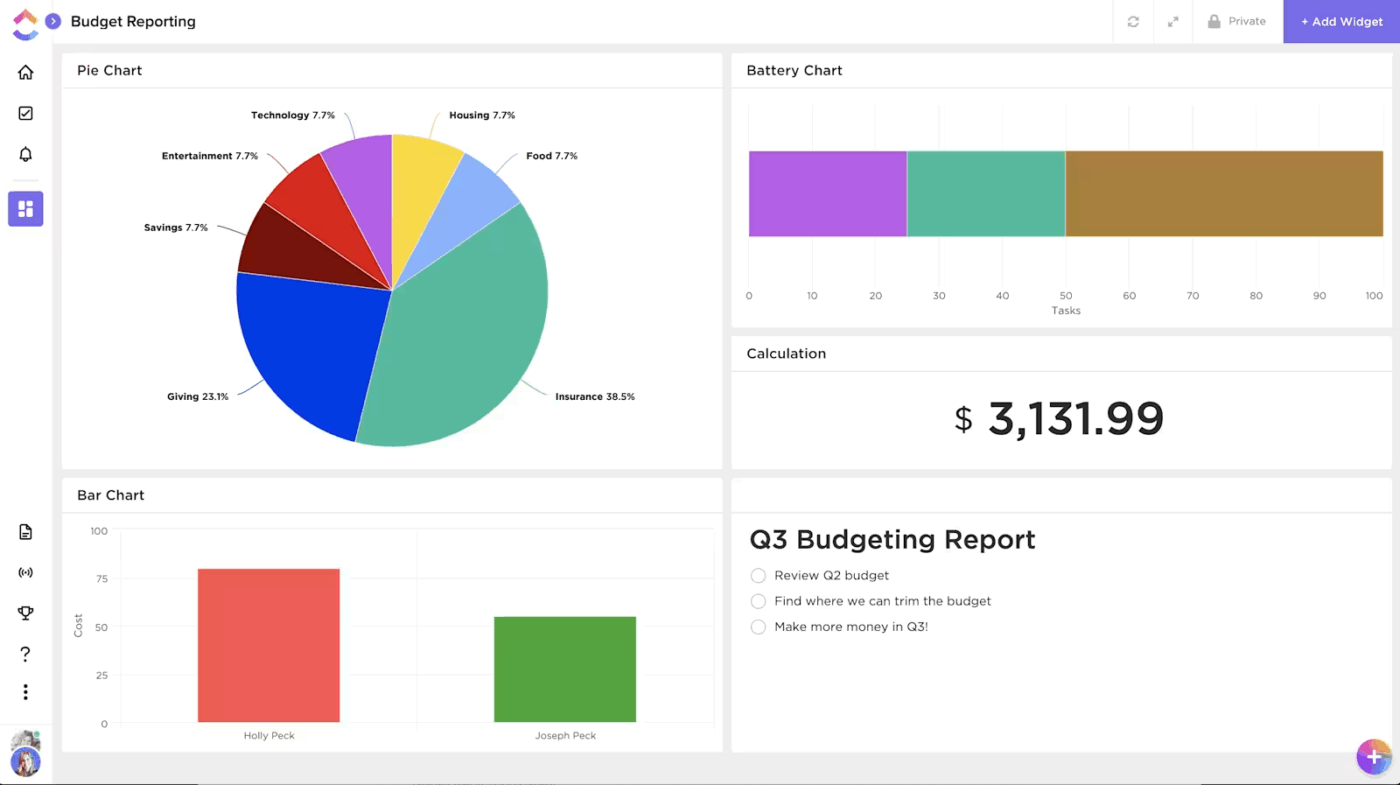
The reporting-focused Budget Report Template by ClickUp automates the process, helping you analyze budget performance and create financial summaries in minutes.
Why you’ll like this template
This template shows you exactly how your zero-based allocations held up against actual spending, making it easy to spot variances and make smarter adjustments for your next budget.
🚀 Ideal for: Finance teams or managers who need to present clear and accurate budget data.
💡 Pro Tip: Configure Super Agents in ClickUp to continuously watch your budget and expenses, and act when something changes. These are your AI teammates that can work automatically based on specific roles you assign them.
For example, you can set up a Super Agent to:
Learn more about them here:
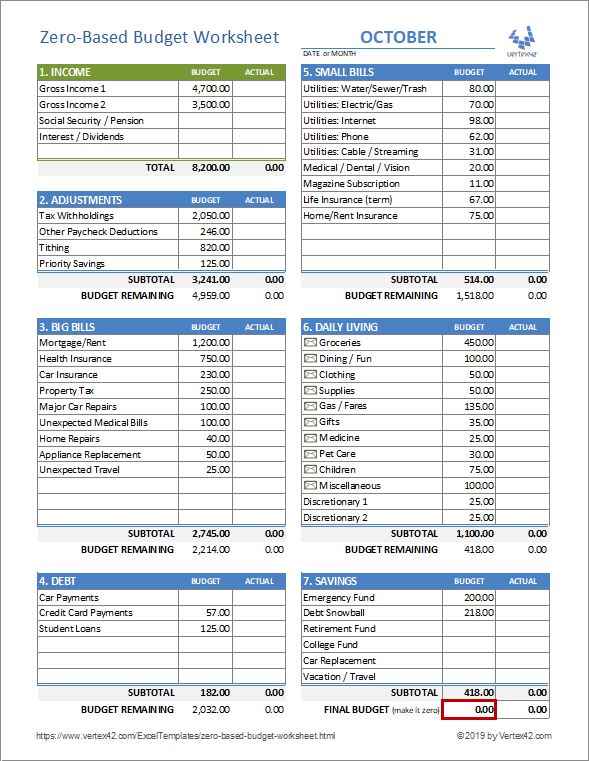
For those who love the familiar environment of a spreadsheet, Vertex42’s Zero-Based Budget Worksheet is a good option. It’s specifically designed for zero-based budgeting and works in both Excel and Google Sheets.
Why you’ll like this template
The main limitation is that it’s a static spreadsheet. You won’t get dynamic features like real-time collaboration or automated alerts, and all data entry is completely manual.
🚀 Ideal for: Spreadsheet enthusiasts who want a no-frills, manual approach.
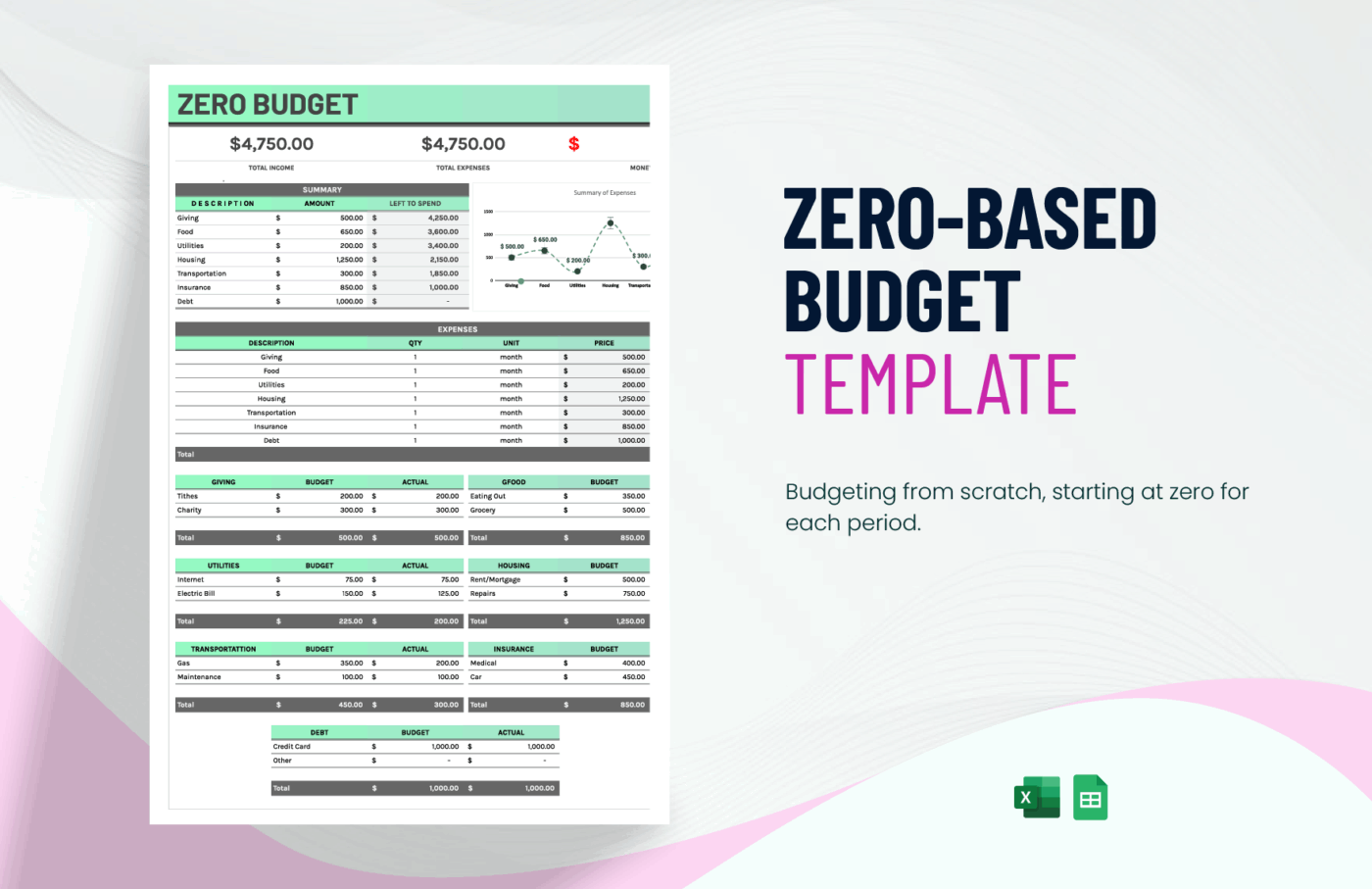
If you want the flexibility of a spreadsheet but aren’t tied to a specific program, the downloadable Zero-Based Budget Template from Template.net is a good option. It’s available in multiple formats, including Excel, Google Sheets, and even PDF, giving you the freedom to choose what works best for you.
Why you’ll like this template
Like other spreadsheet-based options, this template requires manual updates and lacks built-in collaboration or automation features. Some templates on the site may also require you to create an account to download them.
🚀 Ideal for: Users who want a traditional spreadsheet with a clean layout.
📚 Also Read: Free Debt Payoff Tracker Template Options
So you’ve picked a template—now what? A blank sheet can feel intimidating, and it’s easy to make a mistake that throws off your entire plan. The key is to follow a simple, repeatable process every budget period. This turns budgeting from a dreaded chore into a powerful habit. 🛠️
Here’s a step-by-step guide that works with any zero-budget template:
Using a project management tool like ClickUp can help you automate parts of this process. For example, you can set up ClickUp Recurring Tasks for bills and get automatic ClickUp Reminders to ensure you never miss a payment cycle.
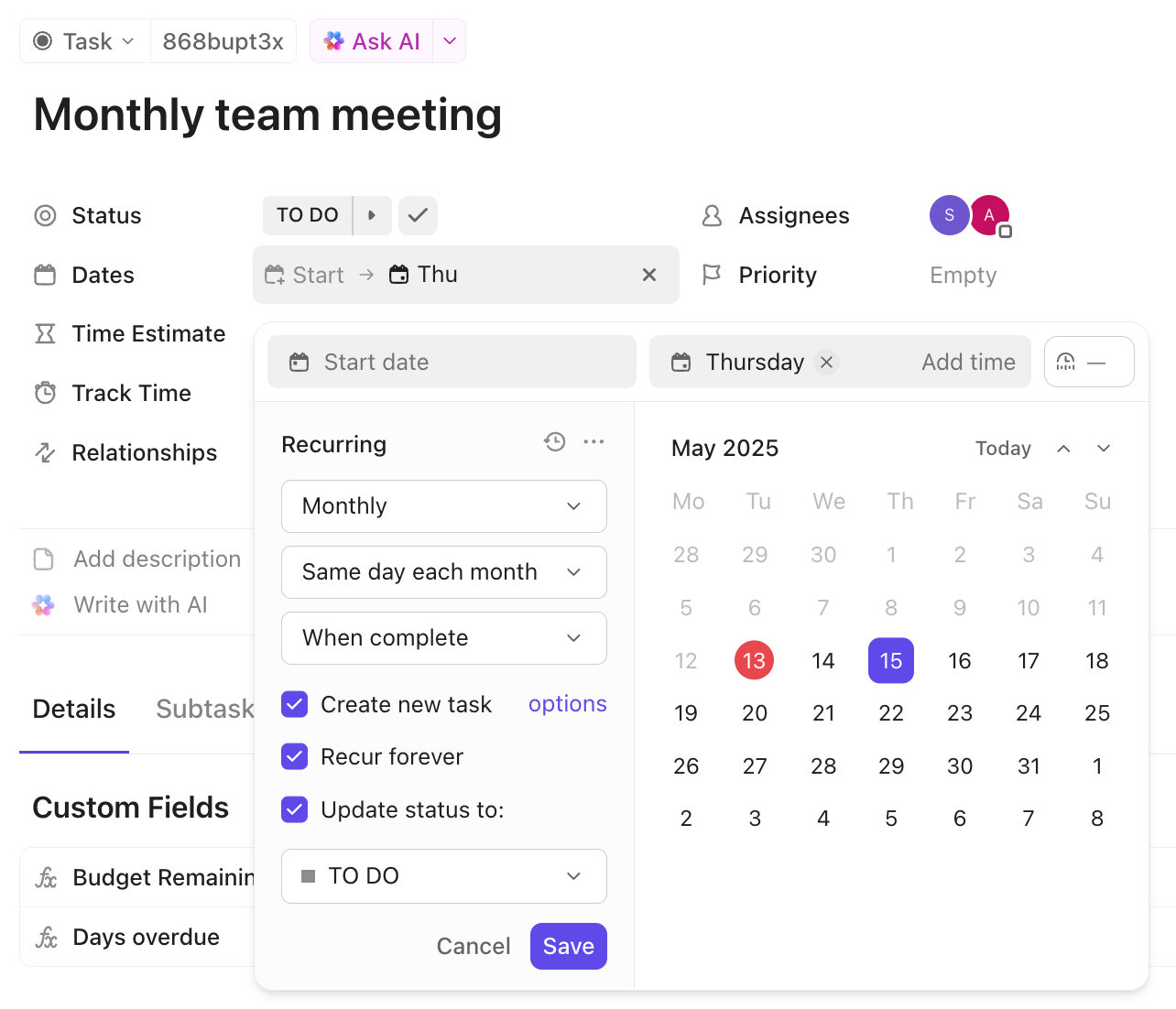
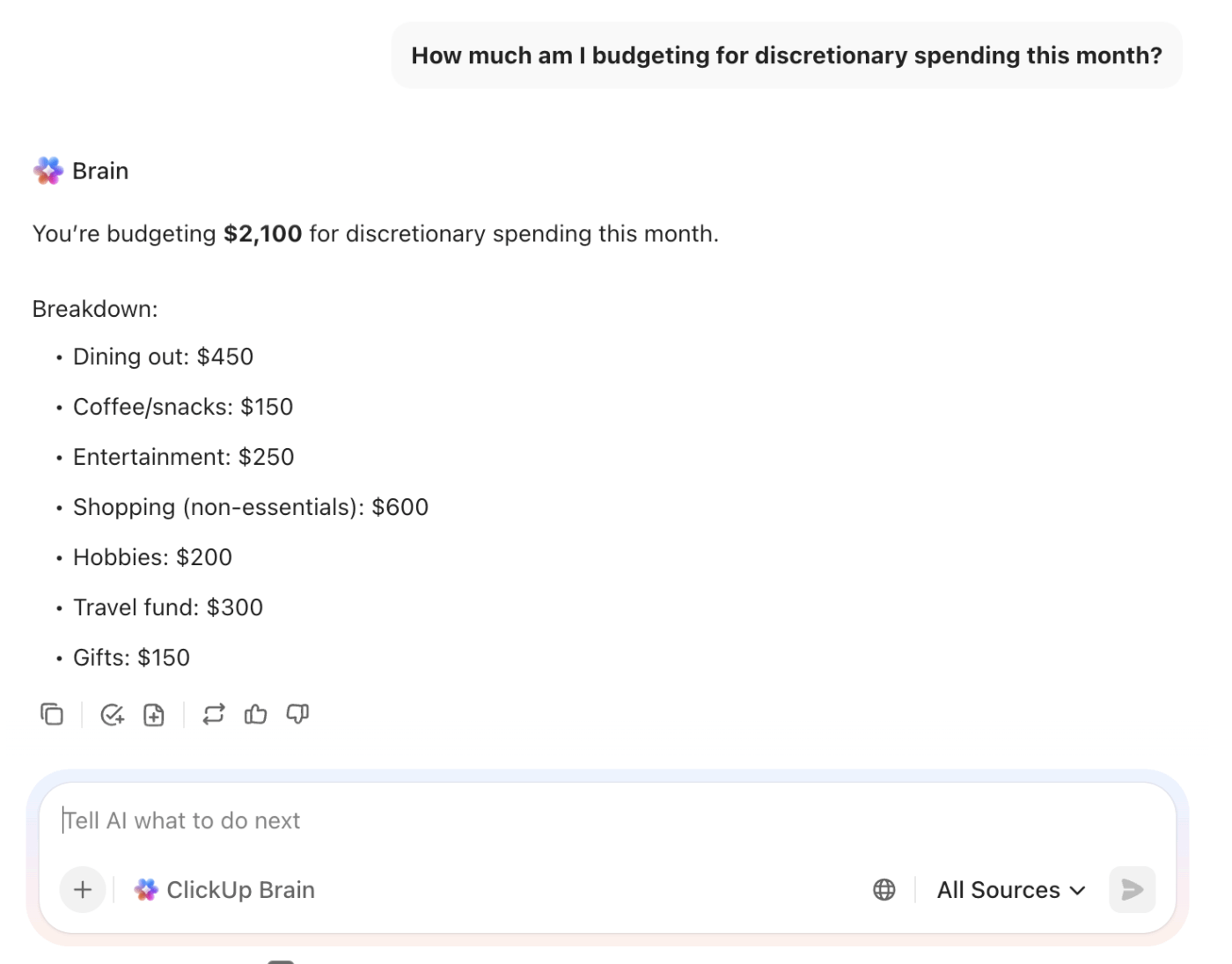
💡 Pro Tip: If you already use ClickUp to track budgets, bills, or financial goals, you can use ClickUp Brain as a lightweight, context-aware financial assistant—without connecting bank accounts.
Because Brain understands the Tasks, Docs, and goals inside your workspace, you can ask questions like:
🎥 If you often struggle with keeping your personal or work projects under budget, this video has some helpful tips for you!
📚 Also Read: Free Monthly Budget Templates to Manage Expenses
The magic of zero-based budgeting isn’t perfection—it’s the moment you realize you decided where every dollar went instead of wondering where it disappeared to. Start with one of these templates this month, and that moment is closer than you think.
A zero-based budget tracker template removes the friction of manual calculations and provides a clear structure, allowing you to focus on your financial decisions, not on building spreadsheet formulas. Whether you opt for a simple worksheet or a full project management platform depends on how much visibility, automation, and collaboration you need.
Building the habit of intentional income allocation, even if you don’t do it perfectly at first, is a big step toward taking control of your finances. Get started for free with ClickUp and see how much easier budgeting becomes.
A zero-based budget template requires you to assign every dollar of income to a category until the remaining balance is zero. A traditional budget spreadsheet often just tracks expenses after the fact, leaving gaps where money goes unaccounted for.
Yes, it’s highly effective for projects because it forces teams to justify every expense against a specific deliverable. This prevents budgets from being approved based on last year’s numbers and increases accountability.
Spreadsheets are fine for simple personal budgets, but a project management tool offers major advantages for teams or complex household finances. You get real-time collaboration, automated calculations, and visual dashboards that connect your budget to actual work.
These templates create a clear, side-by-side record of your planned spending versus your actual spending. This makes it easy to identify budget variances, spot overspending trends, and generate reports that show exactly where your money went.

© 2026 ClickUp

There’s an easier way. Try a free AI Agent in ClickUp that actually does the work for you—set up in minutes, save hours every week.