






Still downloading templates?
There’s an easier way. Try a free AI Agent in ClickUp that actually does the work for you—set up in minutes, save hours every week.
Sorry, there were no results found for “”
Sorry, there were no results found for “”
Sorry, there were no results found for “”
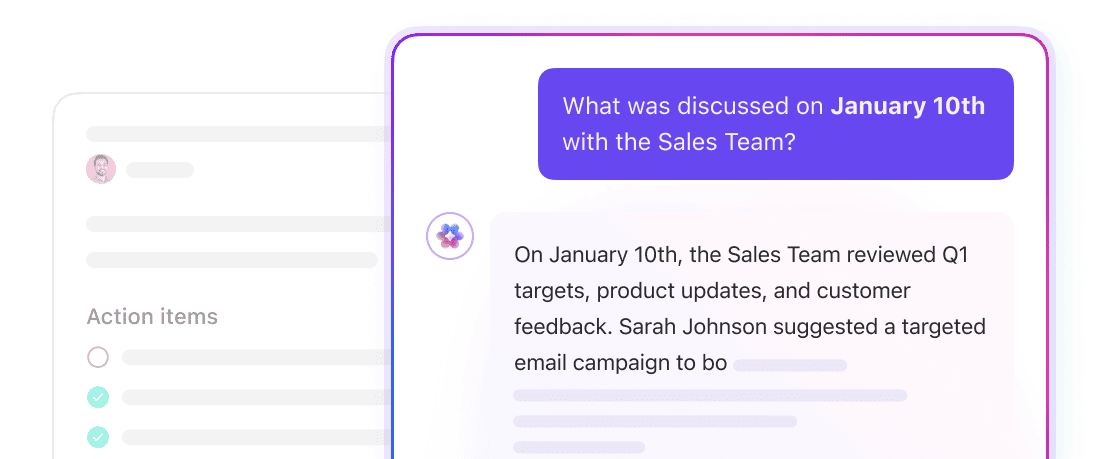

Teams are drowning in information. The average knowledge worker switches between apps nearly 1,200 times a day.
That means spending almost 50 minutes to 1.8 hours every day hunting for answers across documents, chats, and databases.
You see the problem? Critical knowledge is fragmented across systems that don’t talk to each other. Traditional search cannot connect the dots. It looks for matching works and returns a list of links.
Enter: Deep search. It understands the intent behind your question, connects related concepts across your work, and surfaces clear, actionable answers.
Below, we show you what deep search is, how it changes the way teams find information, and how it helps you spend less time searching and more time moving work forward.
Deep search is an AI-powered enterprise search approach that uses advanced LLM search engines and large language models to understand the meaning and intent behind a question.
It does not just match keywords in isolation. Using artificial intelligence, it understands context, relationships, and concepts. It then pulls relevant information and key insights from across connected data sources, like large document collections.
To understand why this matters, it is helpful to compare deep search with traditional keyword-based search. Here are the differences between them:
| Feature | Traditional keyword search | AI-powered deep search |
| Search method | Matches exact keywords and phrases | Understands search intent, context, and semantics |
| Results | A list of links/files where keywords appear | Pulls together an answer with cited sources |
| Context understanding | Low. Searches are treated in isolation | High. Understands the project, person, and conversational context |
| Handling ambiguity | Poor. “Apple” could be a fruit or a company | Strong. Infers meaning from user role and recent activity |
| Query complexity | Best for simple, factual lookups | Great at complex, multi-part questions |
| Learning | Returns the same results for the same query | Improves with use and feedback |
Keyword search works well if you know exactly what you’re looking for, but deep search works when you don’t. This difference exists because most work questions aren’t clean or isolated. They sound like:
Answering those questions requires context, history, and interpretation—intelligent search. Semantic understanding enables deep search to connect related discussions, decisions, and documents, even when they don’t use the exact same words.
That’s what makes it “deep.”
This difference becomes clear the moment you ask a real work question. So, when you ask, “What’s the status of the Atlas launch?”, deep search uses large language models to understand that:
Instead of sending you hunting across a broad range of tools, deep search connects those signals into a single, usable response using advanced AI.
⚡Template Archive: Free Knowledge Base Templates in Word and ClickUp
Deep search understands how tasks, documents, conversations, and decisions are interconnected. In practice, it means:
Most work questions are layered. They contain multiple goals, assumptions, and hidden follow-ups.
When you ask something like: “Summarize the feedback from the beta test and what we’re prioritizing for V2,” deep search doesn’t treat it as a single lookup.
It breaks the question down into its underlying components, then finds relevant sources, and extracts the most meaningful information using advanced AI:
This saves the time you’d spend searching manually, even if you have an organized document management workflow in place.
💡 Pro Tip: Be specific with your search queries. Instead of “project updates,” ask “what blockers did the design team report this week?” More context gives better results.
📮 What’s slowing teams isn’t the work, but the endless search
Workers spend nearly 30% of their day searching across tools. Check how ClickUp BrainGPT’s Enterprise Search pulls info from tasks, docs, comments, and apps into one place, so teams can get to work faster.
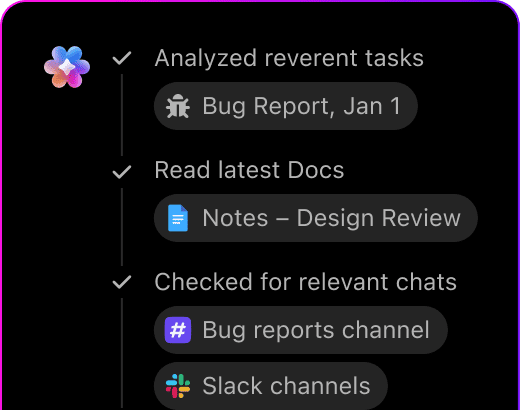
Work context rarely lives in one place. A single decision might be split across a Doc, a task comment, a meeting recap, and a follow-up message in chat.
Traditional search finds each piece separately and leaves you to connect the dots.
Deep search does that work for you. It retrieves relevant information from every connected source: docs, tasks, chats, emails, and even linked Google Drive or OneDrive files.
And it doesn’t just list these sources. It reads them, identifies the most important points, and weaves them into a single, coherent answer written in clear language, with citations back to the original content for verification. See a connected workflow in action here.👇🏼
🔔 Friendly Reminder: Deep search only works as well as your data. Outdated documents, duplicates, and messy organization produce messy results. Regular content audits and properly configured knowledge management software make search useful.
💟 Bonus: Top AI Enterprise Search Use Cases
Deep search tools like Enterprise AI Search work best when the answer you want isn’t in a single file but is woven through the very fabric of your team’s work.
Some use cases of deep search include 👇
The first weeks in a new role often feel like an information avalanche. You don’t need to give the hires a long list of links and pray that they connect the dots.
They can ask simple research questions.
📌 Example: What are our best practices for running a client kickoff meeting?
Deep search consolidates the approved meeting template, highlights recent successful kickoff examples, and brings to the forefront advice from past discussions on what has worked well.
🏅 Result? New team members ramp faster because they’re learning from real outcomes, not outdated folders or secondhand explanations.
👀 Did You Know? When knowledge lives primarily in conversations instead of documentation, organizations tend to repeat the same decisions every 12 to 18 months as teams change.
Performance reviews can sometimes turn into memory tests. Managers try to reconstruct months of work from scattered notes, half-remembered wins, and whatever documentation happens to be handy.
Deep search changes that. A manager can ask questions like:
The system synthesizes signals from tasks, comments, project updates, and documentation to present a grounded summary of impact.
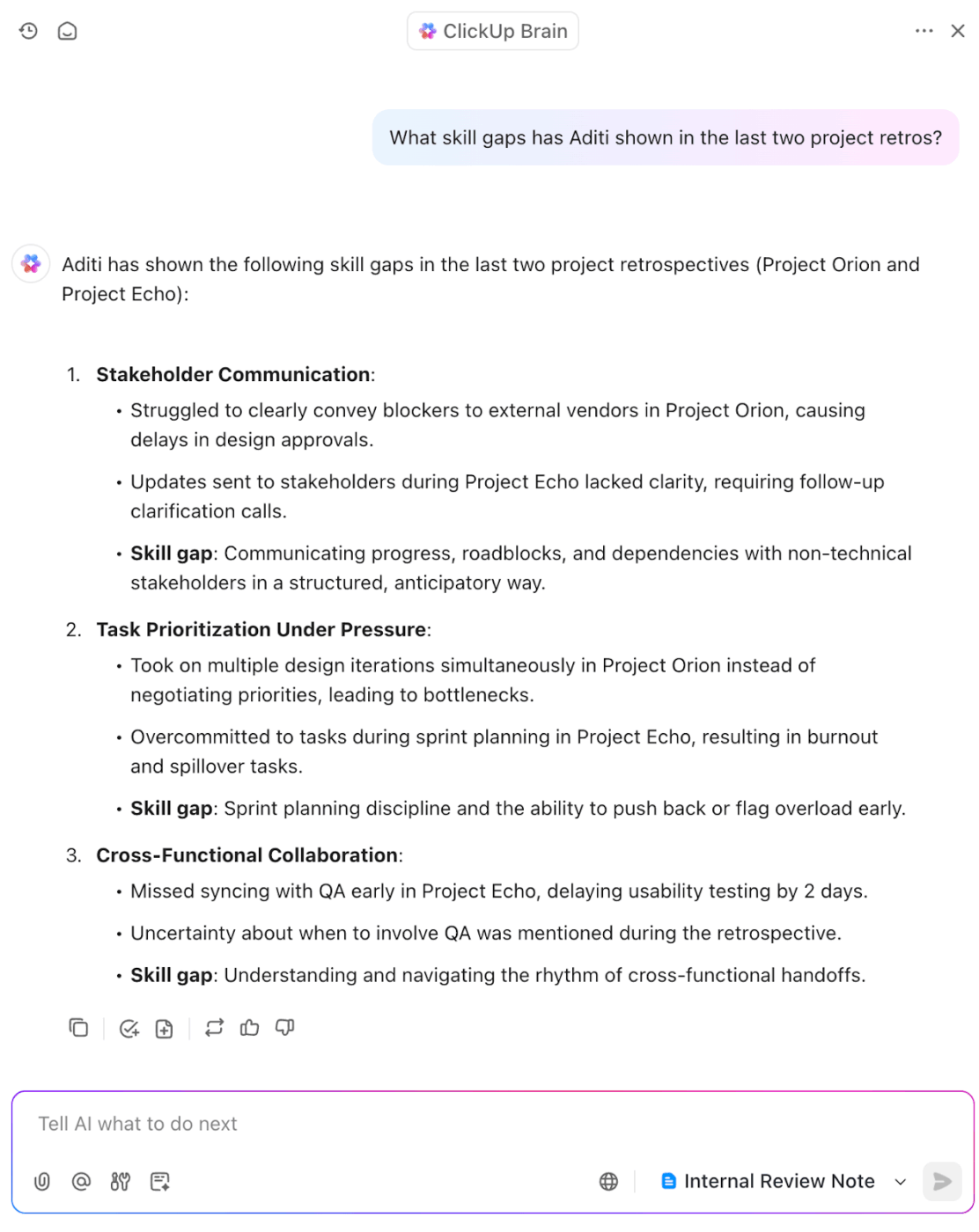
🏅 Result: Reviews become fairer, more evidence-based, and far less dependent on recency bias.
👀 Did You Know? Scientific research on information retrieval shows that people reformulate the same search query multiple times because they don’t know how to ask it “correctly.” Systems that interpret intent reduce this back-and-forth.
Say you’re making a comprehensive report six months after the product launch. The glitch being, no one remembers why key decisions were made.
Gaps are likely to appear when audits rely on memory. Deep search fills those gaps by reconstructing the project’s decision trail across timelines, dependencies, and conversations.
Auditors and project leads can ask questions like:
Deep search pulls evidence from task histories, status changes, comments, and supporting documents to show how the project actually unfolded, not just how it was summarized.
🏅 Result: Project audits shift from hindsight explanations to evidence-backed insights teams can use to improve future delivery.
💟 Bonus: If you want to explore other enterprise search software, we’ve done the legwork for you. 👇
Teams often remember what was decided but forget why. When questions resurface months later, context is buried across meeting notes, comments, and side conversations.
With deep search, you can ask:
This way, you get a consolidated view of the decision trail.
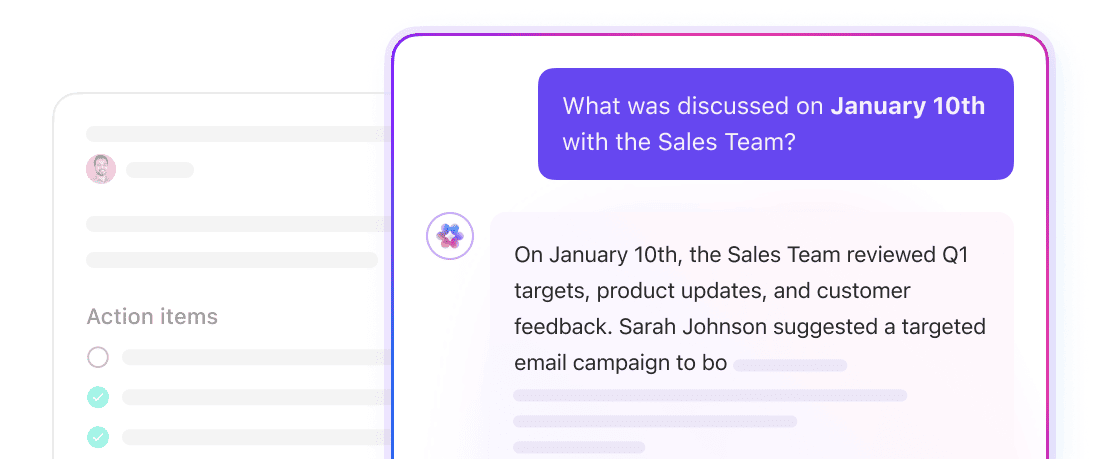
🏅 Result: Teams and research analysts move forward with confidence with up-to-date information.
👀 Did You Know? A Forrester study found that employees spend up to 30% of their workweek just searching for information. Deep search directly addresses this productivity tax.
Deep search is often confused with deep research.
Sure, they both rely on AI, but they solve very different problems. The key differences are 👇
| Aspect | Deep Search | Deep Research |
| Goal | Pull information from your connected apps and documents, and give you a clear picture of what’s already known | Explore a topic in depth and produce new ideas, strategies, or plans based on both your data and outside context |
| Primary question | “What information do we already have about X?” | “What should we do about X?” or “What are the implications of X?” |
| User mindset | You want a specific answer or a summary of your known data | You want to form an opinion, plan next steps, or come up with new approaches |
| Example | “What were the three main reasons for last quarter’s customer churn, according to our reports?” | “Based on market trends and our churn data, what new retention strategies should we test next quarter?” |
| Output | A direct answer that points to actual documents, notes, or reports, showing exactly where the information comes from | A written summary, list of ideas, or plan that mixes internal data with outside context and suggests next actions |
| Information scope | Limited to your workspace and linked apps like Salesforce | Uses your internal data plus broader AI knowledge and public information to suggest new possibilities |
| Used for | Getting up to speed on a project Finding documented processes Compiling evidence for reports Answering a factual question about past work | Brainstorming campaign ideas Drafting sections of a strategic plan Generating hypotheses for testing Finding new market opportunities |
In short, a deep search gets you what you already know, so you don’t waste time looking for facts. Deep research helps you figure out what to do next using both your data and online sources.
📮 ClickUp Insight: More than half of respondents type into three or more tools daily, battling “app sprawl” and scattered workflows.
While it may feel productive and busy, your context is simply getting lost across apps, not to mention the energy drain from typing.
BrainGPT brings it all together: speak once, and your updates, tasks, and notes land exactly where they belong in ClickUp. No more toggling, no more chaos—just seamless, centralized productivity.
Now that you see what deep search can do, the next question is: how do you use it in your workflow?
You can’t just turn it on and off. It works best when it’s part of the tools your team already uses. Where projects, documents, conversations, and goals all come together.
Enter: ClickUp, the world’s first Converged AI Workspace.
It layers AI search across every corner of work, helping you find answers and act on them without leaving the workspace. It eliminates unnecessary work sprawl by converging all your work under a single platform.
Below, we show you how 👀
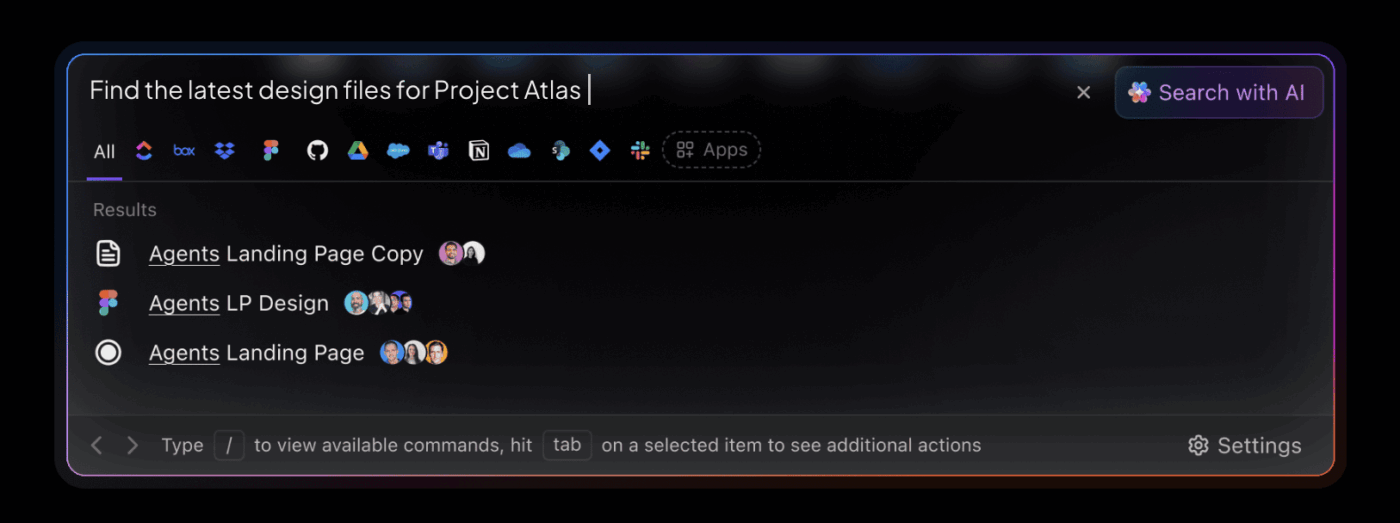
ClickUp’s Enterprise Search is designed to surface answers from everything your team works with.
It searches across:
What’s indexed depends on access. If the user who sets up a connection can see the data in a connected tool and it’s a supported object type, it becomes searchable. This ensures results stay accurate, permission-aware, and relevant.
Here’s how it makes your life easier. 😎
Because all your work already lives in ClickUp, Enterprise Search provides deep search and real-time visibility across your entire workspace.
There’s also a deep search option available via ClickUp Brain, the built-in AI assistant. Here’s how to use it 👇
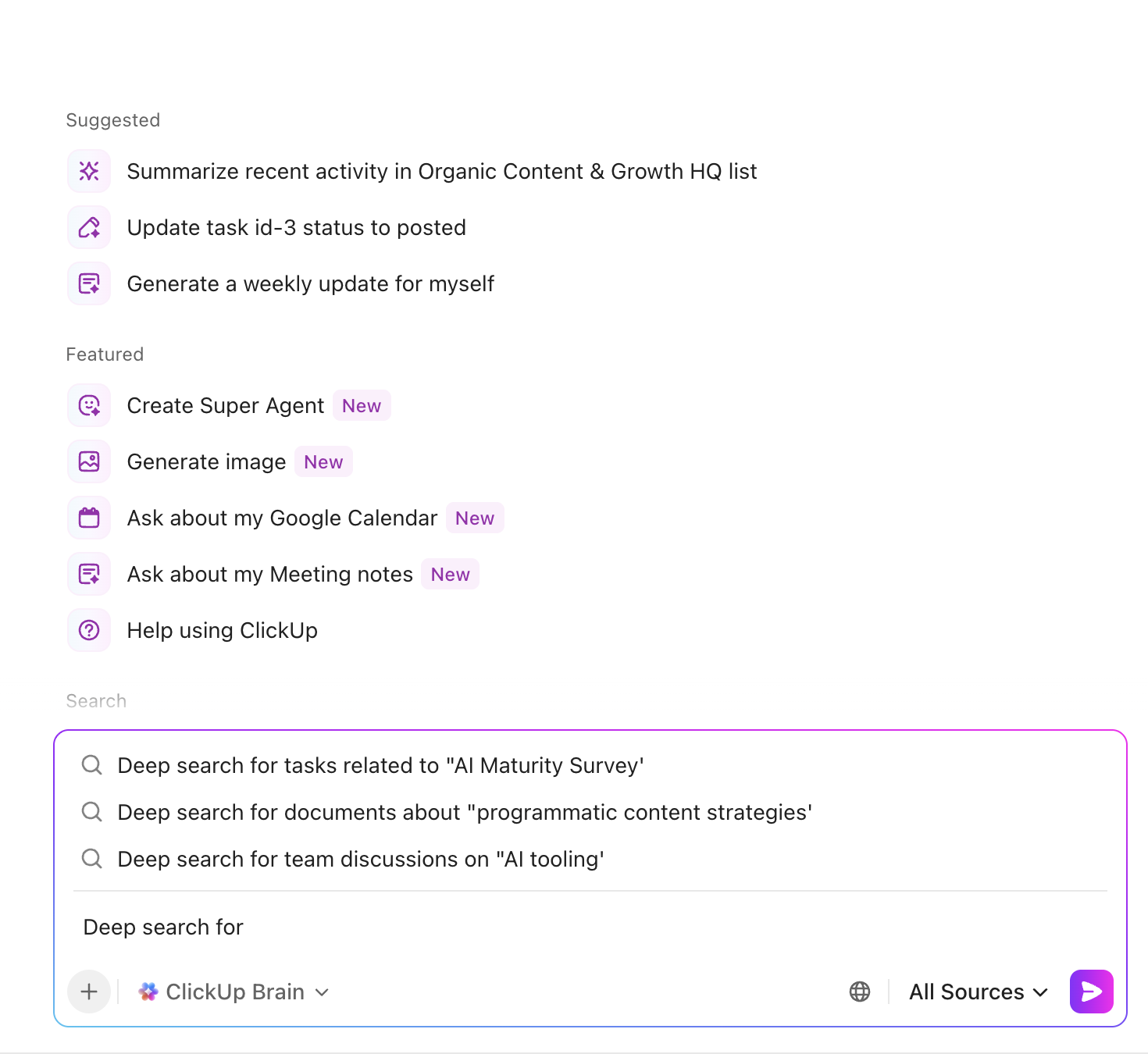
Next, you can also take the following actions 👇
ClickUp Brain was built to eliminate AI sprawl by embedding intelligence directly into your workflows.
This contextual AI understands your work, tools, enterprise data, and your context.
So, when you ask BrainGPT, ‘What’s holding this project back?’ you get blockers tied to real tasks, relevant data, dependencies, and owners.
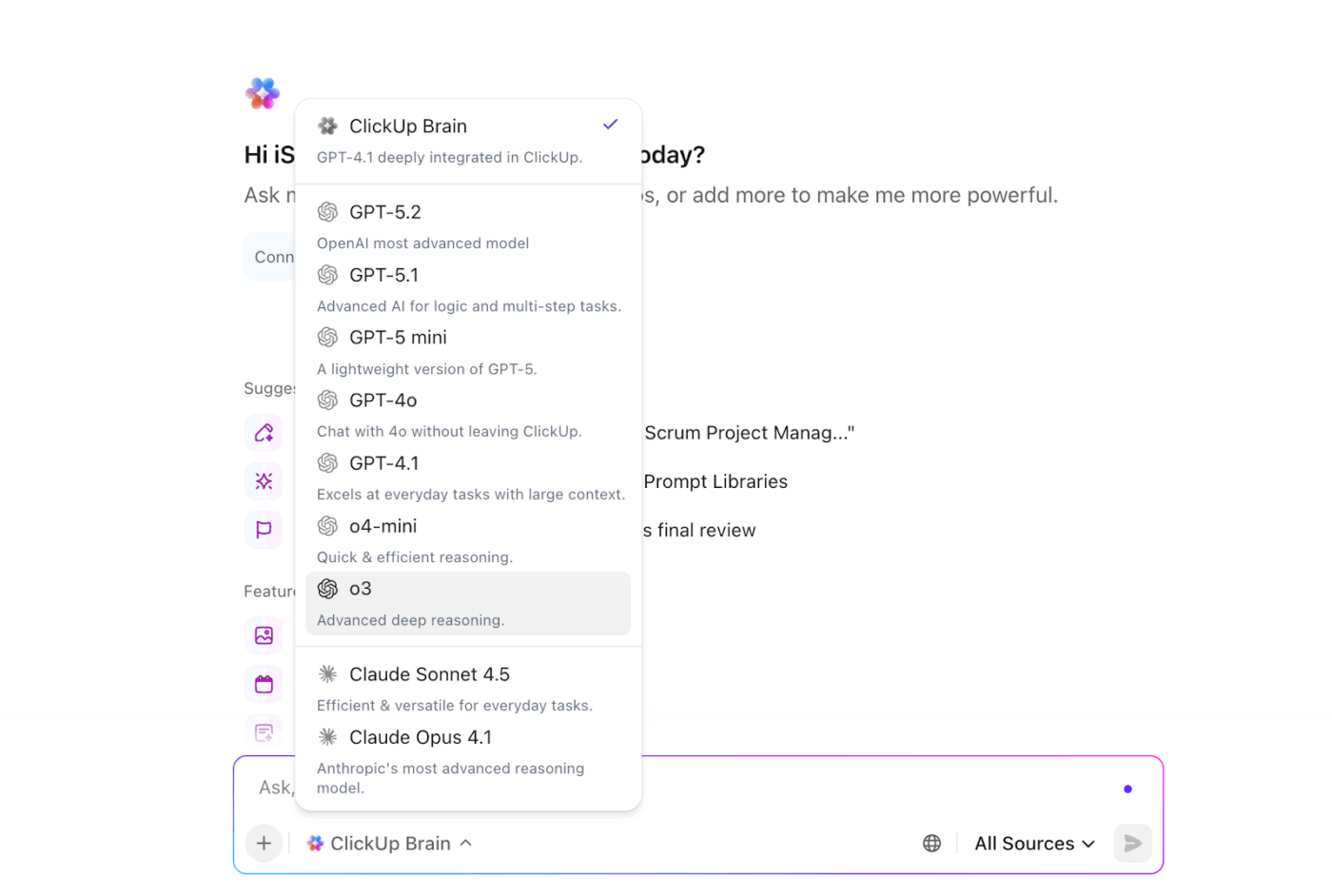
Brain unifies multiple external AI models and data sources—acting as an orchestration layer.
You don’t need to bounce between ChatGPT, Claude, Gemini, and different drives to access different capabilities. It pulls in the right model for the task while grounding every response in your workspace data.
Typing isn’t always the fastest way to search, especially when ideas come up mid-meeting or while reviewing work. ClickUp BrainGPT’s Talk to Text lets you run searches and ask questions using your voice, without breaking your flow.
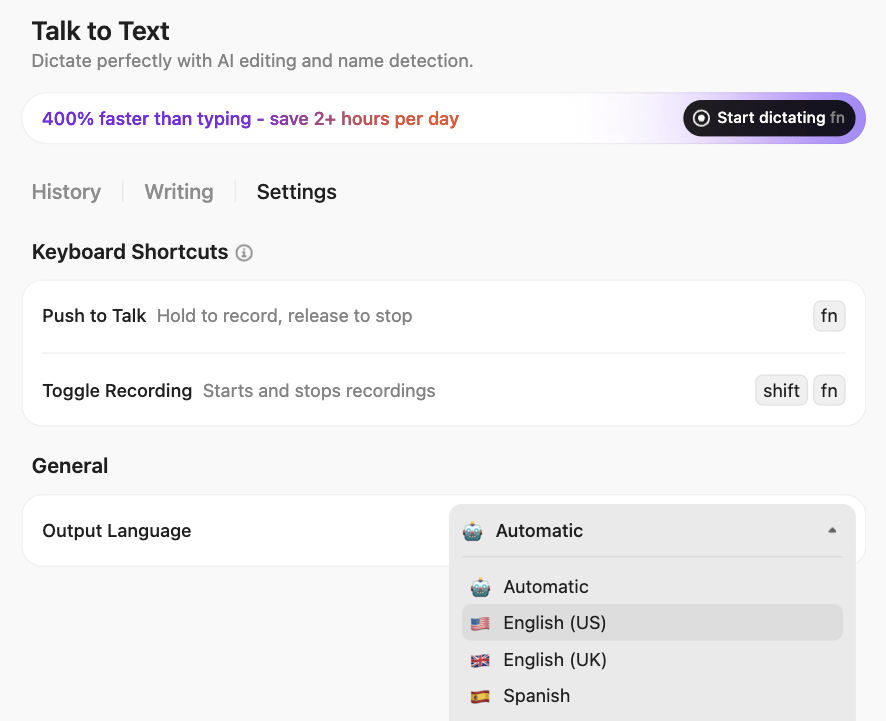
You can speak naturally, and BrainGPT converts your input into a context-aware query that searches across tasks, Docs, conversations, and connected data.
💡 Pro Tip: Encourage teams to treat search like shared memory. Train them to add tags, update titles, and contribute FAQs so that the system continues to improve. Search is only as smart as the people feeding it.
🚀 ClickUp Advantage: ClickUp Super Agents take deep search one step further—from finding answers to taking action.
Super Agents can:
Example: A Super Agent can monitor stalled projects, missing approvals, or unresolved blockers, then automatically surface them or take predefined actions.
Watch this video to know more about Super Agents 👇
To get the most value from Enterprise AI Search, follow these best practices ⭐
Deep search is most powerful in large workspaces with lots of data and for complex multi-step searches. If you need a single file or have a simple, location-specific question, using the standard AI prompt or a location filter will be quicker.
Remember that deep search works best when decisions, updates, and outcomes are documented where work actually happens. The clearer your system of record, the more accurate your answers will be.
Frame your search the way you’d ask a teammate who knows the work.
❌ Typing “Q3 budget”
✅ Try “What were the three reasons behind the Q3 budget reallocation for the marketing team?”
The more context you provide, the better the answer.
When deep search suggests follow-up questions, use them. They help you refine your search without starting over, so you can dig deeper and get the complete picture.
Check the sources deep search pulls up to make sure they’re relevant and accurate. Then act on the insights by creating a task, starting a doc, or making a note.
If there’s information you don’t need, tell Deep Search to ignore it.
📌 Example: “Exclude marketing tasks” or “Source data from 2023 to 2025” keeps your search results relevant.
If you need a list, summary, or prioritized order, ask for it. This could include something like, “List the highest five risks from the project, ranked by severity.” This saves time and makes it easier to act on the search results.
If results include long documents or threads, ask ClickUp BrainGPT to summarize them. This saves time, ensures no important detail is missed, and helps you focus on your work instead of reading everything yourself.
🔔 Friendly Reminder: You don’t always need a full, deep search across your entire workspace.
ClickUp lets you use AI from anywhere—directly inside a task, Doc, comment, or Space—when your question is tied to a specific piece of work. This location-based AI automatically scopes the question to the item you’re viewing, so answers stay focused and faster.
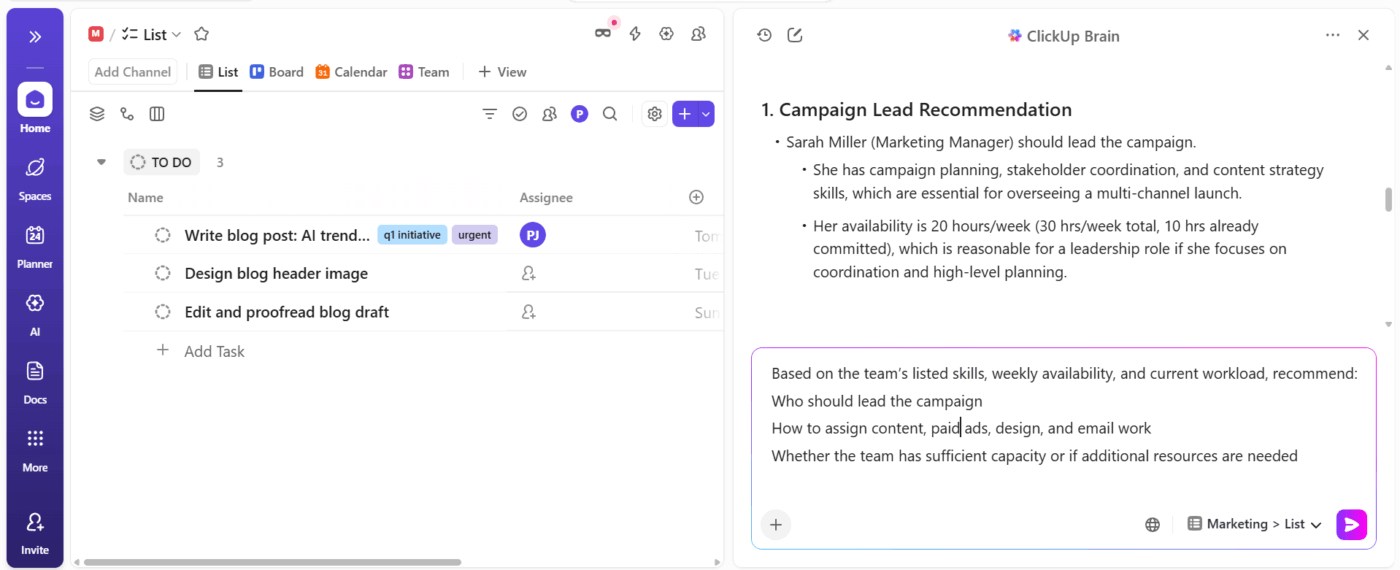
Use this when:
Deep search helps with cross-workspace discovery. Location-based AI is better when context is already clear, and you just need answers.
Here are some deep search limitations you should be aware of:
ClickUp Enterprise AI Search only sees what it has permission to see. Private folders, spaces, or connected apps won’t appear unless you grant access. This keeps your data safe, but it means some answers might not appear if they’re in restricted areas.
Deep search can only work with files and folders that are organized. This means it can’t read silent data, which is information in unconnected tools, local files, or conversations. Untitled tasks, vague docs, or decisions hidden in chat also make it harder for deep search to connect the dots.
Deep search performs a knowledge base search, shows sources, and suggests connections, but it doesn’t make decisions. You and your team are still responsible for interpreting results and acting on them.
Complex queries can take longer as deep search scans deeply. Summarizing everything about your brand identity will take longer than reviewing this week’s priorities for one team. For quick lookups, standard search or AI chat may be the faster option.
AI can sometimes generate plausible but incorrect information. ClickUp Deep Search reduces this risk by grounding answers in your workspace and showing source links. However, always verify these sources to ensure the information is accurate.
📚 Also Read: Best AI Search Engines You Need in Your Tech Stack
Deep search is already changing how teams retrieve information, but this is just the beginning. Here’s where it is headed:
Deep search will understand your role, tasks, calendar, and project stage. It will find relevant docs, remind you of past decisions, and flag potential conflicts before they become problems.
You could automatically generate a project brief based on past similar work or get a weekly status report drawn from task updates, chat sentiment, and document changes, all with a single prompt.
Deep search could start suggesting actions, not just showing the most relevant results. For example, it could flag a stalled client approval, offer to send a reminder, adjust the timeline, and notify the team with a single click.
Instead of a generic search bar, deep search will learn your and your team’s patterns to provide knowledge that only you’d find important. For instance, if you’re a marketer, it might bring attention to new campaign performance data.
Deep search will work across multiple platforms and authorized workspaces, making it easier to find the right information no matter where it lives.
Finding information at work doesn’t have to slow you down.
Lost productivity and delayed decisions are byproducts of information trapped in silos and context scattered.
ClickUp’s Enterprise Search understands context, complex tasks, and how knowledge flows through real work. Instead of forcing teams to hunt through folders, chats, and dashboards, it surfaces answers grounded in tasks, Docs, conversations, and connected tools.
If you want to stop searching through your work and start asking it what you need to know, sign up for ClickUp for free. Find the answers already hidden in your work.

© 2026 ClickUp

There’s an easier way. Try a free AI Agent in ClickUp that actually does the work for you—set up in minutes, save hours every week.