







Still downloading templates?
There’s an easier way. Try a free AI Agent in ClickUp that actually does the work for you—set up in minutes, save hours every week.
Sorry, there were no results found for “”
Sorry, there were no results found for “”
Sorry, there were no results found for “”
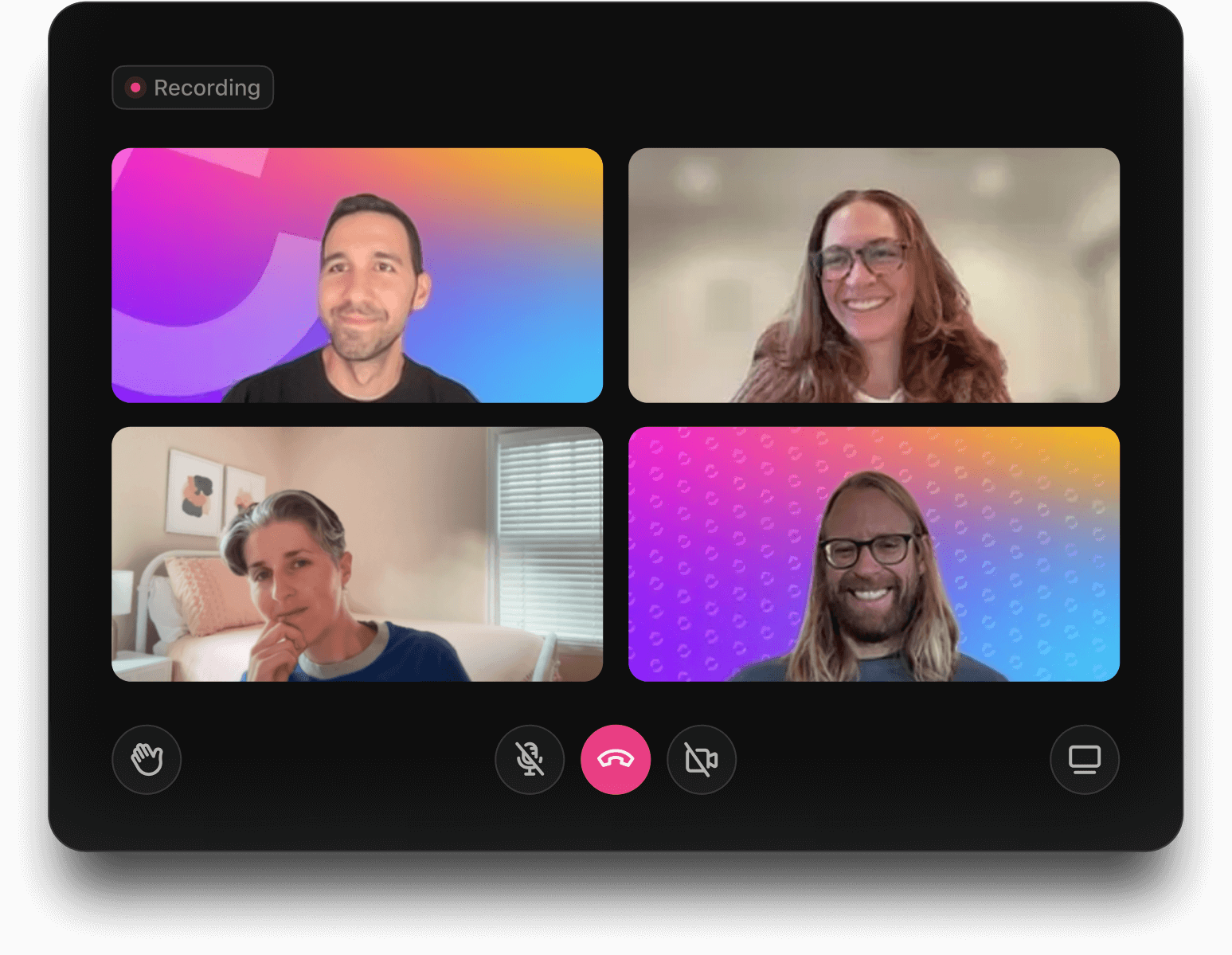

In 2022, 83.13% of Americans spent one-third of their week attending meetings. And 50% of those respondents admitted that audio-related issues are the biggest pain point for video conferencing.
Many users of Cisco Webex report similar issues. No matter your reasons for looking for a Webex alternative—a need for more cost-effective video conferencing software or better customization—you’ll find the best options in this blog post.
The ClickUp team and I’ve assembled this list of Webex alternatives based on our experience and extensive research. Let’s explore them one by one.
Try these alternatives to Webex for high-quality audio and video meetings:
A smooth-running, easy-to-setup meeting management software saves everyone’s time and patience. In your web conferencing platform, you can prioritize:
Ultimately, the alternatives to Cisco Webex meetings must offer an improved interface for your business operations. Let’s explore a few of them to find the best video conferencing software for you.
If you are also tired of repeating, “Can you hear me now?” or “Am I visible?”, then these video conferencing software tools might be of huge help!

Whether you’re organizing a casual team huddle or a global webinar, Zoom makes collaborating with HD video calls and scheduling simple.
Its key features, like the built-in whiteboard tools, allow teams to sketch ideas or brainstorm visually during meetings. Remote teams significantly benefit from this, as it mimics the creativity of an in-person brainstorming session. Also, you can hide your messy room during meetings and impress your team with stunning virtual backgrounds.
Zoom makes it easy for me to connect and chat with my team virtually and the experience is no less than getting the job done in person. It’s very to use with a simple interface. It integrated very well with other applications like Outlook and making the calendar management easy.
👀 Did You Know? Attending back-to-back meetings can lead to someone feeling exhausted. This is also known as ‘Zoom fatigue.’ 1 in 7 women and 1 in 20 men admitted to experiencing it strongly.
/image
Frequently listed as one of the top Google Meet alternatives, Microsoft Teams is a blend of instant messaging, cloud-based file sharing, and unlimited calling, all wrapped up in a platform designed to organize remote teamwork.
It is compatible with Microsoft 365 and allows teams to collaborate on documents, manage projects, and communicate in real time with built-in team chat and calendar scheduling, doubling productivity.
Whether you’re running brainstorming sessions, hosting webinars, or managing daily team tasks, Microsoft Teams keeps everything connected and organized under one digital roof with cloud recording.

Workplace from Meta is like a social network for your office. It mixes groups, chats, and video calls to keep teams connected and informed. If your employees know their way around Facebook, they’ll feel at home here.
While it’s a useful replacement for Webex, Meta’s shutdown of Workplace in May 2026 means that our list is even more helpful for users seeking other alternatives.
After using Facebook for years growing up, it operates similarly, great for communicating with loads of people at once.
Barely if ever gives any issues, despite multiple large groupchats.
Useful features like a files bar attached to each conversation so you can see the files or media sent in the whole conversation.

Another alternative for Cisco Webex meetings, GoTo Meeting, is easy to use, even if you’re not tech-savvy. The audio and video quality are crystal clear, so you’re not constantly worried. Plus, you can hop on from just about any device—PC, Mac, you name it.
The one upfront hiccup? Participants usually have to download the software, which can be a pain if your company is strict about downloads.
GoTo Meeting is the best in terms of sound and image quality, live broadcast in real time. I love the ease of organizing meetings and sending invitations and attachments via secure digital links. Accepting the invitation is direct, which makes it easy for invitees to participate effectively. Distributing roles during virtual meetings is easy, as the microphone can be turned off and transferred to another participant easily.

via RingEx
RingEx offers a communication toolkit for businesses. It integrates messaging, video calls, and phone services into one platform. Need to chat, hop on a video meeting, or make a quick call? RingEX by RingCentral has you covered.
It works across all your devices, so you’re always connected, whether in the office or on the go. That said, setting it up can feel a bit tricky at first, and some people have run into call quality hiccups.

Catch up with friends, attend business calls, or share collaborative notes with colleagues using Skype. This Webex alternative works smoothly across different devices—whether you’re on a desktop, tablet, or smartphone—making it an ideal choice for communication.
However, like any tool, it’s not perfect. Some users have experienced poor call quality, connectivity issues, or occasional glitches, which can be frustrating.
👀Did You Know? In the US, $37 billion is wasted yearly on unproductive meetings.

Google Workspace is also a famous Microsoft Teams alternative. It is designed to keep teams connected in the office or remotely. The integration across its suite of apps—Google Calendar, Meet, Drive, Sheet, etc., means you can start a document, attend a video call, and share files from a single suite of tools without missing a beat.
Also Read: 10 One-on-One Meeting Templates for Managers

Slack’s Huddles feature is equivalent to ‘water-cooler’ talk during office hours. They are quick, spontaneous audio calls to discuss things without leaving the app (or your desk). It’s perfect for brainstorming and desktop sharing without the formality and added steps of scheduling a whole meeting.
However, as great as they are for collaborating on the fly, managing these quick calls can sometimes lead to overload if not kept in check, and new users still face a bit of a learning curve.
🧠 Fun Fact: 71% of people claimed to have used emojis at work in 2022. Of them, 68% admitted liking it when their colleagues used emojis during work communication, while 63% felt more connected to their teammates.

Zoho Meeting is a simple browser-based Webex alternative. It makes video conferencing and webinars easy to set up without endless downloads or tech hassles.
It’s a great pick for teams already using Zoho’s suite of apps and can be cost-effective compared to some of the other tools on our list.
Compared to other platforms like Google Meet, I’ve found Zoho Meetings to offer a more stable and enjoyable experience. The video and audio quality are consistently excellent, minimizing frustrating lag and ensuring smooth communication. The user interface is also incredibly intuitive, making it easy for our team to navigate and utilize all the features.

Dialpad AI Meetings keeps things simple but smart. It’s a video conferencing tool with AI features like real-time transcription and meeting summaries that save you from endless note-taking. The setup is quick, and if you’re already using other Dialpad apps, everything works together like a charm.
That said, it’s not without its quirks—audio and video can act up sometimes, especially during long calls, and the mobile app feels a bit stripped down compared to the desktop version.
While exploring other tools in place of Cisco Webex, growing businesses should consider other options to handle the overall project management and team needs.
For example, wouldn’t you like signing up for an all-in-one platform that can disguise itself as free project management software, provide a better video conferencing experience, and fulfill additional tasks?
ClickUp may not be a full-fledged video conferencing tool (yet!) but it complements other options in this list as the everything app for work. Here’s how to use it as a Cisco Webex alternative.
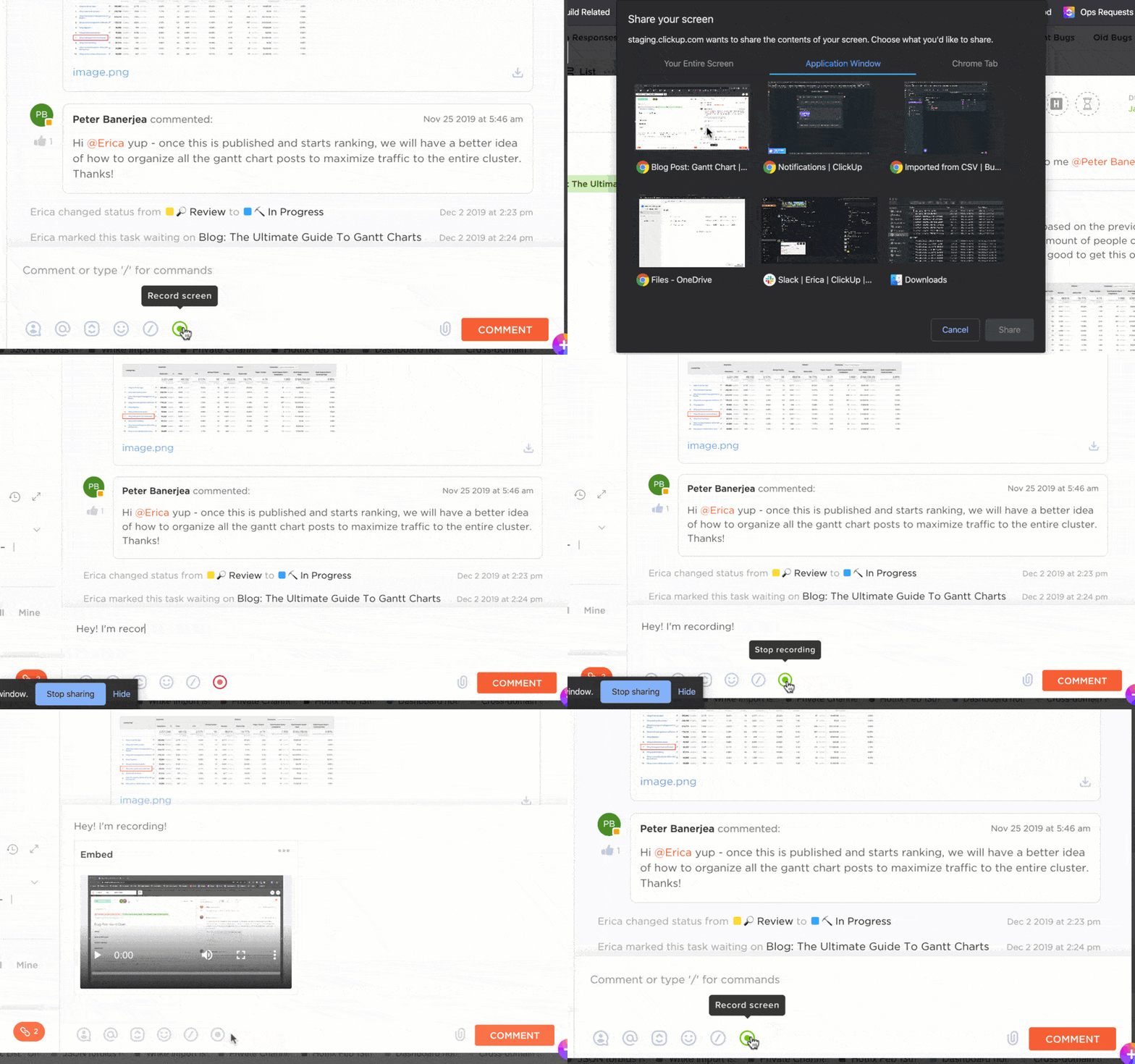
Consider ClickUp Clips. It brings a fresh twist to video conferencing by letting you record your screen with a voiceover, share it with your team, and collaborate asynchronously—working together without needing everyone to be available simultaneously.
Instead of live meetings, team members can communicate, share updates, and provide feedback through async video communication. So, if time zones are a headache for your team, use this feature.
📮ClickUp Insight: About 41% of professionals prefer instant messaging for team communication. Although it offers quick and efficient exchanges, messages are often spread across multiple channels, threads, or direct messages, making it harder to retrieve information later.
With an integrated solution like ClickUp Chat, your chat threads are mapped to specific projects and tasks, keeping your conversations in context and readily available.
ClickUp Chat keeps discussions focused, whether you’re brainstorming ideas, giving updates, or tagging teammates for quick input.

You can also jump into quick video and audio calls (like Huddles!) with SyncUps in ClickUp Chat. The result? A Webex alternative that works equally well for real-time and async catch-ups.

Speaking of catch-ups, pair ClickUp Chat with ClickUp Brain’s AI superpowers, and you can do so much more than send and reply to messages:
Another brilliant feature in ClickUp is ClickUp Meetings. It is a centralized hub for organizing, planning, and following up on meetings, even without a built-in video conferencing solution. Instead of hosting video calls, it focuses on meeting preparation and aftermath, helping teams stay aligned and productive.
Within ClickUp, you can create detailed meeting agendas, link tasks to discussion points, assign follow-up actions, and track outcomes.
The ClickUp Meetings Template allows you to manage meeting agendas and action items and follow up directly. It offers five ClickUp Views: ‘List,’ ‘Board,’ ‘Embed,’ ‘Conversation,’ and ‘Calendar.’ You can also leverage Custom Statuses such as ‘Unscheduled,’ ‘Scheduled,’ and ‘In Progress.’
One of ClickUp’s customers, Samantha Dengate, a Sr. Project Manager at Diggs, says:
Before ClickUp, meetings, and back-and-forth email communications led to a black hole where items were left unseen and unattended. Due to this, tasks were not being reviewed on time, and no one knew how the creative development was going. Now, everyone on the team can clearly see when action items are due, chat and collaborate within the tasks.
💡Pro Tip: Turn ClickUp into a ‘memory bank’ for your meetings. Record important discussions, add them as Clips, and link them directly to your projects or tasks. Your team can revisit key moments from previous meetings without hunting through old notes.
Cisco Webex meetings might have been a go-to for many businesses, but video conferencing is not enough for productivity and collaboration. Teams need tools that integrate with their workflows, better communication, and adapt to their unique needs. That’s where solutions like ClickUp step in!
As the everything app for work, ClickUp organizes your team’s communication, tasks, and knowledge sharing using its integration capabilities, asynchronous updates, and AI-powered chat.
With its free plan and 1000+ integrations, your team can start collaborating better right away.
Sign up for ClickUp for free!

© 2026 ClickUp

There’s an easier way. Try a free AI Agent in ClickUp that actually does the work for you—set up in minutes, save hours every week.