






Still downloading templates?
There’s an easier way. Try a free AI Agent in ClickUp that actually does the work for you—set up in minutes, save hours every week.
Sorry, there were no results found for “”
Sorry, there were no results found for “”
Sorry, there were no results found for “”

Veed.io is great for social videos. It lets you edit fast and auto-adds subtitles.
However, if you require storage, team collaboration, auto-resizing, batch editing, or support for YouTube tutorials, webinars, and podcast clips, you’ll need to consider more advanced video editing tools.
Let’s look at some of the best Veed.io alternatives that overcome these limitations when you edit videos. We share the key features, pricing, and limitations to help you make the best choice.
Before you sign up for the next tool, step back and ask: What does your video workflow need that Veed isn’t giving you? Here are the advanced features worth prioritizing in your video content creation workflow.
Our editorial team follows a transparent, research-backed, and vendor-neutral process, so you can trust that our recommendations are based on real product value.
Here’s a detailed rundown of how we review software at ClickUp.
Here’s a quick snapshot of top Veed.io alternatives:
| Tool name | Key features | Best for | Pricing* |
| ClickUp | Visual storyboard templates, task management, real-time collaboration, custom views | Small businesses, mid-sized companies, and enterprises | Free plan available; Custom pricing for enterprises |
| Kapwing | AI video creation, Magic Subtitles, Smart B-Roll, Speaker Focus | Small businesses, Creators | Free plan available; Paid plans start at $24 per member/month |
| Descript | Text-based editing, script-sync, multi-cam support, AI voice tools | Small to Mid-sized Companies | Free plan available; Paid plans start at $24 per member/month |
| InVideo AI | Link-to-video, faceless videos, 5000+ templates, Magic Box editing | Small Businesses, Mid-sized Companies | Free plan available; Paid plans start at $35/month |
| CapCut | Mobile-friendly editing, effects, filters, speed controls | Creators, Small Businesses | 7-day free trial; Paid plans start at $9.99 per month |
| HeyGen | AI avatars, custom avatars, multilingual support, editing tools | Mid-sized Companies, Enterprises | Free AI video page; Paid plans start at $29 per month |
| Synthesia | AI avatars, script generation, voice cloning, 140+ languages | Mid-sized Companies, Enterprises | Free AI video page; Paid plans start at $29 per month |
| Colossyan Creator | Convert docs/slides to video, screen recording, multi-avatar scenes, branding tools | Small to Mid-sized Companies | Free plan available; Paid plans start at $27/month |
| Camtasia | Advanced screen recording, annotations, quizzes, smart zoom/pan | Mid-sized Companies, Enterprises | Paid plans start at $14.99/month |
| Simplified | AI clips, auto-subtitles, social media publishing, smart editing | Small Businesses, Content Teams | Free plan available; Paid plans start at $29/month |
Let’s take a closer look at the features, limitations, user reviews, and pricing plans of each of these tools.
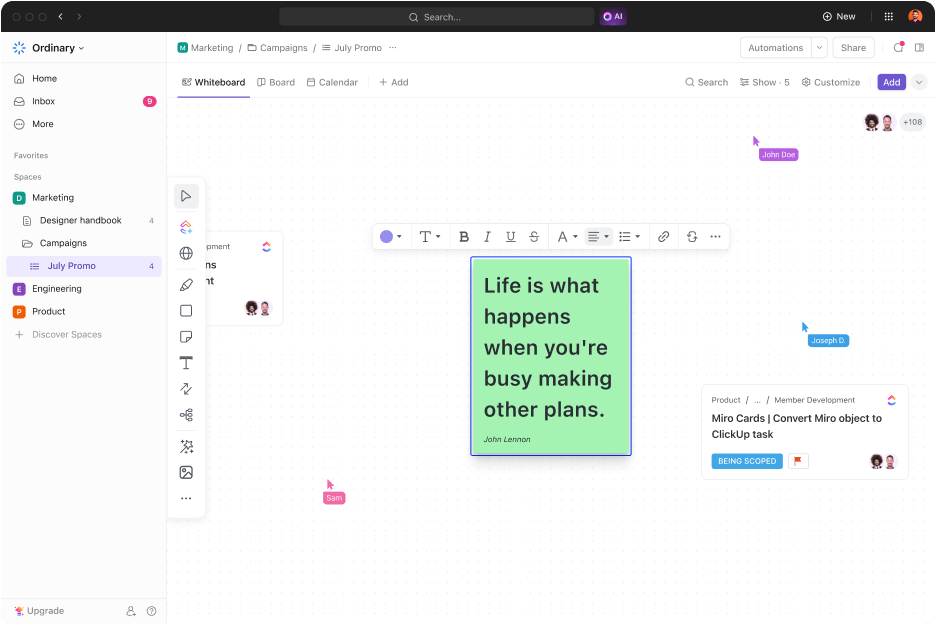
If you’re managing video projects beyond just editing, ClickUp, the everything app for work, offers you all the tools you need in one place. You can start by using ClickUp Whiteboards to plan your production timeline and outline your video series.
You can drag, drop, and rearrange ideas in real-time with your team and keep everyone on the same page right from the start. This is especially useful for early brainstorming sessions, script flow planning, or tracking visual elements like scene transitions and shot lists.
When you’re ready to start, you can use ClickUp Tasks to break your video production workflow into clear, manageable steps. You can assign responsibilities, set deadlines, and track progress to complete projects on time.
For example, begin with a task for scripting, where you attach a draft, assign it to a writer, collaborate via ClickUp Docs and set a due date for review. Next comes storyboarding, followed by filming. Each scene or shoot can be tracked as a separate task, with checklists for camera setups, locations, and equipment.
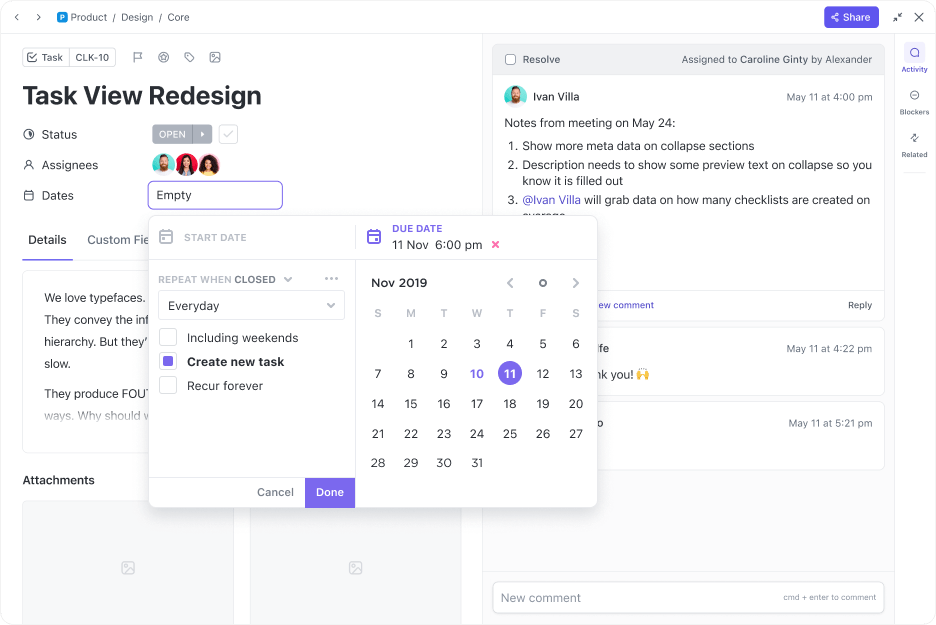
In the editing phase for voice-overs and animated captions, use task statuses like “In Progress,” “Needs Review,” and “Final Export” to track where each video stands.
Once you have the workflow in place, use ClickUp Brain, the built-in AI assistant for script assistance. Whether you’re drafting a first script, refining a scene, writing animated captions, or transcribing raw footage, the AI can help you generate clean copy with the help of multiple LLMs (Think Gemini, Claude, and more) from the same interface.
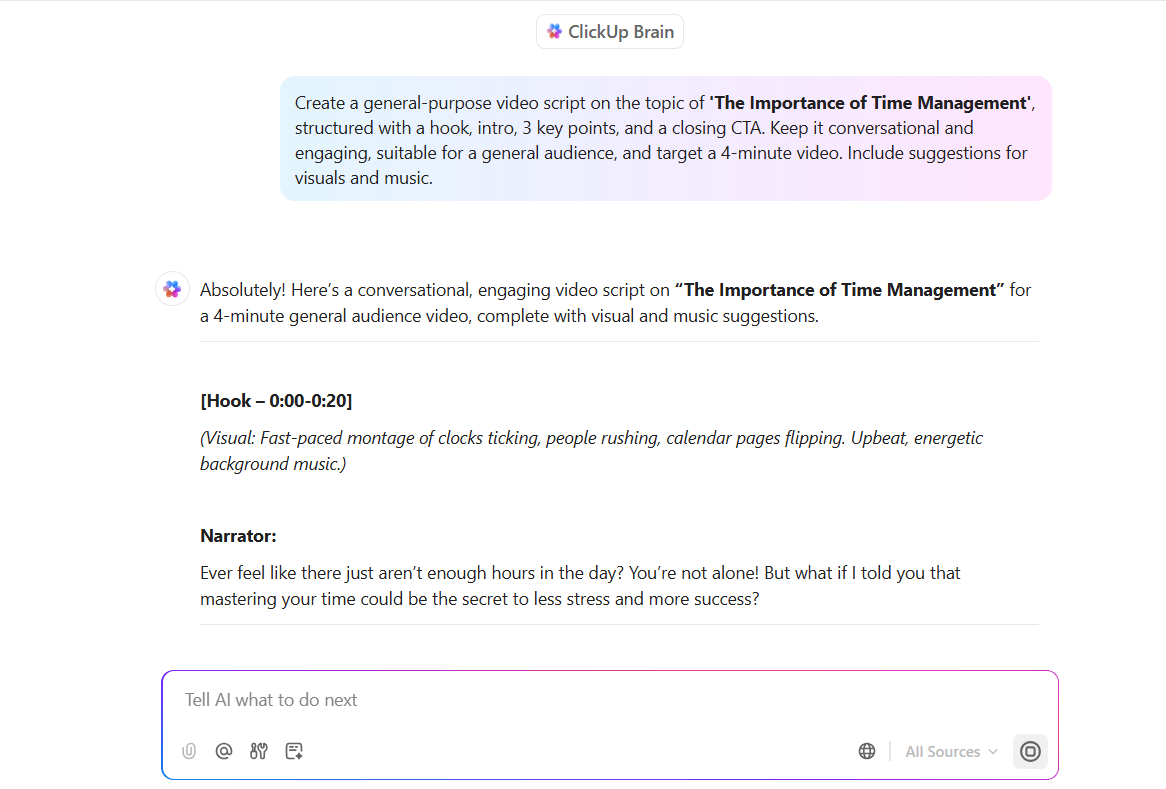
And when you need to communicate with your team, ClickUp Brain can also draft emails, comments, or task updates for you based on the context of your project. You can also ask it about the status of specific tasks. For example, you might want to know whether the script is finalized or if the footage has been uploaded. ClickUp Brain will pull the latest updates directly from your workspace.
Finally, with ClickUp Clips, you can record short videos directly inside your workspace without leaving the platform. Plus, when you record a Clip, ClickUp, a powerful alternative to Veed.io automatically generates a transcript of your narration. This helps your team skim or refer to key points without rewatching the entire video.
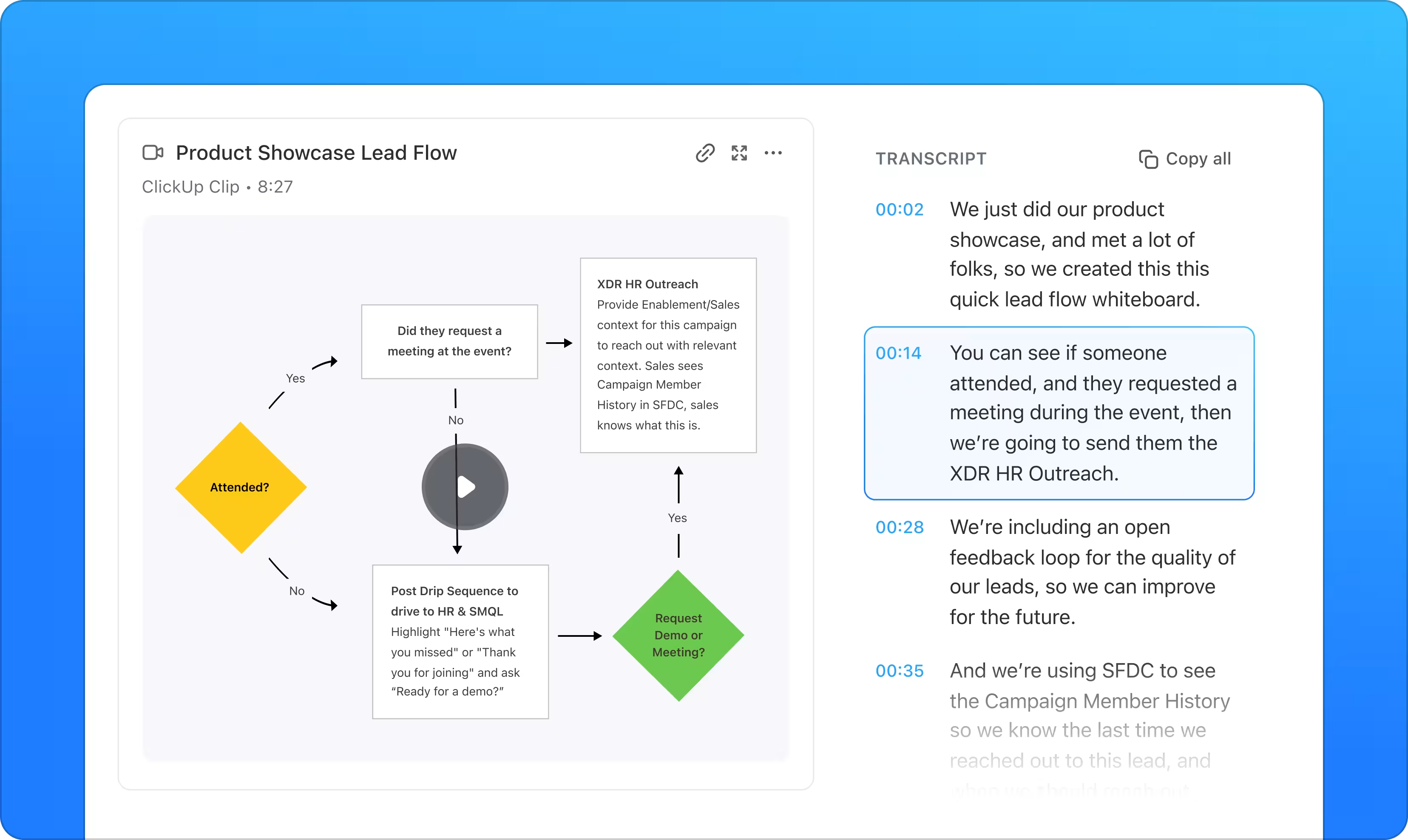
ClickUp Brain, as an AI tool enhances this process further by allowing you to interact with Clips and their transcripts. You can ask Brain to summarize a Clip, extract action items, or clarify parts of the transcript and help your team stay aligned and focused.
Clips are also automatically saved and linked to tasks or documents. The last thing you want is critical information to get lost in email threads or messaging apps. It’s a simple way to keep visual communication flowing throughout your project.
To make your video production project management even more efficient, ClickUp offers ready-to-use templates built specifically for creative workflows. The ClickUp Video Production Template helps you manage each stage of your project with clear tasks, timelines, and collaboration tools so nothing is overlooked.
For visual planning, the ClickUp Storyboard Template provides a structured layout to organize scenes, timing, and visual direction to keep your team aligned. These free storyboard templates streamline creative workflows by combining visuals, notes, deadlines, and collaboration in one organized space.
This way, ClickUp lets you manage your entire video production process from planning and scripting to collaboration and delivery, all in one place.
A G2 review says:
ClickUp Brain is a time-saver. The built-in AI can now summarize lengthy threads, draft docs, and even transcribe voice clips right inside a task, which lets my team cut down on context-switching and chase fewer add-on tools.
🌼 Learn how to build a scaled video content operation with ClickUp.👇🏼
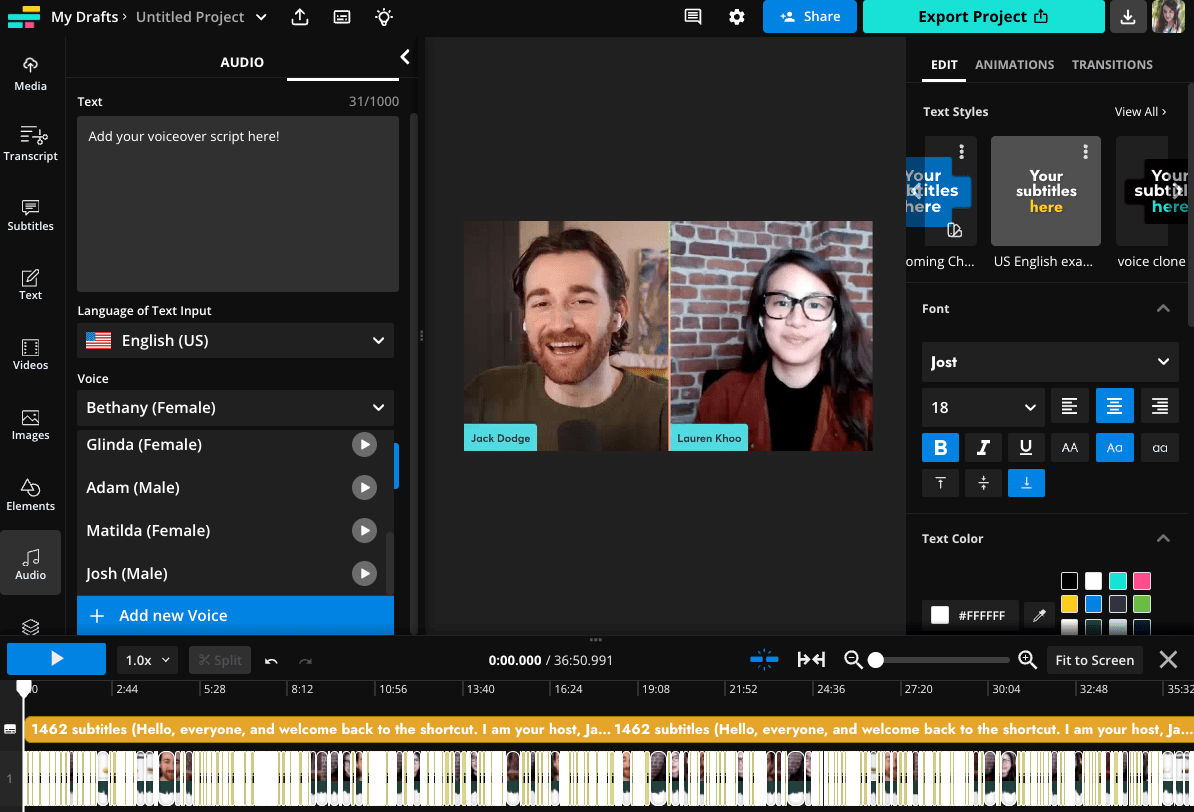
Kapwing, an AI video editing tool, makes video creation simple for anyone, even without video editing skills. Start by typing a text prompt, and the AI generates a complete video with music, sound effects, and transitions. With Magic Subtitles, you can instantly get AI-generated captions and customize their style and animations to suit your brand. Smart B-Roll automatically analyzes your video and inserts visuals that match your key points as your video comes together.
If your video includes multiple speakers, you can use Speaker Focus to train the camera on whoever’s talking and help your audience stay connected. When working in different languages, Lip Sync ensures the audio matches the speaker’s mouth movements and makes translations feel smooth and natural. And with Split Vocals, you can easily separate voices from background music, giving you more control over audio quality and edits.
A G2 review says:
I like the Kapwing Templates section. It provides thousands of templates designed by professionals and helps us make our video outstanding by simply changing our content with pictures, videos and text.
💡 Pro Tip: Kapwing is great for fast edits. But if you’re wondering how your videos fit into a broader marketing strategy, check out this video marketing software guide. It compares tools that help you not just create content but also plan, distribute, and track it.
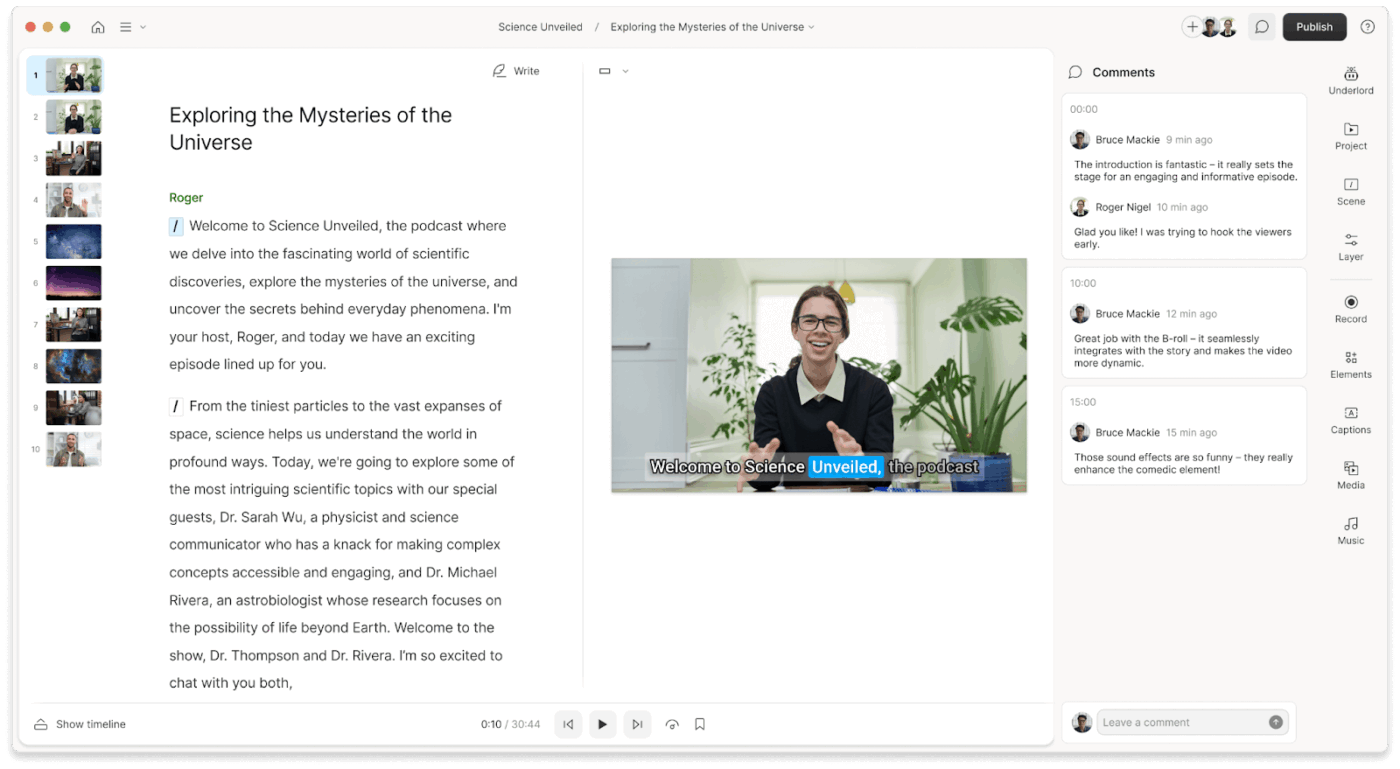
Descript is an AI-powered platform for audio and video editing. As a Veed.io alternative, it allows users to modify media files through a text-based interface, making it as intuitive as editing a document. With features like Overdub (AI voice cloning), filler word removal, multitrack editing, and studio-quality audio enhancement, you can produce professional content without complex editing skills.
If you are making YouTube shorts, Description supports screen recording. For marketing teams, this AI video editor lets you collaborate with your team members.
A Capterra review says:
Descript is a game-changer for anyone looking to streamline their audio and video editing process–especially for beginners. It has great features like automatic transcription, screen recording, and text-based editing. The ability to edit media files as easily as editing a Word document saves significant time and effort.
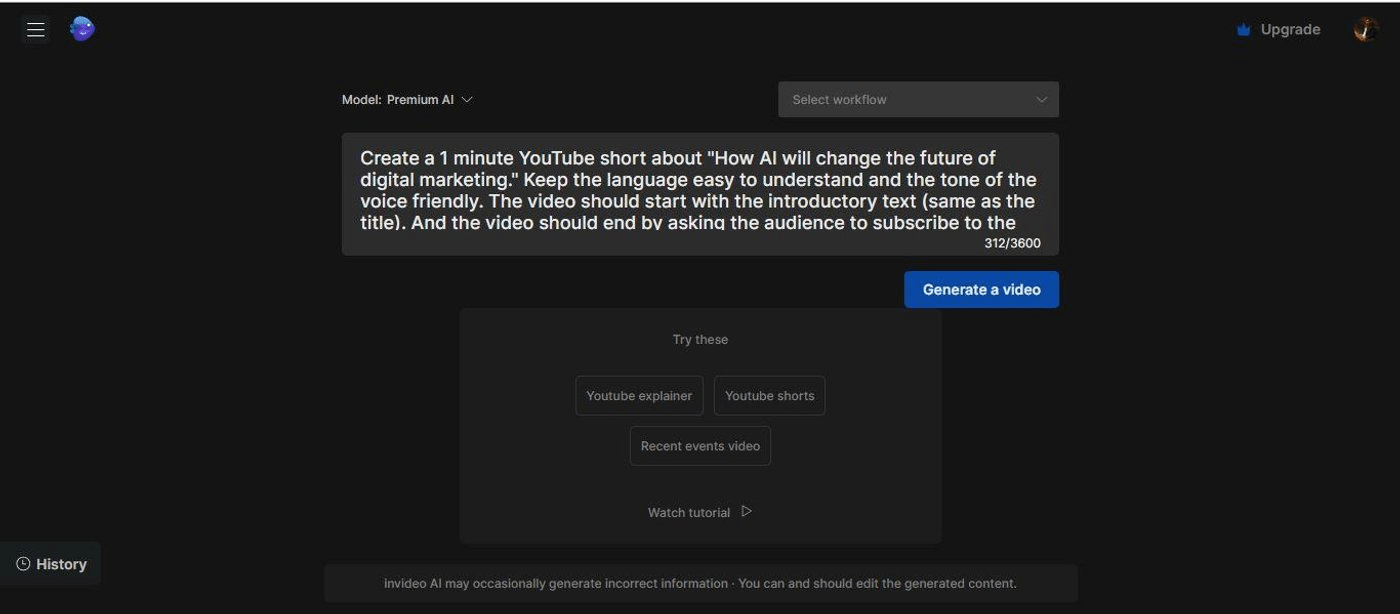
InVideo.io is an online video creation platform designed for marketers, social media managers, and content teams. You can quickly generate marketing videos using text prompts, repurpose blog content into short videos, or bulk-create visuals for ad campaigns. It also offers a brand kit, voiceover tools, stock integrations, and auto-resizing for multiple platforms.
The library of pre-built templates, dynamic text animations, and drag-and-drop interface makes it suitable for creating a wide range of videos, making it a good Veed.io alternative.
While Veed.io is better for editing raw footage or podcasts with precision, InVideo is the better fit when you need ready-to-publish, high-volume, stunning videos with minimal effort.
With InVideo AI, you can easily turn news articles, YouTube videos, or blog pages into stunning videos by simply pasting a link. The platform automatically processes the content, creating a video with relevant visuals, voiceovers, and transitions in just a few clicks.
A G2 review says:
InVideo’s intuitive interface lets us create well-finished audiovisual pieces with ease. The voice cloning feature helps maintain a consistent narrative without repeated voiceovers.
📚 Also Read: Free Podcast Script Templates for Podcasters
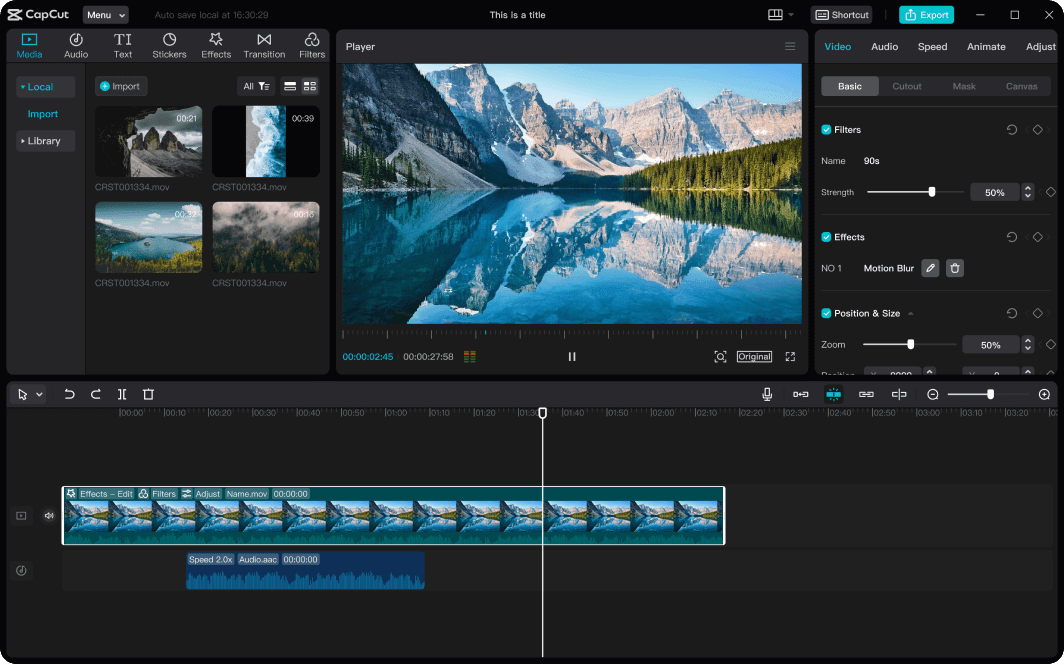
CapCut is a video editing app developed by ByteDance, the parent company of TikTok. With the precise splitting tool, you can cut clips at the exact frame you need, which is perfect for syncing visuals with audio or trimming your footage with precision. If you’re aiming for something more creative, the reverse video feature lets you play clips backward and gives your videos a unique and unexpected twist.
You’ll have access to an extensive library of royalty-free music organized by mood and genre, so it’s easy to find the perfect soundtrack for your project. You can also import your own audio if you prefer.
📮 ClickUp Insight: Low-performing teams are 4 times more likely to juggle 15+ tools, while high-performing teams maintain efficiency by limiting their toolkit to 9 or fewer platforms. But how about using one platform?
As the everything app for work, ClickUp brings your tasks, projects, docs, wikis, chat, and calls under a single platform, complete with AI-powered workflows. Ready to work smarter? ClickUp works for every team, makes work visible, and allows you to focus on what matters while AI handles the rest.
💡 Pro Tip: Not sure how to write for on-screen avatars? These free content writing templates can help you craft clear, engaging scripts—especially for FAQs, product demos, and training videos.
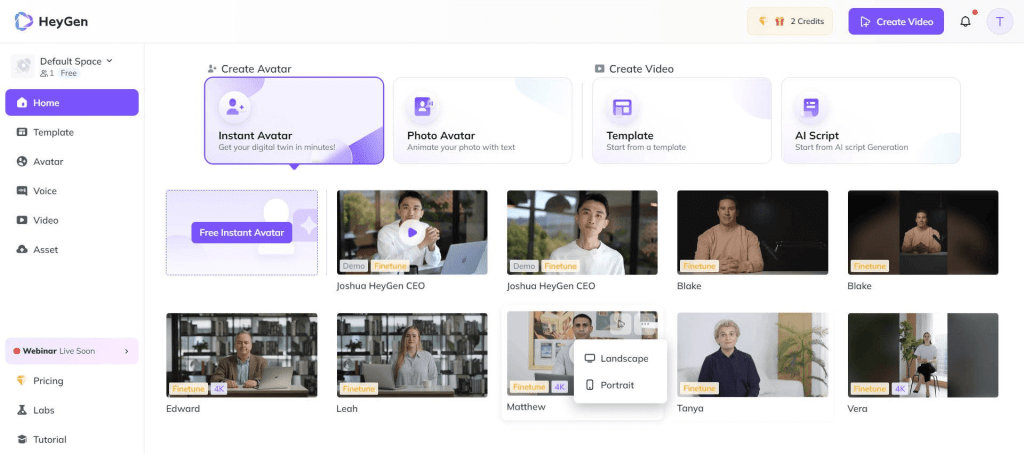
Originally launched under the name Surreal, HeyGen is a video creation tool. With AI Avatar Creation, you can choose from over 300 avatars representing a range of ethnicities, ages, and styles. Drop in your script, and the avatar speaks for you with lifelike lip-syncing.
You can also work with still or motion avatars for announcements, training, customer communications, and advertisements. The Avatar IV feature takes it further by letting you upload a photo and a script or voice clip to generate a custom avatar that looks and sounds like you.
And when it comes time to fine-tune, the Editing Studio gives you all the tools you need to polish your video with text, backgrounds, and effects.
A G2 review says:
I love how intuitive and beginner-friendly HeyGen is! I created three avatars in different settings for my university video project, and each one looked professional. The lip-syncing is amazing, and it helped me express ideas in English more clearly than I could myself. The avatars feel natural, and the customization options are excellent — from background removal to outfit changes. It’s like having a personal presenter on demand!
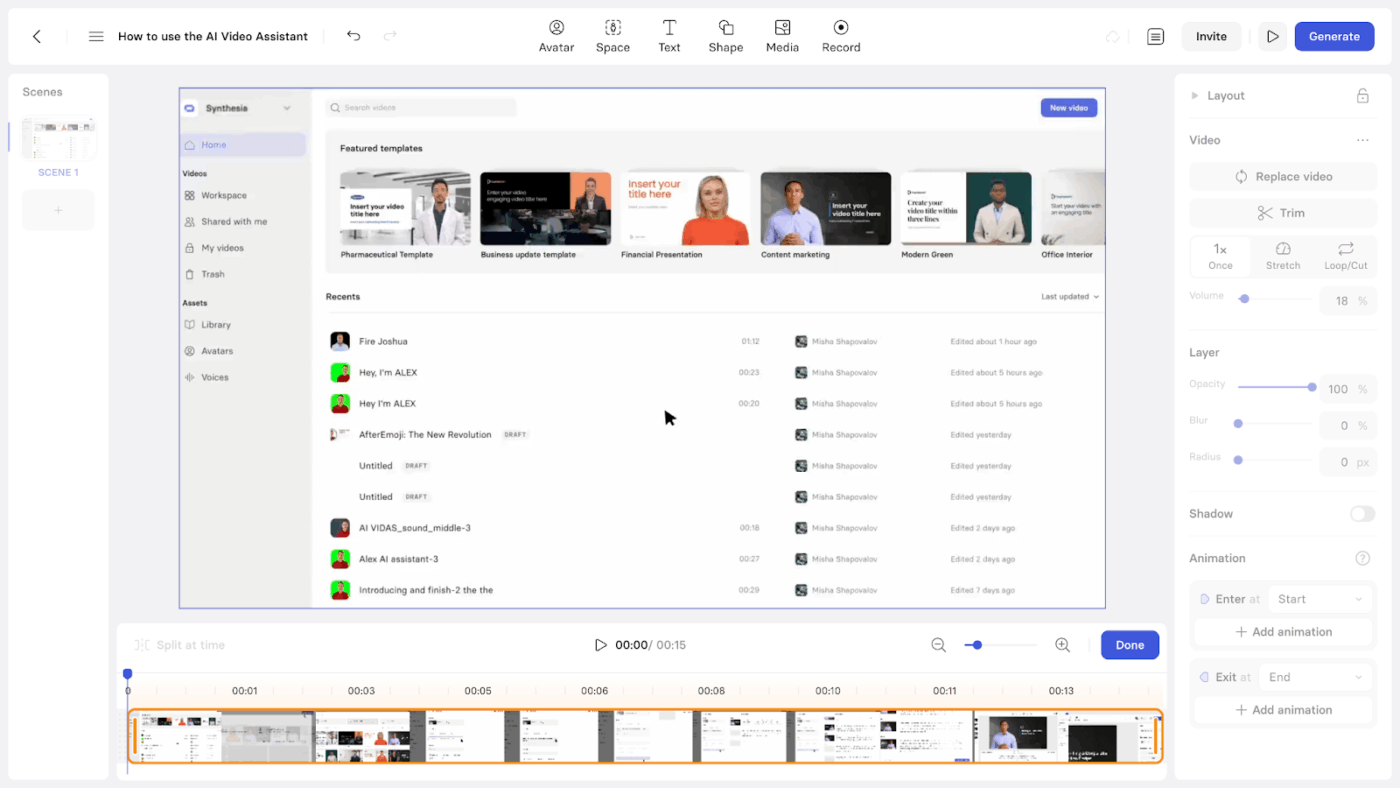
Synthesia is an AI-powered video creation platform that enables users to produce professional-quality videos without needing cameras, microphones, or actors.
Type your topic, objectives, and the tone you’re aiming for, and Synthesia’s AI script generator will write the script for you. Once the script is ready, you can choose from a wide range of over 230 AI avatars that represent different backgrounds and styles.
Synthesia lets you create videos from scratch using AI avatars that can speak in over 140 languages—no filming, editing, or production team required. If you want to create multilingual training, marketing, or informational videos without a full-fledged team, this is a good Veed.io alternative.
In contrast, Veed.io focuses on editing existing footage, offering tools for trimming, subtitles, and effects. One builds video with AI; the other enhances what you’ve already recorded.
A Capterra review says:
In the past year Synthesia has released multiple updates that make the user experience as simple as can be, showing they are taking feedback from their users and implementing it.
📚 Also Read: Synthesia AI Alternatives for AI-Generated Videos
Colossyan Creator helps you convert PDFs and PowerPoint presentations into polished video formats and save time while upgrading the way you present information. With screen recording integration, you can also capture on-screen actions right inside the platform. This makes the tool suitable for tutorials or product videos that require step-by-step visuals.
To make your videos more dynamic, you can add multiple avatars in scenario-based conversations and create lifelike dialogues that boost viewer engagement. And with brand kit tools, you can easily keep your videos consistent by applying your logo, fonts, and colors across every project.
A G2 review says:
Colossyan is an impressive AI-powered video creation tool that makes it easy to generate professional-looking content without needing extensive video editing skills. The AI avatars are realistic, and the text-to-speech functionality is smooth with a variety of voice options.
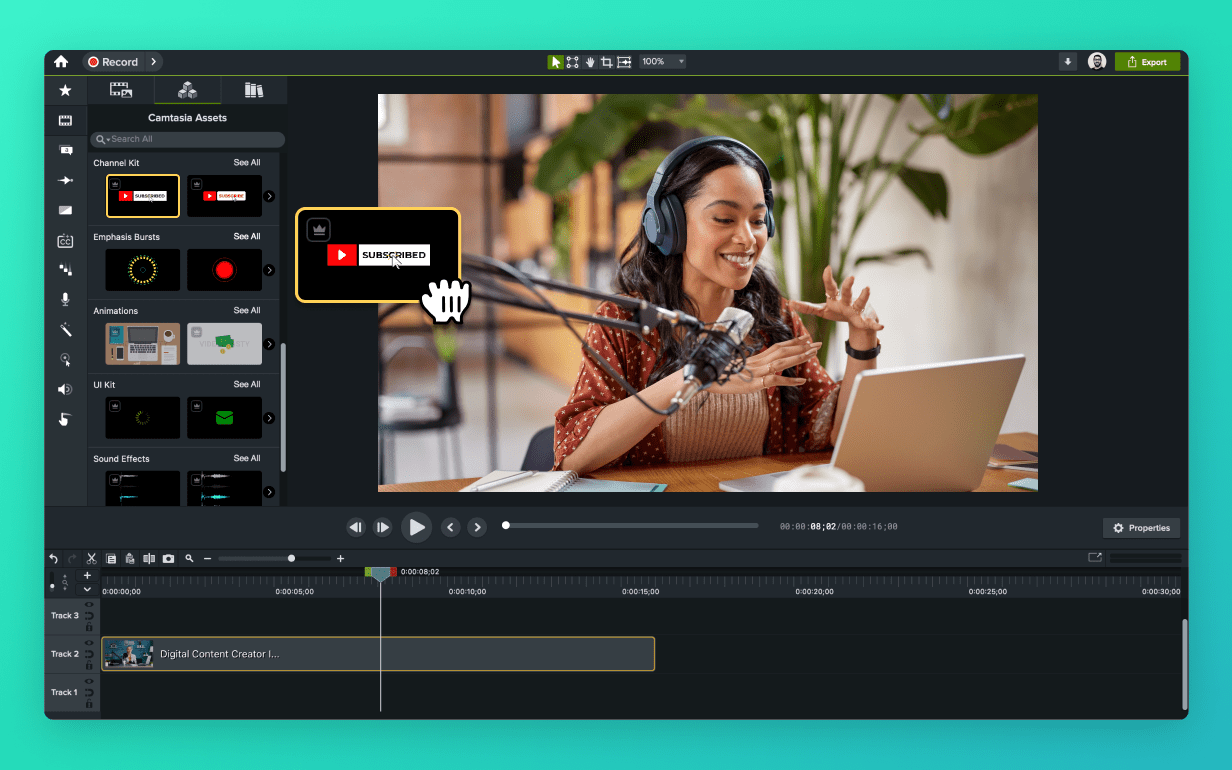
Camtasia is a desktop application for screen recording and video editing. Available for Windows and macOS platforms, it is used to create tutorials, training materials, and presentations. The tool lets users simultaneously capture their screen, webcam, microphone, and system audio. The timeline-based editor supports trimming, adding callouts, transitions, captions, and cursor effects.
In contrast, Veed.io is a browser-based video editor focused on editing existing footage, offering tools like trimming, subtitles, and effects. While Camtasia is useful for creating instructional content from screen recordings, Veed.io is suited for quick edits to pre-recorded videos, especially for social media.
A G2 review says:
I’ve been using Camtasia since 2013 and it was the best for screencast videos. It has everything you need to record screen, webcam and sound and has a built-in non-linear editor as well.
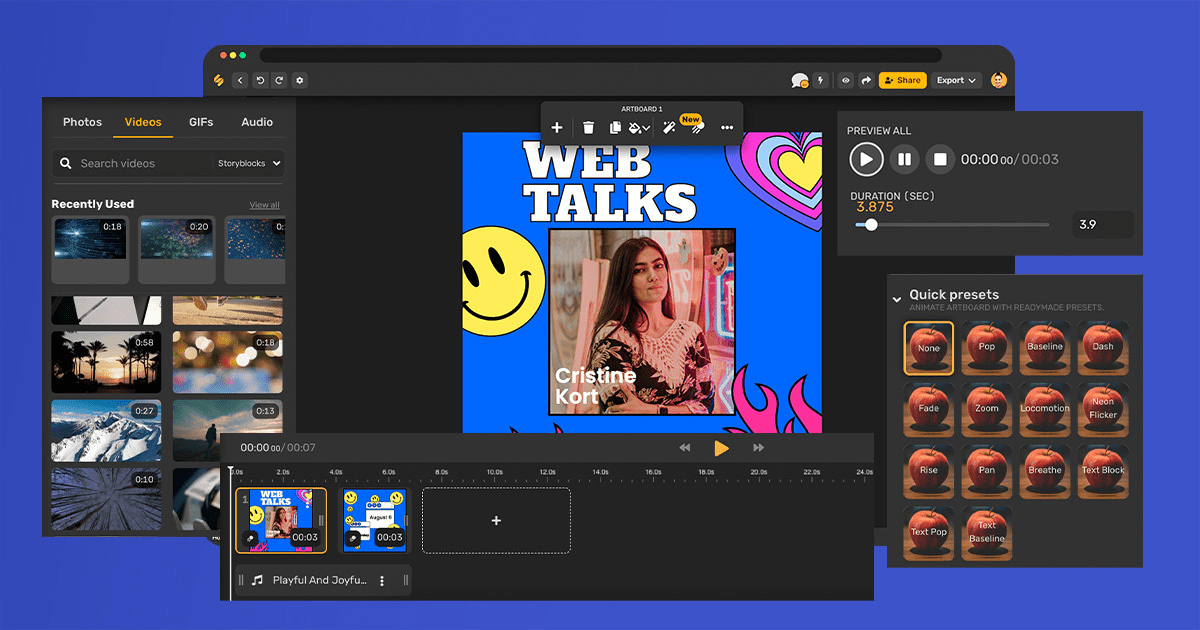
Simplified is an AI content creation platform that integrates tools for AI writing, graphic design, video editing, and social media management into a single interface.
The Veed.io alternative also includes video editing features and a social media scheduler to plan and publish content across multiple channels.
Simplified’s AI clipping feature automatically converts key moments of your footage into short clips, suitable for different social media content. Additionally, the auto subtitle generator makes adding subtitles in multiple languages easy.
A Capterra review says:
Its an AI-driven tool that serves as an all-in-one solution for content creation across social media. It allows me to effortlessly draft scripts, transform them into various formats suitable for different platforms, generate images, design thumbnails, and even schedule posts with ease.
Veed.io and its alternatives help you get started. If you’re just looking for a standalone editing tool, they work fine.
Their limitation is that they lack the structure and flexibility to manage your projects from beginning to end.
You will need an advanced tool with features to support every stage of your video content creation process, including video editing. That’s where ClickUp sets itself apart.
With features like Docs for writing scripts and planning content, Whiteboards for mapping out ideas visually, ClickUp Brain for generating content with AI, and Clips to record and share quick video updates easily, ClickUp gives you a single platform to handle every step of your process.
Try ClickUp for free to move beyond basic editing into a more powerful, all-in-one workspace.

© 2026 ClickUp

There’s an easier way. Try a free AI Agent in ClickUp that actually does the work for you—set up in minutes, save hours every week.