Sorry, there were no results found for “”
Sorry, there were no results found for “”
Sorry, there were no results found for “”
Most teams searching for Turbo AI alternatives aren’t actually looking for a better note-taking app. They’re trying to solve a bigger problem: their AI-generated insights are trapped in one tool while their actual work happens in three others.
This guide walks you through ten alternatives that range from specialized study tools for individual learners to converged workspaces where your notes, tasks, and team collaboration finally live in the same place.
If you’ve ever felt the drag of turning a long lecture or a dense PDF into usable notes, you understand the appeal of an AI study assistant. Turbo AI, also known as TurboLearn AI, is a tool designed to solve exactly that problem. It’s an AI-powered platform that transforms educational content like lectures, videos, and documents into practical study materials.
Think of it as an automated study guide maker. Its core purpose is to save you time by handling the manual work of note-taking and content creation. Here’s what it typically does:
Lecture-to-notes conversion: It can take an audio or video file and automatically provide a written transcription and summary of the key points.
Flashcard generation: From your uploaded materials, it creates digital flashcards. This uses a learning technique called spaced repetition, which helps you remember information more effectively by reviewing it at increasing intervals.
Quiz creation: It generates practice questions to help you test your understanding and prepare for exams.
Multi-format support: You can use it with various file types, including PDFs, YouTube videos, and audio recordings.
While Turbo AI is a powerful tool for individual study, its focus is narrow. Teams in a professional setting often find they need more. Their challenge isn’t just about learning information; it’s about connecting that knowledge to projects, collaborating with colleagues in real time, and using AI across their entire workflow, not just within a siloed study app.
📮 ClickUp Insight: 88% of our survey respondents use AI for their personal tasks, yet over 50% shy away from using it at work. The three main barriers? Lack of seamless integration, knowledge gaps, or security concerns.
| Tool | Best for | Best features | Pricing |
|---|---|---|---|
| ClickUp | AI-powered work management Team size: Individuals to enterprises | AI workspace with tasks, docs, and chat, AI Notetaker, Super Agents, Automations, knowledge management | Free foreverPaid plans available |
| Notion AI | Knowledge management and team wikis Team size: Small to mid-sized | AI writing, flexible databases, connected wiki, workspace Q&A | Free planAI add-on billed separately |
| StudyFetch | AI study tools for students Team size: Individuals | Interactive AI tutor, adaptive learning paths, flashcards, quizzes | Free tierPremium plans |
| Coconote | Lecture-to-note conversion Team size: Individuals | Real-time transcription, smart summaries, structured notes, exports | Free tier$29 per month |
| ChatGPT | Conversational assistance and explanations Team size: Individuals to enterprises | Explanations, content generation, writing help, coding support | Free tierPlus and Pro plans |
| Mindgrasp | Multi-language study support Team size: Individuals | Multilingual transcription, summaries, flashcards, quizzes, audio/video support | $9.99–$14.99 per month |
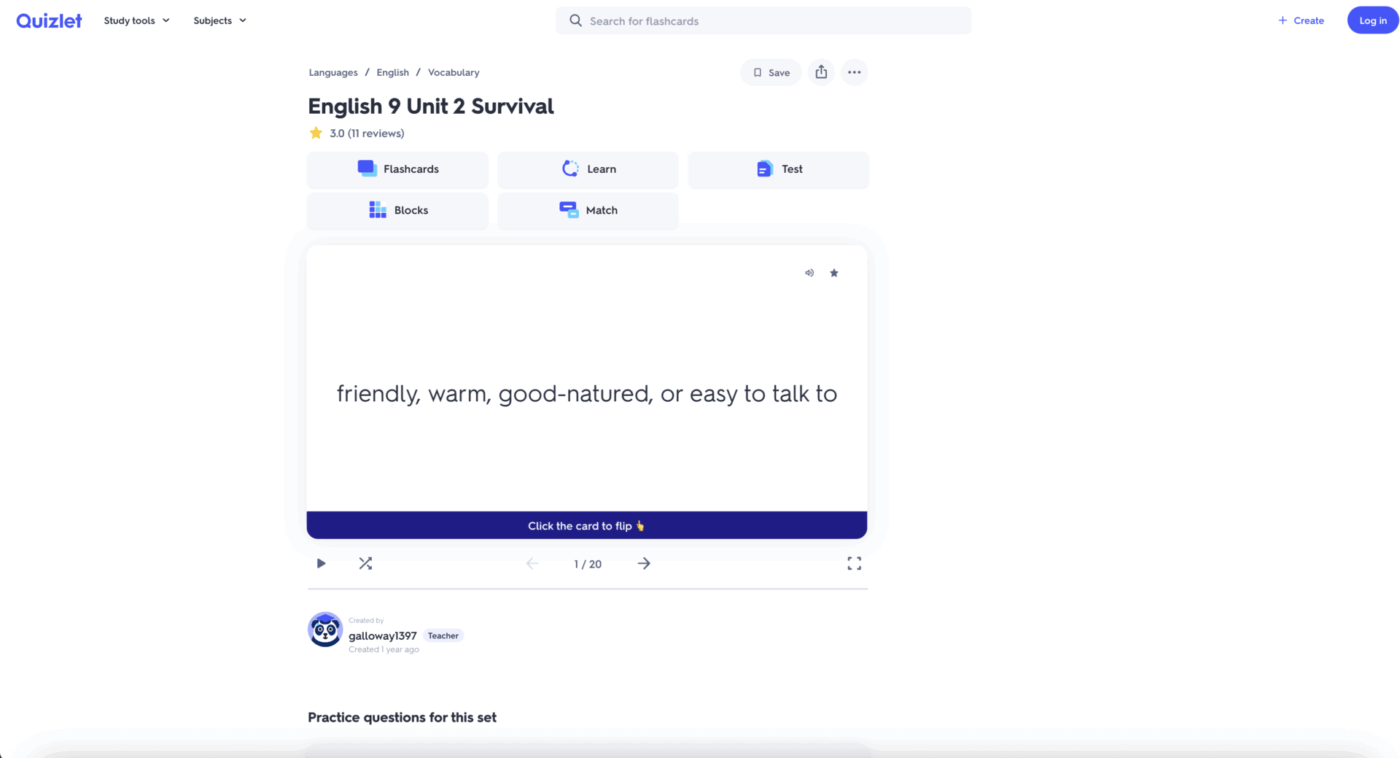
| Quizlet | Flashcard-based learning Team size: Individuals | User-created study sets, multiple study modes, AI tutor, spaced repetition | Free tierPlus starting at $7.99 per month |
| MyStudyLife | Study planning and scheduling Team size: Individuals | Unified calendar, assignment tracking, exam planning, cross-device sync | Free |
Our editorial team follows a transparent, research-backed, and vendor-neutral process, so you can trust that our recommendations are based on real product value.
Here’s a detailed rundown of how we review software at ClickUp.
Each of these tools addresses different needs, from solo study sessions to comprehensive, team-wide knowledge management. The following sections will explore what makes each alternative a strong contender, helping you find the perfect fit for your workflow.
Using a specialized AI study tool can feel like a huge win at first, but teams quickly run into new frustrations. When your notes live in one app, your projects in another, and your team communication in a third, you create a new kind of problem: context sprawl, the fragmentation of information that forces teams to waste hours searching for what they need, switching between apps, and battling disconnected systems. This digital disorganization is a major reason why teams start looking for Turbo AI alternatives.
The consequences of this fragmentation are significant. You waste time copying and pasting information between tools, team members work with outdated information, and important insights from meetings or documents get lost because they aren’t connected to the actual work.
Here are the most common pain points that drive the search for a better solution:
Limited collaboration features: Most AI study tools are built for one person. Teams, however, need shared workspaces where everyone can edit documents in real time, leave comments, and manage permissions to control who sees what.
Narrow use case: A study guide maker is great for learning, but it doesn’t help you manage a product launch, track a marketing campaign, or organize client feedback. Teams need AI that supports their entire range of work, from meeting notes to project execution.
Integration gaps: Your workflow probably relies on tools like Google Calendar, Slack, or GitHub. If your AI note-taker can’t connect to them, you’re stuck manually transferring information, which defeats the purpose of automation.
Scalability concerns: As a team grows, it needs features like single sign-on (SSO) for security, advanced admin controls, and a search function that spans the entire organization’s knowledge base. Individual-focused tools rarely offer this.
Fragmented workflows: When information is scattered, no one has the full picture. This leads to misalignment, duplicated work, and a constant, productivity-draining hunt for the right document or decision.
📄 Watch this video to find out which AI PDF summarizer actually works best for large, complex documents.
🧐 Did You Know? According to ClickUp’s AI Sprawl Survey, nearly half of all workers (46.5%) are forced to bounce between two or more AI tools to complete a single task. This productivity-killing pattern creates compliance risks and confusion.
The core issue is that knowledge without action has limited value. Teams need a converged workspace where AI doesn’t just help you learn, it helps you do.
The best alternative for you depends on whether you’re an individual learner or part of a team that needs to connect knowledge to action.
We’ll start with comprehensive work management solutions designed for teams and then move to more specialized tools for individual study and note-taking.
Most teams looking for Turbo AI alternatives are not actually looking for a better summarizer.
They’re trying to stop losing decisions, insights, and next steps in a separate tool while the real work continues across tasks, docs, and conversations elsewhere.
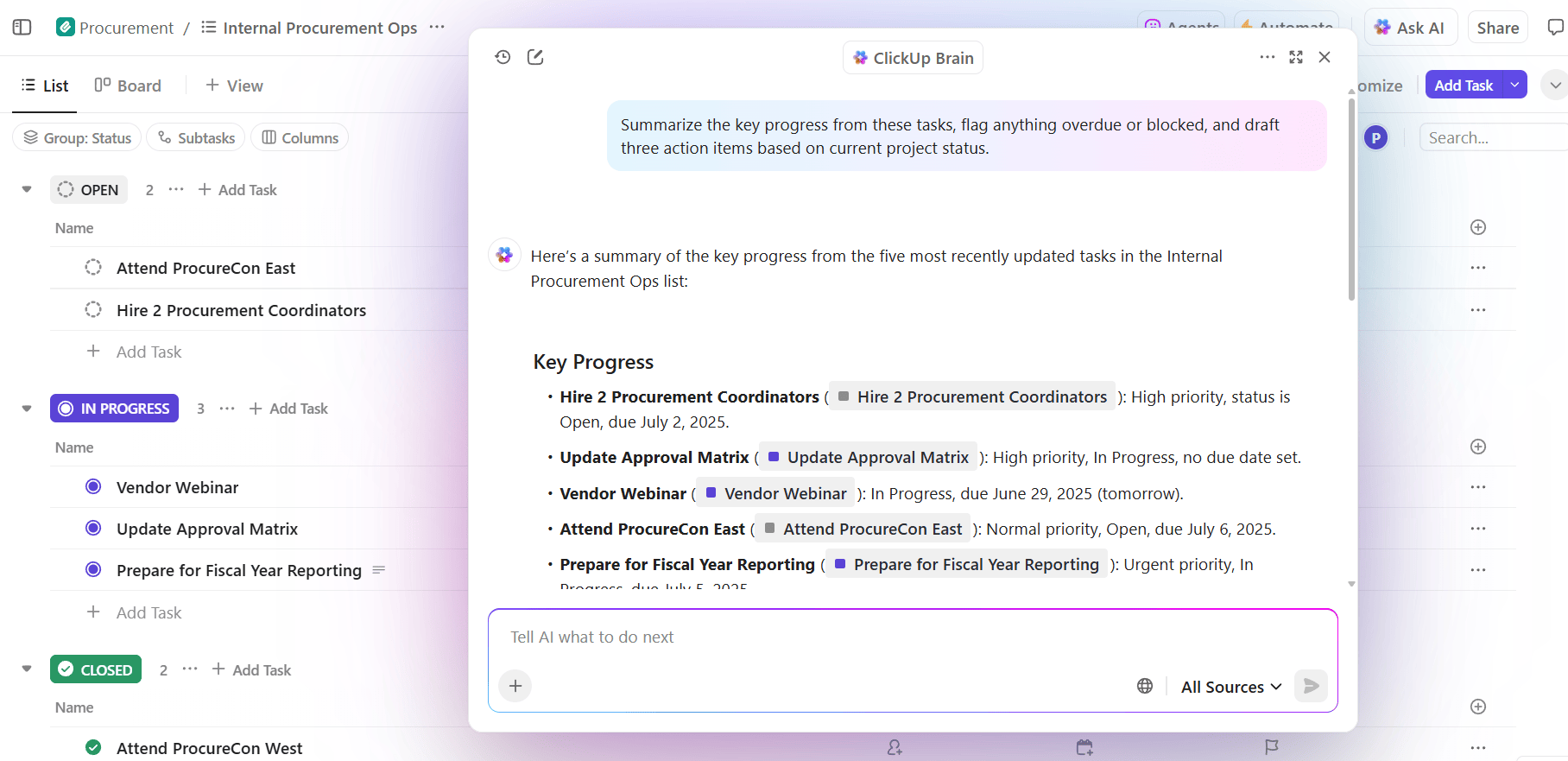
As the world’s first Converged AI Workspace, ClickUp solves this at the system level by embedding AI directly inside the work itself. Instead of generating notes that sit in a silo, ClickUp Brain operates with live context across tasks, docs, chat, goals, and calendars, so outputs become execution-ready by default.
A typical workflow starts with capture. Notes from a meeting, workshop, customer call, or research review can be created instantly in ClickUp Docs, a ClickUp Task, or even an Assigned Comment. With Talk-to-Text or inline prompts, a rough transcript or bullet dump becomes structured content inside the workspace, not exported content you have to “move into” your workflow later.
Because ClickUp Brain has access to workspace context, it can convert that capture into action automatically: generate tasks and subtasks from the notes, infer priority, recommend owners, suggest tags, and link the work to the correct List, Folder, or Space without manual setup.
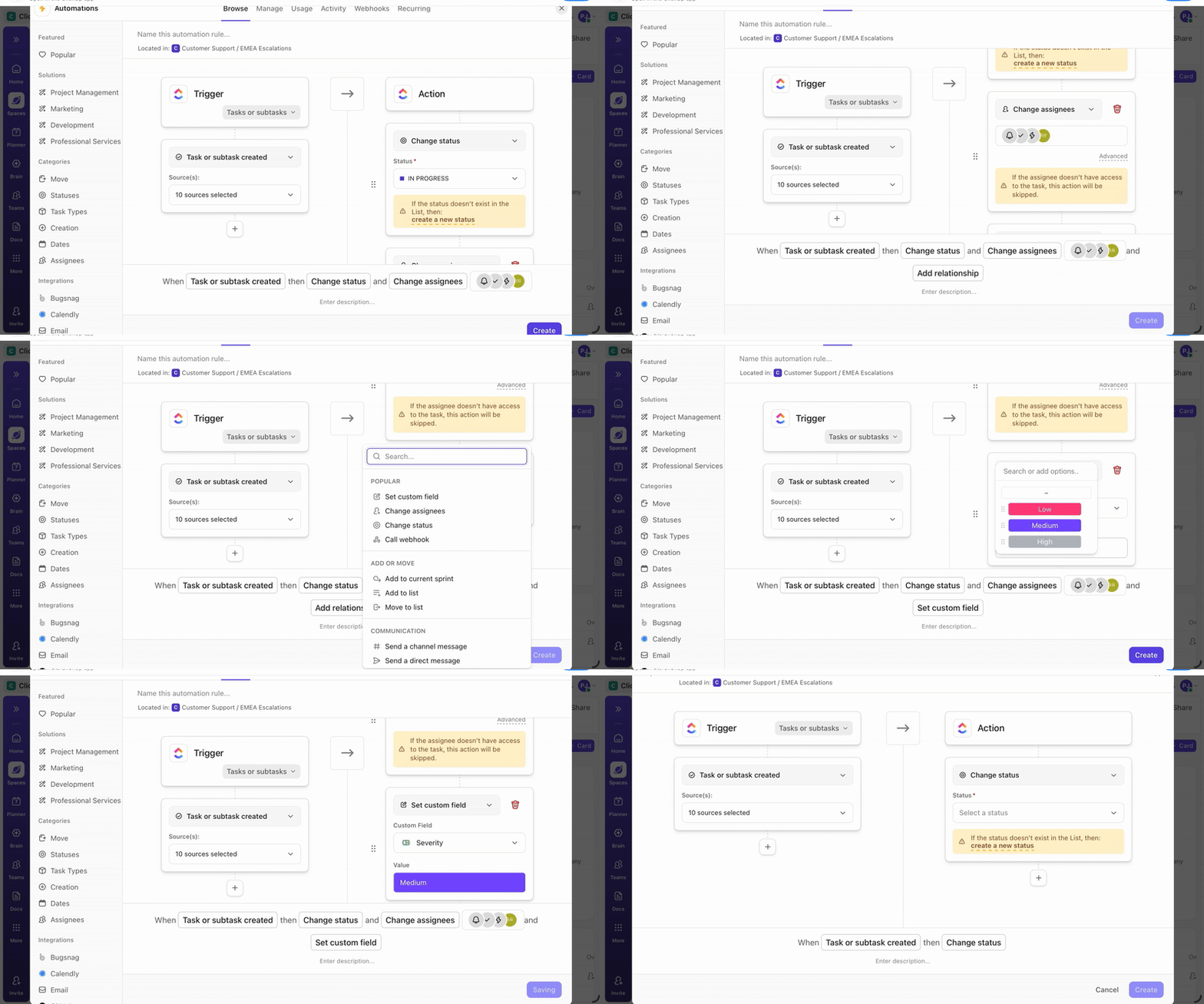
From there, planning becomes automated rather than procedural. AI task generation breaks execution into subtasks based on scope and patterns. AI Fields can extract key details like category, effort, risk, or stakeholder directly from notes and descriptions. With ClickUp Automations and AI-assisted assignment, ownership and status updates can trigger automatically as conditions change.
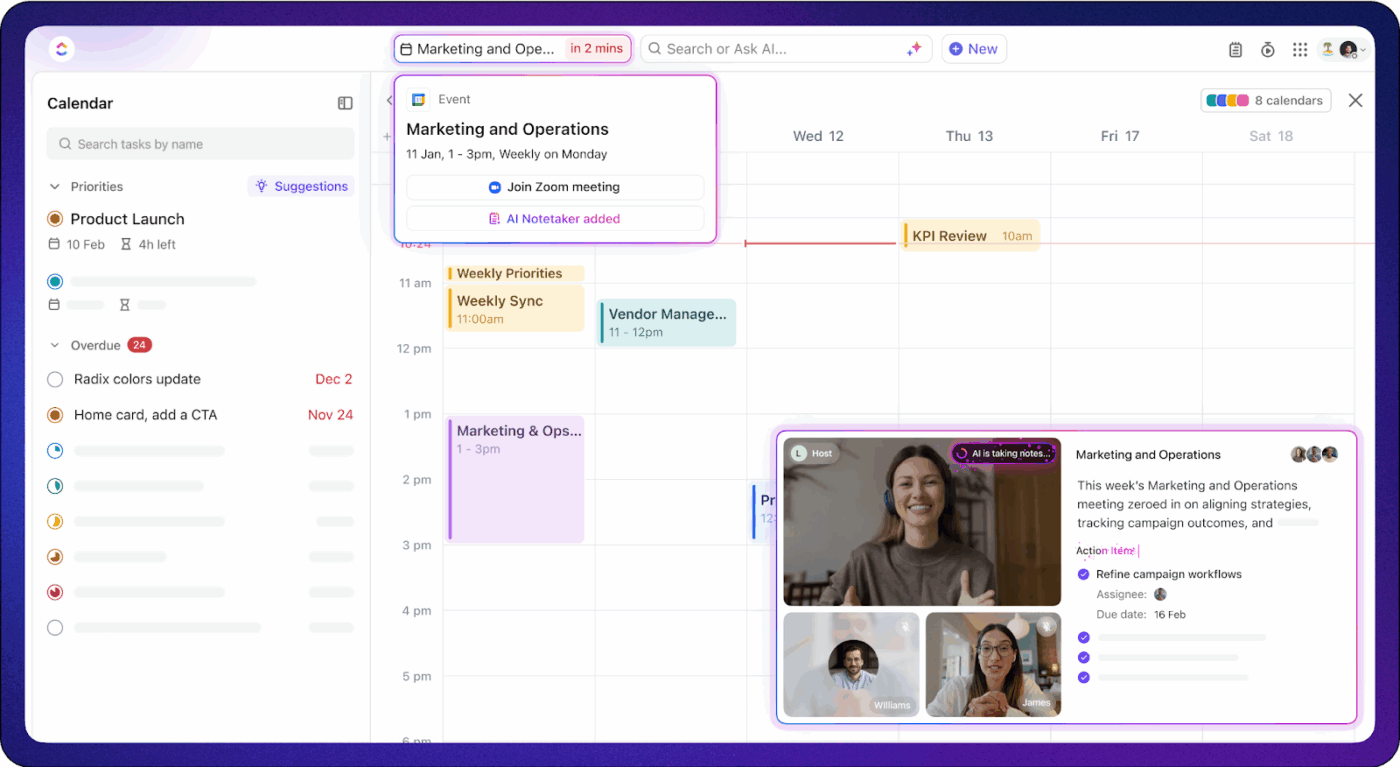
Scheduling is handled at the system level. Work flows into ClickUp Calendar, where dependencies, priorities, and workload data drive realistic timelines. When dates shift, downstream tasks adjust automatically, which avoids brittle plans that rely on manual rescheduling and sticky-note heroics.
Knowledge and collaboration stay tied to execution. ClickUp Docs connect directly to tasks, so decisions and specs don’t drift. ClickUp Chat keeps discussions attached to work items, and AI Summaries can turn threads and meeting outcomes into actionable follow-ups without losing attribution or intent.
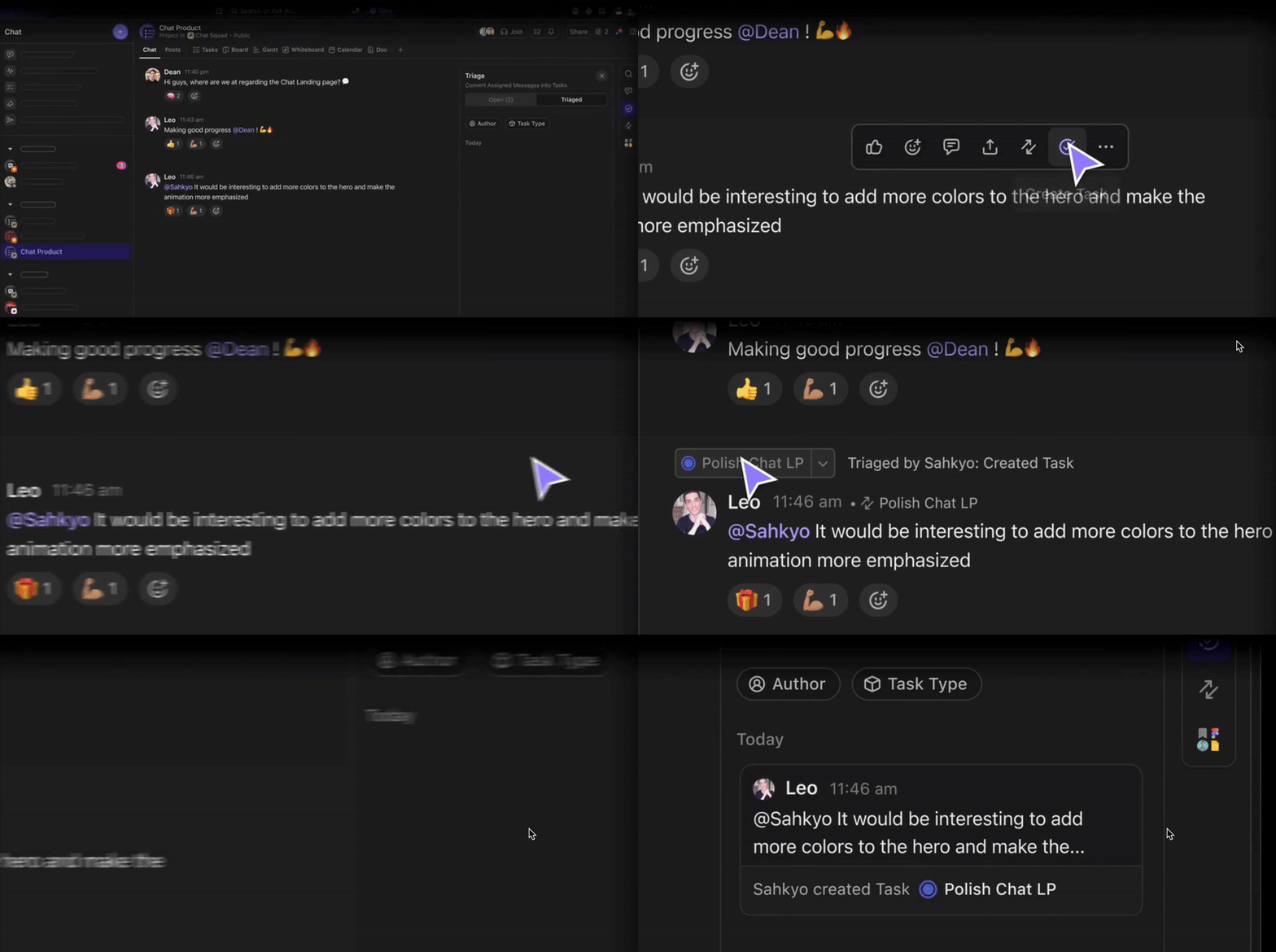
Super Agents extend this model beyond assistance into action. These agents can monitor workflows, detect blockers, surface risks, and execute routine steps like status changes, follow-ups, and handoffs inside defined guardrails. Instead of reacting to work after it breaks, the system proactively manages it while work is in motion.
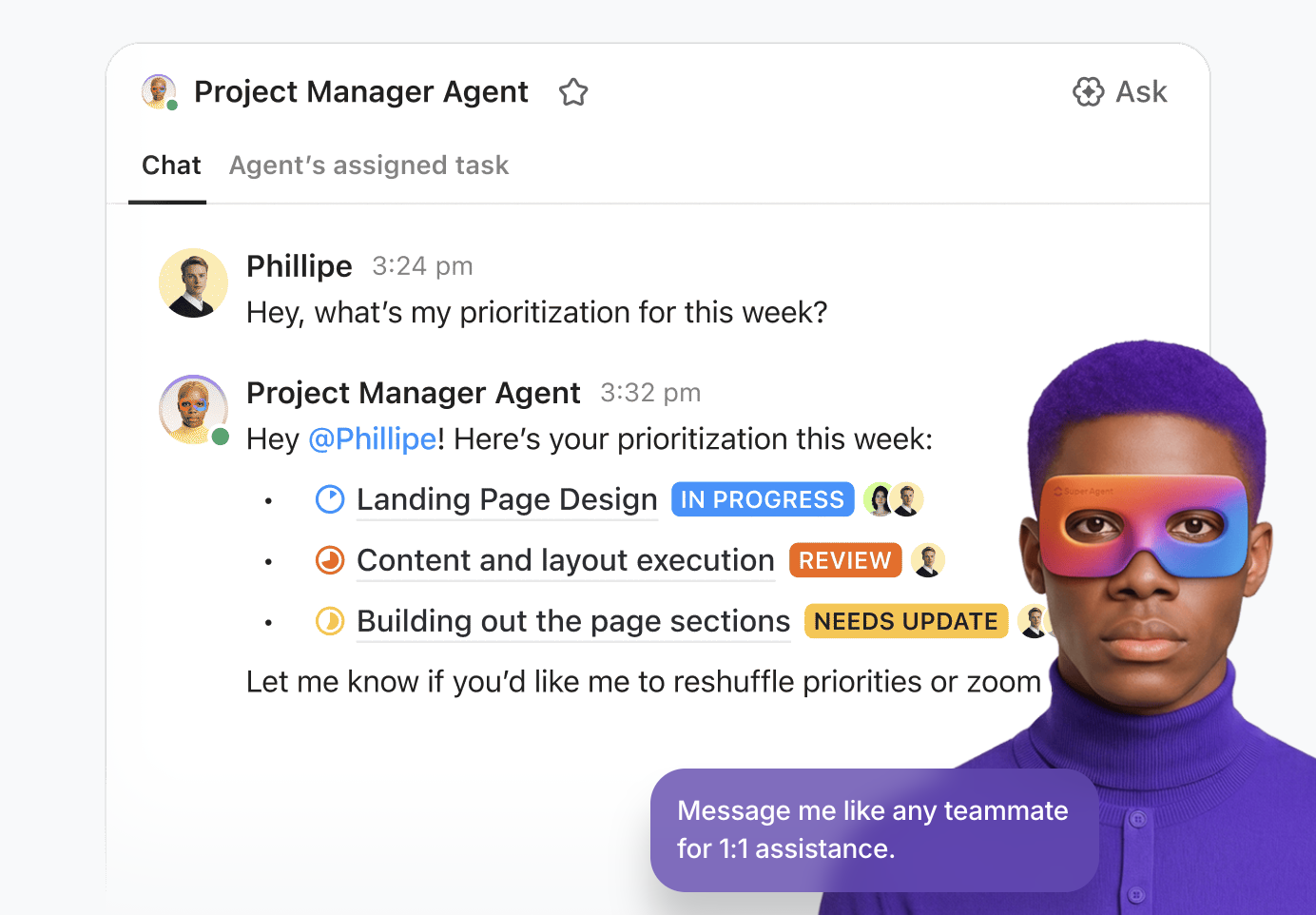
What makes ClickUp a strong Turbo AI alternative is its architecture. AI operates on first-party work data in real time across a unified model of tasks, people, and priorities. That means fewer tools, less context loss, and a workflow that moves from notes to delivery without constant human stitching.
What are users saying about ClickUp?
ClickUp has introduced ClickUp AI and enhanced automation features, which make task management much faster. The AI helps write task updates, summarize meeting notes, and even generate project briefs automatically, saving a lot of time. I also like the new dashboard improvements and custom views, which make tracking team performance and progress more visual and intuitive.
📮 ClickUp Insight: Nearly a third of workers (29%) hit pause on their tasks while waiting for decisions, left in a state of uncertainty, unsure when or how to move forward.
A productivity limbo no one wants to be in. 💤
With ClickUp’s AI Cards, every task includes a clear, contextual decision summary. Instantly see what’s blocking progress, who’s involved, and the next steps—so even if you’re not the decision maker, you’re never left in the dark.
When documentation is scattered across files and outdated wikis, it’s tough to find the right information when you need it. This leads to repeated questions and wasted time as people struggle to locate standard operating procedures or project specs.
Notion AI solves this by providing a flexible, database-driven workspace where you can build a centralized knowledge base that’s easy to search and navigate.
Notion combines a clean writing interface with powerful AI capabilities, allowing teams to document processes, organize research, and create beautiful, interconnected wikis. Its database-driven structure lets you organize information in a way that fits your team’s unique workflow, transforming chaos into clarity.
What are users saying about Notion AI?
Notion has become indispensable for our business, helping us stay connected on projects and keep our company documentation organized and up to date. We rely on it every day, whether we’re jotting down quick meeting notes or maintaining official company handbooks. Its features are robust enough to support everything we require.
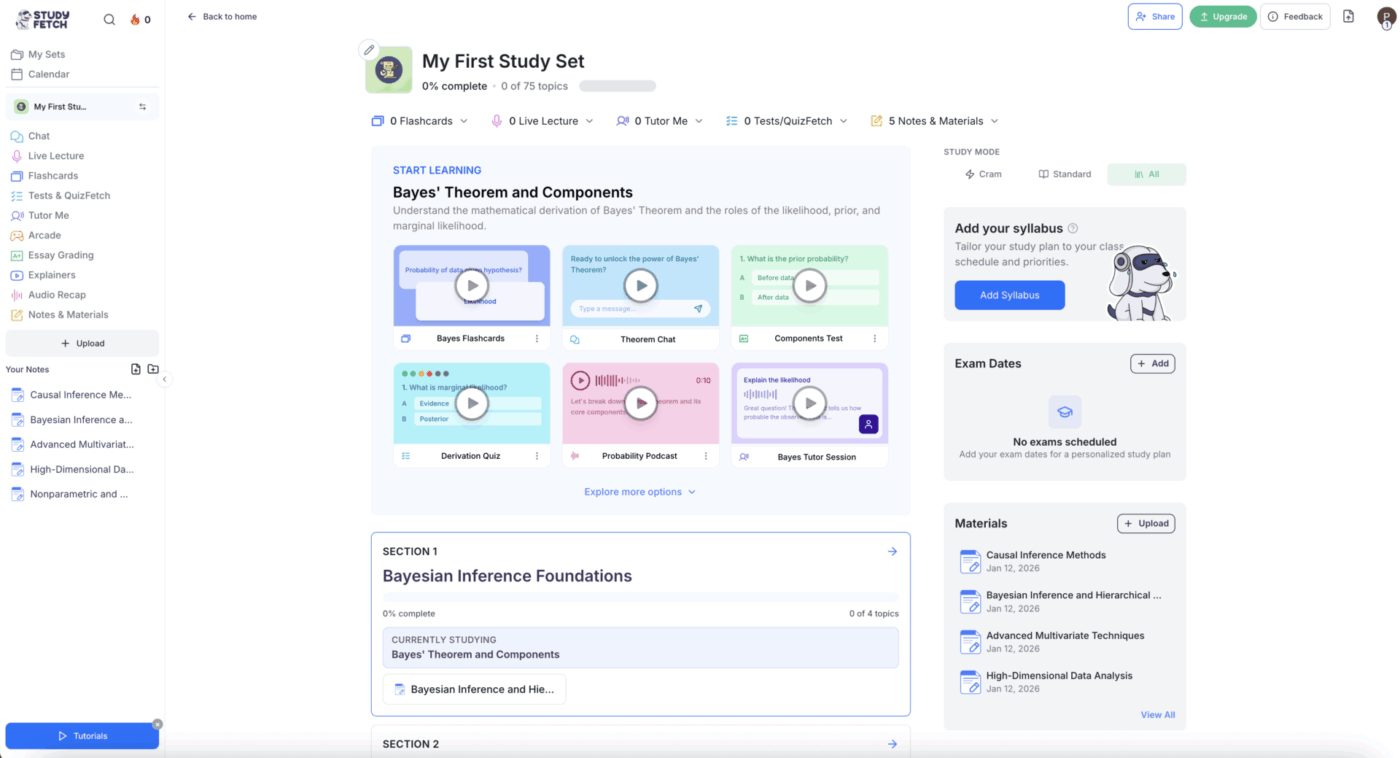
You’re an individual student trying to keep up with a heavy course load, but you’re spending more time making study materials than actually studying. This manual process is tedious and inefficient, leaving you feeling unprepared for exams. StudyFetch addresses this by acting as a personal AI tutor that automates the creation of study materials.
StudyFetch creates a personalized learning experience that adapts to your study style. You can upload your course materials, and the AI will generate study sets and act as an interactive tutor, answering your questions and guiding your learning.
What are users saying about StudyFetch?
it’s a good app too use so far. I love the fact that the test and flashcards creation are automatic. saves me the time of making them when I’m rushing for an exam. cool app would recommend 👍
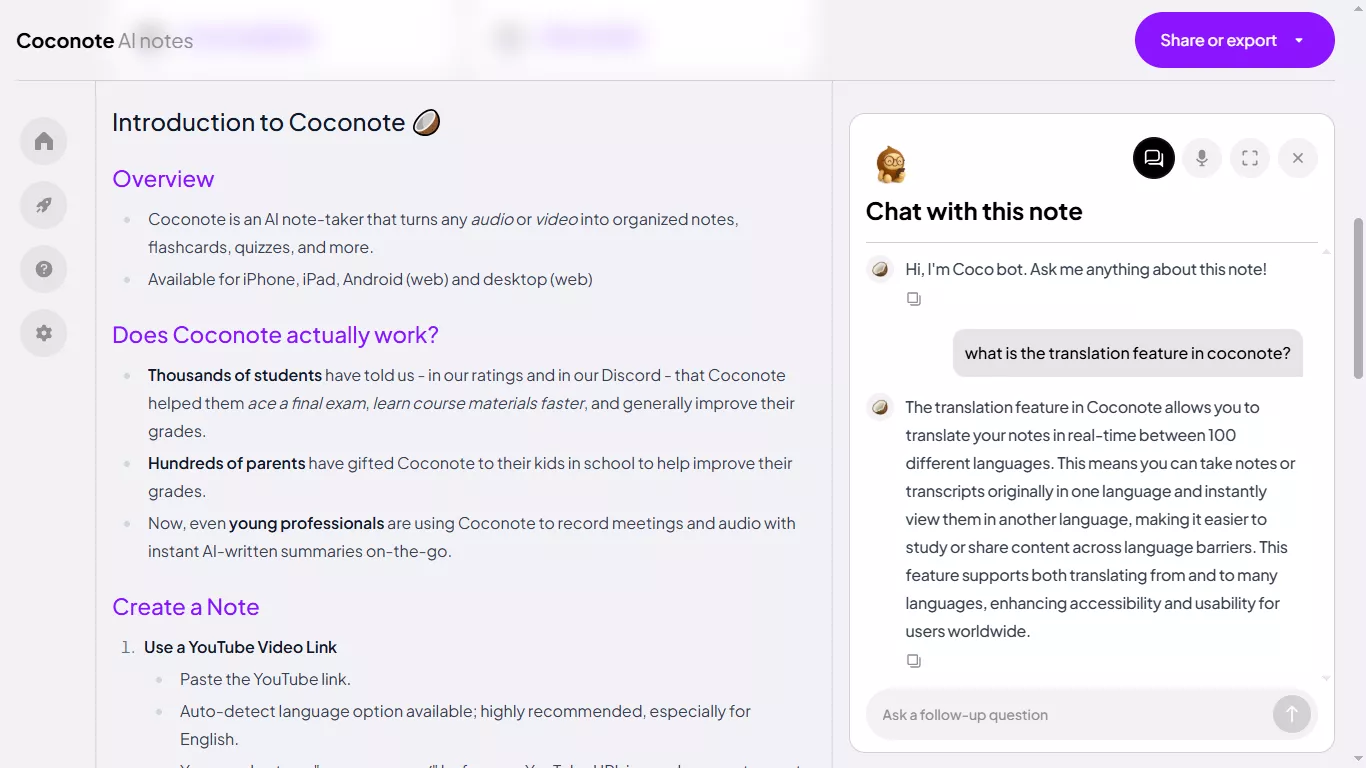
Taking notes during a lecture can be overwhelming, and it’s easy to miss key points when you’re focused on transcription. Coconote is designed to solve this specific problem by acting as a real-time AI note taker for lectures.
Coconote focuses on capturing and structuring information from lectures, whether you’re attending live or reviewing a recording. It handles the transcription and summarization, freeing you up to focus on understanding the material.
What are users saying about Coconote?
I’d say, this is one of the best apps you can use to study. i recently left my tutoring classes and I was hopeless until I found coconote. It helps you summarize lectures, podcast, audiobook and even gives you instant notes. It can help with active recalling, memorizing topics, and can sort out key points. And the best thing is that you don’t have to necessarilly need to buy the premium version. Y’all I can’t write anymore. I’m sorryy. But this app is really good. You give it a try👍🏼👍🏼!!
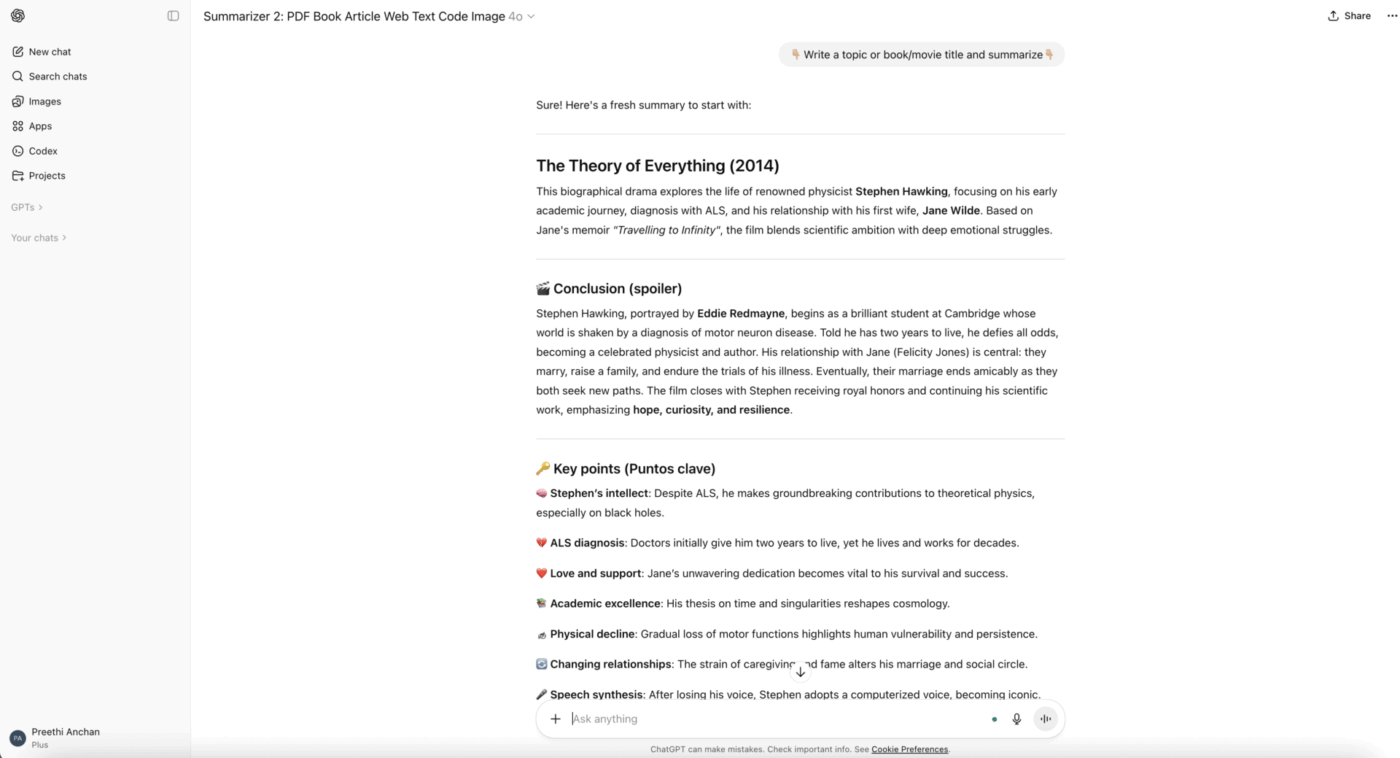
When you need help with a difficult concept or want to brainstorm ideas, it can be tough to move forward without support. ChatGPT acts as a versatile, on-demand AI assistant that can help you with a wide range of tasks through natural conversation.
ChatGPT brings the power of a large language model to your study or work sessions. Whether you need a concept explained in a different way, want to generate practice questions, or need feedback on your writing, you can simply ask.
What are users saying about ChatGPT?
What I appreciate most about ChatGPT is how well it understands context and delivers immediate solutions. It assists me in drafting professional emails, refining my grammar, and quickly coming up with content ideas. I also rely on it to solve complex Excel formulas, which significantly reduces the time I spend on daily tasks. Additionally, the interface is extremely user-friendly and intuitive.
📘 Also Read: How to use ChatGPT for meeting notes
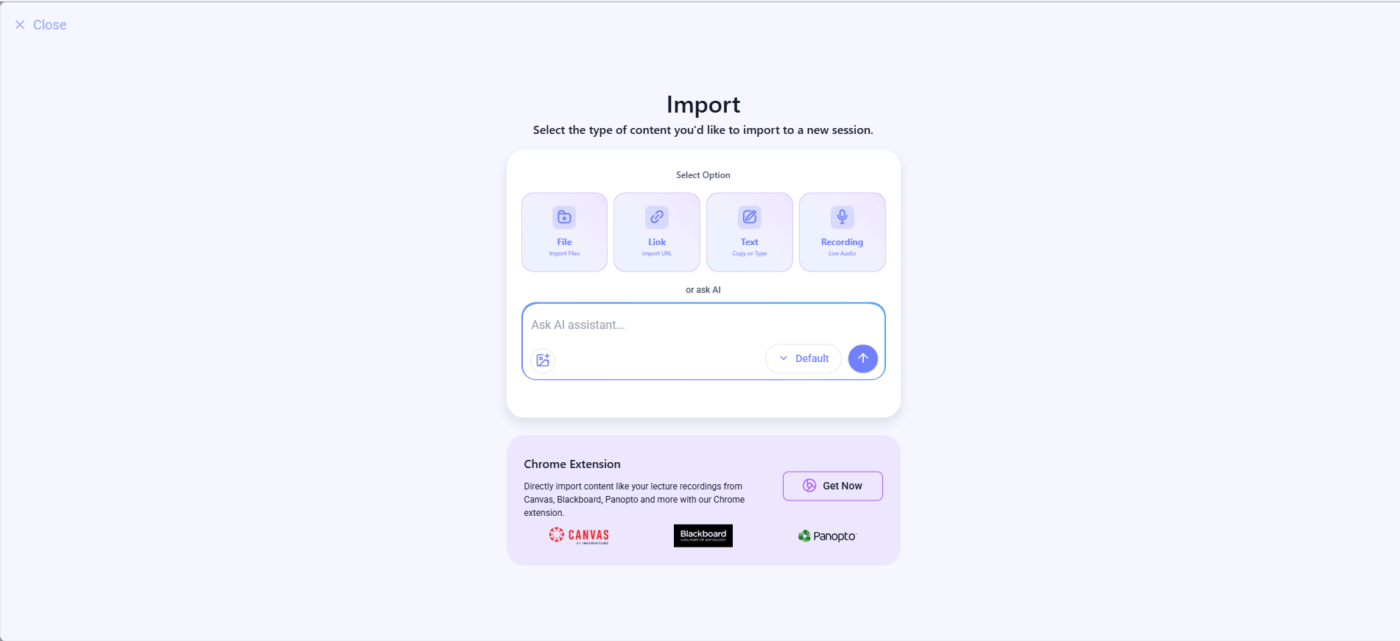
If you work with content in multiple languages, translating documents and lectures manually is slow and often inaccurate, creating a major bottleneck in your workflow. Mindgrasp is built to solve this by processing and generating study materials across a wide range of languages.
Mindgrasp stands out for its ability to handle multilingual content. You can upload a document or video in one language and receive notes, flashcards, and summaries in your preferred study language.
What are users saying about Mindgrasp?
Because I have dyslexia getting through the readings for each class every week is a huge, time consuming struggle, time I simply do not have. The summary and note generating feature save me so much time. I’ve gone from having to get by on no notes at all to having all the notes I could possibly want. The only feature I really wish this had is the ability to upload screenshots and extract text to create notes and summaries.
Memorizing lots of information can be tough, and traditional methods like physical flashcards or re-reading notes aren’t always effective. Quizlet solves this by providing a digital, interactive flashcard experience that makes learning more active and efficient.
For years, Quizlet has been the go-to tool for digital flashcards. Its massive library of user-created study sets means you can often find the materials you need without having to create them from scratch.
What are users saying about Quizlet?
I love Quizlet. As I am a grade 8 student it is fairly easy to use when i need to memorise terms and studying like that. Don’t get me wrong this is probably one of the best ways of learning other than listening in the classroom. BUT, my main complaint with this app is that it markets itself as “Al powered-flashcards.” Long story short the Al is stupid and needs to be improved upon. It has only been trained to recognise typos, or similar sentence structure; and even that it doesn’t do very well. I hope that the Quizlet team works to sophisticate their Al, and maybe even integrate a learning chatbot at some point (paid subscription). I also would like to see a Ul overhaul, I believe i could use a little facelift. I see Quizlet Plus as worth the subscription and Quizlet as a strictly flashcard app is phenomenal.
Managing your time can be tough when your class schedule, assignments, and exam dates are scattered across different calendars and to-do lists. MyStudyLife solves this by providing a simple, centralized place to organize your academic life.
Instead of generating content, MyStudyLife helps you plan when and what to study. It’s a digital planner where you can track your classes, assignments, and exams, with reminders to keep you on track.
What are users saying about StudyBlaze?
This is a fantastic planner for anyone looking to organise their study life. While it takes a little bit to get used to, I have found it really helps me to keep organised and focused on my work… On top of all that they have a very kind support team which answered my questions quickly and very to the point. Thanks for making this wonderful app guys!
Now that you’ve seen the options, you might be wondering how to pick the right one. The decision comes down to understanding your specific needs and workflow. A tool that’s perfect for a solo student might be a frustrating bottleneck for a fast-moving product team.
Ask yourself these key questions to narrow down your choices:
💡 Pro Tip: Before committing to any tool, map out your current workflow. Identify where information gets stuck or lost between apps. The right alternative should eliminate those friction points, not create new ones.
The best alternative for you depends on whether you’re solving for individual study efficiency or team-wide productivity. For teams struggling with context sprawl, where notes, tasks, and communication live in separate, disconnected apps, a converged workspace is the only way to eliminate friction and keep AI-powered insights connected to real work.
Ready to see how AI-powered work management brings everything together? Try ClickUp to experience a truly converged workspace.
📘 Also Read:
AI note takers are specialized tools that focus on capturing and summarizing content, while AI-powered work management platforms connect those notes to your tasks, projects, and team workflows, turning information into organized, actionable work.
Yes, AI note-taking features can transform lectures, research documents, and brainstorming sessions into structured summaries and searchable knowledge bases, though the most value comes when those notes are directly connected to project workflows.
Free AI study tools are typically designed for individual learning with features like flashcards and quizzes, whereas enterprise AI solutions offer team-wide search, shared workspaces, advanced security controls, and integrations that are built to scale with an organization.

© 2026 ClickUp