



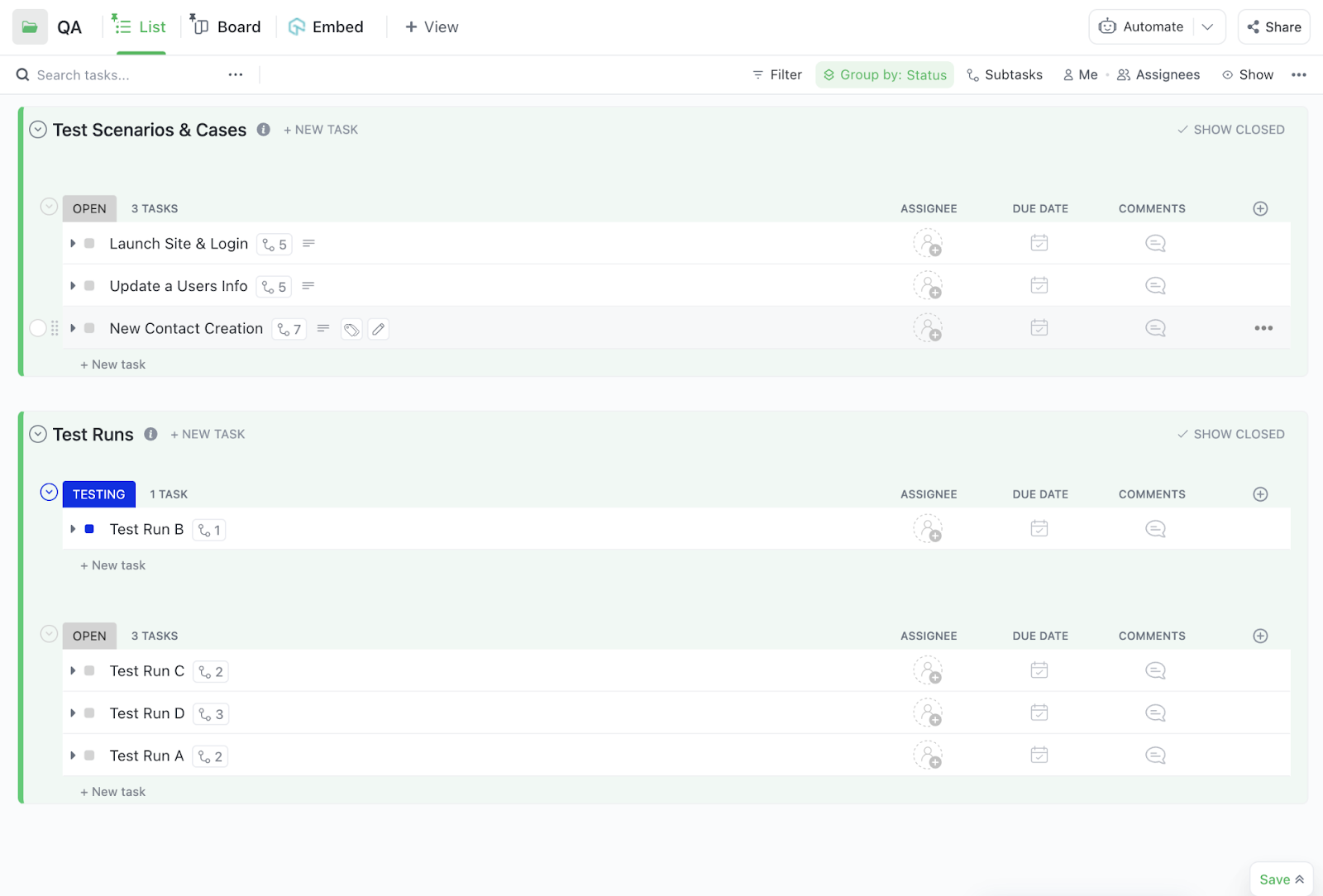
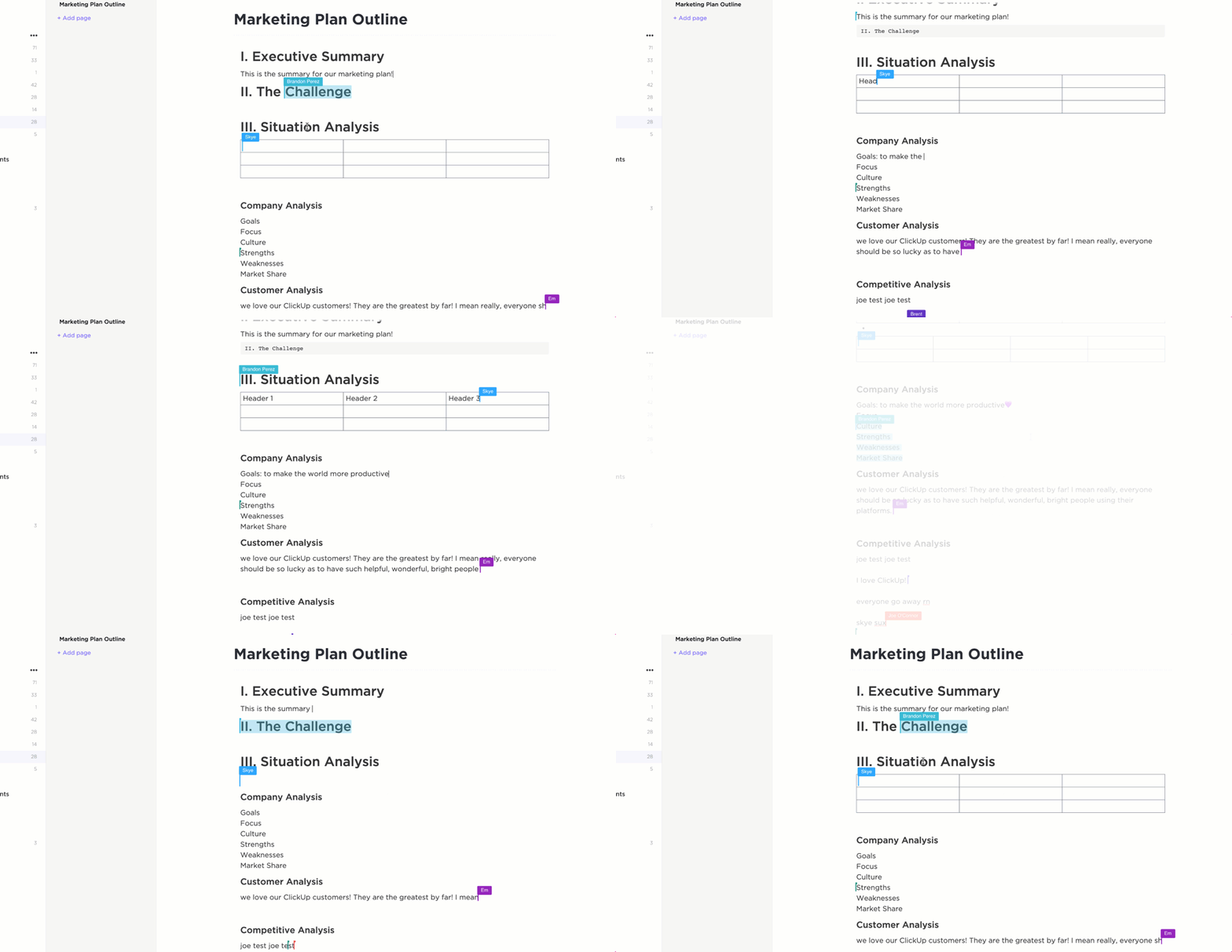




Still downloading templates?
There’s an easier way. Try a free AI Agent in ClickUp that actually does the work for you—set up in minutes, save hours every week.
Sorry, there were no results found for “”
Sorry, there were no results found for “”
Sorry, there were no results found for “”
Ever feel like your software process is one bad sprint away from complete disarray?
One team’s pushing hotfixes, QA’s knee-deep in regression tests from last quarter, and no one’s quite sure who owns that feature in prod that just broke…again.
The truth is, building and maintaining great software isn’t limited to writing clean code.
Software lifecycle management (SLM) plays a crucial role in this process.
In this blog post, we’ll break down the key stages of SLM and spotlight tools (like ClickUp!) to help you navigate through complexities. Let’s dive in! 🧰
Software lifecycle management (SLM) is the structured process of managing software applications from initial planning through development, deployment, maintenance, and eventual decommissioning.
It ensures alignment between business goals and technical execution by integrating version control, release management, configuration tracking, and compliance protocols across environments.
The process ensures systems remain secure, stable, and scalable while minimizing technical debt and maximizing long-term value across complex software ecosystems and dynamic production environments.
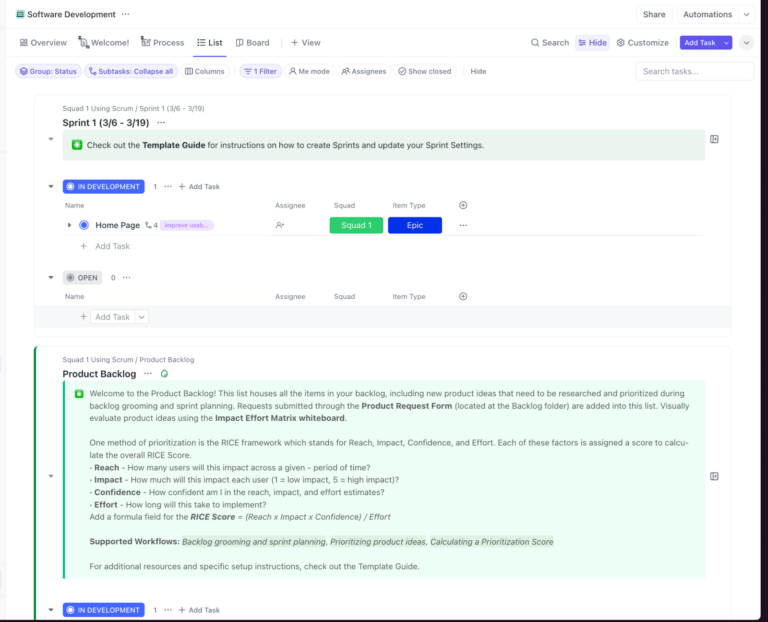
The ClickUp Software Development Template gives teams a head start with lifecycle-aligned folders, statuses, and automations, enabling immediate setup aligned with agile best practices.
With pre-built views like Gantt charts, Roadmap by Initiatives, and Timeline by Squad, teams can track release progress, manage dependencies, and prioritize work with clarity. The software development template structures tasks by release status, initiatives, and MoSCoW prioritization, ensuring every item ties back to business goals.
Software lifecycle management standardizes how software is planned, built, released, supported, and phased out.
It ensures each phase is strategically aligned with business objectives, quality benchmarks, and operational efficiency. Here are some benefits that make a software developer’s life easier. ⚓
🔍 Did You Know? Way back in the 1800s (yes, before electricity was mainstream), Ada Lovelace wrote the world’s first computer program for a machine that didn’t even fully exist yet! She basically coded the future in 1843.
The modern software lifecycle is definitely not a one-way street.
It’s an evolving, iterative system where each stage builds upon the next. That’s why you need ClickUp Agile Project Management Software.
It’s a flexible workspace built to support the entire lifecycle, helping you bridge product strategy, sprint execution, quality assurance workflows, and software release management in one place.
Let’s break down each stage of the process and how the lifecycle management software helps. ⚒️
This stage establishes the foundation for all downstream activity.
The point here is to get razor-sharp clarity on what you’re building, who it’s for, and why it even matters. Miss that, and you’re heading straight into technical debt and scope.
Here’s what you need to do:
For capturing all key deliverables in this stage, use ClickUp Docs to draft requirements directly within the relevant project folders. You can nest Docs inside Folders or Lists, like placing a Requirements Doc under the ‘Q3 Release’ Sprint, for instant context and traceability.
Inside a Doc, each requirement or section can be converted into a ClickUp Task, complete with priorities, due dates, and dependencies. ClickUp Custom Fields add another layer of structure, allowing you to tag tasks by feature type (UI, API, Security) or strategic priority (MVP, Phase 2), so nothing gets lost in the details.
💡 Pro Tip: Adopt the ‘Responsible, Accountable, Consulted, and Informed’ (RACI) matrix for each software development lifecycle (SDLC) phase. Create a shared chart for each release cycle to avoid decision-making bottlenecks.
This is where technical feasibility, system interoperability, and long-term maintainability are planned. Along with UI/UX, it also includes data models, API contracts, and scalability patterns.
This stage typically involves:
To map all of this visually, ClickUp Whiteboards are especially useful. They let teams sketch out architecture diagrams, API flows, or service maps in real time for collaborative software development.

Every shape, flow, or diagram element can be instantly converted into a task, and drag-and-drop task linking makes it easy to move from high-level design to actionable execution in software project management.
For example, a software team building a healthcare scheduling system can use Whiteboards to collaboratively map out service interactions between the appointment module, user authentication, and third-party calendar integrations.
As they finalize the architecture, they convert software components, such as ‘Design Patient Profile Schema’ or ‘Define Auth API Contract’, into tasks. You can then use the waterfall model to connect task dependencies visually.
The development stage transforms architectural blueprints into working software, benefiting most from automation, code quality enforcement, and tight feedback loops.
You need to:
ClickUp Sprints give software development teams a structured way to plan sprint cycles with built-in support for backlog corrections, story point assignment, and velocity tracking.
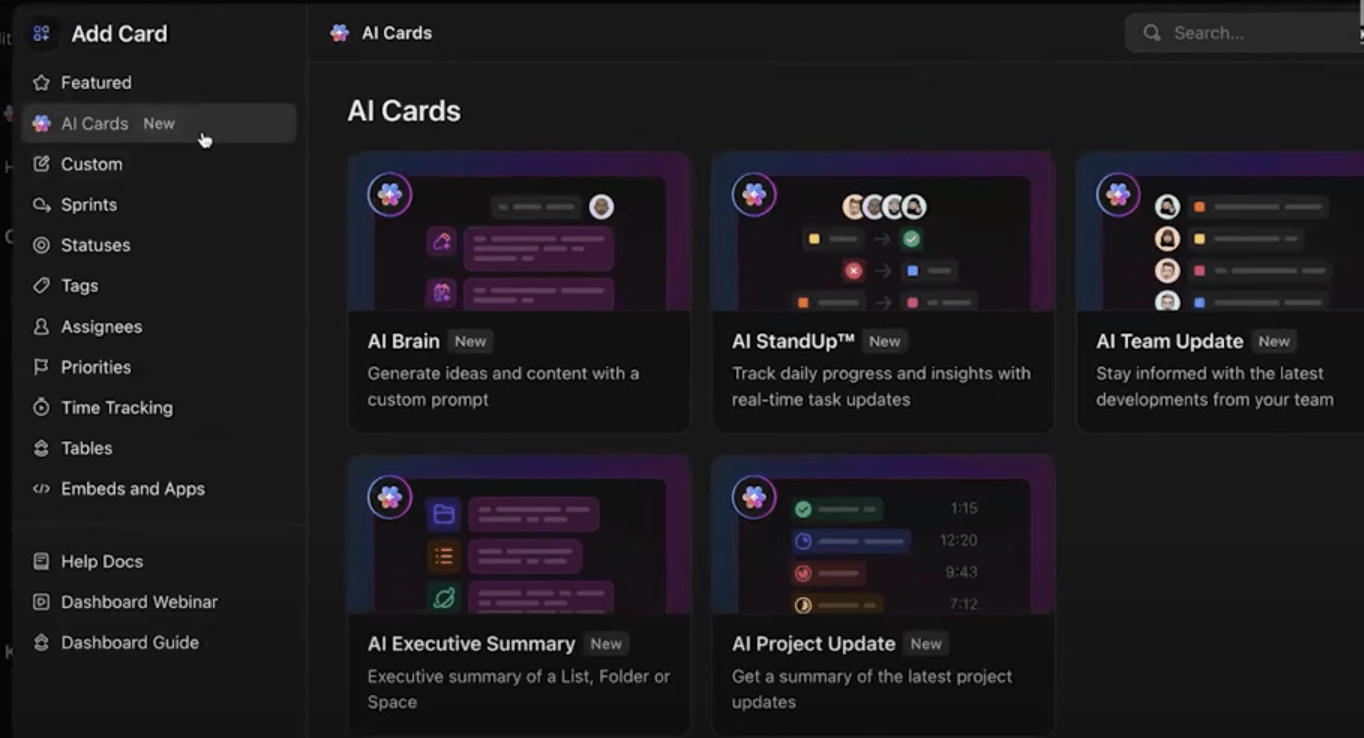
You can use Automations in ClickUp to roll over unfinished tasks, auto-start new sprints, and even mark sprints as complete when the clock runs out. This way, every commit, branch, and pull request is automatically attached to the relevant ClickUp Task.
For instance, if a developer or code editor opens a PR for a new login feature, an automation can instantly move the task to ‘Code Review’ and notify the QA lead in real time.
🧠 Fun Fact: Brendan Eich created JavaScript in just 10 days back in 1995 while working at Netscape. It was almost based on Scheme, a minimalist programming language. But Eich’s bosses wanted it to look more like Java, so he mashed the two ideas together.
The testing phase ensures that what’s built works as expected, doesn’t break existing functionality, and meets non-functional requirements like speed, resilience, and security.
This software testing life cycle phase typically includes:
Together, these testing methods ensure the product is stable, reliable, and ready for release.
At this stage, ClickUp Bug & Issue Tracking Template becomes an essential tool for keeping everything on track. The template includes three core lists: Defect Master, Reported Bugs, and Limitations and Workarounds, making it easy to organize issues by severity, impact, and fix status.
📮 ClickUp Insight: 43% of people say repetitive tasks provide helpful structure to their workday, but 48% find them draining and a distraction from meaningful work.
While routine can offer a sense of productivity, it often limits creativity and holds you back from making meaningful progress.
ClickUp helps you break free from this cycle by automating routine tasks via intelligent AI Agents, so you can focus on deep work. Automate reminders, updates, and task assignments, and let features like Automated Time Blocking and Task Priorities protect your power hours.
💫 Real Results: Lulu Press saves 1 hour per day, per employee using ClickUp Automations—leading to a 12% increase in work efficiency.
Once the software is built and tested, the next step is to get it live and keep it stable. This is where deployment and release come into play, and why CI/CD and rollback protocols are important.
Instead of waiting for manual approvals and uploads, changes are automatically tested, built, and deployed whenever developers push updates in SDLC Agile.
This is how it works:
But not everything goes perfectly every time. That’s why rollback protocols are essential. If a release causes problems, a rollback allows you to quickly revert to the last stable version without extended downtime or damage.
Smart rollback comprises:
ClickUp Automations and AI agents give you trigger-based workflows to automatically change task statuses, assign teammates, or send notifications when code is merged or deployment begins.
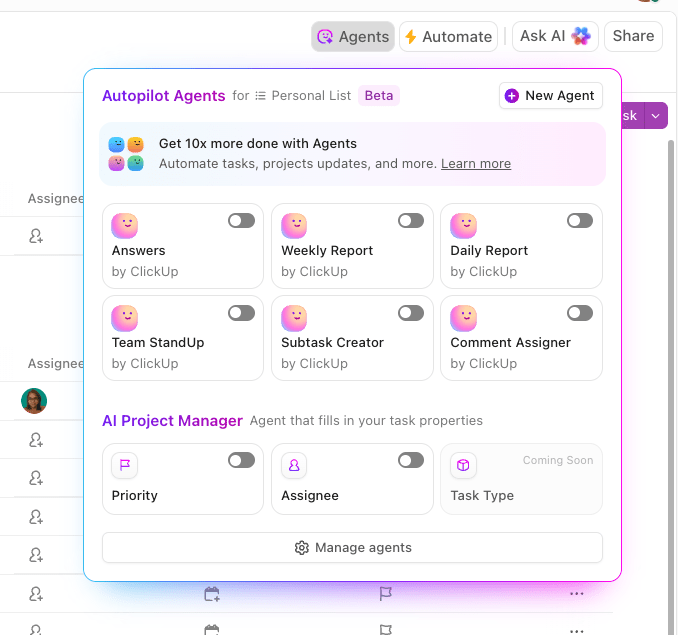
But smart automation doesn’t stop there. ClickUp Brain layers additional artificial intelligence into your workflows. This feature:
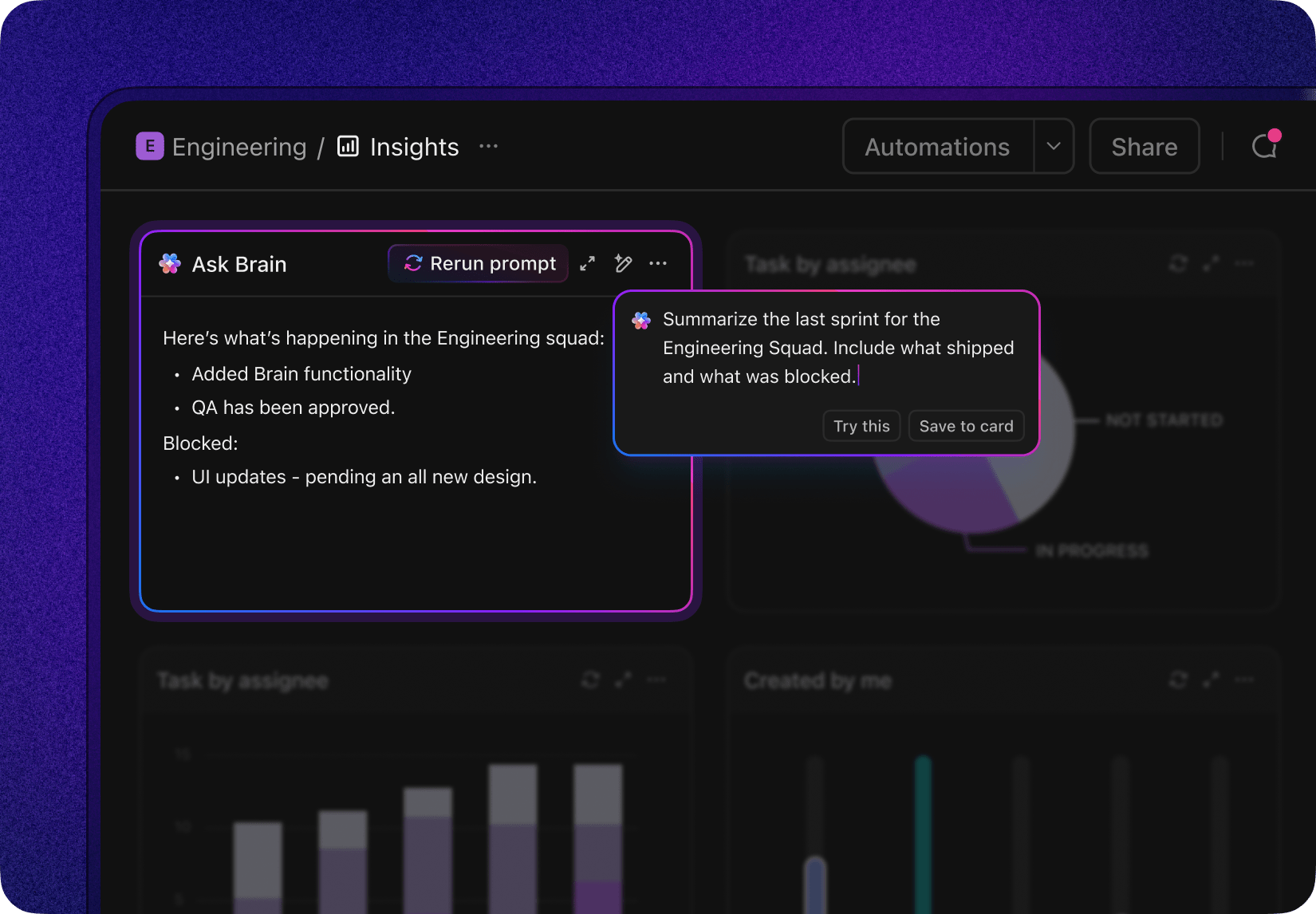
For instance, after deployment, ClickUp Brain generates a summary of the release, updates the changelog, and automatically notifies the relevant channels or stakeholders.
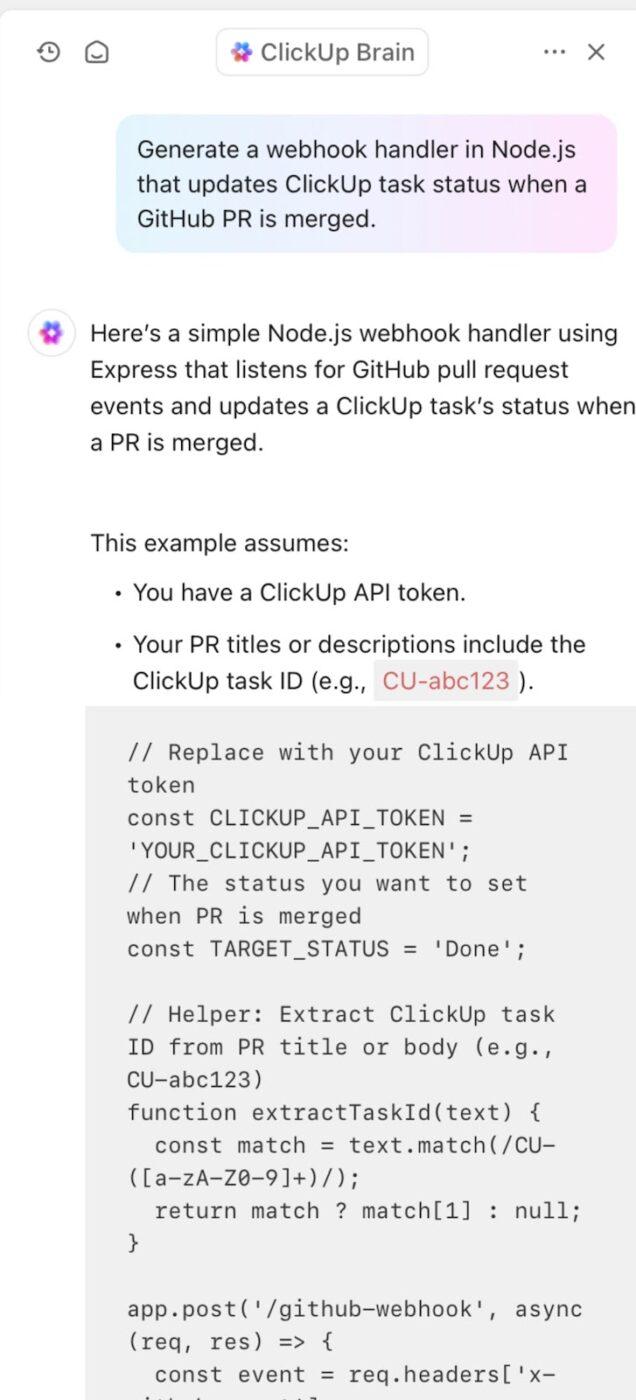
You can also ask ClickUp Brain to generate code snippets, answer technical questions, review code, and even help update documentation automatically when the code changes.
Maintenance and support services ensure your software development KPIs stay in shape by fixing issues, improving performance, and helping users through a structured helpdesk system.
The core actions at this phase are:
A good helpdesk system ties it all together, offering ticket tracking, streamlined communication, automation of repetitive tasks, and insights to stay ahead of recurring issues.
But collecting tickets is only half the battle; understanding the bigger picture is what drives real improvement. That’s where ClickUp Dashboards come in.
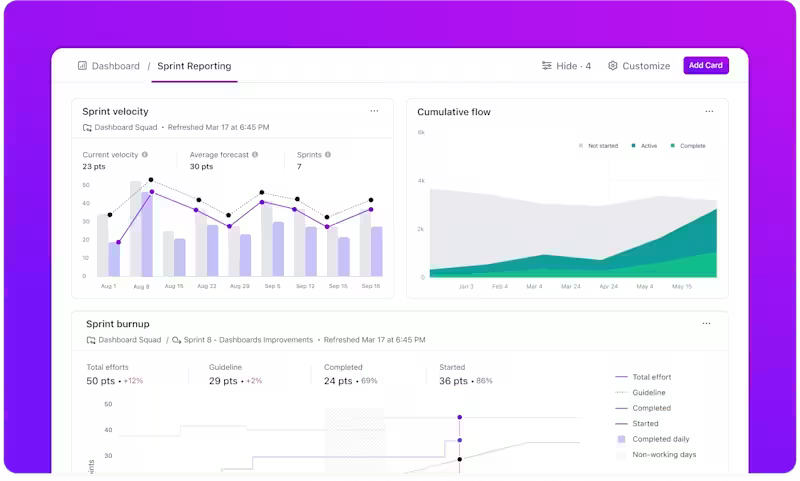
With fully customizable Dashboards, you can transform support data into clear, actionable insights. See exactly how many bugs are open, how long issues take to resolve, and where your team’s time is going.
For instance, if multiple users report app crashes on login, support can log these as helpdesk tickets, developers can prioritize them in their sprint, and product managers can track the fix through a Dashboard in ClickUp.
📖 Also Read: Continuous Deployment Tools for Software Teams
Software decommissioning is rarely prioritized, but it is crucial to reduce cost, complexity, and risk. Whether it’s a legacy API or an entire system, structured retirement avoids dangling dependencies and ensures historical context is preserved.
This part of the software development process revolves around:
Here’s how ClickUp helps in this step:
Even with a well-defined software development lifecycle model, you might encounter friction points that derail timelines, compromise quality, and increase long-term maintenance burdens.
Let’s explore some of these software development challenges for sustainable delivery. 💁
One of the biggest roadblocks in managing a product lifecycle is tool sprawl, where product, engineering, QA, and DevOps teams rely on disconnected platforms for planning, tracking, testing, and deployment.
ClickUp is the everything app for work that combines project management, knowledge management, and chat—all powered by AI that helps you work faster and smarter.
Now that we’ve explored how ClickUp integrates seamlessly into your workflow, let’s delve into how the ClickUp Software Team Project Management Software goes beyond traditional tools to support every stage of modern software delivery. 📦
Unlike rigid workflows in traditional tools, teams can use ClickUp Custom Task Statuses to create granular states like ‘Code Review,’ ‘In Staging,’ or ‘Pending QA Approval’ for each phase of the lifecycle.
This flexibility supports clear ownership, streamlines handoffs, and reflects the exact flow of your delivery process.
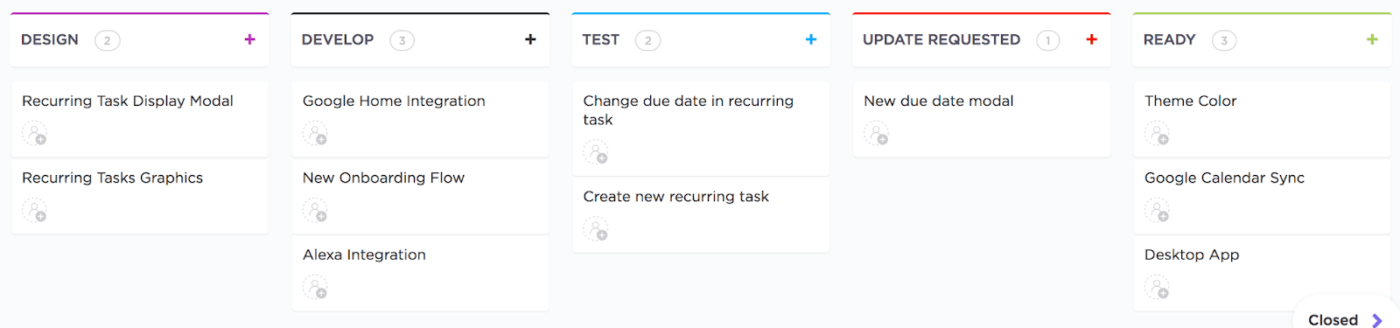
With ClickUp Sprints, software teams get a complete, customizable sprint management system that replaces the need for scattered tools or external plugins.

Assign and customize Sprint Points to tasks and subtasks, roll them up to parent tasks, and break them down by assignee. Additionally, you can monitor sprint performance with ready-to-use visualizations like:
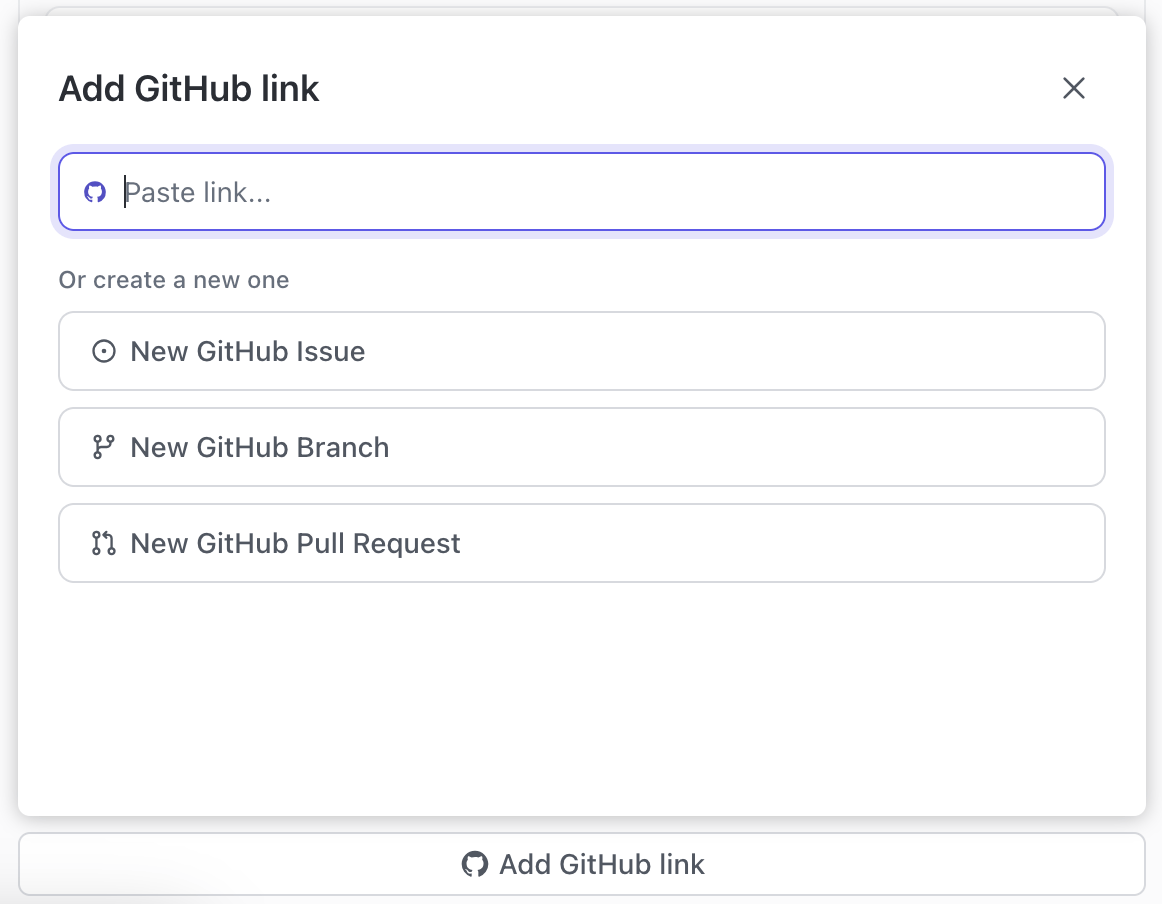
ClickUp Integrations support direct connectivity with GitHub, GitLab, Bitbucket, Slack, and Google Drive. You can link commits and pull requests to tasks, update statuses through commit messages, and view PR activity within your workspace.
🔍 Did You Know? Over 62% of developers speak JavaScript, with HTML/CSS trailing close behind at 53%, and Python, SQL, and TypeScript rounding out the top five.
We use ClickUp to track our software development projects in-house; managing multiple projects and teams makes things easier for me, this is one of the best tools I have used so far for handling my scrum and modern agile projects.
While software lifecycle management can feel overwhelming, it doesn’t have to be fragmented.
ClickUp brings every phase, from planning and development to testing, release, and maintenance, into a single, connected system.
With ClickUp Software and Agile Management solutions, your teams gain real-time visibility, customizable workflows, and seamless handoffs. Use ClickUp Automations to reduce manual busywork and ClickUp Brain to instantly generate PRDs, sprint plans, or test documentation.
Ready to unify your software lifecycle? Sign up to ClickUp today!
Software life cycle management is the process of overseeing a software application from its initial concept through development, deployment, ongoing maintenance, and eventual retirement. This approach ensures that software is planned, built, tested, released, maintained, and eventually phased out in a structured and efficient manner, helping organizations maximize value and minimize risks throughout the software’s existence.
The 7 software life cycle stages, commonly known as the Software Development Life Cycle (SDLC), include planning, requirements analysis, design, development (or implementation), testing, deployment, and maintenance. Each stage represents a critical phase in the creation and management of software, ensuring that the final product meets business objectives, quality standards, and user needs.
Lifecycle management software refers to tools or platforms that help organizations manage every phase of a product or software application’s life. These solutions typically offer features for planning, tracking progress, facilitating team collaboration, managing documentation, testing, deploying, and maintaining software. By using lifecycle management software, teams can streamline workflows, improve communication, and ensure compliance throughout the software’s journey.
The difference between SDLC and ALM lies in their scope. SDLC, or Software Development Life Cycle, focuses specifically on the structured process of developing software, covering stages from planning to maintenance. ALM, or Application Lifecycle Management, is a broader concept that includes SDLC but also encompasses governance, project management, collaboration, and ongoing support for the application throughout its entire life. In essence, SDLC is a component of ALM, while ALM covers the full spectrum of activities required to manage an application from inception to retirement.

© 2026 ClickUp

There’s an easier way. Try a free AI Agent in ClickUp that actually does the work for you—set up in minutes, save hours every week.