



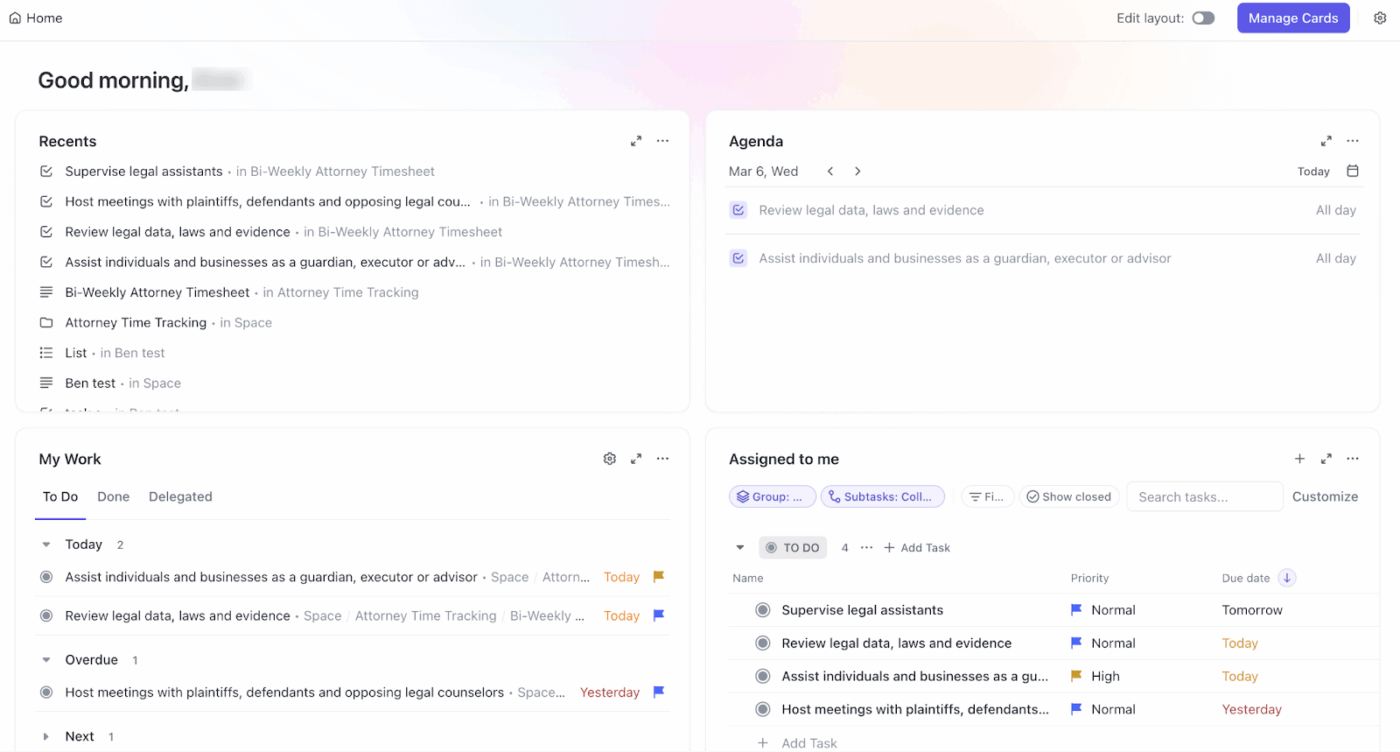



Still downloading templates?
There’s an easier way. Try a free AI Agent in ClickUp that actually does the work for you—set up in minutes, save hours every week.
Sorry, there were no results found for “”
Sorry, there were no results found for “”
Sorry, there were no results found for “”
Only 28% of organizations have enabled employees to achieve a transformative business impact from AI. So, chances are your current AI assistant isn’t the best fit for you.
So, if Sintra AI agents felt hard to guide, difficult to control, or simply too rigid in day-to-day use, you’re not alone. And, this post will show you better options.
You’ll see tools that offer well-defined triggers and outcomes for AI execution. They’ll provide configurable, custom agents built on large language models, along with a visual workflow builder that your coordinators actually enjoy.
We’ll also tell you where you need full control for protecting sensitive data. And when a single hub beats stitching together five tools.
🧠 Fun Fact: The idea of teams of AI agents isn’t new—MIT’s Pattie Maes wrote about “software agents” that reduce work and information overload back in 1994. Today’s multi-agent platforms are finally catching up to that vision.
Looking for a quick comparison of the top tools? Here’s a snapshot of the best Sintra AI alternatives and what each offers.
| Tool | Best features | Best for | Pricing* |
| ClickUp | AI Super Agents for multi-step workflows, if/then Automations, Lists/Docs for SOPs, and Dashboards for KPI rollups | Individuals, small businesses, mid-market companies, enterprises | Free plan available; customization available for enterprises |
| Lindy AI | No-code agent builder, Gmail/Calendar deep workflows, inbox triage + voice/calling with clear usage pricing | Small businesses, mid-market companies | Free plan available; Paid plans start at $49.99/month |
| Zapier | 8,000+ app connections, AI agents/builder, multi-step Zaps with paths/filters, Tables and Interfaces | Small businesses, mid-market companies, lean enterprise teams | No free plan available; Paid plans start at $19.99/month (annual) |
| n8n | Visual + code workflows, 500+ integrations, AI tool nodes, self-hosting with RBAC (Role-Based Access Control) | Technical teams, startups with engineers, mid-market companies | No free plan available; Paid plans start at $20/month, billed annually |
| Make | Visual scenarios with routers/iterators, 3,000+ apps, AI integrations, predictable credit tiers | Small businesses, agencies, mid-market companies | Free plan available; Paid plans start at $10.59/month |
| Taskade AI | Custom AI agents, automations, projects-as-memory, Docs/Chat with pooled AI credits | Solo creators, small businesses, marketing/content teams | Free plan available; Paid plans start at $8/month |
| LangChain | Graph-based agent flows (state/nodes/edges), single/multi/hierarchical agents, LangSmith tracing/evals | Developer teams, ML engineers, product/platform groups | Developer plan available for free; Paid plans start at $39/seat per month |
| Motion | AI scheduling and meeting assistant, auto task reprioritization, project delay predictions | Busy executives, sales/CS teams, small to mid-market companies | No free plan available; Paid plans start at $29/month |
| CrewAI | Multi-agent “crews,” Studio visual builder or Python framework, AMP for deploy/monitor/test | Developer-led teams, ops with complex processes, mid-market companies | Custom pricing |
| AutoGen | Open-source multi-agent framework, Studio for no-code prototyping, AgentChat/Core for scalable apps | Engineering orgs, research teams, enterprises with in-house devs | Custom pricing |
Swapping platforms shouldn’t be about shinier AI features. You have to consider whether your team can actually ship work faster with control and clarity.
Before choosing an AI assistant platform, start with a simple reality check:
So, treat this like a buying checklist—who it’s for, what it automates, and how it’s governed. Here are the criteria that matter.
💡 Pro Tip: Before you shortlist tools, run a 10–14 day pilot with two real workflows (one low-risk, one revenue-adjacent). Add human review on every agent action, label outcomes (win/blocker), and set a daily usage budget. Your selection criteria will be grounded in results, not demos.
And now, read on for the cream of the crop when it comes to Sintra AI alternatives and competitors:
Our editorial team follows a transparent, research-backed, and vendor-neutral process, so you can trust that our recommendations are based on real product value.
Here’s a detailed rundown of how we review software at ClickUp.
When teams start testing AI assistants, they rarely stop at one. A tool to draft content. Another to summarize work. A third to monitor metrics. Each works in isolation—and pretty soon, no one knows where decisions live or which agent has the right context. That fragmentation is AI Sprawl—and it quietly eats into response times, visibility, and trust.
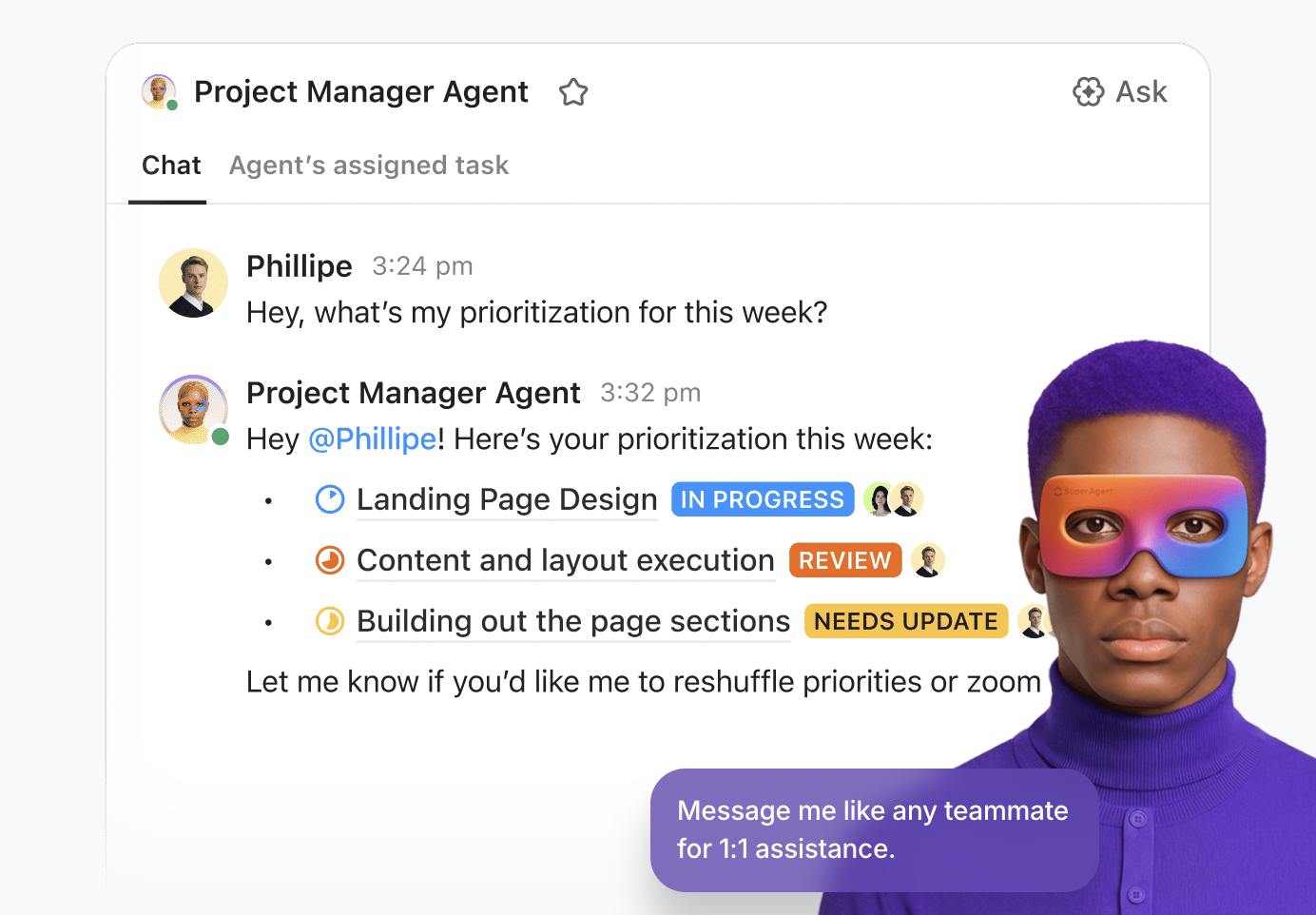
ClickUp takes a different route with the world’s first Converged AI Workspace. Instead of layering standalone AI tools on top of your stack, ClickUp brings AI directly where work already happens.
Its AI Super Agents are AI-powered teammates that work directly inside your workspace. They
In ClickUp, you build Super Agents using simple, no-code settings. Choose what the agent should watch (like task updates or due dates), decide what it should do (update statuses, post summaries, assign work), and turn it on. The agent then runs automatically inside your workspace.
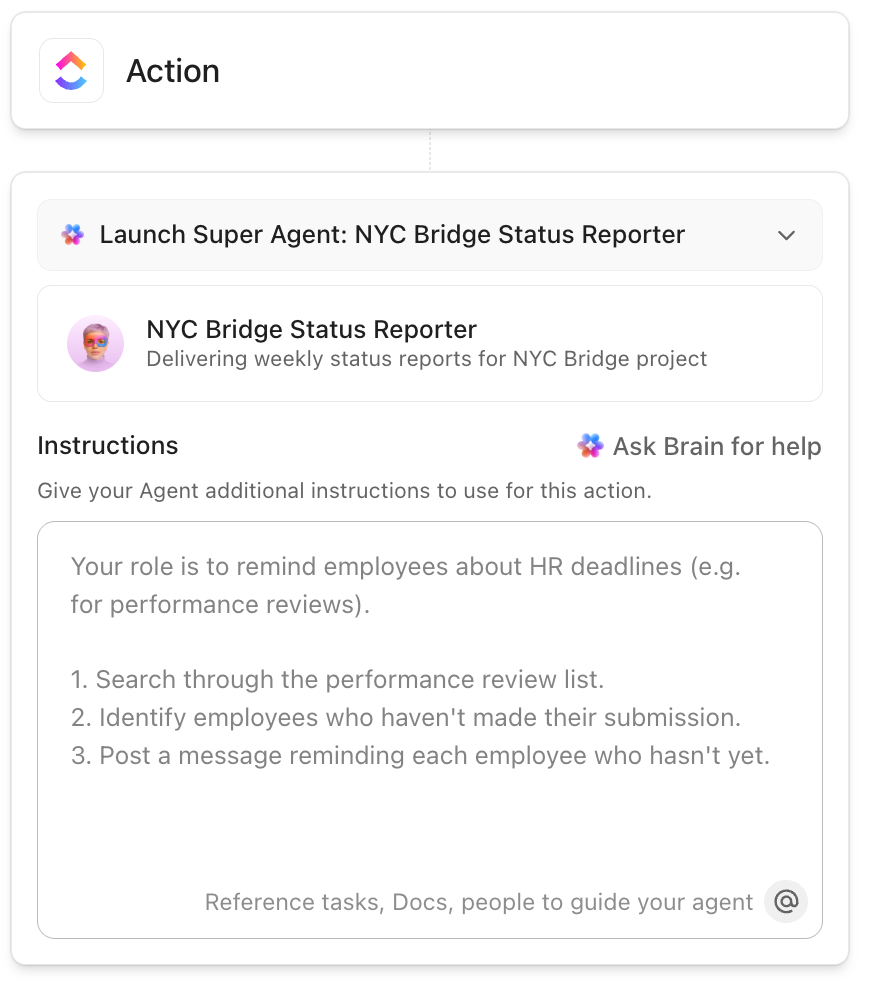
Curious about Super Agents? Here’s a video that shows you everything they can do:
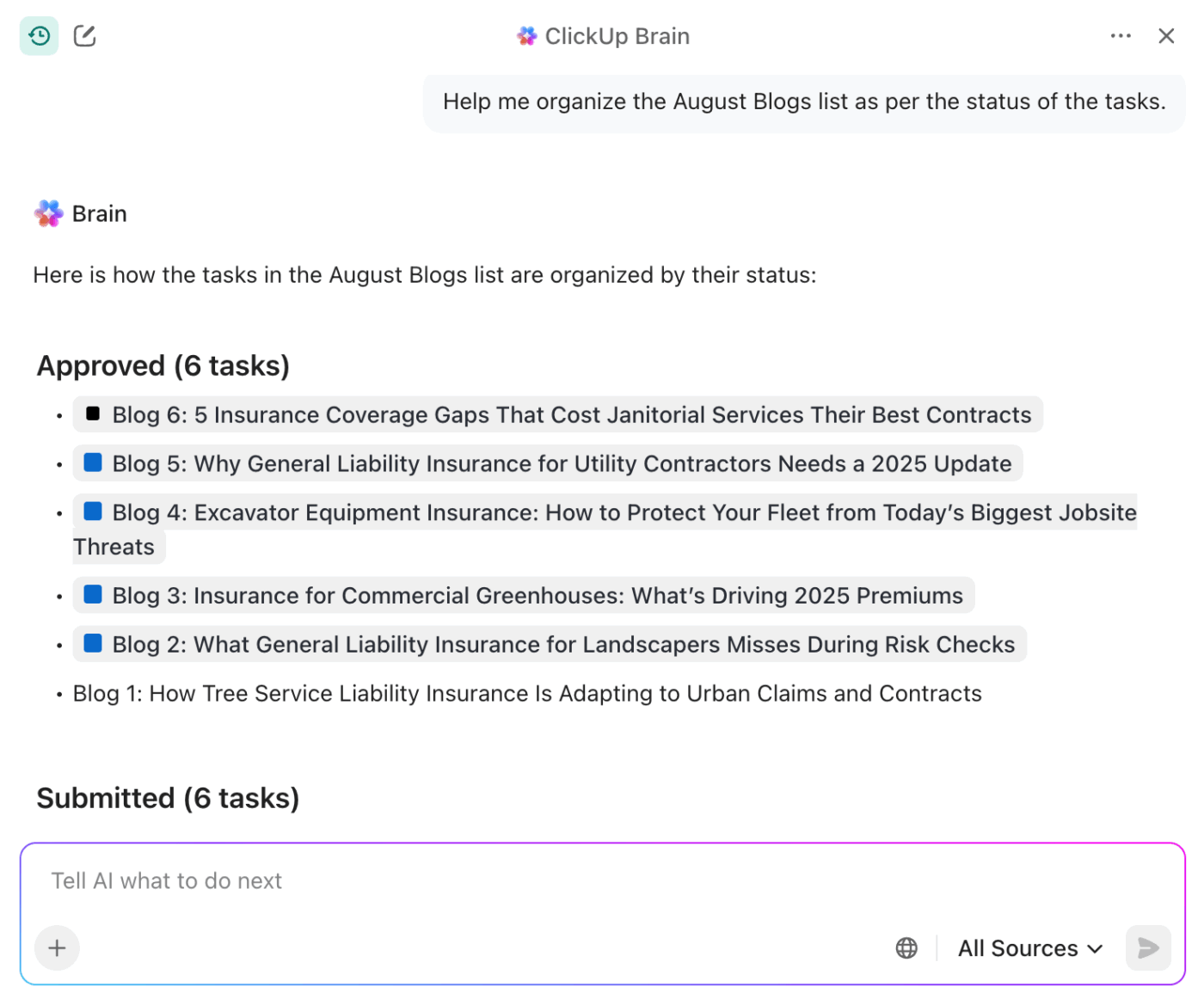
And if you need a pre-built Contextual AI assistant that knows and understands your work, try ClickUp Brain. It’s connected to your ClickUp Tasks, Docs, and Chat. That’s why it can help you not just surface information from them but also act on it.
With ClickUp Brain, you can:
And that’s not all.
ClickUp even makes it easier to evaluate, pilot, and scale AI responsibly with:
Because ClickUp AI Agents live inside the same workspace as your work, context is never lost. Teams waste less time managing Work Sprawl and more time improving workflows.
📮ClickUp Insight: Only 10% of our survey respondents use voice assistants (4%) or automated agents (6%) for AI applications, while 62% prefer conversational AI tools like ChatGPT and Claude. The lower adoption of assistants and agents could be because these tools are often optimized for specific tasks, like hands-free operation or specific workflows.
ClickUp brings you the best of both worlds. ClickUp Brain serves as a conversational AI assistant that can help you with a wide range of use cases. On the other hand, AI-powered agents within ClickUp Chat channels can answer questions, triage issues, or even handle specific tasks!
📖 Also Read: Types of AI Agents to Boost Business Efficiency
This Reddit review really says it all:
I was on the fence about ClickUp Brain at first, just seemed like another AI gimmick. But it’s saved me from some tedious writing tasks, especially when I need to summarize lengthy client emails or get a draft started.
📖 Also Read: How to Use Knowledge-Based Agents in AI
🧠 Did You Know: 45% of our survey respondents say that they keep work-related research tabs open for weeks. For another 23%, these treasured tabs include AI chat threads stuffed with context. Basically, a huge majority are outsourcing memory and context to fragile browser tabs.
Repeat after us: Tabs are not knowledge bases. 👀
ClickUp BrainGPT changes the game here. This AI Super App lets you search your workspace, interact with multiple AI models, and even use voice commands to retrieve context from a single interface.
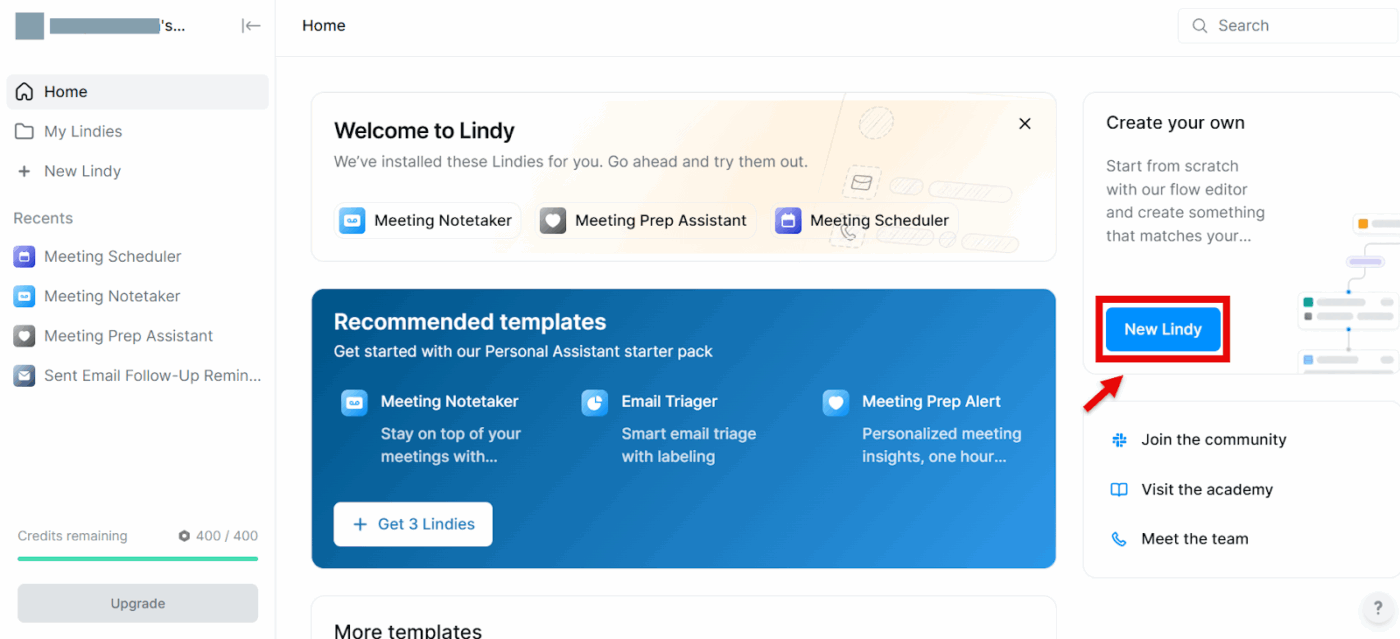
If you’re looking for “AI employees” that handle the busywork for you—managing email, sorting your calendar, tallying CRM updates, even making phone calls—Lindy can help. Lindy is a practical AI platform for building AI agents without writing code.
You start with templates or the Agents Hub, connect Gmail, Calendar, and other apps, then chain steps in a visual flow. These are instructions for your agent to read, reason, and act. Pricing is usage-based (pay per task/minute), which makes it easy to pilot before you scale.
A G2 user says:
I’ve been using Lindy AI for a little while now, and what I like best is how much time it saves me. It handles repetitive tasks and scheduling with surprising accuracy, which has really helped reduce my mental load. What stands out is how natural and easy it is to interact with — it doesn’t feel robotic or clunky. It’s like having a reliable assistant that just gets things done quietly in the background. Definitely a game-changer for productivity.
📖 Also Read: Powerful AI Agents Example Transforming Industries
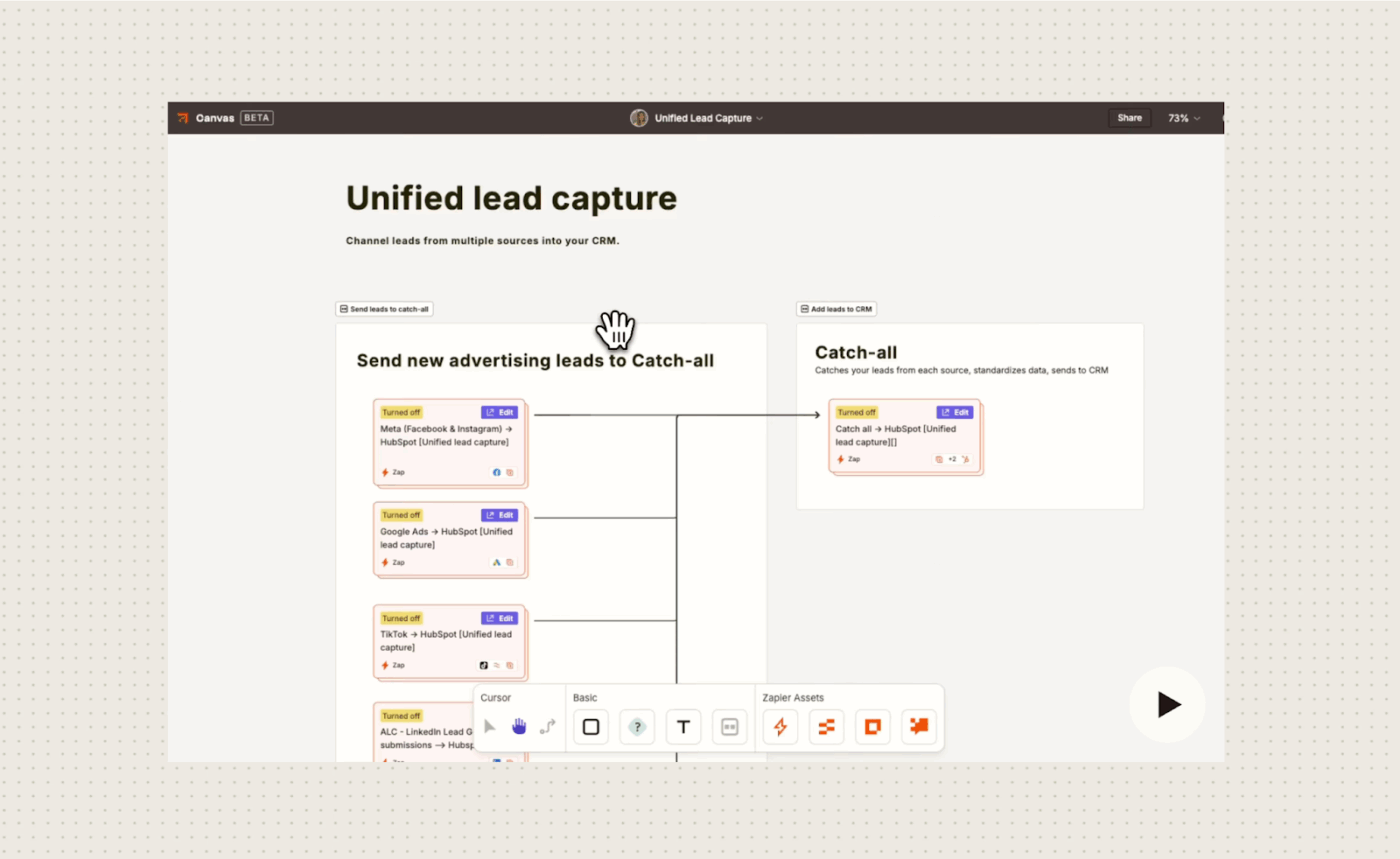
Zapier AI enables users to integrate artificial intelligence into their automated workflows. It connects apps to perform complex tasks.
Create AI-powered “agents” that can understand context, make decisions, and act autonomously on data across thousands of applications. Build sophisticated systems, such as automated customer support chatbots, IT helpdesks, or lead routing systems, without needing to code.
A G2 user mentions:
I love that it connects 2 MS apps easily! The Power Automate with MS is not as user-friendly, and Zapier has helped me connect multiple MS Excel files to send messages to MS Teams with just a few clicks!
📖 Also Read: Super Agents & the Rise of Agentic AI
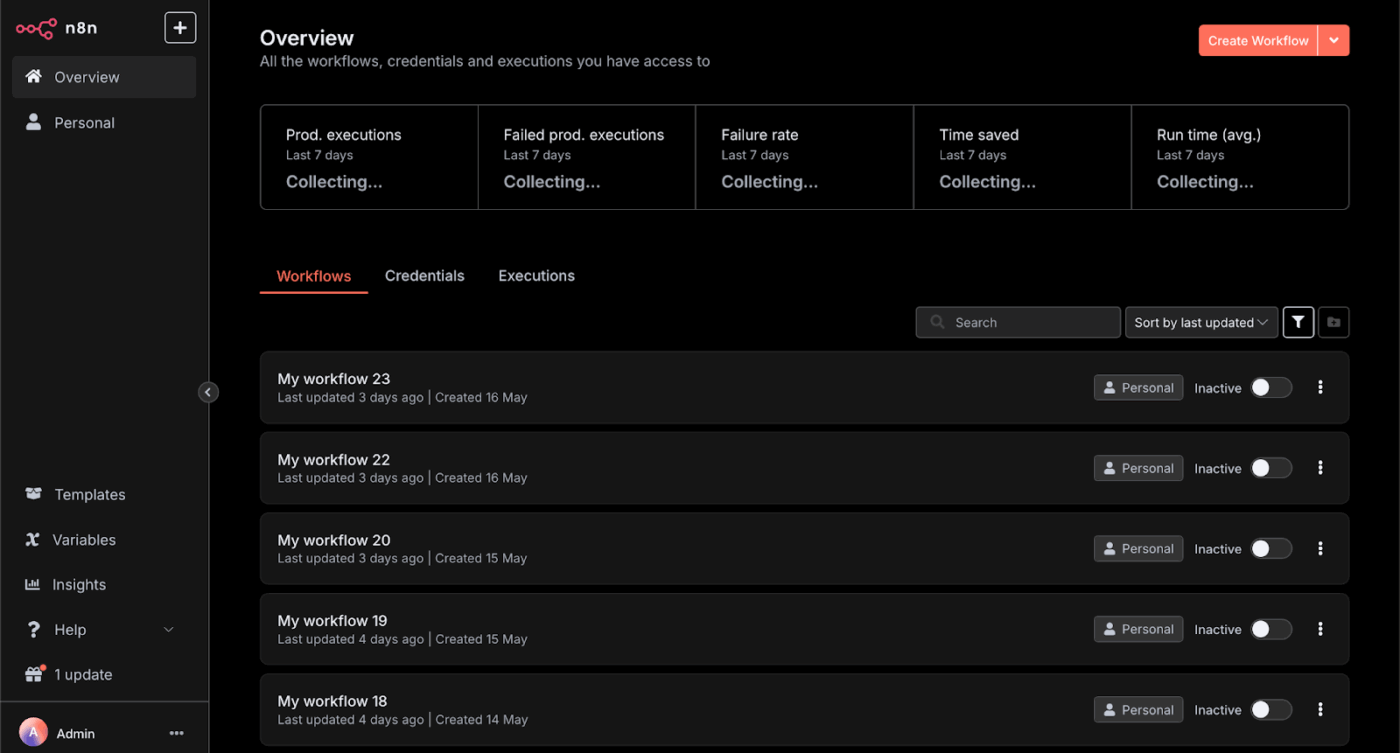
n8n is an open-source, fair-code workflow automation platform. It uses a visual, node-based interface to connect applications and services, allowing users to automate repetitive tasks between them without extensive coding.
It supports custom scripting with JavaScript, and can be self-hosted or used through a cloud service.
You can blend APIs, databases, and AI agents in the same flow, add guardrails, and ship production-grade automations.
A Reddit user says:
n8n sits in that sweet spot…powerful enough for engineers, accessible enough for no-code users who aren’t afraid to tinker. Devs use it for complex API orchestration, ETL, and agentic workflows, while non-tech users lean on its UI for automations.
📖 Also Read: Best AI Agent Builders to Automate Workflows
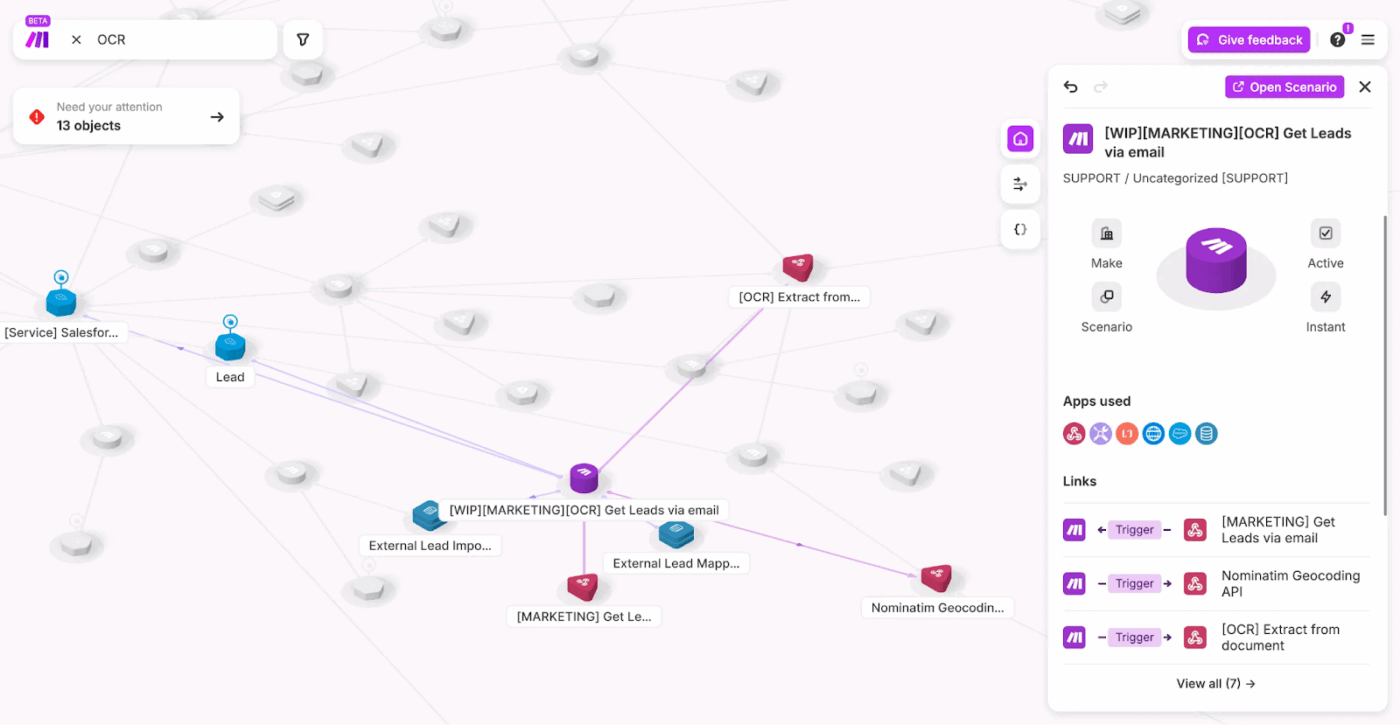
Make (formerly Integromat) is a no-code automation platform that connects apps and services to automate workflows and processes visually.
It allows users to build complex automations without writing code. You can create “scenarios” that link different applications together with triggers and actions.
Build quickly with drag-and-drop, prompt mode, and AI agentic workflow add-ons—then scale on cloud plans or run it yourself for tighter control.
A G2 user mentions:
What I like best about Make is how simple and intuitive it is to build automations. I especially appreciate how easily it connects with tools like Webflow and many others, making it possible to automate processes without needing complex code.
🔎 Did You Know? The NIST AI Risk Management Framework (AI RMF 1.0) gives teams a practical playbook for governing AI systems—useful when you deploy agents that touch sensitive data or customer workflows.
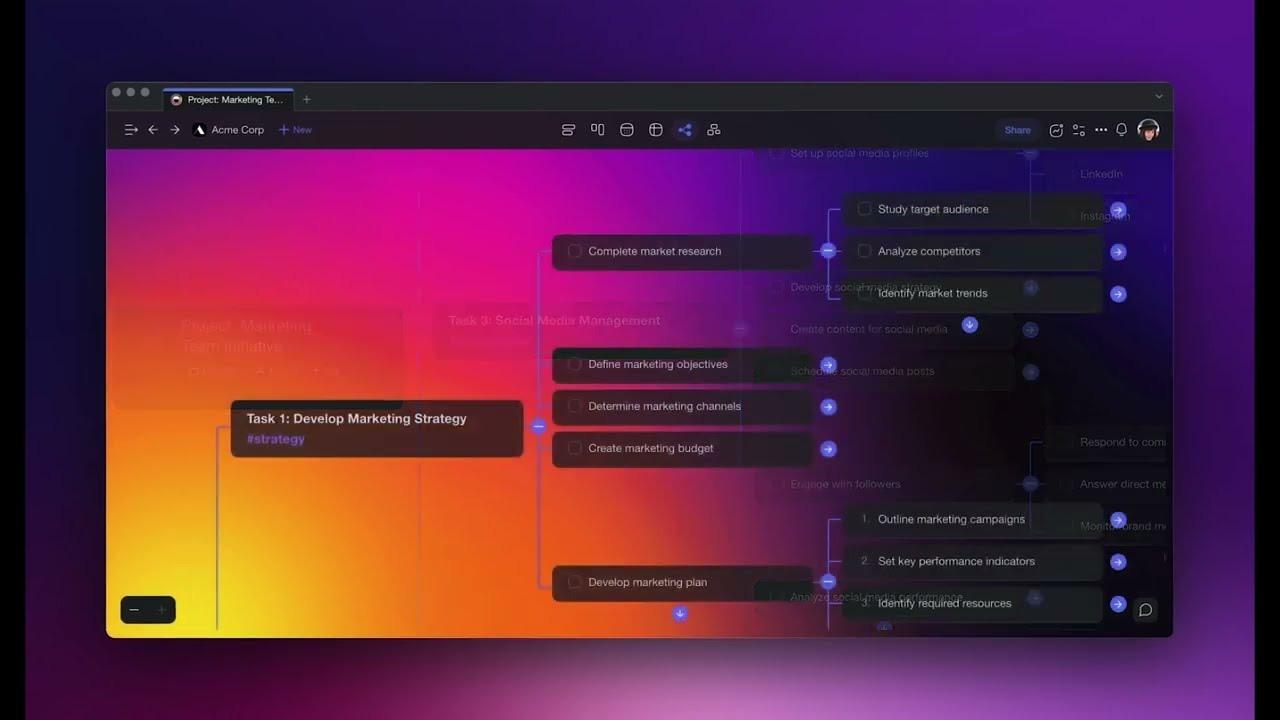
Taskade is for teams that don’t just want “a bot for email” or “a bot for reporting,” but a place to design an entire agent-powered workspace.
Instead of juggling separate tools for task lists, mind maps, meetings, and AI chat, Taskade combines them into one collaborative canvas. This way, projects, notes, and conversations sit next to your agents. Inside that canvas, you can spin up custom AI agents that draft content, analyze data, or manage workflows using your own docs and project context.
Its AI Project Studio helps you generate complete project plans from a short brief or seed documents, while automations connect out to tools like Slack, Gmail, and Google Sheets. So, agents can actually do the follow-through work, not just make suggestions.
A G2 user highlights:
An amazing list of features. As a SaaS entrepreneur, I know this can kill adoption, but they have done an amazing CX/UX job at making it digestible. Great tool to keep on top of tasks, but the possibilities seem almost endless. Great value for money.I personally like that its a downloadable Windows application and not a webapp only
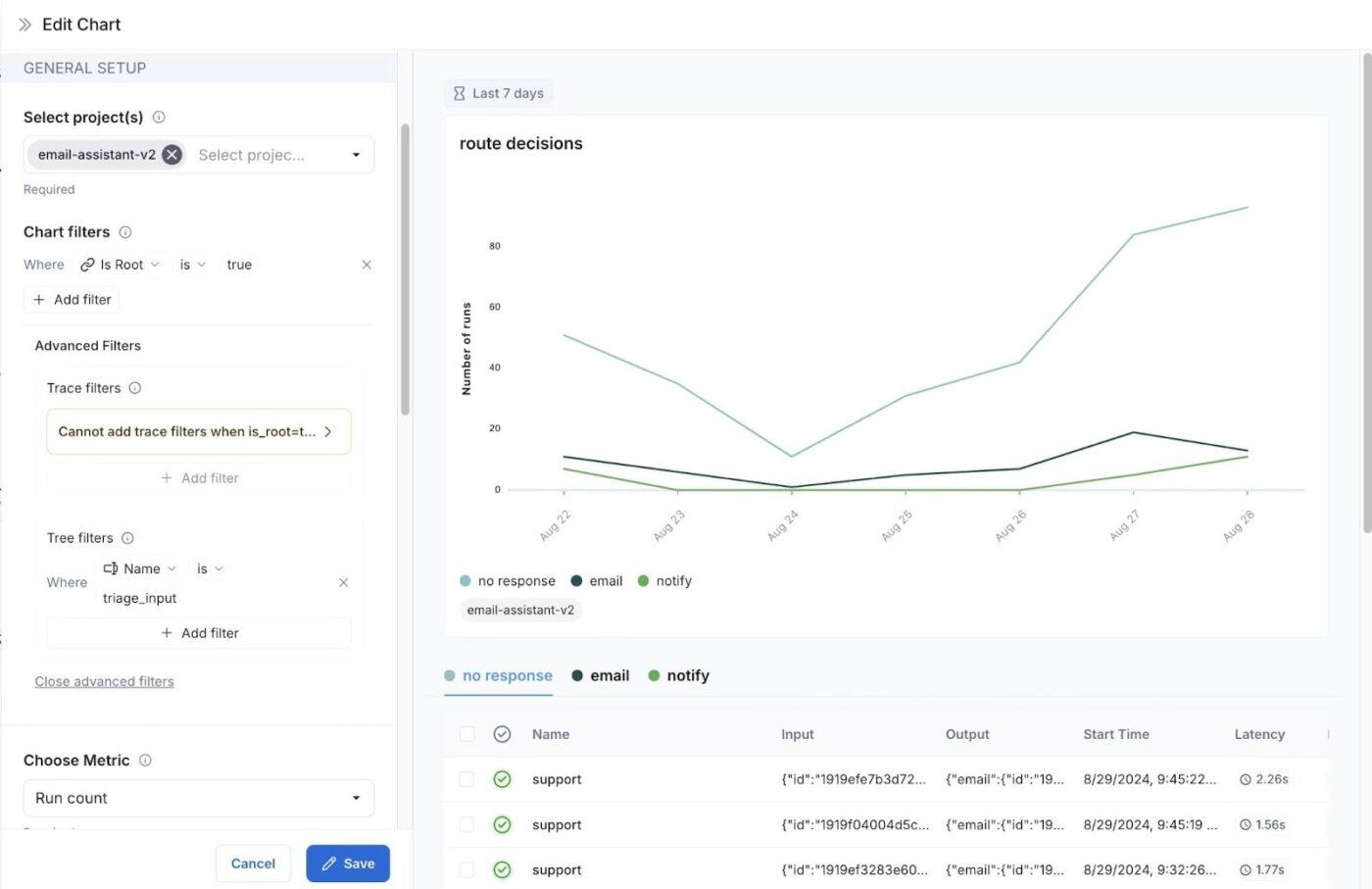
LangChain (with its LangGraph and LangSmith stack) is built for teams that want full control over how their AI agents think, route, and call tools.
Instead of a black-box “AI teammate,” you design agent workflows as explicit graphs and define how state is stored. You also get to decide exactly when models should call tools, search, or hand off to another agent.
That makes LangChain well-suited for product and platform teams who are ready to invest engineering time in a more opinionated, reliable agent framework rather than a purely no-code assistant builder.
A G2 user mentions:
LangChain makes connecting large language models with data sources and APIs very easy and simple. Its modular tools and ready integrations (like Pinecone, OpenAI and vector stores) save development time and make experimenting much easier.
📖 Also Read: How to Optimize Project Management with Automation
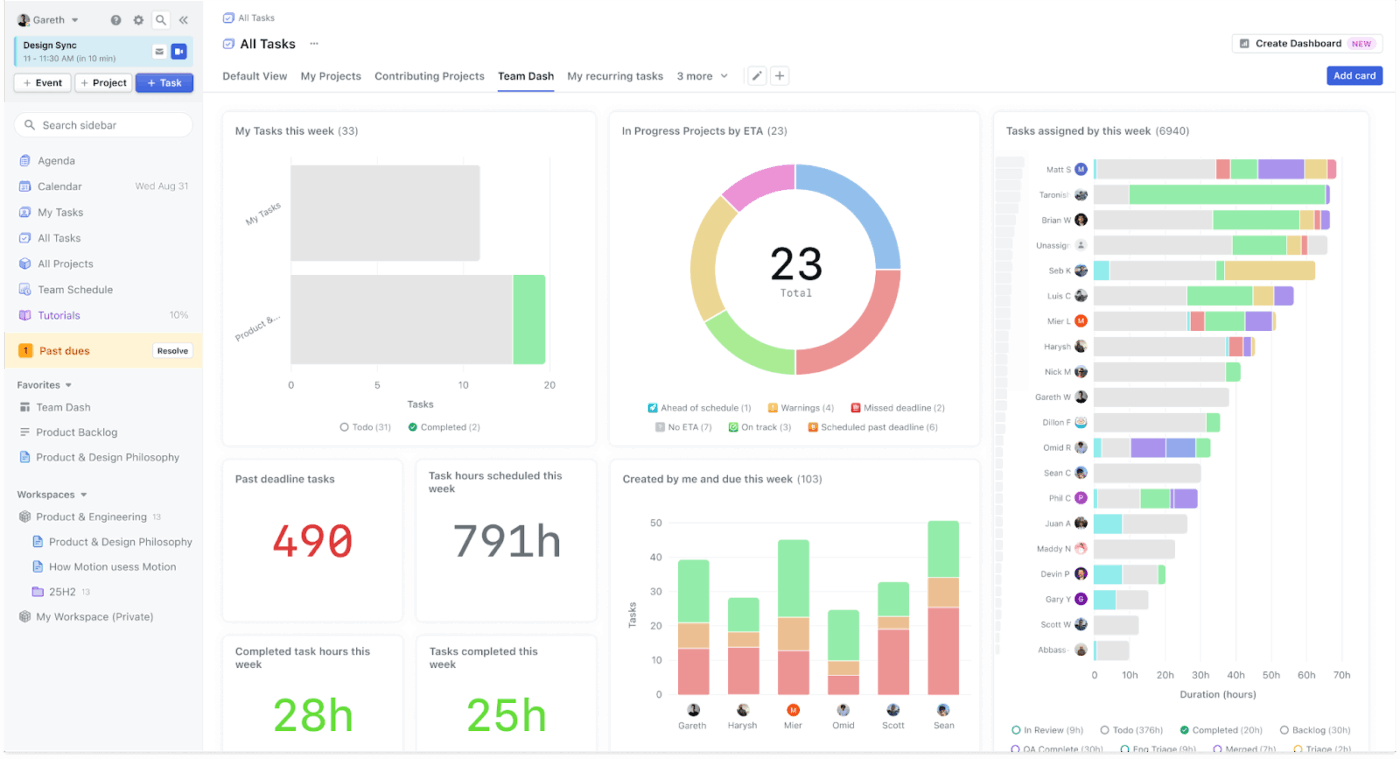
Motion is an AI-powered productivity platform that combines task management, project planning, and calendar scheduling in one place. Instead of you manually reshuffling priorities, it automatically plans your day by analyzing deadlines and available time across calendars.
For CS or ops teams with crowded calendars, Motion behaves like a scheduling co-pilot. It blocks focus time and continuously re-optimizes the plan, so high-impact work doesn’t get buried under urgent pings.
When priorities shift or new tasks arrive, Motion updates the schedule in the background, so everyone still knows what to work on next.
Teams can also use Motion as a lightweight project manager: assigning tasks, tracking status, and seeing who’s overbooked at a glance. Because it’s built around time management, it’s useful for leaders who want realistic delivery dates.
A G2 user mentions:
I appreciate Motion’s sleek design, which helps me keep my numerous calendars organized and all in one place. One of the standout features for me is the ability to create tasks directly from emails, which I find very helpful and time-saving.
📖 Also Read: How to Use AI to Automate Tasks
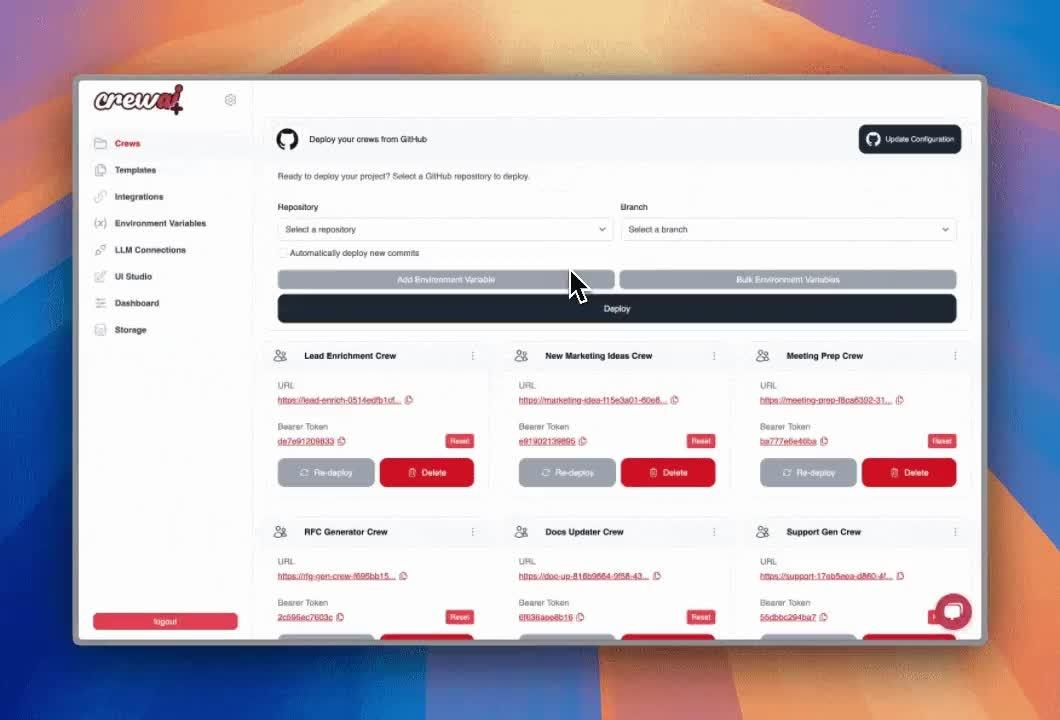
CrewAI is a multi-agent automation platform that lets you design “crews” of AI agents to work together. You don’t rely on a single assistant. Each agent can be given a role, tools, and guardrails, then orchestrated to research, reason, and execute tasks in sequence or in parallel.
You can build these automations either through the open-source Python framework or the no-code Studio UI. So, both engineers and operations teams can collaborate on the same system.
Once a crew is ready, CrewAI helps you move from experiment to production with deployment options that run in the cloud, self-hosted, or on your own infrastructure.
After deployment, you get monitoring and evaluation tools to track how each crew performs, debug failures, and iterate toward more reliable outcomes.
A G2 user mentions:
The best part about crewAI is that while building an agent we can provide the role, goal and backstory for the agent which increases the performance of that agent very much.
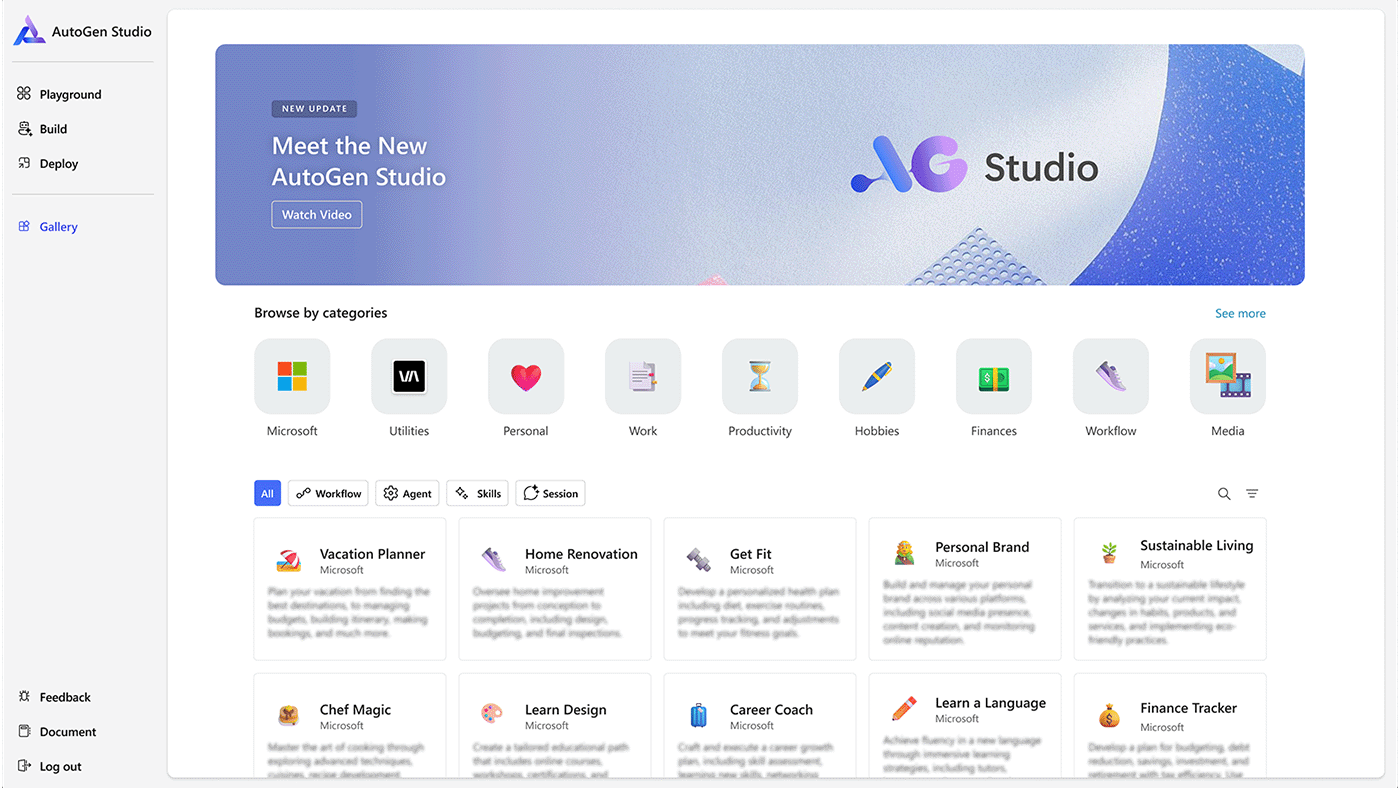
The AutoGen platform is an open-source framework developed by Microsoft for building multi-agent AI applications.
It simplifies the creation of conversational agents that can collaborate to solve complex tasks, with agents defined by prompts, tools, and roles.
The platform supports various conversation patterns, uses an event-driven, actor-based architecture, and includes tools such as Agent Chat and AutoGen Studio for development and low-code prototyping.
While these were our top picks for building agentic workflows, we also recommend that you try out:
Think of Blaze AI as an “agentic AI marketer” that plans your marketing strategy, generates content, auto-posts across channels, and learns from performance to drive ongoing growth. It’s best for teams that want a 24/7 marketing assistant focused on campaign management rather than general operations.
Vellum AI is an orchestration layer for building production-grade AI agents. It lets you design agents and workflows as visual graphs, control which LLMs they use, and monitor bottlenecks and failure modes. These features make it useful when you need finer control over complex agent systems.
Jasper AI is a marketing-first platform that automates planning, creating, and scaling content. With its agents, a shared context layer (Jasper IQ), and automation tools, it’s ideal for teams that require high-speed production of brand-safe copy, campaigns, and assets across multiple channels.
Copy.ai has evolved into a GTM AI platform that combines workflows, agents, and an intelligence layer to automate sales and marketing processes. It’s built for revenue teams that want AI to run playbooks end-to-end, from outreach and follow-ups to reporting, rather than just generating copy.
Claude is Anthropic’s family of frontier models, a “thinking partner” for complex reasoning, coding, agents, and enterprise workflows.
The Opus and Sonnet are two tiers of the Claude AI model family. They differ in their intelligence, speed, cost, and intended use cases. Opus is the flagship, most powerful model designed for complex, high-stakes tasks. While Sonnet is the faster, more cost-effective “workhorse” model ideal for general-purpose applications and scale.
The models are especially relevant if you want safer-by-design assistants that can handle dense documents, multi-step analysis, and long-running agentic tasks.
If Sintra AI wasn’t a fit, you’ve now got a clear way to compare AI alternatives. From no-code orchestrators to developer frameworks, you can decide where agents, governance, and teamwork actually improve outcomes.
Choose a workflow automation platform that your people can run, measure, and adapt. That’s where ClickUp shines, as the “one place” to pilot, standardize, and scale AI-powered workflows without juggling five tools.
Start small, prove value, then expand where automation drives real operational efficiency and enhances productivity rather than adding noise.
If you’d like help mapping this to your use cases, or want a second set of eyes on your shortlist, try ClickUp for free, and we’ll work through it with you.

© 2026 ClickUp

There’s an easier way. Try a free AI Agent in ClickUp that actually does the work for you—set up in minutes, save hours every week.