How to Use Simple Reflex Agents For Task Automation

Sorry, there were no results found for “”

Have you felt the need for a personal assistant to improve your personal or team’s productivity?
Well, simple reflex agents—an advancement in artificial intelligence with practical applications across various industries—can make that happen.
Think of AI customer service agents, automatic calendars, thermostat systems, vacuum cleaners, and vending machines. These are just a few of the many other examples you’ll encounter daily!
In this blog post, we’ll explore more about a simple reflex agent, its key components, and challenges. We will also explore a smarter alternative that could take your productivity to the next level!
Let’s jump in!🏃♀️➡️
A simple reflex agent is an AI agent that makes decisions based only on what’s happening in the environment. It works according to the condition-action rule or a simple ‘IF…THEN’ statement.
It doesn’t worry about the percept history or future consequences. It’s all about the current sensory information from the environment.
⚙️ Working mechanism:
When the learning agent gets new information from its surroundings, it checks a set of rules to see if anything matches.
As the name suggests, it’s more like an instinctive, immediate, and straightforward reflex.
These agents are perfect for stable, predictable situations where things don’t change much.
⏰ Quick example: Think about the last time you used the vending machine at work. You press a button, and it delivers the snack or drink you chose in seconds. This is similar to how a simple reflex agent in AI operates—responding directly to your input by selecting the correct item from arranged rows and columns.
Every AI agent relies on a few components to make decisions and take action based on rules. Let’s dissect the four conceptual components to understand how they work together and how you can get the most out of AI for your business.
Think of sensors as the eyes 👀 and ears 👂 of a simple reflex agent. They gather the latest information, aka the current state, from the observable environment, so the agent knows what’s happening around it.
This information could be anything—texts, images, sounds, radio frequencies, and more.
🔮 Example: Cameras, antennas, microphones, and GPS are some of the standard sensors that simple reflex agents use
A knowledge base is where it stores all the information it needs to make decisions. When it gets an input, it checks the knowledge base to determine what to do next. You must keep the knowledge base updated with the latest company data to keep things running smoothly.
🔮 Example: A customer service bot that has a knowledge base full of product details, return policies, and FAQs
Once the agent makes a decision, actuators help it take action in real time. These tools let the agent interact with the environment and perform actions such as moving, speaking, or sending a message.
🔮 Example: Voice synthesizers, text generators, robot motors, and notification systems are examples of actuators that make the agent’s decisions come alive
The processor is like the agent’s ‘brain’ 🧠.
It takes all the info from the sensors, checks the knowledge base, and then decides what the agent should do next (works much like our human brain). It uses a set of condition-action rules and decision-making algorithms to make those decisions.
🔮 Example: An automated vacuum cleaner with a processor that decides whether to go left or right when it encounters an obstacle or to start cleaning if the floor is dirty
📮ClickUp Insight: 45% of workers have thought about using automation, but haven’t taken the leap.
Factors such as limited time, uncertainty about the best tools, and overwhelming choices can deter people from taking the first step toward automation. ⚒️
With its easy-to-build AI agents and natural language-based commands, ClickUp makes it easy to get started with automations. From auto-assigning tasks to AI-generated project summaries, you can unlock powerful automation and even build custom AI agents in minutes—minus the learning curve.

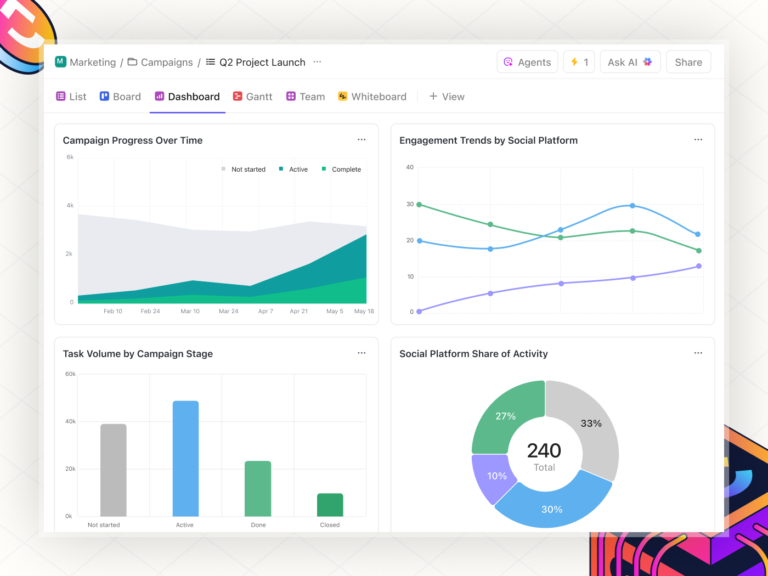
💫 Real Results: QubicaAMF cut reporting time by 40% using ClickUp’s dynamic dashboards and automated charts, transforming hours of manual work into real-time insights.
AI agents are divided into many types and classes based on their capabilities, how they act (reactive or proactive), and their environment (static or dynamic).
The three other AI agents include:
Model-based reflex agents can make decisions and perform actions even if they don’t see the whole picture of what’s happening around them.
⚙️ Working mechanism:
These intermediate-level agents have a ‘mental map’ 🗺️ (aka, the internal state) continuously updated with new sensor information. So, even if they can only see part of what’s happening or if the world changes without them knowing, they can still keep track of things and make guesses about what might happen next.
Unlike a simple reflex agent, which just reacts to what it sees right now, a model-based reflex agent thinks ahead and adapts its actions based on past experiences.
🔮 Example: Picture a model-based agent in a maze game. It doesn’t just blindly follow predefined navigation rules, but also secretly refers to the internal model to map out the maze’s layout and treasure location in its head.
As the game progresses and new clues pop up, the agent updates its mental map, ready to dodge the wrong turns and dead ends and grab the treasure.

A goal-based agent doesn’t just react to its environment but also works towards achieving specific goals. These agents evaluate the potential outcomes of their actions and choose the one that moves them closer to their goal.
⚙️ Working mechanism:
When you share your goal, these intelligent agents explore multiple possible alternatives using smart search and planning algorithms. They analyze what might happen with each choice and pick the most desirable situations to get you closer to your goal.
These agents can adjust strategies based on environmental changes or new information. If something unexpected happens, it can rethink its approach to stay on track to get closer to the best outcome.
🔮 Example: Autonomous vehicles are a perfect example of goal-based agents. A self-driving car considers various factors, such as traffic conditions, safety measures, and road rules, to help you figure out the best route to get you where you’re going without a hitch!

Utility-based agents make decisions by evaluating the potential outcomes of their actions based on their utility function. This approach allows them to choose actions that maximize overall satisfaction rather than just aiming for a specific goal.
⚙️ Working mechanism:
These agents look at different solutions and use complex reasoning algorithms to determine which ones align most with what you want. They then give each outcome a score based on how much it satisfies your preferences and pick the one with the highest score.
Utility-based agents are great at handling complex scenarios, especially when balancing different goals or making trade-offs.
🔮 Example: Imagine you’re planning a trip to your favorite destination. A utility-based agent can help you find flights that match your priorities, such as affordability or minimal traveling time.

To summarize, let’s take a closer look at all the agents side-by-side 👇
| Agent | Working model | Best suited for |
| Simple reflex agents | Current state + condition action rules | Fully observable environments |
| Model-based reflex agents | Current state + internal model | Partially observable environments |
| Goal-based agents | Search and planning algorithms to analyze data and decide actions | Achieving a specific goal |
| Utility-based agents | Complex reasoning algorithms decide the best solution | Achieving specific outcomes with optimized results |
A simple reflex agent works by receiving information from the environment, processing it, and taking action to complete a particular task.
Typically, the process involves the following steps:

📋 Note: These processes and steps may vary slightly depending on the environment in which you’re using a simple reflex agent.
A simple reflex agent in AI is widely used across different industries to automate mundane tasks.
Here are some typical applications of it:
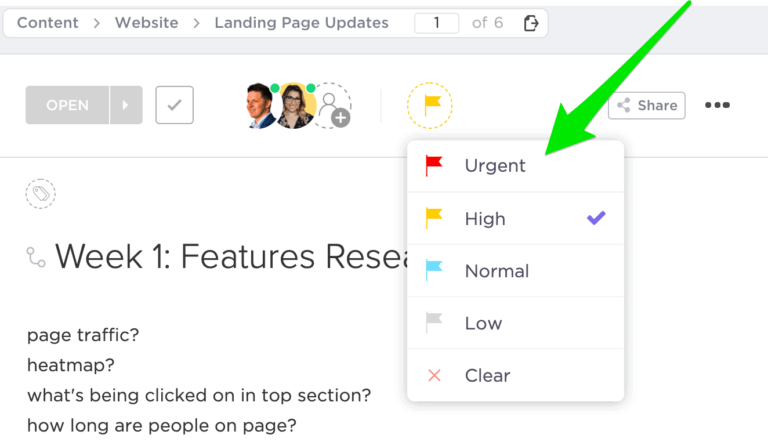
These agents are super handy in project management. They automate tasks such as sending emails, scheduling meetings, and assigning work.
Beyond project management, they also monitor the system, trigger alerts when thresholds are exceeded, and streamline workflows by ensuring consistent decisions.
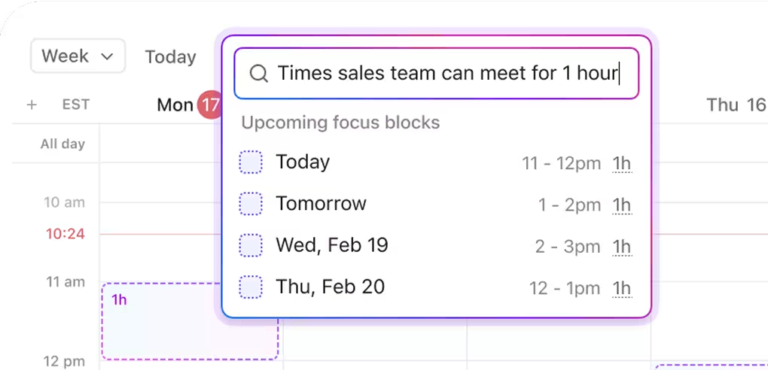
🔮 Real-time Application: Take smart calendars, for example. Set rules on them to automatically add tasks to your calendar and schedule one-on-ones with your teammates. This way, you can use AI for time-management to prevent context switching and be more productive.

In thermostat systems, a simple reflex agent reacts to current environmental conditions, like temperature changes, and takes predefined actions to maintain a desired state. These systems often function without constant human supervision, as the agent operates automatically based on its rules.
🔮Real-time Application: A home thermostat set to 70°F will turn on the heater if the room drops below that temperature and turn it off once the desired temperature is reached.

In robotics and automated planning, these agents monitor the environment through sensors. They instantly decide on an action based on their senses by matching the input to their rules.
These robots are used in various industries—manufacturing, retail, food, agriculture, and healthcare—to perform tasks such as cleaning, serving, assembling parts, sorting, and delivering goods.
🔮 Real-time Application: A warehouse robot can pick items from a shelf when it detects the correct barcode.

Simple reflex agents work well in simple, controlled environments, but they have a fixed performance standard and considerable limitations:
Because of these issues, lower-level agents are best suited to straightforward tasks. This highlights the need for adaptability in an AI system so everyone can use AI to save time and tackle complicated tasks in daily life.
Although a simple reflex agent helps you perform specific actions, you cannot use it for particular tasks or in dynamic environments.
You need a smarter AI platform or high-level agents that can automate project management, streamline workflows, and save time. Enter ClickUp!
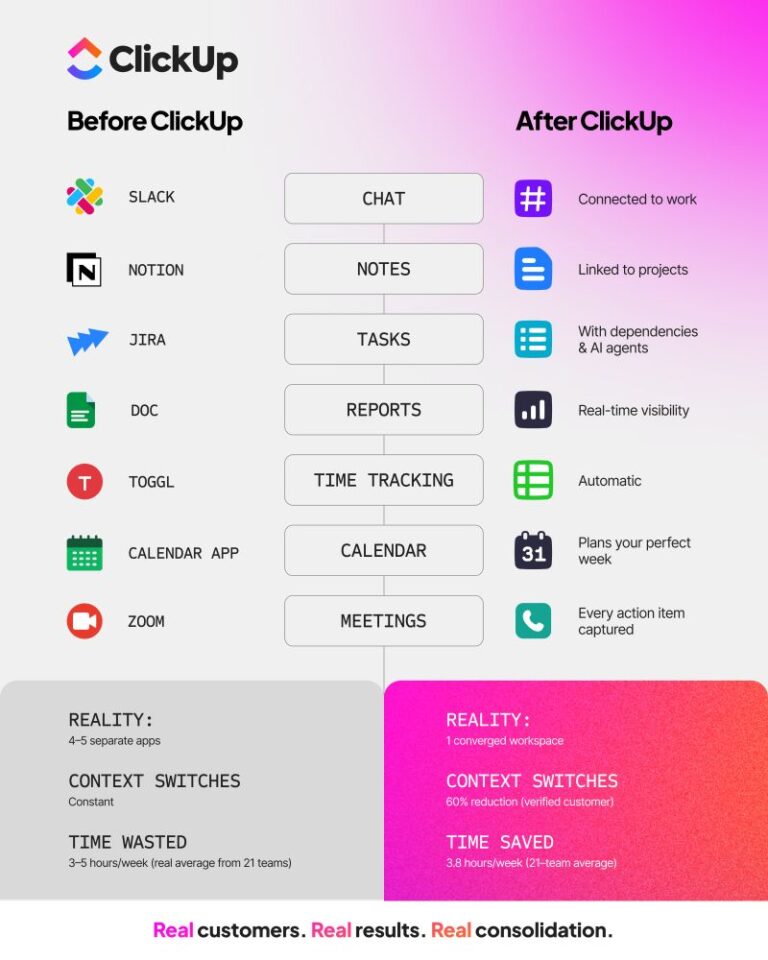
ClickUp is the everything app for work and it’s powered by AI. It’s designed for knowledge workers like you to improve collaboration, manage workload, and enhance team efficiency, all using one platform.
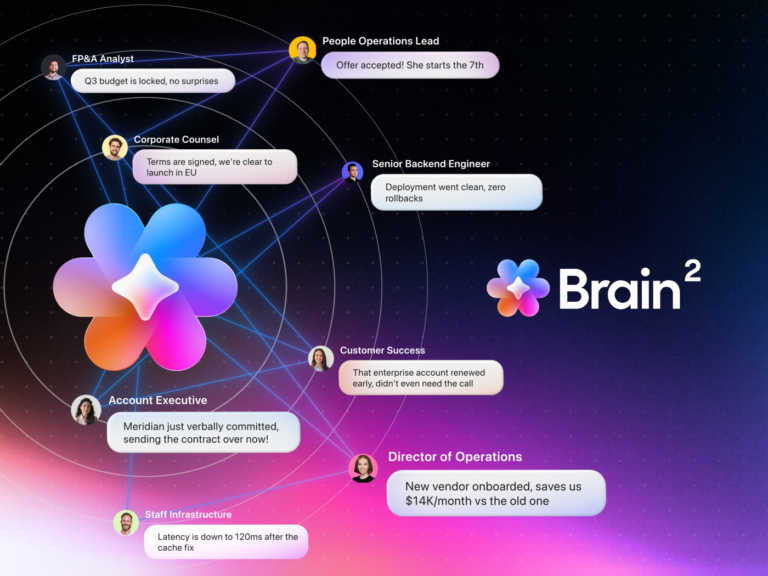
Here’s how ClickUp Brain, an in-built intelligent agent, can simplify your workflow:
Instead of adhering to basic if-then rules, ClickUp Brain leverages advanced AI technologies, such as machine learning and natural language processing (NLP), to handle even the most complex environments effortlessly.
You can use AI to automate any task, uncover unique insights, and derive better outcomes faster.
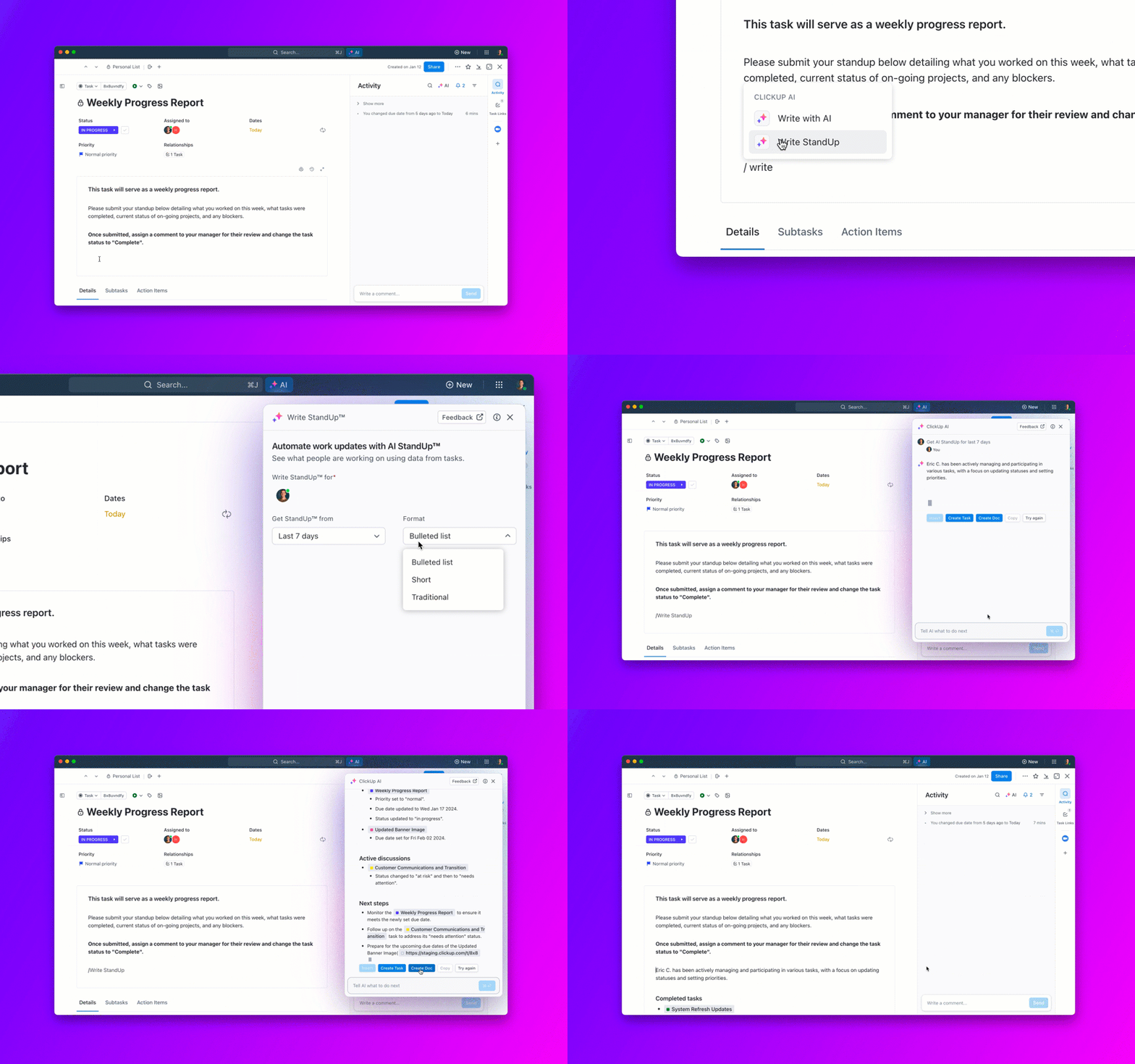
For instance, ClickUp Brain summarizes your meetings, creates transcripts, generates reports and dashboards, and drafts email replies and project briefs in seconds.

A simple reflex agent is great for simple tasks since it can’t adapt further. It simply concentrates on the present, making it incapable of managing complex workflows or shifting requirements.

This is where ClickUp Brain bridges the gap. It uses contextual memory to understand the task at hand and the workflow. It learns from your inputs, adapts to your needs, and delivers personalized solutions.
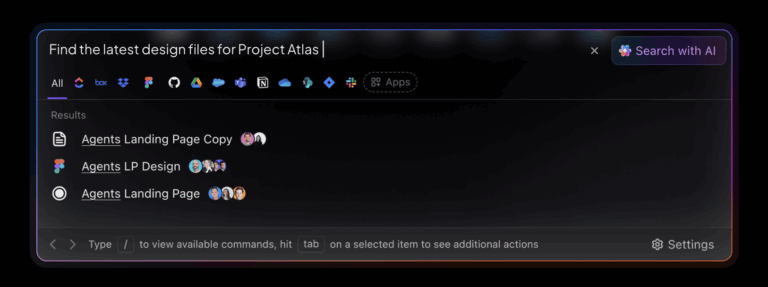
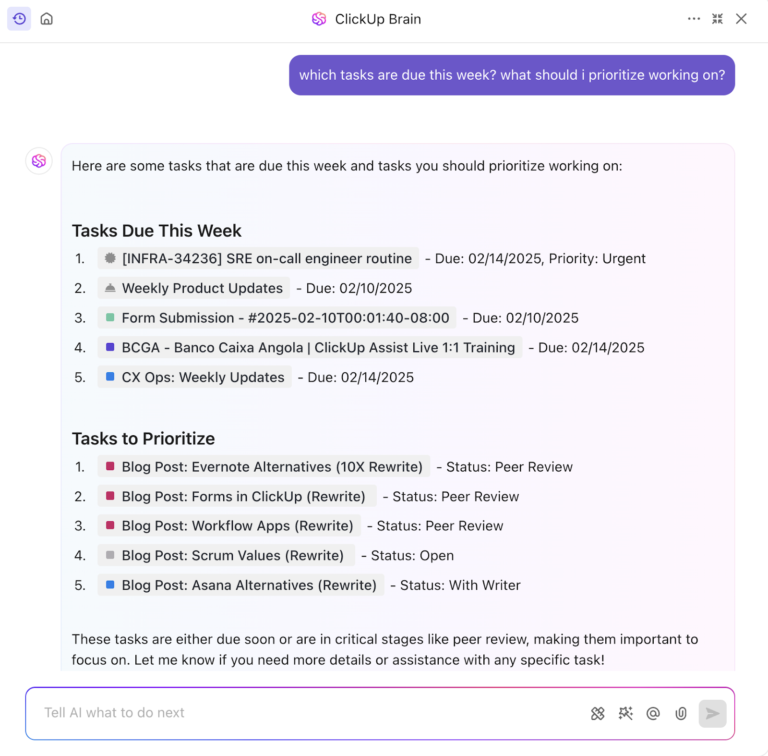
You can ask Brain anything about your tasks, documents, or team. It will then analyze data from chats and your workspace (Google Drive, Figma, Salesforce, and more) to deliver the insights you need.
💡Pro Tip: Use the prompt, ‘Generate a task allocation roadmap for [project], outlining responsibilities for each team member. Consider skill sets, experience levels, and potential training needs to ensure successful task execution,’ to create a detailed roadmap for resource allocation and successfully complete projects.
Imagine asking, ‘Who’s working on that design task for the app launch?’ A reflex agent might not understand your query unless it’s explicitly programmed for that scenario.
ClickUp Brain, in contrast, uses its AI Knowledge Manager to dive into your tasks, documents, and teams to deliver an exact answer. Talk about project management powered by AI!

Quite literally, it integrates AI within your workstation. Here’s a glance:
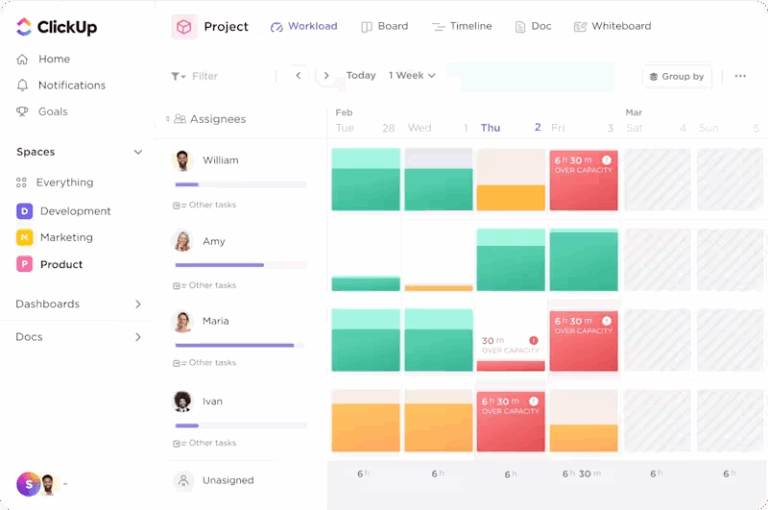
Being a project manager means juggling a hundred things at once—managing big tasks, sitting through back-to-back meetings, and trying to tick off endless to-do lists.
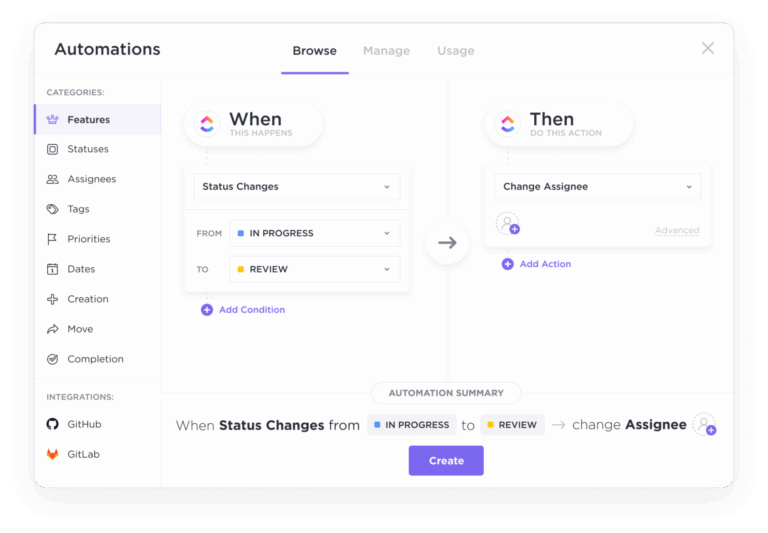
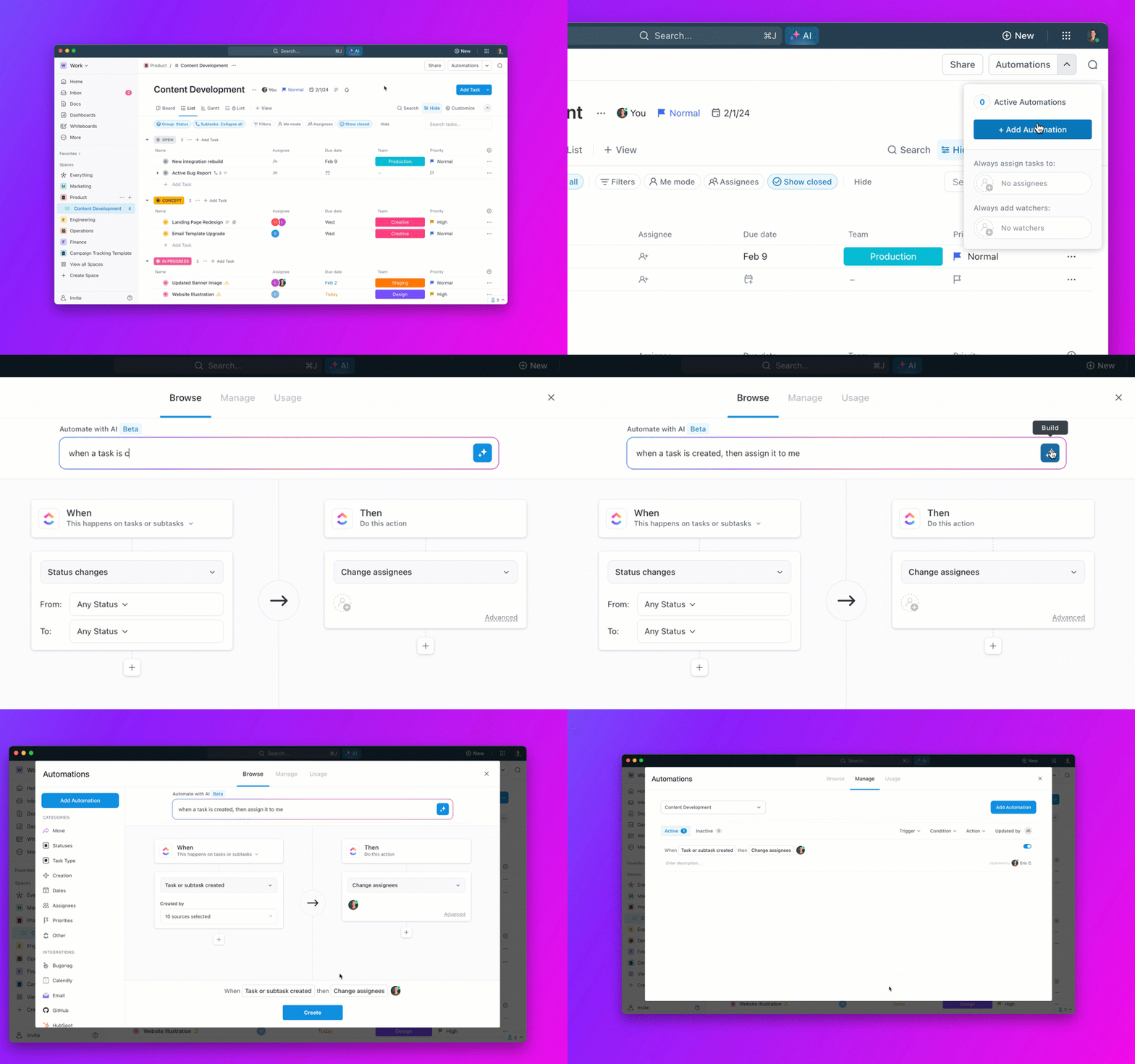
But wouldn’t it be amazing to focus on the big picture and get more done? That’s what ClickUp Automations does for you!

Let’s see how you can use it to automate tasks:
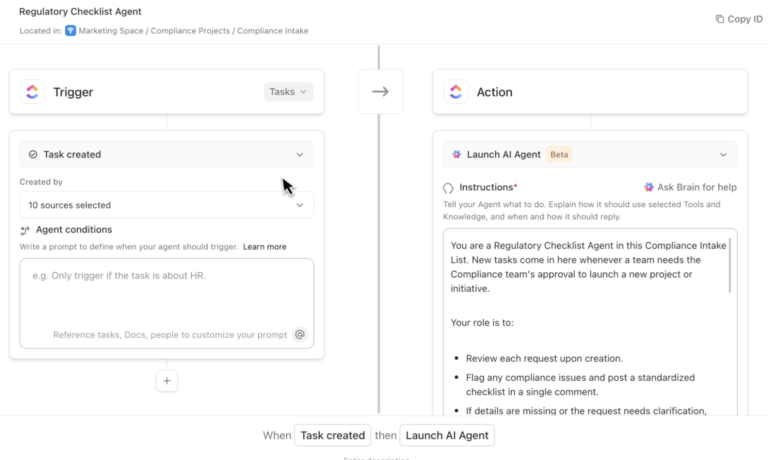
💡Pro Tip: Integrate ClickUp Automations with ClickUp Brain and create custom automations! Just tell Brain what you want to automate like you’re talking to a teammate, and it’ll handle the rest. Triggers, actions, and all the setup? Done for you within seconds.

But don’t just take our word for it—here’s how we automated CEMEX’s workflow and saved hours of effort every week 👇
🏷️ Case Study:
CEMEX, a global manufacturer and supplier of cement, was struggling with manual work and needed an all-in-one productivity platform to scale its operations.
ClickUp helped CEMEX automate tasks such as the project intake process to allow teams to get to work faster.
The result?
‘It’s been great, because the whole team follows up on their daily tasks in ClickUp. ‘Before the automations, whenever a copywriter finished a task, we had to manually communicate up the chain of command that the copy was ready. That could take 36 hours.’
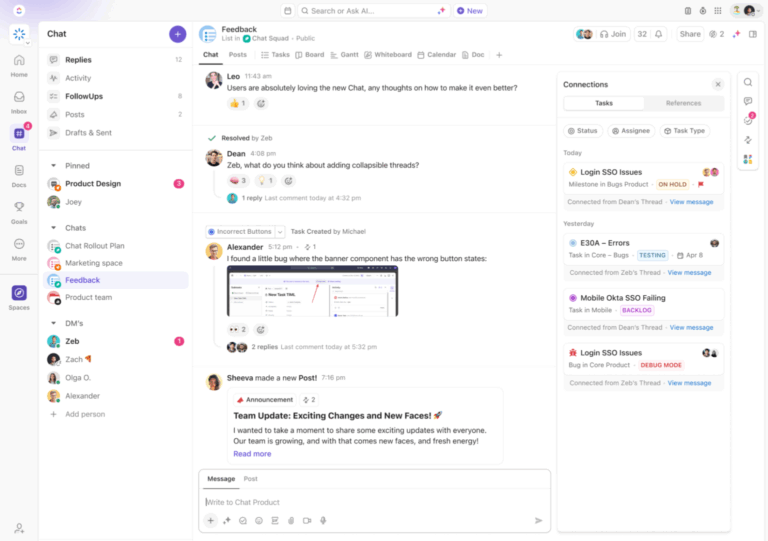
ClickUp Brain is all about helping teams work better together. Instead of reacting to commands, it works with your team’s dynamics to create a flexible environment.

Here’s all it can do:
The result? No more delays, no more confusion—just seamless daily teamwork.
Sometimes, you need more than just basic productivity software. The everything app for work, aka ClickUp, is up for the job!
It has an in-built role-based AI that learns from vast amounts of project data and adapts to your role, automating tasks and extracting insights, all within the same platform.
Plus, with a comprehensive set of project management features and 1000+ free templates, you can enhance collaboration and complete projects efficiently.
Try ClickUp for free to help your teams get more done, faster!
© 2025 ClickUp