






Still downloading templates?
There’s an easier way. Try a free AI Agent in ClickUp that actually does the work for you—set up in minutes, save hours every week.
Sorry, there were no results found for “”
Sorry, there were no results found for “”
Sorry, there were no results found for “”
Struggling to create a clean, effective sign-up form that actually gets responses?
Many businesses lose potential customers simply because their sign-up forms are confusing, cluttered, or too long, or they cannot organize the queries and feedback efficiently.
Whether running a small campaign or managing a large event, the right sign-up form template can make all the difference. Instead of building one from scratch, templates help you save time, maintain consistency, and capture the information you need with ease.
In this blog, we will discuss what makes a great sign-up form template, why tools like Google Sheets or Docs might not always be the best fit, and the top templates you should explore to ensure a seamless process.
| Template name | Download template | Ideal for | Best features |
| Sign In Sheet Template by HubSpot | Download this template | Event organizers tracking visitor details and attendance | Customizable columns, marketing preferences, easy record-keeping |
| Volunteer Sign-In Sheet Template by Template.net | Download this template | Community leaders and nonprofits managing volunteers | Shift tracking, skill matching, centralized attendance |
| Meeting Sign In Sheet Template by Template.net | Download this template | Teams and admins recording meeting attendance | Drop-down choices, professional branding, agenda section |
| Classroom Sign In Sheet Template by Template.net | Download this template | Teachers tracking student attendance | Timestamping, accountability, trend monitoring |
| Thanksgiving Potluck Sign Up Sheet by Template.net | Download this template | Event planners organizing potlucks | Custom sections, creative design, dish assignments |
| ClickUp Event SignUp Form Template | Get free template | Event organizers managing registrations and attendance | Map view, profession categorization, automated follow-ups |
| ClickUp Registration Form Template | Get free template | Hosts and admins collecting guest details | Guest count automation, airport transfer tracking, accommodation preferences |
| ClickUp Event Registration Form Template | Get free template | Event planners tracking RSVPs and preferences | Dietary tracking, after-party confirmation, automated emails |
| ClickUp Sign Up Form Template | Get free template | Workshop and event hosts collecting attendee info | Attendee categorization, ID upload, automated reminders |
| ClickUp Job Application Form Template | Get free template | HR teams and small businesses managing applicants | Status tracking, salary listing, skills assessment |
| ClickUp Contact Form Template | Get free template | Businesses capturing leads and feedback | Priority status, automation, team assignment |
| ClickUp Customer Contact Form Template | Get free template | Businesses organizing customer inquiries | Task automation, query categorization, workflow integration |
| ClickUp Request Form Template | Get free template | Teams tracking internal/external requests | File uploads, user sorting, milestone tracking |
| ClickUp Intake Form Template | Get free template | Service providers onboarding clients or students | Segmentation, custom cards, automated steps |
| ClickUp Customer Onboarding Template | Get free template | Businesses streamlining customer onboarding | Automated tasks, customer classification, onboarding stages |
🧠 Did You Know: In 1994, Pizza Hut launched PizzaNet, one of the first online ordering systems—essentially a basic web form for pizza. It was a milestone in the early use of sign-up and order forms online.
A good sign-up template provides a structured layout to ensure seamless information collection and tracking.
Here’s what you should look for when selecting a sign-up sheet template:
Sign-up sheet templates allow you to get comprehensive information and event feedback.
Here are the top Sign Up Sheet Templates Google Docs you can explore:
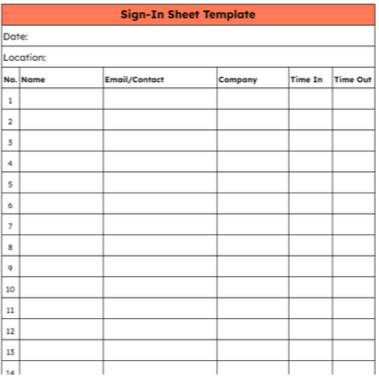
Are you finding it difficult to keep records of visitors, exchanges, and meetups? The Sign In Sheet Template by HubSpot helps you organize visitor details. The comprehensive design makes it easy to track dates, times, names, contact information, companies, and time in an easy-to-follow format.
Add extra columns and rows based on the event-specific needs, so no important visitor detail is missed. Also, get the information signed by the customer to confirm its accuracy.
Ideal for: Anyone who wants to organize the details of event participants.
💟 Bonus: Missing key details from forms because of convoluted Custom Fields? Bring AI into the mix! Instead of manually updating your signup sheet, AI Fields in ClickUp can automatically capture, categorize, and summarize responses for you.
As new entries come in, AI keeps your data organized and up to date. You can even customize prompts to extract exactly the details you need. Just add an AI field to your signup sheet and let automation handle the rest, making your data collection faster and more efficient.
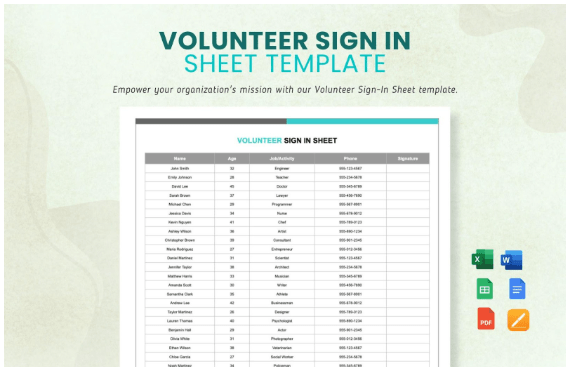
Organizing volunteers will no longer be a hassle with the Volunteer Sign-In Sheet Template by Template.Net. This Google Docs sign-up sheet template streamlines the member management process, including tracking attendance, scheduling shifts, and managing tasks.
Plus, with the table columns marked as name, age, job/activity, phone, and signature, the Google form makes tracking the volunteers’ details seamless. You can even identify the volunteers’ skills to match the tasks with their skills and interests.
Ideal for: Volunteers, small business owners, and community leaders who want to track volunteer hours, interests, and attendance.
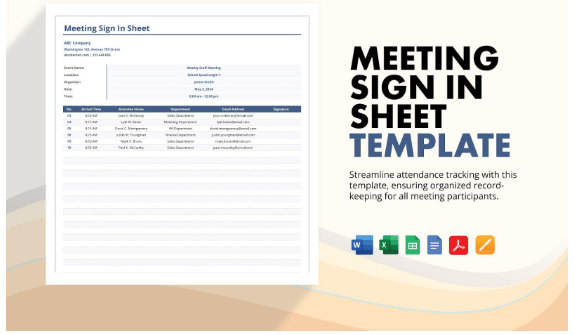
The Meeting Sign-In Sheet Template by Template.Net makes your record-keeping process simple.
The template organizes who attended the meeting, arrival time, signature, and contact details. With precise documentation of attendee details, the template simplifies tracking and reduces administrative time in creating the sheets.
Ideal for: Users who want to record and organize meeting attendee details.
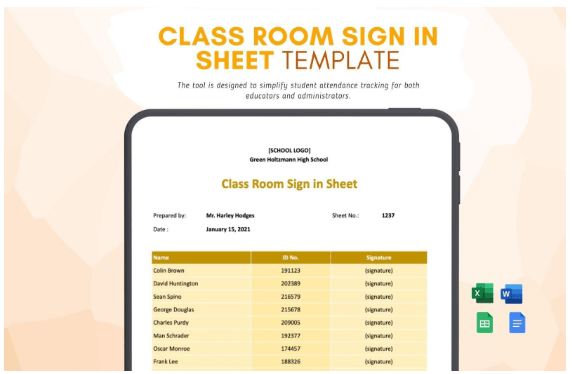
The Classroom Sign-In Sheet Template by Template.Net helps monitor student attendance and participation. The pre-filled columns assist you in recording student attendance right away.
Customize the Google template based on the classroom structure, including sections for student names, ID numbers, and class details. Properly documenting student attendance can help you comply with school policies and regulatory requirements.
Ideal for: Teachers looking to organize the attendance details of their students and maintain accuracy and simple tracking.
➡️ Read More: Free Google Form Templates to Collect Survey Feedback
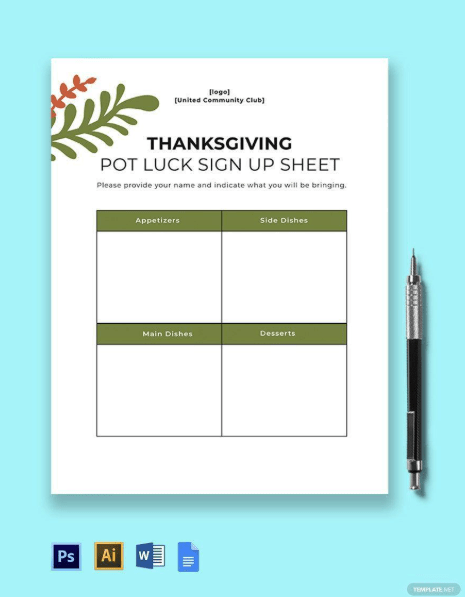
The Thanksgiving Potluck SignUp Sheet Template by Template.Net makes it easy to keep track of the tiny details of your annual Thanksgiving potluck. The customizable sections ensure that you have ample space to include all the Thanksgiving potluck preparation details.
Create sections for appetizers, side dishes, main courses, and desserts to see who’s tasked with bringing specific dishes. The template, with multiple file formats, is simple to edit and share.
Ideal for: Community members or event planners who need a solid process for organizing potlucks.
📚 Also Read: How to Plan a Virtual Conference Event
While Google Docs is suitable for small businesses and events, it does not provide a range of options to customize the form to your requirements.
Here are the limitations of using Google Docs for a sign-up sheet:
📮 ClickUp Insight: More than half of employees struggle to find the necessary information at work. While only 27% say it’s easy, the rest face some difficulty, with 23% finding it difficult.
When knowledge is scattered across emails, chats, and tools, the time spent searching for information adds up fast. With ClickUp, you can turn emails into trackable tasks, link chats to tasks, get answers from AI, and more within a single workspace.
💫 Real Results: Teams can reclaim 5+ hours weekly using ClickUp—over 250 hours annually per person—by eliminating outdated knowledge management processes. Imagine what your team could create with an extra week of productivity every quarter!
To ensure efficiency and accuracy, you need a customizable template that automatically categorizes information and ensures easy tracking.
Here are the top signup templates from ClickUp, the everything app for work, that check all the boxes:
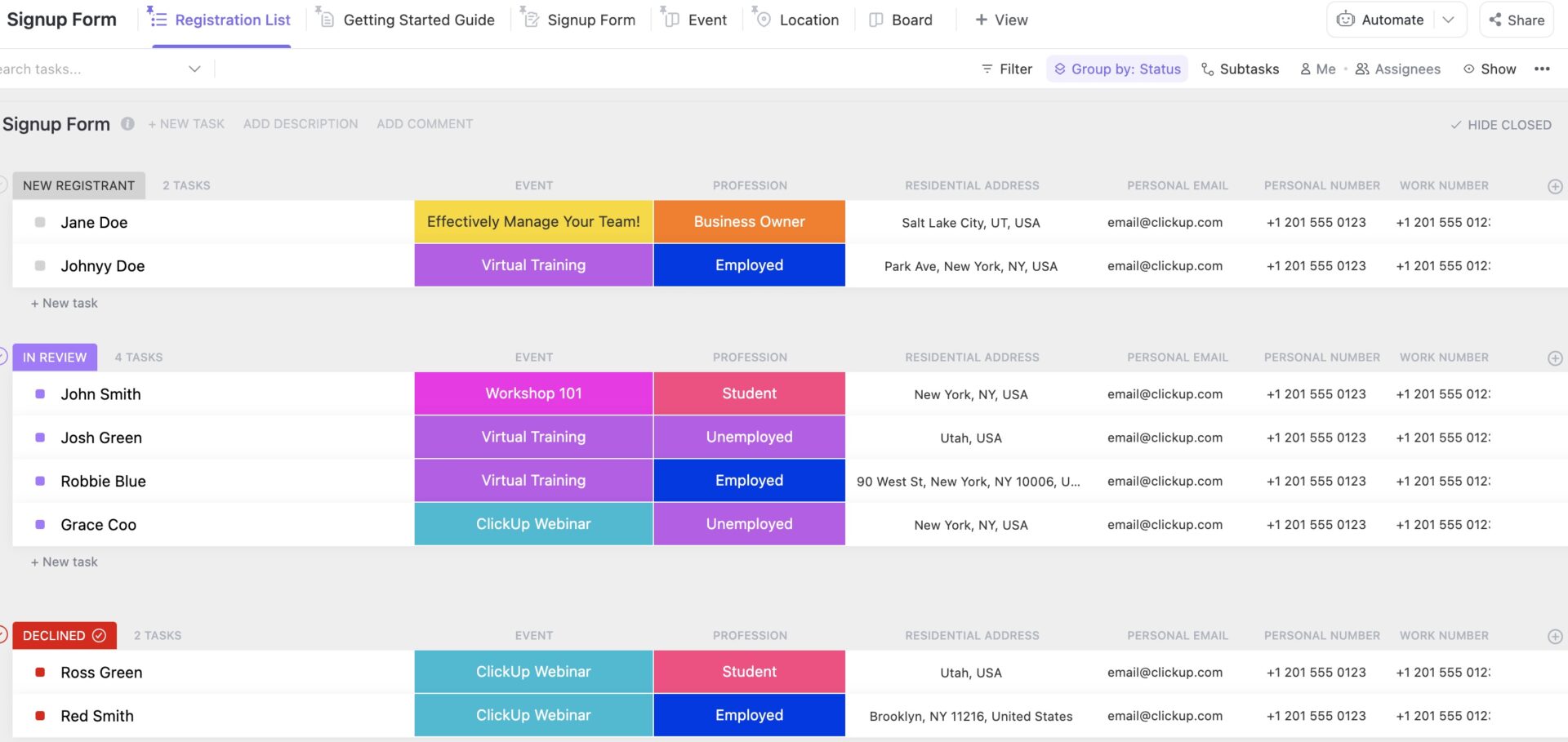
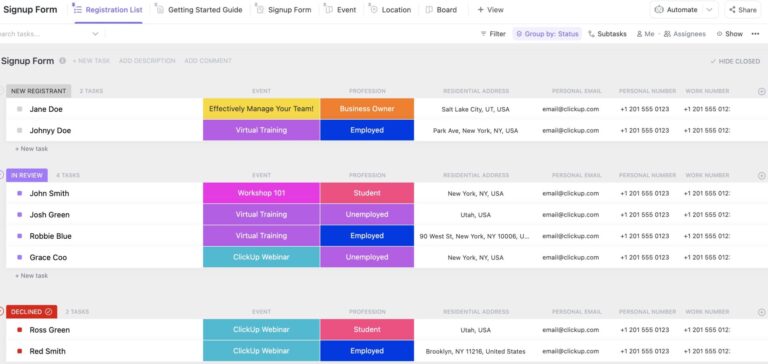
Tiny event-organizing details. Big hassles. But not with the ClickUp Event SignUp Form Template. From planning to execution, the template makes it simple to collect accurate attendee information. Categorize all the information by events and workshops to avoid confusion and ensure easy organization.
Additionally, this signup form template lets you keep every event attendee’s contact details, including email and contact number, so you can connect with them when needed. You can even track the approval status, including new registrant, in review, declined, and approved, for every registrant.
Ideal for: Event organizers, looking to keep accurate records for information at a granular level.
💡 Pro Tip: Streamline work for software teams with ClickUp Forms. Whether it’s a bug report or a support ticket, you can turn them into trackable tasks instantly.
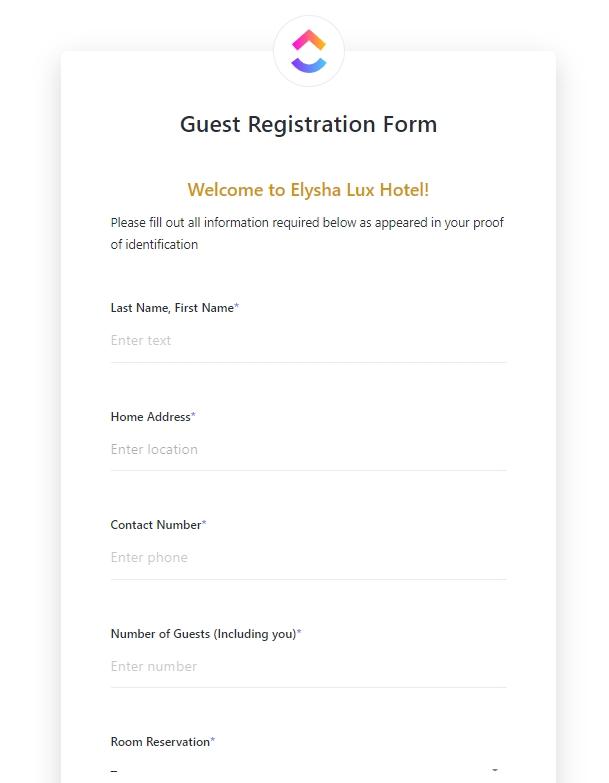
The ClickUp Registration Form Template provides the perfect solution to all the data collection hassles. With a customizable format, this registration form template ensures that all the required details about the guests are collected.
Moreover, automated emails ensure easy follow-ups when the registration form is complete. Include the required contact details of all your guests to connect with them quickly.
Ideal for anyone who wants to organize guest details and efficiently plan around them.
Here’s what Shikha Chaturvedi, Business Analyst at Cedcoss Technologies Private Limited, thinks about using ClickUp:
We retain all the business problems in one place and can focus on each problem simultaneously through ClickUp. It also helps us manage our tasks and track the time invested in particular tasks.
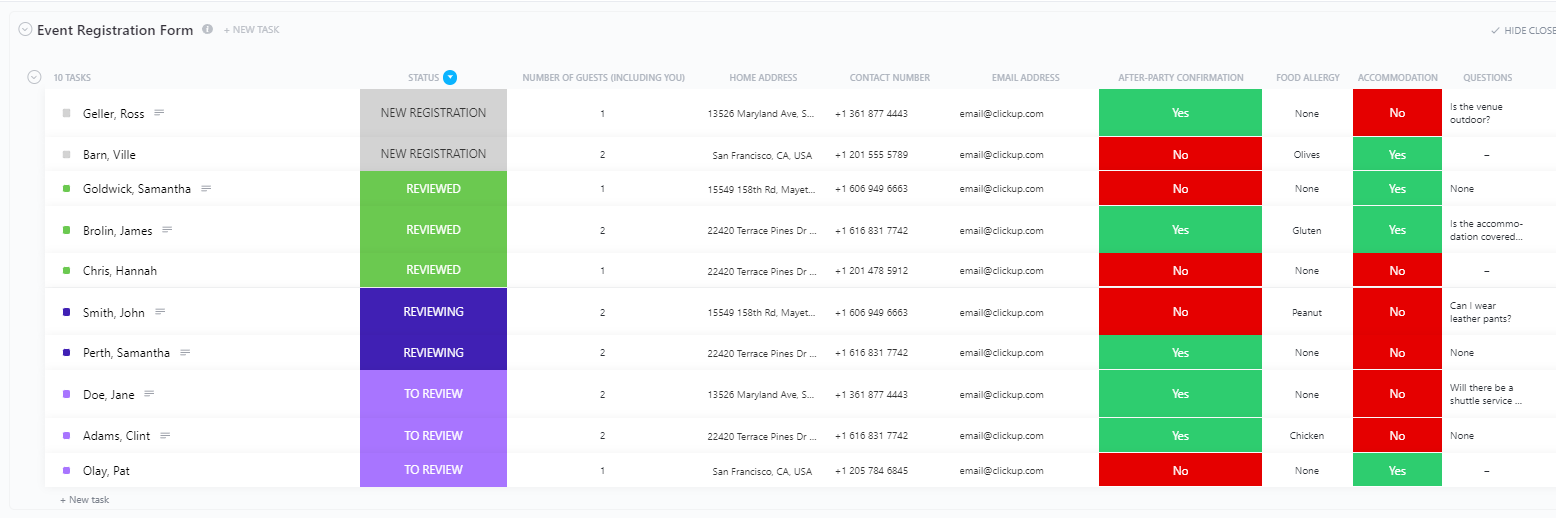
The ClickUp Event Registration Form Template makes event organization seamless with a structured format. Use it to monitor the attendance and registrations for the event in one place.
The customizable registration form helps you ensure comprehensiveness when collecting attendee details. Track registration status, including new registration, attendance, non-attendance, and more.
Ideal for: Event organizers and planners who want to track RSVPs and optimize their events better.
💡 Pro Tip: Creating an awesome experience for the attendees feels like solving a puzzle, from planning to choosing a venue. But AI tools for event management, like ClickUp Brain, make it easier to process the sign-up data faster, ensuring that you save time and maintain accuracy.
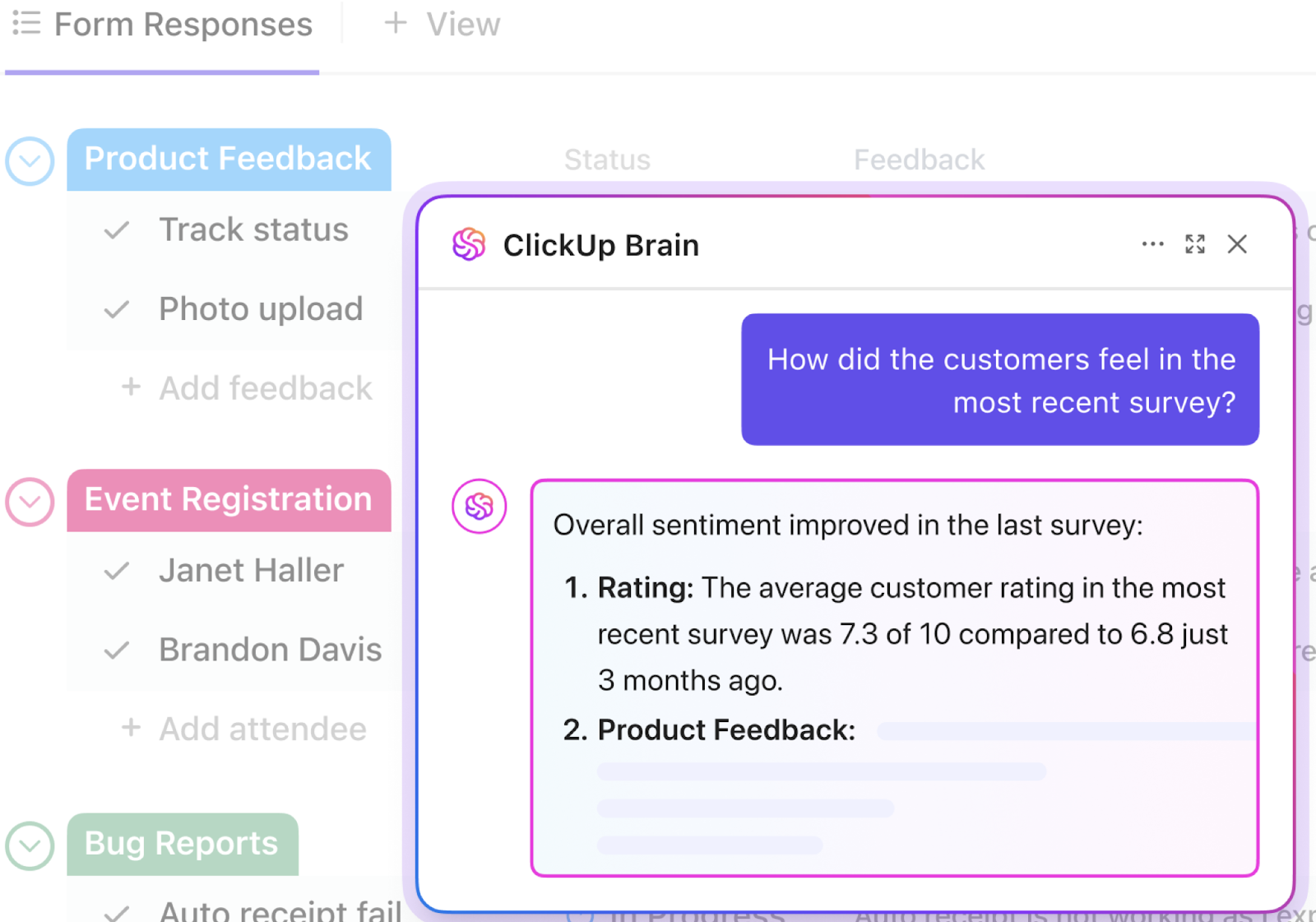
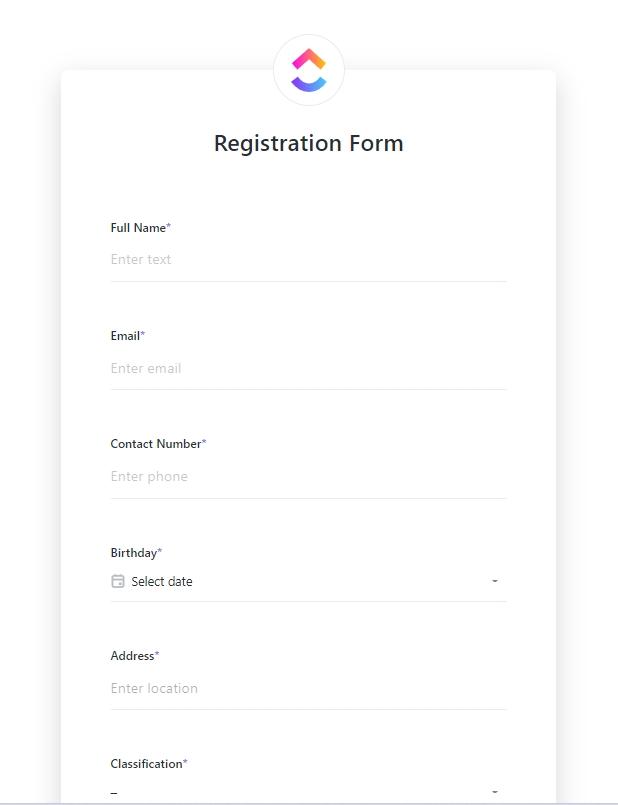
Creating sign-up forms should never be complex and time-consuming, and the ClickUp Sign Up Form Template makes the process effortless. You can track the registration status, including new registration, in review, denied, and complete.
Record the speaker’s email, birthday, billing address, and contact number. Additionally, with a customizable signup form, ensure that all the required information about the attendees and the speaker is collected.
Ideal for: Users who want to create customizable signup forms for events and workshops and track attendee information.
🧠 Fun Fact: In a famous usability study, removing just one field (company name) from a form increased revenue by $12 million annually.
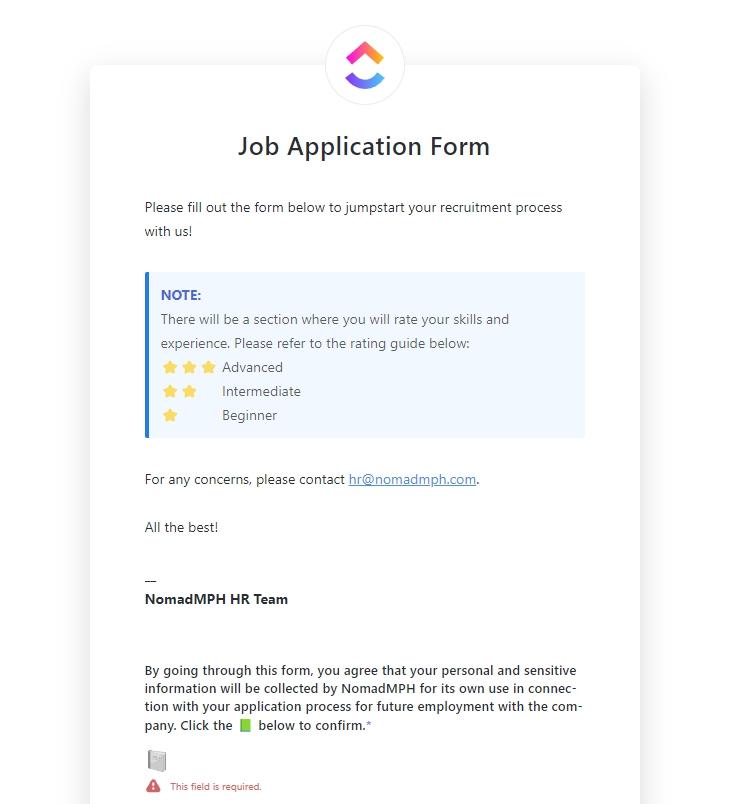
The ClickUp Job Application Form Template helps ensure that the recruitment process is efficient and that important documents are not lost.
Use it to mark each candidate’s status, including prospect, screening, interviewing, skills assessment, and job offer. Additionally, the template makes it simple to categorize the candidates based on the job title, ensuring a seamless hiring process.
Ideal for: HR managers and small business owners looking to make the candidate hiring and onboarding process seamless.
Want to supercharge your sign-up form workflow? Try Brain MAX, your new AI super app!👇🏼
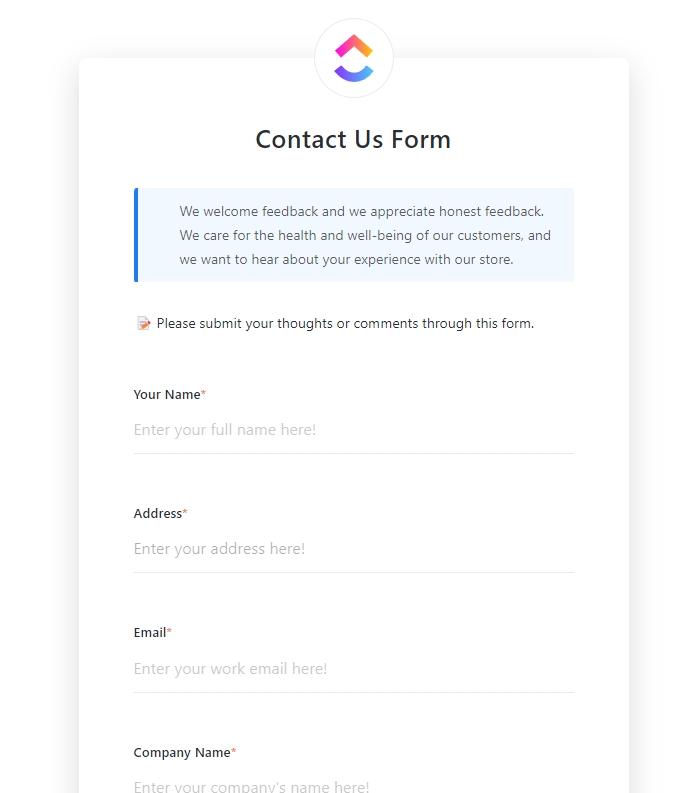
Need a quick and efficient way to capture contact information for leads and customers? The ClickUp Contact Form Template is your solution. With a customizable contact form, the template lets you ask customers relevant questions and makes client management simple.
Get customer contact details to connect with them and send them relevant information. The template even lets you set priority status for each customer query, allowing you to address the queries that need quick attention first.
Ideal for: Organizations looking to organize customer feedback and address their queries.
📚 Also Read: How to Create Your Own CRM in ClickUp
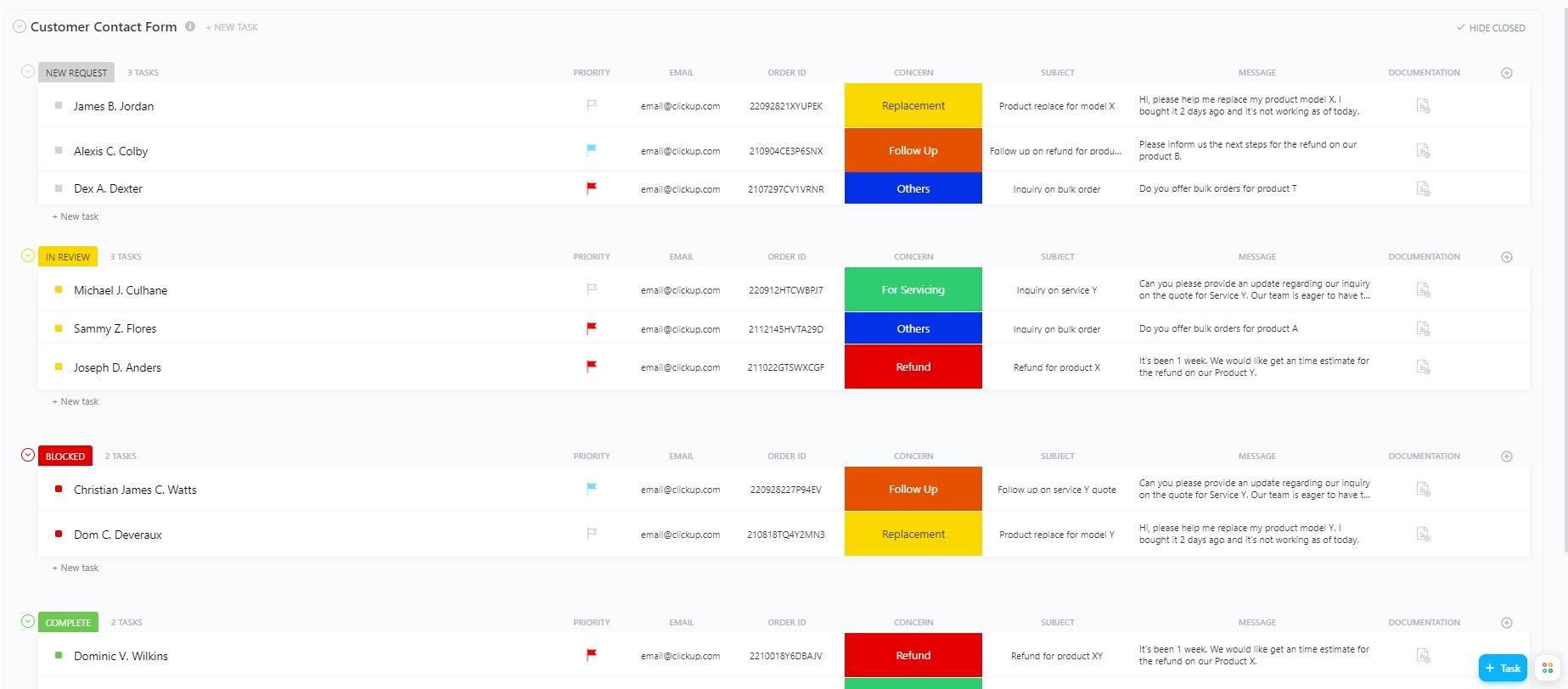
A typical signup sheet in Google Spreadsheets captures names and emails, but that’s where its usefulness ends. The ClickUp Customer Contact Form Template transforms this basic page into a structured, automated form built for action.
With this template, every new submission is instantly actionable via ClickUp Tasks. The template also connects contact intake with reminders, tasks, and customer follow-up in a seamless loop.
Ideal for Businesses that want to systematically collect user feedback and develop a follow-up plan.
Let your data get to work with little to no manual intervention. Try ClickUp’s Autopilot Agents. Here’s how. 👇🏼
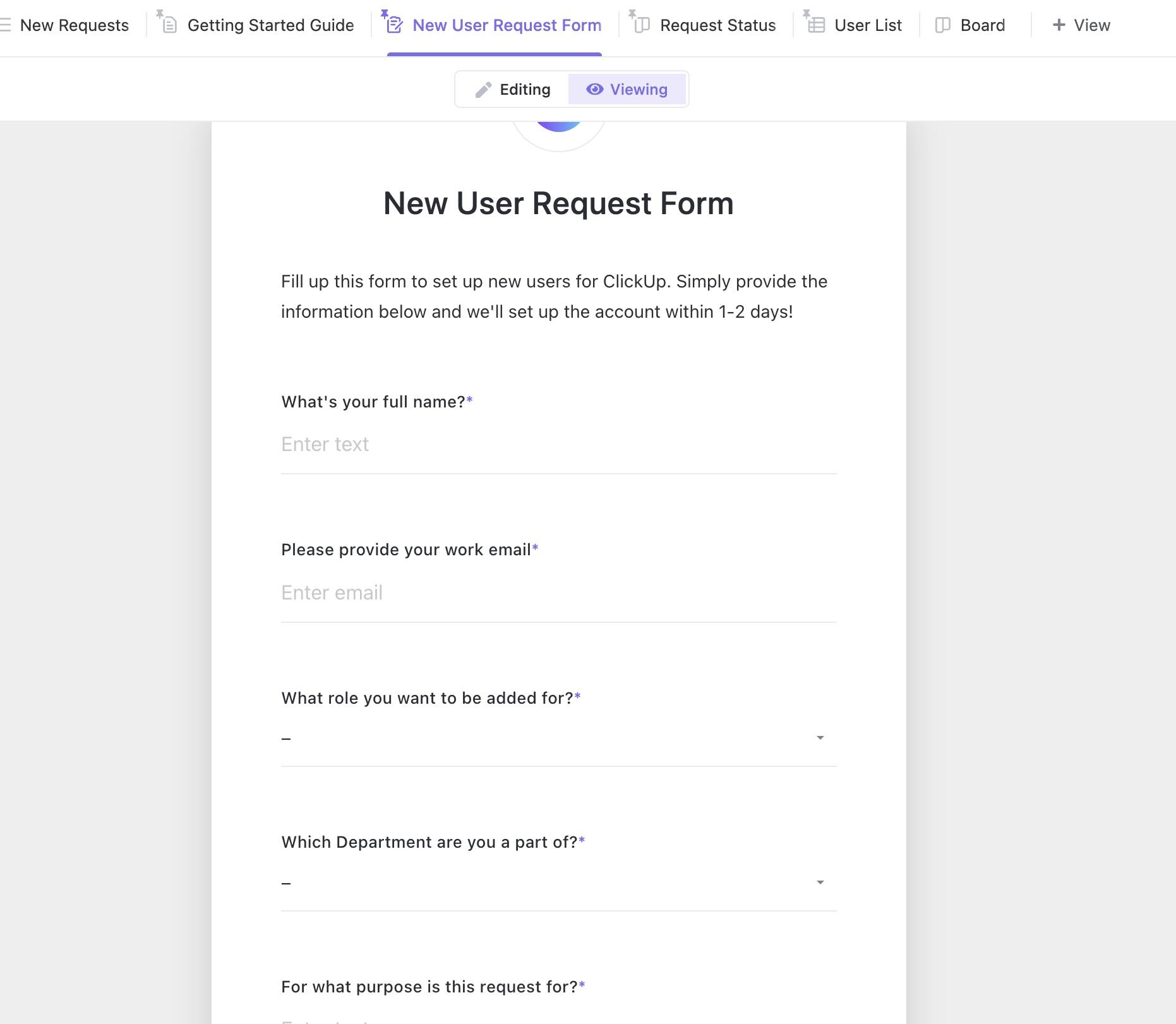
The ClickUp Request Form Template optimizes the process of collecting information, from customer service to HR onboarding. It helps you handle customer requests in a timely and organized manner by setting request statuses such as new request, in progress, denied, and granted.
The request form should include all the details you need to collect from the customer, and all the requests should be organized and tracked in one place for easy reference.
Ideal for: For anyone looking to track internal or external requests in an organized manner.
➡️ Read More: Best Free Database Software
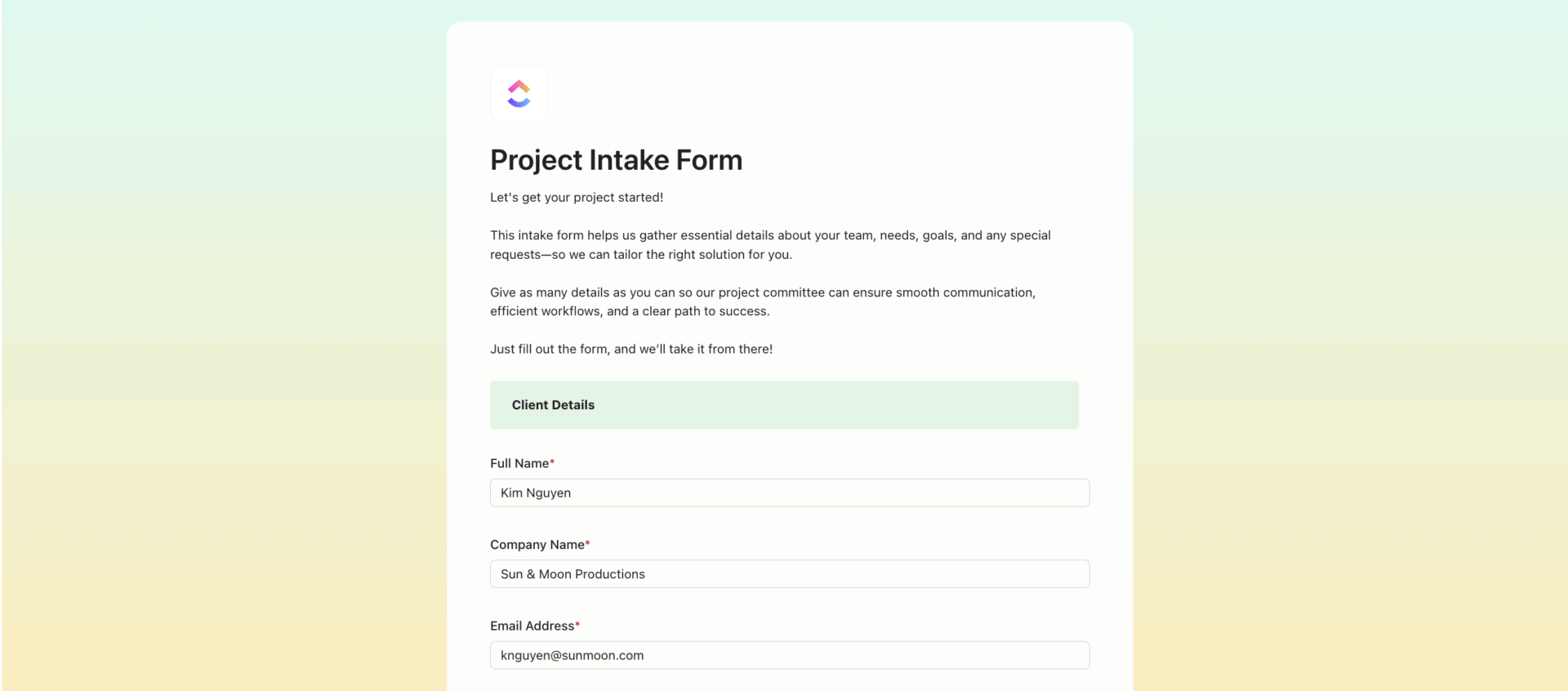
Businesses onboarding customers, students, or patients need more than a basic signup sheet. The ClickUp Intake Form Template provides a professional alternative to a static spreadsheet or example form by capturing context-rich data from different people and plugging it directly into your system.
Forget downloading another sample template or creating a new document each time—this form adapts dynamically. Use it to collect personal details, preferences, required documents, and scheduling information, then trigger automated steps based on the responses.
Ideal for: Workshop organizers or event planners looking to gather data around intake for specific events or classes.
➡️ Read More: Free Client Intake Form Templates in Word & ClickUp
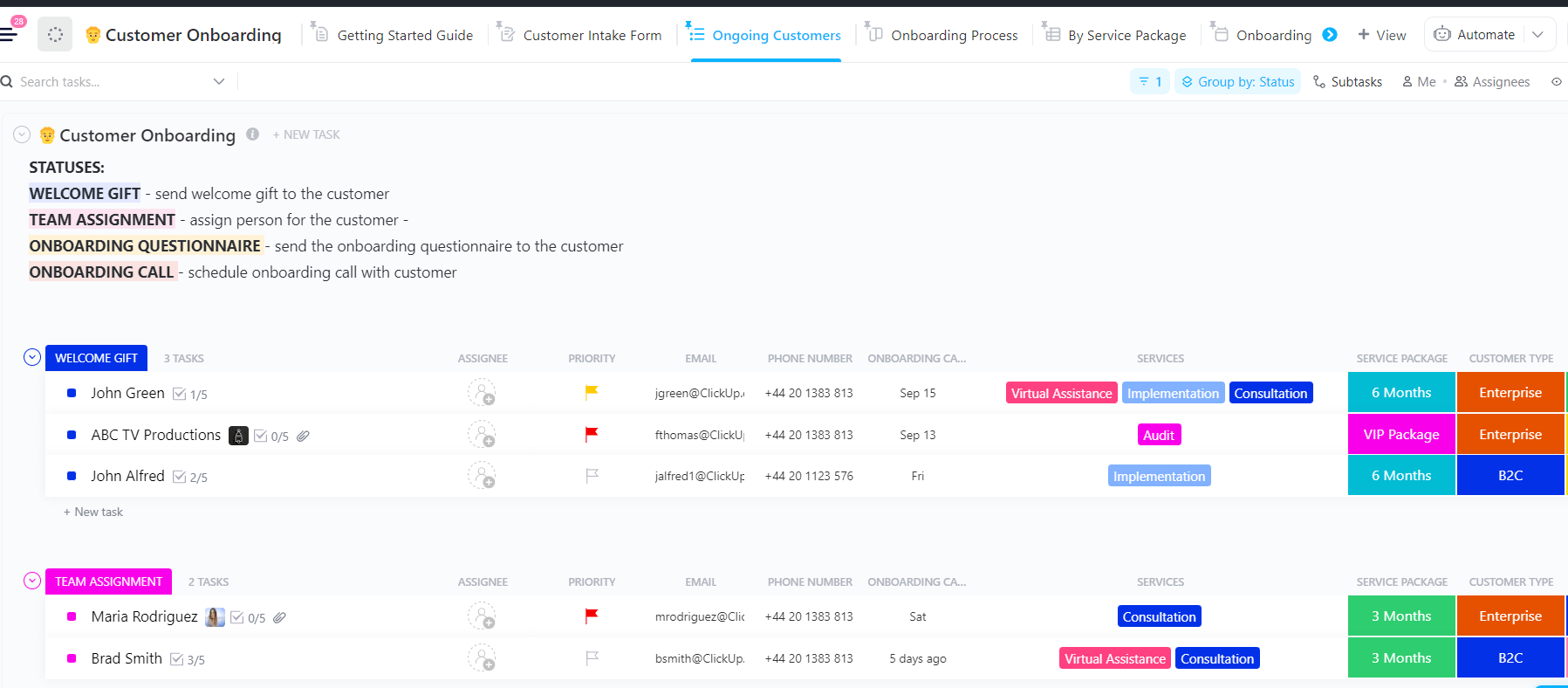
The ClickUp Customer Onboarding Template makes transitioning the customer from signing up to using your services seamless. Set a mix of drop-downs and text spaces to ensure a professional format and make it simple to give comprehensive information.
You get the advantage of consistent onboarding across different people without juggling multiple spreadsheets or new documents. Furthermore, create a customer onboarding process and categorize customers based on the onboarding stages, including new customer, welcome gift, team assignment, onboarding questionnaire, onboarding call, and completion.
Ideal for: Businesses looking for a ready-to-use solution to onboard customers.
Sign-up forms help you gather customer information to answer queries or send them offers or event promotions. They also help you engage attendees, volunteers, and customers to build your brand identity.
ClickUp, the everything app for work, makes this process seamless by offering organized and intuitive forms and allowing simple tracking. Whether you are organizing events, onboarding customers, or hiring candidates, ClickUp makes the process seamless and allows efficient tracking.
No more sign-up form drop-offs or lack of information to analyze and improve services. Sign up for free with ClickUp today and start capturing the right data effortlessly! 🚀
How do I create a signup sheet on Google Docs?
To create a signup sheet on Google Docs, start by opening a new blank document and giving it a clear title, such as “Signup Sheet” or “Event Registration.” Use the “Insert” menu to add a table with columns for the information you want to collect, like Name, Email, and Phone Number. Label each column accordingly. Once your table is set up, you can add as many rows as needed for participants to fill in their details. When you’re ready to share, click the “Share” button and adjust the permissions so others can edit the document and enter their information directly.
Does Google Docs have a sign-in sheet template?
Yes, Google Docs provides sign-in sheet templates that you can use to save time. To find these, go to the Google Docs homepage and click on “Template Gallery.” Search for terms like “sign-in sheet” or “attendance sheet.” You’ll find pre-made templates that you can customize to fit your needs. If you don’t see a template that matches what you’re looking for, you can easily create your own using the table feature in a blank document.
How do I create a fillable sign-up sheet?
You can make a basic fillable sign-up sheet in Google Docs by inserting a table where users can type in their information. However, if you want more interactive features like checkboxes or dropdown menus, Google Docs is limited. For advanced fillable forms, Google Forms is a better option, as it allows you to create interactive fields and collect responses in a structured way.
How do I create a signup sheet in Google Forms with time slots?
To create a signup sheet with time slots in Google Forms, start a new form and add questions for participant details, such as name and email. Then, add a multiple-choice or dropdown question listing all available time slots for participants to choose from. While Google Forms doesn’t natively limit the number of responses per time slot, you can use add-ons like Choice Eliminator 2 to automatically remove a time slot once it’s been selected. This is especially useful for scheduling appointments or volunteer shifts, ensuring each slot is only filled once.

© 2026 ClickUp

There’s an easier way. Try a free AI Agent in ClickUp that actually does the work for you—set up in minutes, save hours every week.