






Still downloading templates?
There’s an easier way. Try a free AI Agent in ClickUp that actually does the work for you—set up in minutes, save hours every week.
Sorry, there were no results found for “”
Sorry, there were no results found for “”
Sorry, there were no results found for “”

Every day, your customers share what they honestly think about your brand through in-app reviews, survey responses, social posts, and support chats. It’s a goldmine of insight.
The tricky part is making sense of it all. Thousands of comments, dozens of channels, endless spreadsheets. Your brain can only handle so much.
Sentiment analysis tools use artificial intelligence (AI) and natural language processing (NLP) to read through all that feedback and surface the patterns: what’s delighting people, what’s frustrating them, and what needs your attention first.
We’ve pulled together some of the best options to help you listen at scale. Let’s go! 🎧
Here are the top sentiment analysis tools. ⚒️
| Tool | Best for | Best features | Pricing |
| ClickUp | Task-management and feedback workflows for product, support, and CX teams | ClickUp Forms for efficient feedback collection with customizable surveys; ClickUp Brain to ask natural language questions about your data; AI Fields to automate sentiment classification; Dashboards with AI Cards for in-depth analysis; ClickUp Agents for smart workspace monitoring | Free forever; customizations available for enterprises |
| IBM Watson Discovery | Multilingual enterprise analysis of large, complex document collections | Tone-layering and emotion granularity; Large-scale batch processing; Cross-language support; Structured exports for data warehouses | Free trial; paid plans start at $500 |
| Google Cloud NLP | Simple, pay-as-you-go API access for engineering teams and devs | Sentiment magnitude + polarity; Entity-level sentiment; Automatic language detection; Cloud Storage file analysis | Free trial; custom pricing |
| Amazon Comprehend | AWS-native aspect-level sentiment for product and review analysis | Aspect (feature) sentiment breakdown; PII detection; Custom entity training; Free monthly units for testing | Free trial; custom, unit-based pricing |
| Talkwalker | Multimodal brand listening across video, images, audio, and text for PR and comms teams | Multimodal monitoring (video/image/audio); Five-year historical indexing; Real-time spike alerts; Sarcasm-aware models | Custom pricing |
| Lexalytics | Industry-specific sentiment for teams needing domain-aware NLP | Industry jargon models; On-prem/cloud/hybrid deployment; Multilingual native processing; API integration (Semantria) | Free trial; custom pricing |
| Brandwatch | Emotion-level detection and cultural context for global social teams | Emotion taxonomy (joy, anger, fear, etc.); Emoji and cultural context handling; Interactive dashboards; Benchmarking | Custom pricing |
| Brand24 | Real-time alerting for sudden sentiment shifts and influencer discovery | Real-time anomaly alerts; Combined reach/impression metric; Influencer identification; Platform/location filters | Free trial; paid plans start at $199/month |
| Sprout Social | Social teams needing unified publishing + sentiment triage | Message sorting by sentiment; Listening queries + scheduling; Slang/emoji handling; Manual classification for training | Free trial; paid plans start at $199/user/month |
| Hootsuite | Unified social listening and basic sentiment monitoring across channels | Cross-platform mention tracking; Competitor sentiment benchmarking; Trending topic + sentiment combination; Listening + publishing integration | Free trial; paid plans start at $149/user/month |
| Qualtrics XM Discover | Cross-channel emotion and intent analysis for CX organizations | Conversation analytics across calls, chat, surveys; Industry-specific prebuilt models; Automated routing workflows | Custom pricing |
| Chattermill | Theme-driven feedback analysis for product and support teams | Natural-language querying; Automatic theme extraction; Real-time alerts on new issue themes; Actionable pattern surfacing | Custom pricing |
| Meltwater | PR and media teams tracking earned media sentiment and share of voice | Sentence-level sentiment; Historical benchmarking; API exports for BI tools; Spike detection and alerts | Custom pricing |
| Medallia | Enterprise feedback capture and closed-loop action for CX programs | Closed-loop workflows on negative sentiment; Cross-touchpoint dashboards; Themed extraction from open text; Video feedback support | Custom pricing |
With dozens of brand sentiment analysis tools on the market, finding the right fit can feel overwhelming. The best tool for your business will depend on your data volume, the platforms you use, and how deep you need your analysis to go. Here’s what to prioritize:
📮 ClickUp Insight: “It always falls on the same people!” is a sentiment shared by 65% of workers when it comes to invisible tasks.
(Like supporting that new hire through their first week of onboarding or pulling a weekender to close critical tasks. 👀)
But this uneven distribution can quickly become a breeding ground for resentment, burnout, and a poor team dynamic.
The fix? Pull your team together for a quick brainstorming session and map all those support tasks via ClickUp Tasks. Chart them on a list with clear owners (who have the bandwidth to support), and you’re good to go!
Our editorial team follows a transparent, research-backed, and vendor-neutral process, so you can trust that our recommendations are based on real product value.
Here’s a detailed rundown of how we review software at ClickUp.
These are our picks for the best sentiment analysis tools. 👇
ClickUp is the everything app for work that combines project management, knowledge management, and chat—all powered by AI that helps you work faster and smarter. Teams managing customer support, user insights, and feedback workflows tend to gravitate toward ClickUp because it brings sentiment analysis into the flow of work.
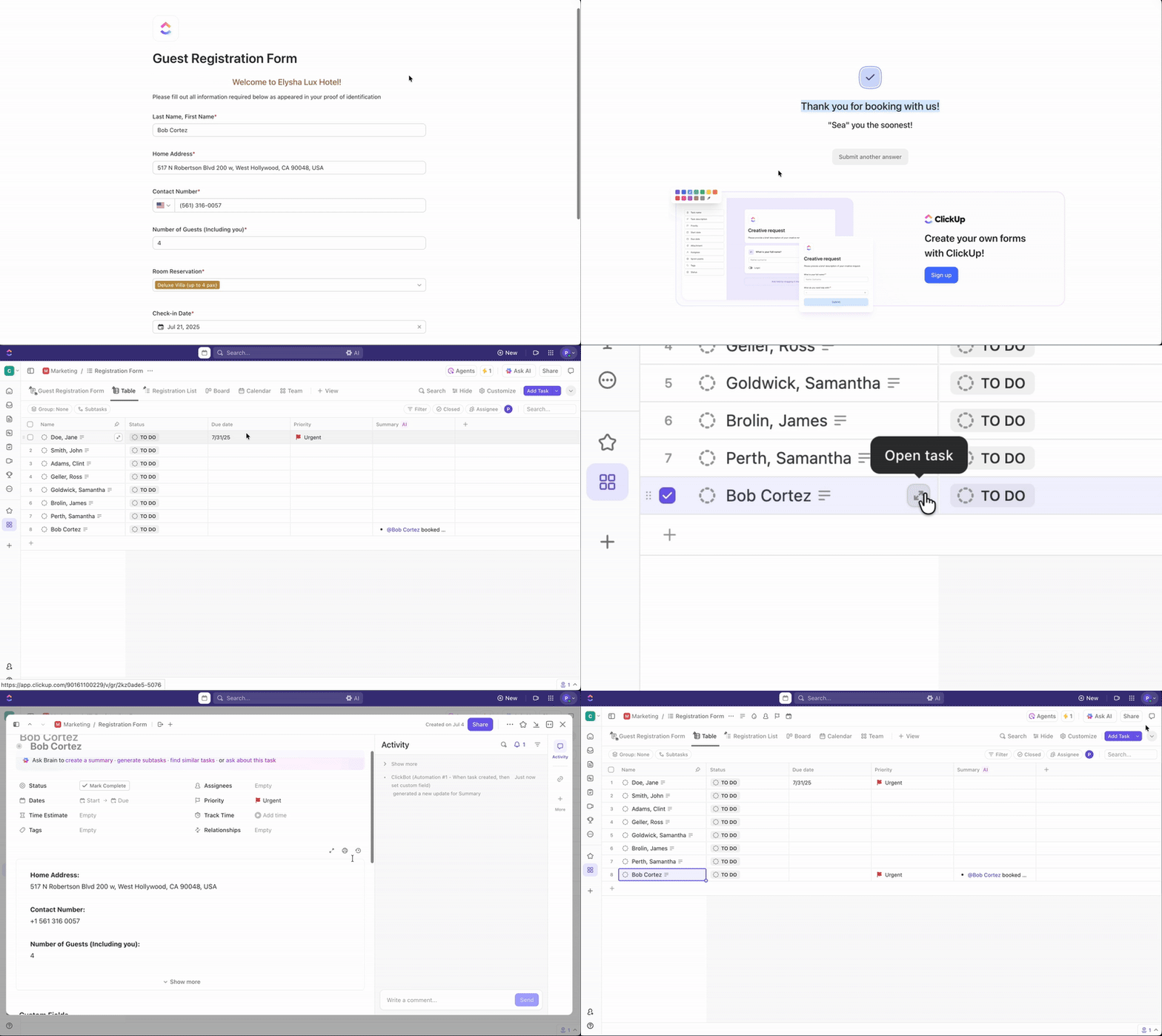
A strong starting point for this kind of workflow comes through ClickUp Forms, so let’s begin there.
Forms in ClickUp are a structured way to capture feedback that flows directly into ClickUp Tasks. Teams rely on this setup for sentiment tracking because every submission funnels into an actionable workflow.
Suppose a customer success manager sends a post-demo form to prospects to gauge perceived value and hesitation points. Responses automatically convert into tasks with tagged sentiment. The CS team reviews these tasks weekly, picking up negative sentiment submissions for immediate ownership and action.
Now that feedback sits inside tasks, the next natural step involves sentiment interpretation.
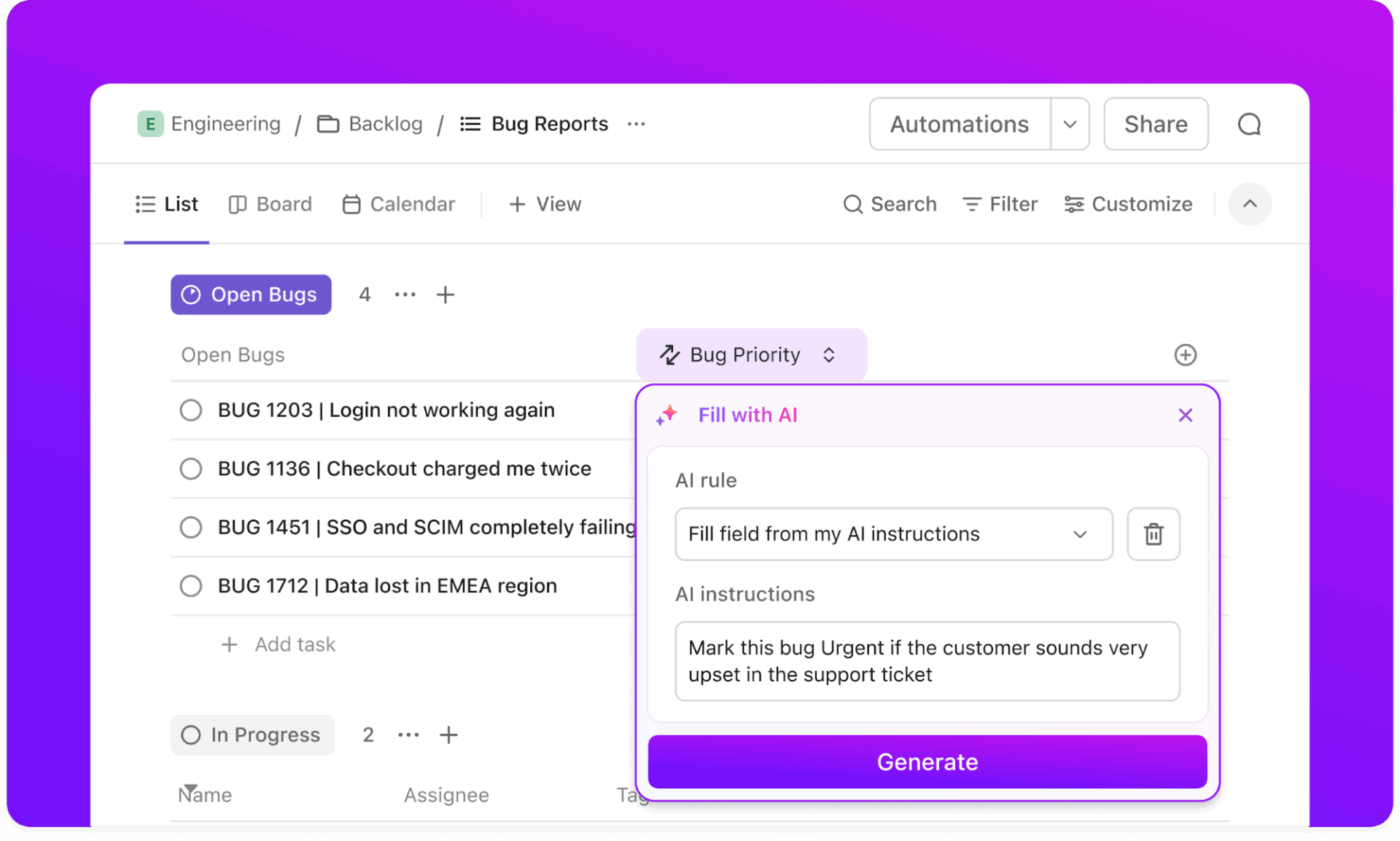
ClickUp Brain enriches tasks with automatic sentiment detection.
Teams can set up an AI Field for sentiment on their feedback list. The AI Field runs on task descriptions, form responses, and comments, and then saves a label such as positive, neutral, or negative for each task.
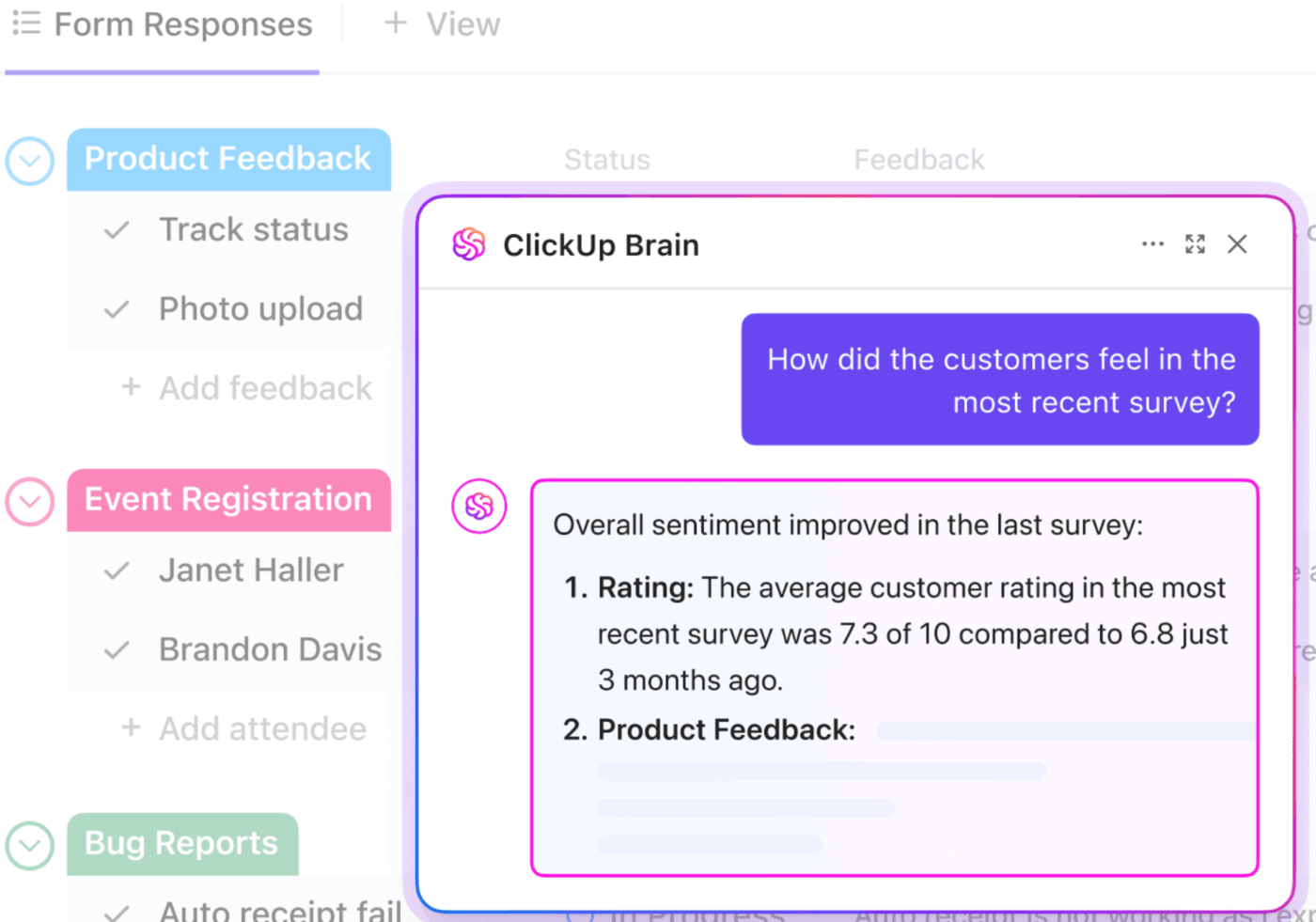
What’s more, ClickUp Brain analyzes customer feedback across your workspace and answers sentiment questions instantly. You can ask direct queries, and it pulls context from form responses, survey answers, docs, or any connected work item. ClickUp Brain then lays out emotional trends, ratings, and the overall tone of the feedback.
📌 Try this prompt: Summarize the overall sentiment in recent customer responses in this list. Highlight the main emotions, the top recurring themes, and any shifts in tone that teams should address in the next review cycle.
The flow continues naturally into measurement, so teams can validate trends.
Learn more about AI Fields:
Summarize sentiment across feedback cycles with ClickUp Dashboards. You create a dashboard, add cards that show metrics such as tasks by status, custom-field values, or time-tracked hours, then filter them by the sentiment field you’ve defined.
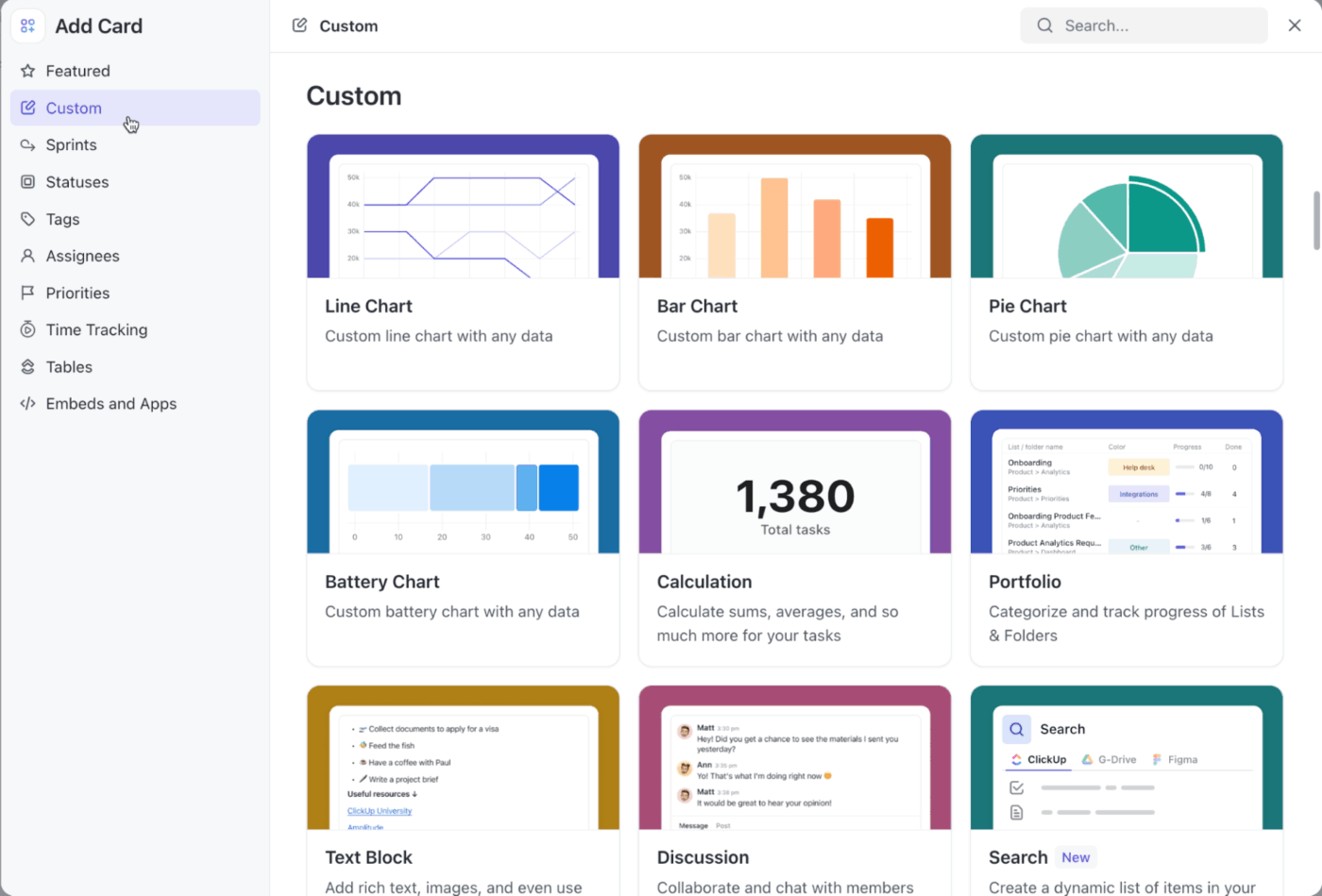
For example, if you’ve set up an AI Field in tasks that labels sentiment as positive, neutral, or negative, you can build a card in the dashboard to count how many tasks fall under each label for the last week.
You might notice that negative-sentiment items climbed this month in your ‘Customer Feedback’ list. That insight leads you to dig into those tasks and plan corrective steps.
This G2 review says it all:
After trying different platforms throughout my career as a Project Manager, I can say that ClickUp has become my favorite. It is a very comprehensive tool that allows me to organize all my projects in one place, thanks to its multiple spaces, boards, and customizable views. […] I am particularly in love with the AI Notetaker function: as a PM, this feature is pure gold. I can focus on the session without being distracted by taking notes, as the system generates clear summaries with key points, both in short meetings and in long ones where it is difficult to follow the entire thread. Additionally, its forms make it much easier for me to collect requirements and, as if that weren’t enough, the integrations with other tools (such as ticketing systems) allow workflows to be much more agile, automatically generating tasks in ClickUp.
🧠 Fun Fact: More than 5% of English words used today have completely reversed polarity over the last 150 years (e.g., once ‘awful’ meant ‘full of awe,’ now it’s negative).
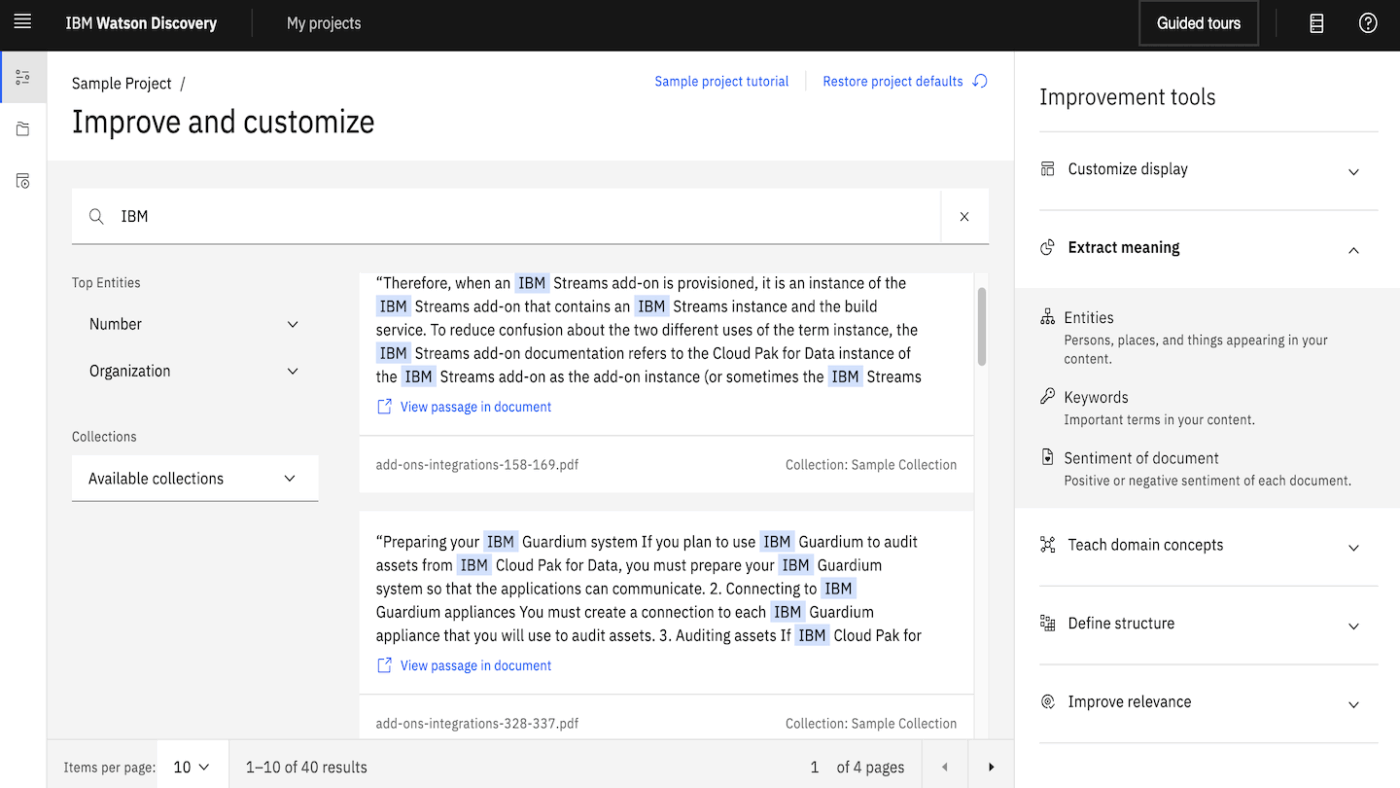
IBM Watson Discovery’s approach centers on understanding emotional nuance rather than just surface-level classification. The platform detects multiple tones simultaneously within the same text passage, identifying confidence, joy, fear, and analytical thinking in real customer communication.
The system processes massive document volumes efficiently without choking, which matters when you’re juggling thousands of daily interactions. Global teams benefit from native support across 10+ languages, meaning you don’t need to rebuild queries or integrate separate tools for different markets.
The platform integrates cleanly into IBM’s broader Cloud ecosystem if you’re already committed to that infrastructure.
From a G2 review:
Easy to use and connect with documents, Powerful natural language processing (NLP) capabilities. Watson Discovery uses NLP to extract insights from unstructured data, such as text documents, emails, and social media posts. This can be used to identify trends, patterns, and relationships in data that would be difficult or impossible to find using traditional methods.
📖 Also Read: How to Measure and Track Your Share of Voice
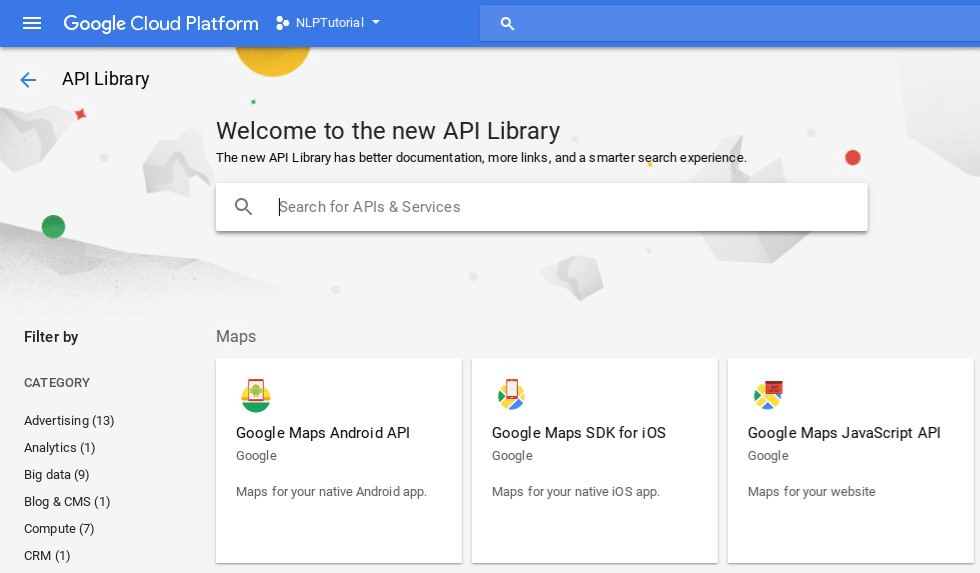
Google’s Natural Language API strips away complexity by delivering exactly what you ask for without extra layers. You send it text and get back both a sentiment score (where it lands on the positive-negative spectrum) and magnitude (how intensely that feeling registers).
The platform lets you query files sitting in Cloud Storage without re-uploading, or you can send raw text through REST APIs, depending on your workflow. Language detection happens automatically, so you don’t need to pre-categorize incoming text.
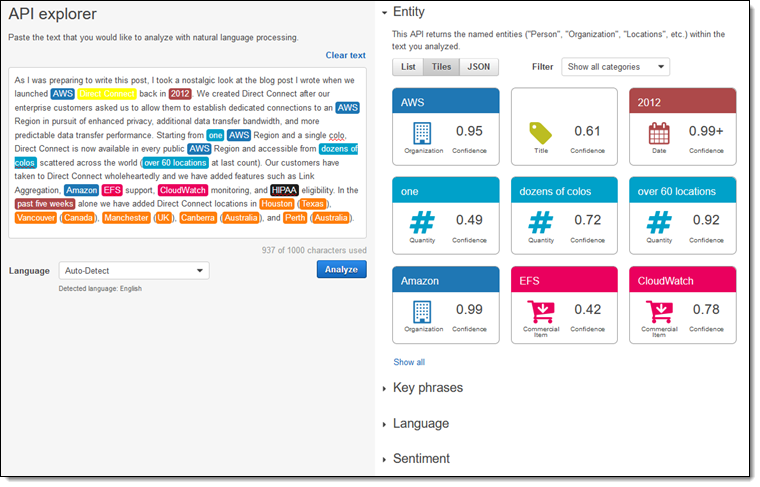
Entity sentiment analysis lets you understand how customers feel about specific things, such as competitors, product features,and people mentioned in reviews.
A G2 review shares:
Recently I was working on a project named “Sentiment Analysis” in integration with Google Cloud Natural Language API. When I used it to analyze text data for my “Sentiment Analysis” project, it did an excellent job correctly identifying whether the sentiment was positive, negative, or neutral. Also what I liked the most is the documentation itself, allowing me to get up and run quickly. Additionally the multilingual support feature was a nice bonus that could come in handy for future text analysis needs.
🔍 Did You Know? Despite all the tech, sentiment analysis tools still struggle with sarcasm, idioms, and context. For example, the phrase ‘Just great, another glitch!’ could be misread as positive just because of ‘great.’
If your infrastructure already runs on AWS, Amazon Comprehend makes sense as a natural next step.
The platform’s real differentiation is aspect-based sentiment analysis. Instead of only knowing whether customers are overall feeling positive or negative, you isolate exactly which product elements drive satisfaction or complaints.
A review might praise battery life and design while criticizing customer service, and Comprehend breaks that apart into separate sentiment signals.
It supports 12 languages, handles PII detection, and offers key phrase extraction as built-in capabilities, so you get multiple analytical angles without juggling separate tools. Custom model training allows classification or entity recognition tailored to your industry’s vocabulary and quirks.
A G2 reviewer writes:
Easy to use API which gives back important information about the sentiment of a sentence. The confidence score helps to understand the accuracy of the sentiment which Comprehend is giving back to you.
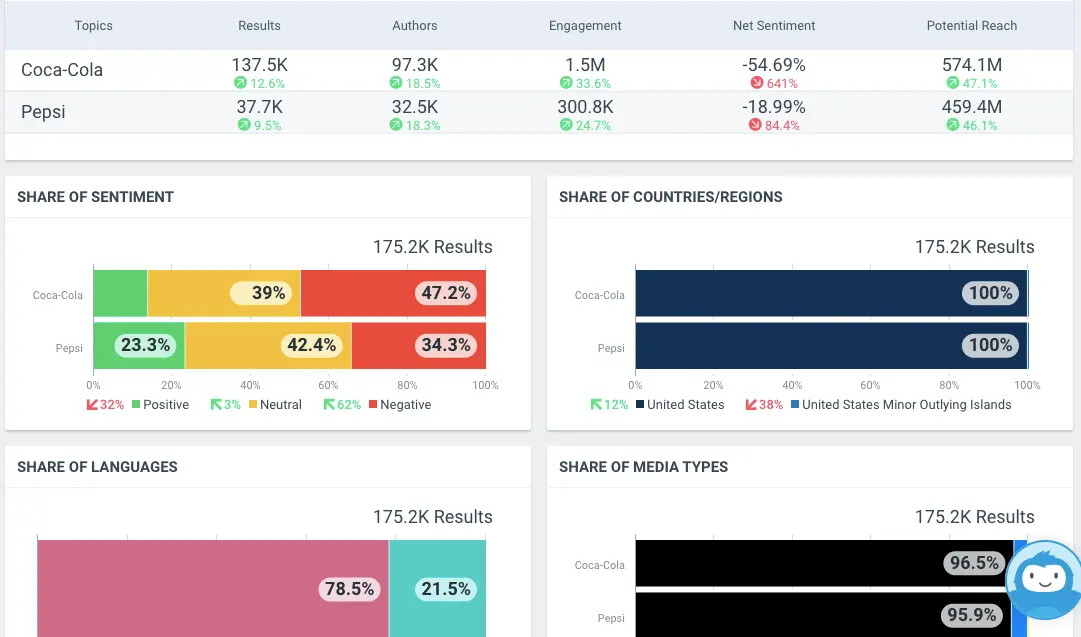
Most social listening tools peak at text analysis and call it a day. Talkwalker assumes the internet is multimodal; people discuss brands in video, images, audio, and text across 30+ social networks and 150 million websites simultaneously.
It indexes video content and can analyze what people are saying without requiring manual transcription first. The same goes for images with captions or audio snippets.
The Blue Silk AI engine reaches 90% accuracy on sentiment detection and understands sarcasm. Additionally, real-time alerts notify you immediately when sentiment suddenly tanks or spikes, giving you minutes to respond instead of discovering problems after they’ve already exploded across social media.
A Capterra review says:
This tool saves time because now I do not have to manually search the web for mentions of my company. TalkWalker does it for me. […] I like that once I set up the keywords to track, I get daily digest emails of keyword mentions in social media and across the web.
🧠 Fun Fact: Tools for historians now use sentiment analysis to study older texts. The Sentiment by Timeframe visualization helps researchers track how public mood shifts across decades by analyzing newspapers, speeches, and letters.
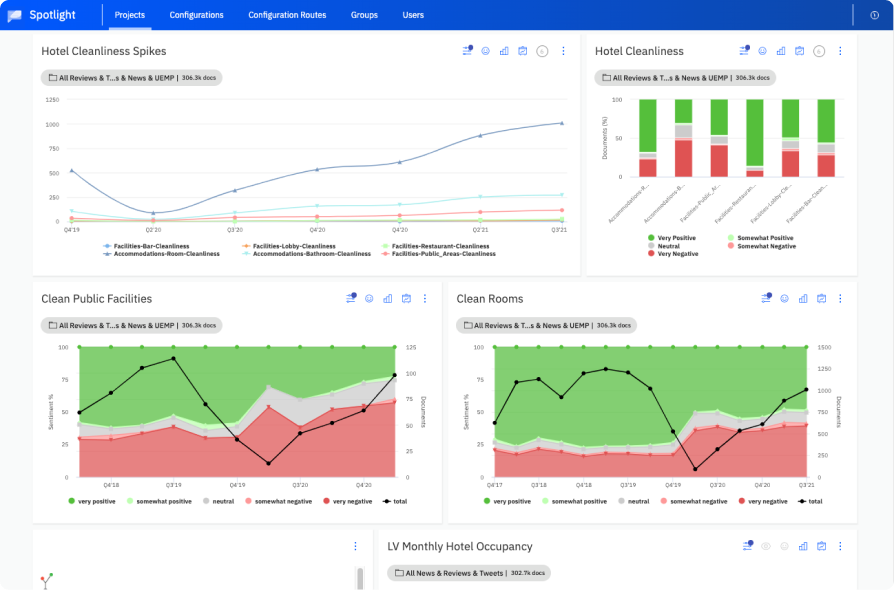
Unlike tools that offer an all-in-one social management suite, Lexalytics focuses purely on the accuracy and depth of unstructured data analysis, uncovering deep insights from text, including social media data.
Lexalytics text analytics includes sentiment libraries that understand niche language. Medical terminology gets processed differently than financial jargon or regional dialects, because context matters enormously for accurate classification.
You can fine-tune how sentiment scores work for your specific business. For example, ‘aggressive’ has a totally different meaning in sports marketing compared to banking or customer service.
Plus, the sentiment analysis tool offers deployment flexibility—cloud, on-premise, or hybrid setup depending on your data security and residency requirements.
On G2, a user wrote:
I can deploy it however I want like on premises, on cloud or even in hybrid. Also the machine learning processing the data is making my daily tasks super easy!
🔍 Did You Know? In the 2024-2025 U.S. Presidential Election, one study found that facial expressions in Instagram posts offered extra insight beyond what text alone conveyed, meaning future sentiment analysis may need to see emotions, not just read them.
📖 Also Read: Free Feedback Form Templates to Collect Insights
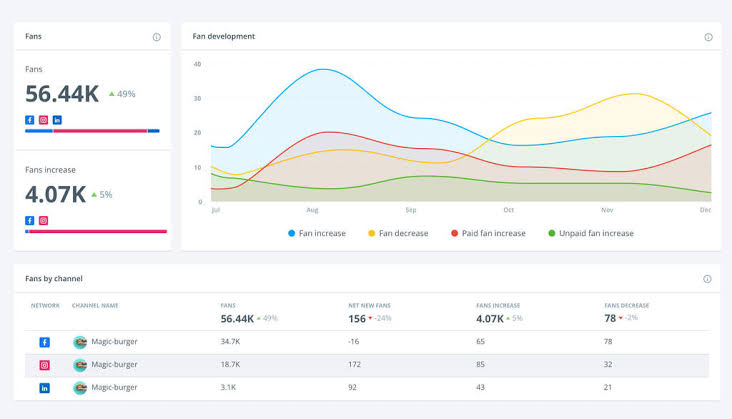
Brandwatch leverages advanced AI, including its proprietary BrightView technology, for superior data segmentation and automated insight spotting. This lets the platform go beyond the basic positive-negative-neutral labels by naming specific emotions: anger, disgust, fear, joy, sadness, surprise.
The platform processes 22 languages and catches emoji meaning and cultural context that most tools completely miss.
What’s more, real-time monitoring across social, blogs, news, and forums keeps you ahead of brand reputation issues, letting you catch emerging sentiment shifts before they snowball into larger problems.
One Reddit user writes:
Yes, I love brandwatch! It’s easy to use, and the reporting is great. I can easily export and customize graphs and charts. I only have used it for social listening, but there’s a ton of other features for social media marketers that they offer.
💡 Pro Tip: Twitter is harsher than email. A tweet that sounds normal can actually be angry. Treat Twitter scores as more negative than other channels.
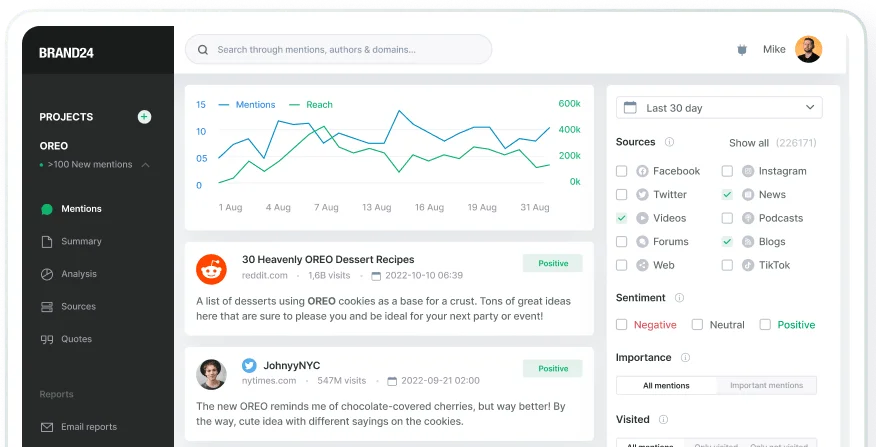
Brand24 scans 25 million online sources in real time and uses AI to flag when sentiment suddenly shifts or when mention volume spikes unexpectedly.
Impact Score, a metric designed to measure the influence of a particular mention, helps users prioritize which conversations require immediate attention or response.
You get visibility into who’s driving conversations, their reach and influence level, and exactly where mentions originated across channels. This visibility matters because viral moments don’t wait; discovering problems in a daily digest instead of during the moment means missing the window to respond effectively.
The sentiment analysis tool also consolidates reach metrics to show the actual scale of conversations across social, news, forums, and other channels.
Per a G2 review:
I was particularly impressed by Brand24’s real-time social listening capabilities and its ability to track mentions across multiple platforms. The sentiment analysis feature was also incredibly useful in helping me understand the tone and context of online conversations about my brand. Additionally, the user-friendly interface made it easy to navigate and make data-driven decisions.
💡 Pro Tip: Compare how different segments talk: free vs. paid users, new vs. loyal customers, high-LTV vs low-LTV groups. The gap between segments tells you where expectations diverge.
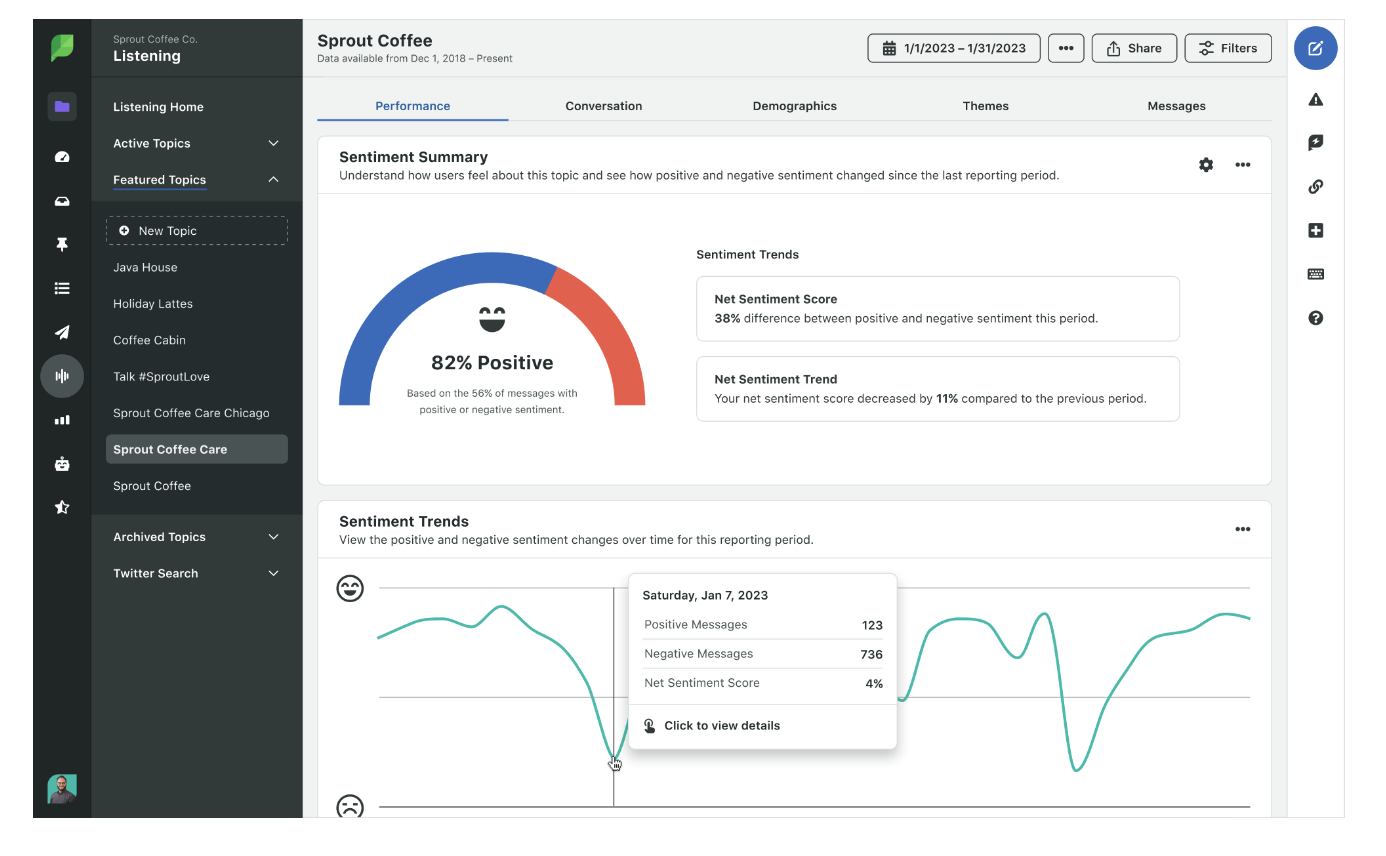
Sprout Social brings sentiment analysis into your social media management dashboard, eliminating the need to jump between tools constantly.
The Deep Neural Network automatically categorizes incoming messages as positive, negative, neutral, or unclassified. Build listening queries tracking specific campaigns or particular stages of the customer journey, then filter by sentiment to surface high-priority conversations first.
Rather than forcing you to check multiple dashboards, everything is available in one place: your scheduled posts, engagement activity, and sentiment-driven listening queries, all together.
On Capterra, a user wrote:
It is valuable to use social media to grow our experiences and skills. I have extracted the best ideas for my career from social media through Sprout Social. Where customer engagement is needed, Sprout Social is the best platform to discuss most this matters. It is generally easy to use. Very affordable with a month of free trial for all.
📖 Also Read: Best Sprout Social Alternatives (Reviews & Pricing)
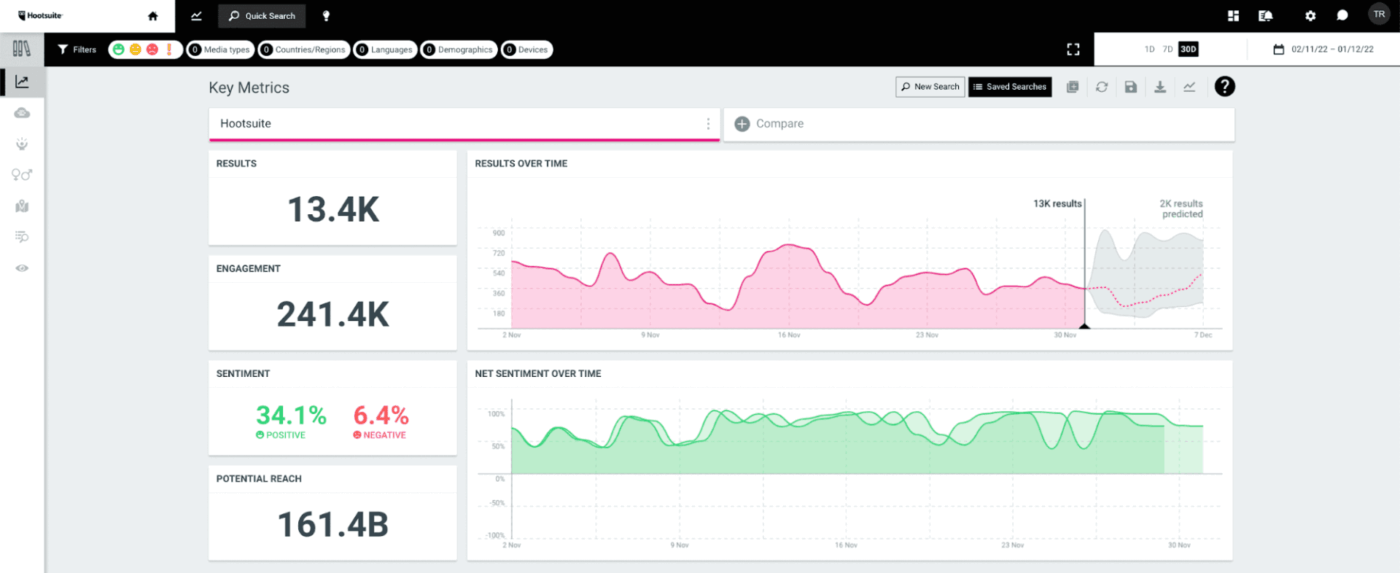
Hootsuite embeds sentiment analysis directly into its listening dashboard. Every Hootsuite plan includes mention tracking, trending topic identification, and sentiment classification without forcing you to upgrade to unlock listening capabilities.
You monitor what people actually say about your brand across the open internet in real time, then filter those conversations by sentiment to understand perception shifts as they happen.
The market research tool lets you search millions of conversations simultaneously to catch brand mentions you’d otherwise miss. Competitor sentiment tracking sits right alongside your own metrics, so you benchmark perception relative to market players.
The listening layer integrates smoothly with your publishing, scheduling, and engagement tools, meaning you don’t context-switch between different platforms.
A G2 review states:
I love that the Hootsuite interface is easy to use and very intuitive, which simplifies content management and learning for new team members. The platform is constantly updated, adapting to new social networks and features, which is crucial for my work as a social media coordinator. I also value that Hootsuite allows me to have a complete and centralized analysis of the metrics of all the organization’s social networks, facilitating access and consultation whenever I need it.
📖 Also Read: Best Hootsuite Alternatives to Check Out
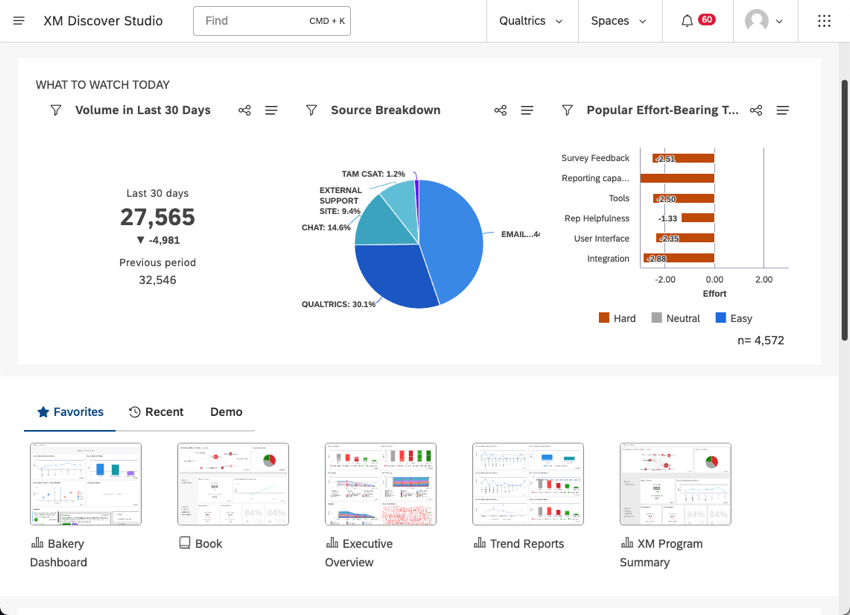
Qualtrics weaves conversational analytics into its larger feedback platform. The combined system analyzes emotion, intent, and customer effort from interactions happening across social, support calls, chat transcripts, and product feedback surveys simultaneously.
It includes 150+ pre-built models for specific industries, meaning healthcare sentiment gets interpreted completely differently than hospitality or financial services based on industry context.
Moreover, automated workflows can trigger based on sentiment thresholds, so a negative interaction automatically escalates to supervisors or gets routed to specialized resolution teams without manual intervention.
A Capterra reviewer adds:
Qualtrics XM provides us with excellent services. We can create any survey, I loved the ease of integrating it into social media ads or promotional messages across all communication channels. I loved how Qualtrics XM makes the questions within the form clear and organized and enables respondents to navigate and record answers easily. I loved its ability to screen respondents and ensure they are real and from within the target group.
🔍 Did You Know? In a study of open-source software projects, researchers used sentiment analysis of developer comments to predict whether a bug would get fixed (and how fast). Turns out, more negative sentiment in the discussion often meant the bug was more likely to be resolved quickly.
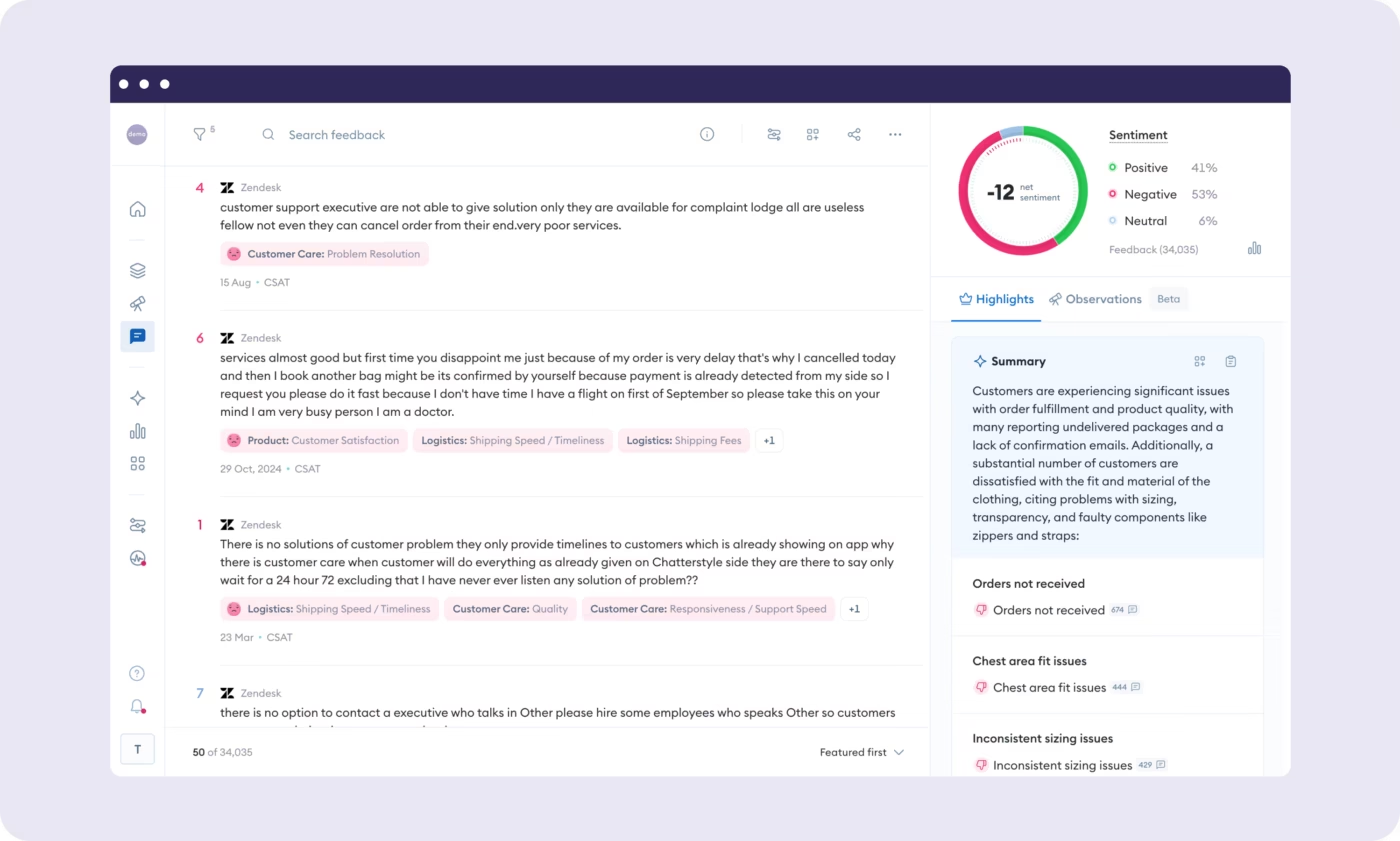
Chattermill combines feedback from surveys, reviews, support tickets, and social mentions into an analysis engine.
Its Lyra AI breaks feedback into specific themes automatically so you see exactly which product features or service elements drive satisfaction versus complaints. Rather than getting a sentiment score and being left to figure out what it means, the platform emphasizes understanding the reason behind sentiment.
Also, real-time alerts notify you when new issues emerge or sentiment trends shift. This keeps you ahead of emerging problems instead of discovering them in retrospective reports.
According to a G2 review:
Chattermill makes it really easy to manage your customers and their reviews. It helps in providing a better and exceptional service to the customers. For the internal stakeholders, it has great features like sentiment analysis which helps in making better product changes and business decisions. It is seamless to implement in a new team, and integrates easiliy [sic] with other existing tools. All our customer reviews are managed through chattermill on a daily basis.
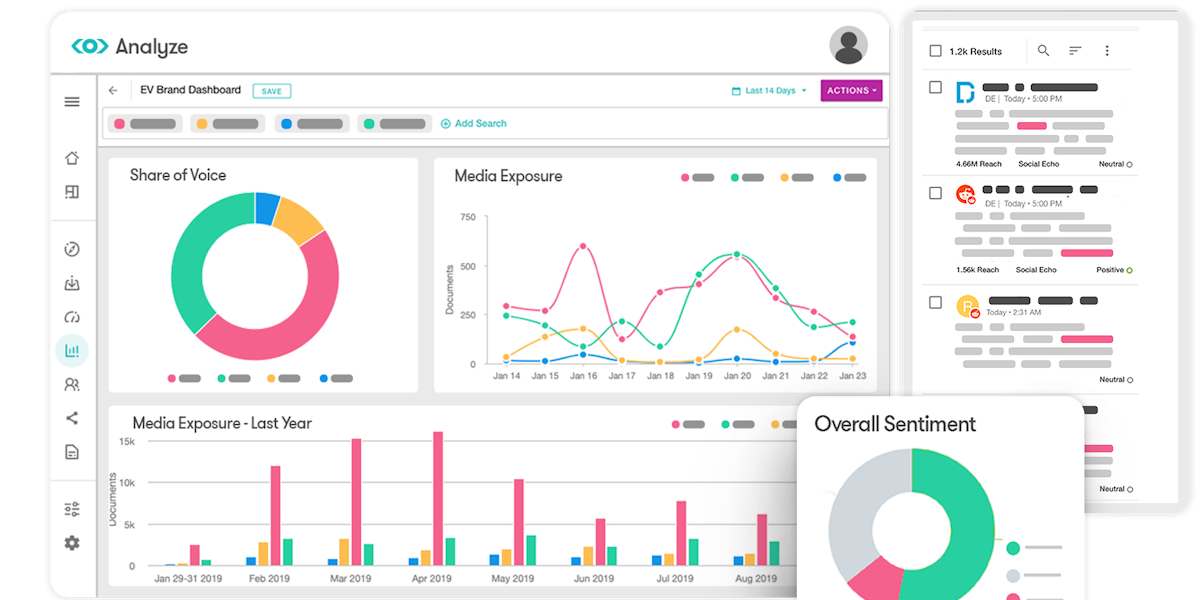
Meltwater processes over 1 billion documents daily using transformer-based sentiment models, the same neural network architecture powering modern AI breakthroughs. It tracks sentiment across online news, social media, blogs, podcasts, and even broadcast transcripts, so PR teams get perception visibility across earned media channels.
Sentence-level analysis catches nuanced shifts and contradictions that document-level approaches completely miss. A single news article might criticize one aspect of your company while praising another, and sentence-level analysis surfaces both signals instead of averaging them into a single sentiment score.
Its strength is in its holistic media coverage, allowing users to understand how earned, owned, and social media campaigns impact overall brand reputation and performance.
As per a G2 review about the sentiment analysis software:
Meltwater has significantly improved our ability to track reputation management, both for our organization and our competitors. The convenience of receiving Alerts directly in Teams helps us stay updated on a range of important topics, making it easier to efficiently and effectively oversee our organization’s public perception. Beyond just Alerts, Meltwater’s reporting features offer valuable insights into trends, key themes, mentions, and share of voice for us and our competitors, and these reports can be easily shared with Leadership.
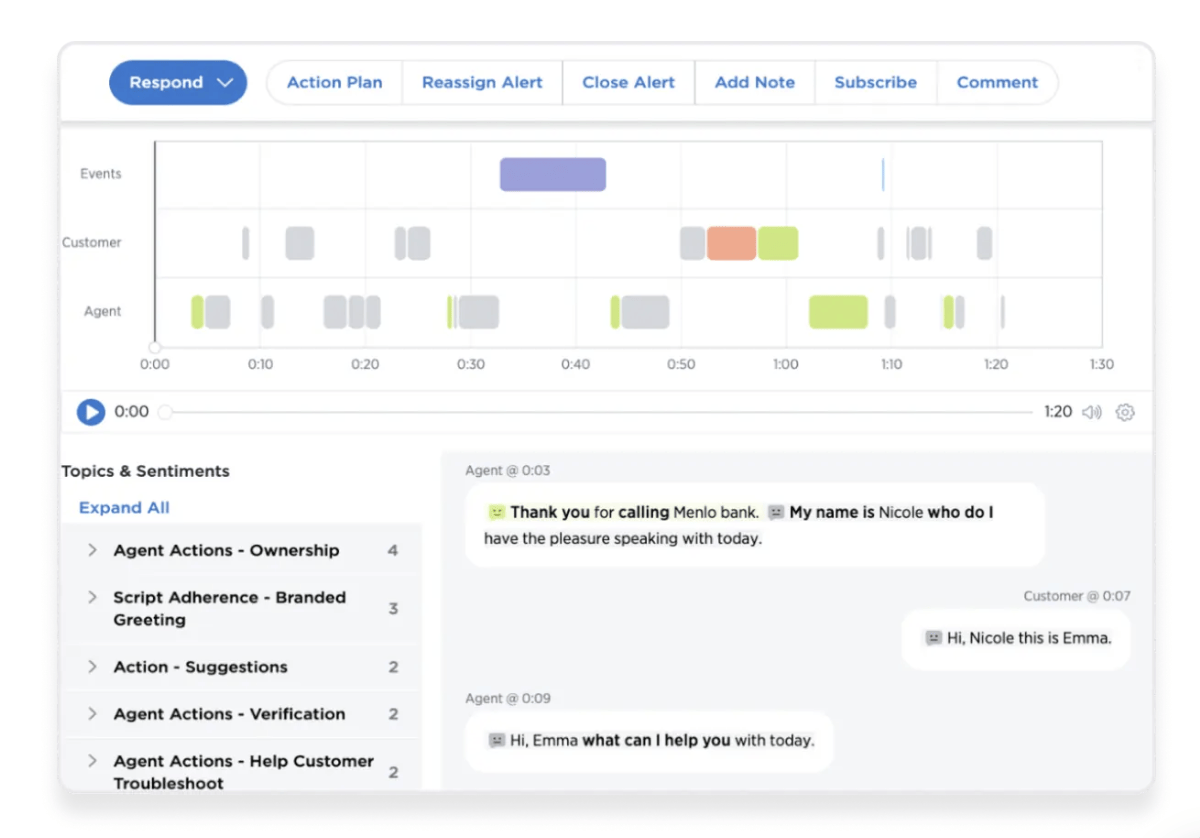
Medallia specializes in feedback capture and analysis across surveys, contact centers, social channels, and digital interactions rather than siloing these data sources separately.
Its NLP surfaces themes and sentiment patterns automatically from open-ended customer comments without forcing you to manually tag every single response. Further, video feedback adds a dimension most platforms skip completely.
Closed-loop workflows turn insights into actual action rather than letting feedback sit in databases. When sentiment scores flag a problem, you can configure the system to automatically notify teams, escalate to supervisors, or trigger follow-up actions without human intervention.
Here’s what a G2 review had to say:
Medallia helps the marketing team to tie the actual customer sentiment to specific campaign elements. We can sift feedback by the channel it is being delivered and read comments directly relating to its effectiveness, such as an email shot. This truly transformed the way we do creative asset pre-launch reviews prior to a large launch Quite another fascinating feature is that themed customer quotes are easy to extract and shared by the team during the agile sprints.
Choosing the right sentiment analysis tools comes down to clarity. You now know what each platform does well, where it fits, and how it handles real customer feedback. This gives you a practical way to match your needs with the features that genuinely help you track tone, surface patterns, and make faster decisions.
ClickUp brings those pieces together in one workflow.
Forms collect feedback, ClickUp Brain reads the sentiment, Dashboards show the trends, and AI Agents keep an eye on shifts so you catch important changes early. Everything stays connected, so your team works with reliable information without bouncing between tools. That’s the advantage of a converged AI workspace like ClickUp.
If you want a cleaner, more focused way to act on customer sentiment, you can get started right away. Sign up for ClickUp today! ✅

© 2026 ClickUp

There’s an easier way. Try a free AI Agent in ClickUp that actually does the work for you—set up in minutes, save hours every week.