









Still downloading templates?
There’s an easier way. Try a free AI Agent in ClickUp that actually does the work for you—set up in minutes, save hours every week.
Sorry, there were no results found for “”
Sorry, there were no results found for “”
Sorry, there were no results found for “”
According to a study by Brevet, 80% of sales require five follow-ups to close, yet 44% of reps give up after just one.
The difference between reps who hit quota and those who don’t often comes down to one thing: a consistent follow-up system that doesn’t rely on memory or scattered tools.
This guide walks you through proven subject lines, a repeatable email framework, and free templates you can use today. We also show you how to centralize your follow-up workflow so nothing slips through the cracks.
| Template Name | Download Link | Ideal for | Best features |
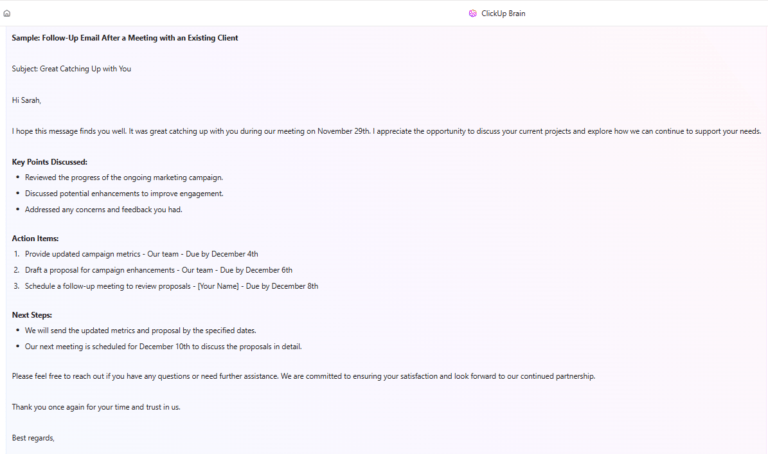
| ClickUp Follow-Up Email Template | Get free template | Reps who need ready-to-copy follow-up emails (post-meeting, post-demo, check-ins) without rewriting from scratch | Customizable sections for opener, value proposition, CTA, and sign-off; easy tone/length adjustments; ClickUp Brain can generate personalized variations using prospect context |
| ClickUp Sales Calls Template | Get free template | Teams that want call notes tied directly to follow-up tasks and outcomes | Centralizes attendees, discussion topics, and action items; connects call notes to follow-up tasks; guidance for referencing specific call points in follow-ups |
| ClickUp Sales CRM Template | Get free template | Teams managing leads, deal stages, and follow-up schedules in one system | Custom Fields for last/next contact date and deal stage; view to surface prospects that need follow-up today; one-click access to email templates from contact records |
| Email Automation with ClickUp Template | Get free template | Teams that want automated follow-up timing with room for human personalization | Pre-built Automations triggered by status/dates; auto-create follow-up tasks; draft follow-up content based on task history/notes |
| ClickUp Email Marketing Campaign Template | Get free template | Sales and marketing teams building multi-touch follow-up sequences or drip campaigns | Structure a 3 to 5 email sequence with goals per touchpoint; track performance via Dashboards; central storage for copy, assets, and messaging |
| ClickUp Marketing Email Template | Get free template | Early-stage nurturing, re-engagement, and value-first follow-ups | Value-first structure with a soft CTA; keeps marketing assets organized in Docs; supports trust-building, non-pushy messaging |
| ClickUp Business Introduction Email Template | Get free template | Strong first-touch emails that set up future follow-ups | Covers who you are, why you’re reaching out, what’s in it for them, and a clear next step; ClickUp Brain variations for buyer personas; track engagement from within ClickUp CRM views |
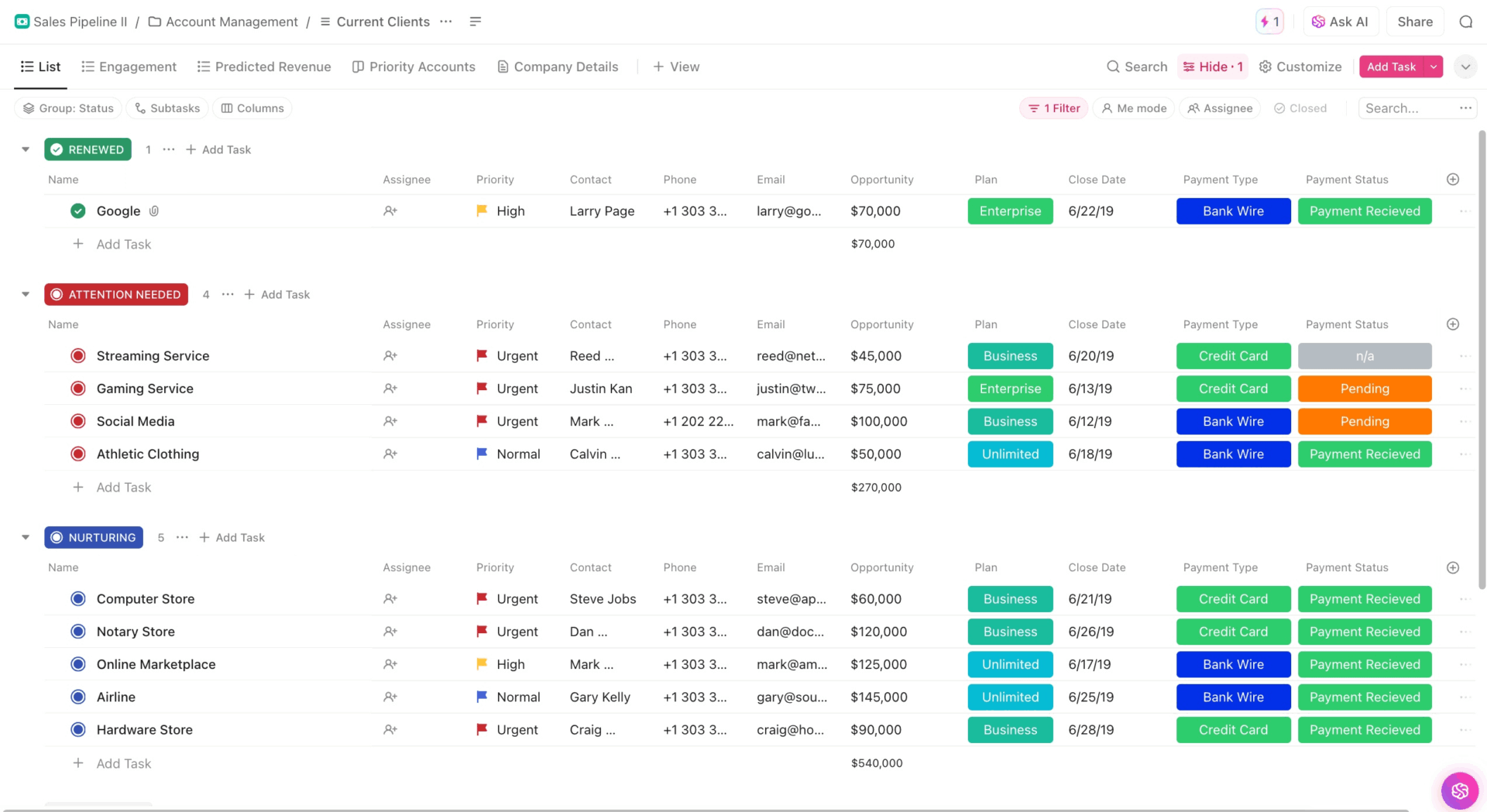
| ClickUp Sales Pipeline Template | Get free template | Teams needing visibility into deals that are stalling or missing follow-ups | Customizable stages; Dashboards to surface overdue follow-ups; Automations to move deals as follow-ups are completed |
| ClickUp Sales Strategy Guide Template | Get free template | Standardizing follow-up best practices and onboarding new reps | Sections for timing rules, messaging frameworks, and objection handling; links to email templates/automations so the playbook stays current; reps can query it with ClickUp Brain |
| ClickUp Sales Meeting Minutes Template | Get free template | Capturing meeting context for more specific, relevant follow-up emails | Tracks attendees, agenda items, discussion points, and action items with owners/due dates; can be populated via AI Notetaker outputs; links minutes to follow-up tasks and deal records |
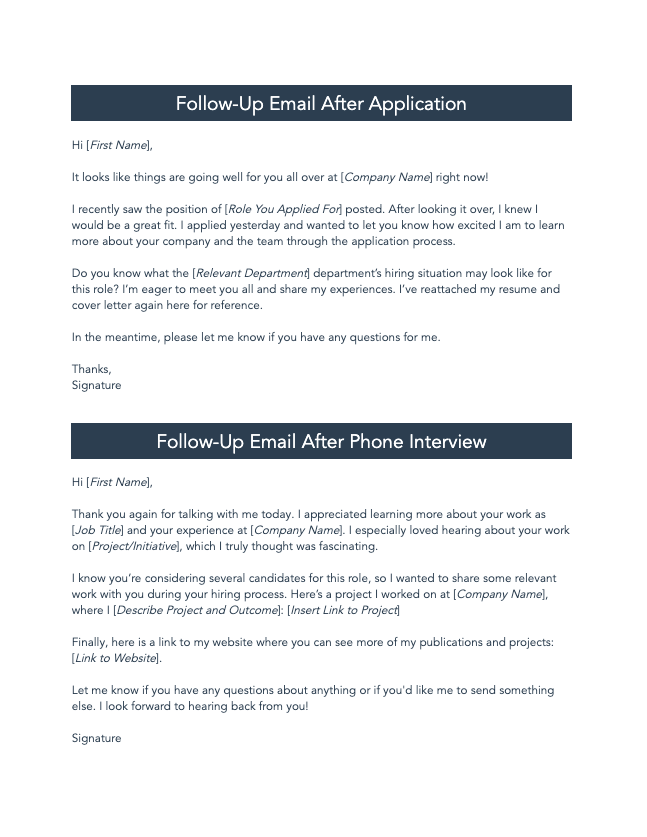
| HubSpot’s 30 Follow-Up Email Templates | Download this template | Teams wanting a large set of ready-to-use follow-up scripts | Covers post-meeting, no response, after voicemail, and more; easy to customize; can be imported into ClickUp Docs to centralize templates |
| HubSpot’s 75 Proven Sales Email Templates | Download this template | Teams needing templates across prospecting, follow-up, closing, and break-up emails | Includes first-touch, follow-up, and break-up scenarios; customizable; recommended to store in ClickUp Docs for brand voice consistency |
| Template.net’s Sample Email Memo Template | Download this template | Teams that prefer Word-style memo email templates | Downloadable and editable in Microsoft Word, Google Docs, or Apple Pages; designed for clear, concise memo emails |
| Vertex42’s Free Excel CRM Template | Download this template | Solopreneurs or very small teams tracking leads in a spreadsheet | CRM tables for sorting/filtering customer data; notes tracking via cell comments/Notes column; simple alternative when a full CRM is not in place |
| ClickUp Sales Pitch Template | Get free template | Creating consistent value messaging that strengthens follow-up emails | Defines pitch elements (problem, solution, differentiation, proof points); links pitch doc to email templates; ClickUp Brain can generate pitch versions for different personas |
A sales follow-up email is a message you send to a prospect after you’ve already made contact through a call, meeting, or demo. Its goal is to keep the conversation going and move the deal nearer to a close.
While every salesperson sends follow-up emails, research shows only 27% of sales emails are opened, and less than 8% receive a response—often because they lack personalization, arrive at the wrong time, or bury the ask.
The real problem for sales teams is “context sprawl“—when critical information is scattered across disconnected tools, with 80% of analytics time consumed by searching and preparing data instead of selling.
Your prospect’s information is in a CRM, your email drafts are in Gmail, your meeting notes are in a separate doc, and your follow-up reminders are in a task app. This fragmentation is a recipe for disaster, causing missed follow-ups and inconsistent messaging that lets deals slip through the cracks.
Eliminate this friction by using a centralized workspace where your sales follow-up email templates, prospect data, and follow-up tasks all live together.
📮 ClickUp Insight: The average professional spends 30+ minutes a day searching for work-related information—that’s over 120 hours a year lost to digging through emails, Slack threads, and scattered files.
An intelligent AI assistant embedded in your workspace can change that. Enter ClickUp Brain. It delivers instant insights and answers by surfacing the right documents, conversations, and task details in seconds—so you can stop searching and start working.
💫 Real Results: Teams like QubicaAMF reclaimed 5+ hours weekly using ClickUp—that’s over 250 hours annually per person—by eliminating outdated knowledge management processes. Imagine what your team could create with an extra week of productivity every quarter!
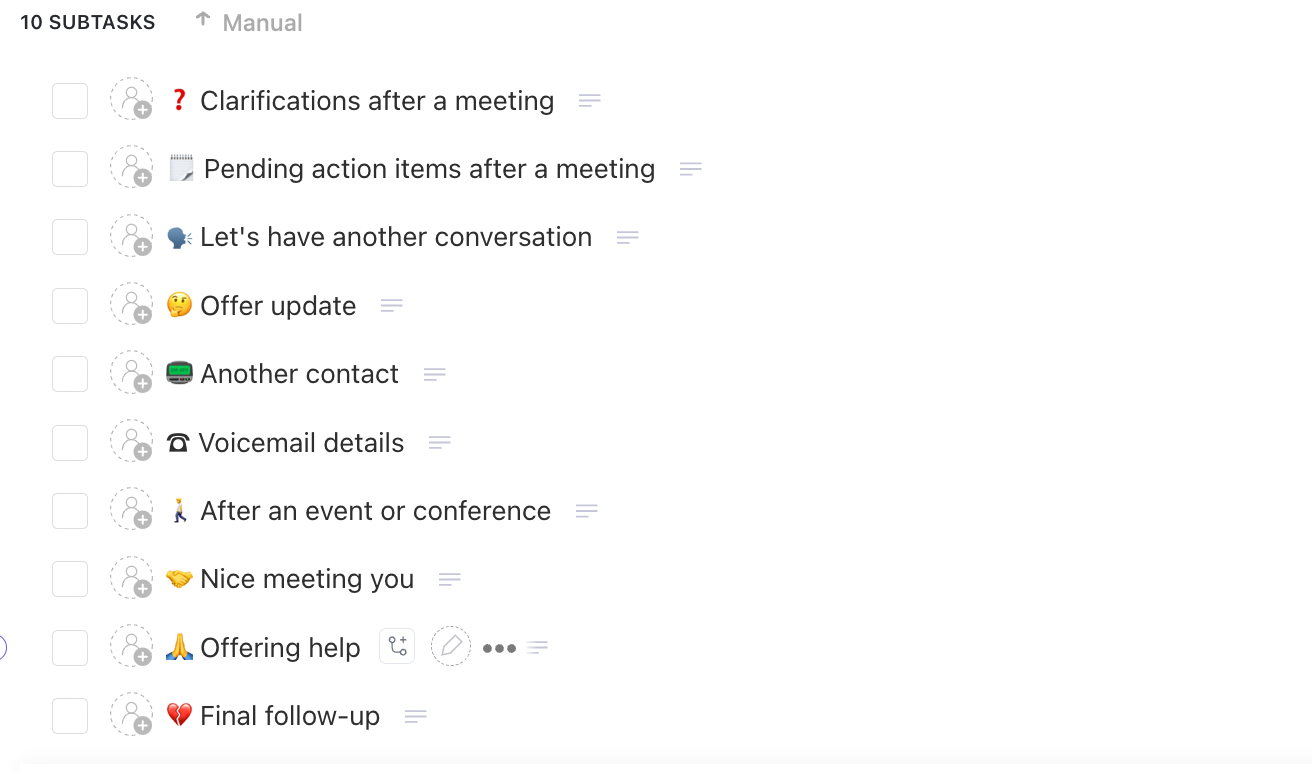
Your subject line is the gatekeeper of your email. If it fails, your message never gets read among the 361.6 billion daily emails, and your effort is wasted. The best subject lines are short, personal, and intriguing.
Keep them under 50 characters, use the prospect’s name or company, and avoid spammy words like “FREE” or “ACT NOW.” Here are some proven examples for different scenarios:
💡 Pro Tip: Stuck for the right words? Just ask ClickUp Brain for help. The AI Writer will help you articulate your thoughts and turn them into structured email formats.
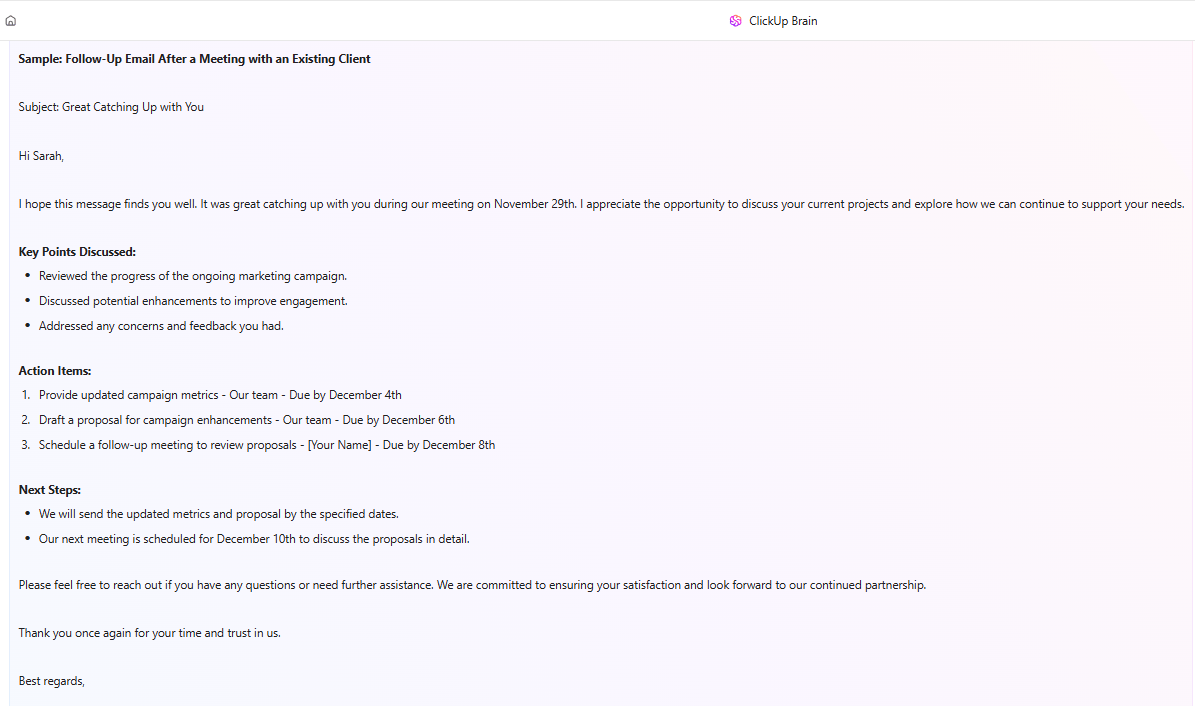
Sales reps spend an average of 21% of their day writing emails—and much of that time is wasted rewriting the same follow-up from scratch. A simple, repeatable structure helps you write effective emails quickly.
Use this five-part framework for any sales scenario:
For timing, it’s best to follow up within 24-48 hours of a meeting. If you’re doing cold outreach, space your touchpoints three to five days apart. Now that you have the structure, here are 15 templates you can customize. ✨
Having a library of templates is a good start, but if they’re just sitting in a random folder, they won’t do you much good. You need a system.
The following list covers both ready-to-copy email scripts and workflow templates that help your team manage, automate, and track the entire follow-up process at scale.
The pain of constantly rewriting the same general follow-up email is real. It wastes hours and leads to inconsistent messaging across the team.
Stop starting from scratch and bring your templates where your work happens. Get a pre-built structure inside ClickUp Docs with the ClickUp Follow Up Email Template.
It has customizable sections for your opener, value proposition, CTA, and sign-off, so you can ensure every email is on-brand. Because it lives in ClickUp, reps can access it right next to their prospect tasks and deal info—no more tab-switching.
Why you’ll like this template:
You just had a great sales call, but by the time you sit down to write the follow-up, you’ve forgotten the key details. This leads to a generic email that fails to build on the momentum you created.
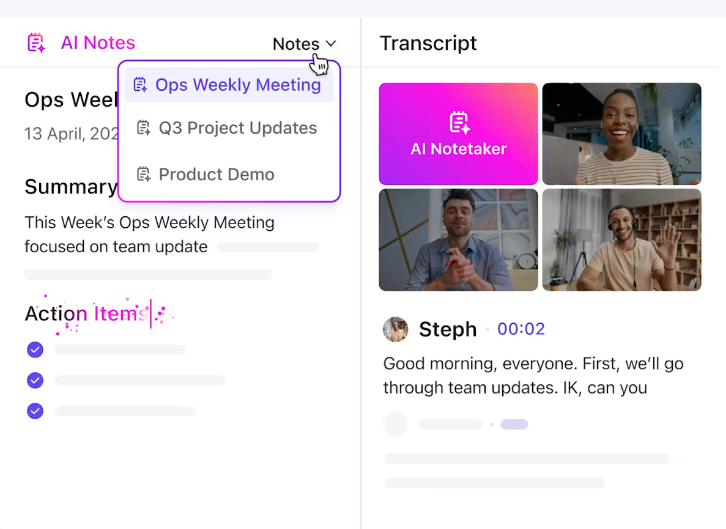
With the ClickUp Sales Calls Template, you can connect your call notes directly to your follow-up action.
Log attendees, discussion topics, and action items in one place. After the call, trigger a follow-up task with a pre-loaded email template, ensuring the conversation’s context is never lost.
Why you’ll like this template:
💡 Pro Tip: You can even use the ClickUp AI Notetaker to automatically capture call summaries that feed directly into your email personalization.
When you’re juggling a separate CRM, your email client, and a to-do list, it’s easy for follow-up dates to get missed. This context sprawl means deals go cold simply because no one knows which prospects need attention.
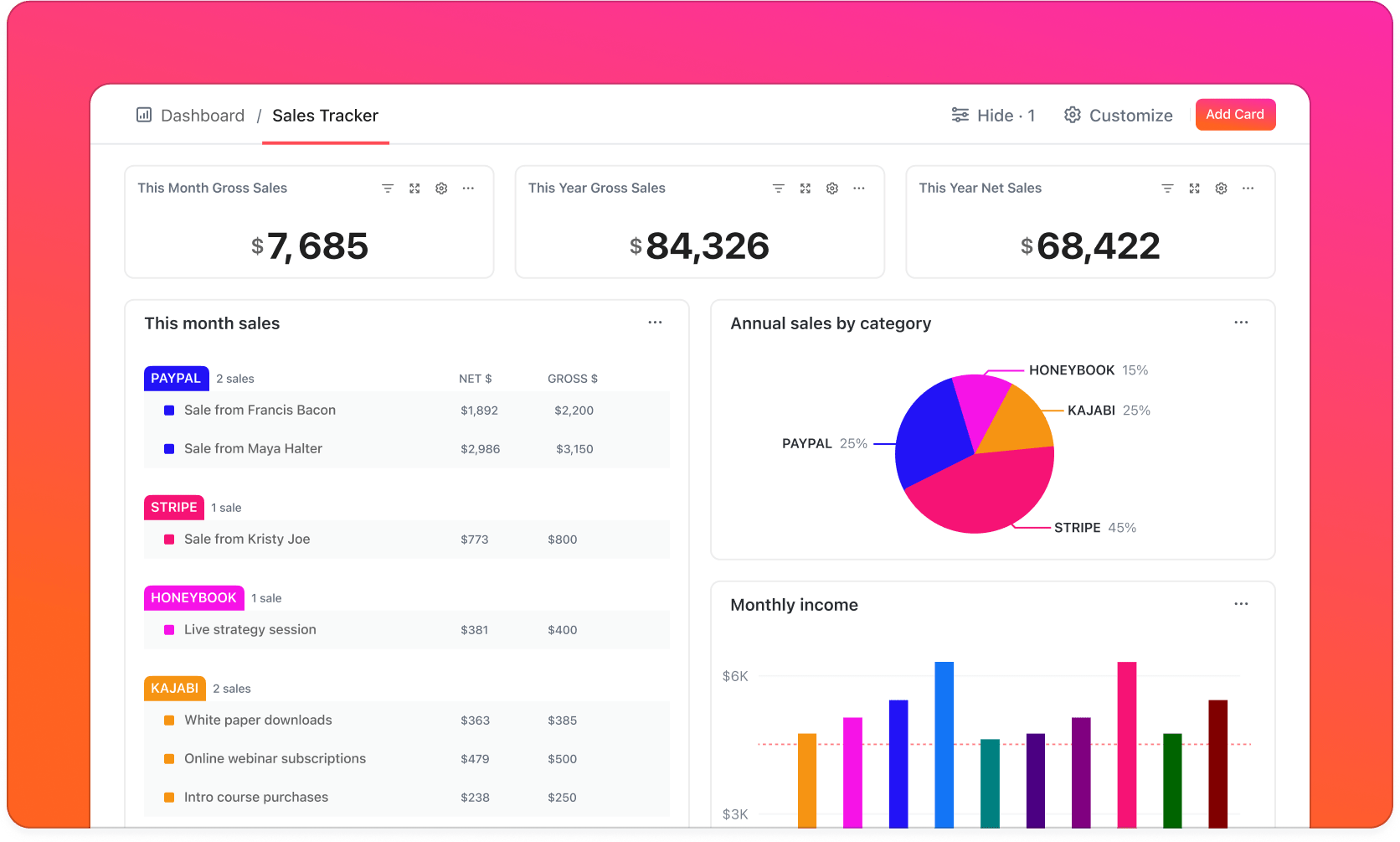
Manage leads, deals, and follow-up schedules without a separate, disconnected CRM tool using the ClickUp Sales CRM Template. By letting you track every prospect and their follow-up status in a single view, it eliminates tool sprawl.
Why you’ll like this template:
Relying on your memory or manual calendar reminders to follow up leads to human error.
Trigger follow-up emails automatically based on task status changes, due dates, or other conditions with the Email Automation with ClickUp Template and its pre-built ClickUp Automations.
Let the system handle the timing so you can focus on personalization. For example, you can set an automation to create a follow-up task three days after a deal stage changes to “Proposal Sent.”
Why you’ll like this template:
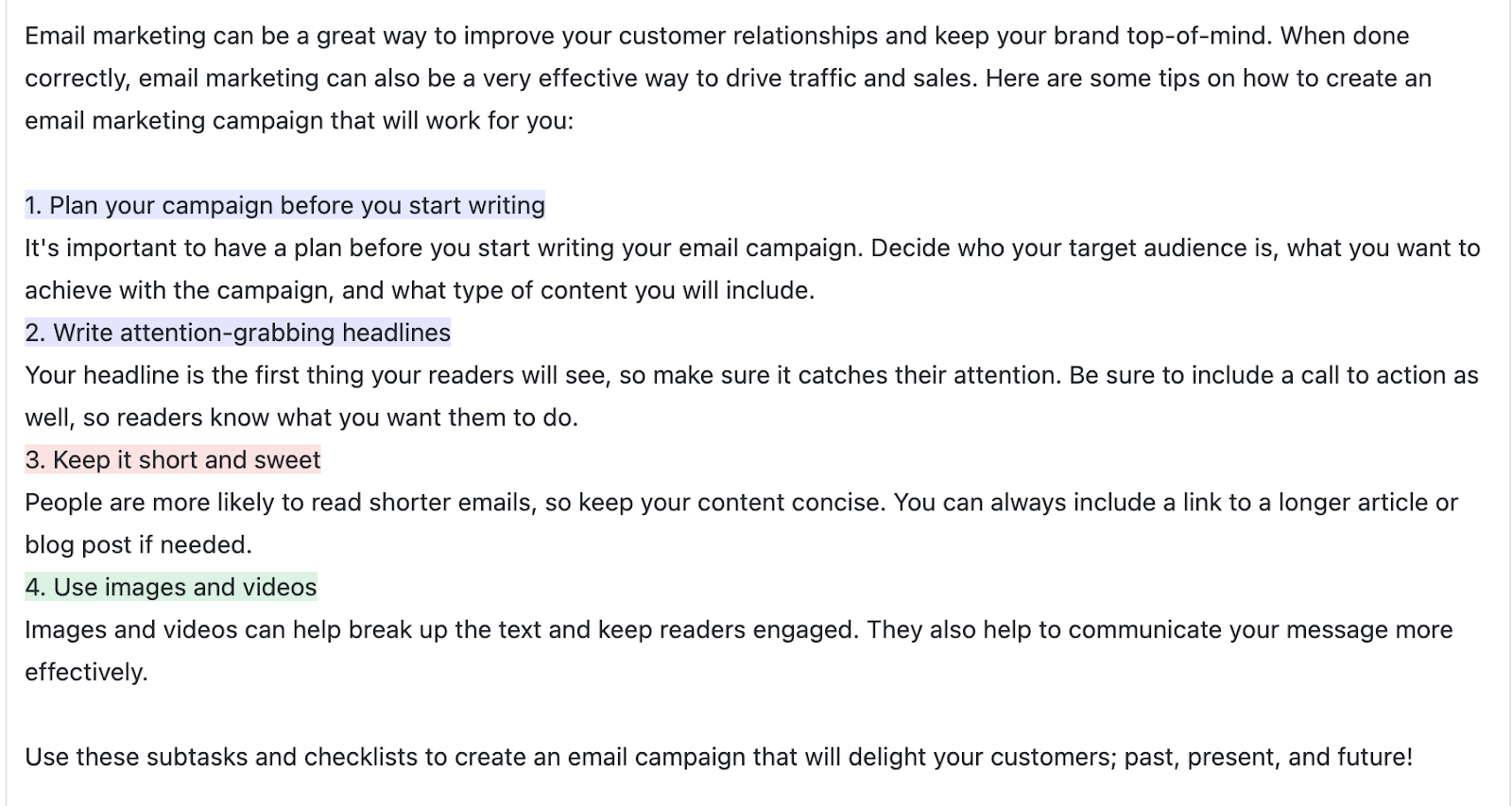
Structure drip campaigns as well as one-off emails with the ClickUp Email Marketing Campaign Template.
When sales and marketing teams are misaligned, they can end up sending conflicting messages to the same prospects. This creates a confusing experience and wastes everyone’s effort.
To prevent this, plan your multi-touch follow-up sequences in the same place as your other marketing activities. When both teams see the same campaign timeline and prospect engagement data, your messaging stays consistent.
Why you’ll like this template:
💡 Pro Tip: Centrally track sales processes and outcomes in one place using customizable, shareable ClickUp Dashboards.
Sending a hard-sell follow-up too early in the sales cycle can scare off prospects who aren’t ready to buy. You need a way to stay top-of-mind without being pushy, blending sales and marketing messaging for a softer touch.
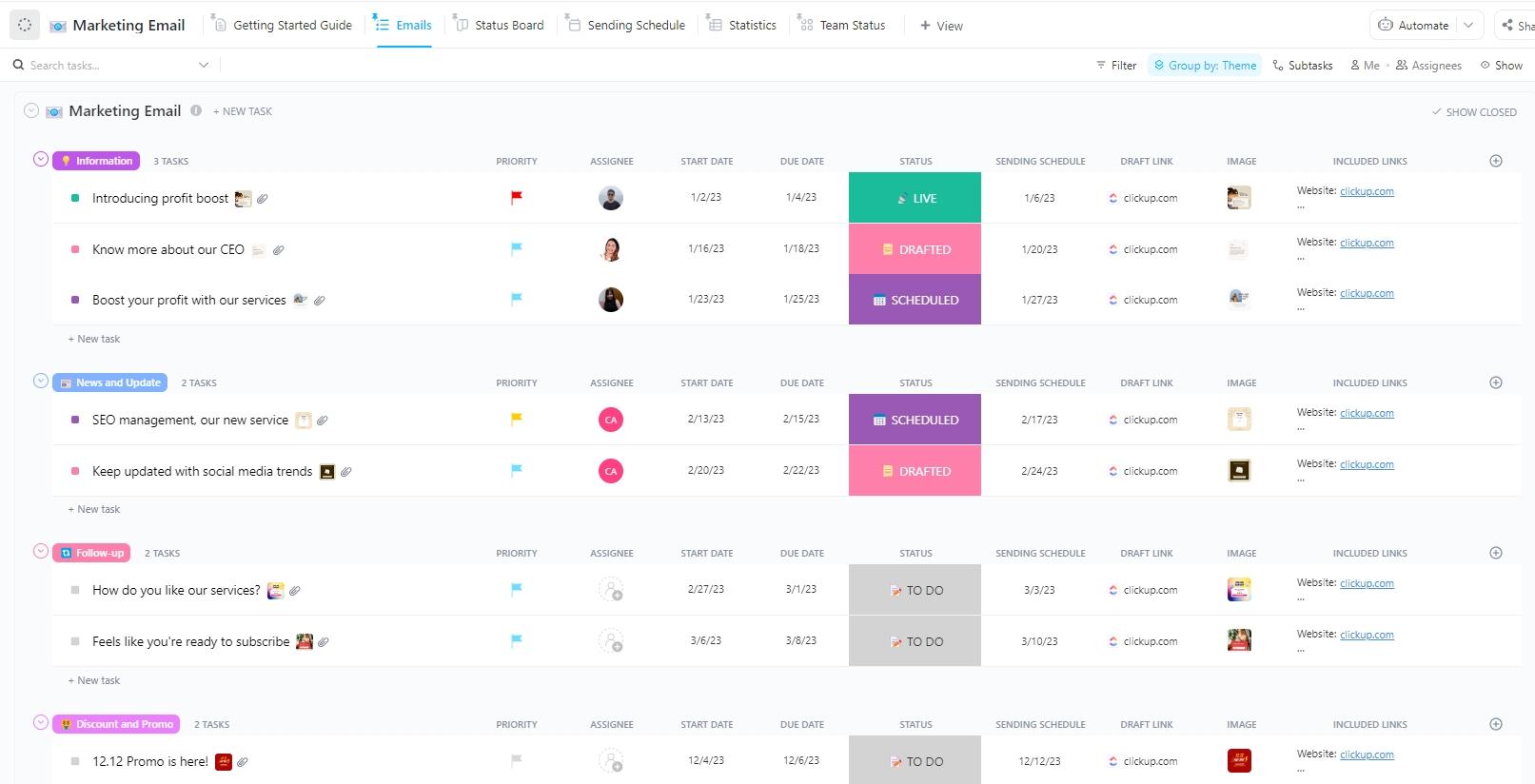
Nurture leads with value-driven emails and helpful content rather than a direct sales ask using the ClickUp Marketing Email Template. It’s perfect for sharing content, case studies, or event invitations with early-stage prospects or for re-engagement campaigns.
Why you’ll like this template:
If your first email to a prospect is weak, all your future follow-ups will feel like an uphill battle. A poor first impression can kill a deal before it even starts.
A strong, relevant intro email makes every subsequent follow-up easier because you’ve already established why you’re reaching out.
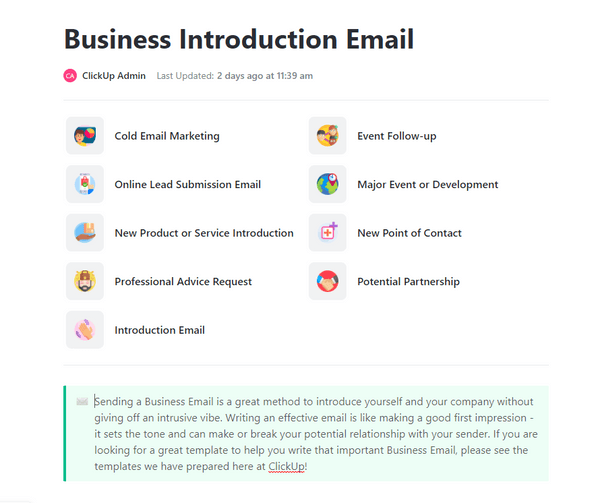
The ClickUp Business Introduction Email Template gives you a clear format for your initial outreach. Make a strong first impression with a structured intro that sets the stage for future follow-ups.
Why you’ll like this template:
Without a clear view of your deals, you have no idea which ones are stalling or need a follow-up. This lack of visibility means deals fall through the cracks simply because they were forgotten.
Prevent deals from going cold with visual pipeline management. See every deal’s stage and follow-up status in a Kanban view or List view with the ClickUp Sales Pipeline Template. Reps can instantly see which prospects need attention, so nothing gets missed.
Why you’ll like this template:
When new reps join the team, they often don’t know the team’s best practices for following up. This leads to inconsistent outreach and a longer ramp-up time.
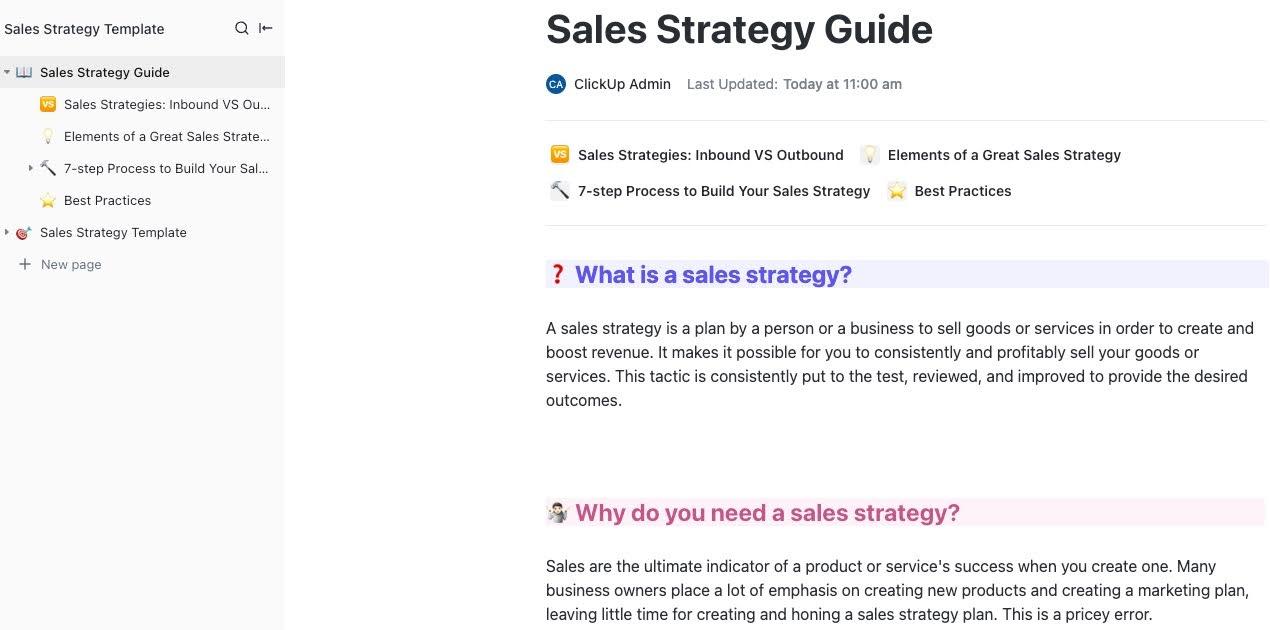
Document your team’s follow-up playbook so everyone is on the same page. Capture best practices, email scripts, and timing guidelines in a Doc template with the ClickUp Sales Strategy Guide Template. By keeping the playbook in the same workspace as your deals, you help new reps learn the ropes faster.
Why you’ll like this template:
After a meeting, action items and key decisions often get lost in scattered notes or forgotten entirely. This forces you to send follow-ups that lack specific context, and important next steps are never completed.
Document decisions, action items, and follow-up owners with the ClickUp Sales Meeting Minutes Template. These minutes feed directly into your follow-up email personalization, allowing you to write things like, “As we discussed, you mentioned X concern…”
Why you’ll like this template:
Searching for external templates can be a good starting point, but it often leads to a collection of disconnected files. HubSpot’s 30 Follow-Up Email Templates offers 30 scripts in one place for various scenarios.
Why you’ll like these templates:
HubSpot’s 75 Proven Sales Email Templates covers broader sales scenarios beyond just follow-ups, including prospecting and closing.
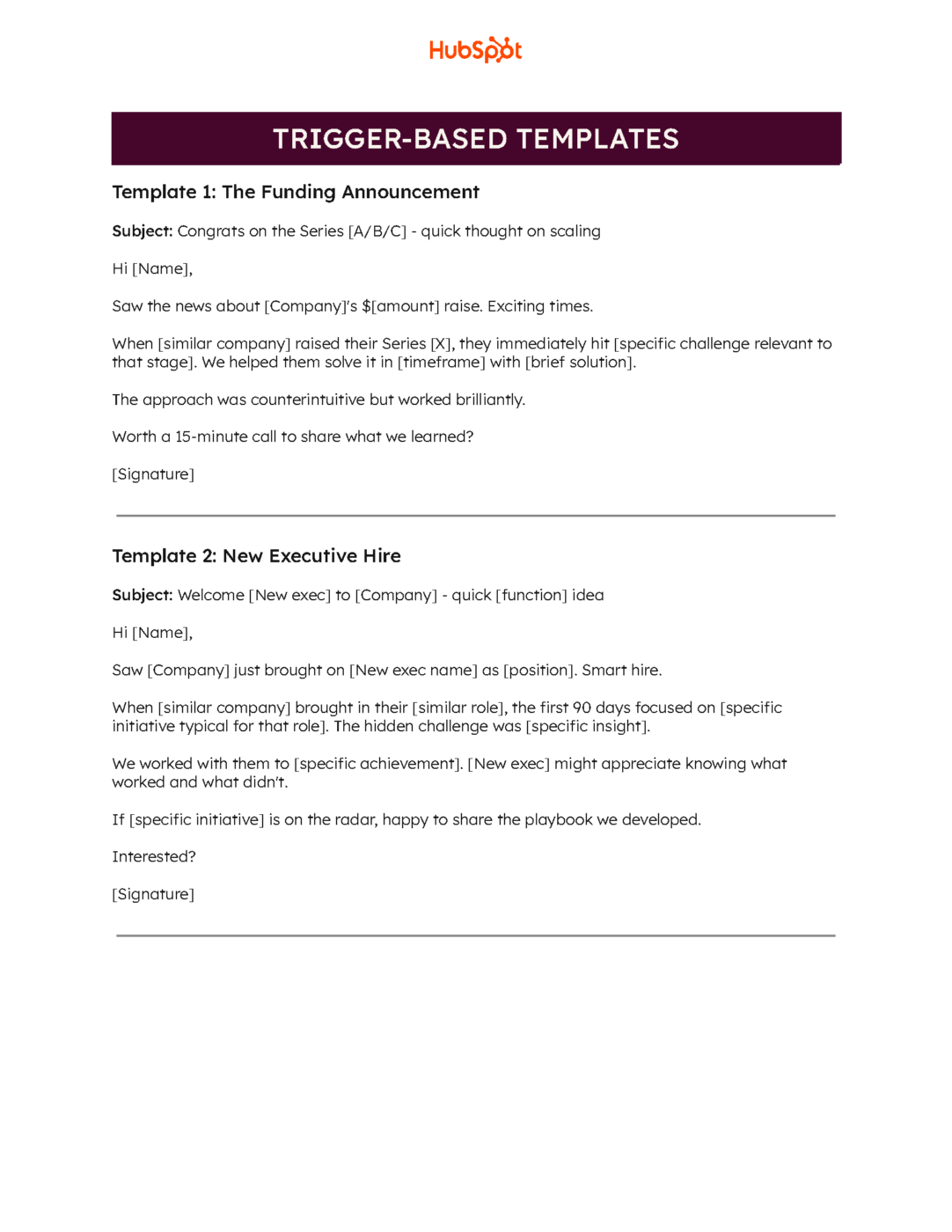
Why you’ll like these templates:
💡 Pro Tip: By copying these templates into ClickUp Docs, you can customize them to match your brand’s voice and organize them with tags and folders, making them searchable and accessible right next to your CRM and tasks.
Some teams are used to working in Microsoft Word and might look for downloadable templates. Template.net’s Sample Email Memo Template is a Word-compatible template you can use.
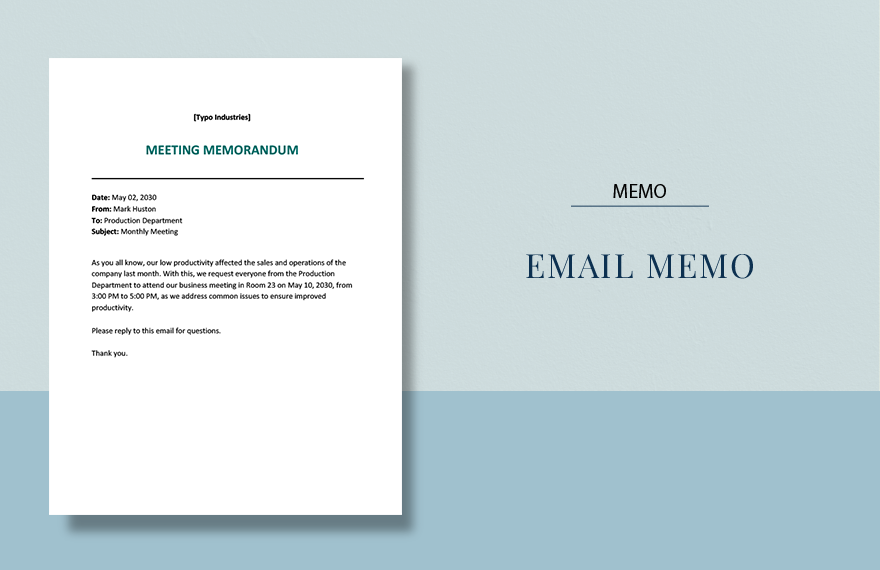
Why you’ll like this template:
💡 Pro Tip: When multiple reps download and edit their own local copies, your messaging becomes inconsistent. A better approach is to import these templates into ClickUp Docs, where everyone can collaborate in real-time and access the most up-to-date versions.
For very small teams or solopreneurs, tracking prospects in a spreadsheet can feel like a simple solution. Vertex42’s Free Excel CRM Template is a free option you can use.
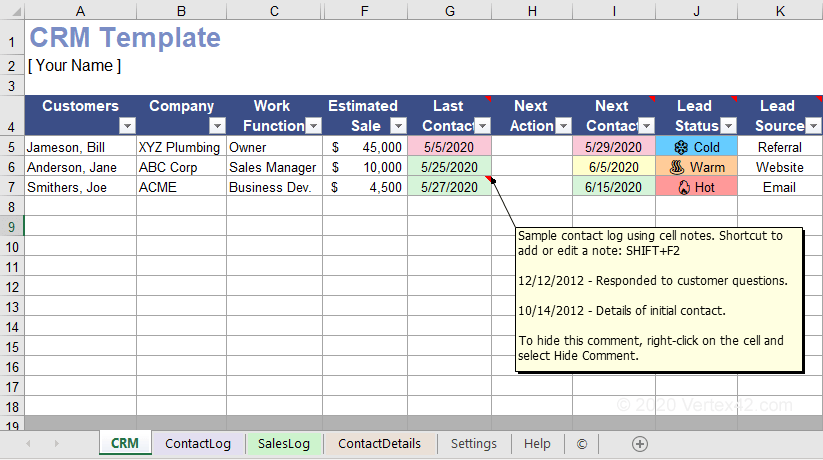
Why you’ll like this template:
💡 Pro Tip: Excel lacks automation, real-time collaboration, and integration with your email tools. As your team grows, you’ll spend more time updating the spreadsheet than selling. Get a familiar spreadsheet-like interface with the power of automation and collaboration built in using the ClickUp Sales CRM Template as an easy upgrade path.
If your team’s follow-up emails have inconsistent messaging, the core value of your product can get lost. This happens when your sales pitch isn’t documented and easily accessible.
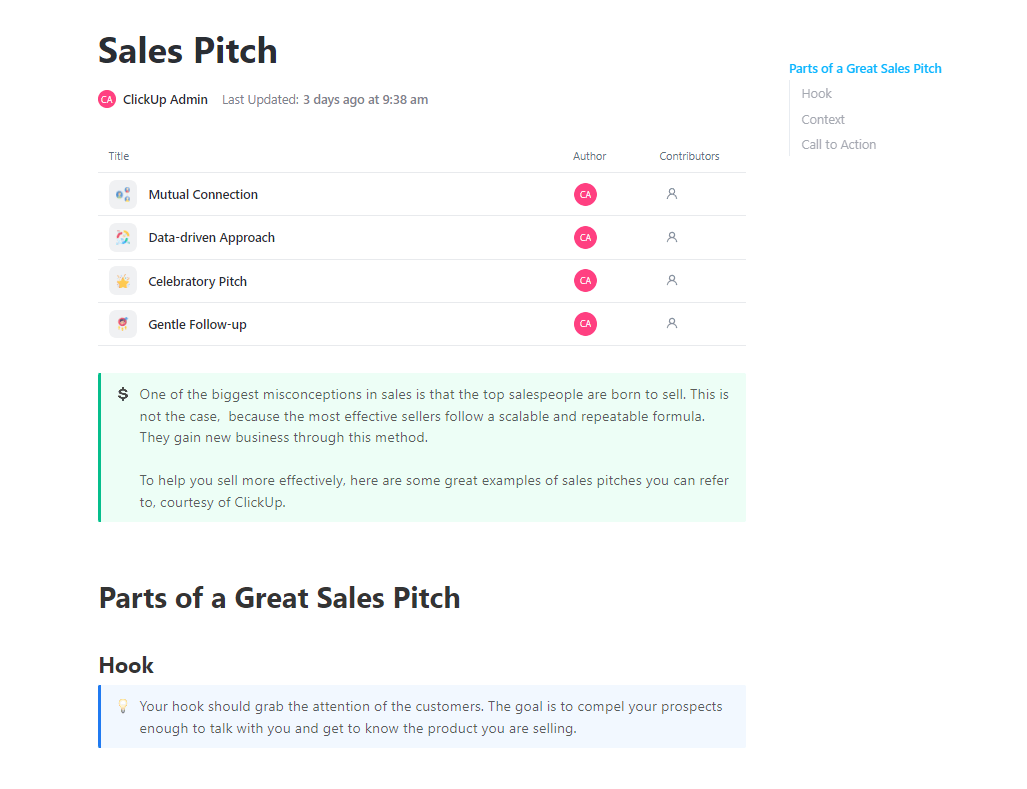
Ensure consistent value messaging in every follow-up by crafting and refining your core pitch in a central Doc with the ClickUp Sales Pitch Template. Reps who internalize this pitch can weave key value propositions into every follow-up without sounding scripted.
Why you’ll like this template:
Even with the best templates, it’s easy to make mistakes that tank your response rates. Sending follow-ups that get ignored or, worse, trigger unsubscribes can damage prospect relationships. Here are the most common pitfalls to avoid:
A converged workspace helps you avoid these mistakes. Templates ensure structure, ClickUp Automations handle timing, and centralized notes in ClickUp prevent context loss.
📮ClickUp Insight: 92% of workers use inconsistent methods to track action items, which results in missed decisions and delayed execution. Whether you’re sending follow-up notes or using spreadsheets, the process is often scattered and inefficient.
ClickUp’s Task Management Solution ensures seamless conversion of conversations into tasks—so your team can act fast and stay aligned.
As AI continues to evolve, the teams that win will be the ones who use it to personalize at scale—not to blast generic messages, but to make every follow-up feel intentional.
To see how AI can transform your entire sales process beyond just follow-ups, watch this practical walkthrough that demonstrates key strategies for leveraging AI throughout your sales workflow.
Effective follow-ups are a mix of structure, timing, and personalization. The biggest thing that kills a follow-up strategy is fragmentation—when your prospect info, email drafts, and task reminders are scattered across different tools, things inevitably slip through the cracks.
Sales teams that centralize their templates, data, and workflows in one place close more deals because nothing gets lost. Every touchpoint builds on the last, creating a seamless experience for the prospect.
Ready to centralize your sales follow-ups? Get started for free with ClickUp.
Email copy templates are the actual words you send, like subject lines and body text. Workflow templates are the systems you build to organize when, how, and to whom you send those emails, including automation triggers and tracking.
Most sales experts recommend five to seven touchpoints before moving on. However, the right number depends on your industry, deal size, and any engagement signals you see from the prospect.
Yes, you can. Automation can handle the timing and triggers, while AI tools like ClickUp Brain can draft personalized content based on your prospect’s data for you to review before sending.

© 2026 ClickUp

There’s an easier way. Try a free AI Agent in ClickUp that actually does the work for you—set up in minutes, save hours every week.