






Still downloading templates?
There’s an easier way. Try a free AI Agent in ClickUp that actually does the work for you—set up in minutes, save hours every week.
Sorry, there were no results found for “”
Sorry, there were no results found for “”
Sorry, there were no results found for “”

Ever found yourself circling the office, laptop in hand, hunting down a free meeting room? Did you know that 40% of employees, just like you, waste up to 30 minutes a day just trying to find a suitable meeting space?
This isn’t just frustrating—it’s a productivity killer. Whether it’s a high-stakes client meeting or a quick team sync, the last thing you want to spend time on is fighting conference room turf wars and playing calendar detective.
That’s where room booking software comes in. The right booking system eliminates scheduling conflicts, prevents no-shows, and keeps meetings running smoothly with real-time availability and smart reminders.
We’ve rounded up the best room booking tools (ClickUp leads the pack!) to help you streamline your space, save time, and reclaim control of your calendar.
The right room booking software should do more than just hold your spot. It should be able to think ahead, stay out of your way, and make sure every meeting starts on time (with the right people actually in the room).
Here’s what to look for in a conference room scheduling system to have productive meetings:
Here’s a look at the most impressive room booking software you can choose from:
| Tool | Best for | Key features | Pricing* |
| ClickUp | Seamless room booking and team coordination; Startups, SMBs, and enterprises | AI-powered calendar, task management, meeting templates, integrations with Google Calendar, Outlook, and Calendly, AI Notetaker, and office space management templates | Free Forever, Customizations for enterprises |
| Skedda | Automating access control for specific meeting rooms; SMBs and enterprises | Custom booking rules, visitor check-in notifications, Slack/email reminders, interactive maps, and online payments | Starts at $99/month |
| Kadence | Hybrid teams; Startups, SMBs, and enterprises | Real-time room availability, predictive intelligence, Slack/MS Teams alerts, Outlook/Google Calendar integration, and live room usage analytics | Starts at $4/month per active user |
| OfficeRnD | Customizing meeting rooms; SMBs and enterprises | Recurring meeting reservations, centralized room statuses, room utilization analytics, and admin booking capabilities | Starts at $99-$185/month |
| inspace | Room usage and workplace analytics; SMBs and enterprises | NFC-enabled check-ins, interactive maps, booking rules, digital signage, and actionable metrics | Starts at $3.99/user per month |
| Roomzilla | One-tap room bookings; SMBs | QR code reservations, auto-cancellations, approval rules, interactive maps, and real-time updates | Free, Starts at $12/resource |
| Robin | Enterprises with large office spaces and remote teams; Enterprises | Hot desking, priority booking, interactive office maps, AI-powered check-ins, and abandoned meeting protection | Custom pricing |
| Teem by iOFFICE | Government agencies; Government, enterprises | FedRAMP authorization, interactive office maps, AI workspace optimization, and visitor management integration | Custom pricing |
| RoomRaccoon | Hotels and resorts; SMBs and enterprises (hospitality) | Automated room availability updates, secure billing, customizable booking engine, and real-time reporting | Starts at $236/month |
| Envoy | Optimizing conference room utilization and office space management; SMBs and enterprises | Color-coded availability, digital schedule displays, Slack/Teams integration, and automated end-of-meeting reminders | Free, Starts at $131/month per location |
Our editorial team follows a transparent, research-backed, and vendor-neutral process, so you can trust that our recommendations are based on real product value.
Here’s a detailed rundown of how we review software at ClickUp.
These are some of the most used room scheduling software that can elevate your reservation system.
Imagine this: you’re five minutes away from a critical client call, but the meeting room you thought you booked is already occupied—again. You checked the calendar, and it’s unclear. Your team is scattered across tools, no one knows who reserved what, and now you’re scrambling for a backup space.
Enter ClickUp, your everything app for work. It’s an AI-powered work hub and smart booking system that brings scheduling, collaboration, follow-ups, and more under one roof.
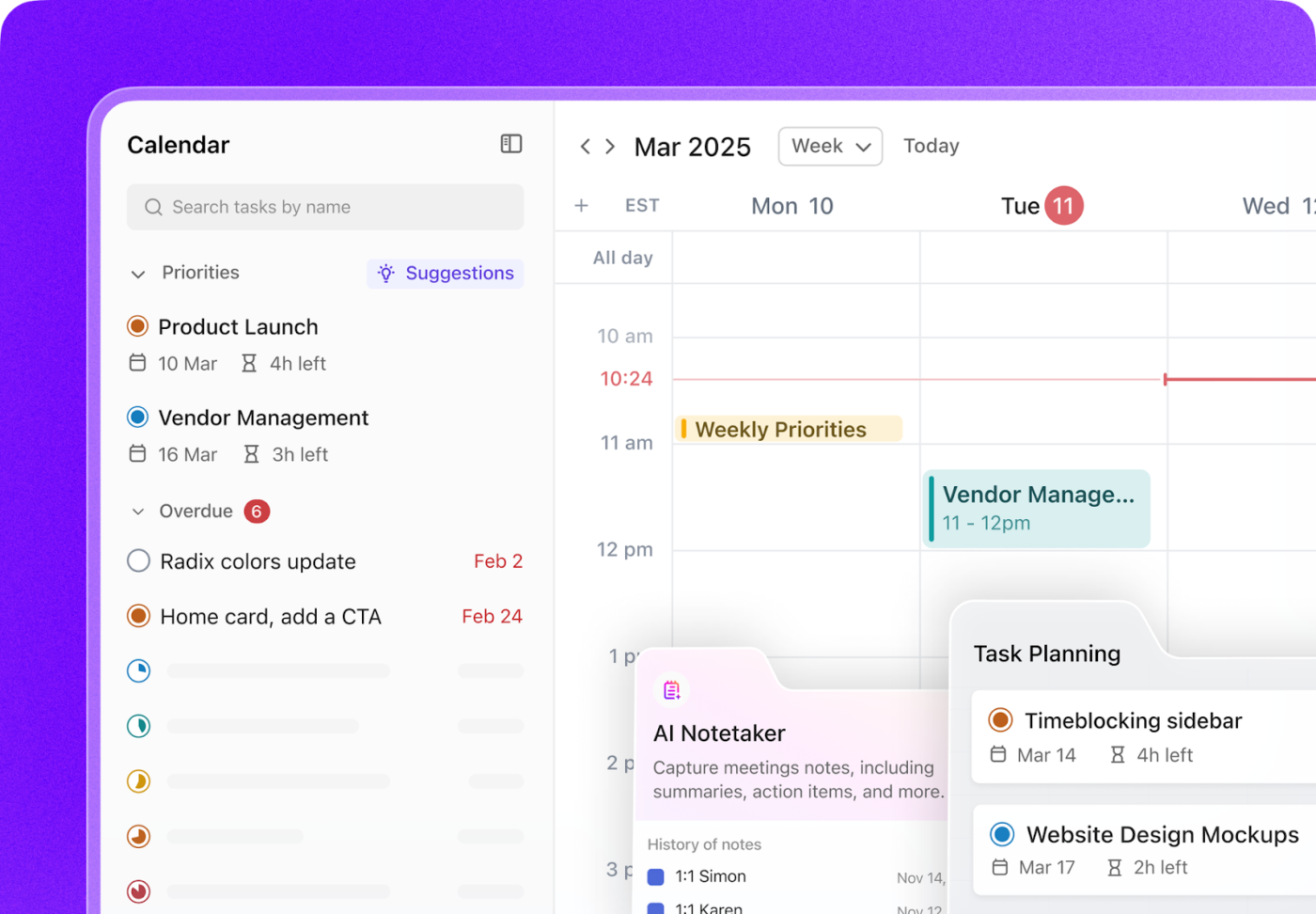
ClickUp’s AI Calendar acts as your command center for booking conference rooms. Instead of awkward hallway standoffs or double-booking drama, you get a clean, real-time view of which rooms are available, when, and for how long.
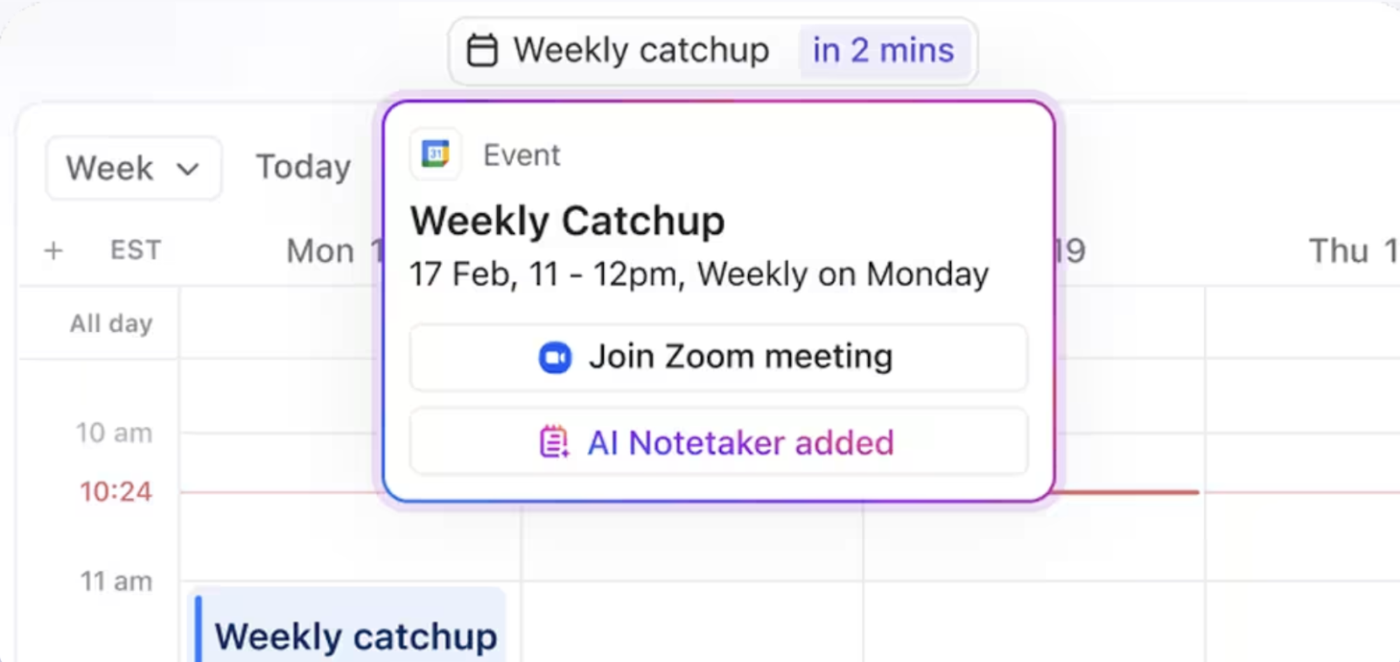
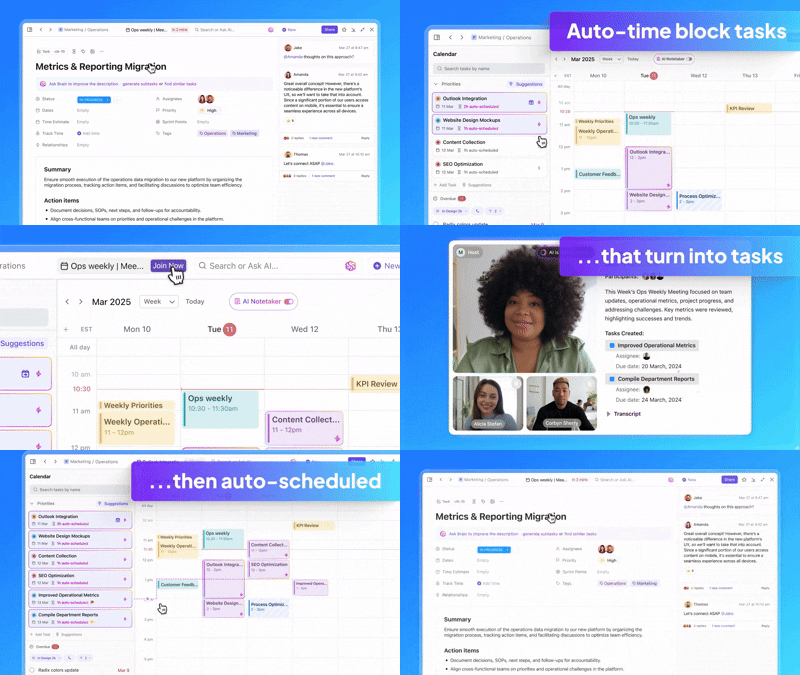
Need to block time for a brainstorming session or a weekly all-hands? Just pick your slot.
But it doesn’t stop at just booking. This Calendar is AI-powered. It can optimize your entire meeting flow. The calendar will auto-schedule based on availability and send out reminders so nobody misses the meeting—or walks into one uninvited.
ClickUp’s AI reviews tasks, upcoming deadlines, and your team’s availability to recommend meeting times that make sense.
ClickUp Brain even auto-blocks focus time and reschedules when conflicts arise, helping you avoid overlaps and last-minute shuffle games.
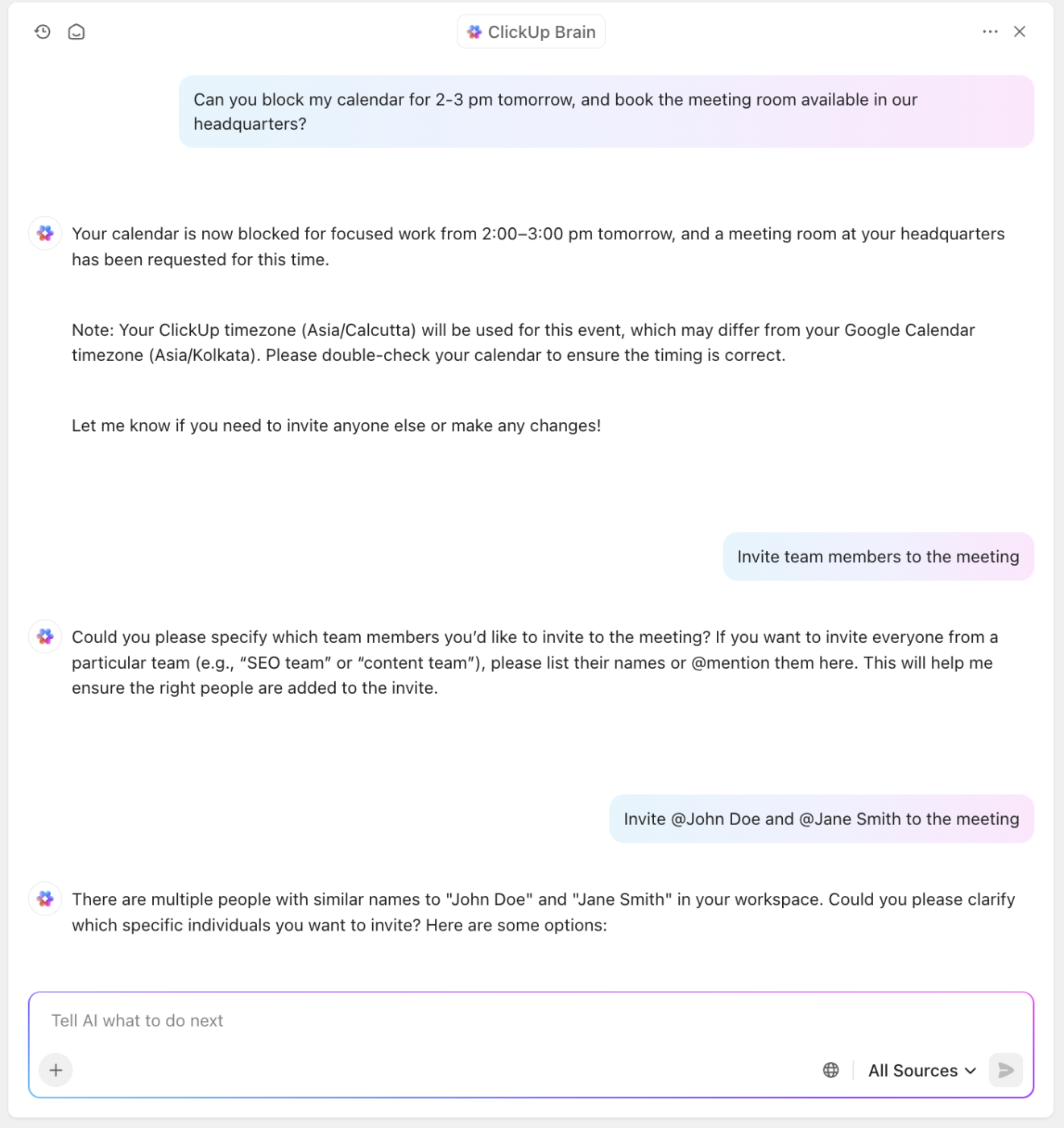
Next, let’s talk about ClickUp Tasks—the operational backbone of your meeting room coordination.
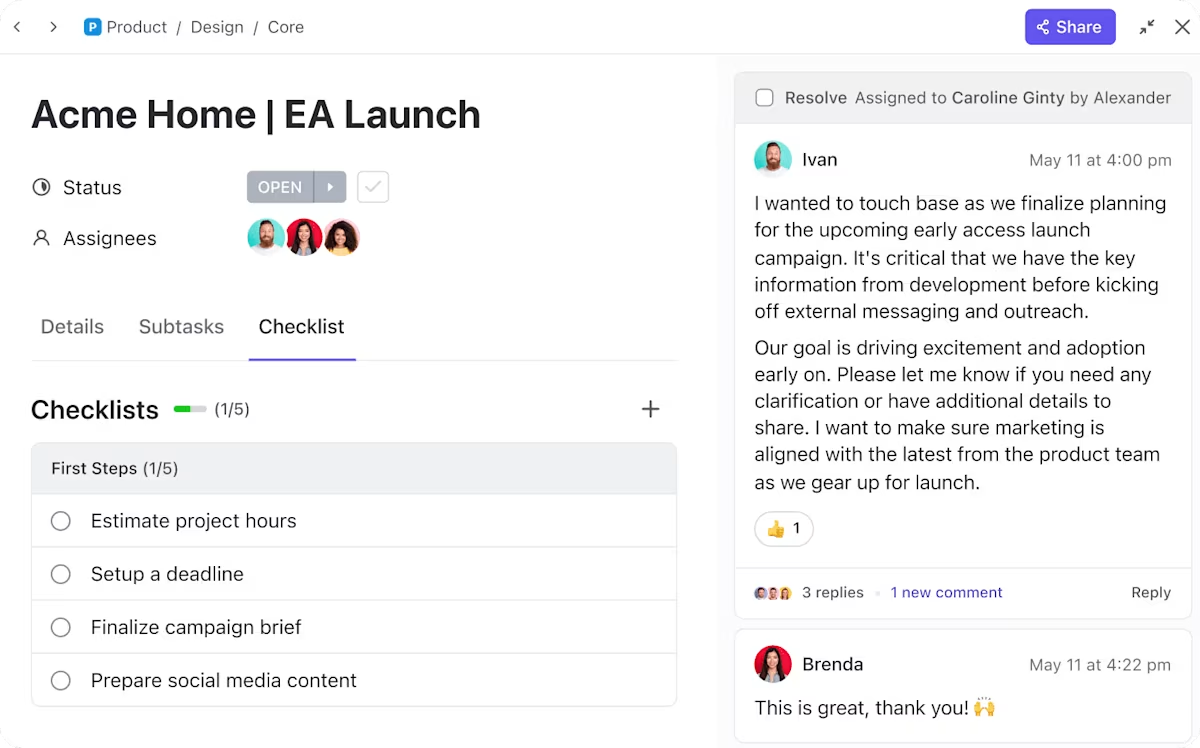
You can turn every scheduled meeting into a task. Just tag the room, assign it to your team, set the duration, and you’re done.
This creates a shared source of truth—everyone knows who’s using what space, for how long, and why. No more guessing who “Meeting Room B” is reserved for. Even better, you can add subtasks and checklists so your meetings stay on track and productive.
And since ClickUp syncs effortlessly with Google Calendar, Outlook, Microsoft Teams, and other top scheduling tools, your entire booking ecosystem stays aligned.
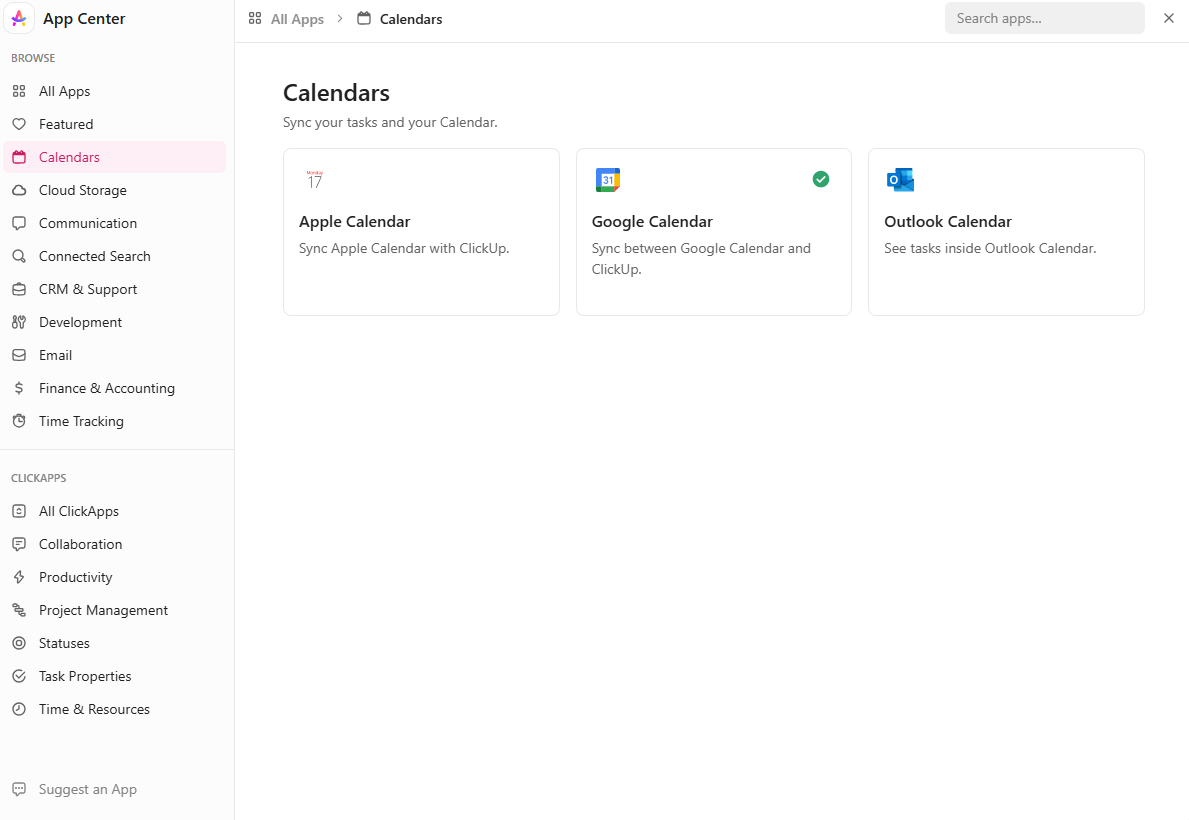
You can turn emails into Tasks with the ClickUp Outlook integration. Alternatively, you can create new Tasks from your emails without leaving Outlook.
Updating Tasks on your calendar also becomes a breeze through the ClickUp Google Calendar integration. And if you need to alter or add an event on your Google Calendar, it’ll automatically reflect on ClickUp.
Similarly, the ClickUp Calendly integration lets you schedule a meeting on Calendly and have it show up on ClickUp.
Besides managing, scheduling, and coordinating, ClickUp shines when it comes to boosting productivity. It doesn’t just cancel the chaos that comes with meeting room booking; it makes meetings themselves entirely hassle-free.
The ClickUp AI Notetaker is the team member you didn’t know you needed. It joins your meetings, listens in, transcribes key points from meeting minutes, and—most importantly—automatically generates action items that are turned into ClickUp Tasks as soon as the call ends.
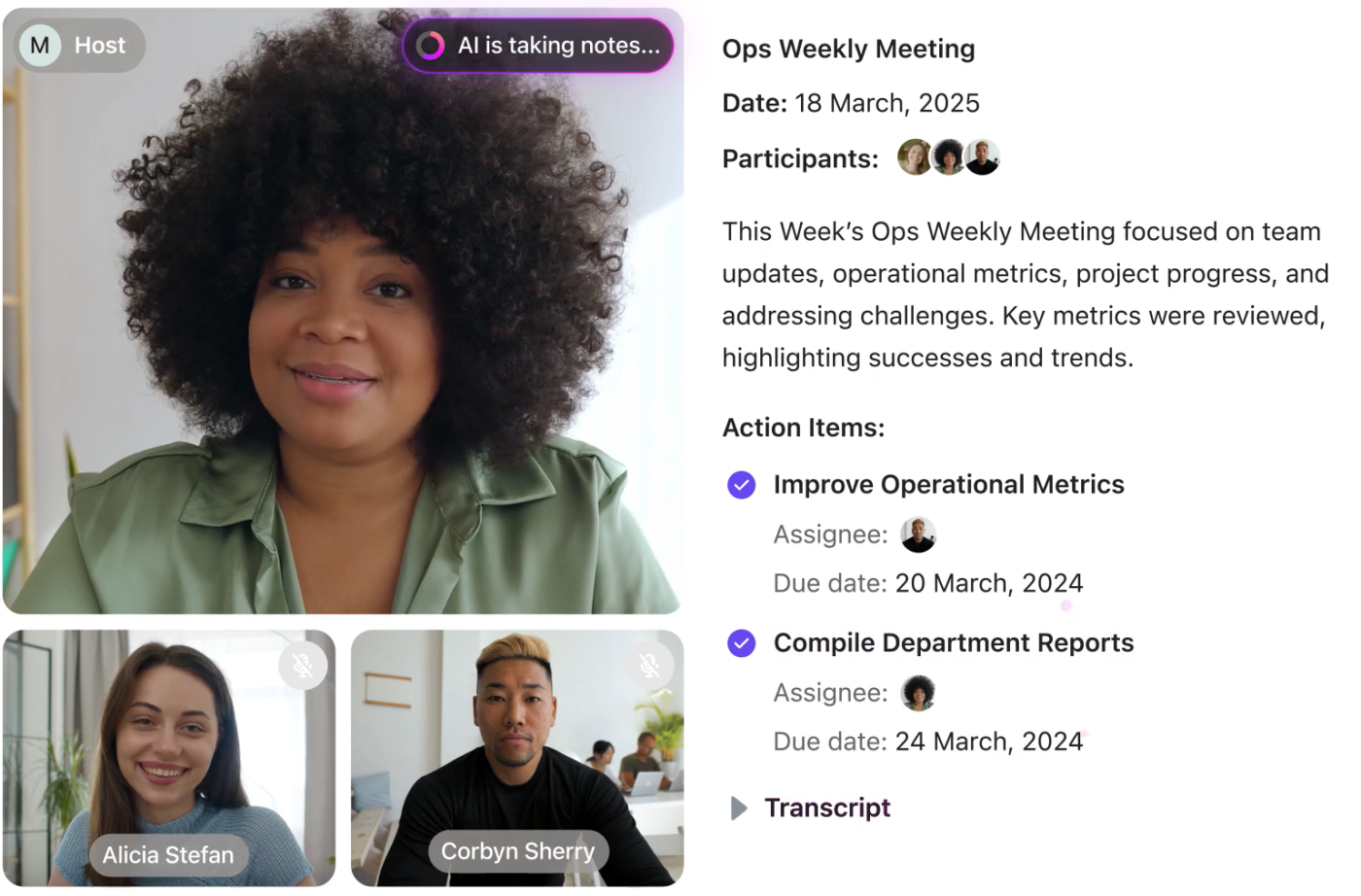
That means every room booking results in documented outcomes and follow-through, not just vague notes and forgotten takeaways.
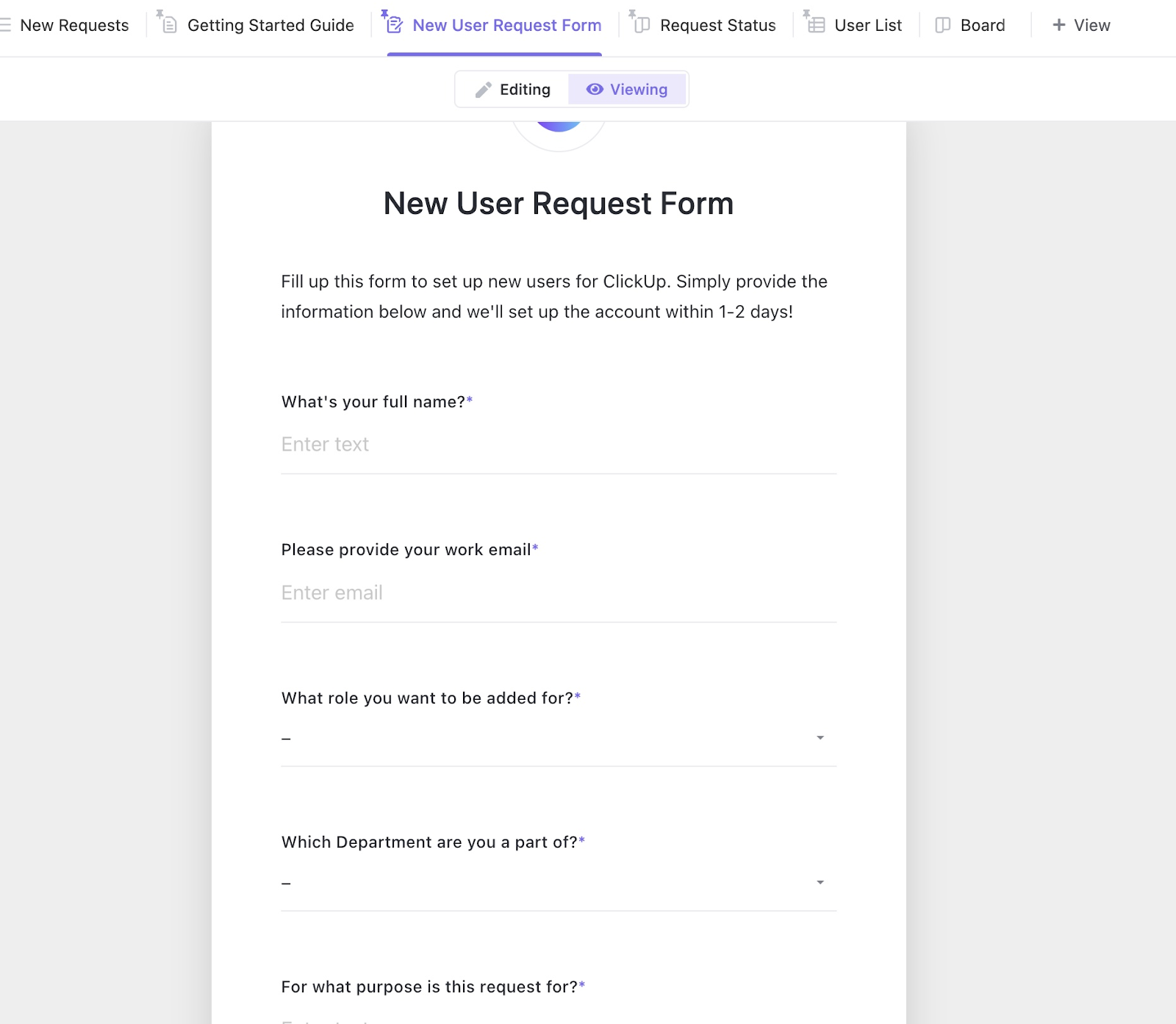
Need an easy way for your team to request rooms or schedule meetings? Try the ClickUp Meeting Booking Form Template.
It lets teams book meeting rooms without any hassle and ensures every meeting request is clear and consistent, avoiding any overlaps in meeting schedules. Moreover, you can capture all the essential details, such as date, time, location, attendees, meeting agenda, and needed resources.
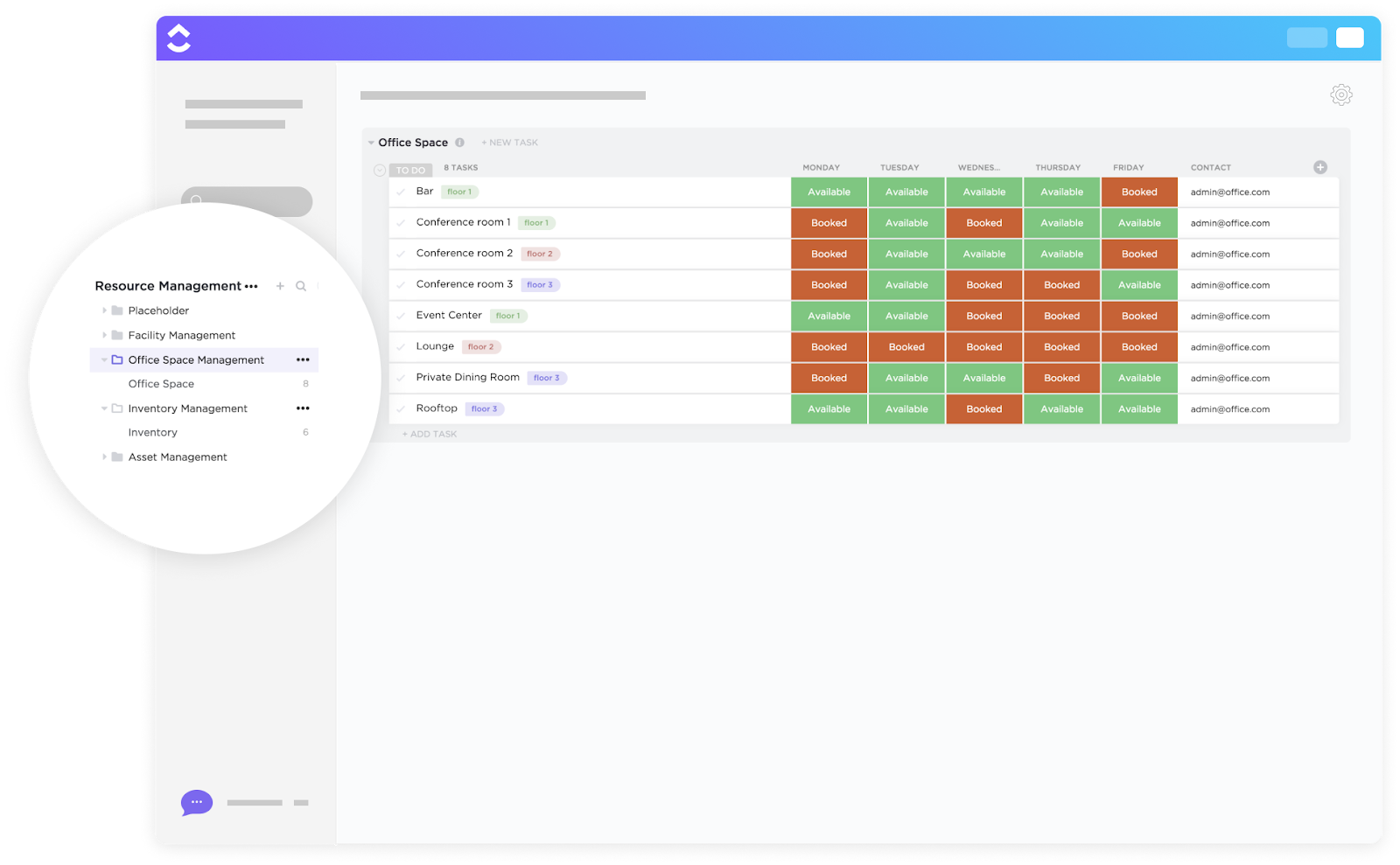
For those managing larger spaces—maybe a campus, a coworking floor, or an enterprise HQ—ClickUp Office Space Management Template levels up the game.
It lets you assign desks and conference areas, track room usage, manage maintenance requests, and even optimize layouts for peak productivity. You can visualize your space, plan efficiently, and run your office like a well-oiled machine.
In a world of overlapping calendars and crowded schedules, ClickUp is your full-stack meeting ops manager. It helps you run effective meetings and keep every space, task, and teammate in sync.
A ClickUp user says,
It’s been phenomenal to see how much time we’ve saved in meetings since moving to ClickUp. What used to take us three hours per week for event planning and updates now takes us just over an hour. The teams involved now have more time to focus on more important marketing priorities.
💡 Pro Tip: Use ClickUp Forms to collect your team’s feedback after every meeting. This will help you reduce the number of pointless meetings and keep meeting rooms available for urgent conferences
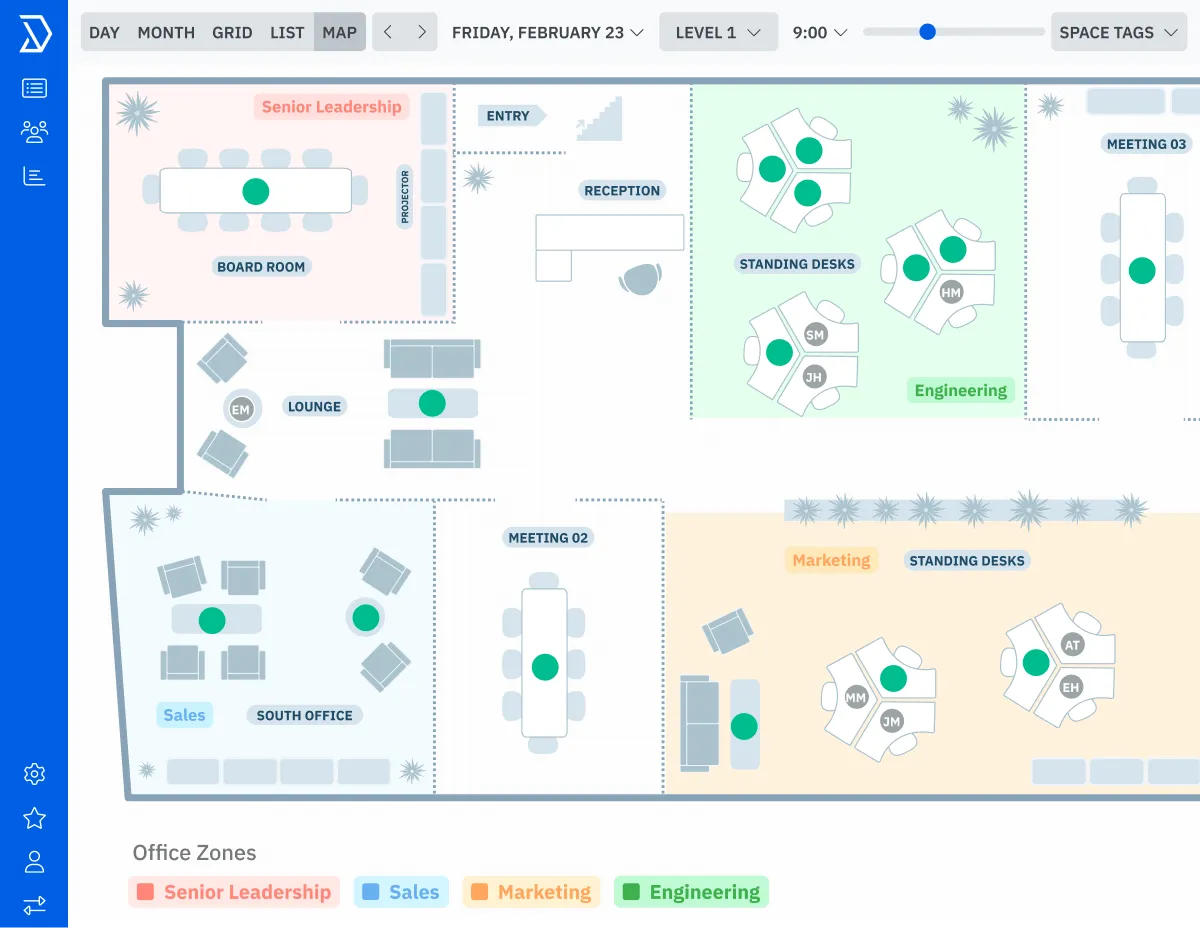
From 2023 to 2024, the overall office occupancy has doubled, rising from 30% to 60%. This means more people, more meetings, and yes… more chances of space conflicts.
Skedda’s sleek and centralized platform lets you manage that with desk assignment, meeting room scheduling, and shared space organization. Its intuitive drag-and-drop interface, online payments, and social logins make it easy for office managers and coworking operators to handle reservations with minimal effort.
You can also establish access control for specific rooms, ensuring that the space for your high-priority meetings is always available.
📮ClickUp Insight: According to our meeting effectiveness survey, 12% of respondents find meetings overcrowded, 17% say they run too long, and 10% believe they’re mostly unnecessary.
In another ClickUp survey, 70% of the respondents confessed that they would happily send a substitute or a proxy to the meetings if they could.
ClickUp’s integrated AI Notetaker can be your perfect meeting proxy! Let AI capture every key point, decision, and action item while you focus on higher-value work. With automatic meeting summaries and task creation assisted by ClickUp Brain, you’ll never miss critical information, even when you can’t attend a meeting.
💫 Real Results: Teams using ClickUp’s meeting management features report a whopping 50% reduction in unnecessary conversations and meetings!
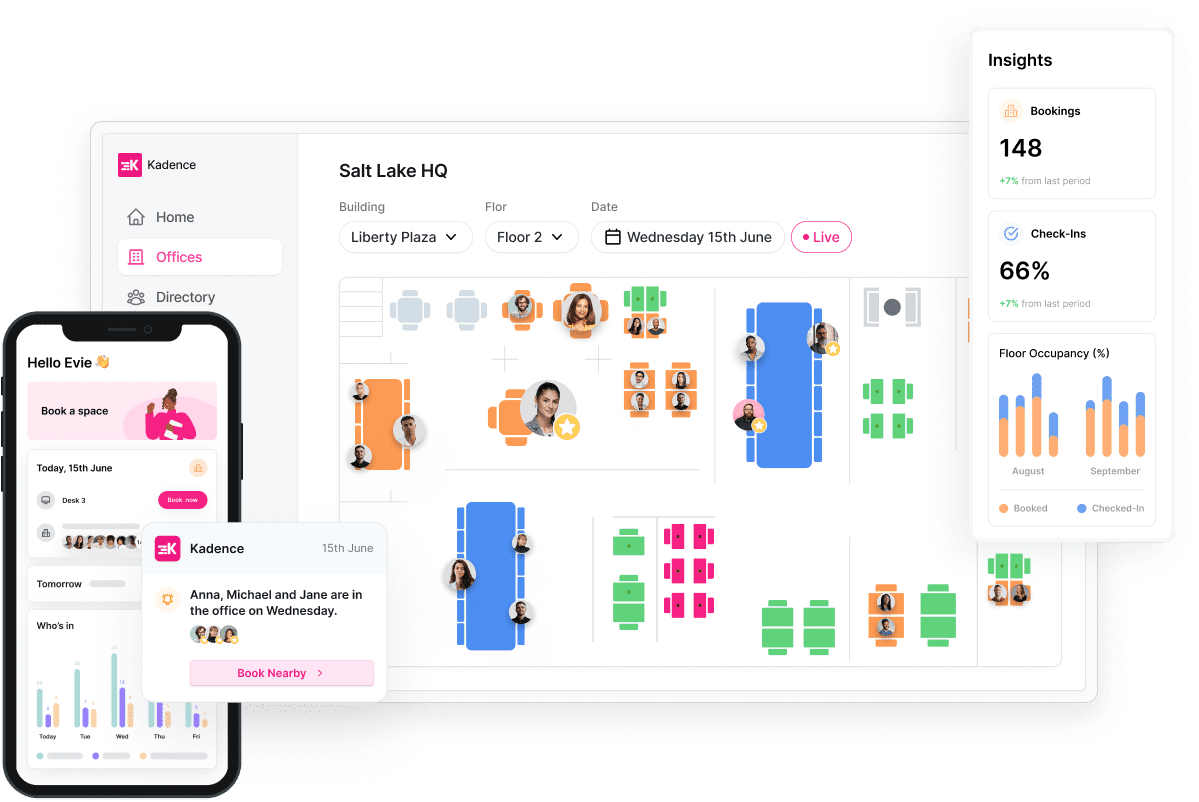
64% of employees state that their company currently operates on a hybrid model. If you are one of them, Kadence is an ideal meeting room scheduling software for you.
This meeting room booking system offers a modern room booking system tailored for hybrid teams, providing real-time visibility into available meeting rooms across multiple locations.
You can filter rooms by location, capacity, or amenities and book directly from your mobile device or desktop. The system’s room displays and quick-book functionality ensure that conference room scheduling is both transparent and hassle-free.
A G2 review reads:
It is an easy system to use if set up correctly. All you need to do is follow a few clicks of the button to view what seats or rooms are free and click to confirm. Having to check in each and every time you book. It is quite a pain and if you don’t do it on time your booking is taken away.
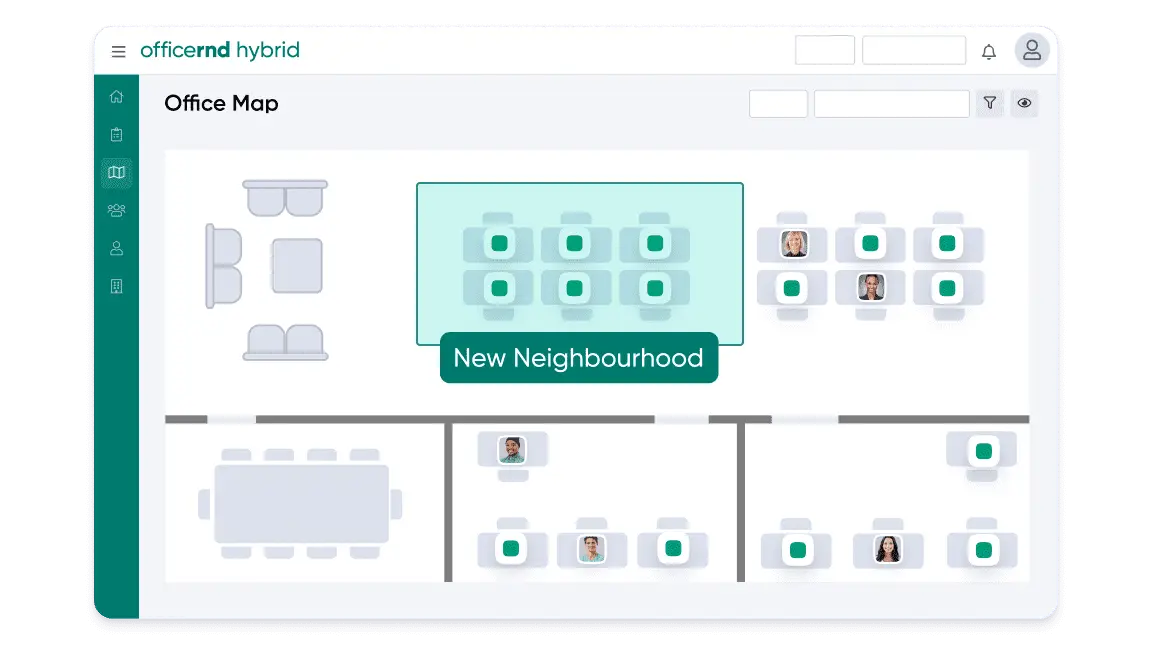
Every team needs different amenities while running online meetings, whether it’s whiteboards for brainstorming, video conferencing gear for client calls, or extra chairs for hybrid huddles.
With OfficeRnD, you can customize meeting rooms to match your team’s needs, from adding amenities to setting smart booking rules that keep scheduling simple and stress-free. And when things get busy, office managers or admins can jump in to book spaces on behalf of others, making sure everyone gets the right room at the right time.
The platform is especially suited for coworking spaces and corporate environments that require flexible, scalable solutions.
A G2 review reads:
I like how seamless the platform is. It is very user-friendly and easy to navigate. For our organization’s needs and the requirements when someone reserves a room in our office, the meeting services feature is essential. It would be beneficial to have the option to enable the requirement for that form so that our team can prepare for our employees’ arrival to the office.
🧠 Fun Fact: Mark Zuckerberg, the founder of Facebook, swears by the productivity-boosting power of an icy conference room, keeping the thermostat at a brisk 59°F (15°C). Looks like the only thing heated in that room is the discussion!
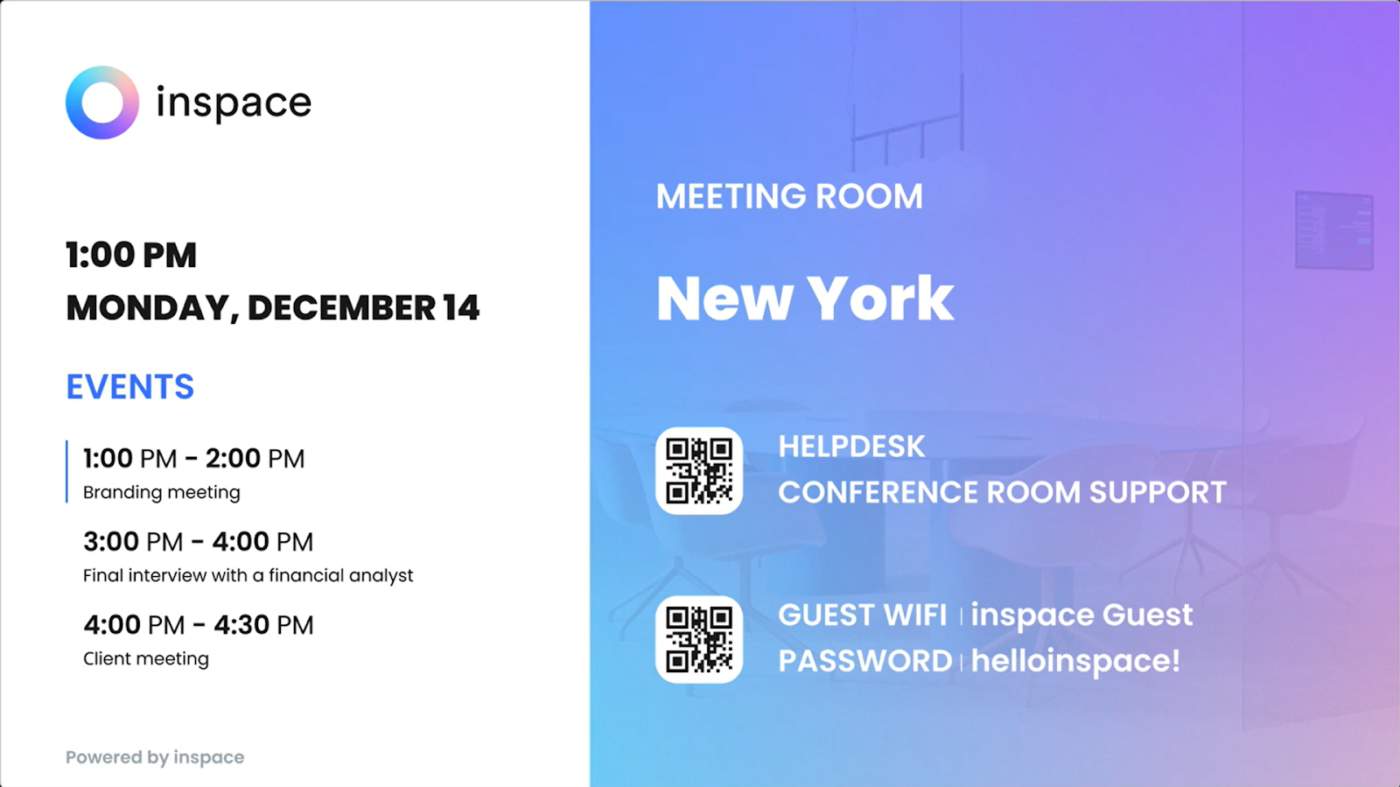
To optimize your workspace, you need real-time data on how your meeting rooms and desks are being used. The platform’s NFC-enabled check-in system ensures that only attended bookings hold the space, automatically releasing unused rooms for others.
Besides handling your room bookings, it shows you exactly how the space is being used and what you need to change to accommodate your team.
You can instantly view available conference rooms, check schedules, and reserve spaces from any device, including interactive room panels. Moreover, it offers customizable messaging, real-time updates, and effortless coordination for smooth and enjoyable client and team meetings.
👀 Did You Know? 49% of all workplace spaces are extremely underused, averaging less than one hour per day.
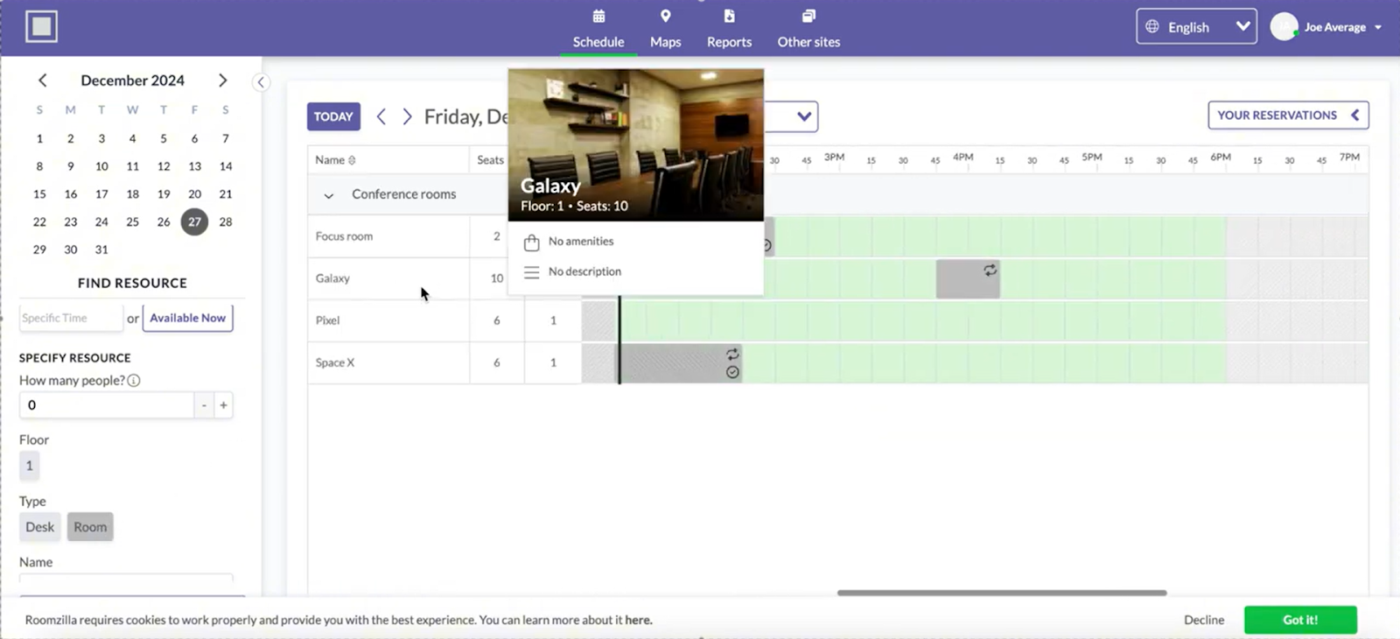
Nobody wants to go through multiple approval steps just to book a meeting room. It becomes even more frustrating when it’s an urgent conference.
Roomzilla lets you reserve rooms by just scanning a QR code. Its auto-cancellation and approval queue features help reduce no-shows and streamline the reservation process. The platform is highly adaptable, supporting hot-desking, desk hoteling, and traditional conference room booking, making it a versatile solution for modern, flexible workplaces.
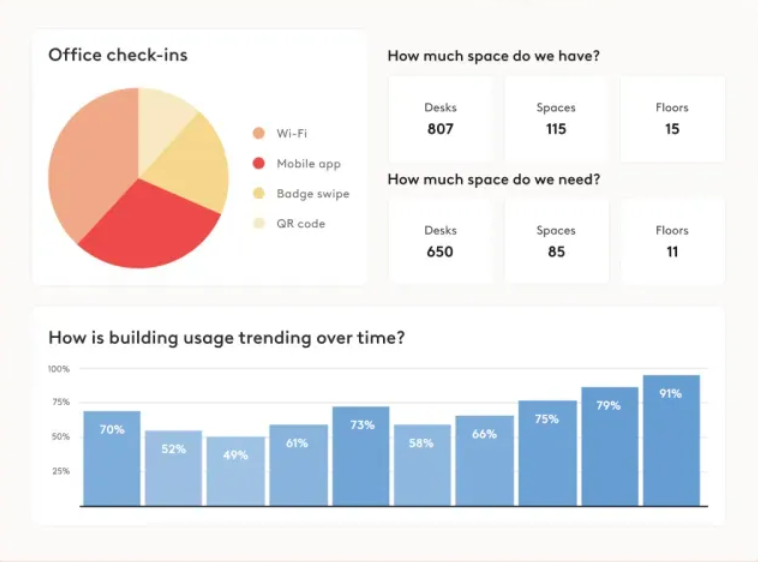
For large enterprises, managing conference rooms across sprawling office spaces and multiple locations can be a logistical nightmare, especially if you have a hybrid work model. Robin is a meeting room booking software designed to accommodate the meeting room needs of such enterprises.
With hot desking, priority booking, and a centralized overview of rooms, you can quickly locate the perfect space and resolve scheduling conflicts for your remote and in-office teams. You can even book parking spots and optimize room display and office layout with AI.
A G2 review says:
I like how easy it is to manage the rooms and the information on what each room has. I like the UX of the app, makes it very easy to use for our staff
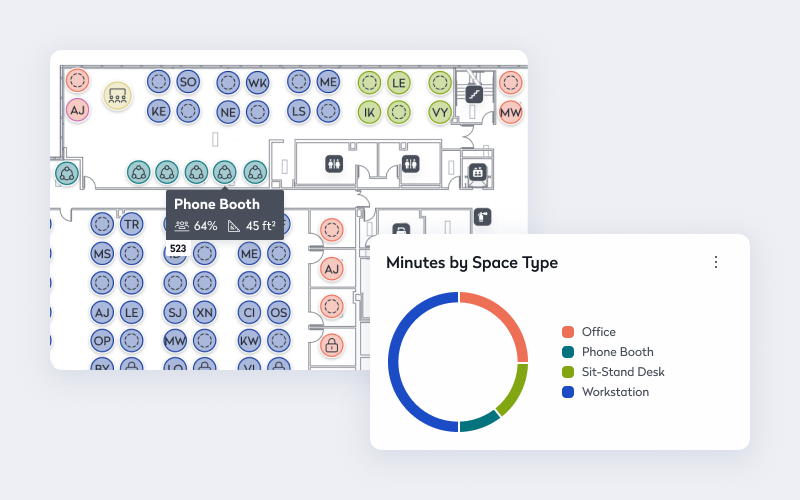
Teem by iOffice is a FedRAMP-authorized meeting room booking system, ideal for government agencies and companies handling highly sensitive data.
It combines desk and room reservations with workplace analytics and wayfinding. It also offers Eptura AI to help you optimize your workspace and improve operational efficiency.
Besides reserving meeting rooms, you can use it to schedule office space maintenance, place service requests, and track meeting schedules and equipment budgets.
This meeting room booking software is helpful for enterprises and educational institutions looking for a unified platform to manage all aspects of workplace reservations and visitor flow.
🧠 Fun Fact: Amazon’s famous “two-pizza rule” says no meeting should be so big that two pizzas can’t feed the whole group. Quite a nifty idea to keep those overextended, frustrating meetings at bay, huh?
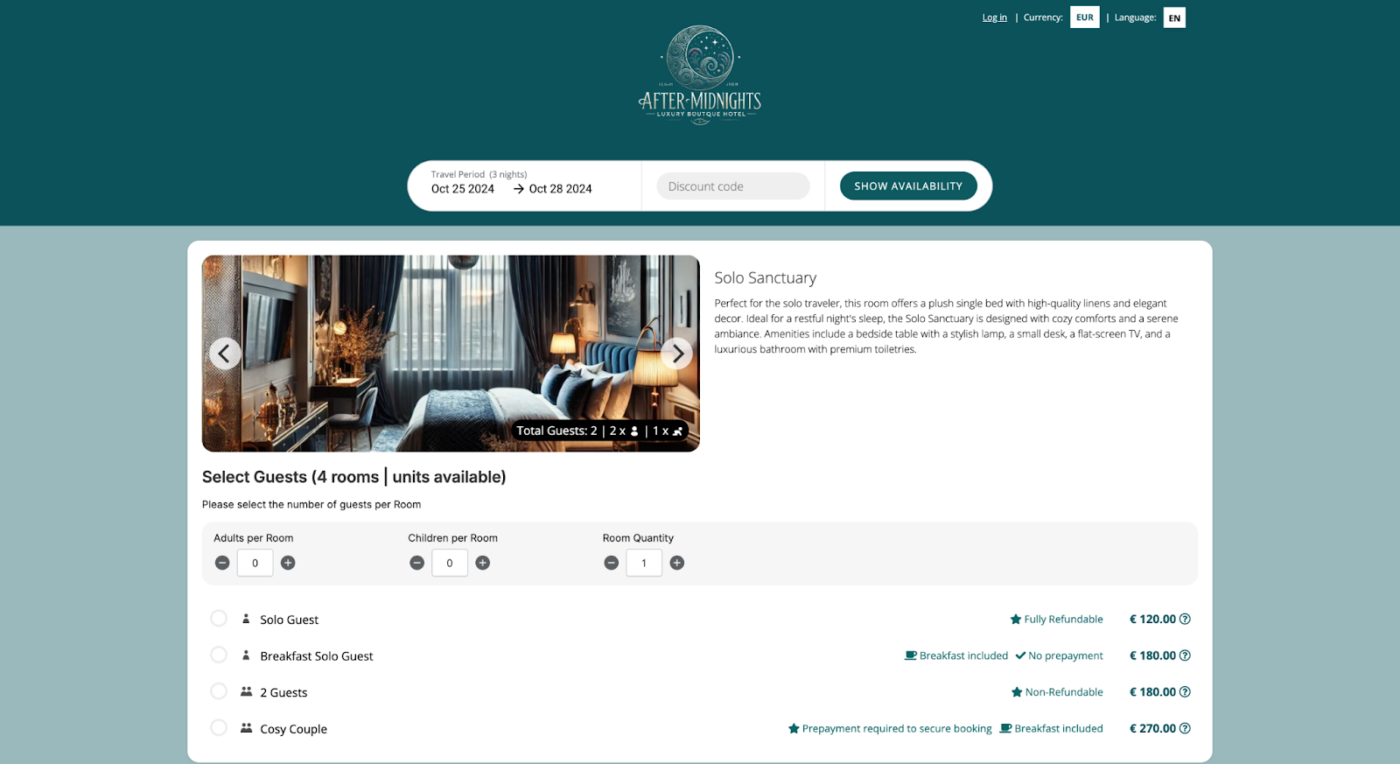
Overlapping reservations, manual updates, and constant booking requests can overwhelm even the most organized hotel staff. RoomRaccoon is an all-in-one hotel management software that excels in automating front desk administration and back-office operations for hospitality environments.
Its property management system (PMS) includes a robust booking engine, channel manager, and real-time reporting, allowing hotels and guesthouses to streamline room reservations and maximize revenue.
It’s a smart solution that helps hoteliers save time, reduce errors, and deliver a seamless experience from check-in to check-out.
A G2 review says:
The system is easy to use and works perfect for our boutique hotel. The upside not having to set all the mapping and pricing for the OTA that can get complicated. Good thing they have articles and customer service to help.
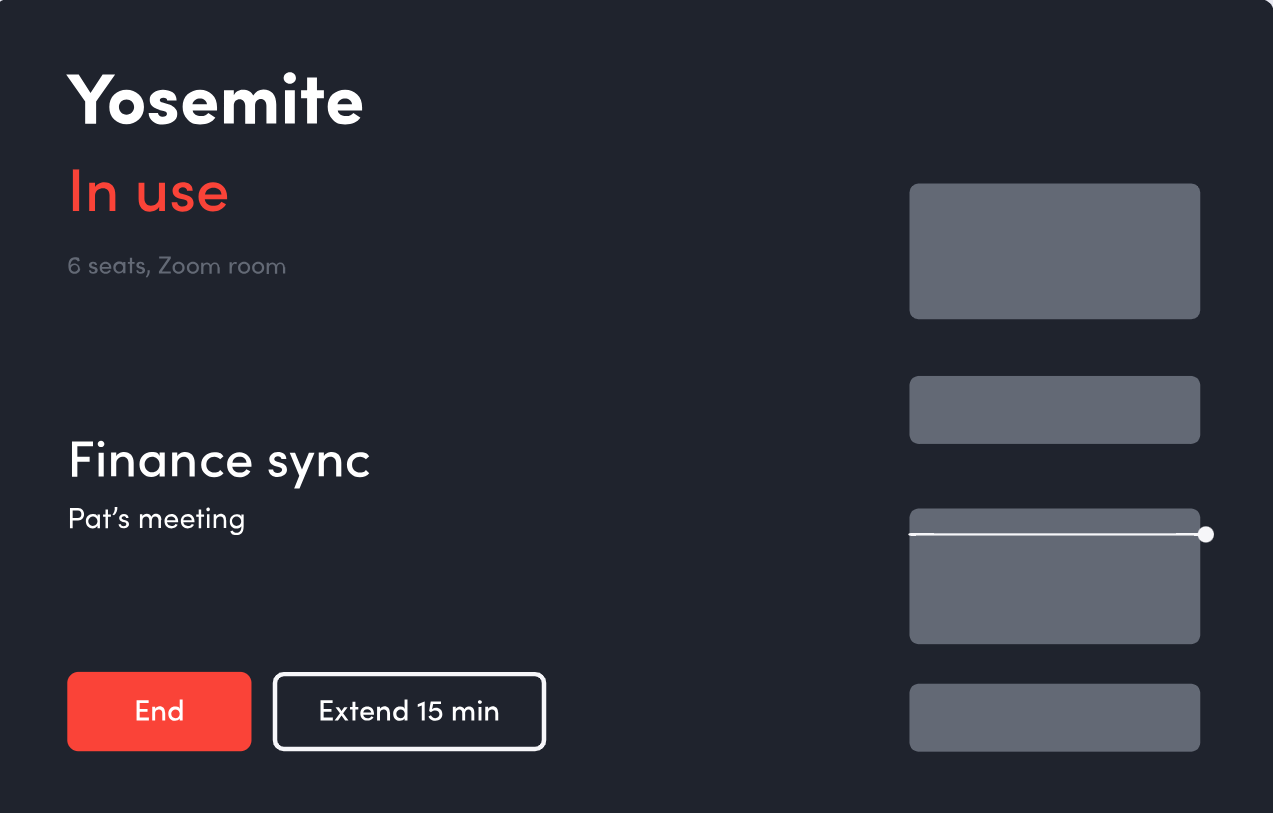
Envoy’s a conference room scheduling software for intuitive, efficient room booking and space management. With color-coded availability indicators and digital schedule displays outside each meeting room, you can easily find and reserve the right space for your needs.
The meeting room booking system even sends real-time alerts to book smaller spaces and release rooms via Slack.
Privacy controls and automated end-of-meeting reminders make this meeting room booking system a strong choice for organizations focused on minimizing wasted space.
A G2 review says:
Ease of use and flexibility. It’s very easy to add new data fields we need to capture, and the training materials are very well done. The software is intuitive on its own, but the materials are easy to follow.
📖 Also Read: Discovery Meeting: What It Is and How to Conduct One
A reliable meeting room booking software is just as important as it helps your team spend less time coordinating and more time collaborating.
While the tools mentioned above offer powerful scheduling features, the best room scheduling platforms go beyond just booking. They help you optimize space usage, keep everyone in sync, and streamline meetings with AI-powered solutions.
Whether you’re managing meeting rooms, hot desks, or collaborative zones, ClickUp is the solution that fits all your needs. From an AI-powered Calendar that makes meetings intelligent, integrated, and outcome-driven to easy integrations with scheduling tools, you get everything you need to let your teams run timely and effective meetings.
Whether you’re an office manager trying to stop the daily chaos, a university admin coordinating lecture halls, or a corporate team just trying to run meetings that actually stick, ClickUp ensures your room booking process is as smooth as the meeting itself.
Sign up with ClickUp today and see for yourself!

© 2026 ClickUp

There’s an easier way. Try a free AI Agent in ClickUp that actually does the work for you—set up in minutes, save hours every week.