






Still downloading templates?
There’s an easier way. Try a free AI Agent in ClickUp that actually does the work for you—set up in minutes, save hours every week.
Sorry, there were no results found for “”
Sorry, there were no results found for “”
Sorry, there were no results found for “”
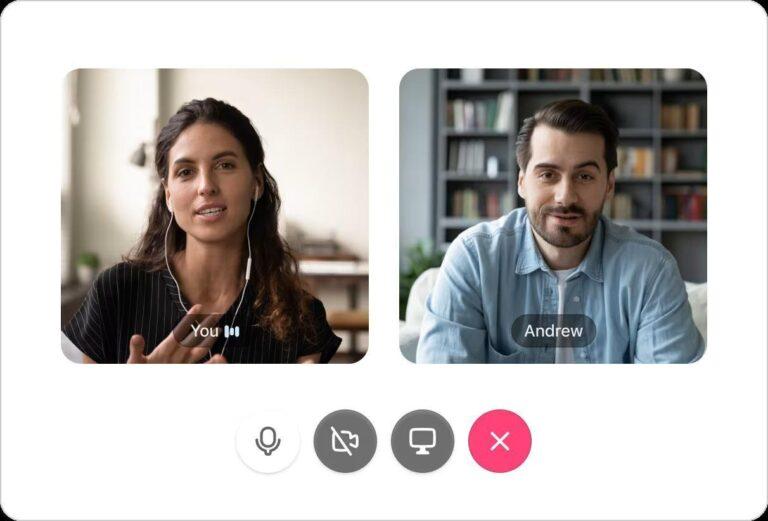
At 10 a.m. sharp, everyone in your team pauses to join a Zoom call. Decisions are made and action items listed. Twenty minutes later, you are manually copying notes into task boards and a project management tool so that nothing slips.
That’s the daily standup Zoom meeting for you.
Zoom works well for live discussions, but daily standups often expose a gap between talking about work and tracking it in the execution phase.
ClickUp SyncUps, on the other hand, live closer to the work.
Start a SyncUp from ClickUp Chat, capture the discussion, and keep follow-through tied to owners, deadlines, and tasks, without rebuilding context in another tool.
This shift matters now more than ever, as modern teams operate across time zones, protect deep work hours, and need accountability to live inside their execution system.
And no, you don’t need another recurring daily meeting for this.
Below, we show you how to replace daily standups on Zoom with ClickUp SyncUp.
Here’s why those 15-minute Zoom standup meetings are losing their edge:
For many teams, progress is already tracked in project tools and task boards. Daily standups interrupt that flow so people can verbally repeat what’s already documented.
Updates shared in Zoom meetings don’t sync with your task statuses. The blockers mentioned don’t link back to the actual task dependencies and deadline. In essence, you’re getting a parallel update system that requires manual work to maintain.
📮ClickUp Insight: 27% of our survey respondents believe weekly updates could be replaced with asynchronous alternatives, while 25% say the same for daily standups. If that shift forces teams into more tools, it can create scattered information and extra overhead.
ClickUp revolutionizes teamwork by centralizing discussions via comment threads, enabling quick recorded updates through ClickUp Clips, and more—all within one platform.
💫 Real Results: Teams like Trinetrix have reduced unnecessary meetings by 50% with ClickUp!
Spoken commitments made during a daily standup meeting are not the most efficient way to document critical information and key decisions, or to hold people to them. Standup questions and action items are difficult to recollect consistently.
👀 Did You Know? According to Microsoft’s Work Trend Index, inefficient meetings are the number one productivity disruptor. It also found that 57% of people struggle to catch up if they join late, 55% say next steps are unclear, and 56% say it’s hard to summarize what happens.
ClickUp SyncUps reduce that gap by recording the call and generating a transcript and summary from Clips Hub.
📚 Read More: Best AI Tools for Meetings and Meeting Assistants
If you’re evaluating AI agents for meetings, watch this video to make an informed decision:
Your brain works harder on video. What may seem like a friendly, informal standup to you may be mentally slogging for some team members. For such team members, daily check-ins become a blocker in themselves.
Additionally, stand-up meetings create cognitive load, making it challenging to resume deep work. It may take anywhere from 45 minutes to a couple of hours to channel your productive energies after a call.
👀 Did You Know? Meeting Recovery Syndrome is the time and mental energy your brain needs to recover after meetings before it can return to productive work. Coverage of meeting research cites that switching back to tasks can take up to 45 minutes in some cases.
If you have a geographically distributed team, a start-of-day call for some team members is wrap-up time for others.
Does it make sense to answer ‘ What will I do today?’ when you are about to wrap up work?
If your team works across time zones or staggered schedules, an async-first update pattern is usually more realistic than a fixed live call.
Forcing everyone onto a call while ignoring their natural productivity rhythm creates a false sense of alignment, and not to mention, Zoom fatigue.
👀 Did You Know? A seemingly harmless Zoom meeting is causing five distinct types of meeting fatigue: general, visual, social, motivational, and emotional. The Zoom Exhaustion & Fatigue Scale (ZEF Scale), developed by Stanford researchers, scientifically measures this phenomenon.
Standup meetings are designed to be 15 minutes long. However, when a team member brings up a blocker or a problem (which occurs almost every day), a quick standup can turn into a 45-minute problem-solving session.
Your entire team has to sit through conversations that only require 2 or 3 people. These added standup minutes compound into hours of wasted time over the course of weeks.
📮 ClickUp Insight: ClickUp found that 47% of meetings last an hour or more. But is all that time truly necessary? The reason for our skepticism? Only 12% of our respondents rate their meetings as highly effective.
Tracking metrics like action items generated, follow-through rates, and outcomes can reveal whether longer meetings truly deliver value.
ClickUp’s meeting management tools can help here! Use ClickUp AI to summarize recorded meetings and convert these notes to Docs. Share the Doc with others or relate it to trackable tasks—all in one unified workspace. See which meetings actually drive results and which ones are just stealing time from your team’s day!
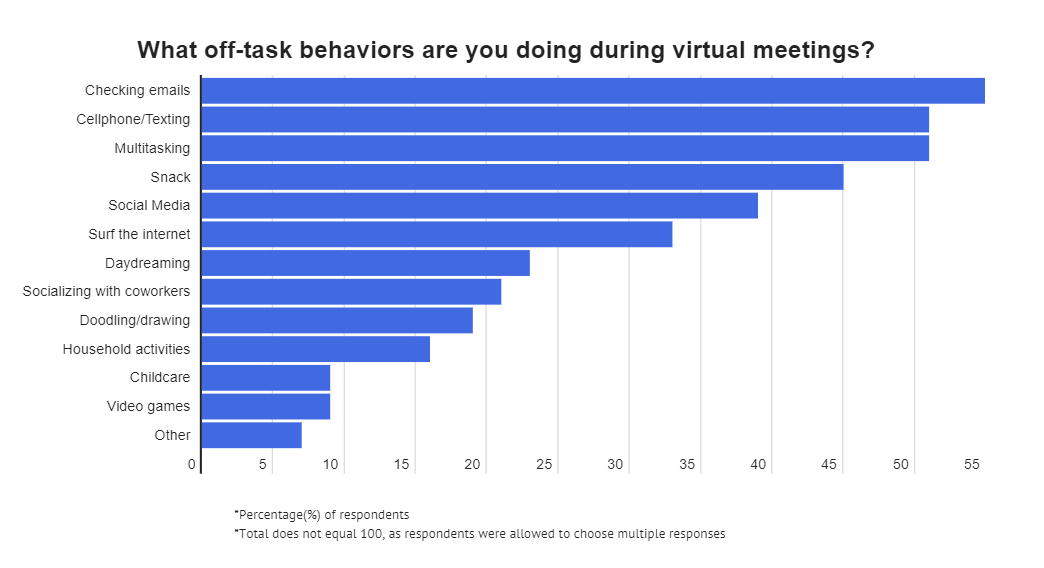
Standups were designed to coordinate work and improve collaboration. Yet, 55% of workers admit to checking emails during a standup meeting. They aren’t to be blamed either.
Standup meetings lose their effectiveness when the same blockers and problems start resurfacing every day with no apparent solution. This infographic by Zippia shows that meetings are rarely 100% productive (or even halfway so).
Does this mean you should stop standups completely? Not really. But there are ways to make them more productive.
How so? Let’s show you below.
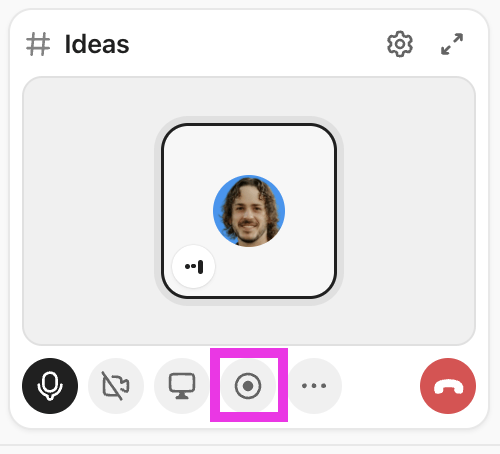
ClickUp SyncUp is an AI-powered meeting and collaboration tool that lets you start instant audio and video calls within your ClickUp workspace.
You can start a SyncUp from a ClickUp Chat Channel or a DM, including via the /SyncUp command.
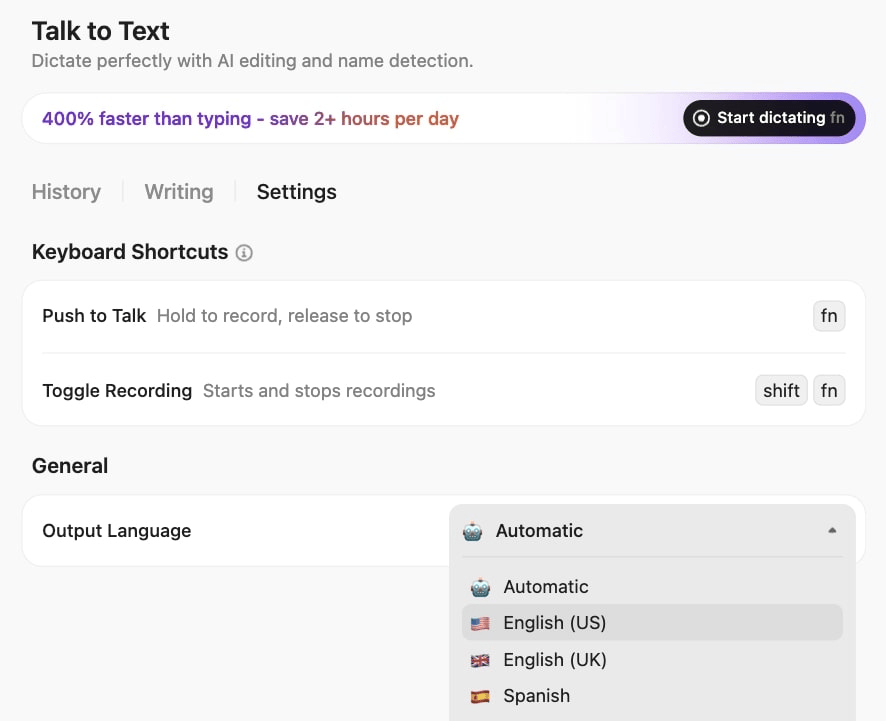
🚀 ClickUp Advantage: Using Talk-to-Text, team members can speak about progress, blockers, or next steps. ClickUp BrainGPT converts speech into usable text throughout your workflow, reducing the friction of writing updates.
ClickUp BrainGPT claims include working faster than typing and saving time weekly. If you use these numbers, keep the “on average” framing and link to ClickUp’s product page.
ClickUp BrainGPT claims include working faster than typing and saving time weekly. If you use these numbers, keep the “on average” framing and link to ClickUp’s product page.
For teams seeking an escape from everyday Zoom meetings and daily standups, SyncUp offers a perfect midway.
Here’s why it is the best Zoom alternative for meetings and video conferencing 👇
Unlike daily standups on Zoom, recorded SyncUps keep each note, video, and key decision accessible long after the call has ended. Everything stays in the same workspace where your projects live.
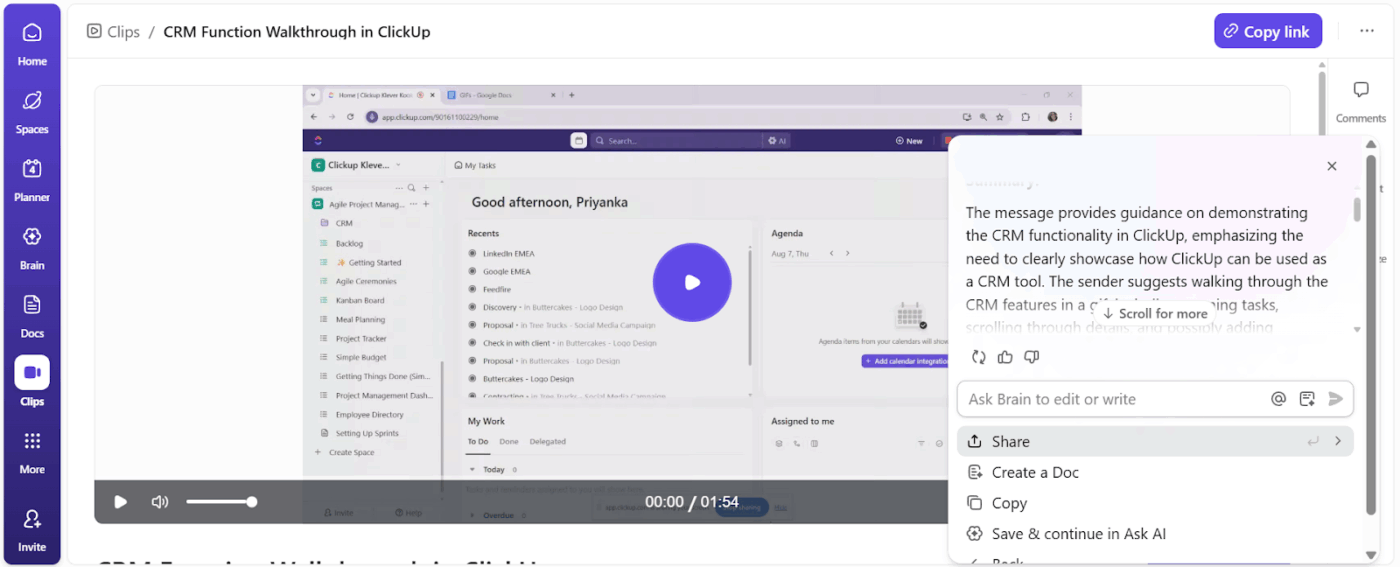
You can access transcriptions and summaries of your recorded SyncUps from Clips Hub.
Then, you have ClickUp Brain, which can also act as an AI transcript summarizer and give you answers with workspace context.
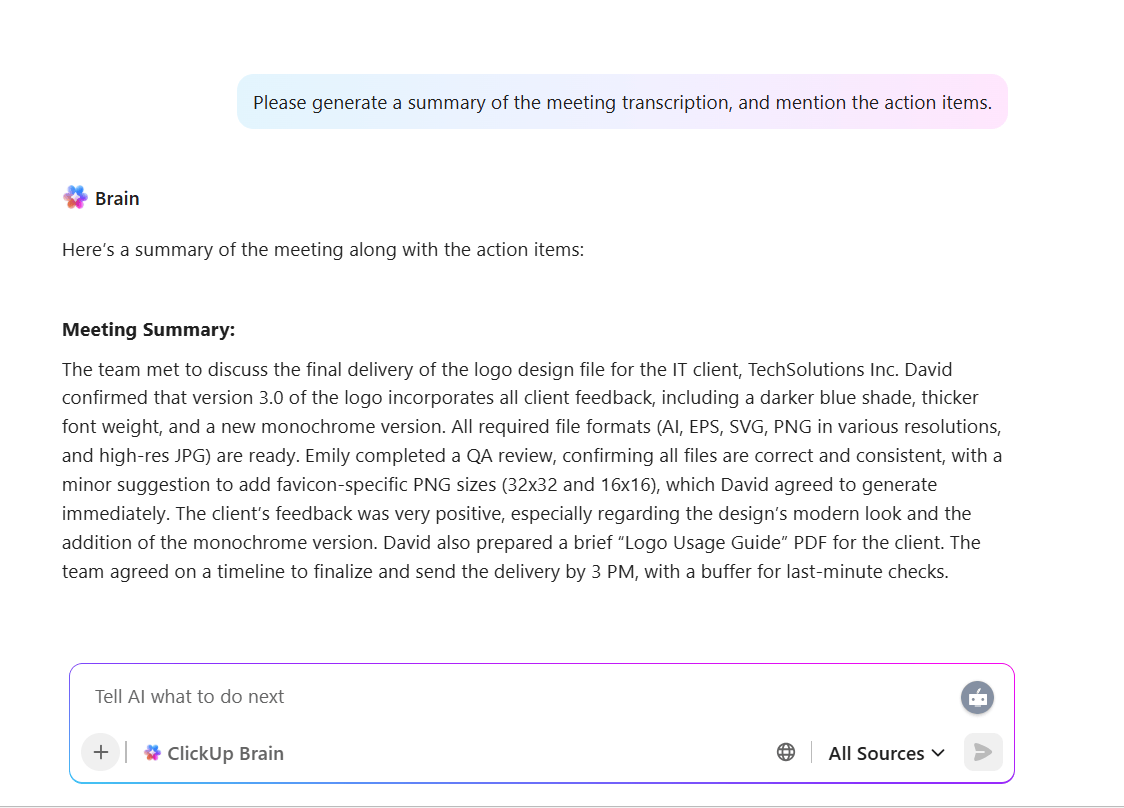
Team members who couldn’t attend the meeting can get a quick recap without having to watch an entire recording.
⭐ Bonus: With ClickUp Enterprise Search, you can retrieve information within seconds using natural language prompts.
For instance, if you’ve been OOO for a week, you can just ask the AI assistant to get you meeting details and action items from last week’s SyncUp.
📚 Read More: How to Use AI for Video Calls
You can launch a SyncUp from any DM or Channel in ClickUp Chat, keeping meetings, discussions, projects, and tasks in one place.
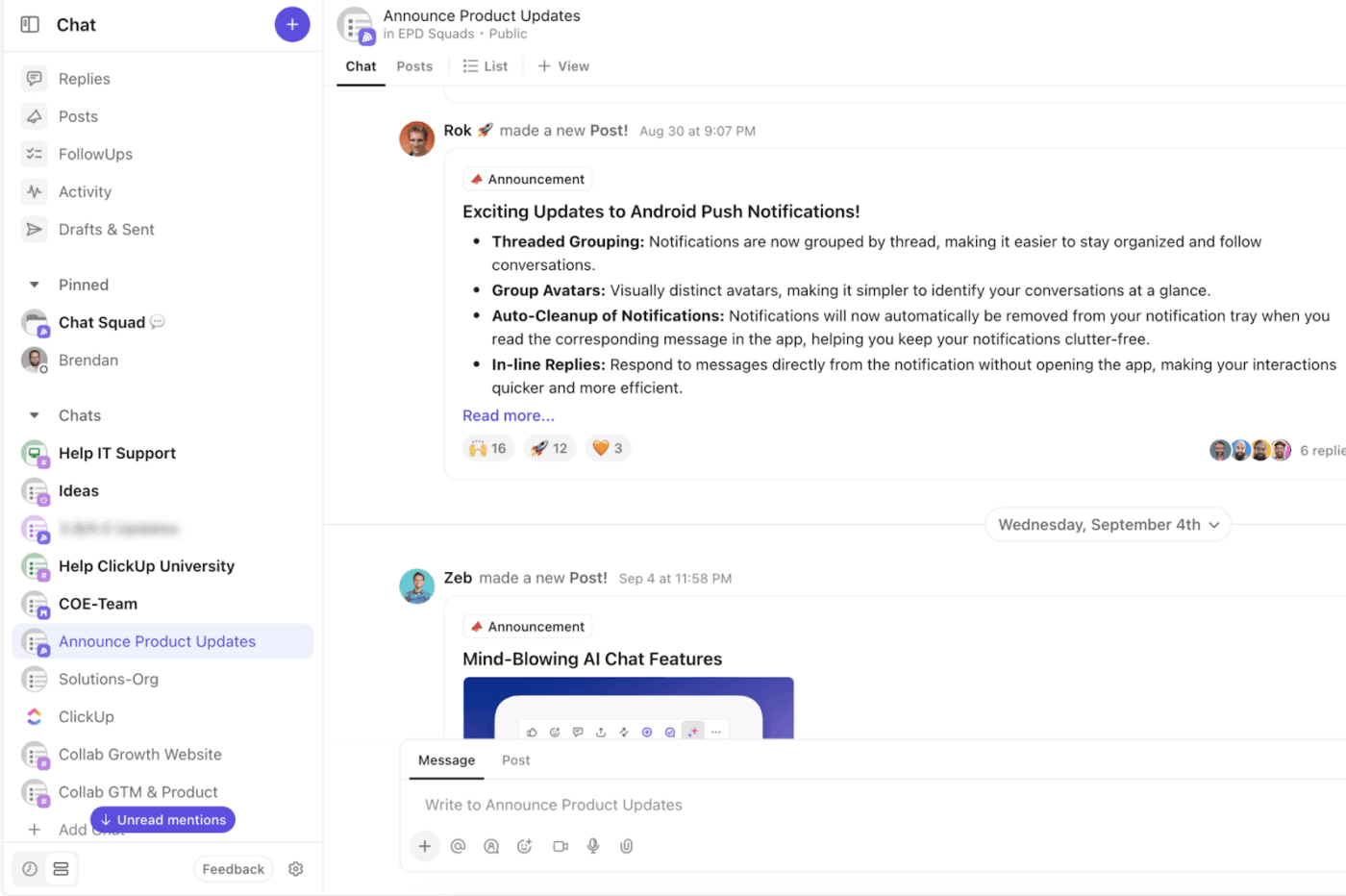
Everyone following that channel has full context—no time wasted in hunting for information across different tools.
Within Chat, you can:
For asynchronous updates, you can record a ClickUp Clip. This works well for pitching ideas, sharing feedback, and async check-ins.
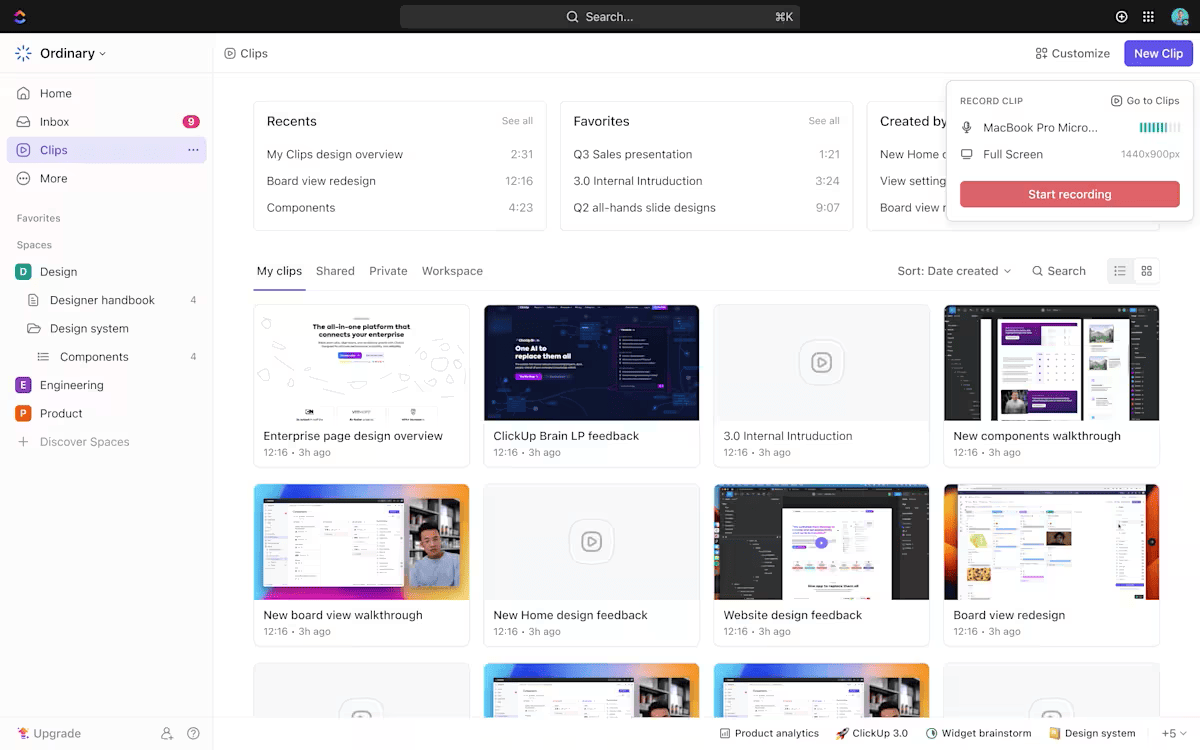
Anyone can comment on the video, add time-stamped notes, and keep the conversation going asynchronously. You can even share the clip in Docs, Chat, or Comments.
Your colleagues can watch the feedback at their own time.
Check this video to know how you can add a timestamped comment to SyncUp recordings:
You see, SyncUps solve a core problem with Zoom standups: spoken updates are easy to forget and hard to tie back to trackable work. SyncUps keep the conversation close to tasks and follow-through.
⚡ Template Archive: Free Note Taking Templates for Better Organization
Daily standups assume everyone can show up at the same time. However, it doesn’t work for hybrid and global teams spread across time zones and work schedules.
ClickUp SyncUp removes that constraint. Some team members can join live when it makes sense. Others can contribute asynchronously through recorded updates, voice notes, or Clips.
Everyone still participates without needing to be online at the same time.
Also, team members can go through the recording, transcripts, or summary to get context.
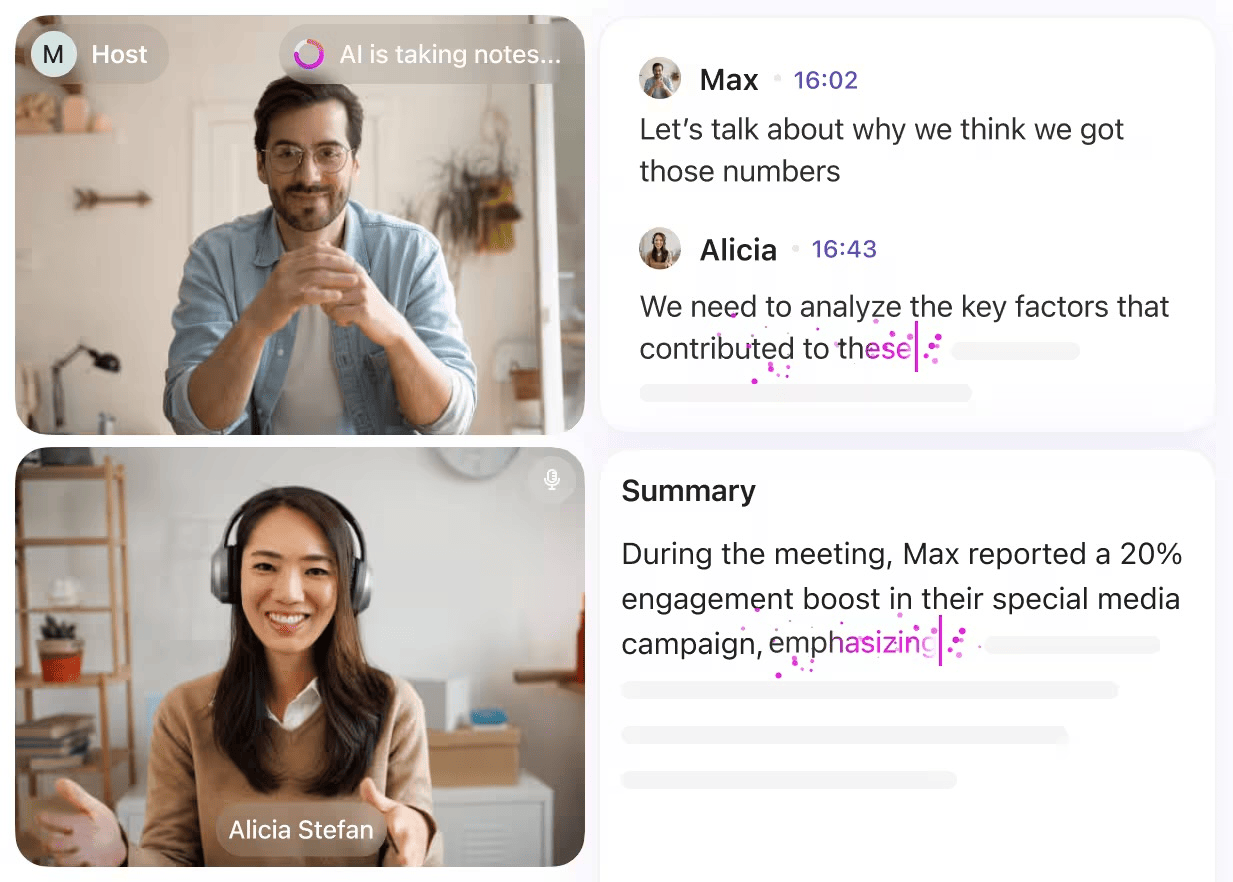
Updates, decisions, and blockers stay accessible inside tasks, Docs, and Chat—ready when each teammate starts their day.
For starters, you need to use ClickUp to avail of the advantages of ClickUp SyncUp.
ClickUp, the world’s first Converged AI Workspace, brings together all your work, apps, data, and workflows.
Here’s how to transition from Zoom standups to ClickUp SyncUp.
Survey your team and audit your standup on the following parameters:
| Audit aspect | What to examine |
|---|---|
| Time | Average standup duration, prep time to gather updates, and whether the time slot works across time zones |
| Engagement | Attendance trends, who participates vs stays passive, and whether multitasking is common |
| Actionable outcomes | Recurring blockers, follow-through rate on action items, and whether commitments become tasks |
| Discussion quality | Whether the format stays in “status” or drifts into problem solving that only needs a subset of people |
| Context switching | Whether the format stays in “status” or drifts into problem-solving that only needs a subset of people |
By the end of this audit, you should have concrete answers to these 4 parameters:
Once you understand what needs to happen in a standup, define a protocol that supports it.
Some teams keep the traditional standup structure but move it async.
Others adopt a hybrid workplace communication: async updates by default, live SyncUps only when discussion or decisions are needed.
This is where ClickUp Chat and SyncUp come together. Chat becomes the space for ongoing collaboration and follow-ups, while SyncUps handle structured check-ins, recordings, summaries, and action items—without forcing everyone into a daily Zoom meeting.
⭐ Bonus: Set standup communication rules for the team. It could be as simple as 👇
Use async updates when:
Use SyncUps when:
Use Clips when:
Use themed SyncUps for:
📚 Read More: Best Chat Platforms for Asynchronous Communication
You can start a SyncUp straight from:
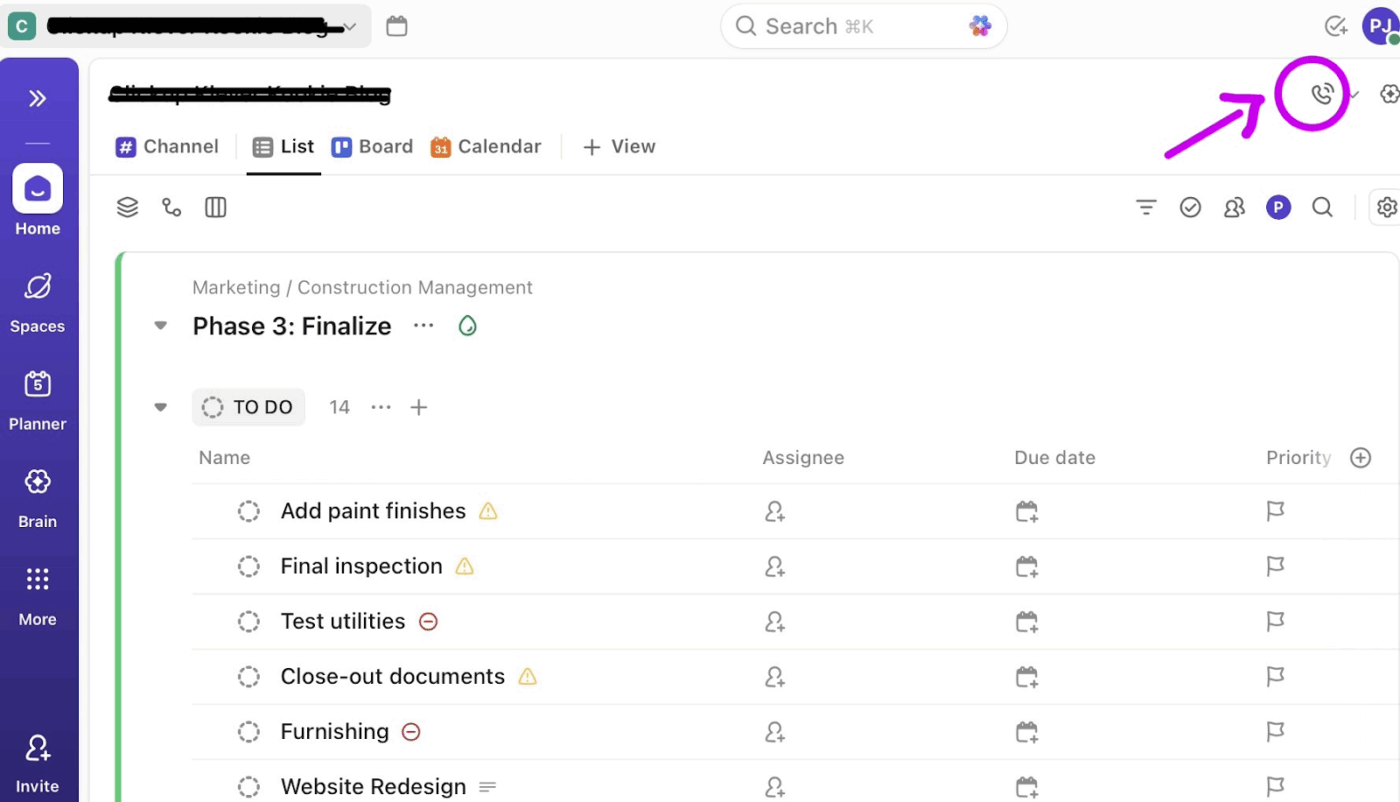
To capture your session, hit the record icon.
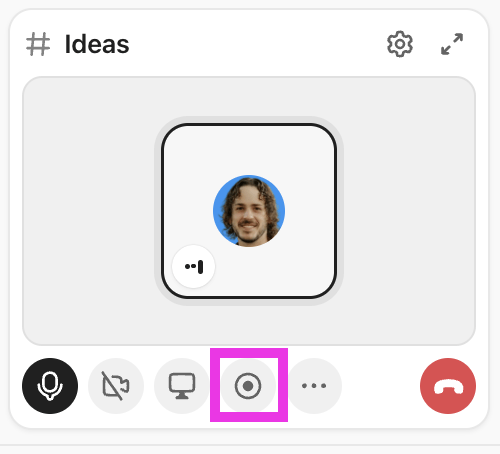
You can add participants by sharing the SyncUp link or inviting them.
Make sure your team knows how to use SyncUps:
Make sure your team has notifications set up correctly so they don’t miss calls when coordination is needed.
📚 Read More: Top Screen Sharing Software for Remote Meetings
💡 Pro Tip: Use Super Agents, ClickUp’s AI-powered teammates. They’re designed to save time, boost productivity, and adapt to your Workspace with intelligence and human-like interactions.
Super Agents excel at workflows like these:
You may not be ready to leave Zoom entirely. If your team still relies on Zoom for external calls or large webinars, the ClickUp Zoom integration can help reduce context switching.
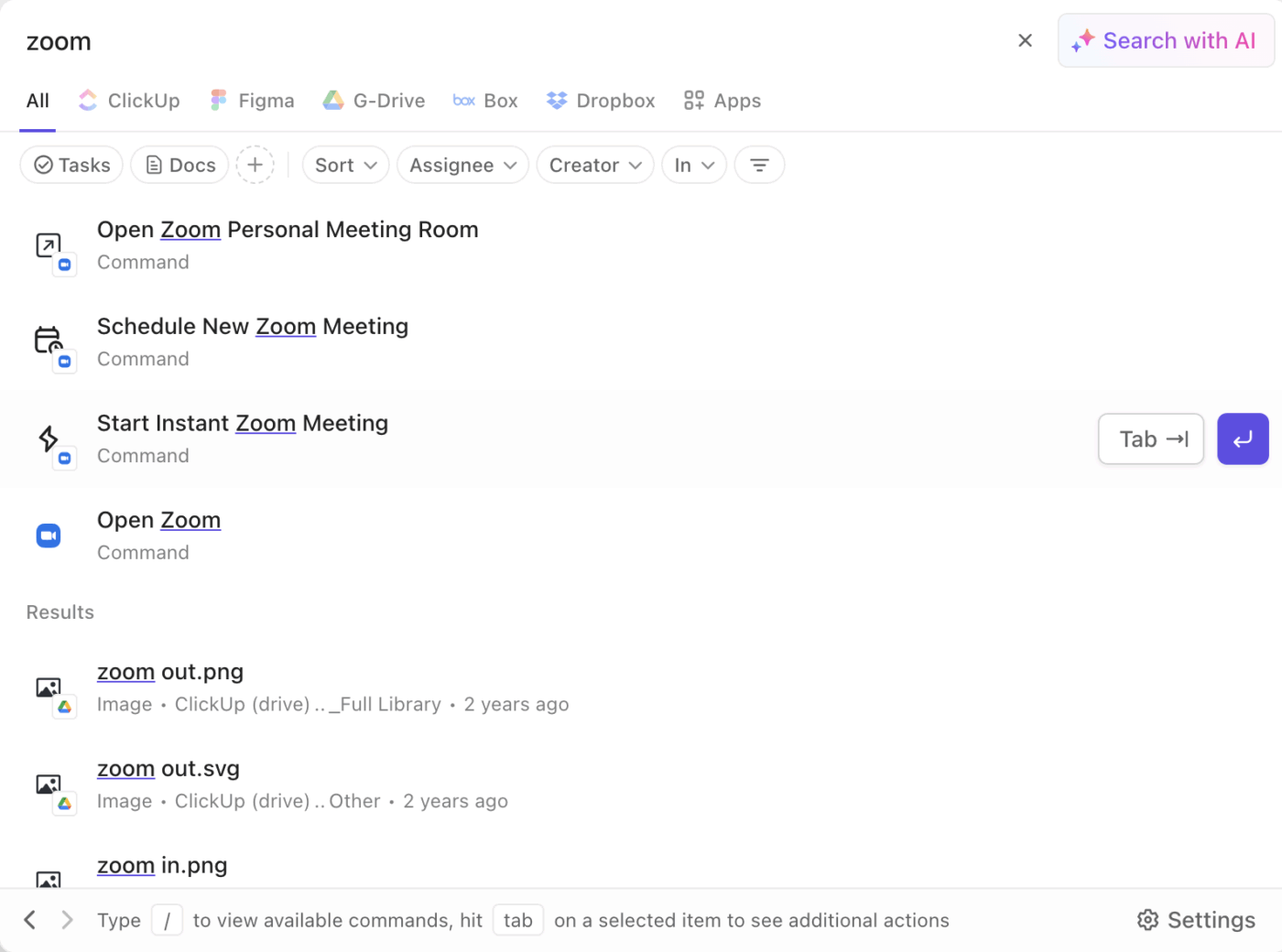
You can also record audio and video from Zoom calls. However, you need a paid Zoom Professional account to get transcriptions posted back to ClickUp after each call.
For internal standups, SyncUps are often more practical. Record your SyncUp, access the transcript in Clips Hub, and use ClickUp AI to summarize the meeting.
Transfer the summary to a Doc in one click, then turn Doc text into tasks so action items are never missed.
📚 Read More: How to Automatically Take Notes in Zoom Meetings?
Need a quick recap on why SyncUps are better than Zoom meetings for daily standups? 👇
📚 Read More: How to Improve Workplace Collaboration
To see how this works in practice, let’s look at a real-world example.
A marketing team runs a fast-moving Christmas campaign and replaces daily Zoom standups with ClickUp SyncUp.
During a Christmas campaign, work moves fast. Content calendars, ad creatives, landing pages, and email flows are all in motion at once.
Instead of pulling everyone into a daily Zoom standup, each team member shares updates in a dedicated Doc or task. When a sync is needed, the team can jump onto a SyncUp without leaving ClickUp and review the updates in real time.
Design reviews and copy approvals are posted directly against the relevant tasks.
As updates come in, the team uses ClickUp Brain to compile them into clear, campaign-level insights.
The marketing manager doesn’t have to scroll through messages or attend calls to understand what’s happening. They can see summaries like “SEO content calendar completed,” “Christmas ad creatives under review,” or “Email copy awaiting final approval.”
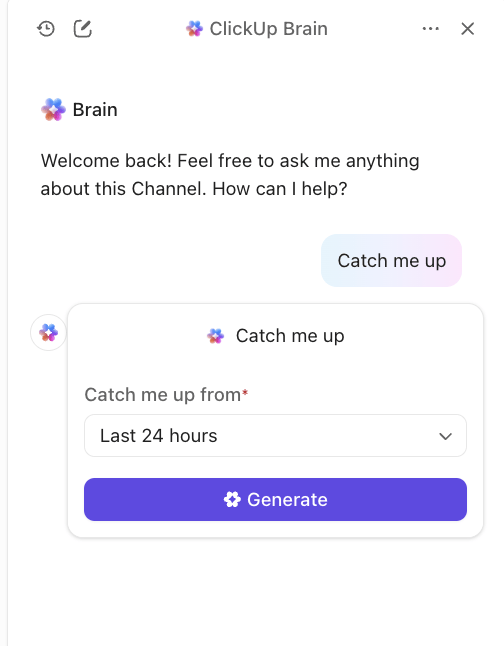
The marketing manager reviews campaign progress in one place—ClickUp.
All updates, decisions, and blockers live inside ClickUp. If something needs attention, the manager can jump straight into the task or start a SyncUp with only the relevant stakeholders.
The rest of the team keeps moving without unnecessary meetings.
If your marketing manager is out for a day or pulled into back-to-back meetings, they don’t fall behind.
Prompt ClickUp Brain to surface any updates they missed. Within seconds, they get a concise summary of what shipped, what’s blocked, and what needs a decision. All this without watching recordings or chasing people for updates.
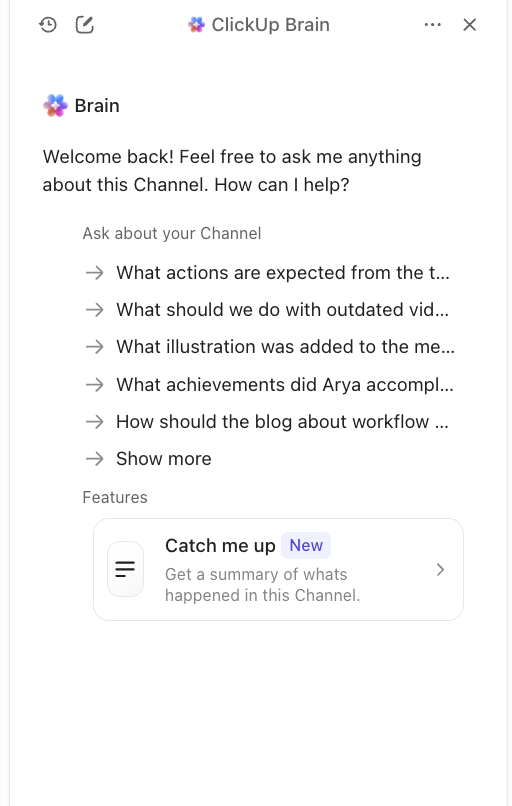
Communication should facilitate coordination rather than bringing disruption.
If your team is still discussing the same blocker every day or reciting updates like a chore, it’s a sign your standups need a change.
With ClickUp SyncUp, you get a communication tool that operates right within your workspace. You don’t need to switch tools, build context, or worry about translating verbal commitments into trackable tasks. ClickUp’s all-connected workplace makes coordination and execution one continuous flow.
Looking to replace Zoom standups with SyncUps? Try ClickUp SyncUps right away.
SyncUp is built directly within your ClickUp workspace, where your tasks, docs, and projects already live. Here, you launch calls without switching tools or rebuilding context.
Loom, on the other hand, offers one-way video recording separate from your actual work. Slack threads are part of Slack’s broader communication offering.
SyncUps are available on all plans once ClickUp Chat is enabled. Availability and limits may vary by plan over time.
Async standups let team members across different time zones contribute without forcing everyone into the same schedule. People can share updates during their productive hours without interrupting deep work, and there’s a written record of everything discussed on the call.
ClickUp AI can generate transcripts and summaries for recorded SyncUps from Clips Hub, then help you pull key decisions and action items without watching the whole recording.
SyncUp lives directly inside your ClickUp workspace. You can launch calls from any channel or DM and link relevant tasks and docs so discussions happen alongside the actual work. Every SyncUp automatically connects to actionable tasks, turning verbal commitments into trackable tasks.
In many teams, yes. SyncUps and async updates can reduce the need for recurring meetings, especially when updates and decisions are tied to tasks and visible in one place. Use live SyncUps when real-time discussion is needed.

© 2026 ClickUp

There’s an easier way. Try a free AI Agent in ClickUp that actually does the work for you—set up in minutes, save hours every week.